turn signal MAZDA MODEL TRIBUTE 2004 Owners Manual (in English)
[x] Cancel search | Manufacturer: MAZDA, Model Year: 2004, Model line: MODEL TRIBUTE, Model: MAZDA MODEL TRIBUTE 2004Pages: 256, PDF Size: 2.64 MB
Page 1 of 256
Introduction 3
Instrument Cluster 10
Warning and control lights 10
Gauges 15
Entertainment Systems 17
AM/FM stereo with CD 17
AM/FM stereo with cassette and in-dash six CD 27
Climate Controls 44
Manual heating and air conditioning 44
Lights 48
Headlamps 48
Turn signal control 50
Bulb replacement 51
Driver Controls 56
Windshield wiper/washer control 56
Steering wheel adjustment 58
Power windows 61
Mirrors 62
Speed control 63
Locks and Security 70
Keys 70
Locks 70
Anti-theft system 75
Seating and Safety Restraints 80
Seating 80
Safety restraints 90
Air bags 100
Child restraints 110
Driving 121
Starting 121
Table of Contents
Table of Contents
1
Page 8 of 256
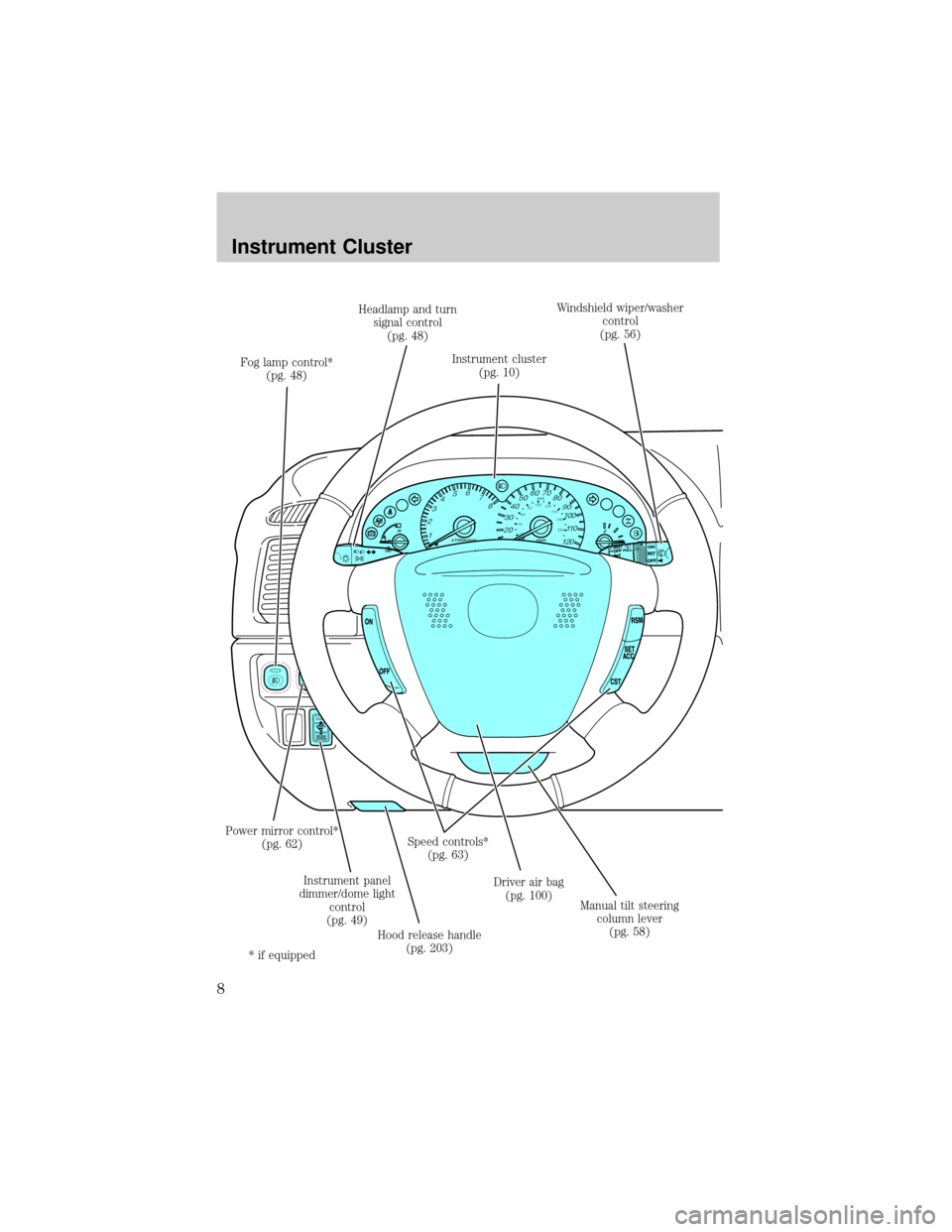
Instrument cluster
(pg. 10)Windshield wiper/washer
control
(pg. 56)
Driver air bag
(pg. 100) Speed controls*
(pg. 63)
Instrument panel
dimmer/dome light
control
(pg. 49)
Hood release handle
(pg. 203) Power mirror control*
(pg. 62) Fog lamp control*
(pg. 48)Headlamp and turn
signal control
(pg. 48)
Manual tilt steering
column lever
(pg. 58)
* if equipped
Instrument Cluster
Instrument Cluster
8
Page 14 of 256

Four wheel drive indicator (if
equipped):Illuminates when
four-wheel drive is engaged, refer to
theDrivingchapter.
Note:If the light continues to flash,
have the system serviced by an authorized Mazda dealer.
Anti-theft system:Flashes when
the SecurilockyPassive Anti-theft
System has been activated. Refer to
SecuriLockypassive anti-theft
systemin theLocks and Securitychapter.
Speed control:Illuminates when
the speed control is activated. Turns
off when the speed control system
is deactivated, refer to theDriver Controlschapter.
Door ajar:Illuminates when the
ignition is in the ON position and
any door, liftgate, or liftgate window
is open.
Turn signals:Illuminates when the
left or right turn signal or the
hazard lights are turned on. If the
indicators stay on or flash faster, check for a burned out bulb.
High beams:Illuminates when the
high beam headlamps are turned on.
Safety belt warning chime:
Sounds to remind you to fasten your
safety belts.
Key-in-ignition warning chime:Sounds when the key is left in the
ignition in the OFF/LOCK or ACC position and the driver's door is
opened.
Headlamps on warning chime:Sounds when the headlamps or parking
lamps are on, the ignition is off (the key is not in the ignition) and the
driver's door is opened.
CRUISE
Instrument Cluster
14
Page 18 of 256
AM/FM select
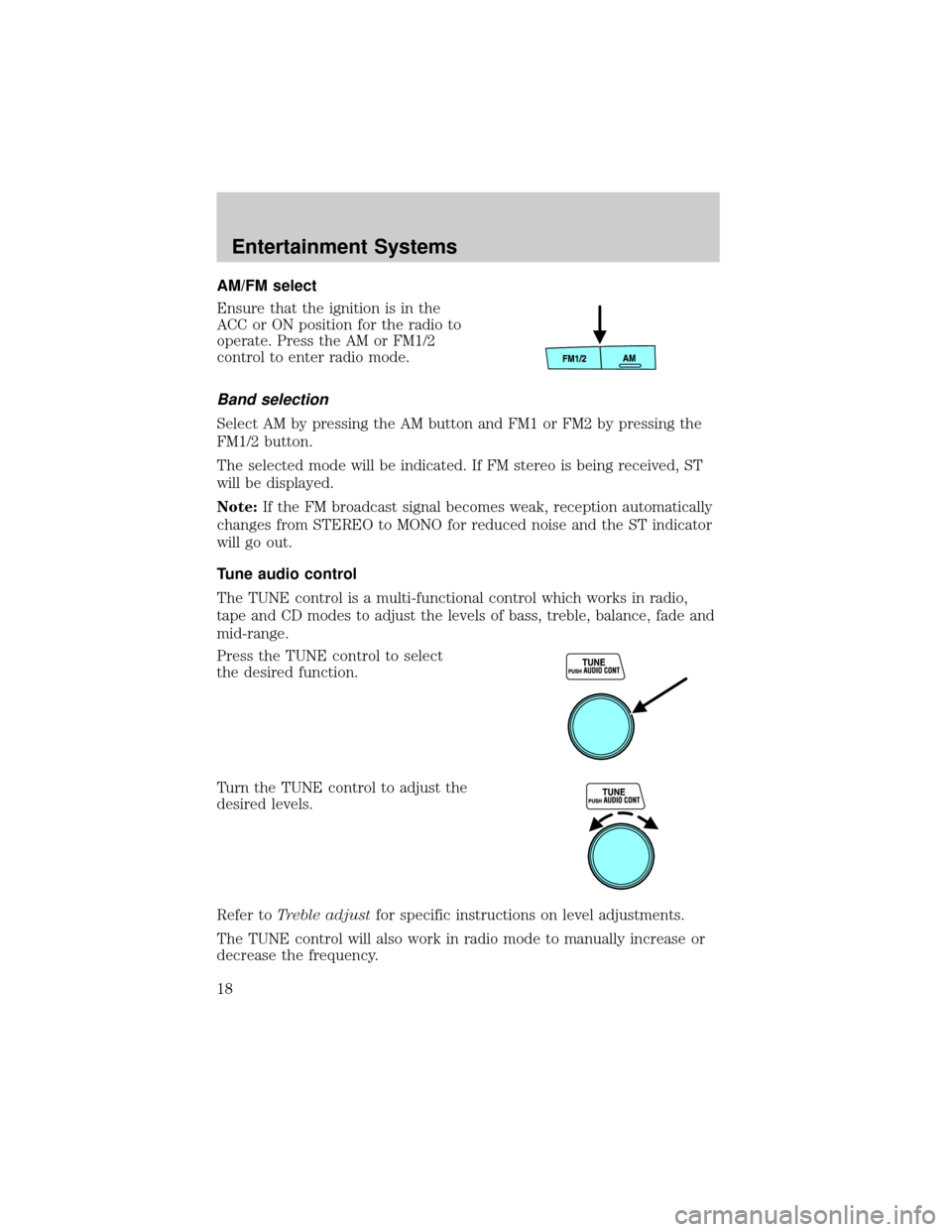
Ensure that the ignition is in the
ACC or ON position for the radio to
operate. Press the AM or FM1/2
control to enter radio mode.
Band selection
Select AM by pressing the AM button and FM1 or FM2 by pressing the
FM1/2 button.
The selected mode will be indicated. If FM stereo is being received, ST
will be displayed.
Note:If the FM broadcast signal becomes weak, reception automatically
changes from STEREO to MONO for reduced noise and the ST indicator
will go out.
Tune audio control
The TUNE control is a multi-functional control which works in radio,
tape and CD modes to adjust the levels of bass, treble, balance, fade and
mid-range.
Press the TUNE control to select
the desired function.
Turn the TUNE control to adjust the
desired levels.
Refer toTreble adjustfor specific instructions on level adjustments.
The TUNE control will also work in radio mode to manually increase or
decrease the frequency.
Entertainment Systems
18
Page 28 of 256
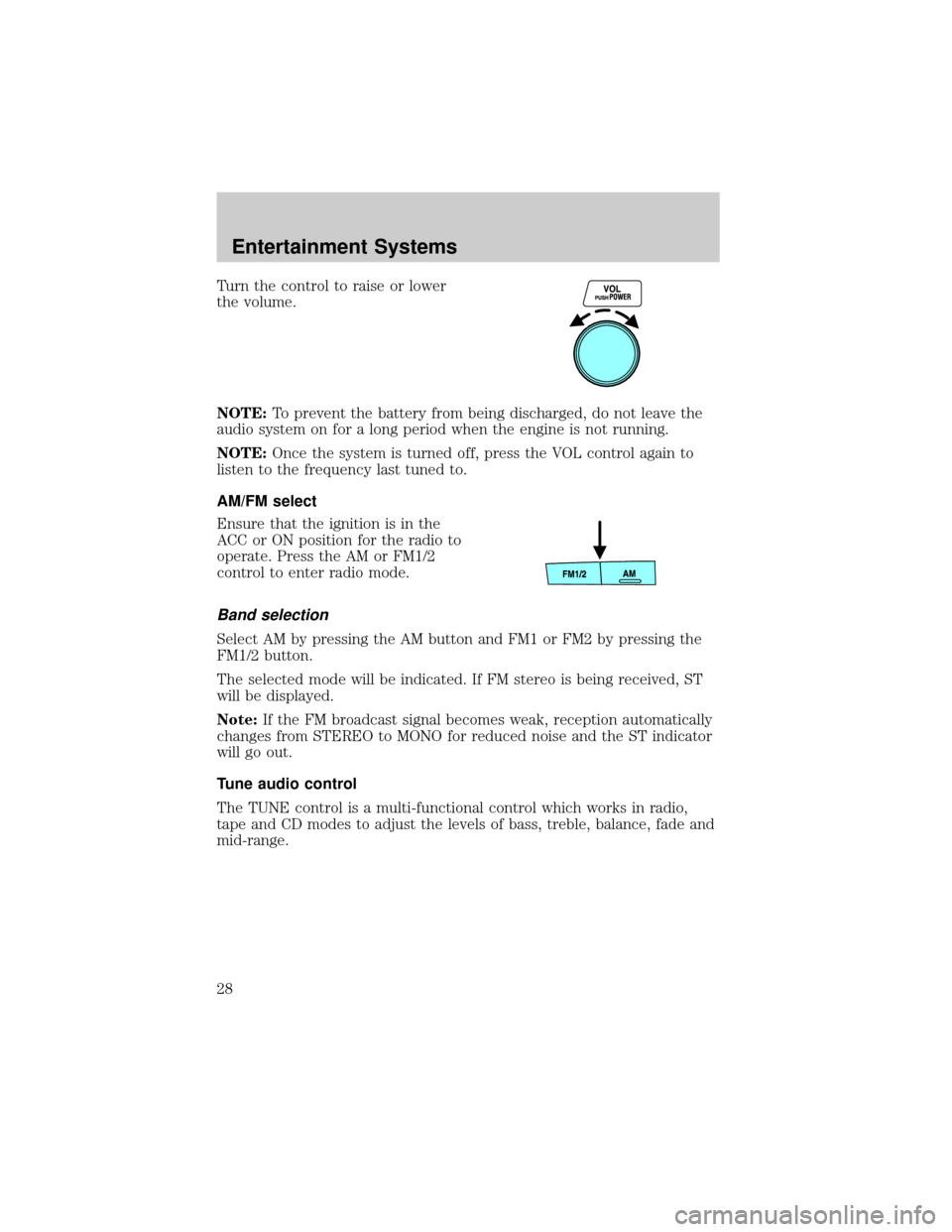
Turn the control to raise or lower
the volume.
NOTE:To prevent the battery from being discharged, do not leave the
audio system on for a long period when the engine is not running.
NOTE:Once the system is turned off, press the VOL control again to
listen to the frequency last tuned to.
AM/FM select
Ensure that the ignition is in the
ACC or ON position for the radio to
operate. Press the AM or FM1/2
control to enter radio mode.
Band selection
Select AM by pressing the AM button and FM1 or FM2 by pressing the
FM1/2 button.
The selected mode will be indicated. If FM stereo is being received, ST
will be displayed.
Note:If the FM broadcast signal becomes weak, reception automatically
changes from STEREO to MONO for reduced noise and the ST indicator
will go out.
Tune audio control
The TUNE control is a multi-functional control which works in radio,
tape and CD modes to adjust the levels of bass, treble, balance, fade and
mid-range.
Entertainment Systems
28
Page 43 of 256

Radio reception factors
Three factors can affect radio reception:
²Distance/strength.The further an FM signal travels, the weaker it is.
The listenable range of the average FM station is approximately 40 km
(24 miles). This range can be affected by ªsignal modulation.º Signal
modulation is a process radio stations use to increase their
strength/volume relative to other stations.
²Terrain.Hills, mountains and tall buildings between your vehicle's
antenna and the radio station signal can cause FM reception problems.
Static can be caused on AM stations by power lines, electric fences,
traffic lights and thunderstorms. Moving away from an interfering
structure (out of its ªshadowº) returns your reception to normal.
²Station overload.Weak signals are sometimes captured by stronger
signals when you pass a broadcast tower. A stronger signal may
temporarily overtake a weaker signal and play while the weak station
frequency is displayed.
The audio system automatically switches to single channel reception if it
will improve the reception of a station normally received in stereo.
AUDIO SYSTEM WARRANTIES AND SERVICE
Refer to the ªWarranty Guideº for audio system warranty information.
If service is necessary, see your dealer.
Entertainment Systems
43
Page 50 of 256

AIMING THE HEADLAMPS
The headlamps on your vehicle are properly aimed at the assembly plant.
If your vehicle has been in an accident the alignment of your headlamps
should be checked by your authorized Mazda dealer.
TURN SIGNAL CONTROL
²Push down to activate the left
turn signal.
²Push up to activate the right turn
signal.
INTERIOR LAMPS
Cargo and dome lamp
Rear cargo lamp equipped with an
ON/OFF/DOOR control will light
when:
²the doors are closed and the
control is in the ON position.
²the control is in the DOOR
position and any door is open.
When the control is in the OFF position, it will not illuminate when you
open the doors.
Dome lamps and map lamps
The front dome lamp is located overhead between the driver and
passenger seats.
The dome lamp will stay on if the
control is moved to the passenger
side position. When the control is in
the middle position, the lamp will
only come on when a door is
opened. If the control is moved to
the driver's side position, the lamp
will not come on at all.
With the control in the middle position, the dome lamp will illuminate
whenever any door is opened. If any door has been opened from the
outside, the lamp will remain on for 25 seconds after the door is shut.
OFF
Lights
50
Page 54 of 256

Replacing brake/tail/turn/backup lamps bulbs
The brake/tail/turn/backup lamp bulbs are located in the tail lamp
assembly, one just below the other. Follow the same steps to replace
either bulb:
1. Open the liftgate to expose the
lamp assemblies.
2. Remove the two screws from
the lamp assembly.
3. Carefully remove the lamp
assembly by pulling it rearward.
4. Twist the bulb socket
counterclockwise and remove
from lamp assembly.
5. Pull the bulb straight out of the
socket and push in the new
bulb.
6. To complete installation, follow
the removal procedure in
reverse order.
Replacing front parking/turn signal lamp bulbs
1. Make sure that the headlamp control is in the OFF position.
2. Open the hood. The position lamps are located on the bottom half of
each headlamp.
3. Disconnect the electrical connector from the bulb by pulling
rearward.
4. Remove the bulb socket from the lamp assembly by turning
counterclockwise.
Lights
54
Page 154 of 256

Hitches
Do not use hitches that clamp onto the vehicle bumper. Use a load
carrying hitch. You must distribute the load in your trailer so that
10±15% of the total weight of the trailer is on the tongue.
Safety chains
Always connect the trailer's safety chains to the frame or hook retainers
of the vehicle hitch. To connect the trailer's safety chains, cross the
chains under the trailer tongue and allow slack for turning corners.
If you use a rental trailer, follow the instructions that the rental agency
gives to you.
Do not attach safety chains to the bumper.
Trailer brakes
Electric brakes and manual, automatic or surge-type trailer brakes are
safe if installed properly and adjusted to the manufacturer's
specifications. The trailer brakes must meet local and Federal
regulations.
WARNING: Do not connect a trailer's hydraulic brake system
directly to your vehicle's brake system. Your vehicle may not
have enough braking power and your chances of having a
collision greatly increase.
The braking system of the tow vehicle is rated for operation at the
GVWR not GCWR.
Trailer lamps
Trailer lamps are required on most towed vehicles. Make sure all running
lights, brake lights, turn signals and hazard lights are working. See your
authorized Mazda dealer for proper instructions and equipment for
hooking up trailer lamps.
Driving while you tow
When towing a trailer:
²Turn off the speed control. The speed control may shut off
automatically when you are towing on long, steep grades.
²Consult your local motor vehicle speed regulations for towing a trailer.
²To eliminate excessive shifting, use a lower gear. This will also assist
in transmission cooling.
Driving
154
Page 157 of 256

HAZARD FLASHER CONTROL
The hazard flasher is located on the
instrument panel by the radio. The
hazard flashers will operate when
the ignition is off.
Push in the flasher control and all front and rear direction signals will
flash. Press the flasher control again to turn them off. Use it when your
vehicle is disabled and is creating a safety hazard for other motorists.
Note:With extended use, the flasher may run down your battery.
FUEL PUMP SHUT-OFF SWITCH
FUEL
RESET
This device stops the electric fuel pump from sending fuel to the engine
when your vehicle has had a substantial jolt.
After an accident, if the engine cranks but does not start, this switch
may have been activated.
This switch is located in the front
passenger's footwell, by the kick
panel access cover.
To reset the switch:
1. Turn the ignition OFF.
2. Check the fuel system for leaks.
3. Remove the kick panel access
cover, located in the front
passenger's footwell.
4. If no leaks are apparent, reset
the switch by pushing in on the
reset button.
5. Turn the ignition ON.
6. Wait a few seconds and return
the key to OFF.
7. Make another check of leaks.
Roadside Emergencies
Roadside Emergencies
157