radio controls MAZDA MODEL TRIBUTE 4WD 2001 User Guide
[x] Cancel search | Manufacturer: MAZDA, Model Year: 2001, Model line: MODEL TRIBUTE 4WD, Model: MAZDA MODEL TRIBUTE 4WD 2001Pages: 232, PDF Size: 1.74 MB
Page 38 of 232
Radio frequency information
The Federal Communications Commission (FCC) and the Canadian Radio
and Telecommunications Commission(CRTC) establish the frequencies
AM and FM stations may use for their broadcasts. Allowable frequencies
are:
AM 530, 540±1600, 1610 kHz
FM 87.7, 87.9±107.7, 107.9 MHz
Not all frequencies are used in a given area.
Radio reception factors
Three factors can affect radio reception:
²Distance/strength. The further an FM signal travels, the weaker it is.
The listenable range of the average FM station is approximately 40 km
(24 miles). This range can be affected by ªsignal modulation.º Signal
modulation is a process radio stations use to increase their
strength/volume relative to other stations.
² Terrain. Hills, mountains and tall buildings between your vehicle's
antenna and the radio station signal can cause FM reception problems.
Static can be caused on AM stations by power lines, electric fences,
traffic lights and thunderstorms. Moving away from an interfering
structure (out of its ªshadowº) returns your reception to normal.
² Station overload. Weak signals are sometimes captured by stronger
signals when you pass a broadcast tower. A stronger signal may
temporarily overtake a weaker signal and play while the weak station
frequency is displayed.
The audio system automatically switches to single channel reception if it
will improve the reception of a station normally received in stereo.
Audio system warranties and service
Refer to the ªWarranty Guideº for audio system warranty information.
If service is necessary, see your dealer.
Controls and features
38
Page 39 of 232
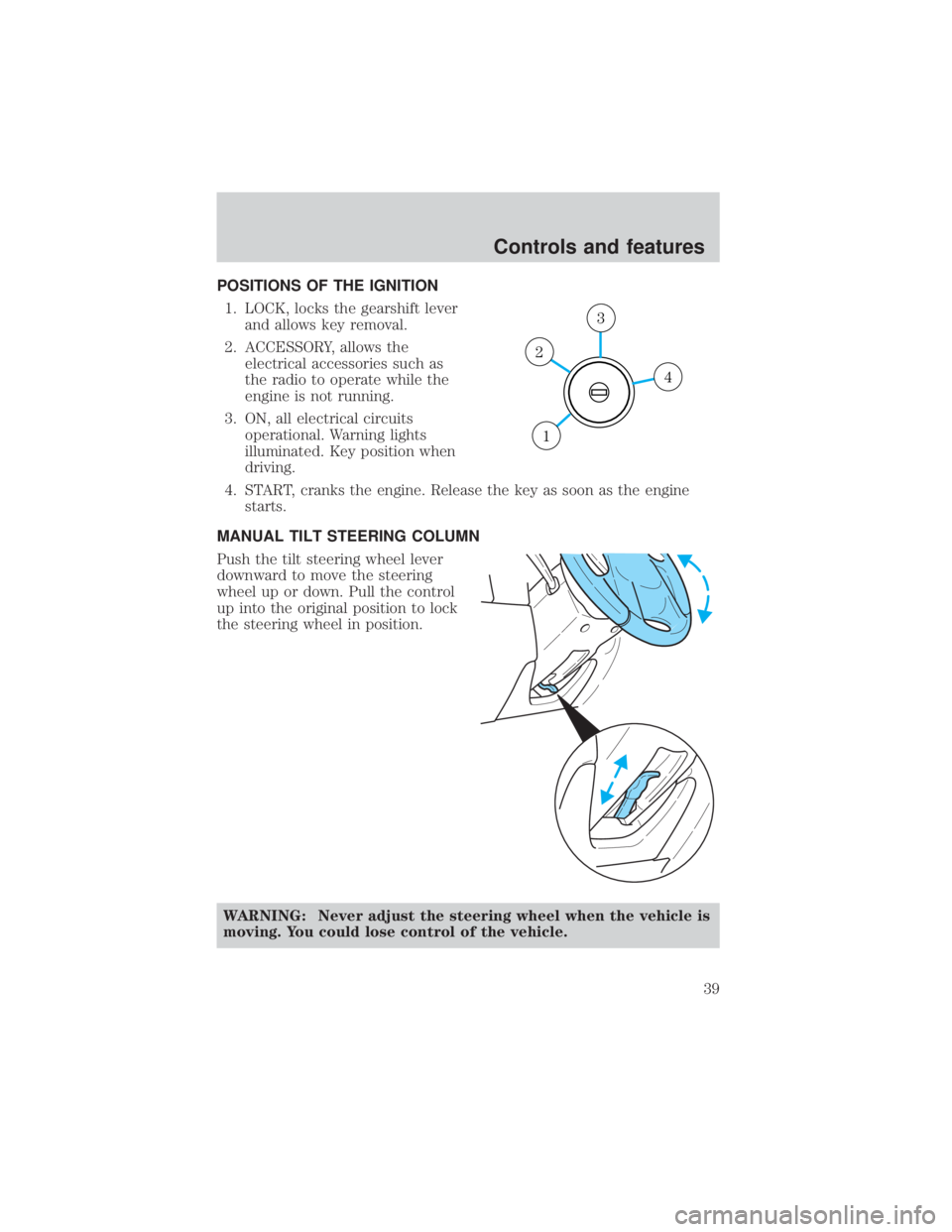
POSITIONS OF THE IGNITION1. LOCK, locks the gearshift lever and allows key removal.
2. ACCESSORY, allows the electrical accessories such as
the radio to operate while the
engine is not running.
3. ON, all electrical circuits operational. Warning lights
illuminated. Key position when
driving.
4. START, cranks the engine. Release the key as soon as the engine starts.
MANUAL TILT STEERING COLUMN
Push the tilt steering wheel lever
downward to move the steering
wheel up or down. Pull the control
up into the original position to lock
the steering wheel in position.
WARNING: Never adjust the steering wheel when the vehicle is
moving. You could lose control of the vehicle.
4
3
2
1
Controls and features
39
Page 54 of 232
AUXILIARY POWER POINT
WARNING: Power outlets are
designed for accessory plugs
only. Do not hang any type of
accessory or accessory bracket
from the plug. Improper use of
the power outlet can cause
damage not covered by your
warranty.
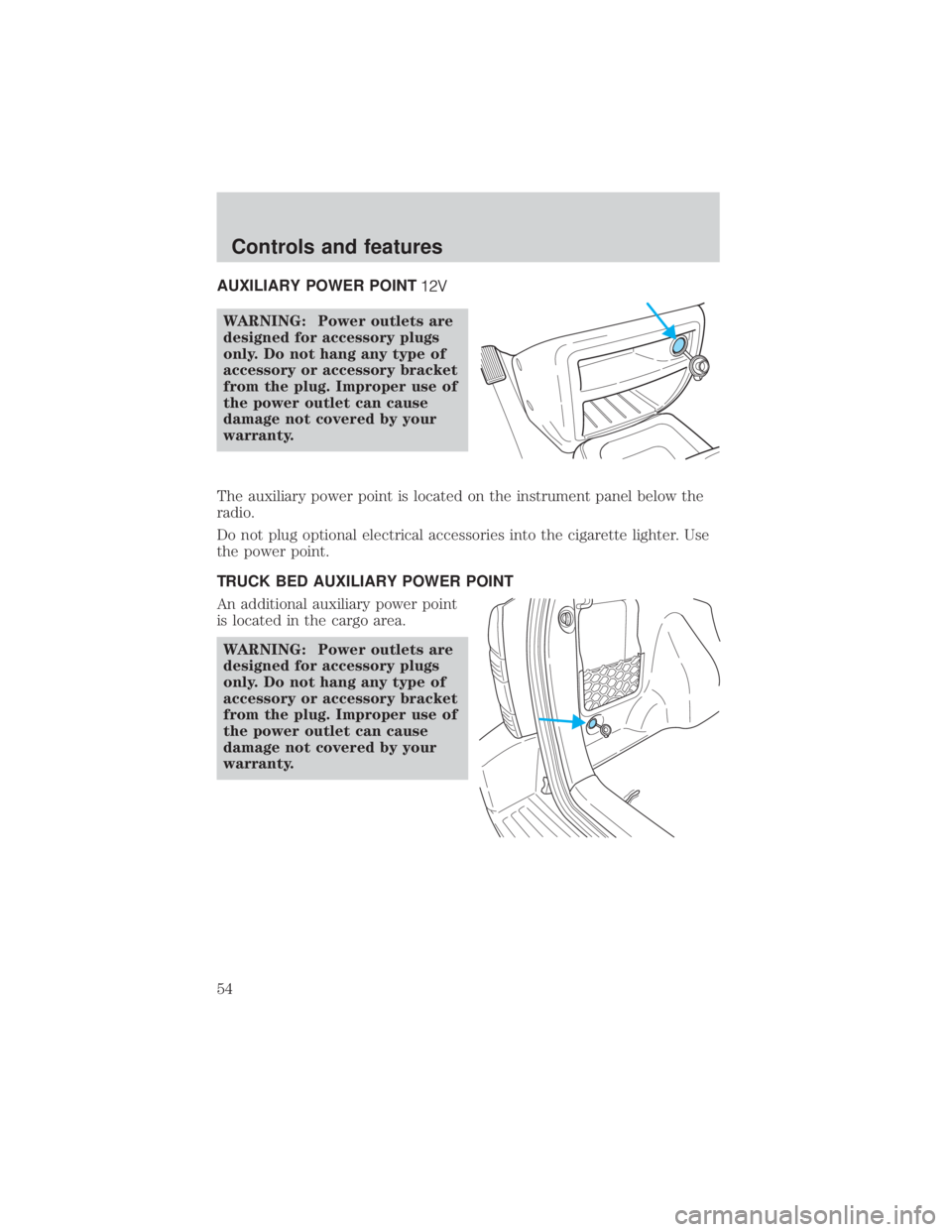
The auxiliary power point is located on the instrument panel below the
radio.
Do not plug optional electrical accessories into the cigarette lighter. Use
the power point.
TRUCK BED AUXILIARY POWER POINT
An additional auxiliary power point
is located in the cargo area. WARNING: Power outlets are
designed for accessory plugs
only. Do not hang any type of
accessory or accessory bracket
from the plug. Improper use of
the power outlet can cause
damage not covered by your
warranty.
Controls and features
54
Page 58 of 232
Replacing the battery
The transmitter is powered by one coin type three-volt lithium battery
CR2032 or equivalent. Typical operating range will allow you to be up to
10 meters (33 feet) away from your vehicle. A decrease in operating
range can be caused by:
²weather conditions
² nearby radio towers
² structures around the vehicle
² other vehicles parked next to the vehicle
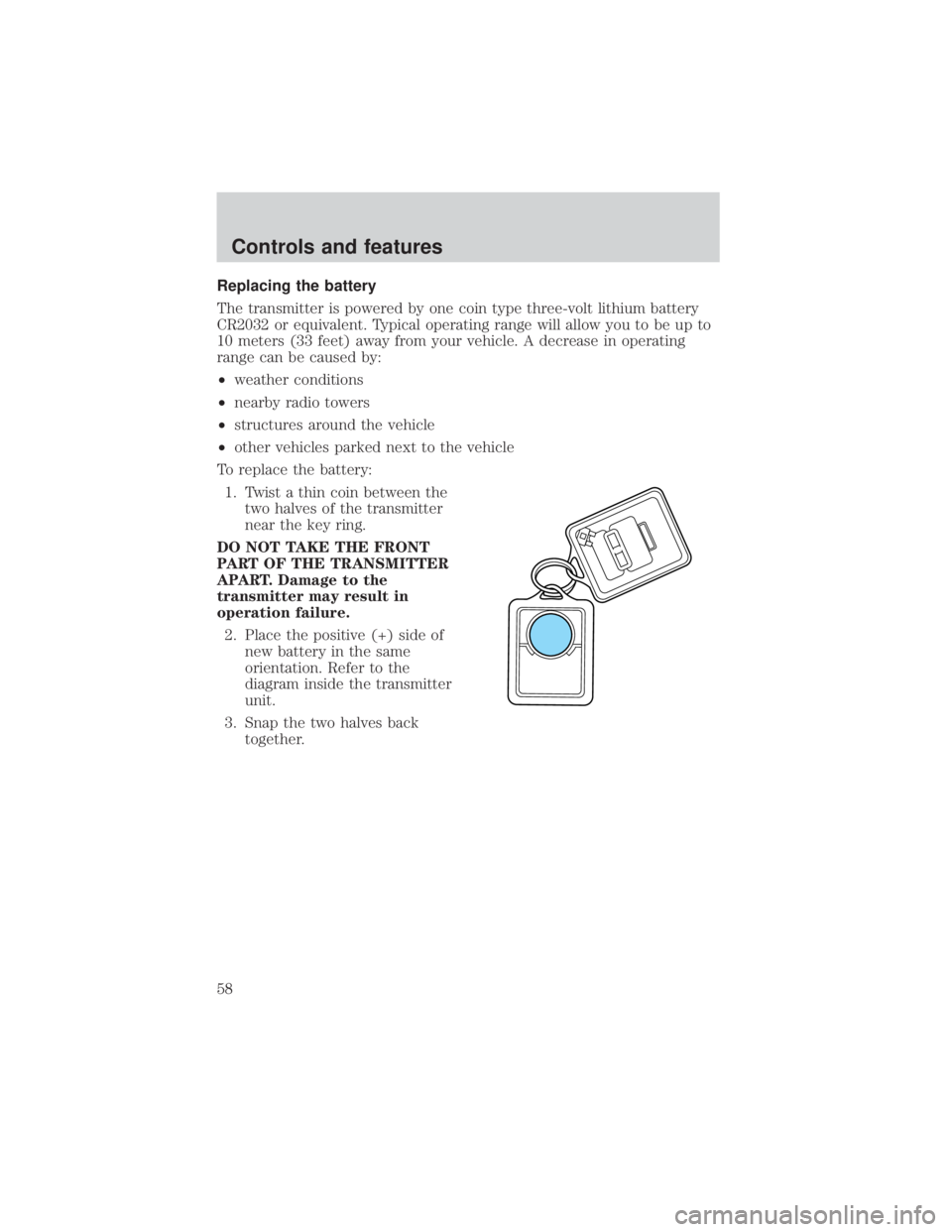
To replace the battery: 1. Twist a thin coin between the two halves of the transmitter
near the key ring.
DO NOT TAKE THE FRONT
PART OF THE TRANSMITTER
APART. Damage to the
transmitter may result in
operation failure. 2. Place the positive (+) side of new battery in the same
orientation. Refer to the
diagram inside the transmitter
unit.
3. Snap the two halves back together.
Controls and features
58
Page 102 of 232
PREPARING TO START YOUR VEHICLE
Engine starting is controlled by the powertrain control system.
NOTE:This system meets all Canadian Interference-Causing Equipment
standard requirements regulating the impulse electrical field strength of
radio noise.
When starting a fuel-injected engine, avoid pressing the accelerator
before or during starting. Only use the accelerator when you have
difficulty starting the engine. For more information on starting the
vehicle, refer to Starting the engine in this chapter.
WARNING: Extended idling at high engine speeds can produce
very high temperatures in the engine and exhaust system,
creating the risk of fire or other damage.
WARNING: Do not park, idle, or drive your vehicle in dry grass
or other dry ground cover. The emission system heats up the
engine compartment and exhaust system, which can start a fire.
WARNING: Do not start your vehicle in a closed garage or in
other enclosed areas. Exhaust fumes can be toxic. Always open
the garage door before you start the engine. See Guarding
against exhaust fumes in this chapter for more instructions.
WARNING: If you smell exhaust fumes inside your vehicle,
have your authorized Mazda dealer inspect your vehicle
immediately. Do not drive if you smell exhaust fumes.
Important safety precautions
A computer system controls the engine's idle revolutions per minute
(RPM). When the engine starts, the idle RPM runs faster to warm the
engine. If the engine idle speed does not slow down automatically, have
the vehicle checked by your authorized Mazda dealership.
Before starting the vehicle: 1. Make sure all vehicle occupants have buckled their safety belts. For more information on safety belts and their proper usage, refer to the
Seating and safety restraints chapter.
Starting
102