reset MAZDA MODEL TRIBUTE HEV 2008 User Guide
[x] Cancel search | Manufacturer: MAZDA, Model Year: 2008, Model line: MODEL TRIBUTE HEV, Model: MAZDA MODEL TRIBUTE HEV 2008Pages: 312, PDF Size: 3.68 MB
Page 40 of 312

Radio Display Condition Action Required
ACQUIRING Radio requires more than two seconds to
produce audio for the selected channel. No action required.
This message should disappear shortly.
SAT FAULT Internal module or system failurepresent. If this message does
not clear within a short period of time, or with an ignition key cycle,
your receiver may have a fault. See your
authorized dealer for service.
INVALID CHNL Channel no longer available.This previously
available channel is no longer available. Tuneto another channel. If
the channel was one of your presets, you may
choose another channel for that preset button.
UNSUBSCRIBED Subscription not available for thischannel. Contact SIRIUS at
1–888–539–7474 to subscribe to the
channel or tune to another channel.
NO TEXT Artist information not available.Artist information not
available at this time on this channel. The
system is working properly.
2008 Tribute Hybrid (thv)
Owners Guide (post-2002-fmt)
USA (fus)
Entertainment Systems
40
Page 50 of 312

PANEL DIMMER CONTROL
Use to adjust the brightness of the
instrument panel and all applicable
switches in the vehicle during
headlamp and parklamp operation.
Move the control to the full upright
position, past detent, to turn on the
interior lamps.
Rotate to full down position (past
detent) to prevent interior lamps
from illuminating when the doors
are opened.
Note:If the battery is disconnected, discharged, or a new battery is
installed, the dimmer switch requires re-calibration. Rotate the dimmer
switch from the full dim position to the full Dome/ON position to reset.
This will ensure that your displays are visible under all lighting
conditions.
AIMING THE HEADLAMPS
The headlamps on your vehicle are properly aimed at the assembly plant.
If your vehicle has been in an accident the alignment of your headlamps
should be checked by your authorized dealer.
Vertical aim adjustment
1. Park the vehicle directly in front of a wall or screen on a level surface, approximately 25 feet (7.6 meters) away.
• (1) 8 feet (2.4 meters)
• (2) Center height of lamp to
ground
• (3) 25 feet (7.6 meters)
• (4) Horizontal reference line
2. Measure the height from the center of your headlamp to the
ground and mark an 8 foot
(2.4 meter) horizontal reference
line on the vertical wall or
screen at this height (a piece of masking tape works well). The
center of the lamp is marked by a 3.0 mm circle on the headlamp
lens.
2008 Tribute Hybrid (thv)
Owners Guide (post-2002-fmt)
USA (fus)
Lights
50
Page 66 of 312

Electronic compass (if equipped)
The compass heading is displayed as one of N, NE, E, SE, S, SW, W and
NW in the center stack display.
The compass reading may be affected when you drive near large
buildings, bridges, power lines and powerful broadcast antenna. Magnetic
or metallic objects placed in, on or near the vehicle may also affect
compass accuracy.
Usually, when something affects the compass readings, the compass will
correct itself after a few days of operating your vehicle in normal
conditions. If the compass still appears to be inaccurate, a manual
calibration may be necessary. Refer toCompass zone adjustment.
Most geographic areas (zones) have a magnetic north compass point that
varies slightly from the northerly direction on maps. This variation is four
degrees between adjacent zones and will become noticeable as the
vehicle crosses multiple zones. A correct zone setting will eliminate this
error. Refer to Compass calibration adjustment.
Compass zone adjustment 1. Determine which magnetic zone you are in for your geographic
location by referring to the zone
map.
2. Turn ignition to the ON position.
3. Locate the reset button on top of the compass sensor mounted
behind the mirror.
123
4
5
6 7 8 9 1011 12 13 14 15
2008 Tribute Hybrid
(thv)
Owners Guide (post-2002-fmt)
USA (fus)
Driver Controls
66
Page 67 of 312

4. Press and hold the reset buttonon the compass module for
approximately 5 seconds until
ZONE XX appears in the center
stack display.
5. Continue to press the reset button until the correct zone appears in the center stack display.
6. The direction will display after the button is released. The zone
is now updated.
Compass calibration adjustment
Perform compass calibration in an open area free from steel structures
and high voltage lines. For optimum calibration, turn off all electrical
accessories (heater/air conditioning, wipers, etc.) and make sure all
vehicle doors are shut. 1. Start the vehicle.
2. Locate the reset button on the compass sensor mounted on the base of mirror.
3. To calibrate, press and hold the reset button on the compass
module for approximately ten
seconds until CAL appears.
Release the button.
4. Slowly drive the vehicle in a circle (less than 3 mph [5 km/h]) until the CAL display changes to the direction value. It may take up to
five circles to complete calibration.
5. The compass is now calibrated.
2008 Tribute Hybrid (thv)
Owners Guide (post-2002-fmt)
USA (fus)
Driver Controls
67
Page 72 of 312
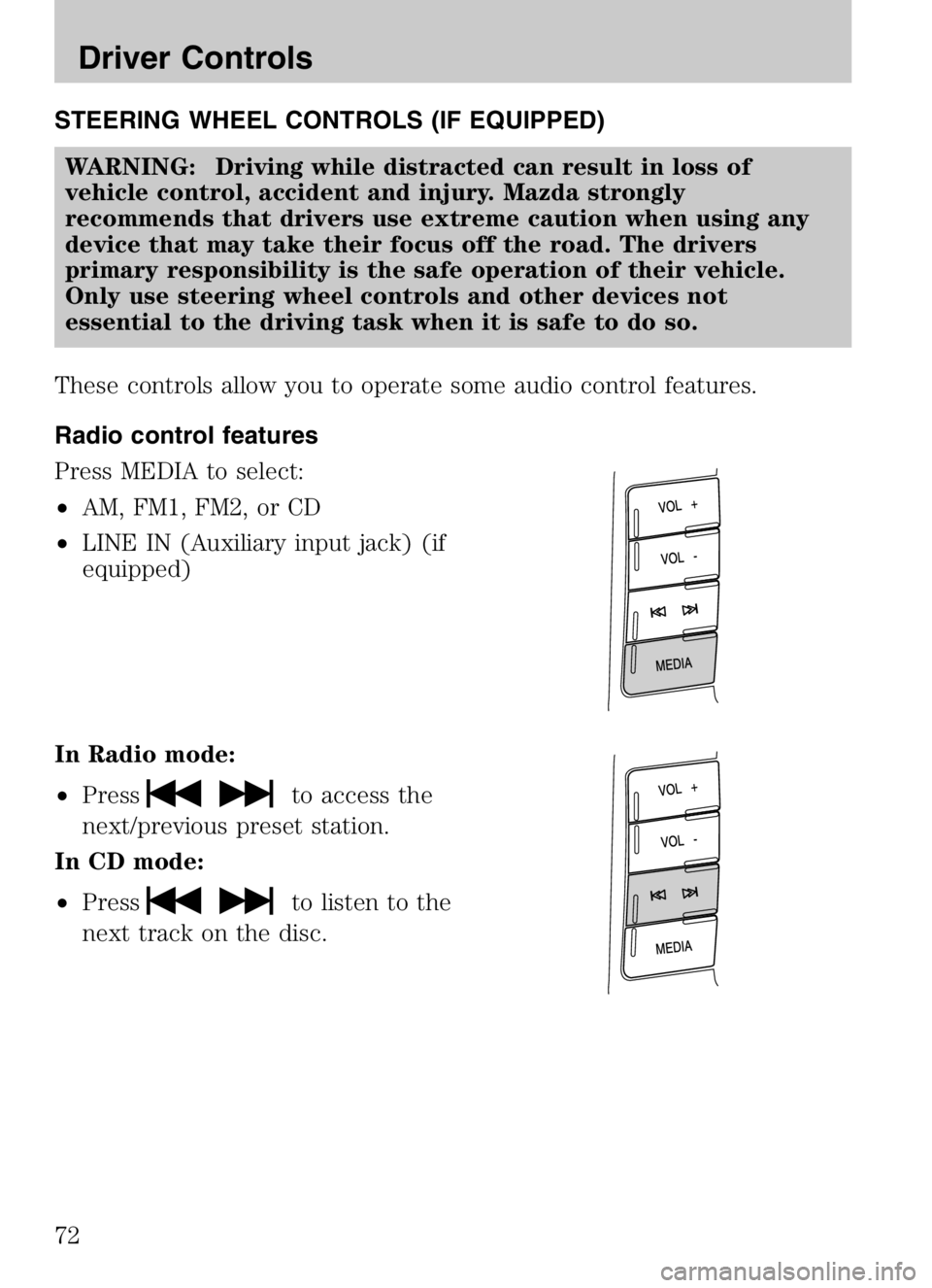
STEERING WHEEL CONTROLS (IF EQUIPPED)WARNING: Driving while distracted can result in loss of
vehicle control, accident and injury. Mazda strongly
recommends that drivers use extreme caution when using any
device that may take their focus off the road. The drivers
primary responsibility is the safe operation of their vehicle.
Only use steering wheel controls and other devices not
essential to the driving task when it is safe to do so.
These controls allow you to operate some audio control features.
Radio control features
Press MEDIA to select:
• AM, FM1, FM2, or CD
• LINE IN (Auxiliary input jack) (if
equipped)
In Radio mode:
• Press
to access the
next/previous preset station.
In CD mode:
• Press
to listen to the
next track on the disc.
2008 Tribute Hybrid (thv)
Owners Guide (post-2002-fmt)
USA (fus)
Driver Controls
72
Page 73 of 312
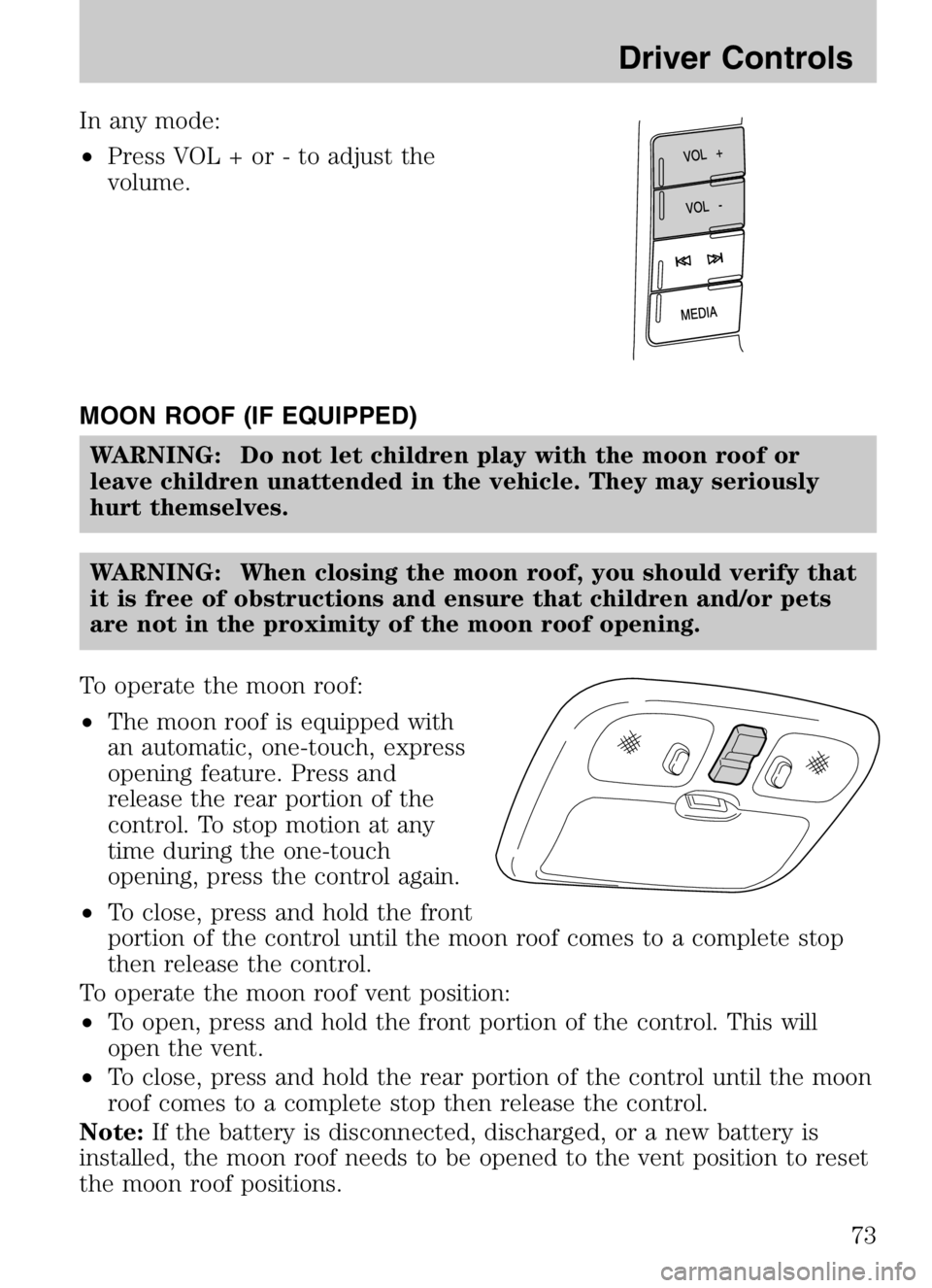
In any mode:
•Press VOL + or - to adjust the
volume.
MOON ROOF (IF EQUIPPED) WARNING: Do not let children play with the moon roof or
leave children unattended in the vehicle. They may seriously
hurt themselves.
WARNING: When closing the moon roof, you should verify that
it is free of obstructions and ensure that children and/or pets
are not in the proximity of the moon roof opening.
To operate the moon roof:
• The moon roof is equipped with
an automatic, one-touch, express
opening feature. Press and
release the rear portion of the
control. To stop motion at any
time during the one-touch
opening, press the control again.
• To close, press and hold the front
portion of the control until the moon roof comes to a complete stop
then release the control.
To operate the moon roof vent position:
• To open, press and hold the front portion of the control. This will
open the vent.
• To close, press and hold the rear portion of the control until the moon
roof comes to a complete stop then release the control.
Note: If the battery is disconnected, discharged, or a new battery is
installed, the moon roof needs to be opened to the vent position to reset
the moon roof positions.
2008 Tribute Hybrid (thv)
Owners Guide (post-2002-fmt)
USA (fus)
Driver Controls
73
Page 74 of 312
If you open and close the moon roof repeatedly, the moon roof motor
may overheat and shut down for 45 seconds while the motor cools.
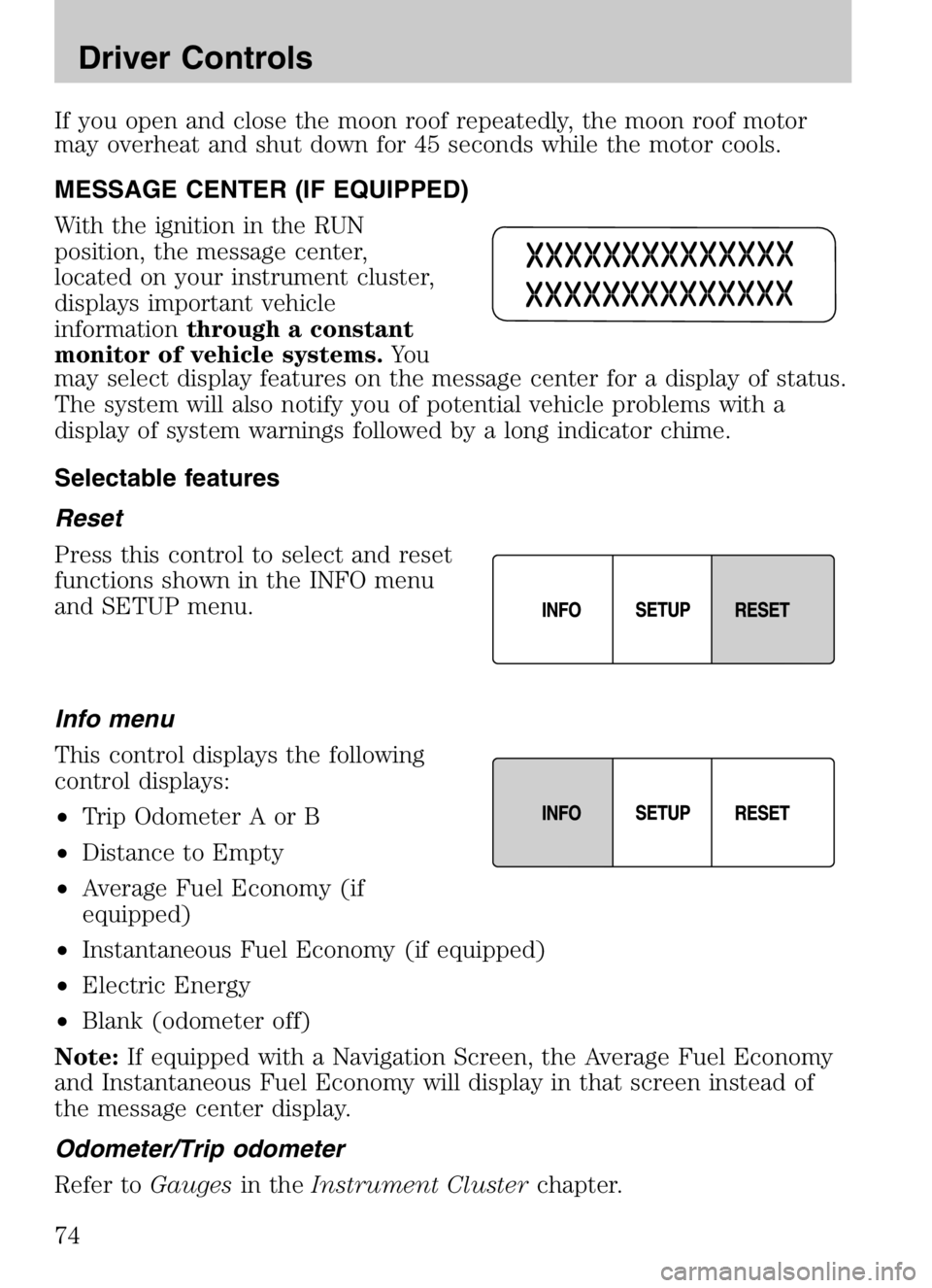
MESSAGE CENTER (IF EQUIPPED)
With the ignition in the RUN
position, the message center,
located on your instrument cluster,
displays important vehicle
informationthrough a constant
monitor of vehicle systems. Yo u
may select display features on the message center for a display of status.
The system will also notify you of potential vehicle problems with a
display of system warnings followed by a long indicator chime.
Selectable features
Reset
Press this control to select and reset
functions shown in the INFO menu
and SETUP menu.
Info menu
This control displays the following
control displays:
• Trip Odometer A or B
• Distance to Empty
• Average Fuel Economy (if
equipped)
• Instantaneous Fuel Economy (if equipped)
• Electric Energy
• Blank (odometer off)
Note: If equipped with a Navigation Screen, the Average Fuel Economy
and Instantaneous Fuel Economy will display in that screen instead of
the message center display.
Odometer/Trip odometer
Refer to Gaugesin theInstrument Cluster chapter.
2008 Tribute Hybrid (thv)
Owners Guide (post-2002-fmt)
USA (fus)
Driver Controls
74
Page 75 of 312

Distance to empty (DTE)
Selecting this function from the
INFO menu will give you an
estimate of how far you can drive
with the fuel remaining in your tank
under normal driving conditions.
Remember to turn the ignition OFF
when refueling your vehicle. Otherwise, the display will not show the
addition of fuel for a few miles (kilometers). DTE will vary according to
your driving habits.
Average fuel economy (AFE) (if equipped)
Selecting this function from the
INFO menu will display your
average fuel economy in miles/gallon
or liters/100 km.
If you calculate your average fuel
economy by dividing miles traveled by gallons of fuel used (liters of fuel
by used 100 kilometers traveled), your figure may be different than
displayed for the following reasons:
•your vehicle was not perfectly level during fill-up
• differences in the automatic shut-off points on the fuel pumps at
service stations
• variations in top-off procedure from one fill-up to another
• rounding off the displayed values to the nearest 0.1 gallon (liter)
1. Drive the vehicle at least 5 miles (8 km) with the speed control system engaged to display a stabilized average.
2. Record the highway fuel economy for future reference.
It is important to press the RESET control after setting the speed
control to get accurate highway fuel economy readings.
To reset back to zero, press and hold the RESET button for 2 seconds.
Instantaneous fuel economy (if equipped)
Select this function from the INFO
menu to display your instantaneous
fuel economy. This will display your
fuel economy as a Bar Graph
ranging from
poor economy
to
excellent economy.
2008 Tribute Hybrid (thv)
Owners Guide (post-2002-fmt)
USA (fus)
Driver Controls
75
Page 76 of 312

Your vehicle must be moving to calculate instantaneous fuel economy.
When your vehicle is not moving, this function shows
, one or no bars
illuminated. Instantaneous fuel economy cannot be reset.
Electric Energy
Select this function from the INFO
menu for the state of charge of the
high voltage battery. For normal
operation “ELECT ENERGY OK”
will be displayed.
Setup menu
Press this control for the following
displays:
• Reset to English (if in another
language)
• System Check
• Oil Life
• Units (English/Metric)
• Autolamp Delay (if equipped)
• Autolock (if equipped)
• Autounlock (if equipped)
• Language
Reset to English (if in another language)
When entering the SETUP MENU
and a non-English language has
been selected, “PRESS RESET FOR
ENGLISH” will be displayed to
change back to English.
Press the RESET control to change back to English.
System check
Selecting this function from the
SETUP menu causes the message
center to cycle through each of the
systems being monitored. For each
of the monitored systems, the
message center will indicate either
an OK message or a warning message for four seconds.
2008 Tribute Hybrid (thv)
Owners Guide (post-2002-fmt)
USA (fus)
Driver Controls
76
Page 77 of 312

Pressing the RESET control cycles the message center through each of
the systems being monitored. If you don’t press any button, the system
will cycle itself.
The sequence of the system check report is as follows:1. Oil life
2. Electric drive
3. Brake system
4. Liftgate and glass
5. DTE/Fuel level
Oil life
An oil change is required whenever indicated by the message center.
USE ONLY RECOMMENDED ENGINE OILS.
To reset the oil monitoring system to 100% after each oil change
(approximately 10,000 miles [16,000 km] or 12 months) perform the
following: 1. Press and release the SETUP control to display “OIL LIFE =
XXX% HOLD RESET = NEW”.
2. Press and hold the RESET control for 2 seconds and
release. Oil life is set to 100%
and “OIL LIFE SET TO 100%”
is displayed.
3. While “OIL LIFE SET TO 100%” is displayed, if a lower oil life start value is desired, press and release
the RESET control to reduce the start value. Each press of the
RESET control reduces the value by 10 percent.
Note: Oil life start value of 100% equals 10,000 miles [16,000 km] or 12
months. For example, setting oil life start value to 60% sets the oil life
start value to 6,000 miles (9,600 km) and 219 days.
2008 Tribute Hybrid (thv)
Owners Guide (post-2002-fmt)
USA (fus)
Driver Controls
77