USB port MAZDA MX5 MIATA 2017 User Guide
[x] Cancel search | Manufacturer: MAZDA, Model Year: 2017, Model line: MX5 MIATA, Model: MAZDA MX5 MIATA 2017Pages: 568, PDF Size: 16.58 MB
Page 291 of 568
5 –69 Interior Features
Audio SystemNOTE
If a file name in the USB memory is too long, it could cause ope ration problems such as
not being able to playback the song.
(Recommended: Within 80 characters)
To move to the desired location on the track, move the slider indicating the playback time.
The appearance of the repeat and shuffle icons changes depending on the type of
operation in which the function is used.
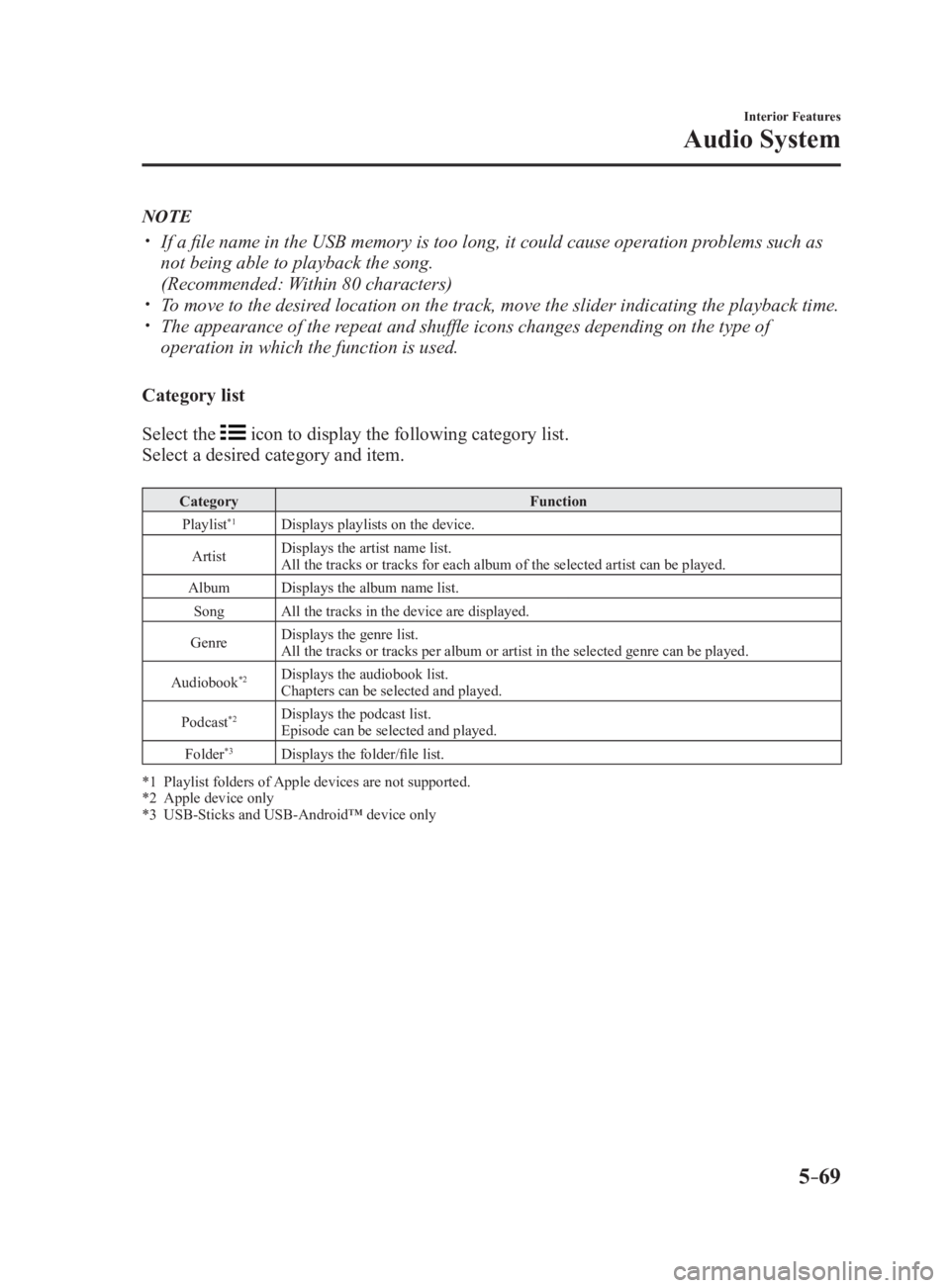
Category list
Select the icon to display the following category list.
Select a desired category and item. Category Function
Playlist *1
Displays playlists on the device.
Artist Displays the artist name list.
All the tracks or tracks for each album of the selected artist can be played.
Album Displays the album name list.
Song All the tracks in the device are displayed.
Genre Displays the genre list.
All the tracks or tracks per album or artist in the selected genre can be played.
Audiobook *2
Displays the audiobook list.
Chapters can be selected and played.
Podcast *2
Displays the podcast list.
Episode can be selected and played.
Folder *3
Displays the folder/file list.
*1 Playlist folders of Apple devices are not supported.
*2 Apple device only
*3 USB-Sticks and USB-Android™ device only
MX-5_8FR4-EA-16J_Edition1.indb 69 2016/08/11 20:29:20
Page 335 of 568
5 –113 Interior Features
Bluetooth ®
Bluetooth ®
Audio (Type A)Applicable Bluetooth ®
specification
(Recommended)
Ver. 2.0
Response profile
A2DP (Advanced Audio Distribution
Profile) Ver. 1.0/1.2
AVRCP (Audio/Video Remote Control
Profile) Ver. 1.0/1.3
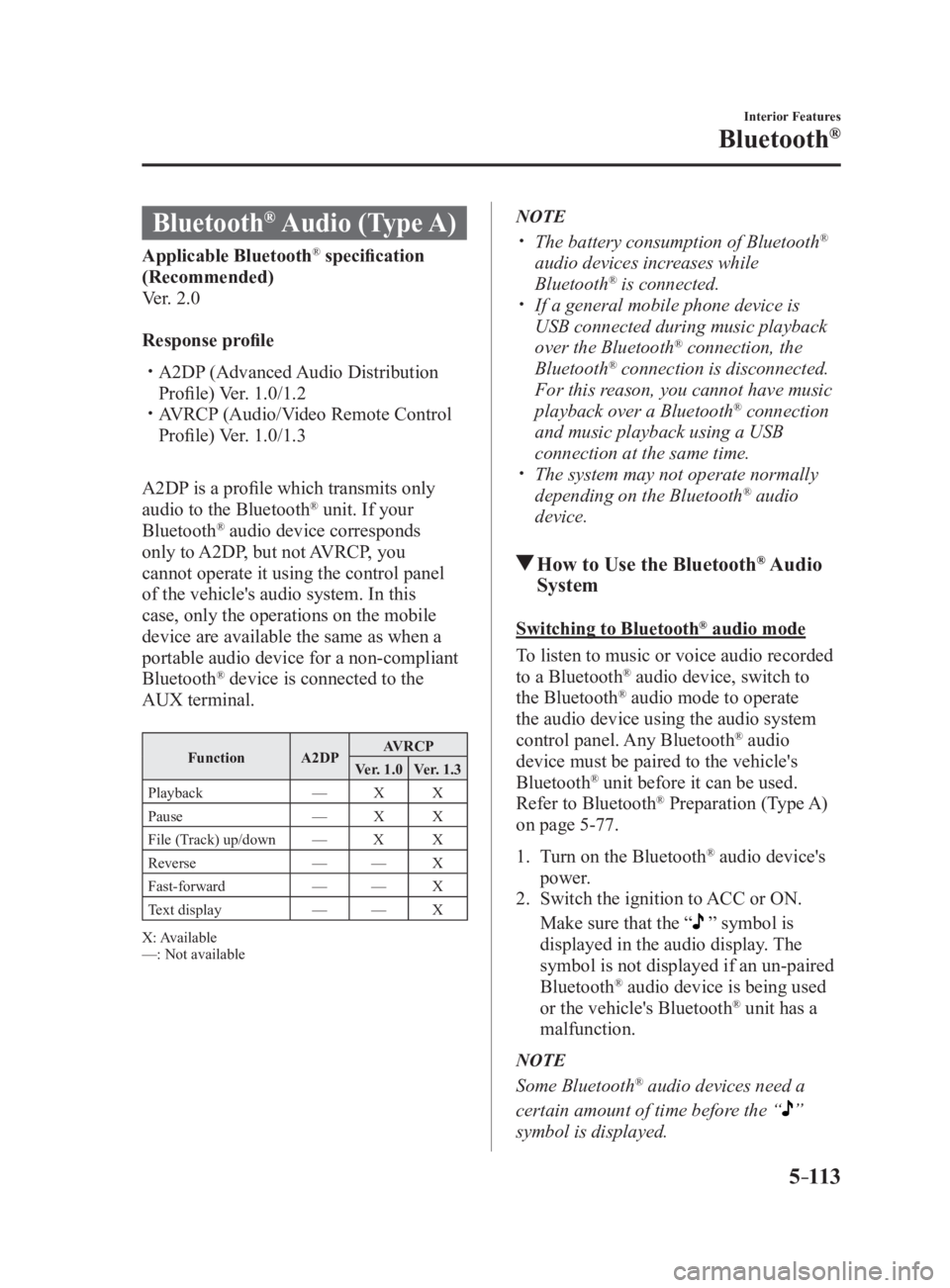
A2DP is a profile which transmits only
audio to the Bluetooth ®
unit. If your
Bluetooth ®
audio device corresponds
only to A2DP, but not AVRCP, you
cannot operate it using the control panel
of the vehicle's audio system. In this
case, only the operations on the mobile
device are available the same as when a
portable audio device for a non-compliant
Bluetooth ®
device is connected to the
AUX terminal. Function A2DP AVRCP
Ver. 1.0 Ver. 1.3
Playback — X X
Pause — X X
File (Track) up/down — X X
Reverse — — X
Fast-forward — — X
Text display — — X
X: Available
—: Not available NOTE
The battery consumption of Bluetooth ®
audio devices increases while
Bluetooth ®
is connected.
If a general mobile phone device is
USB connected during music playback
over the Bluetooth ®
connection, the
Bluetooth ®
connection is disconnected.
For this reason, you cannot have music
playback over a Bluetooth ®
connection
and music playback using a USB
connection at the same time.
The system may not operate normally
depending on the Bluetooth ®
audio
device.
How to Use the Bluetooth ®
Audio
System Switching to Bluetooth ®
audio mode
To listen to music or voice audio recorded
to a Bluetooth ®
audio device, switch to
the Bluetooth ®
audio mode to operate
the audio device using the audio system
control panel. Any Bluetooth ®
audio
device must be paired to the vehicle's
Bluetooth ®
unit before it can be used.
Refer to Bluetooth ®
Preparation (Type A)
on page 5-77 .
1. Turn on the Bluetooth ®
audio device's
power.
2. Switch the ignition to ACC or ON.
Make sure that the “ ” symbol is
displayed in the audio display. The
symbol is not displayed if an un-paired
Bluetooth ®
audio device is being used
or the vehicle's Bluetooth ®
unit has a
malfunction.
NOTE
Some Bluetooth ®
audio devices need a
certain amount of time before the “
”
symbol is displayed.
MX-5_8FR4-EA-16J_Edition1.indb 113 2016/08/11 20:29:30
Page 338 of 568
5 –116 Interior Features
Bluetooth ®
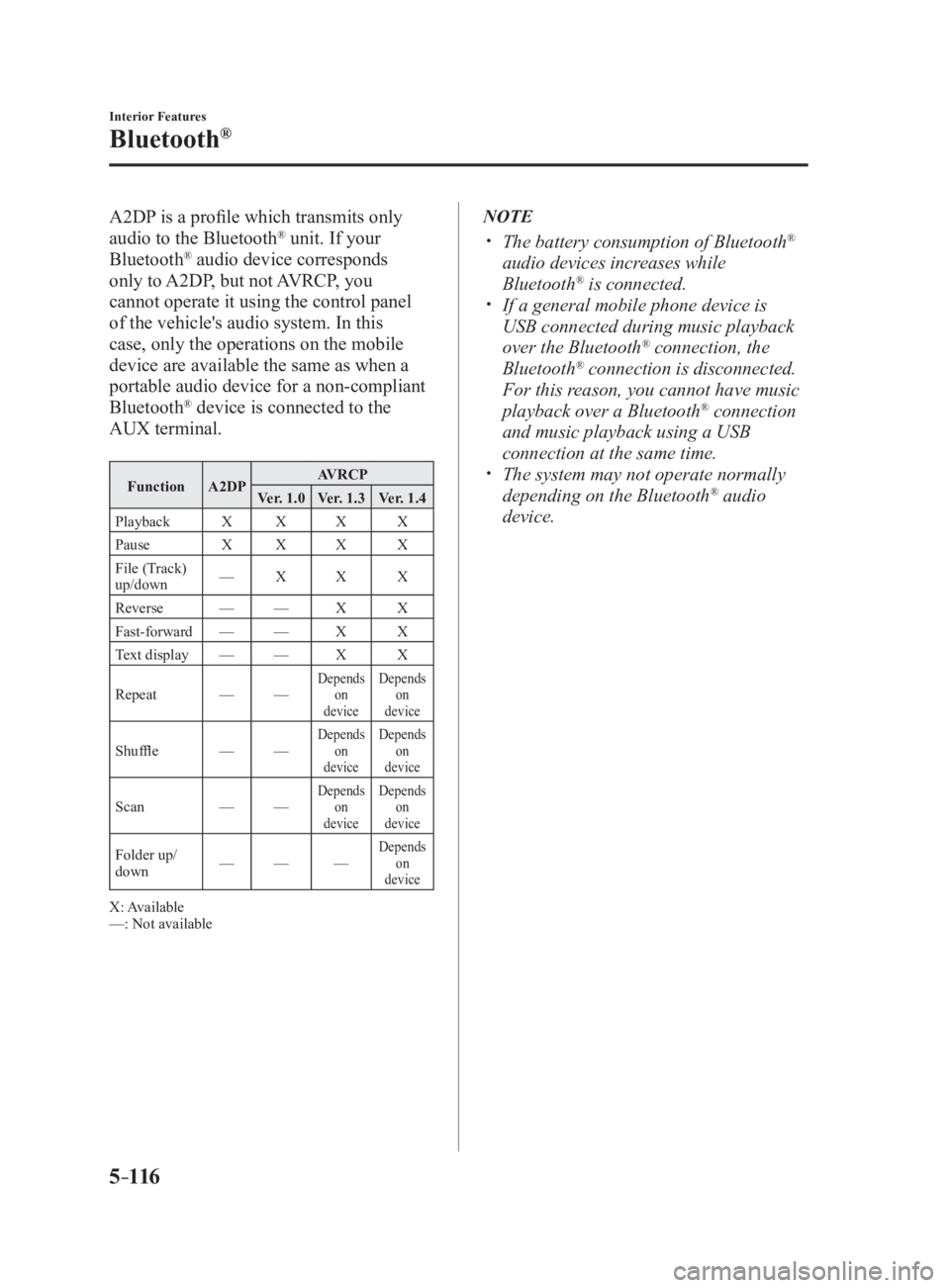
A2DP is a profile which transmits only
audio to the Bluetooth ®
unit. If your
Bluetooth ®
audio device corresponds
only to A2DP, but not AVRCP, you
cannot operate it using the control panel
of the vehicle's audio system. In this
case, only the operations on the mobile
device are available the same as when a
portable audio device for a non-compliant
Bluetooth ®
device is connected to the
AUX terminal. Function A2DP AVRCP
Ver. 1.0 Ver. 1.3 Ver. 1.4
Playback X X X X
Pause X X X X
File (Track)
up/down — X X X
Reverse — — X X
Fast-forward — — X X
Text display — — X X
Repeat — — Depends
on
device Depends
on
device
Shuffle — — Depends
on
device Depends
on
device
Scan — — Depends
on
device Depends
on
device
Folder up/
down — — — Depends
on
device
X: Available
—: Not available NOTE
The battery consumption of Bluetooth ®
audio devices increases while
Bluetooth ®
is connected.
If a general mobile phone device is
USB connected during music playback
over the Bluetooth ®
connection, the
Bluetooth ®
connection is disconnected.
For this reason, you cannot have music
playback over a Bluetooth ®
connection
and music playback using a USB
connection at the same time.
The system may not operate normally
depending on the Bluetooth ®
audio
device.
MX-5_8FR4-EA-16J_Edition1.indb 116 2016/08/11 20:29:31