cruise control MAZDA MX5 MIATA 2017 Owners Manual
[x] Cancel search | Manufacturer: MAZDA, Model Year: 2017, Model line: MX5 MIATA, Model: MAZDA MX5 MIATA 2017Pages: 568, PDF Size: 16.58 MB
Page 9 of 568

1 –3 Pictorial Index
Interior Overview
Audio control switches .......................................................................................... page 5-55
Dashboard illumination knob ................................................................................ page 4-15
Instrument cluster .................................................................................................. page 4-11
Cruise control switches ....................................................................................... page 4-100
Push button start ...................................................................................................... page 4-4
Retractable fastback switch ................................................................................... page 3-45
Hazard warning flasher switch .............................................................................. page 4-57
Seat warmer switches .............................................................................................. page 2-5
Steering shift switches .......................................................................................... page 4-37
Lock release lever ................................................................................................. page 3-27
Trunk release button .............................................................................................. page 3-19
Hood release handle .............................................................................................. page 6-24
The equipment and installation position varies by vehicle
MX-5_8FR4-EA-16J_Edition1.indb 3 2016/08/11 20:28:19
Page 115 of 568

4 –1 *Some models.4 When Driving Information concerning safe driving and stopping.
Start/Stop Engine ................................ 4-4
Ignition Switch
............................... 4-4
Starting the Engine
......................... 4-5
Turning the Engine Off
................ 4-10
Instrument Cluster and Display ...... 4-11
Meters and Gauges
....................... 4-11
Multi-information Display and INFO
Switch *
......................................... 4-18
Warning/Indicator Lights
............. 4-26
Transmission ...................................... 4-31
Manual Transmission
Operation
...................................... 4-31
Automatic Transmission
Controls
........................................ 4-34
Switches and Controls ...................... 4-45
Lighting Control
........................... 4-45
Turn and Lane-Change Signals
.... 4-50
Windshield Wipers and Washer
... 4-51
Rear Window Defogger
............... 4-55
Horn
............................................. 4-56
Hazard Warning Flasher
............... 4-57
HomeLink Wireless Control
System *
......................................... 4-57
Brake .................................................. 4-61
Brake System
............................... 4-61
Hill Launch Assist (HLA) *
........... 4-63 ABS/TCS/DSC ................................... 4-65
Antilock Brake System (ABS)
..... 4-65
Traction Control System (TCS)
... 4-66
Dynamic Stability Control (DSC) ... 4-67
Fuel Economy Monitor ..................... 4-69
Fuel Economy Monitor *
............... 4-69
Drive Selection ................................... 4-71
Drive Selection *
........................... 4-71
Power Steering ................................... 4-73
Power Steering ............................. 4-73
i-ACTIVSENSE ................................. 4-74
i-ACTIVSENSE *
.......................... 4-74
Adaptive Front Lighting System
(AFS) *
.......................................... 4-75
High Beam Control System
(HBC) *
.......................................... 4-76
Lane Departure Warning System
(LDWS) *
...................................... 4-79
Blind Spot Monitoring (BSM)
System *
......................................... 4-85
Rear Cross Traffic Alert
(RCTA) *
....................................... 4-92
Forward Sensing Camera
(FSC) *
........................................... 4-95
Radar Sensors (Rear) *
.................. 4-98
Cruise Control ................................. 4-100
Cruise Control *
........................... 4-100
MX-5_8FR4-EA-16J_Edition1.indb 1 2016/08/11 20:28:40
Page 125 of 568

4 –11 When Driving
Instrument Cluster and Display
Meters and Gauges Type A
Type B
Steering Switch (With Multi-information Display)
(Without Multi-information Display)Instrument Cluster
Speedometer .......................................................................................................... page 4-12
Odometer, Trip Meter and Trip Meter Selector .................................................... page 4-12
Tachometer ............................................................................................................ page 4-13
Engine Coolant Temperature Gauge ..................................................................... page 4-13
Fuel Gauge ............................................................................................................ page 4-14
Dashboard Illumination ......................................................................................... page 4-15
Outside Temperature Display ................................................................................ page 4-15
Cruise Control Set Vehicle Speed Display ............................................................ page 4-16
Trip Computer and INFO Switch .......................................................................... page 4-16
Multi-information Display and INFO Switch ....................................................... page 4-18
MX-5_8FR4-EA-16J_Edition1.indb 11 2016/08/11 20:28:42
Page 130 of 568

4 –16 When Driving
Instrument Cluster and Display
*Some models.Changing the Temperature Unit of the
Outside Temperature Display
The outside temperature unit can be
switched between Celsius and Fahrenheit
using the following procedure.
(Vehicles with Type B)
Settings can be changed by operating the
center display screen.
Refer to Personalization Features on page
9-9 .
(Vehicles without Type B)
1. Press the INFO switch with the ignition
switched off and continue pressing the
INFO switch for 5 seconds or longer
while switching the ignition ON. The
outside temperature display flashes.
2. Press the INFO switch to change the
outside temperature unit.
3. Press and hold the INFO switch for
3 seconds or longer while the outside
temperature display is flashing. The
outside temperature display illuminates.
NOTE
When the temperature unit indicated in the
outside temperature display is changed,
the temperature unit indicated in the
engine coolant gauge display changes in
conjunction with it.
Cruise Control Set Vehicle Speed
Display (Without Multi-
information Display) *
The vehicle speed preset using the cruise
control is displayed. Trip Computer and INFO Switch
(Without Multi-information
Display) The following information can be selected
by pressing the INFO switch with the
ignition switched ON.
Approximate distance you can travel on
the available fuel
Average fuel economy
Current fuel economy
Average vehicle speed
If you have any problems with your trip
computer, consult an Authorized Mazda
Dealer.
Distance-to-empty mode
This mode displays the approximate
distance you can travel on the remaining
fuel based on the fuel economy.
The distance-to-empty will be calculated
and displayed every second.
MX-5_8FR4-EA-16J_Edition1.indb 16 2016/08/11 20:28:44
Page 132 of 568

4 –18 When Driving
Instrument Cluster and Display
*Some models.Multi-information Display and INFO Switch *
INFO switchMulti-information Display
The multi-information display indicates the following information.
Odometer
Trip meter
Engine coolant temperature gauge
Fuel gauge
Outside temperature
Distance-to-empty
Average fuel economy
Current fuel economy
Maintenance Monitor
Lane Departure Warning System (LDWS) Display
Cruise Control Display
Compass Display
Roof Operation Display
Warning message
MX-5_8FR4-EA-16J_Edition1.indb 18 2016/08/11 20:28:45
Page 138 of 568

4 –24 When Driving
Instrument Cluster and Display
*Some models.NOTE
If any of the INFO switch is pressed
while a message is displayed, it will no
longer be displayed the next time the
ignition is switched ON.
After the vehicle is serviced and the
remaining time/distance is reset, the
message for the next maintenance
period will be displayed when the
remaining distance or time to the next
maintenance period approaches 0
(displays when engine is started).
If there are multiple messages, they are
displayed according to their order.
If OFF is set for Messages, messages
are not displayed.
Lane Departure Warning System
(LDWS) Display *
Displays the system status.
Refer to Lane Departure Warning on page
4-83 .
Cruise Control Set Vehicle Speed
Display
The vehicle speed preset using the cruise
control is displayed. Compass Display The direction the vehicle is moving is
displayed in one of the eight cardinal
directions while the vehicle is being
driven. Display Direction
N North
S South
E East
W West
NE Northeast
NW Northwest
SE Southeast
SW Southwest
Roof Operation Display Displays the roof operation status.
Refer to Operation Indication on page
3-42 .
MX-5_8FR4-EA-16J_Edition1.indb 24 2016/08/11 20:28:47
Page 144 of 568

4 –30 When Driving
Instrument Cluster and Display
*Some models.Signal Indicator Lights Page
(Green) *
High Beam Control System (HBC) Indicator Light 4-78*
Blind Spot Monitoring (BSM) OFF Indicator Light *1
4-90*
Lane Departure Warning System (LDWS) OFF Indicator
Light *1
4-82
(White/Amber) Cruise Main Indication/Indicator Light 4-101
(Green) Cruise Set Indication/Indicator Light 4-101
*1 The light turns on when the ignition is switched on for an operation check, and turns off a few seconds later or
when the engine is started. If the light does not turn on or remains turned on, have the vehicle inspected at an
Authorized Mazda Dealer.
Wrench Indication/Indicator
Light *
Type A instrument cluster
Perform maintenance in accordance with
the message.
Type B instrument cluster
When the ignition is switched ON, the
wrench indicator light is illuminated and
then turns off after a few seconds.
The wrench indicator light is illuminated
when the preset maintenance period
arrives. Verify the content and perform
maintenance.
Refer to Maintenance Monitor on page
6-20 . Low Engine Coolant Temperature
Indicator Light (Blue)
The light illuminates continuously when
the engine coolant temperature is low and
turns off after the engine is warm.
If the low engine coolant temperature
indicator light remains illuminated after
the engine has been sufficiently warmed
up, the temperature sensor could have
a malfunction. Consult an Authorized
Mazda Dealer.
MX-5_8FR4-EA-16J_Edition1.indb 30 2016/08/11 20:28:49
Page 185 of 568

4 –71 When Driving
Drive Selection
*Some models.Drive Selection *
Drive selection is a system to switch the vehicle's drive mode. When the sport mode
is selected, vehicle's response against accelerator operation is enhanced. This provides
additional quick acceleration which may be needed to safely mak e maneuvers such as lane
changes, merging onto freeways, or passing other vehicles.
CAUTION Do not use the sport mode when driving on slippery roads such as wet or snow-covered
roads. It may cause tire slipping.
NOTE
When the sport mode is selected, driving at higher engine speeds increases and it may
increase fuel consumption. Mazda recommends that you cancel the sport mode on normal
driving.
Drive mode cannot be switched in the following conditions:
ABS/TCS/DSC is operating
Cruise control is operating.
Steering wheel is being operated abruptly
MX-5_8FR4-EA-16J_Edition1.indb 71 2016/08/11 20:28:59
Page 214 of 568
4 –10 0 When Driving
Cruise Control
*Some models. Cruise Control *
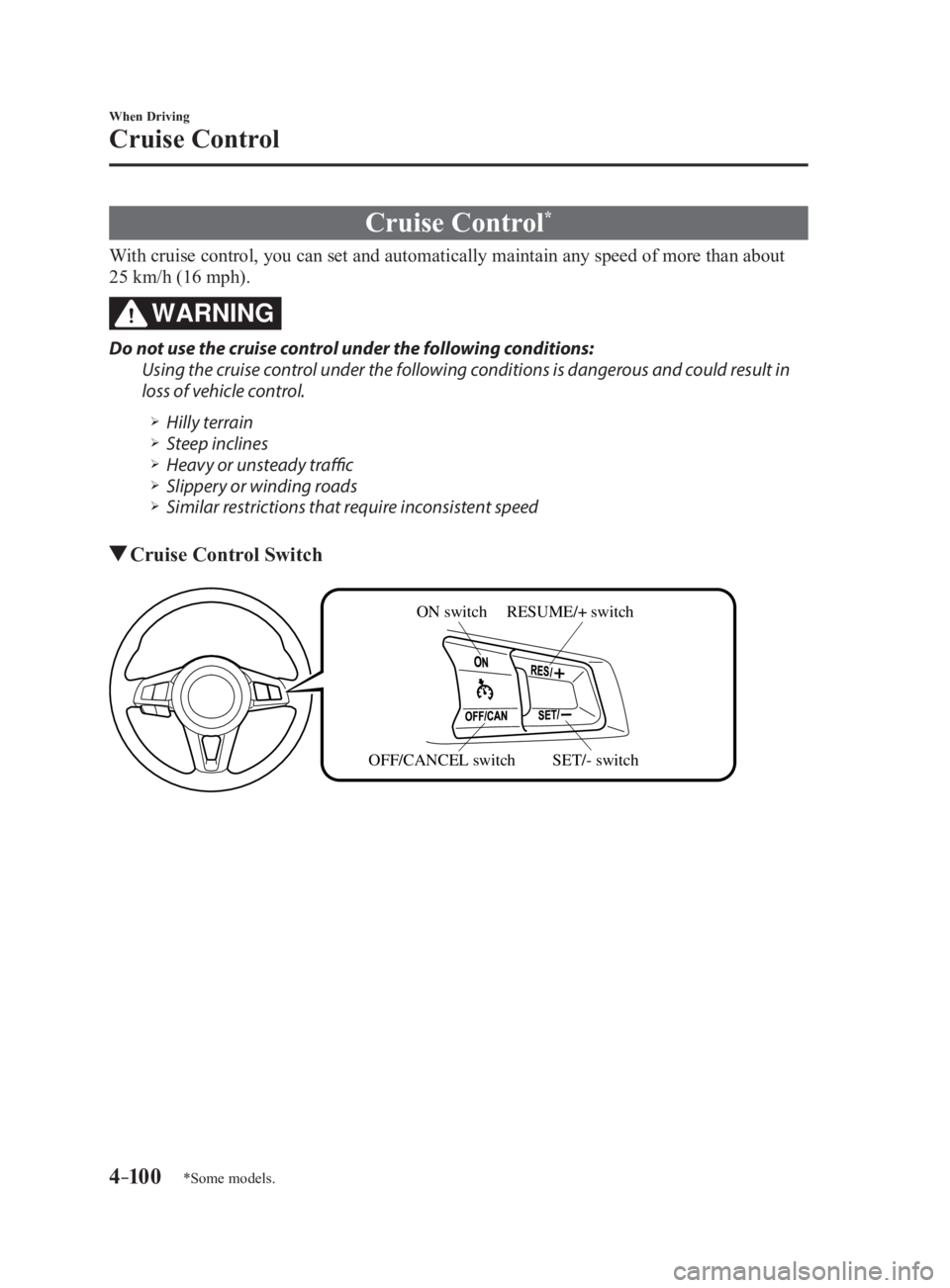
With cruise control, you can set and automatically maintain any speed of more than about
25 km/h (16 mph).
WARNINGDo not use the cruise control under the following conditions:
Using the cruise control under the following conditions is dangerous and could result in
loss of vehicle control.
Hilly terrain
Steep inclines
Heavy or unsteady traffic
Slippery or winding roads
Similar restrictions that require inconsistent speed
Cruise Control Switch ON switch RESUME/+ switch
SET/- switchOFF/CANCEL switch
MX-5_8FR4-EA-16J_Edition1.indb 100 2016/08/11 20:29:04
Page 215 of 568
4 –101 When Driving
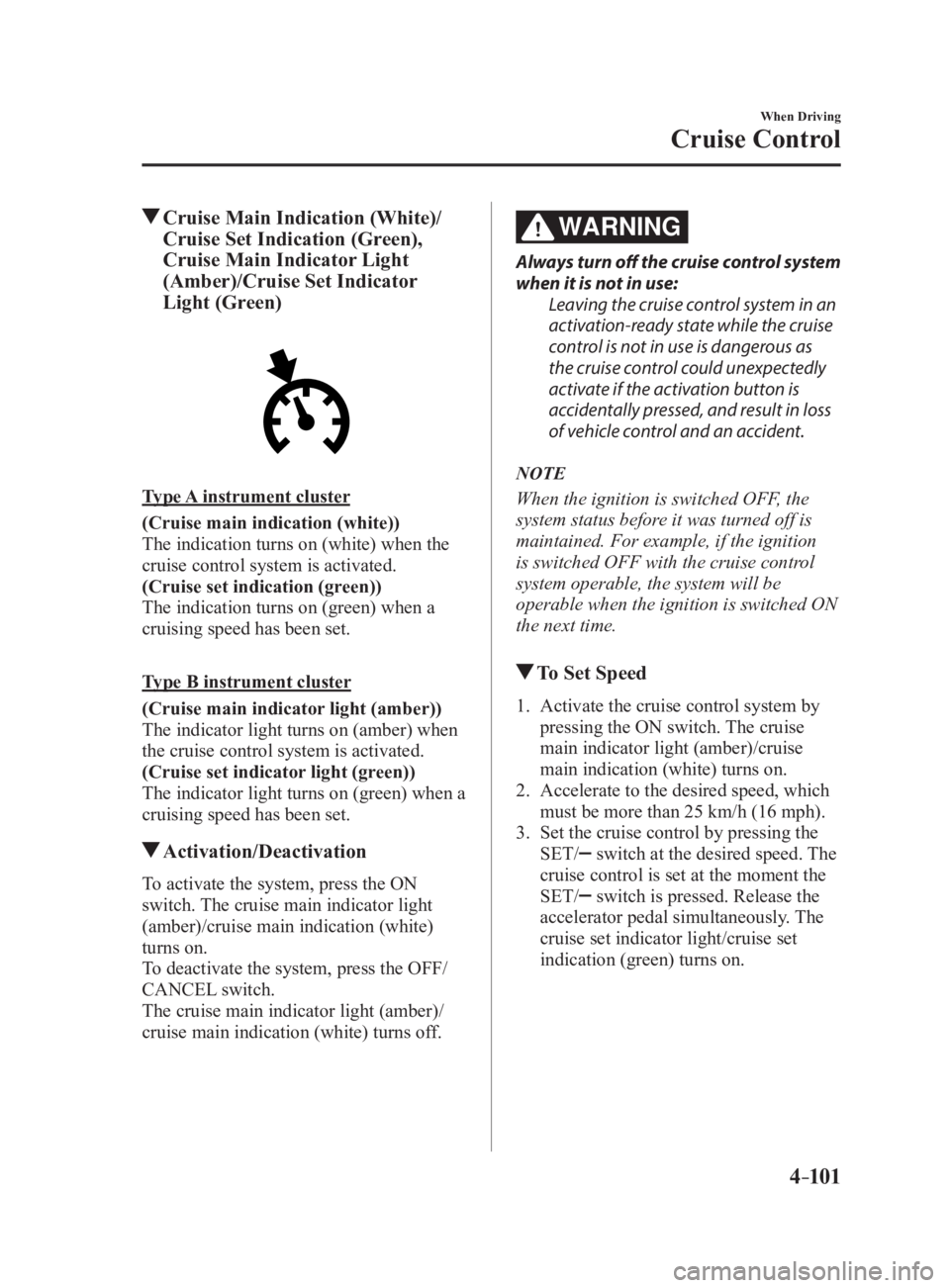
Cruise Control Cruise Main Indication (White)/
Cruise Set Indication (Green),
Cruise Main Indicator Light
(Amber)/Cruise Set Indicator
Light (Green)
Type A instrument cluster
(Cruise main indication (white))
The indication turns on (white) when the
cruise control system is activated.
(Cruise set indication (green))
The indication turns on (green) when a
cruising speed has been set.
Type B instrument cluster
(Cruise main indicator light (amber))
The indicator light turns on (amber) when
the cruise control system is activated.
(Cruise set indicator light (green))
The indicator light turns on (green) when a
cruising speed has been set.
Activation/Deactivation
To activate the system, press the ON
switch. The cruise main indicator light
(amber)/cruise main indication (white)
turns on.
To deactivate the system, press the OFF/
CANCEL switch.
The cruise main indicator light (amber)/
cruise main indication (white) turns off. WARNING Always turn off the cruise control system
when it is not in use:
Leaving the cruise control system in an
activation-ready state while the cruise
control is not in use is dangerous as
the cruise control could unexpectedly
activate if the activation button is
accidentally pressed, and result in loss
of vehicle control and an accident.
NOTE
When the ignition is switched OFF, the
system status before it was turned off is
maintained. For example, if the ignition
is switched OFF with the cruise control
system operable, the system will be
operable when the ignition is switched ON
the next time.
To Set Speed 1. Activate the cruise control system by
pressing the ON switch. The cruise
main indicator light (amber)/cruise
main indication (white) turns on.
2. Accelerate to the desired speed, which
must be more than 25 km/h (16 mph).
3. Set the cruise control by pressing the
SET/ switch at the desired speed. The
cruise control is set at the moment the
SET/
switch is pressed. Release the
accelerator pedal simultaneously. The
cruise set indicator light/cruise set
indication (green) turns on.
MX-5_8FR4-EA-16J_Edition1.indb 101 2016/08/11 20:29:04