change wheel MERCEDES-BENZ A CLASS 2012 User Guide
[x] Cancel search | Manufacturer: MERCEDES-BENZ, Model Year: 2012, Model line: A CLASS, Model: MERCEDES-BENZ A CLASS 2012Pages: 356, PDF Size: 4.96 MB
Page 191 of 356
The Park Assist active Accelerate
and
brake Observe surroundings mes-
sage appears in the multifunction display.
i You will achieve the best results by wait-
ing
for the steering procedure to complete
before pulling away.
X Drive forwards and be ready to brake at all
times.
X Stop as soon as PARKTRONIC sounds the
continuous warning tone, if not before.
Vehicles with manual transmission: the Park
Assist active Engage reverse gear
Observe
surroundings message appears in
the multifunction display.
Vehicles with automatic transmission: the
Park Assist active Select R Observe
surroundings message appears in the mul-
tifunction display.
X Additional transmission shifts may be nec-
essary.
As soon as the parking procedure is com-
plete, the Park Assist switched off
message appears in the multifunction dis-
play.
Active Parking Assist is then deactivated.
PARKTRONIC is still available.
X Manoeuvre if necessary.
X Always observe the warning messages dis-
played by PARKTRONIC
(Y page 184).
Parking tips:
R the way your vehicle is positioned in the
parking space after parking is dependent
on various factors. These include the posi-
tion and shape of the vehicles parked in
front
and behind it and the conditions of the
location. It may be the case that Active
Parking Assist guides you too far into a
parking space, or not far enough into it. In
some cases, it may also lead you across or
onto the kerb. If necessary, you should can-
cel the parking procedure with Active Park-
ing Assist.
R you can also engage forward gear prema-
turely. The vehicle redirects and does not
drive as far into the parking space. Should a gear be changed too early, the parking
procedure will be cancelled. A sensible
parking
position can no longer be achieved
from this position.
Exiting a parking space In order that Active Parking Assist can sup-
port you when you exit the parking space:
R
the border of the parking space must not
be too low.
R the border of the parking space must not
be too wide. The system manoeuvres the
vehicle
into a position at a maximum of 45°
to the starting position in the parking
space.
R a manoeuvring distance of at least 0.60 m
must be available.
Active Parking Assist can only assist you with
exiting a parking space if you have parked the
vehicle using Active Parking Assist.
X Start the engine.
X Switch on the turn signal on the side facing
the street.
X Vehicles with manual transmission:
engage first or reverse gear.
Vehicles with automatic transmission:
shift the transmission to position D or R.
The Start Park Assist? Yes: OK No:
%
message appears in the multifunction
display.
X To cancel the procedure: press the
% button on the multifunction steering
wheel or pull away.
or
X To exit a parking space using Active
Parking Assist: press the a button on
the multifunction steering wheel.
The Park Assist active Accelerate
and
brake Observe surroundings mes-
sage appears in the multifunction display.
X Release the multifunction steering wheel.
X Reverse the vehicle or drive forwards, being
ready to brake at all times. Do not exceed
a maximum speed of approximately Driving systems
189
Driving and parking Z
Page 202 of 356
:
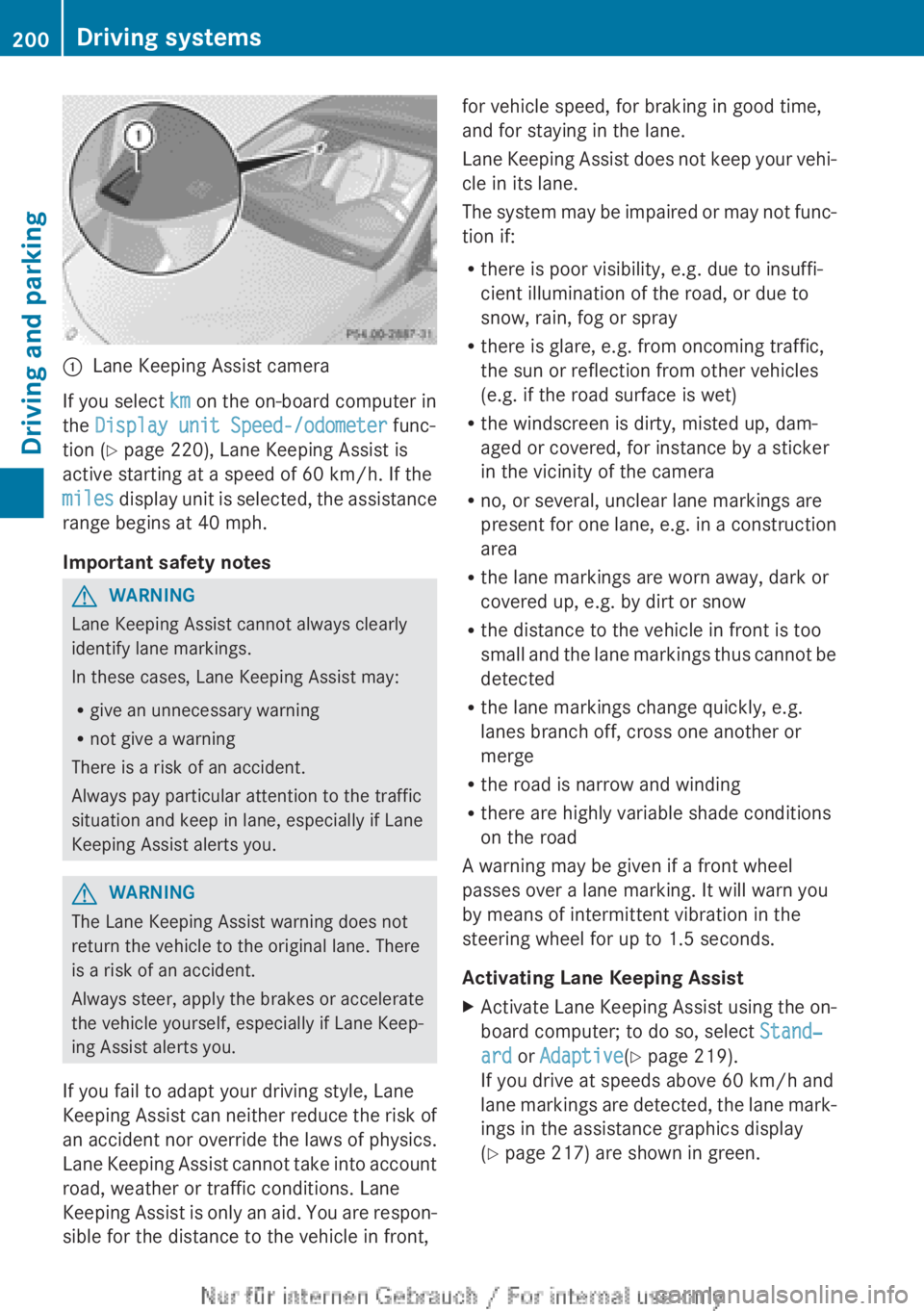
Lane Keeping Assist camera
If you select km on the on-board computer in
the Display unit Speed-/odometer func-
tion (Y page 220), Lane Keeping Assist is
active starting at a speed of 60 km/h
. If the
miles display unit is selected, the assistance
range begins at 40 mph.
Important safety notes G
WARNING
Lane Keeping Assist cannot always clearly
identify lane markings.
In these cases, Lane Keeping Assist may:
R give an unnecessary warning
R not give a warning
There is a risk of an accident.
Always pay particular attention to the traffic
situation and keep in lane, especially if Lane
Keeping Assist alerts you. G
WARNING
The Lane Keeping Assist warning does not
return the vehicle to the original lane. There
is a risk of an accident.
Always steer, apply the brakes or accelerate
the vehicle yourself, especially if Lane Keep-
ing Assist alerts you.
If you fail to adapt your driving style, Lane
Keeping
Assist can neither reduce the risk of
an accident nor override the laws of physics.
Lane Keeping Assist cannot take into account
road, weather or traffic conditions. Lane
Keeping Assist is only an aid. You are respon-
sible for the distance to the vehicle in front, for vehicle speed, for braking in good time,
and for staying in the lane.
Lane
Keeping Assist does not keep your vehi-
cle in its lane.
The system may be impaired or may not func-
tion if:
R there is poor visibility, e.g. due to insuffi-
cient illumination of the road, or due to
snow, rain, fog or spray
R there is glare, e.g. from oncoming traffic,
the sun or reflection from other vehicles
(e.g. if the road surface is wet)
R the windscreen is dirty, misted up, dam-
aged or covered, for instance by a sticker
in the vicinity of the camera
R no, or several, unclear lane markings are
present for one lane, e.g. in a construction
area
R the lane markings are worn away, dark or
covered up, e.g. by dirt or snow
R the distance to the vehicle in front is too
small and the lane markings thus cannot be
detected
R the lane markings change quickly, e.g.
lanes branch off, cross one another or
merge
R the road is narrow and winding
R there are highly variable shade conditions
on the road
A warning may be given if a front wheel
passes over a lane marking. It will warn you
by means of intermittent vibration in the
steering wheel for up to 1.5 seconds.
Activating Lane Keeping Assist
X Activate Lane Keeping Assist using the on-
board computer; to do so, select Stand‐
ard or Adaptive(Y page 219).
If you drive at speeds above
60 km/h and
lane markings are detected, the lane mark-
ings in the assistance graphics display
(Y page 217) are shown in green. 200
Driving systems
Driving and parking
Page 205 of 356
prescribed maximum speed in the relevant
country.
For
certain Mercedes-Benz vehicles, the max-
imum permissible rear axle load is increased
when towing a trailer. Refer to the "Technical
data" section to find out whether this applies
to your vehicle. If you utilise any of the added
maximum rear axle load when towing a trailer,
the vehicle/trailer combination may not
exceed a maximum speed of 100 km/h for
reasons concerning the operating permit.
This also applies in countries in which the
permissible maximum speed for vehicle/
trailer combinations is above 100 km/h.
When towing a trailer, your vehicle's handling
characteristics will be different in comparison
to when driving without a trailer and it will
consume more fuel.
Change into a lower gear in good time on long
and steep downhill gradients. For vehicles
with automatic transmission, you need to
have selected manual drive program
M(Y page 156).
i This also applies if you have activated
cruise control, SPEEDTRONIC or DIS-
TRONIC PLUS.
This will use the braking effect of the engine,
so less braking will be required to maintain
vehicle speed. This relieves the load on the
brake system and prevents the brakes from
overheating and wearing too quickly. If you
need additional braking, depress the brake
pedal repeatedly rather than continuously.
i Briefly depressing the accelerator pedal
on downhill gradients while the manual
drive program M is temporarily activated
(vehicles with automatic transmission): the
automatic transmission may switch back to
the last active automatic drive program E
or S. The automatic transmission may shift
to a higher gear. This can reduce the
engine's braking effect. Driving tips If the trailer swings from side to side:
X
Do not accelerate.
X Do not countersteer.
X Brake if necessary.
R Maintain a greater distance from the vehi-
cle in front than when driving without a
trailer.
R Avoid braking abruptly. If possible, brake
gently
at first to allow the trailer to run on.
Then, increase the braking force rapidly.
R The values given for gradient-climbing
capabilities from a standstill refer to sea
level. When driving in mountainous areas,
note that the power output of the engine,
and consequently the vehicle's gradient-
climbing capability, decrease with increas-
ing altitude. Folding out the ball coupling
G
WARNING
If you release the ball coupling or it does not
engage
correctly when folding in, it will swing
out. Within pivoting range of the ball coupling,
there is an increased risk of an accident and
injury.
Only release the ball coupling if the pivoting
range is unobstructed. Always make sure that
the ball coupling engages when folding in.
Before you can tow a trailer with your vehicle,
you must fold out the ball coupling.
The release wheel is located behind the left-
hand side trim panel in the boot. Towing a trailer
203
Driving and parking Z
Page 211 of 356
The fuel supply is interrupted to protect the
engine when the red band is reached.
Outside temperature display
You should pay special attention to road con-
ditions when temperatures are around the
freezing point.
The outside temperature display is in the mul-
tifunction display.
Changes in the outside temperature are dis-
played after a short delay. Speedometer with segments
The segments in the speedometer indicate
which speed range is available.
R Cruise control activated ( Y page 168):
The segments light up from the stored
speed to the maximum speed.
R Variable SPEEDTRONIC activated
(Y page 171):
The
segments light up from the start of the
scale to the selected limit speed.
R DISTRONIC PLUS activated (Y page 173):
One or two segments in the set speed
range light up.
R DISTRONIC PLUS detects a vehicle in front:
The segments between the speed of the
vehicle in front and the stored speed light
up. Operating the on-board computer
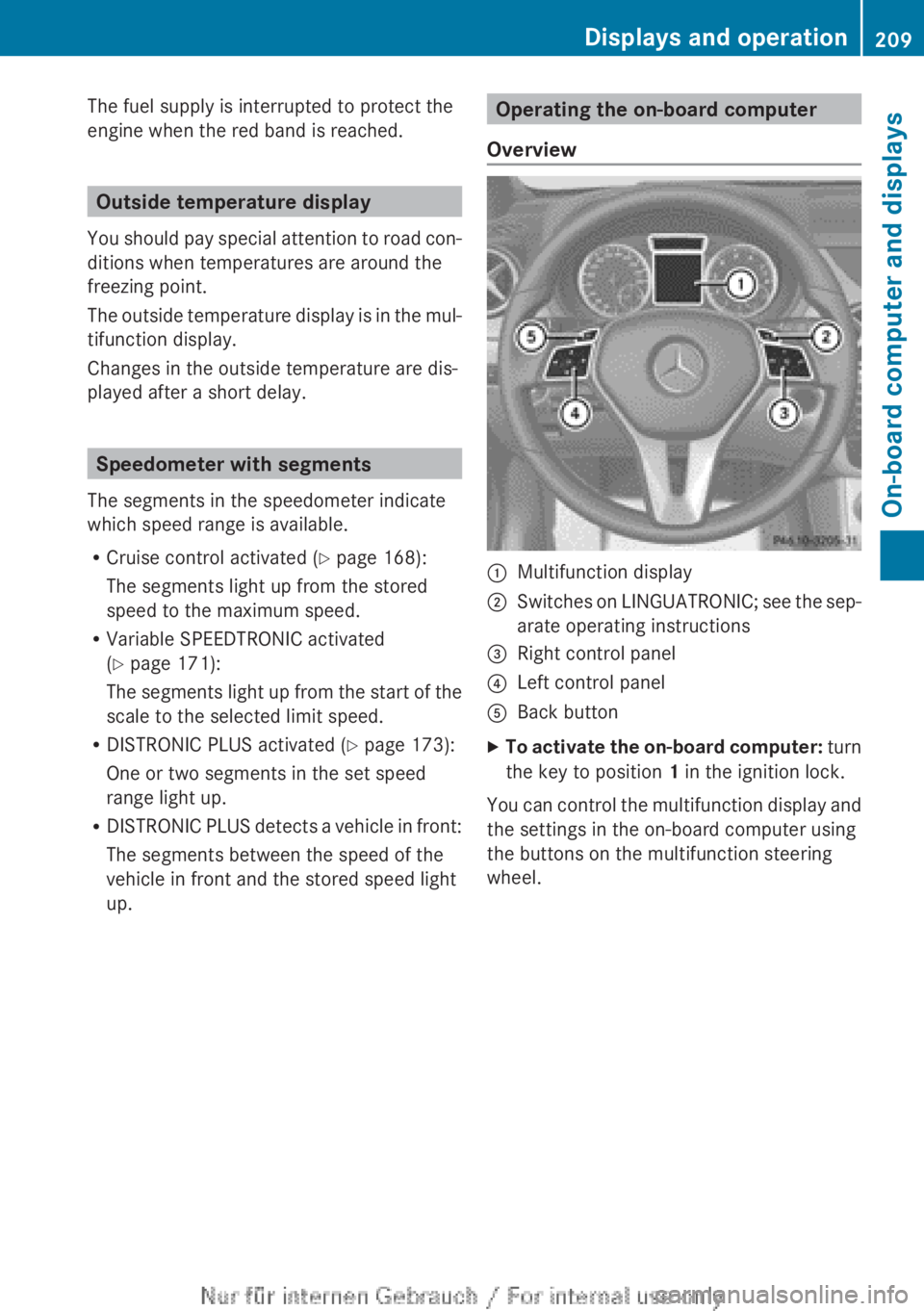
Overview :
Multifunction display
; Switches on LINGUATRONIC; see the sep-
arate operating instructions
= Right control panel
? Left control panel
A Back button
X To activate the on-board computer:
turn
the key to position 1 in the ignition lock.
You can control the multifunction display and
the settings in the on-board computer using
the buttons on the multifunction steering
wheel. Displays and operation
209
On-board computer and displays Z
Page 215 of 356
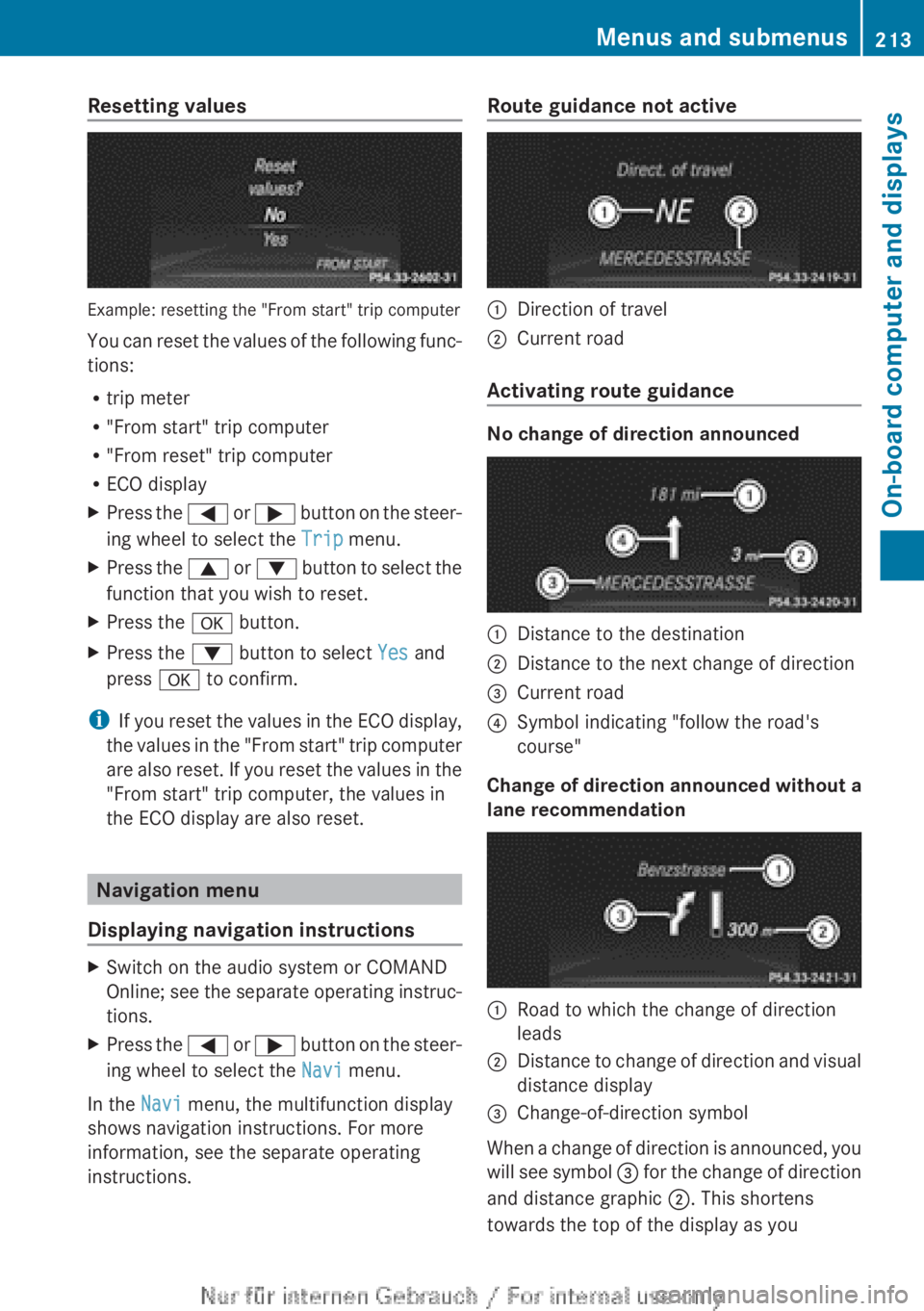
Resetting values
Example: resetting the "From start" trip computer
You
can reset the values of the following func-
tions:
R trip meter
R "From start" trip computer
R "From reset" trip computer
R ECO display
X Press the =
or ; button on the steer-
ing wheel to select the Trip menu.
X Press the 9
or : button to select the
function that you wish to reset.
X Press the a button.
X Press the : button to select Yes and
press a to confirm.
i If
you reset the values in the ECO display,
the values in the "From start" trip computer
are also reset. If you reset the values in the
"From start" trip computer, the values in
the ECO display are also reset. Navigation menu
Displaying navigation instructions X
Switch on the audio system or COMAND
Online;
see the separate operating instruc-
tions.
X Press the =
or ; button on the steer-
ing wheel to select the Navi menu.
In the Navi menu, the multifunction display
shows navigation instructions. For more
information, see the separate operating
instructions. Route guidance not active
:
Direction of travel
; Current road
Activating route guidance No change of direction announced
:
Distance to the destination
; Distance to the next change of direction
= Current road
? Symbol indicating "follow the road's
course"
Change of direction announced without a
lane recommendation :
Road to which the change of direction
leads
; Distance to change of direction and visual
distance display
= Change-of-direction symbol
When a change of direction is announced, you
will
see symbol = for the change of direction
and distance graphic ;. This shortens
towards the top of the display as you Menus and submenus
213
On-board computer and displays Z
Page 216 of 356
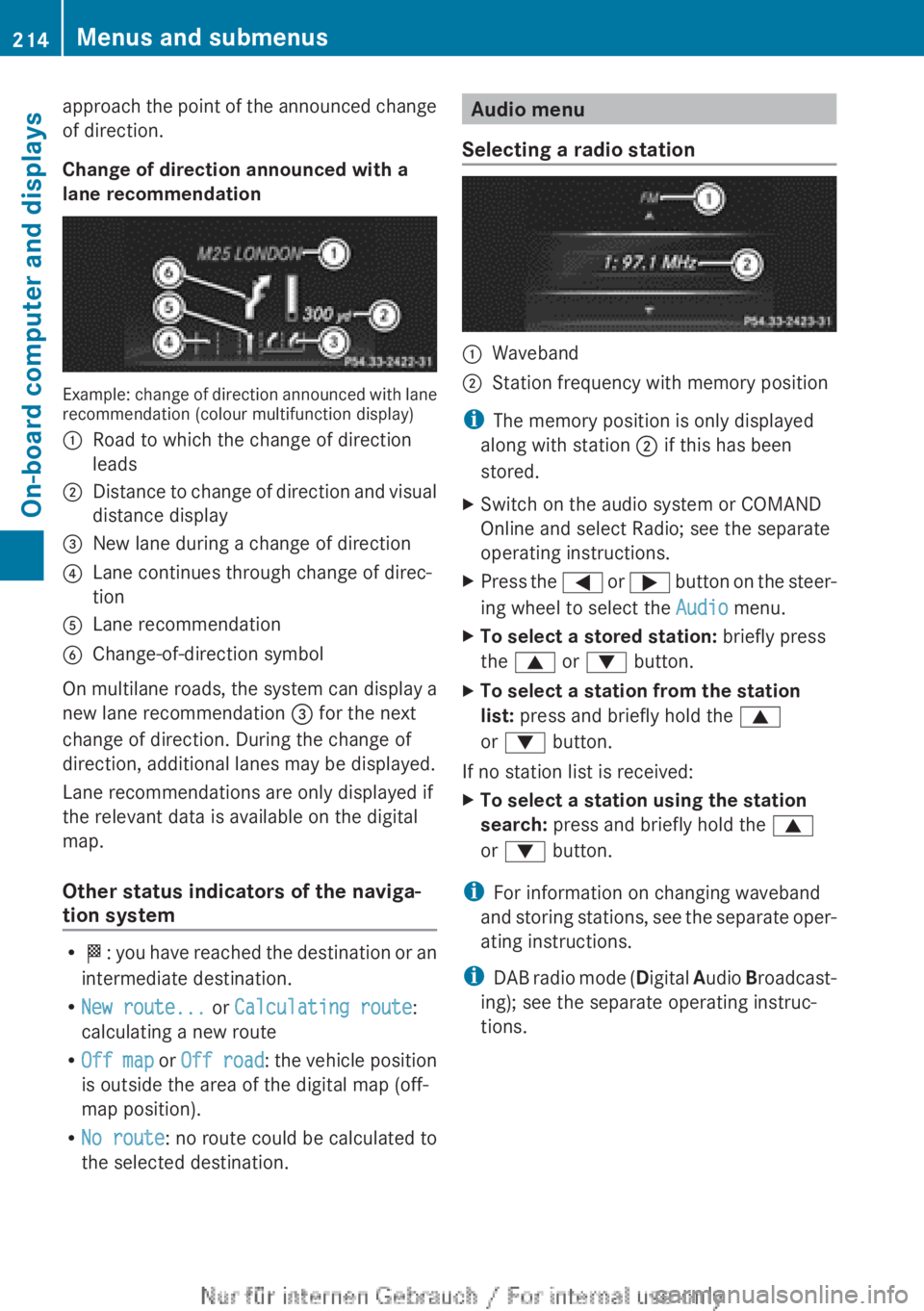
approach the point of the announced change
of direction.
Change of direction announced with a
lane recommendation
Example: change of direction announced with lane
recommendation (colour multifunction display)
:
Road to which the change of direction
leads
; Distance to change of direction and visual
distance display
= New lane during a change of direction
? Lane continues through change of direc-
tion
A Lane recommendation
B Change-of-direction symbol
On multilane roads, the system can display a
new lane recommendation = for the next
change of direction. During the change of
direction, additional lanes may be displayed.
Lane recommendations are only displayed if
the relevant data is available on the digital
map.
Other status indicators of the naviga-
tion system R
O: you have reached the destination or an
intermediate destination.
R New route... or Calculating route:
calculating a new route
R Off map or Off road : the vehicle position
is outside the area of the digital map (off-
map position).
R No route : no route could be calculated to
the selected destination. Audio menu
Selecting a radio station :
Waveband
; Station frequency with memory position
i The memory position is only displayed
along with station ; if this has been
stored.
X Switch on the audio system or COMAND
Online and select Radio; see the separate
operating instructions.
X Press the =
or ; button on the steer-
ing wheel to select the Audio menu.
X To select a stored station: briefly press
the 9 or : button.
X To select a station from the station
list: press and briefly hold the 9
or : button.
If no station list is received:
X To select a station using the station
search: press and briefly hold the 9
or : button.
i For information on changing waveband
and
storing stations, see the separate oper-
ating instructions.
i DAB radio mode ( Digital Audio Broadcast-
ing); see the separate operating instruc-
tions. 214
Menus and submenus
On-board computer and displays
Page 217 of 356
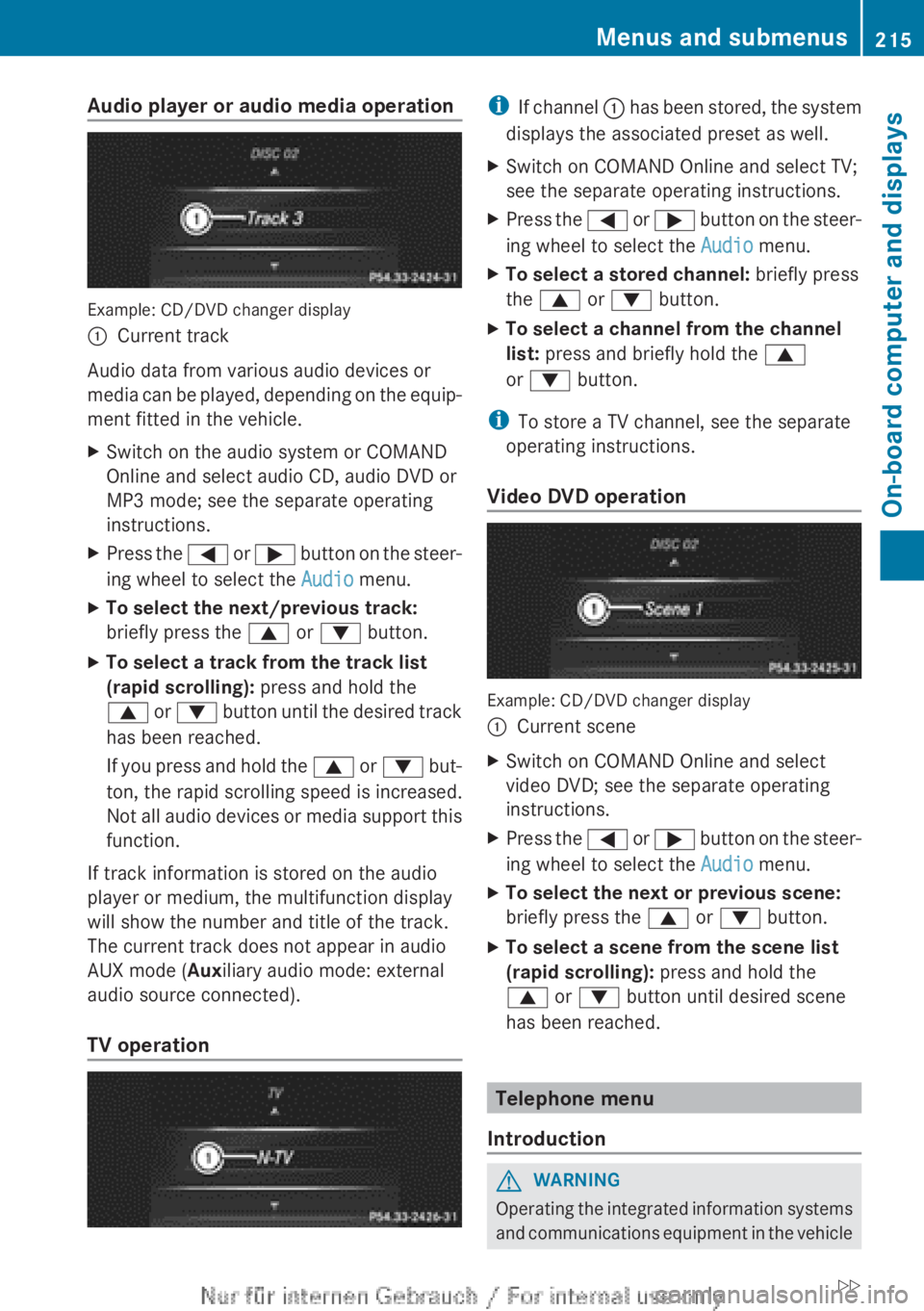
Audio player or audio media operation
Example: CD/DVD changer display
:
Current track
Audio data from various audio devices or
media can be played, depending on the equip-
ment fitted in the vehicle.
X Switch on the audio system or COMAND
Online and select audio CD, audio DVD or
MP3 mode; see the separate operating
instructions.
X Press the =
or ; button on the steer-
ing wheel to select the Audio menu.
X To select the next/previous track:
briefly press the 9 or : button.
X To select a track from the track list
(rapid scrolling): press and hold the
9
or : button until the desired track
has been reached.
If you press and hold the 9 or : but-
ton, the rapid scrolling speed is increased.
Not all audio devices or media support this
function.
If track information is stored on the audio
player or medium, the multifunction display
will show the number and title of the track.
The current track does not appear in audio
AUX mode (Auxiliary audio mode: external
audio source connected).
TV operation i
If
channel : has been stored, the system
displays the associated preset as well.
X Switch on COMAND Online and select TV;
see the separate operating instructions.
X Press the =
or ; button on the steer-
ing wheel to select the Audio menu.
X To select a stored channel: briefly press
the 9 or : button.
X To select a channel from the channel
list: press and briefly hold the 9
or : button.
i To store a TV channel, see the separate
operating instructions.
Video DVD operation Example: CD/DVD changer display
:
Current scene
X Switch on COMAND Online and select
video DVD; see the separate operating
instructions.
X Press the =
or ; button on the steer-
ing wheel to select the Audio menu.
X To select the next or previous scene:
briefly press the 9 or : button.
X To select a scene from the scene list
(rapid scrolling): press and hold the
9 or : button until desired scene
has been reached. Telephone menu
Introduction G
WARNING
Operating the integrated information systems
and
communications equipment in the vehicle Menus and submenus
215
On-board computer and displays
Z
Page 223 of 356
![MERCEDES-BENZ A CLASS 2012 User Guide X
Press the : or 9 button to select the
Permanent display: function.
You will see the selected setting: outside
temperature or Dig. speedo [mph].
X Press the a button to save the setting.
i The sp](/img/4/59021/w960_59021-222.png "MERCEDES-BENZ A CLASS 2012 User Guide X
Press the : or 9 button to select the
Permanent display: function.
You will see the selected setting: outside
temperature or Dig. speedo [mph].
X Press the a button to save the setting.
i The sp")
X
Press the : or 9 button to select the
Permanent display: function.
You will see the selected setting: outside
temperature or Dig. speedo [mph].
X Press the a button to save the setting.
i The speed is displayed in mph.
Lights Switching the daytime driving lights on/
off
The
Daytime driving lights function can
only be switched on with the engine turned
off.
X Press the =
or ; button on the steer-
ing wheel to select the Settings menu.
X Press the :
or 9 button to select the
Lights submenu.
X Press a to confirm.
X Press the :
or 9 button to select the
Daytime driving lights function.
If the Daytime driving lights function
has been switched on, the cone of light and
the W symbol in the multifunction dis-
play are shown in orange.
X Press the a button to save the setting.
Further information on daytime driving lights
(Y page 105).
Switching the Intelligent Light System
on/off
X Press the =
or ; button on the steer-
ing wheel to select the Settings menu.
X Press the :
or 9 button to select the
Lights submenu.
X Press a to confirm.
X Press the :
or 9 button to select the
Intell. Light System function.
If the Intell. Light Sys. function has
been switched on, the cone of light and the
L symbol in the multifunction display
are shown in orange.
X Press the a button to save the setting. If you activate the Intell. Light System
function,
you activate the following functions:
R motorway mode
R active light function
R cornering light function
R extended range foglamps
If you set the dipped-beam headlamps for
driving on the right/left, the multifunction
display shows the Intell. Light System:
system inoperative Inactive for
left-side traffic or Intell. Light
System: System inoperative Inactive
for right-side traffic display message
instead of the Intell. Light Sys. function
in the Lights submenu ( Y page 221).
Further information on the Intelligent Light
System (Y page 108).
Setting the dipped-beam headlamps for
driving on the left/right
X Press the =
or ; button on the steer-
ing wheel to select the Settings menu.
X Press the :
or 9 button to select the
Lights submenu.
X Press a to confirm.
X Press : or 9 to select the Dipped
beams Setting for: function.
You will see the selected setting: Right-
side traffic or Left-side traffic.
X Press the a button to save the setting.
If you change the setting, conversion does
not take place until the next time the vehi-
cle is stationary.
This function is only available on vehicles with
the Intelligent Light System.
You can use this function to switch between
symmetrical and asymmetrical dipped beam
(Y page 104).
If you set the dipped-beam headlamps for
driving on the right/left, then motorway
mode and the extended range foglamps are
unavailable.
You can also have the dipped-beam head-
lamps set for driving on the right/left at a Menus and submenus
221
On-board computer and displays Z
Page 226 of 356
X
Press the 9 or : button to select
Radar sensor (See Owner's Man.).
You will see the selected setting: Activa‐
ted or Deactivated.
X Press the a button to save the setting.
i In some countries you must deactivate
the radar sensor system. For further infor-
mation, see ( Y page 350).
If the radar sensor system is switched off,
Blind Spot Assist is deactivated
(Y page 197).
Heating Changing the departure time
X
Press the = or ; button on the steer-
ing wheel to select the Settings menu.
X Press the : or 9 button to select
theHeating submenu.
X Press a to confirm.
You will see the selected setting.
X Press a to confirm.
X Press the : or 9
button to select A,
B or Change C.
X Press a to confirm.
You can now change the departure time.
X Press the =
or ; button to select the
display to be changed: hours, minutes.
X Press the : or 9 button to set the
selected display.
X Press the a button to store the entry.
The yellow indicator lamp on the auxiliary
heating button lights up.
Selecting the departure time or deactivat-
ing a selected departure time
X Press the =
or ; button on the steer-
ing wheel to select the Settings menu.
X Press the :
or 9 button to select the
Heating submenu.
X Press a to confirm.
You will see the selected setting.
X Press a to confirm. X
Press : or 9 to select one of the
three departure times or Timer off (no
timer active).
X Press a to confirm.
If a departure time is selected, the yellow
indicator lamp lights up on the auxiliary
heating button.
Changing the departure time
Only vehicles with auxiliary heating
(Y page 134) have this function.
In the Heating submenu, you can select a
stored
departure time or change a departure
time.
The auxiliary heating timer function calcu-
lates the switch-on time according to the out-
side temperature so that the vehicle is pre-
heated by the departure time. When the
departure time is reached, the auxiliary heat-
ing continues to heat for a further five
minutes and then switches off. The auxiliary
heating adopts the THERMATIC or
THERMOTRONIC temperature setting.
You can switch off the auxiliary heating by
using the remote control or the auxiliary heat-
ing button on the centre console. G
DANGER
If the exhaust pipe is blocked or sufficient
ventilation is not possible, toxic exhaust
fumes can enter the vehicle, especially car-
bon monoxide. This is the case, e.g. in
enclosed spaces, or if the vehicle is stuck in
snow. There is a risk of fatal injuries.
You should switch off the auxiliary heating in
enclosed
spaces which do not have an extrac-
tion system, e.g. a garage. If the vehicle is
stuck in snow and you must leave the auxiliary
heating running, keep the exhaust pipe and
the area around the vehicle clear of snow. To
guarantee a sufficient supply of fresh air, open
a window on the side of the vehicle away from
the wind. G
WARNING
When the auxiliary heating is switched on,
parts of the vehicle can become very hot. 224
Menus and submenus
On-board computer and displays
Page 292 of 356
Displaying service messages
X
Switch the ignition on.
X Using = or ;, select the Service
menu.
X Press 9 or : to select the ASSYST
PLUS submenu and press a to confirm.
The service due date appears in the multi-
function display.
Information about Service Resetting the ASSYST PLUS service inter-
val display
!
If the ASSYST PLUS service interval dis-
play has been inadvertently reset, this set-
ting
can be corrected at a qualified special-
ist workshop.
Have service work carried out as described
in the Service Booklet. This may otherwise
lead to increased wear and damage to the
major assemblies or the vehicle.
A qualified specialist workshop, e.g. a
Mercedes-Benz Service Centre, will reset the
ASSYST PLUS service interval display after
the service work has been carried out. You
can also obtain further information on main-
tenance work, for example.
Special service requirements
The prescribed service interval is based on
normal operation of the vehicle. Service work
will need to be performed more often if the
vehicle is operated under arduous conditions
or increased loads, for example:
R regular city driving with frequent intermedi-
ate stops
R if the vehicle is primarily used to travel
short distances
R for frequent operation in mountainous ter-
rain or on poor road surfaces
R if the engine is often left idling for long peri-
ods
In these or similar operating conditions, have
the air filter, engine oil and oil filter, for exam-
ple, changed more frequently. The tyres must be checked more frequently if the vehicle is
operated under increased loads. Further
information can be obtained at a qualified
specialist workshop, e.g. a Mercedes-Benz
Service Centre.
Driving abroad
An
extensive Mercedes-Benz Service network
is also available in other countries. The
Service Hotline's current telephone numbers
for use when you are abroad are to be found
in the "Mercedes-Benz Service24h" section
of the Service Booklet. Care
General notes
H
Environmental note
Dispose of empty packaging and cleaning
cloths
in an environmentally responsible man-
ner.
! For cleaning your vehicle, do not use any
of the following:
R dry, rough or hard cloths
R abrasive cleaning agents
R solvents
R cleaning agents containing solvents
Do not scrub.
Do not touch the surfaces or protective
films with hard objects, e.g. a ring or ice
scraper. You could otherwise scratch or
damage the surfaces and protective film.
! Do not park up the vehicle for an extended
period straight after cleaning it, particularly
after having cleaned the wheels with wheel
cleaner. Wheel cleaners could cause
increased corrosion of the brake discs and
brake pads/linings. For this reason, you
should drive for a few minutes after clean-
ing. Braking heats the brake discs and the
brake pads/linings, thus drying them. The
vehicle can then be parked up. 290
Care
Maintenance and care