start stop button MERCEDES-BENZ A CLASS 2012 User Guide
[x] Cancel search | Manufacturer: MERCEDES-BENZ, Model Year: 2012, Model line: A CLASS, Model: MERCEDES-BENZ A CLASS 2012Pages: 356, PDF Size: 4.96 MB
Page 213 of 356
?
Menu bar
A Drive program (Y page 152)
B Transmission position ( Y page 152)
X To show the menu bar ?: press the
= or ; button on the steering wheel.
Menu bar ?
disappears after a few seconds.
Text field = shows the selected menu or
submenu as well as display messages.
i You can set the time using the audio sys-
tem or COMAND Online; see the separate
operating instructions.
The following messages may appear in the
multifunction display:
Z Gearshift recommendation, for
manual transmission
(Y
page 151) or automatic trans-
mission ( Y page 156)
XjY Active Parking Assist
(Y page 186)
¯ Cruise control ( Y page 168)
È SPEEDTRONIC ( Y page 171)
_ Adaptive Highbeam Assist
(Y page 110)
¤ ECO start/stop function
(Y page 146)
ë HOLD function ( Y page 179)
120 km/h! Maximum permissible speed
exceeded
(only for certain coun-
tries) Menus and submenus
Menu overview
Operating the on-board computer
(Y page 209).
Depending on the equipment fitted in the
vehicle, you can call up the following menus:
R Trip menu (Y page 211)
R Navi menu (navigation instructions)
(Y page 213)
R Audio menu (Y page 214) R
Tel (telephone) menu ( Y page 215)
R Assist (Assistance) menu (Y page 217)
R Serv. menu (Y page 219)
R Settings menu (Y page 220)
R AMG menu in AMG vehicles ( Y page 226)
The Audio, Navi
and Tel menus differ slightly
in vehicles with Audio 5, Audio 20 and in vehi-
cles with COMAND Online. The examples
given in this Owner's Manual apply to vehicles
equipped with COMAND Online. Trip menu
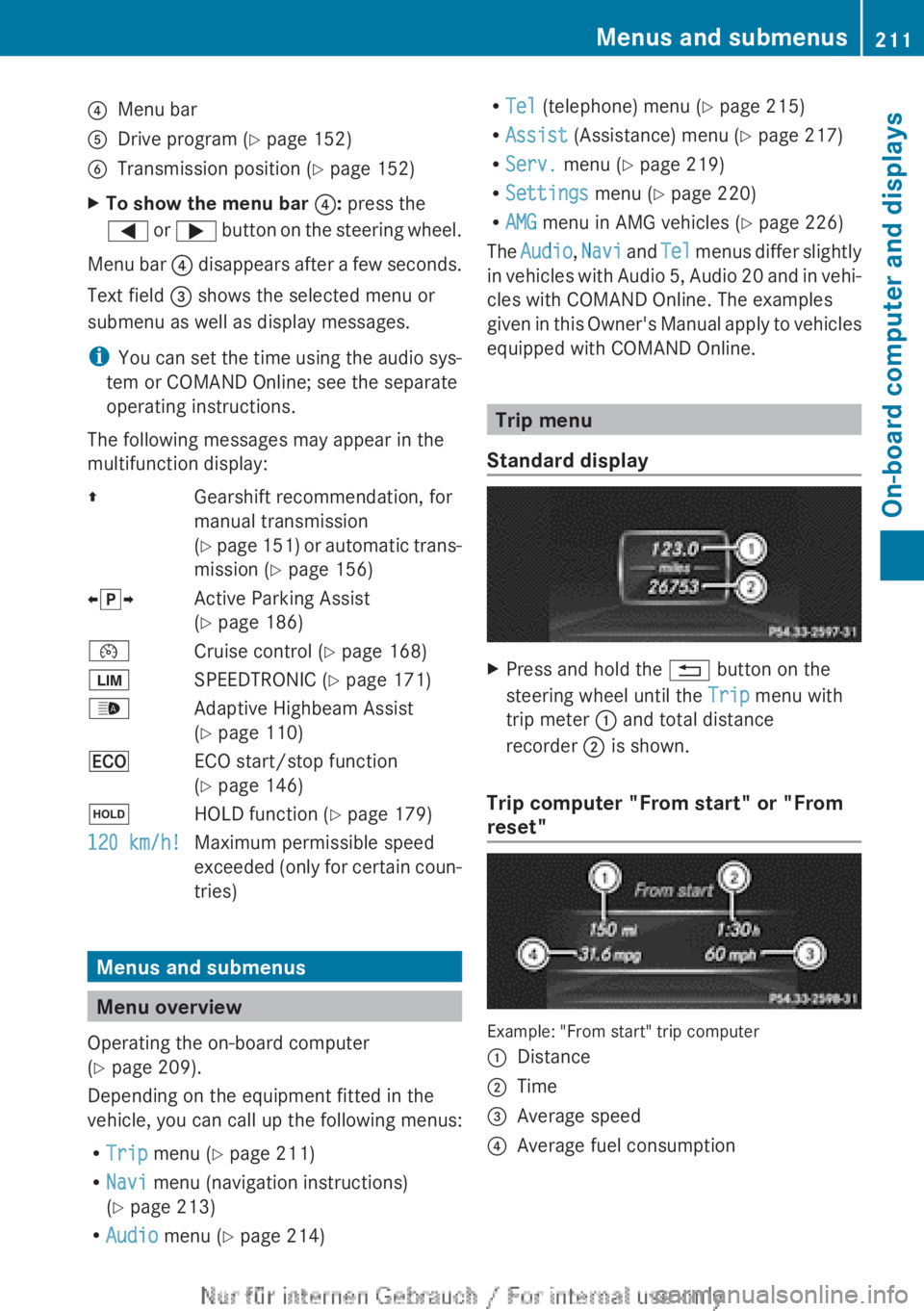
Standard display X
Press and hold the % button on the
steering wheel until the Trip menu with
trip meter : and total distance
recorder ; is shown.
Trip computer "From start" or "From
reset" Example: "From start" trip computer
:
Distance
; Time
= Average speed
? Average fuel consumption Menus and submenus
211
On-board computer and displays Z
Page 218 of 356
while driving will distract you from traffic con-
ditions. You could then lose control of the
vehicle. There is a risk of an accident.
Only
operate these devices if road traffic con-
ditions permit. If you are unsure about the
surrounding conditions, pull over to a safe
location and make entries only while the vehi-
cle is stationary.
When telephoning, you must observe the
legal requirements for the country in which
you are currently driving.
X Switch on your mobile phone and audio
system or COMAND Online, see the sepa-
rate operating instructions.
X Place a mobile phone in the mobile phone
bracket ( Y page 279), or establish a Blue-
tooth ®
connection with the audio system
or
COMAND Online (see the separate oper-
ating instructions).
X Press the =
or ; button on the steer-
ing wheel to select the Tel menu.
You will see one of the following display mes-
sages in the multifunction display:
R Please
enter PIN: the mobile phone has
been placed in the mobile phone bracket
and the PIN has not been entered.
When you enter your PIN via the mobile
phone, LINGUATRONIC, the audio system
or COMAND Online, the mobile phone
searches for a network.
R Telephone ready or the name of the net-
work provider: the mobile phone has found
a network and is ready to receive.
R Telephone No service: there is no net-
work available or the mobile phone is
searching for a network.
i You can obtain further information about
suitable mobile phones and connecting
mobile phones via Bluetooth ®
:
R from any Mercedes Benz Service Centre
R on the Internet at: http://
www.mercedes-benz.com/connect Accepting a call
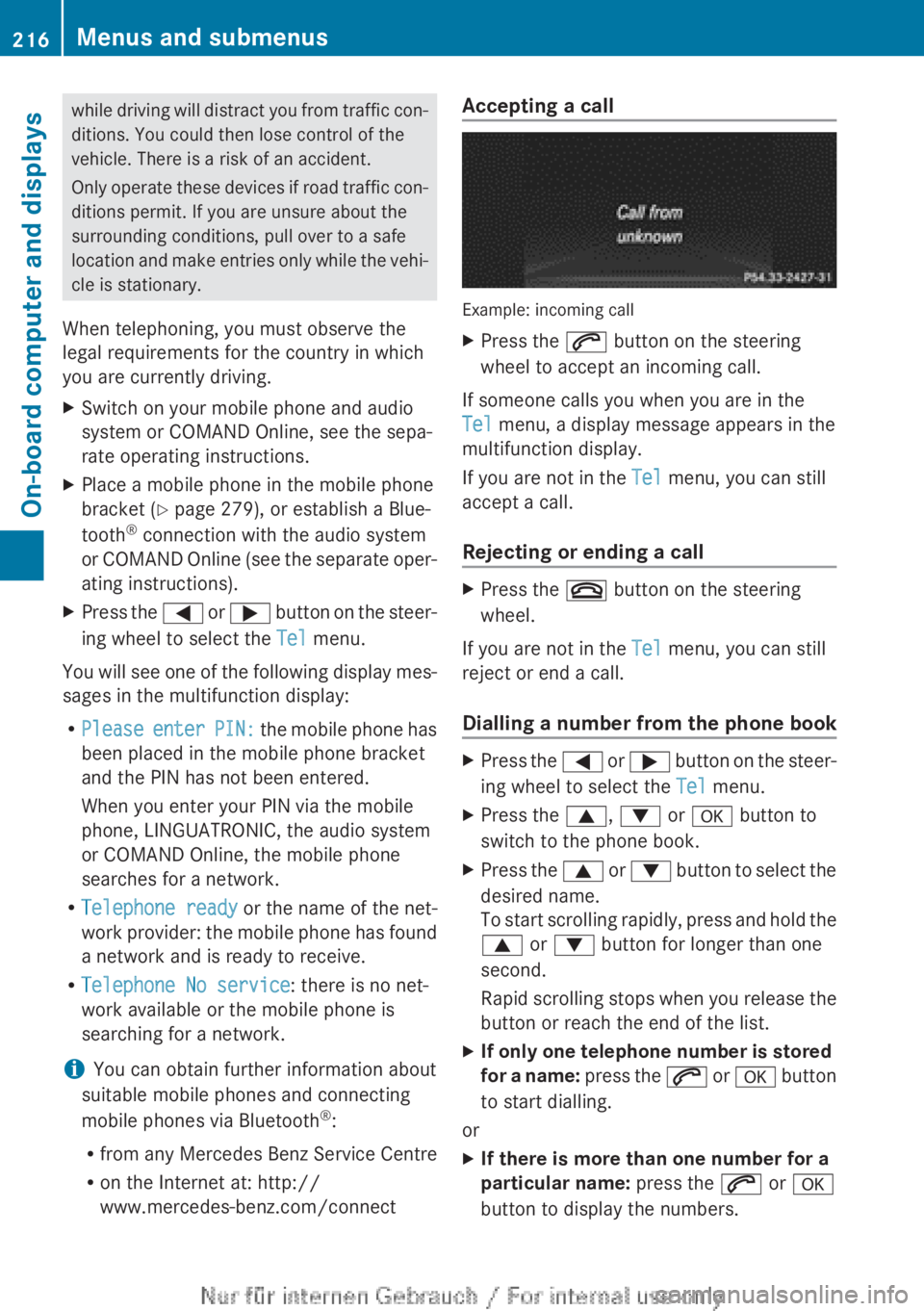
Example: incoming call
X
Press the 6 button on the steering
wheel to accept an incoming call.
If someone calls you when you are in the
Tel menu, a display message appears in the
multifunction display.
If you are not in the Tel menu, you can still
accept a call.
Rejecting or ending a call X
Press the ~ button on the steering
wheel.
If you are not in the Tel menu, you can still
reject or end a call.
Dialling a number from the phone book X
Press the =
or ; button on the steer-
ing wheel to select the Tel menu.
X Press the 9, : or a button to
switch to the phone book.
X Press the 9
or : button to select the
desired name.
To start scrolling rapidly, press and hold the
9 or : button for longer than one
second.
Rapid scrolling stops when you release the
button or reach the end of the list.
X If only one telephone number is stored
for
a name: press the 6 or a button
to start dialling.
or
X If there is more than one number for a
particular name: press the 6 or a
button to display the numbers. 216
Menus and submenus
On-board computer and displays
Page 229 of 356
X
Press the = or ; button to select
Interm. Time.
X Press a to confirm.
The intermediate time is displayed for five
seconds.
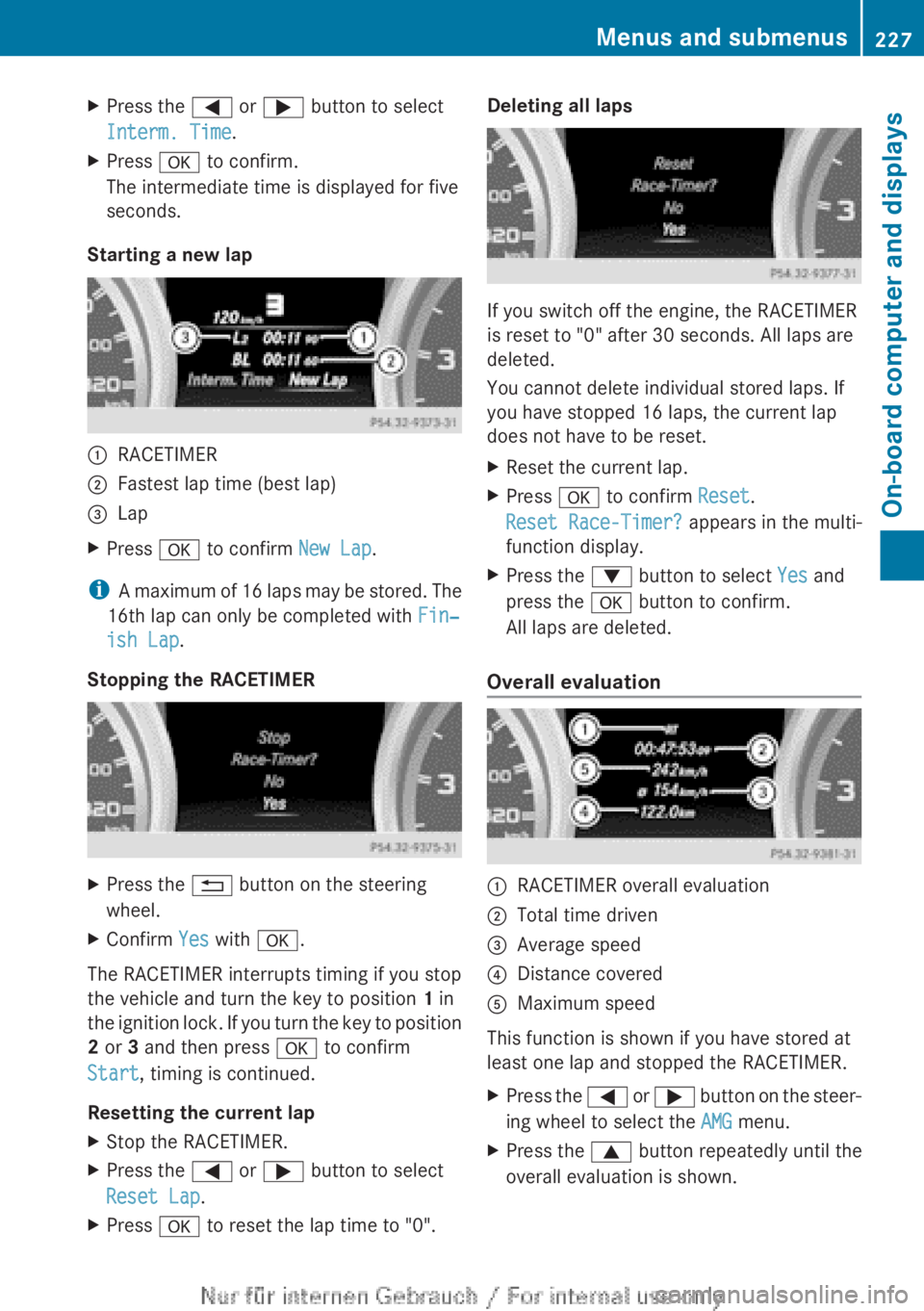
Starting a new lap :
RACETIMER
; Fastest lap time (best lap)
= Lap
X Press a to confirm New Lap.
i A maximum of 16 laps may be stored. The
16th lap can only be completed with Fin‐
ish Lap.
Stopping the RACETIMER X
Press the % button on the steering
wheel.
X Confirm Yes with a.
The RACETIMER interrupts timing if you stop
the vehicle and turn the key to position 1 in
the
ignition lock. If you turn the key to position
2 or 3 and then press a to confirm
Start, timing is continued.
Resetting the current lap
X Stop the RACETIMER.
X Press the = or ; button to select
Reset Lap.
X Press a to reset the lap time to "0". Deleting all laps
If you switch off the engine, the RACETIMER
is reset to "0" after 30 seconds. All laps are
deleted.
You cannot delete individual stored laps. If
you have stopped 16 laps, the current lap
does not have to be reset.
X
Reset the current lap.
X Press a to confirm Reset.
Reset Race-Timer? appears in the multi-
function display.
X Press the : button to select Yes and
press the a button to confirm.
All laps are deleted.
Overall evaluation :
RACETIMER overall evaluation
; Total time driven
= Average speed
? Distance covered
A Maximum speed
This function is shown if you have stored at
least one lap and stopped the RACETIMER.
X Press the =
or ; button on the steer-
ing wheel to select the AMG menu.
X Press the 9 button repeatedly until the
overall evaluation is shown. Menus and submenus
227
On-board computer and displays Z