instrument cluster MERCEDES-BENZ A CLASS 2012 Owner's Guide
[x] Cancel search | Manufacturer: MERCEDES-BENZ, Model Year: 2012, Model line: A CLASS, Model: MERCEDES-BENZ A CLASS 2012Pages: 356, PDF Size: 4.96 MB
Page 190 of 356
When driving at speeds below 30 km/h, you
will see parking symbol
; as a status indi-
cator
in the instrument cluster. When a park-
ing space has been detected, an arrow
towards the right or the left also appears.
Active Parking Assist only displays parking
spaces on the front-passenger side as stand-
ard. Parking spaces on the driver's side are
displayed as soon as the turn signal on the
driver's side is activated. When parking on the
driver's side, this must remain switched on
until you acknowledge the use of Active Park-
ing Assist by pressing the a button on the
multifunction steering wheel.
A parking space is displayed while you are
driving past it, and until you are approx-
imately 15 m away from it.
Parking G
WARNING
Active Parking Assist merely aids you by inter-
vening
actively in the steering. There is a risk
of accident if you do not apply the brakes
yourself.
Always apply the brakes yourself when park-
ing and manoeuvring.
Active Parking Assist does not support you
with parking spaces parallel to the direction
of travel if:
R the parking space is on a kerbstone
R the parking space is apparently blocked,
for example by foliage or grass paving
blocks
R the range of movement is too small
R the parking space is bordered by an obsta-
cle which is not clearly defined such as a
tree or a trailer
X Stop the vehicle when the parking symbol
shows the desired parking space in the
instrument cluster.
X Vehicles with manual transmission: shift to
reverse gear. Vehicles with automatic transmission: shift
into position R.
The Start Park Assist? Yes: OK No:
%
message appears in the multifunction
display.
X To cancel the procedure: press the
% button on the multifunction steering
wheel or pull away.
or
X To park using Active Parking Assist:
press
the a button on the multifunction
steering wheel.
The Park Assist active Accelerate
and brake Observe surroundings mes-
sage appears in the multifunction display.
X Release the multifunction steering wheel.
X Reverse the vehicle, being ready to brake
at all times. Do not exceed a maximum
speed of approximately
10 km/h when
reversing. Otherwise, Active Parking Assist
will be cancelled.
i In tight parking spaces, you will achieve
the best parking results by backing up as
far as possible. When doing so, also
observe the PARKTRONIC messages.
X Stop as soon as PARKTRONIC sounds the
continuous warning tone, if not before.
Manoeuvring
may be required in tight park-
ing spaces.
Vehicles with manual transmission: the Park
Assist active Engage forward gear
Observe
surroundings message appears in
the multifunction display.
Vehicles with automatic transmission: the
Park Assist active Select D Observe
surroundings message appears in the mul-
tifunction display.
X Vehicles with manual transmission: while
the vehicle is stationary, shift to first gear.
Vehicles with automatic transmission:
select transmission position D while the
vehicle is stationary.
Active
Parking Assist immediately steers in
the other direction. 188
Driving systems
Driving and parking
Page 192 of 356
10 km/h when exiting a parking space.
Otherwise, Active Parking Assist will be
cancelled.
X Stop when PARKTRONIC sounds the con-
tinuous warning tone, if not before.
X Vehicles with manual transmission:
shift to first or reverse gear as required
while the vehicle is stationary.
Vehicles with automatic transmission:
shift
to position D or R as required while the
vehicle is stationary.
Active Parking Assist immediately steers in
the other direction. The Park Assist
active Accelerate and brake
Observe surroundings message appears
in the multifunction display.
i You will achieve the best results by wait-
ing
for the steering procedure to complete
before pulling away.
If you reverse after activation, the steering
wheel is moved to the straight-ahead posi-
tion.
X Drive forwards or reverse the vehicle, being
ready to brake at all times.
X Stop as soon as PARKTRONIC sounds the
continuous warning tone, if not before.
X Drive forwards and reverse as prompted by
the
PARKTRONIC warning displays, several
times if necessary.
Once you have exited the parking space com-
pletely, the steering wheel is moved to the
straight-ahead position. You hear a tone and
the Park Assist switched off message
appears
in the multifunction display. You will
then have to steer and merge into traffic on
your own. PARKTRONIC is still available. Cancelling Active Parking Assist You can cancel Active Parking Assist at any
time.
X
Stop the movement of the multifunction
steering wheel or steer yourself.
Active Parking Assist will be cancelled at
once. The Park Assist cancelled mes-
sage appears in the multifunction display.
or
X Press the PARKTRONIC button on the
centre console
(Y page 185).
PARKTRONIC is switched off and Active
Parking Assist is immediately cancelled.
The Park Assist cancelled message
appears in the multifunction display.
Active Parking Assist is cancelled automati-
cally if:
R you engage the electric parking brake.
R parking using Active Parking Assist is no
longer possible.
R you are driving faster than 10 km/h.
R a
wheel spins and ESP ®
intervenes or fails.
The ÷ warning lamp lights up in the
instrument cluster.
A warning tone sounds. The parking space
symbol disappears and the multifunction dis-
play shows the Park Assist cancelled
message.
When Active Parking Assist is cancelled, you
must steer again yourself.
If a system malfunction occurs, the vehicle is
braked to a standstill. To drive on, depress the
accelerator again.
Towing a trailer For vehicles with a trailer tow hitch, the min-
imum required length for parking spaces is
slightly increased.
If you have attached a trailer to your vehicle,
you should not use Active Parking Assist.
Once
the electrical connection is established
between your vehicle and the trailer, Active
Parking Assist is no longer available. PARK-
TRONIC is deactivated for the rear area. 190
Driving systems
Driving and parking
Page 209 of 356
Useful information ............................
208
Important safety notes ....................208
Displays and operation .................... 208
Menus and submenus ...................... 211
Display messages ............................. 229
Warning
and indicator lamps in the
instrument cluster ............................257 207
On-board computer and displays
Page 210 of 356
Useful information
i This Owner's Manual describes all mod-
els,
series and optional equipment for your
vehicle that were available at the time of
going to press. National variations are pos-
sible. Note that your vehicle may not be
equipped with all of the functions descri-
bed. This is also the case for systems and
functions relevant to safety.
i Read the information on qualified special-
ist workshops: (Y page 24). Important safety notes
G
WARNING
Operating the integrated information systems
and
communications equipment in the vehicle
while driving will distract you from traffic con-
ditions. You could then lose control of the
vehicle. There is a risk of an accident.
Only operate these devices if road traffic con-
ditions permit. If you are unsure about the
surrounding conditions, pull over to a safe
location and make entries only while the vehi-
cle is stationary. G
WARNING
If the instrument cluster has failed or mal-
functioned, you may not recognise function
restrictions relevant to safety. The operating
safety
of your vehicle may be impaired. There
is a risk of an accident.
Drive on carefully. Have the vehicle checked
at a qualified specialist workshop immedi-
ately.
You must observe the legal requirements for
the country in which you are currently driving
when operating the on-board computer.
The on-board computer only shows messages
or warnings from certain systems in the mul-
tifunction display. You should therefore make
sure your vehicle is operating safely at all times. Otherwise, a vehicle that is not oper-
ating safely may cause an accident.
For an overview, see the instrument panel
illustration (
Y page 30). Displays and operation
Instrument cluster lighting
The lighting in the instrument cluster, in the
displays and the controls in the vehicle inte-
rior
can be adjusted using the brightness con-
trol knob.
The brightness control knob is on the bottom
left of the instrument cluster ( Y page 30).
X Turn the brightness control knob clockwise
or anti-clockwise.
If the light switch is set to Ã, T or
L, the brightness is dependant upon
the brightness of the ambient light.
i The
light sensor in the instrument cluster
automatically controls the brightness of
the multifunction display.
In daylight, the displays in the instrument
cluster are not illuminated. Coolant temperature gauge
The coolant temperature gauge is in the
instrument cluster on the right-hand side.
The
reading may rise up to 120 † below nor-
mal driving conditions if the coolant has been
filled correctly.
At high outside temperatures and when driv-
ing uphill, the coolant temperature may rise
to the end of the scale. Rev counter
! Do not drive in the overrevving range.
Doing so will damage the engine.
The
red band in the rev counter indicates the
engine's overrevving range. 208
Displays and operation
On-board computer and displays
Page 220 of 356
Speed Limit Assist
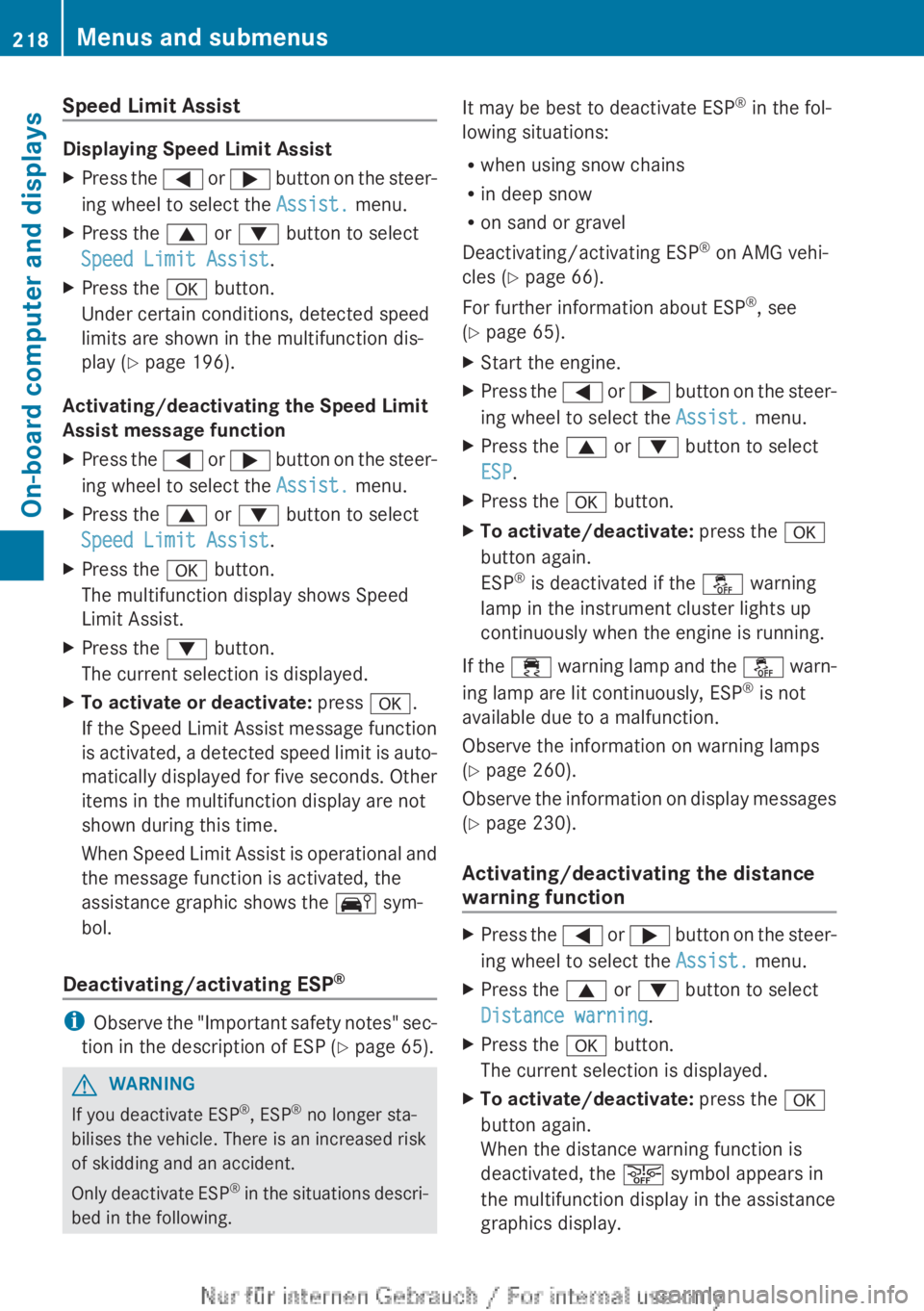
Displaying Speed Limit Assist
X
Press the = or ; button on the steer-
ing wheel to select the Assist. menu.
X Press the 9 or : button to select
Speed Limit Assist.
X Press the a button.
Under certain conditions, detected speed
limits are shown in the multifunction dis-
play
(Y page 196).
Activating/deactivating the Speed Limit
Assist message function
X Press the =
or ; button on the steer-
ing wheel to select the Assist. menu.
X Press the 9 or : button to select
Speed Limit Assist.
X Press the a button.
The multifunction display shows Speed
Limit Assist.
X Press the : button.
The current selection is displayed.
X To activate or deactivate: press a.
If
the Speed Limit Assist message function
is activated, a detected speed limit is auto-
matically displayed for five seconds. Other
items in the multifunction display are not
shown during this time.
When Speed Limit Assist is operational and
the message function is activated, the
assistance graphic shows the Ä sym-
bol.
Deactivating/activating ESP ®i
Observe
the "Important safety notes" sec-
tion in the description of ESP ( Y page 65).G
WARNING
If you deactivate ESP ®
, ESP ®
no longer sta-
bilises the vehicle. There is an increased risk
of skidding and an accident.
Only
deactivate ESP ®
in the situations descri-
bed in the following. It may be best to deactivate ESP
®
in the fol-
lowing situations:
R when using snow chains
R in deep snow
R on sand or gravel
Deactivating/activating ESP ®
on AMG vehi-
cles ( Y page 66).
For further information about ESP ®
, see
(Y page 65).
X Start the engine.
X Press the =
or ; button on the steer-
ing wheel to select the Assist. menu.
X Press the 9 or : button to select
ESP.
X Press the a button.
X To activate/deactivate: press the a
button again.
ESP ®
is deactivated if the å warning
lamp in the instrument cluster lights up
continuously when the engine is running.
If the ÷
warning lamp and the å warn-
ing lamp are lit continuously, ESP ®
is not
available due to a malfunction.
Observe the information on warning lamps
(Y page 260).
Observe the information on display messages
(Y page 230).
Activating/deactivating the distance
warning function X
Press the =
or ; button on the steer-
ing wheel to select the Assist. menu.
X Press the 9 or : button to select
Distance warning.
X Press the a button.
The current selection is displayed.
X To activate/deactivate: press the a
button again.
When the distance warning function is
deactivated, the æ symbol appears in
the multifunction display in the assistance
graphics display. 218
Menus and submenus
On-board computer and displays
Page 222 of 356
Settings menu
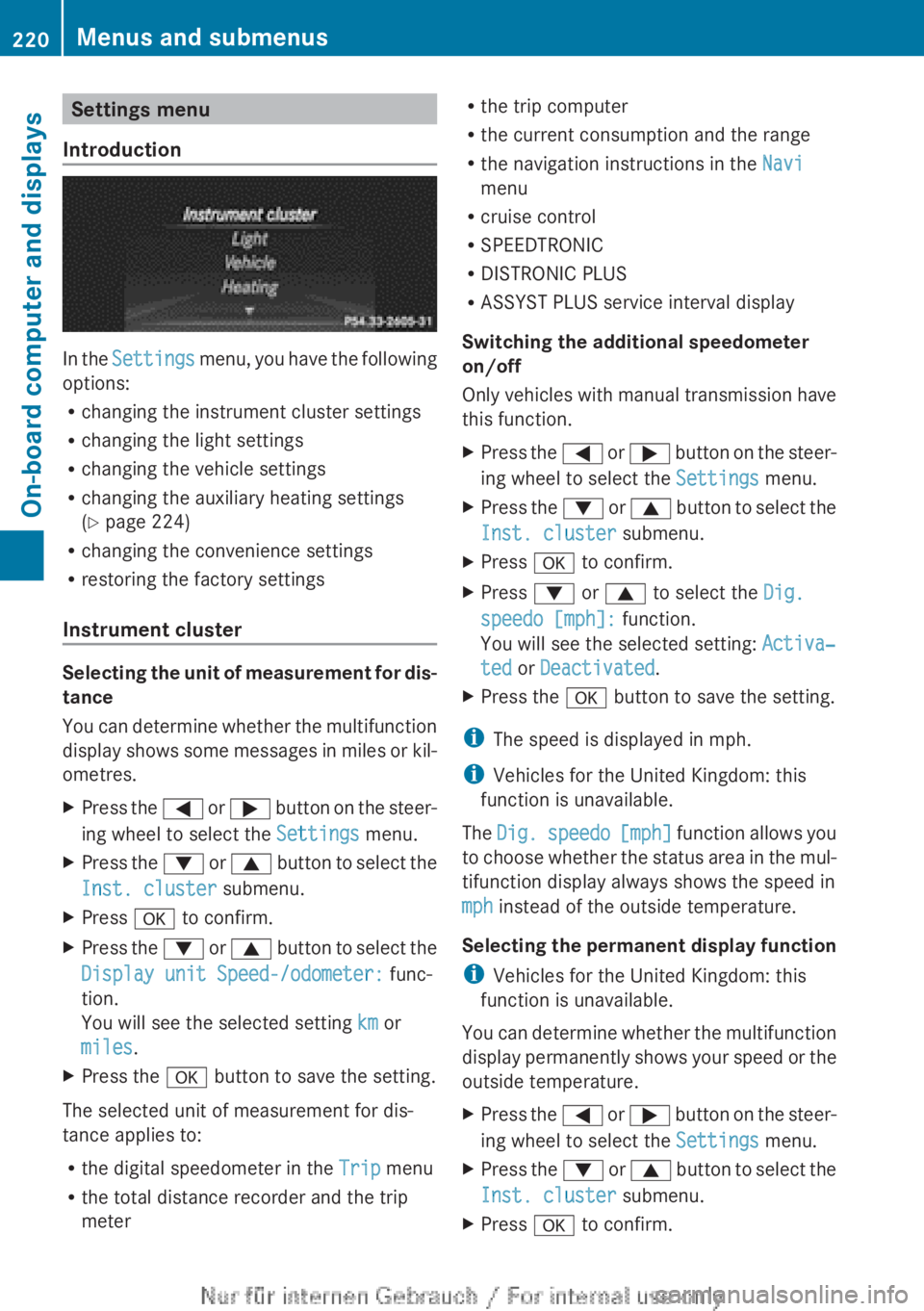
Introduction In the
Settings menu, you have the following
options:
R changing the instrument cluster settings
R changing the light settings
R changing the vehicle settings
R changing the auxiliary heating settings
(Y page 224)
R changing the convenience settings
R restoring the factory settings
Instrument cluster Selecting the unit of measurement for dis-
tance
You
can determine whether the multifunction
display shows some messages in miles or kil-
ometres.
X Press the =
or ; button on the steer-
ing wheel to select the Settings menu.
X Press the :
or 9 button to select the
Inst. cluster submenu.
X Press a to confirm.
X Press the :
or 9 button to select the
Display unit Speed-/odometer: func-
tion.
You will see the selected setting km or
miles.
X Press the a button to save the setting.
The selected unit of measurement for dis-
tance applies to:
R the digital speedometer in the Trip menu
R the total distance recorder and the trip
meter R
the trip computer
R the current consumption and the range
R the navigation instructions in the Navi
menu
R cruise control
R SPEEDTRONIC
R DISTRONIC PLUS
R ASSYST PLUS service interval display
Switching the additional speedometer
on/off
Only
vehicles with manual transmission have
this function.
X Press the =
or ; button on the steer-
ing wheel to select the Settings menu.
X Press the :
or 9 button to select the
Inst. cluster submenu.
X Press a to confirm.
X Press : or 9 to select the Dig.
speedo [mph]: function.
You will see the selected setting: Activa‐
ted or Deactivated.
X Press the a button to save the setting.
i The speed is displayed in mph.
i Vehicles for the United Kingdom: this
function is unavailable.
The Dig.
speedo [mph] function allows you
to choose whether the status area in the mul-
tifunction display always shows the speed in
mph instead of the outside temperature.
Selecting the permanent display function
i Vehicles for the United Kingdom: this
function is unavailable.
You can determine whether the multifunction
display permanently shows your speed or the
outside temperature.
X Press the =
or ; button on the steer-
ing wheel to select the Settings menu.
X Press the :
or 9 button to select the
Inst. cluster submenu.
X Press a to confirm.220
Menus and submenus
On-board computer and displays
Page 232 of 356
Safety systems
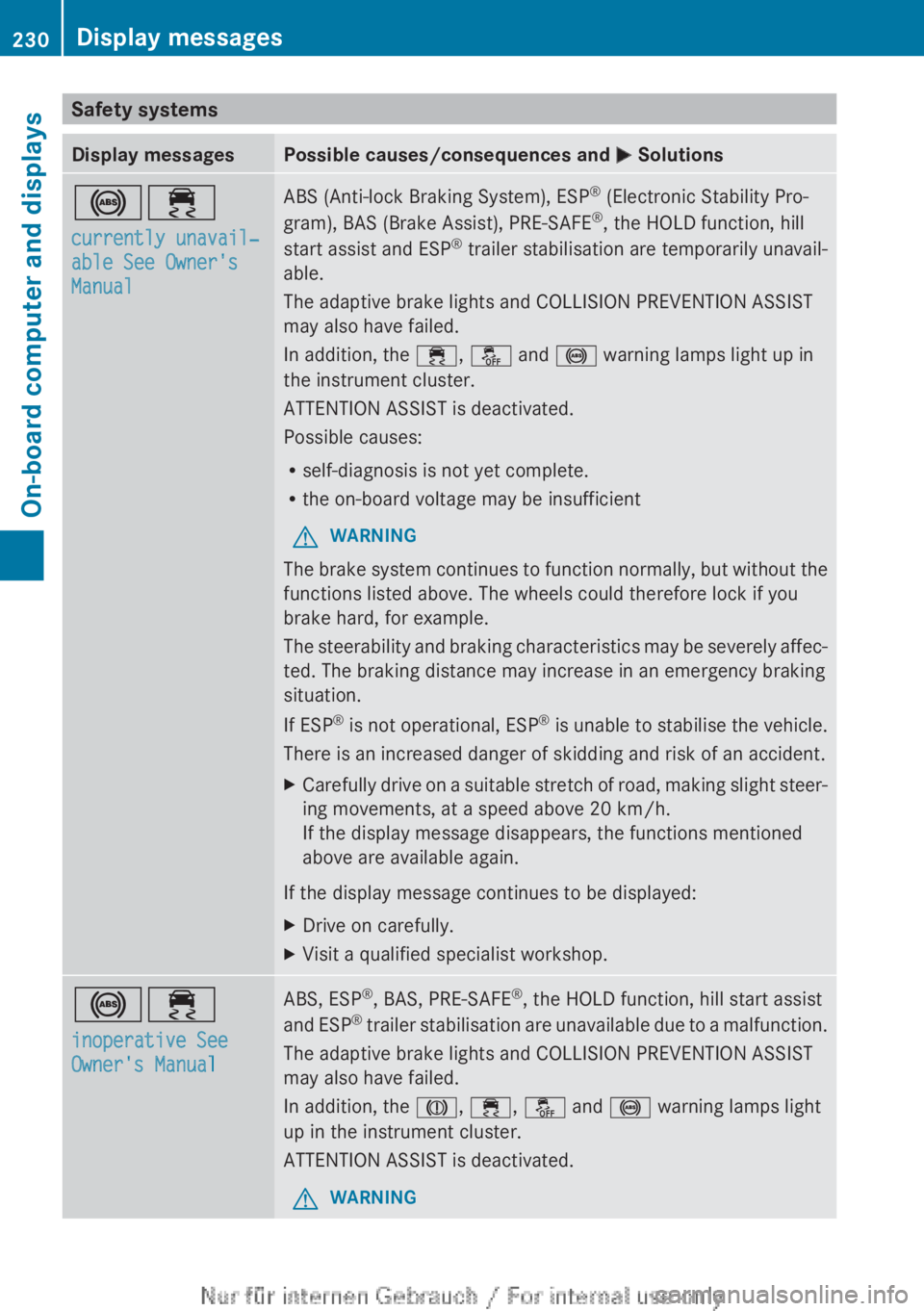
Display messages Possible causes/consequences and
M Solutions!÷
currently unavail‐
able See Owner's
Manual ABS (Anti-lock Braking System), ESP
®
(Electronic Stability Pro-
gram), BAS (Brake Assist), PRE-SAFE ®
, the HOLD function, hill
start assist and ESP ®
trailer stabilisation are temporarily unavail-
able.
The adaptive brake lights and COLLISION PREVENTION ASSIST
may also have failed.
In addition, the ÷, å and ! warning lamps light up in
the instrument cluster.
ATTENTION ASSIST is deactivated.
Possible causes:
R self-diagnosis is not yet complete.
R the on-board voltage may be insufficient
G WARNING
The brake system continues to function normally, but without the
functions listed above. The wheels could therefore lock if you
brake hard, for example.
The
steerability and braking characteristics may be severely affec-
ted. The braking distance may increase in an emergency braking
situation.
If ESP ®
is not operational, ESP ®
is unable to stabilise the vehicle.
There is an increased danger of skidding and risk of an accident.
X Carefully drive on a suitable stretch of road, making slight steer-
ing movements, at a speed above
20 km/h.
If the display message disappears, the functions mentioned
above are available again.
If the display message continues to be displayed:
X Drive on carefully.
X Visit a qualified specialist workshop. !÷
inoperative See
Owner's Manual ABS, ESP
®
, BAS, PRE-SAFE ®
, the HOLD function, hill start assist
and
ESP®
trailer stabilisation are unavailable due to a malfunction.
The adaptive brake lights and COLLISION PREVENTION ASSIST
may also have failed.
In addition, the J, ÷, å and ! warning lamps light
up in the instrument cluster.
ATTENTION ASSIST is deactivated.
G WARNING230
Display messages
On-board computer and displays
Page 233 of 356
Display messages Possible causes/consequences and
M SolutionsThe brake system continues to function normally, but without the
functions listed above. The wheels could therefore lock if you
brake hard, for example.
The
steerability and braking characteristics may be severely affec-
ted. The braking distance may increase in an emergency braking
situation.
If ESP ®
is not operational, ESP ®
is unable to stabilise the vehicle.
There is an increased danger of skidding and risk of an accident.
X Drive on carefully.
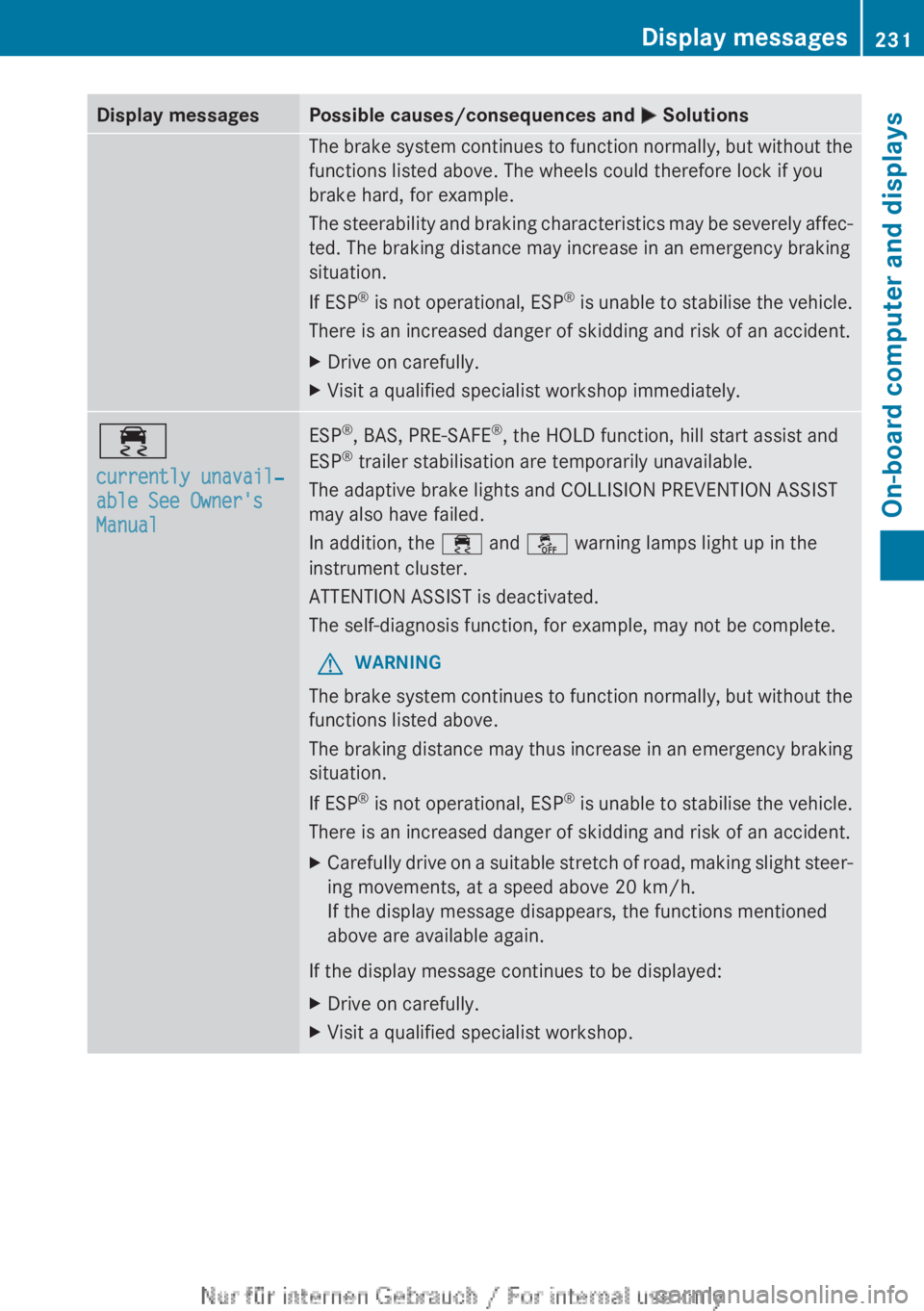
X Visit a qualified specialist workshop immediately. ÷
currently unavail‐
able See Owner's
Manual ESP
®
, BAS, PRE-SAFE ®
, the HOLD function, hill start assist and
ESP ®
trailer stabilisation are temporarily unavailable.
The adaptive brake lights and COLLISION PREVENTION ASSIST
may also have failed.
In addition, the ÷ and å warning lamps light up in the
instrument cluster.
ATTENTION ASSIST is deactivated.
The self-diagnosis function, for example, may not be complete.
G WARNING
The brake system continues to function normally, but without the
functions listed above.
The
braking distance may thus increase in an emergency braking
situation.
If ESP ®
is not operational, ESP ®
is unable to stabilise the vehicle.
There is an increased danger of skidding and risk of an accident.
X Carefully drive on a suitable stretch of road, making slight steer-
ing movements, at a speed above
20 km/h.
If the display message disappears, the functions mentioned
above are available again.
If the display message continues to be displayed:
X Drive on carefully.
X Visit a qualified specialist workshop. Display messages
231
On-board computer and displays Z
Page 234 of 356
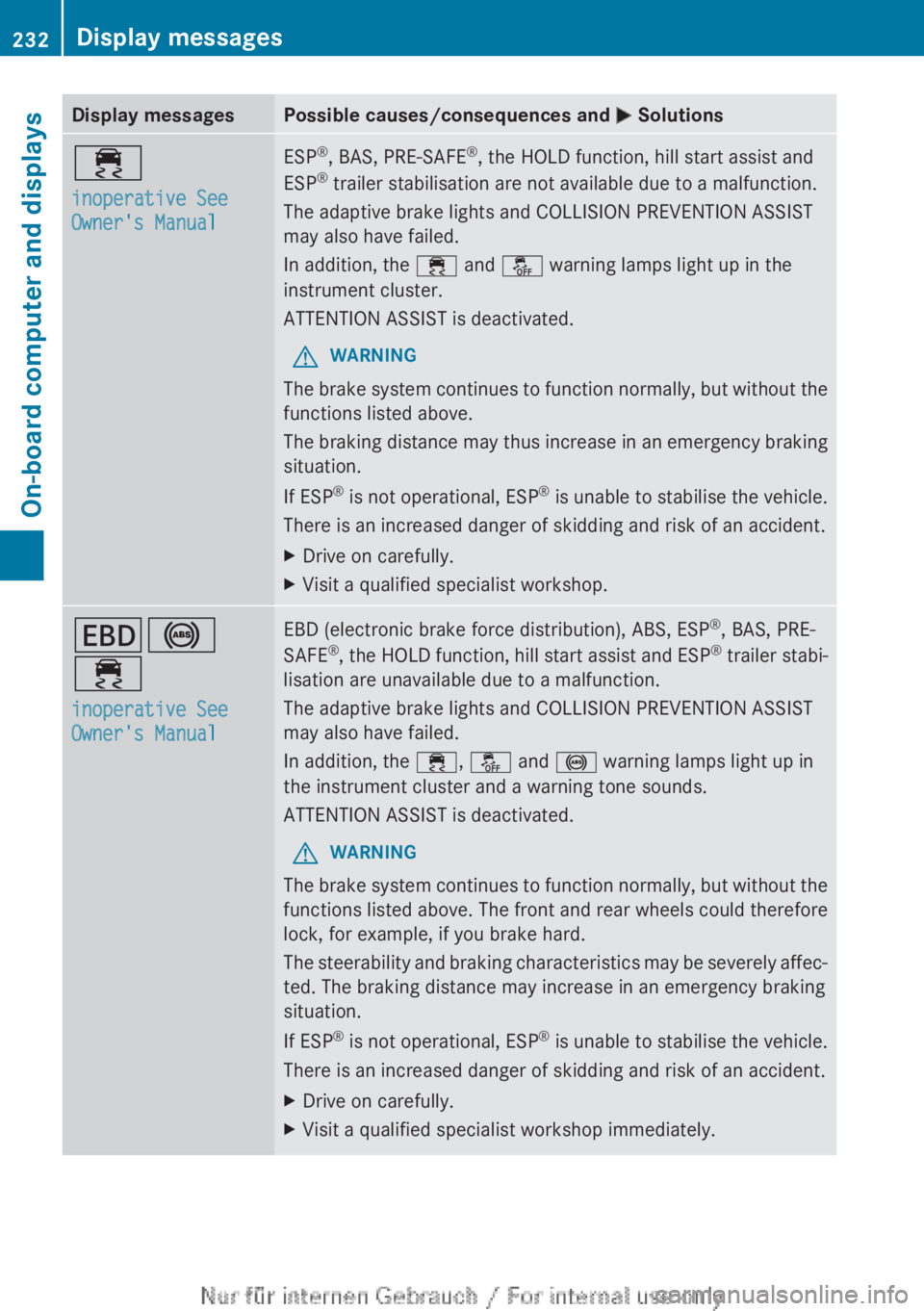
Display messages Possible causes/consequences and
M Solutions÷
inoperative See
Owner's Manual ESP
®
, BAS, PRE-SAFE ®
, the HOLD function, hill start assist and
ESP ®
trailer stabilisation are not available due to a malfunction.
The adaptive brake lights and COLLISION PREVENTION ASSIST
may also have failed.
In addition, the ÷ and å warning lamps light up in the
instrument cluster.
ATTENTION ASSIST is deactivated.
G WARNING
The brake system continues to function normally, but without the
functions listed above.
The
braking distance may thus increase in an emergency braking
situation.
If ESP ®
is not operational, ESP ®
is unable to stabilise the vehicle.
There is an increased danger of skidding and risk of an accident.
X Drive on carefully.
X Visit a qualified specialist workshop. T!
÷
inoperative See
Owner's Manual EBD (electronic brake force distribution), ABS, ESP
®
, BAS, PRE-
SAFE ®
,
the HOLD function, hill start assist and ESP ®
trailer stabi-
lisation are unavailable due to a malfunction.
The adaptive brake lights and COLLISION PREVENTION ASSIST
may also have failed.
In addition, the ÷, å and ! warning lamps light up in
the instrument cluster and a warning tone sounds.
ATTENTION ASSIST is deactivated.
G WARNING
The brake system continues to function normally, but without the
functions listed above. The front and rear wheels could therefore
lock, for example, if you brake hard.
The
steerability and braking characteristics may be severely affec-
ted. The braking distance may increase in an emergency braking
situation.
If ESP ®
is not operational, ESP ®
is unable to stabilise the vehicle.
There is an increased danger of skidding and risk of an accident.
X Drive on carefully.
X Visit a qualified specialist workshop immediately.232
Display messages
On-board computer and displays
Page 238 of 356
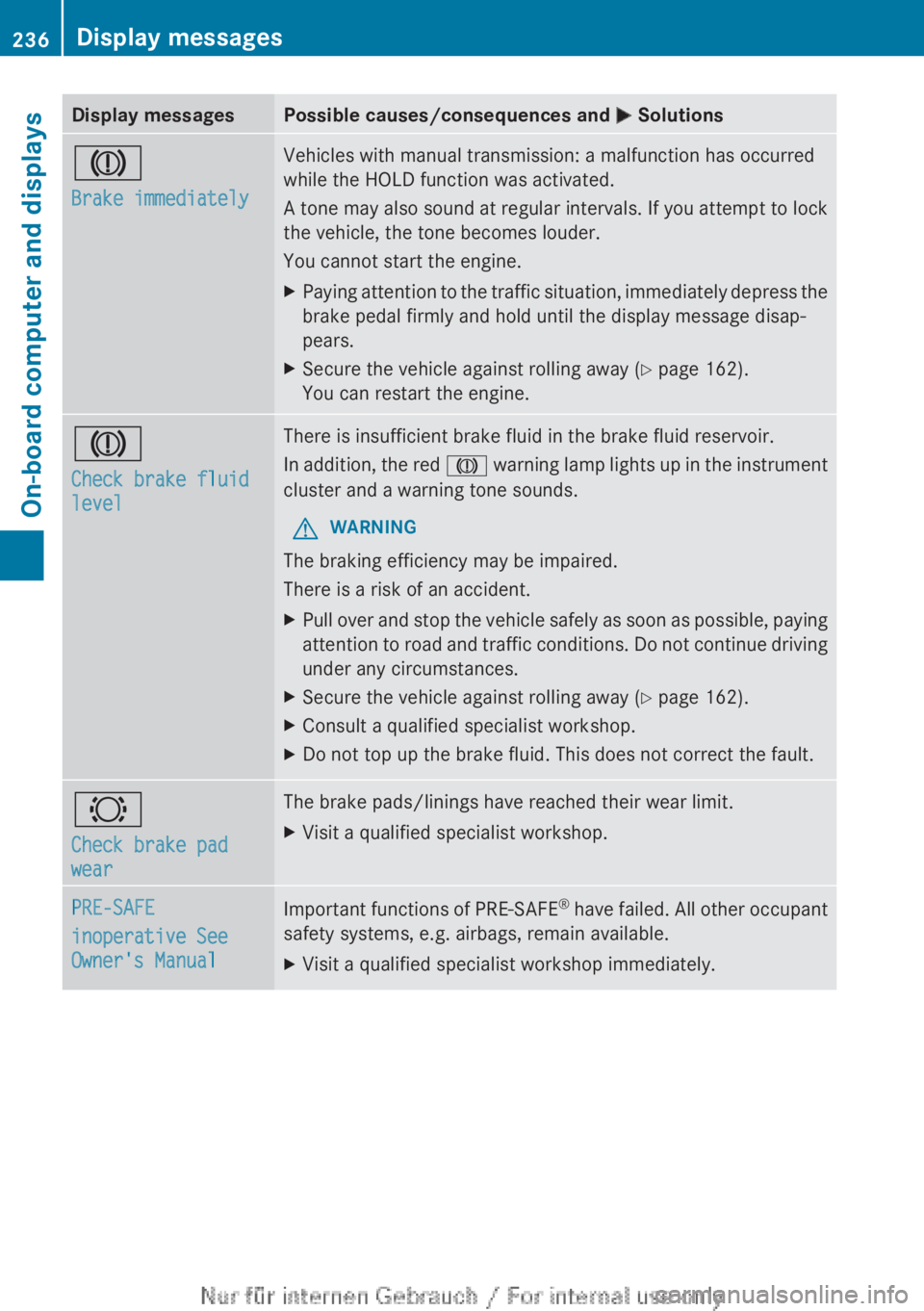
Display messages Possible causes/consequences and
M SolutionsJ
Brake immediately Vehicles with manual transmission: a malfunction has occurred
while the HOLD function was activated.
A
tone may also sound at regular intervals. If you attempt to lock
the vehicle, the tone becomes louder.
You cannot start the engine.
X Paying attention to the traffic situation, immediately depress the
brake pedal firmly and hold until the display message disap-
pears.
X Secure the vehicle against rolling away ( Y page 162).
You can restart the engine. J
Check brake fluid
level There is insufficient brake fluid in the brake fluid reservoir.
In
addition, the red J warning lamp lights up in the instrument
cluster and a warning tone sounds.
G WARNING
The braking efficiency may be impaired.
There is a risk of an accident.
X Pull over and stop the vehicle safely as soon as possible, paying
attention
to road and traffic conditions. Do not continue driving
under any circumstances.
X Secure the vehicle against rolling away ( Y page 162).
X Consult a qualified specialist workshop.
X Do not top up the brake fluid. This does not correct the fault. #
Check brake pad
wear The brake pads/linings have reached their wear limit.
X
Visit a qualified specialist workshop. PRE-SAFE
inoperative See
Owner's Manual
Important functions of PRE-SAFE
®
have failed. All other occupant
safety systems, e.g. airbags, remain available.
X Visit a qualified specialist workshop immediately.236
Display messages
On-board computer and displays