air condition MERCEDES-BENZ A-CLASS HATCHBACK 2015 User Guide
[x] Cancel search | Manufacturer: MERCEDES-BENZ, Model Year: 2015, Model line: A-CLASS HATCHBACK, Model: MERCEDES-BENZ A-CLASS HATCHBACK 2015Pages: 417, PDF Size: 11.91 MB
Page 59 of 417
filled with propellant gas to reduce the risk of
injuries. The front airbag is fully deployed if
the second deployment stage is activated
within a few milliseconds.
The activation threshold for the seat belt ten-
sioners and airbags is determined based on
the evaluation of the vehicle's rate of decel-
eration or acceleration at various points in the vehicle. This process is pre-emptive in nature.The triggering/deployment process should
take place in good time at the start of the
collision.
The rate of vehicle deceleration or accelera-
tion and the direction of the force are essen- tially determined by:
R the distribution of forces during the colli-
sion
R the collision angle
R the deformation characteristics of the vehi-
cle
R the characteristics of the object with which
the vehicle has collided
Factors which can only be seen and measured
after a collision has occurred do not play a
decisive role in the deployment of an airbag,
nor do they provide an indication of airbag
deployment.
The vehicle may be deformed significantly
without an airbag being deployed. This is the
case if only parts which are relatively easily
deformed are affected and the rate of decel-
eration is not high. Conversely, an airbag may
be deployed even though the vehicle suffers
only minor deformation. This is the case if, for example, very rigid vehicle parts such as lon-
gitudinal body members are hit, and sufficient deceleration occurs as a result.
If the restraint system control unit detects a
side impact, the applicable components of
the restraint system are activated independ-
ently of each other.
R Sidebags on the side on which an impact
occurs, independent from the seat belt ten-
sioner and seat belt usage
Vehicles with the automatic front-
passenger airbag deactivation system: the sidebag on the front-passenger side
deploys under the following conditions:
- an occupant is detected on the front-
passenger seat or
- the belt tongue is engaged in the belt
buckle of the front-passenger seat
R Windowbag on the side on which an impact
occurs, independent of seat belt usage and
regardless of whether the front-passenger
seat is occupied
R Seat belt tensioners, if the system deter-
mines that deployment can offer additional
protection for the vehicle occupants in this situation
i Not all airbags are deployed in an acci-
dent. The different airbag systems work
independently of each other.
How the airbag system works is deter-
mined by the severity of the accident detec- ted, especially the vehicle deceleration or
acceleration, and the apparent type of acci-
dent:
R frontal collision
R side impact PRE-SAFE
®
(anticipatory occupant
protection)
Introduction In certain hazardous situations, PRE-SAFE
®
takes pre-emptive measures to protect the
vehicle occupants.
Important safety notes !
Make sure that there are no objects in the
footwell or behind the seats. There is a risk that the seats and/or the objects could be
damaged when PRE-SAFE ®
is activated.
Although your vehicle is equipped with PRE-
SAFE ®
, the possibility of injury in the event of
an accident cannot be ruled out. Always
adapt your driving style to suit the prevailing
road and weather conditions and maintain a 56
Occupant safetySafety
Page 72 of 417
Pets in the vehicle
G
WARNING
If you leave animals unsupervised or unse-
cured in the vehicle, they may push a button
or a switch, for example.
They could:
R activate vehicle equipment and become
trapped, for example
R switch vehicle systems on or off, thus
endangering other road users
In the event of an accident, sudden braking or
abrupt changes of direction, unsecured ani-
mals could be flung around the vehicle, injur-
ing the vehicle occupants. There is a risk of an accident and injury.
Never leave animals unattended in the vehi-
cle. Always secure animals correctly during a
journey, e.g. in an animal transport box. Driving safety systems
Driving safety systems overview
In this section, you will find information about the following driving safety systems:
R ABS ( Anti-lock BrakingSystem)
(Y page 69)
R BAS ( Brake Assist System) (Y page 70)
R COLLISION PREVENTION ASSIST PLUS
(Y page 70)
R Adaptive brake lights (Y page 73)
R ESP ®
(Electronic StabilityProgram)
(Y page 73)
R EBD ( electronic brake force distribution)
(Y page 77)
R ADAPTIVE BRAKE (Y page 77)
R STEER CONTROL (Y page 77) Important safety notes
If you fail to adapt your driving style or if you
are inattentive, the driving safety systems can neither reduce the risk of an accident nor
override the laws of physics. Driving safety
systems are merely aids designed to assist
driving. You are responsible for maintaining
the distance to the vehicle in front, for vehicle speed, for braking in good time, and for stay-ing in lane. Always adapt your driving style to
suit the prevailing road and weather condi-
tions and maintain a safe distance from the
vehicle in front. Drive carefully.
The driving safety systems described only
work as effectively as possible when there is
adequate contact between the tyres and the
road surface. Please pay special attention to
the notes on tyres, recommended minimum
tyre tread depths etc. (Y page 358).
In wintry driving conditions, always use winter
tyres (M+S tyres) and, if necessary, snow
chains. Only in this way will the driving safety systems described in this section work as
effectively as possible. ABS (Anti-lock Braking System)
General notes ABS regulates brake pressure in such a way
that the wheels do not lock when you brake.
This allows you to continue steering the vehi-
cle when braking.
The ! ABS warning lamp in the instrument
cluster lights up when the ignition is switched on. It goes out when the engine is running.
ABS works from a speed of about 8 km/h,
regardless of road-surface conditions. ABS
works on slippery surfaces, even when you
only brake gently.
Important safety notes i
Observe the "Important safety notes" sec-
tion (Y page 69). G
WARNING
If ABS is faulty, the wheels could lock when
braking. The steerability and braking charac-
teristics may be severely impaired. Addition- Driving safety systems
69Safety
Z
Page 73 of 417
ally, further driving safety systems are deac-
tivated. There is an increased danger of skid- ding and accidents.
Drive on carefully. Have ABS checked imme-
diately at a qualified specialist workshop.
If ABS is malfunctioning, other systems,
including driving safety systems, will also
become inoperative. Observe the information on the ABS warning lamp (Y page 295) and
display messages which may be shown in the
instrument cluster (Y page 258).
Brakes X
If ABS intervenes: continue to depress the
brake pedal with force until the braking sit- uation is over.
X To make a full brake application:
depress the brake pedal with full force.
If ABS intervenes when braking, you will feel a
pulsing in the brake pedal.
The pulsating brake pedal can be an indica-
tion of hazardous road conditions; this serves as a reminder to take extra care while driving. BAS (Brake Assist)
General notes BAS operates in emergency braking situa-
tions. If you depress the brake pedal quickly,
BAS automatically boosts the braking force,
thus shortening the stopping distance.
Important safety notes i
Observe the "Important safety notes" sec-
tion (Y page 69). G
WARNING
If BAS is malfunctioning, the braking distance
in an emergency braking situation is
increased. There is a risk of accident.
In an emergency braking situation, depress
the brake pedal with full force. ABS prevents
the wheels from locking. Braking X
Keep the brake pedal depressed firmly until
the emergency braking situation is over.
ABS prevents the wheels from locking.
The brakes will function as usual once you
release the brake pedal. BAS is deactivated. COLLISION PREVENTION ASSIST
PLUS
General notes i
Observe the "Important safety notes" sec-
tion (Y page 69).
COLLISION PREVENTION ASSIST PLUS con-
sists of a distance warning function with an
autonomous braking function and Adaptive
Brake Assist.
COLLISION PREVENTION ASSIST PLUS can
help you to minimise the risk of a collision
with the vehicle in front or reduce the effects of such a collision.
If COLLISION PREVENTION ASSIST PLUS
detects that there is a risk of a collision, you
will be warned visually and acoustically. If you
do not react to the visual and audible collision warning, autonomous braking can be initiated
in critical situations. If you apply the brake
yourself in a critical situation, the COLLISION PREVENTION ASSIST PLUS Adaptive Brake
Assist assists you.
Important safety notes Detection of hazardous situations can be par-
ticularly impaired by:
R dirt on the sensors or obscured sensors
R snow or heavy rain
R interference by other radar sources
R strong radar reflections, for example, in
multi-storey car parks
R a narrow vehicle travelling in front, e.g. a
motorcycle 70
Driving safety systemsSafety
Page 110 of 417
The seat belt should:
R fit snugly across your body
R be routed across the middle of your
shoulder
R be routed across your hips in the pelvic
area
X Before starting off, adjust the rear-view mir-
ror and the exterior mirrors (Y page 113)
so that you have a good view of road and
traffic conditions.
X Vehicles with a memory function: save
the seat and exterior mirror settings
(Y page 116). Seats
Important safety notes
G
WARNING
If children adjust the seats, they could
become trapped, especially if they are unat-
tended. There is a risk of injury.
When leaving the vehicle, always take the key with you and lock the vehicle. Never leave
children unattended in the vehicle.
The seats can still be adjusted when there is
no key in the ignition lock. G
WARNING
When adjusting a seat, you or another vehicle occupant could become trapped by the guiderail of the seat, for instance. There is a risk of
injury.
Make sure that no one has any part of their
body within the sweep of the seat when
adjusting it.
Observe the safety notes on "Airbags"
(Y page 46) and "Children in the Vehicle"
(Y page 57). G
WARNING
If the driver's seat is not correctly engaged, it could unexpectedly move while driving. This could cause you to lose control of the vehicle.
There is a risk of an accident.
Always ensure that the driver's seat is
engaged before starting the vehicle. G
WARNING
You could lose control of the vehicle while
driving if you:
R adjust the driver's seat, steering wheel or
mirrors
R fasten the seat belt
There is a risk of an accident.
Adjust the driver's seat, head restraint, steer-
ing wheel and mirrors and fasten your seat
belt before starting the engine. G
WARNING
If you adjust the seat height carelessly, you or other vehicle occupants could be trapped andthereby injured. Children in particular could
accidentally press the electrical seat adjust-
ment buttons and become trapped. There is a
risk of injury.
While moving the seats, make sure that your
hands or other body parts do not get under the
lever assembly of the seat adjustment sys-
tem.
! To avoid damage to the seats and the seat
heating, observe the following information:
R do not spill any liquids on the seats. If
liquid is spilled on the seats, dry them as
soon as possible.
R if the seat covers are damp or wet, do not
switch on the seat heating. The seat
heating should also not be used to dry
the seats.
R clean the seat covers as recommended;
see the "Interior care" section.
R do not transport heavy loads on the
seats. Do not place sharp objects on the
seat cushions, e.g. knives, nails or tools. Seats
107Seats, steering wheel and mirrors Z
Page 139 of 417
Useful information
i This Owner's Manual describes all mod-
els, series and optional equipment for your
vehicle that were available at the time of
going to press. National variations are pos- sible. Note that your vehicle may not be
equipped with all of the functions descri-
bed. This is also the case for systems and
functions relevant to safety.
i Read the information on qualified special-
ist workshops: (Y page 24). Overview of climate control systems
General notes
Observe the settings recommended on the
following pages. The windows could other-
wise mist up.
To prevent the windows from misting up:
R switch off climate control only briefly
R activate air-recirculation mode only briefly
R activate the "Cooling with air dehumidifica-
tion" function
R activate the windscreen demisting function
briefly, if required
The air-conditioning system/
THERMOTRONIC automatic climate control
regulates the temperature and the humidity
of the vehicle interior and filters undesirable
substances from the air.
The air-conditioning system/
THERMOTRONIC automatic climate control
can only be operated when the engine is run-
ning. Optimum operation is only achieved
with the side windows and panorama sliding
sunroof closed.
The residual heat function can only be acti-
vated or deactivated with the ignition
switched off (Y page 147).
Always keep the ventilation flaps behind the
side panelling clear (Y page 128). Otherwise
the vehicle will not be ventilated correctly. i
Ventilate the vehicle for a brief period
during warm weather, e.g. using the con-
venience opening feature (Y page 95). This
will speed up the cooling process and the
desired interior temperature will be
reached more quickly.
i The integrated filter filters out most par-
ticles of dust and soot and completely fil-
ters out pollen. With THERMOTRONIC auto- matic climate control, gaseous pollutants
and odours will also be reduced. A clogged
filter reduces the amount of air supplied to
the vehicle interior. For this reason, you
should always observe the interval for
replacing the filter, which is specified in the Service Booklet. As this depends on envi-
ronmental conditions, e.g. heavy air pollu-
tion, the interval may be shorter than statedin the Service Booklet.
i Vehicles with auxiliary heating:
under
certain environmental conditions, the
residual heat function may be activated
automatically an hour after the key has
been removed in order to dry the automatic climate control. When the automatic cli-
mate control drying function is active, the
blue LED lamp is lit in the rocker switch in
the centre console. The vehicle is then ven-
tilated for 30 minutes.
Vehicles without auxiliary heating:
under certain environmental conditions,
the residual heat function may be activated automatically an hour after the key has
been removed in order to dry the automatic
climate control. The vehicle is then ventila-
ted for 30 minutes. 136
Overview of climate control systemsClimate control
Page 140 of 417
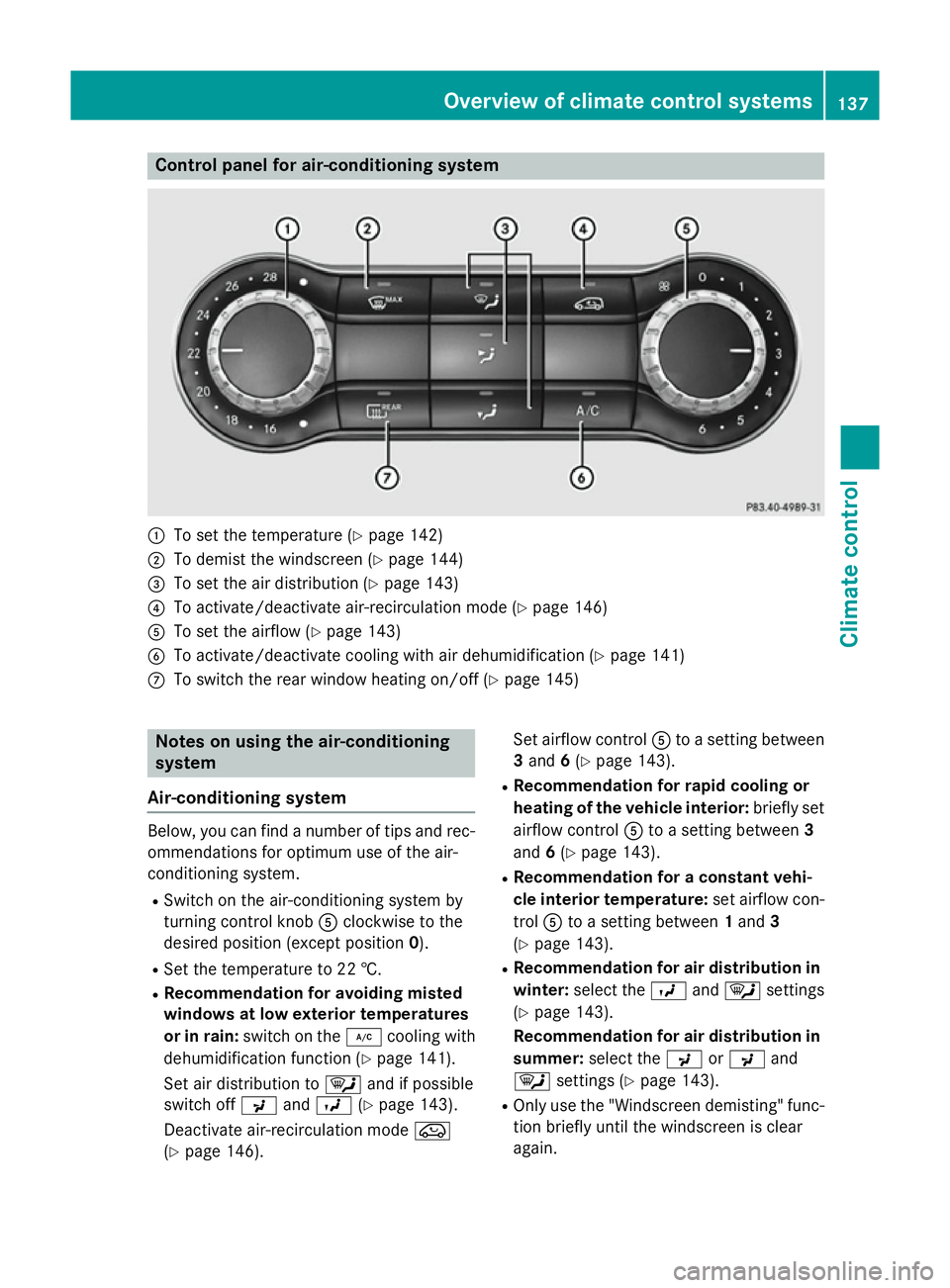
Control panel for air-conditioning system
:
To set the temperature (Y page 142)
; To demist the windscreen (Y page 144)
= To set the air distribution (Y page 143)
? To activate/deactivate air-recirculation mode (Y page 146)
A To set the airflow (Y page 143)
B To activate/deactivate cooling with air dehumidification (Y page 141)
C To switch the rear window heating on/off (Y page 145)Notes on using the air-conditioning
system
Air-conditioning system Below, you can find a number of tips and rec-
ommendations for optimum use of the air-
conditioning system.
R Switch on the air-conditioning system by
turning control knob Aclockwise to the
desired position (except position 0).
R Set the temperature to 22 †.
R Recommendation for avoiding misted
windows at low exterior temperatures
or in rain: switch on the ¿cooling with
dehumidification function (Y page 141).
Set air distribution to ¯and if possible
switch off PandO (Ypage 143).
Deactivate air-recirculation mode e
(Y page 146). Set airflow control
Ato a setting between
3 and 6(Y page 143).
R Recommendation for rapid cooling or
heating of the vehicle interior: briefly set
airflow control Ato a setting between 3
and 6(Y page 143).
R Recommendation for a constant vehi-
cle interior temperature: set airflow con-
trol Ato a setting between 1and 3
(Y page 143).
R Recommendation for air distribution in
winter: select the Oand¯ settings
(Y page 143).
Recommendation for air distribution in
summer: select the PorP and
¯ settings (Y page 143).
R Only use the "Windscreen demisting" func-
tion briefly until the windscreen is clear
again. Overview of climate control systems
137Climate control
Page 143 of 417
R
Use the residual heat function if you want to
heat or ventilate the vehicle interior when
the ignition is switched off. The residual
heat function can only be activated or deac- tivated with the ignition switched off.
R If you change the settings of the climate
control system, the climate status display
appears for approximately three seconds
at the bottom of the screen in the Audio/
COMAND display (see separate operating
instructions). You will see the current set-
tings of the various climate control func-
tions.
DYNAMIC SELECT button (except
Mercedes-AMG vehicles) You can choose between various drive pro-
grams with the DYNAMIC SELECT button
(Y
page 166).
If you have selected drive program E:
R when heating, the electrical heater booster
is deactivated and in the warming-up phase
heat output is reduced
R the rear window heating running time is
reduced
Depending on the configuration, the climate
settings can also be influenced in drive pro-
gram I.
If you have selected drive program Cor S, the
climate settings are not affected.
ECO start/stop function During automatic engine switch-off, the cli-
mate control only operates at a reduced capa-
city. If you require the full climate control out-
put, you can switch off the ECO start/stop
function by pressing the ECO button
(Y page 163). Operating the climate control system
Switching the climate control on or off
General notes When the climate control is switched off, the
air supply and air circulation are also
switched off. The windows could mist up.
Therefore, only switch off climate control
briefly.
Air-conditioning system X
Turn the key to position 2in the ignition
lock (Y page 157).
X To switch on: turn controlAclockwise to
the desired position (except position 0)
(Y page 137).
X To switch off: turn controlAanti-clock-
wise to position 0(Y page 137).
THERMOTRONIC automatic climate
control X
Turn the key to position 2in the ignition
lock (Y page 157).
X To activate: press theÃbutton.
The indicator lamp in the Ãbutton lights
up. Airflow and air distribution are set to
automatic mode.
or X Press the ^button.
The indicator lamp in the ^button goes
out. The previous settings are reactivated.
X To deactivate: press the^button.
The indicator lamp in the ^button lights
up.
i THERMOTRONIC automatic climate con-
trol: switch on climate control primarily
using the Ãbutton. 140
Operating the climate control systemClimate control
Page 145 of 417
Problems with the "Cooling with air dehumidification" function
Problem
Possible causes/consequences and
M
MSolutions The indicator lamp in
the
¿ button
flashes three times or
remains off. The cool-
ing with air dehumidifi-
cation function cannot
be activated. The cooling with air dehumidification function has been deactiva-
ted due to a malfunction.
X Visit a qualified specialist workshop. Setting climate control to automatic
mode
General notes Only THERMOTRONIC automatic climate con-
trol features the "Control climate control
automatically" function.
In automatic mode, the set temperature is
maintained automatically at a constant level.
The system automatically regulates the tem-
perature of the dispensed air, the airflow and
the air distribution.
The automatic mode functions optimally
when the "Cooling with air dehumidification"
function is activated. If desired, cooling with
air dehumidification can be deactivated.
If you deactivate the "Cooling with air-dehu-
midification" function, the air inside the vehi- cle will not be cooled. The air inside the vehi-cle will also not be dehumidified. The win-
dows can mist up more quickly. Therefore,
only deactivate the "Cooling with air-dehu-
midification" function briefly.
Setting climate control to automatic
mode X
Turn the key to position 2in the ignition
lock (Y page 157).
X Set the desired temperature.
X To activate: press theÃbutton.
The indicator lamp in the Ãbutton lights
up. Automatic air distribution and airflow
are activated. X
To switch to manual mode: press the
É orË button.
or
X Press the KorI button.
The indicator lamp in the Ãbutton goes
out. Automatic air distribution and airflow
are deactivated. Setting the temperature
Air-conditioning system You can set the temperature for the entire
vehicle. The set temperature is automatically
maintained at a constant level.
X Turn the key to position 2in the ignition
lock (Y page 157).
X To increase/reduce: turn control:anti-
clockwise or clockwise (Y page 137). Only
change the temperature setting in small
increments. Start at 22 †.
THERMOTRONIC automatic climate
control Different temperatures can be set for the
driver's and front-passenger sides. The set
temperature is automatically maintained at a
constant level.
X Turn the key to position 2in the ignition
lock (Y page 157).
X To increase/reduce: turn control:orE
anti-clockwise or clockwise (Y page 139).142
Operating the climate control systemClimate control
Page 146 of 417
Only change the temperature setting in
small increments. Start at 22 †.
Setting the air distribution
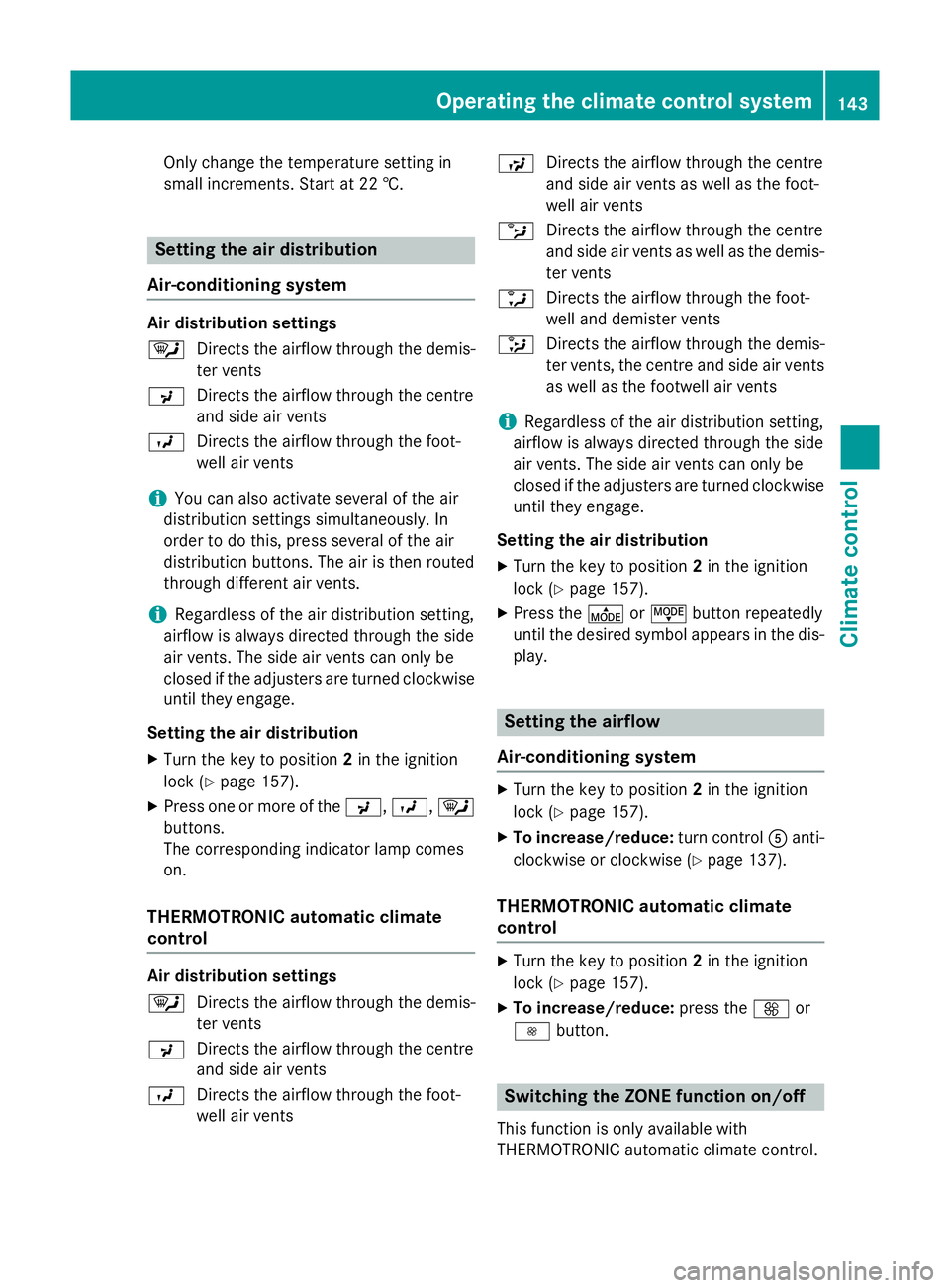
Air-conditioning system Air distribution settings
¯
Directs the airflow through the demis-
ter vents
P Directs the airflow through the centre
and side air vents
O Directs the airflow through the foot-
well air vents
i You can also activate several of the air
distribution settings simultaneously. In
order to do this, press several of the air
distribution buttons. The air is then routed
through different air vents.
i Regardless of the air distribution setting,
airflow is always directed through the side
air vents. The side air vents can only be
closed if the adjusters are turned clockwise until they engage.
Setting the air distribution X Turn the key to position 2in the ignition
lock (Y page 157).
X Press one or more of the P,O,¯
buttons.
The corresponding indicator lamp comes
on.
THERMOTRONIC automatic climate
control Air distribution settings
¯
Directs the airflow through the demis-
ter vents
P Directs the airflow through the centre
and side air vents
O Directs the airflow through the foot-
well air vents S
Directs the airflow through the centre
and side air vents as well as the foot-
well air vents
b Directs the airflow through the centre
and side air vents as well as the demis-
ter vents
a Directs the airflow through the foot-
well and demister vents
_ Directs the airflow through the demis-
ter vents, the centre and side air vents
as well as the footwell air vents
i Regardless of the air distribution setting,
airflow is always directed through the side
air vents. The side air vents can only be
closed if the adjusters are turned clockwise until they engage.
Setting the air distribution
X Turn the key to position 2in the ignition
lock (Y page 157).
X Press the ÉorË button repeatedly
until the desired symbol appears in the dis- play. Setting the airflow
Air-conditioning system X
Turn the key to position 2in the ignition
lock (Y page 157).
X To increase/reduce: turn controlAanti-
clockwise or clockwise (Y page 137).
THERMOTRONIC automatic climate
control X
Turn the key to position 2in the ignition
lock (Y page 157).
X To increase/reduce: press theKor
I button. Switching the ZONE function on/off
This function is only available with
THERMOTRONIC automatic climate control. Operating the climate control system
143Climate control
Page 147 of 417
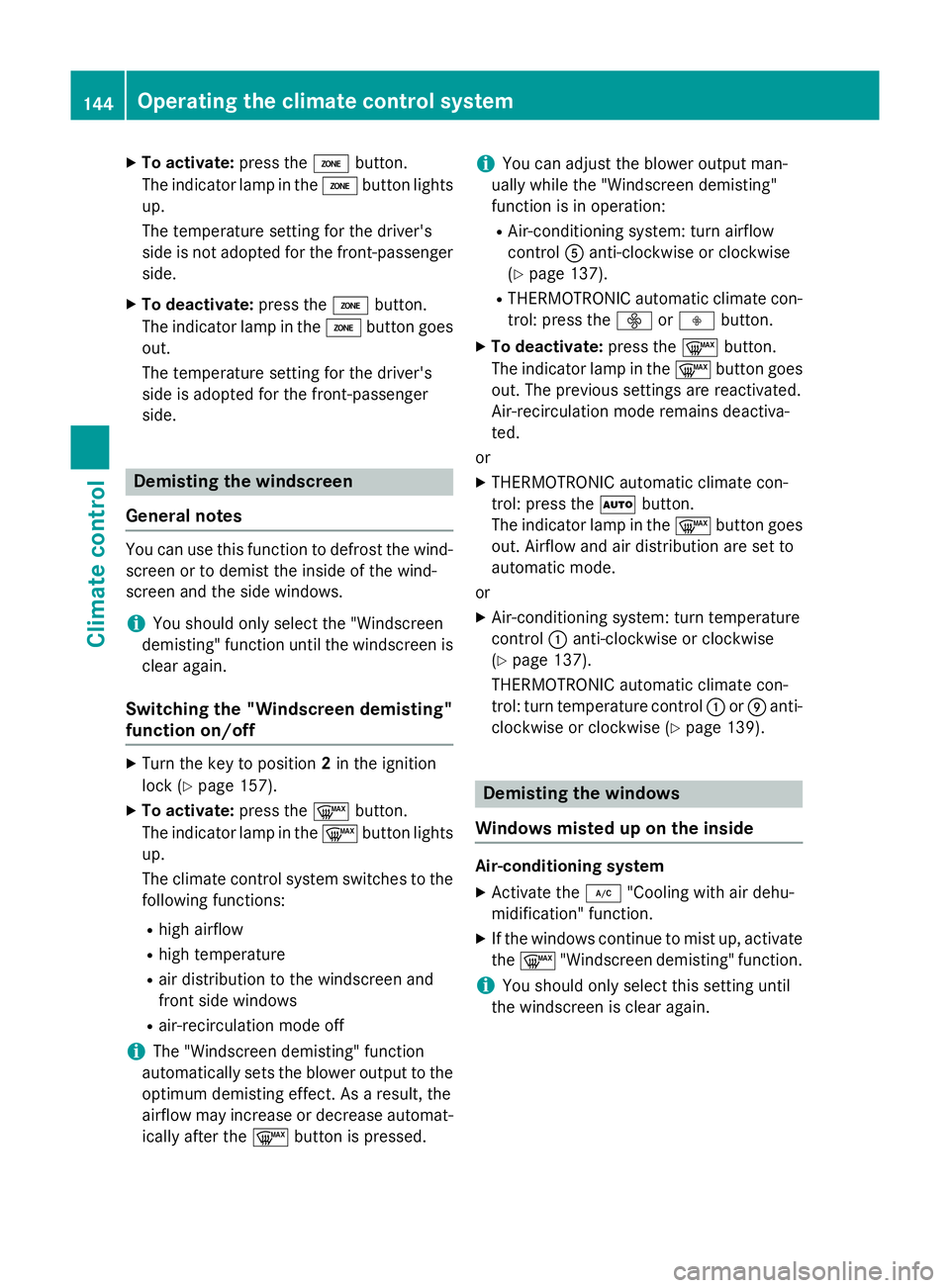
X
To activate: press theábutton.
The indicator lamp in the ábutton lights
up.
The temperature setting for the driver's
side is not adopted for the front-passenger side.
X To deactivate: press theábutton.
The indicator lamp in the ábutton goes
out.
The temperature setting for the driver's
side is adopted for the front-passenger
side. Demisting the windscreen
General notes You can use this function to defrost the wind-
screen or to demist the inside of the wind-
screen and the side windows.
i You should only select the "Windscreen
demisting" function until the windscreen is clear again.
Switching the "Windscreen demisting"
function on/off X
Turn the key to position 2in the ignition
lock (Y page 157).
X To activate: press the¬button.
The indicator lamp in the ¬button lights
up.
The climate control system switches to the
following functions:
R high airflow
R high temperature
R air distribution to the windscreen and
front side windows
R air-recirculation mode off
i The "Windscreen demisting" function
automatically sets the blower output to the optimum demisting effect. As a result, the
airflow may increase or decrease automat-
ically after the ¬button is pressed. i
You can adjust the blower output man-
ually while the "Windscreen demisting"
function is in operation:
R Air-conditioning system: turn airflow
control Aanti-clockwise or clockwise
(Y page 137).
R THERMOTRONIC automatic climate con-
trol: press the óorô button.
X To deactivate: press the¬button.
The indicator lamp in the ¬button goes
out. The previous settings are reactivated.
Air-recirculation mode remains deactiva-
ted.
or
X THERMOTRONIC automatic climate con-
trol: press the Ãbutton.
The indicator lamp in the ¬button goes
out. Airflow and air distribution are set to
automatic mode.
or
X Air-conditioning system: turn temperature
control :anti-clockwise or clockwise
(Y page 137).
THERMOTRONIC automatic climate con-
trol: turn temperature control :orE anti-
clockwise or clockwise (Y page 139). Demisting the windows
Windows misted up on the inside Air-conditioning system
X Activate the ¿"Cooling with air dehu-
midification" function.
X If the windows continue to mist up, activate
the ¬ "Windscreen demisting" function.
i You should only select this setting until
the windscreen is clear again. 144
Operating the climate control systemClimate control