light MERCEDES-BENZ A-CLASS HATCHBACK 2018 Owners Manual
[x] Cancel search | Manufacturer: MERCEDES-BENZ, Model Year: 2018, Model line: A-CLASS HATCHBACK, Model: MERCEDES-BENZ A-CLASS HATCHBACK 2018Pages: 609, PDF Size: 10.73 MB
Page 248 of 609
#
Open the soc ket cap. #
Inse rtthe plug with lug 1in groo ve3 on
th e soc ket. #
Turn bayonet coupling 2clockwise as far as
it will go. #
Let the cap engage. #
Secure the cable tothe trailer with cable ties
(only if you are using an adap ter cable). #
Make sure that the cable is alw ays slack for
ease of mo vement during cornering.
A display messa gemay appear on the multifunc‐
tion display even if the trailer has been connec‐
te d cor rectly:
R LEDs ha vebeen ins talled in the trailer light‐
ing sy stem
R The cur rent has fallen below the trailer light‐
ing sy stem's minimum cur rent (50 mA).
% Accessories can be connected tothe perma‐
nent po wer supp lyup to180W, and tothe
po we r supp lythat is swit ched on via the igni‐
tion loc k. Un
coupling a trailer &
WARNING Risk of being crushed and
becoming trapped when uncoupling a
trailer
When uncoupling a trailer wi than engaged
ine rtia-activated brake, your hand may
become trapped between theve hicle and the
trailer dr awbar. #
Do not uncouple trailers with an
engaged overrun brake. #
Secu rethe trailer against rolling away. #
Disconnect the electrical connection
between theve hicle and the trailer. #
Uncouple the trailer. #
Place the co ver on the ball head. Bicycle
rackfunction &
WARNING Risk of an accident when
using the bicycle rack incor rectly
The bicycle rack may become de tach ed from
th eve hicle in thefo llowing cases:
R the permissible load capacity of the
trailer hitch is exceeded.
R the bicycle rack is used incor rectl y.
R the bicycle rack is secured tothe ball
neck beneath the ball head.
Obser vethefo llowing foryo ur ow n sa fety
and that of other road users: #
always adhere tothe permissible load
capacity of the trailer hitch. #
only use the bicycle rack totranspo rt
bicycles. #
always proper lysecure the bicycle rack
by attaching it tothe ball head. #
only use bicycle rack s appr ovedby
Mercedes-Benz. Driving and parking
245
Page 256 of 609
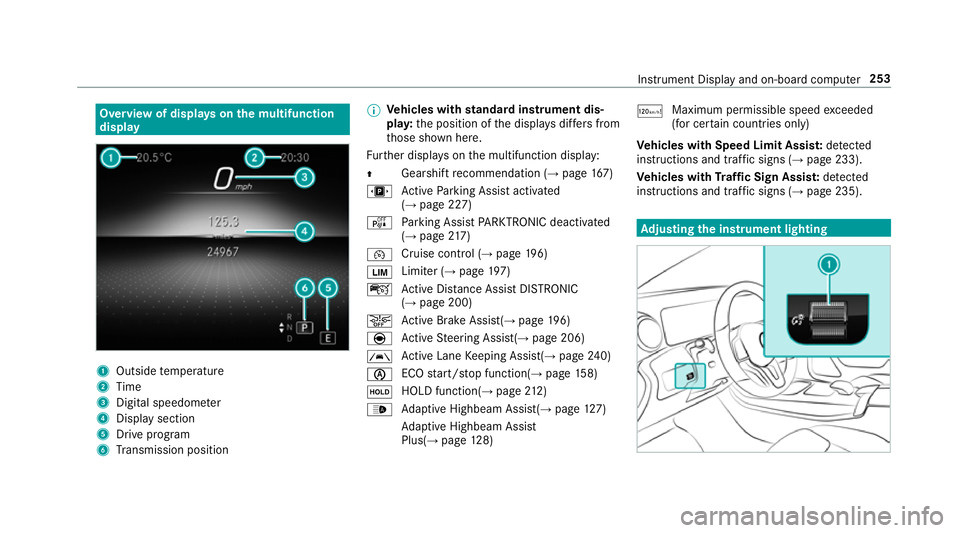
Overview of displa
yson the multifunction
display 1
Outside temp erature
2 Time
3 Digital speedome ter
4 Displ aysection
5 Drive program
6 Transmission position %
Ve
hicles with standard instrument dis‐
pla y:the position of the displa ysdiffers from
th ose shown here.
Fu rther displa yson the multifunction display:
Z Gearshift
recommendation (→ page 167)
u Active Parking Assist activated
(→ page 227)
é Parking Assist PARKTRONIC deacti vated
( → page 217)
¯ Cruise
control (→ page 196)
È Limi
ter (→ page 197)
ç Active Dis tance Assi stDISTRONIC
(→ page 200)
æ Ac
tive Brake Assi st(→ page 196)
è Active Steering Assis t(→ page 206)
à Ac
tive Lane Keeping Assist(→ page240)
è ECO
start/ stop function(→ page158)
ë HOLD function(→
page212)
_ Ad
aptive Highbeam Assist(→ page127)
Ad aptive Highbeam Assist
Plus(→ page128) ð
Ma
ximum pe rmissible speed exceeded
(for cer tain countries only)
Ve hicles with Speed Limit Assis t:de tected
instructions and traf fic signs (→ page 233).
Ve hicles with Traf fic Sign Assis t:de tected
instructions and traf fic signs (→ page 235). Ad
justing the in stru ment lighting Instrument Displ
ayand on-board computer 253
Page 257 of 609
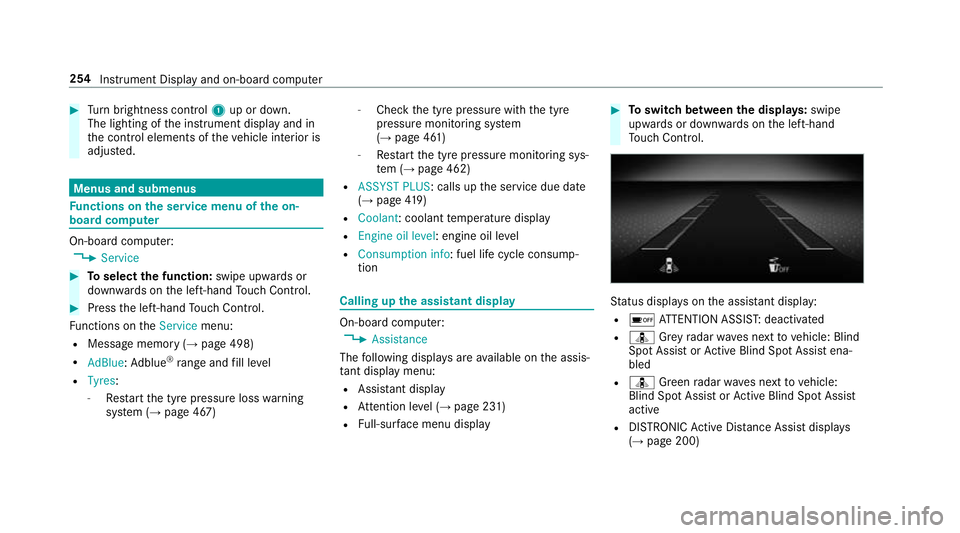
#
Turn brightness control 1up or down.
The lighting of the instrument display and in
th e control elements of theve hicle interior is
adjus ted. Menus and submenus
Fu
nctions on the service menu of the on-
board compu terOn-board computer:
, Service #
Toselect the function: swipe upwards or
down wards on the left-hand Touch Control. #
Press the left-hand Touch Control.
Fu nctions on theService menu:
R Message memory (→ page 498)
R AdBlue :Ad blue ®
ra nge and fill le vel
R Tyres:
- Restart the tyre pressure loss warning
sy stem (→ page 467) -
Check the tyre pressure with the tyre
pressure monitoring sy stem
(→ page 461)
- Restart the tyre pressure monitoring sys‐
te m (→ page 462)
R ASSYST PLUS : calls upthe service due date
(→ page 419)
R Coolant: coolant temp erature display
R Engine oil level: engine oil le vel
R Consumption info: fuel life cycle consump‐
tion Calling up
the assistant display On-board computer:
, Assistance
The following displa ysare available on the assis‐
ta nt displ aymenu:
R Assis tant displ ay
R Attention le vel (→ page 231)
R Full-sur face menu displ ay #
Toswitch between the displa ys:swipe
upwards or down wards on the left-hand
To uch Control. St
atus displa yson the assis tant displ ay:
R é ATTENTION ASSIS T:deactivated
R ¸ Grey radar waves next tovehicle: Blind
Spot Assist or Active Blind Spot Assi stena‐
bled
R ¸ Green radar waves next tovehicle:
Blind Spot Assist or Active Blind Spot Assi st
active
R DISTRO NICActive Dis tance Assi stdispla ys
( → page 200) 254
Instrument Display and on-board computer
Page 263 of 609
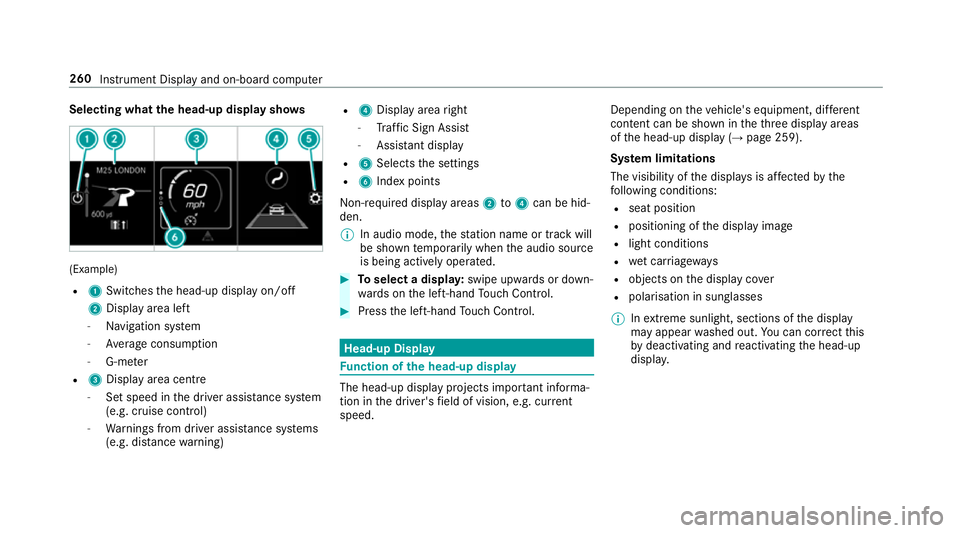
Selecting what
the head-up display sho ws(Example)
R 1 Switches the head-up display on/off
2 Display area left
- Navigation sy stem
- Average consum ption
- G-me ter
R 3 Displ ayarea centre
- Set speed in the driver assis tance sy stem
(e.g. cruise control)
- Warnings from driver assis tance sy stems
(e.g. dis tance warning) R
4 Display area right
- Traf fic Sign Assi st
- Assi stant display
R 5 Selects the settings
R 6 Index points
Non- requ ired display areas 2to4 can be hid‐
den.
% In audio mode, thest ation name or track will
be shown temp orarily when the audio source
is being actively operated. #
Toselect a displa y:swipe upwards or down‐
wa rds on the left-hand Touch Control. #
Press the left-hand Touch Control. Head-up Display
Fu
nction of the head-up display The head-up display projects impor
tant informa‐
tion in the driver's field of vision, e.g. cur rent
speed. Depending on
theve hicle's equipment, dif fere nt
content can be shown in theth re e display areas
of the head-up display (→ page 259).
Sy stem limitations
The visibility of the displa ysis af fected bythe
fo llowing conditions:
R seat position
R positioning of the display image
R light conditions
R wet car riag ewa ys
R objects on the display co ver
R polarisation in sunglasses
% Inextreme sunlight, sections of the display
may appear washed out. You can co rrect this
by deactivating and reactivating the head-up
displa y. 260
Instrument Display and on-board computer
Page 280 of 609
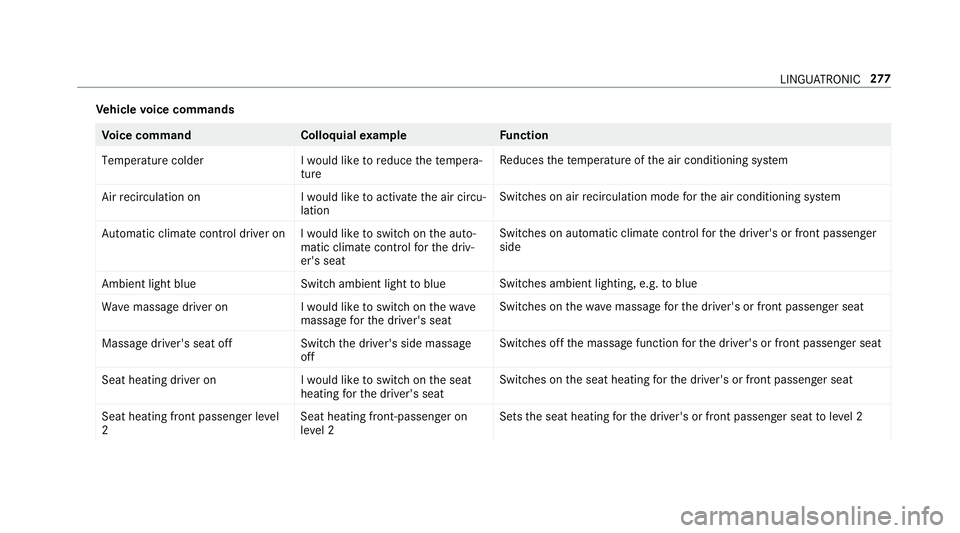
Ve
hicle voice commands Vo
ice command Colloquialexample Function
Temperature colder I would like to reduce the tempera-
tureRe
duces thete mp erature of the air conditioning sy stem
Air recirculation on I would like to activate the air circu-
lationSwitches on air
recirculation mode forth e air conditioning sy stem
Automatic climate control driver on I would like to switch on the auto- matic climate control for the driv-
er's seatSwitches on automatic climate control
forth e driver's or front passenger
side
Ambient light blue Switch ambient light to blueSwitches ambient lighting, e.g.
toblue
Wave massage driver on I would like to switch on the wave
massage for the driver's seatSwitches on
thewav e massage forth e driver's or front passenger seat
Massage driver's seat off Switch the driver's side massage
offSwitches off
the massage function forth e driver's or front passenger seat
Seat heating driver on I would like to switch on the seat
heating for the driver's seatSwitches on
the seat heating forth e driver's or front passenger seat
Seat heating front passenger level
2 Seat heating front-passenger on
level 2Sets
the seat heating forth e driver's or front passenger seat toleve l 2 LINGU
ATRO NIC 277
Page 281 of 609
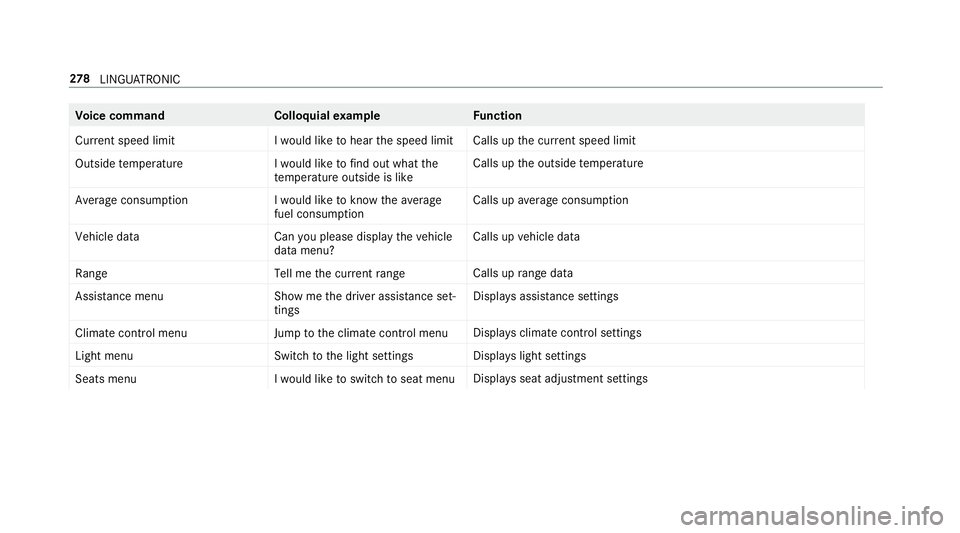
Vo
ice command Colloquialexample Function
Current speed limit I would like to hear the speed limitCalls up
the cur rent speed limit
Outside temperature I would like to find out what the
temperature outside is likeCalls up
the outside temp erature
Average consumption I would like to know the average
fuel consumptionCalls up
average consu mption
Vehicle data Can you please display the vehicle
data menu?Calls up
vehicle data
Range Tell me the current rangeCalls up
range da ta
Assistance menu Show me the driver assistance set-
tings Displ
ays assis tance settings
Climate control menu Jump to the climate control menuDispla
ysclimate control settings
Light menu Switch to the light settingsDispla
yslight settings
Seats men uI would like to switch to seat menu Displa
ysseat adjustment settings 278
LINGU ATRO NIC
Page 293 of 609
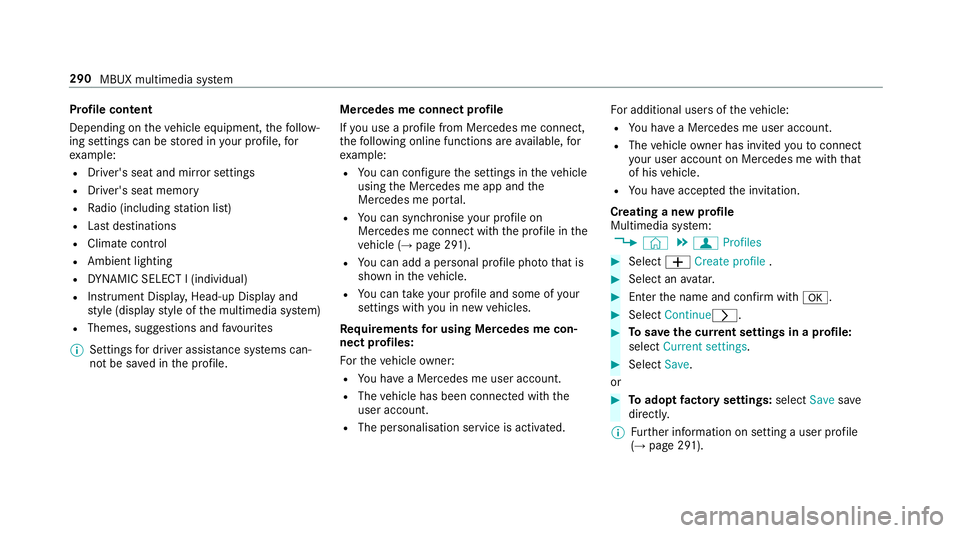
Profile content
Depending on
theve hicle equipment, thefo llow‐
ing settings can be stored in your profile, for
ex ample:
R Driver's seat and mir ror settings
R Driver's seat memory
R Radio (including station list)
R Last destinations
R Climate control
R Ambient lighting
R DYNA MIC SELECT I (individual)
R Instrument Displa y,Head-up Display and
st yle (display style of the multimedia sy stem)
R Themes, suggestions and favo urites
% Settings for driver assi stance sy stems can‐
not be sa ved in the profile. Mercedes me connect profile
If
yo u use a profile from Mercedes me connect,
th efo llowing online functions are available, for
ex ample:
R You can configure the settings in theve hicle
using the Mercedes me app and the
Mercedes me por tal.
R You can syn chronise your profile on
Mercedes me connect with the profile in the
ve hicle (→ page 291).
R You can add a personal profile pho tothat is
shown in theve hicle.
R You can take your profile and some of your
settings with you in new vehicles.
Requ irements for using Me rcedes me con‐
nect profiles:
Fo rth eve hicle owner:
R You ha vea Mercedes me user account.
R The vehicle has been connected with the
user account.
R The personalisation service is activated. Fo
r additional users of theve hicle:
R You ha vea Mercedes me user account.
R The vehicle owner has invited youto connect
yo ur user account on Mercedes me with that
of his vehicle.
R You ha veaccep tedth e invitation.
Creating a new profile
Multimedia sy stem:
, © .
f Profiles #
Select WCreate profile . #
Select an avatar. #
Enterth e name and confi rmwith a. #
Select Continuer . #
Tosave the cur rent settings in a profile:
select Current settings. #
Select Save.
or #
Toadopt factory settings: selectSavesave
directly.
% Further information on setting a user profile
(→ page 291). 290
MBUX multimedia sy stem
Page 295 of 609
#
Activate Synchronise profiles automatically.
The profiles in theve hicle are automatically
synchronised with the profiles on Mercedes
me connect when the ignition is switched on
and off.
or #
Select Synchronise profiles now.
Af ter selecting this option, the profiles in the
ve hicle are synchronised with the profiles on
Mercedes me connect.
% During synchronisation the profile lis tand
th e profile functions are bloc ked.
% Note on data pr otection: ifyo u do not wish
to share your data with Mercedes me, make
sure that the automatic synchronisation is
switched off and do not select Synchronise
profiles now .
Showing the profile selection when entering
Re quirements:
R Atleast one profile has been created. Multimedia sy
stem:
, © .
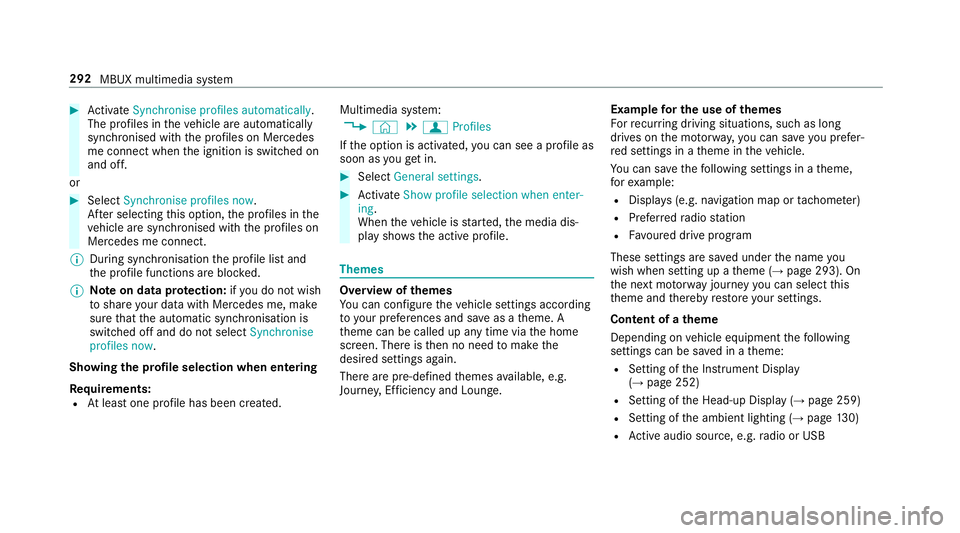
f Profiles
If th e option is activated, you can see a profile as
soon as youget in. #
Select General settings. #
Activate Show profile selection when enter-
ing .
When theve hicle is star ted, the media dis‐
play sho wsthe active profile. Themes
Overview of
themes
Yo u can configure theve hicle settings according
to yo ur preferences and sa veas a theme. A
th eme can be called up any time via the home
screen. There is then no need tomake the
desired settings again.
There are pre-defined themes available, e.g.
Journe y,Efficiency and Lounge. Example
for the use of themes
Fo rre cur ring driving situations, su chas long
drives on the mo torw ay,yo u can sa veyou prefer‐
re d settings in a theme in theve hicle.
Yo u can sa vethefo llowing settings in a theme,
fo rex ample:
R Displa ys(e.g. navigation map or tach ome ter)
R Prefer redra dio station
R Favo ured drive program
These settings are sa ved under the name you
wish when setting up a theme (→ page 293). On
th e next mo torw ay jou rney you can select this
th eme and thereby restore your settings.
Content of a theme
Depending on vehicle equipment thefo llowing
settings can be sa ved in a theme:
R Setting of the Instrument Display
(→ page 252)
R Setting of the Head-up Display (→ page 259)
R Setting of the ambient lighting (→ page130)
R Active audio sou rce, e.g. radio or USB 292
MBUX multimedia sy stem
Page 299 of 609
#
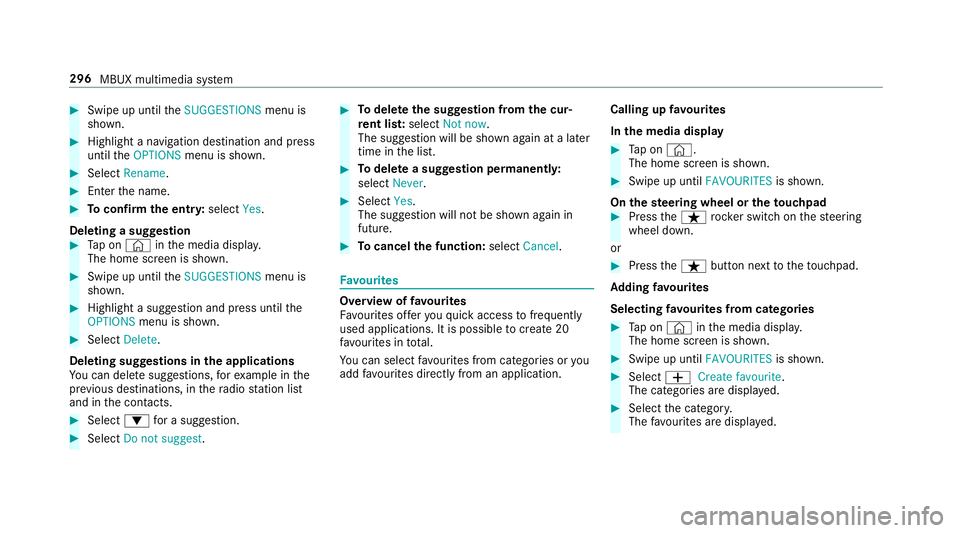
Swipe up until theSUGGESTIONS menu is
shown. #
Highlight a navigation destination and press
until theOPTIONS menu is shown. #
Select Rename. #
Ente rth e name. #
Toconfirm the entr y:select Yes.
Deleting a suggestion #
Tap on © inthe media displa y.
The home screen is shown. #
Swipe up until theSUGGESTIONS menu is
shown. #
Highlight a suggestion and press until the
OPTIONS menu is shown. #
Select Delete.
Deleting suggestions in the applications
Yo u can dele tesuggestions, forex ample in the
pr ev ious destinations, in thera dio station list
and in the conta cts. #
Select :for a suggestion. #
Select Do not suggest . #
Todel eteth e suggestion from the cur‐
re nt lis t:select Not now.
The suggestion will be shown again at a later
time in the list. #
Todel ete a suggestion permanent ly:
select Never. #
Select Yes.
The suggestion will not be shown again in
future. #
Tocancel the function: selectCancel. Favo
urites Overview of
favo urites
Fa vourites of feryo uqu ick access tofrequently
used applications. It is possible tocrea te20
fa vo urites in tota l.
Yo u can select favo urites from categories or you
add favo urites direct lyfrom an application. Calling up
favo urites
In the media display #
Tap on ©.
The home screen is shown. #
Swipe up until FAVOURITESis shown.
On thest eering wheel or theto uchpad #
Press theß rocker switch on thesteering
wheel down.
or #
Press theß button next totheto uchpad.
Ad ding favo urites
Selecting favo urites from catego ries #
Tap on © inthe media displa y.
The home screen is shown. #
Swipe up until FAVOURITESis shown. #
Select WCreate favourite .
The categories are displa yed. #
Select the categor y.
The favo urites are displ ayed. 296
MBUX multimedia sy stem
Page 314 of 609
#
Toselect a suggestion: select one ofthe
entri es. #
Ifav ailable, display additional suggestions
with q orr. #
Resume character input. The letters can be
written next toeach other or abo veeach
ot her. #
Toend character input: presstheG but‐
to n.
Setting the keyboard forch aracter entry
Multimedia sy stem:
, Settings .
System .
Controls .
Key-
boards and handwriting #
Confirm Select keyboards.
Select theke yboard language in the list. Sy
stem settings Display
Configuring display settings
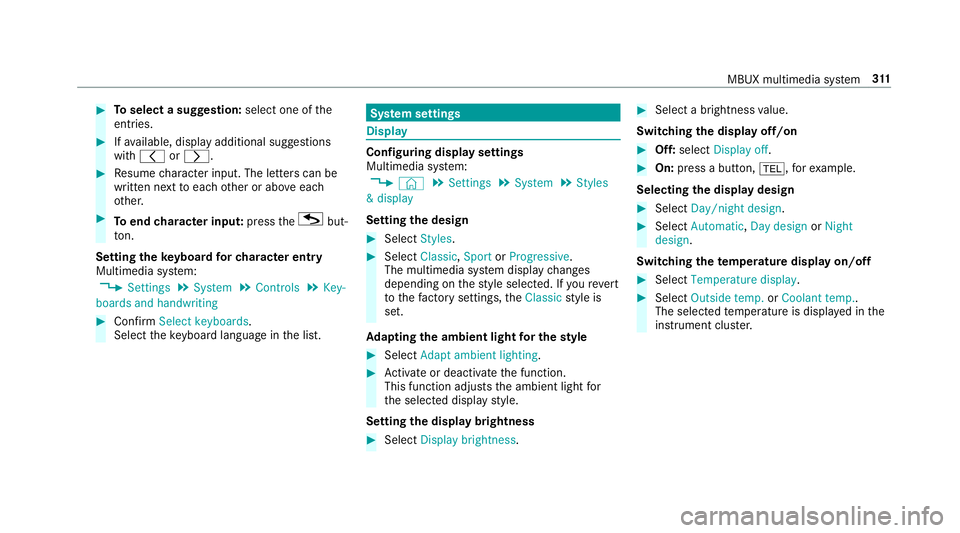
Multimedia sy
stem:
, © .
Settings .
System .
Styles
& display
Setting the design #
Select Styles. #
Select Classic ,Sport orProgressive .
The multimedia sy stem display changes
depending on thest yle selected. If youre ve rt
to thefa ctory settings, theClassic style is
set.
Ad apting the ambient light for the style #
Select Adapt ambient lighting. #
Activate or deacti vate the function.
This function adjusts the ambient light for
th e selected display style.
Setting the display brightness #
Select Display brightness . #
Select a brightness value.
Switching the display off/on #
Off: select Display off . #
On: press a button, %,forex ample.
Selecting the display design #
Select Day/night design . #
Select Automatic, Day design orNight
design .
Switching thetemp erature display on/off #
Select Temperature display . #
Select Outside temp. orCoolant temp..
The selec tedte mp erature is displa yed in the
instrument clus ter. MBUX multimedia sy
stem 311