start stop button MERCEDES-BENZ AMG GT COUPE 2018 Owner's Manual
[x] Cancel search | Manufacturer: MERCEDES-BENZ, Model Year: 2018, Model line: AMG GT COUPE, Model: MERCEDES-BENZ AMG GT COUPE 2018Pages: 294, PDF Size: 4.76 MB
Page 7 of 294
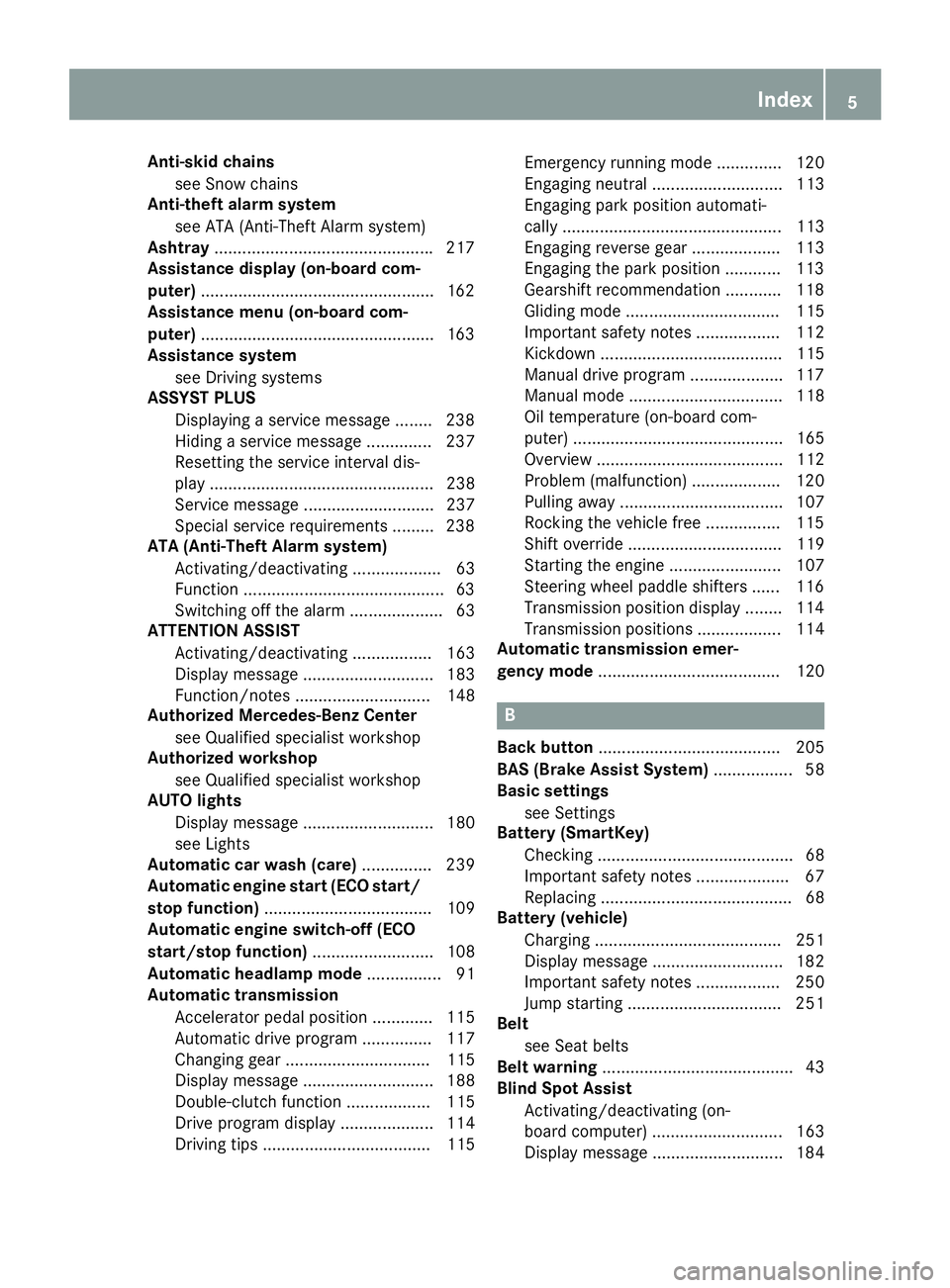
Anti-skid chainssee Snow chains
Anti-theft ala rmsystem
see ATA (Anti-Theft Alarm system)
Asht ray.............................................. .217
Assistance display (on-board com-
puter) ..................................................1 62
Assistance menu (on-board com-
puter) ..................................................1 63
Assistance system
see Driving systems
ASSYST PLUS
Displaying a service message ........2 38
Hiding a service message .............. 237
Resetting the service interval dis-
play ................................................ 238
Service message ............................ 237
Special service requirements ......... 238
ATA (Anti-Theft Alarm system)
Activating/deactivating ................... 63
Function ...........................................6 3
Switching off the alarm .................... 63
ATTENTION ASSIST
Activating/deactivating ................. 163
Display message ............................ 183
Function/notes ............................. 148
Authorized Mercedes-Benz Center
see Qualified specialist workshop
Authorized workshop
see Qualified specialist workshop
AUTO lights
Display message ............................ 180
see Lights
Automatic car wash (care) ............... 239
Automatic engine start (ECO start/
stop function) .................................... 109
Automatic engine switch-off (ECO
start/stop function) .......................... 108
Automatic headlamp mode ................ 91
Automatic transmission
Accelerator pedal position ............. 115
Automatic drive program ............... 117
Changing gear ............................... 115
Display message ............................ 188
Double-clutch function .................. 115
Drive program display .................... 114
Driving tips .................................... 115 Emergency running mode
.............. 120
Eng
aging neutral ............................ 113
Engaging park position automati-
cally ............................................... 113
Engaging reverse gear ................... 113
Engaging the park position ............ 113
Gearshift recommendation ............ 118
Gliding mode ................................. 115
Important safety notes .................. 112
Kickdown ....................................... 115
Manual drive program .................... 117
Manual mode ................................. 118
Oil temperature (on-board com-
puter) ............................................. 165
Overview ........................................ 112
Problem (malfunction) ................... 120
Pulling away ................................... 107
Rocking the vehicle free ................ 115
Shift override ................................. 119
Starting the engine ........................ 107
Steering wheel paddle shifters ...... 116
Transmission position display ........ 114
Transmission positions .................. 114
Automatic transmission emer-
gency mode ....................................... 120
B
Back button ....................................... 205
BAS (Brake Assist System) ................. 58
Basic settings
see Settings
Battery (SmartKey)
Checking .......................................... 68
Important safety notes .................... 67
Replacing ......................................... 68
Battery (vehicle)
Charging ........................................ 251
Display message ............................ 182
Important safety notes .................. 250
Jump starting ................................. 251
Belt
see Seat belts
Belt warning ......................................... 43
Blind Spot Assist
Activating/deactivating (on-
board computer) ............................ 163
Display message ............................ 184
Index5
Page 12 of 294
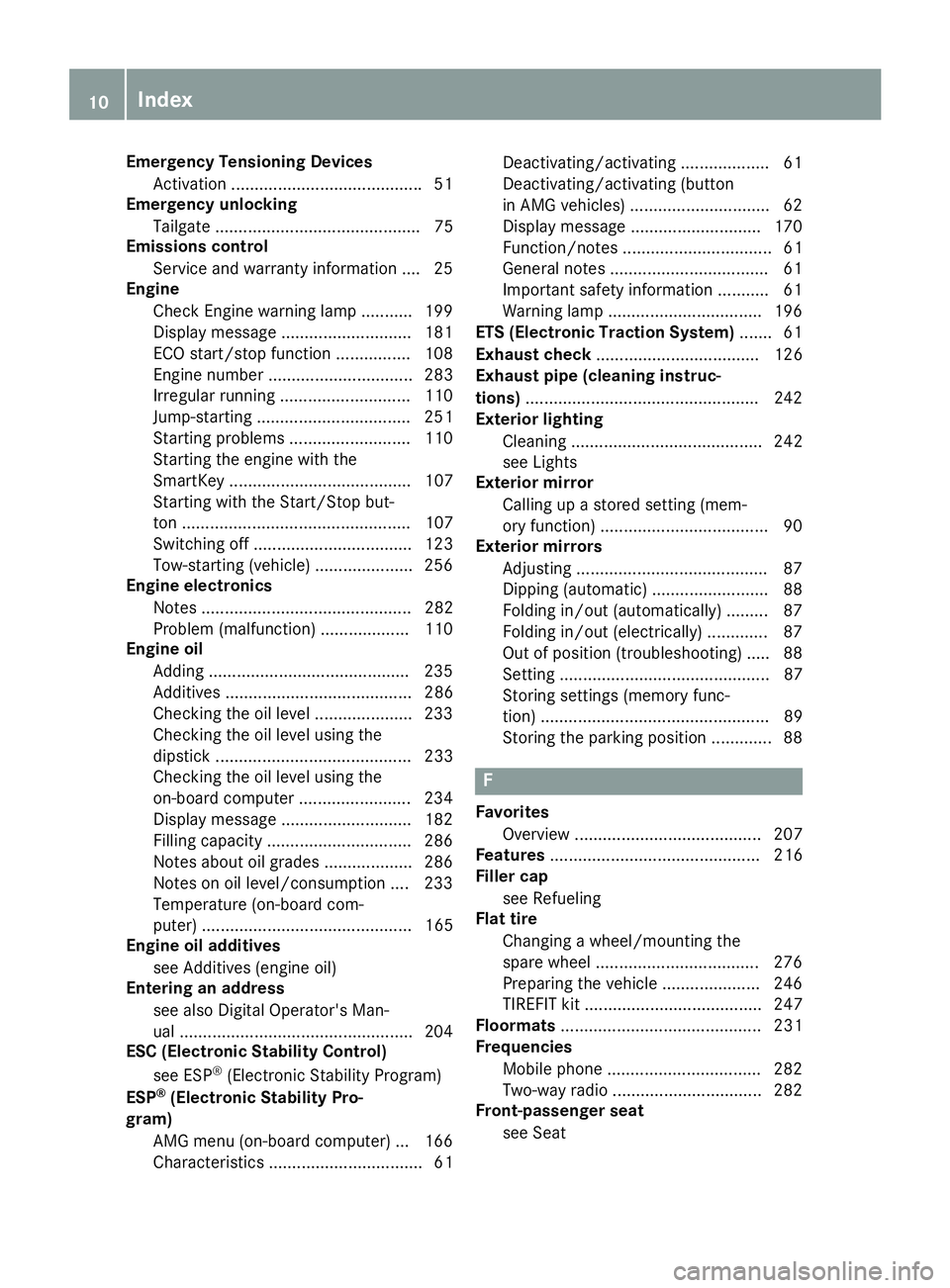
Emergency Tensioning DevicesActivation ........................................ .51
Emergency unlocking
Tailgate ............................................ 75
Emissions control
Service and warranty information .... 25
Engine
Check Engine warning lamp .......... .199
Display message ............................ 181
ECO start/stop function ................ 108
Engine number ............................... 283
Irregular running ............................ 110
Jump-starting ................................. 251
Starting problems .......................... 110
Starting the engine with the
SmartKey ....................................... 107
Starting with the Start/Stop but-
ton ................................................. 107
Switching off .................................. 123
Tow-starting (vehicle) ..................... 256
Engine electronics
Notes ............................................. 282
Problem (malfunction) ................... 110
Engine oil
Adding ...........................................2 35
Additives ........................................ 286
Checking the oil level ..................... 233
Checking the oil level using the
dipstick .......................................... 233
Checking the oil level using the
on-board computer ........................ 234
Display message ............................ 182
Filling capacity ............................... 286
Notes about oil grades ................... 286
Notes on oil level/consumption .... 233
Temperature (on-board com-
puter) ............................................. 165
Engine oil additives
see Additives (engine oil)
Entering an address
see also Digital Operator's Man-
ual ..................................................2 04
ESC (Electronic Stability Control)
see ESP
®(Electronic Stability Program)
ESP®(Electronic Stability Pro-
gram)
AMG menu (on-board computer) ... 166
Characteristics ....... .......................... 61 Dea
ctivating/activating ................... 61
Deactivating/activating (button
in AMG vehicles) .............................. 62
Display message ............................ 170
Function/notes ................................ 61
General notes .................................. 61
Important safety information ........... 61
Warning lamp ................................. 196
ETS (Electronic Traction System) ....... 61
Exhaust check ................................... 126
Exhaust pipe (cleaning instruc-
tions) ..................................................2 42
Exterior lighting
Cleaning ......................................... 242
see Lights
Exterior mirror
Calling up a stored setting (mem-
ory function) ....................................9 0
Exterior mirrors
Adjusting ........................................ .87
Dipping (automatic) .........................8 8
Folding in/out (automatically) ......... 87
Folding in/out (electrically) ............. 87
Out of position (troubleshooting) ..... 88
Setting ............................................. 87
Storing settings (memory func-
tion) ................................................. 89
Storing the parking position ............. 88
F
Favorites
Overview ........................................ 207
Features ............................................. 216
Filler cap
see Refueling
Flat tire
Changing a wheel/mounting the
spare wheel ................................... 276
Preparing the vehicle ..................... 246
TIREFIT kit ...................................... 247
Floormats ........................................... 231
Frequencies
Mobile phone ................................. 282
Two-way radio ................................ 282
Front-passenger seat
see Seat
10Index
Page 14 of 294
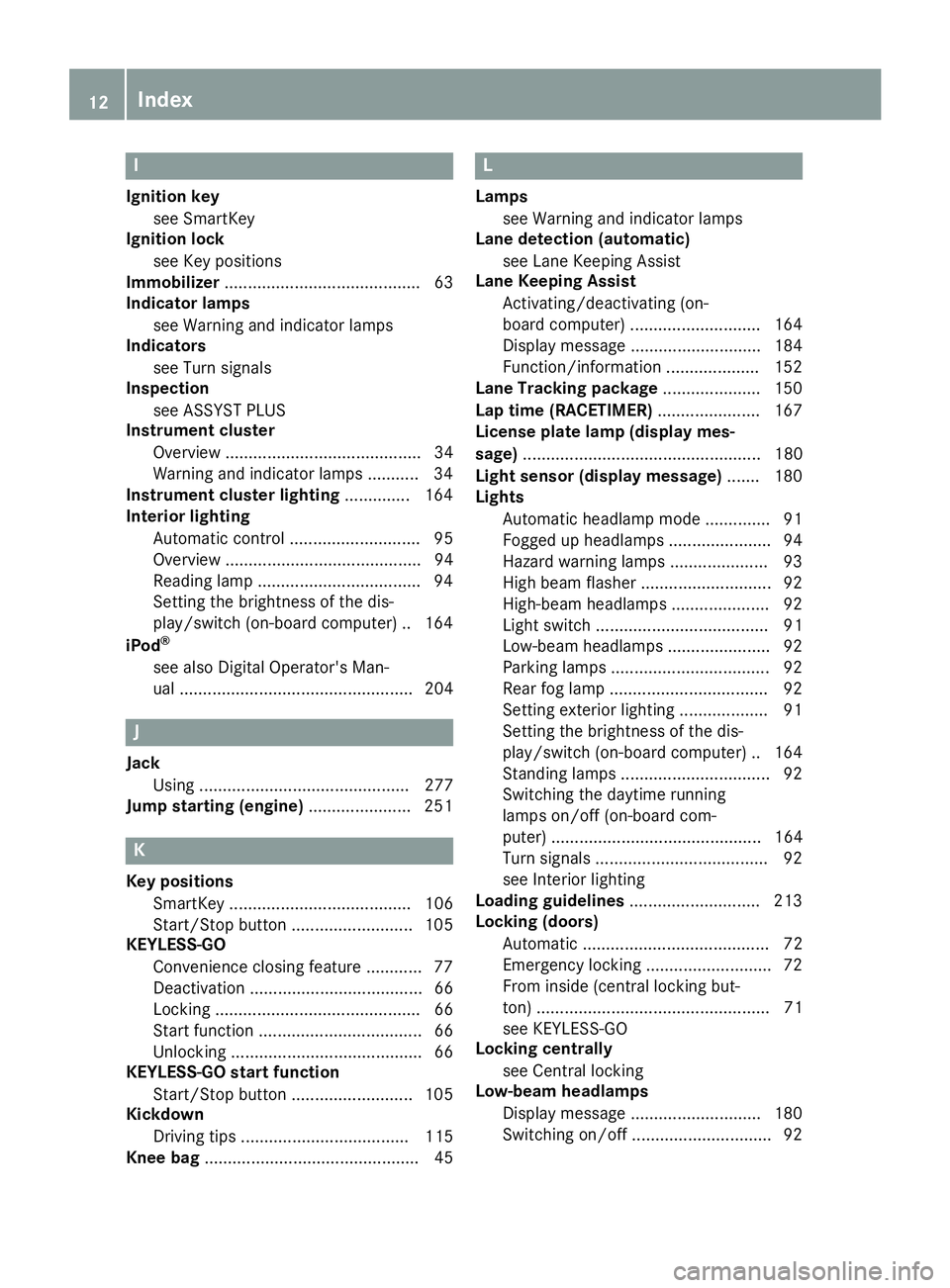
I
Ignition keysee SmartKey
Ignition lock
see Key positions
Immobilizer .......................................... 63
Indicator lamps
see Warning and indicator lamps
Indicators
see Turn signals
Inspection
see ASSYST PLUS
Instrument cluster
Overview .......................................... 34
Warning and indicator lamps .......... .34
Instrument cluster lighting .............. 164
Interior lighting
Automatic control ............................ 95
Overview .......................................... 94
Reading lamp .................................. .94
Setting the brightness of the dis-
play/switch (on-board computer) .. 164
iPod
®
see also Digital Operator's Man-
ual .................................................. 204
J
Jack Using ............................................. 277
Jump starting (engine) ...................... 251
K
Key positions
SmartKey ....................................... 106
Start/Stop button .......................... 105
KEYLESS-GO
Convenience closing feature ............ 77
Deactivation ..................................... 66
Locking ............................................ 66
Start function ................................... 66
Unlocking ......................................... 66
KEYLESS-GO start function
Start/Stop button .......................... 105
Kickdown
Driving tips .................................... 115
Knee bag .............................................. 45
L
Lamps
see Warning and indicator lamps
Lane detection (automatic)
see Lane Keeping Assist
Lane Keeping Assist
Activating/deactivating (on-
board computer) ............................ 164
Display message ............................ 184
Function/information .................... 152
Lane Tracking package ..................... 150
Lap time (RACETIMER) ...................... 167
License plate lamp (display mes-
sage) ................................................... 180
Light sensor (display message) ....... 180
Lights
Automatic headlamp mode .............. 91
Fogged up headlamps ...................... 94
Hazard warning lamps ..................... 93
High beam flasher ............................ 92
High-beam headlamps ..................... 92
Light switch ..................................... 91
Low-beam headlamps ...................... 92
Parking lamps .................................. 92
Rear fog lamp .................................. 92
Setting exterior lighting ................... 91
Setting the brightness of the dis-
play/switch (on-board computer) .. 164
Standing lamps ................................ 92
Switching the daytime running
lamps on/off (on-board com-
puter) ............................................. 164
Turn signals ..................................... 92
see Interior lighting
Loading guidelines ............................ 213
Locking (doors)
Automatic ........................................ 72
Emergency locking ........................... 72
From inside (central locking but-
ton) .................................................. 71
see KEYLESS-GO
Locking centrally
see Central locking
Low-beam headlamps
Display message ............................ 180
Switching on/off .............................. 92
12Index
Page 20 of 294
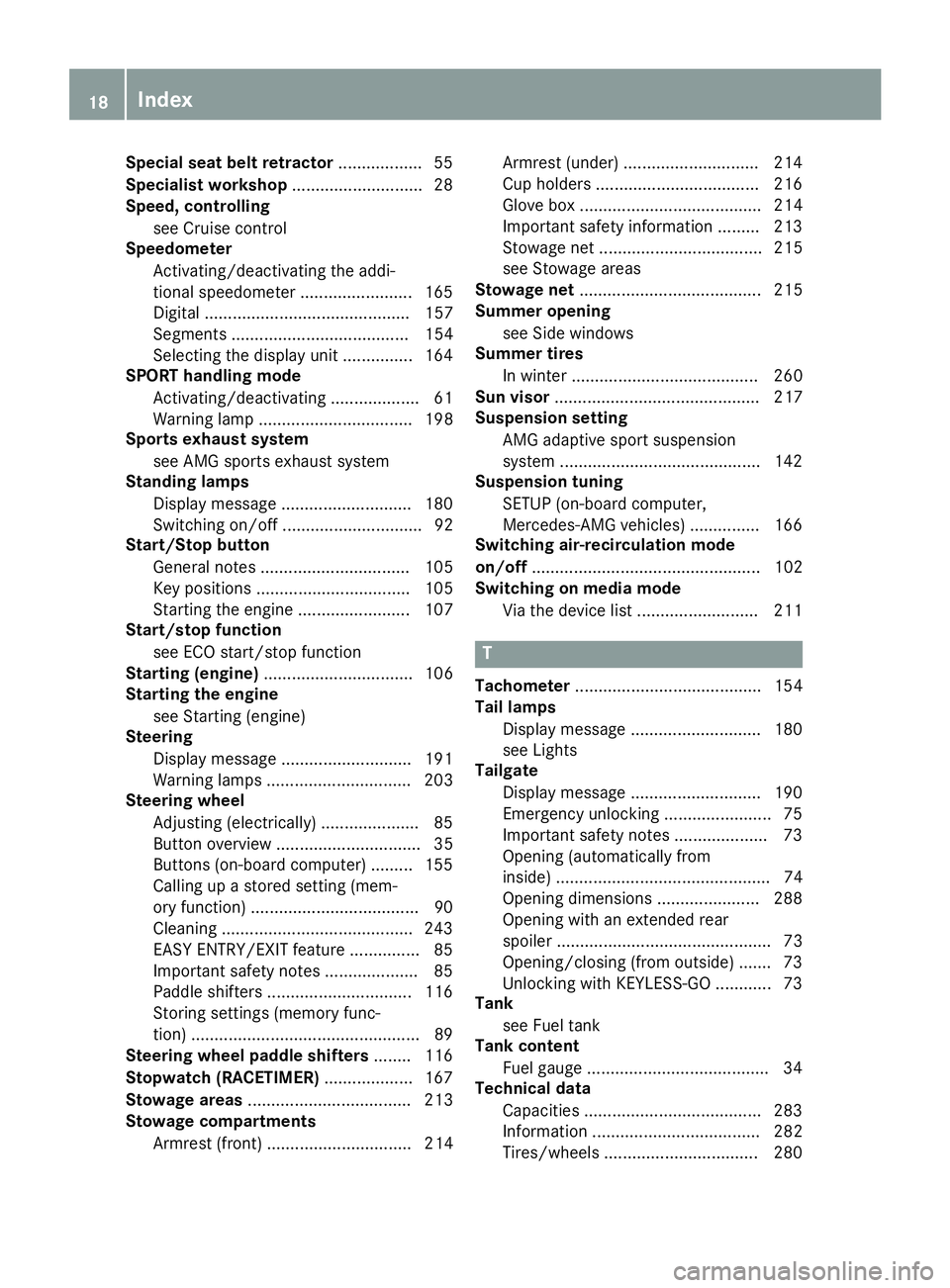
Special seat belt retractor.................. 55
Specialist workshop ............................28
Speed, controlling
see Cruise control
Speedometer
Activating/deactivating the addi-
tional speedometer ........................ 165
Digital ............................................ 157
Segments ...................................... 154
Selecting the display unit ............... 164
SPORT handling mode
Activating/deactivating ...................6 1
Warning lamp ................................. 198
Sports exhaust system
see AMG sports exhaust system
Standing lamps
Display message ............................1 80
Switching on/off .............................. 92
Start/Stop button
General notes ................................ 105
Key positions ................................. 105
Starting the engine ........................ 107
Start/stop function
see ECO start/stop function
Starting (engine) ................................ 106
Starting the engine
see Starting (engine)
Steering
Display message ............................ 191
Warning lamps ............................... 203
Steering wheel
Adjusting (electrically) ..................... 85
Button overview ............................... 35
Buttons (on-board computer) ......... 155
Calling up a stored setting (mem-
ory function) ....................................9 0
Cleaning ........................................ .243
EASY ENTRY/EXIT feature ...............8 5
Important safety notes .................... 85
Paddle shifters ............................... 116
Storing settings (memory func-
tion) .................................................8 9
Steering wheel paddle shifters ........ 116
Stopwatch (RACETIMER) ...................167
Stowage areas ................................... 213
Stowage compartments
Armrest (front) ............................... 214 Armrest (under) .............................2
14
Cup hol
ders ................................... 216
Glove box ....................................... 214
Important safety information ......... 213
Stowage net ................................... 215
see Stowage areas
Stowage net ....................................... 215
Summer opening
see Side windows
Summer tires
In winter ........................................ 260
Sun visor ............................................ 217
Suspension setting
AMG adaptive sport suspension
system ...........................................1 42
Suspension tuning
SETUP (on-board computer,
Mercedes-AMG vehicles) ...............1 66
Switching air-recirculation mode
on/off ................................................. 102
Switching on media mode
Via the device list .......................... 211
T
Tachometer ........................................ 154
Tail lamps
Display message ............................ 180
see Lights
Tailgate
Display message ............................ 190
Emergency unlocking ....................... 75
Important safety notes .................... 73
Opening (automatically from
inside) .............................................. 74
Opening dimensions ...................... 288
Opening with an extended rear
spoiler .............................................. 73
Opening/closing (from outside) ....... 73
Unlocking with KEYLESS-GO ............ 73
Tank
see Fuel tank
Tank content
Fuel gauge ....................................... 34
Technical data
Capacities ...................................... 283
Information .................................... 282
Tires/wheels ................................. 280
18Index
Page 38 of 294
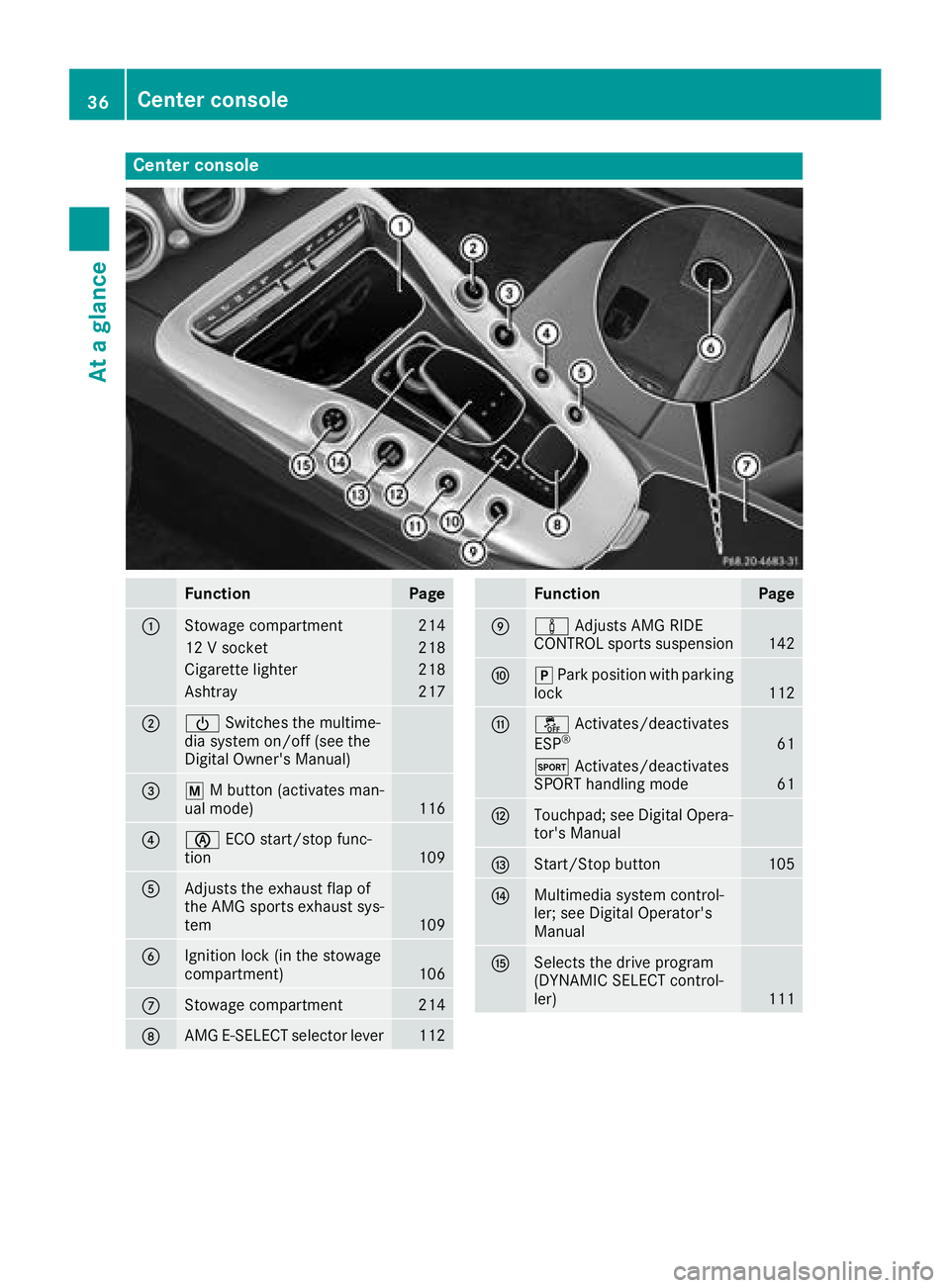
Center console
FunctionPage
:Stowage compartment214
12 V socket218
Cigarette lighter218
Ashtray217
;ÜSwitches the multime-
dia system on/off (see the
Digital Owner's Manual)
=p M button (activates man-
ual mode)116
?è ECO start/stop func-
tion109
AAdjusts the exhaust flap of
the AMG sports exhaust sys-
tem
109
BIgnition lock (in the stowage
compartment)106
CStowage compartment214
DAMG E-SELECT selector lever112
FunctionPage
Eà Adjusts AMG RIDE
CONTROL sports suspension142
Fj Park position with parking
lock112
Gå Activates/deactivates
ESP®61
M Activates/deactivates
SPORT handling mode61
HTouchpad; see Digital Opera-
tor's Manual
IStart/Stop button105
JMultimedia system control-
ler; see Digital Operator's
Manual
KSelects the drive program
(DYNAMIC SELECT control-
ler)
111
36Center console
At a glance
Page 41 of 294
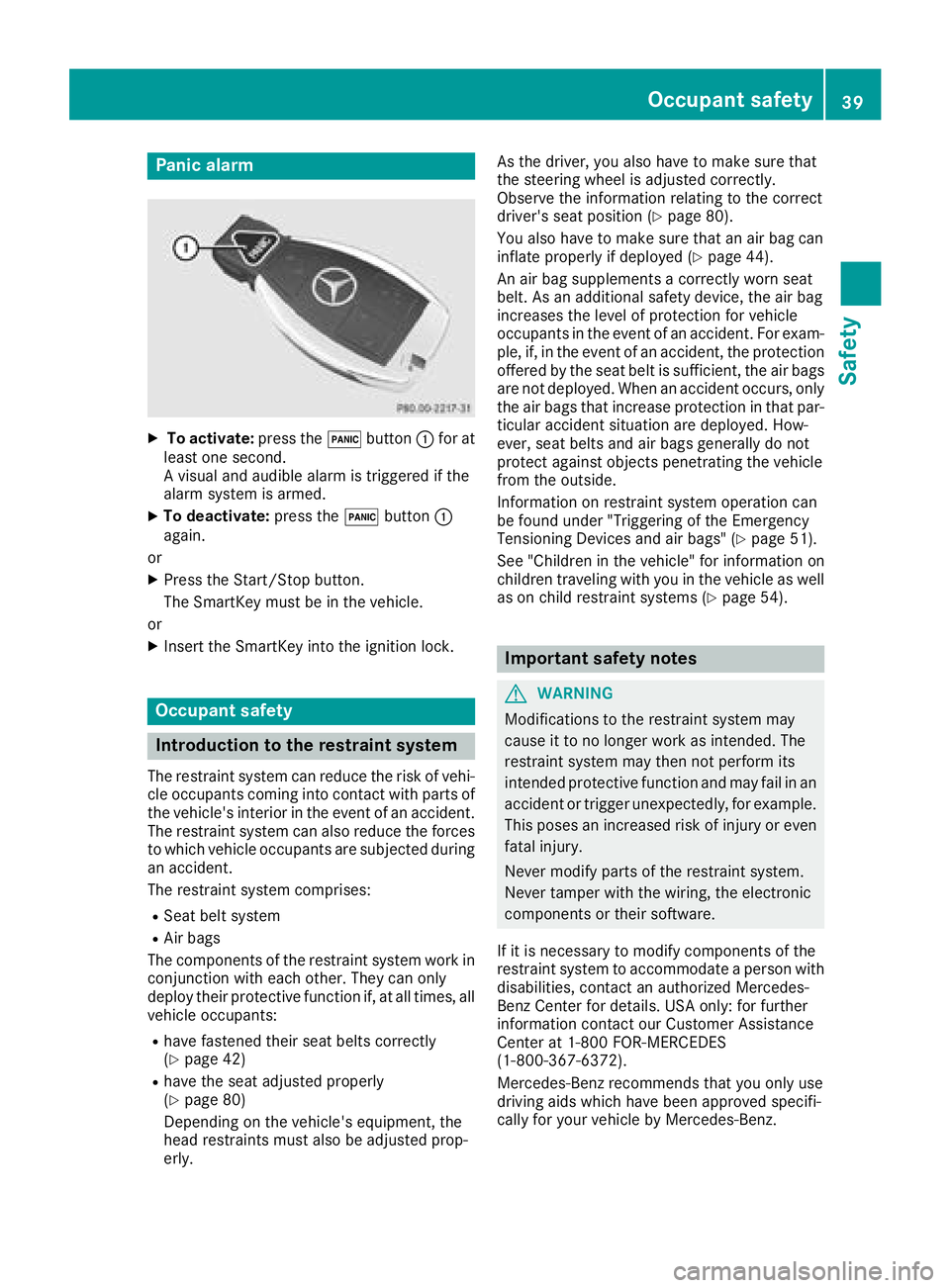
Panic alarm
XTo activate:press the!button :for at
least one second.
A visual and audible alarm is triggered if the
alarm system is armed.
XTo deactivate: press the!button :
again.
or
XPress the Start/Stop button.
The SmartKey must be in the vehicle.
or
XInsert the SmartKey into the ignition lock.
Occupant safety
Introduction to the restraint system
The restraint system can reduce the risk of vehi- cle occupants coming into contact with parts of
the vehicle's interior in the event of an accident.
The restraint system can also reduce the forces to which vehicle occupants are subjected during
an accident.
The restraint system comprises:
RSeat belt system
RAir bags
The components of the restraint system work in
conjunction with each other. They can only
deploy their protective function if, at all times, all vehicle occupants:
Rhave fastened their seat belts correctly
(Ypage 42)
Rhave the seat adjusted properly
(Ypage 80)
Depending on the vehicle's equipment, the
head restraints must also be adjusted prop-
erly. As the driver, you also have to make sure that
the steering wheel is adjusted correctly.
Observe the information relating to the correct
driver's seat position (
Ypage 80).
You also have to make sure that an air bag can
inflate properly if deployed (
Ypage 44).
An air bag supplements a correctly worn seat
belt. As an additional safety device, the air bag
increases the level of protection for vehicle
occupants in the event of an accident. For exam-
ple, if, in the event of an accident, the protection
offered by the seat belt is sufficient, the air bags are not deployed. When an accident occurs, only
the air bags that increase protection in that par-ticular accident situation are deployed. How-
ever, seat belts and air bags generally do not
protect against objects penetrating the vehicle
from the outside.
Information on restraint system operation can
be found under "Triggering of the Emergency
Tensioning Devices and air bags" (
Ypage 51).
See "Children in the vehicle" for information on
children traveling with you in the vehicle as well
as on child restraint systems (
Ypage 54).
Important safety notes
GWARNING
Modifications to the restraint system may
cause it to no longer work as intended. The
restraint system may then not perform its
intended protective function and may fail in an
accident or trigger unexpectedly, for example.
This poses an increased risk of injury or even fatal injury.
Never modify parts of the restraint system.
Never tamper with the wiring, the electronic
components or their software.
If it is necessary to modify components of the
restraint system to accommodate a person with
disabilities, contact an authorized Mercedes-
Benz Center for details. USA only: for further
information contact our Customer Assistance
Center at 1-800 FOR-MERCEDES
(1‑800‑367‑6372).
Mercedes-Benz recommends that you only use
driving aids which have been approved specifi-
cally for your vehicle by Mercedes-Benz.
Occupant safety39
Safety
Z
Page 49 of 294
Requirements
To be classified correctly, the front passenger
must sit:
Rwith the seat belt fastened correctly
Rin an almost upright position with their back
against the seat backrest
Rwith their feet resting on the floor, if possible
If the front passenger does not observe these
conditions, OCS may produce a false classifica-
tion, e.g. because the front passenger:
Rtransfers their weight by supporting them-
selves on a vehicle armrest
Rsits in such a way that their weight is raised
from the seat cushion
If you install a child restraint system on the
front-passenger seat, be sure to observe the
correct positioning of the child restraint system.
Never place objects under or behind the child
restraint system, e.g. a cushion. The entire base
of the child restraint system must always rest on
the seat cushion of the front-passenger seat.
The backrest of the forward-facing child
restraint system must lie as flat as possible
against the backrest of the front-passenger
seat.
The child restraint system must not touch the
roof or be subjected to a load by the head
restraint. Adjust the angle of the seat backrest
and the head restraint position accordingly.
Only then can OCS be guaranteed to function
correctly. Always observe the child restraint sys-
tem manufacturer's installation and operating
instructi
ons.
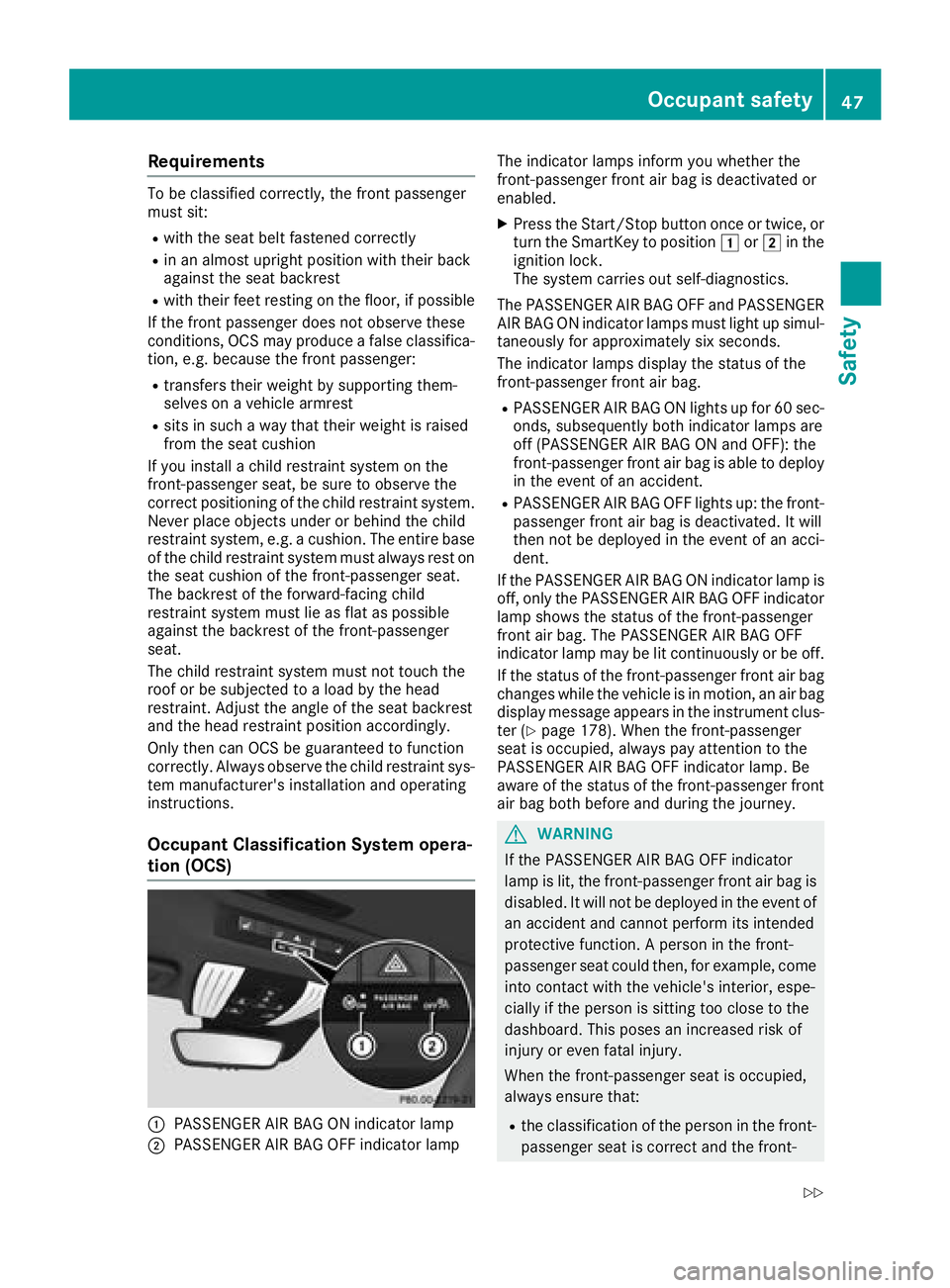
Occupant Classification System opera-
tion (OCS)
:PASSENGER AIR BAG ON indicator lamp
;PASSENGER AIR BAG OFF indicator lamp The indicator lamps inform you whether the
front-passenger front air bag is deactivated or
enabled.
XPress the Start/Stop button once or twice, or
turn the SmartKey to position
1or2 in the
ignition lock.
The system carries out self-diagnostics.
The PASSENGER AIR BAG OFF and PASSENGER AIR BAG ON indicator lamps must light up simul-
taneously for approximately six seconds.
The indicator lamps display the status of the
front-passenger front air bag.
RPASSENGER AIR BAG ON lights up for 60 sec-
onds, subsequently both indicator lamps are
off (PASSENGER AIR BAG ON and OFF): the
front-passenger front air bag is able to deploy
in the event of an accident.
RPASSENGER AIR BAG OFF lights up: the front-
passenger front air bag is deactivated. It will
then not be deployed in the event of an acci-
dent.
If the PASSENGER AIR BAG ON indicator lamp is
off, only the PASSENGER AIR BAG OFF indicator lamp shows the status of the front-passenger
front air bag. The PASSENGER AIR BAG OFF
indicator lamp may be lit continuously or be off.
If the status of the front-passenger front air bag
changes while the vehicle is in motion, an air bag
display message appears in the instrument clus-
ter (
Ypage 178). When the front-passenger
seat is occupied, always pay attention to the
PASSENG ER AIR BAG OFF i
ndicator lamp. Be
aware of the status of the front-passenger front air bag both before and during the journey.
GWARNING
If the PASSENGER AIR BAG OFF indicator
lamp is lit, the front-passenger front air bag is
disabled. It will not be deployed in the event of
an accident and cannot perform its intended
protective function. A person in the front-
passenger seat could then, for example, come
into contact with the vehicle's interior, espe-
cially if the person is sitting too close to the
dashboard. This poses an increased risk of
injury or even fatal injury.
When the front-passenger seat is occupied,
always ensure that:
Rthe classification of the person in the front- passenger seat is correct and the front-
Occupant safety47
Safety
Z
Page 65 of 294
The spinning of the wheels results in a cut for
better traction on loose surfaces.
Rtraction control is still activated
RAdaptive Brake Assist is unavailable
Active Brake Assist is also not activated if you
brake firmly with assistance from ESP
®.
RPRE-SAFE®is unavailable
PRE-SAFE®is also not activated if you brake
firmly with assistance from ESP®.
RESP®still provides support when you brake
firmly
EBD (electronic brake force distribu-
tion)
General information
EBD monitors and controls the brake pressure
on the rear wheels to improve driving stability
while braking.
Important safety notes
iObserve the "Important safety notes" sec-
tion (Ypage 57).
GWARNING
If EBD is malfunctioning, the rear wheels can
lock, e.g. under full braking. This increases the
risk of skidding and an accident.
You should therefore adapt your driving style
to the different handling characteristics. Have
the brake system checked at a qualified spe-
cialist workshop.
Observe information regarding indicator and
warning lamps (
Ypage 196) as well as display
messages (Ypage 172).
ADAPTIVE BRAKE
ADAPTIVE BRAKE enhances braking safety and
offers increased braking comfort. In addition to
the braking function, ADAPTIVE BRAKE also fea-
tures the hill start assist function (
Ypage 107).
Protection against theft
Immobilizer
The immobilizer prevents your vehicle from
being started without the correct SmartKey.
XTo activate with KEYLESS-GO start-func-
tion or KEYLESS-GO: switch the ignition off
and open the driver's door.
XTo activate with the SmartKey: remove the
SmartKey from the ignition lock.
XTo deactivate: switch on the ignition.
When leaving the vehicle, always take the
SmartKey with you and lock the vehicle. Anyone
can start the engine if a valid SmartKey has been
left inside the vehicle.
iThe immobilizer is always deactivated when
you start the engine.
In the event that the engine cannot be started
(yet the vehicle's battery is charged), the sys-
tem is not operational. Contact an authorized
Mercedes-Benz Center or call
1-800-FOR-MERCedes (in the USA) or
1-800-387-0100 (in Canada).
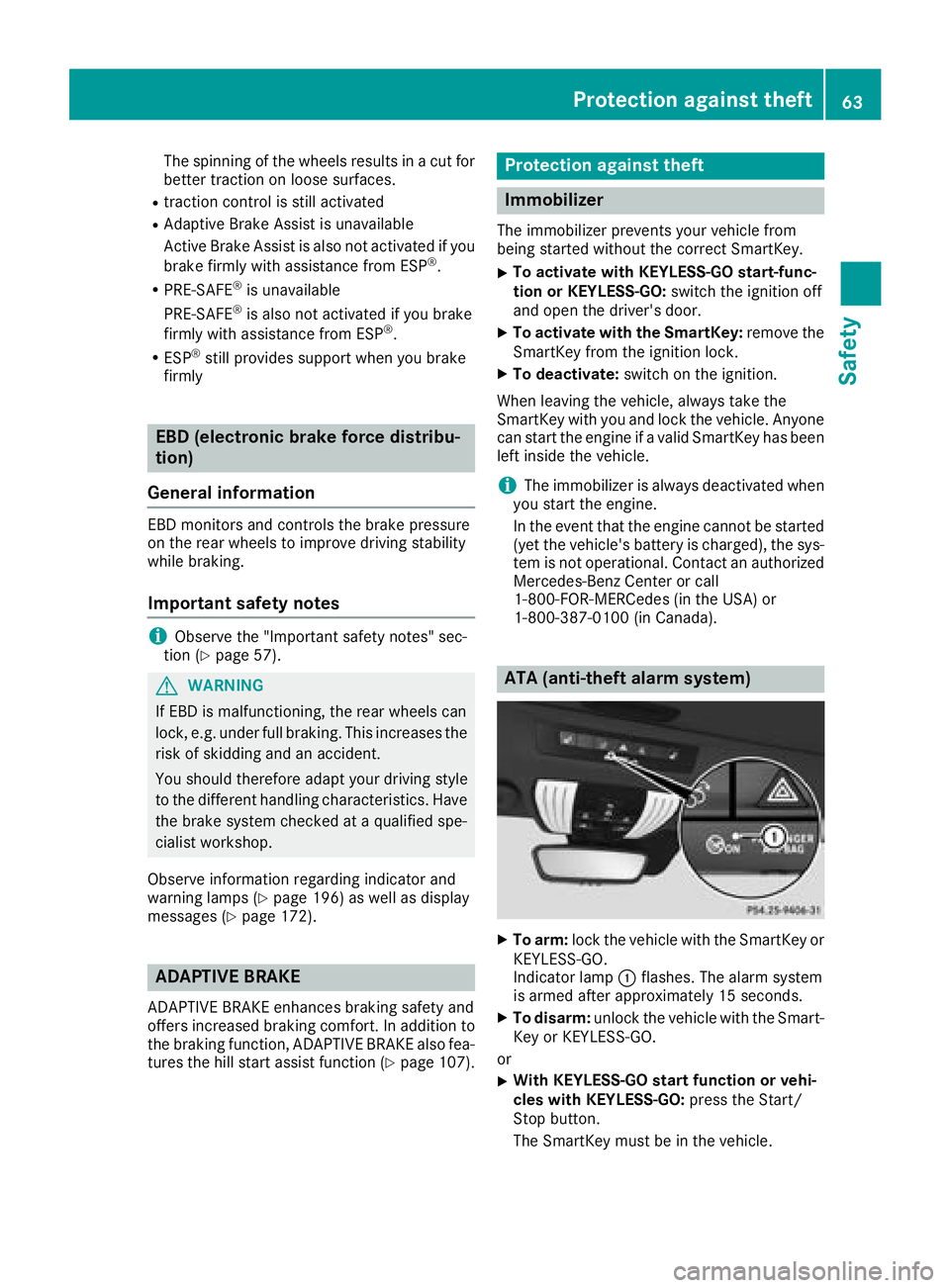
ATA (anti-theft alarm system)
XTo arm: lock the vehicle with the SmartKey or
KEYLESS-GO.
Indicator lamp :flashes. The alarm system
is armed after approximately 15 seconds.
XTo disarm: unlock the vehicle with the Smart-
Key or KEYLESS-GO.
or
XWith KEYLESS-GO start function or vehi-
cles with KEYLESS-GO: press the Start/
Stop button.
The SmartKey must be in the vehicle.
Protection against theft63
Safety
Z
Page 66 of 294
or
XInsert the SmartKey into the ignition lock.
A visual and audible alarm is triggered if the
alarm system is armed and you open:
Ra door
Rthe vehicle with the mechanical key
Rthe tailgate
Rthe hood
XTo turn the alarm off with the SmartKey:
press the %or& button on the Smart-
Key.
The alarm is stopped.
or
XInsert the SmartKey into the ignition lock.
The alarm is stopped.
XTo stop the alarm using KEYLESS-GO:
grasp the outside door handle. The SmartKey
must be outside the vehicle.
The alarm is stopped.
or
XPress the Start/Stop button. The SmartKey
must be inside the vehicle.
The alarm is stopped.
The alarm is not switched off, even if you close
the open door that triggered it, for example.
iIf the alarm continues for more than
30 seconds, the mbrace emergency call sys-
tem automatically notifies the Customer
Assistance Center. This is done either by text message or data connection.
The emergency call system sends a message
or establishes a data connection provided
that:
Ryou have subscribed to the mbrace service.
Rthe mbrace service has been activated
properly.
Rthe necessary mobile phone network is
available.
64Protection against theft
Safety
Page 67 of 294
SmartKey
Important safety notes
GWARNING
If children are left unsupervised in the vehicle,
they could:
Ropen the doors, thus endangering other
people or road users.
Rget out and disrupt traffic.
Roperate the vehicle's equipment.
Additionally, children could set the vehicle in
motion if, for example, they:
Rrelease the parking brake.
Rshifting the automatic transmission out of
park position P
RStart the engine.
There is a risk of an accident and injury.
When leaving the vehicle, always take the
SmartKey with you and lock the vehicle. Never
leave children or animals unattended in the
vehicle. Always keep the SmartKey out of
reach of children.
GWARNING
If you attach heavy or large objects to the
SmartKey, the SmartKey could be uninten-
tionally turned in the ignition lock. This could
cause the engine to be switched off. There is a risk of an accident.
Do not attach any heavy or large objects to the
SmartKey. Remove any bulky key rings before
inserting the SmartKey into the ignition lock.
!Keep the SmartKey away from strong mag-
netic fields. Otherwise, the remote control
function could be affected.
Strong magnetic fields can occur in the vicin-
ity of powerful electrical installations.
Do not keep the SmartKey:
Rwith electronic devices, e.g. a mobile phone
or another SmartKey
Rwith metallic objects, e.g. coins or metal foil
Rinside metallic objects, e.g. a metal case
This can affect the functionality of the Smart-
Key. Vehicles with KEYLESS-GO start function:
do
not keep the SmartKey on the cargo compart-
ment cover or in the cargo compartment. Oth-
erwise, the SmartKey may not be detected, e.g.
when starting the engine using the Start/Stop
button.
A brief radio connection between the vehicle
and the SmartKey determines whether a valid
SmartKey is in, or in the direct vicinity of, the
vehicle. This occurs, for example:
Rwhen starting the engine
Rwhile driving
Rwhen using the tailgate unlocking sensor
Rwhen the external door handles are touched
Rduring convenience closing
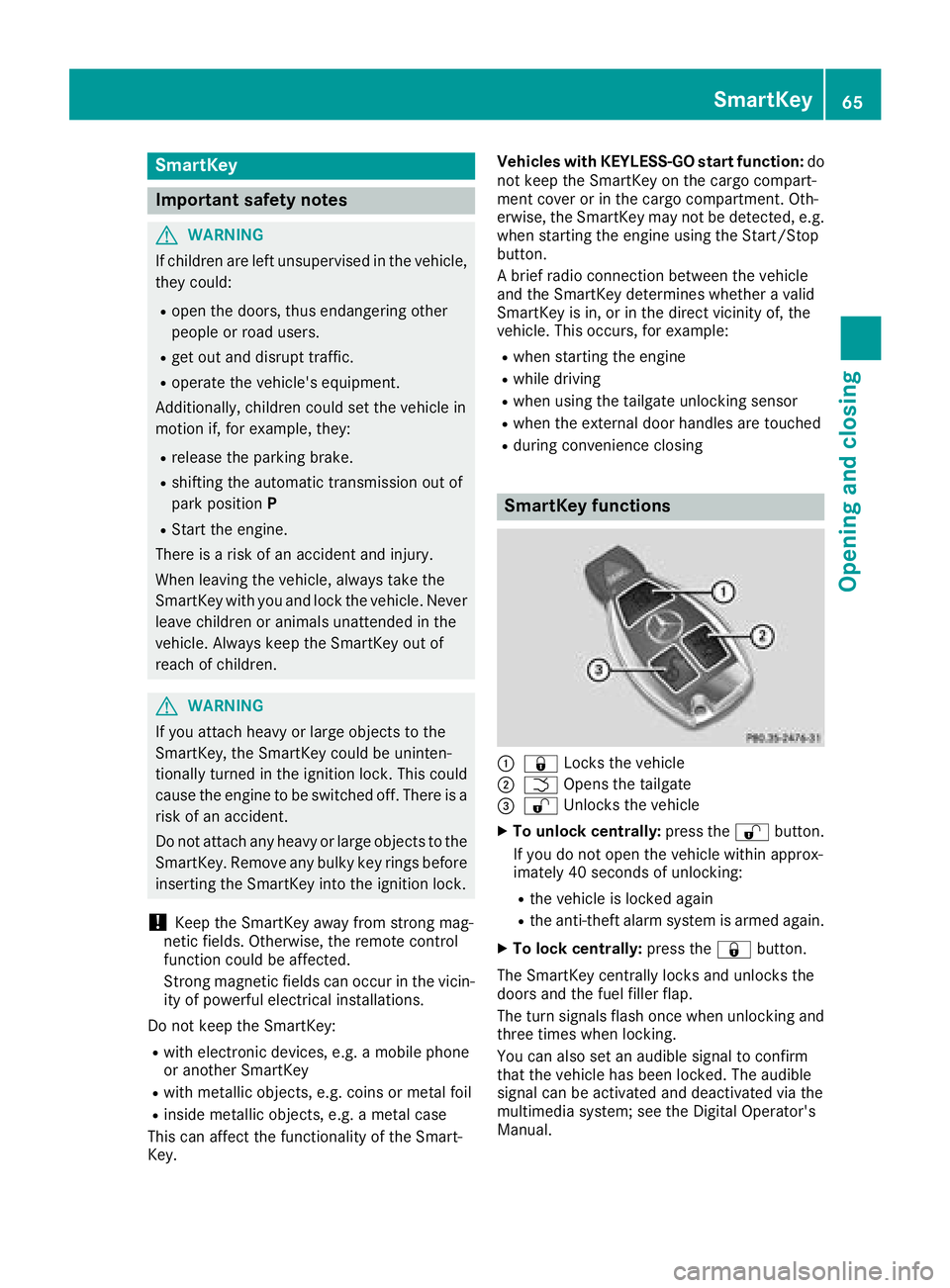
SmartKey functions
:& Locks the vehicle
;FOpens the tailgate
=%Unlocks the vehicle
XTo unlock centrally: press the%button.
If you do not open the vehicle within approx-
imately 40 seconds of unlocking:
Rthe vehicle is locked again
Rthe anti-theft alarm system is armed again.
XTo lock centrally: press the&button.
The SmartKey centrally locks and unlocks the
doors and the fuel filler flap.
The turn signals flash once when unlocking and
three times when locking.
You can also set an audible signal to confirm
that the vehicle has been locked. The audible
signal can be activated and deactivated via the
multimedia system; see the Digital Operator's
Manual.
SmartKey65
Opening and closing
Z