battery location MERCEDES-BENZ AMG GT COUPE 2018 Owners Manual
[x] Cancel search | Manufacturer: MERCEDES-BENZ, Model Year: 2018, Model line: AMG GT COUPE, Model: MERCEDES-BENZ AMG GT COUPE 2018Pages: 465, PDF Size: 8.25 MB
Page 27 of 465
of an accident,
rescue services can use the QR
code toquickly find the appropriate rescue card
fo ryo ur vehicle. The cur rent rescue card con‐
ta ins the most impor tant information about your
ve hicle in a compact form , e.g. thero uting of the
electric lines.
Fu rther information can be obtained at http://
www.mercedes-benz.de/qr-code. Data
storage Electronic control units
Elect
ronic control units are fitted in your vehicle.
Some of these are necessary forth e safe opera‐
tion of your vehicle, while some assist you when
driving (driver assis tance sy stems). In addition,
yo ur vehicle pr ovides com fort and enter tainment
functions, which are also made possible byelec‐
tronic control units.
Elect ronic control units contain da tamemories
which can temp orarily or permanently store
te ch nical information about theve hicle's operat‐
ing state, component loads, main tenance
re qu irements and tech nical events or faults. In
general, this information documents thest ate
of a component part, a module, a sy stem or the
sur roundings such as:
R operating status of sy stem components (e.g.
fi ll le vels, battery status, tyre pressure)
R status messages concerning theve hicle or
its individual components (e.g. number of
wheel revo lutions/speed, longitudinal accel‐
eration, lateral acceleration, display of fas‐
te ned seat belts)
R malfunctions or faults in impor tant sy stem
components (e.g. lights, brakes)
R information on events leading tovehicle
damage
R system reactions in special driving situations
(e.g. airbag deployment, inter vention of sta‐
bility control sy stems)
R ambient conditions (e.g. temp erature, rain
sensor)
In addition toprov iding the actual control unit
function, this data assists the manufacturer in
de tecting and rectifying faults and optimising
ve hicle functions. The majority of this data is te
mp orary and is only processed in theve hicle
itself. Only a small portion of the data is stored
in theeve nt or fault memor y.
When your vehicle is serviced, tech nical da ta
from theve hicle can be read out byservice net‐
wo rkemplo yees (e.g. workshops, manufactur‐
ers) or third parties (e.g. breakdown services).
Services include repair services, maintenance
processes, warranty claims and quality assur‐
ance measures, forex ample. The read out is per‐
fo rm ed via the legally prescribed port forthe
diagnostics connection in theve hicle. The
re spective service network locations or third
parties collect, process and use the data. They
document tech nical statuses of theve hicle,
assist in finding faults and impr oving quality and
are transmitted tothe manufacturer, if neces‐
sar y.Fu rthermore, the manufacturer is subject
to product liability. Forth is, the manufacturer
requ irestech nical da tafrom vehicles.
Fa ult memories in theve hicle can be reset by a
service outlet as part of repair or maintenance
wo rk. 24
General no tes
Page 406 of 465
Display messages
Possible causes/consequences and M
MSolutions
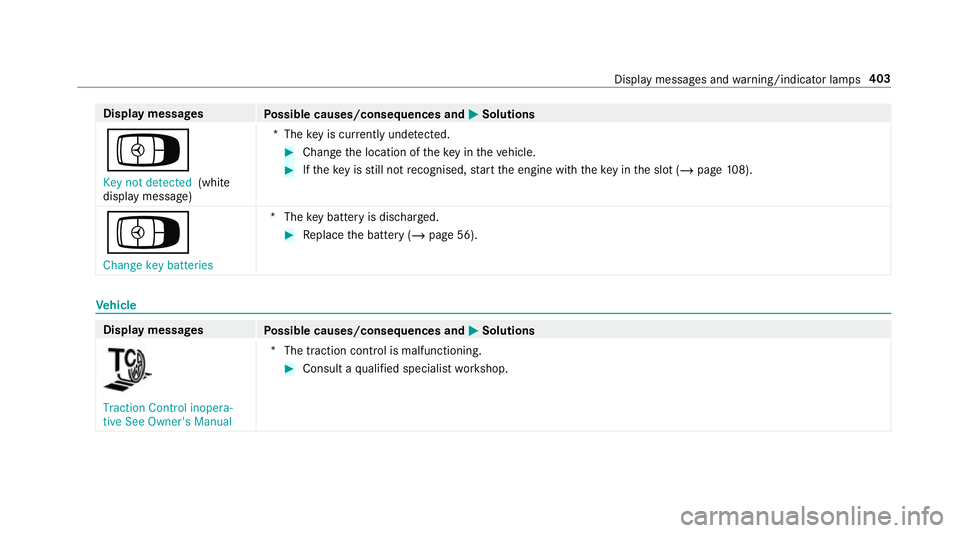
Á Key not detected (white
display message) *T
hekey is cur rently und etected. #
Change the location of theke y in theve hicle. #
Ifth eke y is still not recognised, start the engine with theke y in the slot (/ page108).
Á Change key batteries *T
hekey bat tery is dischar ged. #
Replace the battery (/ page 56). Ve
hicle Display messages
Possible causes/consequences and M
MSolutions Traction Control inopera-
tive See Owner's Manual
*T
he traction contro l is malfunctioning. #
Consult a qualified specialist workshop. Display messages and
warning/indicator lamps 403
Page 445 of 465
St
arting an automatic filling station
sear ch.................................................. 217
St arting the automatic service sta‐
tion sear ch.......................................... 224
In tern et
Calling up a web page .........................2 69
Closing the br ows er ............................. 271
Del eting a bookmark .......................... .271
Del eting br owser data .......................... 271
Managing bookmar ks.......................... 271
Internet connection Cancelling permission (mobile
phone) ................................................ .268
Communication module function ....... .265
Connection status .............................. .268
Displ aying the connection status ........ 268
Editing access data (Blue tooth®
) .........2 68
Es tablishing .........................................2 68
Information .......................................... 264
Mobile phone de tails .......................... .268
Re strictions ......................................... 264
Setting access da ta(Blue tooth ®
) ........ 266
Setting up (Blue tooth®
) .......................2 66
Setting up (business telephony) .......... 266
Setting up (Wi-Fi) ................................ .265 Switching Blue
tooth®
profile (DUN/
PA N) .................................................... 267
Internet radio
Calling up ............................................. 271
Del eting stations ................................ .272
Logging out .........................................2 73
Overview ............................................. 272
Re gis tering .......................................... 273
Saving stations .................................... 272
Selecting and connecting toast ation
............................................................ .272
Selecting stre am ................................ .273
Setting options .................................... 273
Te rm s of use ........................................2 73
iPhone ®
see Apple CarPlay™
see Mercedes-Benz Link J
Jack Declaration of con form ity ...................... 21
St orage location ..................................3 50
Jump-start connection ............................ 329
Gene ral no tes ...................................... 327 K
Ke y.............................................................. 54
Ac oustic locking verification signal ....... 55
Battery .................................................. 56
Emer gency key ...................................... 56
Energy consum ption .............................. 55
Fe atures ................................................ 54
Ke yring attachment .............................. 56
Overview ............................................... 54
Pa nic alarm ........................................... 55
Problem ................................................. 57
St arting theve hicle ............................. 108
Un locking setting .................................. 55
Ke y functions
Deactivating .......................................... 55
KEYLESS-GO Locking theve hicle ................................ 59
Problem .................................................60
Un locking setting .................................. 55
Un locking theve hicle ............................59
Kickd own.................................................1 20
Using ................................................... 12 0
Knee airbag ................................................ 33442
Index