time MERCEDES-BENZ B-Class 2017 W246 Owner's Manual
[x] Cancel search | Manufacturer: MERCEDES-BENZ, Model Year: 2017, Model line: B-Class, Model: MERCEDES-BENZ B-Class 2017 W246Pages: 290, PDF Size: 19.81 MB
Page 2 of 290
Publication details
Internet
Further information about Mercedes-Benz vehi-
cles and about Daimler AG can be found on the
following websites:
http://www.mbusa.com Editorial office
© Daimler AG: not to be reprinted, translated or
otherwise reproduced, in whole or in part, with-
out written permission from Daimler AG. Vehicle manufacturer
Daimler AG
Mercedesstraße 137
70327 Stuttgart
Germany
Symbols
In this Operator's Manual you will find the fol-
lowing symbols: G
WARNING
Warning notes make you aware of dangers
which could pose a threat to your health or
life, or to the health and life of others. H
Environmental note
Environmental notes provide you with infor-
mation on environmentally aware actions or
disposal.
! Notes on material damage alert you to dan-
gers that could lead to damage to your vehi-
cle.
i Practical tips or further information that
could be helpful to you.
X This symbol indicates an instruction
that must be followed.
X Several of these symbols in succession
indicate an instruction with several
steps.
(Y
page) This symbol tells you where you can
find more information about a topic.
Dis‐
Dis‐
play play This text indicates a message on the
multifunction display/multimedia dis-
play.
As at 14.10.2015
Page 3 of 290
Welcome to the world of Mercedes-Benz
We urge you to read this Operator's Manual
carefully and familiarize yourself with the vehi-
cle before driving. For your own safety and a
longer vehicle life, follow the instructions and
warning notices in this Operator's Manual.
Ignoring them could result in damage to the
vehicle or personal injury to you or others.
Vehicle damage caused by failure to follow
instructions is not covered by the Mercedes-
Benz Limited Warranty.
The equipment or product designation of your
vehicle may vary depending on:
R Model
R Order
R Country specification
R Availability
Mercedes-Benz therefore reserves the right to
introduce changes in the following areas:
R Design
R Equipment
R Technical features
The equipment in your vehicle may therefore
differ from that shown in the descriptions and
illustrations.
The following are integral components of the
vehicle:
R Printed Operator's Manual
R Maintenance Booklet
R Equipment-dependent supplements
Keep these documents in the vehicle at all
times. If you sell the vehicle, always pass all
documents on to the new owner.
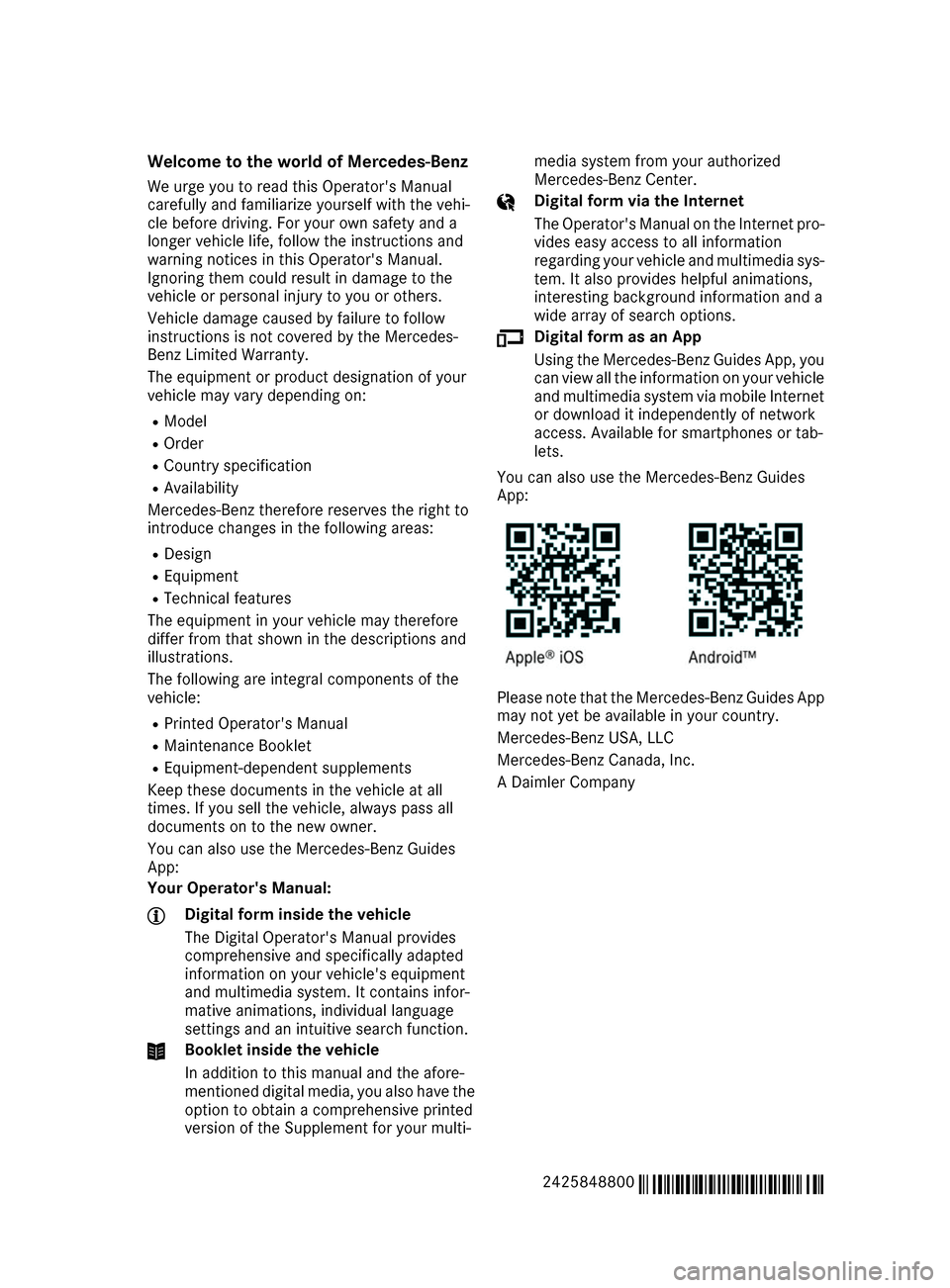
You can also use the Mercedes-Benz Guides
App:
Your Operator's Manual: Digital form inside the vehicle
The Digital Operator's Manual provides
comprehensive and specifically adapted
information on your vehicle's equipment
and multimedia system. It contains infor-
mative animations, individual language
settings and an intuitive search function. Booklet inside the vehicle
In addition to this manual and the afore-
mentioned digital media, you also have the option to obtain a comprehensive printed
version of the Supplement for your multi- media system from your authorized
Mercedes-Benz Center. Digital form via the Internet
The Operator's Manual on the Internet pro-
vides easy access to all information
regarding your vehicle and multimedia sys- tem. It also provides helpful animations,
interesting background information and a
wide array of search options. Digital form as an App
Using the Mercedes-Benz Guides App, you
can view all the information on your vehicle and multimedia system via mobile Internetor download it independently of network
access. Available for smartphones or tab-
lets.
You can also use the Mercedes-Benz Guides
App: Please note that the Mercedes-Benz Guides App
may not yet be available in your country.
Mercedes-Benz USA, LLC
Mercedes-Benz Canada, Inc.
A Daimler Company
2425848800 É2425848800gËÍ
Page 4 of 290
Index
....................................................... 4Digital Operator's Manual
..................21
Introduction .......................................... .21
Operation ............................................... 21 Introduction
......................................... 22
Protecting the environment ...................22
Genuine Mercedes-Benz parts .............. .22
Operator's Manual ................................. 23
Service and vehicle operation ................23
Operating safety .................................... 24
QR codes for the rescue card ................28
Data stored in the vehicle ...................... 28
Information on copyright ....................... 29 At a glance
........................................... 31
Cockpit .................................................. 31
Instrument cluster ................................. 32
Multifunction steering wheel ................. 33
Center console ...................................... 34
Door control panel ................................. 36
Overhead control panel ........................ .37Safety
................................................... 38
Panic alarm ............................................ 38
Occupant safety .................................... 38
Children in the vehicle ........................... 52
Pets in the vehicle ................................. 58
Driving safety systems ........................... 58
Protection against theft .........................64 Opening and closing
...........................66
SmartKey ............................................... 66
Doors ..................................................... 72
Cargo compartment ...............................74
Side windows ......................................... 75 Seats, steering wheel and mirrors
....79
Correct driver's seat position ................ 79
Seats ..................................................... 79
Steering wheel ....................................... 83
Mirrors ................................................... 83
Memory function ................................... 85 Lights and windshield wipers
............87
Exterior lighting ..................................... 87
Interior lighting ...................................... 89
Replacing bulbs ..................................... 90
Windshield wipers .................................. 95 Climate control
.................................... 99
Overview of climate control systems ..... 99
Operating the climate control sys-
tems .................................................... 100
Air vents .............................................. 106 Driving and parking
..........................108
Notes on breaking-in a new vehicle ..... 108
Driving ................................................. 108
Transmission ....................................... 111
High-voltage battery ............................ 117
Parking ................................................ 128
Driving tips .......................................... 131
Driving systems ................................... 136 On-board computer and displays
....152
Important safety notes ........................ 152
Displays and operation ........................ 152
Menus and submenus ......................... 156
Display messages ................................ 167
Warning and indicator lamps in the
instrument cluster ............................... 190 Multimedia system
...........................201
General notes ...................................... 201
Important safety notes ........................ 201
Function restrictions ............................ 201
Operating system ................................ 202 Stowage and features
......................207
Loading guidelines ............................... 207
Stowage areas ..................................... 207
Features .............................................. 216 Maintenance and care
......................231
Engine compartment ........................... 231
ASSYST PLUS ...................................... 233
Care ..................................................... 234 2
Contents
Page 8 of 290
Power washer ................................ 235
Rear view camera .......................... 238
Roof lining ...................................... 240
Seat belt ........................................2 39
Seat cover ..................................... 239
Sensors ......................................... 237
Steering wheel ............................... 239
Trim pieces ................................... .239
Washing by hand ........................... 235
Wheels .......................................... .236
Windows ........................................ 236
Wiper blades .................................. 237
Wooden trim .................................. 239
Cargo compartment cover
Important safety notes .................. 212
Installing/removing ....................... 213
Notes/how to use ......................... 212
Cargo compartment enlargement ... 211
Cargo compartment floor
Height adjustment ......................... 215
Important safety notes .................. 214
Opening/closing ............................ 214
Stowage well (under) ..................... 214
Cargo net
Attaching ....................................... 213
Important safety information ......... 213
Cargo tie down rings ......................... 212
CD
see also Digital Operator's Man-
ual ................................................. .201
CD player (on-board computer) ........160
Center console
Lower section .................................. 35
Upper section .................................. 34
Central locking
Automatic locking (on-board com-
puter) ............................................. 166
Locking/unlocking (SmartKey) ....... .66
Change of address .............................. 24
Change of ownership .......................... 24
Changing the bulb
Cornering light function .................. .93
Charge level display .......................... 153
Charging
with RANGE PLUS .......................... 164
see Charging the high-voltage battery Charging cable
Connecting .................................... 124
Controls ........................................ .123
Important safety notes .................. 122
Removing ....................................... 125
Storing .......................................... .122
Warming up ................................... 118
Charging the high-voltage battery
(important safety notes) ................... 117
Child
Restraint system .............................. 54
Child seat
Forward-facing restraint system ...... 57
LATCH-type (ISOFIX) child seat
anchors ............................................ 55
On the front-passenger sea t............ 56
Rearward-facing restraint system .... 56
Top Tether ....................................... 55
Child-proof locks
Important safety notes .................... 57
Rear doors ....................................... 58
Children
Special seat belt retractor ............... 53
Cigarette lighter ................................ 218
Cleaning
Mirror turn signal ........................... 237
Climate control
Automatic climate control (dual-
zone) ................................................ 99
Auxiliary climate control (on-
board computer) ............................ 164
Controlling automaticall y............... 101
Convenience opening/closing
(air-recirculation mode) ................. 104
Cooling with air dehumidification .. 100
Defrosting the window s................. 103
Defrosting the windshield .............. 102
General notes .................................. 99
Immediate pre-entry climate con-
trol ................................................. 105
Indicator lamp ................................ 101
Information about using auto-
matic climate control ..................... 100
Maximum cooling .......................... 103
Overview of systems ........................ 99
Pre-entry climate control at
departure time ............................... 105 6
Index
Page 9 of 290
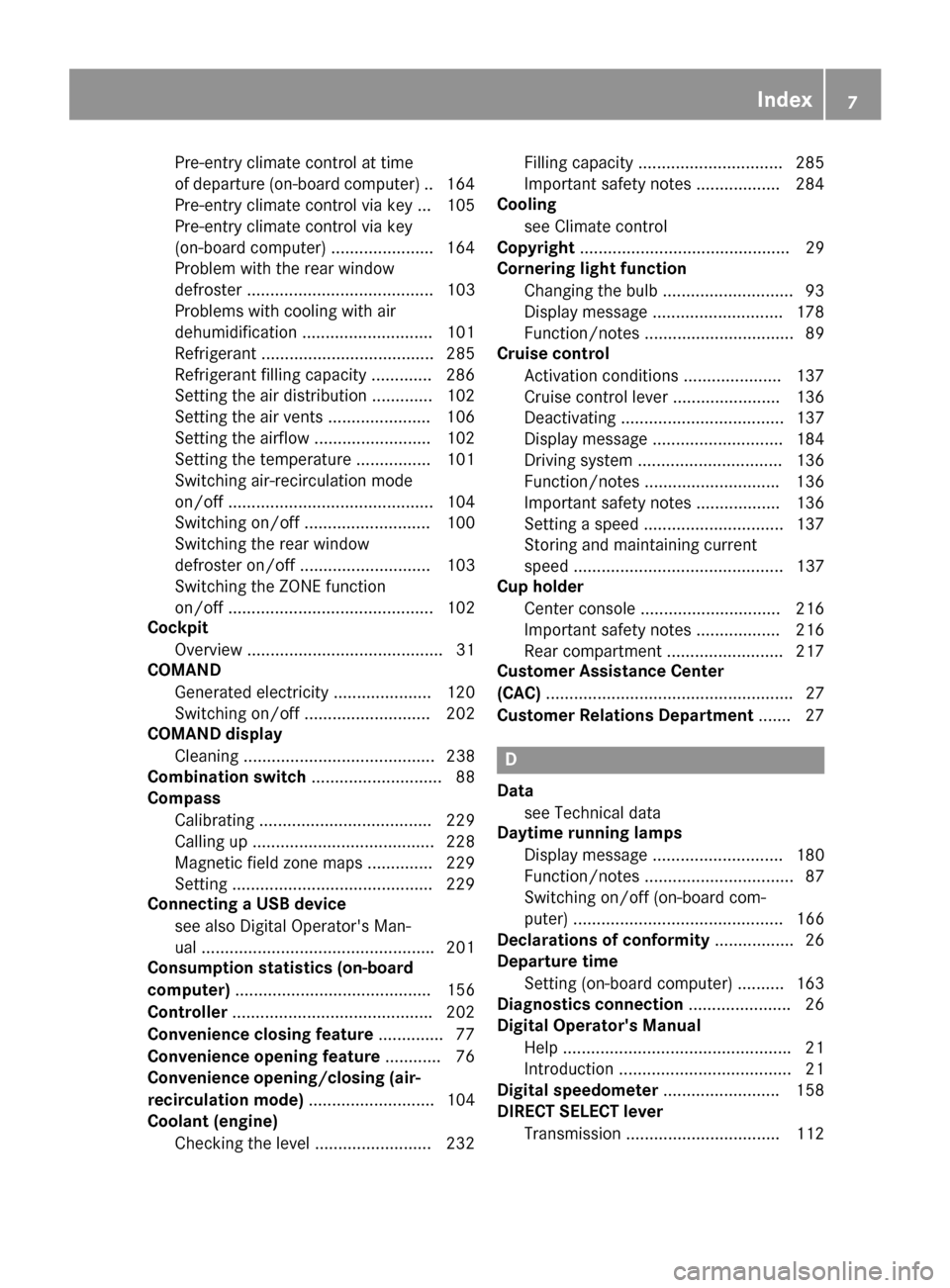
Pre-entry climate control at time
of departure (on-board computer
)..1 64
Pre-entry climate control via key ... 105
Pre-entry climate control via key
(on-board computer) ..................... .164
Problem with the rear window
defroster ........................................ 103
Problems with cooling with air
dehumidification ............................ 101
Refrigerant ..................................... 285
Refrigerant filling capacity ............. 286
Setting the air distribution ............. 102
Setting the air vents ..................... .106
Setting the airflow ......................... 102
Setting the temperature ................ 101
Switching air-recirculation mode
on/off ............................................ 104
Switching on/off ........................... 100
Switching the rear window
defroster on/off ............................ 103
Switching the ZONE function
on/off ............................................ 102
Cockpit
Overview .......................................... 31
COMAND
Generated electricity ..................... 120
Switching on/off ........................... 202
COMAND display
Cleaning ......................................... 238
Combination switch ............................ 88
Compass
Calibrating ..................................... 229
Calling up ....................................... 228
Magnetic field zone maps .............. 229
Setting .......................................... .229
Connecting a USB device
see also Digital Operator's Man-
ual ................................................. .201
Consumption statistics (on-board
computer) .......................................... 156
Controller .......................................... .202
Convenience closing feature .............. 77
Convenience opening feature ............ 76
Convenience opening/closing (air-
recirculation mode) ........................... 104
Coolant (engine)
Checking the level ......................... 232 Filling capacity ............................... 285
Important safety notes .................. 284
Cooling
see Climate control
Copyright ............................................. 29
Cornering light function
Changing the bulb ............................ 93
Display message ............................ 178
Function/notes ................................ 89
Cruise control
Activation conditions ..................... 137
Cruise control lever ....................... 136
Deactivating ................................... 137
Display message ............................ 184
Driving system ............................... 136
Function/notes ............................ .136
Important safety notes .................. 136
Setting a speed .............................. 137
Storing and maintaining current
speed ............................................. 137
Cup holder
Center console .............................. 216
Important safety notes .................. 216
Rear compartment ......................... 217
Customer Assistance Center
(CAC) ..................................................... 27
Customer Relations Department ....... 27 D
Data see Technical data
Daytime running lamps
Display message ............................ 180
Function/notes ................................ 87
Switching on/off (on-board com-
puter) ............................................. 166
Declarations of conformity ................. 26
Departure time
Setting (on-board computer) .......... 163
Diagnostics connection ......................26
Digital Operator's Manual
Help ................................................ .21
Introduction .....................................21
Digital speedometer .........................158
DIRECT SELECT lever
Transmission ................................. 112 Index
7
Page 13 of 290
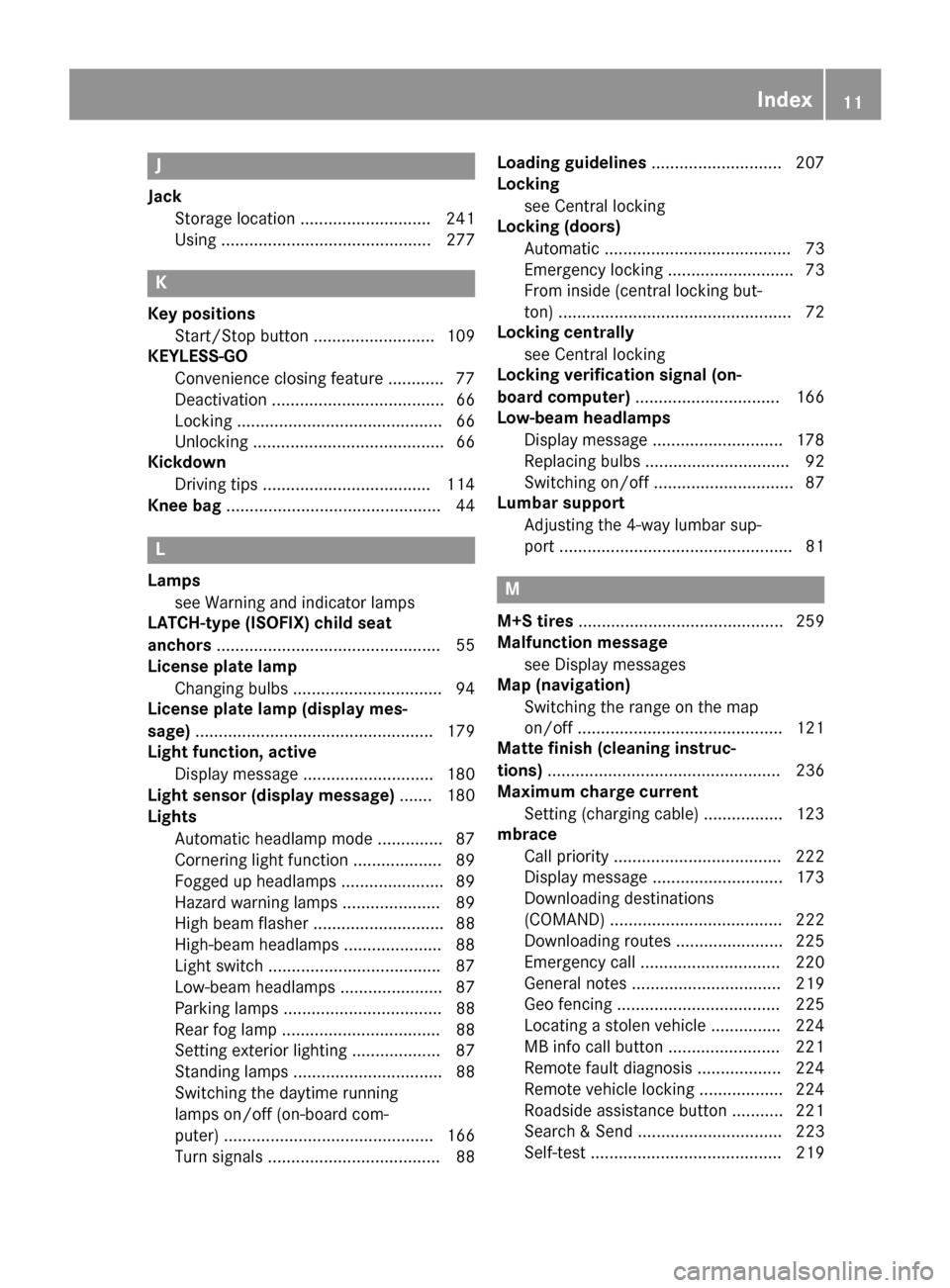
J
Jack Storage location ............................2 41
Using ............................................. 277 K
Key positions Start/Stop button .......................... 109
KEYLESS-GO
Convenience closing feature ............ 77
Deactivation ..................................... 66
Locking ............................................ 66
Unlocking ......................................... 66
Kickdown
Driving tips ................................... .114
Knee bag .............................................. 44 L
Lamps see Warning and indicator lamps
LATCH-type (ISOFIX) child seat
anchors ................................................ 55
License plate lamp
Changing bulbs ................................ 94
License plate lamp (display mes-
sage) ................................................... 179
Light function, active
Display message ............................ 180
Light sensor (display message) ....... 180
Lights
Automatic headlamp mode .............. 87
Cornering light function ................... 89
Fogged up headlamps ..................... .89
Hazard warning lamps ..................... 89
High beam flasher ............................ 88
High-beam headlamps ..................... 88
Light switch .................................... .87
Low-beam headlamps ...................... 87
Parking lamps .................................. 88
Rear fog lamp .................................. 88
Setting exterior lighting ................... 87
Standing lamps ................................ 88
Switching the daytime running
lamps on/off (on-board com-
puter) ............................................. 166
Turn signals ..................................... 88 Loading guidelines
............................ 207
Locking
see Central locking
Locking (doors)
Automatic ........................................ 73
Emergency locking ........................... 73
From inside (central locking but-
ton) .................................................. 72
Locking centrally
see Central locking
Locking verification signal (on-
board computer) ............................... 166
Low-beam headlamps
Display message ............................ 178
Replacing bulb s............................... 92
Switching on/of f.............................. 87
Lumbar support
Adjusting the 4-way lumbar sup-
port .................................................. 81 M
M+S tires ............................................ 259
Malfunction message
see Display messages
Map (navigation)
Switching the range on the map
on/of f............................................ 121
Matte finish (cleaning instruc-
tions) .................................................. 236
Maximum charge current
Setting (charging cable) ................. 123
mbrace
Call priority .................................... 222
Display message ............................ 173
Downloading destinations
(COMAND) ..................................... 222
Downloading routes ....................... 225
Emergency call .............................. 220
General notes ................................ 219
Geo fencing ................................... 225
Locating a stolen vehicle ............... 224
MB info call button ........................ 221
Remote fault diagnosi s.................. 224
Remote vehicle locking .................. 224
Roadside assistance button ........... 221
Search & Send ............................... 223
Self-test ......................................... 219 Index
11
Page 16 of 290
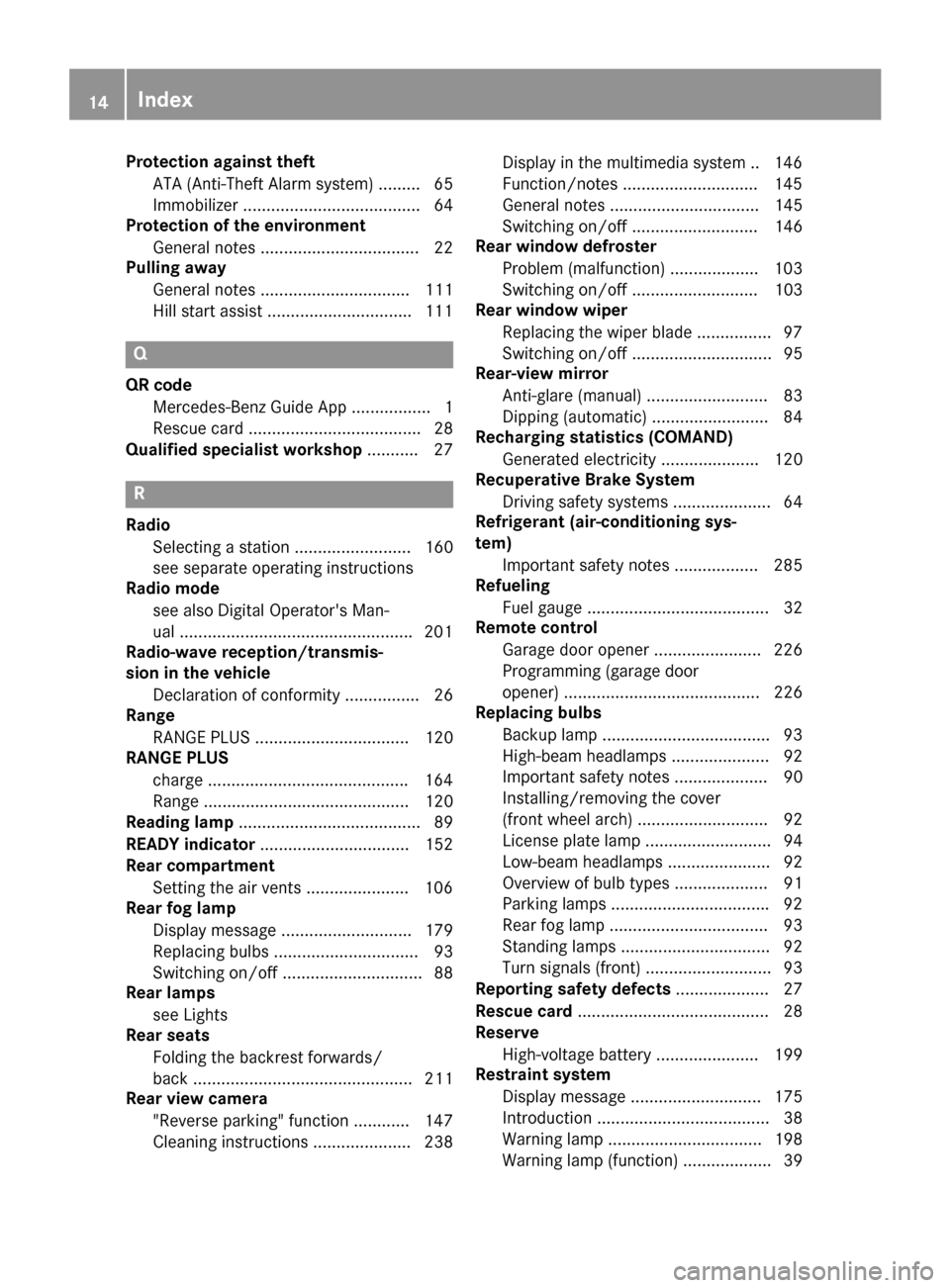
Protection against theft
ATA (Anti-Theft Alarm system) ......... 65
Immobilizer ...................................... 64
Protection of the environment
General notes ..................................22
Pulling away
General notes ................................ 111
Hill start assist ...............................1 11Q
QR code Mercedes-Benz Guide App ................. 1
Rescue card ..................................... 28
Qualified specialist workshop ........... 27R
Radio Selecting a station ......................... 160
see separate operating instructions
Radio mode
see also Digital Operator's Man-
ual ................................................. .201
Radio-wave reception/transmis-
sion in the vehicle
Declaration of conformity ................ 26
Range
RANGE PLUS ................................. 120
RANGE PLUS
charge .......................................... .164
Range ............................................ 120
Reading lamp ....................................... 89
READY indicator ................................ 152
Rear compartment
Setting the air vents ..................... .106
Rear fog lamp
Display message ............................ 179
Replacing bulbs ............................... 93
Switching on/off .............................. 88
Rear lamps
see Lights
Rear seats
Folding the backrest forwards/
back ............................................... 211
Rear view camera
"Reverse parking" function ............ 147
Cleaning instructions ..................... 238 Display in the multimedia system .. 146
Function/notes ............................
.145
General notes ................................ 145
Switching on/off ........................... 146
Rear window defroster
Problem (malfunction) ................... 103
Switching on/off ........................... 103
Rear window wiper
Replacing the wiper blade ................ 97
Switching on/off .............................. 95
Rear-view mirror
Anti-glare (manual) .......................... 83
Dipping (automatic) ......................... 84
Recharging statistics (COMAND)
Generated electricity ..................... 120
Recuperative Brake System
Driving safety systems ..................... 64
Refrigerant (air-conditioning sys-
tem)
Important safety notes .................. 285
Refueling
Fuel gauge ....................................... 32
Remote control
Garage door opener ....................... 226
Programming (garage door
opener) .......................................... 226
Replacing bulbs
Backup lamp ................................... .93
High-beam headlamps ..................... 92
Important safety notes .................... 90
Installing/removing the cover
(front wheel arch) ............................ 92
License plate lamp ........................... 94
Low-beam headlamps ...................... 92
Overview of bulb types .................... 91
Parking lamps ................................. .92
Rear fog lamp .................................. 93
Standing lamps ................................ 92
Turn signals (front) .......................... .93
Reporting safety defects .................... 27
Rescue card ......................................... 28
Reserve
High-voltage battery ...................... 199
Restraint system
Display message ............................ 175
Introduction ..................................... 38
Warning lamp ................................. 198
Warning lamp (function) ................... 39 14
Index
Page 17 of 290
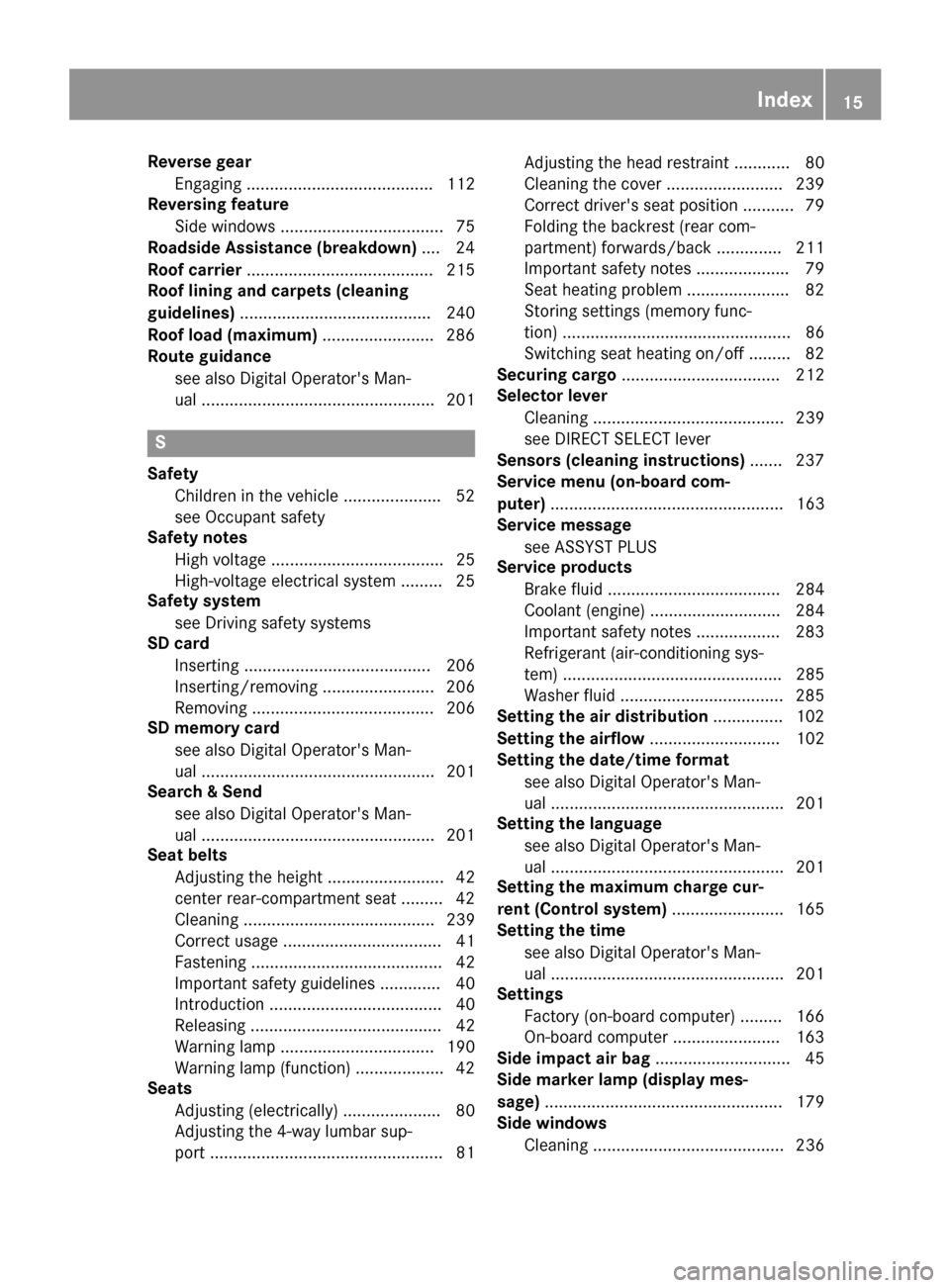
Reverse gear
Engaging ........................................ 112
Reversing feature
Side windows ................................... 75
Roadside Assistance (breakdown) .... 24
Roof carrier ........................................ 215
Roof lining and carpets (cleaning
guidelines) ......................................... 240
Roof load (maximum) ........................ 286
Route guidance
see also Digital Operator's Man-
ual .................................................. 201 S
Safety Children in the vehicle ..................... 52
see Occupant safety
Safety notes
High voltage ..................................... 25
High-voltage electrical system ......... 25
Safety system
see Driving safety systems
SD card
Inserting ........................................ 206
Inserting/removing ........................ 206
Removing ....................................... 206
SD memory card
see also Digital Operator's Man-
ual .................................................. 201
Search & Send
see also Digital Operator's Man-
ual .................................................. 201
Seat belts
Adjusting the height ......................... 42
center rear-compartment sea t......... 42
Cleaning ......................................... 239
Correct usage .................................. 41
Fastening ......................................... 42
Important safety guidelines ............. 40
Introduction ..................................... 40
Releasing ......................................... 42
Warning lamp ................................. 190
Warning lamp (function) ................... 42
Seats
Adjusting (electrically) ..................... 80
Adjusting the 4-way lumbar sup-
port .................................................. 81 Adjusting the head restraint ............ 80
Cleaning the cover ......................... 239
Correct driver's seat position ........... 79
Folding the backrest (rear com-
partment) forwards/back .............. 211
Important safety notes .................... 79
Seat heating problem ...................... 82
Storing settings (memory func-
tion) ................................................. 86
Switching seat heating on/of f......... 82
Securing cargo .................................. 212
Selector lever
Cleaning ......................................... 239
see DIRECT SELECT lever
Sensors (cleaning instructions) ....... 237
Service menu (on-board com-
puter) .................................................. 163
Service message
see ASSYST PLUS
Service products
Brake fluid ..................................... 284
Coolant (engine) ............................ 284
Important safety notes .................. 283
Refrigerant (air-conditioning sys-
tem) ............................................... 285
Washer fluid ................................... 285
Setting the air distribution ............... 102
Setting the airflow ............................ 102
Setting the date/time format
see also Digital Operator's Man-
ual .................................................. 201
Setting the language
see also Digital Operator's Man-
ual .................................................. 201
Setting the maximum charge cur-
rent (Control system) ........................ 165
Setting the time
see also Digital Operator's Man-
ual .................................................. 201
Settings
Factory (on-board computer) ......... 166
On-board compute r....................... 163
Side impact air bag ............................. 45
Side marker lamp (display mes-
sage) ................................................... 179
Side windows
Cleaning ......................................... 236 Index
15
Page 23 of 290
Introduction
The printed Operator's Manual provides infor-
mation about the safe operation of your vehicle.
The Digital Operator's Manual provides compre- hensive and specifically adapted information on
your vehicle's equipment and multimedia sys-
tem. You can call up the Digital Operator's Man-
ual via the multimedia system.
i You will not incur any costs when calling up
the Digital Operator's Manual. The Digital
Operator's Manual works without connecting to the Internet.
There are three ways to access the topics of the Digital Operator's Manual:
R Visual search
The visual search allows you to explore your
vehicle "virtually". Starting from either the
vehicle exterior view or interior view, you can
access many of the different topics covered
by the Digital Operator's Manual. To access
the vehicle interior section, select the "Vehi-
cle interior" view.
R Keyword search
The keyword search allows you to search for a
keyword by entering characters.
R Contents
You can select individual sections in the con-
tents.
i The Digital Operator's Manual is deactiva-
ted for safety reasons while driving. Operation
Calling up the Digital Operator's Man-
ual
X Press the 00D4button in the center console.
The overview relating to the vehicle appears.
X Select the "Operator's Manual" menu item by
turning 3or pressing 7the controller.
X Confirm 7the message about the warning
and safety notes.
The basic menu for the Digital Operator's
Manual appears. Operating the Digital Operator's Man-
ual
General notes Please observe the information about the oper-
ation of the controller (Y page 202).
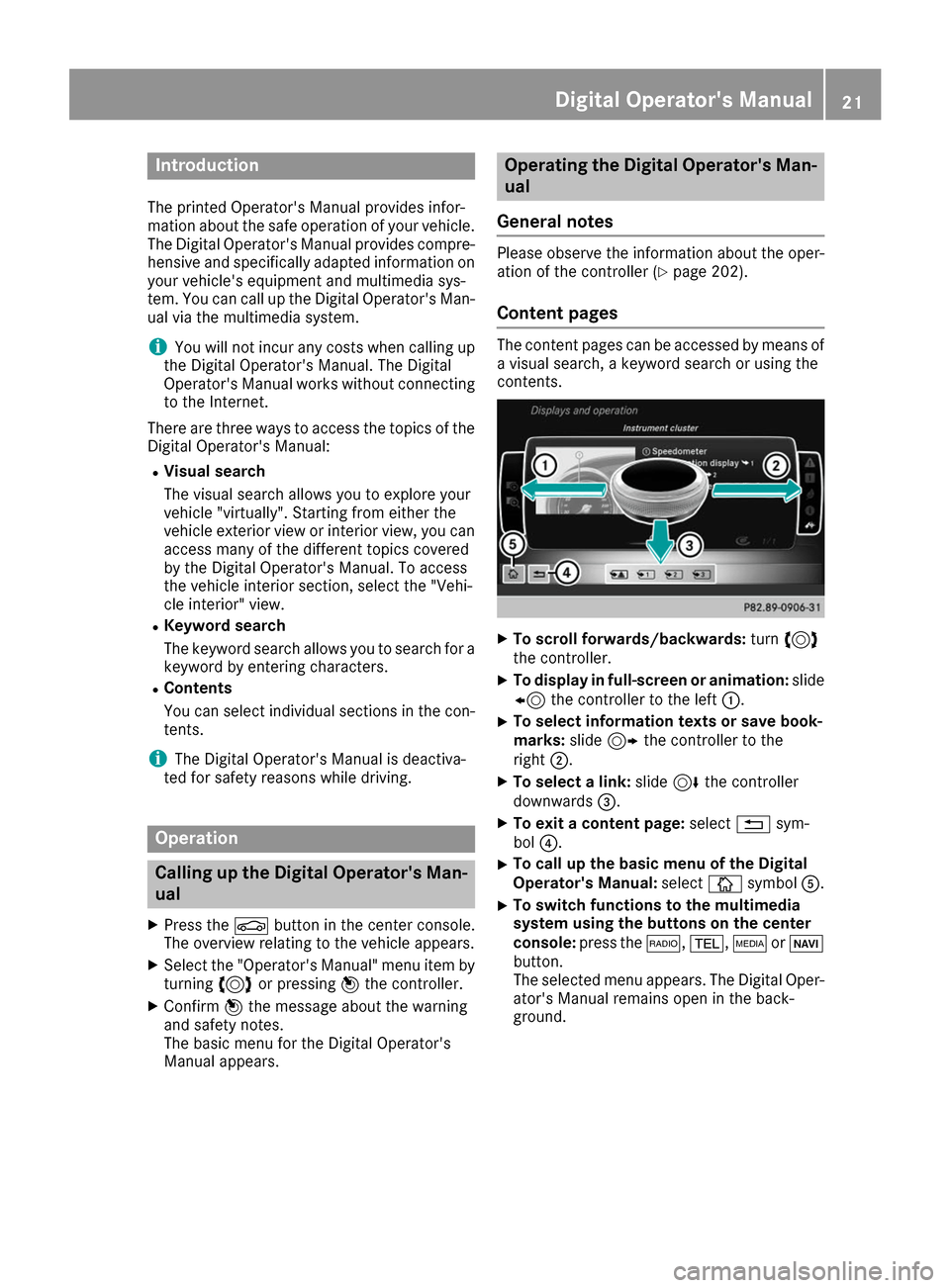
Content pages The content pages can be accessed by means of
a visual search, a keyword search or using the
contents. X
To scroll forwards/backwards: turn3
the controller.
X To display in full-screen or animation: slide
8 the controller to the left 0043.
X To select information texts or save book-
marks:
slide9 the controller to the
right 0044.
X To select a link: slide6the controller
downwards 0087.
X To exit a content page: select0038sym-
bol 0085.
X To call up the basic menu of the Digital
Operator's Manual: select00DAsymbol 0083.
X To switch functions to the multimedia
system using the buttons on the center
console:
press the 002A,002B,00FDor00BE
button.
The selected menu appears. The Digital Oper-
ator's Manual remains open in the back-
ground. Digital Operator's Manual
21
Page 25 of 290
ity. Only use tires, wheels and accessories that
have been specifically approved for your vehi-
cle.
Genuine Mercedes-Benz parts are subject to
strict quality control. Every part has been spe-
cifically developed, manufactured or selected
for and adapted to Mercedes-Benz vehicles.
Therefore, only genuine Mercedes-Benz parts
should be used.
More than 300,000 different genuine
Mercedes-Benz parts are available for
Mercedes-Benz models.
All authorized Mercedes-Benz Centers maintain
a supply of genuine Mercedes-Benz parts for
necessary service and repair work. In addition,
strategically located parts delivery centers pro-
vide quick and reliable parts service.
Always specify the vehicle identification number (VIN) when ordering genuine Mercedes-Benz
parts (Y page 282). Operator's Manual
Vehicle equipment
i This Operator's Manual describes all models
and all standard and optional equipment of
your vehicle available at the time of going to
print. Country-specific differences are possi-
ble. Bear in mind that your vehicle may not
feature all functions described here. This also
applies to safety-relevant systems and func-
tions. The equipment in your vehicle may
therefore differ from that shown in the
descriptions and illustrations.
The original purchase agreement lists all sys-
tems installed in your vehicle.
Should you have any questions concerning
equipment and operation, please consult an
authorized Mercedes-Benz Center.
The Operator's Manual and Maintenance Book-
let are important documents and should be kept
in the vehicle. Service and vehicle operation
Warranty
The Limited Warranty for your vehicle applies in
accordance with the warranty terms and condi-
tions in the Service and Warranty Information
booklet. Your authorized Mercedes-Benz Center will
replace and repair all factory-installed parts in
accordance with the following warranty terms
and conditions:
R New Vehicle Limited Warranty
R State warranty enforcement laws (lemon
laws)
Replacement parts and accessories are covered
by the Mercedes-Benz Parts and Accessories
warranties. These are available at any author-
ized Mercedes-Benz Center.
i Should you lose your Service and Warranty
Information booklet, have an authorized
Mercedes-Benz Center arrange for a replace-
ment. The new Service and Warranty Infor-
mation booklet will be posted to you. Information for customers in Califor-
nia
Under California law you may be entitled to a
replacement of your vehicle or a refund of the
purchase price or lease price, if after a reason-
able number of repair attempts Mercedes-Benz USA, LLC and/or its authorized repair or servicefacilities fail to fix one or more substantial
defects or malfunctions in the vehicle that are
covered by its express warranty.
During the period of 18 months from original
delivery of the vehicle or the accumulation of
18,000 miles (approximately 29,000 km) on the
odometer of the vehicle, whichever occurs first,
a reasonable number of repair attempts is pre-
sumed for a retail buyer or lessee if one or more of the following occurs:
(1) the same substantial defect or malfunction results in a condition that is likely to cause
death or serious bodily injury if the vehicle is
driven, that defect or malfunction has been subject to repair two or more times, and youhave directly notified Mercedes-Benz USA,
LLC in writing of the need for its repair.
(2) the same substantial defect or malfunction of a less serious nature than category (1)
has been subject to repair four or more
times and you have directly notified
Mercedes-Benz in writing of the need for its
repair.
(3) the vehicle is out of service by reason of repair of the same or different substantial Service and vehicle operation
23Introduction Z