steering MERCEDES-BENZ B-Class ELECTRIC 2016 W246 Workshop Manual
[x] Cancel search | Manufacturer: MERCEDES-BENZ, Model Year: 2016, Model line: B-Class ELECTRIC, Model: MERCEDES-BENZ B-Class ELECTRIC 2016 W246Pages: 342, PDF Size: 7.53 MB
Page 194 of 342
Telephone menu
Introduction
GWARNING
If you operate information systems and com-
munication equipment integrated in the vehi-
cle while driving, you will be distracted from
traffic conditions. You could also lose control
of the vehicle. There is a risk of an accident.
Only operate the equipment when the traffic
situation permits. If you are not sure that this
is possible, park the vehicle paying attention
to traffic conditions and operate the equip-
ment when the vehicle is stationary.
When telephoning, you must observe the
legal requirements for the country in which
you are currently driving.
XSwitch on the mobile phone (see the man-
ufacturer’s operating instructions).
XSwitch on Audio 20 or COMAND, see the
separate operating instructions.
XEstablish a Bluetooth®connection to Audio
20 or COMAND, see the separate operating
instructions.
XPress the =or; button on the steer-
ing wheel to select the Tel
menu.
You will see one of the following display mes-
sages in the multifunction display:
RPhone READYor the name of the network
provider: the mobile phone has found a
network and is ready to receive.
RPhone No Service: there is no network
available or the mobile phone is searching
for a network.
Accepting a call
If someone calls you when you are in the Tel
menu, a display message appears in the mul-
tifunction display.
You can accept a call at any time, even if you
are not in theTel
menu.
XPress the6button on the steering
wheel to accept an incoming call.
Rejecting or ending a call
You can end or reject a call anytime, even if
you are not in the Tel
menu.
XPress the~button on the steering
wheel to reject or end a call.
Selecting an entry in the phone book
XPress the =or; button on the steer-
ing wheel to select the Tel
menu.
XPress the9,:ora button to
switch to the phone book.
XAuthorize access to the phone book on the
phone.
XPress the 9or: button to select the
desired name.
or
XTo begin rapid scrolling: press and hold
the 9 or: button for longer than
one second.
Rapid scrolling stops when you release the
button or reach the end of the list.
XIf only one telephone number is stored
for a name: press the6ora button
to start dialing.
or
XIf there is more than one number for a
particular name: press the6ora
button to display the numbers.
XPress the 9or: button to select the
number you want to dial.
XPress the 6ora button to start dial-
ing.
or
XIf you do not want to make a call: press
the ~ or% button.
192Menus and submenus
On-board computer and displays
Page 197 of 342
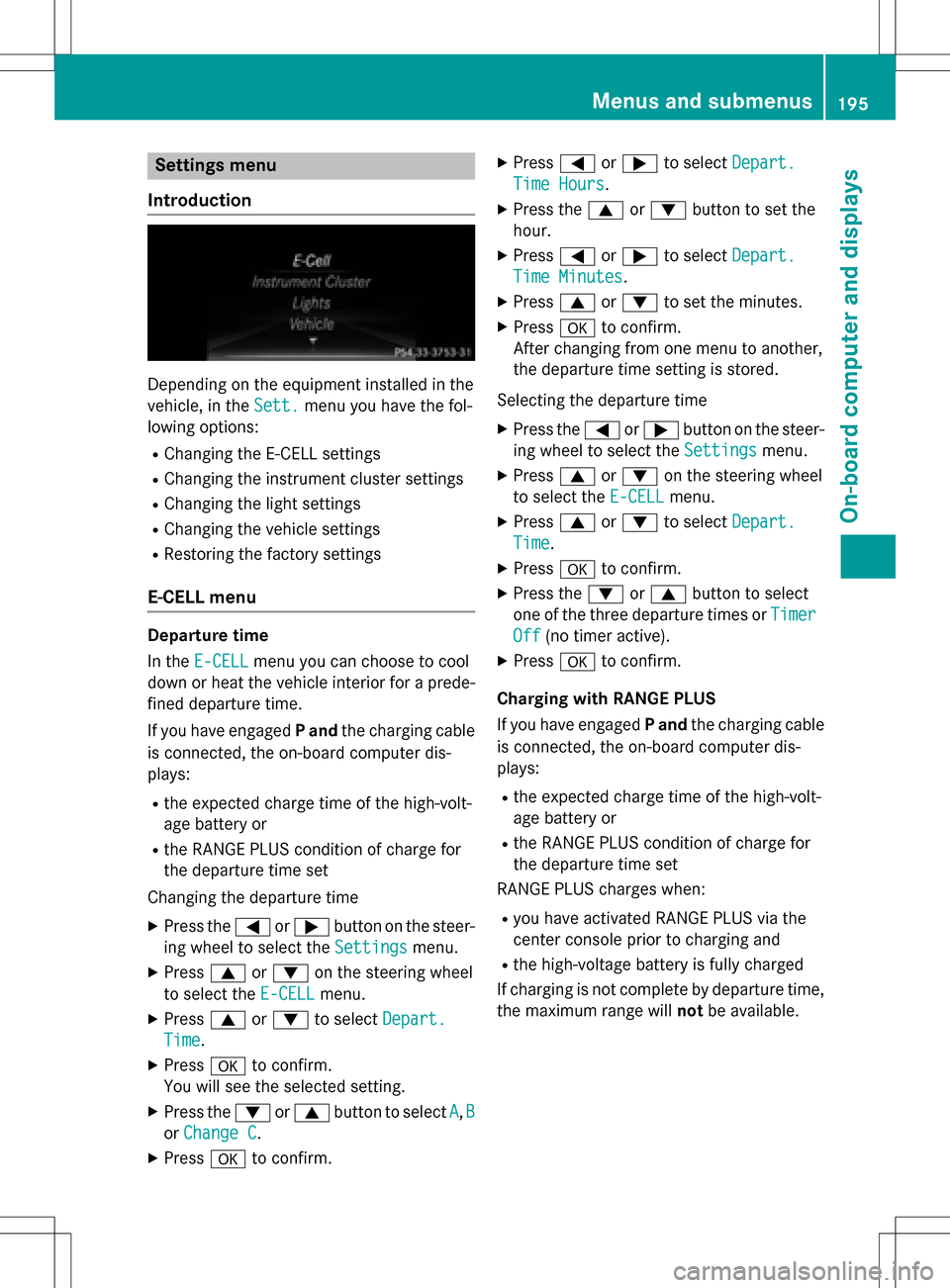
Settings menu
Introduction
Depending on the equipment installed in the
vehicle, in the Sett.
menu you have the fol-
lowing options:
RChanging the E-CELL settings
RChanging the instrument cluster settings
RChanging the light settings
RChanging the vehicle settings
RRestoring the factory settings
E‑CELL menu
Departure time
In the E-CELL
menu you can choose to cool
down or heat the vehicle interior for a prede- fined departure time.
If you have engaged Pand the charging cable
is connected, the on-board computer dis-
plays:
Rthe expected charge time of the high-volt-
age battery or
Rthe RANGE PLUS condition of charge for
the departure time set
Changing the departure time
XPress the =or; button on the steer-
ing wheel to select the Settings
menu.
XPress9or: on the steering wheel
to select the E‑CELL
menu.
XPress9or: to select Depart.
Time.
XPressato confirm.
You will see the selected setting.
XPress the :or9 button to select A,B
or Change C.
XPress ato confirm.
XPress =or; to select Depart.
Time Hours.
XPress the 9or: button to set the
hour.
XPress =or; to select Depart.
Time Minutes.
XPress9or: to set the minutes.
XPress ato confirm.
After changing from one menu to another,
the departure time setting is stored.
Selecting the departure time
XPress the =or; button on the steer-
ing wheel to select the Settings
menu.
XPress9or: on the steering wheel
to select the E‑CELL
menu.
XPress9or: to select Depart.
Time.
XPressato confirm.
XPress the :or9 button to select
one of the three departure times or Timer
Off(no timer active).
XPressato confirm.
Charging with RANGE PLUS
If you have engaged Pand the charging cable
is connected, the on-board computer dis-
plays:
Rthe expected charge time of the high-volt-
age battery or
Rthe RANGE PLUS condition of charge for
the departure time set
RANGE PLUS charges when:
Ryou have activated RANGE PLUS via the
center console prior to charging and
Rthe high-voltage battery is fully charged
If charging is not complete by departure time,
the maximum range will notbe available.
Menus and submenus195
On-board computer and displays
Z
Page 199 of 342
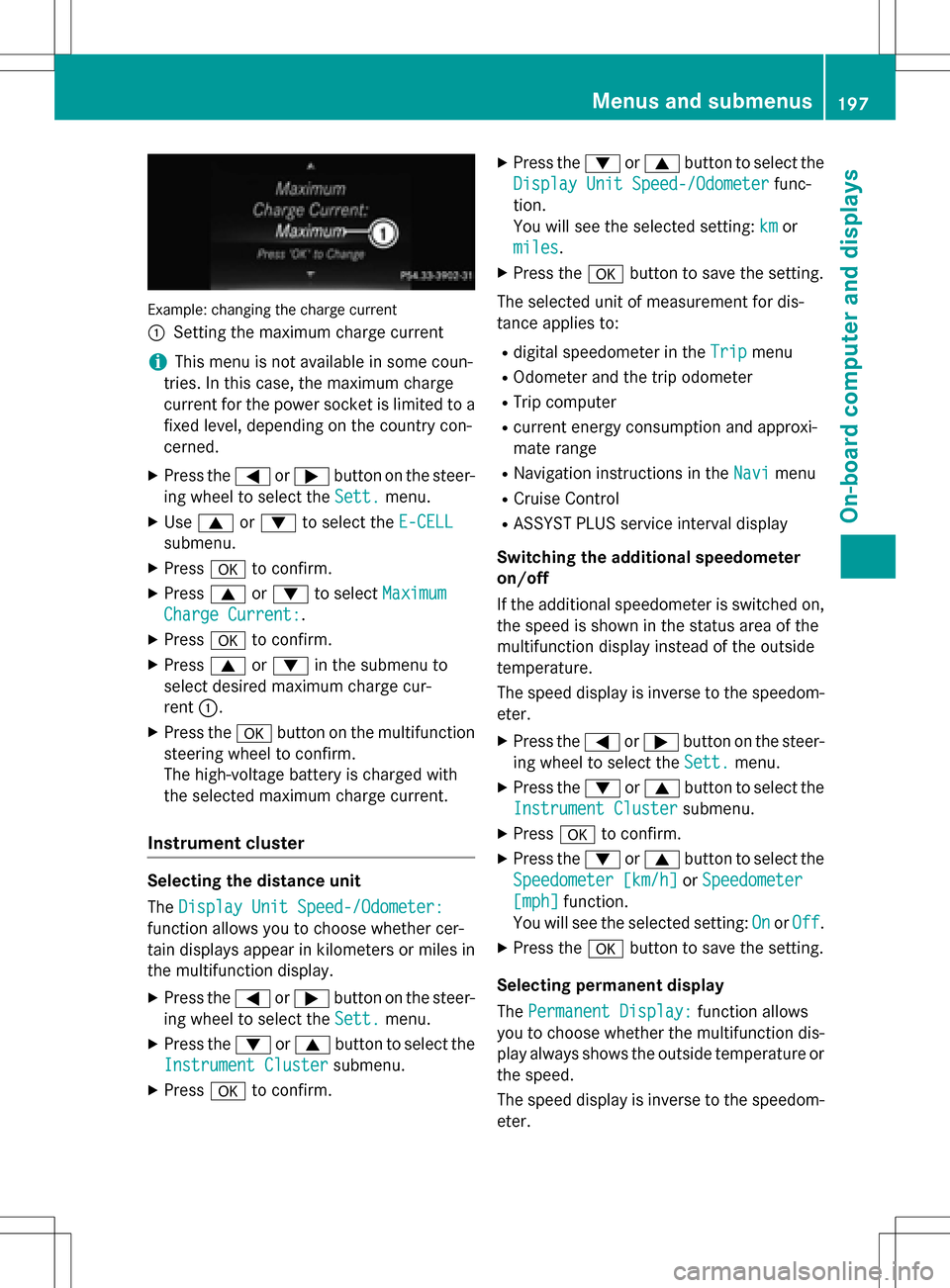
Example: changing the charge current
:
Setting the maximum charge current
iThis menu is not available in some coun-
tries. In this case, the maximum charge
current for the power socket is limited to a
fixed level, depending on the country con-
cerned.
XPress the =or; button on the steer-
ing wheel to select the Sett.
menu.
XUse9 or: to select the E-CELL
submenu.
XPressato confirm.
XPress 9or: to select Maximum
Charge Current:.
XPressato confirm.
XPress 9or: in the submenu to
select desired maximum charge cur-
rent :.
XPress the abutton on the multifunction
steering wheel to confirm.
The high-voltage battery is charged with
the selected maximum charge current.
Instrument cluster
Selecting the distance unit
The Display Unit Speed-/Odometer:
function allows you to choose whether cer-
tain displays appear in kilometers or miles in
the multifunction display.
XPress the =or; button on the steer-
ing wheel to select the Sett.
menu.
XPress the:or9 button to select the
Instrument Cluster
submenu.
XPress ato confirm.
XPress the :or9 button to select the
Display Unit Speed-/Odometer
func-
tion.
You will see the selected setting: km
or
miles
.
XPress the abutton to save the setting.
The selected unit of measurement for dis-
tance applies to:
Rdigital speedometer in the Tripmenu
ROdometer and the trip odometer
RTrip computer
Rcurrent energy consumption and approxi-
mate range
RNavigation instructions in the Navimenu
RCruise Control
RASSYST PLUS service interval display
Switching the additional speedometer
on/off
If the additional speedometer is switched on,
the speed is shown in the status area of the
multifunction display instead of the outside
temperature.
The speed display is inverse to the speedom-
eter.
XPress the =or; button on the steer-
ing wheel to select the Sett.
menu.
XPress the:or9 button to select the
Instrument Cluster
submenu.
XPress ato confirm.
XPress the :or9 button to select the
Speedometer [km/h]
or Speedometer
[mph]function.
You will see the selected setting: On
orOff.
XPress the abutton to save the setting.
Selecting permanent display
The Permanent Display:
function allows
you to choose whether the multifunction dis-
play always shows the outside temperature or
the speed.
The speed display is inverse to the speedom-
eter.
Menus and submenus197
On-board computer and displays
Z
Page 202 of 342
Display messages
Introduction
General notes
Display messages appear in the multifunction display.
Display messages with graphic displays may be shown in simplified form in the Operator's
Manual and may therefore differ from the multifunction display.
Please respond in accordance with the display messages and follow the additional notes in this
Operator's Manual.
Certain display messages are accompanied by an audible warning tone ora continuous tone.
When the ignition is switched off, all display messages are deleted, apart from some high-
priority display messages. Once the causes of the high-priority display messages have been
rectified, th e corresponding display messages are also deleted.
When you stop and park the vehicle, please observe thenote s on:
RHOLD function (Ypage 163)
RParking (Ypage 153)
Hiding display messages
XPress theaor% button on the steering wheel.
The multifunction display hides the display message.
The multifunction display shows high-priority display messages in red. Some high-priority dis-
play messages cannot be hidden.
The multifunction display shows these messages continuously until the causes for the mes-
sages have been remedied.
Message memory
The on-board computer saves certain display messages in the message memory. You can call
up the display messages:
XPress the =or; button on the steering wheel to select theServ.menu.
If there are display messages, the multifunction display shows 2 Messages
,fo r example.
XPress the 9or: button to select the entry, e.g. 2 Messages.
XPressato confirm .
XPress the9or: button to scroll through the display messages.
200Display messages
On-board computer and displays
Page 203 of 342
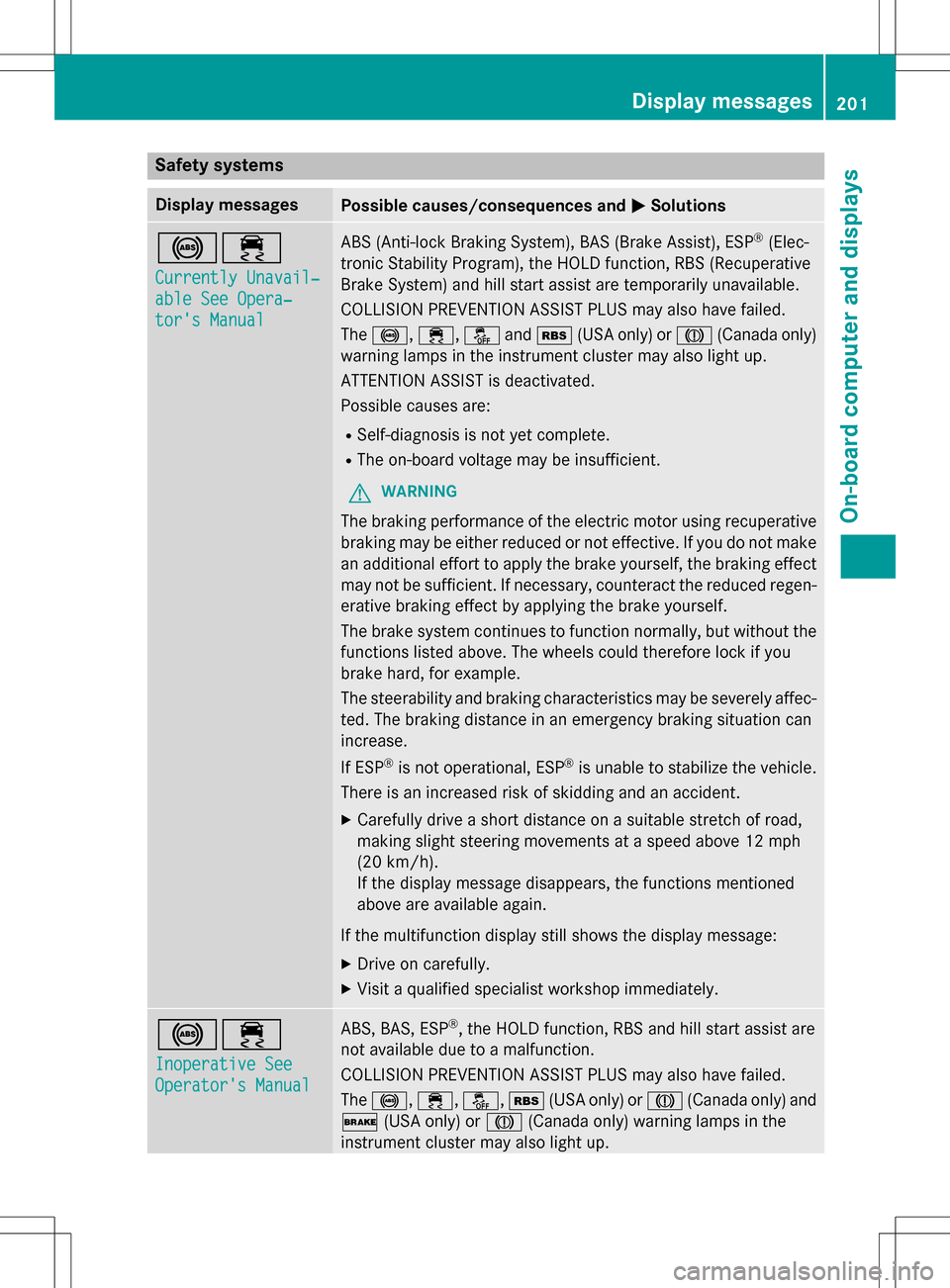
Safety systems
Display messagesPossible causes/consequences andMSolutions
!÷
Currently Unavail‐
able See Opera‐
tor's Manual
ABS (Anti-lock Braking System), BAS (Brake Assist), ESP®(Elec-
tronic Stability Program), the HOLD function, RBS (Recuperative
Brake System) and hill start assist are temporarily unavailable.
COLLISION PREVENTION ASSIST PLUS may also have failed.
The !, ÷,åandé (USA only) or J(Canada only)
warning lamps in the instrument cluster may also light up.
ATTENTION ASSIST is deactivated.
Possible causes are:
RSelf-diagnosis is not yet complete.
RThe on-board voltage may be insufficient.
GWARNING
The braking performance of the electric motor using recuperative
braking may be either reduced or not effective. If you do not make
an additional effort to apply the brake yourself, the braking effect
may not be sufficient. If necessary, counteract the reduced regen-
erative braking effect by applying the brake yourself.
The brake system continues to function normally, but without the
functions listed above. The wheels could therefore lock if you
brake hard, for example.
The steerability and braking characteristics may be severely affec-
ted. The braking distance in an emergency braking situation can
increase.
If ESP
®is not operational, ESP®is unable to stabilize the vehicle.
There is an increased risk of skidding and an accident.
XCarefully drive a short distance on a suitable stretch of road,
making slight steering movements at a speed above 12 mph
(20 km/ h).
If the display message disappears, the functions mentioned
above are available again.
If the multifunction display still shows the display message:
XDrive on carefully.
XVisit a qualified specialist workshop immediately.
!÷
Inoperative See
Operator's Manual
ABS, BAS, ESP®, the HOLD function, RBS and hill start assist are
not available due to a malfunction.
COLLISION PREVENTION ASSIST PLUS may also have failed.
The !, ÷,å, é(USA only) or J(Canada only) and
$ (USA only) or J(Canada only) warning lamps in the
instrument cluster may also light up.
Display messages201
On-board computer and displays
Z
Page 205 of 342
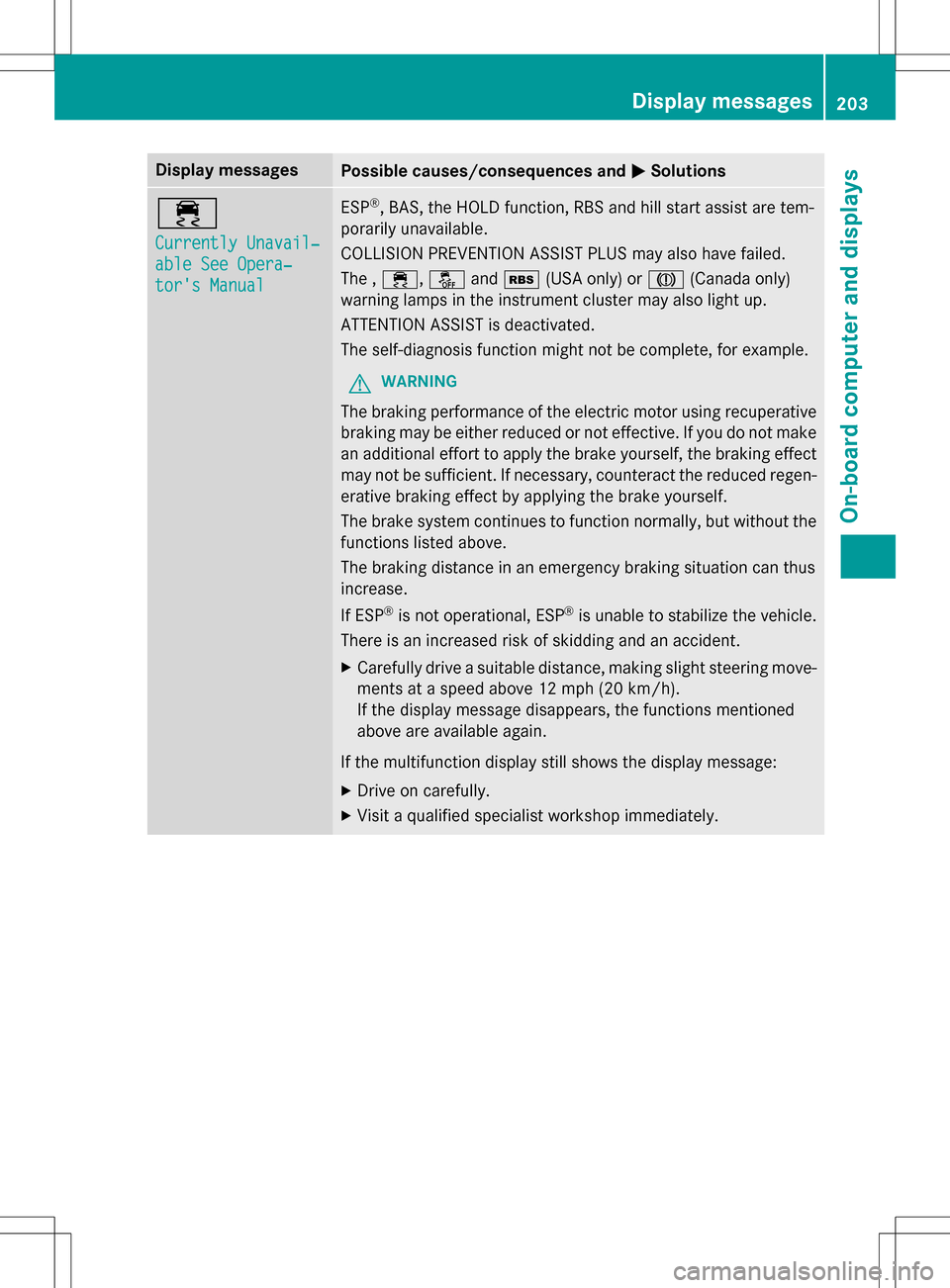
Display messagesPossible causes/consequences andMSolutions
÷
Currently Unavail‐
able See Opera‐
tor's Manual
ESP®,BAS, th eHOLD function, RBS and hill start assist are tem-
porarily unavailable.
COLLISION PREVENTION ASSIST PLUS may also have failed.
The , ÷, åandé (USA only) or J(Canada only)
warning lamps in the instrument cluster may also light up.
ATTENTION ASSIST is deactivated.
The self-diagnosis function might not be complete, for example.
GWARNING
The braking performance of the electric motor using recuperative
braking may be either reduced or not effective. If you do not make
an additional effort to apply the brake yourself, the braking effect
may no t be sufficient. If necessary, counteract the reduced regen-
erative braking effect by applying the brake yourself.
The brake system continues to function normally, but without the
functions listed above.
The braking distance in an emergency braking situation can thus
increase.
If ES P
®is not operational, ESP®is unable to stabilize the vehicle.
There is an increased risk of skidding and an accident.
XCarefully drivea suitable distance, making slight steering move-
ments at a speed above 12 mph (20 km/h).
If th e display message disappears, the functions mentioned
above are available again.
If th emu ltifunction display still shows the display message:
XDrive on carefully.
XVisit a qualified specialist workshop immediately.
Display messages203
On-board computer and displays
Z
Page 223 of 342
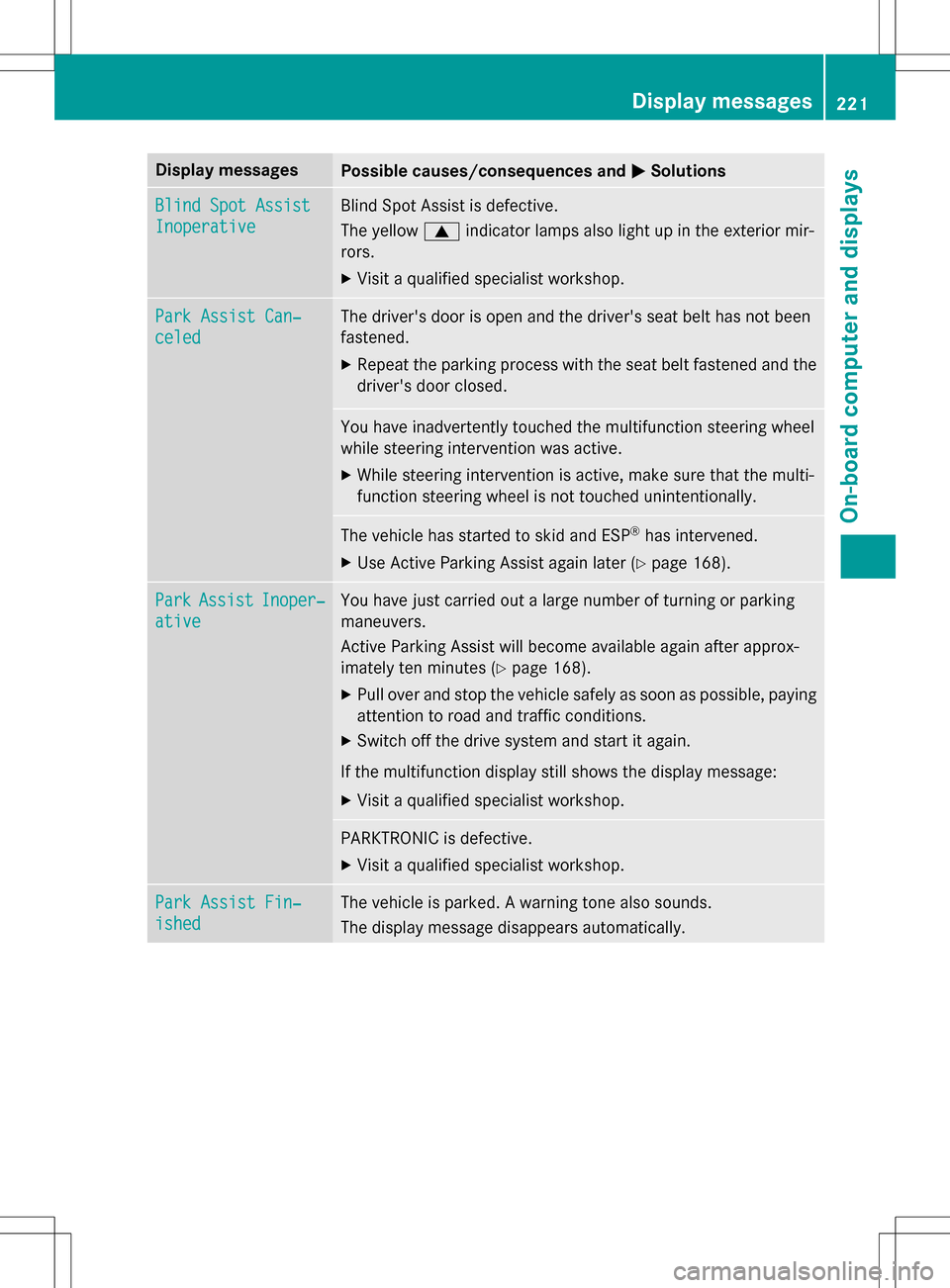
Display messagesPossible causes/consequences andMSolutions
Blind Spot Assist
Inoperative
Blind Spot Assist is defective.
The yellow9indicator lamps also light up in the exterior mir-
rors.
XVisit a qualified specialist workshop.
Park Assist Can‐
celed
The driver's door is open and the driver's seat belt has not been
fastened.
XRepeat the parking process with the seat belt fastened and the
driver's door closed.
You have inadvertently touched the multifunction steering wheel
while steering intervention was active.
XWhile steering intervention is active, make sure that the multi-
function steering wheel is not touched unintentionally.
The vehicle has started to skid and ESP®has intervened.
XUse Active Parking Assist again later (Ypage 168).
ParkAssistInoper‐
ative
You have just carried out a large number of turning or parking
maneuvers.
Active Parking Assist will become available again after approx-
imately ten minute s(
Ypage 168).
XPull over and stop the vehicle safely as soon as possible, paying
attention to road and traffic conditions.
XSwitch offthe drive system and start it again.
If th e multifunction display still shows the display message:
XVisit a qualified specialist workshop.
PARKTRONIC is defective.
XVisit a qualified specialist workshop.
Park Assist Fin‐
ished
The vehicle is parked. A warning tone also sounds.
The display message disappears automatically.
Display messages221
On-board computer and displays
Z
Page 225 of 342
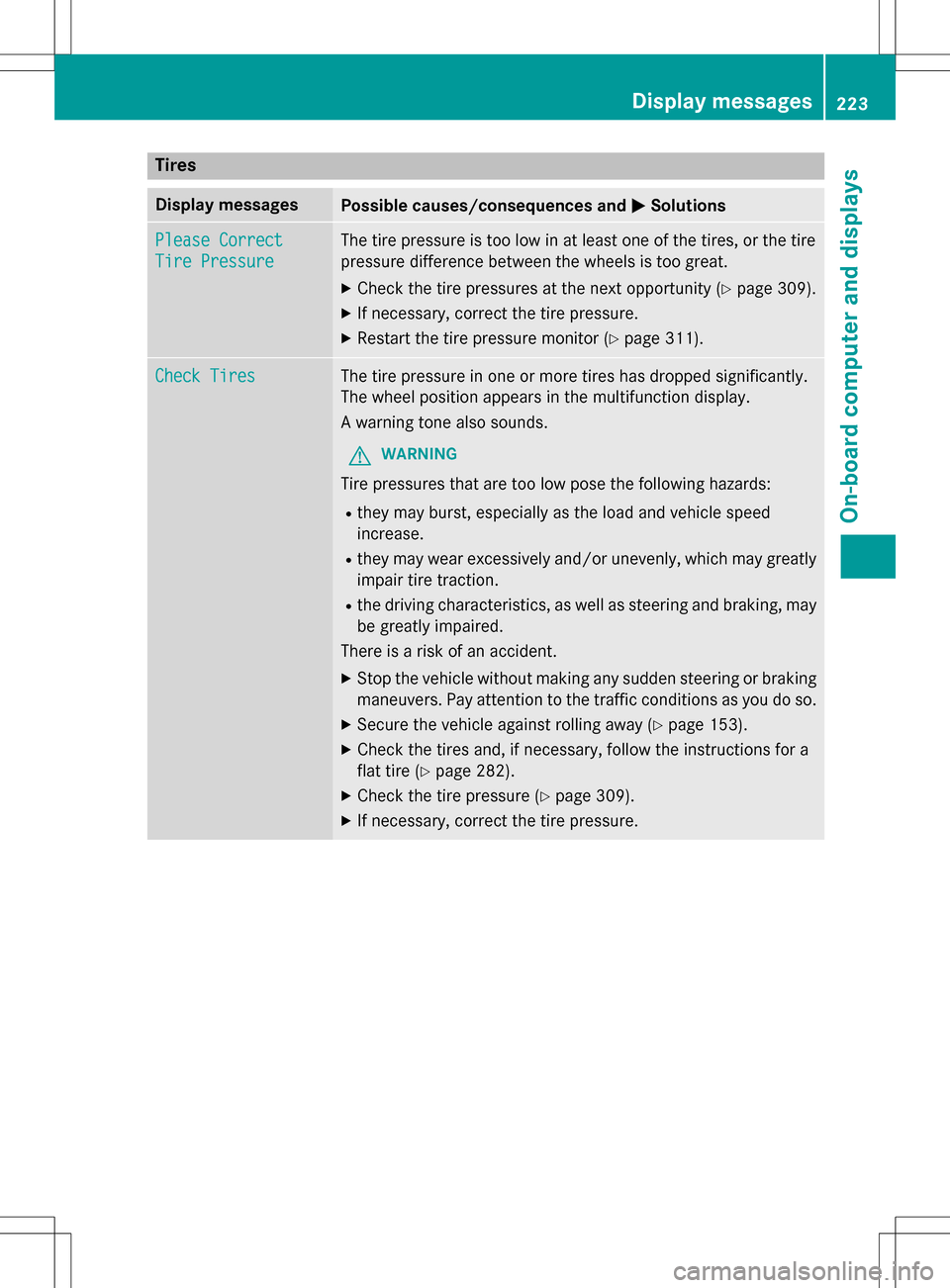
Tires
Display messagesPossible causes/consequences andMSolutions
Please Correct
Tire Pressure
The tire pressure is too low in at least one of the tires, or the tire
pressure difference between the wheels is too great.
XCheck the tire pressures at the next opportunity (Ypage 309).
XIf necessary, correct the tire pressure.
XRestart the tire pressure monitor (Ypage 311).
Check TiresThe tire pressure in one or more tires has dropped significantly.
The wheel position appears in the multifunction display.
A warning tone also sounds.
GWARNING
Tire pressures that are too low pose the following hazards:
Rthey may burst, especially as the load and vehicle speed
increase.
Rthey may wear excessively and/or unevenly, which may greatly
impair tire traction.
Rthe driving characteristics, as well as steering and braking, may
be greatly impaired.
There is a risk of an accident.
XStop the vehicle without making any sudden steering or braking
maneuvers. Pay attention to the traffic conditions as you do so.
XSecure the vehicle against rolling away (Ypage 153).
XCheck the tires and, if necessary, follow the instructions for a
flat tire (
Ypage 282).
XCheck the tire pressure (Ypage 309).
XIf necessary, correct the tire pressure.
Display messages22 3
On-board computer and displays
Z
Page 226 of 342
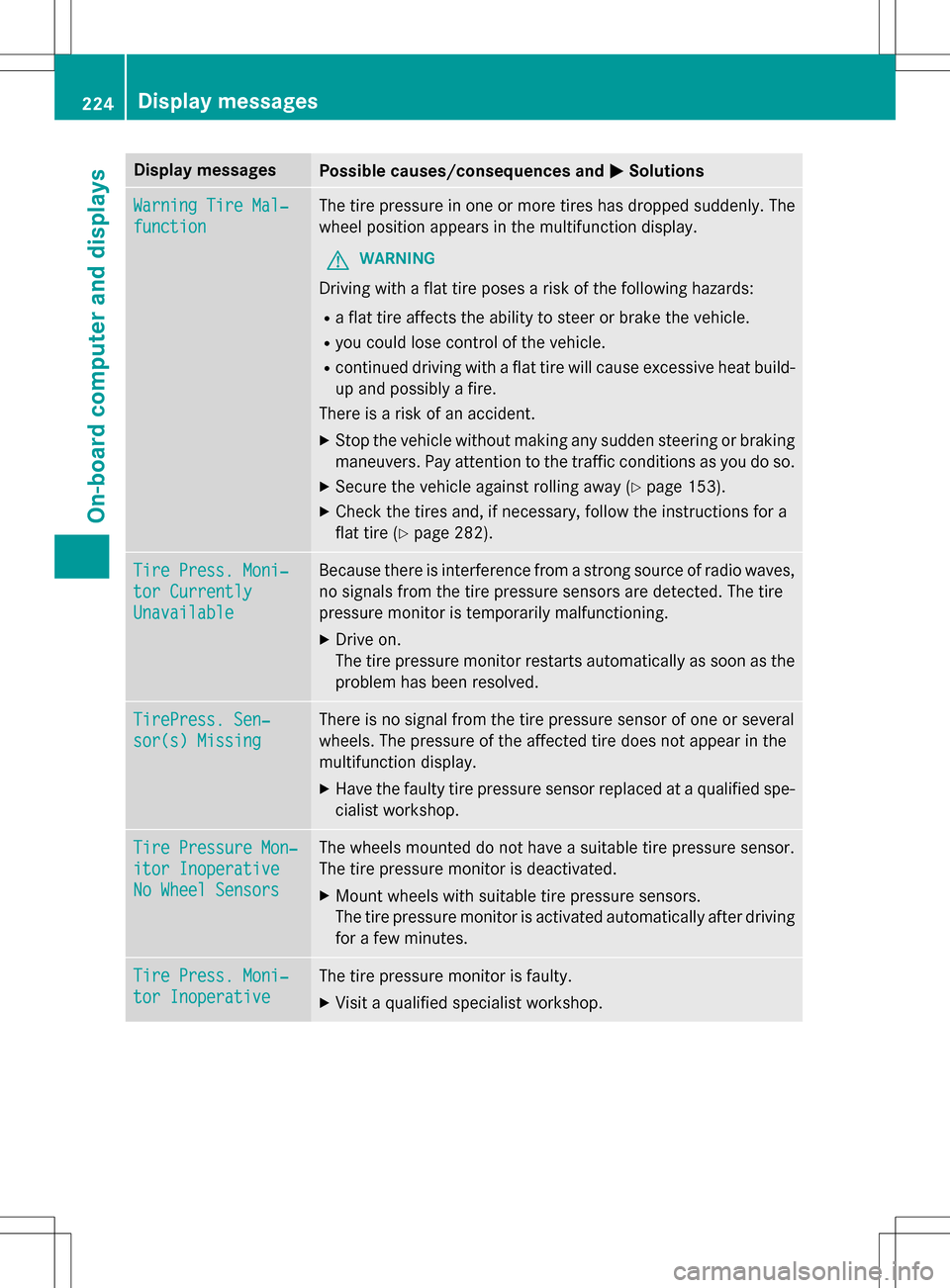
Display messagesPossible causes/consequences andMSolutions
Warning Tire Mal‐
function
The tire pressure in one or more tires has dropped suddenly. The
wheel position appears in the multifunction display.
GWARNING
Driving withaflat tire poses a risk of the following hazards:
Raflat tire affects th e ability to steer or brake the vehicle.
Ryou could lose control of the vehicle.
Rcontinued driving withaflat tire will cause excessive heat build-
up and possibl yafire.
There is a risk of an accident.
XStop th e vehicle without making any sudden steering or braking
maneuvers. Pay attention to the traffic conditions as you do so.
XSecur eth e vehicle against rolling away (Ypage 153).
XCheck thetires and , if necessary, follow the instructions fora
flat tire (
Ypage 282).
Tire Press. Moni‐
tor Currently
Unavailable
Because there is interferenc efrom a strong source of radio waves,
no signals from the tire pressure sensors are detected. The tire
pressure monitor is temporarily malfunctioning.
XDrive on.
The tire pressure monitor restarts automatically as soon as the
problem has been resolved.
TirePress. Sen‐
sor(s) Missing
There is no signal from the tire pressure sensor of one or several
wheels. The pressure of the affected tire does not appear in the
multifunction display.
XHave the faulty tire pressure sensor replaced at a qualified spe-
cialist workshop.
Tire Pressure Mon‐
itor Inoperative
No Wheel Sensors
The wheels mounted do not haveasuitable tire pressure sensor.
The tire pressure monitor is deactivated.
XMount wheels with suitable tire pressure sensors.
The tire pressure monitor is activated automatically after driving
fo rafew minutes.
Tire Press. Moni‐
tor Inoperative
The tire pressure monitor is faulty.
XVisit a qualified specialist workshop.
224Display messages
On-board computer and displays
Page 229 of 342
Display messagesPossible causes/consequences andMSolutions
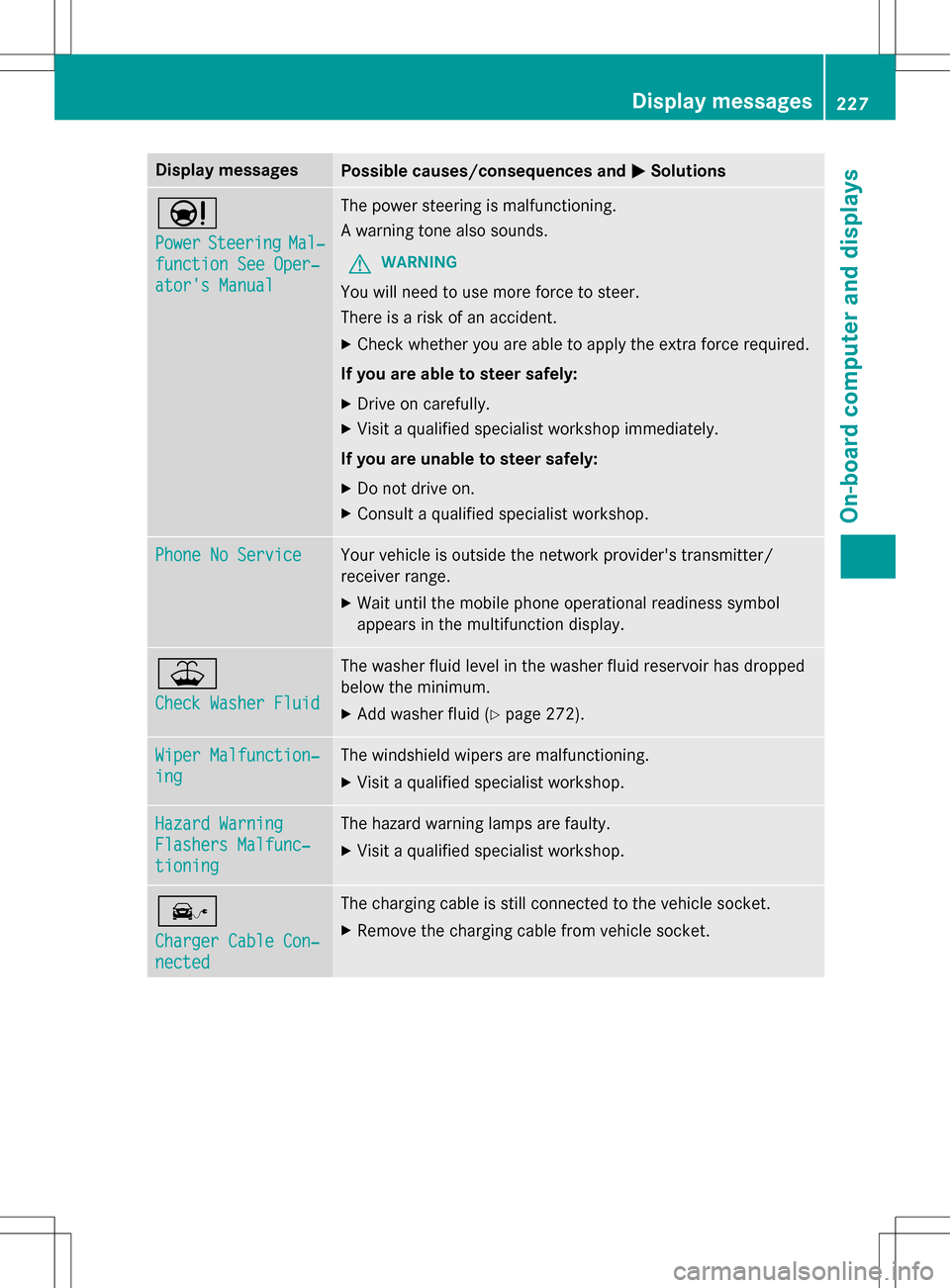
Ð
PowerSteeringMal‐
function See Oper‐
ator's Manual
The power steering is malfunctioning.
A warning tone also sounds.
GWARNING
You will need to use moreforce to steer.
There is a risk of an accident.
XCheck whether you are able to apply the extra force required.
If you are able to steer safely:
XDrive on carefully.
XVisit a qualified specialist workshop immediately.
If you are unable to steer safely:
XDo no t drive on.
XConsult a qualified specialist workshop.
Phone No ServiceYour vehicle is outside the network provider'stransmitter/
receiver range.
XWait until the mobile phone operational readiness symbol
appears in the multifunction display.
¥
Check Washer Fluid
The washer fluid level in the washer fluid reservoir has dropped
below the minimum.
XAd d washer fluid(Ypage 272).
Wiper Malfunction‐
ing
The windshield wipers are malfunctioning.
XVisit a qualified specialist workshop.
Hazard Warning
Flashers Malfunc‐
tioning
The hazard warning lamps are faulty.
XVisit a qualified specialist workshop.
î
Charger Cable Con‐
nected
The charging cable is still connected to the vehicle socket.
XRemove th echargin g cable from vehicle socket.
Display messages227
On-board computer and displays
Z