warning light MERCEDES-BENZ B-CLASS HATCHBACK 2011 Repair Manual
[x] Cancel search | Manufacturer: MERCEDES-BENZ, Model Year: 2011, Model line: B-CLASS HATCHBACK, Model: MERCEDES-BENZ B-CLASS HATCHBACK 2011Pages: 329, PDF Size: 7.91 MB
Page 183 of 329
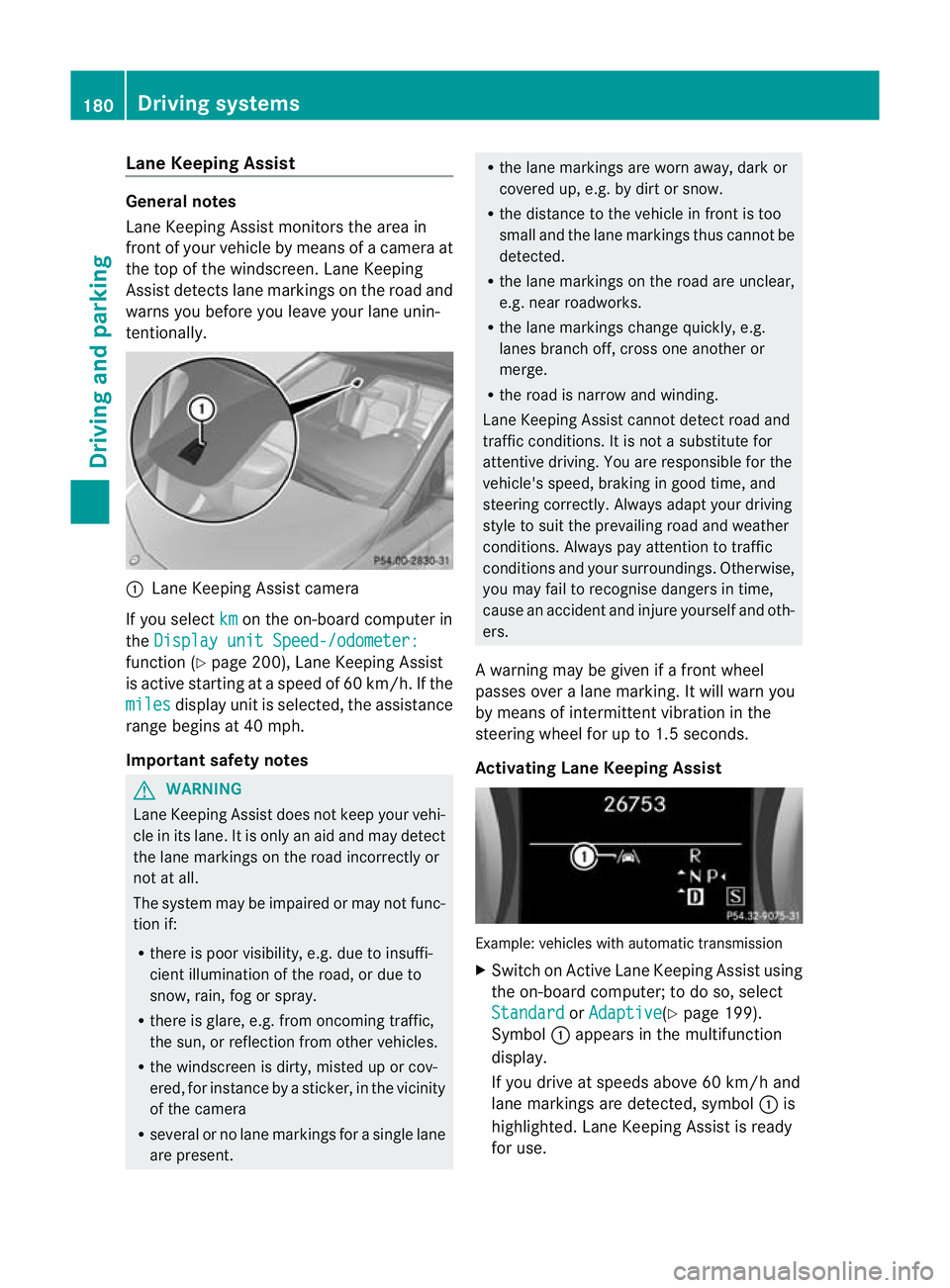
Lane Keeping Assist
General notes
Lane Keeping Assist monitors the area in
fron tofy our vehicle by means of a camera at
the top of the windscreen .Lane Keeping
Assist detects lane markings on the road and
warns you before you leave your lane unin-
tentionally. :
Lane Keeping Assist camera
If you select km on the on-board computer in
the Display unit Speed-/odometer: function (Y
page 200), Lane Keeping Assist
is active starting at aspeed of 60 km/h. If the
miles display unit is selected, the assistance
range begins at 40 mph.
Important safety notes G
WARNING
Lane Keeping Assist does not keep your vehi-
cle in its lane. It is only an aid and may detect
the lane markings on the road incorrectly or
not at all.
The system may be impaired or may not func-
tion if:
R there is poor visibility, e.g. due to insuffi-
cient illumination of the road, or due to
snow, rain, fog or spray.
R there is glare, e.g. from oncoming traffic,
the sun, or reflection from other vehicles.
R the windscreen is dirty, misted up or cov-
ered, for instance by a sticker, in the vicinity
of the camera
R several or no lane markings for a single lane
are present. R
the lane markings are worn away, dark or
covered up, e.g. by dirt or snow.
R the distance to the vehicle in front is too
small and the lane markings thus cannot be
detected.
R the lane markings on the road are unclear,
e.g. near roadworks.
R the lane markings change quickly, e.g.
lanes branch off, cross one another or
merge.
R the road is narrow and winding.
Lane Keeping Assist cannot detect road and
traffic conditions. It is not a substitute for
attentive driving. You are responsible for the
vehicle's speed, braking in good time, and
steering correctly. Always adapt your driving
style to suit the prevailing road and weather
conditions. Always pay attention to traffic
conditions and your surroundings. Otherwise,
you may fail to recognise dangers in time,
cause an acciden tand injure yoursel fand oth-
ers.
A warning may be given if a front wheel
passes ove ralane marking. It will warn you
by means of intermittent vibration in the
steering wheel for up to 1. 5seconds.
Activating Lane Keeping Assist Example: vehicles with automatic transmission
X
Switch on Active Lane Keeping Assist using
the on-board computer; to do so, select
Standard or
Adaptive (Y
page 199).
Symbol :appears in the multifunction
display.
If you drive at speeds above 60 km/h and
lane markings are detected, symbol :is
highlighted. Lane Keeping Assist is ready
for use. 180
Driving systemsDriving and parking
Page 185 of 329
When towing a trailer, always adjust your
speed to the curren
troad and weather con-
ditions. Do not exceed the maximum permis-
sible speed for your vehicle/trailer combina-
tion. G
WARNING
Never depress the brake pedal continuously
while the vehicle is in motion, e.g. never cause
the brakes to rub by applying constant slight
pedal pressure. This causes the brake system
to overheat, increases the braking distance
and can lead to the brakes failing completely. G
WARNING
On no account should you attempt to draw the
vehicle/trailer combination out by increasing
speed. G
WARNING
If you exceed the maximum noseweight when
using a carrier system on the ball coupling:
R the carrier system may be thrown around.
R the ball coupling and the carrier system
may become detached from the vehicle.
As a result, you may injure others or cause an
accident.
Do not exceed the maximum noseweight.
When driving with a loaded carrier system,
always adjust your driving style to the prevail-
ing road, traffic and weather conditions and
drive particularly carefully.
You can use carrier systems, e.g. bicycle
racks or load-bearing implements, on the ball
coupling. The maximum noseweight of 75kg
applies when using carrier systems on the ball
coupling.
General notes !
Use a drawbar noseweight as close as
possible to the maximum permissible nose-
weight. Do not use a noseweight of less
than 50kg, otherwise the trailer may come
loose. Note that the payload and the rear axle load
are reduced by the actual payload.
X When towing a trailer, set the tyre pressure
on the rear axle of the towing vehicle for a
maximum load; see the tyre pressure table
in the fuel filler flap (Y page 295).
You will find installation dimensions and loads
in the "Technical data" section
(Y page 318).
The maximum noseweight of the trailer draw-
bar on the ball coupling is 75 kg. The actual
noseweight may however not be higher than
the value which is given on the trailer tow
hitch or trailer identification plates. The low-
est weight applies.
Please note that when towing a trailer, PARK-
TRONIC (Y page 163) and Blind Spot Assist
(Y page 177) are only available with limita-
tions, or not at all.
i The height of the ball coupling changes
with the load of the vehicle. If necessary,
use a trailer with a height-adjustable draw-
bar.
Driving tips i
Observe the notes on ESP ®
trailer stabi-
lisation (Y page 67).
The maximum permissible speed for vehicle/
trailer combinations depends on the type of
trailer. Before beginning the journey, check
the trailer's documents to see what the max-
imum permitted speed is. Observe the legally
prescribed maximum speed in the relevant
country.
For certain Mercedes-Benz vehicles, the max-
imum permissible rear axle load is increased
when towing a trailer. Refer to the "Technical
data" section to find out whether this applies
to your vehicle. If you utilise any of the added
maximum rear axle load when towing a trailer,
the vehicle/trailer combination may not
exceed a maximum speed of 100 km/h for
reasons concerning the operating permit.
This also applies in countries in which the 182
Towing
atrailerDriving an d parking
Page 187 of 329
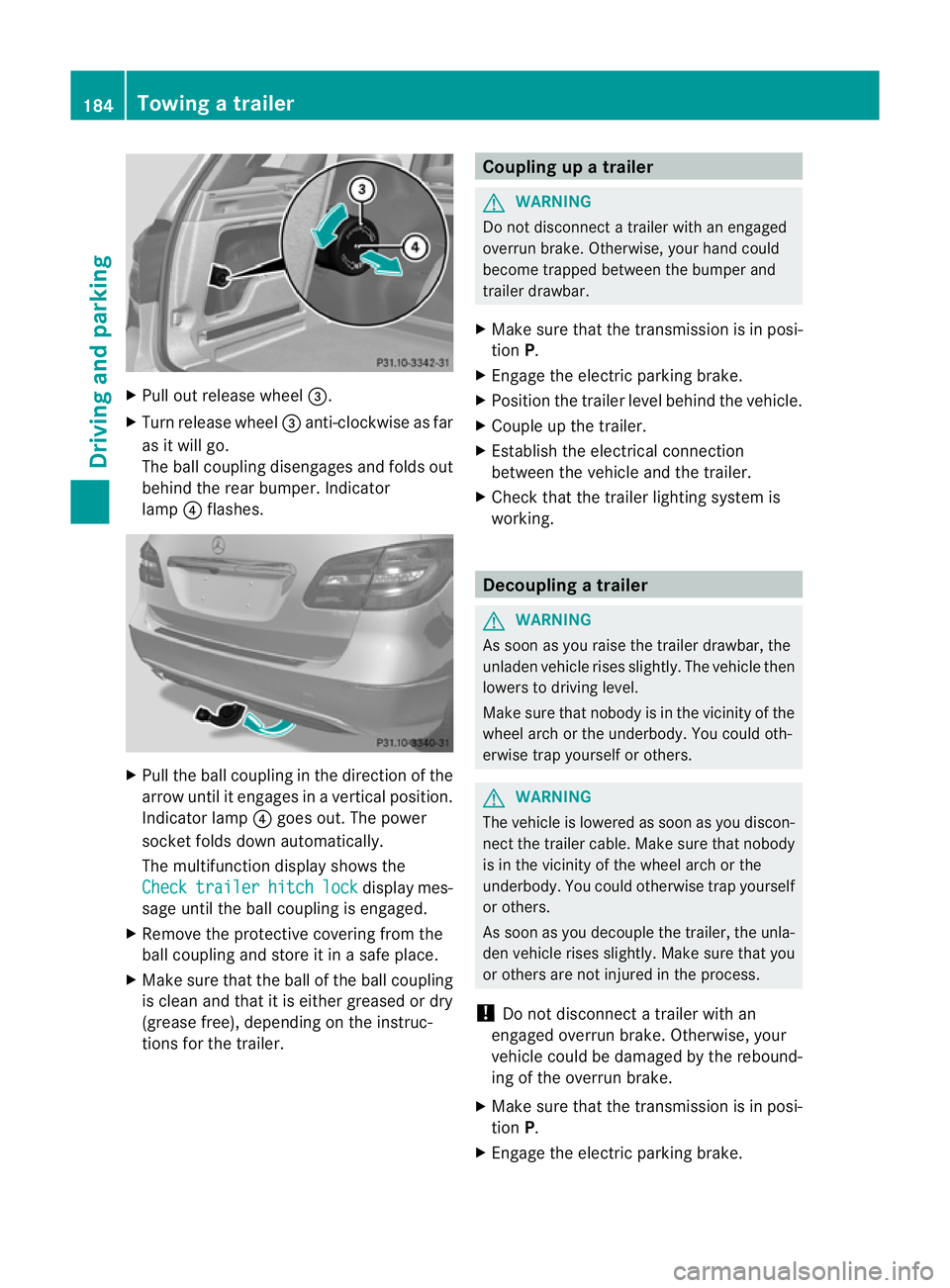
X
Pull out release wheel =.
X Turn release wheel =anti-clockwise as far
as it will go.
The ball coupling disengages and folds out
behind the rear bumper. Indicator
lamp ?flashes. X
Pull the ball coupling in the direction of the
arrow until it engages in a vertical position.
Indicator lamp ?goes out. The power
socket folds down automatically.
The multifunction display shows the
Check trailer hitch lock display mes-
sage until the ball coupling is engaged.
X Remove the protective covering from the
ball coupling and store it in a safe place.
X Make sure that the ball of the ball coupling
is clean and that it is either greased or dry
(grease free), depending on the instruc-
tions for the trailer. Coupling up a trailer
G
WARNING
Do not disconnect a trailer with an engaged
overrun brake. Otherwise, your hand could
become trapped between the bumper and
trailer drawbar.
X Make sure that the transmission is in posi-
tion P.
X Engage the electric parking brake.
X Position the trailer level behind the vehicle.
X Couple up the trailer.
X Establish the electrical connection
between the vehicle and the trailer.
X Check that the trailer lighting system is
working. Decoupling
atrailer G
WARNING
As soon as you raise the trailer drawbar, the
unladen vehicle rises slightly. The vehicle then
lowers to driving level.
Make sure tha tnobody is in the vicinity of the
wheel arch or the underbody. You could oth-
erwise trap yourself or others. G
WARNING
The vehicle is lowered as soon as you discon-
nect the trailer cable. Make sure that nobody
is in the vicinity of the wheel arch or the
underbody. You could otherwise trap yourself
or others.
As soon as you decouple the trailer, the unla-
den vehicle rises slightly. Make sure that you
or others are not injured in the process.
! Do not disconnect a trailer with an
engaged overrun brake. Otherwise, your
vehicle could be damaged by the rebound-
ing of the overrun brake.
X Make sure that the transmission is in posi-
tion P.
X Engage the electric parking brake. 184
Towing
atrailerDriving an d parking
Page 195 of 329
Menus and submenus
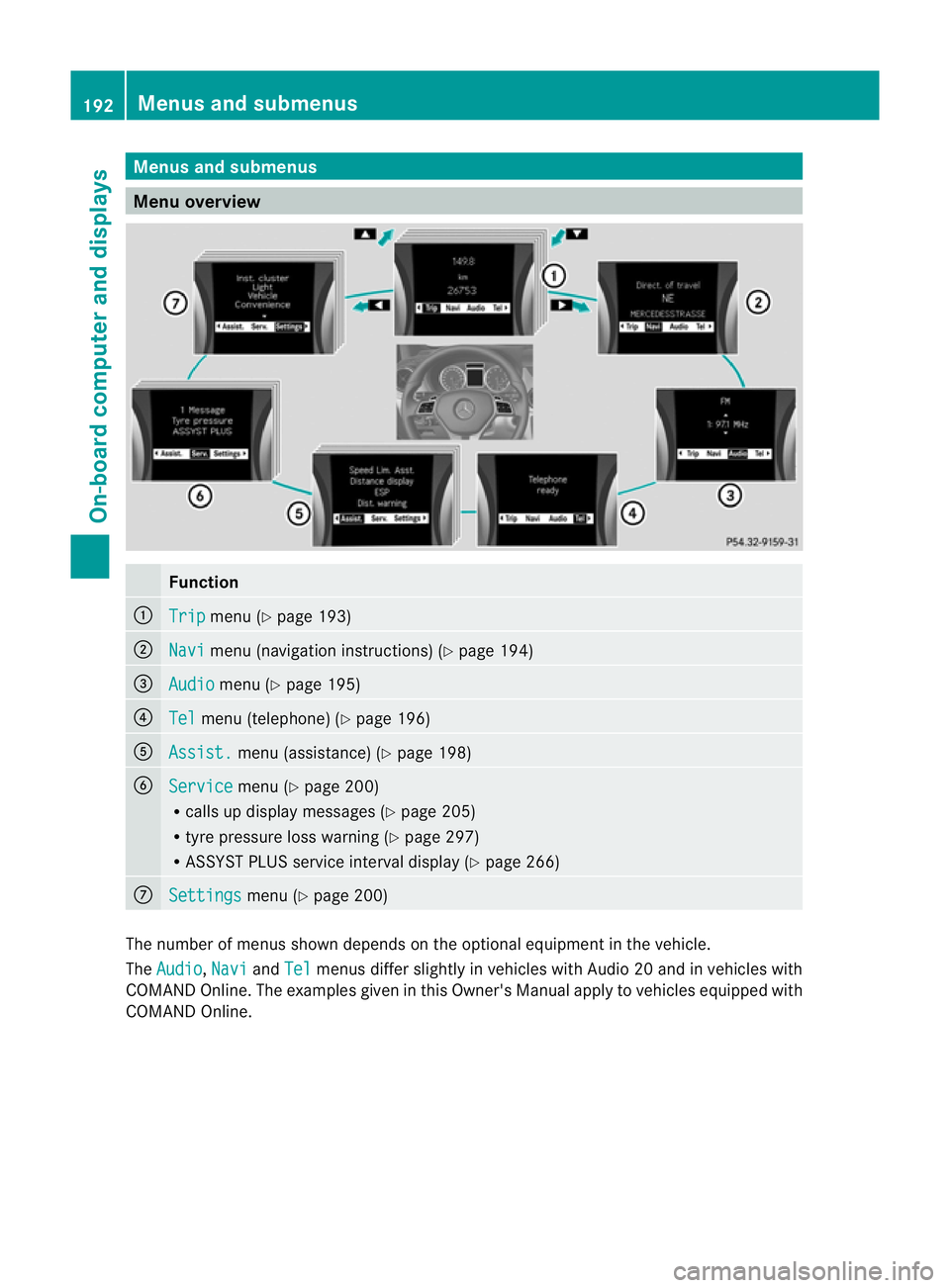
Menu overview
Function
:
Trip menu (Y
page 193) ;
Navi menu (navigatio
ninstructions) (Y page 194) =
Audio menu (Y
page 195) ?
Tel menu (telephone) (Y
page 196)A
Assist. menu (assistance) (Y
page 198)B
Service menu (Y
page 200)
R calls up display messages (Y page 205)
R tyre pressure loss warning (Y page 297)
R ASSYST PLUS service interval display (Y page 266)C
Settings menu (Y
page 200) The numbe
rofmenus shown depends on the optional equipment in the vehicle.
The Audio ,
Navi and
Tel menus differ slightly in vehicles with Audio 20 and in vehicles with
COMAND Online. The examples given in this Owner's Manual apply to vehicles equipped with
COMAND Online. 192
Menus and submenusOn-board computer and displays
Page 202 of 329
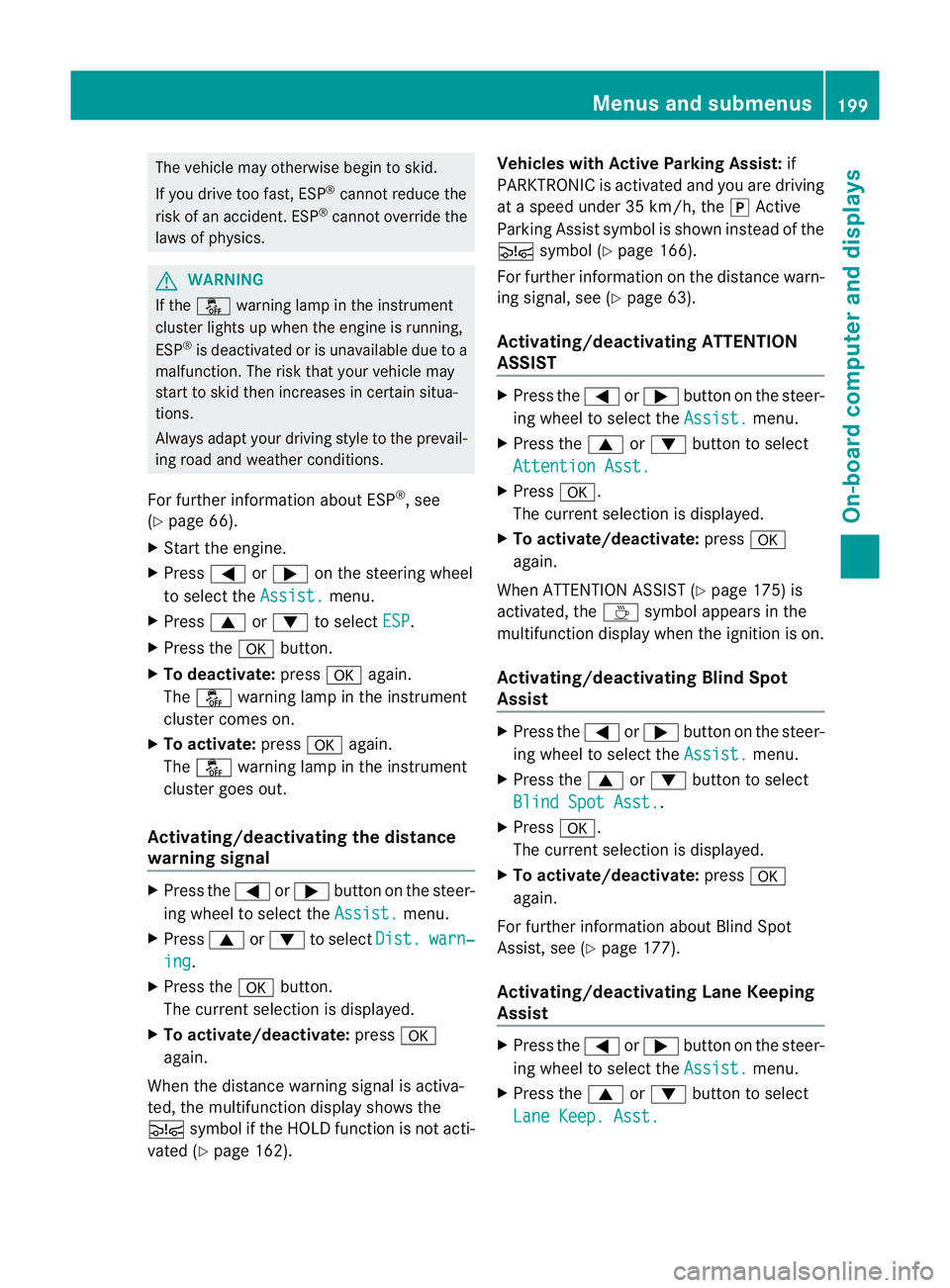
The vehicle may otherwise begin to skid.
If you drive too fast, ESP ®
cannot reduce the
risk of an accident. ESP ®
cannot override the
laws of physics. G
WARNING
If the å warning lamp in the instrument
cluster lights up when the engine is running,
ESP ®
is deactivated or is unavailable due to a
malfunction. The risk that your vehicle may
start to skid then increases in certain situa-
tions.
Always adapt your driving style to the prevail-
ing road and weather conditions.
For further information about ESP ®
, see
(Y page 66).
X Start the engine.
X Press =or; on the steering wheel
to select the Assist. menu.
X Press 9or: to select ESP .
X Press the abutton.
X To deactivate: pressaagain.
The å warning lamp in the instrument
cluster comes on.
X To activate: pressaagain.
The å warning lamp in the instrument
cluster goes out.
Activating/deactivating the distance
warning signal X
Press the =or; button on the steer-
ing wheel to select the Assist. menu.
X Press 9or: to select Dist. warn‐
ing .
X Press the abutton.
The curren tselection is displayed.
X To activate/deactivate: pressa
again.
When the distance warning signal is activa-
ted, the multifunction display shows the
Ä symbol if the HOLD function is not acti-
vated (Y page 162). Vehicles with Active Parking Assist:
if
PARKTRONIC is activated and you are driving
at a speed under 35 km/h, the jActive
Parking Assist symbol is shown instead of the
Ä symbol ( Ypage 166).
For further information on the distance warn-
ing signal, see (Y page 63).
Activating/deactivating ATTENTION
ASSIST X
Press the =or; button on the steer-
ing wheel to select the Assist. menu.
X Press the 9or: button to select
Attention Asst. X
Press a.
The curren tselection is displayed.
X To activate/deactivate: pressa
again.
When ATTENTION ASSIST( Ypage 175) is
activated, the Àsymbol appears in the
multifunction display when the ignition is on.
Activating/deactivating Blind Spot
Assist X
Press the =or; button on the steer-
ing wheel to select the Assist. menu.
X Press the 9or: button to select
Blind Spot Asst. .
X Press a.
The curren tselection is displayed.
X To activate/deactivate: pressa
again.
For further information about Blind Spot
Assist, see (Y page 177).
Activating/deactivating Lane Keeping
Assist X
Press the =or; button on the steer-
ing wheel to select the Assist. menu.
X Press the 9or: button to select
Lane Keep. Asst. Menus and submenus
199On-board computer and displays Z
Page 203 of 329
X
Press a.
The curren tselection is displayed.
X Press the abutton to confirm.
X Press :or9 to set Off ,
Standard or
Adaptive .
X Press the abutton to save the setting.
If Lane Keeping Assist is activated
(Y page 180)a nd the ignition is switched on,
the à symbol appears in the multifunction
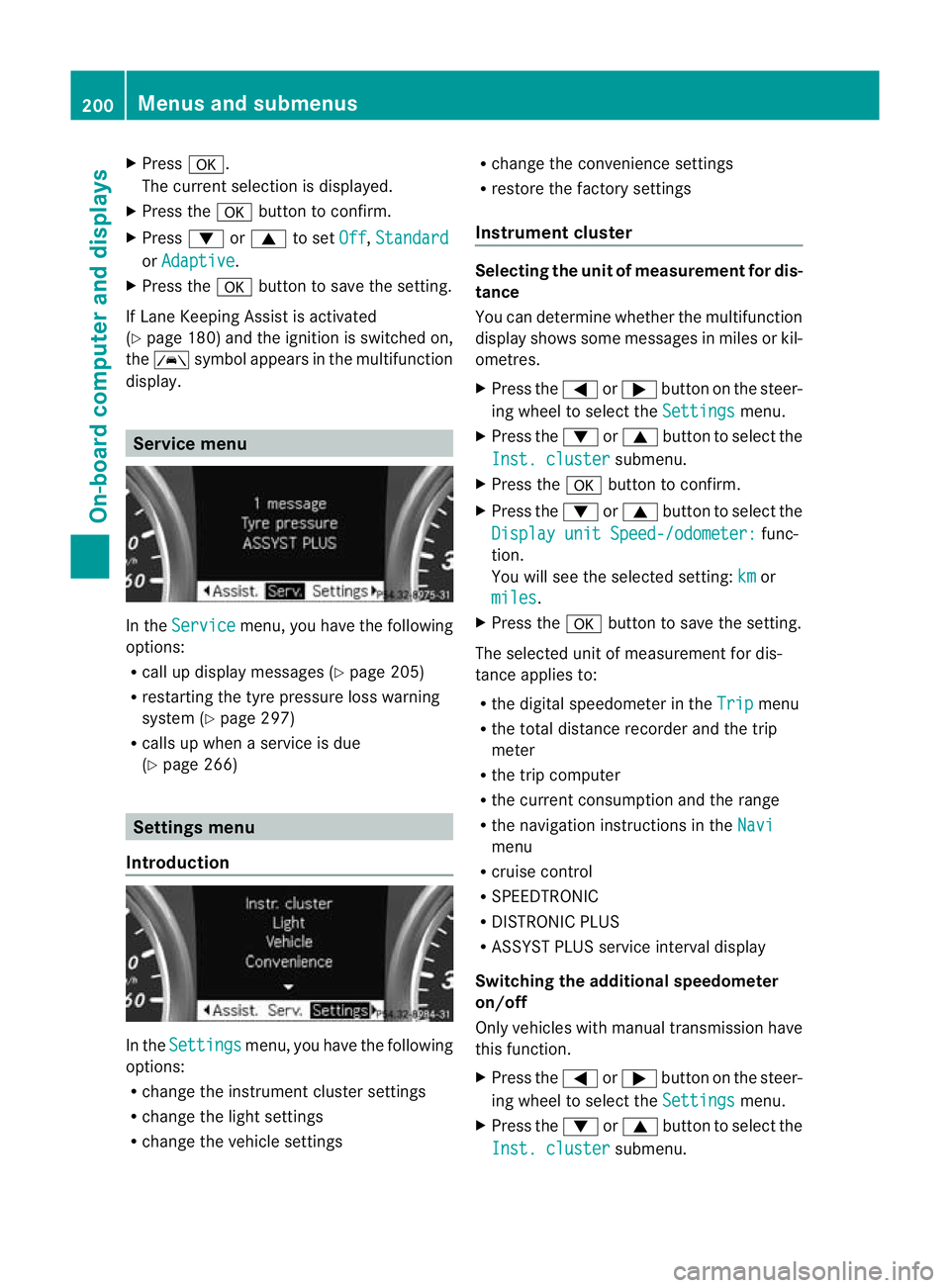
display. Service menu
In the
Service menu, you have the following
options:
R call up display messages (Y page 205)
R restarting the tyre pressure loss warning
system (Y page 297)
R calls up when a service is due
(Y page 266) Settings menu
Introduction In the
Settings menu, you have the following
options:
R change the instrument cluster settings
R change the light settings
R change the vehicle settings R
change the convenience settings
R restore the factory settings
Instrument cluster Selecting the uni
tofmeasurement for dis-
tance
You can determine whether the multifunction
display shows some messages in miles or kil-
ometres.
X Press the =or; button on the steer-
ing wheel to selec tthe Settings menu.
X Press the :or9 button to select the
Inst. cluster submenu.
X Press the abutton to confirm.
X Press the :or9 button to select the
Display unit Speed-/odometer: func-
tion.
You will see the selected setting: km or
miles .
X Press the abutton to save the setting.
The selected unit of measurement for dis-
tance applies to:
R the digital speedometer in the Trip menu
R the total distance recorder and the trip
meter
R the trip computer
R the current consumption and the range
R the navigation instructions in the Navi menu
R cruise control
R SPEEDTRONIC
R DISTRONIC PLUS
R ASSYST PLUS service interval display
Switching the additional speedometer
on/off
Only vehicles with manual transmission have
this function.
X Press the =or; button on the steer-
ing wheel to select the Settings menu.
X Press the :or9 button to select the
Inst. cluster submenu.200
Menus and submenusOn-board computer and displays
Page 209 of 329
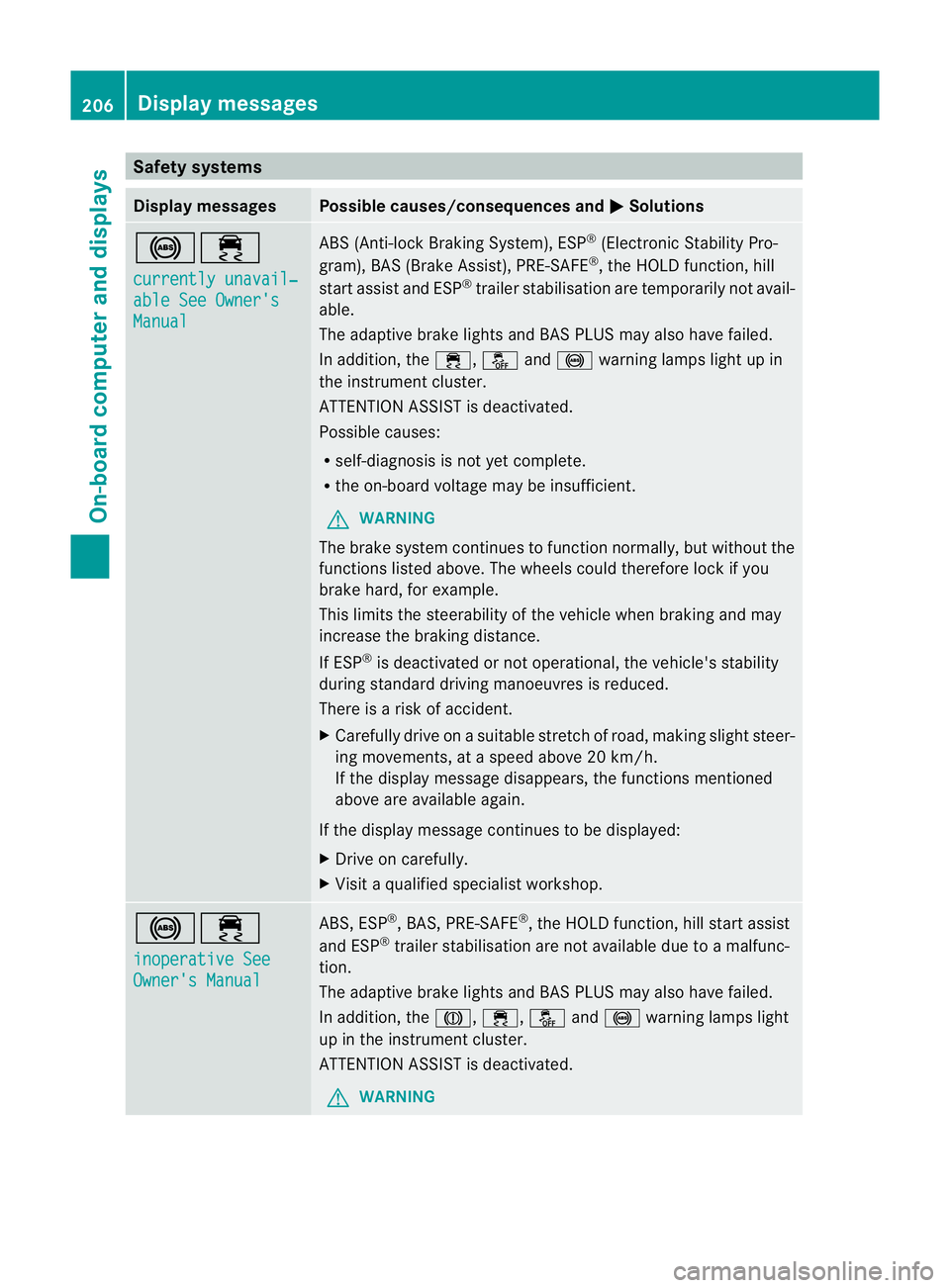
Safety systems
Display messages Possible causes/consequences and
M Solutions
!÷
currently unavail‐
able See Owner's
Manual ABS (Anti-lock Braking System), ESP
®
(Electronic Stability Pro-
gram), BAS (Brake Assist), PRE-SAFE ®
, the HOLD function, hill
start assist and ESP ®
trailer stabilisation are temporarily not avail-
able.
The adaptive brake lights and BAS PLUS may also have failed.
In addition, the ÷,åand! warning lamps light up in
the instrument cluster.
ATTENTION ASSIST is deactivated.
Possible causes:
R self-diagnosis is not yet complete.
R the on-board voltage may be insufficient.
G WARNING
The brake system continues to function normally, but without the
functions listed above. The wheels could therefore lock if you
brake hard, for example.
This limits the steerability of the vehicle when braking and may
increase the braking distance.
If ESP ®
is deactivated or not operational, the vehicle's stability
during standard driving manoeuvres is reduced.
There is a risk of accident.
X Carefully drive on a suitable stretch of road, making slight steer-
ing movements, at a speed above 20 km/h.
If the display message disappears, the functions mentioned
above are available again.
If the display message continues to be displayed:
X Drive on carefully.
X Visit a qualified specialist workshop. !÷
inoperative See
Owner's Manual ABS, ESP
®
, BAS, PRE-SAFE ®
, the HOLD function, hill start assist
and ESP ®
trailer stabilisation are not available due to a malfunc-
tion.
The adaptive brake lights and BAS PLUS may also have failed.
In addition, the J,÷,åand! warning lamps light
up in the instrument cluster.
ATTENTION ASSIST is deactivated.
G WARNING 206
Display messagesOn-board computer and displays
Page 210 of 329
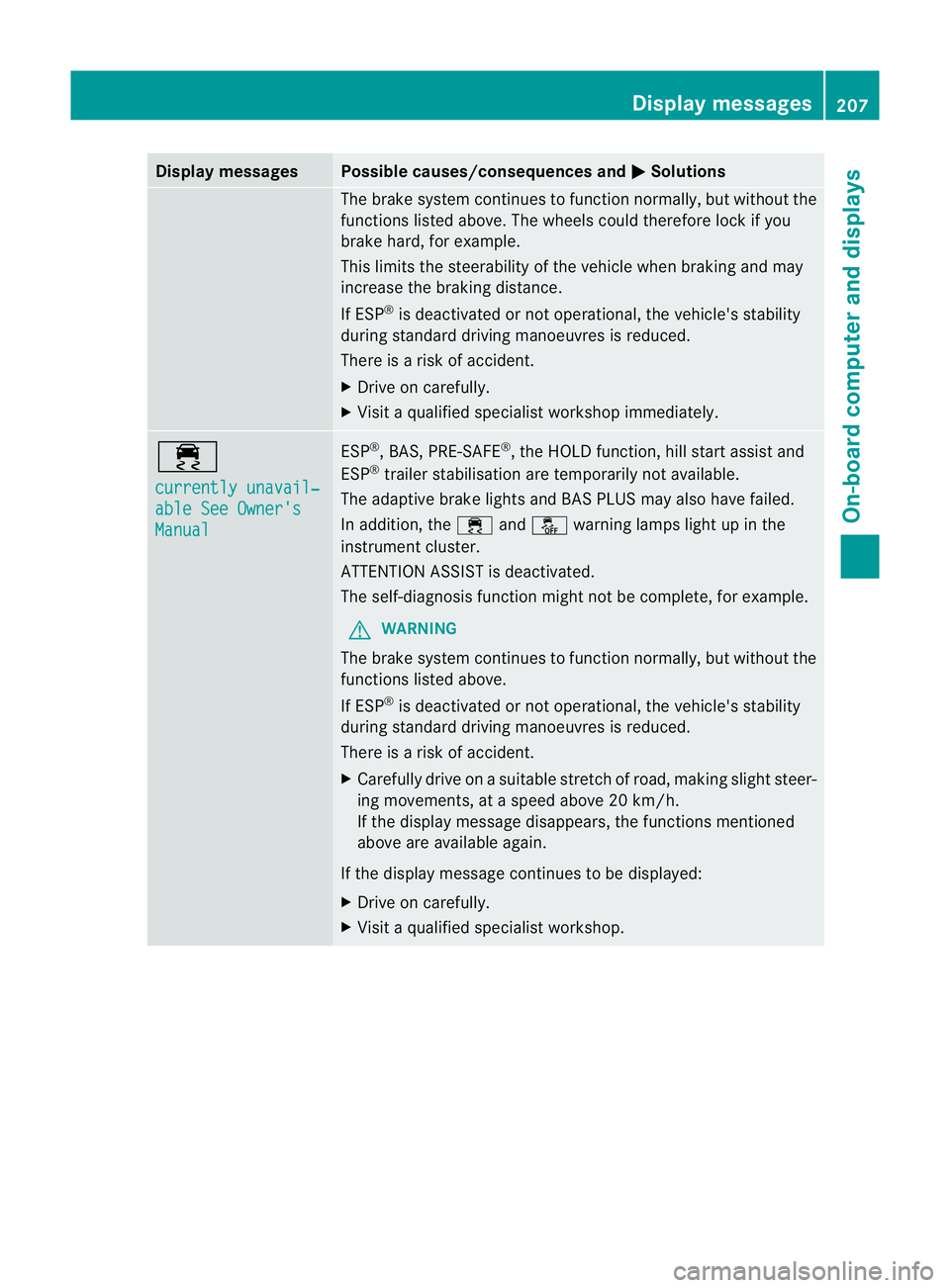
Display messages Possible causes/consequences and
M Solutions
The brake system continues to function normally, but without the
functions listed above. The wheels could therefore loc kifyou
brake hard, for example.
This limits the steerability of the vehicle when braking and may
increase the braking distance.
If ESP ®
is deactivated or not operational, the vehicle's stability
during standard driving manoeuvres is reduced.
There is a risk of accident.
X Drive on carefully.
X Visit a qualified specialist workshop immediately. ÷
currently unavail‐
able See Owner's
Manual ESP
®
, BAS, PRE-SAFE ®
, the HOLD function, hill start assist and
ESP ®
trailer stabilisation are temporarily not available.
The adaptive brake lights and BAS PLUS may also have failed.
In addition, the ÷andå warning lamps light up in the
instrument cluster.
ATTENTION ASSIST is deactivated.
The self-diagnosis function might not be complete, for example.
G WARNING
The brake system continues to function normally, but without the
functions listed above.
If ESP ®
is deactivated or not operational, the vehicle's stability
during standard driving manoeuvres is reduced.
There is a risk of accident.
X Carefully drive on a suitable stretch of road, making slight steer-
ing movements, at a speed above 20 km/h.
If the display message disappears, the functions mentioned
above are available again.
If the display message continues to be displayed:
X Drive on carefully.
X Visit a qualified specialist workshop. Display messages
207On-board computer and displays Z
Page 211 of 329
Display messages Possible causes/consequences and
M Solutions
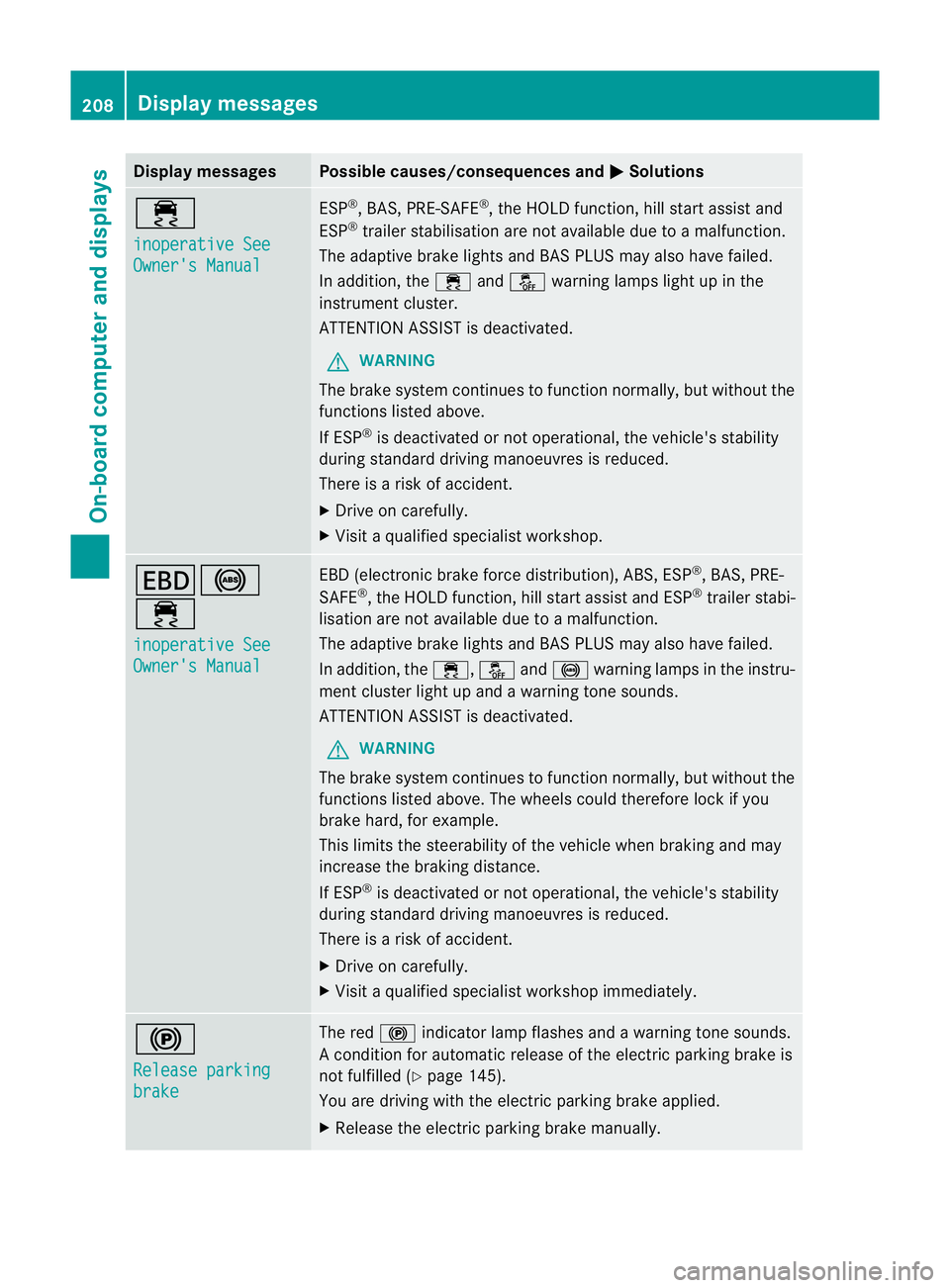
÷
inoperative See
Owner's Manual ESP
®
, BAS, PRE-SAFE ®
, the HOLD function, hill start assist and
ESP ®
trailer stabilisation are no tavailable due to a malfunction.
The adaptive brake lights and BAS PLUS may also have failed.
In addition, the ÷andå warning lamps light up in the
instrument cluster.
ATTENTION ASSIST is deactivated.
G WARNING
The brake system continues to function normally, but without the
functions listed above.
If ESP ®
is deactivated or not operational, the vehicle's stability
during standard driving manoeuvres is reduced.
There is a risk of accident.
X Drive on carefully.
X Visi taqualified specialist workshop. T!
÷
inoperative See
Owner's Manual EBD (electronic brake force distribution), ABS, ESP
®
, BAS, PRE-
SAFE ®
, the HOLD function ,hill start assist and ESP ®
trailer stabi-
lisatio nare not available due to a malfunction.
The adaptive brake lights and BAS PLUS may also have failed.
In addition, the ÷,åand! warning lamps in the instru-
ment cluster light up and a warning tone sounds.
ATTENTION ASSIST is deactivated.
G WARNING
The brake system continues to function normally, but withou tthe
functions listed above. The wheels could therefore lock if you
brake hard, for example.
This limits the steerability of the vehicle when braking and may
increase the braking distance.
If ESP ®
is deactivated or not operational, the vehicle's stability
during standard driving manoeuvres is reduced.
There is a risk of accident.
X Drive on carefully.
X Visit a qualified specialist workshop immediately. !
Release parking
brake The red
!indicator lamp flashes and a warning tone sounds.
A condition for automatic release of the electric parking brake is
not fulfilled (Y page 145).
You are driving with the electric parking brake applied.
X Release the electric parking brake manually. 208
Display messagesOn-board computer and displays
Page 212 of 329
Display messages Possible causes/consequences and
M Solutions
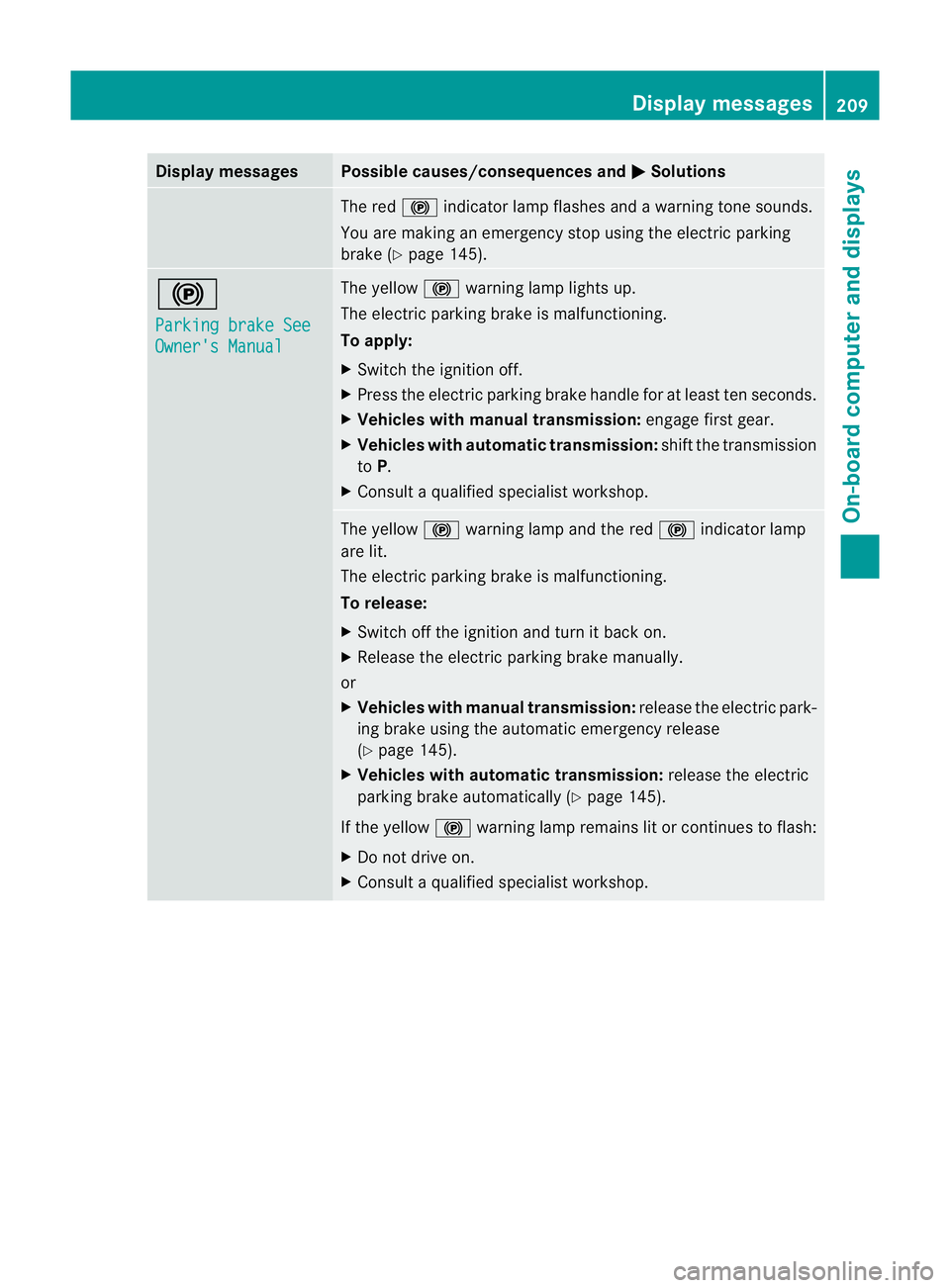
The red
!indicato rlamp flashes and a warning tone sounds.
You are making an emergency stop using the electric parking
brake (Y page 145). !
Parking brake See
Owner's Manual The yellow
!warning lamp lights up.
The electric parking brake is malfunctioning.
To apply:
X Switch the ignition off.
X Press the electric parking brake handle for at least te nseconds.
X Vehicles with manual transmission: engage first gear.
X Vehicles with automatic transmission: shift the transmission
to P.
X Consult a qualified specialist workshop. The yellow
!warning lamp and the red !indicator lamp
are lit.
The electric parking brake is malfunctioning.
To release:
X Switch off the ignition and turn it back on.
X Release the electric parking brake manually.
or
X Vehicles with manual transmission: release the electric park-
ing brake using the automatic emergency release
(Y page 145).
X Vehicles with automatic transmission: release the electric
parking brake automatically ( Ypage 145).
If the yellow !warning lamp remains lit or continues to flash:
X Do not drive on.
X Consult a qualified specialist workshop. Display messages
209On-board computer and displays Z