interior lights MERCEDES-BENZ B-CLASS HATCHBACK 2015 User Guide
[x] Cancel search | Manufacturer: MERCEDES-BENZ, Model Year: 2015, Model line: B-CLASS HATCHBACK, Model: MERCEDES-BENZ B-CLASS HATCHBACK 2015Pages: 293, PDF Size: 10.83 MB
Page 125 of 293
With active "Pre-entry climate control at depar-
ture time" the charge status of the high-voltage
battery can be reduced, even if the charge cable connector is connected.
In certain situations, the desired interior tem-
perature cannot be reached.
When the vehicle is cooled, the following func-
tions are activated as necessary:
R Automatic climate control
R cooling with air dehumidification
R blower
When the vehicle is heated, the following func-
tions are activated as necessary:
R Automatic climate control
R Blower
R Seat heating
R Windscreen heating
R Rear window heating
"Immediate pre-entry climate control" is auto-
matically switched off when operational readi-
ness mode is requested.
Setting the departure time You can set a departure time for the "Pre-entry
climate control at departure time". Your vehicle
will then be cooled or heated until the desired
temperature is reached in time for the set depar-
ture time. "Pre-entry climate control at depar-
ture time" will be activated a maximum of
35 minutes before departure. If the departure is delayed, the vehicle will be heated or cooled fora further five minutes.
You can set the desired departure time in the E-
E-
CELL
CELL submenu on the on-board computer
(Y page 184).
Activating immediate pre-entry climate
control You can activate "Immediate pre-entry climate
control" even if the vehicle interior is already at
the desired temperature. This means, for exam- ple, that the vehicle interior continues to be
cooled or heated if the journey is interrupted for up to 50 minutes and the interior temperature iskept constant. You can only set the desired tem-
perature using the climate control unit. If you do not pre-select a temperature, the last tempera-
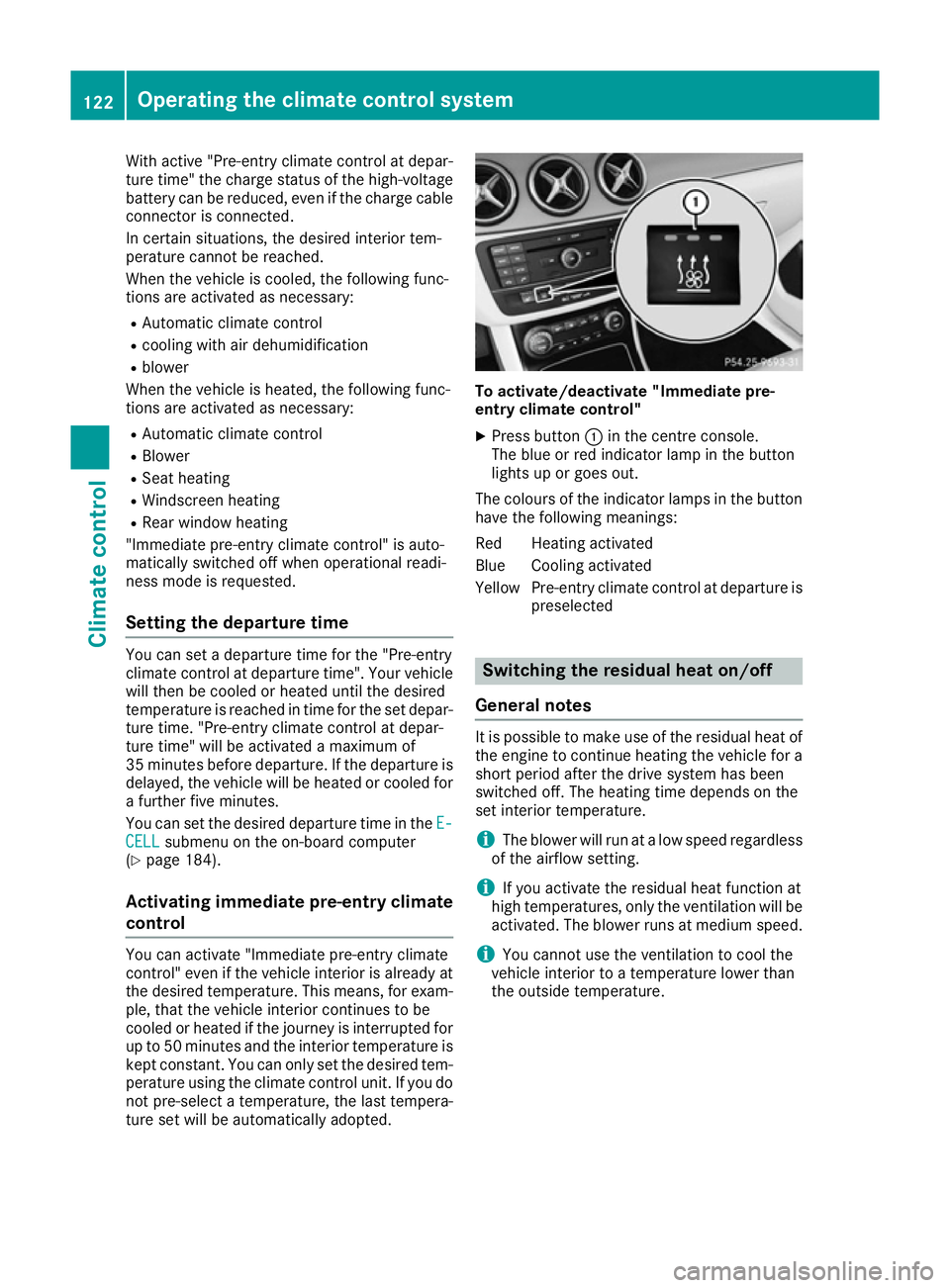
ture set will be automatically adopted. To activate/deactivate "Immediate pre-
entry climate control"
X Press button :in the centre console.
The blue or red indicator lamp in the button
lights up or goes out.
The colours of the indicator lamps in the button have the following meanings:
Red Heating activated
Blue Cooling activated
Yellow Pre-entry climate control at departure is preselected Switching the residual heat on/off
General notes It is possible to make use of the residual heat of
the engine to continue heating the vehicle for a
short period after the drive system has been
switched off. The heating time depends on the
set interior temperature.
i The blower will run at a low speed regardless
of the airflow setting.
i If you activate the residual heat function at
high temperatures, only the ventilation will be
activated. The blower runs at medium speed.
i You cannot use the ventilation to cool the
vehicle interior to a temperature lower than
the outside temperature. 122
Operating the climate control systemClimate control
Page 126 of 293
Switching on/off
X
Turn the key to position 0in the ignition lock
or remove it (Y page 126).
X To activate: press theÌbutton.
The indicator lamp in the Ìbutton lights
up.
X To deactivate: press theÌbutton.
The indicator lamp in the Ìbutton goes
out.
i Residual heat is deactivated automatically:
R after approximately 30 minutes
R when the ignition is switched on
R if the battery voltage drops Air vents
Important safety notes
G
WARNING
Very hot or very cold air can flow from the air vents. This could result in burns or frostbite in the immediate vicinity of the air vents. There
is a risk of injury.
Make sure that all vehicle occupants always
maintain a sufficient distance to the air out-
lets. If necessary, redirect the airflow to
another area of the vehicle interior.
In order to ensure the direct flow of fresh air
through the air vents into the vehicle interior,
please observe the following notes:
R keep the air inlet between the windscreen and
the bonnet free of blockages, such as ice,
snow or leaves
R never cover the vents or ventilation grilles in
the vehicle interior
i Optimal climate control function is achieved
by opening the air vents fully and setting the
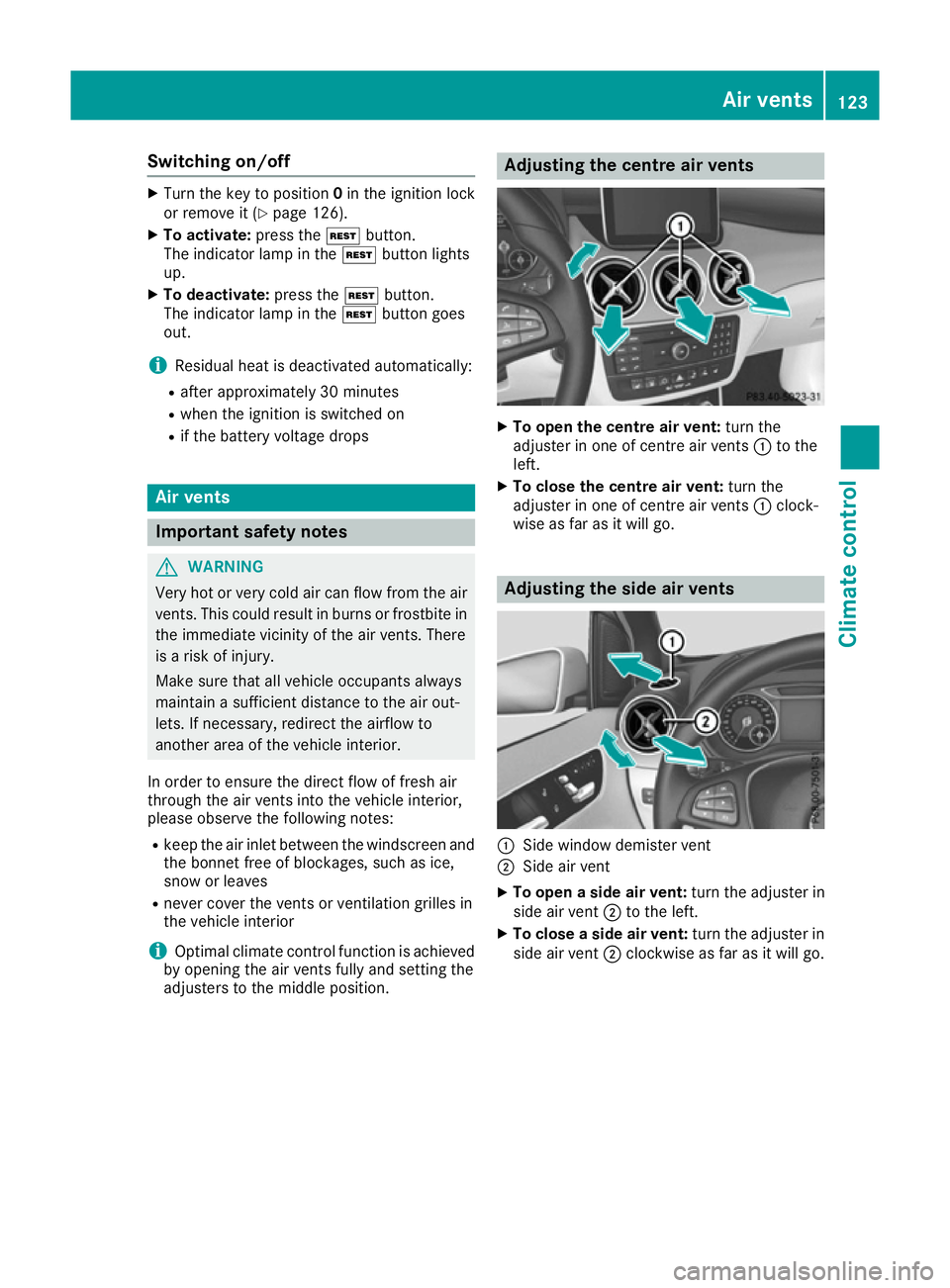
adjusters to the middle position. Adjusting the centre air vents
X
To open the centre air vent: turn the
adjuster in one of centre air vents :to the
left.
X To close the centre air vent: turn the
adjuster in one of centre air vents :clock-
wise as far as it will go. Adjusting the side air vents
:
Side window demister vent
; Side air vent
X To open a side air vent: turn the adjuster in
side air vent ;to the left.
X To close a side air vent: turn the adjuster in
side air vent ;clockwise as far as it will go. Air vents
123Climate control Z
Page 188 of 293
RANGE PLUS charges when:
R you have activated RANGE PLUS via the
centre console prior to charging and
R the high-voltage battery is fully charged.
If charging is not complete by departure time,
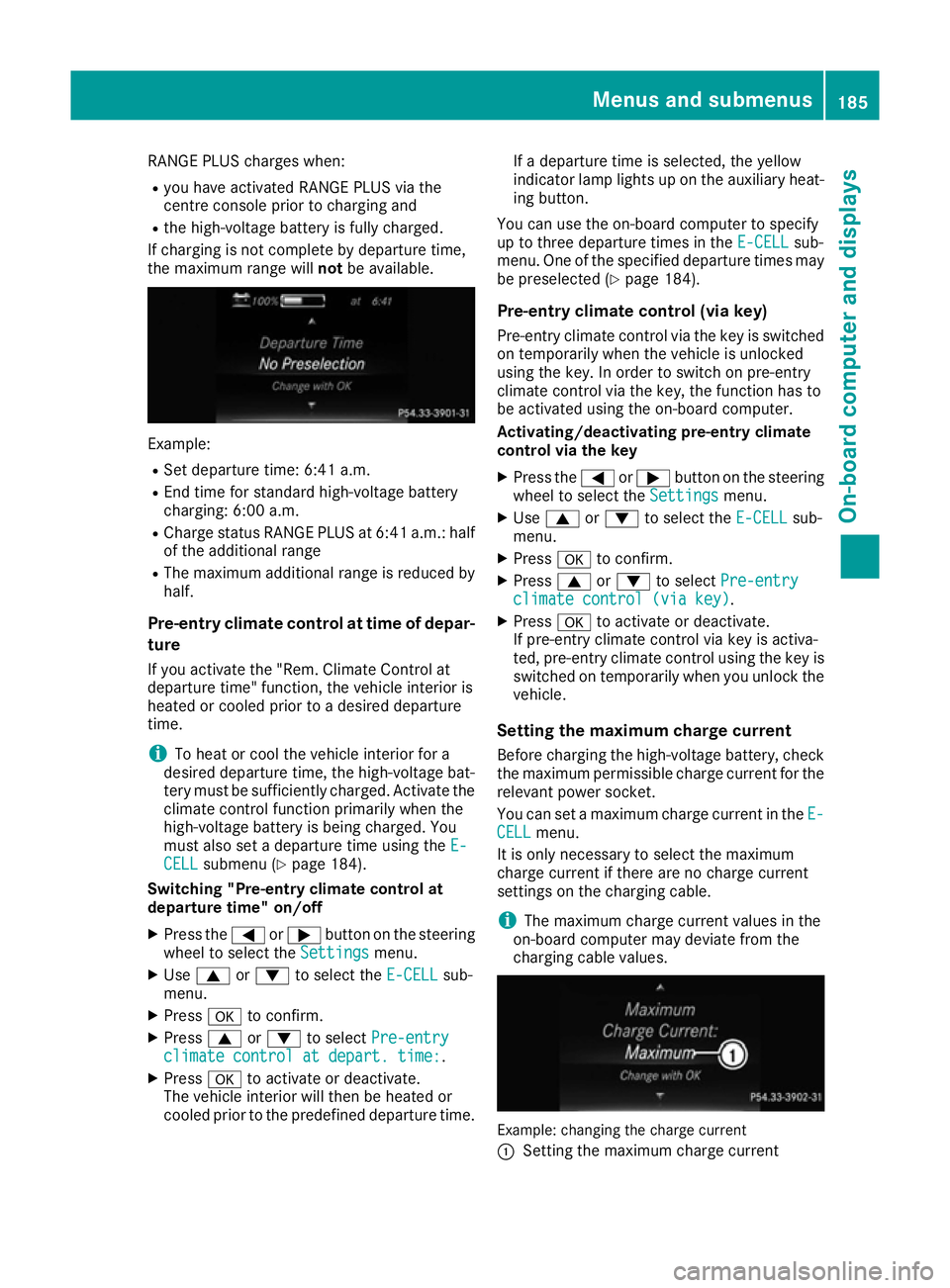
the maximum range will notbe available. Example:
R Set departure time: 6:41 a.m.
R End time for standard high-voltage battery
charging: 6:00 a.m.
R Charge status RANGE PLUS at 6:41 a.m.: half
of the additional range
R The maximum additional range is reduced by
half.
Pre-entry climate control at time of depar-
ture
If you activate the "Rem. Climate Control at
departure time" function, the vehicle interior is
heated or cooled prior to a desired departure
time.
i To heat or cool the vehicle interior for a
desired departure time, the high-voltage bat-
tery must be sufficiently charged. Activate the climate control function primarily when the
high-voltage battery is being charged. You
must also set a departure time using the E-
E-
CELL CELL submenu (Y page 184).
Switching "Pre-entry climate control at
departure time" on/off
X Press the =or; button on the steering
wheel to select the Settings
Settingsmenu.
X Use 9 or: to select the E-CELL
E-CELL sub-
menu.
X Press ato confirm.
X Press 9or: to select Pre-entry
Pre-entry
climate control at depart. time:
climate control at depart. time:.
X Press ato activate or deactivate.
The vehicle interior will then be heated or
cooled prior to the predefined departure time. If a departure time is selected, the yellow
indicator lamp lights up on the auxiliary heat-
ing button.
You can use the on-board computer to specify
up to three departure times in the E-CELL E-CELLsub-
menu. One of the specified departure times may
be preselected (Y page 184).
Pre-entry climate control (via key)
Pre-entry climate control via the key is switched on temporarily when the vehicle is unlocked
using the key. In order to switch on pre-entry
climate control via the key, the function has to
be activated using the on-board computer.
Activating/deactivating pre-entry climate
control via the key
X Press the =or; button on the steering
wheel to select the Settings Settingsmenu.
X Use 9 or: to select the E-CELL
E-CELLsub-
menu.
X Press ato confirm.
X Press 9or: to select Pre-entry
Pre-entry
climate control (via key)
climate control (via key).
X Press ato activate or deactivate.
If pre-entry climate control via key is activa-
ted, pre-entry climate control using the key is switched on temporarily when you unlock thevehicle.
Setting the maximum charge current Before charging the high-voltage battery, check
the maximum permissible charge current for the relevant power socket.
You can set a maximum charge current in the E- E-
CELL
CELL menu.
It is only necessary to select the maximum
charge current if there are no charge current
settings on the charging cable.
i The maximum charge current values in the
on-board computer may deviate from the
charging cable values. Example: changing the charge current
:
Setting the maximum charge current Menus and submenus
185On-board computer and displays Z