steering wheel MERCEDES-BENZ B-CLASS HATCHBACK 2015 Owners Manual
[x] Cancel search | Manufacturer: MERCEDES-BENZ, Model Year: 2015, Model line: B-CLASS HATCHBACK, Model: MERCEDES-BENZ B-CLASS HATCHBACK 2015Pages: 293, PDF Size: 10.83 MB
Page 5 of 293
Index
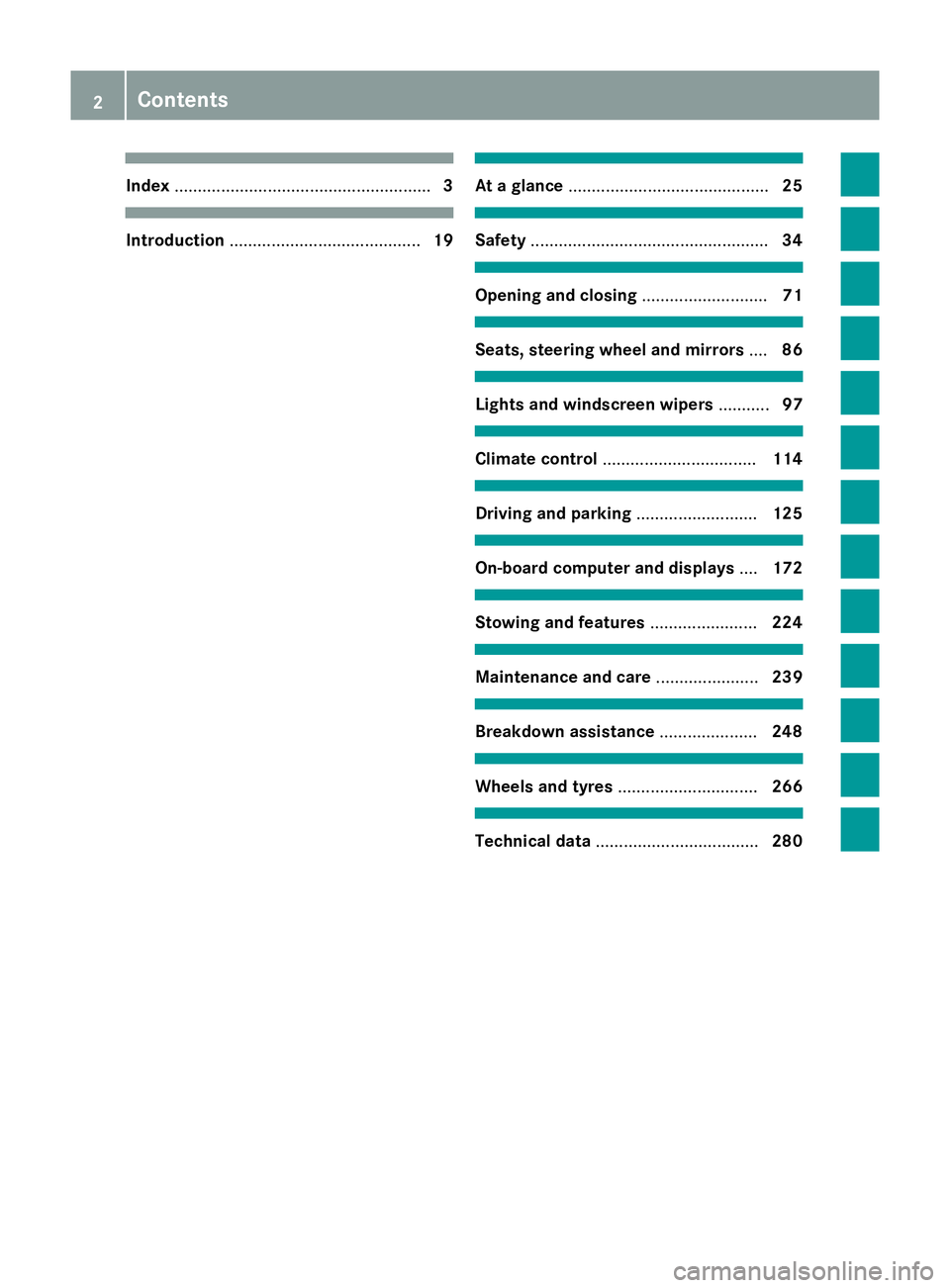
....................................................... 3Introduction
......................................... 19 At a glance
........................................... 25 Safety
................................................... 34 Opening and closing
...........................71 Seats, steering wheel and mirrors
....86 Lights and windscreen wipers
...........97 Climate control
................................. 114 Driving and parking
..........................125 On-board computer and displays
....172 Stowing and features
.......................224 Maintenance and care
......................239 Breakdown assistance
.....................248 Wheels and tyres
.............................. 266 Technical data
................................... 2802
Contents
Page 8 of 293
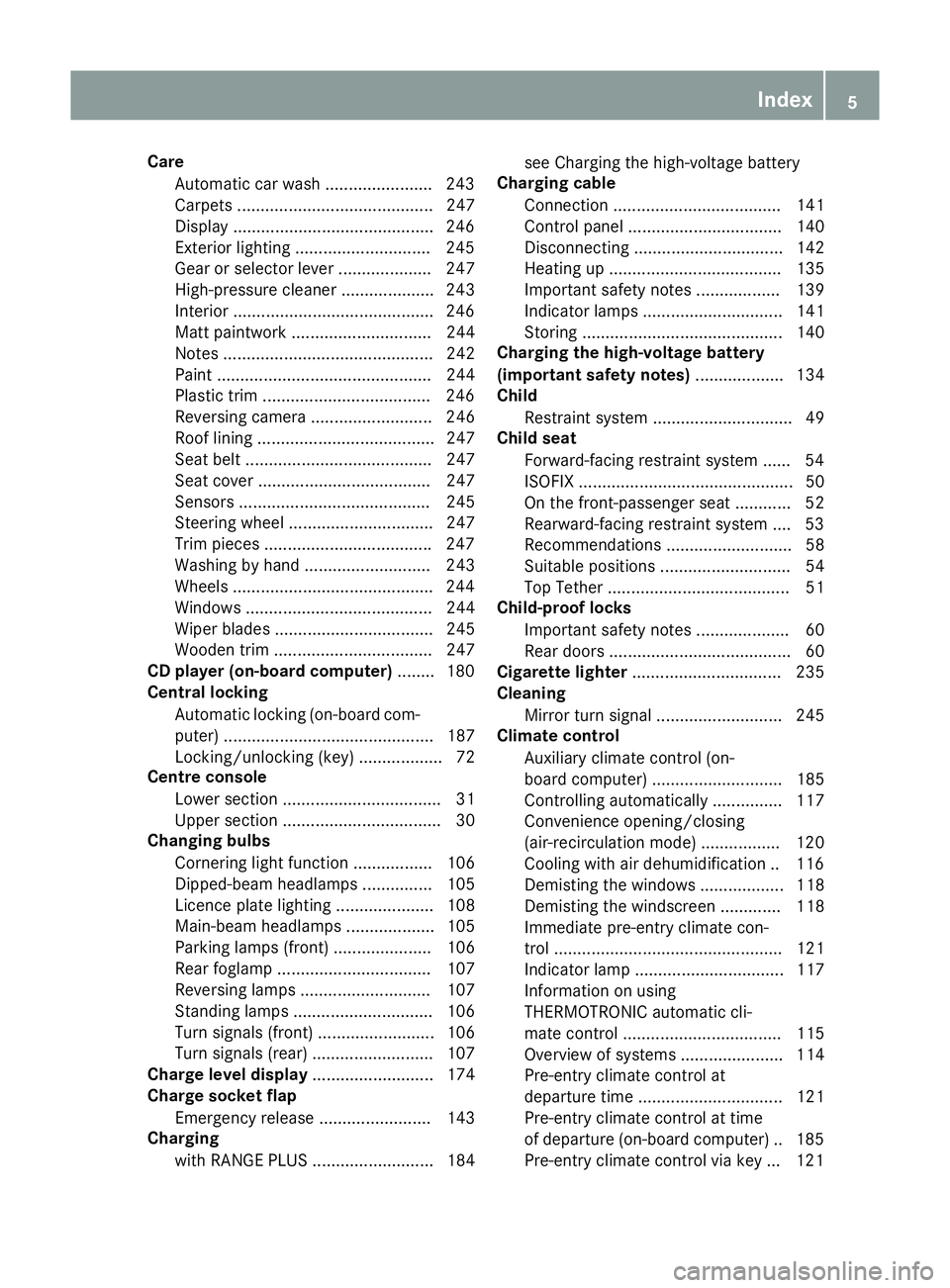
Care
Automatic car wash ...................... .243
Carpets .......................................... 247
Display .......................................... .246
Exterior lighting ............................ .245
Gear or selector lever .................... 247
High-pressure cleaner .................... 243
Interior .......................................... .246
Matt paintwork .............................. 244
Notes ............................................. 242
Paint .............................................. 244
Plastic trim ................................... .246
Reversing camera .......................... 246
Roof lining ...................................... 247
Seat belt ........................................ 247
Seat cover ..................................... 247
Sensors ......................................... 245
Steering wheel ............................... 247
Trim pieces ................................... .247
Washing by hand ........................... 243
Wheels .......................................... .244
Windows ........................................ 244
Wiper blades .................................. 245
Wooden trim .................................. 247
CD player (on-board computer) ........180
Central locking
Automatic locking (on-board com-
puter) ............................................. 187
Locking/unlocking (key ).................. 72
Centre console
Lower section .................................. 31
Upper section .................................. 30
Changing bulbs
Cornering light function ................. 106
Dipped-beam headlamp s............... 105
Licence plate lighting ..................... 108
Main-beam headlamp s................... 105
Parking lamps (front) ..................... 106
Rear foglamp ................................. 107
Reversing lamps ............................ 107
Standing lamps .............................. 106
Turn signals (front) ......................... 106
Turn signals (rear) .......................... 107
Charge level display .......................... 174
Charge socket flap
Emergency release ........................ 143
Charging
with RANGE PLUS .......................... 184 see Charging the high-voltage battery
Charging cable
Connection .................................... 141
Control panel ................................. 140
Disconnecting ................................ 142
Heating up ..................................... 135
Important safety notes .................. 139
Indicator lamps .............................. 141
Storing ........................................... 140
Charging the high-voltage battery
(important safety notes) ................... 134
Child
Restraint system .............................. 49
Child seat
Forward-facing restraint system ...... 54
ISOFIX .............................................. 50
On the front-passenger sea t............ 52
Rearward-facing restraint system .... 53
Recommendations ........................... 58
Suitable positions ............................ 54
Top Tether ....................................... 51
Child-proof locks
Important safety notes .................... 60
Rear doors ....................................... 60
Cigarette lighter ................................ 235
Cleaning
Mirror turn signal ........................... 245
Climate control
Auxiliary climate control (on-
board computer) ............................ 185
Controlling automaticall y............... 117
Convenience opening/closing
(air-recirculation mode) ................. 120
Cooling with air dehumidification .. 116
Demisting the windows .................. 118
Demisting the windscreen ............. 118
Immediate pre-entry climate con-
trol ................................................. 121
Indicator lamp ................................ 117
Information on using
THERMOTRONIC automatic cli-
mate control .................................. 115
Overview of systems ...................... 114
Pre-entry climate control at
departure time ............................... 121
Pre-entry climate control at time
of departure (on-board computer) .. 185 Pre-entry climate control via key ... 121 Index
5
Page 14 of 293
Motorway mode ............................. 101
Parking lamps ..................................98
Rear foglamp .................................. .98
Setting exterior lighting ................... 97
Side lamps ....................................... 98
Switching the daytime driving
lights on/off (on-board com-
puter) ............................................. 186
Turn signals ..................................... 99
LIM indicator lamp
Cruise control ................................ 151
Variable SPEEDTRONIC ................. 153
Limiting the speed
see SPEEDTRONIC
Loading guidelines ............................ 224
Locking
see Central locking
Locking (doors)
Automatic ........................................ 79
Emergency locking ........................... 80
From inside (central locking but-
ton) .................................................. 79
Locking centrally
see Central locking
Locking verification signal (on-
board computer) ............................... 187
Luggage compartment cover
Fitting/removing ........................... 230
Important safety notes .................. 229
Notes/function .............................. 229
Luggage compartment enlarge-
ment ................................................... 228
Luggage compartment floor
Adjusting the height ....................... 232
Important safety notes .................. 231
opening/closing ............................ 231
stowage well, under ....................... 231
Lumbar support
Adjusting the 4-way lumbar sup-
port .................................................. 90 M
M+S tyres ........................................... 268
Main-beam headlamps
Adaptive Highbeam Assist ............. 101
Changing bulb s.............................. 105
Display message ............................ 202 Switching on/of
f.............................. 99
Map (Navigation)
Switching the range on the map
on/off ............................................ 138
Matt finish (cleaning instructions) .. 244
Maximum charge current
Setting (charging cable) ................. 140
Memory card (audio) ......................... 180
Memory function ................................. 96
Mercedes-Benz emergency call
system
Switch in the overhead control
panel .............................................. 236
Mercedes-Benz Intelligent Drive
Traffic Sign Assist .......................... 166
Mercedes-Benz Service Centre
see Qualified specialist workshop
Message memory (on-board com-
puter) .................................................. 189
Messages
see Display messages
Mirror turn signal
Cleaning ......................................... 245
Mirrors
see Exterior mirrors
see Rear-view mirror
see Vanity mirror (in sun visor)
Mobile phone
Frequencies ................................... 280
Installation ..................................... 280
Menu (on-board computer) ............ 181
Notes/placing in the bracket ......... 236
Transmission output (maximum) .... 280
Mobile telephone
Pre-installed bracket ...................... 238
Modifying the programming (key) ..... 73
MOExtended tyres ............................. 250
Motorway mode ................................ 101
MP3
Operating ....................................... 180
Multifunction display
Function/note s............................. 175
Permanent display ......................... 186
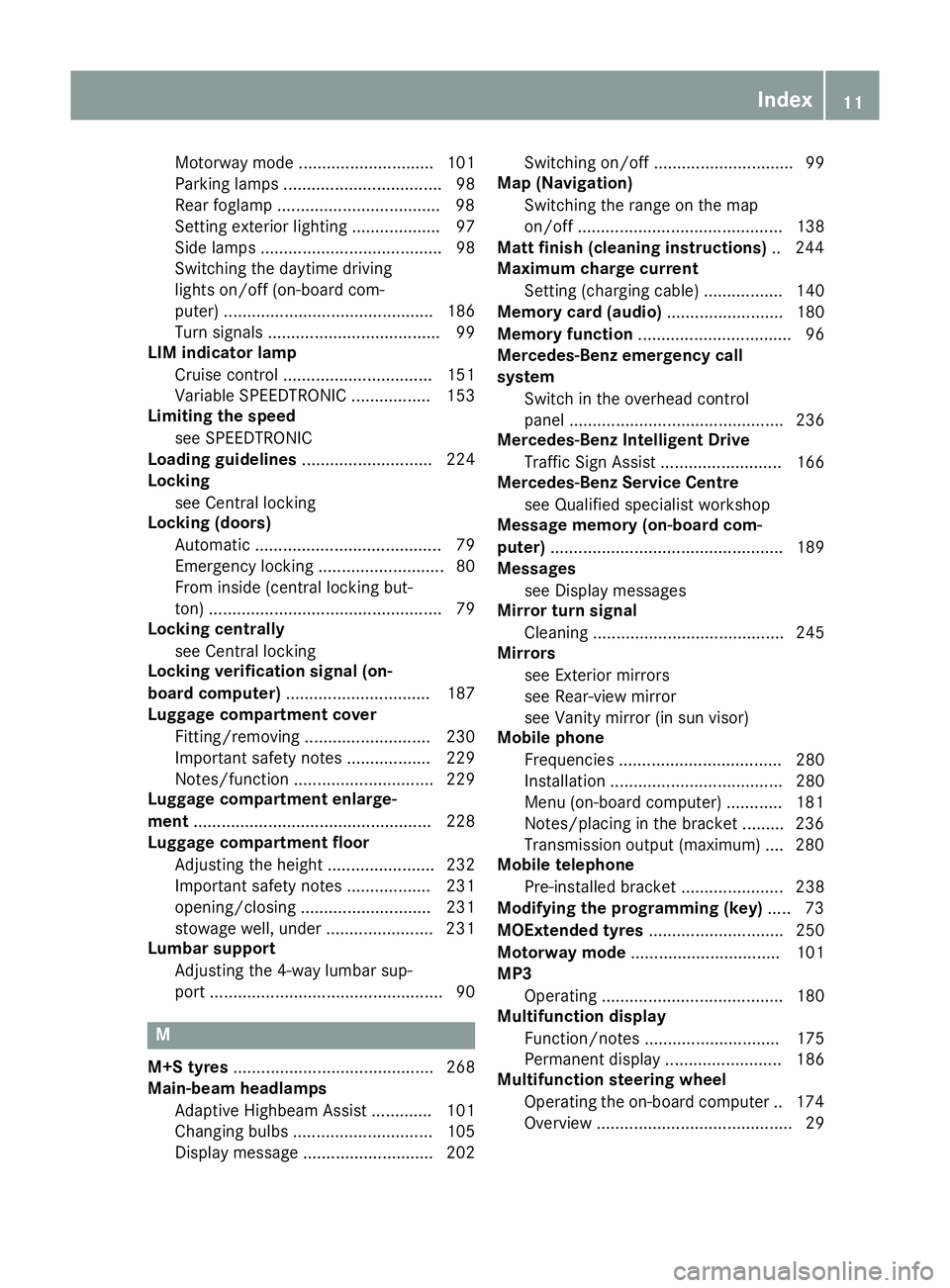
Multifunction steering wheel
Operating the on-board compute r..1 74
Overview .......................................... 29 Index
11
Page 18 of 293
Snow chains
...................................... 269
Socket
Luggage compartment ...................2 36
Sockets
Centre console .............................. 235
General notes ................................ 235
Rear compartment ......................... 236
Specialist workshop ............................ 23
Spectacles compartment ................. 225
Speed, controlling
see Cruise control
Speedometer
Activating/deactivating the addi-
tional speedometer ........................ 186
Digital ............................................ 178
In the Instrument cluster ................. 27
Selecting a display unit .................. 186
SPEEDTRONIC
Deactivating variable ..................... 154
Function/notes ............................ .152
Important safety notes .................. 152
LIM indicator lamp ......................... 153
Selecting ........................................ 153
Storing the current spee d.............. 153
Variabl e......................................... 153
SPEEDTRONIC (variable)
Storing the current speed and
calling up the last stored speed ..... 153
Start/Stop button
Removing ....................................... 127
Starting the drive system ............... 127
Starting
the Vehicle ..................................... 127
Starting the vehicle. .......................... 127
STEER CONTROL .................................. 67
Steering
Display message ............................ 212
Steering assistant STEER CON-
TROL
see STEER CONTROL
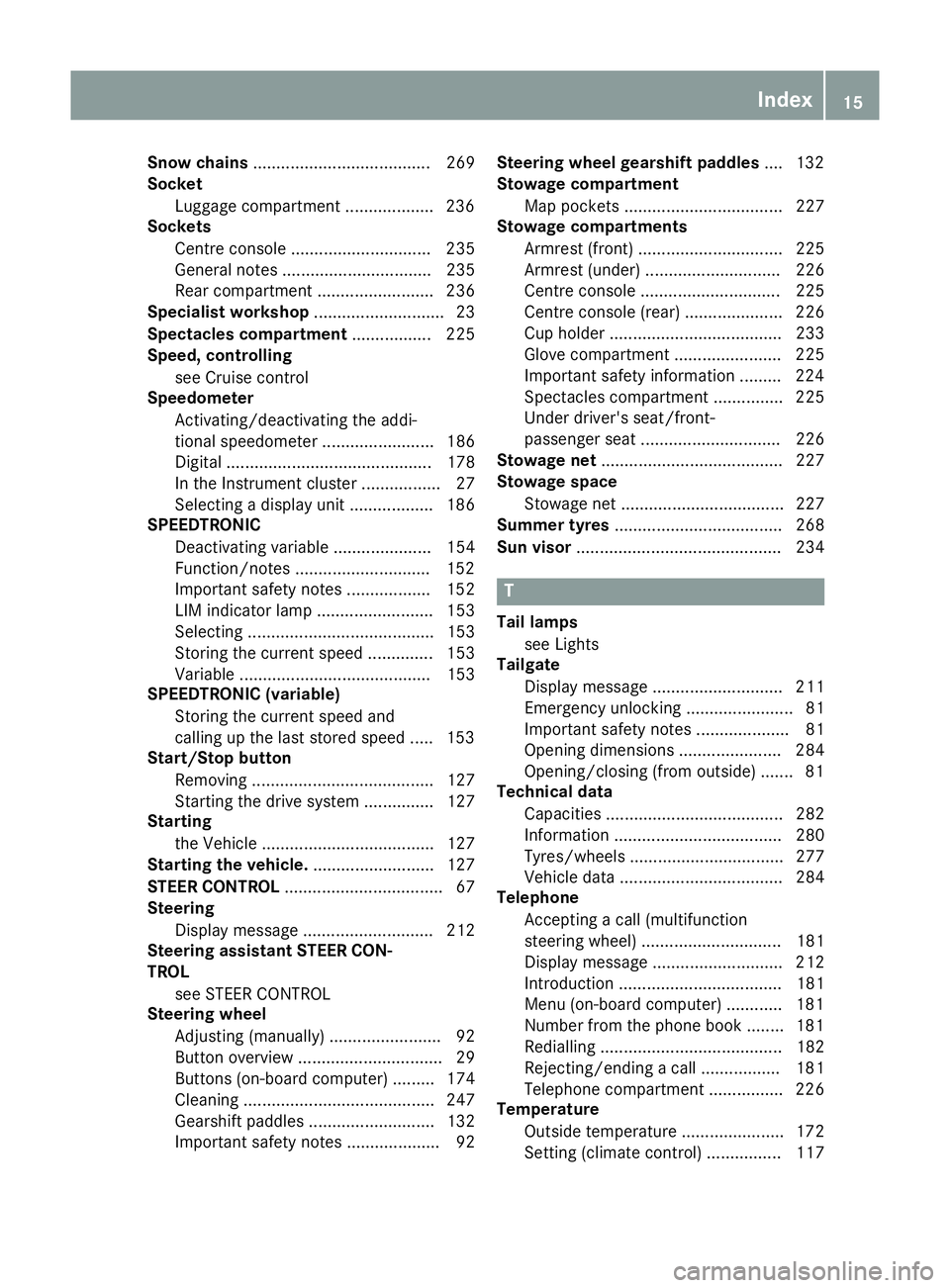
Steering wheel
Adjusting (manually) ........................ 92
Button overview ............................... 29
Buttons (on-board computer) ......... 174
Cleaning ......................................... 247
Gearshift paddle s........................... 132
Important safety notes .................... 92 Steering wheel gearshift paddles
.... 132
Stowage compartment
Map pockets .................................. 227
Stowage compartments
Armrest (front) ............................... 225
Armrest (under) ............................. 226
Centre console .............................. 225
Centre console (rear) ..................... 226
Cup holde r..................................... 233
Glove compartment ....................... 225
Important safety information ......... 224
Spectacles compartment ............... 225
Under driver's seat/front-
passenger sea t.............................. 226
Stowage net ....................................... 227
Stowage space
Stowage net ................................... 227
Summer tyres .................................... 268
Sun visor ............................................ 234 T
Tail lamps see Lights
Tailgate
Display message ............................ 211
Emergency unlocking ....................... 81
Important safety notes .................... 81
Opening dimensions ...................... 284
Opening/closing (from outside) ....... 81
Technical data
Capacities ...................................... 282
Information .................................... 280
Tyres/wheels ................................. 277
Vehicle data ................................... 284
Telephone
Accepting a call (multifunction
steering wheel) .............................. 181
Display message ............................ 212
Introduction ................................... 181
Menu (on-board computer) ............ 181
Number from the phone book ........ 181
Redialling ....................................... 182
Rejecting/ending a call ................. 181
Telephone compartment ................ 226
Temperature
Outside temperature ...................... 172
Setting (climate control )................ 117 Index
15
Page 28 of 293
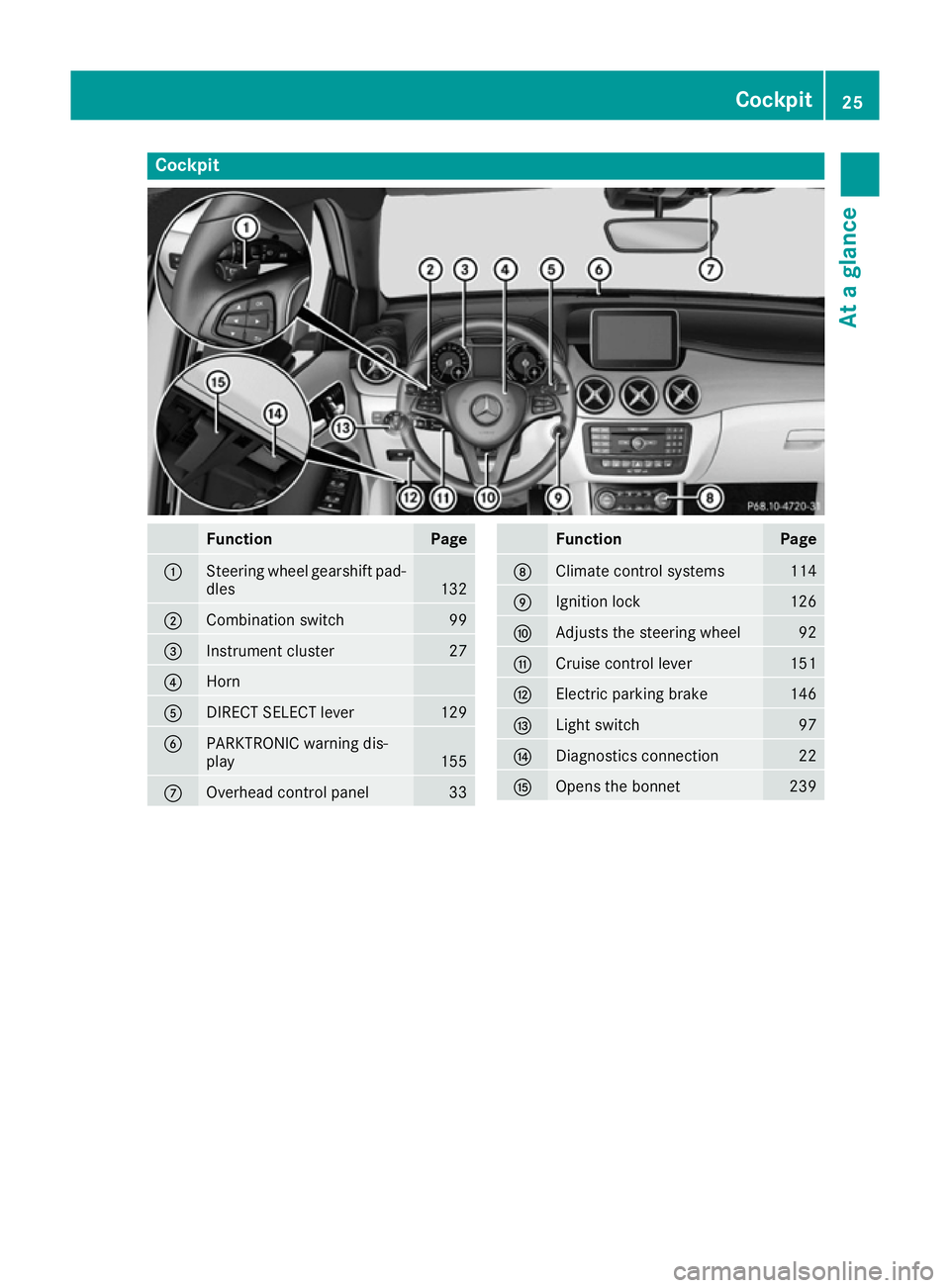
Cockpit
Function Page
:
Steering wheel gearshift pad-
dles 132
;
Combination switch 99
=
Instrument cluster 27
?
Horn
A
DIRECT SELECT lever 129
B
PARKTRONIC warning dis-
play
155
C
Overhead control panel 33 Function Page
D
Climate control systems 114
E
Ignition lock 126
F
Adjusts the steering wheel 92
G
Cruise control lever 151
H
Electric parking brake 146
I
Light switch 97
J
Diagnostics connection 22
K
Opens the bonnet 239Cockpit
25At a glance
Page 29 of 293
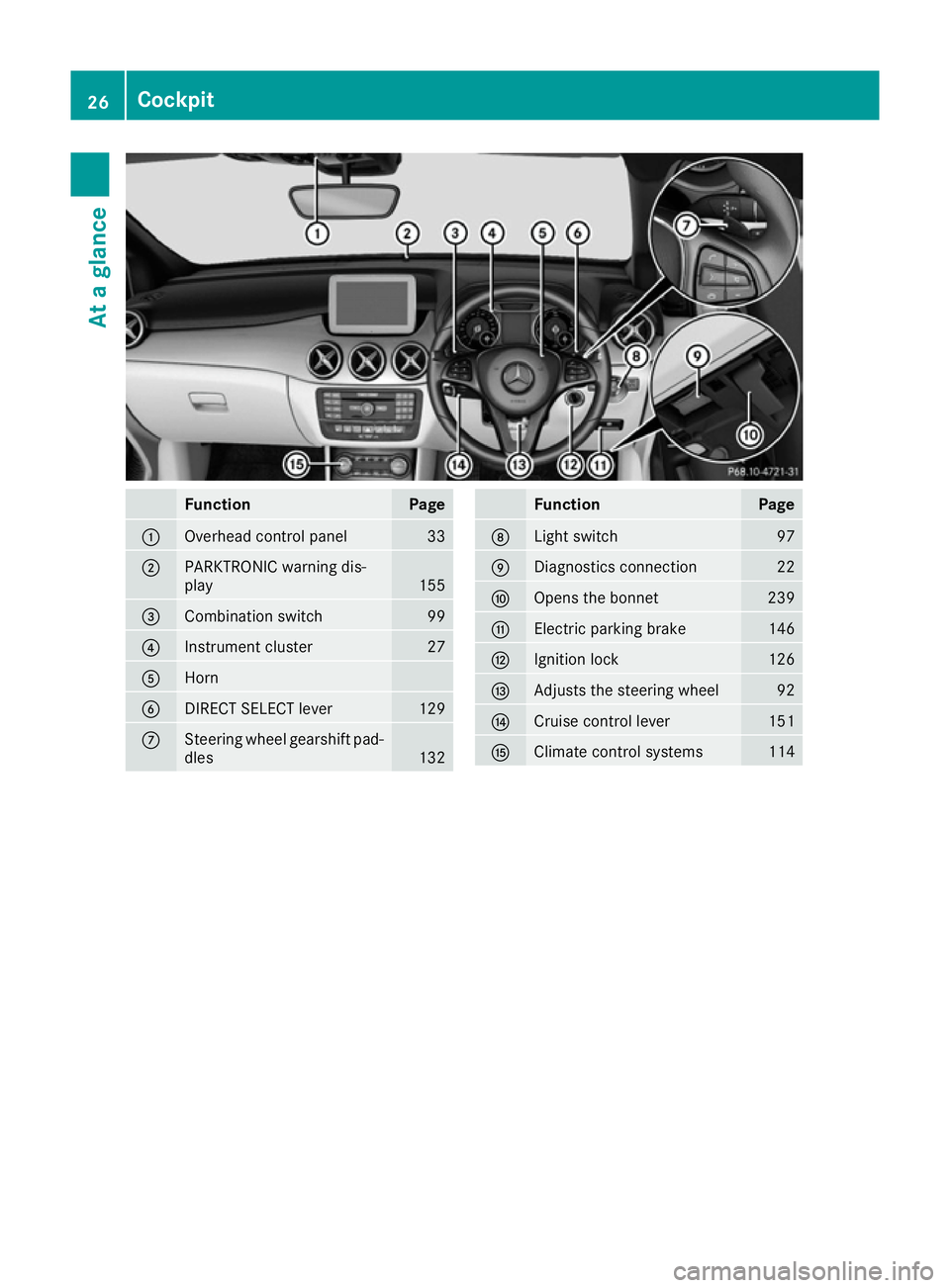
Function Page
:
Overhead control panel 33
;
PARKTRONIC warning dis-
play
155
=
Combination switch 99
?
Instrument cluster 27
A
Horn
B
DIRECT SELECT lever 129
C
Steering wheel gearshift pad-
dles 132 Function Page
D
Light switch 97
E
Diagnostics connection 22
F
Opens the bonnet 239
G
Electric parking brake 146
H
Ignition lock 126
I
Adjusts the steering wheel 92
J
Cruise control lever 151
K
Climate control systems 11426
CockpitAt a glance
Page 32 of 293
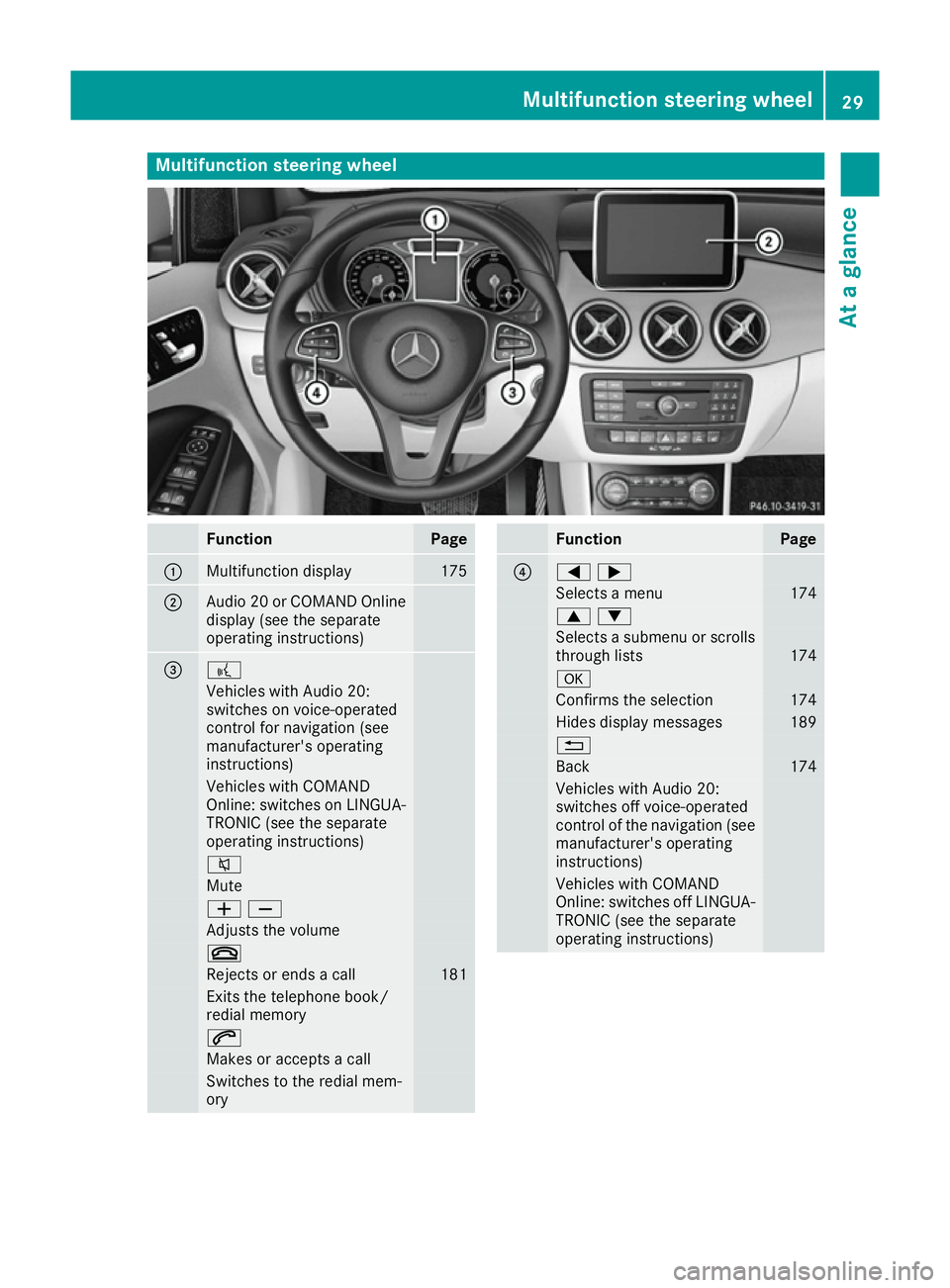
Multifunction steering wheel
Function Page
:
Multifunction display 175
;
Audio 20 or COMAND Online
display (see the separate
operating instructions) = ?
Vehicles with Audio 20:
switches on voice-operated
control for navigation (see
manufacturer's operating
instructions) Vehicles with COMAND
Online: switches on LINGUA- TRONIC (see the separate
operating instructions) 8
Mute
WX
Adjusts the volume
~
Rejects or ends a call 181
Exits the telephone book/
redial memory
6
Makes or accepts a call
Switches to the redial mem-
ory Function Page
?
=;
Selects a menu 174
9:
Selects a submenu or scrolls
through lists 174
a
Confirms the selection 174
Hides display messages 189
%
Back 174
Vehicles with Audio 20:
switches off voice-operated
control of the navigation (see
manufacturer's operating
instructions) Vehicles with COMAND
Online: switches off LINGUA-
TRONIC (see the separate
operating instructions) Multifunction steering wheel
29At a glance
Page 37 of 293
Useful information
i This Owner's Manual describes all models,
series and optional equipment for your vehi-
cle that were available at the time of going to
press. National variations are possible. Note
that your vehicle may not be equipped with all
of the functions described. This is also the
case for systems and functions relevant to
safety.
i Read the information on qualified specialist
workshops: (Y page 23). Occupant safety
Introduction to the restraint system
The restraint system can reduce the risk of vehi-
cle occupants coming into contact with parts of
the vehicle's interior in the event of an accident. The restraint system can also reduce the forces
to which vehicle occupants are subjected during an accident.
The restraint system comprises:
R Seat belt system
R Airbags
R Child restraint system
R Child seat securing systems
The components of the restraint system work in
conjunction with each other. They can only
deploy their protective function if all vehicle
occupants always:
R fasten their seat belts correctly
(Y page 37)
R adjust their seat and head restraint properly
(Y page 87).
As the driver, you also have to make sure that
the steering wheel is adjusted correctly.
Observe the information relating to the correct
driver's seat position (Y page 86).
You also have to make sure that an airbag can
inflate properly if deployed (Y page 39).
An airbag supplements a correctly fastened seat belt. As an additional safety device, the airbag
increases the level of protection for vehicle
occupants in the event of an accident. For exam-
ple, if the protection of the seat belt is sufficient in an accident, the airbags are not deployed. In
the event of an accident, only the airbags that
increase protection in the relevant accident sit- uation are deployed. However, seat belts and
airbags generally do not protect against objects
penetrating the vehicle from the outside.
Information on the restraint system operation
can be found under "Triggering of belt tension-
ers and airbags" (Y page 46).
For more information about children travelling
with you in the vehicle, see "Children in the vehi-
cle" (Y page 49). Important safety notes
G
WARNING
If the restraint system is modified, it may no
longer work as intended. The restraint system
may then not perform its intended protective function by failing in an accident or triggering
unexpectedly, for example. There is an
increased risk of injury, possibly even fatal.
Never modify parts of the restraint system. Do not attempt to modify the wiring as well as
electronic components or their software.
If it is necessary to modify an airbag system to
accommodate a person with disabilities, con-
tact a Mercedes-Benz Service Centre for details. Restraint system warning lamp
The functions of the restraint system are
checked after the ignition is switched on and at
regular intervals while the drive system is run-
ning. Therefore, malfunctions can be detected in good time.
The 6 restraint system warning lamp in the
instrument cluster lights up when the ignition is switched on. It goes out no later than a few sec-
onds after the vehicle is started. The compo-
nents of the restraint system are in operational
readiness.
A malfunction has occurred if the 6restraint
system warning lamp:
R does not light up after the ignition is switched
on
R does not go out after a few seconds with the
drive system running
R lights up again while the drive system is run-
ning 34
Occupant safetySafety
Page 42 of 293
Belt warning for the driver and front
passenger The
7 seat belt warning lamp in the instru-
ment cluster reminds you that all vehicle occu-
pants must fasten their seat belts. It may light up continuously or flash. A warning tone may also
sound.
The 7 seat belt warning lamp goes out and
the warning tone stops as soon as the driver's
and the co-driver's seat belts have been fas-
tened.
i For more information on the
7seat belt
warning lamp, see "Warning and indicator
lamps in the instrument cluster, seat belt"
(Y page 214).
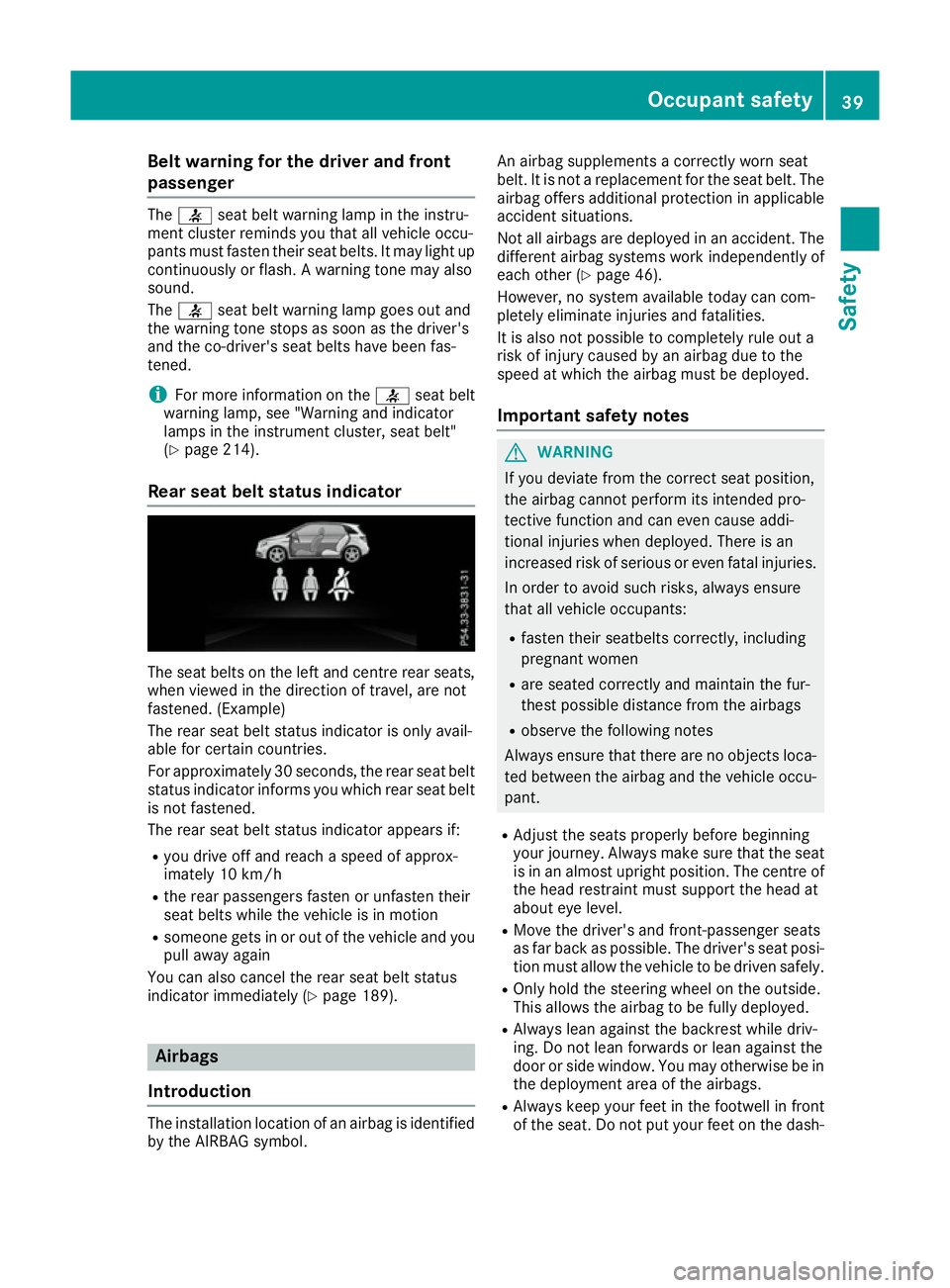
Rear seat belt status indicator The seat belts on the left and centre rear seats,
when viewed in the direction of travel, are not
fastened. (Example)
The rear seat belt status indicator is only avail-
able for certain countries.
For approximately 30 seconds, the rear seat belt status indicator informs you which rear seat belt
is not fastened.
The rear seat belt status indicator appears if:
R you drive off and reach a speed of approx-
imately 10 km/h
R the rear passengers fasten or unfasten their
seat belts while the vehicle is in motion
R someone gets in or out of the vehicle and you
pull away again
You can also cancel the rear seat belt status
indicator immediately (Y page 189).Airbags
Introduction The installation location of an airbag is identified
by the AIRBAG symbol. An airbag supplements a correctly worn seat
belt. It is not a replacement for the seat belt. The
airbag offers additional protection in applicable
accident situations.
Not all airbags are deployed in an accident. The
different airbag systems work independently of
each other (Y page 46).
However, no system available today can com-
pletely eliminate injuries and fatalities.
It is also not possible to completely rule out a
risk of injury caused by an airbag due to the
speed at which the airbag must be deployed.
Important safety notes G
WARNING
If you deviate from the correct seat position,
the airbag cannot perform its intended pro-
tective function and can even cause addi-
tional injuries when deployed. There is an
increased risk of serious or even fatal injuries. In order to avoid such risks, always ensure
that all vehicle occupants:
R fasten their seatbelts correctly, including
pregnant women
R are seated correctly and maintain the fur-
thest possible distance from the airbags
R observe the following notes
Always ensure that there are no objects loca-
ted between the airbag and the vehicle occu-
pant.
R Adjust the seats properly before beginning
your journey. Always make sure that the seat is in an almost upright position. The centre of
the head restraint must support the head at
about eye level.
R Move the driver's and front-passenger seats
as far back as possible. The driver's seat posi-
tion must allow the vehicle to be driven safely.
R Only hold the steering wheel on the outside.
This allows the airbag to be fully deployed.
R Always lean against the backrest while driv-
ing. Do not lean forwards or lean against the
door or side window. You may otherwise be in
the deployment area of the airbags.
R Always keep your feet in the footwell in front
of the seat. Do not put your feet on the dash- Occupant safety
39Safety Z
Page 65 of 293
allows you to continue steering the vehicle when
braking.
The ! ABS warning lamp in the instrument
cluster lights up when the ignition is switched
on. It goes out when the engine is running.
ABS works from a speed of about 8 km/h,
regardless of road-surface conditions. ABS
works on slippery surfaces, even when you only
brake gently.
Important safety notes i
Observe the "Important safety notes" sec-
tion (Y page 61). G
WARNING
If ABS is faulty, the wheels could lock when
braking. The steerability and braking charac-
teristics may be severely impaired. Addition-
ally, further driving safety systems are deac-
tivated. There is an increased danger of skid- ding and accidents.
Drive on carefully. Have ABS checked imme-
diately at a qualified specialist workshop.
If ABS is malfunctioning, other systems, includ-
ing driving safety systems, will also become
inoperative. Observe the information on the ABS warning lamp (Y page 216) and display mes-
sages which may be shown in the instrument
cluster (Y page 190).
Brakes X
If ABS intervenes: continue to depress the
brake pedal with force until the braking sit-
uation is over.
X To make a full brake application: depress
the brake pedal with full force.
If ABS intervenes when braking, you will feel a
pulsing in the brake pedal.
The pulsating brake pedal can be an indication
of hazardous road conditions; this serves as a
reminder to take extra care while driving. BAS (Brake Assist)
General notes BAS operates in emergency braking situations.
If you depress the brake pedal quickly, BAS
automatically boosts the braking force, thus
shortening the stopping distance.
Important safety notes i
Observe the "Important safety notes" sec-
tion (Y page 61). G
WARNING
If BAS is malfunctioning, the braking distance
in an emergency braking situation is
increased. There is a risk of accident.
In an emergency braking situation, depress
the brake pedal with full force. ABS prevents
the wheels from locking.
Braking X
Keep the brake pedal depressed firmly until
the emergency braking situation is over.
ABS prevents the wheels from locking.
The brakes will function as usual once you
release the brake pedal. BAS is deactivated. COLLISION PREVENTION ASSIST
PLUS
General notes i
Observe the "Important safety notes" sec-
tion (Y page 61).
COLLISION PREVENTION ASSIST PLUS consists of a distance warning function with an autono-
mous braking function and Adaptive Brake
Assist.
COLLISION PREVENTION ASSIST PLUS can help you to minimise the risk of a collision with the
vehicle in front or reduce the effects of such a
collision.
If COLLISION PREVENTION ASSIST PLUS
detects that there is a risk of a collision, you will
be warned visually and acoustically. If you do not react to the visual and audible collision warning,autonomous braking can be initiated in critical
situations. If you apply the brake yourself in a 62
Driving safety systemsSafety