trip computer MERCEDES-BENZ B-CLASS SPORTS 2013 Owners Manual
[x] Cancel search | Manufacturer: MERCEDES-BENZ, Model Year: 2013, Model line: B-CLASS SPORTS, Model: MERCEDES-BENZ B-CLASS SPORTS 2013Pages: 336, PDF Size: 30 MB
Page 10 of 336
Cockpit
Overview .......................................... 26
see Instrument cluster
COLLISIO NPREVENTION ASSIST .......60
COMAND see separate operating instructions
Combination switch ............................98
Compass Calibrating ..................................... 257
Calling up ....................................... 257
Setting ........................................... 257
Consumption statistics (on-board
computer) .......................................... 182
Convenience closing feature ..............78
Convenience opening feature ............78
Coolan t(engine)
Checkin gthe level ......................... 263
Display message ............................ 206
Filling capacity ............................... 328
Important safety notes ..................327
Temperature gauge ........................ 179
Warning lamp ................................. 226
Cooling
see Climate control
Cornering light function
Changing bulbs .............................. 106
Display message ............................ 203
Function/notes ................................ 99
Crash-responsive emergency
lighting ............................................... 102
Cruise control Activatio ncondition s..................... 150
Cruise control lever. ......................150
Deactivating ................................... 151
Display message ............................ 213
Driving system ............................... 150
Function/notes ............................. 150
Important safety notes ..................150
Setting aspeed .............................. 151
Storing and maintaining current
speed ............................................ .151
Cup holder
Center console .............................. 241
Important safety notes ..................241
Rea rcompartmen t......................... 242
Customer Assistance Center (CAC) ...24
Customer Relations Department .......24 D
Dashboard see Instrument cluster
Dashboard lighting
see Instrument cluster lighting
Data
see Technical data
Daytime running lamps
Display message ............................ 205
Switching on/off (on-board
computer) ...................................... 190
Switching on/off (switch) ................97
Dealerships
see Qualified specialist workshop
Delaye dswitch-off
Exterio rlighting (on-board
computer )...................................... 190
Interior lighting .............................. 191
Diagnostics connection ......................23
Digital speedometer .........................183
DIRECT SELECTl ever
see Automatic transmission
Displa y(cleaning instructions) ........269
Display messages ASSYST PLUS ................................ 264
Calling up (on-board computer) .....193
Driving systems ............................. 209
Engine ............................................ 206
General notes ................................ 193
Hiding (on-board computer) ...........193
Lights ............................................ .202
Safety systems .............................. 194
SmartKey ....................................... 218
Tires ............................................... 214
Vehicle .......................................... .215
Distance display (on-board
computer) .......................................... 187
Distance recorder ............................. 182
see Trip odometer
Distance warning function
Activating/deactivating .................188
Function/notes ................................ 60
Warning lamp ................................. 228
DISTRONIC PLUS
Activatio ncondition s..................... 154
Cruise control leve r....................... 154
Deactivating ................................... 157 Index
7
Page 15 of 336
Locking centrally
see Central locking
Locking verification signal (on-
board computer) ............................... 191
Low-beam headlamps Changing bulbs .............................. 105
Display message ............................ 203
Setting for driving abroad
(symmetrical) ................................... 96
Switching on/off .............................. 97
Lumbar support
Adjusting the 4-way lumbar
support ............................................ 88M
M+S tires ............................................ 294
Malfunction message see Display messages
Matte finish (cleaning
instructions) ...................................... 267
mbrace Call priority .................................... 249
Display message ............................ 200
Downloading destinations
(COMAND) ..................................... 249
Downloading route s....................... 252
Emergency call .............................. 246
Geo fencing ................................... 253
Important safety notes ..................245
Locating astolen vehicl e............... 251
MB info call button ........................248
Remote vehicle locking ..................251
Roadside Assistance button ..........247
Search &Send ............................... 250
Self-test ......................................... 246
Speed alert .................................... 253
System .......................................... 245
Triggering the vehicle alarm ........... 253
Vehicle remote malfunction
diagnosi s....................................... 251
Vehicle remote unlocking ..............250
Mechanical key
Function/notes ................................ 69
Locking vehicle ................................ 75
Unlocking the driver's door ..............75
Memory card (audio) .........................185
Memory function ................................. 93Message memory (on-board
computer)
.......................................... 193
Messages see Display messages
Mirrors
see Exterior mirrors
see Rear-view mirror
see Vanity mirror (in the sun visor)
Mobile phone
Menu (on-board computer) ............186
Modifying the programming
(SmartKey) ........................................... 69
MOExtende dtires .............................. 275
Mounting wheels Lowerin gthe vehicle ...................... 315
Mounting anew wheel ................... 315
Preparing the vehicle .....................312
Raising the vehicle .........................313
Removing awheel .......................... 315
Securing the vehicle against
rolling away ................................... 313
MP3
Operation ....................................... 185
see separate operating instructions
Multifunction display
Function/notes ............................. 181
Permanent display. ........................190
Multifunction steering wheel
Operating the on-board computer .180
Overview .......................................... 29 N
Navigation Menu (on-board computer) ............184
see separate operating instructions
Notes on breaking-in anew
vehicle ................................................ 126 O
Occupant safety Childrenint he vehicle..................... 47
Important safety notes ....................36
Odometer
see Trip odometer
Oil
see Engine oil 12
Index
Page 16 of 336
On-board computer
Assistance menu ........................... 187
Audi omenu ................................... 185
Convenience submenu ..................192
Displaying a service message ........264
Display messages ..........................193
Factory settings submenu .............192
Important safety notes ..................178
Lighting submenu .......................... 190
Menu overview .............................. 182
Message memory .......................... 193
Navigation menu ............................ 184
Operation ....................................... 180
Service menu ................................. 189
Settings menu ............................... 189
Standard display. ........................... 182
Telephone menu ............................ 186
Trip menu ...................................... 182
Vehicle submenu ........................... 191
Video DVD operation. ....................186
Opening and closing the side trim
panels ................................................. 106
Operating system see On-board computer
Outside temperature display ...........179
Overhead control panel ......................32
Override feature Rea rside windows ........................... 58 P
Pain tcode number ............................ 323
Paintwork (cleaning instructions) ...267
Panic alarm .......................................... 36
Panorama roof with power tilt/
sliding panel
Opening/closing the roller
sunblind ........................................... 81
Problem (malfunction) .....................82
Resetting ......................................... 81
Panorama sliding sunroof
Important safety notes ....................80
Parcel net ........................................... 233
Parking ............................................... 141
Important safety notes ..................141
Parking brake ................................ 142Position of exterior mirror, front-
passenger side ................................. 92
Rea
rview camera .......................... 168
see PARKTRONIC
Parking aid
Active Parking Assist .....................164
see Exterior mirrors
see PARKTRONIC
Parking brake
Display message ............................ 197
Electric parking brake ....................142
Warning lamp ................................. 225
Parking lamps
Switching on/off .............................. 98
Parking lamps (changing bulbs) ......105
PARKTRONIC Deactivating/activating .................163
Driving system ............................... 161
Function/notes ............................. 161
Important safety notes ..................161
Problem (malfunction) ...................164
Range of the sensors .....................162
Warning displa y............................. 162
PASSENGE RAIRBAG OFF indicator
lamp ...................................................... 50
Plastic trim (cleaning instructions) .269
Power washers .................................. 266
Power windows see Side windows
Product information ............................20
Program selector button ..................135
Protection of the environment General notes .................................. 20
Pulling away
Automatic transmission .................127 Q
Qualifie dspecialis tworkshop ...........23 R
Radar sensor system Activating/deactivating .................192
Display message ............................ 209
Radio
Selecting astation ......................... 185
see separate operating instructions Index
13
Page 20 of 336
Average weight of the vehicle
occupants (definition)
....................309
Bar (definition) ............................... 309
Changing awheel .......................... 312
Characteristics .............................. 309
Checking ........................................ 293
Definition of terms .........................309
Direction of rotatio n...................... 312
Display message ............................ 214
Distributio nofthe vehicle
occupants (definition) ....................311
DOT, Tire Identification Number
(TIN) .............................................. .308
DOT (Department of
Transportation) (definition) ............309
GAWR (Gross Axle Weight Rating)
(definition) ..................................... 310
GVW (Gross Vehicle Weight)
(definition) ..................................... 310
GVWR (Gross Vehicle Weight
Rating) (definition) .........................310
Important safety notes ..................292
Increased vehicle weight due to
optional equipment (definition) ......309
Kilopascal (kPa) (definition) ...........310
Labeling (overview). .......................305
Load bearing index (definition) ......311
Load index ..................................... 308
Load index (definition) ...................310
M+S tires ....................................... 294
Maximum loaded vehicle weight
(definition) ..................................... 310
Maximum load on a tire
(definition) ..................................... 310
Maximum permissible tire
pressure (definition) ....................... 310
Maximum tire load. ........................303
Maximum tire load (definition) .......310
MOExtended tires ..........................294
Optional equipment weight
(definition) ..................................... 311
PSI (pounds per square inch)
(definition) ..................................... 310
Replacing ....................................... 312
Service life ..................................... 294
Sidewall (definition) .......................311
Speed rating (definition) ................310
Storing ........................................... 312Structure and characteristics
(definition)
..................................... 309
Summer tires ................................. 294
Temperature .................................. 305
TIN (Tire Identification Number)
(definition) ..................................... 311
Tire bead( definition) ...................... 311
Tire pressure (definition) ................311
Tire pressures (recommended )...... 309
Tire size (data) ............................... 316
Tire size designation, load-bearing
capacity, speed rating .................... 306
Tire tread ....................................... 293
Tire tread (definition) .....................311
Total load limit (definition) .............311
Traction ......................................... 304
Traction (definition) .......................311
Trea dwear ..................................... 304
Uniform Tire Quality Grading
Standard s...................................... 304
Uniform Tire Quality Grading
Standard s(definition) .................... 309
Unladen weight (definition) ............310
Wea rindicato r(definition) .............311
Whee lrim (definition ).................... 309
see Flat tire
Top Tether ............................................ 52
Towing Important safety guidelines ...........285
Installing the towing eye ................286
Removing the towing eye. ..............286
Towing away
With both axles on the ground .......286
With front axle raised ..................... 286
Tow-starting
Emergency engine starting ............287
Important safety notes ..................285
Installing the towing eye ................286
Removing the towing eye. ..............286
Traction control ................................... 63
Transmission see Automatic transmission
Transmission position display .........133
Transporting the vehicle ..................287
Trim pieces (cleaning instructions) .270
Trip computer (on-board
computer) .......................................... 182 Index
17
Page 21 of 336
Trip odometer
Calling up ....................................... 182
Resetting (on-board computer) ......183
Trunk
see Tailgate
Turn signals
Changing bulbs (front) ...................106
Changing bulbs (rear) ....................107
Display message ............................ 203
Switching on/off .............................. 98
Type identification plate
see Vehicle identification plate U
Unlocking Emergency unlocking .......................75
From inside the vehicle (central
unlocking button) ............................. 74V
Vanity mirror (in the sun visor) ........242
Vehicle Correct use ...................................... 24
Data acquisition ............................... 24
Equipment ....................................... 21
Individua lsettings .......................... 189
Limited Warranty ............................. 24
Loading .......................................... 300
Locking (in an emergency) ...............75
Locking (SmartKey) .......................... 68
Lowering ........................................ 315
Maintenance .................................... 21
Parking for a long period ................ 144
Pulling away ................................... 127
Raising ........................................... 313
Reporting problems .........................24
Securing from rolling away ............313
Towing away .................................. 285
Tow-starting ................................... 285
Transporting .................................. 287
Unlocking (in an emergency) ...........75
Unlocking (SmartKey) ......................68
Vehicle data ................................... 329
Vehicle data ....................................... 329
Vehicle dimensions ...........................329
Vehicle emergency locking ................75Vehicle identification number
see VIN
Vehicle identification plate ..............323
Vehicle tool kit .................................. 274
Video (DVD) ........................................ 186
VIN ...................................................... 323 W
Warning and indicator lamps ABS ................................................ 220
Brakes ........................................... 220
Check Engine ................................. 226
Coolant .......................................... 226
Distance warning ........................... 228
DISTRONI CPLUS ........................... 228
ESP ®
.............................................. 222
ESP ®
OFF ....................................... 223
Fuel tank ........................................ 226
Overview .......................................... 28
PASSENGER AIRBAG OFF ................50
Reserve fuel ................................... 226
Seat belt. ....................................... 218
SRS ................................................ 225
Warranty ............................................ 323
Washer fluid Display message ............................ 217
Wheel bol ttightening torque ...........315
Wheel chock ...................................... 313
Wheels Changing awheel .......................... 312
Checking ........................................ 293
Cleaning ......................................... 267
Cleaning (warning) .........................312
Emergency spare wheel .................318
Important safety notes ..................292
Interchanging/changing ................312
Mounting anew wheel ................... 315
Mounting awheel .......................... 312
Removing awheel .......................... 315
Storing ........................................... 312
Tightening torque ........................... 315
Whee lsize/tir esize ....................... 316
Window curtain air bag
Display message ............................ 202
Operation ........................................ .42
Windows
see Side windows 18
Index
Page 184 of 336
W
X R
Adjusts the volume 8 R
Mute Back button
%
Press briefly:
R
Back
R Switches off the Voice Control
System; see the separate
operating instructions
R Hides display messages/calls
up the last Trip menu function
used
R Exits the telephone book/redial
memory %
Press and hold:
R
Calls up the standard display in
the Trip menu
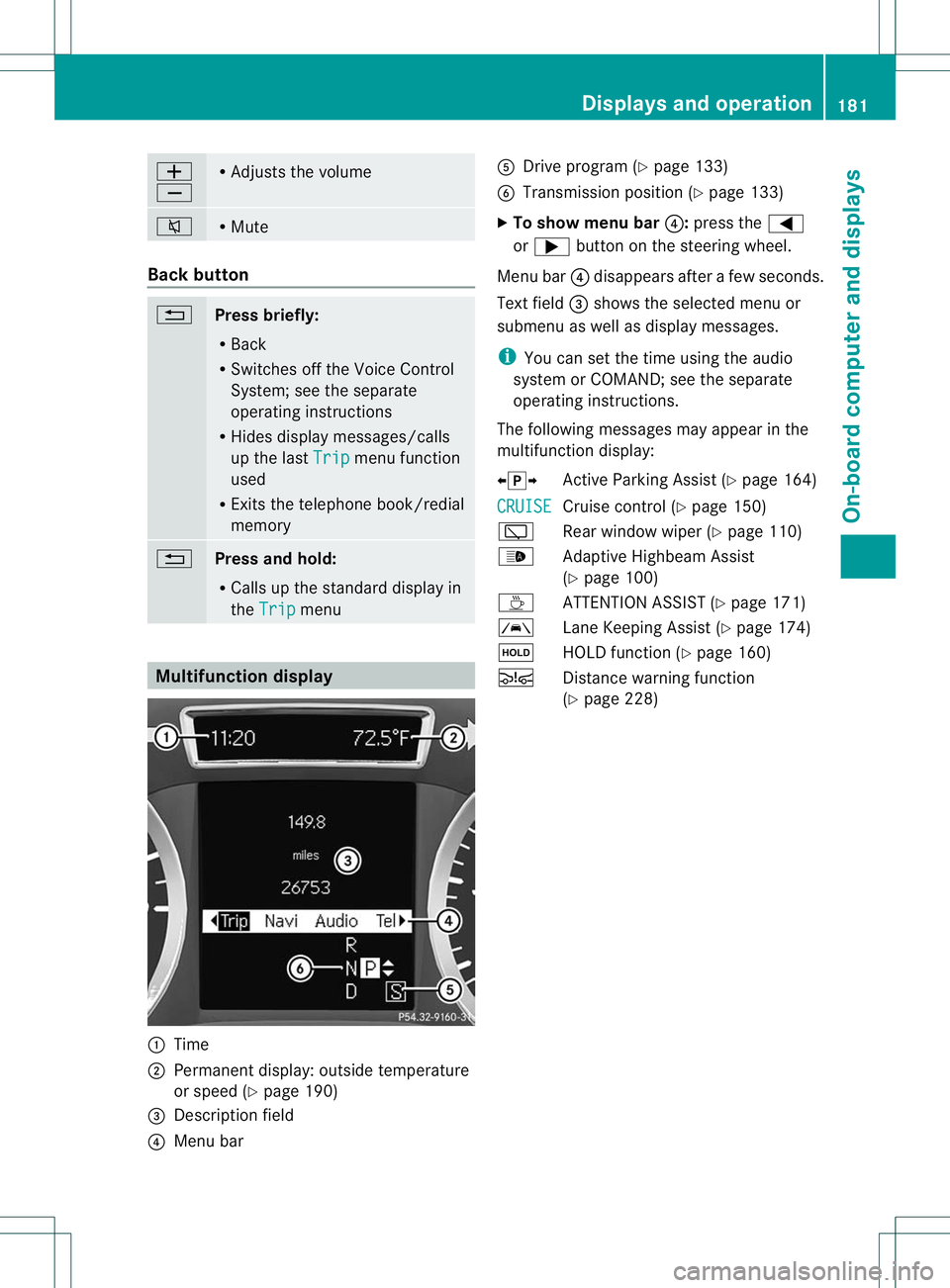
Multifunction display
:
Time
; Permanent display: outside temperature
or speed (Y page 190)
= Descriptio nfield
? Menu bar A
Drive program (Y page 133)
B Transmission position (Y page 133)
X To show menu bar ?:press the =
or ; button on the steering wheel.
Menu bar ?disappears after a few seconds.
Text field =shows the selected menu or
submenu as well as display messages.
i You can set the time using the audio
system or COMAND; see the separate
operating instructions.
The following messages may appear in the
multifunction display:
XjY Active Parking Assist (Y page 164)
CRUISE Cruise control (Y
page 150)
è Rear window wiper (Y page 110)
_ Adaptive Highbeam Assist
(Ypage 100)
À ATTENTION ASSIST( Ypage 171)
à Lane Keeping Assist (Y page 174)
ë HOLD function (Y page 160)
Ä Distance warning function
(Ypage 228) Displays and operation
181On-board computer and displays Z
Page 185 of 336
Menus and submenus
Menu overview
Operating the on-board computer (Y page 180).
Depending on the equipment installed in the vehicle, you can call up the following menus:
R Trip menu (Y
page 182)
R Navi menu (navigationi
nstructions) (Ypage 184)
R Audio menu (Y
page 185)
R Tel menu (telephone) (Y
page 186)
R DriveAssist menu (assistance) (Y
page 187)
R Serv. menu (Y
page 189)
R Sett. menu (Y
page 189)
The Audio ,
Navi and
Tel menus differ slightly in vehicles with Audio 20 and in vehicles with
COMAND. The examples given in this Operator's Manual apply to vehicles equipped with
COMAND. Trip menu
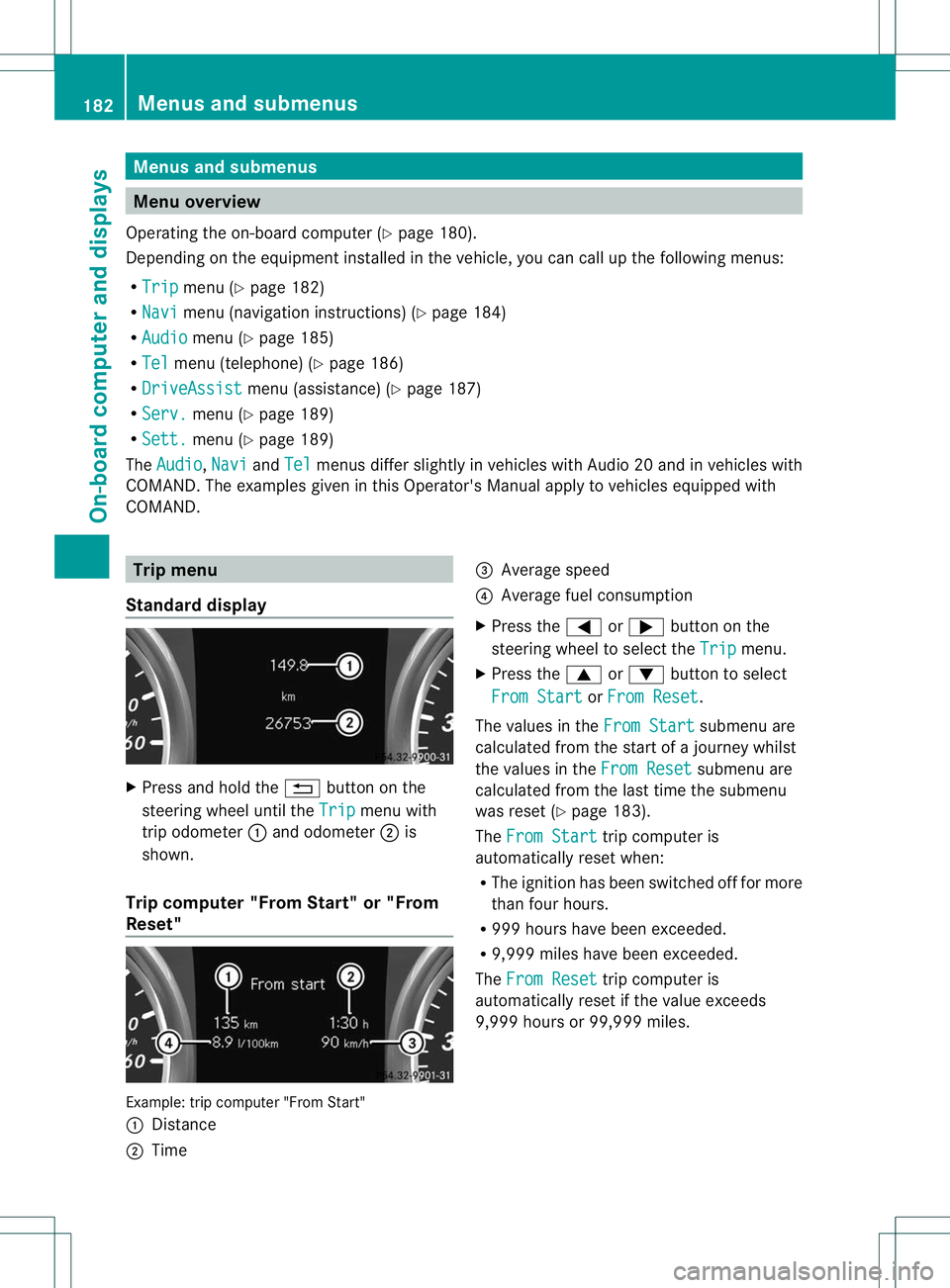
Standard display X
Press and hold the %button on the
steering wheel until the Trip menu with
trip odometer :and odometer ;is
shown.
Trip computer "From Start" or "From
Reset" Example: trip computer "From Start"
:
Distance
; Time =
Average speed
? Average fuel consumption
X Press the =or; button on the
steering wheel to select the Trip menu.
X Press the 9or: button to select
From Start or
From Reset .
The values in the From Start submenu are
calculated from the start of a journey whilst
the values in the From Reset submenu are
calculated from the last time the submenu
was reset (Y page 183).
The From Start trip computer is
automatically reset when:
R The ignition has been switched off for more
tha nfour hours.
R 999 hours have been exceeded.
R 9,999 miles have been exceeded.
The From Reset trip computer is
automatically reset if the value exceeds
9,999 hours or 99,999 miles. 182
Menus and submenusOn-board computer and displays
Page 186 of 336
ECO display
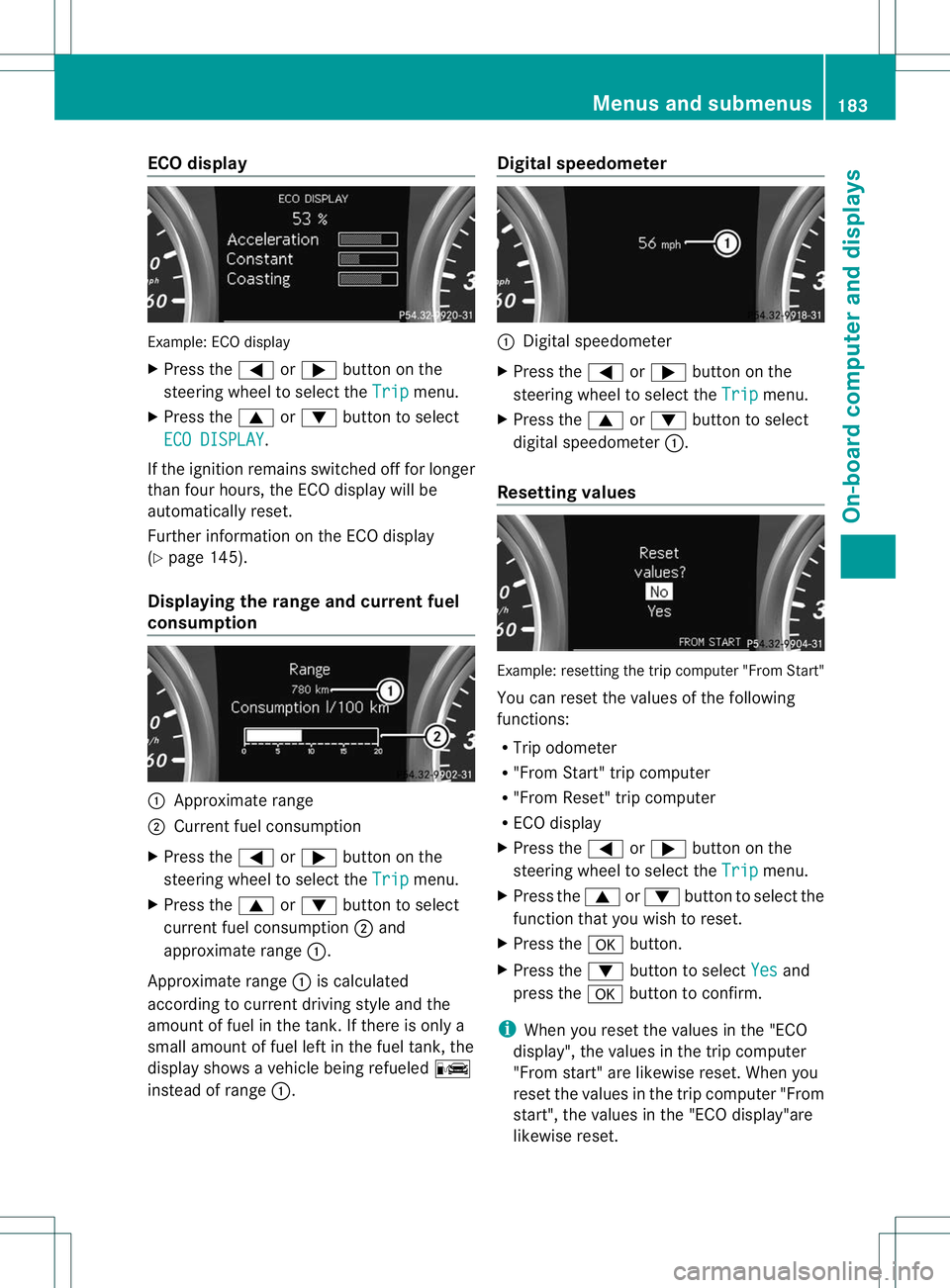
Example
:ECO display
X Press the =or; button on the
steering wheel to selec tthe Trip menu.
X Press the 9or: button to select
ECO DISPLAY .
If the ignition remains switched off for longer
than four hours, the ECO display will be
automatically reset.
Further information on the ECO display
(Y page 145).
Displaying the range and current fuel
consumption :
Approximate range
; Current fuel consumption
X Press the =or; button on the
steering wheel to select the Trip menu.
X Press the 9or: button to select
current fuel consumption ;and
approximate range :.
Approximate range :is calculated
according to current driving style and the
amount of fuel in the tank. If there is only a
small amount of fuel left in the fuel tank, the
display shows a vehicle being refueled C
instead of range :. Digital speedometer :
Digital speedometer
X Press the =or; button on the
steering wheel to select the Trip menu.
X Press the 9or: button to select
digital speedometer :.
Resetting values Example: resetting the trip computer "From Start"
You can reset the values of the following
functions:
R
Trip odometer
R "From Start" trip computer
R "From Reset" trip computer
R ECO display
X Press the =or; button on the
steering wheel to select the Trip menu.
X Press the 9or: button to select the
function that you wish to reset.
X Press the abutton.
X Press the :button to select Yes and
press the abutton to confirm.
i When you reset the values in the "ECO
display", the values in the trip computer
"From start" are likewise reset. When you
reset the values in the trip computer "From
start", the values in the "ECO display"are
likewise reset. Menus and submenus
183On-board computer and displays Z
Page 192 of 336
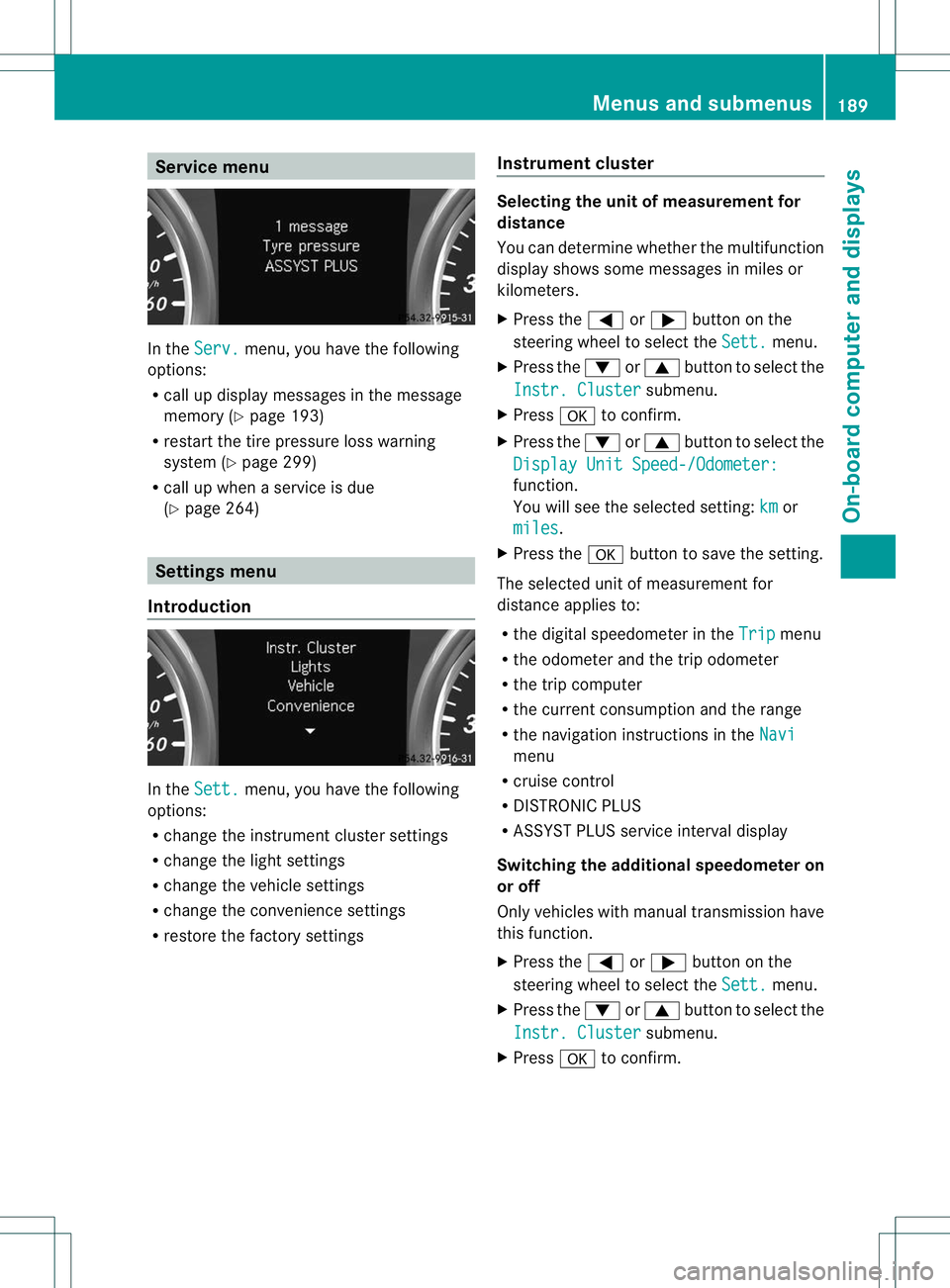
Service menu
In the
Serv. menu, you have the following
options:
R call up display messages in the message
memory (Y page 193)
R restart the tire pressure loss warning
system (Y page 299)
R call up when a service is due
(Y page 264) Settings menu
Introduction In the
Sett. menu, you have the following
options:
R change the instrument cluster settings
R change the light settings
R change the vehicle settings
R change the convenience settings
R restore the factory settings Instrument cluster Selecting the unit of measurement for
distance
You can determine whether the multifunction
display shows some messages in miles or
kilometers.
X
Press the =or; button on the
steering wheel to select the Sett. menu.
X Press the :or9 button to select the
Instr. Cluster submenu.
X Press ato confirm.
X Press the :or9 button to select the
Display Unit Speed-/Odometer: function.
You will see the selected setting:
km or
miles .
X Press the abutton to save the setting.
The selected unit of measurement for
distance applies to:
R the digital speedometer in the Trip menu
R the odometer and the trip odometer
R the trip computer
R the current consumption and the range
R the navigation instructions in the Navi menu
R cruise control
R DISTRONIC PLUS
R ASSYST PLUS service interval display
Switching the additional speedometer on
or off
Only vehicles with manual transmission have
this function.
X Press the =or; button on the
steering wheel to select the Sett. menu.
X Press the :or9 button to select the
Instr. Cluster submenu.
X Press ato confirm. Menus and submenus
189On-board computer and displays Z