instrument panel MERCEDES-BENZ C-CLASS 2002 User Guide
[x] Cancel search | Manufacturer: MERCEDES-BENZ, Model Year: 2002, Model line: C-CLASS, Model: MERCEDES-BENZ C-CLASS 2002Pages: 399, PDF Size: 16.95 MB
Page 178 of 399
175
Audio system
Te ch n i c a l
data
Instruments
and controls Operation
DrivingInstrument
cluster display Practical hints Car care Index
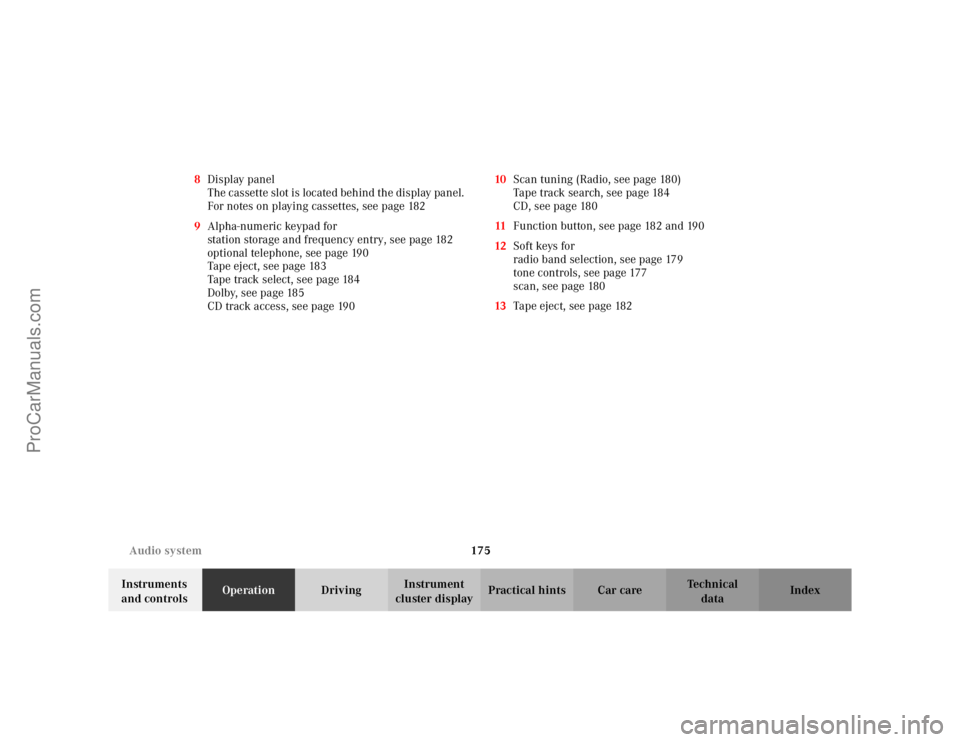
8
Display panel
The cassette slot is located behind the display panel.
For notes on playing cassettes, see page 182
9 Alpha-numeric keypad for
station storage and frequency entry, see page 182
optional telephone, see page 190
Tape eject, see page 183
Tape track select, see page 184
Dolby, see page 185
CD track access, see page 190 10
Scan tuning (Radio, see page 180)
Tape track search, see page 184
CD, see page 180
11 Function button, see page 182 and 190
12 Soft keys for
radio band selection, see page 179
tone controls, see page 177
scan, see page 180
13 Tape eject, see page 182
ProCarManuals.com
Page 185 of 399

182
Audio system
Te ch n i c a l
data
Instruments
and controls Operation
DrivingInstrument
cluster display Practical hints Car care Index
Storing stations
Hold the desired number button - down for
approximately 2 seconds. The currently displayed
frequency is stored on the selected station button. The
storage procedure is confirmed by a short signal tone.
Retrieving a station from memory
Press the desired station button - .
Direct frequency input (AM and FM only) Select the band. Press the
“ button and enter the
desired frequency using the
alpha-numeric keypad - . Frequencies outside of
the frequency ranges (frequencies specified on
page 179) will not be accepted. The frequency input
mode is cancelled if no button is pressed within
4seconds. Cassette mode
Playing cassettes
Press the button. When the button is pressed,
the display folds down and the cassette slot becomes
visible. Push the cassette gently into the slot until it
engages. The cassette will be pulled in automatically.
Note:
Do not press directly on the display face.
Return the display panel to its normal position by
folding it back up and pressing gently on the display
frame to lock in place.
Important!
If the display is in the down position for more than
20 seconds, 2 successive beeps will be heard. This will
continue at 5 second intervals until the display is
returned to its normal position.
0OPR0OPR
0OPR
TAPE
EJ
ProCarManuals.com
Page 190 of 399
187
Audio system
Te ch n i c a l
data
Instruments
and controls Operation
DrivingInstrument
cluster display Practical hints Car care Index
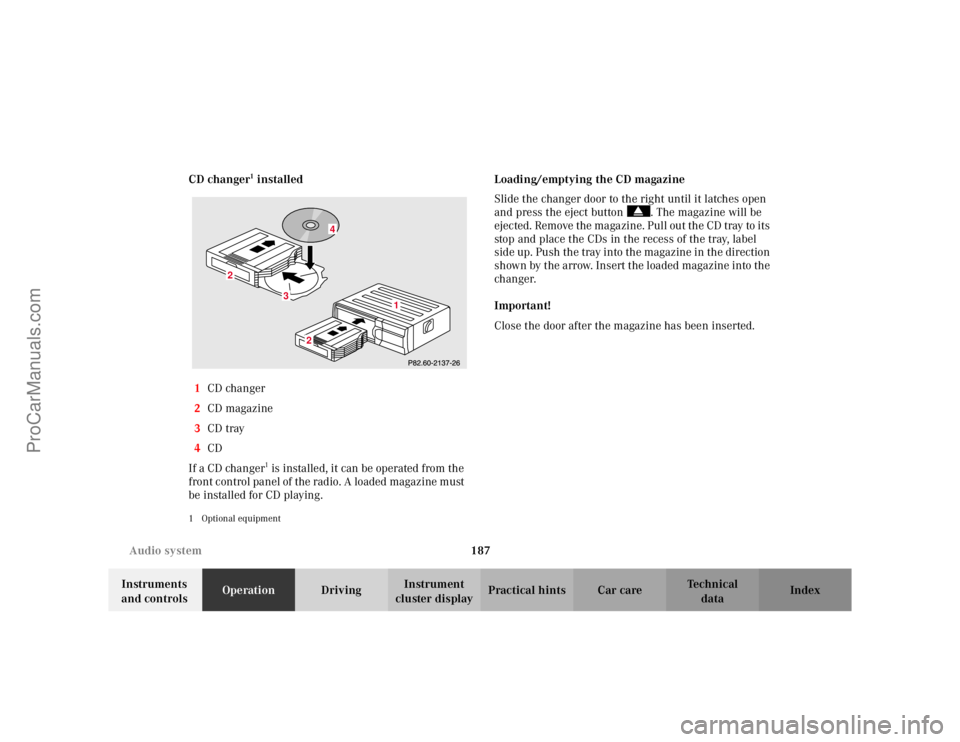
CD changer
1 installed
1 CD changer
2 CD magazine
3 CD tray
4 CD
If a CD changer1 is installed, it can be operated from the
front control panel of the radio. A loaded magazine must
be installed for CD playing.
1 Optional equipment
Loading/emptying the CD magazine
Slide the changer door to the right until it latches open
and press the eject button . The magazine will be
ejected. Remove the magazine. Pull out the CD tray to its
stop and place the CDs in the recess of the tray, label
side up. Push the tray into the magazine in the direction
shown by the arrow. Insert the loaded magazine into the
changer.
Important!
Close the door after the magazine has been inserted.
3
2
2
1
4
ProCarManuals.com
Page 200 of 399

197
Interior equipment
Te ch n i c a l
data
Instruments
and controls Operation
DrivingInstrument
cluster display Practical hints Car care Index
Power windows
The control panel is located on the driver’s door.
Switches for:
1 left, front
2 right, front
There is a single switch on the passenger door.
Turn electronic key in starter switch to position 1 or 2. Opening the windows:
Press the switch to resistance point.
Closing the windows:
Pull the switch to resistance point.
Release switch when window is in desired position.
Express opening and closing
Press or pull switch past resistance point and release –
window opens or closes completely.
To interrupt procedure, briefly press or pull switch.
If the upward movement of the window is blocked
during the closing procedure, the window will stop
during the last few inches before closure and open
slightly.
When pulling and holding the switch to close the
window, and upward movement of the window is
blocked during the last few inches before closure, it will
stop but not
open slightly.
ProCarManuals.com
Page 201 of 399
198
Interior equipment
Te ch n i c a l
data
Instruments
and controls Operation
DrivingInstrument
cluster display Practical hints Car care Index
The windows can also be opened and closed using: • the summer opening / convenience feature, see
page 34.
• the button O in the control panel of the climate
control, see page 158 or automatic climate control,
see page 167.
• the button e in the control panel of the
automatic climate control, see page 168. Synchronizing power windows
If the power supply was interrupted, (battery
disconnected or low), the windows cannot be opened or
closed by the express feature.
To resynchronize the express feature, pull switch until
the window is completely closed and hold for
approximately 1 second. Repeat procedure for each
window.
The automatic full opening and closing procedure of the
windows should now be restored.
Wa r n i n g !
When closing the windows, be sure that there is no
danger of anyone being harmed by the closing
procedure.In case of obstruction, the automatic reversal will
not operate if a door window is being closed by
pulling the switch to its resistance point and
holding it there, or when using the electronic key.The closing procedure can be immediately reversed
by either pressing or pulling the switch, or
pressing button
Œon the electronic key and
holding it.
When leaving the vehicle, always remove the
electronic key from starter switch, and lock your
vehicle. Do not leave children unattended in the
vehicle, or with access to an unlocked vehicle.
Unsupervised use of vehicle equipment can cause
serious personal injury.
ProCarManuals.com
Page 259 of 399
256
Parking brake
Te ch n i c a l
data
Instruments
and controls Operation
DrivingInstrument
cluster display Practical hints Car care Index
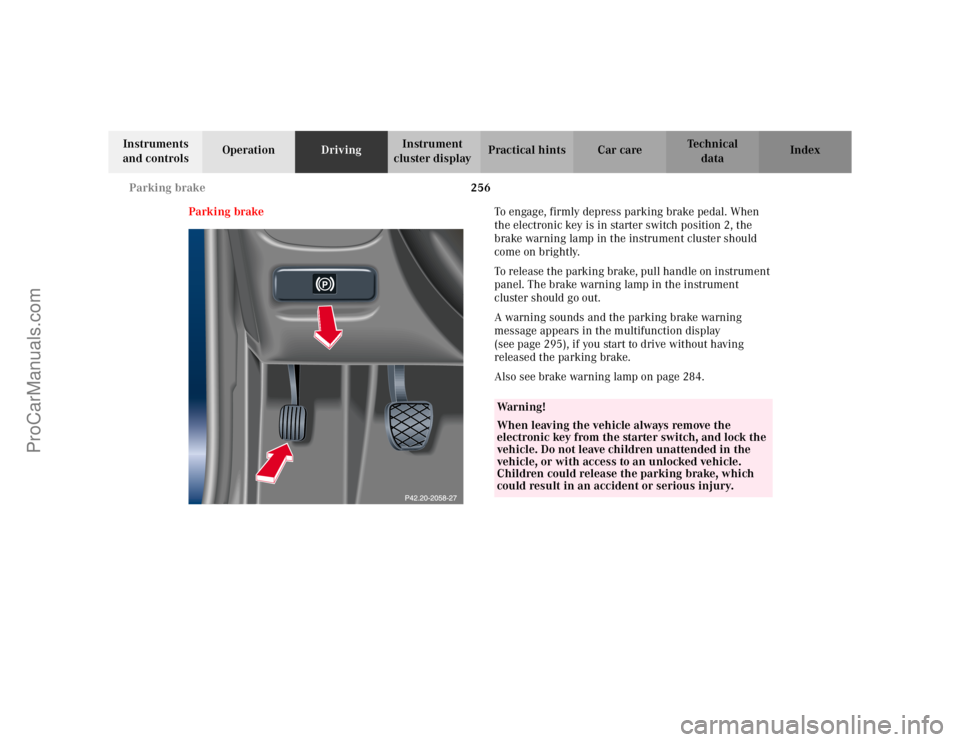
Parking brake To engage, firmly depress parking brake pedal. When
the electronic key is in starter switch position 2, the
brake warning lamp in the instrument cluster should
come on brightly.
To release the parking brake, pull handle on instrument
panel. The brake warning lamp in the instrument
cluster should go out.
A warning sounds and the parking brake warning
message appears in the multifunction display
(see page 295), if you start to drive without having
released the parking brake.
Also see brake warning lamp on page 284.
Wa r n i n g !
When leaving the vehicle always remove the
electronic key from the starter switch, and lock the
vehicle. Do not leave children unattended in the
vehicle, or with access to an unlocked vehicle.
Children could release the parking brake, which
could result in an accident or serious injury.
ProCarManuals.com
Page 313 of 399
310
First aid kit
Te ch n i c a l
data
Instruments
and controls Operation Driving
Instrument
cluster display Practical hints
Car care Index
First aid kit
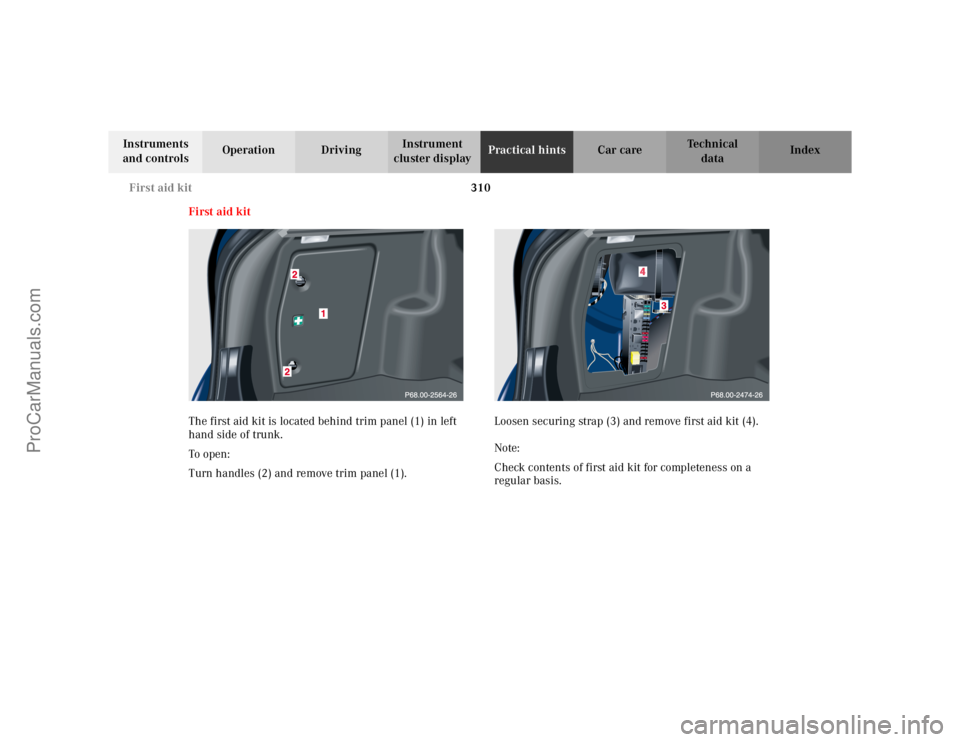
The first aid kit is located behind trim panel (1) in left
hand side of trunk.
To o pen :
Turn handles (2) and remove trim panel (1). Loosen securing strap (3) and remove first aid kit (4).
Note:
Check contents of first aid kit for completeness on a
regular basis.
ProCarManuals.com
Page 317 of 399
314
Fuses
Te ch n i c a l
data
Instruments
and controls Operation Driving
Instrument
cluster display Practical hints
Car care Index
Auxiliary fuse box in the trunk
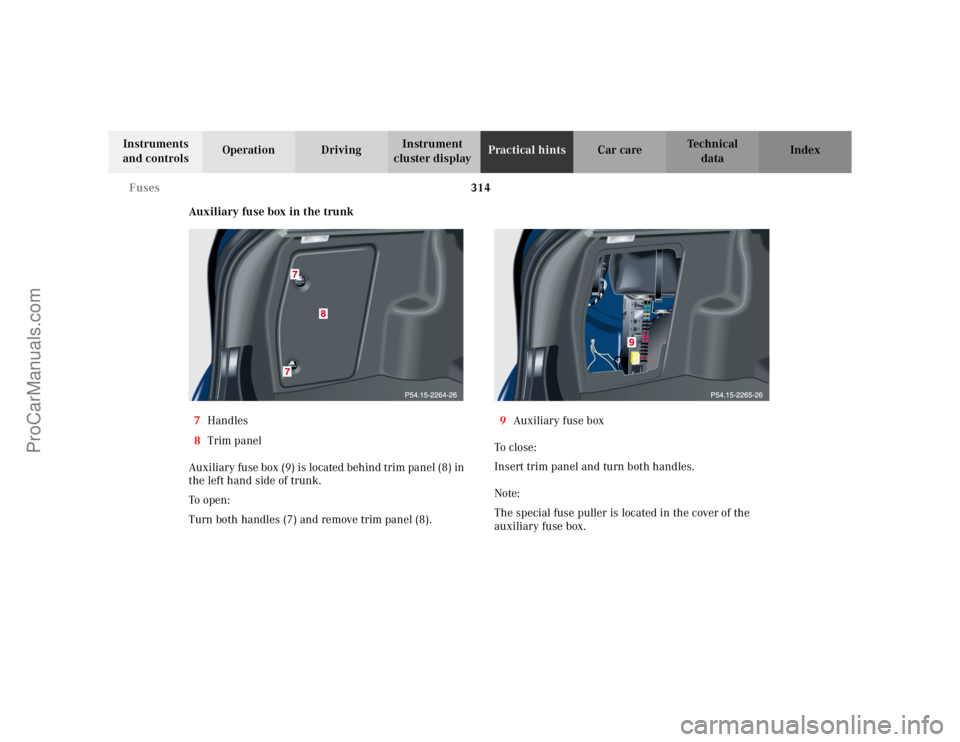
7 Handles
8 Trim panel
Auxiliary fuse box (9) is located behind trim panel (8) in
the left hand side of trunk.
To o pen :
Turn both handles (7) and remove trim panel (8). 9
Auxiliary fuse box
To c l o s e :
Insert trim panel and turn both handles.
Note:
The special fuse puller is located in the cover of the
auxiliary fuse box.
ProCarManuals.com
Page 319 of 399

316
Engine compartment
Te ch n i c a l
data
Instruments
and controls Operation Driving
Instrument
cluster display Practical hints
Car care Index
To o pen :
To unlock the hood, pull release lever (1) under the
driver´s side of the instrument panel. At the same time
a handle will extend out of the radiator grill. Pull handle (2) to its stop out of radiator grill and open
hood (do not pull up on the handle).
Note:
To avoid damage to the windshield wipers or hood, open
the hood only with the wipers in the parked position.
ProCarManuals.com
Page 351 of 399

348
Exterior lamps
Te ch n i c a l
data
Instruments
and controls Operation Driving
Instrument
cluster display Practical hints
Car care Index
Taillamp assemblies
Open trunk lid.
Turn both handles (2) and remove trim panel (1). Press together the latches (3) and remove bulb carrier.
Push bulb into socket, turn counterclockwise and
remove.
Insert new bulb in socket, push in and reinstall bulb
carrier.
Reinstall trim panel.
ProCarManuals.com