wheel MERCEDES-BENZ C CLASS 2016 User Guide
[x] Cancel search | Manufacturer: MERCEDES-BENZ, Model Year: 2016, Model line: C CLASS, Model: MERCEDES-BENZ C CLASS 2016Pages: 398, PDF Size: 11.64 MB
Page 22 of 398
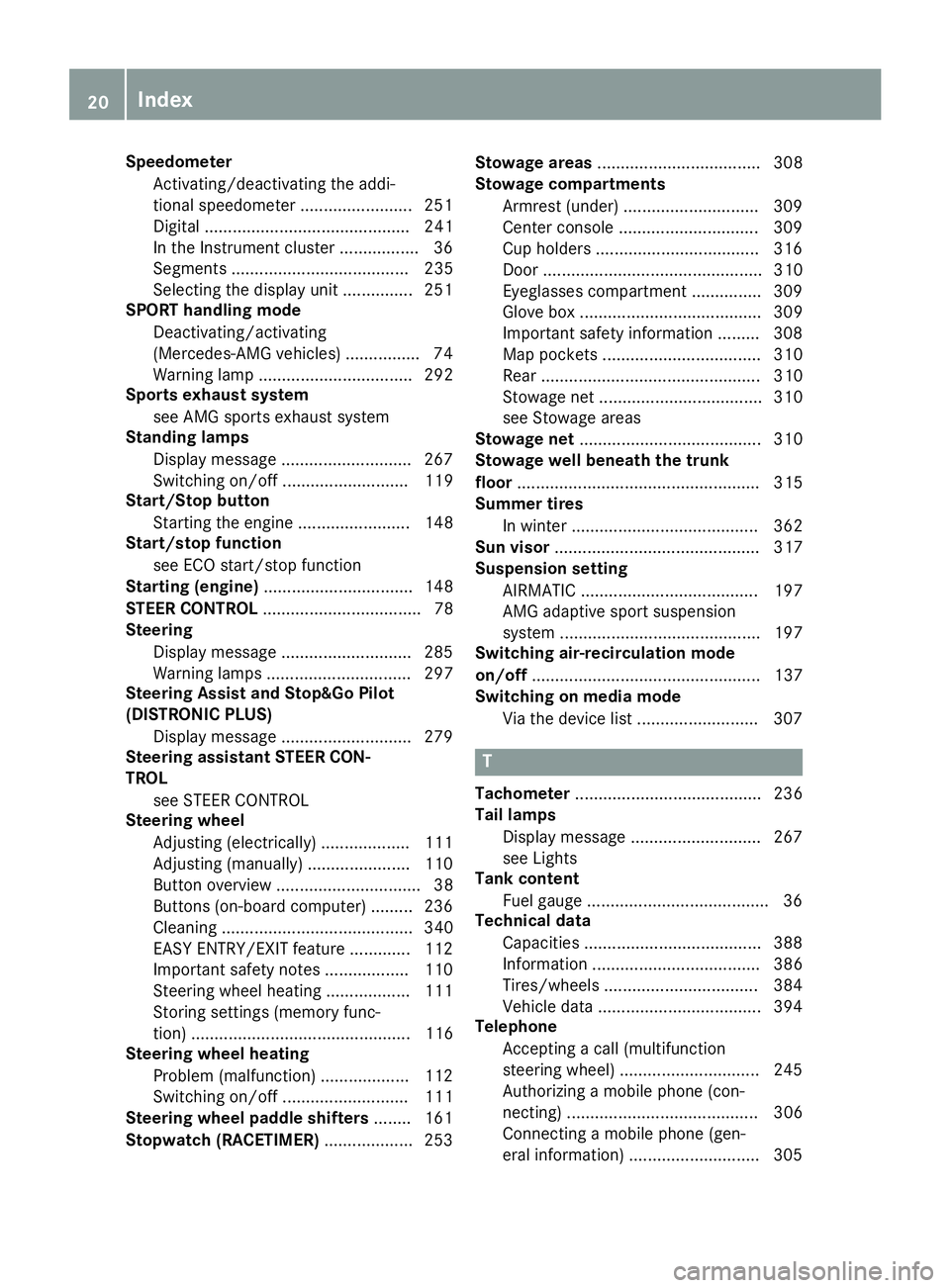
Speedometer
Activating/deactivating the addi-
tional speedometer ........................ 251
Digital ............................................ 241
In the Instrument cluster ................. 36
Segments ...................................... 235
Selecting the display unit ............... 251
SPORT handling mode
Deactivating/activating
(Mercedes-AMG vehicles) ............... .7 4
Warning lamp ................................. 292
Sports exhaust system
see AMG sports exhaust system
Standing lamps
Display message ........................... .2 67
Switching on/off ........................... 119
Start/Stop button
Starting the engine ........................ 148
Start/stop function
see ECO start/stop function
Starting (engine) ................................ 148
STEER CONTROL .................................. 78
Steering
Display message ............................ 285
Warning lamps ............................... 297
Steering Assist and Stop&Go Pilot
(DISTRONIC PLUS)
Display message ............................ 279
Steering assistant STEER CON-
TROL
see STEER CONTROL
Steering wheel
Adjusting (electrically) ................... 111
Adjusting (manually) ...................... 110
Button overview ............................... 38
Buttons (on-board computer) ......... 236
Cleaning ......................................... 340
EASY ENTRY/EXIT feature ............. 112
Important safety notes .................. 110
Steering wheel heating .................. 111
Storing settings (memory func-
tion) ............................................... 116
Steering wheel heating
Problem (malfunction) ................... 112
Switching on/off ........................... 111
Steering wheel paddle shifters ........ 161
Stopwatch (RACETIMER) ................... 253 Stowage areas ................................... 308
Stowage compartments
Armrest (under) ............................. 309
Center console .............................. 309
Cup holders ................................... 316
Door ............................................... 310
Eyeglasses compartment ............... 309
Glove box ....................................... 309
Important safety i nformation ......... 308
Map pockets .................................. 310
Rear ............................................... 310
Stowage net ................................... 310
see Stowage areas
Stowage net ....................................... 310
Stowage well beneath the trunk
floor .................................................... 315
Summer tires
In winter ........................................ 362
Sun visor ............................................ 317
Suspension setting
AIRMATIC ...................................... 197
AMG adaptive sport suspension
system ........................................... 197
Switching air-recirculation mode
on/off ................................................. 137
Switching on media mode
Via the device list .......................... 307
T
Tachometer ........................................ 236
Tail lamps
Display message ............................ 267
see Lights
Tank content
Fuel gauge ....................................... 36
Technical data
Capacities ...................................... 388
Information .................................... 386
Tires/wheels ................................. 384
Vehicle data ................................... 394
Telephone
Accepting a call (multifunction
steering wheel) .............................. 245
Authorizing a mobile phone (con-
necting) ......................................... 306
Connecting a mobile phone (gen-
eral information) ............................ 30520
Index
Page 23 of 398
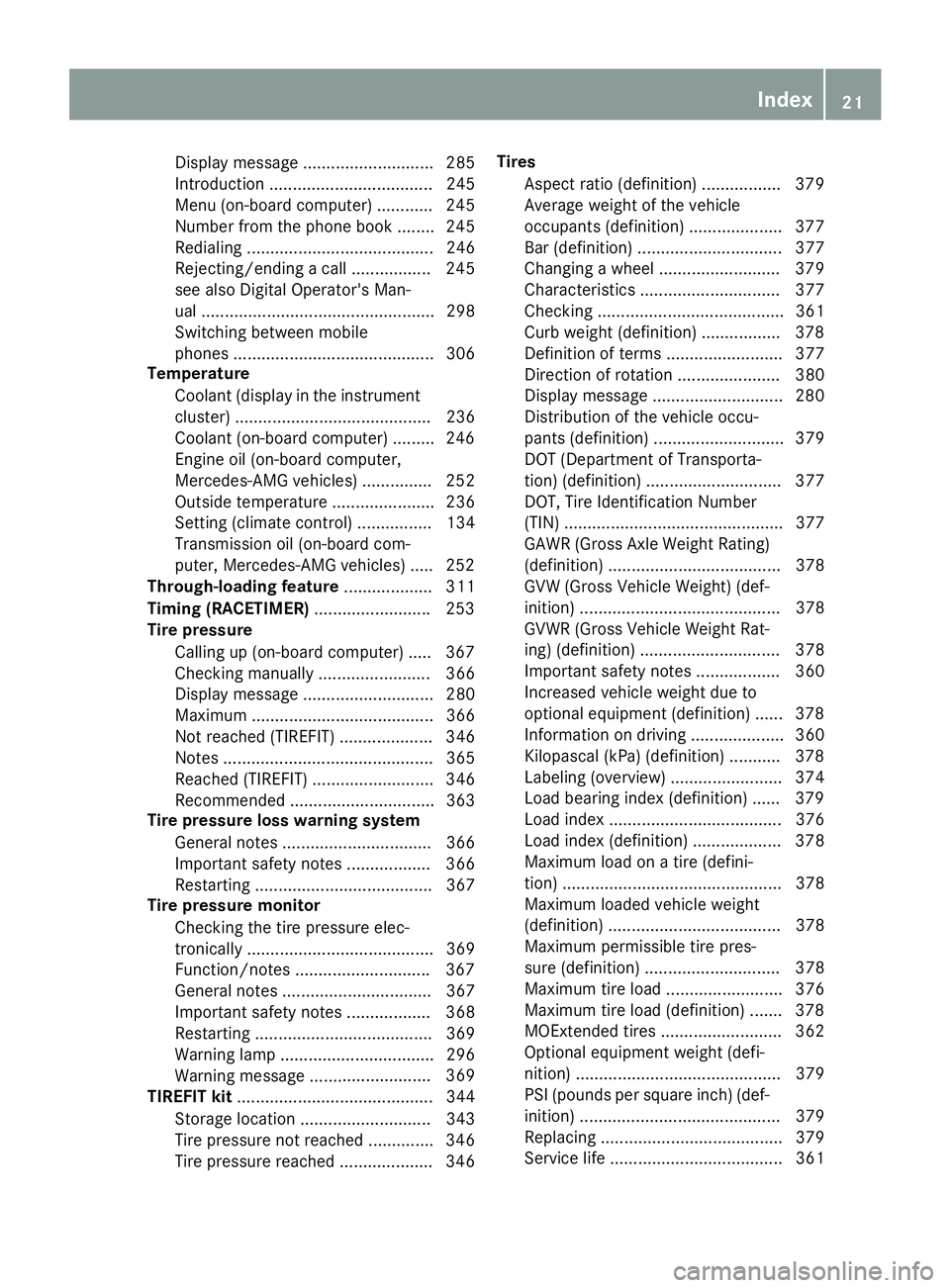
Display message ............................ 285
Introduction ................................... 245
Menu (on-board computer) ............ 245
Number from the phone book ........ 245
Redialing ........................................ 246
Rejecting/ending a call ................. 245
see also Digital Operator's Man-
ual .................................................. 298
Switching between mobile
phones ........................................... 306
Temperature
Coolant (display in the instrument
cluster) .......................................... 236
Coolant (on-board computer) ......... 246
Engine oil (on-board computer,
Mercedes-AMG vehicles) ............... 252
Outside temperature ...................... 236
Setting (climate control) ................ 134
Transmission oil (on-board com-
puter, Mercedes-AMG vehicles) ..... 252
Through-loading feature ................... 311
Timing (RACETIMER) ........................ .2 53
Tire pressure
Calling up (on-board computer) ..... 367
Checking manually ........................ 366
Display message ............................ 280
Maximum ....................................... 366
Not reached (TIREFIT) .................... 346
Notes ............................................. 365
Reached (TIREFIT) .......................... 346
Recommended ............................... 363
Tire pressure loss warning system
General notes ................................ 366
Important safety notes .................. 366
Restarting ...................................... 367
Tire pressure monitor
Checking the tire pressure elec-
tronically ........................................ 369
Function/notes ............................ .3 67
General notes ................................ 367
Important safety notes .................. 368
Restarting ...................................... 369
Warning lamp ................................. 296
Warning message ....... ................... 369
TI RE FIT kit .......................................... 344
Storage location ............................ 343
Tire pressure not reached .............. 346
Tire pressure reached .................... 346 Tires
Aspect ratio (definition) ................. 379
Average weight of the vehicle
occupants (definition) .................... 377
Bar (definition) ............................... 377
Changing a wheel .......................... 379
Characteristics .............................. 377
Checking ........................................ 361
Curb weight (definition) ................. 378
Definition of terms ......................... 377
Direction of rotation ...................... 380
Display message ............................ 280
Distribution of the vehicle occu-
pants (definition) ............................ 379
DOT (Department of Transporta-
tion) (definition) ............................. 377
DOT, Tire Identification Number
(TIN) ............................................... 377
GAWR (Gross Axle Weight Rating)
(definition) ..................................... 378
GVW (Gross Vehicle Weight) (def-
inition) ........................................... 378
GVWR (Gross Vehicle Weight Rat-
ing) (definition) .............................. 378
Important safety notes .................. 360
Increased vehicle weight due to
optional equipment (definition) ...... 378
Information on driving .................... 360
Kilopascal (kPa) (definition) ........... 378
Labeling (overview) ........................ 374
Load bearing index (definition) ...... 379
Load index ..................................... 376
Load index (definition) ................... 378
Maximum load on a tire (defini-
tion) ............................................... 378
Maximum loaded vehicle weight
(definition) ..................................... 378
Maximum permissible tire pres-
sure (definition) ............................. 378
Maximum tire load ......................... 376
Maximum tire load (definition) ....... 378
MOExte nd ed tires .......................... 362
Optional equipment weight (defi-
nition) ............................................ 379
PSI (pounds per square inch) (def-
inition) ........................................... 379
Replacing ....................................... 379
Service life ..................................... 361 Index 21
Page 24 of 398
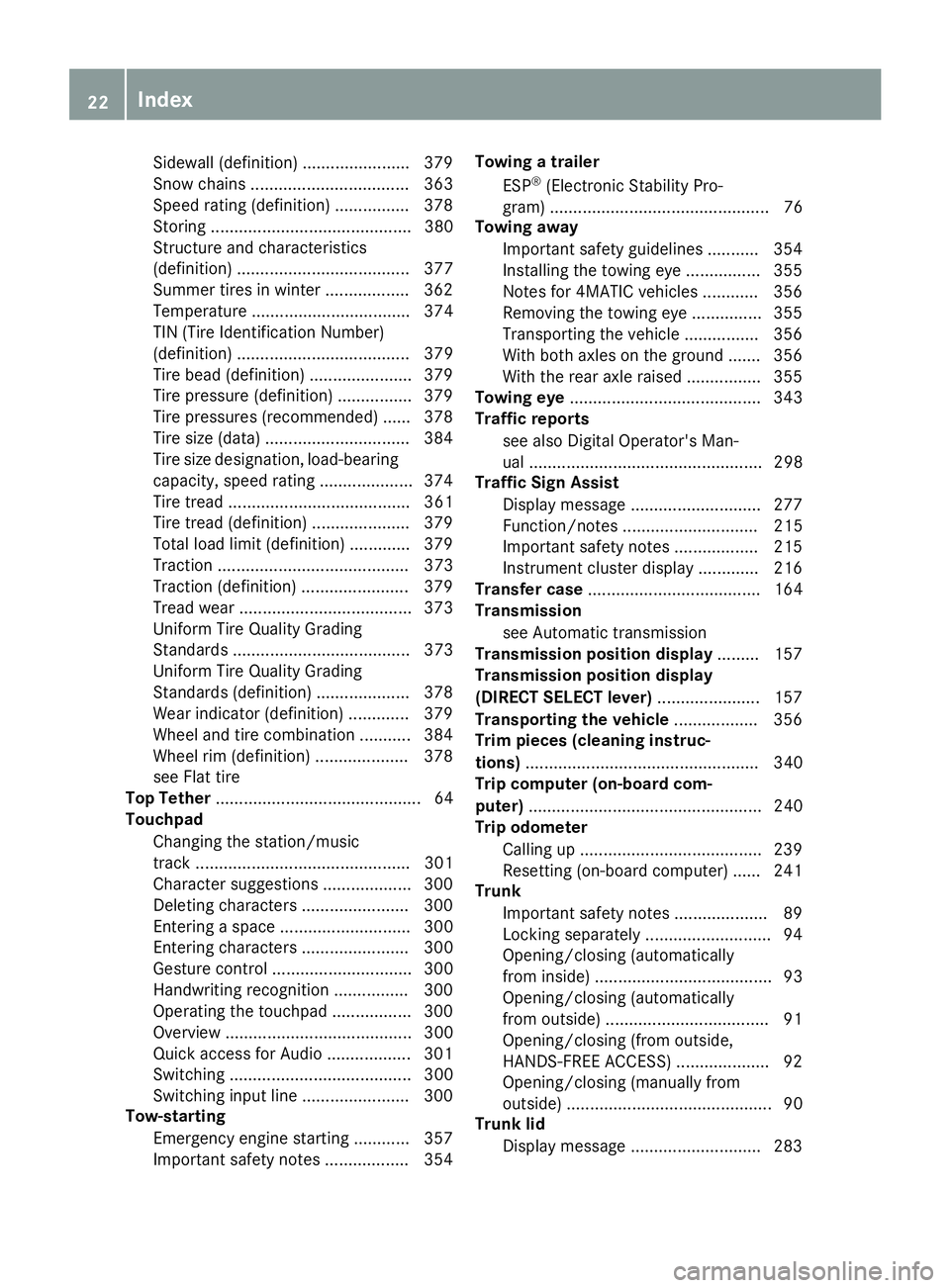
Sidewall (definition) ....................... 379
Snow chains .................................. 363
Speed rating (definition) ................ 378
Storing ........................................... 380
Structure and characteristics
(definition) ..................................... 377
Summer tires in winter .................. 362
Temperature .................................. 374
TIN (Tire Identification Number)
(definition) ..................................... 379
Tire bead (definition) ...................... 379
Tire pressure (definition) ................ 379
Tire pressures (recommended) ...... 378
Tire size (data) ............................... 384
Tire size designation, load-bearing
capacity, speed rating .................... 374
Tire tread ....................................... 361
Tire tread (definition) ..................... 379
Total load limit (definition) ............. 379
Traction ......................................... 373
Traction (definition) ....................... 379
Tread wear ..................................... 373
Uniform Tire Quality Grading
Standards ...................................... 373
Uniform Tire Quality Grading
Standards (definition) .................... 378
Wear indicator (definition) ............. 379
Wheel and tire combination ........... 384
Wheel rim (definition) .................... 378
see Flat tire
Top Tether ............................................ 64
Touchpad
Changing the station/music
track .............................................. 301
Character suggestions ................... 300
Deleting characters ....................... 300
Entering a space ............................ 300
Entering characters ....................... 300
Gesture control .............................. 300
Handwriting recognition ................ 300
Operating the touchpad ................. 300
Overview ........................................ 300
Quick access for Audio .................. 301
Switching ....................................... 300
Switching input line ....................... 300
Tow-starting
Emergency engine starting ............ 357
Important safety notes .................. 354 Towing a trailer
ESP ®
(Electronic Stability Pro-
gram) ............................................... 76
Towing away
Important safety guidelines ........... 354
Insta l ling the towing eye ................ 355
Notes for 4MATIC vehicles ............ 356
Removing the towing eye ............... 355
Transporting the vehicle ................ 356
With both axles on the ground ....... 356
With the rear axle raised ................ 355
Towing eye ......................................... 343
Traffic reports
see also Digital Operator's Man-
ual .................................................. 298
Traffic Sign Assist
Display message ............................ 277
Function/notes ............................. 215
Important safety notes .................. 215
Instrument cluster display ............. 216
Transfer case ..................................... 164
Transmission
see Automatic transmission
Transmission position display ......... 157
Transmission position display
(DIRECT SELECT lever) ...................... 157
Transporting the vehicle .................. 356
Trim pieces (cleaning instruc-
tions) .................................................. 340
Trip computer (on-board com-
puter) .................................................. 240
Trip odometer
Calling up ....................................... 239
Resetting (on-board computer) ...... 241
Trunk
Important safety notes .................... 89
Locking separately ........................... 94
Opening/closing (automatically
from inside) ...................................... 93
Opening/closing (automatically
from outside) ................................... 91
Opening/closing (from outside,
HANDS-FREE ACCESS) .................... 92
Opening/closing (manually from
outside) ............................................ 90
Trunk lid
Display message ............................ 28322
Index
Page 26 of 398
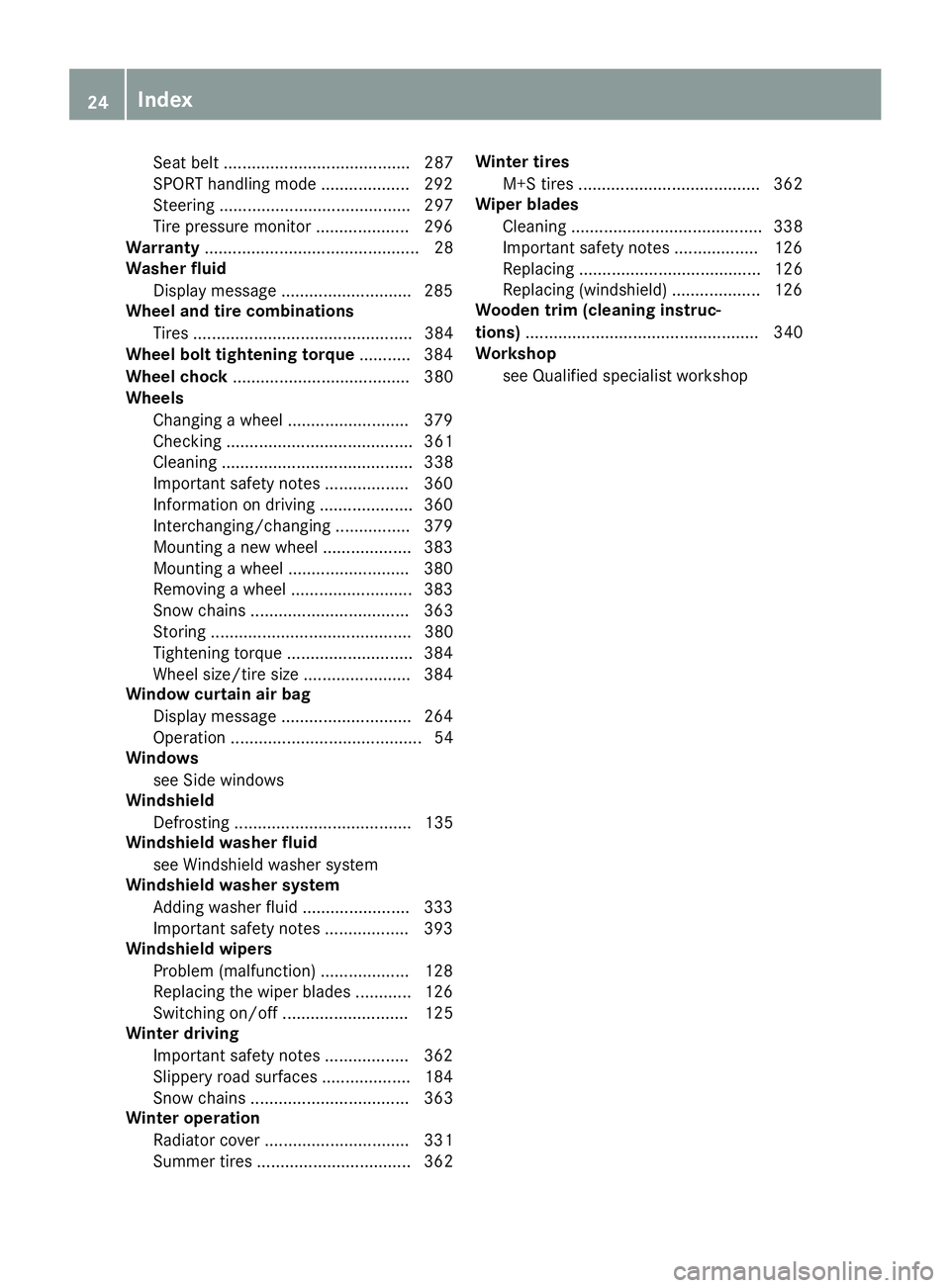
Seat belt ........................................ 287
SPORT handling mode ................... 292
Steering ......................................... 297
Tire pressure monitor .................... 296
Warranty .............................................. 28
Washer fluid
Display message ............................ 285
Wheel and tire combinations
Tires ............................................... 384
Wheel bolt tightening torque ........... 384
Wheel chock ...................................... 380
Wheels
Changing a wheel .......................... 379
Checking ........................................ 361
Cleaning ......................................... 338
Important safety notes .................. 360
Information on driving .................... 360
Interchanging/changing ................ 379
Mounting a new wheel ................... 383
Mounting a wheel .......................... 380
Removing a wheel .......................... 383
Snow chains .................................. 363
Storing ........................................... 380
Tightening torque ........................... 384
Wheel size/tire size ....................... 384
Window curtain air bag
Display message ............................ 264
Operation ......................................... 54
Windows
see Side windows
Windshield
Defrosting ...................................... 135
Windshield washer fluid
see Windshield washer system
Windshield washer system
Adding washer fluid ....................... 333
Important safety notes .................. 393
Windshield wipers
Problem (malfunction) ................... 128
Replacing the wiper blades ............ 126
Switching on/off ........................... 125
Winter driving
Important safety notes .................. 362
Slippery road surfaces ................... 184
Snow chains .................................. 363
Winter operation
Radiator cover ............................... 331
Summer tires ................................. 362 Winter tires
M+S tires ....................................... 362
Wiper blades
Cleaning ......................................... 338
Important safety notes .................. 126
Replacing ....................................... 126
Replacing (windshield) ................... 126
Wooden trim (cleaning instruc-
tions) .................................................. 340
Workshop
see Qualified specialist workshop24
Index
Page 30 of 398
Do not install accessories such as audio sys-
tems in these areas. Do not carry out repairs
or welding. You could impair the operating
efficiency of the restraint systems.
Have aftermarket accessories installed at a
qualified specialist workshop.
You could jeopardize the operating safety of
your vehicle if you use parts, tires and wheels as
well as accessories relevant to safety which
have not been approved by Mercedes-Benz. This
could lead to malfunctions in safety-relevant
systems, e.g. the brake system. Use only genu-
ine Mercedes-Benz parts or parts of equal qual-
ity. Only use tires, wheels and accessories that
have been specifically approved for your vehi-
cle.
Genuine Mercedes-Benz parts are subject to
strict quality control. Every part has been spe-
cifically developed, manufactured or selected
for and adapted to Mercedes-Benz vehicles.
Only genuine Mercedes-Benz parts should
therefore be used.
More than 300,000 different genuine
Mercedes-Benz parts are available for
Mercedes-Benz models.
All authorized Mercedes-Benz Centers maintain
a supply of genuine Mercedes-Benz parts for
necessary service and repair work. In addition,
strate gically located parts delivery centers pro-
vi de quick and reliable parts service.
Always specify the vehicle identification number
(VIN) when ordering genuine Mercedes-Benz
parts ( Y
page 387).
Operator's Manual
Vehicle equipment
i This Operator's Manual describes all models
and all standard and optional equipment of
your vehicle available at the time of going to
print. Country-specific differences are possi-
ble. Bear in mind that your vehicle may not
feature all functions described here. This also
applies to safety-relevant systems and func-
tions. The equipment in your vehicle may
therefore differ from that shown in the
descriptions and illustrations.
The original purchase agreement lists all sys-
tems installed in your vehicle. Should you have any questions concerning
equipment and operation, please consult an
authorized Mercedes-Benz Center.
The Operator's Manual and Maintenance Book-
let are important documents and should be kept
in the vehicle.
Service and vehicle operation
Warranty The implied warranty for your vehicle applies in
accordance with the warranty terms and condi-
tions in the Service and Warranty Information
booklet.
Your authorized Mercedes-Benz Center will
replace and repair all factory-installed parts in
accordance with the following warranty terms
and conditions: R
New Vehicle Limited Warranty R
Emission System Warranty R
Emission Performance Warranty R
California, Connecticut, Maine, Massachu-
setts, New York, Pennsylvania, Rhode Island
and Vermont Emission Control System War-
ranty R
State warranty enforcement laws (lemon
laws)
Replacement parts and accessories are covered
by the Mercedes-Benz Parts and Accessories
warranties. These are available at any author-
ized Mercedes-Benz Center.
i Should you lose your Service and Warranty
Information booklet, have an authorized
Mercedes-Benz Center arrange for a replace-
ment. The new Service and Warranty Infor-
mation booklet will be posted to you.
Information for customers in Califor-
nia Under California law you may be entitled to a
replacement of your vehicle or a refund of the
purchase price or lease price, if after a reason-
able number of repair attempts Mercedes-Benz
USA, LLC and/or its authorized repair or service
facilities fail to fix one or more substantial
defects or malfunctions in the vehicle that are
covered by its express warranty.28
Service and vehicle operation
Introduction
Page 32 of 398
One Mercedes Drive
Montvale, NJ 07645-0350
In Canada
Mercedes-Benz Canada, Inc.
European Delivery Department
98 Vanderhoof Avenue
Toronto, Ontario M4G 4C9
Operating safety
Important safety notes
G WARNING
If you do not have the prescribed service/
maintenance work or any required repairs
carried out, this can result in malfunctions or
system failures. There is a risk of an accident.
Always have the prescribed service/mainte-
nance work as well as any required repairs
carried out at a qualified specialist workshop.
G WARNING
Flammable material such as leaves, grass or
twigs may ignite if they come into contact with
hot parts of the exhaust system. There is a risk
of fire.
When driving off road or on unpaved roads,
check the vehicle's underside regularly. In
particular, remove parts of plants or other
flammable materials which have become
trapped. In the case of damage, contact a
qualified specialist workshop.
G WARNING
Modifications to electronic components, their
software as well as wiring can impair their
function and/or the function of other net-
worked components. In particular, systems
relevant to safety could also be affected. As a
result, these may no longer function as inten-
ded and/or jeopardize the operating safety of
the vehicle. There is an increased risk of an
accident and injury.
Never tamper with the wiring as well as elec-
tronic components or their software. You
should have all work to electrical and elec- tronic equipment carried out at a qualified
specialist workshop.
! There is a risk of damage to the vehicle if: R
the vehicle becomes stuck, e.g. on a high
curb or an unpaved road R
you drive too fast over an obstacle, e.g. a
curb or a hole in the road R
a heavy object strikes the undercarriage or
parts of the chassis
In situations like this, the body, the undercar-
riage, chassis parts, wheels or tires could be
damaged without the damage being visible.
Components damaged in this way can unex-
pectedly fail or, in the case of an accident, no
longer withstand the strain they are designed
to.
If the underbody paneling is damaged, com-
bustible materials such as leaves, grass or
twigs can gather between the underbody and
the underbody paneling. If these materials
come in contact with hot parts of the exhaust
system, they can catch fire.
In such situations, have the vehicle checked
and repaired immediately at a qualified spe-
cialist workshop. If on continuing your jour-
ney you notice that driving safety is impaired,
pull over and stop the vehicle immediately,
paying attention to road and traffic condi-
tions. In such cases, consult a qualified spe-
cialist workshop.
Hybrid vehicles have a combustion engine and
an electric motor. The voltage supply for oper-
ating the vehicle electrically is provided by the
vehicle's high-voltage electrical system.
G DANGER
The vehicle's high-voltage electrical system is
under high voltage. If you modify components
in the vehicle's high-voltage electrical system
or touch damaged components, you may be
electrocuted. The components in the vehi-
cle's high-voltage electrical system may be
damaged in an accident, although the damage
is not visible. There is a risk of fatal injury.
Following an accident, do not touch any high-
voltage components and never modify the
vehicle's high-voltage electrical system. Have
the vehicle towed away after an accident and30
Operating safety
Introduction
Page 35 of 398
These data memories temporarily or perma-
nently store technical information about: R
Vehicle's operating state R
Incidents R
Malfunctions
In general, this technical information docu-
ments the state of a component, a module, a
system or the surroundings.
These include, for example: R
operating conditions of system components,
e.g. fluid levels R
the vehicle's status messages and those of its
individual components, e.g. number of wheel
revolutions/speed, deceleration in move-
ment, lateral acceleration, accelerator pedal
position R
malfunctions and defects in important system
components, e.g. lights, brakes R
vehicle reactions and operating conditions in
special driving situations, e.g. air bag deploy-
ment, intervention of stability control sys-
tems R
ambient conditions, e.g. outside temperature
This data is of an exclusively technical nature
and can be used to: R
assist in recognizing and rectifying malfunc-
tions and defects R
analyze vehicle functions, e.g. after an acci-
dent R
optimize vehicle function
The data cannot be used to trace the vehicle's
movements.
When your vehicle is serviced, technical infor-
mation can be read from the event data memory
and malfunction data memory.
Services include, for example: R
repair services R
service processes R
warranties R
quality assurance
The vehicle is read out by employees of the ser-
vice network (including the manufacturer) using
special diagnostic testers. More detailed infor-
mation is obtained from it, if required.
After a malfunction has been rectified, the infor-
mation is deleted from the malfunction memory
or is continually overwritten.
When operating the vehicle, situations are con-
ceivable in which this technical data, in connec- tion with other information (if necessary, under
consultation with an authorized expert), could
be traced to a person.
Examples include: R
accident reports R
damage to the vehicle R
witness statements
Further additional functions that have been con-
tractually agreed upon with the customer allow
certain vehicle data to be conveyed by the vehi-
cle as well. The additional functions include, for
example, vehicle location in case of an emer-
gency.
COMAND/mbrace If the vehicle is equipped with COMAND or
mbrace, additional data about the vehicle's
operation, the use of the vehicle in certain sit-
uations, and the location of the vehicle may be
compiled through COMAND or the mbrace sys-
tem.
For additional information please refer to the
COMAND User Manual or the Digital Operator's
Manual and/or the mbrace Terms and Condi-
tions.
Event data recorders This vehicle is equipped with an event data
recorder (EDR). This vehicle is equipped with an
event data recorder (EDR). The main purpose of
an EDR is to record, in certain crash or near
crash-like situations, such as an air bag deploy-
ment or hitting a road obstacle, data that will
assist in understanding how a vehicle's systems
performed. The EDR is designed to record data
related to vehicle dynamics and safety systems
for a short period of time, typically 30 seconds
or less.
The EDR in this vehicle is designed to record
such data as: R
How various systems in your vehicle were
operating R
Whether or not the driver and passenger
safety belts were buckled/fastened R
How far (if at all) the driver was depressing the
accelerator and/or brake pedal and R
How fast the vehicle was traveling.Data stored in the vehicle 33
Introduction Z
Page 37 of 398
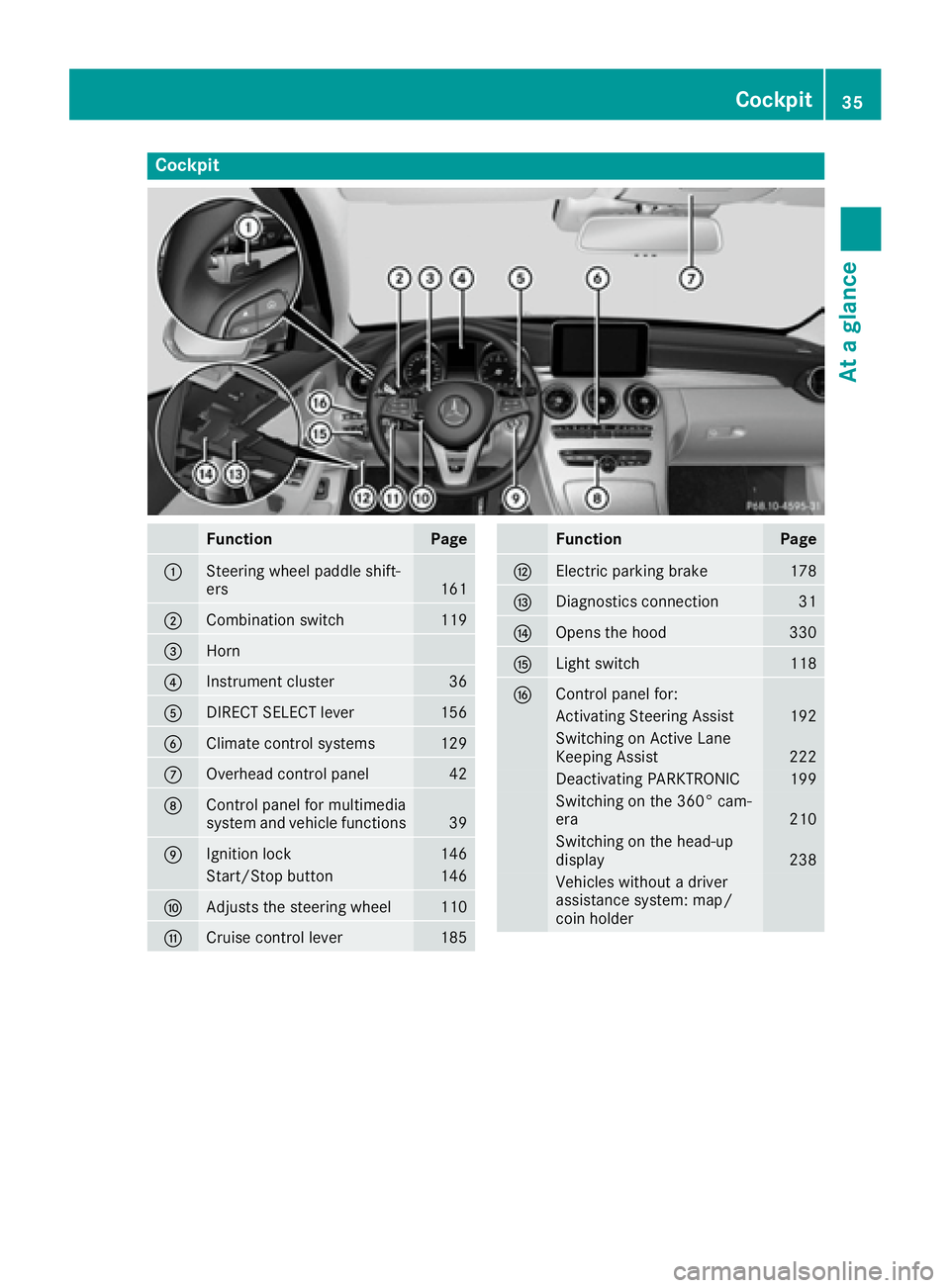
Cockpit
Function Page
C
Steering wheel paddle shift-
ers 161
D
Combination switch 119
Page 40 of 398
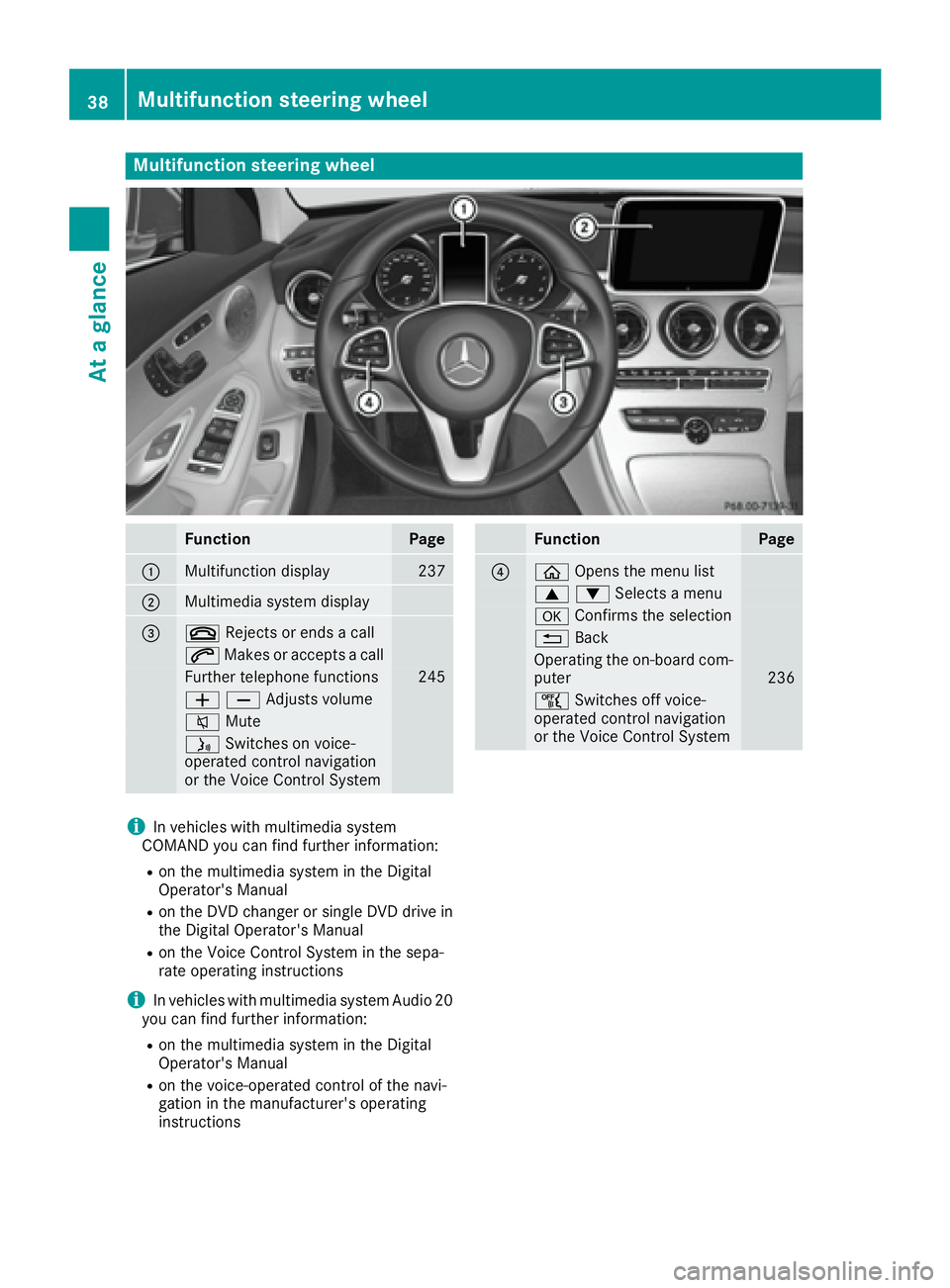
Multifunction steering wheel
Function Page
C
Multifunction display 237
D
Multimedia system display
Page 47 of 398
X
If possible, move the vehicle out of the
danger zone: shift the transmission into posi-
tion N .X
Release the electric parking brake. X
Roll the vehicle to a safe place and park it
safely.
Get assistance from others if necessary.
The vehicle is locked automatically when the
ignition is switched on and the wheels are turn-
ing. There is therefore a risk of being locked out
if the vehicle is being pushed or tested on a
dynamometer. X
Switch the ignition off. X
Shift the transmission to position P .
Depress the electric parking brake
( Y
page 178).
Secure the vehicle against rolling away
( Y
page 380). X
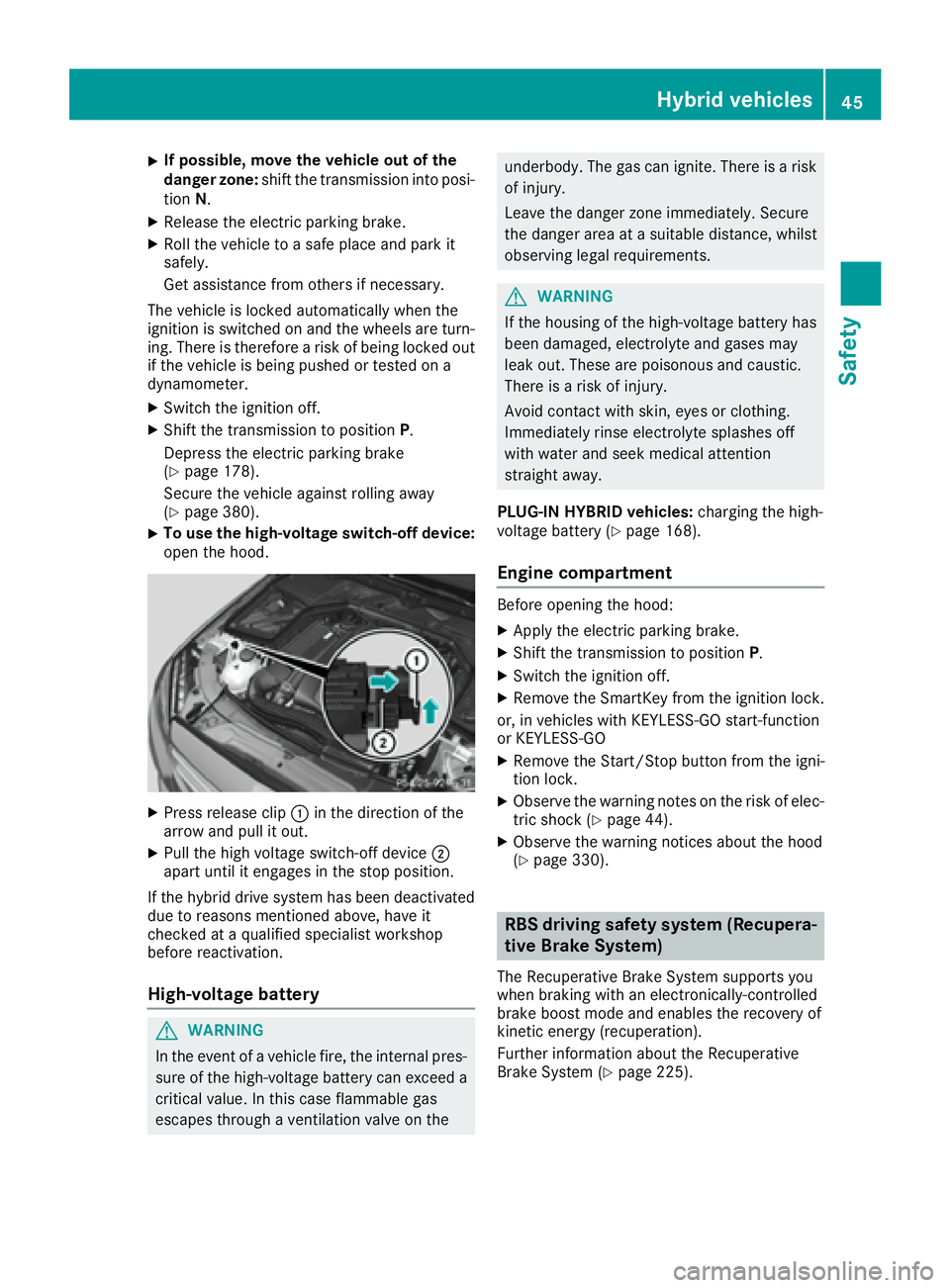
To use the high-voltage switch-off device:
open the hood.
X
Press release clip C in the direction of the
arrow and pull it out. X
Pull the high voltage switch-off device D
apart until it engages in the stop position.
If the hybrid drive system has been deactivated
due to reasons mentioned above, have it
checked at a qualified specialist workshop
before reactivation.
High-voltage battery
G WARNING
In the event of a vehicle fire, the internal pres-
sure of the high-voltage battery can exceed a
critical value. In this case flammable gas
escapes through a ventilation valve on the underbody. The gas can ignite. There is a risk
of injury.
Leave the danger zone immediately. Secure
the danger area at a suitable distance, whilst
observing legal requirements.
G WARNING
If the housing of the high-voltage battery has
been damaged, electrolyte and gases may
leak out. These are poisonous and caustic.
There is a risk of injury.
Avoid contact with skin, eyes or clothing.
Immediately rinse electrolyte splashes off
with water and seek medical attention
straight away.
PLUG-IN HYBRID vehicles: charging the high-
voltage battery ( Y
page 168).
Engine compartment Before opening the hood: X
Apply the electric parking brake. X
Shift the transmission to position P .X
Switch the ignition off. X
Remove the SmartKey from the ignition lock.
or, in vehicles with KEYLESS-GO start-function
or KEYLESS ‑ GO X
Remove the Start/Stop button from the igni-
tion lock. X
Observe the warning notes on the risk of elec-
tric shock ( Y
page 44). X
Observe the warning notices about the hood
( Y
page 330).
RBS driving safety system (Recupera-
tive Brake System) The Recuperative Brake System supports you
when braking with an electronically-controlled
brake boost mode and enables the recovery of
kinetic energy (recuperation).
Further information about the Recuperative
Brake System ( Y
page 225).Hybrid vehicles 45
Safety Z