ESP MERCEDES-BENZ C CLASS 2016 Owner's Manual
[x] Cancel search | Manufacturer: MERCEDES-BENZ, Model Year: 2016, Model line: C CLASS, Model: MERCEDES-BENZ C CLASS 2016Pages: 398, PDF Size: 11.64 MB
Page 76 of 398
ECO start/stop function The ECO start/stop function switches the
engine off automatically when the vehicle stops
moving. The engine starts automatically when
the driver wants to pull away again. ESP ®
remains in its previously selected status. Exam-
ple: if ESP ®
was deactivated before the engine
was switched off, ESP ®
remains deactivated
when the engine is switched on again.
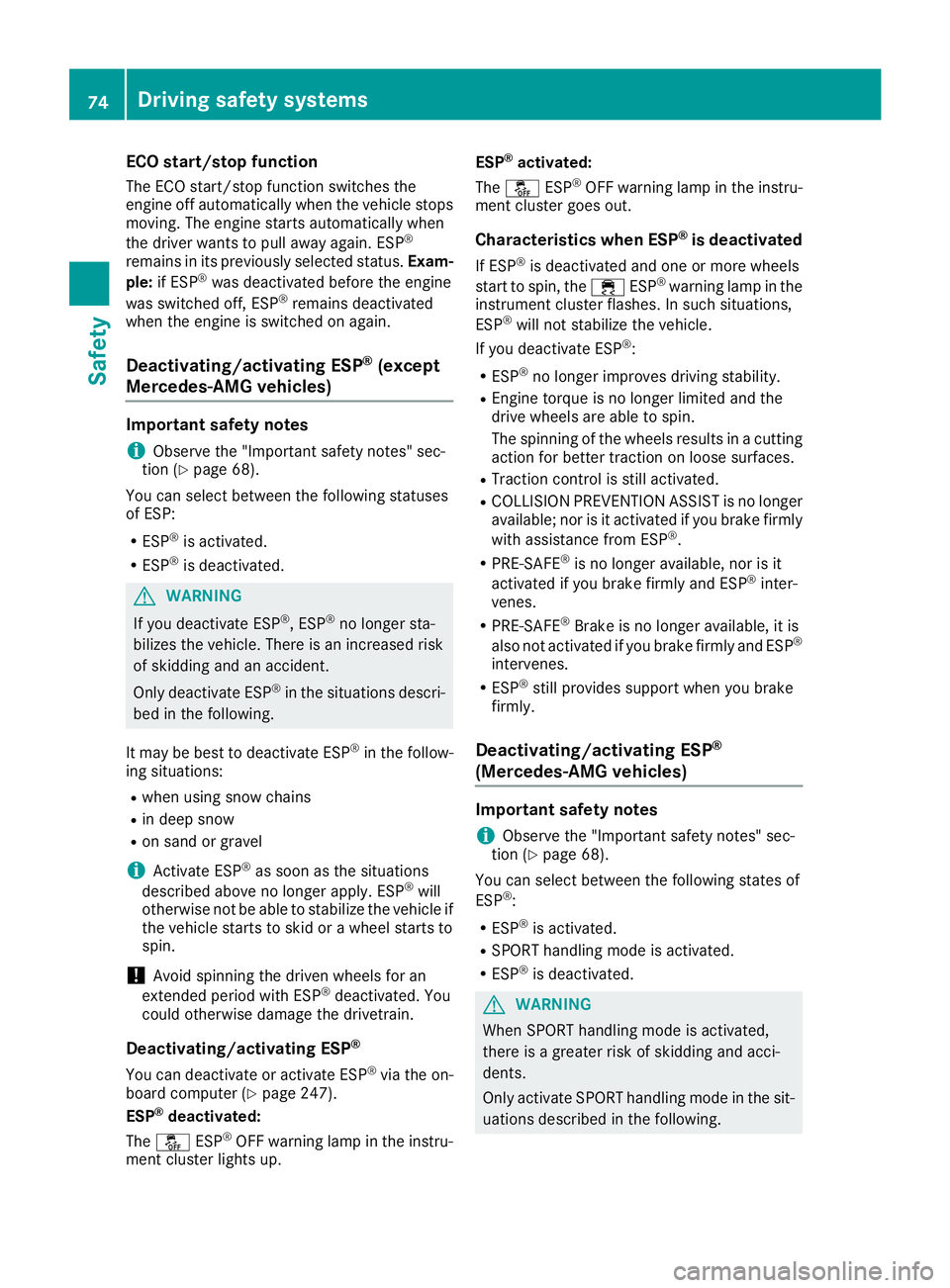
Deactivating/activating ESP ®
(except
Mercedes ‑ AMG vehicles)Important safety notes
i Observe the "Important safety notes" sec-
tion ( Y
page 68).
You can select between the following statuses
of ESP: R
ESP ®
is activated.R
ESP ®
is deactivated.
G WARNING
If you deactivate ESP ®
, ESP ®
no longer sta-
bilizes the vehicle. There is an increased risk
of skidding and an accident.
Only deactivate ESP ®
in the situations descri-
bed in the following.
It may be best to deactivate ESP ®
in the follow-
ing situations: R
when using snow chains R
in deep snow R
on sand or gravel
i Activate ESP ®
as soon as the situations
described above no longer apply. ESP ®
will
otherwise not be able to stabilize the vehicle if
the vehicle starts to skid or a wheel starts to
spin.
! Avoid spinning the driven wheels for an
extended period with ESP ®
deactivated. You
could otherwise damage the drivetrain.
Deactivating/activating ESP ®
You can deactivate or activate ESP ®
via the on-
board computer ( Y
page 247).
ESP ®
deactivated:
The
Page 77 of 398
G WARNING
If you deactivate ESP ®
, ESP ®
no longer sta-
bilizes the vehicle. There is an increased risk
of skidding and an accident.
Only deactivate ESP ®
in the situations descri-
bed in the following.
! Avoid spinning the driven wheels for an
extended period with ESP ®
deactivated. You
could otherwise damage the drivetrain.
In the following situations, it may be better to
activate SPORT handling mode or deactivate
ESP ®
: R
when using snow chains R
in deep snow R
on sand or gravel R
on specially designated roads when the vehi-
cle's own oversteering and understeering
characteristics are desired
Driving in SPORT handling mode or without
ESP ®
requires an extremely qualified and expe-
rienced driver.
i Activate ESP ®
as soon as the situations
described above no longer apply. ESP ®
will
otherwise not be able to stabilize the vehicle if
the vehicle starts to skid or a wheel starts to
spin.
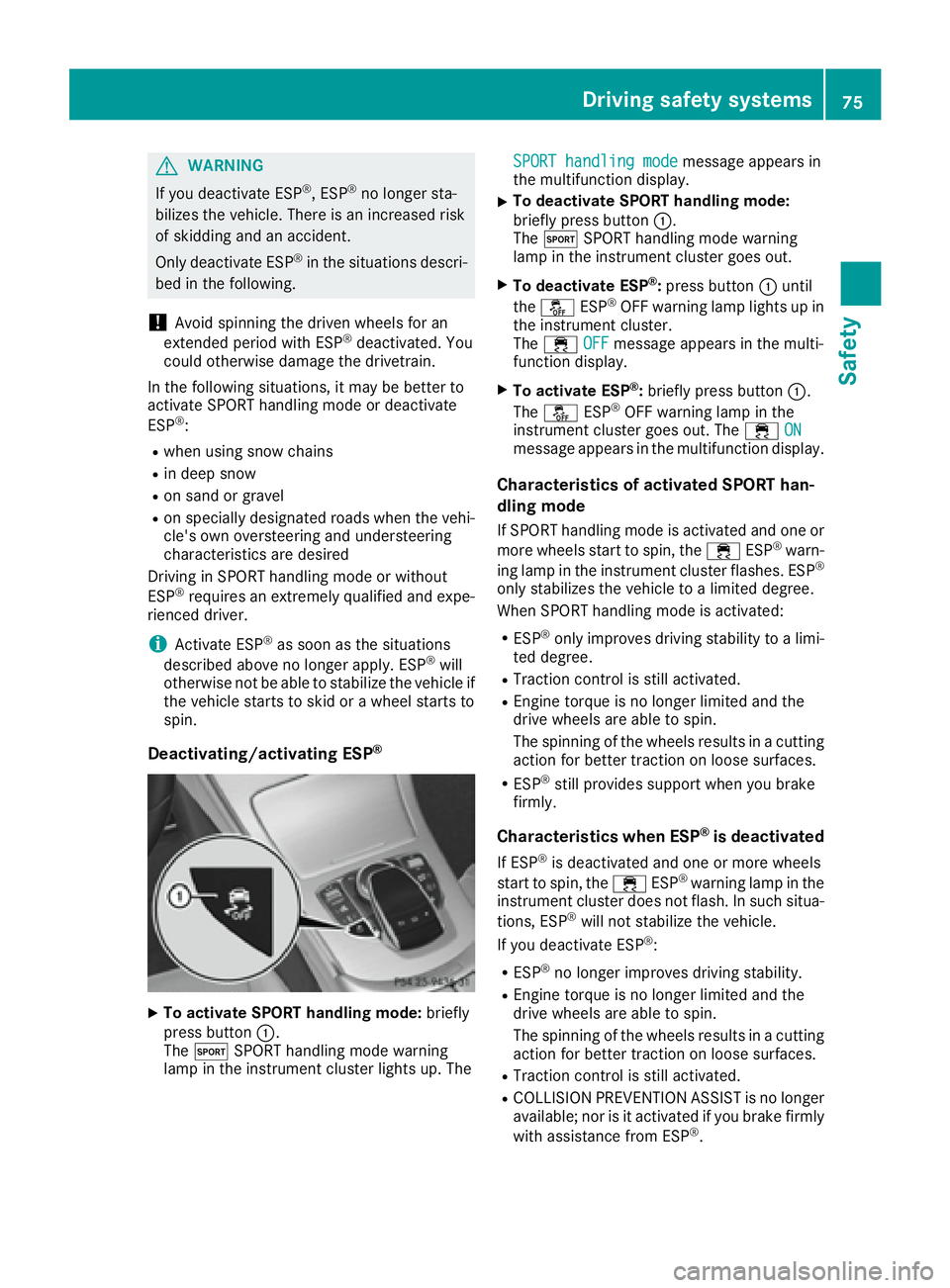
Deactivating/activating ESP ®
X
To activate SPORT handling mode: briefly
press button C .
The t SPORT handling mode warning
lamp in the instrument cluster lights up. The SPORT handling mode
message appears in
the multifunction display. X
To deactivate SPORT handling mode:
briefly press button C .
The t SPORT handling mode warning
lamp in the instrument cluster goes out. X
To deactivate ESP ®
: press button C until
the
Page 78 of 398
R
PRE-SAFE ®
is no longer available, nor is it
activated if you brake firmly and ESP ®
inter-
venes. R
PRE-SAFE ®
Brake is no longer available, it is
also not activated if you brake firmly and ESP ®
intervenes. R
ESP ®
still provides support when you brake
firmly.
ESP ®
trailer stabilizationGeneral information ESP ®
trailer stabilization is not available in
Mercedes-AMG vehicles.
If your vehicle/trailer combination begins to
swerve, ESP ®
assists you in this situation. ESP ®
slows the vehicle down by braking and limiting
the engine output until the vehicle/trailer com-
bination has stabilized.
Important safety notes
G WARNING
If road and weather conditions are poor,
trailer stabilization will not be able to prevent
the vehicle/trailer combination from swerv-
ing. Trailers with a high center of gravity can
tip over before ESP ®
can detect this. There is
a risk of an accident.
Always adapt your driving style to the prevail-
ing road and weather conditions.
If your vehicle with trailer (vehicle/trailer com-
bination) begins to lurch, you can only stabilize
the vehicle/trailer combination by depressing
the brake firmly.
ESP ®
trailer stabilization is active above speeds
of about 65 km/h.
ESP ®
trailer stabilization does not work if ESP ®
is deactivated or disabled because of a malfunc-
tion.
Crosswind Assist
General information
Strong crosswinds can cause your vehicle to
deviate from a straight course. The crosswind
driving assistance function integrated in ESP ®
noticeably reduces these impairments. ESP ®
intervenes automatically according to the
direction and intensity of the crosswinds affect-
ing your vehicle.
ESP intervenes with stabilizing braking to assist
you in keeping the vehicle in the lane.
Crosswind Assist is active at vehicle speeds
above 50 mph (80 km/ h) when driving straight
ahead or cornering gently.
Important safety notes Crosswind Assist does not work if ESP ®
is deac-
tivated or disabled because of a malfunction.
EBD (electronic brake force distribu-
tion)
General information EBD monitors and controls the brake pressure
on the rear wheels to improve driving stability
while braking.
Important safety notes
i Observe the "Important safety notes" sec-
tion ( Y
page 68).
G WARNING
If EBD is malfunctioning, the rear wheels can
lock, e.g. under full braking. This increases the
risk of skidding and an accident.
You should therefore adapt your driving style
to the different handling characteristics. Have
the brake system checked at a qualified spe-
cialist workshop.
Observe information regarding indicator and
warning lamps ( Y
page 289) as well as display
messages ( Y
page 258).
ADAPTIVE BRAKE ADAPTIVE BRAKE enhances braking safety and
offers increased braking comfort. In addition to
the braking function, ADAPTIVE BRAKE also has
the HOLD function ( Y
page 194) and hill start
assist ( Y
page 150).76
Driving safety systems
Safety
Page 79 of 398
PRE-SAFE ®
Brake
General information PRE-SAFE ®
Brake can help you to minimize the
risk of a collision with a vehicle ahead or a
pedestrian, and reduce the effects of such a
collision. If PRE-SAFE ®
Brake has detected a risk
of collision, you will be warned visually and
acoustically as well as by automatic braking.
i Pay attention to the important safety notes
in the "Driving safety systems" section
( Y
page 68).
PRE ‑ SAFE ®
Brake is only available in vehicles
with the Driving Assistance Plus package.
For PRE-SAFE ®
Brake to assist you when driving,
the radar sensor system and the camera system
must be switched on and be operational.
With the help of the radar sensor system and the
camera system, PRE-SAFE ®
Brake can detect
obstacles that are in front of your vehicle for an
extended period of time.
In addition, pedestrians in the path of your vehi-
cle can be detected.
PRE-SAFE ®
Brake detects pedestrians using
typical characteristics such as the body con-
tours and posture of a person standing upright.
i Observe the restrictions described in the
"Important safety notes" section
( Y
page 77).
Important safety notes
G WARNING
PRE-SAFE ®
Brake will initially brake your vehi-
cle by a partial application of the brakes if a
danger of collision is detected. There may be
a collision unless you brake yourself. Even
after subsequent full application of the brakes
a collision cannot always be avoided, partic-
ularly when approaching at too high a speed.
There is a risk of an accident.
Always apply the brakes yourself and try to
take evasive action, provided it is safe to do
so.
In the event of a partial application of the brakes,
the vehicle is braked with up to 50% of the full
braking pressure. G WARNING
PRE-SAFE ®
Brake cannot always clearly iden-
tify objects and complex traffic conditions.
In these cases, PRE-SAFE ®
Brake may:R
give an unnecessary warning and then
brake the vehicle R
not give a warning or intervene
There is a risk of an accident.
Always pay particular attention to the traffic
situation and be ready to brake, especially if
PRE-SAFE ®
Brake warns you. Terminate the
intervention in a non-critical driving situation.
G WARNING
PRE-SAFE ®
Brake cannot always clearly iden-
tify people, especially if they are moving. In
these cases, PRE-SAFE ®
Brake cannot inter-
vene. There is a risk of an accident.
Always pay particular attention to the traffic
situation and be ready to brake, especially if
PRE-SAFE ®
Brake warns you.
In order to maintain the appropriate distance to
the vehicle in front and thus prevent a collision,
you must apply the brakes yourself.
G WARNING
PRE-SAFE ®
Brake does not react: R
to small people, e.g. children R
to animals R
to oncoming vehicles R
to crossing traffic R
when cornering
As a result, PRE-SAFE ®
Brake may neither
give warnings nor intervene in all critical sit-
uations. There is a risk of an accident.
Always pay careful attention to the traffic sit-
uation and be ready to brake.
In the event of snowfall or heavy rain, the rec-
ognition can be impaired.Driving safety systems 77
Safety Z
Page 81 of 398
This steering assistance is provided in particular
if: R
both right wheels or both left wheels are on a
wet or slippery road surface when you brake. R
the vehicle starts to skid.
Important safety notes
i Observe the "Important safety notes" sec-
tion ( Y
page 68).
No steering support is provided from STEER
CONTROL, if: R
ESP ®
is deactivatedR
ESP ®
is malfunctioning.R
the lighting is faulty.
If ESP ®
is malfunctioning, you will be assisted
further by the electrical power steering.
Protection against theft
Immobilizer The immobilizer prevents your vehicle from
being started without the correct SmartKey. X
To activate with the SmartKey: remove the
SmartKey from the ignition lock. X
To activate with KEYLESS-GO start-func-
tion or KEYLESS-GO: switch the ignition off
and open the driver's door. X
To deactivate: switch on the ignition.
When leaving the vehicle, always take the
SmartKey with you and lock the vehicle. Anyone
can start the engine if a valid SmartKey has been
left inside the vehicle.
i The immobilizer is always deactivated when
you start the engine.
In the event that the engine cannot be started
(yet the vehicle's battery is charged), the sys-
tem is not operational. Contact an authorized
Mercedes-Benz Center or call
1-800-FOR-MERCedes (in the USA) or
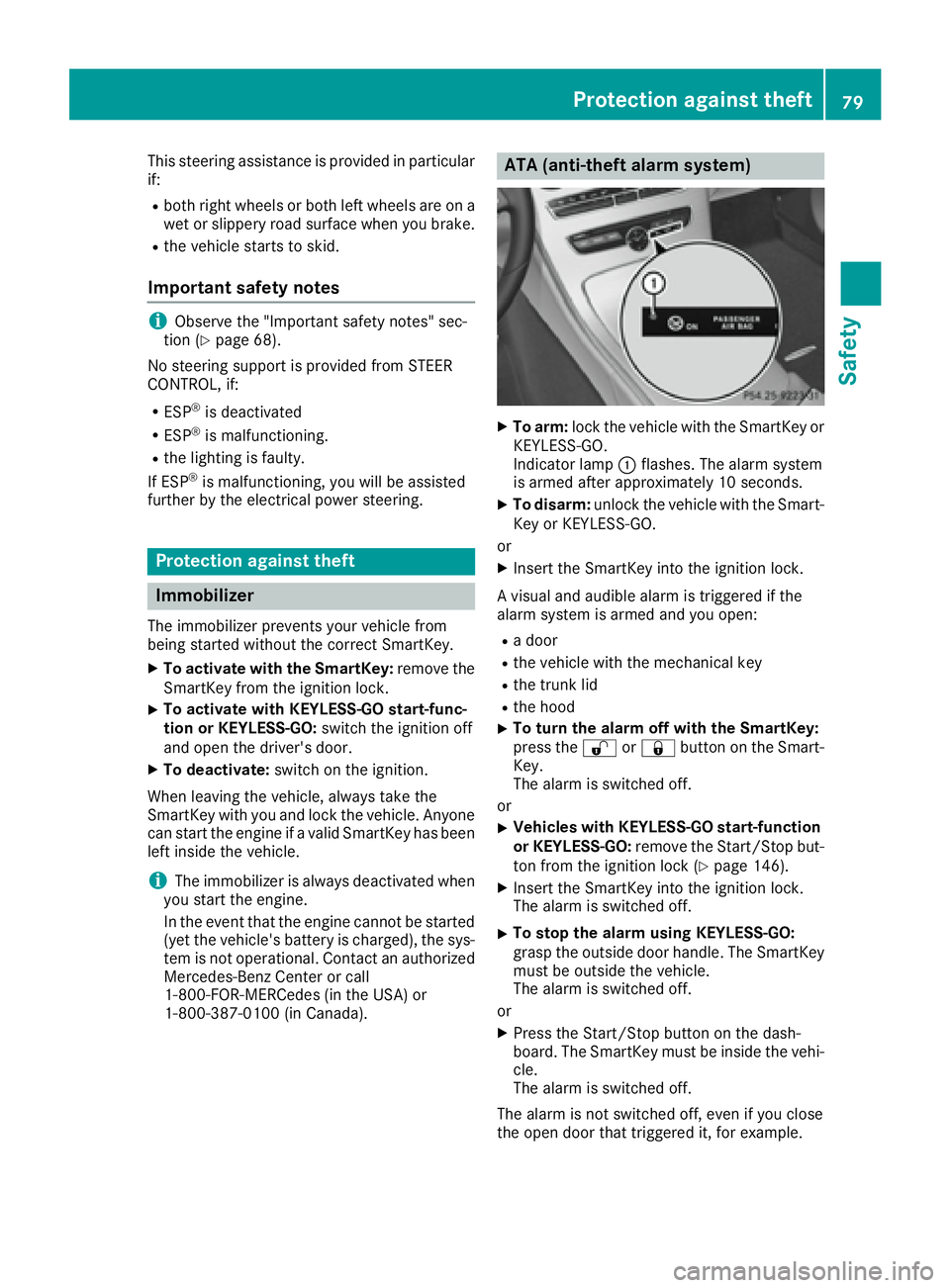
1-800-387-0100 (in Canada). ATA (anti-theft alarm system) X
To arm: lock the vehicle with the SmartKey or
KEYLESS-GO.
Indicator lamp C flashes. The alarm system
is armed after approximately 10 seconds. X
To disarm: unlock the vehicle with the Smart-
Key or KEYLESS-GO.
or X
Insert the SmartKey into the ignition lock.
A visual and audible alarm is triggered if the
alarm system is armed and you open: R
a door R
the vehicle with the mechanical key R
the trunk lid R
the hood X
To turn the alarm off with the SmartKey:
press the 6 or 7 button on the Smart-
Key.
The alarm is switched off.
or X
Vehicles with KEYLESS-GO start-function
or KEYLESS-GO: remove the Start/Stop but-
ton from the ignition lock ( Y
page 146).X
Insert the SmartKey into the ignition lock.
The alarm is switched off. X
To stop the alarm using KEYLESS-GO:
grasp the outside door handle. The SmartKey
must be outside the vehicle.
The alarm is switched off.
or X
Press the Start/Stop button on the dash-
board. The SmartKey must be inside the vehi-
cle.
The alarm is switched off.
The alarm is not switched off, even if you close
the open door that triggered it, for example.Protection against theft 79
Safety Z
Page 84 of 398
You will receive visual and acoustic locking con-
firmation if all components were able to be
locked.
When the locator lighting is activated via the
multimedia system, it lights up when it is dark
after the vehicle is unlocked with the SmartKey
(see the Digital Operator's Manual). X
To open the trunk lid automatically from
outside the vehicle: press and hold the T
button until the trunk lid opens. X
To open the trunk lid automatically from
outside the vehicle: if the SmartKey is loca-
ted in the immediate vicinity of the vehicle,
press the T button on the SmartKey.
When the trunk lid closes you can then
release the button.
KEYLESS-GO
General notes Bear in mind that the engine can be started by
any of the vehicle occupants if there is a Smart-
Key in the vehicle.
Locking/unlocking centrally You can start, lock or unlock the vehicle using
KEYLESS-GO. To do this, you only need carry the
SmartKey with you. You can combine the func-
tions of KEYLESS-GO with those of a conven-
tional SmartKey. Unlock the vehicle by using
KEYLESS-GO, for instance, and lock it using the
7 button on the SmartKey.
The driver's door and the door at which the han-
dle is used, must both be closed. The SmartKey
must be outside the vehicle. When locking or
unlocking with KEYLESS-GO, the distance
between the SmartKey and the corresponding
door handle must not be greater than 3 ft (1 m).
A brief radio connection between the vehicle
and the key determines whether a valid Smart-
Key is in, or in the direct vicinity of, the vehicle.
This occurs, for example: R
when starting the engine R
while driving R
when using HANDS-FREE ACCESS R
when the external door handles are touched R
during convenience closing X
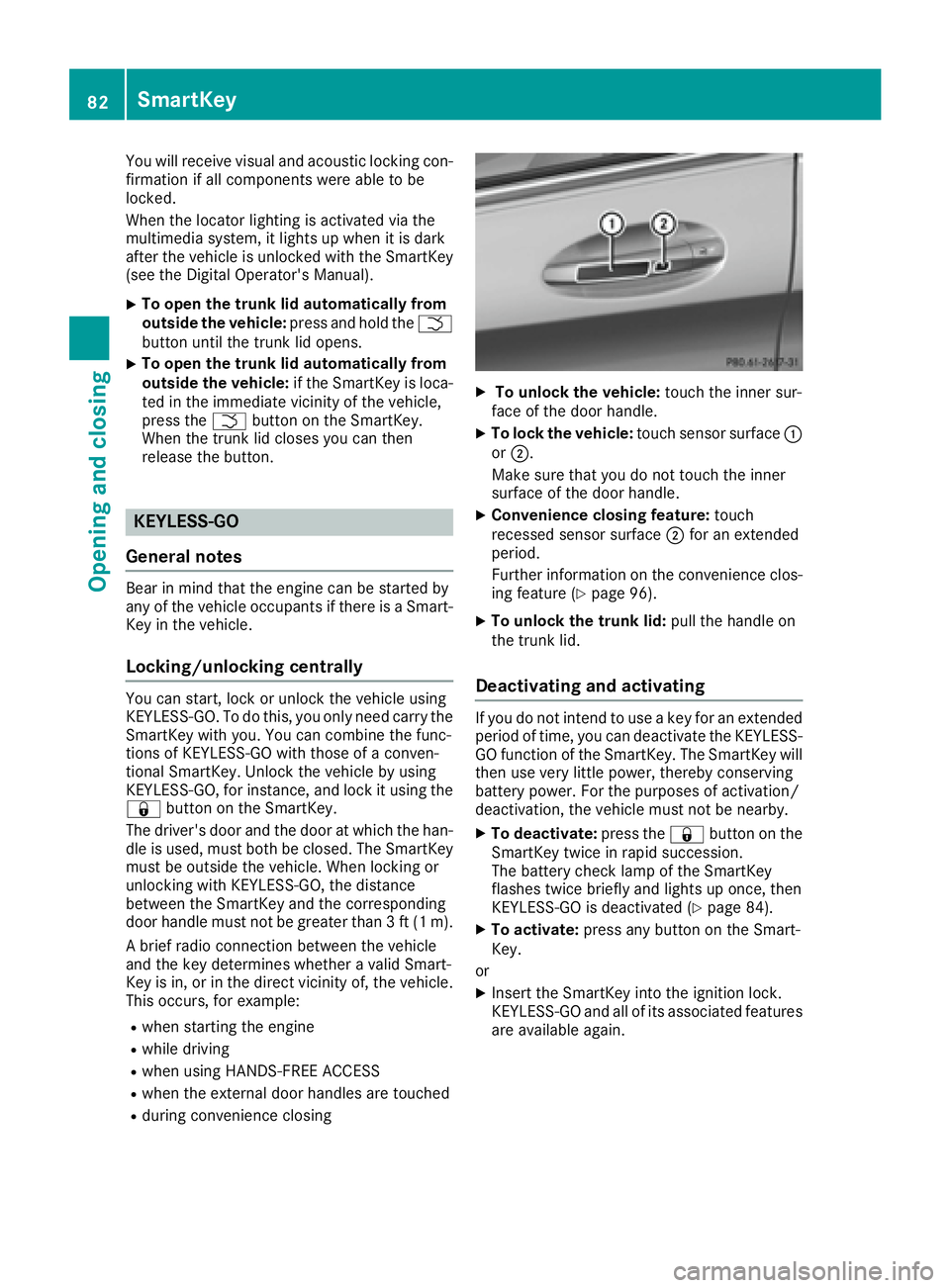
To unlock the vehicle: touch the inner sur-
face of the door handle. X
To lock the vehicle: touch sensor surface C
or D .
Make sure that you do not touch the inner
surface of the door handle. X
Convenience closing feature: touch
recessed sensor surface D for an extended
period.
Further information on the convenience clos-
ing feature ( Y
page 96). X
To unlock the trunk lid: pull the handle on
the trunk lid.
Deactivating and activating If you do not intend to use a key for an extended
period of time, you can deactivate the KEYLESS-
GO function of the SmartKey. The SmartKey will
then use very little power, thereby conserving
battery power. For the purposes of activation/
deactivation, the vehicle must not be nearby. X
To deactivate: press the 7 button on the
SmartKey twice in rapid succession.
The battery check lamp of the SmartKey
flashes twice briefly and lights up once, then
KEYLESS-GO is deactivated ( Y
page 84).X
To activate: press any button on the Smart-
Key.
or X
Insert the SmartKey into the ignition lock.
KEYLESS-GO and all of its associated features
are available again.82
SmartKey
Opening and closing
Page 92 of 398
especially if the vehicle is in motion. There is a
risk of poisoning.
Always switch off the engine before opening
the trunk lid. Never drive with the trunk lid
open.
G WARNING
If objects, luggage or loads are not secured or
not secured sufficiently, they could slip, tip
over or be flung around and thereby hit vehicle
occupants. There is a risk of injury, particu-
larly in the event of sudden braking or a sud-
den change in direction.
Always store objects so that they cannot be
flung around. Secure objects, luggage or
loads against slipping or tipping before the
journey.
! The trunk lid swings upwards when opened.
Therefore, make sure that there is sufficient
clearance above the trunk lid.
The opening dimensions of the trunk lid can be
found in the "Vehicle data" section
( Y
page 394).
You can limit the opening angle of the trunk lid in
COMAND or Audio 20 (see the Digital Opera-
tor's Manual).
Do not leave the SmartKey in the trunk. You
could otherwise lock yourself out.
You should preferably place luggage or loads in
the trunk. Observe the loading guidelines
( Y
page 308).
Obstruction recognition with trunk lid
reversing feature Vehicles with trunk lid remote closing fea-
ture:
The trunk lid is equipped with automatic
obstruction detection with a reversing feature. If
a solid object blocks or restricts the trunk lid
when automatically opening, this procedure is
stopped. If a solid object blocks or restricts the
trunk lid when automatically closing, the trunk
lid opens again automatically. The automatic
obstruction detection with reversing feature is
only an aid. It is not a substitute for your atten-
tiveness when opening and closing the trunk lid. G WARNING
The reversing feature does not react: R
to soft, light and thin objects, e.g. small fin-
gers R
over the last 1/3 in (8 mm) of the closing
movement
This means that the reversing feature cannot
prevent someone being trapped in these sit-
uations. There is a risk of injury.
Make sure that no body parts are in close
proximity during the closing procedure.
If somebody becomes trapped: R
press the T button on the SmartKey, or R
pull or press the remote operating switch
on the driver's door or R
press the closing or locking button on the
trunk lid, or R
pull on the trunk lid handle
Vehicles with HANDS-FREE ACCESS:
It is also possible to stop the closing process by
performing a kicking movement under the rear
bumper.
Opening and closing manually
Opening
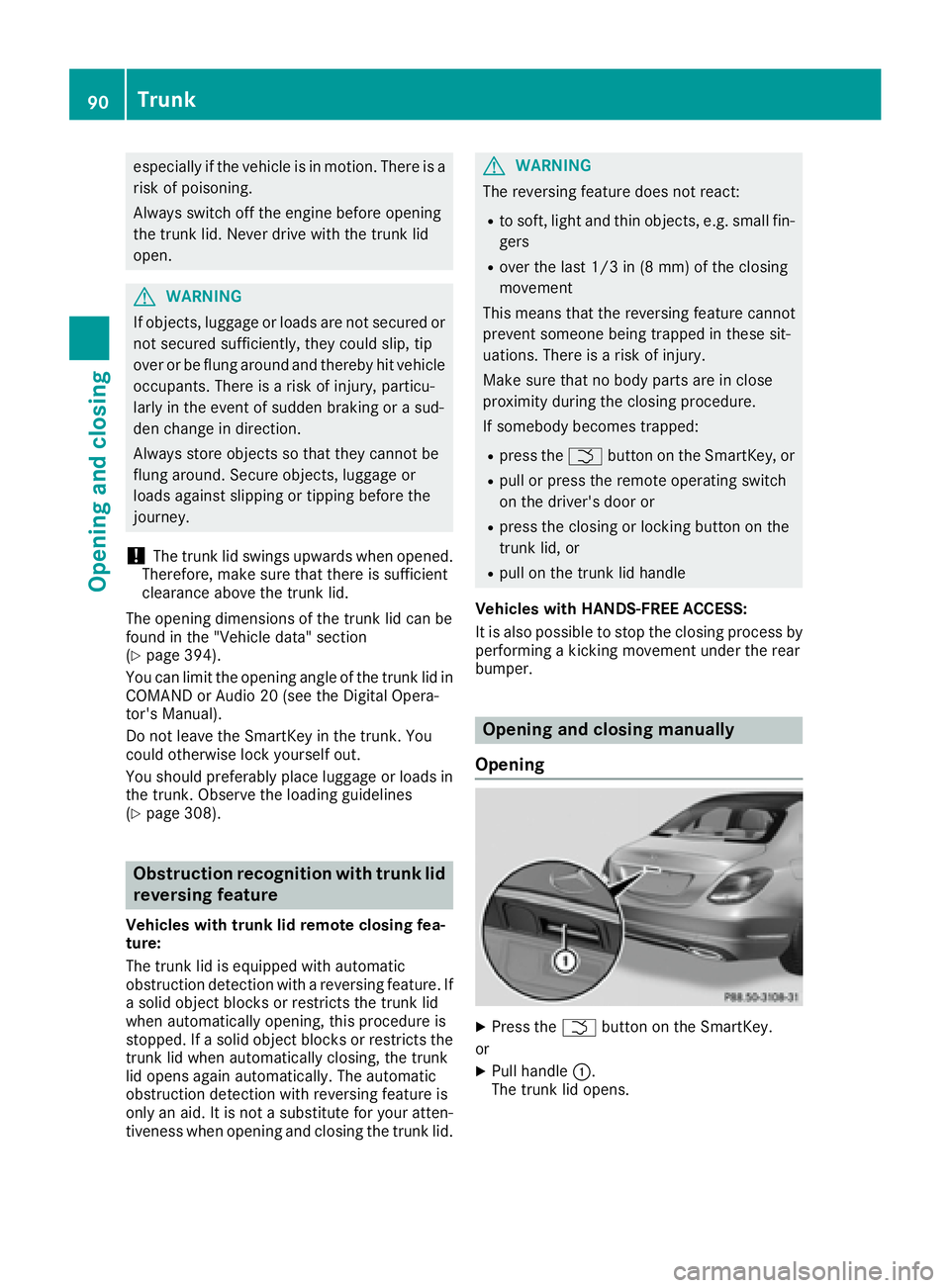
X
Press the T button on the SmartKey.
or X
Pull handle C .
The trunk lid opens.90
Trunk
Opening and closing
Page 93 of 398
Closing X
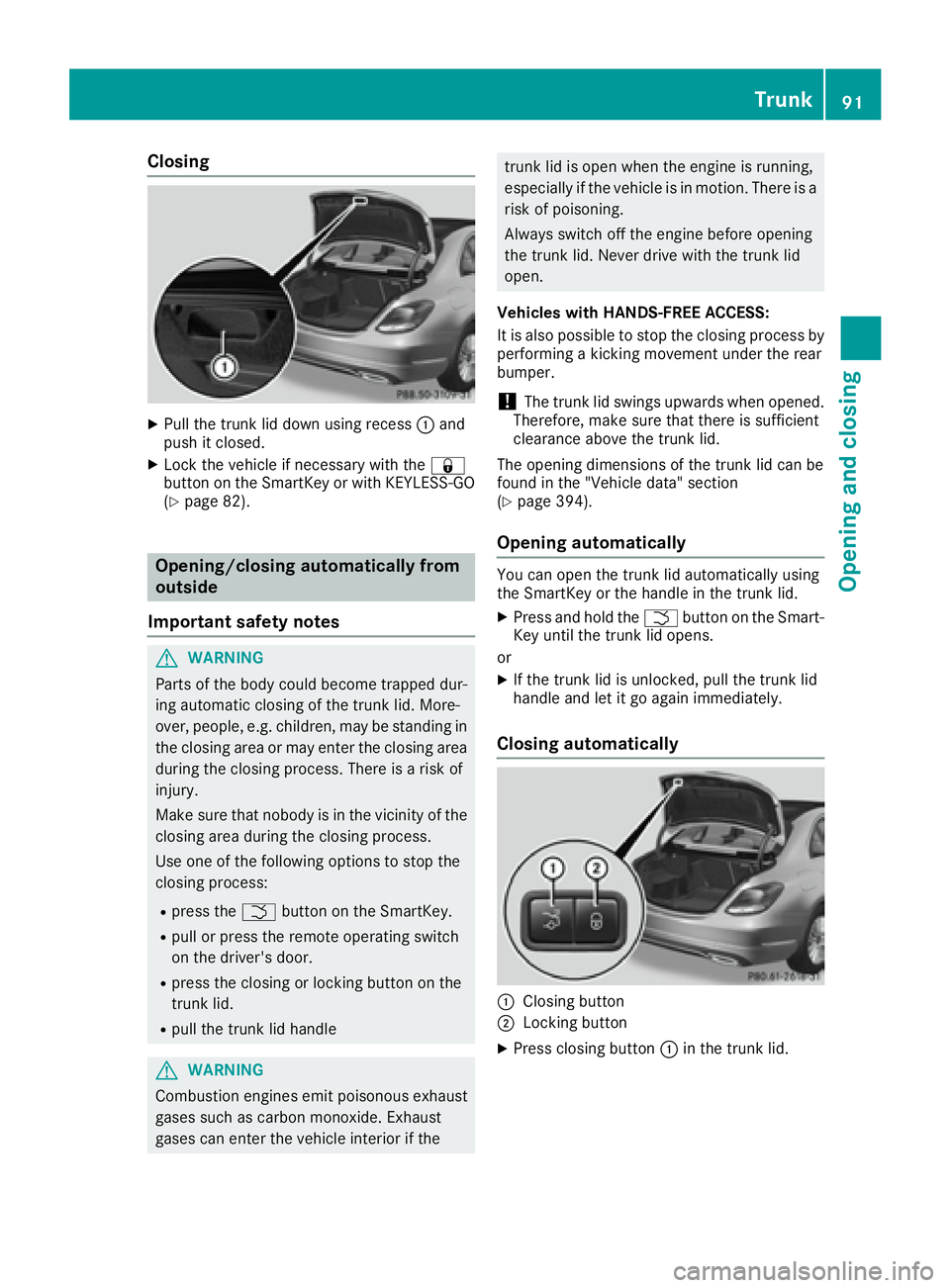
Pull the trunk lid down using recess C and
push it closed. X
Lock the vehicle if necessary with the 7
button on the SmartKey or with KEYLESS-GO
( Y
page 82).
Opening/closing automatically from
outside
Important safety notes
G WARNING
Parts of the body could become trapped dur-
ing automatic closing of the trunk lid. More-
over, people, e.g. children, may be standing in
the closing area or may enter the closing area
during the closing process. There is a risk of
injury.
Make sure that nobody is in the vicinity of the
closing area during the closing process.
Use one of the following options to stop the
closing process: R
press the T button on the SmartKey.R
pull or press the remote operating switch
on the driver's door. R
press the closing or locking button on the
trunk lid. R
pull the trunk lid handle
G WARNING
Combustion engines emit poisonous exhaust
gases such as carbon monoxide. Exhaust
gases can enter the vehicle interior if the trunk lid is open when the engine is running,
especially if the vehicle is in motion. There is a
risk of poisoning.
Always switch off the engine before opening
the trunk lid. Never drive with the trunk lid
open.
Vehicles with HANDS-FREE ACCESS:
It is also possible to stop the closing process by
performing a kicking movement under the rear
bumper.
! The trunk lid swings upwards when opened.
Therefore, make sure that there is sufficient
clearance above the trunk lid.
The opening dimensions of the trunk lid can be
found in the "Vehicle data" section
( Y
page 394).
Opening automatically You can open the trunk lid automatically using
the SmartKey or the handle in the trunk lid. X
Press and hold the T button on the Smart-
Key until the trunk lid opens.
or X
If the trunk lid is unlocked, pull the trunk lid
handle and let it go again immediately.
Closing automatically
C
Closing button
D
Locking button X
Press closing button C in the trunk lid.Trunk 91
Opening and closing Z
Page 95 of 398
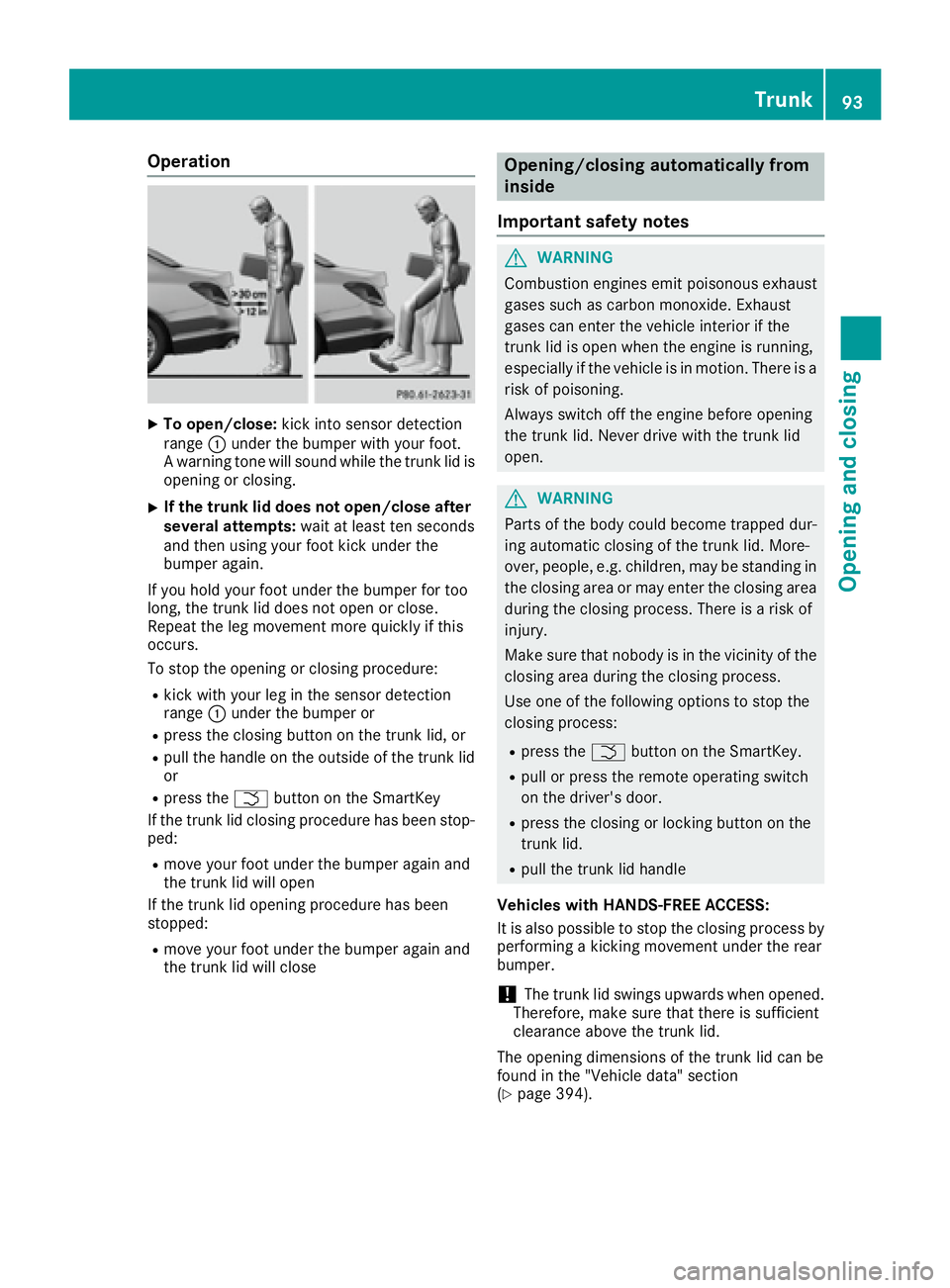
Operation X
To open/close: kick into sensor detection
range C under the bumper with your foot.
A warning tone will sound while the trunk lid is
opening or closing. X
If the trunk lid does not open/close after
several attempts: wait at least ten seconds
and then using your foot kick under the
bumper again.
If you hold your foot under the bumper for too
long, the trunk lid does not open or close.
Repeat the leg movement more quickly if this
occurs.
To stop the opening or closing procedure: R
kick with your leg in the sensor detection
range C under the bumper orR
press the closing button on the trunk lid, or R
pull the handle on the outside of the trunk lid
or R
press the T button on the SmartKey
If the trunk lid closing procedure has been stop-
ped: R
move your foot under the bumper again and
the trunk lid will open
If the trunk lid opening procedure has been
stopped: R
move your foot under the bumper again and
the trunk lid will close Opening/closing automatically from
inside
Important safety notes
G WARNING
Combustion engines emit poisonous exhaust
gases such as carbon monoxide. Exhaust
gases can enter the vehicle interior if the
trunk lid is open when the engine is running,
especially if the vehicle is in motion. There is a
risk of poisoning.
Always switch off the engine before opening
the trunk lid. Never drive with the trunk lid
open.
G WARNING
Parts of the body could become trapped dur-
ing automatic closing of the trunk lid. More-
over, people, e.g. children, may be standing in
the closing area or may enter the closing area
during the closing process. There is a risk of
injury.
Make sure that nobody is in the vicinity of the
closing area during the closing process.
Use one of the following options to stop the
closing process: R
press the T button on the SmartKey. R
pull or press the remote operating switch
on the driver's door. R
press the closing or locking button on the
trunk lid. R
pull the trunk lid handle
Vehicles with HANDS-FREE ACCESS:
It is also possible to stop the closing process by
performing a kicking movement under the rear
bumper.
! The trunk lid swings upwards when opened.
Therefore, make sure that there is sufficient
clearance above the trunk lid.
The opening dimensions of the trunk lid can be
found in the "Vehicle data" section
( Y
page 394). Trunk 93
Opening and closing Z
Page 97 of 398
body becomes trapped, release the switch or
pull the switch to close the side window again.
G WARNING
While closing the side windows, body parts in
the closing area could become trapped. There
is a risk of injury.
When closing make sure that no parts of the
body are in the closing area. If somebody
becomes trapped, release the switch or press
the switch to open the side window again.
G WARNING
If children operate the side windows they
could become trapped, particularly if they are
left unsupervised. There is a risk of injury.
Activate the override feature for the rear side
windows. When leaving the vehicle, always
take the SmartKey with you and lock the vehi-
cle. Never leave children unsupervised in the
vehicle.
Side window reversing feature The side windows are equipped with an auto-
matic reversing feature. If a solid object blocks
or restricts a side window from traveling
upwards during the automatic closing process,
the side window opens again automatically. Dur-
ing the manual closing process, the side window
only opens again automatically after the corre-
sponding switch is released. The automatic
reversing feature is only an aid and is no substi-
tute for your attention when closing a side win-
dow.
G WARNING
The reversing feature does not react: R
to soft, light and thin objects, e.g. small fin-
gers R
while resetting
This means that the reversing feature cannot
prevent someone being trapped in these sit-
uations. There is a risk of injury.
Make sure that no body parts are in close
proximity during the closing procedure. If someone becomes trapped, press the switch
to open the side window again.
Opening and closing the side win-
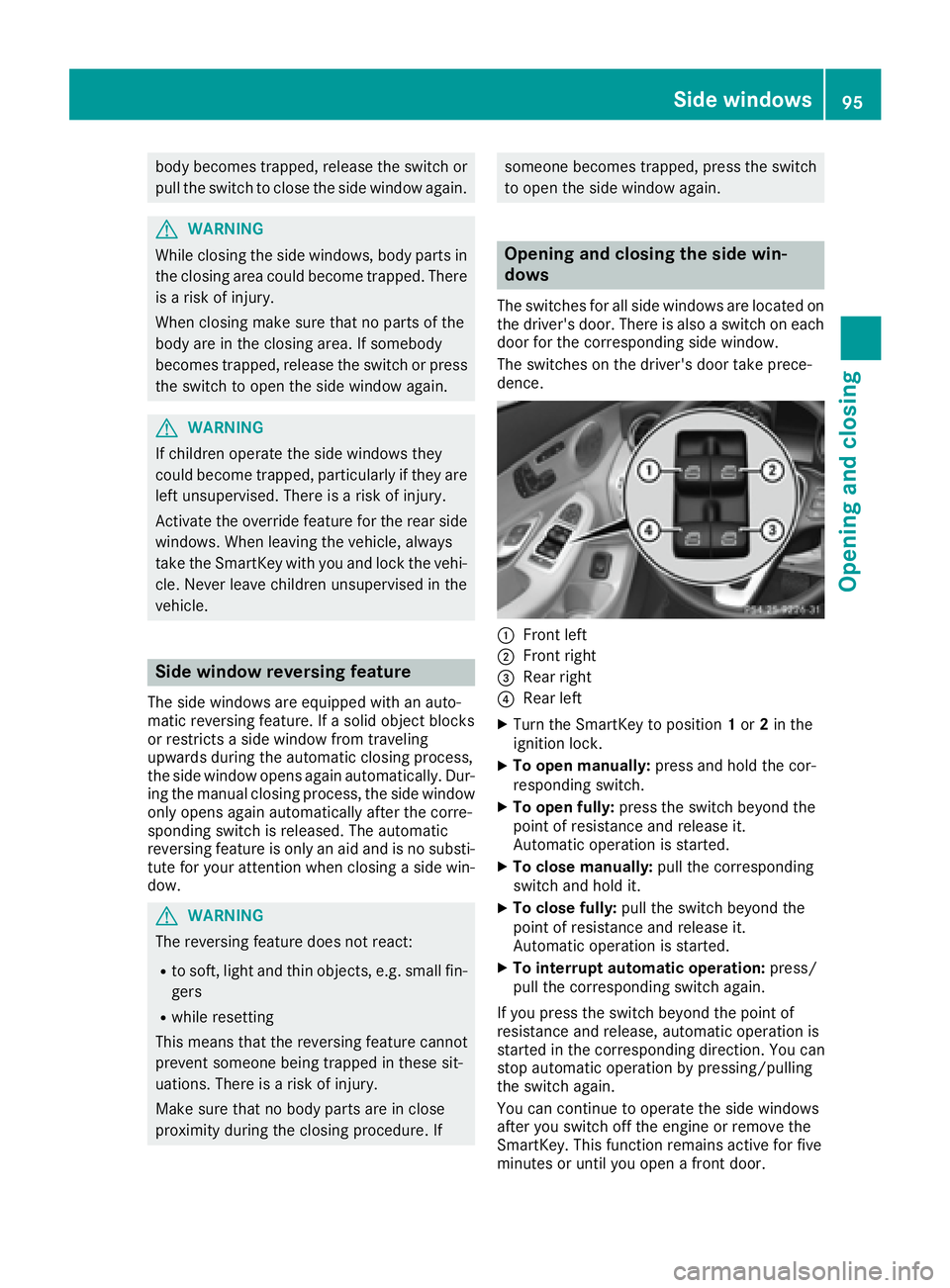
dows The switches for all side windows are located on
the driver's door. There is also a switch on each
door for the corresponding side window.
The switches on the driver's door take prece-
dence.
C
Front left D
Front right