alarm MERCEDES-BENZ C CLASS 2018 Owners Manual
[x] Cancel search | Manufacturer: MERCEDES-BENZ, Model Year: 2018, Model line: C CLASS, Model: MERCEDES-BENZ C CLASS 2018Pages: 370, PDF Size: 6.25 MB
Page 4 of 370
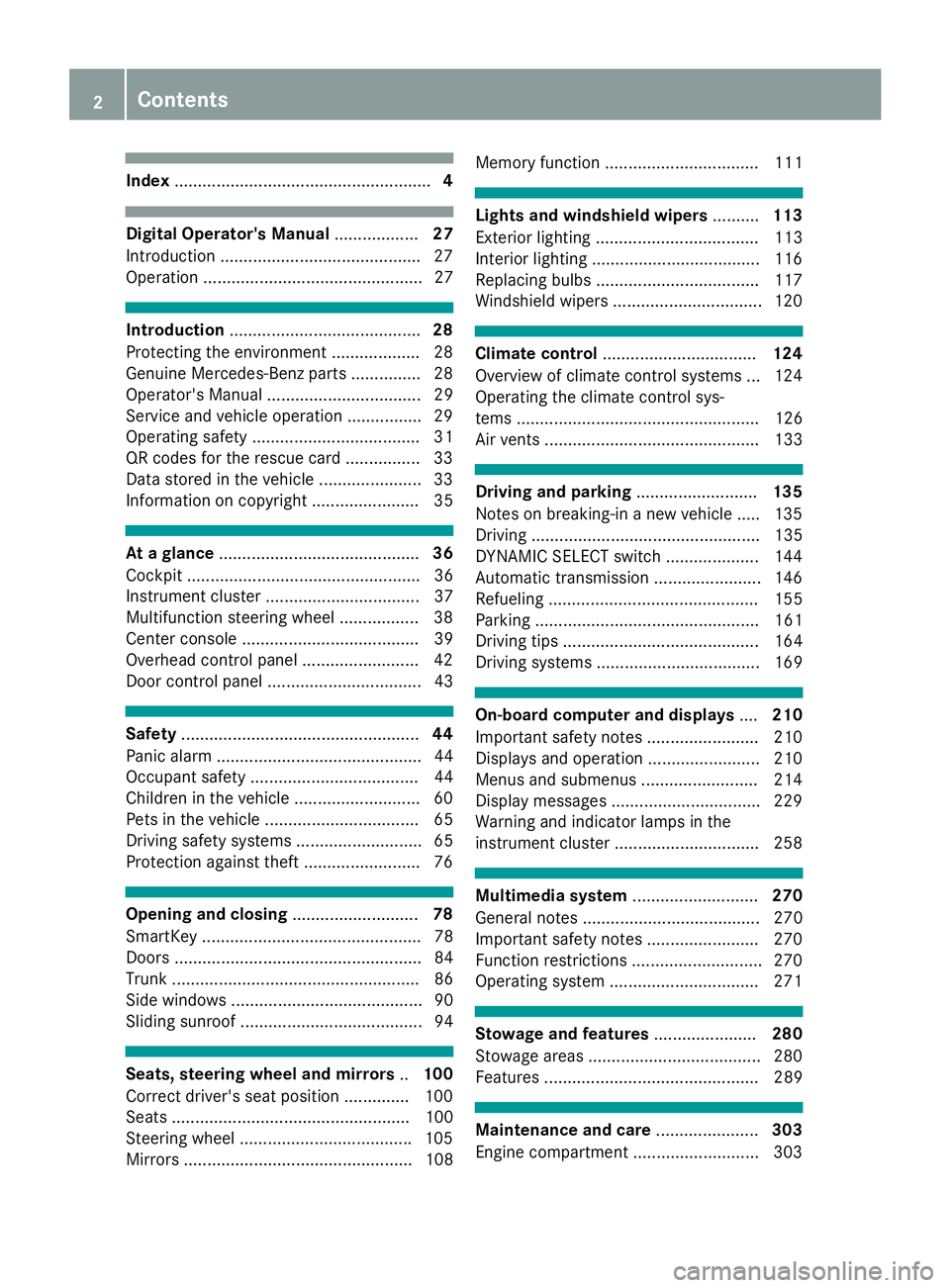
Index....................................................... 4
Digital Operator's Manual..................27
Introduction .......................................... .27
Operation ............................................... 27
Introduction ......................................... 28
Protecting the environment ...................2 8
Genuine Mercedes-Benz parts .............. .28
Operator's Manual ................................. 29
Service and vehicle operation ................2 9
Operating safety .................................... 31
QR codes for the rescue card ................3 3
Data stored in the vehicle ...................... 33
Information on copyright ....................... 35
At a glance ........................................... 36
Cockpit .................................................. 36
Instrument cluster ................................. 37
Multifunction steering wheel ................. 38
Center console ...................................... 39
Overhead control panel .........................4 2
Door control panel ................................. 43
Safety ................................................... 44
Panic alarm ............................................ 44
Occupant safety .................................... 44
Children in the vehicle ........................... 60
Pets in the vehicle ................................. 65
Driving safety systems ........................... 65
Protection against theft .........................7 6
Opening and closing...........................78
SmartKey ............................................... 78
Doors ..................................................... 84
Trunk ..................................................... 86
Side windows ......................................... 90
Sliding sunroof ....................................... 94
Seats, steering wheel and mirrors ..100
Correct driver's seat position .............. 100
Seats ................................................... 100
Steering wheel .................................... .105
Mirrors ................................................. 108 Memory function ................................. 111
Lights and windshield wipers
..........113
Exterior lighting ................................... 113
Interior lighting ....................................1 16
Replacing bulbs ................................... 117
Windshield wipers ................................ 120
Climate control ................................. 124
Overview of climate control systems ... 124
Operating the climate control sys-
tems .................................................... 126
Air vents .............................................. 133
Driving and parking ..........................135
Notes on breaking-in a new vehicle ..... 135
Driving ................................................. 135
DYNAMIC SELECT switch .................... 144
Automatic transmission ....................... 146
Refueling ............................................. 155
Parking ................................................ 161
Driving tips .......................................... 164
Driving systems ................................... 169
On-board computer and displays ....210
Important safety notes ........................ 210
Displays and operation ........................ 210
Menus and submenus ......................... 214
Display messages ................................ 229
Warning and indicator lamps in the
instrument cluster ............................... 258
Multimedia system ...........................270
General notes ...................................... 270
Important safety notes ........................ 270
Function restrictions ............................ 270
Operating system ................................ 271
Stowage and features ......................280
Stowage areas ..................................... 280
Features .............................................. 289
Maintenance and care ......................303
Engine compartment ........................... 303
2Contents
Page 7 of 370
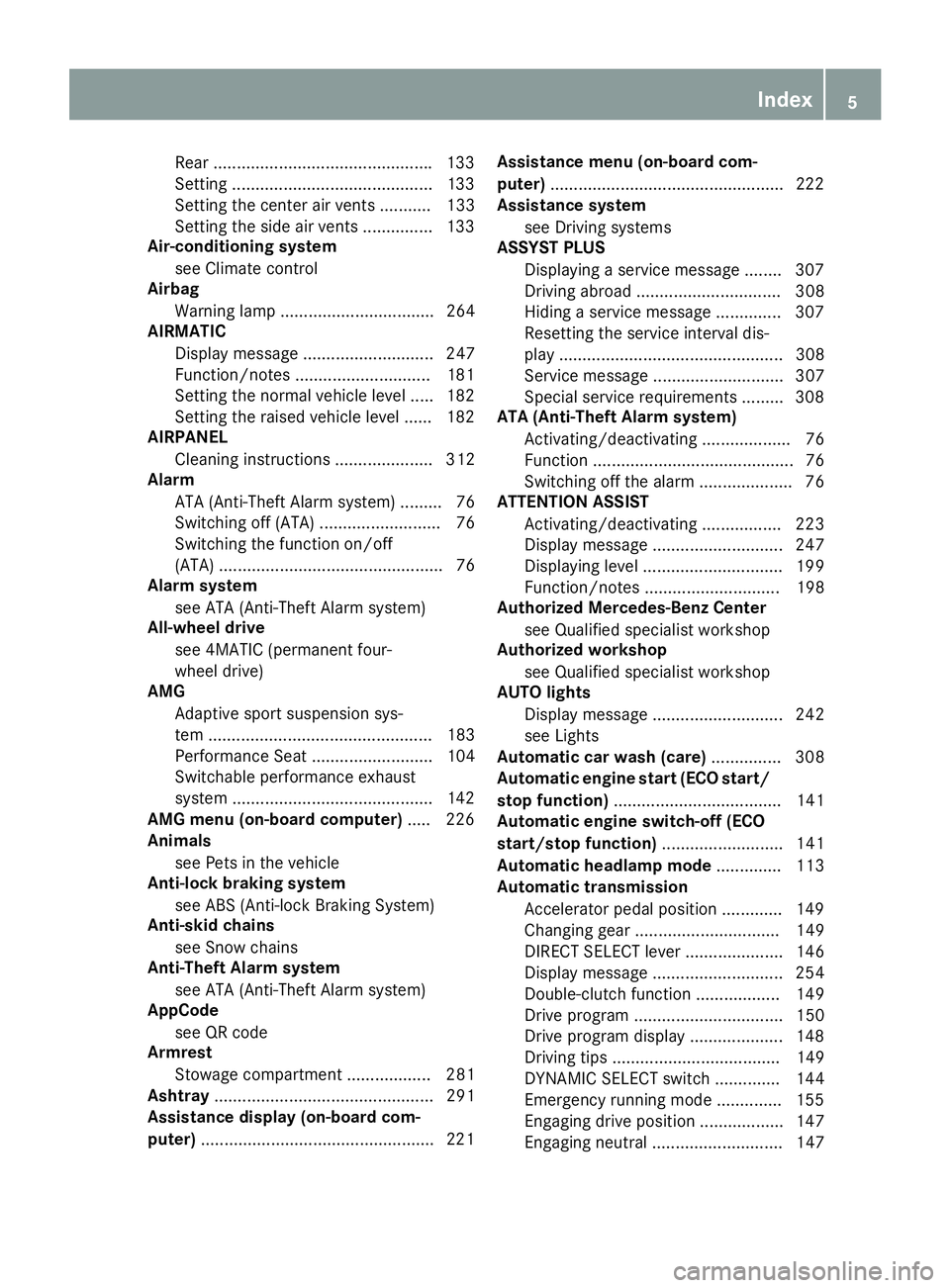
Rear ...............................................133
Setting ...........................................1 33
Setting the center air vents ........... 133
Setting the side air vents ...............1 33
Air-conditioning system
see Climate control
Airbag
Warning lamp ................................. 264
AIRMATIC
Display message ............................ 247
Function/notes .............................1 81
Setting the normal vehicle level ..... 182
Setting the raised vehicle level ...... 182
AIRPANEL
Cleaning instructions ..................... 312
Alarm
ATA (Anti-Theft Alarm system) ......... 76
Switching off (ATA) .......................... 76
Switching the function on/off
(ATA) ................................................ 76
Alarm system
see ATA (Anti-Theft Alarm system)
All-wheel drive
see 4MATIC (permanent four-
wheel drive)
AMG
Adaptive sport suspension sys-
tem ................................................ 183
Performance Seat .......................... 104
Switchable performance exhaust
system ...........................................1 42
AMG menu (on-board computer) ..... 226
Animals
see Pets in the vehicle
Anti-lock braking system
see ABS (Anti-lock Braking System)
Anti-skid chains
see Snow chains
Anti-Theft Alarm system
see ATA (Anti-Theft Alarm system)
AppCode
see QR code
Armrest
Stowage compartment .................. 281
Ashtray ............................................... 291
Assistance display (on-board com-
puter) ..................................................2 21Assistance menu (on-board com-
puter)
..................................................2 22
Assistance system
see Driving systems
ASSYST PLUS
Displaying a service message ........3 07
Driving abroad ............................... 308
Hiding a service message .............. 307
Resetting the service interval dis-
play ................................................ 308
Service message ............................ 307
Spe cial se
rvice requirements ......... 308
ATA (Anti-Theft Alarm system)
Activating/deactivating ................... 76
Function ........................................... 76
Switching off the alarm .................... 76
ATTENTION ASSIST
Activating/deactivating ................. 223
Display message ............................ 247
Displaying level .............................. 199
Function/notes ............................. 198
Authorized Mercedes-Benz Center
see Qualified specialist workshop
Authorized workshop
see Qualified specialist workshop
AUTO lights
Display message ............................ 242
see Lights
Automatic car wash (care) ............... 308
Automatic engine start (ECO start/
stop function) .................................... 141
Automatic engine switch-off (ECO
start/stop function) .......................... 141
Automatic headlamp mode .............. 113
Automatic transmission
Accelerator pedal position ............. 149
Changing gear ............................... 149
DIRECT SELECT lever ..................... 146
Display message ............................ 254
Double-clutch function .................. 149
Drive program ................................ 150
Drive program display .................... 148
Driving tips .................................... 149
DYNAMIC SELECT switch .............. 144
Emergency running mode .............. 155
Engaging drive position .................. 147
Engaging neutral ............................ 147
Index5
Page 17 of 370
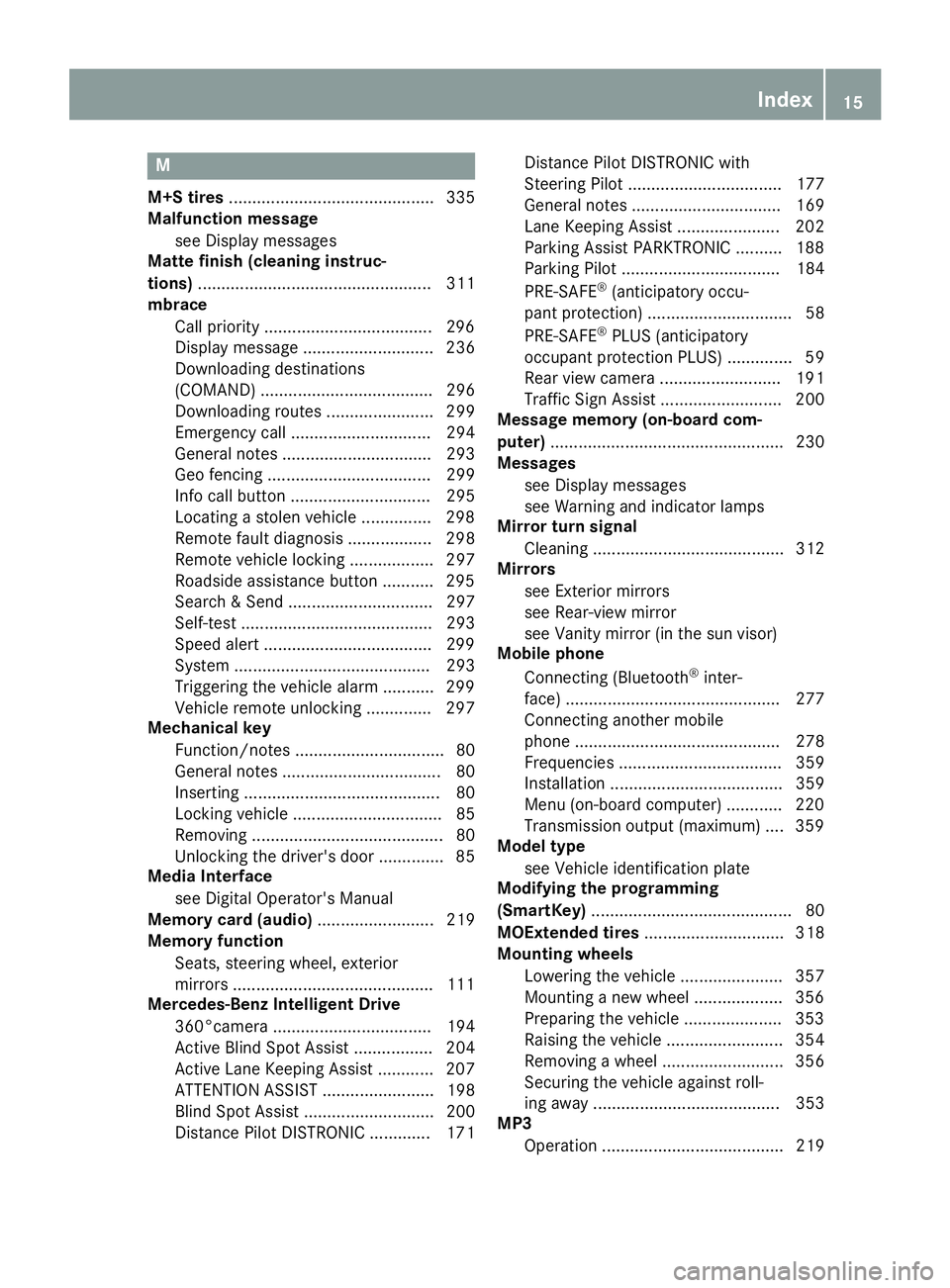
M
M+S tires............................................ 335
Malfunction message
see Display messages
Matte finish (cleaning instruc-
tions) .................................................. 311
mbrace
Call priority ....................................2 96
Display message ............................ 236
Downloading destinations
(COMAND) ..................................... 296
Downloading routes ....................... 299
Emergency call .............................. 294
General notes ................................ 293
Geo fencing ................................... 299
Info call button .............................. 295
Locating a stolen vehicle ...............2 98
Remote fault diagnosis .................. 298
Remote vehicle locking .................. 297
Roadside assistance button ........... 295
Search & Send ............................... 297
Self-test ......................................... 293
Speed alert ....................................2 99
System .......................................... 293
Triggering the vehicle alarm ........... 299
Vehicle remote unlocking .............. 297
Mechanical key
Function/notes ................................ 80
General notes .................................. 80
Inserting .......................................... 80
Locking vehicle ................................ 85
Removing ......................................... 80
Unlocking the driver's door .............. 85
Media Interface
see Digital Operator's Manual
Memory card (audio) ......................... 219
Memory function
Seats, steering wheel, exterior
mirrors ...........................................1 11
Mercedes-Benz Intelligent Drive
360°camera .................................. 194
Active Blind Spot Assist ................. 204
Active Lane Keeping Assist ............ 207
ATTENTION ASSIST ........................ 198
Blind Spot Assist ............................ 200
Distance Pilot DISTRONIC ............. 171 Distance Pilot DISTRONIC with
Steering Pilot ................................. 177
General notes ................................ 169
Lane Keeping Assist ...................... 202
Parking Assist PAR
KTRONIC .......... 188
P
arking Pilot .................................. 184
PRE-SAFE
®(anticipatory occu-
pant protection) ............................... 58
PRE-SAFE
®PLUS (anticipatory
occupant protection PLUS) .............. 59
Rear view camera .......................... 191
Traffic Sign Assist .......................... 200
Message memory (on-board com-
puter) .................................................. 230
Messages
see Display messages
see Warning and indicator lamps
Mirror turn signal
Cleaning ......................................... 312
Mirrors
see Exterior mirrors
see Rear-view mirror
see Vanity mirror (in the sun visor)
Mobile phone
Connecting (Bluetooth
®inter-
face) .............................................. 277
Connecting another mobile
phone ............................................ 278
Frequencies ................................... 359
Installation ..................................... 359
Menu (on-board computer) ............ 220
Transmission output (maximum) .... 359
Model type
see Vehicle identification plate
Modifying the programming
(SmartKey) ........................................... 80
MOExtended tires .............................. 318
Mounting wheels
Lowering the vehicle ...................... 357
Mounting a new wheel ................... 356
Preparing the vehicle ..................... 353
Raising the vehicle ......................... 354
Removing a wheel .......................... 356
Securing the vehicle against roll-
ing away ........................................ 353
MP3
Operation ....................................... 219
Index15
Page 19 of 370
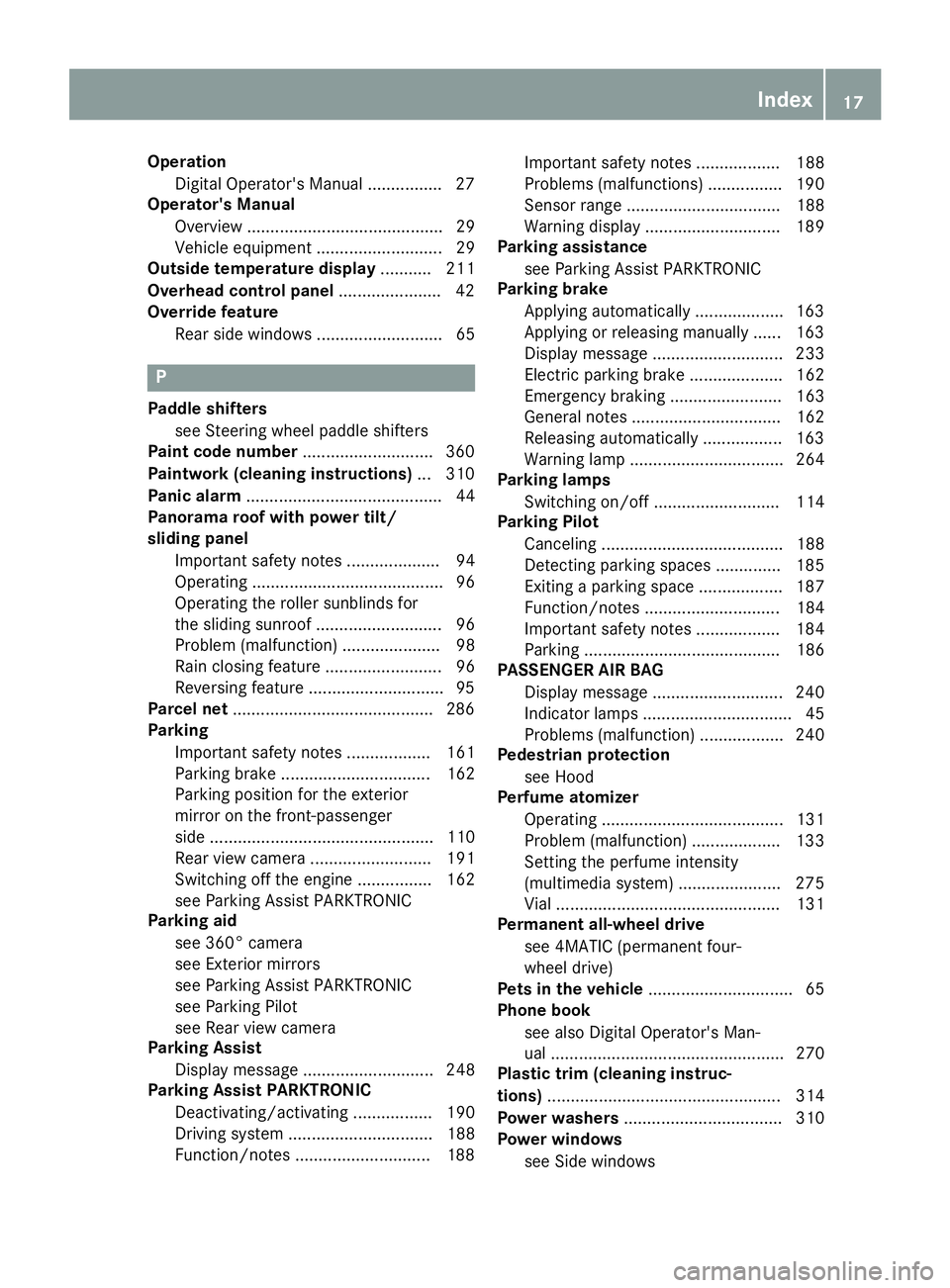
OperationDigital Operator's Manual ............... .27
Operator's Manual
Overview .......................................... 29
Vehicle equipment ........................... 29
Outside temperature display ........... 211
Overhead control panel ......................42
Override feature
Rear side windows ........................... 65
P
Paddle shifterssee Steering wheel paddle shifters
Paint code number ............................360
Paintwork (cleaning instructions) ... 310
Panic alarm .......................................... 44
Panorama roof with power tilt/
sliding panel
Important safety notes .................... 94
Operating ......................................... 96
Operating the roller sunblinds for
the sliding sunroof ........................... 96
Problem (malfunction) ..................... 98
Rain closing feature ......................... 96
Reversing feature .............................9 5
Parcel net ...........................................2 86
Parking
Important safety notes .................. 161
Parking brake ................................ 162
Parking position for the exterior
mirror on the front-passenger
side ................................................ 110
Rear view camera .......................... 191
Switching off the engine ................ 162
see Parking Assist PARKTRONIC
Parking aid
see 360° camera
see Exterior mirrors
see Parking Assist PARKTRONIC
see Parking Pilot
see Rear view camera
Parking Assist
Display message ............................ 248
Parking Assist PARKTRONIC
Deactivating/activating ................. 190
Driving system ............................... 188
Function/notes .............................1 88Important safety notes .................. 188
Problems (malfunctions) ................ 190
Sensor range ................................. 188
Warning display ............................. 189
Parking assistance
see Parking Assist PARKTRONIC
Parking brake
Applying automatically ................... 163
Applying or releasing manually ...... 163
Display message ............................ 233
Electric parking brake .................... 162
Emergency braking ........................ 163
General notes ................................ 162
Releasing automatically ................. 163
Warning lamp ................................. 264
Parking lamps
Switching on/off ........................... 114
Parkin
g Pilot
Canceling ....................................... 188
Detecting parking spaces .............. 185
Exiting a parking space .................. 187
Function/notes ............................. 184
Important safety notes .................. 184
Parking .......................................... 186
PASSENGER AIR BAG
Display message ............................ 240
Indicator lamps ................................ 45
Problems (malfunction) .................. 240
Pedestrian protection
see Hood
Perfume atomizer
Operating ....................................... 131
Problem (malfunction) ................... 133
Setting the perfume intensity
(multimedia system) ...................... 275
Vial ................................................ 131
Permanent all-wheel drive
see 4MATIC (permanent four-
wheel drive)
Pets in the vehicle ............................... 65
Phone book
see also Digital Operator's Man-
ual .................................................. 270
Plastic trim (cleaning instruc-
tions) .................................................. 314
Power washers .................................. 310
Power windows
see Side windows
Index17
Page 20 of 370
PRE-SAFE®(anticipatory occupant
protection)
Display message ............................2 37
Operation ......................................... 58
PRE-SAFE
®PLUS (anticipatory
occupant protection PLUS)
Operation ......................................... 59
Program
see Drive programs
Protection against theft
ATA (Anti-Theft Alarm system) ......... 76
Immobilizer ...................................... 76
Protection of the environment
General notes .................................. 28
Pulling away
Automatic transmission ................. 139
General notes ................................ 139
Hill start assist ............................... 140
Q
QR codeMercedes-Benz Guide App ................. 1
Rescue card ..................................... 33
Qualified specialist workshop ........... 32
Quick access for audio and tele-
phone
Changing the station/music
track .............................................. 273
R
RACE START (Mercedes-AMG vehi-
cles) .................................................... 180
RACE TIMER (on-board computer,
Mercedes-AMG vehicles) .................. 228
Radar sensor system
Display message ............................ 238
Radiator cover ................................... 304
Radiator shutter
see AIRPANEL
Radio
Selecting a station ......................... 218
Radio mode
see also Digital Operator's Man-
ual .................................................. 270 Radio-wave reception/transmis-
sion in the vehicle
Declaration of conformity ................ 31
Rain closing feature (panorama
roof with power tilt/sliding panel) .... 96
Reading lamp ..................................... 116
Rear compartment
Setting the air vents ...................... 133
Setting the airflow ......................... 128
Setting the temperature ................ 128
Rear fog lamp
Display message ............................ 242
Switching on/off ........................... 114
Rear seat (folding the backrest for-
wards/back) ...................................... 284
Rear seat backrest
Display message ............................ 256
Rear seats
Display message ............................ 256
Rear view camera
"Reverse parking" function ............ 193
Cleaning instructions ..................... 313
Display in the multimedia system .. 192
General notes ................................ 191
Object detection (function/
notes) ............................................ 194
Switching on/off ........................... 191
Wide-angle function ....................... 194
Rear window blind ............................ 291
Rear window defroster
Problem (malfunction) ................... 130
Switching on/off ........................... 130
Rear-view mirror
Anti-glare (manual) ........................ 108
Dipping (automatic) ....................... 109
Recuperation display ........................ 215
Reducing agent
see DEF
Refilling
DEF ................................................ 158
Reflective safety jacket .................... 316
Refrigerant (air-conditioning sys-
tem)
Important safety notes .................. 367
Refueling
Fuel g
auge ....................................... 37
Important safety notes .................. 155
18Index
Page 46 of 370
Panic alarm
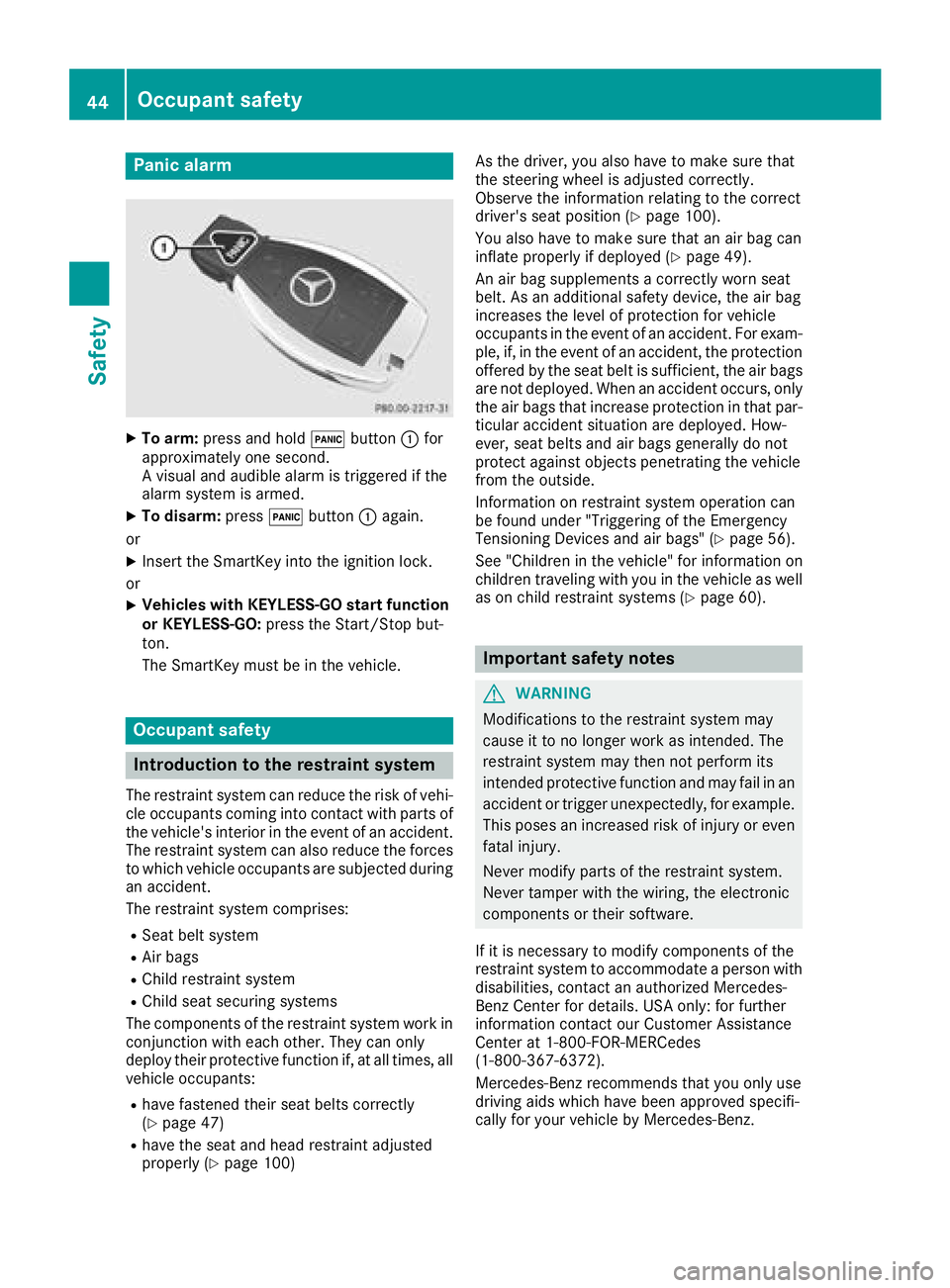
XTo arm:press and hold !button :for
approximately one second.
A visual and audible alarm is triggered if the
alarm system is armed.
XTo disarm: press!button :again.
or
XInsert the SmartKey into the ignition lock.
or
XVehicles with KEYLESS-GO start function
or KEYLESS-GO: press the Start/Stop but-
ton.
The SmartKey must be in the vehicle.
Occupant safety
Introduction to the restraint system
The restraint system can reduce the risk of vehi- cle occupants coming into contact with parts of
the vehicle's interior in the event of an accident.
The restraint system can also reduce the forces to which vehicle occupants are subjected during
an accident.
The restraint system comprises:
RSeat belt system
RAir bags
RChild restraint system
RChild seat securing systems
The components of the restraint system work in
conjunction with each other. They can only
deploy their protective function if, at all times, all
vehicle occupants:
Rhave fastened their seat belts correctly
(Ypage 47)
Rhave the seat and head restraint adjusted
properly (Ypage 100) As the driver, you also have to make sure that
the steering wheel is adjusted correctly.
Observe the information relating to the correct
driver's seat position (
Ypage 100).
You also have to make sure that an air bag can
inflate properly if deployed (
Ypage 49).
An air bag supplements a correctly worn seat
belt. As an additional safety device, the air bag
increases the level of protection for vehicle
occupants in the event of an accident. For exam-
ple, if, in the event of an accident, the protection
offered by the seat belt is sufficient, the air bags
are not deployed. When an accident occurs, only
the air bags that increase protection in that par- ticular accident situation are deployed. How-
ever, seat belts and air bags generally do not
protect against objects penetrating the vehicle
from the outside.
Information on restraint system operation can
be found under "Triggering of the Emergency
Tensioning Devices and air bags" (
Ypage 56).
See "Children in the vehicle" for information on
children traveling with you in the vehicle as well
as on child restraint systems (
Ypage 60).
Important safety notes
GWARNING
Modifications to the restraint system may
cause it to no longer work as intended. The
restraint system may then not perform its
intended protective function and may fail in an
accident or trigger unexpectedly, for example.
This poses an increased risk of injury or even fatal injury.
Never modify parts of the restraint system.
Never tamper with the wiring, the electronic
components or their software.
If it is necessary to modify components of the
restraint system to accommodate a person with
disabilities, contact an authorized Mercedes-
Benz Center for details. USA only: for further
information contact our Customer Assistance
Center at 1-800-FOR-MERCedes
(1‑800‑367‑6372).
Mercedes-Benz recommends that you only use
driving aids which have been approved specifi-
cally for your vehicle by Mercedes-Benz.
44Occupant safety
Safety
Page 78 of 370
No steering support is provided from STEER
CONTROL, if:
RESP®is deactivated
RESP®is malfunctioning
Rthe steering is malfunctioning
If ESP®is malfunctioning, you will be assisted
further by the electrical power steering.
Protection against theft
Immobilizer
The immobilizer prevents your vehicle from
being started without the correct SmartKey.
XTo activate with the SmartKey: remove the
SmartKey from the ignition lock.
XTo activate with KEYLESS-GO start-func-
tion or KEYLESS-GO: switch the ignition off
and open the driver's door.
XTo deactivate: switch on the ignition.
When leaving the vehicle, always take the
SmartKey with you and lock the vehicle. Anyone
can start the engine if a valid SmartKey has been
left inside the vehicle.
iThe immobilizer is always deactivated when
you start the engine.
In the event that the engine cannot be started
(yet the vehicle's battery is charged), the sys-
tem is not operational. Contact an authorized
Mercedes-Benz Center or call
1-800-FOR-MERCedes (in the USA) or
1-800-387-0100 (in Canada).
ATA (anti-theft alarm system)
XTo arm: lock the vehicle with the SmartKey or
KEYLESS-GO.
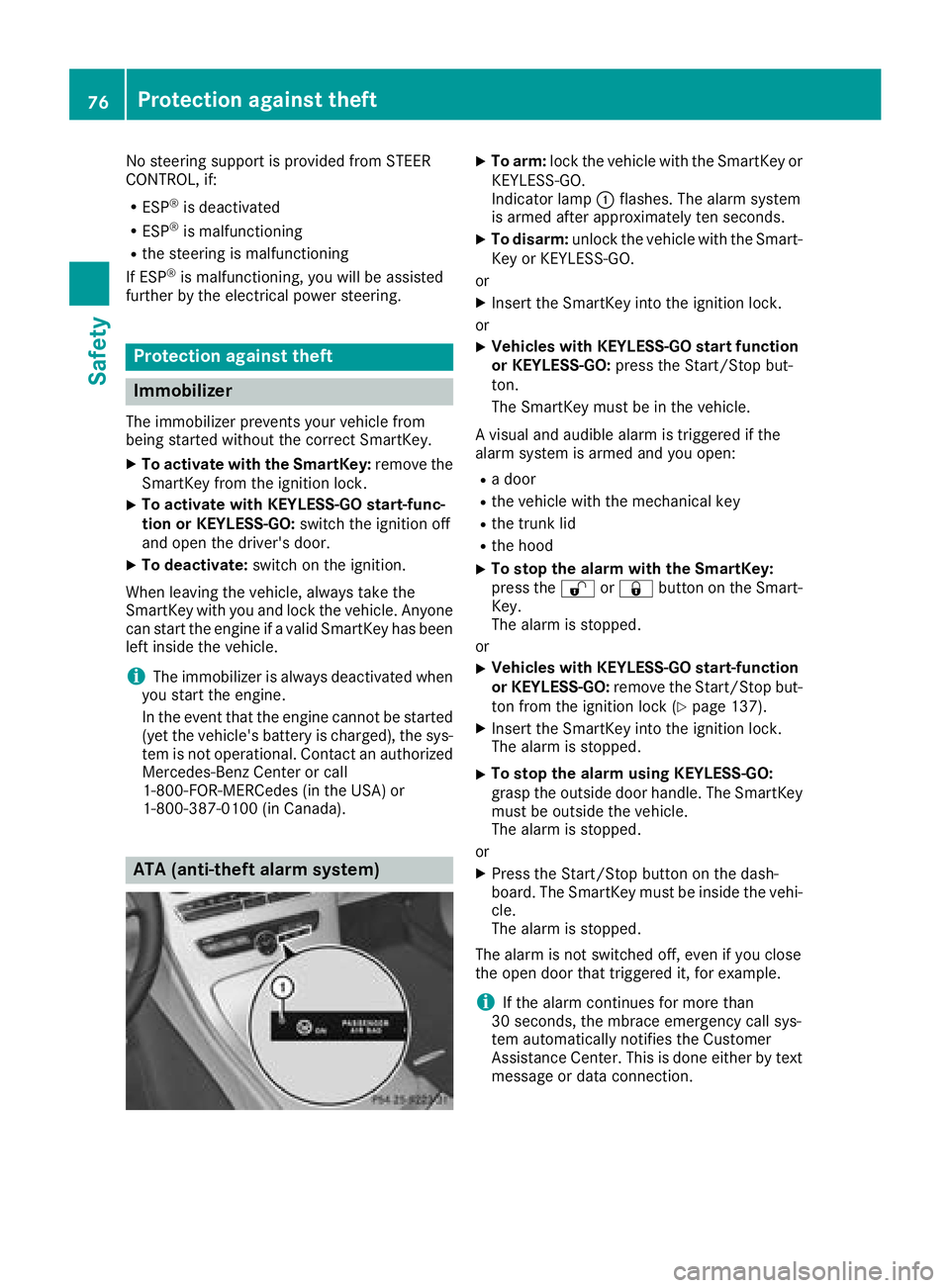
Indicator lamp :flashes. The alarm system
is armed after approximately ten seconds.
XTo disarm: unlock the vehicle with the Smart-
Key or KEYLESS-GO.
or
XInsert the SmartKey into the ignition lock.
or
XVehicles with KEYLESS-GO start function
or KEYLESS-GO: press the Start/Stop but-
ton.
The SmartKey must be in the vehicle.
A visual and audible alarm is triggered if the
alarm system is armed and you open:
Ra door
Rthe vehicle with the mechanical key
Rthe trunk lid
Rthe hood
XTo stop the alarm with the SmartKey:
press the %or& button on the Smart-
Key.
The alarm is stopped.
or
XVehicles with KEYLESS-GO start-function
or KEYLESS-GO: remove the Start/Stop but-
ton from the ignition lock (
Ypage 137).
XInsert the SmartKey into the ignition lock.
The alarm is stopped.
XTo stop the alarm using KEYLESS-GO:
grasp the outside door handle. The SmartKey
must be outside the vehicle.
The alarm is stopped.
or
XPress the Start/Stop button on the dash-
board. The SmartKey must be inside the vehi-
cle.
The alarm is stopped.
The alarm is not switched off, even if you close
the open door that triggered it, for example.
iIf the alarm continues for more than
30 seconds, the mbrace emergency call sys-
tem automatically notifies the Customer
Assistance Center. This is done either by text
message or data connection.
76Protection against theft
Safety
Page 82 of 370
KEYLESS-GOstart function
Gene ral notes
Bear in min dthat th eengin ecan be started by
any of th evehicl eoccupant sif there is aSmart -
Key in th evehicl e (
Ypage 138).
Changing the settings ofthe locking
system
You can chang eth esetting sof th elocking sys-
tem. This mean sthat only th edriver's door and
th efuel filler flap are unlocke dwhen th evehicl e
is unlocked. This is useful if you frequentl ytravel
alone.
XTo change th esetting: press and hold down
th e% and& buttons simultaneousl y
for approximately six seconds until th ebat -
tery chec klamp (
Ypage 81) flashes twice .
If th esetting of th elocking system is changed
within th esignal range of th evehicle, pressing
th e& or% button:
Rlocks or
Runlocks th evehicl e
The SmartKey no wfunction sas follows :
XTo unlock: press the% buttononce .
XTo unlock centrally: press the% button
twice .
XTo lock: press the& button.
XTo restor eth efactory settings: press and
hold th e% and& buttons simultane -
ousl yfor approximately six seconds until th e
battery chec klamp (
Ypage 81) flashes
twice .
The KEYLESS-GO function scan be changed as
follows :
XTo unlock th edriver's door :touch th einner
surfac eof th edoor handle on th edriver's
door .
XTo unlock centrally: touch theinner surfac e
of th edoor handle on th efront-passenger
door or there
ar door .
XTo lock centrally: touch theouter sensor
surfac eon on eof th edoor handles .
Mechanical key
Gene ral notes
If th evehicl ecan no longer be locke dor
unlocke dwit hth eSmartKey or KEYLESS-GO ,
use th emechanical key.
If you use th emechanical ke yto unloc kand
open th edriver's door ,th eanti-thef talarm sys-
te m will be triggered .Switc hoff th ealarm
(
Ypage 76) .
If you unloc kth evehicl eusin gth emechanical
key, th efuel filler flap will no tbe unlocke dauto -
matically.
XTo unlock th efuel filler flap: insert the
SmartKey int oth eignition lock.
Removing the mechanical key
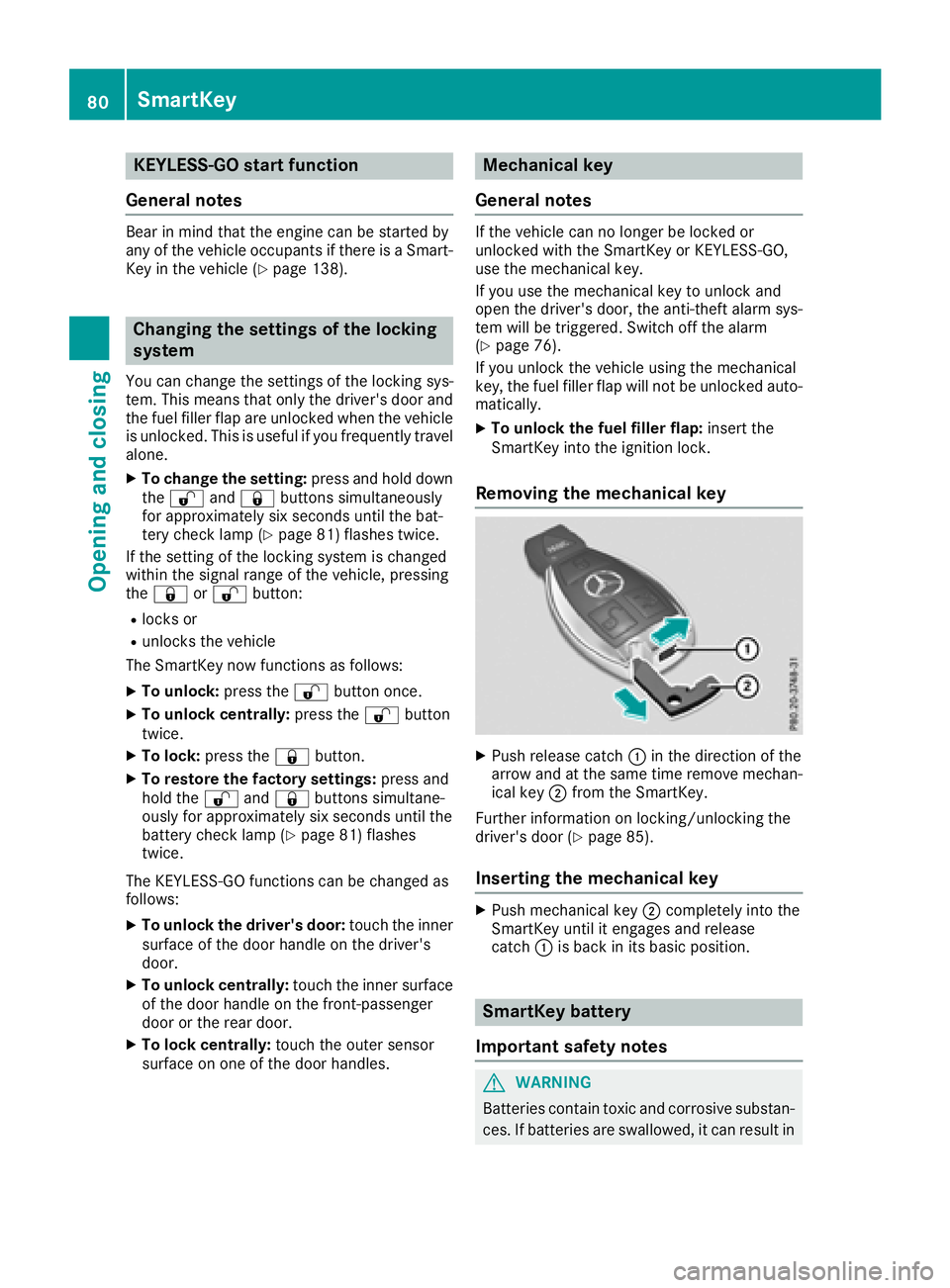
XPush release catch :in th edirection of th e
arrow and at th esam etime remove mechan -
ical ke y; from th eSmartKey.
Further information on locking/unlocking th e
driver's door (
Ypage 85).
Inserting the mechanical key
XPush mechanical ke y; completely int oth e
SmartKey until it engage sand release
catch :is bac kin it sbasic position .
SmartKey battery
Import ant safety notes
GWARNIN G
Batterie scontain toxic and corrosiv esubstan -
ces. If batterie sare swallowed, it can result in
80SmartKey
Opening and closing
Page 87 of 370
If a locked door is opened from the inside, the
previous unlock status of the vehicle will be
taken into consideration if:
Rthe vehicle was locked using the locking but-
ton for the central locking, or
Rthe vehicle was locked automatically
The vehicle will be fully unlocked if it had previ-
ously been fully unlocked. If only the driver's
door had been previously unlocked, only the
door which has been opened from the inside is
unlocked.
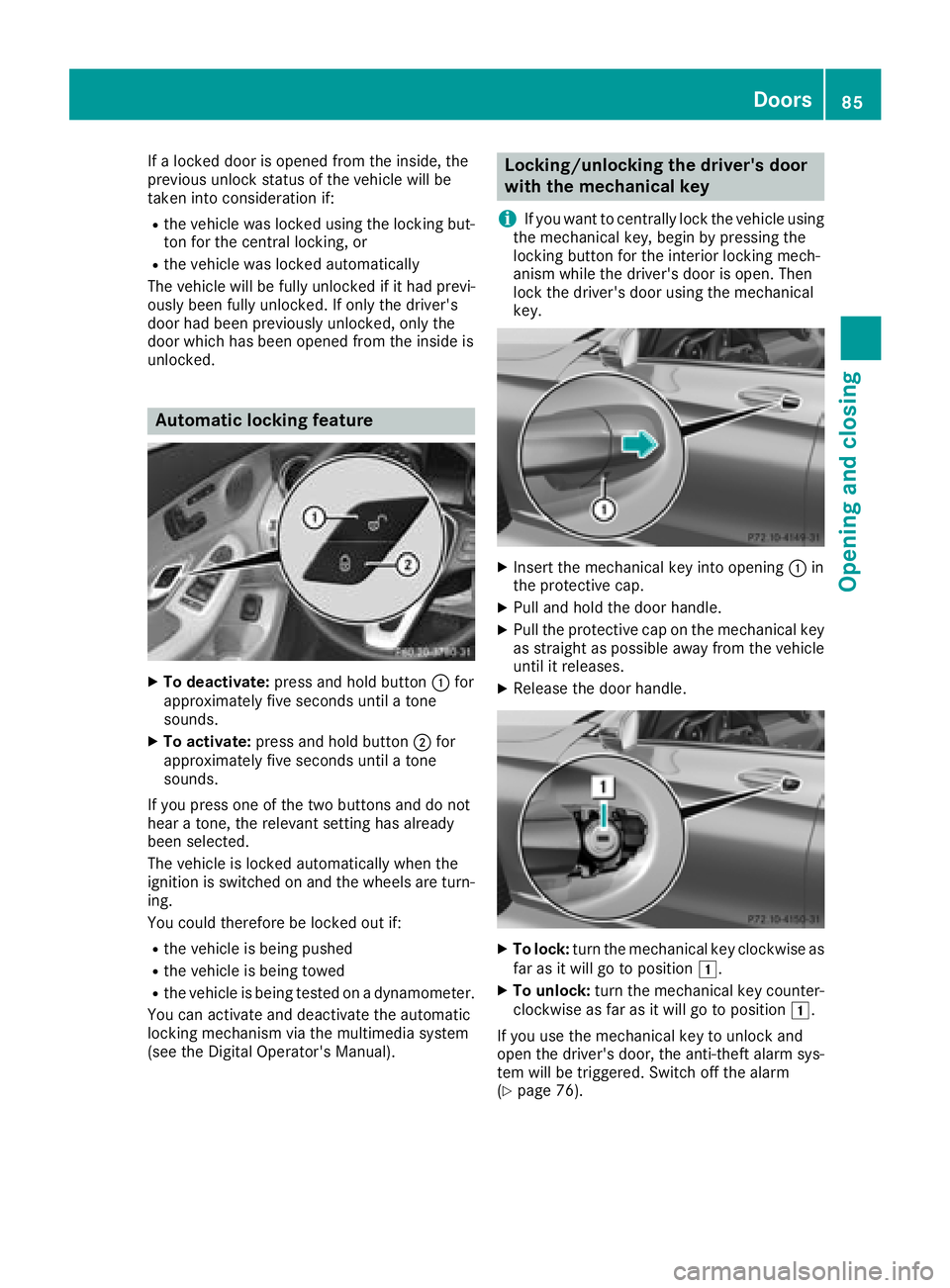
Automatic locking feature
XTo deactivate: press and hold button :for
approximately five seconds until a tone
sounds.
XTo activate: press and hold button ;for
approximately five seconds until a tone
sounds.
If you press one of the two buttons and do not
hear a tone, the relevant setting has already
been selected.
The vehicle is locked automatically when the
ignition is switched on and the wheels are turn-
ing.
You could therefore be locked out if:
Rthe vehicle is being pushed
Rthe vehicle is being towed
Rthe vehicle is being tested on a dynamometer.
You can activate and deactivate the automatic
locking mechanism via the multimedia system
(see the Digital Operator's Manual).
Locking/unlocking the driver's door
with the mechanical key
i
If you want to centrally lock the vehicle using
the mechanical key, begin by pressing the
locking button for the interior locking mech-
anism while the driver's door is open. Then
lock the driver's door using the mechanical
key.
XInsert the mechanical key into opening :in
the protective cap.
XPull and hold the door handle.
XPull the protective cap on the mechanical key
as straight as possible away from the vehicle
until it releases.
XRelease the door handle.
XTo lock: turn the mechanical key clockwise as
far as it will go to position 1.
XTo unlock:turn the mechanical key counter-
clockwise as far as it will go to position 1.
If you use the mechanical key to unlock and
open the driver's door, the anti-theft alarm sys-
tem will be triggered. Switch off the alarm
(
Ypage 76).
Doors85
Opening and closing
Z
Page 141 of 370
The Start/Stop button can be used to start the
vehicle manually without inserting the SmartKey
into the ignition lock. The Start/Stop button
must be inserted in the ignition lock and the
SmartKey must be in the vehicle. This mode for
starting the engine operates independently of
the ECO start/stop automatic engine start func-
tion.
You can start the engine if a valid SmartKey is inthe vehicle. Switch off the engine and always
take the SmartKey with you when leaving the
vehicle, even if you only leave it for a short time.
Pay attention to the important safety notes.
XDepress the brake pedal and keep it
depressed.
XPress the Start/Stop button once
(Ypage 137).
Vehicles with a gasoline engine: the engine
starts.
Vehicles with a diesel engine: preglow is
activated and the engine starts.
Starting procedure via smartphone
Observe the important safety notes on starting
the engine (Ypage 138).
You can also start your engine via your smart-
phone from outside the vehicle. In this case, the
previously selected climate control setting is
activated. In this way you can cool or heat the
interior of the vehicle before starting the jour-
ney.
Only start the engine via your smartphone if it is
safe to start and run the engine where your vehi-
cle is parked.
Observe the legal stipulations in the area where your vehicle is parked. Engine start via smart-
phone may be limited to certain countries or
regions.
You can execute a maximum of two consecutive
starting attempts via your smartphone. If you
press the start/stop button or insert the Smart-
Key into the ignition lock, you can carry out two
more starting attempts with your smartphone.
The engine runs for ten minutes when starting
with the smartphone.
Once you have started the engine, you can
switch the engine off via your smartphone at any
time. You can only start the engine via your smart-
phone if:
Rthe SmartKey is in the ignition lock
Rpark position
jis selected
Rthe accelerator pedal is not depressed
Rthe anti-theft alarm system is not activated
Rthe panic alarm is not activated
Rthe hazard warning lamps are switched off
Rthe hood is closed
Rthe doors are closed and locked
Rthe windows and sliding sunroof are closed
Also make sure that:
Rthe fuel tank is sufficiently filled
Rthe starter battery has been sufficiently
charged
GWARNING
Limbs could be crushed or trapped if the
engine is started unintentionally during ser-
vice or maintenance work. There is a risk of
injury.
Always secure the engine against uninten-
tional starting before carrying out mainte-
nance or repair work.
Make sure that the engine cannot be started via
your smartphone before carrying out mainte-
nance or repairs. You can prevent an engine
start via your smartphone, for example, if you:
Rswitch on the hazard warning lamps
Rdo not lock the doors
Ropen a side window
Ropen the sliding sunroof
Pulling away
General notes
GWARNING
If the engine speed is above the idling speed
and you engage transmission position Dor R,
the vehicle could pull away suddenly. There is
a risk of an accident.
When engaging transmission position Dor R,
always firmly depress the brake pedal and do not simultaneously accelerate.
Driving139
Driving and parking
Z