warning lights MERCEDES-BENZ C CLASS 2018 Owners Manual
[x] Cancel search | Manufacturer: MERCEDES-BENZ, Model Year: 2018, Model line: C CLASS, Model: MERCEDES-BENZ C CLASS 2018Pages: 370, PDF Size: 6.25 MB
Page 4 of 370
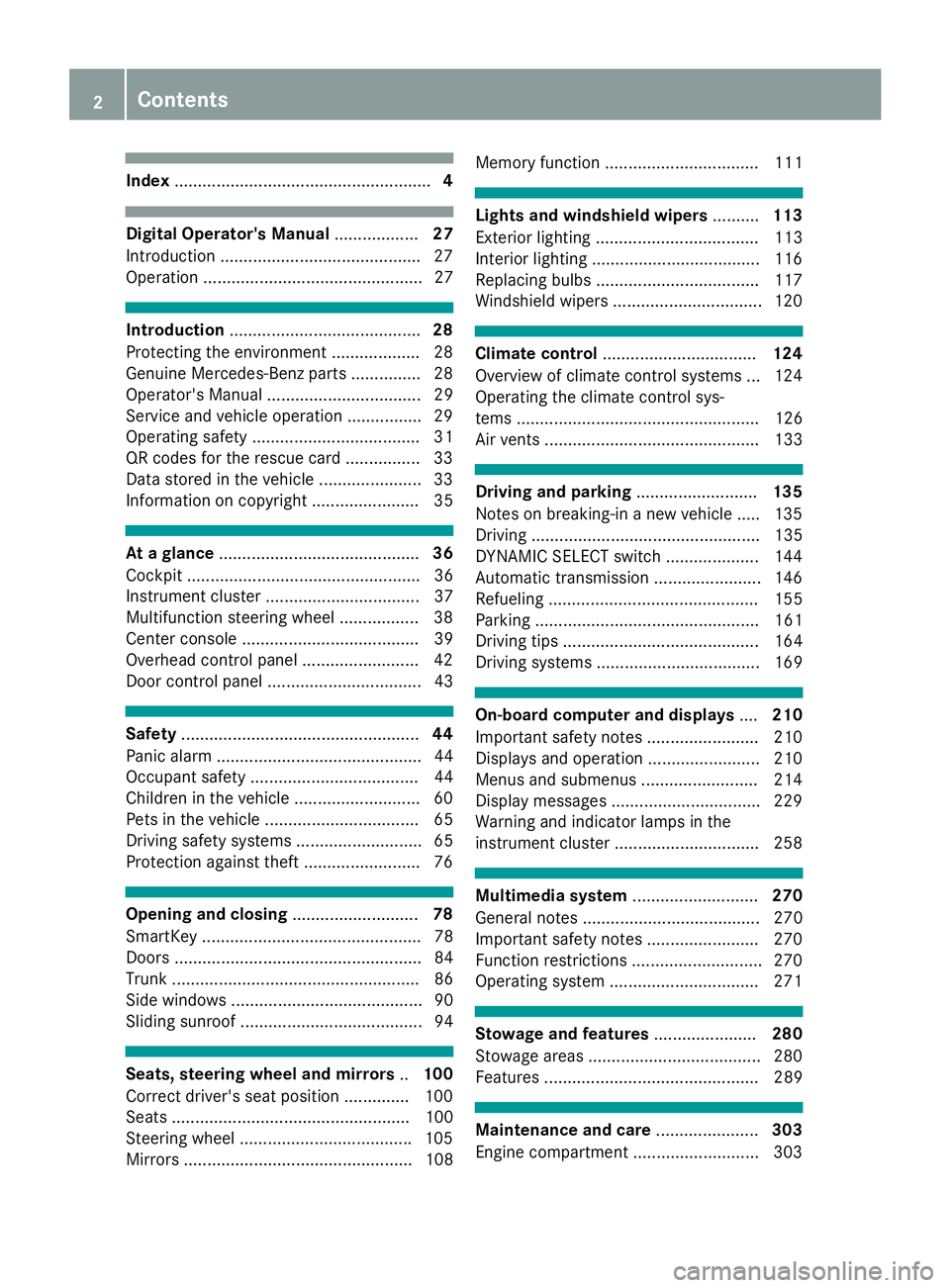
Index....................................................... 4
Digital Operator's Manual..................27
Introduction .......................................... .27
Operation ............................................... 27
Introduction ......................................... 28
Protecting the environment ...................2 8
Genuine Mercedes-Benz parts .............. .28
Operator's Manual ................................. 29
Service and vehicle operation ................2 9
Operating safety .................................... 31
QR codes for the rescue card ................3 3
Data stored in the vehicle ...................... 33
Information on copyright ....................... 35
At a glance ........................................... 36
Cockpit .................................................. 36
Instrument cluster ................................. 37
Multifunction steering wheel ................. 38
Center console ...................................... 39
Overhead control panel .........................4 2
Door control panel ................................. 43
Safety ................................................... 44
Panic alarm ............................................ 44
Occupant safety .................................... 44
Children in the vehicle ........................... 60
Pets in the vehicle ................................. 65
Driving safety systems ........................... 65
Protection against theft .........................7 6
Opening and closing...........................78
SmartKey ............................................... 78
Doors ..................................................... 84
Trunk ..................................................... 86
Side windows ......................................... 90
Sliding sunroof ....................................... 94
Seats, steering wheel and mirrors ..100
Correct driver's seat position .............. 100
Seats ................................................... 100
Steering wheel .................................... .105
Mirrors ................................................. 108 Memory function ................................. 111
Lights and windshield wipers
..........113
Exterior lighting ................................... 113
Interior lighting ....................................1 16
Replacing bulbs ................................... 117
Windshield wipers ................................ 120
Climate control ................................. 124
Overview of climate control systems ... 124
Operating the climate control sys-
tems .................................................... 126
Air vents .............................................. 133
Driving and parking ..........................135
Notes on breaking-in a new vehicle ..... 135
Driving ................................................. 135
DYNAMIC SELECT switch .................... 144
Automatic transmission ....................... 146
Refueling ............................................. 155
Parking ................................................ 161
Driving tips .......................................... 164
Driving systems ................................... 169
On-board computer and displays ....210
Important safety notes ........................ 210
Displays and operation ........................ 210
Menus and submenus ......................... 214
Display messages ................................ 229
Warning and indicator lamps in the
instrument cluster ............................... 258
Multimedia system ...........................270
General notes ...................................... 270
Important safety notes ........................ 270
Function restrictions ............................ 270
Operating system ................................ 271
Stowage and features ......................280
Stowage areas ..................................... 280
Features .............................................. 289
Maintenance and care ......................303
Engine compartment ........................... 303
2Contents
Page 7 of 370
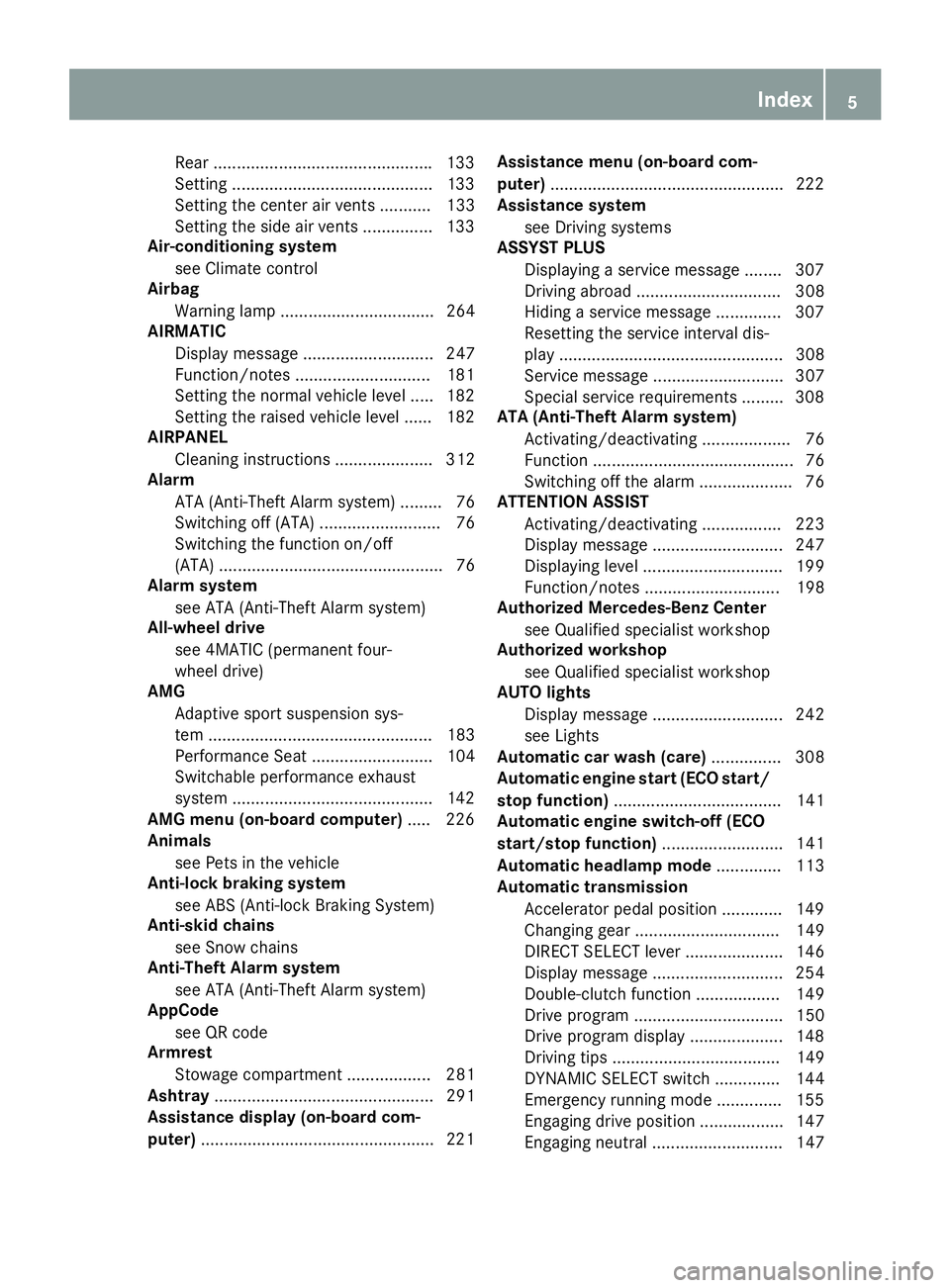
Rear ...............................................133
Setting ...........................................1 33
Setting the center air vents ........... 133
Setting the side air vents ...............1 33
Air-conditioning system
see Climate control
Airbag
Warning lamp ................................. 264
AIRMATIC
Display message ............................ 247
Function/notes .............................1 81
Setting the normal vehicle level ..... 182
Setting the raised vehicle level ...... 182
AIRPANEL
Cleaning instructions ..................... 312
Alarm
ATA (Anti-Theft Alarm system) ......... 76
Switching off (ATA) .......................... 76
Switching the function on/off
(ATA) ................................................ 76
Alarm system
see ATA (Anti-Theft Alarm system)
All-wheel drive
see 4MATIC (permanent four-
wheel drive)
AMG
Adaptive sport suspension sys-
tem ................................................ 183
Performance Seat .......................... 104
Switchable performance exhaust
system ...........................................1 42
AMG menu (on-board computer) ..... 226
Animals
see Pets in the vehicle
Anti-lock braking system
see ABS (Anti-lock Braking System)
Anti-skid chains
see Snow chains
Anti-Theft Alarm system
see ATA (Anti-Theft Alarm system)
AppCode
see QR code
Armrest
Stowage compartment .................. 281
Ashtray ............................................... 291
Assistance display (on-board com-
puter) ..................................................2 21Assistance menu (on-board com-
puter)
..................................................2 22
Assistance system
see Driving systems
ASSYST PLUS
Displaying a service message ........3 07
Driving abroad ............................... 308
Hiding a service message .............. 307
Resetting the service interval dis-
play ................................................ 308
Service message ............................ 307
Spe cial se
rvice requirements ......... 308
ATA (Anti-Theft Alarm system)
Activating/deactivating ................... 76
Function ........................................... 76
Switching off the alarm .................... 76
ATTENTION ASSIST
Activating/deactivating ................. 223
Display message ............................ 247
Displaying level .............................. 199
Function/notes ............................. 198
Authorized Mercedes-Benz Center
see Qualified specialist workshop
Authorized workshop
see Qualified specialist workshop
AUTO lights
Display message ............................ 242
see Lights
Automatic car wash (care) ............... 308
Automatic engine start (ECO start/
stop function) .................................... 141
Automatic engine switch-off (ECO
start/stop function) .......................... 141
Automatic headlamp mode .............. 113
Automatic transmission
Accelerator pedal position ............. 149
Changing gear ............................... 149
DIRECT SELECT lever ..................... 146
Display message ............................ 254
Double-clutch function .................. 149
Drive program ................................ 150
Drive program display .................... 148
Driving tips .................................... 149
DYNAMIC SELECT switch .............. 144
Emergency running mode .............. 155
Engaging drive position .................. 147
Engaging neutral ............................ 147
Index5
Page 11 of 370
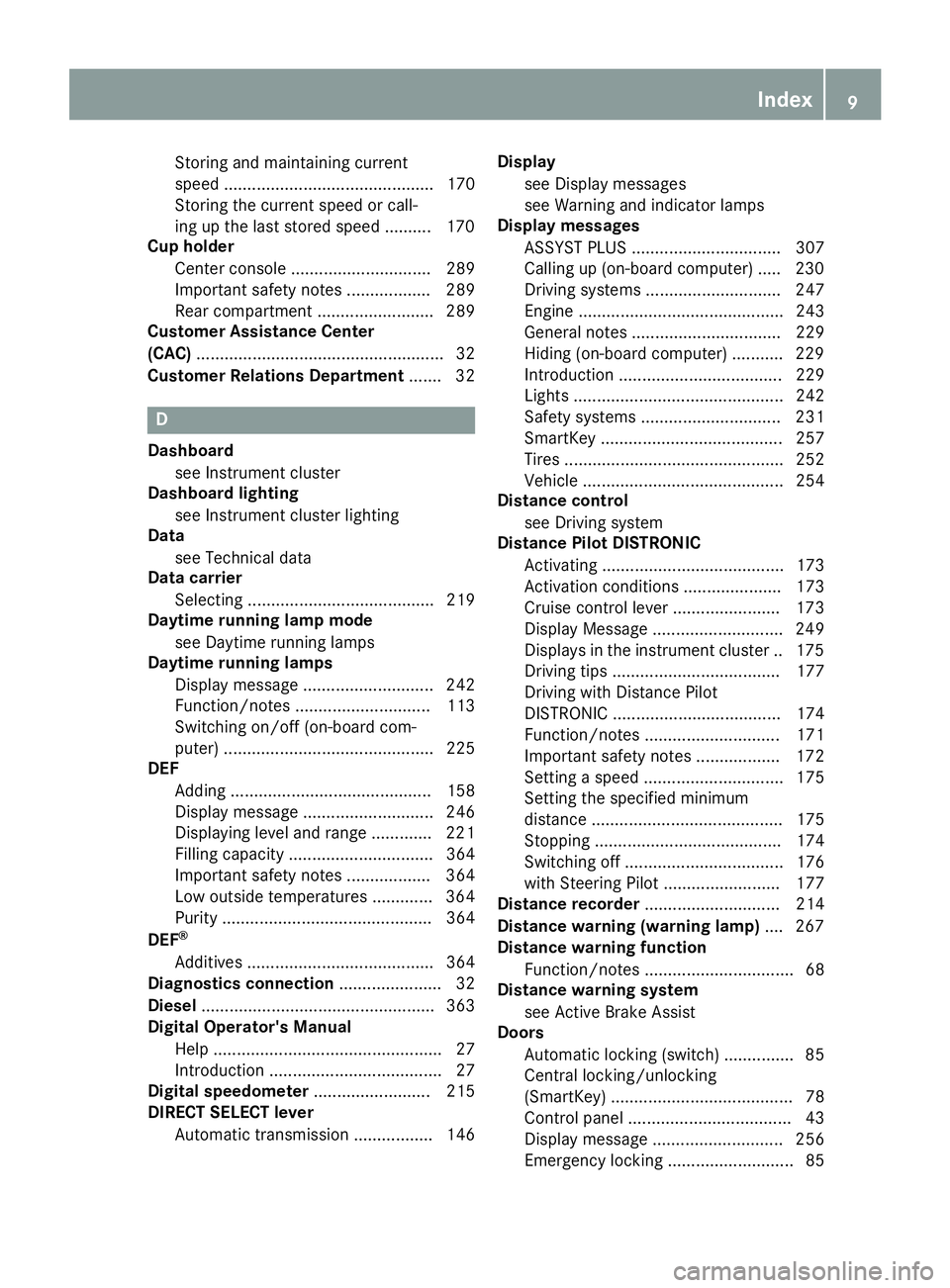
Storing and maintaining current
speed ............................................. 170
Storing the current speed or call-
ing up the last stored speed .......... 170
Cup holder
Center console .............................. 289
Important safety notes .................. 289
Rear compartment ......................... 289
Customer Assistance Center
(CAC) ..................................................... 32
Customer Relations Department ....... 32
D
Dashboard
see Instrument cluster
Dashboard lighting
see Instrument cluster lighting
Data
see Technical data
Data carrier
Selecting ........................................ 219
Daytime running lamp mode
see Daytime running lamps
Daytime running lamps
Display message ............................ 242
Function/notes ............................. 113
Switching on/off (on-board com-
puter) ............................................. 225
DEF
Adding ........................................... 158
Display message ............................ 246
Displaying level and range ............. 221
Filling capacity ............................... 364
Important safety notes .................. 364
Low outside temperatures ............. 364
Purity ............................................. 364
DEF
®
Additives ........................................ 364
Diagnostics connection ...................... 32
Diesel .................................................. 363
Digital Operator's Manual
Help ................................................. 27
Introduction ..................................... 27
Digital speedometer ......................... 215
DIRECT SELECT lever
Automatic transmission ................. 146 Display
see Display messages
see Warning and indicator lamps
Display messages
ASSYST PLUS ................................ 307
Calling up (on-board computer) ..... 230
Driving systems ............................. 247
Engine ............................................ 243
General notes ................................ 229
Hiding (on-board computer) ........... 229
Introduction ................................... 229
Lights ............................................. 242
Safety systems .............................. 231
SmartKey ....................................... 257
Tires ............................................... 252
Vehicle ........................................... 254
Distance control
see Driving system
Distance Pilot DISTRONIC
Activating ....................................... 173
Activation conditions ..................... 173
Cruise control lever ....................... 173
Display Message ............................ 249
Displays in the instrument cluster .. 175
Driving tips .................................... 177
Driving with Distance Pilot
DISTRONIC .................................... 174
Function/notes ............................. 171
Important safety notes .................. 172
Setting a speed .............................. 175
Setting the spe cifie
d minimum
distance ......................................... 175
Stopping ........................................ 174
Switching off .................................. 176
with Steering Pilot ......................... 177
Distance recorder ............................. 214
Distance warning (warning lamp) .... 267
Distance warning function
Function/notes ................................ 68
Distance warning system
see Active Brake Assist
Doors
Automatic locking (switch) ............... 85
Central locking/unlocking
(SmartKey) ....................................... 78
Control panel ................................... 43
Display message ............................ 256
Emergency locking ........................... 85
Index9
Page 14 of 370
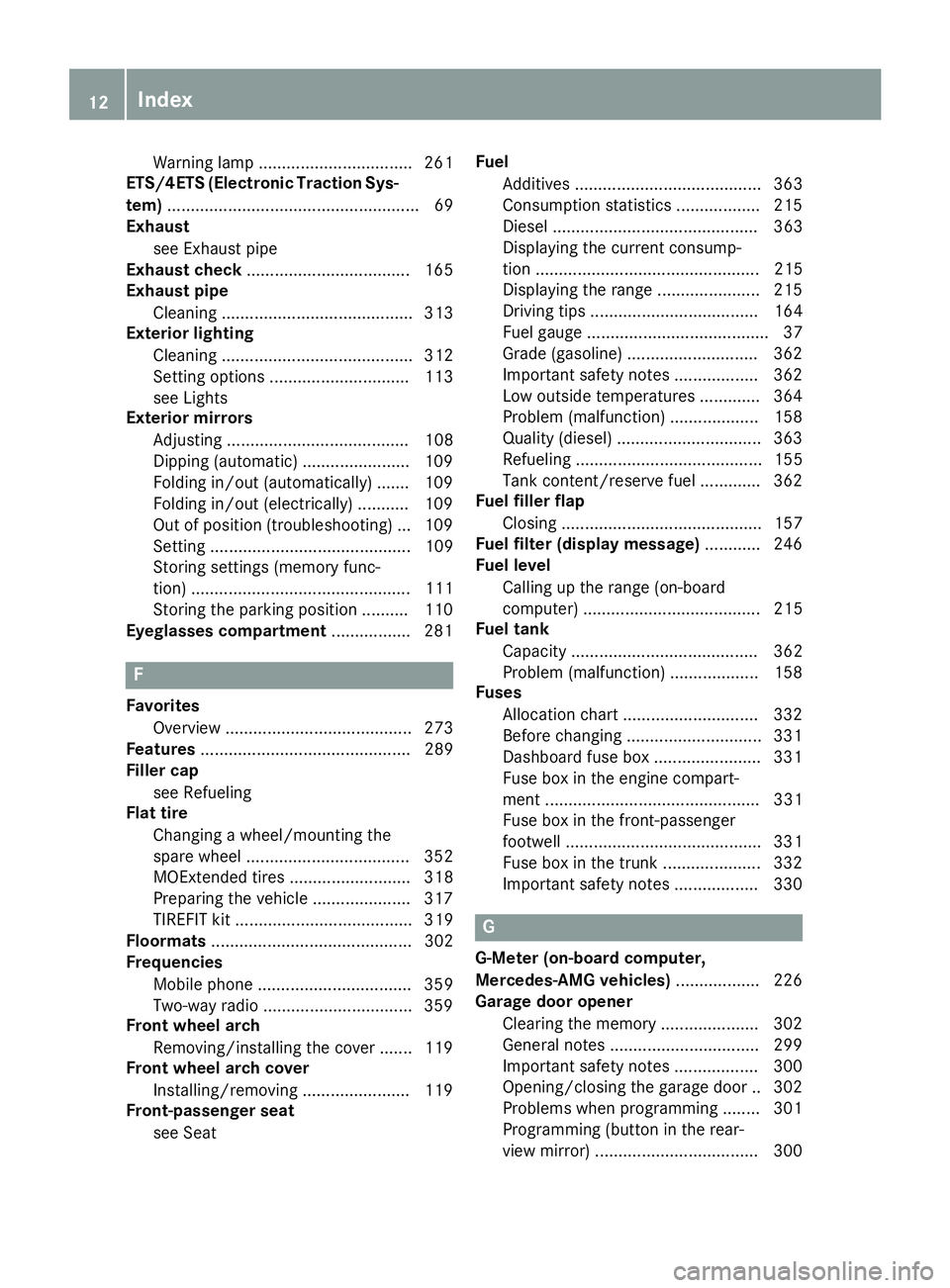
Warning lamp ................................. 261
ETS/4ETS (Electronic Traction Sys-
tem) ...................................................... 69
Exhaust
see Exhaust pipe
Exhaust check ................................... 165
Exhaust pipe
Cleaning ......................................... 313
Exterior lighting
Cleaning ......................................... 312
Setting options .............................. 113
see Lights
Exterior mirrors
Adjusting ....................................... 108
Dipping (automatic) ....................... 109
Folding in/out (automatically) .......1 09
Folding in/out (electrically) ........... 109
Out of position (troubleshooting) ... 109
Setting ........................................... 109
Storing settings (memory func-
tion) ............................................... 111
Storing the parking position .......... 110
Eyeglasses compartment ................. 281
F
Favorites
Overview ........................................ 273
Features ............................................. 289
Filler cap
see Refueling
Flat tire
Changing a wheel/mounting the
spare wheel ................................... 352
MOExtended tires .......................... 318
Preparing the vehicle ..................... 317
TIREFIT kit ...................................... 319
Floormats ........................................... 302
Frequencies
Mobile phone ................................. 359
Two-way radio ................................ 359
Front wheel arch
Removing/installing the cover ....... 119
Front wheel arch cover
Installing/removing ....................... 119
Front-passenger seat
see Seat Fuel
Additives ........................................ 363
Consumption statistics .................. 215
Diesel ............................................ 363
Displaying the current consump-
tion ................................................ 215
Displaying the range ...................... 215
Driving tips .................................... 164
Fuel gauge ....................................... 37
Grade (gasoline) ............................ 362
Important safety notes .................. 362
Low outside temperatures ............. 364
Problem (malfunction) ................... 158
Quality (diesel) ............................... 363
Refueling ........................................ 155
Tank content/reserve fuel ............. 362
Fuel filler flap
Closing ........................................... 157
Fuel filter (display message) ............ 246
Fuel level
Calling up the range (on-board
computer) ...................................... 215
Fuel tank
Capacity ........................................ 362
Problem (malfunction) ................... 158
Fuses
Allocation chart ............................. 332
Before changing ............................. 331
Dashboard fuse box ....................... 331
Fuse box in the engine compart-
ment .............................................. 331
Fuse box in the front-passenger
footwell .......................................... 331
Fuse box in the trunk ..................... 332
Important safety notes .................. 330
G
G-Meter (on-board computer,
Mercedes-AMG vehicles) .................. 226
Garage door opener
Clearing the memory ..................... 302
General notes ................................ 299
Important safety notes .................. 300
Opening/closing the garage doo r..3 02
Problems when programming ........3 01
Programming (button in the rear-
view mirror) ................................... 300
12Index
Page 16 of 370
Control ...........................................117
Overview ........................................ 116
Reading lamp ................................. 116
iPod
®
see also Digital Operator's Man-
ual ..................................................2 70
J
Jack
Using ............................................. 354
Jump starting (engine) ......................325
K
Key positions
SmartKey ....................................... 136
Start/Stop button .......................... 137
KEYLESS-GO
Activating ......................................... 79
Convenience closing feature ............ 92
Deactivation ..................................... 79
Locking ............................................ 79
Removing the Start/Stop button ... 137
Start function ................................... 80
Unlocking ......................................... 79
Kickdown
Driving tips ....................................1 49
Manual gearshifting ....................... 154
Knee bag .............................................. 51
L
Lamps
see Warning and indicator lamps
Lane Change Assist
see Active Blind Spot Assist
Lane detection (automatic)
see Lane Keeping Assist
Lane Keeping Assist
Activating/deactivating ................. 203
Activating/deactivating (on-
board computer) ............................ 223
Display message ............................ 248
Function/information .................... 202
see Active Lane Keeping Assist
Lane Tracking package ..................... 200
Lap time (RACETIMER) ...................... 228LATCH-type (ISOFIX) child seat
anchors
................................................ 62
License plate lamp (display mes-
sage) ................................................... 242
Light function, active
Display message ............................ 242
Light switch
Operation ....................................... 113
Lights
Adaptive Highbeam Assist ............. 115
Automatic headlamp mode ............ 113
Cornering light function ................. 115
Fogged up headlamps .................... 116
General notes ................................ 113
Hazard warning lamps ................... 115
High beam flasher .......................... 114
High-beam headlamps ................... 114
Light switch ................................... 113
Low-beam headlamps .................... 114
Parking lamps ................................ 114
Rear fog lamp ................................ 114
Setting exterior lighting ................. 113
Standing lamps .............................. 114
Switching the daytime running
lamps on/off (on-board com-
puter) ............................................. 225
Turn signals ................................... 114
see Interior lighting
Loading guidelines ............................ 280
Locking
see Central locking
Locking (doors)
Automatic ........................................ 85
Emergency locking ........................... 85
From inside (central locking but-
ton) .................................................. 84
Locking centrally
see Central locking
Low-beam headlamps
Display message ............................ 242
Replacing bulbs ............................. 118
Switching on/off ........................... 114
Lubricant additives
see Additives (engine oil)
Lumbar suppo rt
Ad
justing the 4-way lumbar sup-
port ................................................ 104
14Index
Page 18 of 370
see also Digital Operator's Man-
ual .................................................. 270
Multifunction display
Function/notes ............................. 212
Multifunction steering wheel
Operating the on-board computer .. 211
Overview .......................................... 38
Multimedia system
Switching on and off ......................2 71
Music files
see also Digital Operator's Man-
ual ..................................................2 70
N
Navigation
Displaying (on-board computer) ..... 216
Menu (on-board computer) ............ 216
see also Digital Operator's Man-
ual ..................................................2 70
Notes on breaking-in a new vehi-
cle ....................................................... 135
O
Occupant Classification System
(OCS)
Conditions ....................................... 52
Faults ............................................... 55
Operation ......................................... 52
System self-test ............................... 54
Occupant safety
Air bags ...........................................4 9
Automatic measures after an acci-
dent ................................................. 59
Belt warning .....................................4 9
Childr eninthe vehicle .................... .60
Important safety notes .................... 44
Introduction to the restraint sys-
tem .................................................. 44
Occupant Classification System
(OCS) ............................................... 52
PASSENGER AIR BAG indicator
lamps ............................................... 45
Pets in the vehicle ........................... 65
PRE-SAFE
®(anticipatory occu-
pant protection) ............................... 58 PRE-SAFE
®PLUS (anticipatory
occupant protection PLUS) .............. 59
Restraint system warning lamp ........ 45
Seat belt .......................................... 45
OCS
Conditions ....................................... 52
Faults ............................................... 55
Operation .........................................5 2
System self-test ............................... 54
Odometer ........................................... 214
Oil
see Engine oil
On-board computer
AMG menu ..................................... 226
Assistance graphic menu ............... 221
Assistance menu ........................... 222
Display messages .......................... 229
Displaying a service message ........ 307
Displays and operation .................. 210
Distance Pilot DISTRONIC ............. 176
Factory settings ............................. 226
G-Meter ......................................... 226
Head-up display ............................. 213
Important safety notes .................. 210
Instrument cluster menu ............... 225
Lights menu ................................... 225
Media menu ................................... 218
Menu ove rview .............................. 214
Me
ssage memory .......................... 230
Navigation menu ............................ 216
RACETIMER ................................... 228
Radio menu ................................... 218
Service menu ................................. 221
Settings menu ............................... 222
Standard display ............................ 214
Telephone menu ............................ 220
Trip menu ...................................... 214
Video DVD operation ..................... 219
On-board diagnostic interface
see Diagnostics connection
Opening and closing the side trim
panels ................................................. 119
Operating safety
Declaration of conformity ................ 31
Important safety notes .................... 31
Operating system
see On-board computer
16Index
Page 47 of 370
Restraint system warning lamp
The functions of the restraint system are
checked after the ignition is switched on and at
regular intervals while the engine is running.
Therefore, malfunctions can be detected in
good time.
The6 restraint system warning lamp on the
instrument cluster lights up when the ignition is
switched on. It goes out no later than a few sec-
onds after the vehicle is started. The compo-
nents of the restraint system are in operational
readiness.
A malfunction has occurred if the 6restraint
system warning lamp:
Rdoes not light up after the ignition is switched
on
Rdoes not go out after a few seconds with the
engine running
Rlights up again while the engine is running
GWARNING
If the restraint system is malfunctioning,
restraint system components may be trig-
gered unintentionally or may not deploy as
intended during an accident. This can affect
for example the Emergency Tensioning
Device or the air bag. This poses an increased
risk of injury or even fatal injury.
Have the restraint system checked and
repaired in a qualified specialist workshop as
soon as possible.
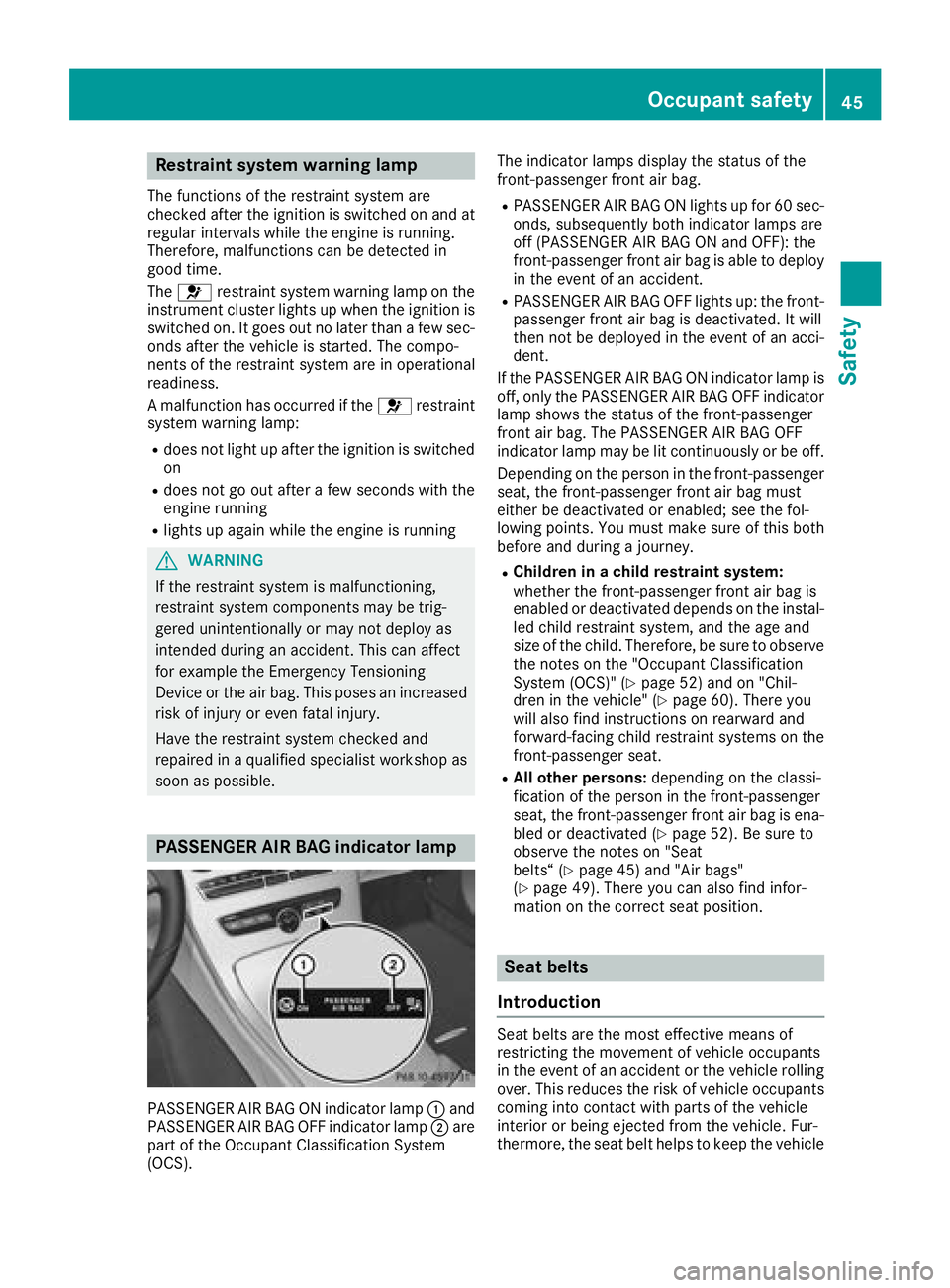
PASSENGER AIR BAG indicator lamp
PASSENGER AIR BAG ON indicator lamp :and
PASSENGER AIR BAG OFF indicator lamp ;are
part of the Occupant Classification System
(OCS). The indicator lamps display the status of the
front-passenger front air bag.
RPASSENGER AIR BAG ON lights up for 60 sec-
onds, subsequently both indicator lamps are
off (PASSENGER AIR BAG ON and OFF): the
front-passenger front air bag is able to deploy
in the event of an accident.
RPASSENGER AIR BAG OFF lights up: the front-
passenger front air bag is deactivated. It will
then not be deployed in the event of an acci-
dent.
If the PASSENGER AIR BAG ON indicator lamp is
off, only the PASSENGER AIR BAG OFF indicator lamp shows the status of the front-passenger
front air bag. The PASSENGER AIR BAG OFF
indicator lamp may be lit continuously or be off.
Depending on the person in the front-passenger
seat, the front-passenger front air bag must
either be deactivated or enabled; see the fol-
lowing points. You must make sure of this both
before and during a journey.
RChildren in a child restraint system:
whether the front-passenger front air bag is
enabled or deactivated depends on the instal-led child restraint system, and the age and
size of the child. Therefore, be sure to observe
the notes on the "Occupant Classification
System (OCS)" (
Ypage 52) and on "Chil-
dren in the vehicle" (Ypage 60). There you
will also find instructions on rearward and
forward-facing child restraint systems on the
front-passenger seat.
RAll other persons: depending on the classi-
fication of the person in the front-passenger
seat, the front-passenger front air bag is ena-
bled or deactivated (
Ypage 52). Be sure to
observe the notes on "Seat
belts“ (
Ypage 45) and "Air bags"
(Ypage 49). There you can also find infor-
mation on the correct seat position.
Seat belts
Introduction
Seat belts are the most effective means of
restricting the movement of vehicle occupants
in the event of an accident or the vehicle rolling over. This reduces the risk of vehicle occupants
coming into contact with parts of the vehicle
interior or being ejected from the vehicle. Fur-
thermore, the seat belt helps to keep the vehicle
Occupant safety45
Safety
Z
Page 51 of 370
The seat belt adjustment will apply a certain
tightening force if any slack is detected between
the vehicle occupant and the seat belt. Do not
grab hold of the seat belt.
You can switch the seat belt adjustment on and
off using the multimedia system. Information on
switching the seat belt adjustment on and off
can be found in the Digital Operating Instruc-
tions.
Belt warning for the driver and front
passenger
The7 seat belt warning lamp in the instru-
ment cluster is a reminder that all vehicle occu- pants must wear their seat belts. It may light up
continuously or flash. In addition, there may be
a warning tone.
Regardless of whether the driver's seat belt has
already been fastened, the 7seat belt warn-
ing lamp lights up for six seconds each time the engine is started. If the front doors are closed
and the driver's or front-passenger seat belt has
not been fastened, the 7seat belt warning
lamp lights up again after the six seconds. As
soon as the driver's and front-passenger seat
belts are fastened or a front door is opened
again, the 7seat belt warning lamp goes out.
If the driver's seat belt is not fastened after the
engine is started, an additional warning tone will sound. The warning tone switches off after six
seconds or once the driver's seat belt is fas-
tened.
If the vehicle's speed exceeds 15 mph
(25 km/h) once and the driver's and front-
passenger seat belts are not fastened, a warning
tone sounds. A warning tone also sounds with
increasing intensity for 60 seconds or until the
driver or front passenger have fastened their
seat belts.
If the driver or front passenger unfasten their
seat belts during the journey, the seat belt warn-
ing is activated again.
Air bags
Introduction
The installation point of an air bag can be rec-
ognized by the AIRBAG marking.
An air bag complements the correctly fastened
seat belt. It is no substitute for the seat belt. The air bag provides additional protection in appli-
cable accident situations.
Not all air bags are deployed in an accident. The
different air bag systems function independ-
ently from one another (
Ypage 56).
However, no system available today can com-
pletely eliminate injuries and fatalities.
It is also not possible to rule out a risk of injury
caused by an air bag due to the high speed at
which the air bag must be deployed.
Important safety notes
GWARNING
If you do not sit in the correct seat position,
the air bag cannot protect as intended and
could even cause additional injury when
deployed. This poses an increased risk of
injury or even fatal injury.
To avoid hazardous situations, always make
sure that all of the vehicle's occupants:
Rhave fastened their seat belts correctly,
including pregnant women
Rare sitting correctly and maintain the great-
est possible distance to the air bags
Rfollow the following instructions
Always make sure that there are no objects
between the air bag and the vehicle's occu-
pants.
RAdjust the seats properly before beginning
your journey. Always make sure that the seat
is in an almost upright position. The center of
the head restraint must support the head at
about eye level.
RMove the driver's and front-passenger seats
as far back as possible. The driver's seat posi-
tion must allow the vehicle to be driven safely.
ROnly hold the steering wheel on the outside.
This allows the air bag to be fully deployed.
RAlways lean against the backrest while driv-
ing. Do not lean forward or lean against the
door or side window. You may otherwise be in
the deployment area of the air bags.
RAlways keep your feet in the footwell in front
of the seat. Do not put your feet on the dash-
Occupant safety49
Safety
Z
Page 55 of 370
If the PASSENGER AIR BAG ON indicator lamp is
off, only the PASSENGER AIR BAG OFF indicatorlamp shows the status of the front-passenger
front air bag. The PASSENGER AIR BAG OFF
indicator lamp may be lit continuously or be off.
If the status of the front-passenger front air bag
changes while the vehicle is in motion, an air bag
display message appears in the instrument clus-
ter (
Ypage 240). When the front-passenger
seat is occupied, always pay attention to the
PASSENGER AIR BAG OFF indicator lamp. Be
aware of the status of the front-passenger front
air bag both before and during the journey.
GWARNING
If the PASSENGER AIR BAG OFF indicator
lamp is lit, the front-passenger front air bag is
disabled. It will not be deployed in the event of
an accident and cannot perform its intended
protective function. A person in the front-
passenger seat could then, for example, come
into contact with the vehicle's interior, espe-
cially if the person is sitting too close to the
dashboard. This poses an increased risk of
injury or even fatal injury.
When the front-passenger seat is occupied,
always ensure that:
Rthe classification of the person in the front- passenger seat is correct and the front-
passenger front air bag is enabled or disa-
bled in accordance with the person in the
front-passenger seat
Rthe front-passenger seat has been moved
back as far back as possible.
Rthe person is seated correctly.
Make sure, both before and during the jour-
ney, that the status of the front-passenger
front air bag is correct.
GWARNING
If you secure a child in a rearward-facing child
restraint system on the front-passenger seat
and the PASSENGER AIR BAG OFF indicator
lamp is off, the front-passenger front air bag
may deploy in the event of an accident. The
child could be struck by the air bag. This poses an increased risk of injury or even fatal injury.
Make sure that the front-passenger front air
bag has been disabled. The PASSENGER AIR
BAG OFF indicator lamp must be lit.
If the PASSENGER AIR BAG OFF indicator lamp
stays off, do not install a rearward-facing child
restraint system on the front-passenger seat.
You can find more information on OCS under
"Problems with the Occupant Classification Sys-
tem" (
Ypage 55).
GWARNING
If you secure a child in a forward-facing child
restraint system on the front-passenger seat
and you position the front-passenger seat too close to the dashboard, in the event of an
accident, the child could:
Rcome into contact with the vehicle's inte-
rior if the PASSENGER AIR BAG OFF indi-
cator lamp is lit, for example
Rbe struck by the air bag if the PASSENGER
AIR BAG OFF indicator lamp is off
This poses an increased risk of injury or even fatal injury.
Always move the front-passenger seat as far
back as possible and fully retract the seat
cushion length. Always make sure that the
shoulder belt strap is correctly routed from
the vehicle belt sash guide to the shoulder
belt guide on the child restraint system. The
shoulder belt strap must be routed forwards
and downwards from the vehicle belt sash
guide. If necessary, adjust the vehicle belt
sash guide and the front-passenger seat
accordingly. Always observe the child
restraint system manufacturer's installation
instructions.
If OCS determines that:
Rthe front-passenger seat is unoccupied, the
PASSENGER AIR BAG OFF indicator lamp
lights up after the system self-test and
remains lit. This indicates that the front-
passenger front air bag is deactivated.
Rthe front-passenger seat is occupied by a
child of up to twelve months old, in a standard
child restraint system, the PASSENGER AIR
BAG OFF indicator lamp lights up after the
system self-test and remains lit. This indi-
Occupant safety53
Safety
Z
Page 56 of 370
cates that the front-passenger front air bag is
deactivated.
But even in the case of a twelve-month-old
child, in a standard child restraint system, the
PASSENGER AIR BAG OFF indicator lamp can
go out after the system self-test. This indi-
cates that the front-passenger front air bag is
activated. The result of the classification is
dependent on, among other factors, the child
restraint system and the child's stature. It is
recommended that you install the child
restraint system on a suitable rear seat.
Rthe front-passenger seat is occupied by a per-
son with a smaller build (e.g. a teenager or
small adult), the PASSENGER AIR BAG OFF
indicator lamp lights up and remains lit after
the system self-test depending on the result
of the classification or, alternatively, goes out.
-if the PASSENGER AIR BAG OFF indicator
lamp is off, move the front-passenger seat
as far back as possible. Alternatively, a per-
son of smaller stature can sit on a rear seat.
-if the PASSENGER AIR BAG OFF indicator
lamp is lit, a person of smaller stature
should not use the front-passenger seat.
Rthe front-passenger seat is occupied by an
adult or a person of adult stature, the
PASSENGER AIR BAG OFF indicator lamp
goes out after the system self-test. This indi-
cates that the front-passenger front air bag is
activated.
If children are traveling in the vehicle, be sure to
observe the notes on "C hild
ren in the vehicle"
(Ypage 60).
When the Occupant Classification System
(OCS) is malfunctioning, the red 6restraint
system warning lamp on the instrument cluster
and the PASSENGER AIR BAG OFF indicator
lamp light up simultaneously. The front-
passenger front air bag is deactivated in this
case and does not deploy during an accident.
Have the Occupant Classification System (OCS)
checked and repaired immediately at a qualified
specialist workshop. Mercedes-Benz recom-
mends that you use an authorized Mercedes-
Benz Center for this purpose.
If the front-passenger seat, the seat cover or the
seat cushion are damaged, have the necessary
repair work carried out at a qualified specialist
workshop. Mercedes-Benz recommends that
you use an authorized Mercedes-Benz Center
for this purpose. For safety reasons, Mercedes-Benz recom-
mends that you only use seat accessories that
have been approved by Mercedes-Benz.
If the driver's air bag deploys, this does not
mean that the front-passenger front air bag will
also deploy. The Occupant Classification Sys-
tem (OCS) categorizes the occupant on the
front-passenger seat. Depending on that result,
the front-passenger front air bag is either ena-
bled or deactivated.
System self-test
GDANGER
If both the PASSENGER AIR BAG OFF and
PASSENGER AIR BAG ON indicator lamps do
not light up during the system self-test, the
system is malfunctioning. The front-
passenger front air bag might be triggered
unintentionally or might not be triggered at all
in the event of an accident with high deceler-
ation. This poses an increased risk of injury or
even fatal injury.
In this case the front-passenger seat may not
be used. Do not install a child restraint system
on the front-passenger seat. Have the Occu-
pant Classification System (OCS) checked
and repaired immediately at a qualified spe-
cialist workshop.
GWARNING
If the PASSENGER AIR BAG OFF indicator
lamp remains lit after the system self-test, the
front-passenger front air bag is disabled. It will
not be deployed in the event of an accident. In
this case, the front-passenger front air bag
cannot perform its intended protective func-
tion, e.g. when a person is seated in the front-
passenger seat.
That person could, for example, come into
contact with the vehicle's interior, especially
if the person is sitting too close to the dash-
board. This poses an increased risk of injury or
even fatal injury.
54Occupant safety
Safety