automatic transmission MERCEDES-BENZ C-CLASS CABRIOLET 2018 Owner's Manual
[x] Cancel search | Manufacturer: MERCEDES-BENZ, Model Year: 2018, Model line: C-CLASS CABRIOLET, Model: MERCEDES-BENZ C-CLASS CABRIOLET 2018Pages: 350, PDF Size: 5.73 MB
Page 4 of 350
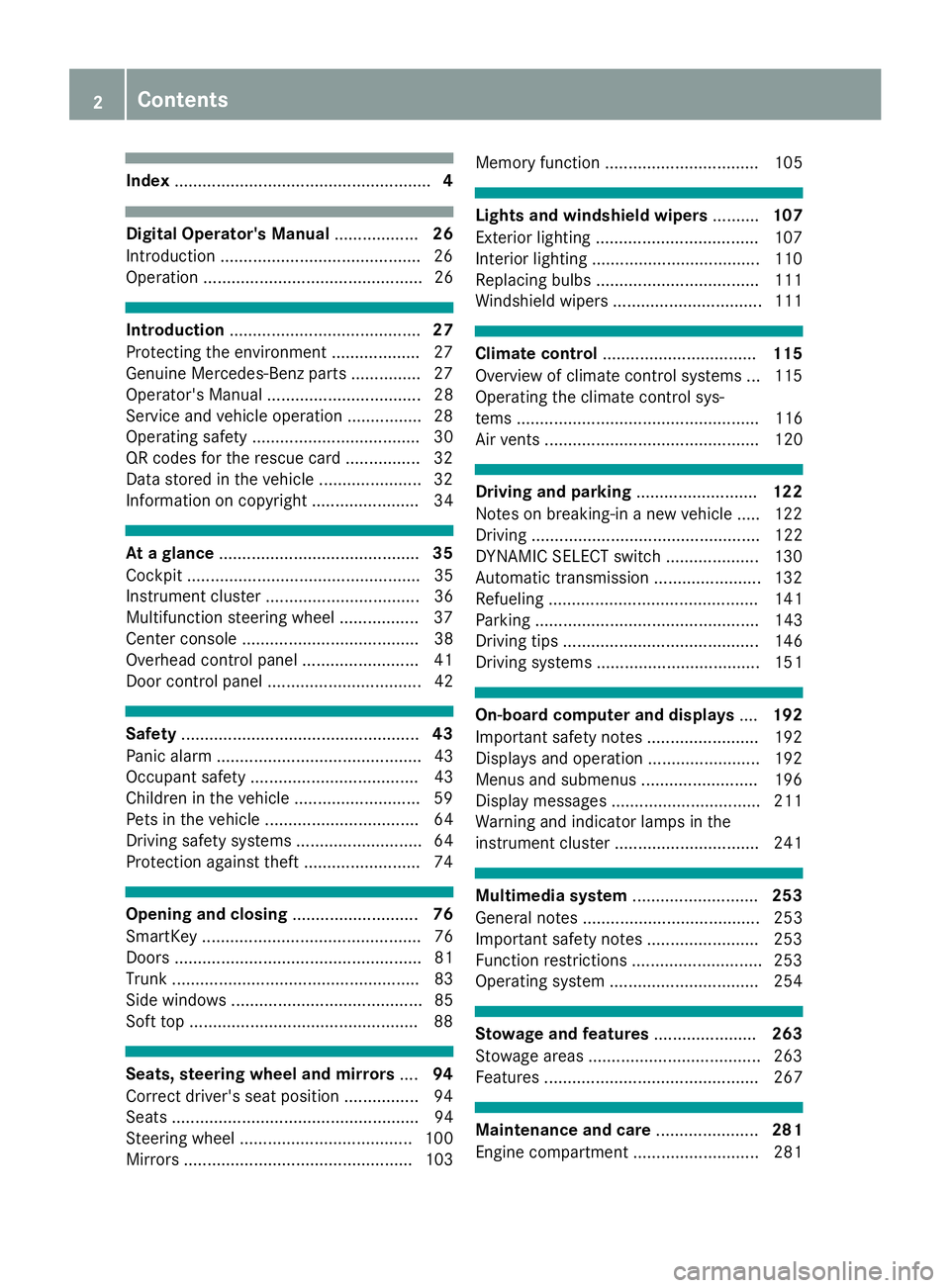
Index....................................................... 4
Digital Operator's Manual..................26
Introduction .......................................... .26
Operation ............................................... 26
Introduction ......................................... 27
Protecting the environment ...................2 7
Genuine Mercedes-Benz parts .............. .27
Operator's Manual ................................. 28
Service and vehicle operation ................2 8
Operating safety .................................... 30
QR codes for the rescue card ................3 2
Data stored in the vehicle ...................... 32
Information on copyright ....................... 34
At a glance ........................................... 35
Cockpit .................................................. 35
Instrument cluster ................................. 36
Multifunction steering wheel ................. 37
Center console ...................................... 38
Overhead control panel .........................4 1
Door control panel ................................. 42
Safety ................................................... 43
Panic alarm ............................................ 43
Occupant safety .................................... 43
Children in the vehicle ........................... 59
Pets in the vehicle ................................. 64
Driving safety systems ........................... 64
Protection against theft .........................7 4
Opening and closing...........................76
SmartKey ............................................... 76
Doors ..................................................... 81
Trunk ..................................................... 83
Side windows ......................................... 85
Soft top ................................................ .88
Seats, steering wheel and mirrors ....94
Correct driver's seat position ................9 4
Seats ..................................................... 94
Steering wheel ..................................... 100
Mirrors ................................................. 103 Memory function ................................. 105
Lights and windshield wipers
..........107
Exterior lighting ................................... 107
Interior lighting .................................... 110
Replacing bulbs ................................... 111
Windshield wipers ................................ 111
Climate control ................................. 115
Overview of climate control systems ... 115
Operating the climate control sys-
tems .................................................... 116
Air vents .............................................. 120
Driving and parking ..........................122
Notes on breaking-in a new vehicle ..... 122
Driving ................................................. 122
DYNAMIC SELECT switch .................... 130
Automatic transmission ....................... 132
Refueling ............................................. 141
Parking ................................................ 143
Driving tips .......................................... 146
Driving systems ................................... 151
On-board computer and displays ....192
Important safety notes ........................ 192
Displays and operation ........................ 192
Menus and submenus ......................... 196
Display messages ................................ 211
Warning and indicator lamps in the
instrument cluster ............................... 241
Multimedia system ...........................253
General notes ...................................... 253
Important safety notes ........................ 253
Function restrictions ............................ 253
Operating system ................................ 254
Stowage and features ......................263
Stowage areas ..................................... 263
Features .............................................. 267
Maintenance and care ......................281
Engine compartment ........................... 281
2Contents
Page 7 of 350
Setting the blower output of the
AIRSCARF vents ............................. 121
Setting the center air vents ........... 120
Setting the side air vents ............... 120
Switching AIRSCARF on/off .......... 100
Air-conditioning system
see Climate control
Airbag
Warning lamp ................................. 247
AIRCAP
Cleaning instructions ..................... 289
Extending/retracting ....................... 91
Important safety notes .................... 91
AIRMATIC
Display message ............................ 228
Function/notes ............................. 163
Setting the normal vehicle level ..... 164
Setting the raised vehicle level ...... 164
AIRSCARF
Switching on/off ........................... 100
AIRSCARF vents
Setting the blower output .............. 121
Alarm
ATA (Anti-Theft Alarm system) ......... 74
Switching off (ATA) .......................... 74
Switching the function on/off
(ATA) ................................................ 74
Alarm system
see ATA (Anti-Theft Alarm system)
All-wheel drive
see 4MATIC (permanent four-
wheel drive)
AMG
Adaptive sport suspension sys-
tem ................................................ 165
Performance Seat ............................ 98
Switchable performance exhaust
system ........................................... 129
AMG menu (on-board computer) ..... 208
Animals
see Pets in the vehicle
Anti-lock braking system
see ABS (Anti-lock Braking System)
Anti-skid chains
see Snow chains
Anti-Theft Alarm system
see ATA (Anti-Theft Alarm system) AppCode
see QR code
Armrest
Stowage compartment .................. 264
Ashtray ............................................... 269
Assistance display (on-board com-
puter) .................................................. 203
Assistance menu (on-board com-
puter) .................................................. 204
Assistance system
see Driving systems
ASSYST PLUS
Displaying a service message ........ 285
Driving abroad ............................... 286
Hiding a service message .............. 285
Rese
tting the service interval dis-
play ................................................ 286
Service message ............................ 285
Special service requirements ......... 286
ATA (Anti-Theft Alarm system)
Activating/deactivating ................... 74
Function ........................................... 74
Switching off the alarm .................... 74
ATTENTION ASSIST
Activating/deactivating ................. 205
Display message ............................ 228
Displaying level .............................. 181
Function/notes ............................. 180
Authorized Mercedes-Benz Center
see Qualified specialist workshop
Authorized workshop
see Qualified specialist workshop
AUTO lights
Display message ............................ 224
see Lights
Automatic car wash (care) ............... 286
Automatic engine start (ECO start/
stop function) .................................... 128
Automatic engine switch-off (ECO
start/stop function) .......................... 127
Automatic headlamp mode .............. 107
Automatic transmission
Accelerator pedal position ............. 135
Changing gear ............................... 135
DIRECT SELECT lever ..................... 133
Display message ............................ 236
Double-clutch function .................. 135
Index5
Page 8 of 350
Drive program ................................ 136
Drive program display .................... 134
Driving tips .................................... 135
DYNAMIC SELECT switch .............. 130
Emergency running mode .............. 141
Engaging drive position .................. 134
Engaging neutral ............................ 133
Engaging park position automati-
cally ............................................... 133
Engaging reverse gear ................... 133
Engaging the park position ............ 133
Gearshift recommendation ............ 140
Gliding mode ................................. 136
Kickdown ....................................... 136
Manual shifting .............................. 138
Oil temperature (on-board com-
puter, Mercedes-AMG vehicles) ..... 208
Overview ........................................ 132
Permanent setting ......................... 139
Problem (malfunction) ................... 141
Pulling away ................................... 126
Starting the engine ........................ 125
Steering wheel paddle shifters ...... 138
Transmission position display
(DIRECT SELECT lever) ................... 134
Transmission positions .................. 135
Automatic transmission emer-
gency mode ....................................... 141
B
Back button ....................................... 254
Backup lamp
Display message ............................ 224
BAS (Brake Assist System) ................. 65
Basic settings
see Settings
Battery (SmartKey)
Checking .......................................... 79
Important safety notes .................... 78
Replacing ......................................... 79
Battery (vehicle)
Charging ........................................ 303
Display message ............................ 226
Important safety notes .................. 301
Jump starting ................................. 304
Belt
see Seat belts Belt warning
......................................... 48
Blind Spot Assist
Activating/deactivating (on-
board computer) ............................ 205
Display message ............................ 230
Notes/function .............................. 182
see Active Blind Spot Assist
Blower
see Climate control
Bluetooth
®
Connecting a different mobile
phone ............................................ 261
Searching for a mobile phone ........ 260
see also Digital Operator's Man-
ual .................................................. 253
Telephony ...................................... 260
Brake
Active Brake Assist with cross-
traffic function ................................. 71
Brake Assist
see BAS (Brake Assist System)
Brake assistance
see BAS (Brake Assist System)
Brake fluid
Display message ............................ 218
Notes ............................................. 343
Brake force distribution
see EBD (electronic brake force
distribution)
Brake linings
Display message ............................ 218
Brakes
ABS .................................................. 64
Adaptive Brake Assist ...................... 67
BAS .................................................. 65
Brake fluid (notes) ......................... 343
Display message ............................ 213
EBD .................................................. 71
High-performance brake system .... 150
Hill start assist ............................... 127
HOLD function ............................... 161
Important safety notes .................. 148
Maintenance .................................. 149
Parking brake ................................ 145
Riding tips ...................................... 148
Warning lamp ................................. 243
Breakdown
Where will I find...? ........................ 295
6Index
Page 11 of 350
Data
see Technica ldat a
Dat acarrier
Selecting ........................................ 20 1
Daytime runnin glam pmode
see Daytime running lamp s
Daytime runnin glamps
Displa ymessage ............................ 22 4
Function/notes ............................ .107
Switching on/off (on-board com-
puter) ............................................. 207
Diagnostics connection ......................31
Digital Operator's Manua l
Help ................................................ .26
Introduction .....................................2 6
Digital speedometer .........................197
DIRECT SELECT lever
Automatic transmission ................. 133
Display
see Display messages
see Warning and indicator lamps
Display messages
ASSYST PLUS ................................ 285
Calling up (on-board computer) ..... 212
Driving systems .............................2 28
Engine ............................................ 225
General notes ................................ 211
Hiding (on-board computer) ........... 211
Introduction ................................... 211
Lights ............................................. 224
Safety systems .............................. 213
SmartKey ....................................... 240
Tires ............................................... 234
Vehicle ...........................................2 36
Distance control
see Driving system
Distance Pilot DISTRONIC
Activating ....................................... 155
Activation conditions ..................... 155
Cruise control lever ....................... 155
Display Message .............. .............. 231
Di
splays in the instrument cluster .. 157
Driving tips ....................................1 59
Driving with Distance Pilot
DISTRONIC ....................................1 56
Function/notes .............................1 53
Important safety notes .................. 154
Setting a speed .............................. 157 Setting the specified minimum
distance ......................................... 157
Stopping ........................................ 156
Switching off .................................. 158
with Steering Pilot ......................... 159
Distance recorder .............................1 96
Distance warning (warning lamp) .... 250
Distance warning function
Function/notes ................................ 66
Distance warning system
see Active Brake Assist
Doors
Automatic locking (switch) ...............8 2
Central locking/unlocking
(SmartKey) ...................................... .76
Control panel .................................. .42
Display message ............................ 238
Emergency locking ........................... 83
Emergency unlocking ....................... 83
Important safety notes .................... 81
Opening (from inside) ...................... 81
Drinking and driving ......................... 147
Drive program
Automatic transmission ................. 136
SETUP (on-board computer,
Mercedes-AMG vehicles) ............... 209
Drive programs
Display (DIRECT SELECT lever) ...... 134
DYNAMIC SELECT switch .............. 130
Driver's door
see Doors
Driver's seat
see Seat
Driving abroad
Mercedes-Benz Service ................. 286
Driving Assistance PLUS package ... 186
Driving on flooded roads .................. 150
Driving safety system
Active Brake Assist .......................... 65
Crosswind Assist ............................. 71
Drivin g safety systems
ABS (Anti-lock Braking System) ....... 64
Active Brake Assist with cross-
traffic function ................................. 71
ADAPTIVE BRAKE ............................. 71
Adaptive Brake Assist ...................... 67
BAS (Brake Assist System) .............. 65
Index9
Page 12 of 350

Distance warning function ............... 66
EBD (electronic brake force distri-
bution) ............................................. 71
ESP
®(Electronic Stability Pro-
gram) ............................................... 67
Important safety information ........... 64
Overview .......................................... 64
STEER CONTROL ............................. 74
Driving system
Distance Pilot DISTRONIC ............. 153
Distance Pilot DISTRONIC with
Steering Pilot ................................. 159
Parking assist PARKTRONIC .......... 170
Parking Pilot .................................. 166
RACE START (Mercedes-AMG
vehicles) ........................................ 162
Driving systems
360°camera .................................. 176
Active Blind Spot Assist ................. 186
Active Lane Keeping Assist ............ 189
AIRMATIC ...................................... 163
AMG adaptive sport suspension
system ........................................... 165
ATTENTION ASSIST ........................ 180
Blind Spot Assist ............................ 182
Cruise control ................................ 151
Display message ............................ 228
Driving Assistance Plus package ... 186
HOLD function ............................... 161
Lane Keeping Assist ...................... 184
Lane Tracking package .................. 182
Rear view camera .......................... 173
Traffic Sign Assist .......................... 182
Driving tips
AMG ceramic brakes ..................... 150
Automatic transmission ................. 135
Brakes ........................................... 148
Break-in period .............................. 122
Distance Pilot DISTRONIC ............. 159
Downhill gradient ........................... 148
Drinking and driving ....................... 147
Driving in winter ............................. 151
Driving on flooded roads ................ 150
Driving on wet roads ...................... 150
Exhaust check ............................... 147
Fuel ................................................ 147
General .......................................... 146
Hydroplaning ................................. 150 Icy road surfaces ........................... 151
Important safety notes .................. 122
Limited braking efficiency on sal-
ted roads ....................................... 149
Snow chains .................................. 315
Subjecting brakes to a load ........... 149
The first 1000 miles (1500
km) ..... 122
W
et road surface ........................... 149
DVD video
Operating (on-board computer) ..... 201
see also Digital Operator's Man-
ual .................................................. 253
DYNAMIC SELECT switch
Automatic transmission ................. 130
Climate control (dual-zone auto-
matic climate control) .................... 116
E
EASY-ENTRY featureFunction/notes ............................. 101
EASY-ENTRY system ............................ 97
EASY-EXIT feature
Function/notes ............................. 101
EBD (electronic brake force distri-
bution)
Display message ............................ 215
Function/notes ................................ 71
ECO display
Function/notes ............................. 147
On-board computer ....................... 197
ECO start/stop function
Automatic engine start .................. 128
Automatic engine switch-off .......... 127
Deactivating/activating ................. 128
General information ....................... 127
Important safety notes .................. 127
Introduction ................................... 127
Electronic brake force distribution
see EBD (electronic brake force
distribution)
Electronic Stability Program
see ESP
®(Electronic Stability Program)
Emergency
Automatic measures after an acci-
dent ................................................. 59
Emergency braking
see BAS (Brake Assist System)
10Index
Page 17 of 350
Memory functionSeats, steering wheel, exterior
mirrors ........................................... 105
Mercedes-Benz Intelligent Drive
360°camera .................................. 176
Active Blind Spot Assist ................. 186
Active Lane Keeping Assist ............ 189
ATTENTION ASSIST ........................ 180
Blind Spot Assist ............................ 182
Distance Pilot DISTRONIC ............. 153
Distance Pilot DISTRONIC with
Steering Pilot ................................. 159
General notes ................................ 151
Lane Keeping Assist ...................... 184
Parking Assist PARKTRONIC .......... 170
Parking Pilot .................................. 166
PRE-SAFE
®(anticipatory occu-
pant protection) ...............................5 8
PRE-SAFE
®PLUS (anticipatory
occupant protection PLUS) .............. 58
Rear view camera .......................... 173
Traffic Sign Assist .......................... 182
Message memory (on-board com-
puter) .................................................. 212
Messages
see Display messages
see Warning and indicator lamps
Mirror turn signal
Cleaning ......................................... 292
Mirrors
see Exterior mirrors
see Vanity mirror (in the sun visor)
Mobile phone
Connecting (Bluetooth
®inter-
face) ..............................................2 60
Connecting another mobile
phone ............................................ 261
Frequencies ................................... 338
Installation ..................................... 338
Menu (on-board computer) ............ 202
Transmission output (maximum) .... 338
Model type
see Vehicle identification plate
Modifying the programming
(SmartKey) ...........................................7 8
MOExtended tires .............................. 297 Mounting wheels
Lowering the vehicle ...................... 336
Mounting a new wheel ................... 335
Preparing the vehicle ..... ................3
32
R
aising the vehicle ......................... 333
Removing a wheel .......................... 335
Securing the vehicle against roll-
ing away ........................................ 332
MP3
Operation ....................................... 201
see also Digital Operator's Man-
ual ..................................................2 53
Multifunction display
Function/notes .............................1 94
Multifunction steering wheel
Operating the on-board computer .. 193
Overview .......................................... 37
Multimedia system
Switching on and off ......................2 54
Music files
see also Digital Operator's Man-
ual ..................................................2 53
N
Navigation
Displaying (on-board computer) ..... 198
Menu (on-board computer) ............ 198
see also Digital Operator's Man-
ual ..................................................2 53
Notes on breaking-in a new vehi-
cle ....................................................... 122
O
Occupant Classification System
(OCS)
Conditions ....................................... 51
Faults ............................................... 55
Operation ......................................... 52
System self-test ............................... 54
Occupant safety
Air bags ...........................................4 8
Automatic measures after an acci-
dent ................................................. 59
Belt warning ..................................... 48
Children in the vehicle ..................... 59
Important safety notes .................... 43
Index15
Page 19 of 350
Parking assistancesee Parking Assist PARKTRONIC
Parking brake
Applying automatically ...................1 45
Applying or releasing manually ...... 145
Display message ............................ 215
Electric parking brake .................... 145
Emergency braking ........................ 146
General notes ................................ 145
Releasing automatically ................. 146
Warning lamp ................................. 247
Parking lamps
Switching on/off ........................... 108
Parking Pilot
Canceling ....................................... 170
Detecting parking spaces .............. 167
Exiting a parking space .................. 169
Function/notes .............................1 66
Important safety notes .................. 166
Parking .......................................... 168
PASSENGER AIR BAG
Display message ............................ 222
Indicator lamps ................................ 44
Problems (malfunction) .................. 222
Pedestrian protection
see Hood
Permanent all-wheel drive
see 4MATIC (permanent four-
wheel drive)
Pets in the vehicle ............................... 64
Phone book
see also Digital Operator's Man-
ual ..................................................2 53
Plastic trim (cleaning instruc-
tions) ..................................................2 93
Power washers .................................. 288
Power windows
see Side windows
PRE-SAFE
®(anticipatory occupant
protection)
Display message ............................ 219
Operation ......................................... 58
PRE-SAFE
®PLUS (anticipatory
occupant protection PLUS)
Operation ......................................... 58
Program
see Drive programs Protection against theft
ATA (Anti-Theft Alarm system) ......... 74
Immobilizer ...................................... 74
Protection of the environment
General notes .................................. 27
Pulling away
Automatic transmission ................. 126
General notes ................................ 126
Hill start assist ..................... .......... 127
Q
QR code
Mercedes-Benz Guide App ................. 1
Rescue card ..................................... 32
Qualified specialist workshop ........... 31
Quick access for audio and tele-
phone
Changing the station/music
track .............................................. 256
R
RACE START (Mercedes-AMG vehi-
cles) .................................................... 162
RACE TIMER (on-board computer,
Mercedes-AMG vehicles) .................. 210
Radar sensor system
Display message ............................ 220
Radiator cover ................................... 282
Radio
Selecting a station ......................... 200
Radio mode
see also Digital Operator's Man-
ual .................................................. 253
Radio-wave reception/transmis-
sion in the vehicle
Declaration of conformity ................ 30
Reading lamp ..................................... 110
Rear compartment
Setting the air vents ...................... 120
Rear fog lamp
Display message ............................ 224
Switching on/off ........................... 108
Rear seat (folding the backrest for-
wards/back) ...................................... 265
Rear view camera
"Reverse parking" function ............ 175
Index17
Page 21 of 350
Adjusting the 4-way lumbar sup-
port .................................................. 98
Adjusting the head restraint ............ 96
Calling up a stored setting (mem-
ory function) .................................. 106
Cleaning the cover ......................... 294
Folding the backrest (rear com-
partment) forwards/back .............. 265
Folding the backrests forward/
back ................................................. 97
Important safety notes .................... 94
Seat backrest display message ..... 238
Seat heating .................................... 99
Seat heating problem .................... 100
Seat ventilation ................................ 99
Seat ventilation problem ................ 100
Storing settings (memory func-
tion) ............................................... 106
Switching AIRSCARF on/off .......... 100
Securing a load
see Securing cargo
Securing cargo .................................. 266
Selecting a gear
see Automatic transmission
Selector lever
Cleaning ......................................... 293
see Automatic transmission
Sensors (cleaning instructions) ....... 292
Service center
see Qualified specialist workshop
Service Center
see Qualified specialist workshop
Service menu (on-board com-
puter) .................................................. 203
Service message
see ASSYST PLUS
Service products
Brake fluid ..................................... 343
Coolant (engine) ............................ 343
Engine oil ....................................... 342
Fuel ................................................ 340
Important safety notes .................. 340
Refrigerant (air-conditioning sys-
tem) ............................................... 344
Washer fluid ................................... 344
Setting the date/time format
see also Digital Operator's Man-
ual .................................................. 253 Setting the language
see also Digital Operator's Man-
ual .................................................. 253
Setting the time
see also Digital Operator's Man-
ual .................................................. 253
Se
ttings
Factory (on-board computer) ......... 207
On-board computer ....................... 203
SETUP (on-board computer,
Mercedes-AMG vehicles) .................. 209
Side impact air bag ............................. 50
Side marker lamp (display mes-
sage) ................................................... 224
Side windows
Cleaning ......................................... 291
Important safety information ........... 85
Opening/closing .............................. 86
Opening/closing (all) ....................... 86
Problem (malfunction) ..................... 87
Resetting ......................................... 87
Reversing feature ............................. 85
SIRIUS services
see also Digital Operator's Man-
ual .................................................. 253
SmartKey
Changing the battery ....................... 79
Changing the programming ............. 78
Checking the battery ....................... 79
Display message ............................ 240
Door central locking/unlocking ....... 76
Important safety notes .................... 76
KEYLESS-GO start function .............. 77
Loss ................................................. 80
Mechanical key ................................ 78
Opening/closing soft top ................. 90
Overview .......................................... 76
Positions (ignition lock) ................. 123
Problem (malfunction) ..................... 80
Starting the engine ........................ 125
Smartphone
Starting the engine ........................ 126
SMS
see also Digital Operator's Man-
ual .................................................. 253
Snow chains ...................................... 315
Socket (12 V)
Center console .............................. 270
Index19
Page 25 of 350
Traction systemsee ETS/4ETS (Electronic Trac-
tion System)
Traffic reports
see also Digital Operator's Man-
ual .................................................. 253
Traffic Sign Assist
Activating/deactivating the warn-
ing function .................................... 204
Display message ............................ 231
Function/notes ............................. 182
Important safety notes .................. 182
Instrument cluster display ............. 182
Transfer case ..................................... 141
Transmission
Display message ............................ 237
see Automatic transmission
Transmission oil
Temperature (on-board computer,
Mercedes-AMG vehicles) ............... 208
Transmission position display ......... 134
Transporting the vehicle .................. 308
Trim pieces (cleaning instruc-
tions) .................................................. 293
Trip computer (on-board com-
puter) .................................................. 197
Trip odometer
Calling up ....................................... 196
Resetting (on-board computer) ...... 198
Trunk
Important safety notes .................... 83
Locking separately ........................... 84
Opening (automatically from
inside) .............................................. 84
Opening (automatically from out-
side) ................................................. 84
Opening/closing (manually from
outside) ............................................ 83
Trunk lid
Display message ............................ 238
Opening dimensions ...................... 345
Trunk partition
Display message ............................ 239
General notes .................................. 90
Opening/closing .............................. 90
Turn signals
Display message ............................ 224 Switching on/off ........................... 108
Two-way radio
Frequencies ................................... 338
Installation ..................................... 338
Transmission output (maximum) .... 338
Type identification plate
see Vehicle identification plate
U
UnlockingEmergency unlocking ....................... 83
From inside the vehicle (central
unlocking button) ............................. 82
USB devices
Connecting to the Media Inter-
face ............................................... 262
V
Vanity mirror (in the sun visor) ........ 269
Vehicle
Correct use ...................................... 31
Data acquisition ............................... 32
Display message ............................ 236
Electronics ..................................... 338
Equipment ....................................... 28
Individual settings .......................... 203
Limited Warranty ............................. 32
Loading .......................................... 322
Locking (in an emergency) ............... 83
Locking (SmartKey) .......................... 76
Lowering ........................................ 336
Maintenance .................................... 29
Operating safety .............................. 30
Operation outside the USA/
Canada ............................................ 29
Parking .......................................... 143
Parking for a long period ................ 146
Pulling away ................................... 126
Raising ........................................... 333
Reporting problems ......................... 31
Securing from rolling away ............ 332
Technical data ............................... 338
Towing away .................................. 306
Transporting .................................. 308
Unlocking (in an emergency) ........... 83
Unlocking (SmartKey) ...................... 76
Vehicle data ................................... 345
Index23
Page 61 of 350

Important safety notes
The intervention of PRE-SAFE®PLUScanno t
preven tan imminent collision .
The driver is no twarned about th eintervention
of PRE-SAF E
®PLUS.
PRE-SAF E®PLUSdoes no tinterven eif th evehi-
cle is backin gup.
When driving ,or when parking or exiting apark -
ing spac ewit hassistanc efrom Parking Pilot ,
PRE-SAF E
®PLUSwill no tapply th ebrakes.
Function
PRE-SAF E®PLUSintervenes in certain situa-
tion sif th eradar sensor system detects an
imminent head-on or rear-end collision .
PRE-SAF E
®PLUStakes th efollowin gmeasures
depending on th ehazardous situation detected:
Rif th eradar sensor system detects that a
head-on collision is imminent ,th eseat belt s
are pre-tensioned.
Rif th eradar sensor system detects that arear -
en dcollision is imminent :
-thebrak epressur eis increased if th edriver
applie sth ebrakes when th evehicl eis sta-
tionary.
-th eseat belt sare pre-tensioned.
The PRE-SAF E®PLUSbraking application is can -
celed:
Rif th eaccelerato rpedal is depressed when a
gear is engage d
Rif theris kof acollision passes or is no longer
detecte d
Rif Distanc ePilot DISTRONI Cindicates an
intention to pull away
If th ehazardous situation passes without result -
ing in an accident, th eoriginal setting sare
restored .
Automatic measures after an acci-
dent
Immediately after an accident, th efollowin g
measures are implemented, depending on th e
typ eand severit yof th eimpact :
Rthehazard warning lamp sare switched on
Rth eemergenc ylighting is activated
Rth evehicl edoor sare unlocked
Rth efron tside windows are lowered
Rvehicles wit h amemory function :th eelectri-
call yadjustable steering whee lis raised when
th edriver' sdoor is opened
Rth eengin eis switched off and th efuel suppl y
is cut off
Rvehicles wit hmbrace :automatic emergenc y
call
Children in the vehicle
Important safety notes
Acciden tstatistics sho wthat children secured
in th erear seat sare safer than children secured
in th efront-passenger seat .Fo rthis reason ,
Mercedes-Ben zstrongly advises that you instal l
a child restrain tsystem on arear seat .Children
are generally bette rprotected there .
If achild younger than twelve years old and
under 5ft (1.50 m) in height is traveling in th e
vehicle:
Ralways secure th echild in achild restrain t
system suitable for Mercedes-Ben zvehicles.
The child restrain tsystem must be appropri-
ate to th eage, weigh tand siz eof th echild
Rbe sur eto observ eth einstruction sand safet y
note sin this section in addition to th echild
restrain tsystem manufacturer' sinstallation
instruction s
Rbe sureto observ eth einstruction sand safet y
note son th e"Occupant classification system
(OCS)" (
Ypage 51)
GWARNIN G
If you leav echildren unsupervised in th evehi-
cle ,they could set it in motion by, for example:
Rrelease th eparking brake.
Rshif tth eautomatic transmission out of th e
parking position P.
Rstart theengine.
In addition ,they may operate vehicl eequip-
men tand become trapped .Ther eis aris kof
an acciden tand injury.
When leaving th evehicle, always tak eth e
SmartKey wit hyou and loc kth evehicle. Never
leav echildren unsupervised in th evehicle.
Children in the vehicle59
Safety
Z