check oil MERCEDES-BENZ C-CLASS CABRIOLET 2018 Owner's Manual
[x] Cancel search | Manufacturer: MERCEDES-BENZ, Model Year: 2018, Model line: C-CLASS CABRIOLET, Model: MERCEDES-BENZ C-CLASS CABRIOLET 2018Pages: 350, PDF Size: 5.73 MB
Page 8 of 350
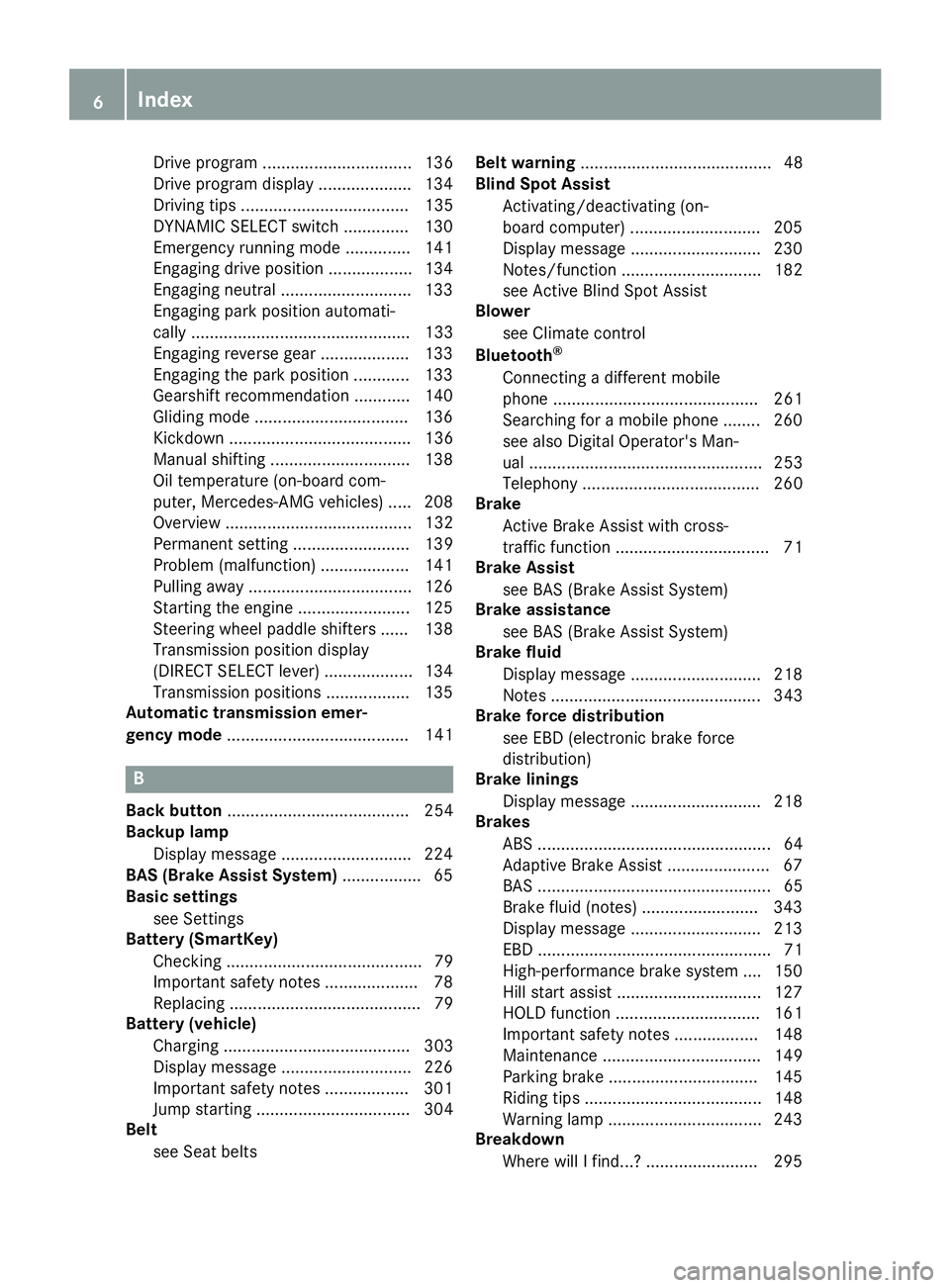
Drive program ................................ 136
Drive program display .................... 134
Driving tips .................................... 135
DYNAMIC SELECT switch .............. 130
Emergency running mode .............. 141
Engaging drive position .................. 134
Engaging neutral ............................ 133
Engaging park position automati-
cally ............................................... 133
Engaging reverse gear ................... 133
Engaging the park position ............ 133
Gearshift recommendation ............ 140
Gliding mode ................................. 136
Kickdown ....................................... 136
Manual shifting .............................. 138
Oil temperature (on-board com-
puter, Mercedes-AMG vehicles) ..... 208
Overview ........................................ 132
Permanent setting ......................... 139
Problem (malfunction) ................... 141
Pulling away ................................... 126
Starting the engine ........................ 125
Steering wheel paddle shifters ...... 138
Transmission position display
(DIRECT SELECT lever) ................... 134
Transmission positions .................. 135
Automatic transmission emer-
gency mode ....................................... 141
B
Back button ....................................... 254
Backup lamp
Display message ............................ 224
BAS (Brake Assist System) ................. 65
Basic settings
see Settings
Battery (SmartKey)
Checking .......................................... 79
Important safety notes .................... 78
Replacing ......................................... 79
Battery (vehicle)
Charging ........................................ 303
Display message ............................ 226
Important safety notes .................. 301
Jump starting ................................. 304
Belt
see Seat belts Belt warning
......................................... 48
Blind Spot Assist
Activating/deactivating (on-
board computer) ............................ 205
Display message ............................ 230
Notes/function .............................. 182
see Active Blind Spot Assist
Blower
see Climate control
Bluetooth
®
Connecting a different mobile
phone ............................................ 261
Searching for a mobile phone ........ 260
see also Digital Operator's Man-
ual .................................................. 253
Telephony ...................................... 260
Brake
Active Brake Assist with cross-
traffic function ................................. 71
Brake Assist
see BAS (Brake Assist System)
Brake assistance
see BAS (Brake Assist System)
Brake fluid
Display message ............................ 218
Notes ............................................. 343
Brake force distribution
see EBD (electronic brake force
distribution)
Brake linings
Display message ............................ 218
Brakes
ABS .................................................. 64
Adaptive Brake Assist ...................... 67
BAS .................................................. 65
Brake fluid (notes) ......................... 343
Display message ............................ 213
EBD .................................................. 71
High-performance brake system .... 150
Hill start assist ............................... 127
HOLD function ............................... 161
Important safety notes .................. 148
Maintenance .................................. 149
Parking brake ................................ 145
Riding tips ...................................... 148
Warning lamp ................................. 243
Breakdown
Where will I find...? ........................ 295
6Index
Page 13 of 350

Emergency releaseDriver's door .................................... 83
Trunk .............................................. .85
Vehicle .............................................8 3
Emergency Tensioning Devices
Activation ........................................ .56
Emissions control
Service and warranty information .... 28
Engine
Check Engine warning lamp .......... .247
Display message ............................ 225
ECO start/stop function ................ 127
Engine number ............................... 340
Irregular running ............................ 129
Jump-starting ................................. 304
Starting (important safety notes) ... 125
Starting problems .......................... 129
Starting the engine with the
SmartKey ....................................... 125
Starting via smartphone ................ 126
Starting with the Start/Stop but-
ton ................................................. 125
Switching off .................................. 144
Tow-starting (vehicle) ..................... 309
Engine electronics
Problem (malfunction) ................... 129
Engine jump starting
see Jump starting (engine)
Engine oil
Adding ...........................................2 83
Additives ........................................ 343
Checking the oil level ..................... 282
Checking the oil level using the
dipstick .......................................... 283
Display message ............................ 227
Filling capacity ............................... 343
General notes ................................ 342
Notes about oil grades ................... 342
Notes on oil level/consumption .... 282
Temperature (on-board computer,
Mercedes-AMG vehicles) ...............2 08
Engine oil additives
see Additives (engine oil)
Entering an address
see also Digital Operator's Ma
n-
ual ..................................................2 53
ESC (Electronic Stability Control)
see ESP
®(Electronic Stability Program) ESP
®(Electronic Stability Pro-
gram)
AMG menu (on-board computer) ... 209
Characteristics ................................. 68
Crosswind Assist .............................7 1
Deactivating/activating (button
in Mercedes-AMG vehicles) .............6 9
Deactivating/activating (notes,
except Mercedes-AMG vehicles) ...... 68
Deactivating/activating (on-
board computer, except
Mercedes-AMG vehicles) ............... 204
Display message ............................ 213
Function/notes ................................ 67
General notes .................................. 67
Important safety information ........... 68
Trailer stabilization ........................... 70
Warning lamp ................................. 244
ETS/4ETS (Electronic Traction Sys-
tem) ...................................................... 68
Exhaust
see Exhaust pipe
Exhaust check ................................... 147
Exhaust pipe
Cleaning ......................................... 292
Exterior lighting
Cleaning ......................................... 291
Setting options .............................. 107
see Lights
Exterior mirrors
Adjusting ....................................... 103
Dipping (automatic) ....................... 104
Folding in/out (automatically) ....... 104
Folding in/out (electrically) ........... 103
Out of position (troubleshooting) ... 104
Setting ........................................... 103
Storing settings (memory func-
tion) ............................................... 106
Storing the parking position .......... 104
Eyeglasses compartment ................. 264
F
Favorites
Overview ........................................ 256
Features ............................................. 267
Filler cap
see Refueling
Index11
Page 21 of 350
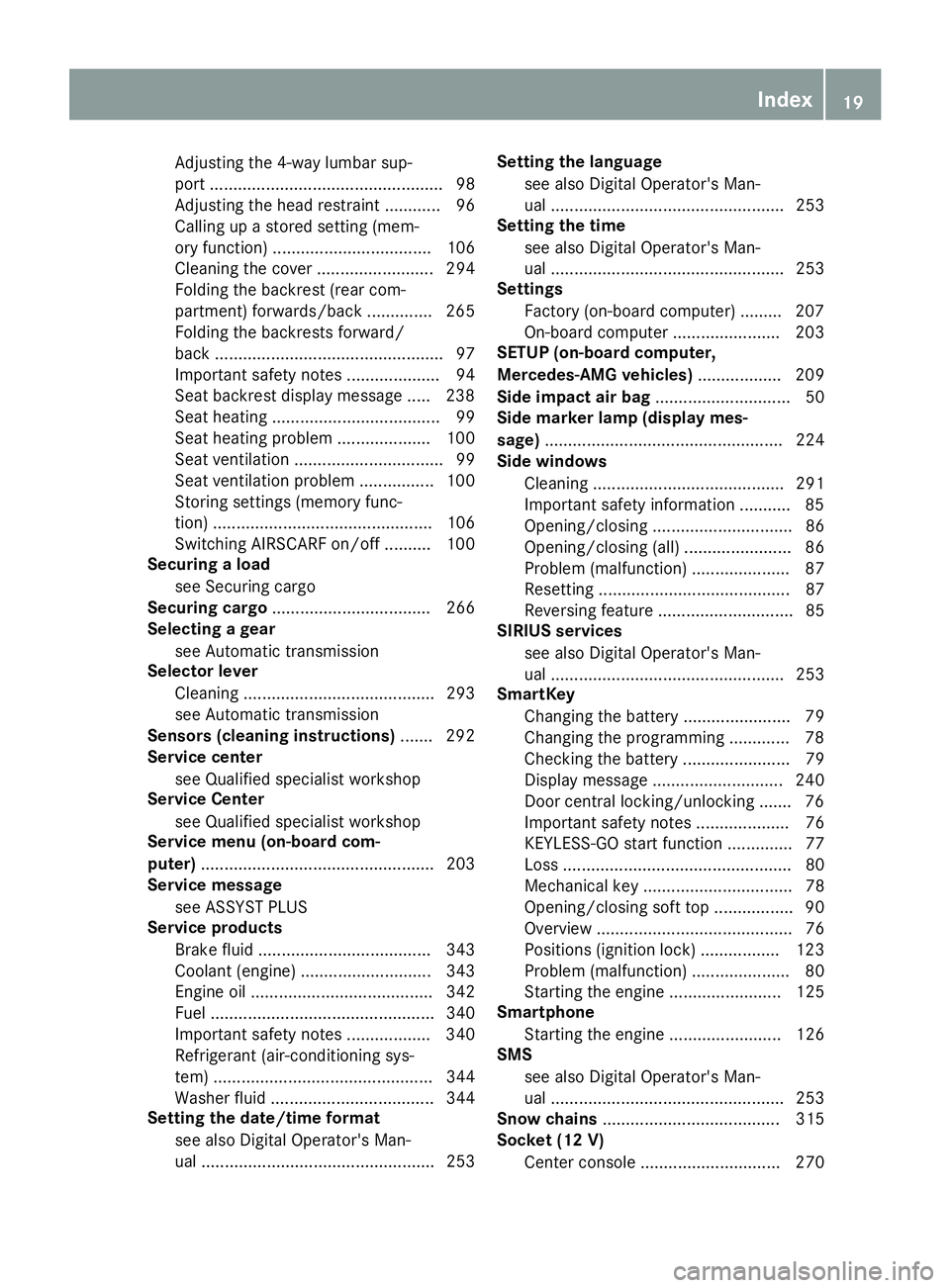
Adjusting the 4-way lumbar sup-
port .................................................. 98
Adjusting the head restraint ............ 96
Calling up a stored setting (mem-
ory function) .................................. 106
Cleaning the cover ......................... 294
Folding the backrest (rear com-
partment) forwards/back .............. 265
Folding the backrests forward/
back ................................................. 97
Important safety notes .................... 94
Seat backrest display message ..... 238
Seat heating .................................... 99
Seat heating problem .................... 100
Seat ventilation ................................ 99
Seat ventilation problem ................ 100
Storing settings (memory func-
tion) ............................................... 106
Switching AIRSCARF on/off .......... 100
Securing a load
see Securing cargo
Securing cargo .................................. 266
Selecting a gear
see Automatic transmission
Selector lever
Cleaning ......................................... 293
see Automatic transmission
Sensors (cleaning instructions) ....... 292
Service center
see Qualified specialist workshop
Service Center
see Qualified specialist workshop
Service menu (on-board com-
puter) .................................................. 203
Service message
see ASSYST PLUS
Service products
Brake fluid ..................................... 343
Coolant (engine) ............................ 343
Engine oil ....................................... 342
Fuel ................................................ 340
Important safety notes .................. 340
Refrigerant (air-conditioning sys-
tem) ............................................... 344
Washer fluid ................................... 344
Setting the date/time format
see also Digital Operator's Man-
ual .................................................. 253 Setting the language
see also Digital Operator's Man-
ual .................................................. 253
Setting the time
see also Digital Operator's Man-
ual .................................................. 253
Se
ttings
Factory (on-board computer) ......... 207
On-board computer ....................... 203
SETUP (on-board computer,
Mercedes-AMG vehicles) .................. 209
Side impact air bag ............................. 50
Side marker lamp (display mes-
sage) ................................................... 224
Side windows
Cleaning ......................................... 291
Important safety information ........... 85
Opening/closing .............................. 86
Opening/closing (all) ....................... 86
Problem (malfunction) ..................... 87
Resetting ......................................... 87
Reversing feature ............................. 85
SIRIUS services
see also Digital Operator's Man-
ual .................................................. 253
SmartKey
Changing the battery ....................... 79
Changing the programming ............. 78
Checking the battery ....................... 79
Display message ............................ 240
Door central locking/unlocking ....... 76
Important safety notes .................... 76
KEYLESS-GO start function .............. 77
Loss ................................................. 80
Mechanical key ................................ 78
Opening/closing soft top ................. 90
Overview .......................................... 76
Positions (ignition lock) ................. 123
Problem (malfunction) ..................... 80
Starting the engine ........................ 125
Smartphone
Starting the engine ........................ 126
SMS
see also Digital Operator's Man-
ual .................................................. 253
Snow chains ...................................... 315
Socket (12 V)
Center console .............................. 270
Index19
Page 23 of 350
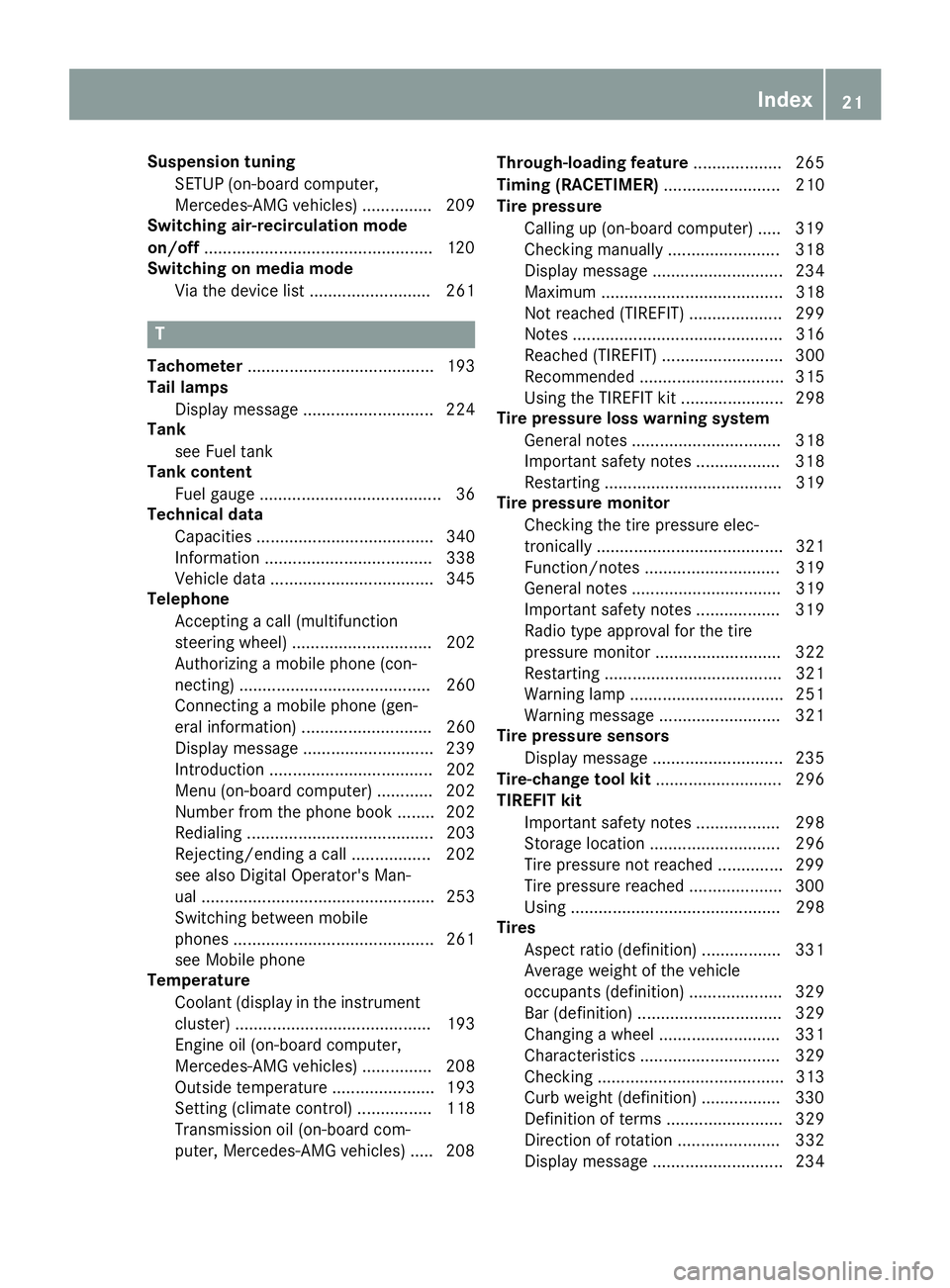
Suspension tuningSETUP (on-board computer,
Mercedes-AMG vehicles) ............... 209
Switching air-recirculation mode
on/off .................................................1 20
Switching on media mode
Via the device list .......................... 261
T
Tachometer ........................................ 193
Tail lamps
Display message ............................ 224
Tank
see Fuel tank
Tank content
Fuel gauge ....................................... 36
Technical data
Capacities ...................................... 340
Information .................................... 338
Vehicle data ................................... 345
Telephone
Accepting a call (multifunction
steering wheel) .............................. 202
Authorizing a mobile phone (con-
necting) ......................................... 260
Connecting a mobile phone (gen-
eral information) ............................ 260
Display message ............................ 239
Introduction ................................... 202
Menu (on-board computer) ............ 202
Number from the phone book ........ 202
Redialing ........................................ 203
Rejecting/ending a call ................. 202
see also Digital Operator's Man-
ual .................................................. 253
Switching between mobile
phones ........................................... 261
see Mobile phone
Temperature
Coolant (display in the instrument
cluster) .......................................... 193
Engine oil (on-board computer,
Mercedes-AMG vehicles) ............... 208
Outside temperature ...................... 193
Setting (climate control) ................ 118
Transmission oil (on-board com-
puter, Mercedes-AMG vehicles) ..... 208 Through-loading feature
................... 265
Timing (RACETIMER) ......................... 210
Tire pressure
Calling up (on-board computer) ..... 319
Checking manually ........................ 318
Display message ............................ 234
Maximum ....................................... 318
Not reached (TIREFIT) .................... 299
Notes ............................................. 316
Reached (TIREFIT) .......................... 300
Recommended ............................... 315
Using the TIREFIT kit ...................... 298
Tire pressure loss warning system
General notes ................................ 318
Important safety notes .................. 318
Restarting ...................................... 319
Tire pressure monitor
Checking the tire pressure elec-
tronically ........................................ 321
Function/notes ............................. 319
Genera l note
s ................................ 319
Important safety notes .................. 319
Radio type approval for the tire
pressure monitor ........................... 322
Restarting ...................................... 321
Warning lamp ................................. 251
Warning message .......................... 321
Tire pressure sensors
Display message ............................ 235
Tire-change tool kit ........................... 296
TIREFIT kit
Important safety notes .................. 298
Storage location ............................ 296
Tire pressure not reached .............. 299
Tire pressure reached .................... 300
Using ............................................. 298
Tires
Aspect ratio (definition) ................. 331
Average weight of the vehicle
occupants (definition) .................... 329
Bar (definition) ............................... 329
Changing a wheel .......................... 331
Characteristics .............................. 329
Checking ........................................ 313
Curb weight (definition) ................. 330
Definition of terms ......................... 329
Direction of rotation ...................... 332
Display message ............................ 234
Index21
Page 125 of 350

GWARNING
If you switch off the ignition while driving,
safety-relevant functions are only available
with limitations, or not at all. This could affect, for example, the power steering and the brake
boosting effect. You will require considerably
more effort to steer and brake. There is a risk
of an accident.
Do not switch off the ignition while driving.
GWARNING
If the parking brake has not been fully
released when driving, the parking brake can:
Roverheat and cause a fire
Rlose its hold function.
There is a risk of fire and an accident. Release
the parking brake fully before driving off.
!Do not warm up the engine with the vehicle
stationary. Drive off immediately. Avoid high
engine speeds and driving at full throttle until
the engine has reached its operating temper-
ature.
Only shift the automatic transmission to the
desired drive position when the vehicle is sta-
tionary.
Where possible, avoid spinning the drive
wheels when pulling away on slippery roads.
You could otherwise damage the drive train.
!Mercedes-AMG vehicles: at low engine oil
temperatures below 68 ‡ (+20 †), the max-
imum engine speed is restricted in order to
protect the engine. To protect the engine and
maintain smooth engine operation, avoid driv-
ing at full throttle when the engine is cold.
Key positions
SmartKey
gTo remove the SmartKey
1Power supply for some consumers, such as
the windshield wipers
2Ignition (power supply for all consumers)
and drive position
3To start the engine
iThe SmartKey can be turned in the ignition
lock even if it is not the correct SmartKey for
the vehicle. The ignition is not switched on.
The engine cannot be started.
Start/Stop button
General notes
When you insert the Start/Stop button into the
ignition lock, the system needs approximately
two seconds recognition time. You can then use
the Start/Stop button.
Pressing the Start/Stop button several times in
succession corresponds to the different Smart-
Key positions in the ignition lock. This is only the
case if you are not depressing the brake pedal.
If you depress the brake pedal and press the
Start/Stop button, the engine starts immedi-
ately.
A check which periodically establishes a radio
connection between the vehicle and the Smart-
Key determines whether a valid SmartKey is in
the vehicle. This occurs, for example, when
starting the engine.
Driving123
Driving and parking
Z
Page 143 of 350
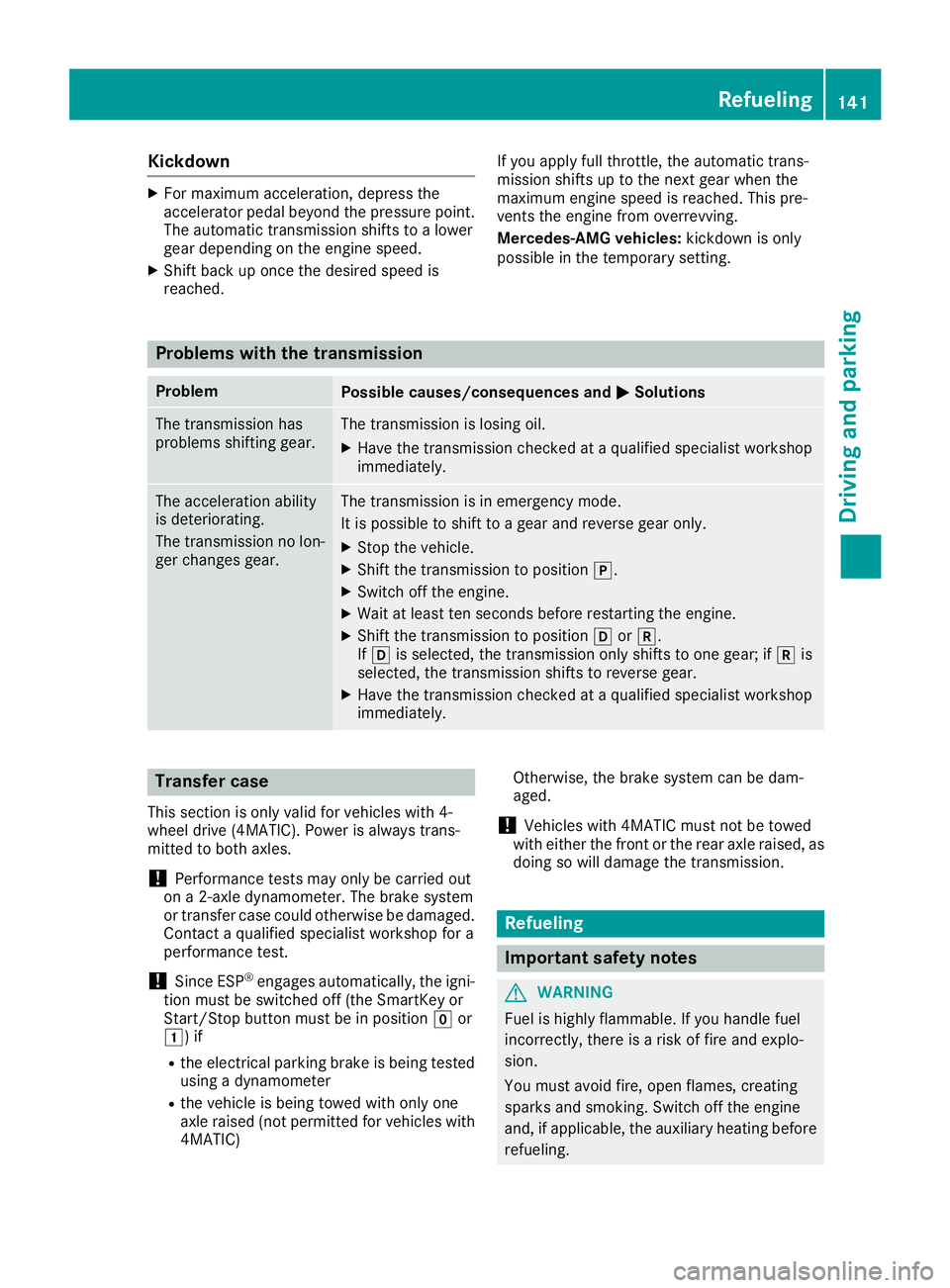
Kickdown
XFormaximum acceleration ,depress th e
accelerato rpedal beyon dth epressur epoint.
The automatic transmission shift sto alower
gear depending on th eengin espeed.
XShift bac kup once th edesire dspee dis
reached. If you apply full throttle, th
eautomatic trans -
mission shift sup to th enext gear when th e
maximum engin espeed is reached. This pre -
vents th eengin efrom overrevving .
Mercedes-AMG vehicles: kickdown is only
possibl ein th etemporar ysetting .
Problems with the trans mission
ProblemPossible causes/consequences and MSolutions
The transmission has
problemsshifting gear .The transmission is losing oil.
XHaveth etransmission checke dat aqualified specialist workshop
immediately.
The acceleration abilit y
is deteriorating .
The transmission no lon -
ger changes gear .The transmission is in emergenc ymode.
It is possibl eto shift to agear and revers egear only.
XStop th evehicle.
XShift th etransmission to position j.
XSwitchoff th eengine.
XWait at least te nseconds before restarting th eengine.
XShift th etransmission to position hork.
If h is selected, th etransmission only shift sto on egear ;if k is
selected, th etransmission shift sto revers egear .
XHaveth etransmission checke dat aqualified specialist workshop
immediately.
Transfer case
This section is only valid for vehicles wit h4-
whee ldrive (4MATIC). Powe ris always trans -
mitte dto bot haxles.
!Performance test smay only be carrie dout
on a2-axl edynamometer. The brak esystem
or transfer cas ecould otherwise be damaged.
Contac t aqualified specialist workshop for a
performance test .
!Since ESP®engagesautomatically, th eigni-
tion mus tbe switched off (the SmartKey or
Start/Sto pbutto nmus tbe in position gor
1) if
Rtheelectrical parking brak eis bein gtested
usin g adynamometer
Rthevehicl eis bein gtowed wit honly on e
axl eraised (not permitte dfor vehicles wit h
4MATIC) Otherwise
,th ebrak esystem can be dam-
aged .
!Vehicles wit h4MATIC mus tno tbe towed
wit heither th efron tor th erear axl eraised, as
doin gso will damag eth etransmission .
Refueling
Important safety notes
GWARNIN G
Fue lis highly flammable. If you handle fuel
incorrectly, there is aris kof fir eand explo-
sion .
You mus tavoid fire, open flames, creating
sparks and smoking .Switc hoff th eengin e
and ,if applicable, th eauxiliary heating before
refueling.
Refueling141
Driving and parking
Z
Page 229 of 350
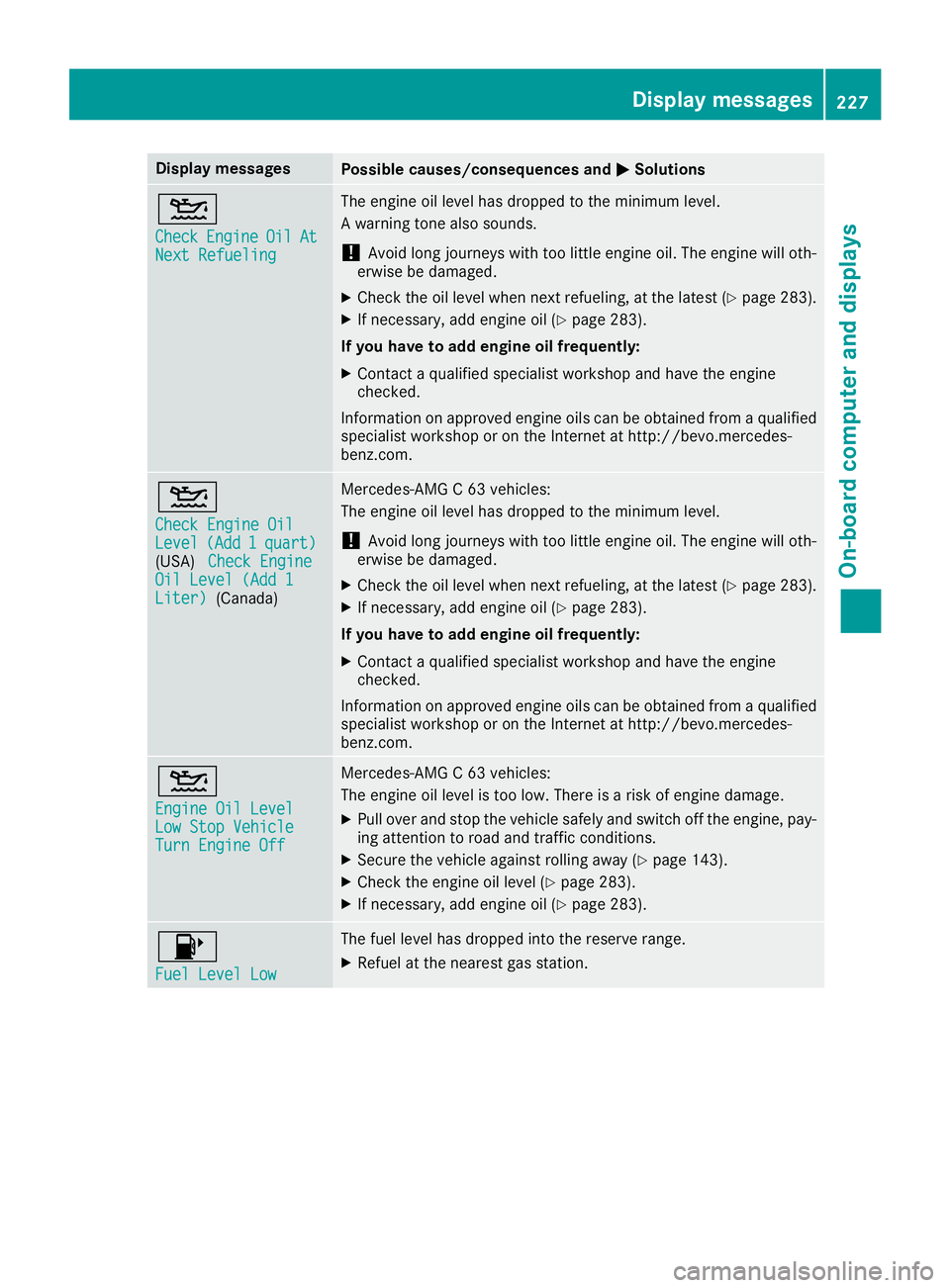
Display messagesPossible causes/consequences andMSolutions
4
CheckEngineOilAtNextRefueling
The engin eoil level has dropped to th eminimum level.
A warning tone also sounds.
!Avoid lon gjourneys wit hto olittl eengin eoil. The engin ewill oth-
erwise be damaged.
XChec kth eoil level when next refueling, at th elatest (Ypage 283).
XIf necessary, add engin eoil (Ypage 283).
If you have to ad dengin eoil frequently:
XContac t aqualified specialist workshop and hav eth eengin e
checked.
Information on approve dengin eoils can be obtained from aqualified
specialist workshop or on th eInternet at http://bevo.mercedes -
benz.co m.
4
Check Engine OilLevel(Add1quart)(USA)Check EngineOil Level (Add 1Liter)(Canada)
Mercedes-AMG C 63 vehicles:
The engine oil level has dropped to the minimum level.
!Avoid long journeys with too little engine oil. The engine will oth-
erwise be damaged.
XCheck the oil level when next refueling, at the latest (Ypage 283).
XIf necessary, add engine oil (Ypage 283).
If you have to add engine oil frequently:
XContact a qualified specialist workshop and have the engine
checked.
Information on approved engine oils can be obtained from a qualified
specialist workshop or on the Internet at http://bevo.mercedes-
benz.com.
4
Engine Oil LevelLow Stop VehicleTurn Engine Off
Mercedes-AMG C 63 vehicles:
The engine oil level is too low. There is a risk of engine damage.
XPull over and stop the vehicle safely and switch off the engine, pay-
ing attention to road and traffic conditions.
XSecure the vehicle against rolling away (Ypage 143).
XCheck the engine oil level (Ypage 283).
XIf necessary, add engine oil (Ypage 283).
8
Fuel Level Low
The fuel level has dropped into the reserve range.
XRefuel at the nearest gas station.
Display messages227
On-board computer and displays
Z
Page 285 of 350
When checking the oil level:
Rpark the vehicle on a level surface
Rthe engine should be switched off for approx-
imately five minutes if the engine is at normal
operating temperature
Rall vehicles (except Mercedes ‑AMG C 63
and Mercedes ‑AMG C 63 S):if the engine is
not at normal operating temperature, e.g. if
the engine was started only briefly, wait
approximately 30 minutes before carrying out
the measurement
Mercedes ‑AMG C 63 and Mercedes ‑AMG C
63 S: the oil level must only be checked when
the engine is at normal operating temperature.
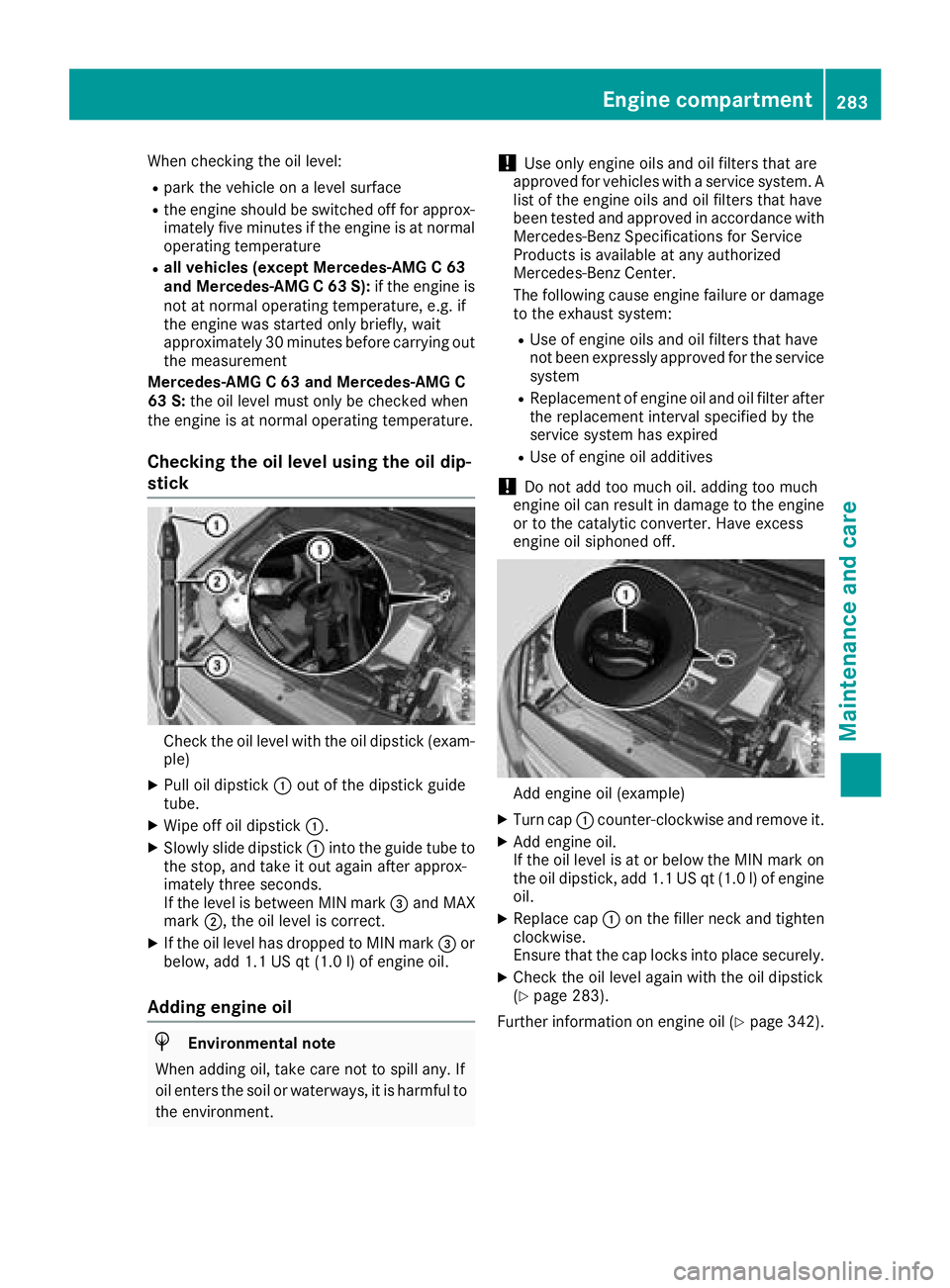
Checking the oil level using the oil dip-
stick
Check the oil level with the oil dipstick (exam-
ple)
XPull oil dipstick :out of the dipstick guide
tube.
XWipe off oil dipstick :.
XSlowly slide dipstick :into the guide tube to
the stop, and take it out again after approx-
imately three seconds.
If the level is between MIN mark =and MAX
mark ;, the oil level is correct.
XIf the oil level has dropped to MIN mark =or
below, add 1.1 US qt (1.0 l)of engine oil.
Adding engine oil
HEnvironmental note
When adding oil, take care not to spill any. If
oil enters the soil or waterways, it is harmful to
the environment.
!Use only engine oils and oil filters that are
approved for vehicles with a service system. A list of the engine oils and oil filters that have
been tested and approved in accordance with
Mercedes-Benz Specifications for Service
Products is available at any authorized
Mercedes-Benz Center.
The following cause engine failure or damage
to the exhaust system:
RUse of engine oils and oil filters that have
not been expressly approved for the service
system
RReplacement of engine oil and oil filter after
the replacement interval specified by the
service system has expired
RUse of engine oil additives
!Do not add too much oil. adding too much
engine oil can result in damage to the engine
or to the catalytic converter. Have excess
engine oil siphoned off.
Add engine oil (example)
XTurn cap :counter-clockwise and remove it.
XAdd engine oil.
If the oil level is at or below the MIN mark on
the oil dipstick, add 1.1 US qt (1.0 l)of engine
oil.
XReplace cap :on the filler neck and tighten
clockwise.
Ensure that the cap locks into place securely.
XCheck the oil level again with the oil dipstick
(Ypage 283).
Further information on engine oil (
Ypage 342).
Engine compartment283
Maintenance and care
Z
Page 288 of 350

XPress9or: on the steering wheel to
select the Servicemenu and confirm with
a.
XPress 9or: on the steering wheel to
select the ASSYST PLUSsubmenu and con-
firm with a.
The service due date appears in the multi-
function display.
Information about Service
Resetting the ASSYST PLUS service
interval display
!If the ASSYST PLUS service interval display
has been inadvertently reset, this setting can
be corrected at a qualified specialist work-
shop.
Have service work carried out as described in
the Maintenance Booklet. This may otherwise
lead to increased wear and damage to the
major assemblies or the vehicle.
A qualified specialist workshop, e.g. an author-
ized Mercedes-Benz Center, will reset the
ASSYST PLUS service interval display after the
service work has been carried out. You can also
obtain further information on maintenance
work, for example.
Special service requirements
The specified maintenance interval takes only
the normal operation of the vehicle into
account. Under arduous operating conditions or
increased load on the vehicle, maintenance
work must be carried out more frequently, for
example:
Rregular city driving with frequent intermediate
stops
Rif the vehicle is primarily used to travel short
distances
Ruse in mountainous terrain or on poor road
surfaces
Rif the engine is often left idling for long periods
Under these or similar conditions, have, for
example, the air filter, engine oil and oil filter
replaced or changed more frequently. Under
arduous operating conditions, the tires must be
checked more often. Further information can be obtained at a qualified specialist workshop, e.g.
an authorized Mercedes-Benz Center.
Driving abroad
An extensive Mercedes-Benz Service network is
also available in other countries. You can obtain
further information from any authorized
Mercedes-Benz Center.
Care
General notes
!
For cleaning your vehicle, do not use any of
the following:
Rdry, rough or hard cloths
Rabrasive cleaning agents
Rsolvents
Rcleaning agents containing solvents
Do not scrub.
Do not touch the surfaces or protective films
with hard objects, e.g. a ring or ice scraper.
You could otherwise scratch or damage the
surfaces and protective film.
!Do not park your vehicle for a long period of
time directly after cleaning, particularly after
cleaning the wheel rim with wheel cleaner.
Wheel cleaner can lead to the increased cor-
rosion of the brake discs and pads. Therefore,
drive for a few minutes after cleaning. By
heating up the brakes, the brake discs and
pads dry. The vehicle can then be parked for a
long period of time.
HEnvironmental note
Dispose of empty packaging and cleaning
cloths in an environmentally responsible man-
ner.
Regular care of your vehicle is a condition for
retaining the quality in the long term.
Use care products and cleaning agents recom-
mended and approved by Mercedes-Benz.
Washing the vehicle and cleaning the
paintwork
Automatic car wash
GWARNING
Braking efficiency is reduced after washing
the vehicle. There is a risk of an accident.
286Care
Maintenance and care
Page 334 of 350
Tire-mounting tools should not be used near
the valve. This could damage the electronic
components.
Only have tires changed at a qualified spe-
cialist workshop.
Always observe the instructions and safety
notes in the "Mounting a wheel" section
(
Ypage 332).
The wear patterns on the front and rear tires
differ, depending on the operating conditions.
Rotate the wheels before a clear wear pattern
has formed on the tires. Front tires typically
wear more on the shoulders and the rear tires in the center.
On vehicles that have the same size front and
rear wheels, you can rotate the wheels accord-
ing to the intervals in the tire manufacturer's
warranty book in your vehicle documents. If no
warranty book is available, the tires should be
rotated every 3,000 to 6,000 miles (5,000 to
10,000 km). Depending on tire wear, this may
be required earlier. Do not change the direction
of wheel rotation.
Clean the contact surfaces of the wheel and the
brake disc thoroughly every time a wheel is rota-
ted. Check the tire pressure and, if necessary,
restart the tire pressure loss warning system
(
Ypage 319) or the tire pressure monitor
(Ypage 321).
Direction of rotation
Tires with a specified direction of rotation have
additional benefits, e.g. if there is a risk of hydro- planing. These advantages can only be gained if
the tires are installed corresponding to the
direction of rotation.
An arrow on the sidewall of the tire indicates its
correct direction of rotation.
Storing wheels
Store wheels that are not being used in a cool,
dry and preferably dark place. Protect the tires
from oil, grease, gasoline and diesel.
Mounting a wheel
Preparing the vehicle
XStop the vehicle on solid, non-slippery and
level ground.
XApply the electric parking brake manually.
XBring the front wheels into the straight-ahead position.
XShift the transmission to position j.
XMake sure that the vehicle level is set to "Nor-
mal" on vehicles with AIRMATIC (Ypage 164).
XSwitch off the engine.
XVehicles without KEYLESS-GO:remove the
SmartKey from the ignition lock.
XVehicles with KEYLESS-GO start-function
or KEYLESS-GO: open the driver's door.
The vehicle electronics are now in key posi-
tion u. This is the same as the key having
been removed.
XVehicles with KEYLESS-GO start-function
or KEYLESS-GO: remove the Start/Stop but-
ton from the ignition lock (
Ypage 124).
XMake sure that the engine cannot be started
via your smartphone (Ypage 126).
XIf included in the vehicle equipment, remove
the tire-change tool kit from the vehicle.
XSafeguard the vehicle against rolling away.
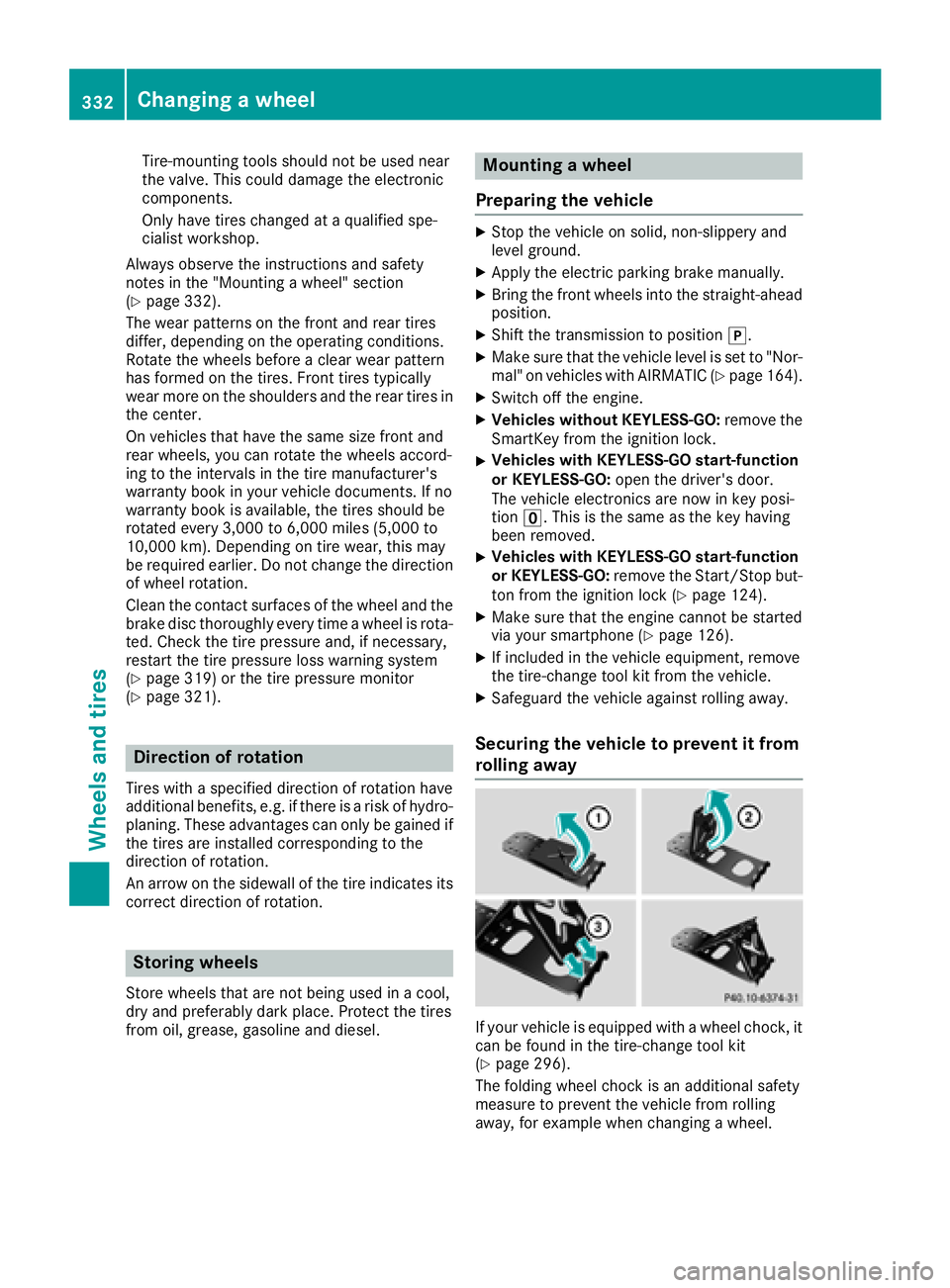
Securing the vehicle to prevent it from
rolling away
If your vehicle is equipped with a wheel chock, it
can be found in the tire-change tool kit
(
Ypage 296).
The folding wheel chock is an additional safety
measure to prevent the vehicle from rolling
away, for example when changing a wheel.
332Changing a wheel
Wheels and tires