manual radio set MERCEDES-BENZ C-CLASS CABRIOLET 2018 Owner's Manual
[x] Cancel search | Manufacturer: MERCEDES-BENZ, Model Year: 2018, Model line: C-CLASS CABRIOLET, Model: MERCEDES-BENZ C-CLASS CABRIOLET 2018Pages: 350, PDF Size: 5.73 MB
Page 18 of 350
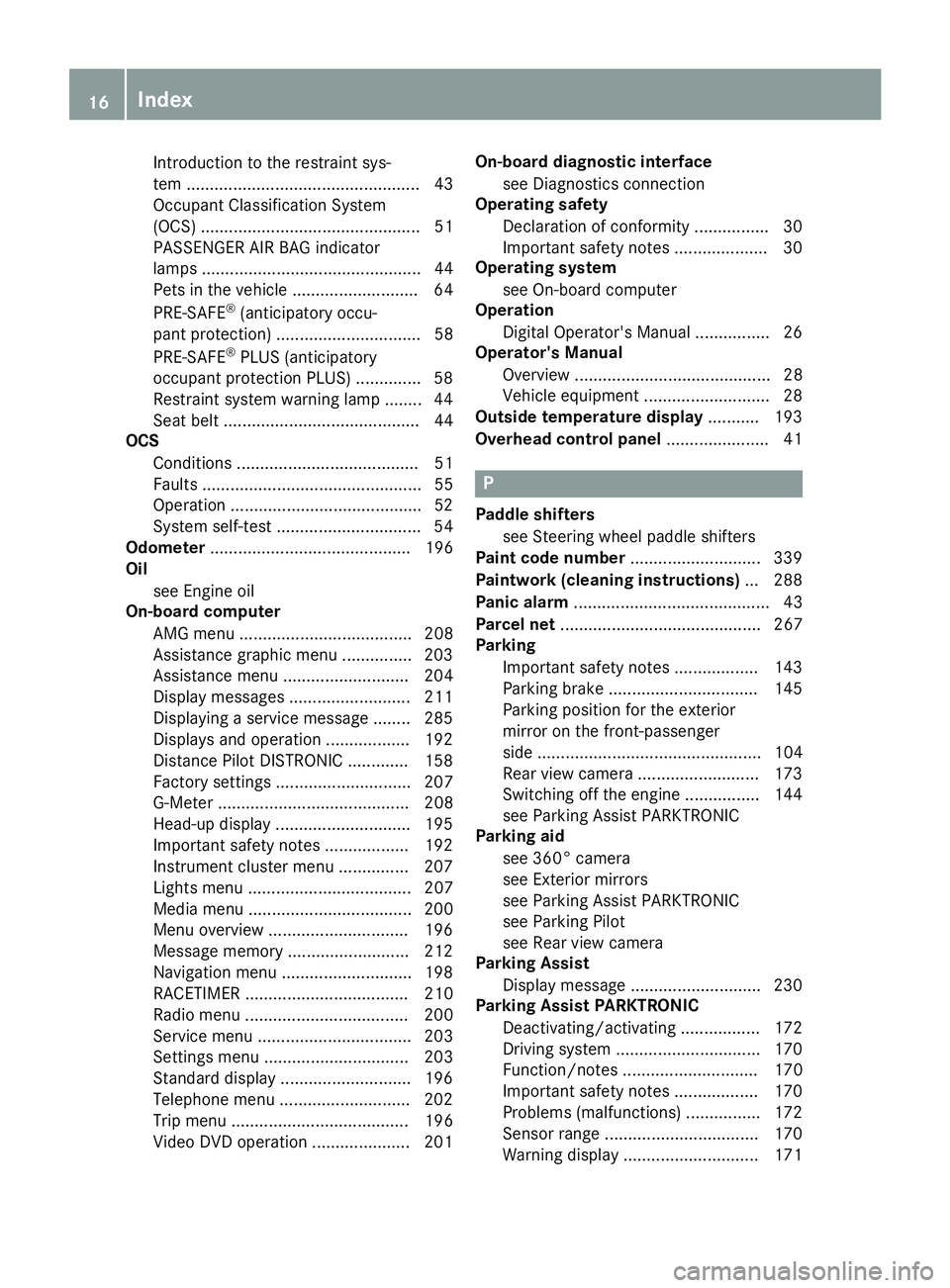
Introduction to the restraint sys-
tem .................................................. 43
Occupant Classification System
(OCS) ............................................... 51
PASSENGER AIR BAG indicator
lamps ............................................... 44
Pets in the vehicle ........................... 64
PRE-SAFE
®(anticipatory occu-
pant protection) ............................... 58
PRE-SAFE
®PLUS (anticipatory
occupant protection PLUS) .............. 58
Restraint system warning lamp ........ 44
Seat belt .......................................... 44
OCS
Conditions ....................................... 51
Faults ............................................... 55
Operation .........................................5 2
System self-test ............................... 54
Odometer ........................................... 196
Oil
see Engine oil
On-board computer
AMG menu ..................................... 208
Assistance graphic menu ............... 203
Assistance menu ........................... 204
Display messages .......................... 211
Displaying a service message ........ 285
Displays and operation .................. 192
Distance Pilot DISTRONIC ............. 158
Factory settings ............................. 207
G-Meter ......................................... 208
Head-up display ............................. 195
Important safety notes .................. 192
Instrument cluster menu ............... 207
Lights menu ................................... 207
Media menu ................................... 200
Menu overview .............................. 196
Message memory .......................... 212
Navigation menu ............................ 198
RACETIMER ................................... 210
Radio menu ................................... 200
Service menu ................................. 203
Settings menu ............................... 203
Standard display ............................ 196
Telephone menu ............................ 202
Trip menu ...................................... 196
Video DVD operation ..................... 201 On-board diagnostic interface
see Diagnostics connection
Operating safety
Declaration of conformity ................ 30
Important safety notes .................... 30
Operating system
see On-board computer
Operatio n
Di
gital Operator's Manual ................ 26
Operator's Manual
Overview .......................................... 28
Vehicle equipment ........................... 28
Outside temperature display ........... 193
Overhead control panel ...................... 41
P
Paddle shifters
see Steering wheel paddle shifters
Paint code number ............................ 339
Paintwork (cleaning instructions) ... 288
Panic alarm .......................................... 43
Parcel net ........................................... 267
Parking
Important safety notes .................. 143
Parking brake ................................ 145
Parking position for the exterior
mirror on the front-passenger
side ................................................ 104
Rear view camera .......................... 173
Switching off the engine ................ 144
see Parking Assist PARKTRONIC
Parking aid
see 360° camera
see Exterior mirrors
see Parking Assist PARKTRONIC
see Parking Pilot
see Rear view camera
Parking Assist
Display message ............................ 230
Parking Assist PARKTRONIC
Deactivating/activating ................. 172
Driving system ............................... 170
Function/notes ............................. 170
Important safety notes .................. 170
Problems (malfunctions) ................ 172
Sensor range ................................. 170
Warning display ............................. 171
16Index
Page 19 of 350
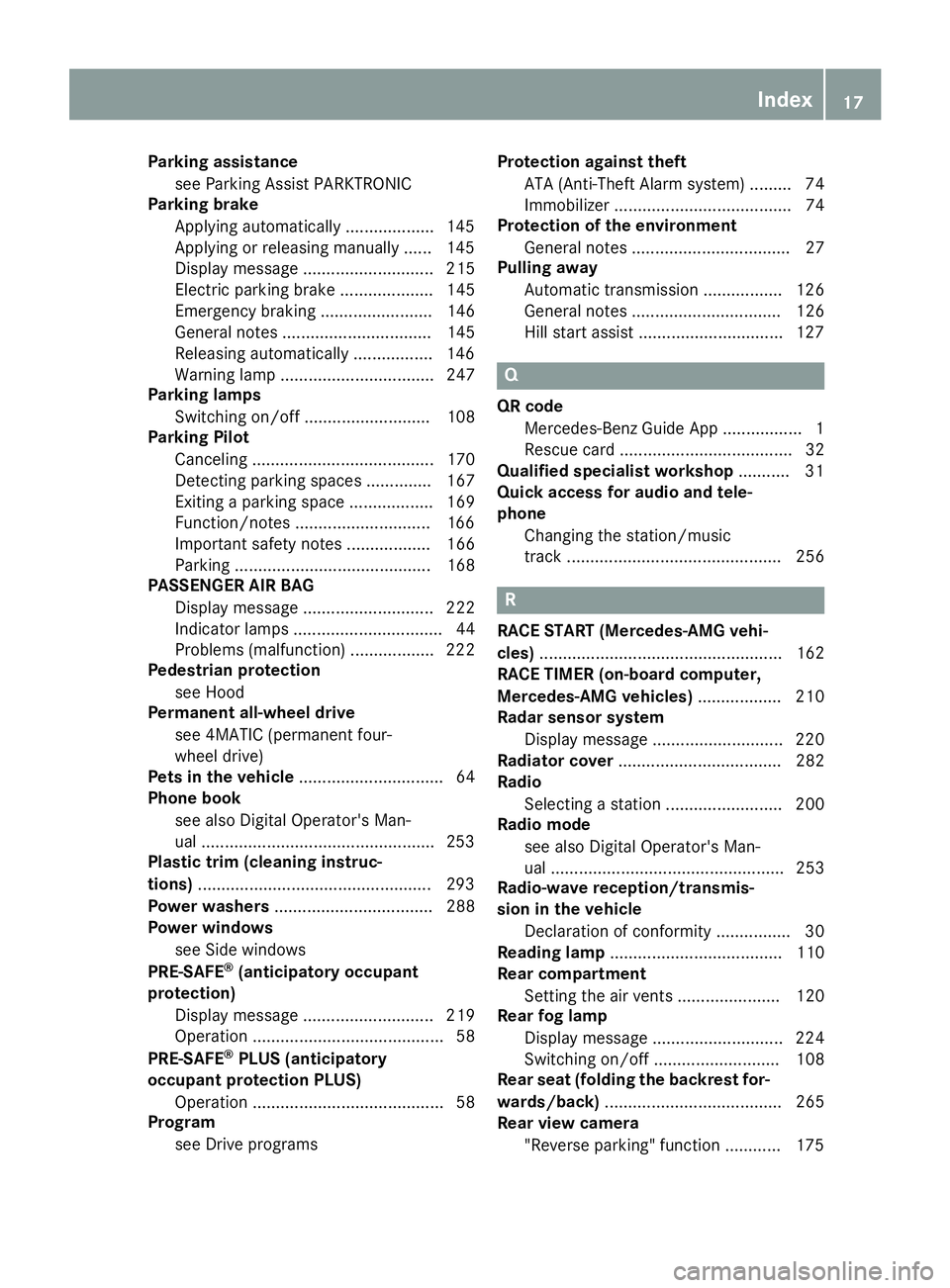
Parking assistancesee Parking Assist PARKTRONIC
Parking brake
Applying automatically ...................1 45
Applying or releasing manually ...... 145
Display message ............................ 215
Electric parking brake .................... 145
Emergency braking ........................ 146
General notes ................................ 145
Releasing automatically ................. 146
Warning lamp ................................. 247
Parking lamps
Switching on/off ........................... 108
Parking Pilot
Canceling ....................................... 170
Detecting parking spaces .............. 167
Exiting a parking space .................. 169
Function/notes .............................1 66
Important safety notes .................. 166
Parking .......................................... 168
PASSENGER AIR BAG
Display message ............................ 222
Indicator lamps ................................ 44
Problems (malfunction) .................. 222
Pedestrian protection
see Hood
Permanent all-wheel drive
see 4MATIC (permanent four-
wheel drive)
Pets in the vehicle ............................... 64
Phone book
see also Digital Operator's Man-
ual ..................................................2 53
Plastic trim (cleaning instruc-
tions) ..................................................2 93
Power washers .................................. 288
Power windows
see Side windows
PRE-SAFE
®(anticipatory occupant
protection)
Display message ............................ 219
Operation ......................................... 58
PRE-SAFE
®PLUS (anticipatory
occupant protection PLUS)
Operation ......................................... 58
Program
see Drive programs Protection against theft
ATA (Anti-Theft Alarm system) ......... 74
Immobilizer ...................................... 74
Protection of the environment
General notes .................................. 27
Pulling away
Automatic transmission ................. 126
General notes ................................ 126
Hill start assist ..................... .......... 127
Q
QR code
Mercedes-Benz Guide App ................. 1
Rescue card ..................................... 32
Qualified specialist workshop ........... 31
Quick access for audio and tele-
phone
Changing the station/music
track .............................................. 256
R
RACE START (Mercedes-AMG vehi-
cles) .................................................... 162
RACE TIMER (on-board computer,
Mercedes-AMG vehicles) .................. 210
Radar sensor system
Display message ............................ 220
Radiator cover ................................... 282
Radio
Selecting a station ......................... 200
Radio mode
see also Digital Operator's Man-
ual .................................................. 253
Radio-wave reception/transmis-
sion in the vehicle
Declaration of conformity ................ 30
Reading lamp ..................................... 110
Rear compartment
Setting the air vents ...................... 120
Rear fog lamp
Display message ............................ 224
Switching on/off ........................... 108
Rear seat (folding the backrest for-
wards/back) ...................................... 265
Rear view camera
"Reverse parking" function ............ 175
Index17
Page 23 of 350
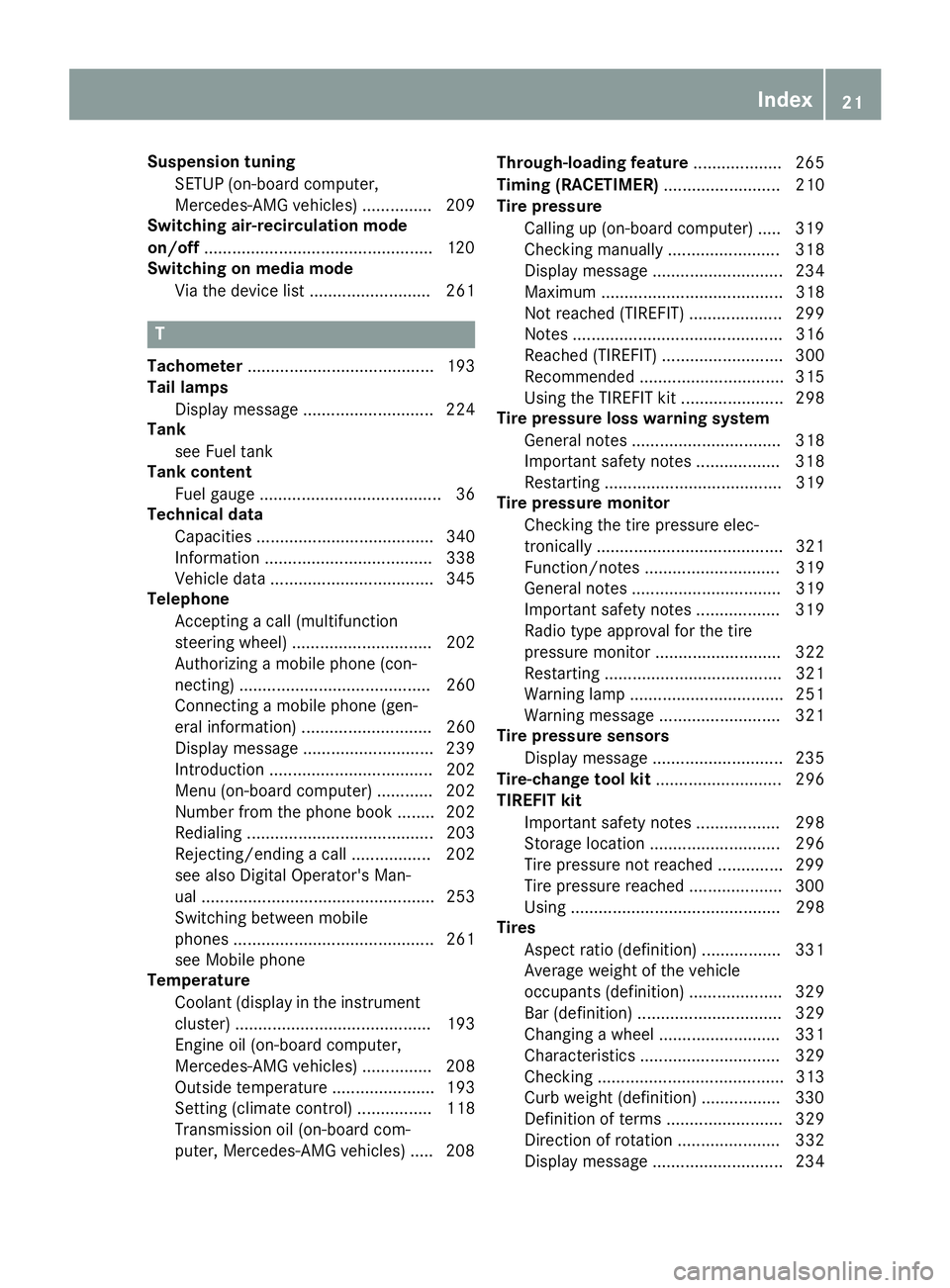
Suspension tuningSETUP (on-board computer,
Mercedes-AMG vehicles) ............... 209
Switching air-recirculation mode
on/off .................................................1 20
Switching on media mode
Via the device list .......................... 261
T
Tachometer ........................................ 193
Tail lamps
Display message ............................ 224
Tank
see Fuel tank
Tank content
Fuel gauge ....................................... 36
Technical data
Capacities ...................................... 340
Information .................................... 338
Vehicle data ................................... 345
Telephone
Accepting a call (multifunction
steering wheel) .............................. 202
Authorizing a mobile phone (con-
necting) ......................................... 260
Connecting a mobile phone (gen-
eral information) ............................ 260
Display message ............................ 239
Introduction ................................... 202
Menu (on-board computer) ............ 202
Number from the phone book ........ 202
Redialing ........................................ 203
Rejecting/ending a call ................. 202
see also Digital Operator's Man-
ual .................................................. 253
Switching between mobile
phones ........................................... 261
see Mobile phone
Temperature
Coolant (display in the instrument
cluster) .......................................... 193
Engine oil (on-board computer,
Mercedes-AMG vehicles) ............... 208
Outside temperature ...................... 193
Setting (climate control) ................ 118
Transmission oil (on-board com-
puter, Mercedes-AMG vehicles) ..... 208 Through-loading feature
................... 265
Timing (RACETIMER) ......................... 210
Tire pressure
Calling up (on-board computer) ..... 319
Checking manually ........................ 318
Display message ............................ 234
Maximum ....................................... 318
Not reached (TIREFIT) .................... 299
Notes ............................................. 316
Reached (TIREFIT) .......................... 300
Recommended ............................... 315
Using the TIREFIT kit ...................... 298
Tire pressure loss warning system
General notes ................................ 318
Important safety notes .................. 318
Restarting ...................................... 319
Tire pressure monitor
Checking the tire pressure elec-
tronically ........................................ 321
Function/notes ............................. 319
Genera l note
s ................................ 319
Important safety notes .................. 319
Radio type approval for the tire
pressure monitor ........................... 322
Restarting ...................................... 321
Warning lamp ................................. 251
Warning message .......................... 321
Tire pressure sensors
Display message ............................ 235
Tire-change tool kit ........................... 296
TIREFIT kit
Important safety notes .................. 298
Storage location ............................ 296
Tire pressure not reached .............. 299
Tire pressure reached .................... 300
Using ............................................. 298
Tires
Aspect ratio (definition) ................. 331
Average weight of the vehicle
occupants (definition) .................... 329
Bar (definition) ............................... 329
Changing a wheel .......................... 331
Characteristics .............................. 329
Checking ........................................ 313
Curb weight (definition) ................. 330
Definition of terms ......................... 329
Direction of rotation ...................... 332
Display message ............................ 234
Index21
Page 25 of 350
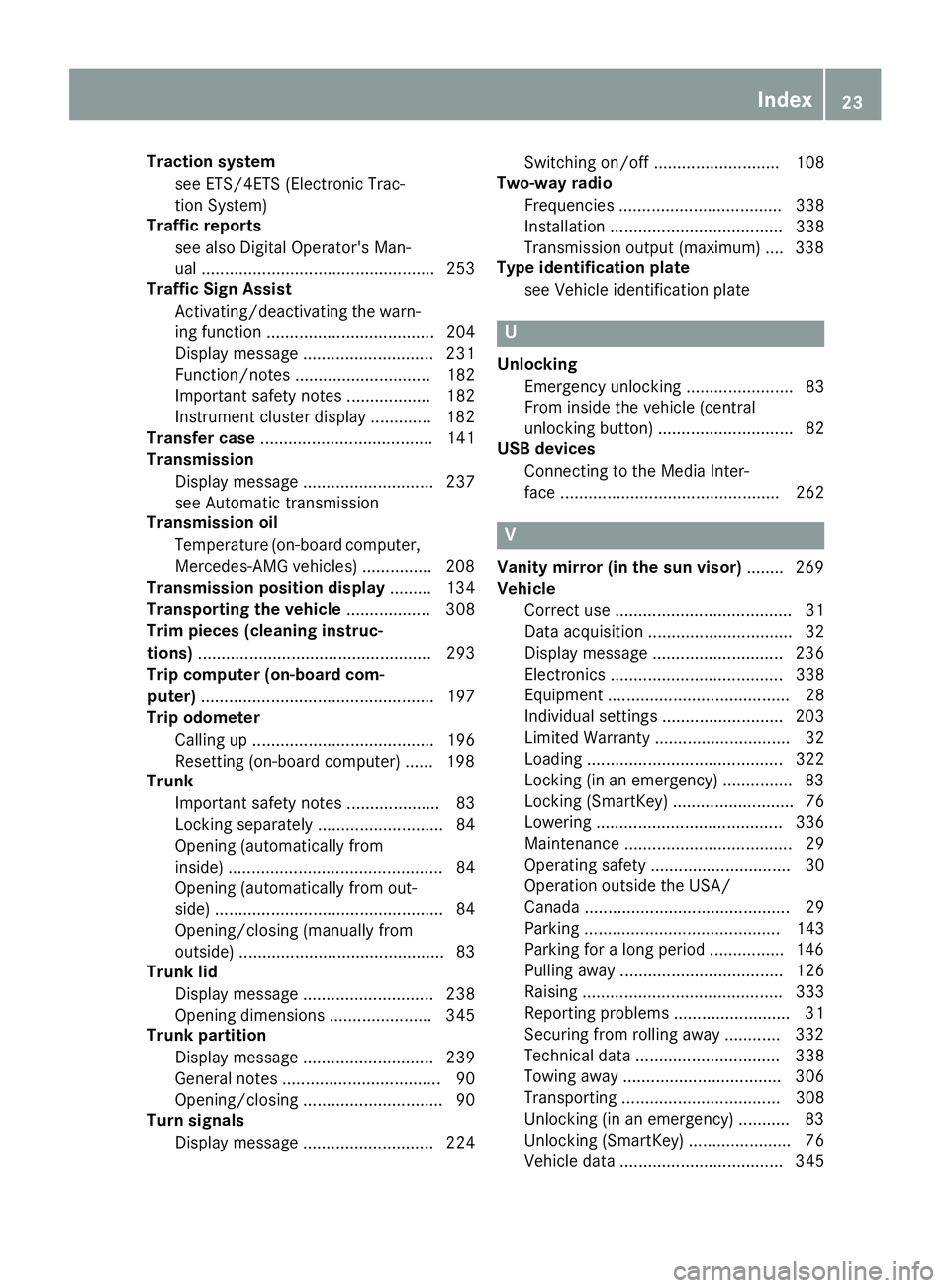
Traction systemsee ETS/4ETS (Electronic Trac-
tion System)
Traffic reports
see also Digital Operator's Man-
ual .................................................. 253
Traffic Sign Assist
Activating/deactivating the warn-
ing function .................................... 204
Display message ............................ 231
Function/notes ............................. 182
Important safety notes .................. 182
Instrument cluster display ............. 182
Transfer case ..................................... 141
Transmission
Display message ............................ 237
see Automatic transmission
Transmission oil
Temperature (on-board computer,
Mercedes-AMG vehicles) ............... 208
Transmission position display ......... 134
Transporting the vehicle .................. 308
Trim pieces (cleaning instruc-
tions) .................................................. 293
Trip computer (on-board com-
puter) .................................................. 197
Trip odometer
Calling up ....................................... 196
Resetting (on-board computer) ...... 198
Trunk
Important safety notes .................... 83
Locking separately ........................... 84
Opening (automatically from
inside) .............................................. 84
Opening (automatically from out-
side) ................................................. 84
Opening/closing (manually from
outside) ............................................ 83
Trunk lid
Display message ............................ 238
Opening dimensions ...................... 345
Trunk partition
Display message ............................ 239
General notes .................................. 90
Opening/closing .............................. 90
Turn signals
Display message ............................ 224 Switching on/off ........................... 108
Two-way radio
Frequencies ................................... 338
Installation ..................................... 338
Transmission output (maximum) .... 338
Type identification plate
see Vehicle identification plate
U
UnlockingEmergency unlocking ....................... 83
From inside the vehicle (central
unlocking button) ............................. 82
USB devices
Connecting to the Media Inter-
face ............................................... 262
V
Vanity mirror (in the sun visor) ........ 269
Vehicle
Correct use ...................................... 31
Data acquisition ............................... 32
Display message ............................ 236
Electronics ..................................... 338
Equipment ....................................... 28
Individual settings .......................... 203
Limited Warranty ............................. 32
Loading .......................................... 322
Locking (in an emergency) ............... 83
Locking (SmartKey) .......................... 76
Lowering ........................................ 336
Maintenance .................................... 29
Operating safety .............................. 30
Operation outside the USA/
Canada ............................................ 29
Parking .......................................... 143
Parking for a long period ................ 146
Pulling away ................................... 126
Raising ........................................... 333
Reporting problems ......................... 31
Securing from rolling away ............ 332
Technical data ............................... 338
Towing away .................................. 306
Transporting .................................. 308
Unlocking (in an emergency) ........... 83
Unlocking (SmartKey) ...................... 76
Vehicle data ................................... 345
Index23
Page 40 of 350
Center console
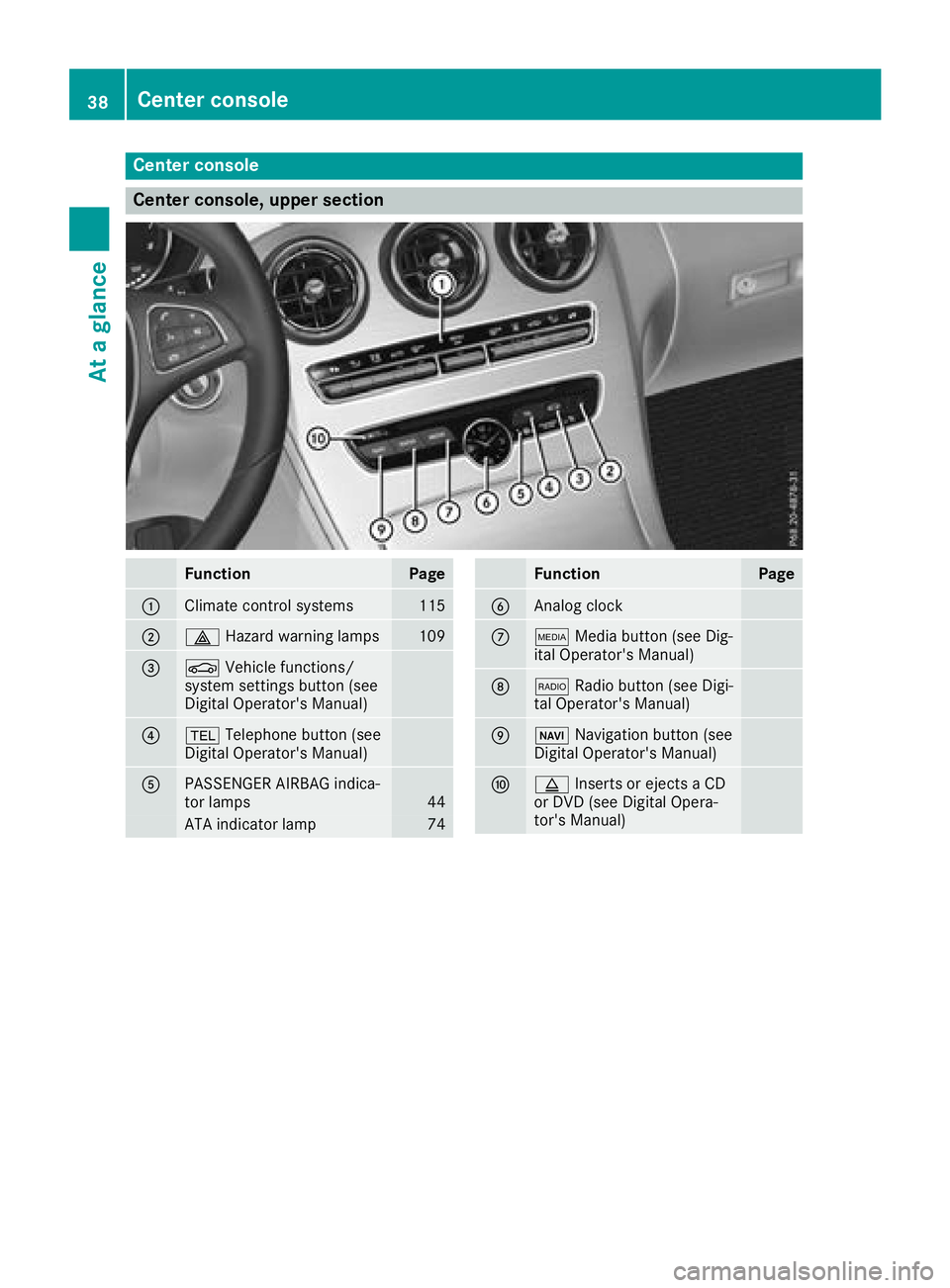
Center console, upper section
FunctionPage
:Climate control systems115
;£Hazard warning lamps109
=ØVehicle functions/
system settings button (see
Digital Operator's Manual)
?% Telephone button (see
Digital Operator's Manual)
APASSENGER AIRBAG indica-
tor lamps44
ATA indicator lamp74
FunctionPage
BAnalog clock
CÕ Media button (see Dig-
ital Operator's Manual)
D$ Radio button (see Digi-
tal Operator's Manual)
EØ Navigation button (see
Digital Operator's Manual)
Fþ Inserts or ejects a CD
or DVD (see Digital Opera-
tor's Manual)
38Center console
At a glance
Page 198 of 350
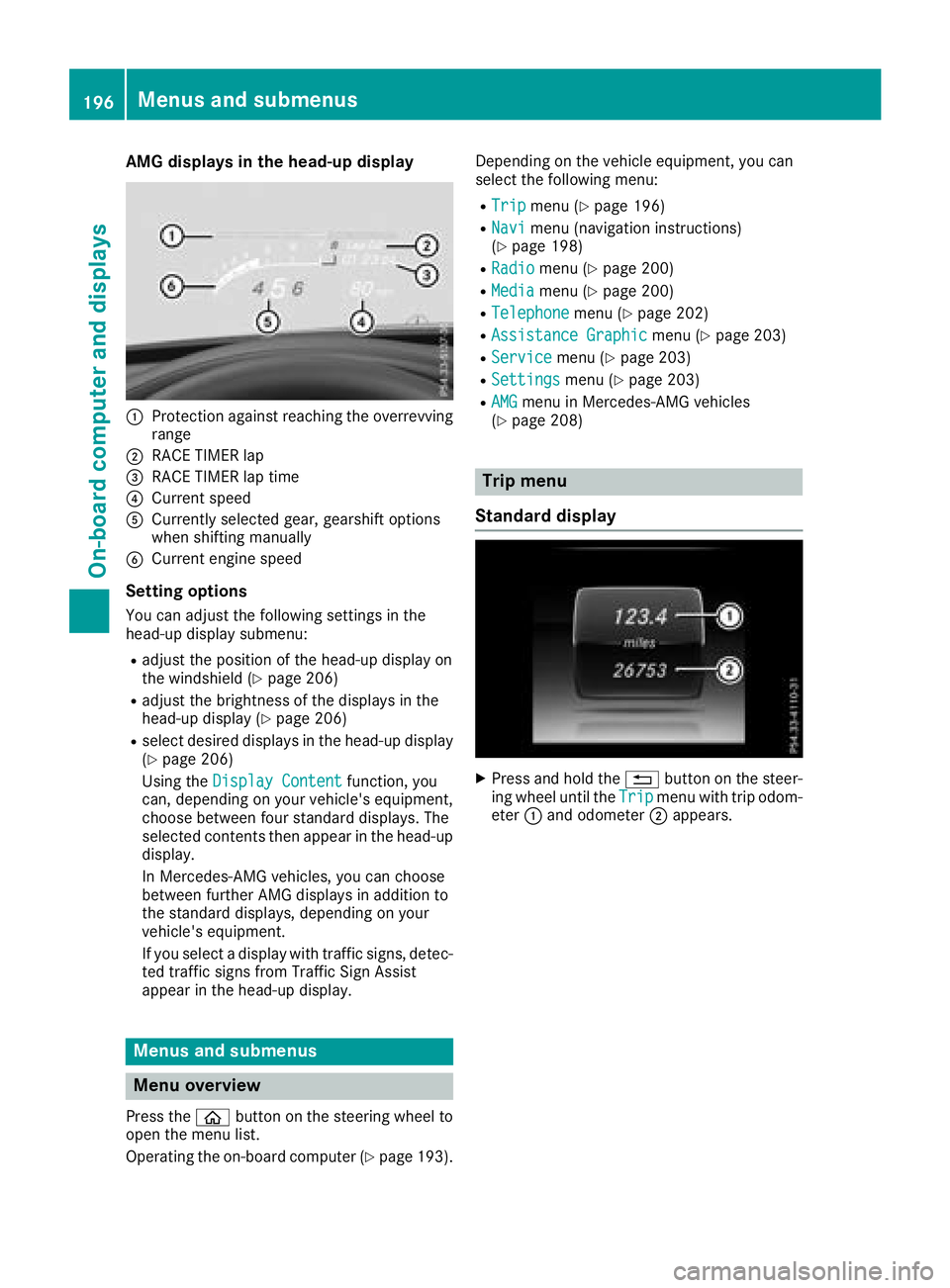
AMG displays inthe head-up display
:Protection against reachin gth eoverrevving
range
;RACE TIMER lap
=RACE TIMER lap tim e
?Currentspee d
ACurrently selected gear ,gearshif toption s
when shiftin gmanually
BCurren tengin espee d
Setting options
You can adjust th efollowin gsettings in th e
head-up display submenu:
Radjust th epositio nof th ehead-up display on
th ewindshield (Ypage 206)
Radjust thebrightness of th edisplays in th e
head-up display (Ypage 206)
Rselect desired displays in th ehead-up display
(Ypage 206)
Usin gth eDispla yConten t
function ,you
can ,depending on your vehicle's equipment,
choos ebetween four standard displays. The
selected contents then appear in th ehead-up
display.
In Mercedes-AM Gvehicles, you can choos e
between further AM Gdisplays in addition to
th estandard displays, depending on your
vehicle's equipment.
If you select adisplay wit htraffic signs, detec-
te dtraffic sign sfrom Traffic Sig nAssist
appear in th ehead-up display.
Menus and submenus
Menu overview
Press th eò buttonon th esteering whee lto
open th emen ulist .
Operating th eon-board computer (
Ypage 193).Dependin
gon th evehicl eequipment, you can
select th efollowin gmenu:
RTri pmen u (Ypage 196)
RNavimen u(navigation instructions)
(Ypage 198)
RRadiomen u (Ypage 200)
RMediamenu (Ypage 200)
RTelephonemenu (Ypage 202)
RAssistanc eGraphi cmenu (Ypage 203)
RServic emenu (Ypage 203)
RSettingsmenu (Ypage 203)
RAMGmenuin Mercedes-AM Gvehicles
(Ypage 208)
Trip menu
Standard display
XPress and hold th e% buttonon th esteer -
ing whee luntil th eTri pmen uwit htrip odom -
eter :and odometer ;appears.
196Menus and submenus
On-board computer and displays
Page 202 of 350
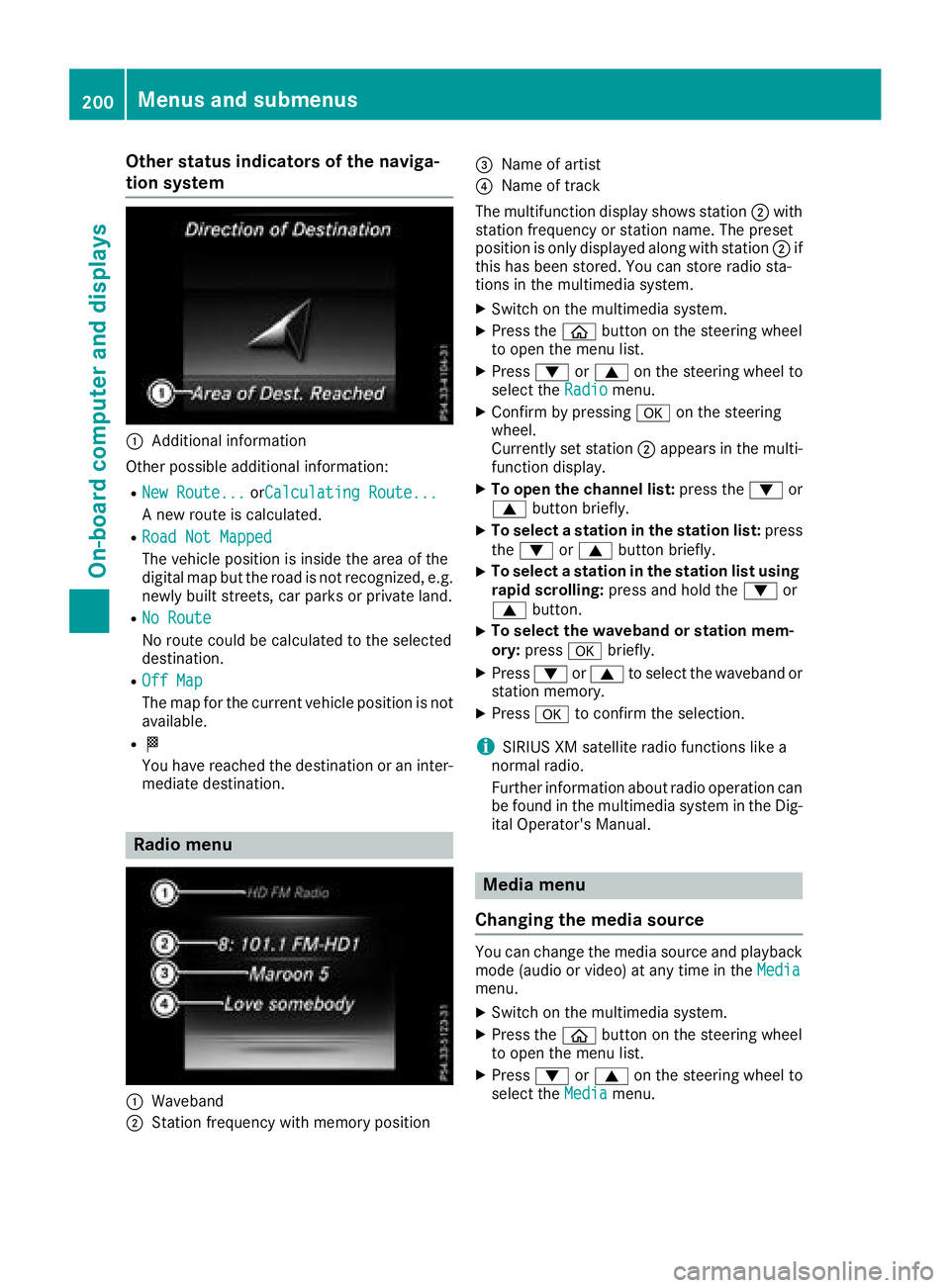
Other status indicators of the naviga-
tion system
:Additional information
Other possible additional information:
RNew Route...orCalculating Route...
A new route is calculated.
RRoad Not Mapped
The vehicle position is inside the area of the
digital map but the road is not recognized, e.g. newly built streets, car parks or private land.
RNo Route
No route could be calculated to the selected
destination.
ROff Map
The map for the current vehicle position is not
available.
RO
You have reached the destination or an inter-
mediate destination.
Radio menu
:Waveband
;Station frequency with memory position
=Name of artist
?Name of track
The multifunction display shows station ;with
station frequency or station name. The preset
position is only displayed along with station ;if
this has been stored. You can store radio sta-
tions in the multimedia system.
XSwitch on the multimedia system.
XPress the òbutton on the steering wheel
to open the menu list.
XPress :or9 on the steering wheel to
select the Radiomenu.
XConfirm by pressing aon the steering
wheel.
Currently set station ;appears in the multi-
function display.
XTo open the channel list: press the:or
9 button briefly.
XTo select a station in the station list: press
the : or9 button briefly.
XTo select a station in the station list using
rapid scrolling: press and hold the :or
9 button.
XTo select the waveband or station mem-
ory:press abriefly.
XPress :or9 to select the waveband or
station memory.
XPress ato confirm the selection.
iSIRIUS XM satellite radio functions like a
normal radio.
Further information about radio operation can
be found in the multimedia system in the Dig-
ital Operator's Manual.
Media menu
Changing the media source
You can change the media source and playback
mode (audio or video) at any time in the Media
menu.
XSwitch on the multimedia system.
XPress theòbutton on the steering wheel
to open the menu list.
XPress :or9 on the steering wheel to
select the Mediamenu.
200Menus and submenus
On-board computer and displays
Page 255 of 350
General notes
The multimedia system section in this Opera-
tor's Manual describes the basic principles for
operation. More information can be found in theDigital Operator's Manual.
Important safety notes
GWARNING
If you operate information systems and com-
munication equipment integrated in the vehi-
cle when driving, you may be distracted from
the traffic situation. You could also lose con-
trol of the vehicle. There is a risk of an acci-
dent.
Only operate this equipment when the traffic
situation permits. If you are not sure that this
is possible, park the vehicle paying attention
to traffic conditions and operate the equip-
ment when the vehicle is stationary.
You must observe the legal requirements for the
country in which you are currently driving when
operating the multimedia system.
The multimedia system calculates the route to
the destination without taking the following into
account, for example:
Rtraffic lights
Rstop and yield signs
Rparking or stopping restrictions
Rroad narrowing
Rother road and traffic rules and regulations
The multimedia system may give incorrect nav-
igation recommendations if the actual street/
traffic situation does not correspond with the
digital map's data.
For example:
Ra diverted route
Rthe road layout or the direction of a one-way
street has been changed
For this reason, you must always observe road
and traffic rules and regulations during your
journey. Road and traffic rules and regulations
always have priority over multimedia system
driving recommendations. Navigation announcements are intended to
direct you while driving without diverting your
attention from the road and driving.
Please always use this feature instead of con-
sulting the map display for directions. Looking
at the icons or map display can distract you from
traffic conditions and driving, and increase the
risk of an accident.
This equipment complies with FCC radiation
exposure limits set forth for uncontrolled equip-
ment and meets the FCC radio frequency (RF)
Exposure Guidelines in Supplement C to OET65.
This equipment has very low levels of RF energy
that is deemed to comply without maximum
permissive exposure evaluation (MPE). How-
ever, it is
recommended to insta
ll it at a distance
of at least 8 inches (approx. 20 cm) between the
radiation source and a person's body (not
including limbs such as hands, wrists, feet and
legs).
GWARNING
Modifications to electronic components, their software as well as wiring can impair their
function and/or the function of other net-
worked components. In particular, systems
relevant to safety could also be affected. As a
result, these may no longer function as inten-
ded and/or jeopardize the operating safety of
the vehicle. There is an increased risk of an
accident and injury.
Never tamper with the wiring as well as elec-
tronic components or their software. You
should have all work to electrical and elec-
tronic equipment carried out at a qualified
specialist workshop.
Function restrictions
For safety reasons, some functions are restric-
ted or unavailable while the vehicle is in motion.
You will notice this, for example, because either
you will not be able to select certain menu items
or a message will appear to this effect.
Function restrictions253
Multimedia system
Z
Page 323 of 350
malfunction has been rectified, the tire pressure
warning lamp goes out after a few minutes of
driving.
The tire pressure values indicated by the on-
board computer may differ from those meas-
ured at a gas station with a pressure gauge. The
tire pressures shown by the on-board computer
refer to those measured at sea level. At high
altitudes, the tire pressure values indicated by a pressure gauge are higher than those shown by
the on-board computer. In this case, do not
reduce the tire pressures.
The operation of the tire pressure monitor can
be affected by interference from radio transmit-
ting equipment (e.g. radio headphones, two-way
radios) that may be being operated in or near the
vehicle.
Checking the tire pressure electroni-
cally
XMake sure that the SmartKey is in position 2
(Ypage 123) in the ignition lock.
XPress òon the steering wheel to call up
the menu list.
XPress 9or: on the steering wheel to
select the Servicemenu.
XConfirm by pressing aon the steering
wheel.
XPress 9or: to select Tire Pres‐sure.
XPressato confirm.
The multifunction display shows the current
tire pressure of each wheel.
If the vehicle was parked for longer than
20 minutes, the following message appears:
Tire
pressurewillbedisplayedafterdriving a few minutes.
After a teach-in process, the tire pressure mon-
itor automatically detects new wheels or new
sensors. As long as a clear allocation of the tire
pressure value to the individual wheels is not
possible, the Tire
PressureMonitorActivemessage is shown instead of the tire pressure
display. The tire pressures are already being
monitored.
Tire pressure monitor warning mes-
sages
If the tire pressure monitor detects a pressure
loss in one or more tires, a warning message is
shown in the multifunction display. The yellow
tire pressure warning lamp then lights up.
RIf thePlease Correct Tire Pressuremessage appears in the multifunction display,
the tire pressure in at least one tire is too low.
The tire pressure must be corrected when the
opportunity arises.
RIf theCheck Tiresmessage appears in the
multifunction display, the tire pressure in one
or more tires has dropped significantly. The
tires must be checked.
RIf the WarningTireMalfunctionmessage
appears in the multifunction display, the tire
pressure in one or more tires has dropped
suddenly. The tires must be checked.
Be sure to observe the instructions and safety
notes in the display messages in the "Tires" sec- tion (
Ypage 234).
If the wheel positions on the vehicle are rotated,
the tire pressures may be displayed for the
wrong positions for a short time. This is rectified after a few minutes of driving, and the tire pres-
sures are displayed for the correct positions.
Restarting the tire pressure monitor
When you restart the tire pressure monitor, all
existing warning messages are deleted and the
warning lamps go out. The monitor uses the cur- rently set tire pressures as the reference values
for monitoring. In most cases, the tire pressure
monitor will automatically detect the new refer-
ence values after you have changed the tire
pressure. However, you can also set reference
values manually as described here. The tire
pressure monitor then monitors the new tire
pressure values.
XSet the tire pressure to the value recommen-
ded for the corresponding driving situation on
the Tire and Loading Information placard on
the B-pillar on the driver's side.
You can find more tire pressures for various
operating conditions in the tire pressure table
inside the filler flap.
Observe the information on tire pressure
when doing so (
Ypage 315).
XMake sure that the tire pressure is correct on
all four wheels.
Tire pressure321
Wheels and tires
Z