door lock MERCEDES-BENZ C-CLASS CABRIOLET 2018 User Guide
[x] Cancel search | Manufacturer: MERCEDES-BENZ, Model Year: 2018, Model line: C-CLASS CABRIOLET, Model: MERCEDES-BENZ C-CLASS CABRIOLET 2018Pages: 589, PDF Size: 10.55 MB
Page 119 of 589

St
ow age spaces in theve hicle interior Overview of
the front stowage compa rt‐
ments 1
Stow age compartment in the doors
2 Stow age compartment in the armrest with a
multimedia and USB connection
3 Stow age compartment in the front cent re
console wi tha USB connection and charging
module for wireless charging of a mobile
phone (not available in all countries)
4 Glovecompa rtment Locking and unlo
cking thegl ove box 0007
Turn the emer gency key a quarter turn clock‐
wise 0048(to lock) or anti-clockwise 0047(to
unlock). Opening
the spectacles compa rtment 0007
Press button 1. Through-loading
feature in there ar ben ch
seat Fo
lding there ar seat backrest forw ards 000A
WARNING Risk of inju ryifth ere ar
ben chseat/rear seat and seat backrest
are not engaged
If th ere ar ben chseat/rear seat and seat
backrest are not engaged they could fold for‐ 11 6
Seats and stowing
Page 154 of 589

If
yo ustart theve hicle via your smartphone, the
pr ev iously selec ted air conditioning adjustment
is active.
Ensure thefo llowing before starting the engine:
R the legal stipulations in the area where your
ve hicle is par ked allow engine starting via
smartphone.
R it is safe tostart and runth e engine where
yo ur vehicle is par ked.
R the fuel tank is su fficiently filled.
R thest ar ter battery is suf ficiently charge d.
0009 You can also set thete mp erature with your
smartphone. In form ation on Mercedes me
connect and other services: http://
www.mercedes.me
This function is not available for all models.
Charging the bat tery before commencing
yo ur journey
R Ifth eve hicle battery is discharged, you
re cei vea message on your smartphone.
R You can then start theve hicle with the
smartphone tocharge the batter y. R
The vehicle is automatically switched off
af te rte n minu tes.
Ensure thefo llowing before starting the engine:
R the legal stipulations in the area where your
ve hicle is par ked allow engine starting via
smartphone.
R it is safe tostart and runth e engine where
yo ur vehicle is par ked.
R the fuel tank is su fficiently filled.
St arting theve hicle 000A
WARNING Risk of crushing or entrap‐
ment due tounin tentional starting of the
engine
Limbs could be crushed or trapped if the
engine is star ted unintentionally during
service or maintenance work. 0007
Alw ays secure the engine against unin‐
te ntional starting before car rying out
maintenance or repair work. Re
quirements:
R park position 005Dis selected. R
the anti- theft alarm sy stem is not activated.
R the panic alarm is not activated.
R the hazard warning lights are switched off.
R the bonn etis closed.
R the doors are closed and loc ked.
R the windo wsand soft top are closed. 0007
Start theve hicle using the smartphone:
R afte reve ryvehicle start, the engine runs for
te n minu tes.
R you can car ryout a maximum of two consec‐
utive starting attem pts. The vehicle must be
st ar ted once with theke y before trying to
st art theve hicle again with the smartphone.
R you can stop theve hicle again at any time.
R further information can be found in the
smartphone app.
Securing the engine against starting before
car rying out maintenance or repair work: 0007
switch on the hazard warning lights.
or 0007
unlock the doors. Driving and parking
151
Page 178 of 589

0007
On uphill or downhill gradients, turn the front
wheels so that theve hicle rolls towa rdsthe
ke rb if it starts moving. 0007
App lythe electric parking brake. 0007
Vehicles with manual transmission:
engage firs t0047 orreve rsege ar 005E. 0007
Vehicles with automatic transmission:
engage transmission position 005Din a station‐
ary vehicle with the brake pedal applied
(0013 page164). 0007
Switch off the engine and the ignition by
pressing the1 button. 0007
Release the service brake slowl y.0007
Get out of theve hicle and lock it.
0009 When you park theve hicle, you can still
opera tethe side windo wsand the soft top
fo r appro ximately five minutes if the driver's
door is closed. Garage door opener
Prog
ramming buttons for the garage door
opener 000A
DANG ER Risk of fata l injuries due to
ex haust gases
Combustion engines emit poisonous exhaust
ga ses such as carbon monoxide. Inhaling
th ese exhaust gases is hazardous tohealth
and can lead topoisoning. 0007
Never lea vethe engine running in an
enclosed space wi thout suf ficient venti‐
lation. 000A
WARNING Risk of inju rywhen opening
or closing a door with thega rage door
opener
When you operate or program the door with
th e integrated garage door opener, people in
th era nge of mo vement of the door may
become trapped or stru ck bythe door. 0007
When using the integrated garage door
opener, alw ays make sure that nobody is within
thera nge of mo vement of the
door. Re
quirements:
R The vehicle has been par ked outside the
ga rage or outside thera nge of mo vement of
th e door.
R The engine is switched off.
R the ignition is switched on.
0009 The garage door opener function is alw ays
av ailable when the ignition is switched on. Driving and parking
175
Page 248 of 589
0007
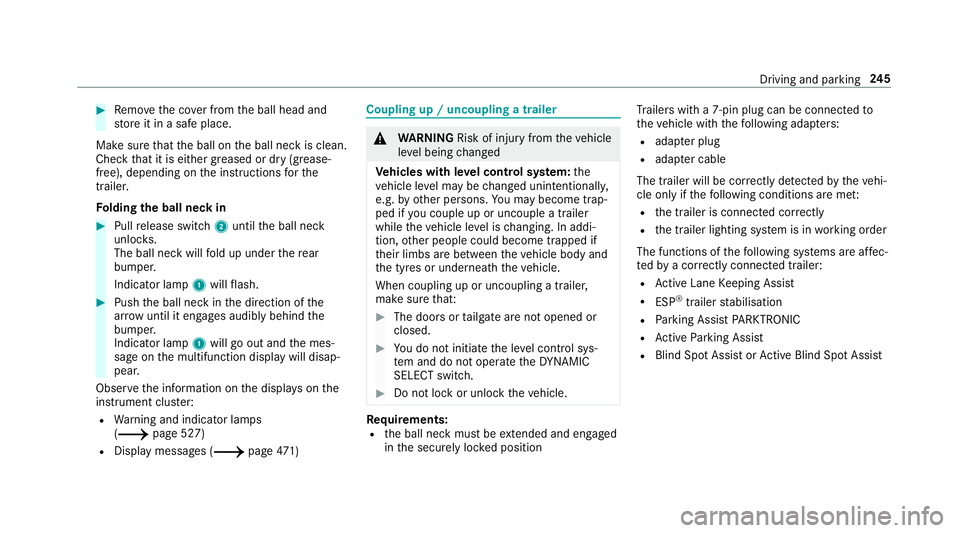
Remo vethe co ver from the ball head and
st ore it in a safe place.
Make sure that the ball on the ball neck is clean.
Check that it is either greased or dr y (grease-
free), depending on the instructions forthe
traile r.
Fo lding the ball neck in 0007
Pull release switch 2until the ball neck
unloc ks.
The ball neck will fold up under there ar
bumper.
Indicator lamp 1will flash. 0007
Push the ball neck in the direction of the
ar row until it en gage s audibly behind the
bumper.
Indicator lamp 1will go out and the mes‐
sage on the multifunction display will disap‐
pear.
Obser vethe information on the displa yson the
instrument clus ter:
R Warning and indicator lamps
(0013 page 527)
R Display messages (0013 page471) Cou
pling up / uncoupling a trailer 000A
WARNING Risk of inju ryfrom theve hicle
le ve l being changed
Ve hicles with le vel control sy stem: the
ve hicle le vel may be changed unin tentional ly,
e.g. by ot her persons. You may become trap‐
ped if you couple up or uncouple a trailer
while theve hicle le vel is changing. In addi‐
tion, other people could become trapped if
th eir limbs are between theve hicle body and
th e tyres or underneath theve hicle.
When coupling up or uncoupling a trailer,
make sure that: 0007
The doors or tailgate are not opened or
closed. 0007
You do not initiate the le vel control sys‐
te m and do not operate theDY NA MIC
SELECT switch. 0007
Do not lock or unlock theve hicle. Re
quirements:
R the ball neck must be extended and engaged
in the securely loc ked position Tr
ailers with a 7-pin plug can be connec tedto
th eve hicle with thefo llowing adap ters:
R adap ter plug
R adapte r cable
The trailer will be cor rectly de tected bytheve hi‐
cle only if thefo llowing conditions are me t:
R the trailer is connected cor rectly
R the trailer lighting sy stem is in working order
The functions of thefo llowing sy stems are af fec‐
te dby a cor rectly connected traile r:
R Active Lane Keeping Assist
R ESP ®
trailer stabilisation
R Parking Assist PARKTRONIC
R Active Parking Assist
R Blind Spot Assist or Active Blind Spot Assi st Driving and pa
rking 245
Page 427 of 589
0009
Vehicles with automatic transmission: if
th e automatic transmission cann otbe shif‐
te dto position 005C, orthe multifunction dis‐
play in the instrument clus ter does not show
anything, ha vetheve hicle transpor tedaw ay
( 0013 page 425). A towing vehicle with lift‐
ing equipment is requ ired forve hicle trans‐
por tation.
000E NO
TEDama gedue to to wing away at
ex cessively high speeds or over long dis‐
ta nces The driv
etra in could be damaged when tow‐
ing at excessively high speeds or over long
dis tances. 0007
Atowing speed of 50 km/h must not
be exc eeded. 0007
Atowing dis tance of 50 km must not be
exc eeded. 000A
WARNING Risk of accident when towing
a ve hicle which is too heavy
If th eve hicle being tow- star ted or towed
aw ay is heavier than the permissible gross
mass, thefo llowing situations can occur:
R theto wing eye may become de tach ed.
R the car/t railer combination may swer ve
or eve nove rturn. 0007
If ano ther vehicle is tow- star ted or
to we daw ay, its weight must not exceed
th e permissible gross mass of your own
ve hicle. If a
vehicle must be tow star ted or towe daw ay,
its permissible gross mass must not exceed the
permissible gross mass of theto wing vehicle. 0007
Information on the permissible gross mass of
th eve hicle can be found on theve hicle iden‐
tification plate (0013 page 456). 0007
Vehicles with automatic transmission: do
not open the driver's door or front passenger
door, otherwise the automatic transmission
automatically shifts toposition 005D. 0007
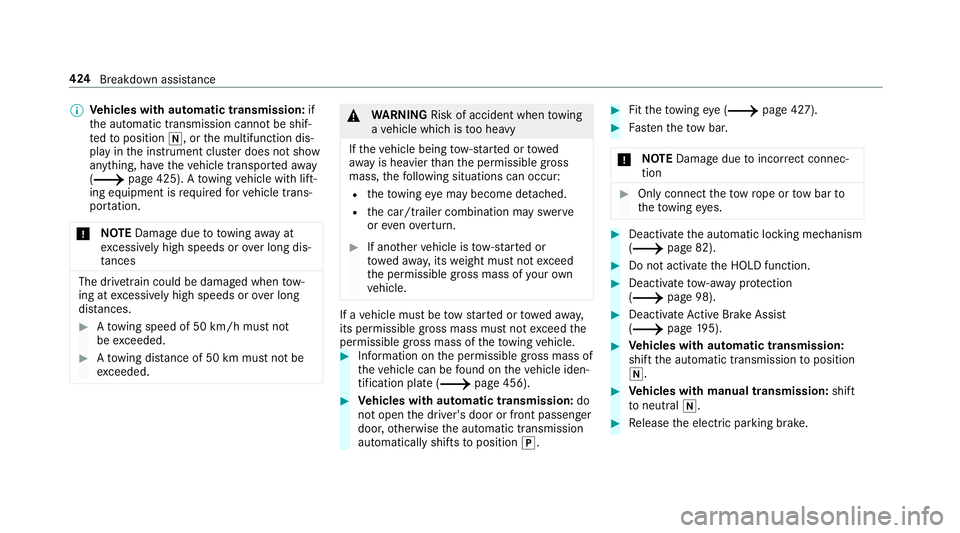
Fittheto wing eye (0013 page 427). 0007
Fasten theto w bar.
000E NO
TEDama gedue toincor rect connec‐
tion 0007
Only connect theto w rope or tow bar to
th eto wing eyes. 0007
Deactivate the automatic locking mechanism
(0013 page 82). 0007
Do not activate the HOLD function. 0007
Deactivate tow- aw ay protection
(0013 page 98). 0007
Deactivate Active Brake Assi st
( 0013 page195). 0007
Vehicles with automatic transmission:
shift the automatic transmission toposition
005C. 0007
Vehicles with manual transmission: shift
to neutral 005C. 0007
Release the electric parking brake. 424
Breakdown assis tance
Page 450 of 589
0007
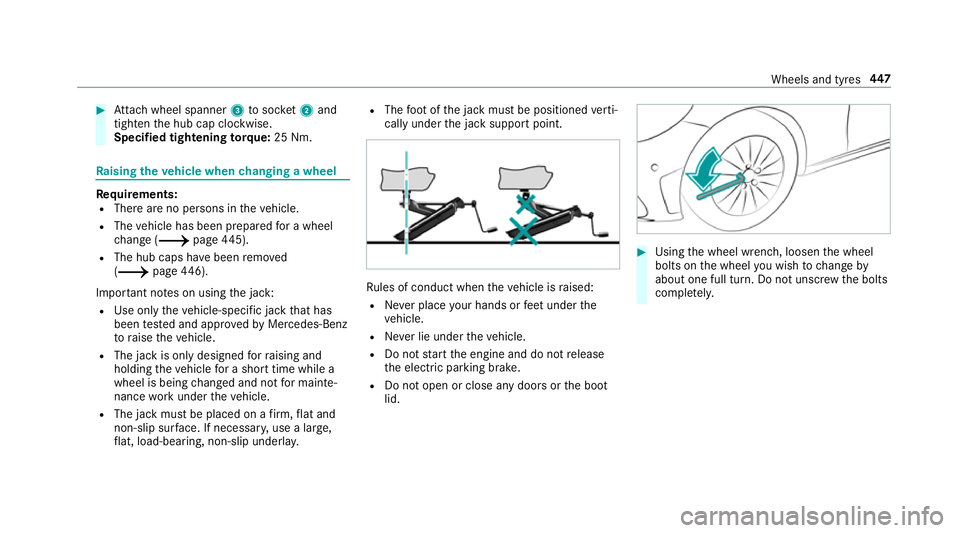
Attach wheel spanner 3tosoc ket2 and
tighten the hub cap clockwise.
Specified tightening torq ue: 25 Nm. Ra
ising theve hicle when changing a wheel Re
quirements:
R There are no persons in theve hicle.
R The vehicle has been prepared for a wheel
ch ange (0013 page445).
R The hub caps ha vebeen remo ved
( 0013 page446).
Impor tant no tes on using the jack:
R Use only theve hicle-specific jack that has
been tested and appr ovedby Mercedes-Benz
to raise theve hicle.
R The jack is only designed forra ising and
holding theve hicle for a short time while a
wheel is being changed and not for mainte‐
nance workunder theve hicle.
R The jack must be placed on a firm ,fl at and
non-slip sur face. If necessar y,use a lar ge,
fl at, load-bearing, non-slip unde rlay. R
The foot ofthe jack must be positioned verti‐
cally under the jack support point. Ru
les of conduct when theve hicle is raised:
R Never place your hands or feet under the
ve hicle.
R Never lie under theve hicle.
R Do not start the engine and do not release
th e electric parking brake.
R Do not open or close any doors or the boot
lid. 0007
Using the wheel wrench, loosen the wheel
bolts on the wheel you wish tochange by
about one full turn. Do not unscr ewthe bolts
comple tely. Wheels and tyres
447
Page 511 of 589
Display messages
Possible causes/consequences and 0050
0050Solutions 0007
Tocontinue your journe y,shift the transmission toposition 005Bor005E.
Only select Park (P) when
vehicle is stationary *
The transmission can only be shif tedto position 005Dwhen theve hicle is stationar y.
Risk of vehicle rolling
Driver door open and trans-
mission not in P *
The driver's door is not fully closed and the transmission is in position 005E,005Cor005B. 0007
Shift the transmission toposition 005Dwhen you park theve hicle.
Apply brake to select R *
You ha vetried toswitch totransmission position 005E. 0007
Dep ress the brake pedal. 0007
Shift the transmission toposition 005E.
0044 Before starting the engine,
turn the steering wheel. *
Ve hicles with manual transmissions: the electric steering lock was unable tounlo ck th esteering. 0007
Switch off the ignition. 0007
Tounlo ckthesteering, mo vethesteering wheel slightly tothe left and right. 0007
Switch the ignition back on.
00CC Steering malfunction See
Owner's Manual *
Ve hicles with manual transmissions: the electric steering lock is malfunctioning. The steering may be loc kedby
th e electric steering loc k. 508
Display messages and warning/indicator lamps
Page 547 of 589
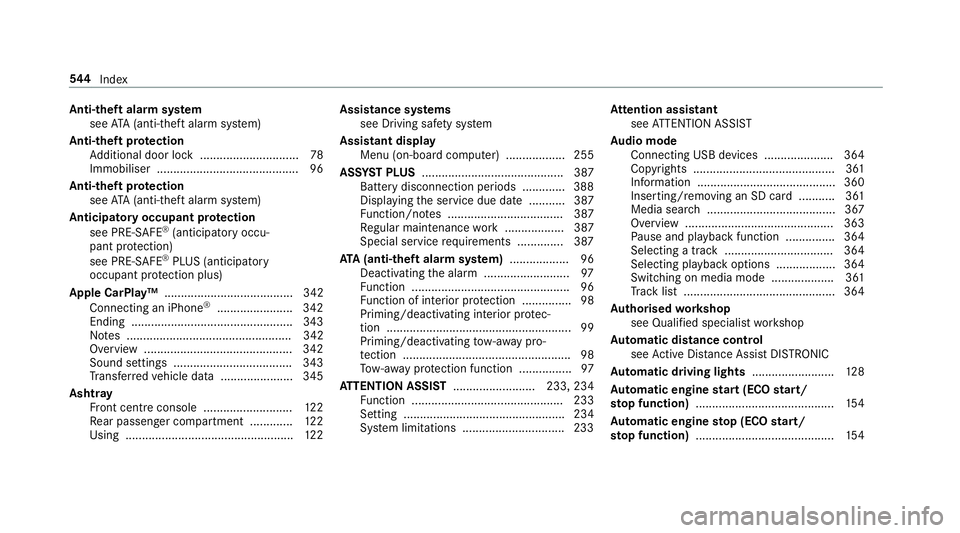
Anti-theft ala
rmsystem
see ATA (anti-theft alarm sy stem)
Anti-theft pr otection
Ad ditional door lock .............................. 78
Immobiliser ...........................................96
Anti-theft pr otection
see ATA (anti-theft alarm sy stem)
Anticipatory occupant pr otection
see PRE- SAFE®
(anticipatory occu‐
pant pr otection)
see PRE-SAFE ®
PLUS (anticipatory
occupant pr otection plus)
Apple CarPlay™ ....................................... 342
Connecting an iPhone ®
....................... 342
Ending .................................................3 43
No tes .................................................. 342
Overview ............................................. 342
Sound settings .................................... 343
Tr ans ferred vehicle data ......................3 45
Ashtr ay
Fr ont centre console ........................... 12 2
Re ar passenger compartment ............ .122
Using ................................................... 12 2Assistance sy
stems
see Driving saf ety sy stem
Assistant display Menu (on-board computer) .................. 255
ASS YST PLUS ........................................... 387
Battery disconnection pe riods .............3 88
Displ aying the service due date ........... 387
Fu nction/no tes ................................... 387
Re gular maintenance work .................. 387
Special service requ irements .............. 387
ATA (anti-theft ala rmsystem) .................. 96
Deactivating the alarm .......................... 97
Fu nction ................................................ 96
Fu nction of interior pr otection ............... 98
Priming/deactivating interior pr otec‐
tion ........................................................ 99
Priming/deactivating tow- aw ay pro‐
te ction ................................................... 98
To w- aw ay protection function ................97
AT TENTION ASSI ST......................... 233, 234
Fu nction .............................................. 233
Setting ................................................. 234
Sy stem limitations ...............................2 33At
tention assistant
see ATTENTION ASSIST
Au dio mode
Connecting USB devices ..................... 364
Co pyrights ...........................................3 61
Information ..........................................3 60
Inserting/removing an SD card ........... 361
Media sea rch ....................................... 367
Overview ............................................. 363
Pa use and playback function .............. .364
Selecting a track ................................. 364
Selecting pl ayback options .................. 364
Switching on media mode ...................3 61
Tr ack list .............................................. 364
Au thorised workshop
see Qualified specialist workshop
Au tomatic distance control
see Active Dis tance Assi stDISTRONIC
Au tomatic driving lights .........................12 8
Au tomatic engine start (ECO start/
sto p function) .......................................... 154
Au tomatic engine stop (ECO start/
sto p function) .......................................... 154544
Index
Page 558 of 589

0059
While stationar y,apply the
brakes before operating the soft top.
.............................................................5 23
Wi thout changing gear, consult work‐
shop ....................................................5 06
Display on the windscreen
see Head-up display
Distance control see Active Dis tance Assi stDISTRONIC
Di stance recorder
see Trip dis tance
DI STRO NIC
see Active Dis tance Assi stDISTRONIC
Door Additional door lock .............................. 78
Locking (emergency key) ...................... .82
Opening (from the inside) ......................79
Un locking (emer gency key) .................. .82
Un locking (from the inside) ...................79
Door cont rol panel .................................... .16
Draught stop
Care .................................................... 402 Dr
aw bar
see Tow- bar sy stem
Drive Away Assist .................................... 231
Drive position Engaging .............................................. 16 4
Drive prog ram display ............................. 15 9
Drive prog rams
see DYNA MIC SELECT
Driver's seat see Seat
Driving abroad Symmetrical dipped beam ...................1 27
Driving lights see Automatic driving lights
Driving saf ety sy stem ............................ .183
ABS (Anti-lock Braking Sy stem) ........... 184
Ac tive Brake Assi st.............................. 189
Ad aptive brake lights .......................... .195
BA S (Brake Assi stSystem) .................. 185
EBD (Electronic Brake forc e Distribu‐
tion) ..................................................... 188
ESP ®
Crosswind Assi st........................ 188
ESP ®
trailer stabilisation .................... .188 Overview .............................................
184
Ra dar sensors .....................................1 83
Re sponsibility ...................................... 183
ST EER CONTROL ................................. 189
Driving sy stem
DY NA MIC BODY CONTROL .................. 213
Driving sy stem
see 360° Camera
see Active Blind Spot Assi st
see Active Dis tance Assi stDISTRONIC
see Active Emergency Stop Assist
see Active Lane Change Assi st
see Active Lane Keeping Assist
see Active Parking Assist
see Active Speed Limit Assi st
see Active Steering Assist
see AIRMATIC
see ATTENTION ASSIST
see Blind Spot Assist
see Cruise control
see Driving saf ety sy stem
see HOLD function
see Limiter
see Parking Assist PARKTRONIC
see Reversing camera Index
555
Page 560 of 589

Emer
gency engine start .......................... 427
Emer gency key
Inserting/removing ................................ 76
Locking a door ....................................... 82
Un locking a door .................................. .82
Emer gency operation mode
St arting theve hicle ............................. 15 0
Emer gency spare wheel .......................... 451
No tes ................................................... 451
Re moving ............................................ 452
ENERGIZI NGcomfort
Overview of programs ........................ .299
St arting the program ........................... 300
Engine ECO start/ stop function ......................1 54
Engine number .................................... 456
St arting (Digital Vehicle Keyst icke r) .... 14 9
St arting (eme rgency operation
mode) .................................................. 15 0
St arting (mobile phone) ...................... .149
St arting (Remo teOnline) ......................1 51
St arting (s tart/s top button) .................1 48
St arting assis tance .............................. 420
Switching off (s tart/s top button) .........1 73Engine bonnet
Function (active bonnet) ...................... 388
Opening/closing ................................. 389
Re setting (active bonnet) .................... 388
Engine data Displaying ............................................ 16 0
Engine electronics Notes ................................................... 454
Engine number ........................................4 56
Engine oil ................................................. 392
Ad ditives .............................................4 64
Capacity .............................................. 465
Checking the oil le vel using the oil
dipstick ................................................ 391
Checking the oil le vel using the on-
board computer ................................... 392
MB-Fr eigabe or MB-Appr oval .............. .465
Quality ................................................. 465
To pping up ...........................................3 92
Entering characters
Fu nction/no tes ................................... 285
On theto uchpad .................................. 287
Using the controller ............................. 286 EQ Boost
Glide mode .......................................... 16 6
Operating saf ety .................................... 23
ERA-G LONA SS test mode
St arting/ending .................................. 352
ESC (Elect ronic Stability Control)
see ESP ®
(Electronic Stability Prog ram)
ESP ®
Crosswind Assist ................................. 188
Tr ailer stabilisation .............................. 188
ESP ®
(Electronic Stability Prog ram) ...... 185
Ac tivating/deactivating ...................... .188
Fu nction/no tes ................................... 185
EU general operating permit number ....456
Exterior lighting Care .................................................... 403
Ex terior lighting
see Lights
External device Locking (child saf ety lock) .................. .293 Index
557