android auto MERCEDES-BENZ C-CLASS CABRIOLET 2018 Owners Manual
[x] Cancel search | Manufacturer: MERCEDES-BENZ, Model Year: 2018, Model line: C-CLASS CABRIOLET, Model: MERCEDES-BENZ C-CLASS CABRIOLET 2018Pages: 589, PDF Size: 10.55 MB
Page 292 of 589
0007
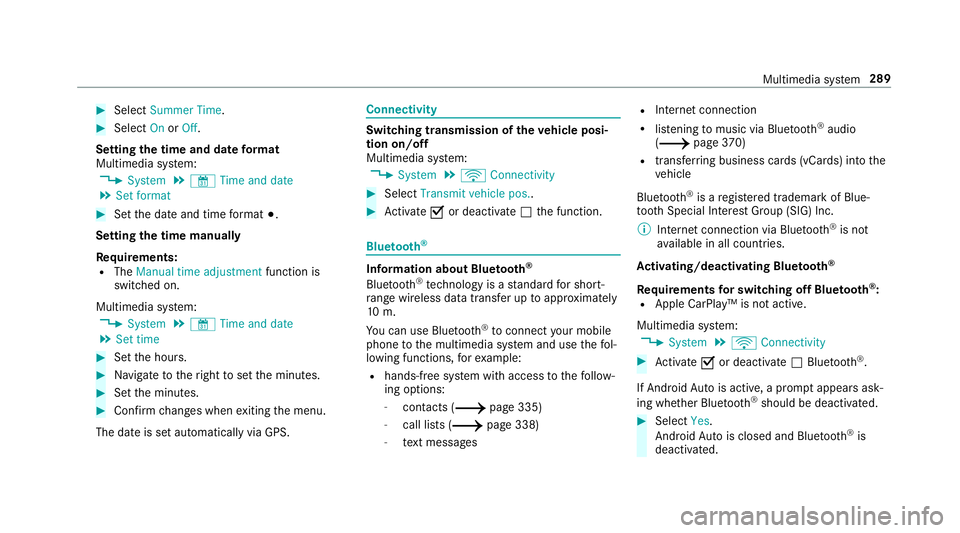
Select Summer Time. 0007
Select OnorOff.
Setting the time and date form at
Multimedia sy stem:
0018 System 0019
& Time and date
0019 Set format 0007
Set the date and time form at003B.
Setting the time manually
Re quirements:
R The Manual time adjustment function is
switched on.
Multimedia sy stem:
0018 System 0019
& Time and date
0019 Set time 0007
Set the hours. 0007
Navigate totheright toset the minutes. 0007
Set the minutes. 0007
Confirm changes when exiting the menu.
The date is set automatically via GPS. Connectivity
Switching transmission of
theve hicle posi‐
tion on/off
Multimedia sy stem:
0018 System 0019
ö Connectivity 0007
Select Transmit vehicle pos.. 0007
Activate 0073or deacti vate 0053 the function. Blue
tooth ® Information about Blu
etoo th®
Bl ue tooth ®
tech nology is a standard for short-
ra nge wi reless data transfer up toappr oximately
10 m.
Yo u can use Blue tooth®
to connect your mobile
phone tothe multimedia sy stem and use thefo l‐
lowing functions, forex ample:
R hands-free sy stem with access tothefo llow‐
ing options:
- con tacts (0013 page 335)
- call lists (0013 page 338)
- text messa ges R
Internet connection
R listening tomusic via Blue tooth®
audio
(0013 page370)
R transfer ring business cards (vCards) into the
ve hicle
Blue tooth ®
is a regis tere d trademark of Blue‐
toot h Special Interest Group (SIG) Inc.
0009 Internet connection via Blue tooth®
is not
av ailable in all countries.
Ac tivating/deactivating Blue tooth ®
Re quirements for switching off Blue tooth ®
:
R Apple CarPl ay™ is not active.
Multimedia sy stem:
0018 System 0019
ö Connectivity 0007
Activate 0073or deacti vate 0053 Bluetoo th®
.
If Android Autois active, a prom ptappears ask‐
ing whe ther Blue tooth®
should be deactivated. 0007
Select Yes.
Android Autois closed and Blue tooth®
is
deactivated. Multimedia sy
stem 289
Page 344 of 589
R
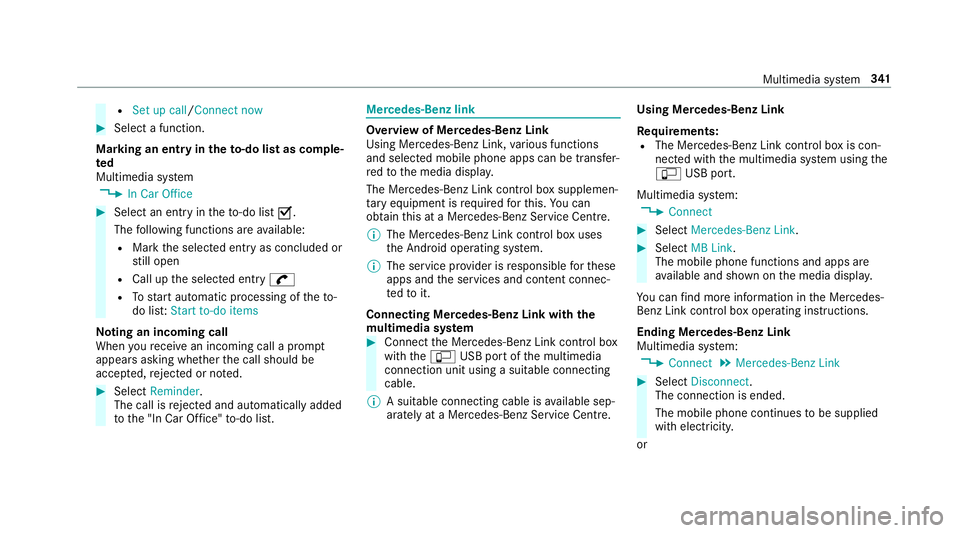
Set up call/Connect now 0007
Select a function.
Marking an entry in the to-do list as comp le‐
ted
Multimedia sy stem
0018 In Car Office 0007
Select an entry intheto -do li st0073 .
The following functions are available:
R Mark the selected entry as concluded or
st ill open
R Call up the selected entry 0097
R Tostart automatic processing of theto-
do lis t:Start to-do items
No ting an incoming call
When youre cei vean incoming call a prom pt
appears asking whe ther the call should be
accep ted, rejected or no ted. 0007
Select Reminder.
The call is rejected and au tomatical lyadded
to the "In Car Of fice" to-do li st. Mercedes-Benz link
Overview of Mercedes-Benz Link
Using Mercedes-Benz Link,
various functions
and selected mobile phone apps can be transfer‐
re dto the media displa y.
The Mercedes-Benz Link contro l box supplemen‐
ta ry equipment is requiredforth is. You can
obtain this at a Mercedes-Benz Service Cent re.
0009 The Mercedes-Benz Link contro l box uses
th e Android operating sy stem.
0009 The service pr ovider is responsible forth ese
apps and the services and conte nt connec‐
te dto it.
Connecting Mercedes-Benz Link with the
mu ltimedia sy stem 0007
Connect the Mercedes-Benz Link control box
with the00C2 USB port of the multimedia
connection unit using a suitable connecting
cable.
0009 A suitable connecting cable is available sep‐
arately at a Mercedes-Benz Service Cent re.Using Mercedes-Benz Link
Re
quirements:
R The Mercedes-Benz Link control box is con‐
nec ted with the multimedia sy stem using the
00C2 USB port.
Multimedia sy stem:
0018 Connect 0007
Select Mercedes-Benz Link. 0007
Select MB Link.
The mobile phone functions and apps are
av ailable and shown on the media displa y.
Yo u can find more information in the Mercedes-
Benz Link control box operating instructions.
Ending Mercedes-Benz Link
Multimedia sy stem:
0018 Connect 0019
Mercedes-Benz Link 0007
Select Disconnect.
The connection is ended.
The mobile phone continues tobe supplied
with elect ricity.
or Multimedia sy
stem 341
Page 346 of 589
Multimedia sy
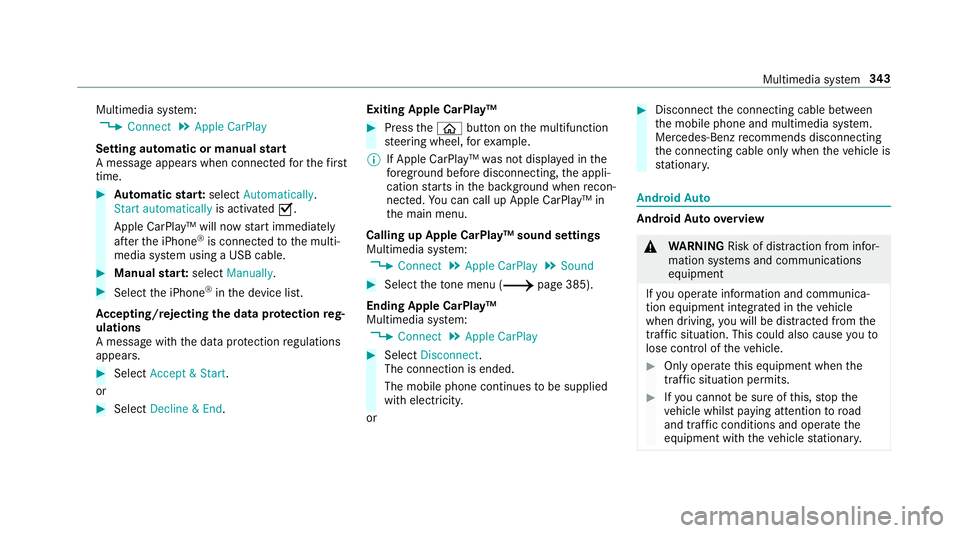
stem:
0018 Connect 0019
Apple CarPlay
Setting automatic or manual start
A messa geappears when connec tedfo rth efirst
time. 0007
Automatic star t:select Automatically.
Start automatically is activated0073.
Apple CarPlay™ will now start immediately
af te rth e iPhone ®
is connected tothe multi‐
media sy stem using a USB cable. 0007
Manual star t:select Manually . 0007
Select the iPhone ®
in the device list.
Ac cepting/rejecting the data pr otection reg‐
ulations
A message with the data pr otection regulations
appears. 0007
Select Accept & Start .
or 0007
Select Decline & End. Exiting Apple CarPlay™ 0007
Press the00E2 button on the multifunction
st eering wheel, forex ample.
0009 If Apple CarPlay™ was not displa yed in the
fo re ground before disconnecting, the appli‐
cation starts in the bac kground when recon‐
nected. You can call up Apple CarPlay™ in
th e main menu.
Calling up Apple CarPlay™ sound settings
Multimedia sy stem:
0018 Connect 0019
Apple CarPlay 0019
Sound 0007
Select theto ne menu (0013 page 385).
Ending Apple CarPlay™
Multimedia sy stem:
0018 Connect 0019
Apple CarPlay 0007
Select Disconnect.
The connection is ended.
The mobile phone continues tobe supplied
with elect ricity.
or 0007
Disconnect the connecting cable between
th e mobile phone and multimedia sy stem.
Mercedes-Benz recommends disconnecting
th e connecting cable only when theve hicle is
st ationar y. Android
Auto Android
Autoove rview 000A
WARNING Risk of di stra ction from infor‐
mation sy stems and communications
equipment
If yo u operate information and communica‐
tion equipment integ rated in theve hicle
when driving, you will be distracted from the
traf fic situation. This could also cause youto
lose control of theve hicle. 0007
Only operate this equipment when the
traf fic situation permits. 0007
Ifyo u cannot be sure of this, stop the
ve hicle whilst paying attention toroad
and traf fic conditions and ope rate the
equipment with theve hicle stationar y. Multimedia sy
stem 343
Page 347 of 589
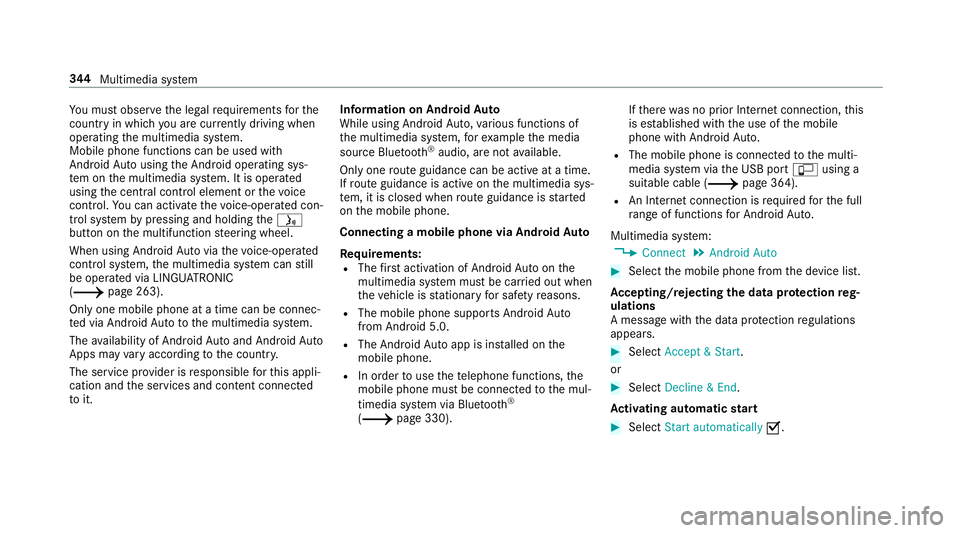
Yo
u must obse rveth e legal requirements forthe
country in whi chyou are cur rently driving when
operating the multimedia sy stem.
Mobile phone functions can be used with
Android Autousing the Android operating sys‐
te m on the multimedia sy stem. It is operated
using the cent ral control element or thevo ice
control. You can activate thevo ice-opera ted con‐
trol sy stem bypressing and holding the00E3
button on the multifunction steering wheel.
When using Android Autovia thevo ice-opera ted
control sy stem, the multimedia sy stem can still
be opera ted via LINGU ATRO NIC
(0013 page 263).
Only one mobile phone at a time can be connec‐
te d via Android Auto to the multimedia sy stem.
The availability of Android Autoand Android Auto
Apps may vary according tothe count ry.
The service pr ovider is responsible forth is appli‐
cation and the services and conte nt connected
to it. Information on Android
Auto
While using Android Auto,va rious functions of
th e multimedia sy stem, forex ample the media
source Blue tooth®
audio, are not available.
On ly one route guidance can be active at a time.
If ro ute guidance is active on the multimedia sys‐
te m, it is closed when route guidance is star ted
on the mobile phone.
Connecting a mobile phone via Android Auto
Requ irements:
R The firs t acti vation of Android Autoon the
multimedia sy stem must be car ried out when
th eve hicle is stationary for saf etyre asons.
R The mobile phone suppo rts Android Auto
from Android 5.0.
R The Android Autoapp is ins talled on the
mobile phone.
R In order touse thete lephone functions, the
mobile phone must be connected tothe mul‐
timedia sy stem via Blue tooth®
( 0013 page 330). If
th ere was no prior Internet connection, this
is es tablished with the use of the mobile
phone with Android Auto.
R The mobile phone is connected tothe multi‐
media sy stem via the USB port 00C2using a
suitable cable (0013 page 364).
R An Internet connection is requiredforth e full
ra nge of functions for Android Auto.
Multimedia sy stem:
0018 Connect 0019
Android Auto 0007
Select the mobile phone from the device list.
Ac cepting/rejecting the data pr otection reg‐
ulations
A message with the data pr otection regulations
appears. 0007
Select Accept & Start .
or 0007
Select Decline & End.
Ac tivating automatic start 0007
Select Start automatically 0073.344
Multimedia sy stem
Page 348 of 589
St
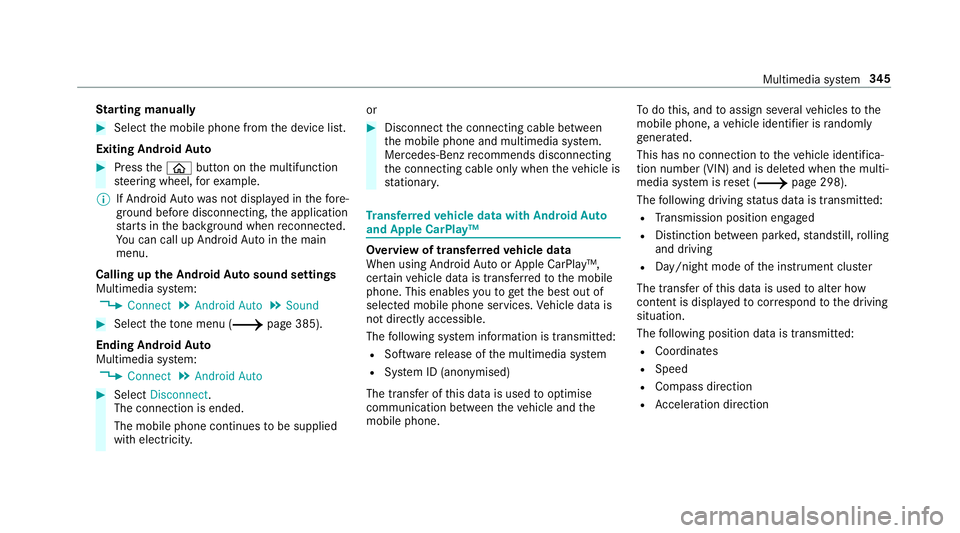
arting manually 0007
Select the mobile phone from the device list.
Exiting Android Auto 0007
Press the00E2 button on the multifunction
st eering wheel, forex ample.
0009 If Android Autowa s not displa yed in thefo re‐
ground before disconnecting, the application
st arts in the bac kground when reconnected.
Yo u can call up Android Autointhe main
menu.
Calling up the Android Autosound settings
Multimedia sy stem:
0018 Connect 0019
Android Auto 0019
Sound 0007
Select theto ne menu (0013 page 385).
Ending Android Auto
Multimedia sy stem:
0018 Connect 0019
Android Auto 0007
Select Disconnect.
The connection is ended.
The mobile phone continues tobe supplied
with elect ricity. or 0007
Disconnect the connecting cable between
th e mobile phone and multimedia sy stem.
Mercedes-Benz recommends disconnecting
th e connecting cable only when theve hicle is
st ationar y. Tr
ansfer redve hicle data with Android Auto
and Apple CarPlay™ Overview of transfer
redve hicle data
When using Android Autoor Apple CarPlay™,
cer tain vehicle data is transfer redto the mobile
phone. This enables youto getth e best out of
selected mobile phone services. Vehicle data is
not directly accessible.
The following sy stem information is transmit ted:
R Software release of the multimedia sy stem
R System ID (anonymised)
The transfer of this data is used tooptimise
communication between theve hicle and the
mobile phone. To
do this, and toassign se veralve hicles tothe
mobile phone, a vehicle identifier is randomly
ge nerated.
This has no connection totheve hicle identifica‐
tion number (VIN) and is dele ted when the multi‐
media sy stem is reset (0013 page 298).
The following driving status data is transmit ted:
R Transmission position engaged
R Distinction between par ked, standstill, rolling
and driving
R Day/night mode of the instrument clus ter
The transfer of this data is used toalter how
con tent is displ ayed tocor respond tothe driving
situation.
The following position data is transmitted:
R Coordinates
R Speed
R Compass direction
R Acceleration di rection Multimedia sy
stem 345
Page 367 of 589
Connecting USB devices
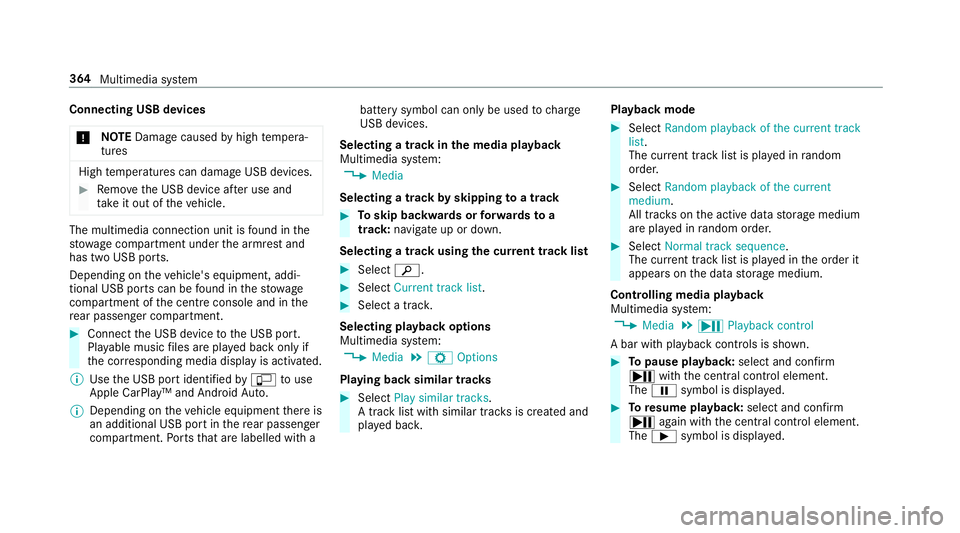
000E NO
TEDama gecaused byhigh temp era‐
tures High
temp eratures can damage USB devices. 0007
Remo vethe USB device af ter use and
ta ke it out of theve hicle. The multimedia connection unit is
found in the
stow age compartment under the armrest and
has two USB ports.
Depending on theve hicle's equipment, addi‐
tional USB ports can be found in thestow age
compartment of the cent reconsole and in the
re ar passenger compartment. 0007
Connect the USB device tothe USB port.
Pla yable music files are pla yed back only if
th e cor responding media display is activated.
0009 Use the USB port identified by00C2 touse
Apple CarPlay™ and Android Auto.
0009 Depending on theve hicle equipment there is
an additional USB port in there ar passenger
compartment. Ports th at are labelled with a bat
tery symbol can only be used tocharge
USB devices.
Selecting a track in the media playba ck
Multimedia sy stem:
0018 Media
Selecting a track byskipping toa track 0007
Toskip backwards or forw ards toa
track: navigate up or down.
Selecting a track using the cur rent track list 0007
Select 00D3. 0007
Select Current track list. 0007
Select a tra ck.
Selecting playback options
Multimedia sy stem:
0018 Media 0019
Z Options
Playing back similar trac ks 0007
Select Play similar tracks.
A track li stwith similar trac ksis created and
pla yed bac k. Playback mode 0007
Select Random playback of the current track
list.
The cur rent track li stis pla yed in random
orde r. 0007
Select Random playback of the current
medium.
All trac kson the active data storage medium
are pla yed in random orde r. 0007
Select Normal track sequence .
The cur rent track li stis pla yed in the order it
appears on the data storage medium.
Controlling media playback
Multimedia sy stem:
0018 Media 0019
Y Playback control
A bar with playback controls is shown. 0007
Topause playback: select and confirm
Y with th e cent ral control element.
The 00CF symbol is displa yed. 0007
Toresume playback: select and confirm
Y again with the cent ral control element.
The 00D0 symbol is displa yed. 364
Multimedia sy stem
Page 546 of 589
ADS PLUS da
mping sy stem
see AIRMATIC
Ad versewe ather light ............................ .132
Af ter-sales service centre
see ASS YST PLUS
Air conditioning sy stem
see Climate control
Air distribution Setting ................................................ .143
Air inl et
see Air-water duct
Air pressure see Tyre pressure
Air suspension see AIRMATIC
Air vents ................................................... 14 5
Ad justing (front) .................................. 14 5
Ad justing (rear) .................................... 14 5
Ad justing the AIRSCARF vents ............. 14 6
Air vents
see Air vents
Ai r-re circulation mode ............................ 14 4Air-water duct
.......................................... 395
Ke eping free ........................................3 95
Airbag ........................................................ .39
Ac tivation .............................................. 33
Fr ont airbag ...........................................39
Head airbag ........................................... 39
Ins tallation locations ............................ .39
Knee airbag ........................................... 39
Overview ............................................... 39
PA SSENGER AIR BAG indicator lamp .... .44
Pr otection ..............................................40
Re duced pr otection ...............................41
Side impact airbag ................................ 39
AI RC AP
Ac tivating .............................................. 92
Deactivating .......................................... 92
Ai rflow
Setting ................................................ .143
AIRMATIC ................................................. .213
Setting ................................................. 215
Suspension .......................................... 213
AIRS CARF
Ad justing the outlets ........................... 14 6
Switching on/off ................................. 109Alarm
see Panic alarm
Alarm sy stem
see ATA (anti-theft alarm sy stem)
All-wheel drive see 4MATIC
Alternative route
see Route
Ambient lighting Setting (multimedia sy stem) ................1 36
Android Auto ............................................ 343
Connecting a mobile phone ................. 344
Ending ................................................. 345
Information .......................................... 344
Overview ............................................. 343
Sound settings .................................... 345
Tr ans ferred vehicle data ......................3 45
Animals Pets in theve hicle ................................. 73
Anti-lock braking sy stem
see ABS (Anti-lock Braking Sy stem)
Anti-skid chains
see Snow chains Index
543
Page 568 of 589
Mercedes-Benz Link
................................ 341
Connecting .......................................... 341
Ending ................................................ .341
Overview ..............................................3 41
Using ................................................... 341
Mercedes-Benz service centre see Qualifi ed specialist workshop
Message (multifunction display) see Display message
Message memory .................................... 471
Messages Voice commands (LINGU ATRO NIC) ...... 274
Messages see Text messa ges
Mir rors
see Outside mir rors
Mobile phone Cancelling permission for Internet
connection ......................................... .355
Damage de tection (pa rked vehicle) ..... 182
Locking theve hicle ................................ 79
St arting theve hicle ............................. 14 9
Un locking theve hicle ............................79 Wi
reless charging ................................ 12 5
Mobile phone see Android Auto
see Apple CarPlay™
see Mercedes-Benz Link
see Second telephone
see Telephone
Mobile phone voice recognition
St arting .............................................. .334
St opping ..............................................3 34
Model series see Vehicle identification plate
MOExtended tyres ................................... 411
Mo torw ay mode ....................................... 131
MULTIBEAM LED see Intelligent Light Sy stem
Multifunction display Overview of the displa ys...................... 254
Multifunction steering wheel
Overview of buttons ............................ .251
Multifunction steering wheel
see Steering wheel Multimedia sy
stem .................................. 278
Ac tivating/deactivating standby
mode .................................................. .183
Ad justing thevo lume .......................... .285
Central control elements ..................... 279
Con figuring display settings ................2 87
ENERGIZING comfort prog ram (o ver‐
view) ................................................... .299
Entering characters ............................ .285
Fa vourites ............................................ 282
Main functions .................................... 282
Overview ............................................ .278
Re storing thefa ctory settings ............. 298
St andby mode function ...................... .182
St arting the ENERG IZING comfort
program ..............................................3 00
Switching the sound on/off ................2 84
Multimedia sy stem
see Touch Control
see Touchpad N
Na vigation
Menu (on-board computer) .................. 257
Showing/hiding the menu ...................3 01 Index
565
Page 575 of 589
Shift paddles
see Steering wheel gearshift paddles
Shifting gears
Gea rshift recommendation .......... 162, 16 5
Short messages see Text messa ges
Side impact airbag .................................... 39
Side impact pr otection ............................ 217
Side windo ws............................................. 84
Au tomatic function ................................ 86
Closing .................................................. 84
Closing (all) .......................................... .84
Closing using theke y ............................ .87
Con venience closing .............................. 87
Con venience opening ............................ 87
Opening .................................................84
Opening (all) .......................................... 84
Opening with theke y ............................ .87
Problem .................................................88
Ra in-closing feature .............................. .86
Smart card Inserting ..............................................3 84Smartphone
Locking theve hicle ................................ 79
Un locking theve hicle ............................79
Smartphone see Android Auto
see Apple CarPlay™
see Mercedes-Benz Link
see Telephone
Snow chains ............................................. 431
Soc ket (12 V) ............................................ 12 3
Fr ont centre console ........................... 12 3
Re ar .................................................... .124
Soft top
Care .................................................... .401
Closing (soft- top switch) ........................ 89
Closing using theke y ............................ .87
Opening (soft-top switch) ......................89
Opening with theke y ............................ .87
Problem .................................................95
Re locking .............................................. .91
Soft-top switch .......................................... 89
Software update ...................................... 296
Impor tant sy stem updates ...................2 97
Information .......................................... 296 Pe
rforming .......................................... 297
Sound PRE-SAFE ®
Sound ................................. 47
Wheels and tyres ................................. 431
Sound see Burmes ter®
sur round sound sy stem
see Tone settings
Sound settings Adjusting the balance/fader ............... 385
Ad justing treble, mid-range and bass
settings ............................................... 385
Au tomatic volume adjustment ............ .385
Spare wheel see Collapsible spa rewheel
see Emer gency spa rewheel
Spectacles compa rtment ........................ 11 6
Speech dialogue sy stem
see LINGU ATRO NIC
Speed limitation for winter tyres
Setting ................................................. 19 9
Speedome ter
Digital ................................................. .256 572
Index
Page 579 of 589

To
uchpad .................................................. 280
Ac tivating/deactivating ha ptic oper‐
ation feedback .................................... 282
Operating ............................................ 280
Re ading the handwriting recognition
aloud ................................................... 281
Selecting a station and track .............. .282
Setting the sensitivity .......................... 281
Switching on/off ................................. 280
To w- aw ay protection
Fu nction ................................................ 97
Priming/deactivating ............................. 98
To w- bar sy stem ...................................... .249
To w- starting ............................................. 427
To wing away ............................................ 423
To wing eye
Ins talling .............................................. 427
St orage location ..................................4 26
To wing me thods ...................................... 422
Tr ack
Selecting (audio mode) ........................ 364
Tr af fic announcements
Ac tivating/deactivating ...................... .376 Tr
af fic information .................................. .318
Displ aying the tra ffic map .................... 319
Displ aying traf fic incidents .................. 320
Extending a Live Traf fic Information
subscription ......................................... 319
Issuing hazard warnings ...................... 321
Live Traf fic Information ........................ 319
Overview ..............................................3 18
Re gis tering Live Traf fic Information ..... 319
Tr af fic information service volume
increase
Setting ................................................ .376
Tr af fic map
see Map
Tr af fic Sign Assist .................................. .235
Fu nction/no tes ................................... 235
Setting .................................................2 36
Sy stem limitations ...............................2 35
Tr ailer hitch
Axle load .............................................. 470
Bicycle rack ......................................... 247
Care .................................................... 403
Coupling up/uncoupling a trailer ........ .245
Fa stening points ..................................4 69Fo
lding the ball neck out/in ................2 43
Gene ral no tes ...................................... 469
Mounting dimensions .......................... 469
No tes ................................................... 24 3
Overhang dimension ........................... 469
Soc ket ................................................. 24 5
To ngue weight .................................... .470
To wing capacity .................................. .469
Tr ailer operation
Ac tive Blind Spot Assi st....................... 238
Ac tive Lane Keeping Assist .................. 24 0
Bicycle rack ......................................... 247
Coupling up/uncoupling a trailer ........ .245
Fo lding the ball neck out/in ................2 43
No tes ................................................... 24 3
Soc ket ................................................. 24 5
Tr ailer stabilisation
Fu nction/no tes ................................... 188
Tr ansfer redve hicle data
Android Auto ....................................... 345
Apple CarPl ay™ ................................... 345
Tr ansmission (problem) ..........................16 6
Tr ansmission position display ................16 2 576
Index