brakes MERCEDES-BENZ C-CLASS COUPE 2011 Owners Manual
[x] Cancel search | Manufacturer: MERCEDES-BENZ, Model Year: 2011, Model line: C-CLASS COUPE, Model: MERCEDES-BENZ C-CLASS COUPE 2011Pages: 373, PDF Size: 8.17 MB
Page 9 of 373
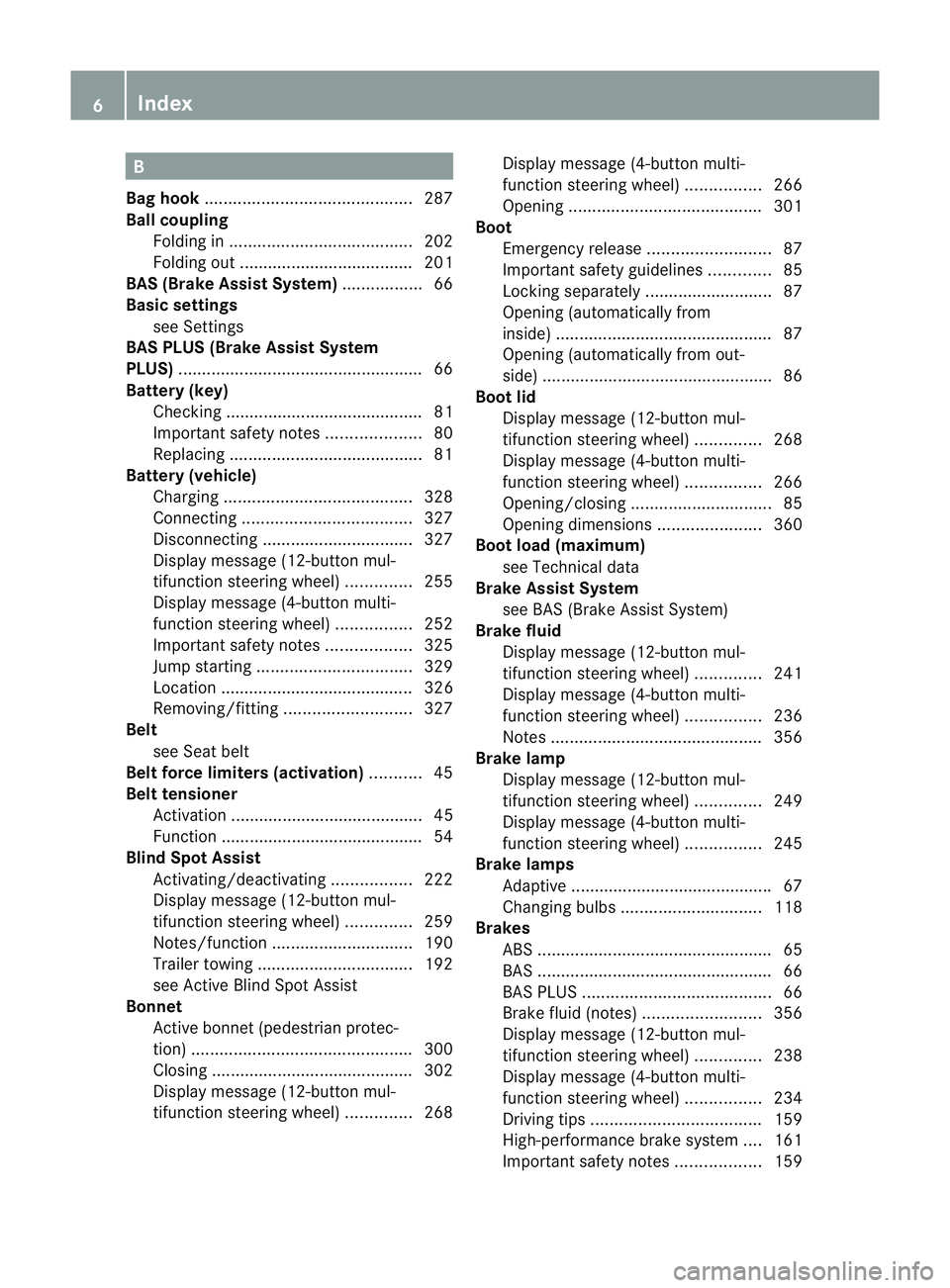
B
Bag hook ............................................ 287
Ball coupling Folding in ....................................... 202
Folding out ..................................... 201
BAS (Brake Assist System) .................66
Basic settings see Settings
BAS PLUS (Brake Assist System
PLUS) .................................................... 66
Battery (key) Checking .......................................... 81
Important safety notes ....................80
Replacing ......................................... 81
Battery (vehicle)
Charging ........................................ 328
Connecting .................................... 327
Disconnecting ................................ 327
Display message (12-button mul-
tifunctio nsteering wheel) ..............255
Display message (4-button multi-
function steering wheel) ................252
Important safety notes ..................325
Jump starting ................................. 329
Location ......................................... 326
Removing/fitting ........................... 327
Belt
see Seat belt
Belt force limiters (activation) ...........45
Belt tensioner Activation ......................................... 45
Function .......................................... .54
Blind Spo tAssist
Activating/deactivating .................222
Display message (12-button mul-
tifunctio nsteering wheel) ..............259
Notes/function .............................. 190
Trailer towing ................................. 192
see Active Blind Spot Assist
Bonnet
Active bonnet (pedestrian protec-
tion) ............................................... 300
Closing .......................................... .302
Display message (12-button mul-
tifunctio nsteering wheel) ..............268Display message (4-button multi-
function steering wheel)
................266
Opening ......................................... 301
Boot
Emergency release ..........................87
Important safety guidelines .............85
Locking separatel y........................... 87
Opening (automatically from
inside) .............................................. 87
Opening (automatically from out-
side) ................................................ .86
Boo tlid
Display message (12-button mul-
tifunction steering wheel) ..............268
Display message (4-button multi-
function steering wheel) ................266
Opening/closing .............................. 85
Opening dimensions ......................360
Boot load (maximum)
see Technical data
Brake Assist System
see BAS (Brake Assist System)
Brake fluid
Display message (12-button mul-
tifunctio nsteering wheel) ..............241
Display message (4-button multi-
function steering wheel) ................236
Notes ............................................. 356
Brake lamp
Display message (12-button mul-
tifunctio nsteering wheel) ..............249
Display message (4-button multi-
function steering wheel) ................245
Brake lamps
Adaptive .......................................... .67
Changin gbulbs .............................. 118
Brakes
ABS .................................................. 65
BAS .................................................. 66
BAS PLUS ........................................ 66
Brake fluid (notes) .........................356
Display message (12-button mul-
tifunctio nsteering wheel) ..............238
Display message (4-button multi-
function steering wheel) ................234
Driving tips .................................... 159
High-performance brake system ....161
Important safety notes ..................1596
Index
Page 13 of 373
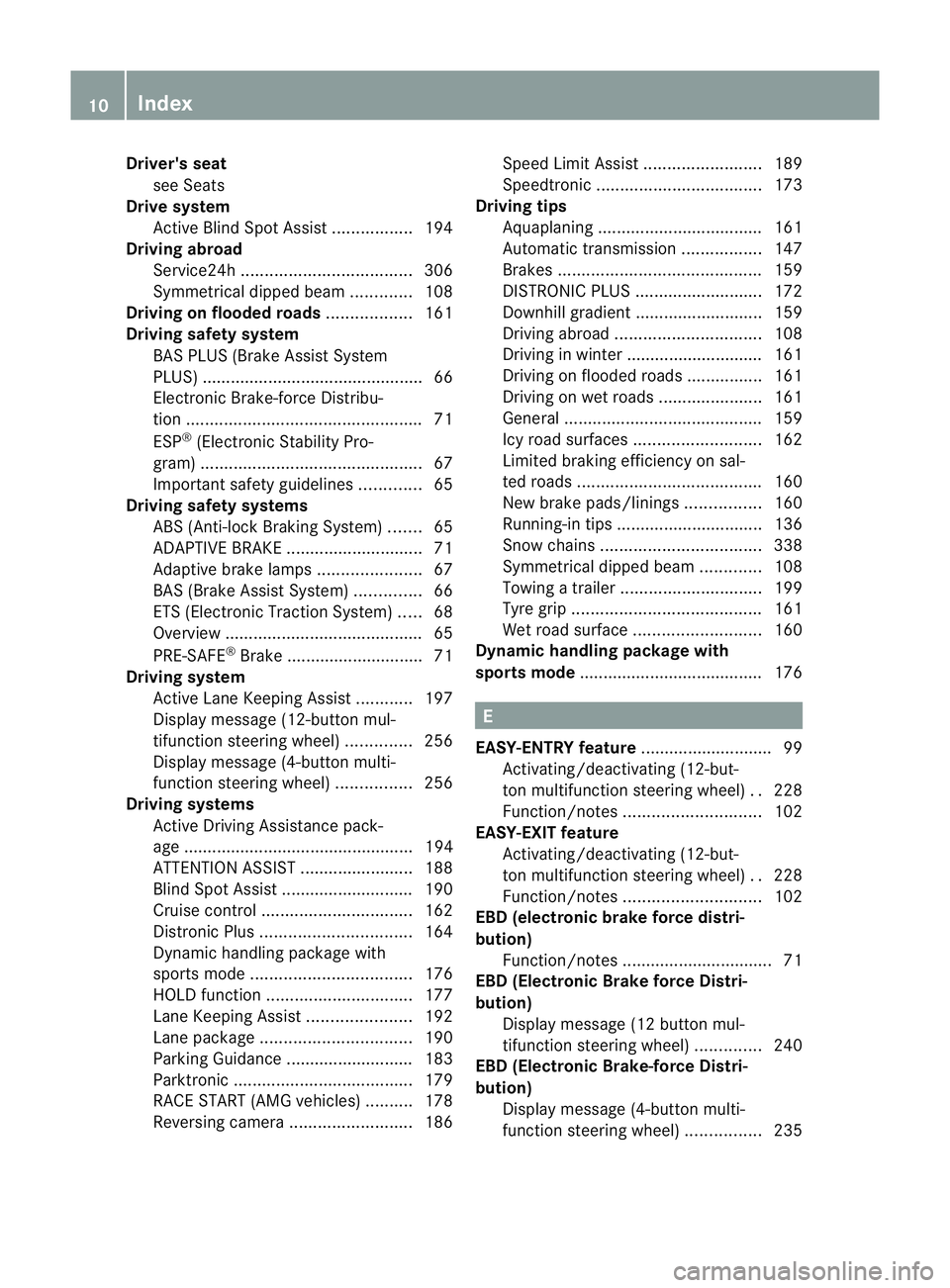
Driver's seat
see Seats
Drive system
Active Blind Spot Assis t................. 194
Driving abroad
Service24h .................................... 306
Symmetrical dipped bea m............. 108
Driving on flooded roads ..................161
Driving safety system BAS PLUS (Brake Assist System
PLUS) .............................................. .66
Electronic Brake-force Distribu-
tio n.................................................. 71
ESP ®
(Electroni cStability Pro-
gram) ............................................... 67
Important safety guidelines .............65
Driving safety systems
ABS (Anti-lock Braking System) .......65
ADAPTIVE BRAKE ............................. 71
Adaptive brake lamps ......................67
BAS (Brake Assist System) ..............66
ETS (Electronic Traction System) .....68
Overview .......................................... 65
PRE-SAFE ®
Brake ............................ .71
Driving system
Active Lane Keeping Assist ............197
Display message (12-button mul-
tifunctio nsteering wheel) ..............256
Display message (4-button multi-
function steering wheel) ................256
Driving systems
Active Driving Assistance pack-
age ................................................. 194
ATTENTION ASSIST ........................188
Blind Spot Assist ............................ 190
Cruise control ................................ 162
Distronic Plu s................................ 164
Dynami chandling package with
sports mod e.................................. 176
HOLD function ............................... 177
Lane Keeping Assist ......................192
Lane package ................................ 190
Parking Guidance ........................... 183
Parktroni c...................................... 179
RAC ESTART (AMG vehicles) ..........178
Reversing camera ..........................186Speed Limi
tAssist ......................... 189
Speedtronic ................................... 173
Driving tips
Aquaplaning ................................... 161
Automatic transmission .................147
Brakes ........................................... 159
DISTRONI CPLUS ........................... 172
Downhill gradient ........................... 159
Driving abroad ............................... 108
Driving in winter ............................ .161
Driving on flooded road s................ 161
Driving on wet road s...................... 161
General .......................................... 159
Icy road surfaces ........................... 162
Limited braking efficiency on sal-
ted road s....................................... 160
New brake pads/linings ................160
Running-in tips ............................... 136
Snow chains .................................. 338
Symmetrical dipped bea m............. 108
Towing atrailer .............................. 199
Tyr egrip ........................................ 161
Wet road surface ........................... 160
Dynamic handling package with
sports mode ....................................... 176 E
EASY-ENTRY feature ............................ 99
Activating/deactivating (12-but-
ton multifunctio nsteering wheel) ..228
Function/notes ............................. 102
EASY-EXIT feature
Activating/deactivating (12-but-
ton multifunctio nsteering wheel) ..228
Function/notes ............................. 102
EBD (electronic brake force distri-
bution)
Function/notes ................................ 71
EBD (Electronic Brake force Distri-
bution)
Display message (12 button mul-
tifunctio nsteering wheel) ..............240
EBD (Electronic Brake-force Distri-
bution)
Display message (4-button multi-
function steering wheel) ................23510
Index
Page 26 of 373
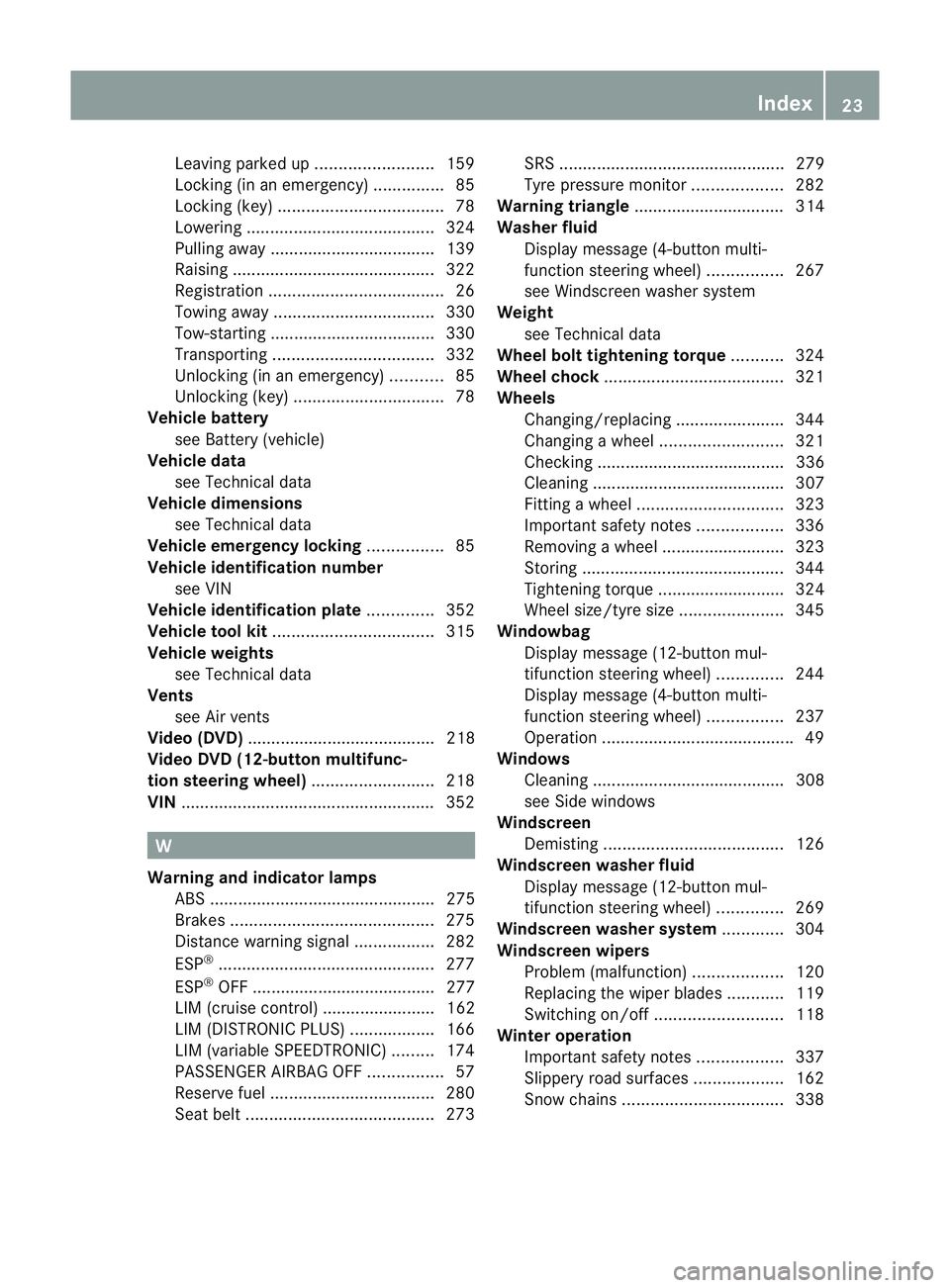
Leaving parked up
.........................159
Locking (in an emergency) ...............85
Locking (key )................................... 78
Lowering ........................................ 324
Pulling away ................................... 139
Raising ........................................... 322
Registration ..................................... 26
Towing away .................................. 330
Tow-starting ................................... 330
Transporting .................................. 332
Unlocking (in an emergency) ...........85
Unlocking (key )................................ 78
Vehicle battery
see Battery (vehicle)
Vehicle data
see Technical data
Vehicle dimensions
see Technical data
Vehicle emergency locking ................85
Vehicle identification number see VIN
Vehicle identification plate ..............352
Vehicle tool kit .................................. 315
Vehicle weights see Technical data
Vents
see Air vents
Video (DVD) ........................................ 218
Video DVD (12-button multifunc-
tion steering wheel) ..........................218
VIN ...................................................... 352W
Warning and indicator lamps ABS ................................................ 275
Brakes ........................................... 275
Distance warning signa l................. 282
ESP ®
.............................................. 277
ESP ®
OFF ....................................... 277
LIM (cruise control) ........................ 162
LIM (DISTRONIC PLUS) ..................166
LIM (variable SPEEDTRONIC) .........174
PASSENGER AIRBAG OFF ................57
Reserve fuel ................................... 280
Seat bel t........................................ 273SRS ................................................ 279
Tyr ep ressure monitor ...................282
Warning triangle ................................ 314
Washer fluid Display message (4-button multi-
function steering wheel) ................267
see Windscreen washer system
Weight
see Technical data
Wheel bol ttightening torque ...........324
Wheel chock ...................................... 321
Wheels Changing/replacing .......................344
Changing awheel .......................... 321
Checking ........................................ 336
Cleaning ......................................... 307
Fitting awheel ............................... 323
Important safety notes ..................336
Removing awheel .......................... 323
Storing ........................................... 344
Tightening torque ........................... 324
Whee lsize/tyre size ...................... 345
Windowbag
Display message (12-button mul-
tifunctio nsteering wheel) ..............244
Display message (4-button multi-
function steering wheel) ................237
Operation ........................................ .49
Windows
Cleaning ......................................... 308
see Side windows
Windscreen
Demisting ...................................... 126
Windscreen washe rfluid
Display message (12-button mul-
tifunction steering wheel) ..............269
Windscreen washe rsystem ............. 304
Windscreen wipers Problem (malfunction) ...................120
Replacing the wiper blades ............119
Switching on/off ........................... 118
Winter operation
Important safety notes ..................337
Slippery road surfaces ...................162
Snow chains .................................. 338 Index
23
Page 37 of 373
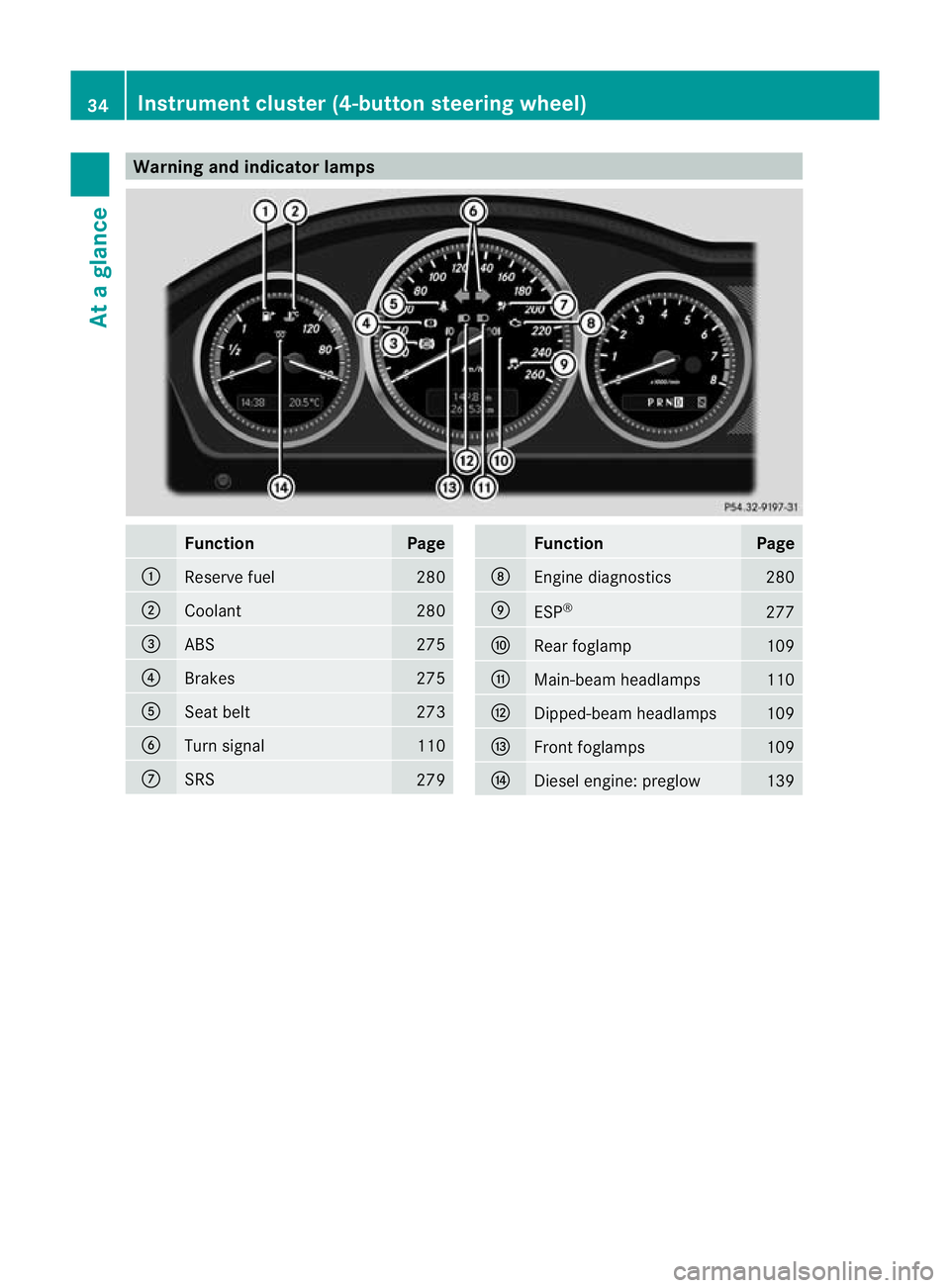
Warning and indicator lamps
Function Page
:
Reserve fuel 280
;
Coolant 280
=
ABS 275
?
Brakes 275
A
Seat belt 273
B
Turn signal 110
C
SRS
279 Function Page
D
Engine diagnostics 280
E
ESP
® 277
F
Rea
rfoglamp 109
G
Main-beam headlamps 110
H
Dipped-beam headlamps 109
I
Front foglamps 109
J
Diesel engine: preglow 13934
Instrument cluster (4-button steering wheel)At a glance
Page 40 of 373
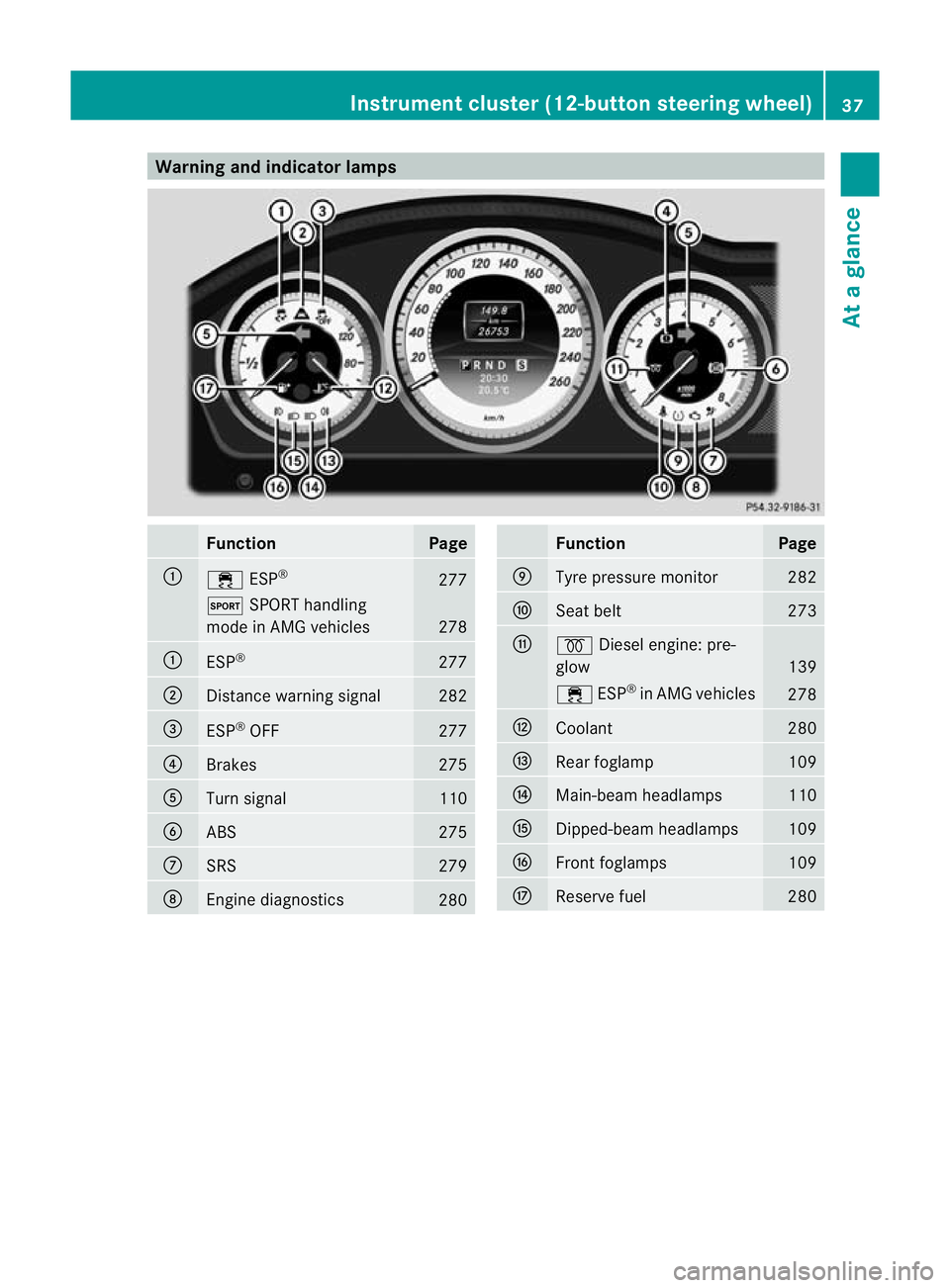
Warning and indicator lamps
Function Page
:
÷
ESP® 277
M
SPORT handling
mode in AMG vehicles 278
:
ESP
® 277
;
Distance warning signal 282
=
ESP
®
OFF 277
?
Brakes 275
A
Turn signal 110
B
ABS 275
C
SRS 279
D
Engine diagnostics
280 Function Page
E
Tyre pressure monitor 282
F
Seat belt 273
G
%
Diesel engine: pre-
glow 139
÷
ESP®
in AMG vehicles 278
H
Coolant 280
I
Rea
rfoglamp 109
J
Main-beam headlamps 110
K
Dipped-beam headlamps 109
L
Front foglamps 109
M
Reserve fuel 280Instrument cluster (12-button steering wheel)
37At a glance
Page 69 of 373
You should always adapt your driving style to
suit the prevailing road and weather condi-
tions.
Braking If AB
Sintervenes when braking, you will feel
a pulsing in the brake pedal.
X If ABS intervenes: continue to depress the
brake pedal with force until the braking sit-
uatio nis over.
X To make a full brake application:
depress the brake pedal with full force.
The pulsating brake pedal can be an indica-
tion of hazardous road conditions and func-
tions as a reminder to take extra care while
driving. G
WARNING
Do not depress the brake pedal several times
in quick succession (pumping). Pumping the
brake pedal reduces the braking effect. You
might otherwise not be able to stop the vehi-
cle in time and could cause an accident.
Depress the brake pedal firmly and smoothly. BAS (Brake Assist)
i Observe the "Important safety notes" sec-
tion (Y page 65).
BAS operates in emergency braking situa-
tions. If you depress the brake pedal quickly,
BAS automatically boosts the braking force,
thus shortening the stopping distance.
X Keep the brake pedal firmly depressed until
the emergency braking situation is over.
ABS prevents the wheels from locking.
The brakes will function as usual once you
release the brake pedal.B AS is deactivated.G
WARNING
If BAS has malfunctioned, the braking system
remains available with full brake boosting
effect. However, braking force is not auto-
matically increased in emergency braking sit- uations and the stopping distance may
increase.
BAS PLUS (Brake Assist System
PLUS)
BAS PLU Sis only available on vehicles with
DISTRONIC PLUS.
i Observe the "Important safety notes" sec-
tion (Y page 65).
BAS PLUS provides braking assistance in haz-
ardous situations at speeds of over
30 km/h and uses radar sensor technology
to assess the traffic situation.
With the help of the radar sensor system, BAS
PLUS can detect obstacles that are in the
path of your vehicle for an extended period of
time.
At speeds up to approximately 70 km/h, BAS
PLUS may also detect stationary obstacles,
for example, stopped or parked vehicles.
Should you approach an obstacle and BAS
PLUS has detected a risk of collision, BAS
PLUS calculates the braking force necessary
to avoid a rear-end collision. Should you apply
the brakes forcefully, BAS PLUS can auto-
matically increase the braking force to a level
suitable for the traffic conditions.
If BAS PLUS demands particularly high brak-
ing force, preventative passenger protection
measures (PRE-SAFE ®
) are activated simul-
taneously.
X Keep the brake pedal depressed until the
emergency braking situation is over.
ABS prevents the wheels from locking.
The brakes will work normally againi f:
R you release the brake pedal.
R there is no longe rany dange rofarear-end
collision.
R no obstacle is detected in front of your
vehicle.
BAS PLUS is then deactivated. 66
Driving safety systemsSafety
Page 70 of 373
Vehicles with COMAND and navigation sys-
tem: the radar sensor system is switched off
automatically in the vicinity of radio telescope
facilities (Y page 363).
Vehicles without COMAND and a navigation
system and vehicles for Australia:t he radar
sensor system and on-board computer must
be switched off in the vicinity of radio tele-
scope facilities (Y page 226).
For BAS PLUS to assist you when driving, the
radar sensor system must be switched on and
operational; see "Radar sensor system" in the
index. G
WARNING
BAS PLUS cannot always clearly identify
objects and complex traffic situations. BAS
PLUS cannot intervene in these cases.
There is a risk of an accident. Always pay
careful attention to the traffic situation and be
ready to brake.
In particular, the detection of obstacles can
be impaired if there is:
R dirt on the sensors or anything else cover-
ing the sensors
R snow or heavy rain
R interference by other radar sources
R the possibility of strong radar reflections,
for example in multi-storey car parks
R a narrow vehicle travelling in front, e.g. a
motorbike
R a vehicle travelling in front on a different
line G
WARNING
BAS PLUS does not react:
R to people or animals
R to oncoming vehicles
R to crossing traffic
R when cornering
As a result, BAS PLUS may not intervene in
critical situations. There is a risk of an acci-
dent. Always pay careful attention to the traf-
fic situation and be ready to brake. Following damage to the front end of the vehi-
cle, have the configuration and operation of
the radar sensors checked at a qualified spe-
cialist workshop. This also applies to colli-
sions at slow speeds where there is no visible
damage to the front of the vehicle.
If BAS PLUS is not available due to a malfunc-
tion in the radar sensor system, the brake
system remains available with full brake
boosting effect and BAS.
Adaptive brake lamps
i Adaptive brake lamps are only available in
certain countries.
If you brake sharply from a speed of more
than 50 km/h or if braking is assisted by BAS
or BAS PLUS, the brake lamps flash rapidly.
In this way, traffic travelling behind you is
warned in an even more noticeable manner.
If you brake sharply from a speed of more
than 70 km/h to a standstill, the hazard warn-
ing lamps are activated automatically .Ifthe
brakes are applied again, the brake lamps
light up continuously.T he hazard warning
lamps switch off automatically if you travel
faster than 10 km/h .You can also switch off
the hazard warning lamps using the hazard
warning switch button (Y page 111). ESP
®
(Electronic Stability Program)
Important safety notes i
See the "Important safety notes" section
(Y page 65).
If ESP ®
detects that the vehicle is deviating
from the direction desired by the driver, one
or more wheels are braked to stabilise the
vehicle. If necessary, the engine output is also
modified to keep the vehicle on the desired
course within physical limits. ESP ®
assists
the driver when pulling away on wet or slip-
pery roads. ESP ®
can also stabilise the vehi-
cle during braking. Driving safety systems
67Safety Z
Page 71 of 373
If ESP
®
intervenes, the ÷ESP®
warning
lamp flashes in the instrument cluster. G
WARNING
If the ÷ warning lamp in the instrument
cluster flashes, proceed as follows:
R do not deactivate ESP ®
under any circum-
stances.
R only depress the accelerator pedal as far as
necessary when pulling away.
R adapt yourd riving style to suitt he prevail-
ing road and weather conditions.
Otherwise, the vehicle could go into a skid.
ESP ®
cannot reduce the risk of an accident if
you drive too fast. ESP ®
cannot override the
laws of physics.
! Switch the ignition off when:
R the parking brake is being tested using a
dynamometer
R the vehicle is being towed with the front/
rear axle raised
Application of the brakes by ESP ®
may oth-
erwise destroy the brake system.
i Only use wheels with the recommended
tyre sizes. Only then will ESP ®
function
properly.
ETS (Electronic Traction Support) Traction control is part of ESP
®
.
Traction control brakes the drive wheels indi-
vidually if they spin. This enables you to pull
away and accelerate on slippery surfaces, for
example if the road surface is slippery on one
side.
Traction control remains active if you deacti-
vate ESP ®
. G
WARNING
Traction control cannot reduce the risk of an
accident if you drive too fast. Traction control
cannot override the laws of physics. Deactivating/activating ESP
®
(except
AMG vehicles) You cannot activate and deactivate ESP
®
on
vehicles with a 4-button multifunction steer-
ing wheel.
ESP ®
is activated automatically when the
engine is started.
i Vehicles with ECO start/stop function:
the ECO start/stop function switches the
engine off automatically when the vehicle
comes to a stop. The engine starts auto-
matically when the driver wants to pull
away again. ESP ®
remains in its previously
selected status. Example: if ESP ®
was
deactivated before the engine was
switched off, ESP ®
remains deactivated
when the engine is switched on again.
It may be best to deactivate ESP ®
in the fol-
lowing situations:
R when using snow chains
R in deep snow
R on sand or gravel G
WARNING
Activate ESP ®
as soon as the situations
described above no longer apply.E SP®
will
otherwise not be able to stabilise the vehicle
if the vehicle starts to skid or a wheel starts
to spin.
If you deactivate ESP ®
:
R ESP ®
no longer improves driving stability.
R the engine's torque is no longer limited and
the drive wheels can spin. The spinning of
the wheels results in a cutting action, which
provides bette rgrip.
R traction control is still activated.
R ESP ®
still provides support when you
brake.
If ESP ®
is deactivated and one or more wheels
start to spin, the ÷ESP®
warning lamp in
the instrument cluster flashes. In such situa-
tions, ESP ®
will not stabilise the vehicle. 68
Driving safety systemsSafety
Page 75 of 373
R
there is no longe rany dange rofarear-end
collision.
R there is no longer an obstacle detected in
front of your vehicle.
With the help of the rada rsensor system,
PRE-SAFE ®
Brake can detect obstacles that
are in front of your vehicle for an extended
period of time.
At speeds up to approximately 70 km/h,
PRE-SAFE ®
Brake may also detec tstationary
obstacles, for example stopped or parked
vehicles.
If you approach an obstacle and PRE-SAFE ®
Brake detects a risk of a collision, the system
will initially alert you both visually and acous-
tically. If you do not brake or take evasive
action, the syste mwill warn you by automat-
ically braking the vehicle gently. If there is an
increased risk of collision, preventative
passenger protection measures (PRE-SAFE ®
)
are activated (Y page 50). If the risk of colli-
sion remains and you do not brake, take eva-
sive action or accelerate significantly, the
vehicle may perform automatic emergency
braking. Automatic emergency braking is not
performed until immediately prior to an acci-
dent that can no longer be avoided. G
WARNING
Even if PRE-SAFE ®
Brake slows the vehicle
before an imminent rear-end collision, the
system cannot avert a collision without the
intervention of the driver. There is a risk of an
accident. Brake according to the situation or
take evasive action. Delayed intervention by
the driver can lead to an accident. G
WARNING
PRE-SAFE ®
Brake cannot always clearly iden-
tify objects and complex traffic conditions.
In these cases, PRE-SAFE ®
Brake may:
R give an unnecessary warnin gand then
brake the vehicle
R not give a warning or intervene There is a ris
kofanaccident. Always pay par-
ticula rattention to the traffi csituation and be
ready to brake, especially if PRE-SAFE ®
Brake
warns you. Terminate the intervention in a
non-critical driving situation.
In particular, the detection of obstacles can
be impaired if there is:
R dirt on the sensors or anything else cover-
ing the sensors
R snow or heavy rain
R interference by other radar sources
R the possibility of strong radar reflections,
for example in multi-storey car parks
R a narrow vehicle travelling in front, e.g. a
motorbike
R a vehicle travelling in front on a different
line G
WARNING
PRE-SAFE ®
Brake does not react:
R to people or animals
R to oncoming vehicles
R to crossing traffic
R when cornering
As a result, PRE-SAFE ®
Brake may not give
warnings or intervene in critical situations.
There is a risk of an accident .Always pay
careful attention to the traffic situation and be
ready to brake.
In order to maintain the appropriate distance
to the vehicle in front and thus prevent a col-
lision, you must apply the brakes yourself.
X To activate/deactivate: activate or deac-
tivate PRE-SAFE ®
Brake in the on-board
computer (Y page 221).
The Ä symbol appears in the multifunc-
tion display as long as the HOL Dfunction
is not activated (Y page 177).
On vehicles with parking guidance, the
Ä symbol is displayed when Pis
engaged or you are driving faste rthan
35 km/h. 72
Driving safety systemsSafety
Page 144 of 373
matically. All of the vehicle's systems remain
active. If you open the door, unfasten your
seat belt or remove your foot from the brake
pedal, the engine will automatically start. The
vehicle may begi nmoving. You could suffer
serious or even fatal injury or cause an acci-
dent resulting in injury or death.
Never leave the vehicle while the ECO symbol
in the multifunction display is shown in green
or yellow .Always secure the vehicle against
rolling away before leaving it.
! Always switch the ignition off and take the
key with you when leaving the vehicle.
Automatic engine switch-off The engine is only switched off if:
R
the outside temperature is within the range
that is suitable for the system.
R the engine is at normal operating temper-
ature.
R the set temperature for the vehicle interior
has been reached.
R the battery is sufficiently charged.
R the system detects that the windscreen is
not misted up when the air-conditioning
system is switched on.
R the bonnet is closed.
R the vehicle is not being steered.
R the driver's door is closed and the seat belt
is fastened.
i The engine can be switched off automat-
ically a maximum of four times (initial stop
and three repeats) in succession .The ECO
symbol is shown in yellow in the multifunc-
tion display after the engine has been star-
ted automatically for the fourth time. The
engine can only be switched off automati-
cally again when the ECO symbol is shown
in green in the multifunction display.
i During an automatic engine switch-off, air
conditioning is reduced. If full air condition-
ing is required, the ECO start/stop function can be switched off with the ECO button
(Y
page 142).
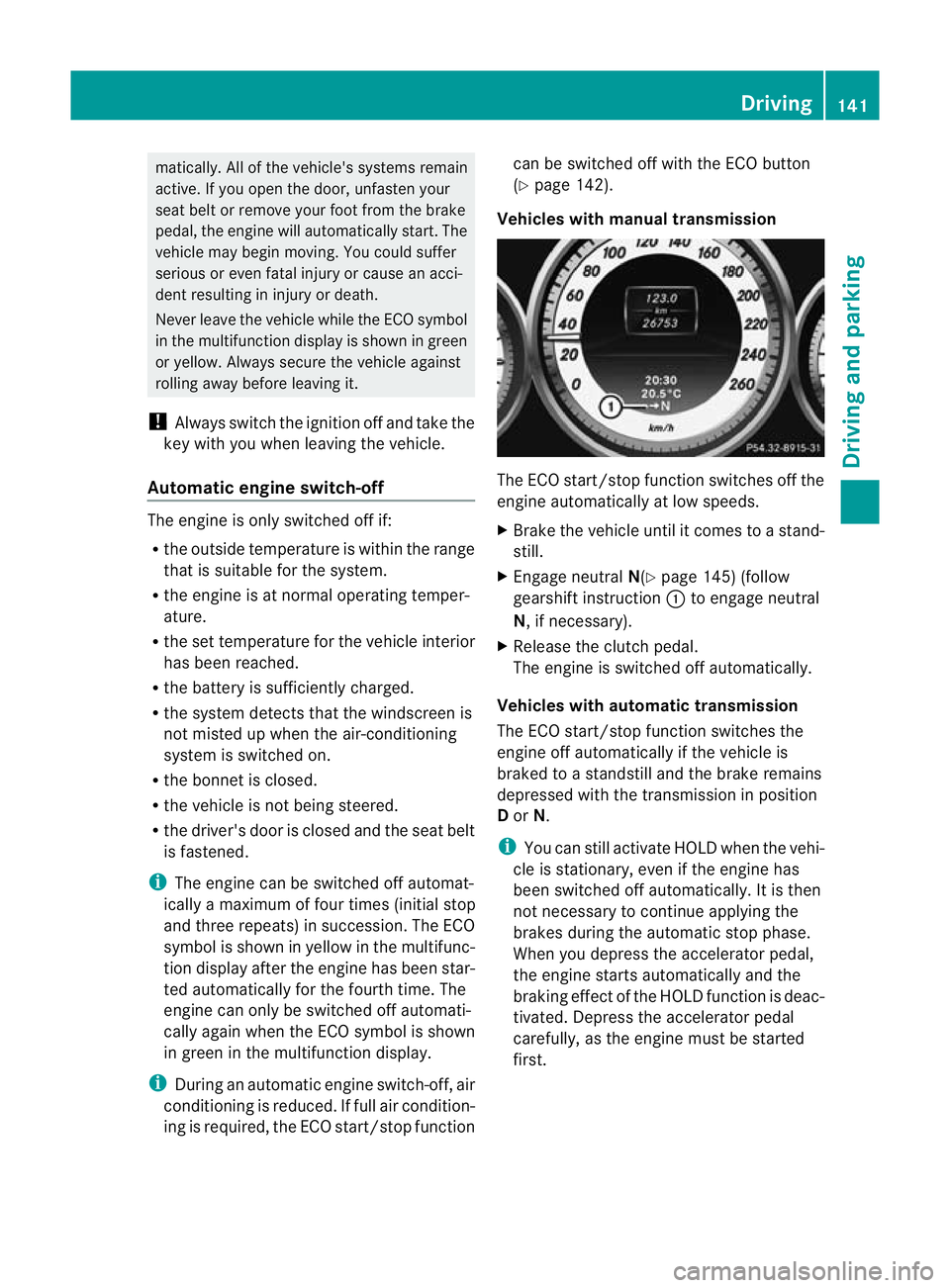
Vehicles with manual transmission The ECO start/stop function switches off the
engine automatically at low speeds.
X
Brake the vehicle until it comes to a stand-
still.
X Engage neutral N(Ypage 145) (follow
gearshift instruction :to engage neutral
N, if necessary).
X Release the clutch pedal.
The engine is switched off automatically.
Vehicles with automatic transmission
The ECO start/stop function switches the
engine off automatically if the vehicle is
braked to a standstill and the brake remains
depressed with the transmission in position
D or N.
i You can still activate HOLD when the vehi-
cle is stationary, even if the engine has
been switched off automatically .Itis then
not necessary to continue applying the
brakes during the automatic stop phase.
When you depress the accelerator pedal,
the engine starts automatically and the
braking effect of the HOLD function is deac-
tivated. Depress the accelerator pedal
carefully, as the engine must be started
first. Driving
141Driving and parking Z