phone MERCEDES-BENZ C-Class COUPE 2012 CL204 Owner's Manual
[x] Cancel search | Manufacturer: MERCEDES-BENZ, Model Year: 2012, Model line: C-Class COUPE, Model: MERCEDES-BENZ C-Class COUPE 2012 CL204Pages: 336, PDF Size: 12.67 MB
Page 8 of 336
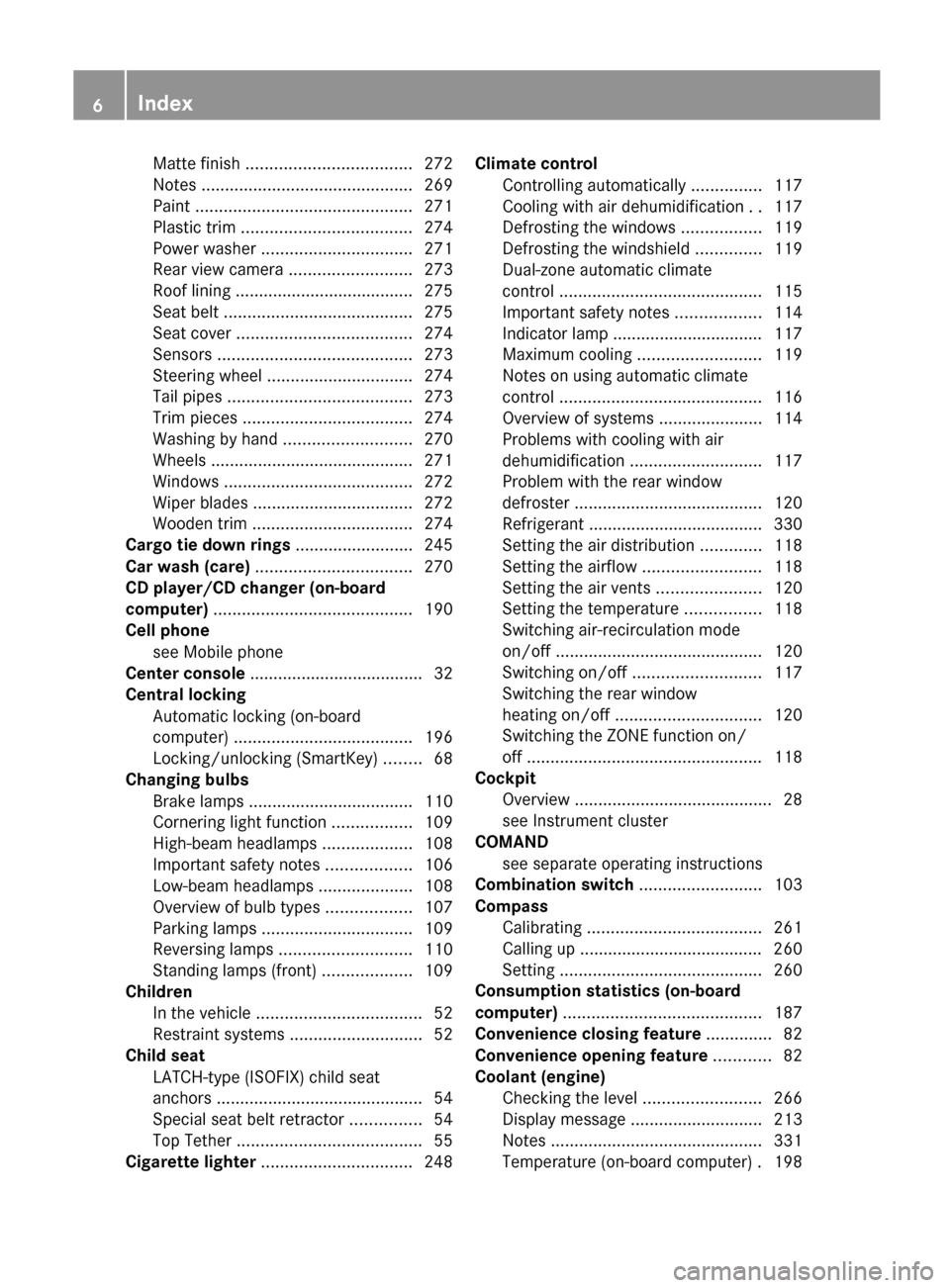
Matte finish ................................... 272
Notes ............................................. 269
Paint .............................................. 271
Plastic trim .................................... 274
Power washer ................................ 271
Rear view camera .......................... 273
Roof lining ...................................... 275
Seat belt ........................................ 275
Seat cover ..................................... 274
Sensors ......................................... 273
Steering wheel ............................... 274
Tail pipes ....................................... 273
Trim pieces .................................... 274
Washing by hand ........................... 270
Wheels ........................................... 271
Windows ........................................ 272
Wiper blades .................................. 272
Wooden trim .................................. 274
Cargo tie down rings ......................... 245
Car wash (care) ................................. 270
CD player/CD changer (on-board
computer) .......................................... 190
Cell phone see Mobile phone
Center console ..................................... 32
Central locking Automatic locking (on-board
computer) ...................................... 196
Locking/unlocking (SmartKey) ........68
Changing bulbs
Brake lamps ................................... 110
Cornering light function .................109
High-beam headlamps ...................108
Important safety notes ..................106
Low-beam headlamps ....................108
Overview of bulb types ..................107
Parking lamps ................................ 109
Reversing lamps ............................ 110
Standing lamps (front) ...................109
Children
In the vehicle ................................... 52
Restraint systems ............................ 52
Child seat
LATCH-type (ISOFIX) child seat
anchors ............................................ 54
Special seat belt retractor ...............54
Top Tether ....................................... 55
Cigarette lighter ................................ 248Climate control
Controlling automatically ...............117
Cooling with air dehumidification ..117
Defrosting the windows .................119
Defrosting the windshield ..............119
Dual-zone automatic climate
control ........................................... 115
Important safety notes ..................114
Indicator lamp ................................ 117
Maximum cooling .......................... 119
Notes on using automatic climate
control ........................................... 116
Overview of systems ......................114
Problems with cooling with air
dehumidification ............................ 117
Problem with the rear window
defroster ........................................ 120
Refrigerant ..................................... 330
Setting the air distribution .............118
Setting the airflow .........................118
Setting the air vents ......................120
Setting the temperature ................118
Switching air-recirculation mode
on/off ............................................ 120
Switching on/off ........................... 117
Switching the rear window
heating on/off ............................... 120
Switching the ZONE function on/
off .................................................. 118
Cockpit
Overview .......................................... 28
see Instrument cluster
COMAND
see separate operating instructions
Combination switch .......................... 103
Compass Calibrating ..................................... 261
Calling up ....................................... 260
Setting ........................................... 260
Consumption statistics (on-board
computer) .......................................... 187
Convenience closing feature .............. 82
Convenience opening feature ............ 82
Coolant (engine) Checking the level .........................266
Display message ............................ 213
Notes ............................................. 331
Temperature (on-board computer) . 1986Index
Page 14 of 336
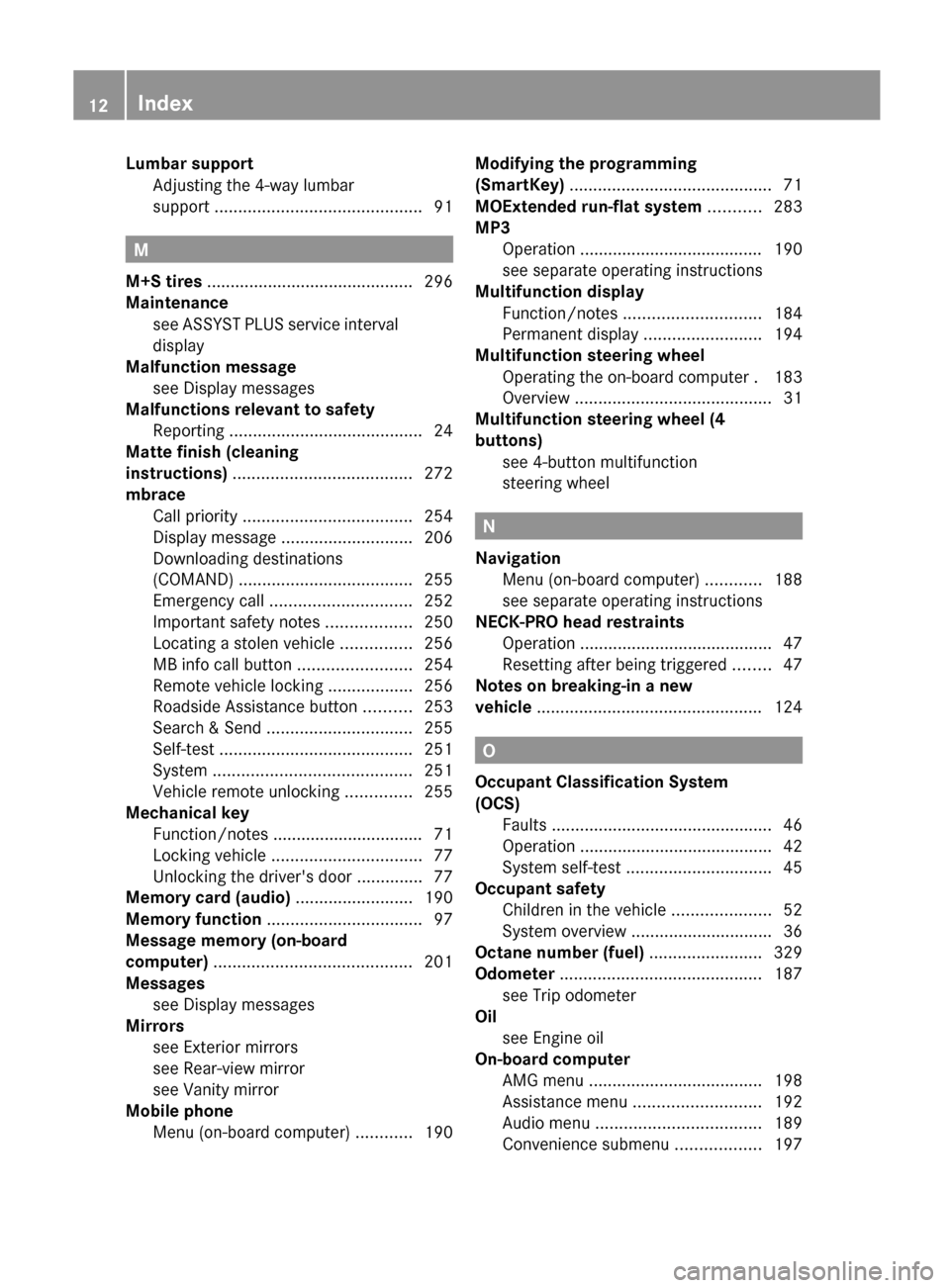
Lumbar supportAdjusting the 4-way lumbar
support ............................................ 91
M
M+S tires ............................................ 296
Maintenance see ASSYST PLUS service interval
display
Malfunction message
see Display messages
Malfunctions relevant to safety
Reporting ......................................... 24
Matte finish (cleaning
instructions) ...................................... 272
mbrace Call priority .................................... 254
Display message ............................ 206
Downloading destinations
(COMAND) ..................................... 255
Emergency call .............................. 252
Important safety notes ..................250
Locating a stolen vehicle ...............256
MB info call button ........................254
Remote vehicle locking ..................256
Roadside Assistance button ..........253
Search & Send ............................... 255
Self-test ......................................... 251
System .......................................... 251
Vehicle remote unlocking ..............255
Mechanical key
Function/notes ................................ 71
Locking vehicle ................................ 77
Unlocking the driver's door ..............77
Memory card (audio) ......................... 190
Memory function ................................. 97
Message memory (on-board
computer) .......................................... 201
Messages see Display messages
Mirrors
see Exterior mirrors
see Rear-view mirror
see Vanity mirror
Mobile phone
Menu (on-board computer) ............190
Modifying the programming
(SmartKey) ........................................... 71
MOExtended run-flat system ........... 283
MP3 Operation ....................................... 190
see separate operating instructions
Multifunction display
Function/notes ............................. 184
Permanent display .........................194
Multifunction steering wheel
Operating the on-board computer . 183
Overview .......................................... 31
Multifunction steering wheel (4
buttons) see 4-button multifunction
steering wheel
N
Navigation Menu (on-board computer) ............188
see separate operating instructions
NECK-PRO head restraints
Operation ......................................... 47
Resetting after being triggered ........47
Notes on breaking-in a new
vehicle ................................................ 124
O
Occupant Classification System
(OCS) Faults ............................................... 46
Operation ......................................... 42
System self-test ............................... 45
Occupant safety
Children in the vehicle .....................52
System overview .............................. 36
Octane number (fuel) ........................ 329
Odometer ........................................... 187
see Trip odometer
Oil
see Engine oil
On-board computer
AMG menu ..................................... 198
Assistance menu ........................... 192
Audio menu ................................... 189
Convenience submenu ..................197
12Index
Page 15 of 336
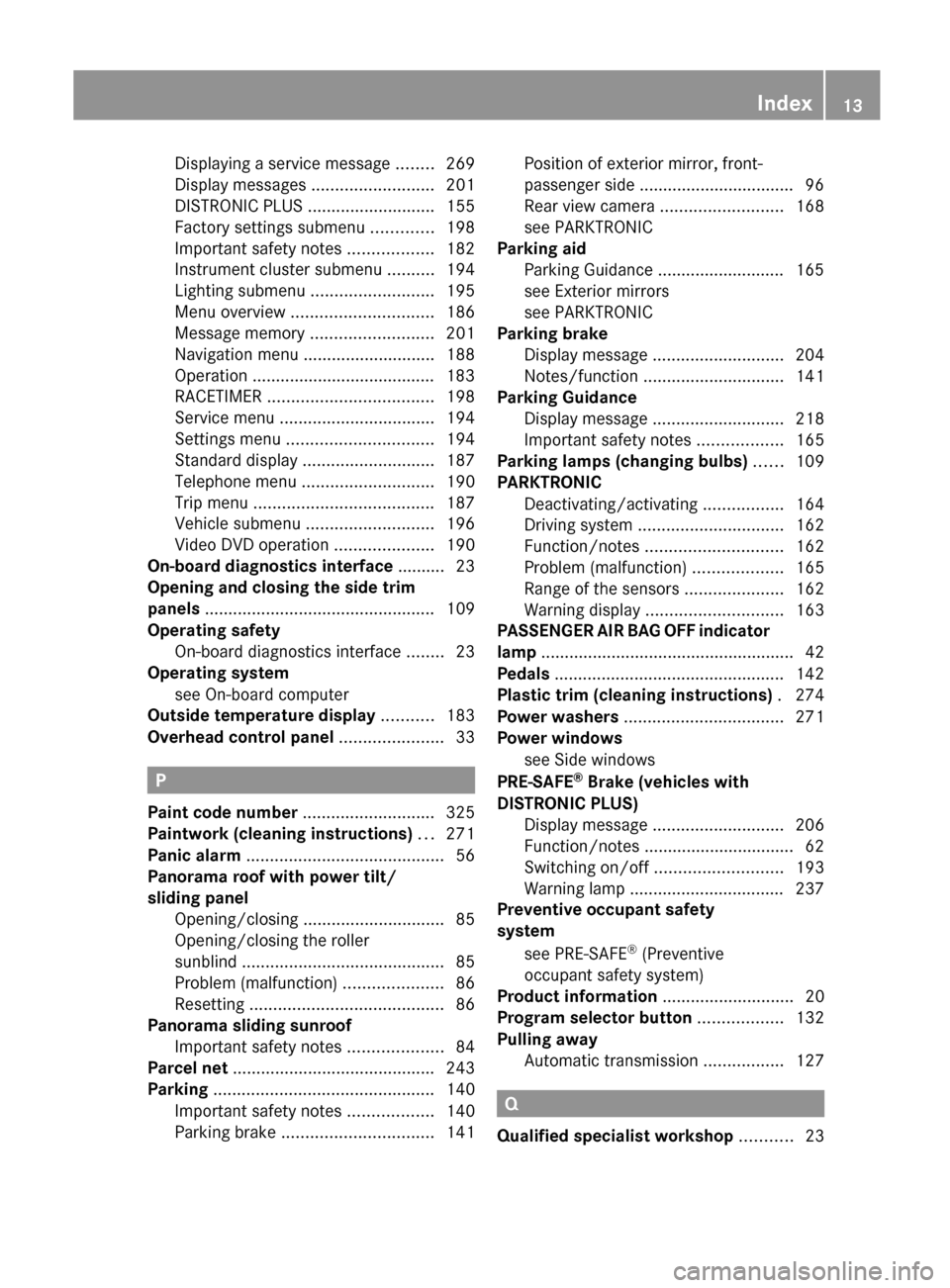
Displaying a service message ........269
Display messages ..........................201
DISTRONIC PLUS ........................... 155
Factory settings submenu .............198
Important safety notes ..................182
Instrument cluster submenu ..........194
Lighting submenu .......................... 195
Menu overview .............................. 186
Message memory .......................... 201
Navigation menu ............................ 188
Operation ....................................... 183
RACETIMER ................................... 198
Service menu ................................. 194
Settings menu ............................... 194
Standard display ............................ 187
Telephone menu ............................ 190
Trip menu ...................................... 187
Vehicle submenu ........................... 196
Video DVD operation .....................190
On-board diagnostics interface .......... 23
Opening and closing the side trim
panels ................................................. 109
Operating safety On-board diagnostics interface ........23
Operating system
see On-board computer
Outside temperature display ........... 183
Overhead control panel ...................... 33
P
Paint code number ............................ 325
Paintwork (cleaning instructions) ... 271
Panic alarm .......................................... 56
Panorama roof with power tilt/
sliding panel Opening/closing .............................. 85
Opening/closing the roller
sunblind ........................................... 85
Problem (malfunction) .....................86
Resetting ......................................... 86
Panorama sliding sunroof
Important safety notes ....................84
Parcel net ........................................... 243
Parking ............................................... 140
Important safety notes ..................140
Parking brake ................................ 141
Position of exterior mirror, front-
passenger side ................................. 96
Rear view camera .......................... 168
see PARKTRONIC
Parking aid
Parking Guidance ........................... 165
see Exterior mirrors
see PARKTRONIC
Parking brake
Display message ............................ 204
Notes/function .............................. 141
Parking Guidance
Display message ............................ 218
Important safety notes ..................165
Parking lamps (changing bulbs) ...... 109
PARKTRONIC Deactivating/activating .................164
Driving system ............................... 162
Function/notes ............................. 162
Problem (malfunction) ...................165
Range of the sensors .....................162
Warning display ............................. 163
PASSENGER AIR BAG OFF indicator
lamp ...................................................... 42
Pedals ................................................. 142
Plastic trim (cleaning instructions) . 274
Power washers .................................. 271
Power windows see Side windows
PRE-SAFE ®
Brake (vehicles with
DISTRONIC PLUS) Display message ............................ 206
Function/notes ................................ 62
Switching on/off ........................... 193
Warning lamp ................................. 237
Preventive occupant safety
system
see PRE-SAFE ®
(Preventive
occupant safety system)
Product information ............................ 20
Program selector button .................. 132
Pulling away Automatic transmission .................127
Q
Qualified specialist workshop ........... 23
Index13
Page 18 of 336
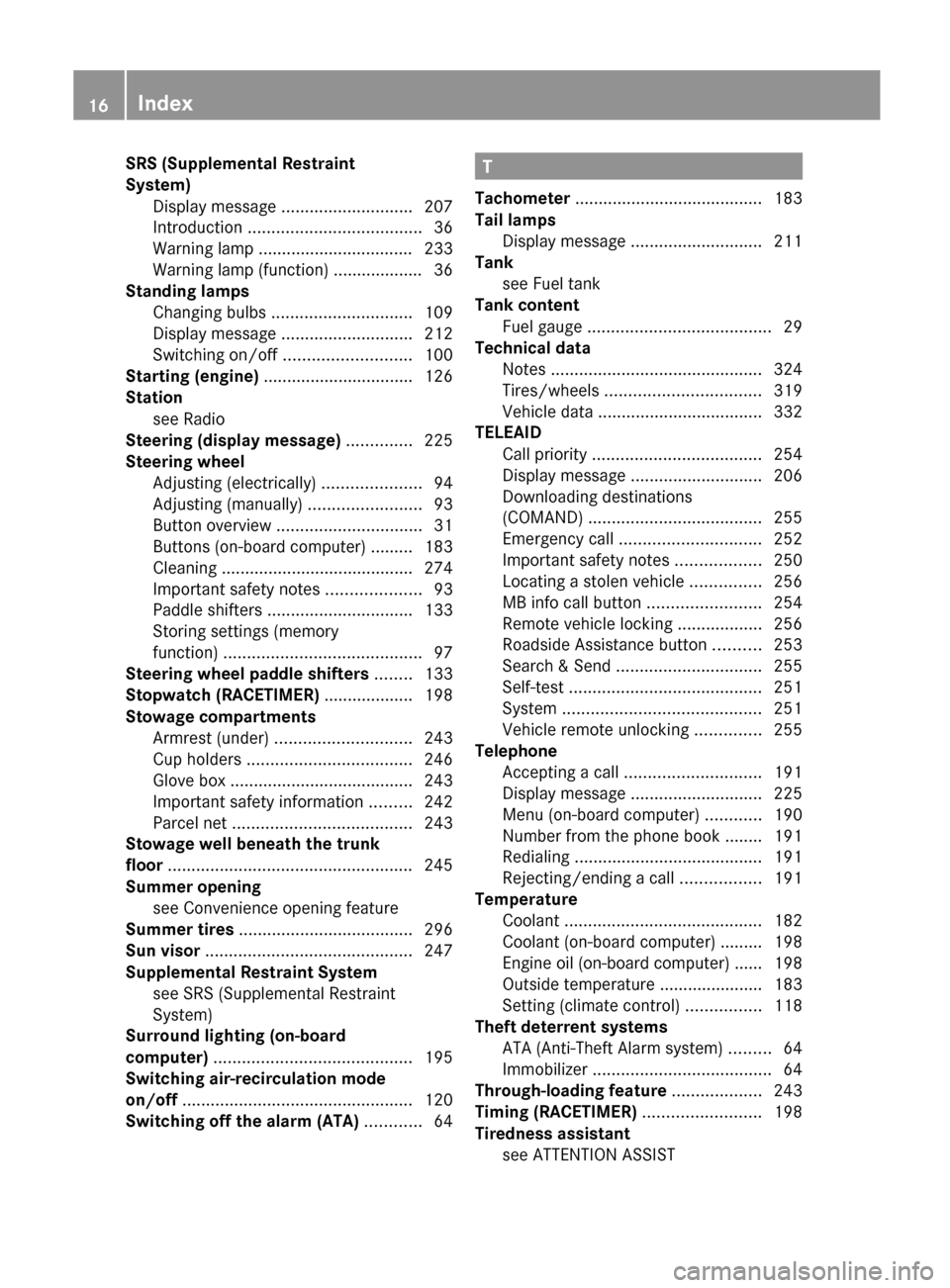
SRS (Supplemental Restraint
System) Display message ............................ 207
Introduction ..................................... 36
Warning lamp ................................. 233
Warning lamp (function) ................... 36
Standing lamps
Changing bulbs .............................. 109
Display message ............................ 212
Switching on/off ........................... 100
Starting (engine) ................................ 126
Station see Radio
Steering (display message) .............. 225
Steering wheel Adjusting (electrically) .....................94
Adjusting (manually) ........................93
Button overview ............................... 31
Buttons (on-board computer) ......... 183
Cleaning ......................................... 274
Important safety notes ....................93
Paddle shifters ............................... 133
Storing settings (memory
function) .......................................... 97
Steering wheel paddle shifters ........ 133
Stopwatch (RACETIMER) ................... 198
Stowage compartments Armrest (under) ............................. 243
Cup holders ................................... 246
Glove box ....................................... 243
Important safety information .........242
Parcel net ...................................... 243
Stowage well beneath the trunk
floor .................................................... 245
Summer opening see Convenience opening feature
Summer tires ..................................... 296
Sun visor ............................................ 247
Supplemental Restraint System see SRS (Supplemental Restraint
System)
Surround lighting (on-board
computer) .......................................... 195
Switching air-recirculation mode
on/off ................................................. 120
Switching off the alarm (ATA) ............ 64T
Tachometer ........................................ 183
Tail lamps Display message ............................ 211
Tank
see Fuel tank
Tank content
Fuel gauge ....................................... 29
Technical data
Notes ............................................. 324
Tires/wheels ................................. 319
Vehicle data ................................... 332
TELEAID
Call priority .................................... 254
Display message ............................ 206
Downloading destinations
(COMAND) ..................................... 255
Emergency call .............................. 252
Important safety notes ..................250
Locating a stolen vehicle ...............256
MB info call button ........................254
Remote vehicle locking ..................256
Roadside Assistance button ..........253
Search & Send ............................... 255
Self-test ......................................... 251
System .......................................... 251
Vehicle remote unlocking ..............255
Telephone
Accepting a call ............................. 191
Display message ............................ 225
Menu (on-board computer) ............190
Number from the phone book ........ 191
Redialing ........................................ 191
Rejecting/ending a call .................191
Temperature
Coolant .......................................... 182
Coolant (on-board computer) ......... 198
Engine oil (on-board computer) ...... 198
Outside temperature ...................... 183
Setting (climate control) ................118
Theft deterrent systems
ATA (Anti-Theft Alarm system) .........64
Immobilizer ...................................... 64
Through-loading feature ................... 243
Timing (RACETIMER) ......................... 198
Tiredness assistant see ATTENTION ASSIST 16Index
Page 33 of 336
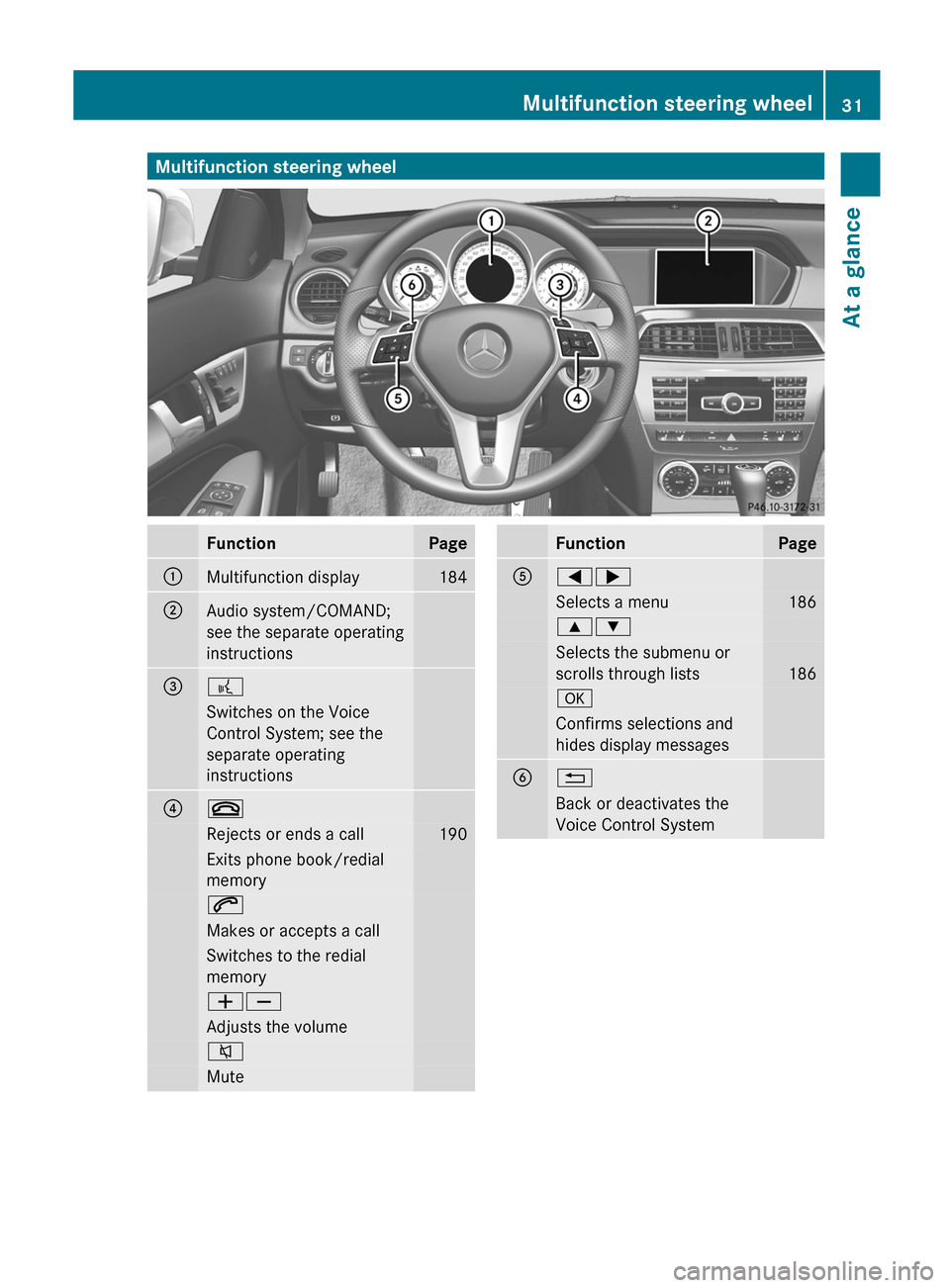
Multifunction steering wheelFunctionPage:Multifunction display184;Audio system/COMAND;
see the separate operating
instructions=?Switches on the Voice
Control System; see the
separate operating
instructions?~Rejects or ends a call190Exits phone book/redial
memory6Makes or accepts a callSwitches to the redial
memoryWXAdjusts the volume8MuteFunctionPageA=;Selects a menu1869:Selects the submenu or
scrolls through lists
186
aConfirms selections and
hides display messagesB%Back or deactivates the
Voice Control SystemMultifunction steering wheel31At a glance
Page 35 of 336
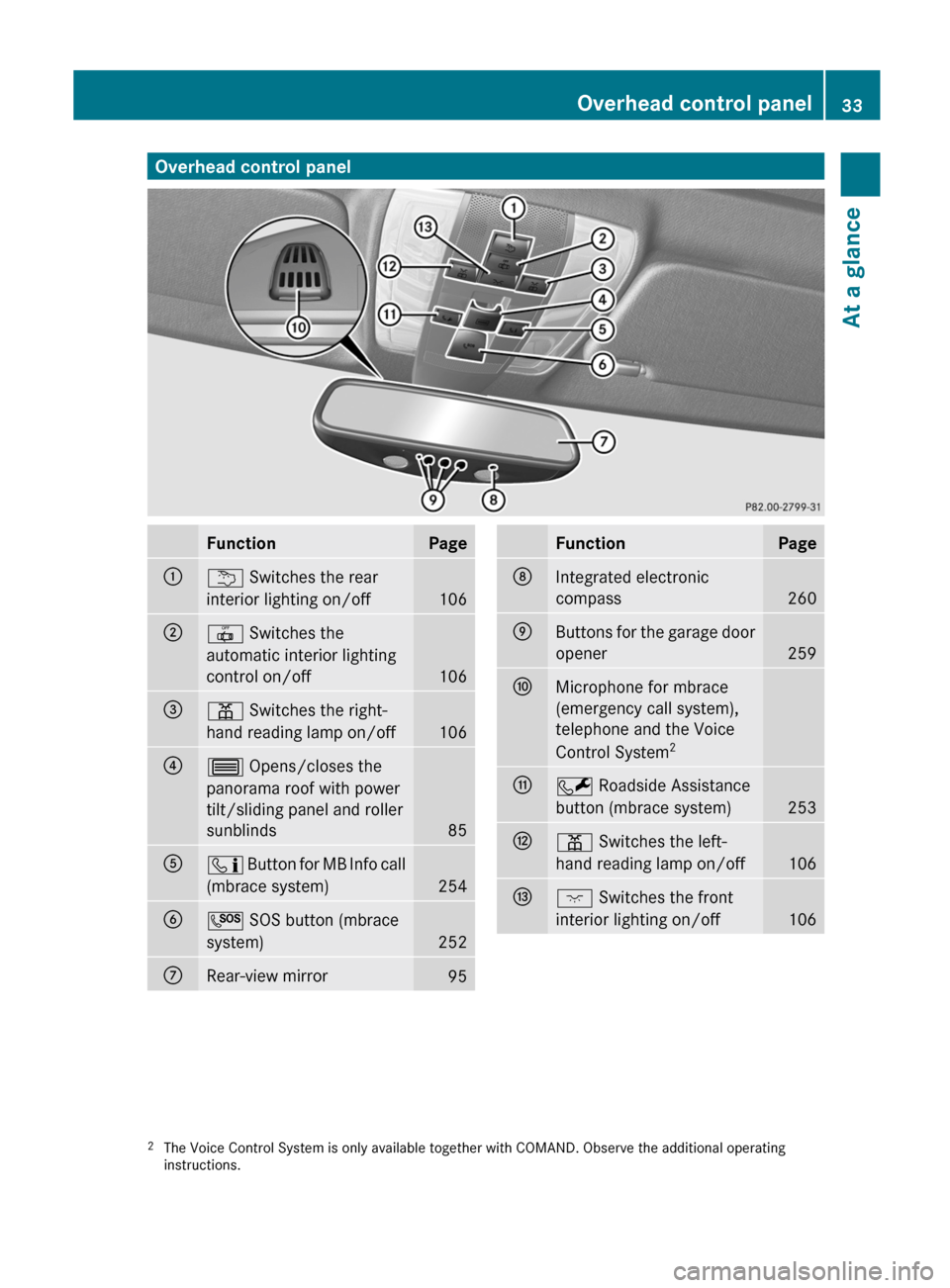
Overhead control panelFunctionPage:u Switches the rear
interior lighting on/off
106
;| Switches the
automatic interior lighting
control on/off
106
=p Switches the right-
hand reading lamp on/off
106
?3 Opens/closes the
panorama roof with power
tilt/sliding panel and roller
sunblinds
85
Aï Button for MB Info call
(mbrace system)
254
BG SOS button (mbrace
system)
252
CRear-view mirror95FunctionPageDIntegrated electronic
compass
260
EButtons for the garage door
opener
259
FMicrophone for mbrace
(emergency call system),
telephone and the Voice
Control System 2GF
Roadside Assistance
button (mbrace system)
253
Hp Switches the left-
hand reading lamp on/off
106
Ic Switches the front
interior lighting on/off
1062 The Voice Control System is only available together with COMAND. Observe the additional operating
instructions.Overhead control panel33At a glance
Page 67 of 336
The alarm is not switched off, even if you
close the open door that has triggered it, for
example.
i If the alarm stays on for more than 30
seconds, the emergency call system
mbrace (USA only) or TELE AID (Canada
only) initiates a call to the Customer
Assistance Center automatically. The
emergency call system initiates the call
provided that:
R you have subscribed to the mbrace/
TELE AID service.
R the mbrace/TELE AID service has been
activated properly.
R the required mobile phone, power supply
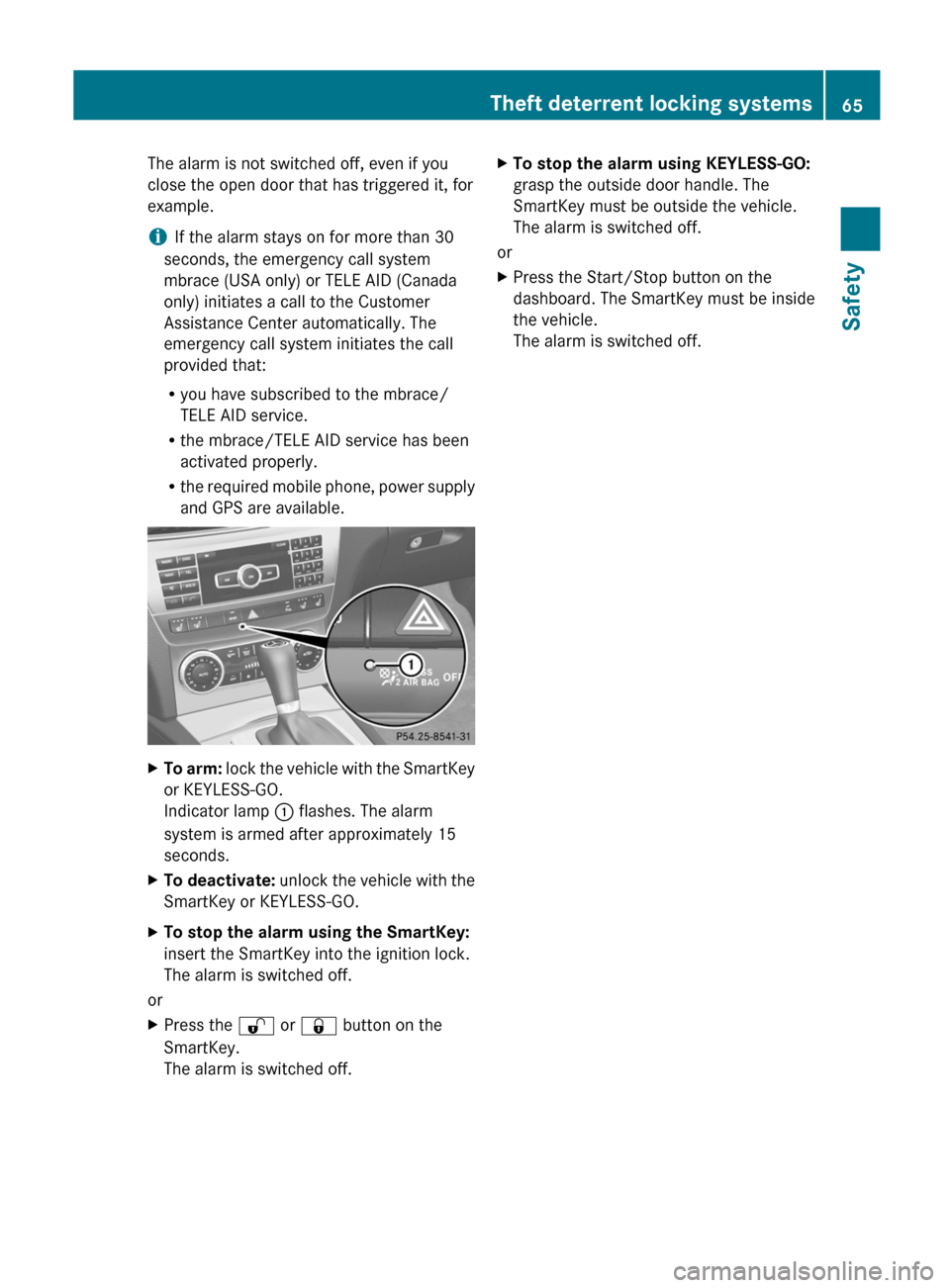
and GPS are available.XTo arm: lock the vehicle with the SmartKey
or KEYLESS-GO.
Indicator lamp : flashes. The alarm
system is armed after approximately 15
seconds.XTo deactivate: unlock the vehicle with the
SmartKey or KEYLESS-GO.XTo stop the alarm using the SmartKey:
insert the SmartKey into the ignition lock.
The alarm is switched off.
or
XPress the % or & button on the
SmartKey.
The alarm is switched off.XTo stop the alarm using KEYLESS-GO:
grasp the outside door handle. The
SmartKey must be outside the vehicle.
The alarm is switched off.
or
XPress the Start/Stop button on the
dashboard. The SmartKey must be inside
the vehicle.
The alarm is switched off.Theft deterrent locking systems65SafetyZ
Page 72 of 336
This device complies with RSS-210 of
Industry Canada. Operation is subject to
the following two conditions:
1. This device may not cause harmful
interference, and
2. this device must accept any interference
received, including interference that may
cause undesired operation.
Any unauthorized modification to this
device could void the user’s authority to
operate the equipment.
The Product label with FCC ID and IC
certification number can be found in the
battery case of the SmartKey.
Important notes on the use of KEYLESS-
GO
R The KEYLESS-GO key can be used like a
conventional key.
R You can combine KEYLESS-GO functions
with those of a conventional key, e.g.
unlock with KEYLESS-GO and lock with the
& button.
R Always carry your KEYLESS-GO key on your
person.
R Do not keep the KEYLESS-GO key together
with:
- electronic devices, e.g. a mobile phone
or another key
- metallic objects, e.g. coins or metal foil.
This can affect the functionality of
KEYLESS-GO.
R When locking and unlocking using
KEYLESS-GO, the distance between the
SmartKey and the corresponding door
handle must not exceed 3 ft (1 m).
R If the KEYLESS-GO key is removed from the
vehicle, it is possible that the system may
not recognize the SmartKey. The vehicle
can then not be locked or started using
KEYLESS-GO.
R If the KEYLESS-GO key has been removed
from the vehicle, e.g. if a passenger leaves
the vehicle with a KEYLESS-GO key:
- if the start/stop button is pressed or if
an attempt is made to lock the vehicle
with the locking button on the outer door
handle, the Key Not Detected message
appears in the multifunction display
- when the engine is running, the red Key
Not Detected message appears in the
multifunction display as you pull away.
Find the KEYLESS-GO key and change its
position in the vehicle. Carry the
KEYLESS-GO key in your shirt pocket, for
example.
R If you have started the engine with the
Start/Stop button, you can switch it off
again by:
- pressing the Start/Stop button again
- inserting the KEYLESS-GO key into the
ignition lock if the vehicle is stationary
and the automatic transmission is in park
position P.
R You could unlock the vehicle by mistake if
the distance between the KEYLESS-GO key
and the vehicle is less than 3 ft (1 m) and:
- an exterior door handle is hit by a water
jet
or
- you clean an exterior door handle.
R Bear in mind that the engine can be started
by any of the vehicle occupants if there is
a KEYLESS-GO key in the vehicle.70SmartKeyOpening/closing
Page 144 of 336
Driving tips
General driving tips
Important safety notes
GWARNING
Always remember that you must concentrate
primarily on driving the vehicle. The driver's
concentration must always be directed
primarily at road traffic. For your own safety
and that of others, we recommend that you
stop the vehicle at a safe place and in
accordance with the traffic conditions before
making or accepting a phone call.
Comply with all legal requirements if you use
the telephone while driving. Use the hands-
free system and only use the telephone when
road, weather and traffic conditions permit. In
some jurisdictions, it is forbidden for drivers
to use mobile phones while driving.
Only operate the audio system or COMAND
(Cockpit Management and Data System) in
compliance with all legal requirements and
when the road, weather and traffic conditions
permit. You may otherwise not be able to
observe the traffic conditions, endangering
yourself and others.
Remember that your vehicle covers a distance
of 44 feet (approximately 14 m) a second
when it is traveling at only 30 mph
(approximately 50 km/h).
Drive sensibly – save fuel
Observe the following tips to save fuel:
XThe tires should always be inflated to the
recommended tire pressure.XRemove unnecessary loads.XRemove roof racks when they are not
needed.XWarm up the engine at low engine speeds.XAvoid frequent acceleration or braking.XHave all maintenance work carried out as
indicated by the service intervals in the
Service Booklet or by the service interval
display.Fuel consumption also increases when
driving in cold weather, in stop-and-go traffic
and in mountainous terrain.
Drinking and drivingGWARNING
Drinking and driving and/or taking drugs and
driving are very dangerous combinations.
Even a small amount of alcohol or drugs can
affect your reflexes, perceptions and
judgment.
The possibility of a serious or even fatal
accident are greatly increased when you drink
or take drugs and drive.
Do not drink or take drugs and drive or allow
anyone to drive who has been drinking or
taking drugs.
Pedals
GWARNING
Make sure absolutely no objects are
obstructing the pedals' range of movement.
Keep the driver's footwell clear of all
obstacles. If there are any floormats or
carpets in the footwell, make sure that the
pedals still have sufficient clearance.
During sudden driving or braking maneuvers,
the objects could get caught between the
pedals. You could then no longer brake or
accelerate. This could lead to accidents and
injury.
Rolling with the engine switched off
GWARNING
There is no power assistance for the steering
and the brake when the engine is not running.
Steering and braking requires significantly
more effort and you could lose control of the
vehicle and cause an accident as a result.
Do not turn off the engine while the vehicle is
in motion.
142Driving tipsDriving and parking
Page 172 of 336
The functionality of ATTENTION ASSIST is
restricted and warnings may be delayed or
not occur at all:
R if the road condition is poor, e.g. if the
surface is uneven or if there are potholes
R if there is a strong side wind
R if you have adopted a sporty driving style
with high cornering speeds or high rates of
acceleration
R if you predominantly drive at speeds under
50 mph (80 km/h) or over 112 mph
(180 km/h)
R if you are currently using COMAND or
making a telephone call with it
R if the time has been set incorrectly
R in active driving situations, such as when
you change lanes or change your speed
Warning and display messages in the
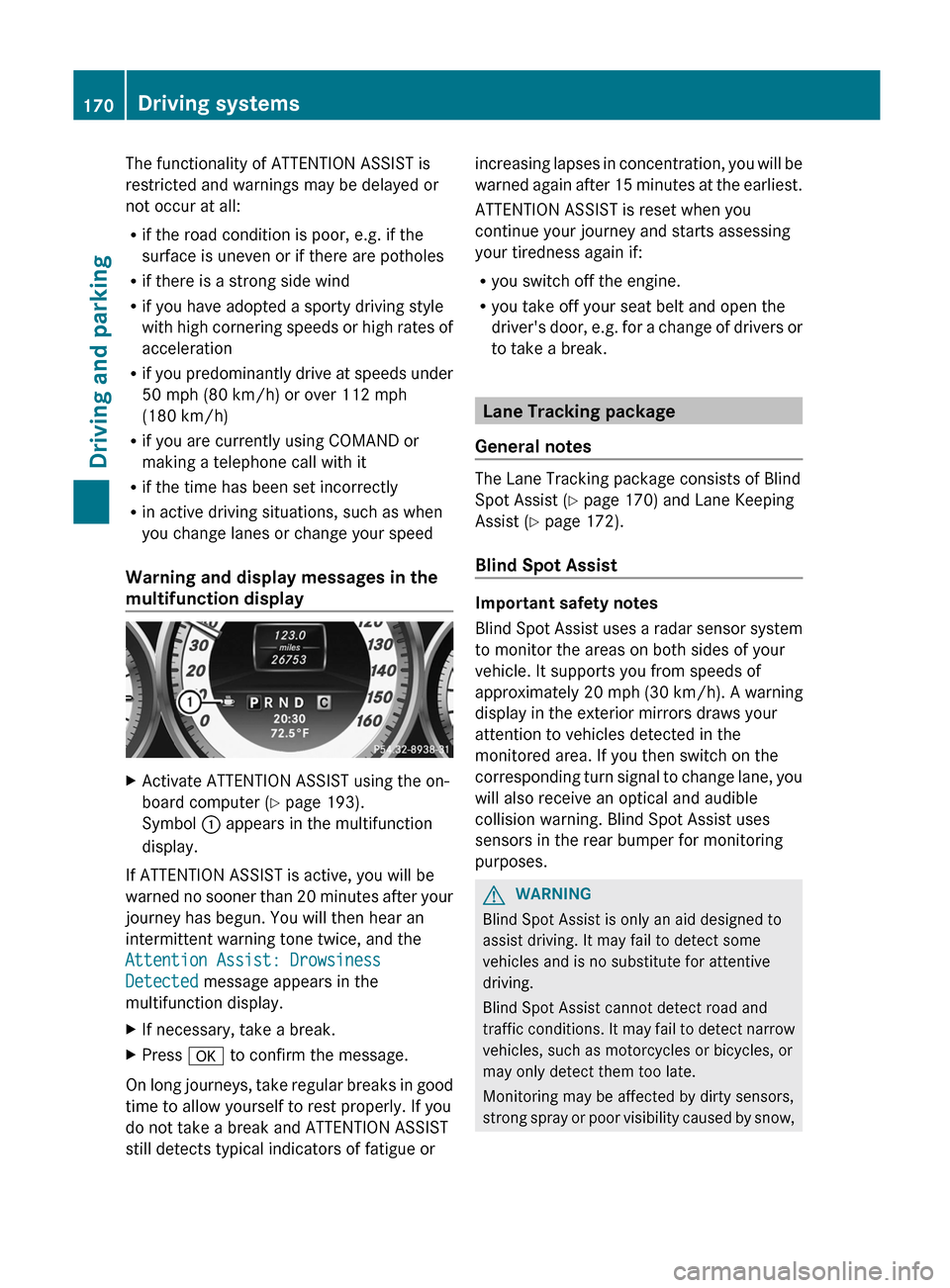
multifunction displayXActivate ATTENTION ASSIST using the on-
board computer ( Y page 193).
Symbol : appears in the multifunction
display.
If ATTENTION ASSIST is active, you will be
warned no sooner than 20 minutes after your
journey has begun. You will then hear an
intermittent warning tone twice, and the
Attention Assist: Drowsiness
Detected message appears in the
multifunction display.
XIf necessary, take a break.XPress a to confirm the message.
On long journeys, take regular breaks in good
time to allow yourself to rest properly. If you
do not take a break and ATTENTION ASSIST
still detects typical indicators of fatigue or
increasing lapses in concentration, you will be
warned again after 15 minutes at the earliest.
ATTENTION ASSIST is reset when you
continue your journey and starts assessing
your tiredness again if:
R you switch off the engine.
R you take off your seat belt and open the
driver's door, e.g. for a change of drivers or
to take a break.
Lane Tracking package
General notes
The Lane Tracking package consists of Blind
Spot Assist ( Y page 170) and Lane Keeping
Assist ( Y page 172).
Blind Spot Assist
Important safety notes
Blind Spot Assist uses a radar sensor system
to monitor the areas on both sides of your
vehicle. It supports you from speeds of
approximately 20 mph (30 km/h). A warning
display in the exterior mirrors draws your
attention to vehicles detected in the
monitored area. If you then switch on the
corresponding turn signal to change lane, you
will also receive an optical and audible
collision warning. Blind Spot Assist uses
sensors in the rear bumper for monitoring
purposes.
GWARNING
Blind Spot Assist is only an aid designed to
assist driving. It may fail to detect some
vehicles and is no substitute for attentive
driving.
Blind Spot Assist cannot detect road and
traffic conditions. It may fail to detect narrow
vehicles, such as motorcycles or bicycles, or
may only detect them too late.
Monitoring may be affected by dirty sensors,
strong spray or poor visibility caused by snow,
170Driving systemsDriving and parking