brakes MERCEDES-BENZ C-Class COUPE 2017 CL205 Owner's Guide
[x] Cancel search | Manufacturer: MERCEDES-BENZ, Model Year: 2017, Model line: C-Class COUPE, Model: MERCEDES-BENZ C-Class COUPE 2017 CL205Pages: 354, PDF Size: 8.66 MB
Page 172 of 354
Important safety notes
GWARNING
When leaving th evehicle, it can still rol laway
despit ebein gbraked by th eHOLDfunction if:
Rthere is amalfunction in th esystem or in
th ev oltag esupply.
RtheH OLDfunction has been deactivated by
pressin gthe accelerato rpedal or th ebrak e
pedal ,e.g.bya vehicleoccupant .
Rthee lectrical system in th eenginec om -
partment, th ebattery or th efuses have
been tampered with.
Rth eb attery is disconnected
Ther eisar iskofana ccident.
If you wish to exit th evehicle, always tur noff
th eH OLDf unction and secure th evehicl e
against rollin gaway.
!If DISTRONI CPLUSort heHOLD function is
activated, th evehicl ebrakes automatically in
certain situations.
To preven tdamag etothevehicle, deactivat e
DISTRONI CPLUSa nd th eHOLDf unction in
th ef ollowin gorother similar situations:
Rwhen towin gthe vehicl e
Rin thecar wash
Deactivating th eHOLDf unction (
Ypage 170).
Activation conditions
You can activat ethe HOLD function if all of th e
followin gconditi onsa re fulfilled :
Rthev ehicl eiss tationary.
Rth ee ngineisr unnin gorifith as been auto -
matically switched off by th eECO start/sto p
function .
Rthed river' sdoor is closed or your seat belt is
fastened.
Rth ee lectric parking brak eisreleased.
Rthet ransmission is in position D,Ror N.
RDISTRONI CPLUSisd eactivated.
Activating th eHOLD function
XMak esuret hatthe activation condition sare
met .
XDepress th ebrak epedal .
XQuickly depress th ebrak epedal further
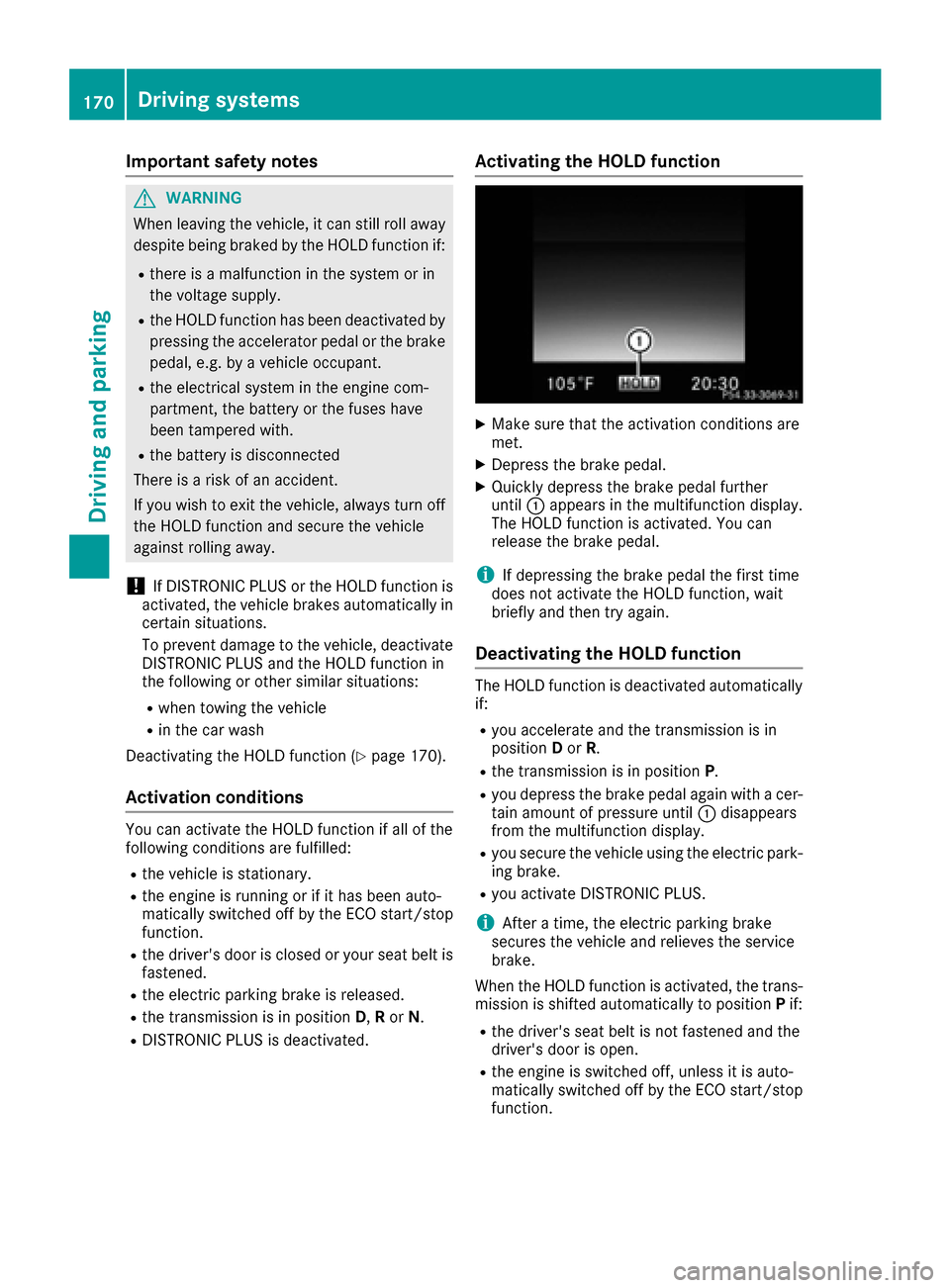
until :appear sinthemultifunction display.
The HOLD function is activated. You can
release th ebrak epedal .
iIf depressing th ebrak epedal th efirst time
does no tactivat ethe HOLD function ,wait
briefly and then tr yagain .
Deactivating th eHOLD function
The HOLD function is deactivated automatically
if:
Ryou accelerate and th etransmission is in
position Dor R.
Rth et ransmission is in position P.
Ryou depress thebrak epedal again wit hacer-
tai na moun tofpressur euntil :disappear s
from th emultifunction display.
Ryou secure th evehicl eusin gthe electric park -
ing brake.
Ryou activat eDISTR ONICPLUS.
iAfte ratime, th eelectric parking brak e
secures th evehicl eand relieves th eservic e
brake.
When th eHOLDfunction is activated, th etrans -
mission is shifte dautomatically to position Pif:
Rth ed river' sseat belt is no tfastene dand th e
driver' sdoor is open .
Rthee ngineiss witched off ,unless it is auto -
matically switched off by th eECO start/sto p
function .
170Driving systems
Driving and parking
Page 176 of 354
XPress button:.
Indicator lamp =lights up. You have selected
Sport mode.
The AMG Suspension System SPORT
mes-
sage appears in the multifunction display.
Sport +mode
The very firm setting of the suspension setting in
Sport +mode ensures the best possible contact
with the road. Select this mode only when driv-
ing on race circuits.
If indicator lamps ;and =are off:
XPress button :twice.
Indicator lamps ;and =light up. You have
selected Sport +mode.
The AMG
SuspensionSystemSPORT +mes-
sage appears in the multifunction display.
If indicator lamp =lights up:
XPress button :once.
Secondi ndicator lamp ;lights up. You have
selected Sport +mode.
The AMG
SuspensionSystemSPORT +mes-
sage appears in the multifunction display.
Comfort mode
In Comfort mode, the driving characteristics of
your vehicle are more comfortable. Select this
mode if you favor amore comfortable driving
style, but also when driving fast on straight
roads, e.g. highways.
XPress button :repeatedly until indicator
lamps ;and =go out.
You have selected Comfort mode.
The AMG
SuspensionSystemCOMFORTmes-
sage appears in the multifunction display.
4MATIC (permanent four-wheel drive)
4MATI Censures that all four wheels are perma-
nently driven. Together with ESP®,iti mproves
the traction of your vehicle whenever adrive
wheel spins due to insufficien tgrip.
If you fail to adapt your driving style, 4MATI Ccan
neither reduce the risk of accident nor override the laws of physics. 4MATI Ccannot take
account of road, weather and traffic conditions.
4MATI Ciso nly an aid. You are responsible for
the distanc etothe vehicle in front, for vehicle speed, for braking in good time and for staying in
your lane.
If
ad rive wheel spins due to insufficien tgrip:
ROnly depress the accelerator pedal as far as
necessary when pulling away.
RAccelerate less when driving.
!Never tow the vehicle with one axle raised.
This may damage the transfer case. Damage
of this sort is not covered by the Mercedes-
Benz Limited Warranty. All wheels must
remain either on the ground or be fully raised.
Observe the instruction sfor towing the vehi-
cle with all wheels in full contact with the
ground.
iIn wintry driving conditions, the maximum
effect of 4MATI Ccan only be achieved if you
use winter tires (M+S tires), with snow chains
if necessary.
PARKTRONIC
Important safety notes
PARKTRONIC is an electronic parking aid with
ultrasonic sensors.Itm onitors the area around
your vehicle using six sensors in the front
bumper and six sensors in the rear bumper.
PARKTRONIC indicates visually and audibly the
distanc ebetween your vehicle and an object.
PARKTRONIC is only an aid. It is not areplace-
ment for your attention to your immediate sur-
roundings. You are alwaysr esponsible for safe
maneuvering, parking and exitin gaparking
space. When maneuvering, parking or pulling
out of aparking space, make sure that there are
no persons, animals or object sinthe area in
which you are maneuvering.
!When parking, pay particular attention to
object sabove or below the sensors,s uch as
flower pots or trailer drawbars. PARKTRONIC
does not detect such object swhen they are in
the immediate vicinityoft he vehicle. You
could damage the vehicle or the objects.
The sensors may not detect snow and other
object sthat absorb ultrasonic waves.
Ultrasonic sources such as an automatic car
wash, the compressed-air brakes on atruck
or ap neumatic drill could cause PARKTRONIC
to malfunction.
PARKTRONIC may not function correctly on
uneven terrain.
174Driving systems
Driving and parking
Page 181 of 354
Rthatareparallel to the direction of travel and
at leas t39.5 in (1.0 m)longer than your vehi-
cle
Rthat are at right angles to the direction of
travel and at least 39.5i n(1.0m )wider than
your vehicle
iNotet hat Activ eParking Assist cannot
measure the size of aparking space if it is at
right angles to the direction of travel. You will
need to judge whether your vehicle will fit into the parking space.
When drivingats peeds below 19 mph
(3 0k m/ h),y ou will see the parking symbol as a
status indicator in the instrumentc luster. When
ap arking space has been detected, an arrow
towards the right or the left also appears. By
default,A ctiveP arking Assist only displays park-
ing spaces on the front-passenge rside. Parking
spaces on the driver's side are displayed as
soon as the turn signal on the driver's side is
activated. When parking on the driver's side,
this must remain switched on until you acknowl-
edge the use of Activ eParking Assist by press-
ing the abutton on the multifunction steer-
ing wheel. The system automatically determines
whether the parking space is parallel or at right
angles to the direction of travel.
Ap arking space is displayed while you are driv-
ing past it, and until you are approximately 50 ft (1 5m)a way fromi t.
Parking
GWARNING
If you leave the vehicle when it is only being
braked by Activ eParking Assist it could roll
away if:
Rthere is amalfunction in the system or in
the voltage supply.
Rthe electrical system in the engin ecom-
partment, the battery or the fuses have
been tampered with.
Rthe battery is disconnected.
Rthe accelerator pedal has been depressed,
e.g. by avehicle occupant.
There is arisk of an accident.
Before leavingt he vehicle, always secur eit
against rollinga way.
iWhen PARKTRONIC detect sobstacles,
Activ eParking Assist brakes automatically
duringt he parking process. You are respon-
sible for braking in good time.
XStop the vehicle when the parking space sym- bol shows the desiredp arking space in the
instrumentc luster.
XShiftthe transmission to position R.
The Start
ParkAssist?Yes:OKNo:%
message appears in the multifunction display.
XTo cancel th eprocedure: press the %
button on the multifunction steeringw heel or
pull away.
or
XTo park using Active Parking Assist: press
the a button on the multifunction steering
wheel.
The Park Assist Active Accelerate
and BrakeObserve Surroundingsmes-
sage appears in the multifunction display.
XLet go of the multifunction steeringw heel.
XBackupt he vehicle, being ready to brakeata ll
times. When backing up, drive at aspeed
below approximately 6mph (10 km/h). Oth-
erwise Activ eParking Assist will be canceled.
Activ eParking Assist brakes the vehicle to a
standstill when the vehicle approaches the
rear border of the parking space.
Maneuveringm ay be requiredint ightparking
spaces.
The Park
AssistActiveSelect DObserveSurroundingsmessage appears in the multi-
function display.
XShif tthe transmission to position Dwhile the
vehicle is stationary.
Activ eParking Assist immediately steers in
the other direction.
The Park Assist Active Accelerate
and BrakeObserve Surroundingsmes-
sage appears in the multifunction display.
iYou will achiev ethe best resultsbyw aiting
for the steeringp rocedure to complete before
pulling away.
XDrive forwards and be ready to brakeata ll
times.
Activ eParking Assist brakes the vehicle to a
standstill when the vehicle approaches the
front border of the parking space.
Maneuveringm ay be requiredint ightparking
spaces.
Driving systems179
Driving and parking
Z
Page 182 of 354

TheParkAssistActiveSelect RObserveSurroundingsmessage appears in the multi-
function display.
As soon as the parking procedure is complete,
the Park Assist Switched Off
message
appears and awarning ton esounds. The vehicle
is now parked.
The vehicle is kept stationary without the driver having to depress the brake pedal. The braking
effect is canceled when you depress the accel-
erator pedal.
Active Parking Assist no longer supports you
with steerin ginterventions and brake applica-
tions. When Active Parking Assist is finished,
you must steer and brake again yourself.
PARKTRONIC is still available.
Parking tips:
RThe way your vehicle is positioned in the park-
ing space after parking is dependent on vari-
ous factors. These include the position and
shape of the vehicles parked in front and
behind it and the conditions of the location. It
may be the case that Active Parking Assist
guides you too far into aparking space, or not
far enough into it. In some cases, it may also
lead you across or ontot he curb. If necessary,
you should cancel the parking procedure with
Active Parking Assist.
RYou can also select preselect transmission
position D.The vehicle redirectsa nd does not
drive as far into the parking space. Should the
transmission change take place too early, the
parking procedure will be canceled. Asensi-
ble parking position can no longer be ach-
ieved from this position.
Exiting aparking space
In order that Active Parking Assist can support
you when you exit the parking space:
Rthe border of the parking space must be high
enough at the front and the rear. Acurb is too
small, for example.
Rthe border of the parking space must not be
too wide, as the position of the vehicle must
not exceed an angle of 45° to the starting
position as it is maneuvering into the parking
space.
Ram aneuvering distance of at least 3.3 ft
(1.0 m) must be available.
Active Parking Assist can only assist you with
exitin gaparking space if you have parked the vehicle parallel to the direction of travel using
Active Parking Assist.
iIf PARKTRONIC detect
sobstacles, Active
Parking Assist brakes automatically whilst the
vehicle exits the parking space. You are
responsible for braking in good time.
XStart the engine.
XRelease the electric parking brake.
XSwitch on the turn signal in the direction you
are pulling away.
XShift the transmission to position Dor R.
The Start
ParkAssist?Yes:OKNo:%
message appears in the multifunction display.
XTo cancel the procedure: press the%
button on the multifunction steerin gwheel or
pull away.
or
XTo exit aparking space using Active Park-
ing Assist: press theabutton on the mul-
tifunction steerin gwheel.
The Park Assist Active Accelerate
and BrakeObserve Surroundingsmes-
sage appears in the multifunction display.
XLet go of the multifunction steerin gwheel.
XPull away,b eing ready to brake at all times. Do
not exceed amaximum speed of approx-
imately 6mph (10 km/h) when exitin gapark-
ing space. Otherwise Active Parking Assist
will be canceled.
XDependin gonthe message or as required,
shift the transmission to position Dor R.
Active Parking Assist immediately steers in
the other direction .The Park Assist
Active Accelerate and BrakeObserveSurroundingsmessage appears in the mul-
tifunction display.
iYou will achieve the best results by waiting
for the steerin gprocedure to complete before
pulling away.
If you back up after activation ,the steering
wheel is moved to the straight-ahead posi-
tion.
XDrive forwards and back up as prompted by
the PARKTRONIC warning displays, several
times if necessary.
Once you have exited the parking space com-
pletely, the steerin gwheel is moved to the
straight-ahead position. You hear aton ea nd the
Park
AssistSwitchedOffmessage appears
in the multifunction display.Y ou will then have
to steer and merge into traffic on your own.
180Driving systems
Driving and parking
Page 199 of 354
Ifac ourse-correcting brake application occurs,
red warning lamp :flashe sinthe exterior mir-
ror and adualw arning tone sounds. In addition,
display ;underlining the danger of aside col-
lision appears in the multifunction display.
In very rare cases, the system may make an
inappropriate brake application. Acourse-cor-
recting brake application may be interrupted at
any time if you steer slightly in the opposite
direction or accelerate.
The course-correcting brake application is avail-
abl eint he speed range between 20 mph
(30 km/h) and 120 mph (200 km/h).
Either no braking application, or acourse-cor-
recting brake application adapted to the driving
situation occurs if:
Rthere are vehiclesoro bstacles,e.g. crash
barriers, located on both sides of you rvehicle.
Rav ehicle approaches you too closely at the
side.
Ryou have adopted asporty driving style with
high cornering speeds.
Ryou clearl ybrake or accelerate.
Rad riving safety system intervenes, e.g. ESP®
or PRE-SAFE®Brake.
RESP®is switched off.
Raloss of tire pressure or adefective tire is
detected.
Switching on Activ eBlind Spot Assist
XMake sure that Active Blind Spot Assist is
activated in the on-board computer
(
Ypage 213).
XTurn the SmartKey to position 2in the ignition
lock.
Warning lamps :in the exterior mirrors light
up red for approximately 1.5 seconds .Gray
rada rwave spropagating backwards appear
next to the vehicle in the assistance display in
the multifunction display.
Active Lane Keeping Assist
General notes
Active Lane Keeping Assist monitors the area in
front of you rvehicle by means of multifunction
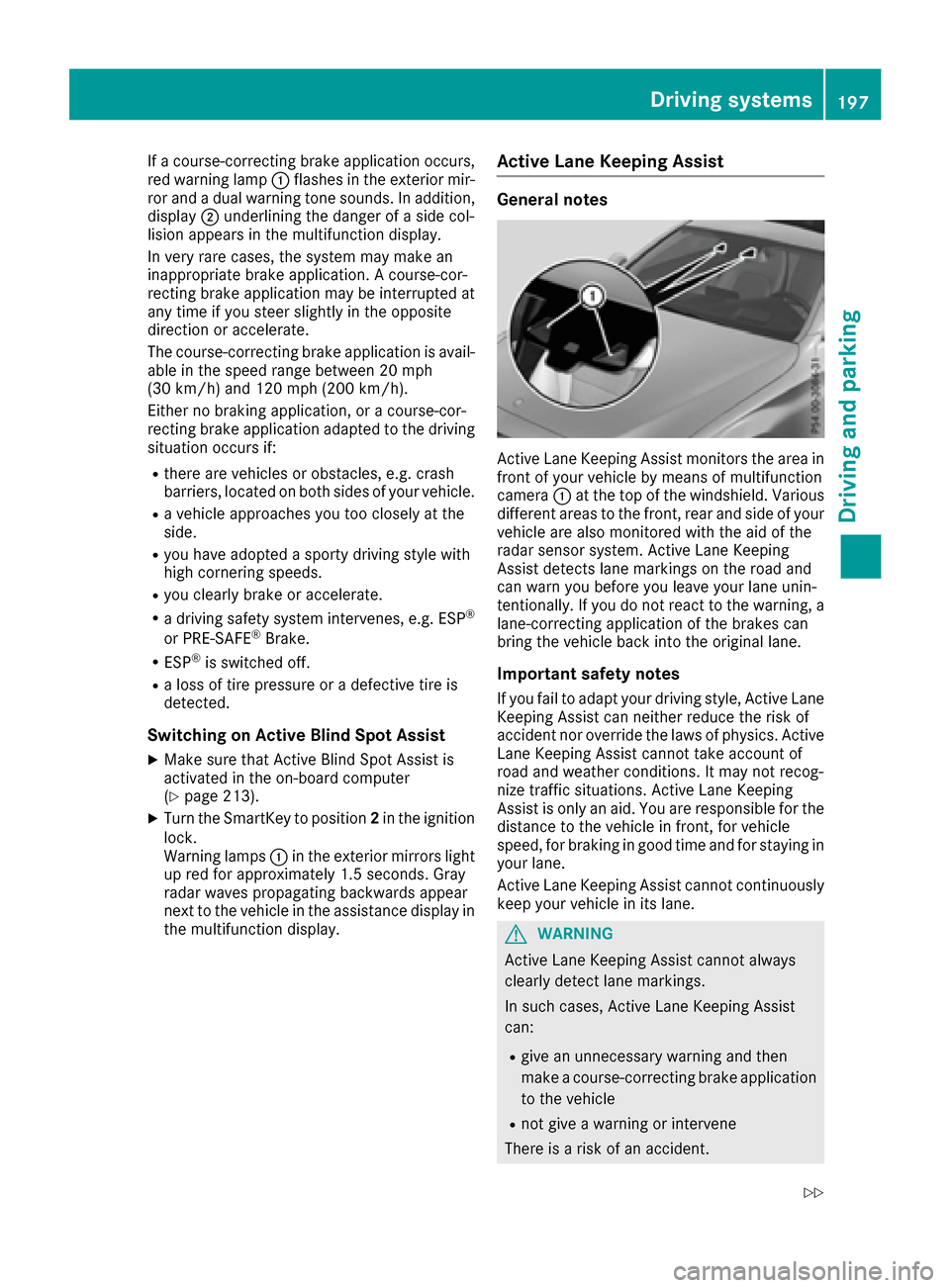
camera :at the top of the windshield. Various
different area stothe front, rear and side of your
vehicle are also monitored with the aid of the
rada rsensor system. Active Lane Keeping
Assist detects lane markings on the road and
can warn you before you leave you rlane unin-
tentionally .Ifyou do not react to the warning, a
lane-correcting application of the brakes can
bring the vehicle back into the originall ane.
Important safety notes
If you fail to adapt yourdriving style, Active Lane
Keeping Assist can neither reduce the risk of
accident nor override the law sofphysics. Active
Lane Keeping Assist cannot take account of
road and weather conditions. It may not recog-
nize traffic situations. Active Lane Keeping
Assist is only an aid .You are responsible for the
distance to the vehicle in front, for vehicle
speed,f or braking in good time and for staying in
you rlane.
Active Lane Keeping Assist cannot continuously
keep you rvehicle in its lane.
GWARNING
Active Lane Keeping Assist cannot always
clearl ydetect lane markings.
In such cases, Active Lane Keeping Assist
can:
Rgive an unnecessary warning and then
make acourse-correcting brake application
to the vehicle
Rnot give awarning or intervene
There is arisk of an accident.
Driving systems197
Driving and parking
Z
Page 312 of 354
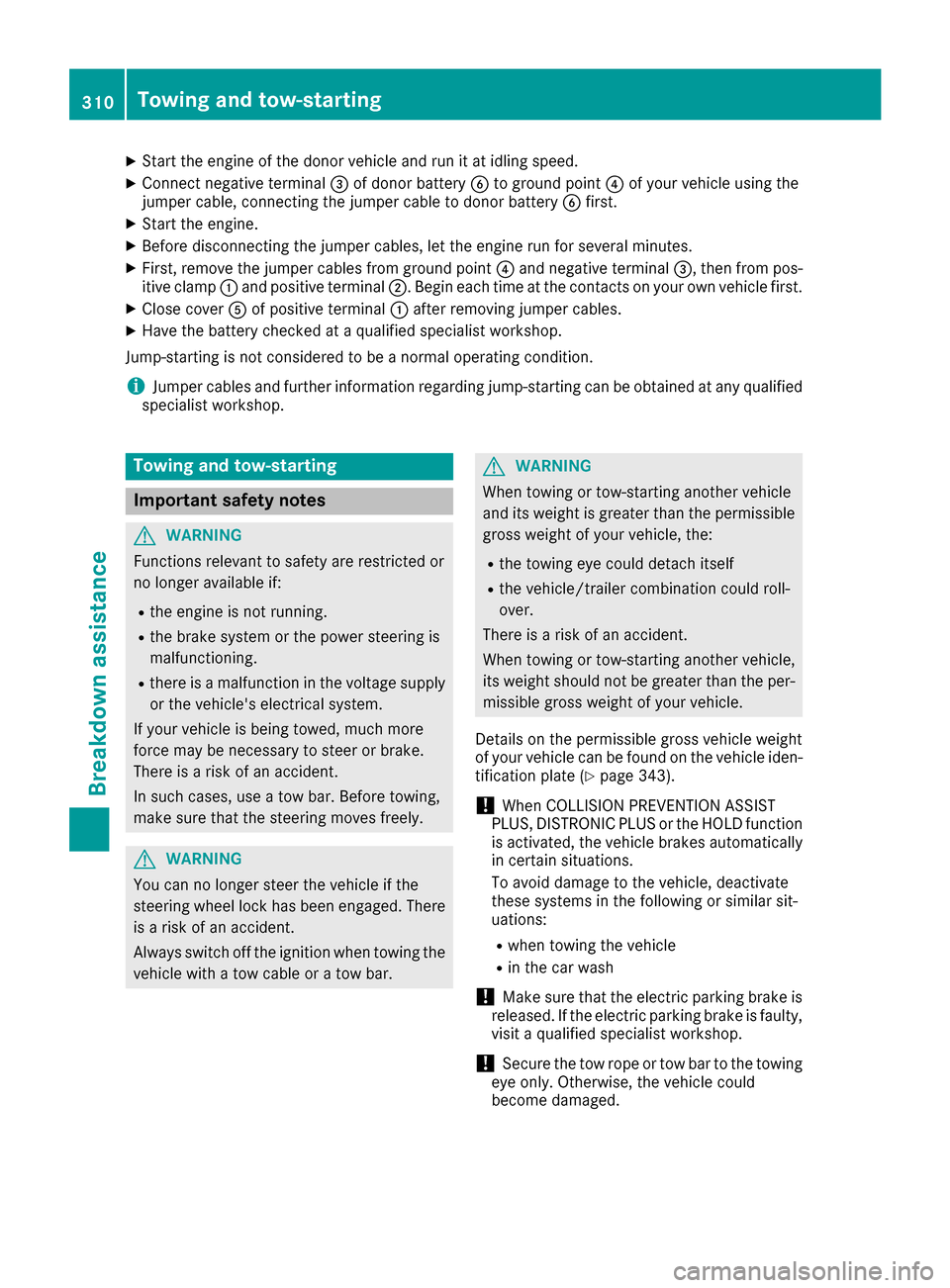
XStart the engine of the donorvehicl eand run it at idling speed.
XConnect negative terminal =of dono rbattery Bto ground point ?of your vehicl eusing the
jumper cable ,connecting the jumper cable to dono rbattery Bfirst.
XStart the engine.
XBefore disconnecting the jumper cables, le tthe engine run for several minutes.
XFirst, remove the jumper cable sfrom ground point ?and negative terminal =,then from pos-
itive clamp :and positive terminal ;.Begineacht ime at the contacts on your ownv ehiclefirst.
XClose cover Aof positive terminal :afte rremoving jumper cables.
XHave the battery checke dataqualified specialist workshop.
Jump-starting is not considered to be anorma loperating condition.
iJumpe rcable sand further information regarding jump-starting can be obtaine datany qualified
specialist workshop.
Towin gand tow-starting
Important safety notes
GWARNING
Functions relevant to safety are restricted or
no longer available if:
Rthe engine is not running.
Rthe brake system or the power steering is
malfunctioning.
Rthere is amalfunction in the voltag esupply
or the vehicle's electrical system.
If your vehicl eisbeing towed, much more
force may be necessary to stee rorbrake.
There is ariskofana ccident.
In such cases, us eatow bar. Before towing,
make sure that the steering move sfreely.
GWARNING
You can no longer stee rthe vehicl eifthe
steering wheel lock hasb eene ngaged .There
is ar iskofana ccident.
Alway sswitch off the ignition when towing the
vehicl ewithat ow cable or atow bar.
GWARNING
Whe ntowing or tow-starting another vehicle
and its weight is greate rthan the permissible
gross weigh tofyourv ehicle, the:
Rthe towing eyec ould detach itself
Rthe vehicle/trailer combination could roll-
over.
There is ariskofana ccident.
Whe ntowing or tow-starting another vehicle,
its weight shoul dnot be greate rthan the per-
missible gross weight of your vehicle.
Details on the permissible gross vehicl eweight
of your vehicl ecan be found on the vehicl eide n-
tification plate (
Ypage 343).
!Whe nCOLLISIONP REVENTION ASSIST
PLUS, DISTRONIC PLU Sorthe HOLD function
is activated, the vehicl ebrakes automatically
in certain situations.
To avoid damag etothe vehicle, deactivate
thes esystems in the following or similar sit-
uations:
Rwhen towing the vehicle
Rin the car wash
!Make sure that the electri cparking brake is
released .Ifthe electri cparking brake is faulty,
visit aquali fied specialist workshop.
!Secure the tow rop eortow ba rtothe towing
eyeo nly.Otherwise, the vehicl ecould
become damaged.
310Towinga nd tow-starting
Breakdown assistance
Page 318 of 354
Important safety notes
GWARNING
If wheels and tires of th ewrong siz eare used,
th ew hee lbrakes or suspension component s
may be damaged. Ther eisariskofana cci-
dent.
Always replace wheels and tires wit hthose
that fulfill th especification softheoriginal
part .
When replacing wheels, mak esuretou se the
correct:
Rdesignation
Rmodel
When replacing tires ,makes uretou se the
correct:
Rdesignation
Rmanufacturer
Rmodel
GWARNIN G
Af lat tire severely impairs th edriving ,steer -
ing and braking characteristics of th evehicle.
Ther eisar iskofa ccident.
Tires without run-flat characteristics :
Rdo notdrivew ithaf lat tire.
Rimmediately replace th eflat tire wit hyour
emergenc yspar ew hee lors parew heel, or
consult aqualified specialist workshop.
Tires wit hrun-flat characteristics :
Rpay attention to theinformation and warn -
ing notice sonMOExtended tires (tire swith
run-flat characteristics).
Accessories that are no tapprove dfor your vehi-
cle by Mercedes-Ben zorare notbein gused cor-
rectl ycan impair th eoperating safety.
Before purchasing and usin gnon-ap proved
accessories, visit aqualified specialist work-
sho pand inquire about :
Rsuitability
Rlegal stipulation s
Rfactory recommendation sFurther information regarding wheels and tires
can be foun
dunder "Wheel/tire combinations"
(
Ypage 340).
You can ask for information regarding permitte d
wheel-tire combination satanauthorized
Mercedes-Ben zCenter.
Information on tire pressur ecan be found:
Ron th eTirea nd Loading Information placard
on th eB-pillar on th edriver' sside
(
Ypage 326)
Rin th etirep ressur etable in th efuel filler flap
(Ypage 150)
Runder "Tir epressure" (Ypage 319)
Operation
Information on driving
Checkthe tire pressur ewhen th evehicl eis
heavily laden and adjust prio rtoatrip.
While driving ,pay attention to vibrations, noises
and unusual handlin gcharacteristics ,e.g.p ull-
ing to on eside .This may indicat ethatthe
wheels or tires are damaged. If you suspec ttha t
at ireisd efective, reduce your spee dimmedi-
ately. Stop th evehicl eass oonasp ossible to
chec kthe wheels and tires for damage. Hidden
tire damag ecould also be causing th eunusual
handlin gcharacteristics .Ifyou fin dnos ignsof
damage, hav ethe tires and wheels checke data
qualified specialist workshop.
When parking your vehicle, mak esuret hatthe
tires do no tget deformed by th ecurboro ther
obstacles. If they canno tbeavoided, driv eover
obstacles suc hascurbs slowly and at an obtuse
angle. Otherwise, you may damag ethe wheels
or tires .
Notes on high performance tires
GWARNIN G
Due to th especial tire tread in combination
wit hthe optimized rubber compound ,the re is
an increased ris kofhydroplaning and skid-
din gonad amp or wet road surface. tire gri pis
also noticeably reduce datlow outside tem-
peratures and low tire operating tempera-
tures. Ther eisariskofana ccident.
316Operation
Wheels and tires
Page 337 of 354
PSI (pounds per squareinch)
Astandard unit of measure for tire pressure.
Aspect ratio
Relationship between tire height and tire width
in percent.
Tire pressure
This is pressure inside the tire applying an out-
ward force to each square inch of the tire's sur-
face. The tire pressure is specified in pounds per
square inch (psi), in kilopascal (kPa) or in bar.
The tire pressure should only be corrected when
the tires are cold.
Cold tire pressure
The tires are cold:
Rif the vehicle has been parked with the tires
out of direct sunlight for at least three hours
and
Rif the vehicle has not been driven further than
1m ile (1.6 km)
Tread
The part of the tire that comes into contact with
the road.
Bead
The tire bead ensures that the tire sits securely
on the wheel. There are several steel wires in the
bead to prevent the tire from coming loose from
the wheel rim.
Sidewall
The part of the tire between the tread and the
bead.
Weight of optional extras
The combined weight of those optional extras
that weigh more than the replaced standard
parts and more than 5lbs (2.3 kg). These
optional extras, such as high-performance
brakes, level control, aroof rack or ahigh-per-
formanceb attery, are not included in the curb
weight and the weight of the accessories.
TIN (Tire Identification Number)
This is aunique identifier which can be used by
at ire manufacturer to identify tires, for example
for aproduct recall, and thus identify the pur-
chasers. The TIN is made up of the manufactur-
er's identity code, tire size, tire type code and
the manufacturing date.
Load bearing index
The load bearing index (also load index) is acode
that contains the maximum load bearing capa-
city of atire.
Traction
Traction is the result of friction between the tires
and the road surface.
Treadwear indicators
Narrow bars (tread wear bars) that are distrib-
uted over the tire tread. If the tire tread is level
with the bars, the wear limit of áin (1.6 mm)
has been reached.
Occupant distribution
The distribution of occupants in avehicle at their
designated seating positions.
Total load limit
Nominal load and luggage load plus 68 kg
(15 0lbs)m ultiplied by the number of seats in
the vehicle.
Changing awheel
Flat tire
The "Breakdown assistance" section
(Ypage 300) contains information and notes on
how to deal with aflat tire. Information on driv-
ing with MOExtended tires in the event of aflat
tire can be found under "MOExtended tires (tires
with run-flat characteristics" (
Ypage 301).
Rotating the wheels
GWARNING
Interchanging the front and rear wheels may
severely impair the driving characteristics if
the wheels or tires have different dimensions. The wheel brakes or suspension components
may also be damaged. There is arisk of acci-
dent.
Rotate front and rear wheels only if the wheels and tires are of the same dimensions.
!On vehicles equippedw ithatire pressure
monitor ,electronic components are located
in the wheel.
Changing awheel335
Wheels and tires
Z
Page 349 of 354
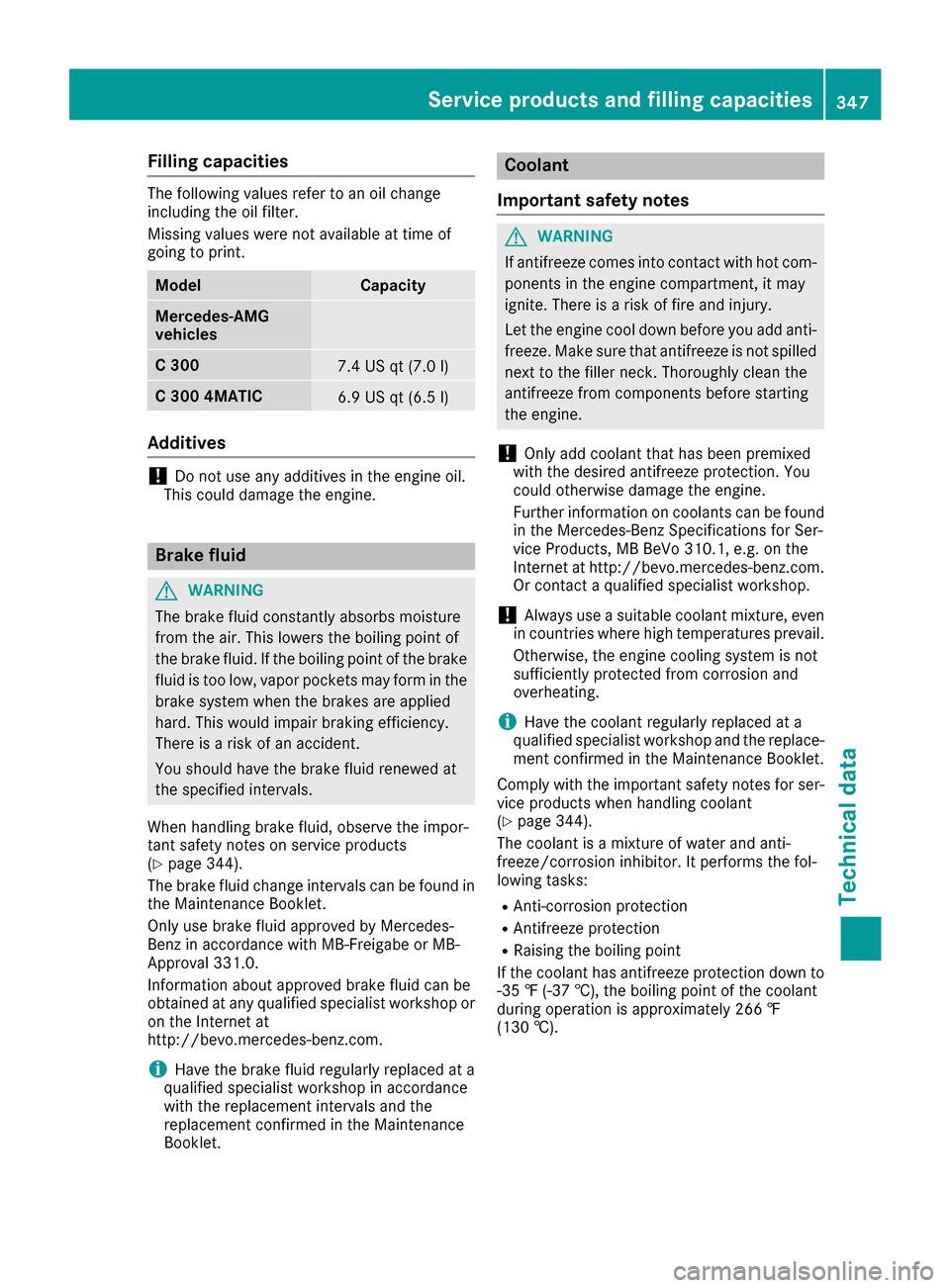
Filling capacities
The followingvalue srefer to an oil chang e
includin gthe oil filter.
Missing value swere no tavailable at time of
goin gtop rint.
ModelCapacit y
Mercedes ‑AMG
vehicles
C3 007.4USq t(7.0 l)
C300 4MATIC6.9 US qt (6.5 l)
Additives
!Do not us eany additive sinthe engine oil.
Thi scould damag ethe engine.
Brake fluid
GWARNING
The brake fluid constantly absorb smoisture
from the air. Thi slowers the boiling point of
the brake fluid .Ifthe boiling point of the brake
fluid is too low, vapor pockets may form in the
brake system when the brakes are applied
hard. Thi swould impai rbraking efficiency.
There is ariskofana ccident.
Yo us houl dhavet he brake fluid renewe dat
the specified intervals.
Whe nhandling brake fluid ,observe the impor-
tant safety notes on service products
(
Ypage 344).
The brake fluid change interval scan be found in
the Maintenance Booklet.
Only us ebrake fluid approved by Mercedes-
Benz in accordance with MB-Freigab eorMB-
Approva l331.0.
Information abouta pproved brake fluid can be
obtaine datany qualified specialist workshopo r
on the Interne tat
http://bevo.mercedes-benz.co m.
iHave the brake fluid regularly replaced at a
qualified specialist workshop in accordance
with the replacement intervals and the
replacement confirmed in the Maintenance
Booklet.
Coolant
Importan tsafety notes
GWARNING
If antifreeze comes into contact with hot com- ponents in the engine compartment, it may
ignite. There is arisk of fire and injury.
Let the engine cool dow nbefore yo uadd anti-
freeze .Make sur ethat antifreeze is not spilled
next to the filler neck. Thoroughly clea nthe
antifreeze from components before starting
the engine.
!Only ad dcoolant that has bee npremixed
with the desire dantifreeze protection. You
coul dotherwise damag ethe engine.
Furthe rinformatio noncoolants can be found
in the Mercedes-Benz Specifications for Ser-
vice Products, MB BeVo 310.1, e.g. on the
Internet at http://bevo.mercedes-benz.com.
Or contact aqualifie dspecialist workshop.
!Always use asuitabl ecoolant mixture, even
in countries where hig htemperatures prevail.
Otherwise ,the engine cooling system is not
sufficiently protected from corrosion and
overheating.
iHave the coolant regularly replaced at a
qualified specialist workshop and the replace-
ment confirmed in the Maintenance Booklet.
Comply with the important safety notes for ser-
vice products whe nhandling coolant
(
Ypage 344).
The coolant is amixture of water and anti-
freeze/corrosion inhibitor. It performs the fol-
lowing tasks:
RAnti-corrosion protection
RAntifreeze protection
RRaising the boiling point
If the coolant has antifreeze protection dow nto
-35 ‡(-37† ), the boiling point of the coolant
during operation is approximatel y266 ‡
(130 †).
Service products and filling capacities347
Technical data
Z