radio MERCEDES-BENZ C-CLASS COUPE 2018 User Guide
[x] Cancel search | Manufacturer: MERCEDES-BENZ, Model Year: 2018, Model line: C-CLASS COUPE, Model: MERCEDES-BENZ C-CLASS COUPE 2018Pages: 593, PDF Size: 10.86 MB
Page 280 of 593
Ra
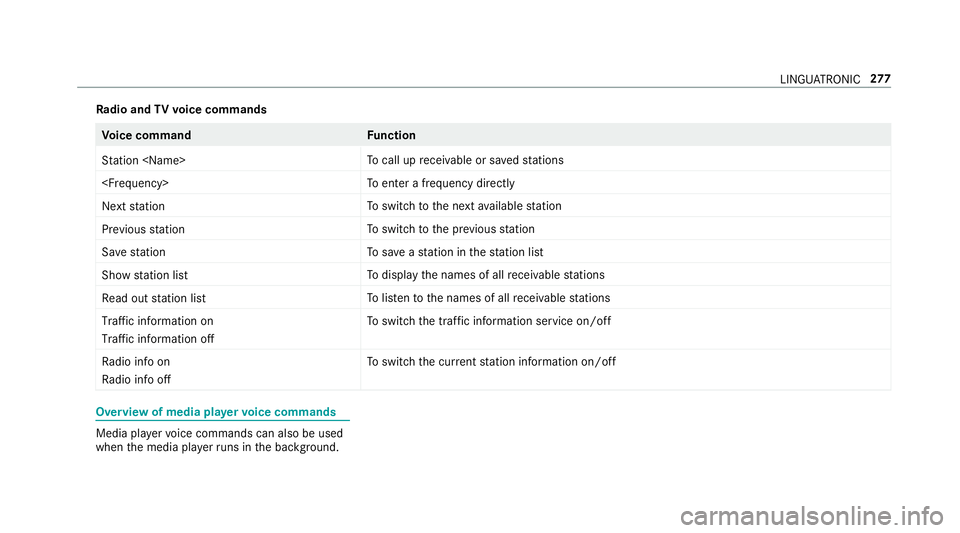
dio and TVvoice commands Vo
ice command Function
Station
call up recei vable or sa vedstations
enter a frequency directly
Next station To
switch tothe next available station
Previous station To
switch tothe pr evious station
Save station To
save ast ation in thest ation list
Show station list To
display the names of all recei vable stations
Read out station list To
listento the names of all recei vable stations
Traffic information on
Traffic information off To
switch the traf fic information service on/off
Radio info on
Radio info off To
switch the cur rent station information on/off Overview of media pla
yervo ice commands Media pla
yervo ice commands can also be used
when the media pla yerru ns in the bac kground. LINGU
ATRO NIC 277
Page 293 of 593
0007
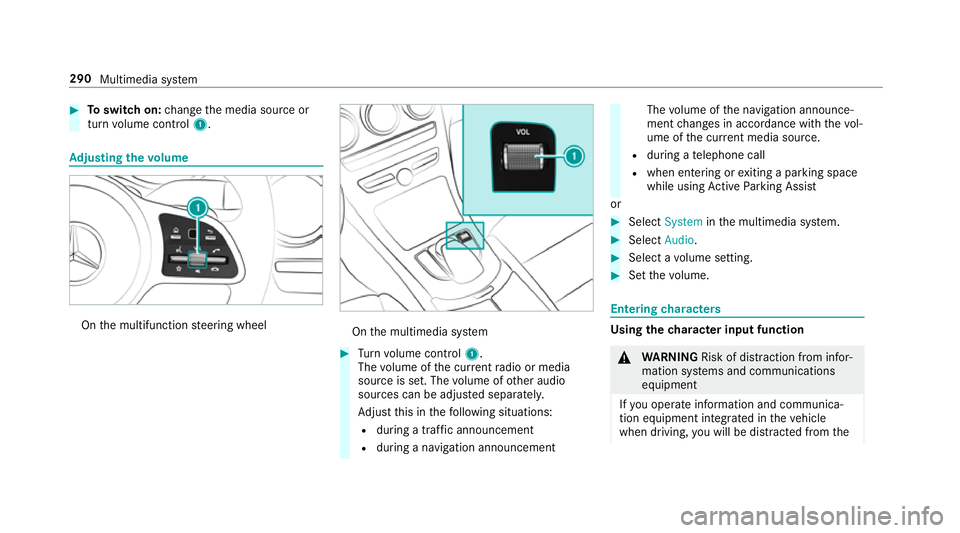
Toswitch on: change the media source or
turn volume control 1. Ad
justing the volume On
the multifunction steering wheel On
the multimedia sy stem 0007
Turn volume control 1.
The volume of the cur rent radio or media
source is set. The volume of other audio
sources can be adjus ted separatel y.
Ad just this in thefo llowing situations:
R during a traf fic announcement
R during a navigation announcement The
volume of the navigation announce‐
ment changes in accordance with thevo l‐
ume of the cur rent media sou rce.
R during a telephone call
R when entering or exiting a parking space
while using Active Parking Assist
or 0007
Select System inthe multimedia sy stem. 0007
Select Audio. 0007
Select a volume setting. 0007
Set thevo lume. Entering
characters Using
thech aracter input function 000A
WARNING Risk of di stra ction from infor‐
mation sy stems and communications
equipment
If yo u operate information and communica‐
tion equipment integ rated in theve hicle
when driving, you will be distracted from the290
Multimedia sy stem
Page 327 of 593
fo
rth eflow of traf fic and helps toimpr ovethe
qu ality of the tra ffic reports.
If yo u do not wish totransmit your vehicle posi‐
tion, you can ha vethis service deactivated at a
Mercedes-Benz service centre.
Useful information on FM RDS -TMC:
R A FM RDS-TMC radio station broadcasts traf‐
fi c re ports alongside thera dio prog ramme.
R FM RDS-TMC is not available in all countries.
Displ aying subscription information
Requ irements:
R The vehicle is equipped with Live Traf fic
Information.
R Forre gistration at Mercedes me and the
ex tension of the subscription: you ha ve a
user account in the Mercedes me por tal.
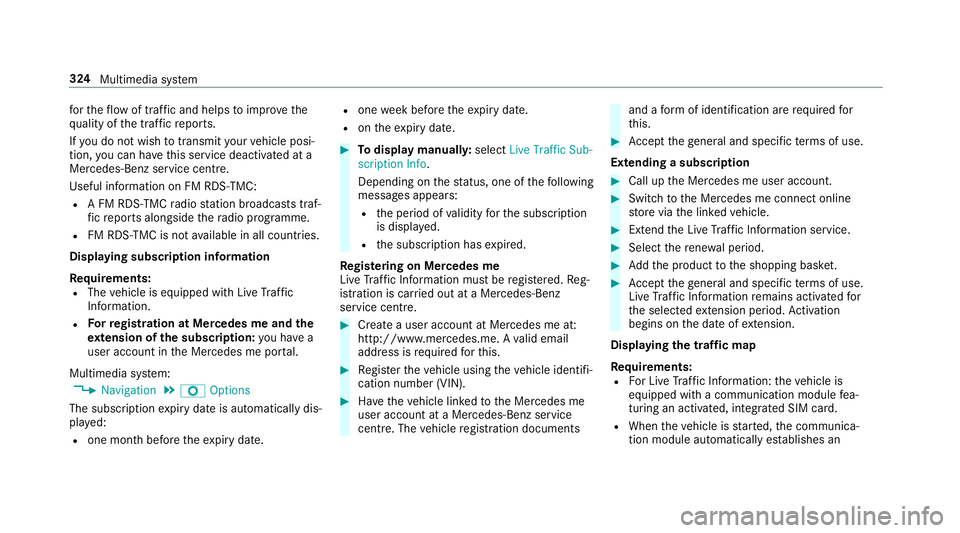
Multimedia sy stem:
0018 Navigation 0019
Z Options
The subscription expiry date is automatically dis‐
pla yed:
R one month before theex piry date. R
one week before theex piry date.
R ontheex piry date. 0007
Todispl aymanuall y:select Live Traffic Sub-
scription Info.
Depending on thest atus, one of thefo llowing
messages appears:
R the period of validity forth e subscription
is displa yed.
R the subscription has expired.
Re gis tering on Mercedes me
Live Traf fic Information must be regis tere d. Re g‐
istration is car ried out at a Mercedes-Benz
service cent re. 0007
Create a user account at Mercedes me at:
http://www.mercedes.me. A valid email
address is requ ired forth is. 0007
Regis terth eve hicle using theve hicle identifi‐
cation number (VIN). 0007
Have theve hicle linked tothe Mercedes me
user account at a Mercedes-Benz service
cent re. The vehicle registration documents and a
form of identification are requ ired for
th is. 0007
Accept thege neral and specific term s of use.
Extending a subscription 0007
Call up the Mercedes me user account. 0007
Switch tothe Mercedes me connect online
st ore via the linked vehicle. 0007
Extend the Live Traf fic Information service. 0007
Select there ne wa l period. 0007
Addth e product tothe shopping bask et. 0007
Accept thege neral and specific term s of use.
Live Traf fic Information remains activated for
th e selected extension pe riod. Activation
begins on the date of extension.
Displ aying the traf fic map
Re quirements:
R For Live Traf fic Information: theve hicle is
equipped with a communication module fea‐
turing an activated, integrated SIM card.
R When theve hicle is star ted, the communica‐
tion module automatically es tablishes an 324
Multimedia sy stem
Page 366 of 593
Deleting br
owser data
Multimedia sy stem:
0018 Connect 0019
z Browser
0019 Z Options 0019
Delete browser data
The following options are available:
R All
R Cache
R Cookies
R Entered URLs
R Form data 0007
Select an option. 0007
Select Yes.
Managing bookmar ks
Multimedia sy stem:
0018 Connect 0019
z Browser
0019 ß Bookmarks
Selecting a bookmark 0007
Select an entry. Creating a bookmark 0007
Select Add new bookmark. 0007
Enter a URL and a name. 0007
Select ¡.
Editing a bookmark 0007
Highlight a bookmar k. 0007
Select p. 0007
Select Edit. 0007
Enter a URL and a name. 0007
Select ¡.
Deleting a bookmark 0007
Highlight a bookmar k. 0007
Select p. 0007
Select Delete. 0007
Select Yes.
Closing the br owser
Multimedia sy stem:
0018 Connect 0019
z Browser 0007
Select åClose browser . Internet
radio Calling up In
ternetradio
Re quirements:
R There is an account on http://
www.me rcedes.me.
R The Internet radio service is activated.
R The data volume is available.
Depending on the count ry, data volume may
need tobe pur chased.
R Afast Internet connection for data transmis‐
sion free of inter fere nce.
The services are countr y-dependent.
Fo r more information, consult a Mercedes-
Benz service centre.
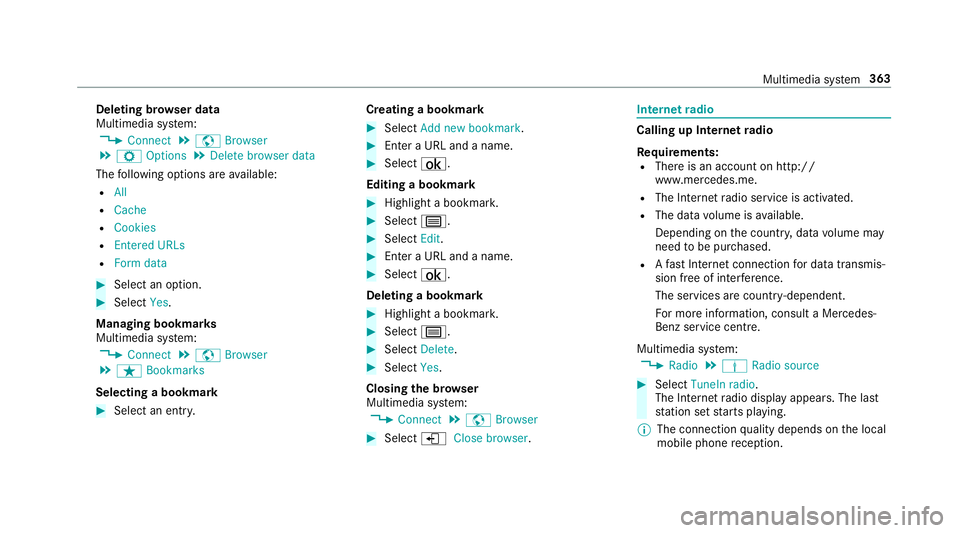
Multimedia sy stem:
0018 Radio 0019
Þ Radio source 0007
Select TuneIn radio.
The Internet radio display appears. The last
st ation set starts playing.
0009 The connection quality depends on the local
mobile phone reception. Multimedia sy
stem 363
Page 367 of 593
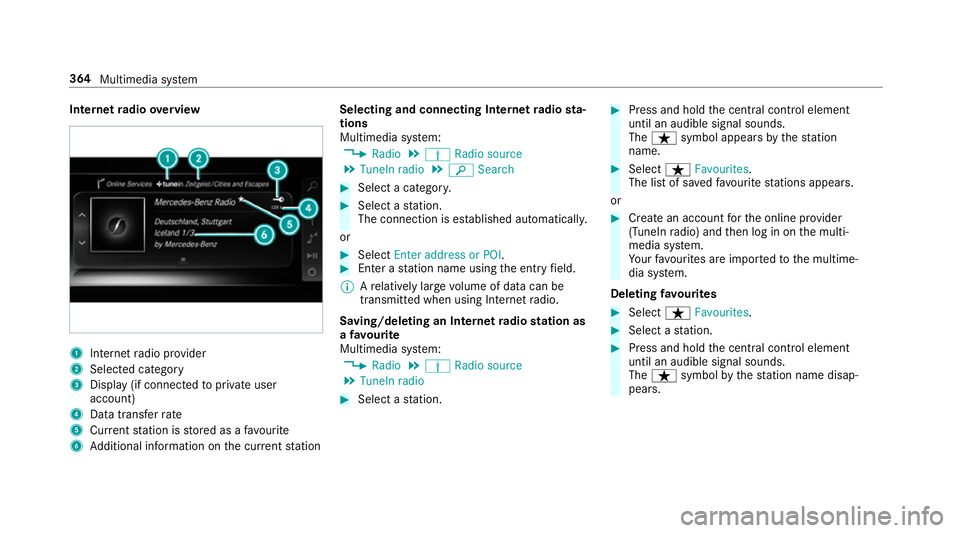
Internet
radio overview 1
Inte rn et radio pr ovider
2 Selec ted category
3 Display (if connec tedto private user
account)
4 Data transfer rate
5 Current station is stored as a favo urite
6 Additional information on the cur rent station Selecting and connecting Internet
radio sta‐
tions
Multimedia sy stem:
0018 Radio 0019
Þ Radio source
0019 TuneIn radio 0019
00D3 Search 0007
Select a categor y. 0007
Select a station.
The connection is es tablished automaticall y.
or 0007
Select Enter address or POI. 0007
Enter a station name using the entry field.
0009 Arelatively lar gevolume of data can be
transmitte d when using Internet radio.
Saving/deleting an Internet radio station as
a fa vo urite
Multimedia sy stem:
0018 Radio 0019
Þ Radio source
0019 TuneIn radio 0007
Select a station. 0007
Press and hold the cent ral control element
until an audible signal sounds.
The ß symbol appears bythest ation
name. 0007
Select ßFavourites.
The list of sa vedfavo urite stations appears.
or 0007
Create an account forth e online pr ovider
(TuneIn radio) and then log in on the multi‐
media sy stem.
Yo ur favo urites are impor tedto the multime‐
dia sy stem.
Deleting favo urites 0007
Select ßFavourites. 0007
Select a station. 0007
Press and hold the cent ral control element
until an audible signal sounds.
The ß symbol bythest ation name disap‐
pears. 364
Multimedia sy stem
Page 368 of 593
Setting Internet
radio options
Multimedia sy stem:
0018 Radio 0019
Þ Radio source
0019 TuneIn radio 0019
Z Options
The following options are available:
R Select stream : selectthest re am qualit y.
R Login to TuneIn account: log in to your
Tu neIn user account.
R Log out of account : log out ofyour TuneIn
user account. 0007
Select an option. Media
Au
dio mode In
fo rm ation on the audio mode 000A
WARNING Risk of di stra ction when han‐
dling da tastorage media
If yo u handle a data storage medium while
driving, your attention is diver ted from the traf
fic conditions. This could also cause you
to lose control of theve hicle. 0007
Only handle a data storage medium
when theve hicle is stationar y. Pe
rm issible file sy stems:
R FAT32
R exFAT
R NTFS
Pe rm issible data storage medium:
R SD card
R USB storage device
R iPod ®
/iPhone ®
R MTP devices
R Blue tooth ®
audio equipment
0009 Obse rveth efo llowing no tes:
R The multimedia sy stem supports a total
of up to50,000 files.
R Data storage media up to2 TB are sup‐
por ted (32‑bit address space). Suppor
tedfo rm ats:
R MP3
R WMA
R AAC
R WAV
R FLAC
R ALAC
0009 Obser vethefo llowing no tes:
R Due tothe lar gevariet y of available
music files rega rding encoders, sampling
ra tes and data rates, playback cannot
alw ays be guaranteed.
R Due tothe wide range of USB devices
av ailable on the mar ket, pl ayback cann ot
be guaranteed for all USB devices.
R Cop y-pr otected music files or DRM
enc rypte dfiles cannot be pla yed bac k.
R MP3 pla yers must support Media Trans‐
fe r Pr otocol (MTP). Multimedia sy
stem 365
Page 381 of 593
Ra
dio Switching on the
radio Multimedia sy
stem:
0018 Radio 0007
Alternatively: press the002A button.
The radio display appears. You will hear the
last station pla yed on the last frequency
band selected. 378
Multimedia sy stem
Page 382 of 593
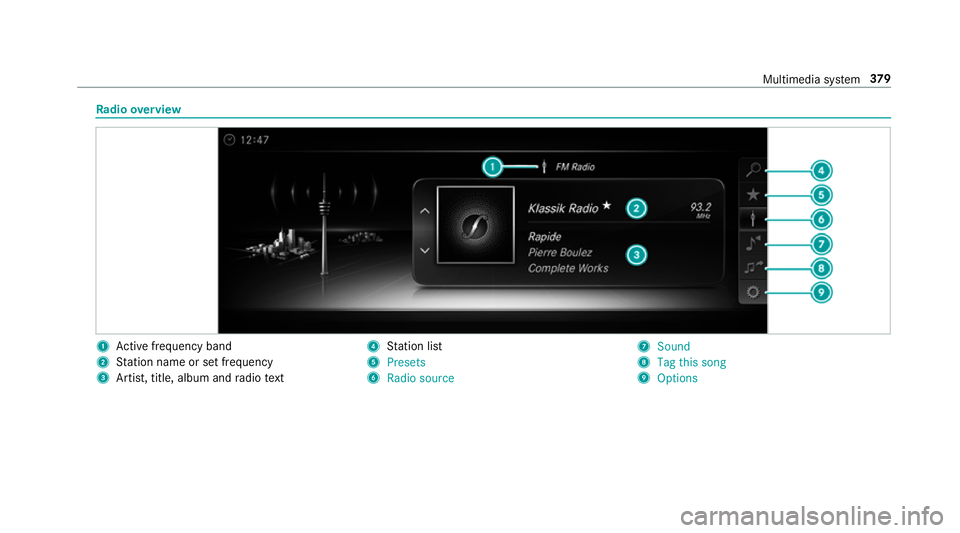
Ra
dio overview 1
Active frequency band
2 Station name or set frequency
3 Artist, title, album and radio text 4
Station list
5 Presets
6 Radio source 7
Sound
8 Tag this song
9 Options Multimedia sy
stem 37 9
Page 383 of 593
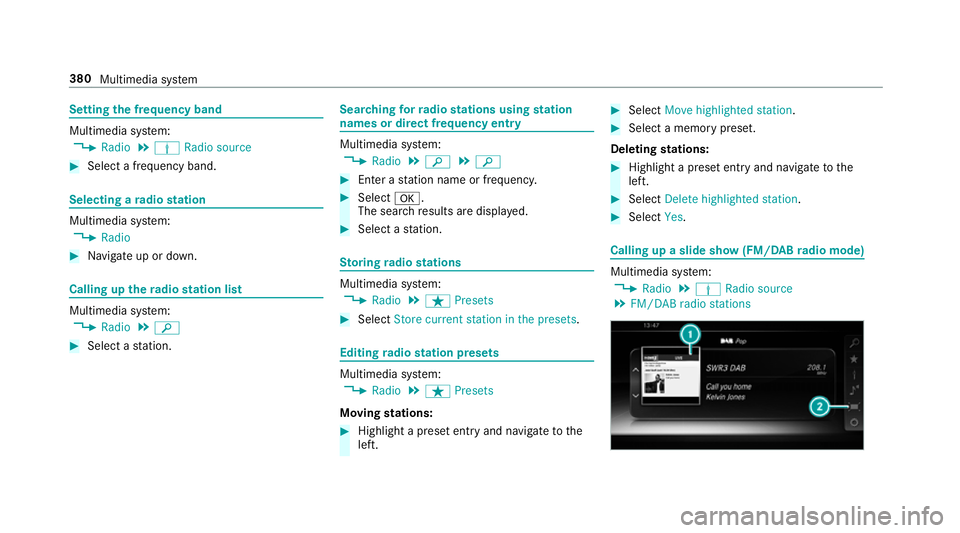
Setting
the frequency band Multimedia sy
stem:
0018 Radio 0019
Þ Radio source 0007
Select a frequency band. Selecting a
radio station Multimedia sy
stem:
0018 Radio 0007
Navigate up or down. Calling up
thera dio station list Multimedia sy
stem:
0018 Radio 0019
00D3 0007
Select a station. Sear
ching forra dio stations using station
names or direct frequency entry Multimedia sy
stem:
0018 Radio 0019
00D3 0019
00D3 0007
Ente r astation name or frequenc y. 0007
Select 0076.
The sea rchre sults are displa yed. 0007
Select a station. St
oring radio stations Multimedia sy
stem:
0018 Radio 0019
ß Presets 0007
Select Store current station in the presets . Editing
radio station presets Multimedia sy
stem:
0018 Radio 0019
ß Presets
Moving stations: 0007
Highlight a preset entry and navigate tothe
left. 0007
Select Move highlighted station. 0007
Select a memo rypreset.
Deleting stations: 0007
Highlight a preset entry and navigate tothe
left. 0007
Select Delete highlighted station. 0007
Select Yes. Calling up a slide show (FM/DAB
radio mode) Multimedia sy
stem:
0018 Radio 0019
Þ Radio source
0019 FM/DAB radio stations 380
Multimedia sy stem
Page 384 of 593
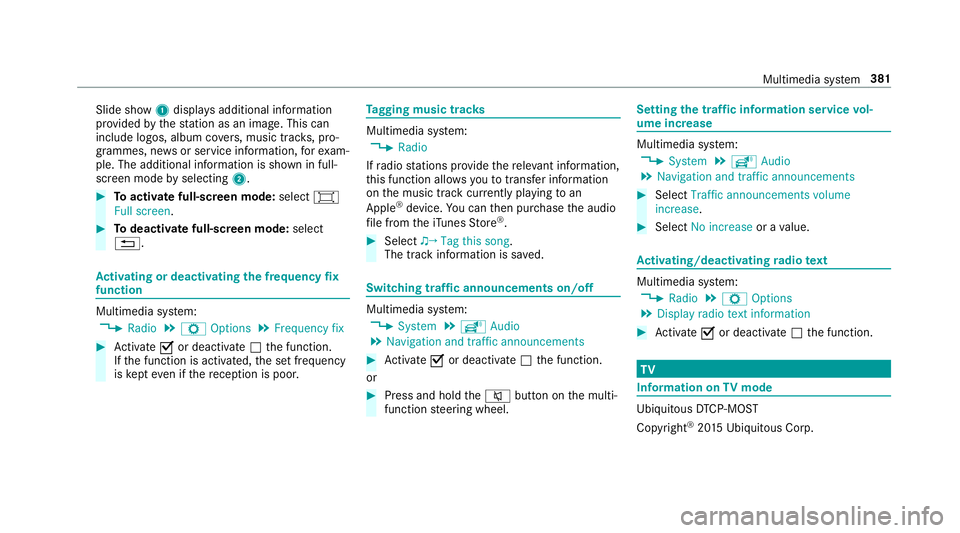
Slide show
1displ ays additional information
pr ov ided bythest ation as an image. This can
include logos, album co vers, music trac ks, pro‐
grammes, ne wsor service information, forex am‐
ple. The additional information is shown in full-
sc reen mode byselecting 2. 0007
Toactivate full-screen mode: select0008
Full screen. 0007
Todeactivate full-sc reen mode: select
0038. Ac
tivating or deactivating the frequency fix
function Multimedia sy
stem:
0018 Radio 0019
Z Options 0019
Frequency fix 0007
Activate 0073or deacti vate 0053 the function.
If th e function is activated, the set frequency
is ke pt eve n ifthere ception is poo r. Ta
gging music trac ks Multimedia sy
stem:
0018 Radio
If ra dio stations pr ovide there leva nt information,
th is function allo wsyouto trans fer information
on the music track cur rently pl aying toan
Apple ®
device. You can then pur chase the audio
fi le from theiTunes Store ®
. 0007
Select ♫→ Tag this song.
The track information is sa ved. Switching traf
fic announcements on/off Multimedia sy
stem:
0018 System 0019
õ Audio
0019 Navigation and traffic announcements 0007
Activate 0073or deacti vate 0053 the function.
or 0007
Press and hold the0063 button on the multi‐
function steering wheel. Setting
the traf fic information service vol‐
ume increase Multimedia sy
stem:
0018 System 0019
õ Audio
0019 Navigation and traffic announcements 0007
Select Traffic announcements volume
increase. 0007
Select No increase or avalue. Ac
tivating/deactivating radio text Multimedia sy
stem:
0018 Radio 0019
Z Options
0019 Display radio text information 0007
Activate 0073or deacti vate 0053 the function. TV
Information on
TVmode Ubiquito
usDTCP-MOST
Copyright ®
20 15 Ubiquitous Corp. Multimedia sy
stem 381