change time MERCEDES-BENZ C-CLASS COUPE 2018 Service Manual
[x] Cancel search | Manufacturer: MERCEDES-BENZ, Model Year: 2018, Model line: C-CLASS COUPE, Model: MERCEDES-BENZ C-CLASS COUPE 2018Pages: 593, PDF Size: 10.86 MB
Page 362 of 593
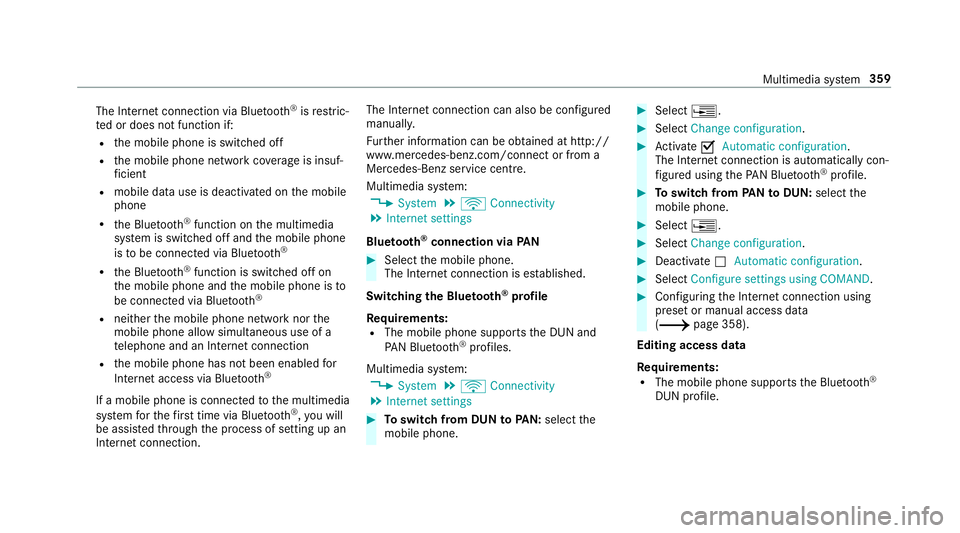
The Internet connection via Blue
tooth®
is restric‐
te d or does not function if:
R the mobile phone is switched off
R the mobile phone network co verage is insuf‐
fi cient
R mobile da tause is deactivated on the mobile
phone
R the Blue tooth®
function on the multimedia
sy stem is switched off and the mobile phone
is to be connec ted via Blue tooth®
R the Blue tooth®
function is switched off on
th e mobile phone and the mobile phone is to
be connec ted via Blue tooth®
R neither the mobile phone network nor the
mobile phone allow simultaneous use of a
te lephone and an Internet connection
R the mobile phone has not been enabled for
Internet access via Blue tooth®
If a mobile phone is connected tothe multimedia
sy stem forth efirs t time via Blu etoo th®
,yo u will
be assis tedth ro ugh the process of setting up an
Internet connection. The Internet connection can also be confi
gured
manually.
Fu rther information can be obtained at http://
www.mercedes-benz.com/connect or from a
Mercedes-Benz service centre.
Multimedia sy stem:
0018 System 0019
ö Connectivity
0019 Internet settings
Blue tooth ®
connection via PAN 0007
Select the mobile phone.
The Internet connection is es tablished.
Switching the Blu etoo th®
pr ofile
Re quirements:
R The mobile phone supports the DUN and
PA N Blue tooth®
profiles.
Multimedia sy stem:
0018 System 0019
ö Connectivity
0019 Internet settings 0007
Toswitch from DUN toPAN: select the
mobile phone. 0007
Select 0080. 0007
Select Change configuration. 0007
Activate 0073Automatic configuration.
The Internet connection is au tomatical lycon‐
fi gured using thePA N Blue tooth®
profile. 0007
Toswitch from PANto DUN: select the
mobile phone. 0007
Select 0080. 0007
Select Change configuration. 0007
Deactivate 0053Automatic configuration. 0007
Select Configure settings using COMAND . 0007
Configuri ngthe Internet connection using
preset or manual access data
(0013 page 358).
Editing access data
Requ irements:
R The mobile phone supports the Blue tooth®
DUN profile. Multimedia sy
stem 359
Page 363 of 593
Multimedia sy
stem:
0018 System 0019
ö Connectivity
0019 Internet settings 0007
Highlight the mobile phone. 0007
Select 0080. 0007
Select Change configuration .0007
For mobile phones with PAN and DUN:
select Configure settings using COMAND. 0007
Configure the Internet connection using pre‐
set or manual access data (0013 page 358).
Cancelling Internet access permission for a
mobile phone
Multimedia sy stem:
0018 System 0019
ö Connectivity
0019 Internet settings 0007
Highlight the mobile phone. 0007
Select 0080. 0007
Select Delete configuration. 0007
Select Yes. Displaying mobile phone details
Multimedia sy
stem:
0018 System 0019
ö Connectivity
0019 Internet settings 0007
Highlight the mobile phone. 0007
Select 0080. 0007
Select Details.
Establishing an Internet connection
Multimedia sy stem:
0018 Connect 0007
Forex ample, select zBrowser .
0009 The multimedia sy stem usually es tablishes
th e Internet connection automaticall y.Ifthe
multimedia sy stem is not connected tothe
Internet, the Internet connection is es tab‐
lished when an Internet application is used.
0009 The availability of web br ows ers is count ry-
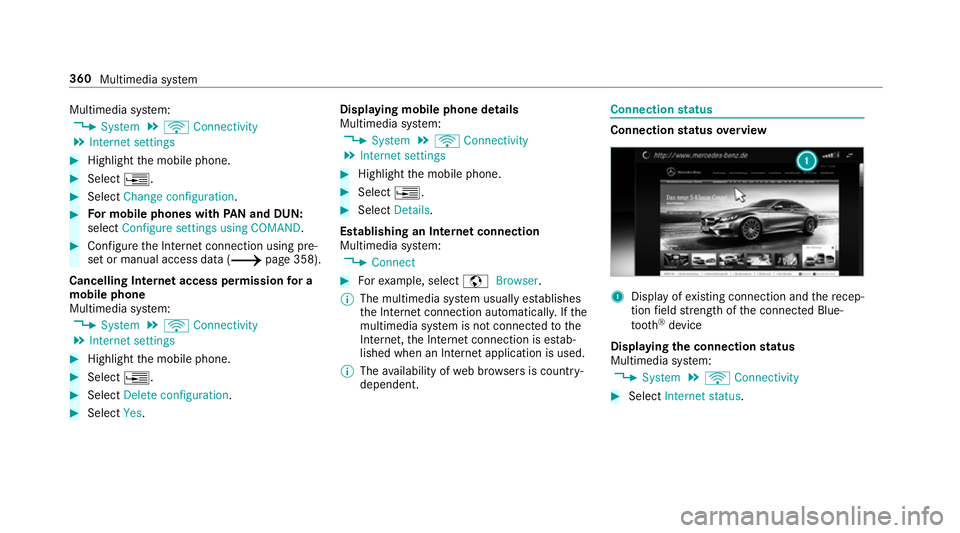
dependent. Connection
status Connection
status overview 1
Display of existing connection and there cep‐
tion field stre ngth of the connected Blue‐
tooth ®
device
Displaying the connection status
Multimedia sy stem:
0018 System 0019
ö Connectivity 0007
Select Internet status .360
Multimedia sy stem
Page 365 of 593
Multimedia sy
stem:
0018 Connect 0019
z Browser
0019 z Enter URL 0007
Ente r aweb address.
0009 The function is count ry-dependent. 0007
Tofinish the entry and call up thewe b‐
site: select 0054.
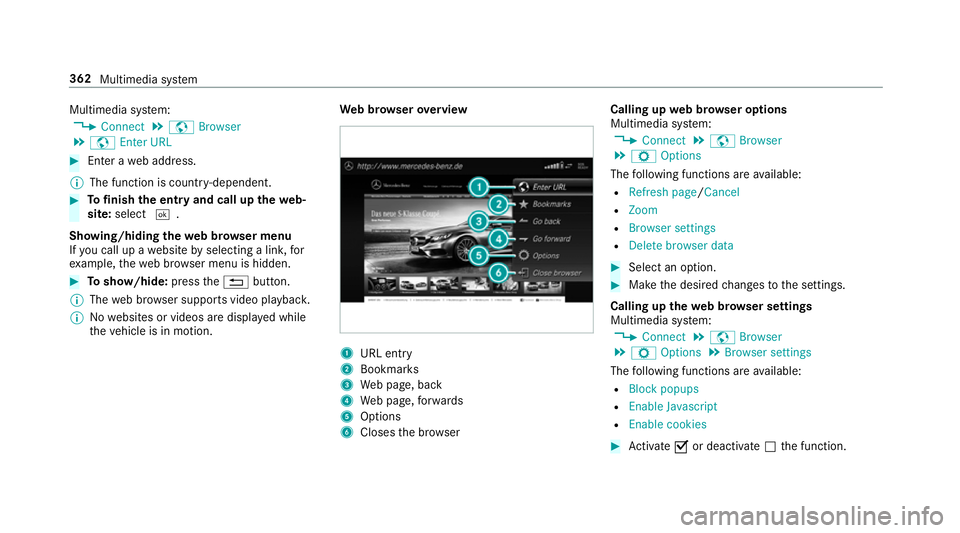
Showing/hiding thewe b br ows er menu
If yo u call up a website byselecting a link, for
ex ample, thewe b br ows er menu is hidden. 0007
Toshow/hide: pressthe0038 button.
0009 The web br ows er supports video playbac k.
0009 Nowebsites or videos are displa yed while
th eve hicle is in motion. We
b br owser overview 1
URL ent ry
2 Bookma rks
3 Web page, back
4 Web page, forw ards
5 Options
6 Closes the br ows er Calling up
web br owser options
Multimedia sy stem:
0018 Connect 0019
z Browser
0019 Z Options
The following functions are available:
R Refresh page /Cancel
R Zoom
R Browser settings
R Delete browser data 0007
Select an option. 0007
Make the desired changes tothe settings.
Calling up thewe b br owser settings
Multimedia sy stem:
0018 Connect 0019
z Browser
0019 Z Options 0019
Browser settings
The following functions are available:
R Block popups
R Enable Javascript
R Enable cookies 0007
Activate 0073or deacti vate 0053 the function. 362
Multimedia sy stem
Page 385 of 593
The
TVtuner enables reception of digital chan‐
nels according tothefo llowing standards:
R DVB-T
R DVB-T2
In some countries, thest andards may not be
av ailable, or may not be available in all areas.
A CI+ module (Common In terface Module),
which is not included in the scope of deliver y,is
used todecrypt HD prog rammes according to
th e CI+ standard. In some countries, an addi‐
tional smart card is required, which is inse rted
into the CI+ module (see the manufacturer's
operating manual).
The TVtuner is in the boot recess. The CI+ mod‐
ule is inse rted into theTV tune r.
000E NO
TEDama getothe CI+ module and
Smart Card The CI+ module is designed
for use in the
home. The CI+ module can overheat and be
damaged bycontinuous exposure tohigh
outside temp eratures. 0007
Make sure that the CI+ module is not
subject tohigh temp eratures forex ten‐
ded pe riods of time.
If th e CI+ module is damaged, no
encryp tedch annels can be recei ved. The
TVtuner can recei veprogrammes in Dolby
Digital Plus. Manufactured under licence from Dolby Labora‐
to
ries. Dolb y,Dol byAudio and the double-D sym‐
bol are trademar ksof Dolby Laboratories.
The TVtuner au tomatically sets theTV standard.
TV reception is dependent on thefo llowing fac‐
to rs:
R Speed
R Characteristics of the selected TVchannel
TV reception may be influenced bythefo llowing
fa ctors:
R Electronic devices whi chare take n into the
ve hicle may impair TVreception.
R The conditions forre ception may change
whilst theve hicle is in motion.
Po or reception conditions can ha vethefo llowing
ef fect:
R The TVtuner switches toan alternative chan‐
nel with better reception whi chis digitally
broadcasting the same programme conte nt.
R The TVtuner mu testh e sound, freezes the
screen or hides it. The tsymbol appears
in the displa y. 382
Multimedia sy stem
Page 389 of 593
0007
Press the0055 button on theto uchpad.
The media menu is called up. 0007
Navigate up or down.
The next or pr evious TVchannel is selec ted.
Displaying cur rent prog ramme in form ation
fo r the selected channel (EPG)
Multimedia sy stem:
0018 Media 0019
à Media sources 0019
TV
0019 Z Options 0007
Select Electronic Program Guide.
EPG displa ys thefo llowing information (if
av ailable):
R broadcast times
R names of the cur rent and upcoming pro‐
grammes 0007
Select programme information and confirm.
The de tails are displa yed. 0007
Toscroll: swipe up or down on theto uch‐
pad. 0007
Toexitth e detailed displa y:press the0038
button. Fu
nction of thech annel fix setting
Channel fix is switched on
The channel is not changed. This is useful if, for
ex ample, you drive theve hicle thro ugh reception
re gions that ove rlap. It pr events frequent switch‐
ing ba ckand forth between channels.
The FIXindicator is displa yed af terth e name of
th eTV channel.
Channel fix is switched off
Depending on reception qualit y,theTV tuner
au tomatical lyswitches toan alternative channel
with the same programme conte nt but better
re ception. Using this function, the best possible
te levision picture can be found, rega rdless of the
re ception qualit y.
Ac tivating/deactivating channel fix
Multimedia sy stem:
0018 Media 0019
à Media sources 0019
TV
0019 Z Options 0007
Switch Channel fix on0073 or off 0053. Channel list
overview The
TVtuner sho wsthe cur rent programme on
th e digital TVchannels or radio stations with
adequate reception in its ownch annel list.
The order of thech annel lists is alphabetical or
countr y-specific.
The TVtuner requ ires a short amount of time to
update the information.
The channel lists show thefo llowing information:
R recei vable channel names
R programme title
The information is shown under thefo llowing
conditions:
R it is broadcast bythe digital channel
R there ception conditions are adequate Favo
urites Overview of
TVprog rammes (f avourites)
Yo u can create a total of 40 digital TVchannel
fa vo urites. 386
Multimedia sy stem
Page 393 of 593
0007
Select a menu option.
0009 You can view the subscription number in the
CI+ menu. You need this to extend the sub‐
scription, forex ample.
If playback is malfunctioning, you can try to
re sol vethe problem with Restart CI+ mod-
ule.
Fu rther information (see the manufacturer's
operating instructions). Sound
To
ne settings Information about
the sound sy stem
The sound sy stem has a total output of 100 W
and is equipped with 7 spea kers. It is available
fo r all functions in thera dio and media modes.
Calling up the sound menu
Multimedia sy stem:
0018 Media 0019
00BB Sound
The following functions are available:
R Equaliser
R Balance and Fader R
Automatic volume adjustment
R Other sound settings 0007
Select a sound menu.
Ad justing treble, mid- range and bass set‐
tings
Multimedia sy stem:
0018 Media 0019
00BB Sound 0019
Equaliser 0007
Select Treble, MidorBass. 0007
Change the settings.
Ac tivating/deactivating automatic volume
adjustment
Multimedia sy stem:
0018 Media 0019
00BB Sound
0019 Automatic volume adjustment
Au tomatic volume adjustment compensates for
dif fering volumes when changing between audio
sources. 0007
Activate 0073or deacti vate 0053 the function. Ad
justing the balance/ fader
Multimedia sy stem:
0018 Media 0019
00BB Sound
0019 Balance and Fader 0007
Adjust the balance and fader. 0007
Toexitth e menu: pressthe0038 button. Burmes
ter®
sur round sound sy stem Information about
the Bu rmester ®
sur round
sound sy stem
The Burmes ter®
sur round sound sy stem has a
to ta l output of 590 W and is equipped with 13
speakers. It is available for all functions in the
ra dio and media modes.
Calling up the sound menu in the
Bu rm ester ®
sur round sound sy stem
Multimedia sy stem:
0018 Media 0019
00BB Sound
The following functions are available:
R Equaliser
R Balance and Fader 390
Multimedia sy stem
Page 453 of 593
0007
Attach wheel spanner 3tosoc ket2 and
tighten the hub cap clockwise.
Specified tightening torq ue: 25 Nm. Ra
ising theve hicle when changing a wheel Re
quirements:
R There are no persons in theve hicle.
R The vehicle has been prepared for a wheel
ch ange (0013 page448).
R The hub caps ha vebeen remo ved
( 0013 page449).
Impor tant no tes on using the jack:
R Use only theve hicle-specific jack that has
been tested and appr ovedby Mercedes-Benz
to raise theve hicle.
R The jack is only designed forra ising and
holding theve hicle for a short time while a
wheel is being changed and not for mainte‐
nance workunder theve hicle.
R The jack must be placed on a firm ,fl at and
non-slip sur face. If necessar y,use a lar ge,
fl at, load-bearing, non-slip unde rlay. R
The foot ofthe jack must be positioned verti‐
cally under the jack support point. Ru
les of conduct when theve hicle is raised:
R Never place your hands or feet under the
ve hicle.
R Never lie under theve hicle.
R Do not start the engine and do not release
th e electric parking brake.
R Do not open or close any doors or the boot
lid. 0007
Using the wheel wrench, loosen the wheel
bolts on the wheel you wish tochange by
about one full turn. Do not unscr ewthe bolts
comple tely. 450
Wheels and tyres