lane assist MERCEDES-BENZ C-CLASS ESTATE 2014 Owners Manual
[x] Cancel search | Manufacturer: MERCEDES-BENZ, Model Year: 2014, Model line: C-CLASS ESTATE, Model: MERCEDES-BENZ C-CLASS ESTATE 2014Pages: 489, PDF Size: 15.08 MB
Page 7 of 489
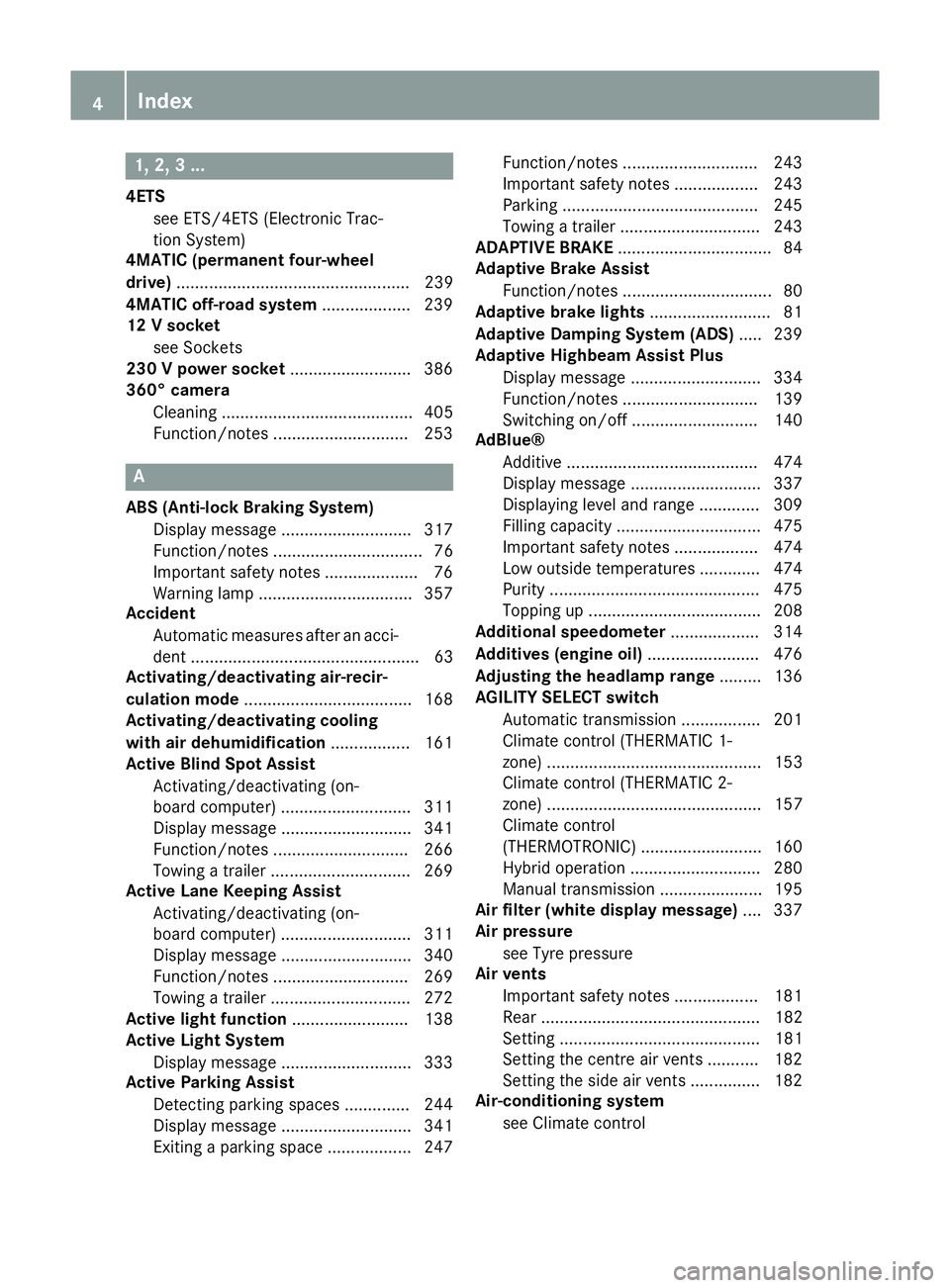
1, 2, 3 ...
4ETS see ETS/4ETS (Electronic Trac-
tion System)
4MATIC (permanent four-wheel
drive) .................................................. 239
4MATIC off-road system ...................239
12 V socket
see Sockets
230 V power socket .......................... 386
360° camera
Cleaning ......................................... 405
Function/notes ............................ .253 A
ABS (Anti-lock Braking System) Display message ............................ 317
Function/notes ................................ 76
Important safety notes .................... 76
Warning lamp ................................. 357
Accident
Automatic measures after an acci-
dent ................................................. 63
Activating/deactivating air-recir-
culation mode ................................... .168
Activating/deactivating cooling
with air dehumidification ................. 161
Active Blind Spot Assist
Activating/deactivating (on-
board computer) ............................ 311
Display message ............................ 341
Function/notes ............................ .266
Towing a trailer .............................. 269
Active Lane Keeping Assist
Activating/deactivating (on-
board computer) ............................ 311
Display message ............................ 340
Function/notes ............................ .269
Towing a trailer .............................. 272
Active light function ......................... 138
Active Light System
Display message ............................ 333
Active Parking Assist
Detecting parking spaces .............. 244
Display message ............................ 341
Exiting a parking space .................. 247 Function/notes ............................
.243
Important safety notes .................. 243
Parking .......................................... 245
Towing a trailer .............................. 243
ADAPTIVE BRAKE ................................. 84
Adaptive Brake Assist
Function/notes ................................ 80
Adaptive brake lights .......................... 81
Adaptive Damping System (ADS) ..... 239
Adaptive Highbeam Assist Plus
Display message ............................ 334
Function/notes ............................ .139
Switching on/off ........................... 140
AdBlue®
Additive ......................................... 474
Display message ............................ 337
Displaying level and range ............. 309
Filling capacity ............................... 475
Important safety notes .................. 474
Low outside temperatures ............. 474
Purity ............................................. 475
Topping up ..................................... 208
Additional speedometer ................... 314
Additives (engine oil) ........................ 476
Adjusting the headlamp range ......... 136
AGILITY SELECT switch
Automatic transmission ................. 201
Climate control (THERMATIC 1-
zone) .............................................. 153
Climate control (THERMATIC 2-
zone) .............................................. 157
Climate control
(THERMOTRONIC ).......................... 160
Hybrid operation ............................ 280
Manual transmission ...................... 195
Air filter (white display message) .... 337
Air pressure
see Tyre pressure
Air vents
Important safety notes .................. 181
Rear ............................................... 182
Setting ........................................... 181
Setting the centre air vents ........... 182
Setting the side air vents ............... 182
Air-conditioning system
see Climate control 4
Index
Page 13 of 489
ETS/4ETS (Electronic Traction
System) ........................................... 81
Important safety guidelines ............
.76
Overview .......................................... 75
PRE-SAFE® Brake ............................84
RBS (Recuperative Brake Sys-
tem) ................................................ .44
Driving system
DISTRONIC PLUS with Steering
Assist and Stop&Go Pilot .............. .234
Driving systems
360°camera .................................. 253
Active Blind Spot Assist ................. 266
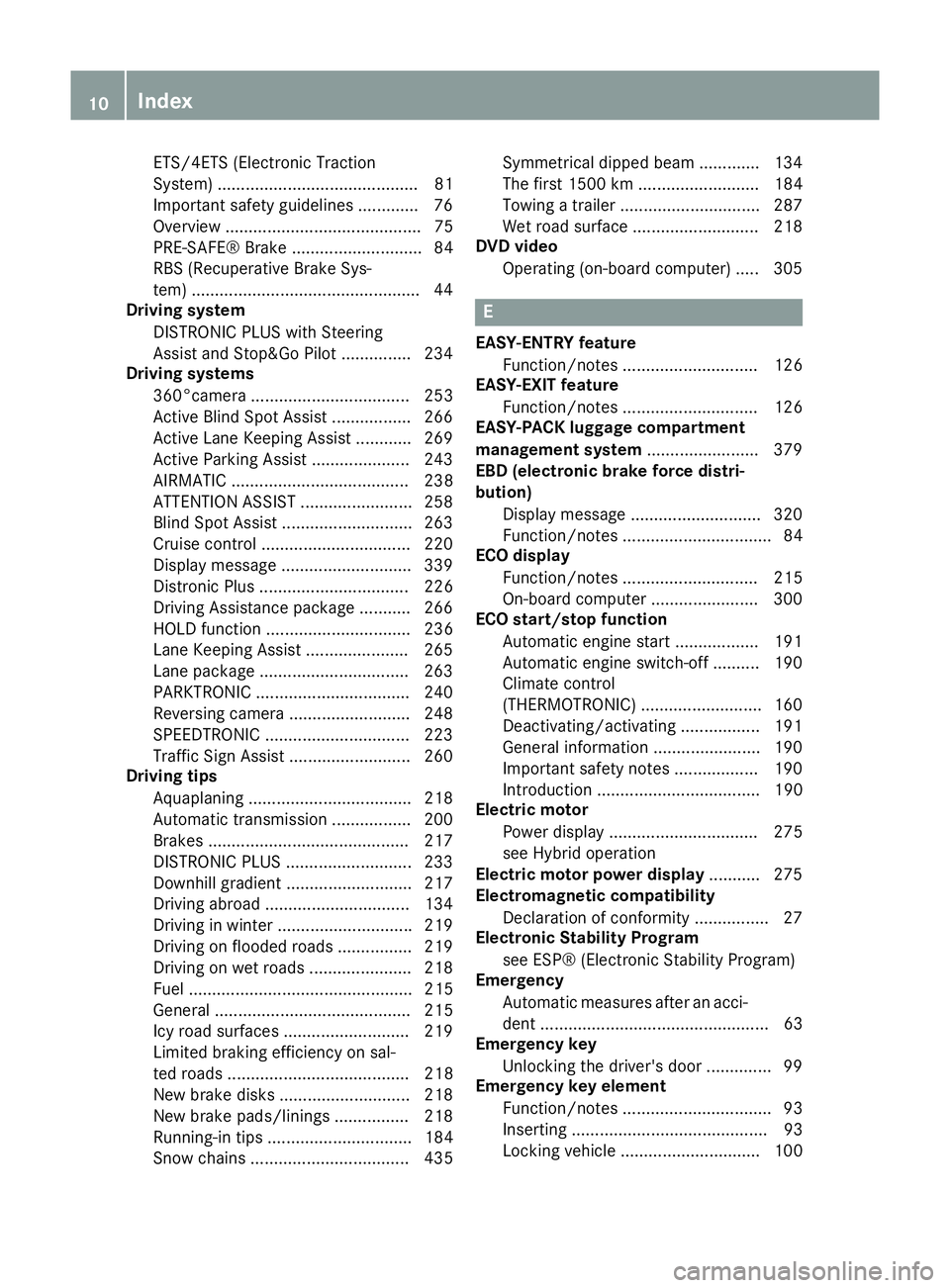
Active Lane Keeping Assist ............ 269
Active Parking Assist ..................... 243
AIRMATIC ...................................... 238
ATTENTION ASSIST ........................ 258
Blind Spot Assist ............................ 263
Cruise control ................................ 220
Display message ............................ 339
Distronic Plus ................................ 226
Driving Assistance package ........... 266
HOLD function ............................... 236
Lane Keeping Assist ..................... .265
Lane package ................................ 263
PARKTRONIC ................................. 240
Reversing camera .......................... 248
SPEEDTRONIC ............................... 223
Traffic Sign Assist .......................... 260
Driving tips
Aquaplaning ................................... 218
Automatic transmission ................. 200
Brakes .......................................... .217
DISTRONIC PLUS ........................... 233
Downhill gradient ........................... 217
Driving abroad ............................... 134
Driving in winter ............................ .219
Driving on flooded roads ................ 219
Driving on wet roads ..................... .218
Fuel ................................................ 215
General .......................................... 215
Icy road surfaces ........................... 219
Limited braking efficiency on sal-
ted roads ....................................... 218
New brake disks ............................ 218
New brake pads/linings ................ 218
Running-in tips ............................... 184
Snow chains .................................. 435 Symmetrical dipped bea
m............. 134
The first 1500 km .......................... 184
Towing a trailer .............................. 287
Wet road surface ........................... 218
DVD video
Operating (on-board computer) ..... 305 E
EASY-ENTRY feature Function/note s............................. 126
EASY-EXIT feature
Function/note s............................. 126
EASY-PACK luggage compartment
management system ........................ 379
EBD (electronic brake force distri-
bution)
Display message ............................ 320
Function/note s................................ 84
ECO display
Function/note s............................. 215
On-board computer ....................... 300
ECO start/stop function
Automatic engine start .................. 191
Automatic engine switch-off .......... 190
Climate control
(THERMOTRONIC ).......................... 160
Deactivating/activating ................. 191
General information ....................... 190
Important safety notes .................. 190
Introduction ................................... 190
Electric motor
Power display ................................ 275
see Hybrid operation
Electric motor power display ........... 275
Electromagnetic compatibility
Declaration of conformity ................ 27
Electronic Stability Program
see ESP® (Electronic Stability Program)
Emergency
Automatic measures after an acci-
dent ................................................. 63
Emergency key
Unlocking the driver's door .............. 99
Emergency key element
Function/note s................................ 93
Inserting .......................................... 93
Locking vehicle .............................. 100 10
Index
Page 17 of 489
Display message ............................ 333
Overview ........................................ 138
Setting the dipped-beam head-
lamps for driving on the right/left .. 313
Interior lighting
Control ........................................... 141
Emergency lighting ........................ 141
Overview ........................................ 140
Reading lamp ................................. 140
Interior motion sensor
Deactivating .................................... .88
Function ........................................... 88
Priming ............................................ 88
Switching off .................................... 88
Internal combustion engine
Malfunction .................................... 285
ISOFIX child seat securing system .... 65J
Jack Storage location ............................ 411
Using ............................................. 443
Jump starting (engine) ...................... 422K
Key Changing the battery ....................... 94
Checking the battery ....................... 94
Convenience closing feature .......... 108
Convenience opening feature ........ 108
Display messag e............................ 352
Door central locking/unlocking ....... 91
Emergency key element ................... 93
Important safety notes .................... 90
KEYLESS-GO start function .............. 92
Loss ................................................. 95
Modifying the programming ............. 92
Overview .......................................... 90
Positions (ignition lock) ................. 185
Problem (malfunction) ..................... 95
Starting the engine ........................ 188
Key positions
Key ................................................ 185
Start/Stop button .......................... 185
KEYLESS-GO
Convenience closing ...................... 109
Deactivation ..................................... 91 Locking ............................................ 91
Removing the Start/Stop button ... 186
Unlocking ......................................... 91
Kickdown
Driving tips .................................... 200
Kneebag ............................................... 53 L
Lamps see Warning and indicator lamps
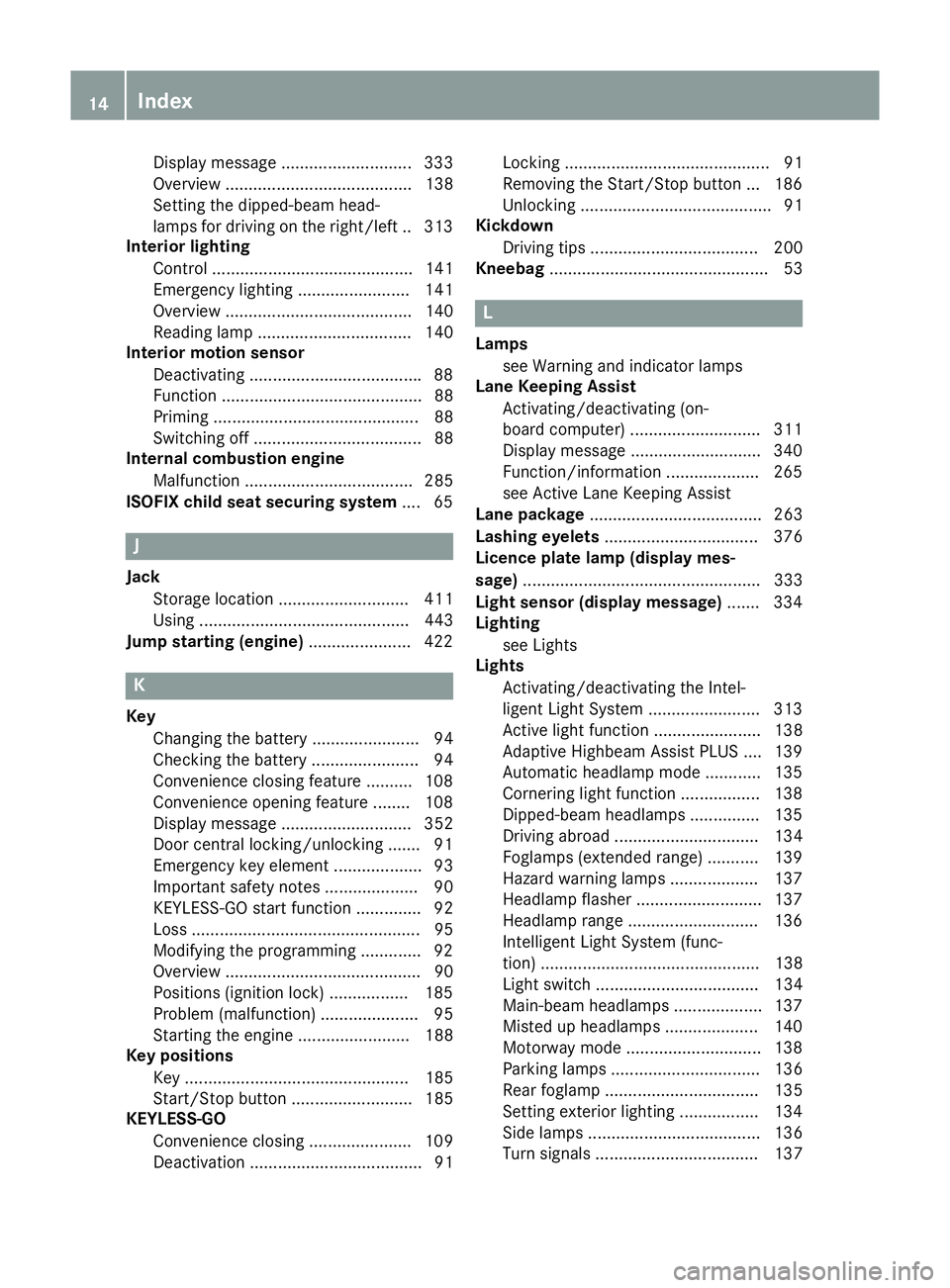
Lane Keeping Assist
Activating/deactivating (on-
board computer) ............................ 311
Display message ............................ 340
Function/information .................... 265
see Active Lane Keeping Assist
Lane package ..................................... 263
Lashing eyelets ................................. 376
Licence plate lamp (display mes-
sage) ................................................... 333
Light sensor (display message) ....... 334
Lighting
see Lights
Lights
Activating/deactivating the Intel-
ligent Light System ........................ 313
Active light function ....................... 138
Adaptive Highbeam Assist PLUS .... 139
Automatic headlamp mode ............ 135
Cornering light function ................. 138
Dipped-beam headlamp s............... 135
Driving abroad ............................... 134
Foglamps (extended range) ........... 139
Hazard warning lamps ................... 137
Headlamp flashe r........................... 137
Headlamp range ............................ 136
Intelligent Light System (func-
tion) ............................................... 138
Light switch ................................... 134
Main-beam headlamp s................... 137
Misted up headlamp s.................... 140
Motorway mode ............................. 138
Parking lamps ................................ 136
Rear foglamp ................................. 135
Setting exterior lighting ................. 134
Side lamps ..................................... 136
Turn signals ................................... 137 14
Index
Page 18 of 489
see Interior lighting
LIM indicator lamp
Cruise control ................................ 220
DISTRONIC PLUS ........................... 227
Variable SPEEDTRONIC ................. 223
Limiting the speed
see SPEEDTRONIC
Loading guidelines ............................370
Locking
see Central locking
Locking (doors)
Automatic ........................................ 98
Emergency locking ........................ 100
From inside (central locking but-
ton) ................................................. .97
Locking centrally
see Central locking
Luggage compartment
Opening/closing (from outside,
HANDS-FREE ACCESS ).................. 103
Luggage compartment cover
Important safety notes .................. 376
Luggage compartment enlarge-
ment ................................................... 373
Luggage compartment floor
opening/closing ............................ 380
stowage well, under ....................... 380
Lumbar support
Adjusting the 4-way lumbar sup-
port ................................................ 123 M
M+S tyres ........................................... 434
Main-beam headlamps
Adaptive Highbeam Assist PLUS .... 139
Changing bulb s.............................. 143
Display message ............................ 333
Switching on/of f........................... 137
Manual transmission
AGILITY SELECT switch .................. 195
Drive program ................................ 196
Engaging reverse gear ................... 195
Gear lever ...................................... 194
Pulling away ................................... 188
Shift recommendation ................... 195
Shifting to neutral .......................... 195
Starting the engine ........................ 187 Matt finish (cleaning instructions)
.. 403
Memory card (audio) ......................... 305
Memory function
Seats, steering wheel, exterior
mirrors ........................................... 130
Mercedes-Benz Contact
Info call button .............................. 389
Roadside Assistance call button .... 389
Mercedes-Benz emergency call
system
Switch in the overhead control
panel .............................................. 388
Mercedes-Benz Intelligent Drive
360°camera .................................. 253
Active Blind Spot Assist ................. 266
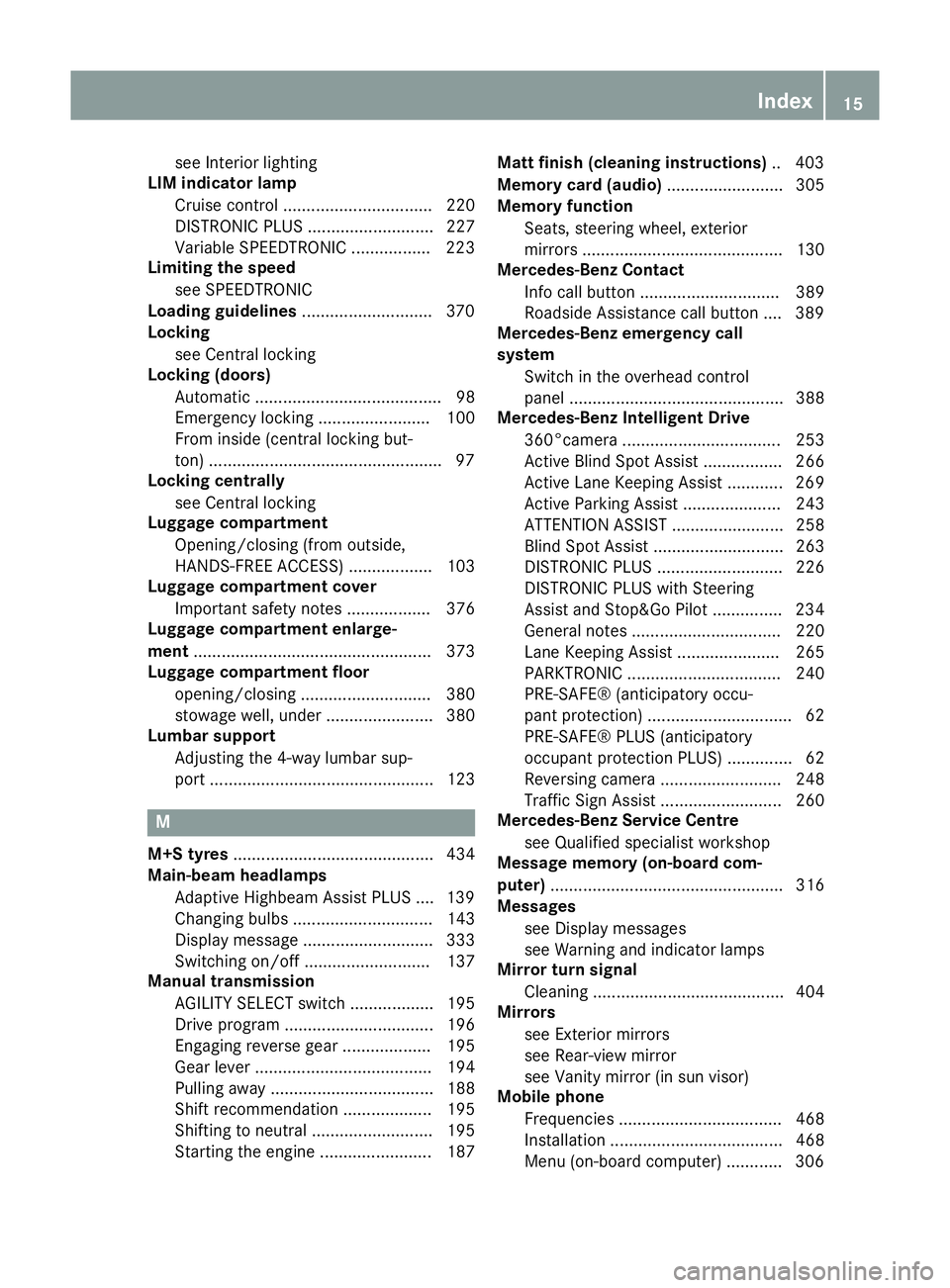
Active Lane Keeping Assist ............ 269
Active Parking Assist ..................... 243
ATTENTION ASSIST ........................ 258
Blind Spot Assist ............................ 263
DISTRONIC PLUS ........................... 226
DISTRONIC PLUS with Steering
Assist and Stop&Go Pilot ............... 234
General notes ................................ 220
Lane Keeping Assist ...................... 265
PARKTRONIC ................................. 240
PRE-SAFE® (anticipatory occu-
pant protection) ............................... 62
PRE-SAFE® PLUS (anticipatory
occupant protection PLUS) .............. 62
Reversing camera .......................... 248
Traffic Sign Assist .......................... 260
Mercedes-Benz Service Centre
see Qualified specialist workshop
Message memory (on-board com-
puter) .................................................. 316
Messages
see Display messages
see Warning and indicator lamps
Mirror turn signal
Cleaning ......................................... 404
Mirrors
see Exterior mirrors
see Rear-view mirror
see Vanity mirror (in sun visor)
Mobile phone
Frequencies ................................... 468
Installation ..................................... 468
Menu (on-board computer) ............ 306 Index
15
Page 24 of 489
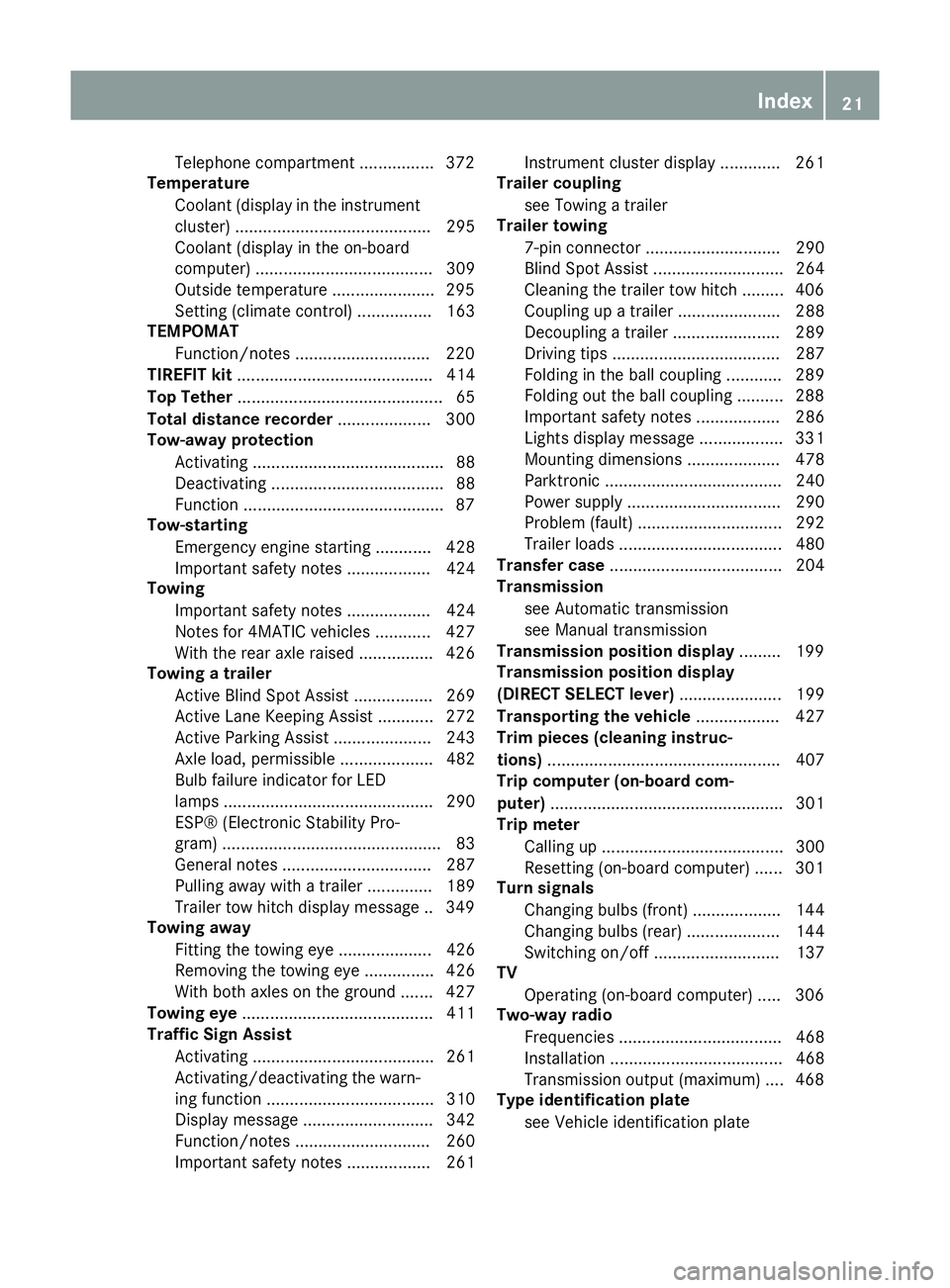
Telephone compartment ................3
72
Temperature
Coolant (display in the instrumentcluster) .......................................... 295
Coolant (display in the on-board
computer) ...................................... 309
Outside temperature ..................... .295
Setting (climate control) ................ 163
TEMPOMAT
Function/notes ............................ .220
TIREFIT kit .......................................... 414
Top Tether ............................................ 65
Total distance recorder .................... 300
Tow-away protection
Activating ......................................... 88
Deactivating ..................................... 88
Function .......................................... .87
Tow-starting
Emergency engine starting ............ 428
Important safety notes .................. 424
Towing
Important safety notes .................. 424
Notes for 4MATIC vehicles ............ 427
With the rear axle raised ................ 426
Towing a trailer
Active Blind Spot Assist ................. 269
Active Lane Keeping Assist ............ 272
Active Parking Assist ..................... 243
Axle load, permissibl e.................... 482
Bulb failure indicator for LED
lamps ............................................. 290
ESP® (Electronic Stability Pro-
gram) ............................................... 83
General notes ................................ 287
Pulling away with a traile r.............. 189
Trailer tow hitch display message .. 349
Towing away
Fitting the towing eye .................... 426
Removing the towing eye ............... 426
With both axles on the ground ....... 427
Towing eye ......................................... 411
Traffic Sign Assist
Activating ....................................... 261
Activating/deactivating the warn-
ing function .................................... 310
Display message ............................ 342
Function/note s............................. 260
Important safety notes .................. 261 Instrument cluster display ............. 261
Trailer coupling
see Towing a trailer
Trailer towing
7-pin connecto r............................. 290
Blind Spot Assist ............................ 264
Cleaning the trailer tow hitch ......... 406
Coupling up a traile r...................... 288
Decoupling a trailer ....................... 289
Driving tip s.................................... 287
Folding in the ball coupling ............ 289
Folding out the ball coupling .......... 288
Important safety notes .................. 286
Lights display message .................. 331
Mounting dimensions .................... 478
Parktronic ...................................... 240
Power supply ................................. 290
Problem (fault) ............................... 292
Trailer load s................................... 480
Transfer case ..................................... 204
Transmission
see Automatic transmission
see Manual transmission
Transmission position display ......... 199
Transmission position display
(DIRECT SELECT lever) ...................... 199
Transporting the vehicle .................. 427
Trim pieces (cleaning instruc-
tions) .................................................. 407
Trip computer (on-board com-
puter) .................................................. 301
Trip meter
Calling up ....................................... 300
Resetting (on-board computer) ...... 301
Turn signals
Changing bulbs (front) ................... 144
Changing bulbs (rear) .................... 144
Switching on/of f........................... 137
TV
Operating (on-board computer) ..... 306
Two-way radio
Frequencies ................................... 468
Installation ..................................... 468
Transmission output (maximum) .... 468
Type identification plate
see Vehicle identification plate Index
21
Page 35 of 489
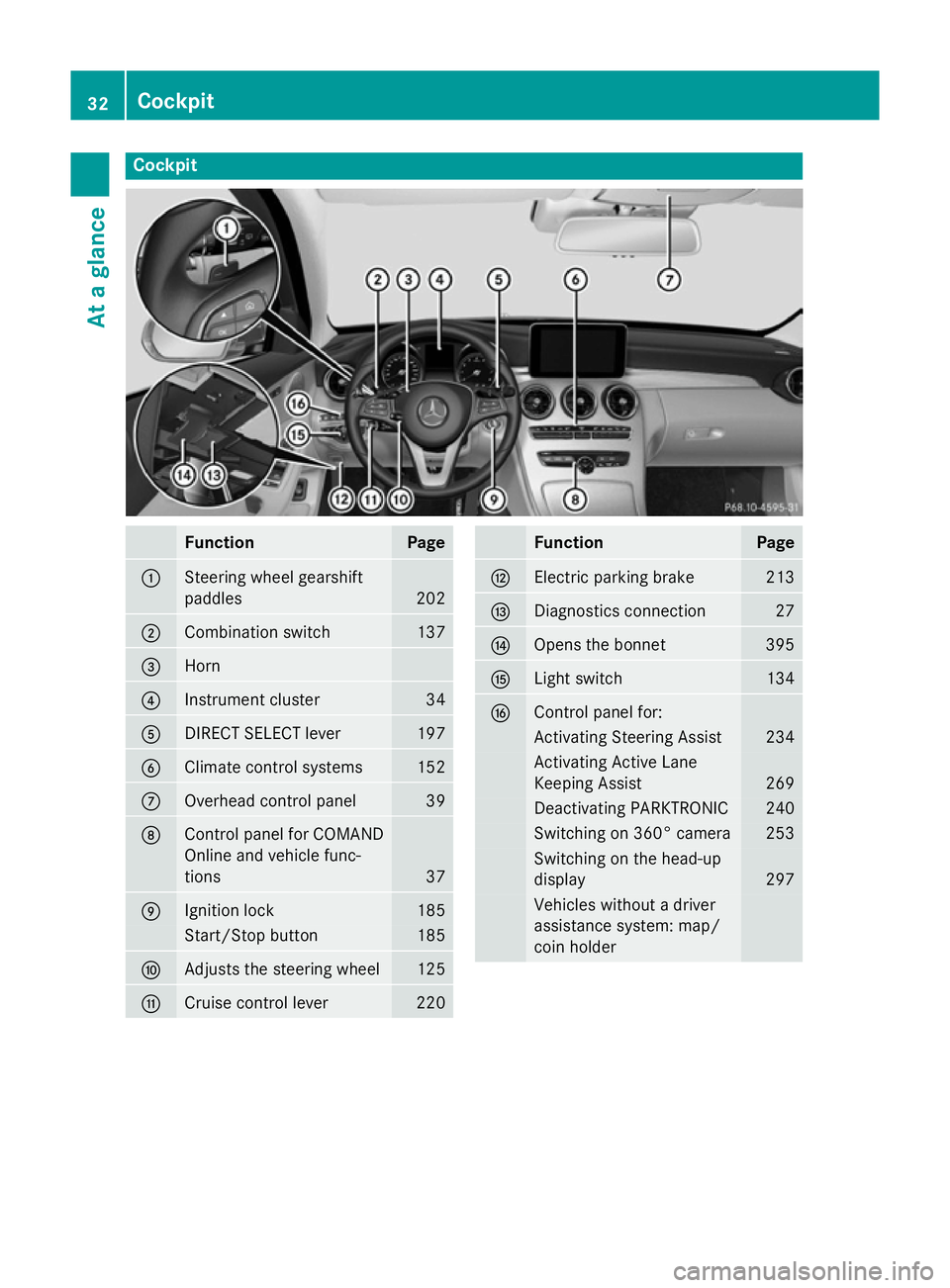
Cockpit
Function Page
:
Steering wheel gearshift
paddles
202
;
Combination switch 137
=
Horn
?
Instrument cluster 34
A
DIRECT SELECT lever 197
B
Climate control systems 152
C
Overhead control panel 39
D
Control panel for COMAND
Online and vehicle func-
tions
37
E
Ignition lock 185
Start/Stop button 185
F
Adjusts the steering wheel 125
G
Cruise control lever 220 Function Page
H
Electric parking brake 213
I
Diagnostics connection 27
J
Opens the bonnet 395
K
Light switch 134
L
Control panel for:
Activating Steering Assist 234
Activating Active Lane
Keeping Assist 269
Deactivating PARKTRONIC 240
Switching on 360° camera 253
Switching on the head-up
display
297
Vehicles without a driver
assistance system: map/
coin holder32
CockpitAt a glance
Page 36 of 489
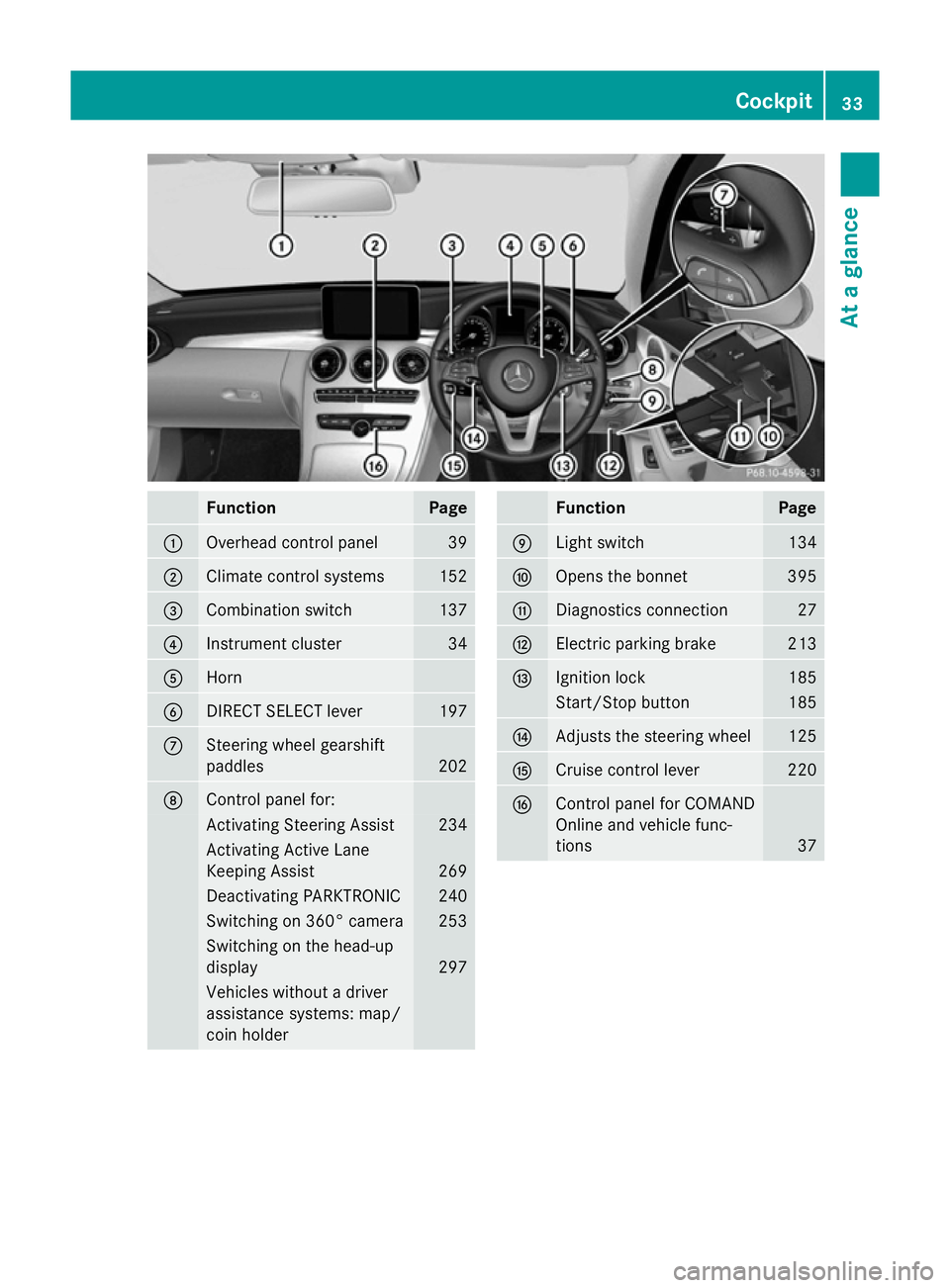
Function Page
:
Overhead control panel 39
;
Climate control systems 152
=
Combination switch 137
?
Instrument cluster 34
A
Horn
B
DIRECT SELECT lever 197
C
Steering wheel gearshift
paddles
202
D
Control panel for:
Activating Steering Assist 234
Activating Active Lane
Keeping Assist
269
Deactivating PARKTRONIC 240
Switching on 360° camera 253
Switching on the head-up
display
297
Vehicles without a driver
assistance systems: map/
coin holder Function Page
E
Light switch 134
F
Opens the bonnet 395
G
Diagnostics connection 27
H
Electric parking brake 213
I
Ignition lock 185
Start/Stop button 185
J
Adjusts the steering wheel 125
K
Cruise control lever 220
L
Control panel for COMAND
Online and vehicle func-
tions
37Cockpit
33At a glance
Page 86 of 489
It may be best to deactivate ESP
®
in the fol-
lowing situations:
R when using snow chains
R in deep snow
R on sand or gravel
Activate ESP ®
as soon as the situations
described above no longer apply. ESP ®
will
otherwise not be able to stabilise the vehicle if the vehicle starts to skid or a wheel starts to
spin.
Deactivating/activating ESP ®
You can deactivate or activate ESP ®
via the
on-board computer.
X To deactivate: (Ypage 309).
The å ESP®
OFF warning lamp in the
instrument cluster lights up.
X To activate: (Ypage 309).
The å ESP®
OFF warning lamp in the
instrument cluster goes out.
Characteristics when ESP ®
is deactivated
If ESP ®
is deactivated and one or more wheels
start to spin, the ÷ESP®
warning lamp in
the instrument cluster does not flash. In such
situations, ESP ®
will not stabilise the vehicle.
If you deactivate ESP ®
:
R ESP ®
no longer improves driving stability
R the driven wheels can spin
The spinning of the wheels results in a cut-
ting action for better traction on loose sur-faces.
R traction control is still activated
R PRE-SAFE ®
is no longer available; nor is it
activated if you brake firmly with assis-
tance from ESP ®
R PRE-SAFE ®
Brake is no longer available; it
is also not activated if you brake firmly with
assistance from ESP ®
R ESP ®
still provides support when you brake
firmly. ESP
®
trailer stabilisation General notes
If your vehicle/trailer combination begins to
lurch, ESP
®
assists you in this situation. ESP ®
slows the vehicle down by braking and limit-
ing the engine output until the vehicle/trailer combination has stabilised.
Important safety notes G
WARNING
If road and weather conditions are poor,
trailer stabilisation will not be able to prevent the vehicle/trailer combination from swerv-
ing. Trailers with a high centre of gravity can
tip over before ESP ®
can detect this. There is
a risk of an accident.
Always adapt your driving style to the prevail-
ing road and weather conditions.
If your vehicle/trailer combination begins to
lurch, you can only stabilise the vehicle/
trailer combination by depressing the brake
firmly.
ESP ®
trailer stabilisation is active above
speeds of approximately 65 km/h.
ESP ®
trailer stabilisation does not work if
ESP ®
is deactivated or disabled because of a
malfunction.
Crosswind Assist General notes
Strong crosswind gusts can impair the road-
holding of your vehicle when driving straight
ahead. The crosswind driving assistance
function integrated in ESP ®
noticeably
reduces these impairments.
Depending on the direction and intensity of
the side wind, ESP ®
is activated automati-
cally.
ESP intervenes with stabilising braking to
assist you in keeping the vehicle in the lane.
Crosswind Assist is active at vehicle speeds
above 80 km/h when driving straight ahead
or cornering gently. Driving safety systems
83Safety Z
Page 223 of 489
Driving systems
Mercedes-Benz Intelligent Drive
Mercedes-Benz Intelligent Drive stands for
innovative driver assistance and safety sys-
tems which enhance comfort and support the
driver in critical situations. With these intelli-
gent co-ordinated systems Mercedes-Benz
has set a milestone on the path towards
autonomous driving.
Mercedes-Benz Intelligent Drive embraces all elements of active and passive safety in one
well thought-out system – for the safety of thevehicle occupants and that of other road
users.
Further information on driving safety systems
(Y page 75). Cruise control
General notes Cruise control maintains a constant road
speed for you. It brakes automatically in order to avoid exceeding the set speed. Change into
a lower gear in good time on long and steep
downhill gradients. Take particular note of
this when driving a laden vehicle and when
towing a trailer. By doing so, you will make
use of the braking effect of the engine. This
relieves the load on the brake system and
prevents the brakes from overheating and
wearing too quickly.
Use cruise control only if road and traffic con- ditions are appropriate for maintaining a
steady speed for a prolonged period. You can store any road speed above 30 km/h.
Important safety notes If you fail to adapt your driving style, cruise
control can neither reduce the risk of an acci-
dent nor override the laws of physics. Cruise
control cannot take into account road,
weather or traffic conditions. Cruise control is
only an aid. You are responsible for the dis-
tance to the vehicle in front, for vehicle speed, for braking in good time, and for staying in
lane.
Do not use cruise control:
R in road and traffic conditions which do not
allow you to maintain a constant speed
(e.g. in heavy traffic or on winding roads)
R on smooth or slippery roads. Braking or
accelerating can cause the drive wheels to
lose traction and the vehicle could then
skid
R when there is poor visibility, e.g. due to fog,
heavy rain or snow
If there is a change of drivers, advise the new
driver of the speed stored.
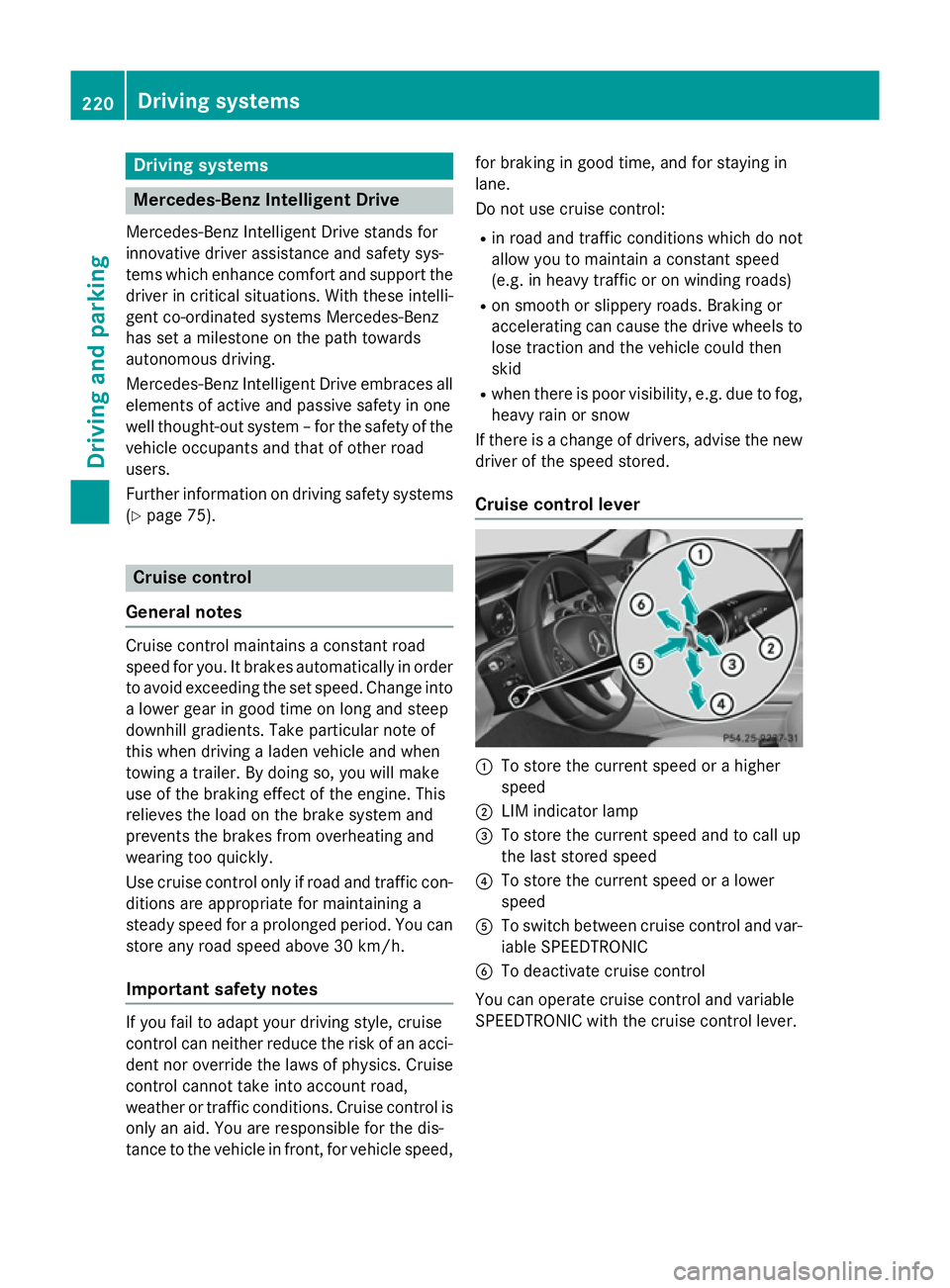
Cruise control lever :
To store the current speed or a higher
speed
; LIM indicator lamp
= To store the current speed and to call up
the last stored speed
? To store the current speed or a lower
speed
A To switch between cruise control and var-
iable SPEEDTRONIC
B To deactivate cruise control
You can operate cruise control and variable
SPEEDTRONIC with the cruise control lever. 220
Driving syste
msDriving and parking
Page 233 of 489
Road and traffic conditions
i
The following function is only available in
vehicles with the Driving Assistance Plus
package.
The function is not operational in all coun-
tries.
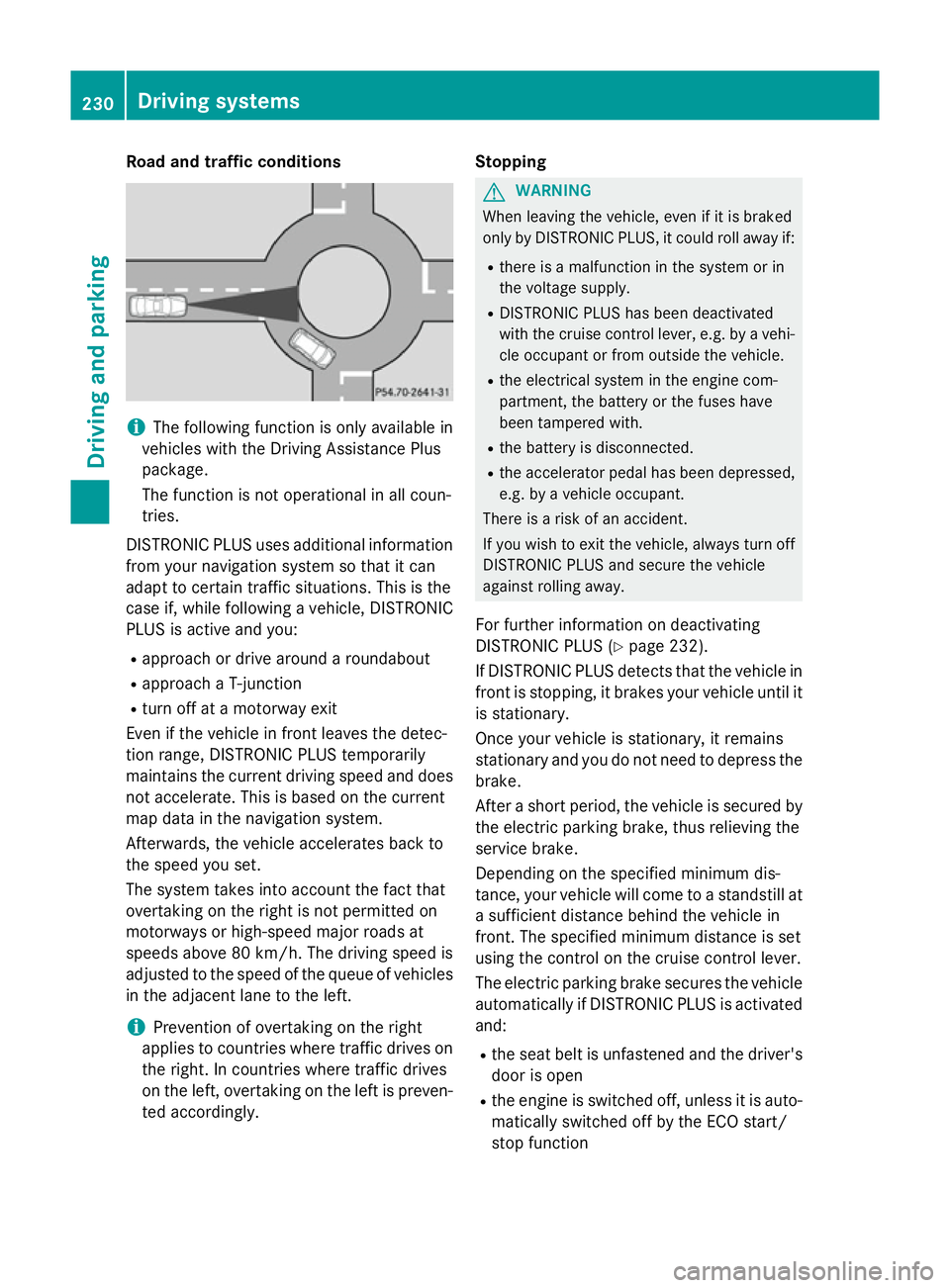
DISTRONIC PLUS uses additional information
from your navigation system so that it can
adapt to certain traffic situations. This is the
case if, while following a vehicle, DISTRONIC
PLUS is active and you:
R approach or drive around a roundabout
R approach a T-junction
R turn off at a motorway exit
Even if the vehicle in front leaves the detec-
tion range, DISTRONIC PLUS temporarily
maintains the current driving speed and does not accelerate. This is based on the current
map data in the navigation system.
Afterwards, the vehicle accelerates back to
the speed you set.
The system takes into account the fact that
overtaking on the right is not permitted on
motorways or high-speed major roads at
speeds above 80 km/h. The driving speed is
adjusted to the speed of the queue of vehicles
in the adjacent lane to the left.
i Prevention of overtaking on the right
applies to countries where traffic drives on
the right. In countries where traffic drives
on the left, overtaking on the left is preven-
ted accordingly. Stopping G
WARNING
When leaving the vehicle, even if it is braked
only by DISTRONIC PLUS, it could roll away if:
R there is a malfunction in the system or in
the voltage supply.
R DISTRONIC PLUS has been deactivated
with the cruise control lever, e.g. by a vehi-
cle occupant or from outside the vehicle.
R the electrical system in the engine com-
partment, the battery or the fuses have
been tampered with.
R the battery is disconnected.
R the accelerator pedal has been depressed,
e.g. by a vehicle occupant.
There is a risk of an accident.
If you wish to exit the vehicle, always turn off
DISTRONIC PLUS and secure the vehicle
against rolling away.
For further information on deactivating
DISTRONIC PLUS (Y page 232).
If DISTRONIC PLUS detects that the vehicle in front is stopping, it brakes your vehicle until it is stationary.
Once your vehicle is stationary, it remains
stationary and you do not need to depress the
brake.
After a short period, the vehicle is secured by
the electric parking brake, thus relieving the
service brake.
Depending on the specified minimum dis-
tance, your vehicle will come to a standstill at a sufficient distance behind the vehicle in
front. The specified minimum distance is set
using the control on the cruise control lever.
The electric parking brake secures the vehicle
automatically if DISTRONIC PLUS is activated
and:
R the seat belt is unfastened and the driver's
door is open
R the engine is switched off, unless it is auto-
matically switched off by the ECO start/
stop function 230
Driving systemsDriving and parking