audio MERCEDES-BENZ C-CLASS ESTATE 2020 Owner's Guide
[x] Cancel search | Manufacturer: MERCEDES-BENZ, Model Year: 2020, Model line: C-CLASS ESTATE, Model: MERCEDES-BENZ C-CLASS ESTATE 2020Pages: 565, PDF Size: 10.27 MB
Page 378 of 565
#
Select a menu option.
% You can view the subscription number in the
CI+ menu. You need this to extend the sub‐
scription, forex ample.
If playback is malfunctioning, you can try to
re sol vethe problem with Restart CI+ mod-
ule.
Fu rther information can be found in the man‐
ufacturer's operating instructions. Sound
To
ne settings Information about
the sound sy stem
The sound sy stem has a total output of 100 W
and is equipped with five speakers. It is available
fo r all functions in thera dio and media modes.
% The call can also be made from other audio
sources. Replace Media with, forex ample,
Ra dio in the menu path. Calling up
the sound menu
Multimedia sy stem:
4 Media 5
à Sound
The following functions are available:
R Equaliser
R Balance and Fader
R Automatic volume adjustment
R Other sound settings #
Select a sound menu.
Ad justing treble, mid- range and bass set‐
tings
Multimedia sy stem:
4 Media 5
à Sound 5
Equaliser #
Select Treble, MidorBass. #
Change the settings. Ac
tivating/deactivating automatic volume
adjustment
Multimedia sy stem:
4 Media 5
à Sound
5 Automatic volume adjustment
Au tomatic volume adjustment compensates for
dif fering volumes when changing between audio
sources. #
Activate Oor deacti vate ª the function.
Ad justing the balance/ fader
Multimedia sy stem:
4 Media 5
à Sound
5 Balance and Fader #
Adjust the balance and fader. #
Toexitth e menu: pressthe% button. Burmes
ter®
sur round sound sy stem Information about
the Bu rmester ®
sur round
sound sy stem
The Burmes ter®
sur round sound sy stem has a
to ta l output of 590 W and is equipped with 13 Multimedia sy
stem 375
Page 379 of 565
speakers. It is
available for all functions in the
ra dio and media modes.
% The call can also be made from other audio
sources. Replace Media with, forex ample,
Ra dio in the menu path.
Calling up the sound menu in the
Bu rm ester ®
sur round sound sy stem
Multimedia sy stem:
4 Media 5
à Sound
The following functions are available:
R Equaliser
R Balance and Fader
R Automatic volume adjustment
R Surround sound
R Sound focus
R Other sound settings #
Select a function. Ad
justing the treble, mid and bass settings
on the Burmes ter®
sur round sound sy stem
Multimedia sy stem:
4 Media 5
à Sound 5
Equaliser #
Select Treble, MidorBass. #
Set the desired values.
Ac tivating or deactivating volume adjust‐
ment in the Bu rmester ®
sur round sound sys‐
tem
Multimedia sy stem:
4 Media 5
à Sound
5 Automatic volume adjustment
Au tomatic volume adjustment compensates for
dif fering volumes when changing between audio
sources. #
Activate Oor deacti vate ª the function. Ad
justing the balance/ fader in the
Burmes ter®
sur round sound sy stem
Multimedia sy stem:
4 Media 5
à Sound
5 Balance and Fader #
Adjust the balance and fader. #
Toexitth e menu: pressthe% button.
Switching sur round sound on or off in the
Burmes ter®
sur round sound sy stem
Multimedia sy stem:
4 Media 5
à Sound
5 Surround sound #
Activate Oor deacti vate ª the function.
Ad justing the sound focus in the Bu rmester ®
sur round sound sy stem
Multimedia sy stem:
4 Media 5
à Sound 5
Sound focus #
Adjust the sound focus. 376
Multimedia sy stem
Page 380 of 565
Ad
vanced sound sy stem Information about
theAd vanced sound sys‐
tem
The Adva nced sound sy stem has a total output
of 225 W and is equipped with nine speakers. It
is available for all functions in thera dio and
media modes.
Calling up the sound menu in theAd vanced
sound sy stem
Multimedia sy stem:
4 Media 5
à Sound
The following functions are available:
R Equaliser
R Balance and Fader
R Automatic volume adjustment #
Select a function.
Ad justing treble, mid- range and bass set‐
tings in theAd vanced sound sy stem
Multimedia sy stem:
4 Media 5
à Sound 5
Equaliser #
Select Treble, MidorBass. #
Set the desired values.
Switching volume adjustment in the
Ad vanced sound sy stem on/off
Multimedia sy stem:
4 Media 5
à Sound
5 Automatic volume adjustment
Au tomatic volume adjustment compensates for
dif fering volumes when changing between audio
sources. #
Activate Oor deacti vate ª the function.
Setting the balance/fader in theAd vanced
sound sy stem
Multimedia sy stem:
4 Media 5
à Sound
5 Balance and Fader #
Adjust the balance and fader. Multimedia sy
stem 377
Page 526 of 565
Drive program display............................
173
Drive programs...................................... 172
DY NA MIC SELECT switch...................... 172
Engaging drive position.......................... 176
Engaging neutral.................................... 175
Engaging pa rkposition.......................... 176
Engaging reve rsege ar........................... 175
Kickdown............................................... 178
Manual gear changing.......................... .177
St eering wheel gearshift paddles...........1 77
Tr ansmission position displa y................ 174
Tr ansmission position s..........................174
Au tomatic transmission (problem)
see Transmission (problem)
Axle load Perm issible............................................ 435
Tr ailer operation.................................... 449B
Bag hook..................................................... 11 9
Ball neck Folding out/in....................................... 24 4
BA S (Brake Assist Sy stem)....................... 194Battery
Key.......................................................... 75
Re mo tecontrol (s tationary heater)........ 15 8
Battery see Battery (vehicle)
Battery (vehicle) Charging................................................ 406
Charging (Remo teOnline)...................... 16 3
No tes....................................................4 02
No tes (s tarting assis tance and
ch arging)............................................... 404
Re placing.............................................. 408
St arting assis tance................................ 406
Belt see Seat belt
Bic ycle rack
Load capacity........................................ 449
Tr ailer operation.................................... 24 8
Blind Spot Assi st
Ac tivating/deactivating......................... 222
Fu nction................................................. 219
Sy stem limitations................................. 219
Blo wer
see Climate control BlueTEC
see AdBlue ®
Blue tooth ®
Information............................................ 282
Setting up an Internet connection.........3 48
Switching on/off.................................. .282
Switching profile (DUN/PAN)................ 348
Blue tooth ®
audio
Ac tivating.............................................. 363
De-authorising (de-regis tering) the
device.................................................... 364
Information............................................ 361
Overview............................................... 362
Sear ching for a track............................. 364
Sear ching for and auth orisingthe
device.................................................... 362
Selecting a media pla yer....................... 363
Switching device via NFC...................... 364
Bonnet Resetting (active bonnet)....................... 379
Boot lid see Tailgate
Brake Assist Sy stem
see BAS (Brake Assi stSystem) Index
523
Page 546 of 565
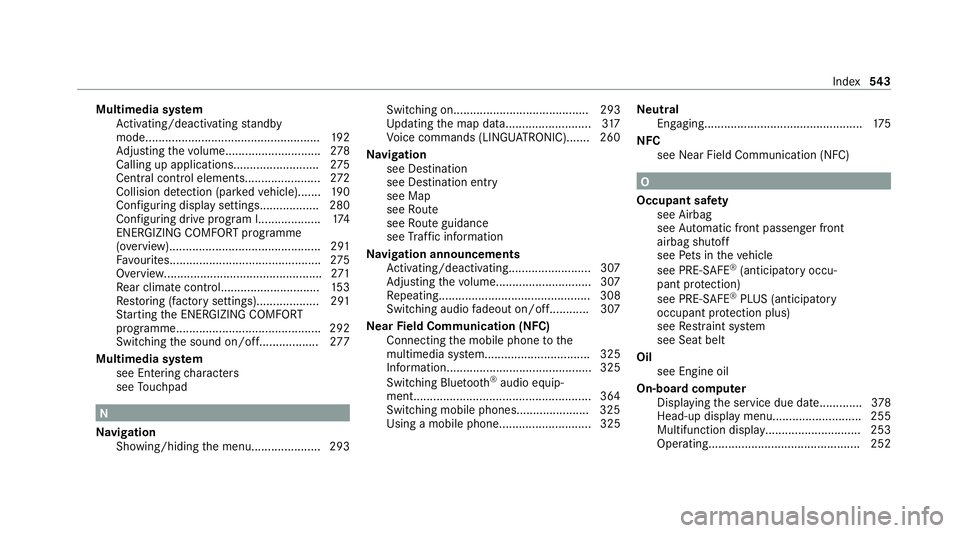
Multimedia sy
stem
Ac tivating/deactivating standby
mode.................................................... .192
Ad justing thevo lume............................ .278
Calling up applications.......................... 275
Central cont rol elements...................... .272
Collision de tection (pa rked vehicle).......1 90
Configuri ng displaysettings.................. 280
Configuring drive program I................... 174
ENERGIZING COMFORT prog ramme
(o ve rview)............................................. .291
Fa vourites............................................. .275
Overview................................................2 71
Re ar climate control............................. .153
Re storing (factory settings)................... 291
St arting the ENERG IZINGCOMFORT
programme............................................ 292
Switching the sound on/of f.................. 277
Multimedia sy stem
see En tering characters
see Touchpad N
Na vigation
Showing/hiding the menu..................... 293 Switching on......................................... 293
Up
dating the map data..........................3 17
Vo ice commands (LINGU ATRO NIC)....... 260
Na vigation
see Destination
see Destination entry
see Map
see Route
see Route guidance
see Traf fic information
Na vigation announcements
Ac tivating/deactivating......................... 307
Ad justing thevo lume............................ .307
Re peating.............................................. 308
Switching audio fadeout on/of f............ 307
Ne arField Communication (NFC)
Connecting the mobile phone tothe
multimedia sy stem................................ 325
Information............................................ 325
Switching Blue tooth ®
audio equip‐
ment...................................................... 364
Swit ching mobile phones...................... 325
Using a mobile phon e............................ 325 Ne
utral
Engaging................................................ 175
NFC see Near Field Communication (NFC) O
Occupant saf ety
see Airbag
see Automatic front passenger front
airbag shutoff
see Pets in theve hicle
see PRE-SAFE ®
(anticipatory occu‐
pant pr otection)
see PRE-SAFE ®
PLUS (anticipatory
occupant pr otection plus)
see Restra int sy stem
see Seat belt
Oil see Engine oil
On-board computer Displaying the service due dat e............. 378
Head-up display menu........................... 255
Multifunction displa y............................. 253
Ope rating.............................................. 252 Index
543
Page 556 of 565
Time
Manual time setting.............................. 282
Setting summer time............................. 281
Setting the time and date automati‐
cally....................................................... 281
Setting the time zone. ........................... 281
Setting the time/date form at................2 82
TIREFIT kit Declaration of conformity........................ 29
Storage location.................................... 397
Using..................................................... 398
To ne settings
Calling up the sound menu.................... 375
Information............................................ 375
To ngue weight .......................................... .449
To ol
see Vehicle tool kit
To pTe ther.................................................... 63
To uch Control
On-board computer............................... 252
Operating.............................................. 272
Setting the sensitivity............................2 73To
uchpad
Ac tivating/deactivating ha ptic oper‐
ation feedback....................................... 275
Operating..............................................2 73
Re ading the handwriting recognition
aloud. .................................................... 274
Selecting a station and track.................2 75
Setting the sensitivity............................2 74
Switching on/of f................................... 273
To w- aw ay protection
Fu nction.................................................. 94
Priming/deactivating.............................. 95
To w- bar sy stem........................................ .249
To w- starting............................................... 413
To wing away.............................................. 409
To wing eye
Ins talling............................................... .412
St orage location.....................................4 12
To wing me thods ........................................ 408
Tr ack
Selecting (audio mode )......................... 356
Tr af fic announcements
Ac tivating/deactivating......................... 367 Tr
af fic information
Displaying the tra ffic map...................... 311
Displ aying traf fic incidents.................... 312
Extending a Li veTraf fic Information
subscription........................................... 311
Issuing hazard warnings........................ .313
Live Traf fic Information.......................... 311
Overview................................................3 10
Re gis tering Live Traf fic Information........ 311
Tr af fic map
see Map
Tr af fic Sign Assist
Fu nction/no tes...................................... 217
Setting................................................... 219
Sy stem limitations................................. 217
Tr ailer hitch
Axle load.............................................. .449
Bicycle rack ........................................... 24 8
Car e...................................................... 390
Coupling up/uncoupling a trailer.......... .246
Fa stening points.................................... 448
Fo lding the ball neck out/in..................2 44
Gene ral no tes........................................4 48
Mounting dimensions............................ 448
No tes..................................................... 24 3 Index
553
Page 557 of 565
Overhang dimension.............................4
48
Soc ket.................................................. .246
To ngue weight...................................... .449
To wing capacity.................................... .448
Tr ailer operation
Ac tive Blind Spot Assi st......................... 221
Ac tive Lane Keeping Assist...................2 22
Bicycle rack ........................................... 24 8
Coupling up/uncoupling a trailer.......... .246
Fo lding the ball neck out/in..................2 44
No tes..................................................... 24 3
Soc ket.................................................. .246
Tr ailer stabilisation
Fu nction/no tes..................................... 19 6
Tr ansfer redve hicle data
Android Auto......................................... 337
Apple CarPl ay®
...................................... 337
Tr ansmission (problem)........................... .176
Tr ansmission of theve hicle position
Ac tivating/deactivating......................... 282
Tr ansmission position display.................. 174
Tr anspo rting
Ve hicle................................................... 411Tr
im element (Care)................................... 391
Tu neIn
Logging out...........................................3 52
Re gis tering............................................ 352
Selecting stre am.................................. .352
Setting options...................................... 352
Te rm s of use..........................................3 52
Tu neIn
Calling up..............................................3 50
Deleting stations.................................... 351
Overview............................................... .351
Saving stations...................................... 351
Selecting and connecting a statio n........ 351
Tu rn signal indicator
Ac tivating/deactivating......................... 13 0
Tu rn signal lights
Changing bulbs (front)........................... 14 0
Changing bulbs (rear)............................ .141
TV Activating.............................................. 368
Ad justing the brightness........................ 374
Calling up the menu (CI+ module)......... 374
Displ ays in theTV control menu............ 370Fu
nction/no tes (audio language,
subtitles)............................................... 372
Information............................................ 367
Overview............................................... 369
Picture settings...................................... 374
Picture settings overview...................... .374
Setting subtitles.................................... 373
Setting the audio languag e.................... 373
Showing telete xt.................................... 373
Showing/hiding full screen................... 370
Te lete xt overview................................... 373
Vo ice commands (LINGU ATRO NIC)....... 264
TV channel
Ac tivating/deactivating channel fix. ...... 371
Channel fix............................................ 371
Channel list overview. ............................ 371
EPG (electronic programme guide)........ 371
Overview of favo urites.......................... .372
Qui cksave ............................................. 372
Selecting from thech annel list.............. 370
Selecting from the control menu........... 370
Selecting from thefa vo urites................ 370
Selecting in the bac kground.................. 371
St oring................................................... 372554
Index