lane assist MERCEDES-BENZ C-CLASS SALOON 2011 Owners Manual
[x] Cancel search | Manufacturer: MERCEDES-BENZ, Model Year: 2011, Model line: C-CLASS SALOON, Model: MERCEDES-BENZ C-CLASS SALOON 2011Pages: 401, PDF Size: 9.74 MB
Page 7 of 401
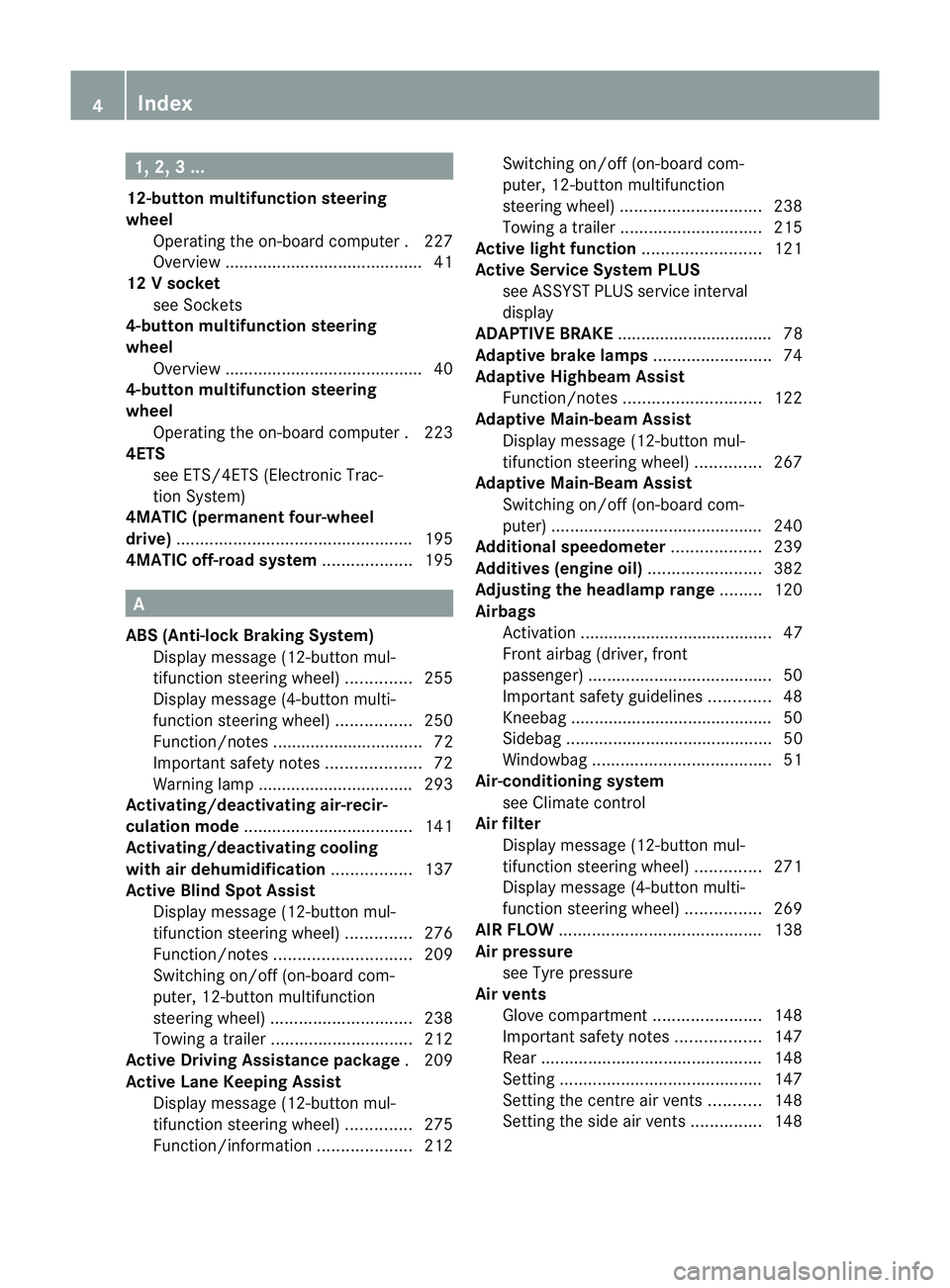
1, 2, 3 ...
12-button multifunction steering
wheel Operating the on-board computer .227
Overview .......................................... 41
12 Vsocket
see Sockets
4-button multifunction steering
wheel
Overview .......................................... 40
4-button multifunction steering
wheel
Operating the on-board computer .223
4ETS
see ETS/4ETS (Electronic Trac-
tion System)
4MATIC (permanent four-wheel
drive) .................................................. 195
4MATIC off-road system ...................195 A
ABS (Anti-lock Braking System) Display message (12-button mul-
tifunctio nsteering wheel) ..............255
Display message (4-button multi-
function steering wheel) ................250
Function/notes ................................ 72
Important safety notes ....................72
Warning lamp ................................. 293
Activating/deactivating air-recir-
culation mode .................................... 141
Activating/deactivating cooling
with air dehumidification .................137
Active Blin dSpot Assist
Display message (12-button mul-
tifunction steering wheel) ..............276
Function/notes ............................. 209
Switching on/off (on-board com-
puter, 12-button multifunction
steering wheel) .............................. 238
Towing atrailer .............................. 212
Active Driving Assistance package .209
Active Lane Keeping Assist Display message (12-button mul-
tifunctio nsteering wheel) ..............275
Function/informatio n.................... 212Switching on/off (on-board com-
puter, 12-button multifunction
steering wheel)
.............................. 238
Towing atrailer .............................. 215
Active light function .........................121
Active Service Syste mPLUS
see ASSYS TPLUS service interval
display
ADAPTIVE BRAKE .................................78
Adaptive brake lamps .........................74
Adaptive Highbeam Assist Function/notes ............................. 122
Adaptive Main-beam Assist
Display message (12-button mul-
tifunctio nsteering wheel) ..............267
Adaptive Main-Beam Assist
Switching on/off (on-board com-
puter) ............................................. 240
Additional speedometer ...................239
Additives (engine oil) ........................382
Adjusting the headlamp range .........120
Airbags Activation ......................................... 47
Front airbag (driver, front
passenger )....................................... 50
Important safety guidelines .............48
Kneebag .......................................... .50
Sidebag ............................................ 50
Windowba g...................................... 51
Air-conditioning system
see Climate control
Airf ilter
Display message (12-button mul-
tifunction steering wheel) ..............271
Display message (4-button multi-
function steering wheel) ................269
AIRF LOW ........................................... 138
Air pressure see Tyre pressure
Airv ents
Glove compartmen t....................... 148
Important safety notes ..................147
Rea r............................................... 148
Setting ........................................... 147
Setting the centre air vents ...........148
Setting the side air vents ...............148 4
Index
Page 13 of 401
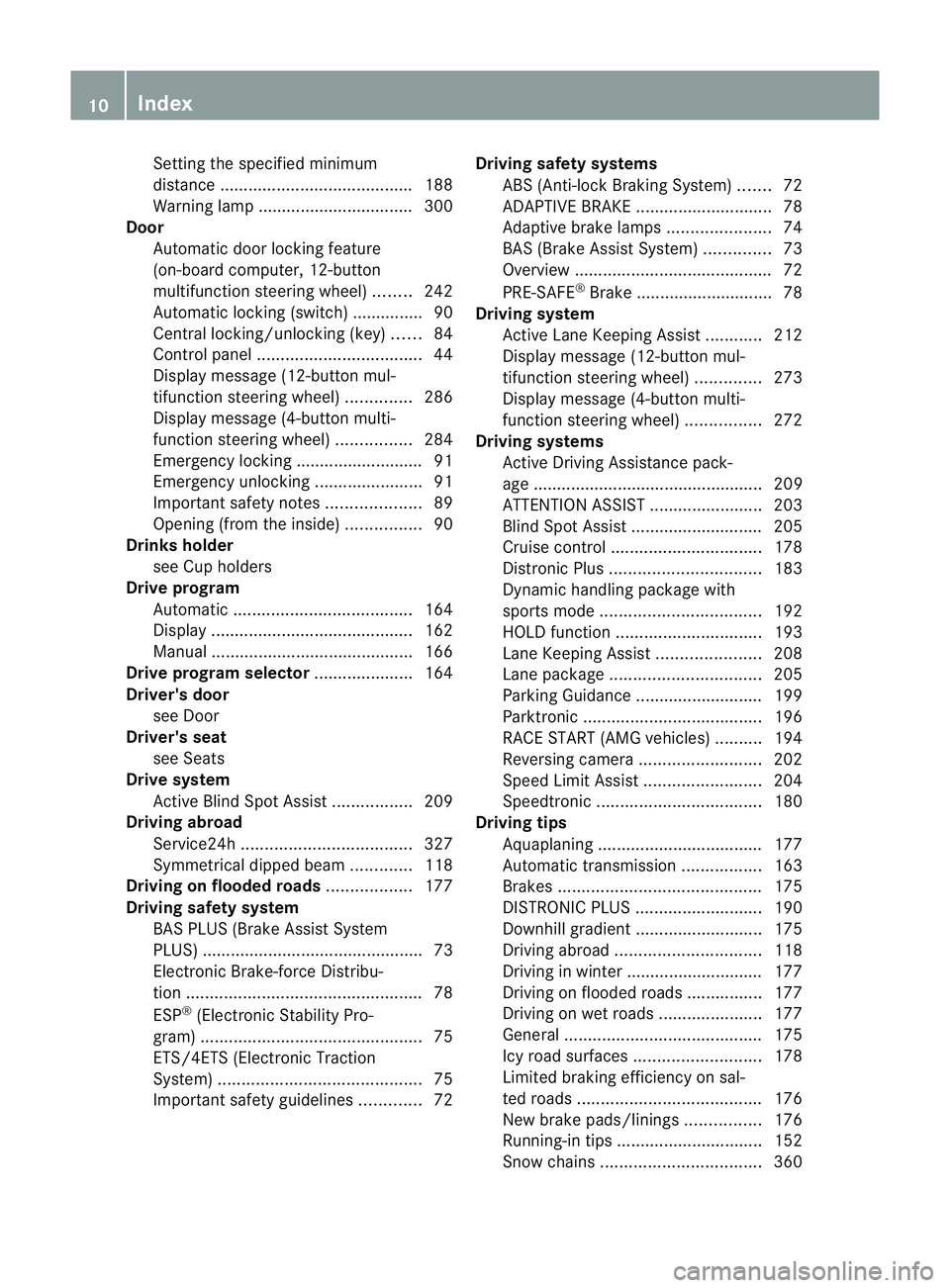
Setting the specified minimum
distance
......................................... 188
Warning lamp ................................. 300
Door
Automatic door locking feature
(on-board computer, 12-button
multifunctio nsteering wheel) ........242
Automatic locking (switch) .............. .90
Central locking/unlocking (key) ......84
Control pane l................................... 44
Display message (12-button mul-
tifunctio nsteering wheel) ..............286
Display message (4-button multi-
function steering wheel) ................284
Emergency locking ........................... 91
Emergency unlocking .......................91
Important safety notes ....................89
Opening (from the inside) ................90
Drinks holder
see Cuph olders
Drive program
Automatic ...................................... 164
Display ........................................... 162
Manual .......................................... .166
Drive program selector .....................164
Driver's door see Door
Driver's seat
see Seats
Drive system
Active Blind Spot Assist .................209
Driving abroad
Service24h .................................... 327
Symmetrical dipped bea m............. 118
Driving on flooded roads ..................177
Driving safety system BAS PLUS (Brake Assist System
PLUS) .............................................. .73
Electronic Brake-force Distribu-
tio n.................................................. 78
ESP ®
(Electroni cStability Pro-
gram) ............................................... 75
ETS/4ETS (Electronic Traction
System) ........................................... 75
Important safety guidelines .............72Driving safety systems
ABS (Anti-lock Braking System) .......72
ADAPTIVE BRAKE ............................. 78
Adaptive brake lamps ......................74
BAS (Brake Assist System) ..............73
Overview .......................................... 72
PRE-SAFE ®
Brake ............................ .78
Driving system
Active Lane Keeping Assist ............212
Display message (12-button mul-
tifunctio nsteering wheel) ..............273
Display message (4-button multi-
function steering wheel) ................272
Driving systems
Active Driving Assistance pack-
age ................................................. 209
ATTENTION ASSIST ........................203
Blind Spot Assist ............................ 205
Cruise control ................................ 178
Distronic Plu s................................ 183
Dynami chandling package with
sports mod e.................................. 192
HOLD function ............................... 193
Lane Keeping Assist ......................208
Lane package ................................ 205
Parking Guidance ........................... 199
Parktroni c...................................... 196
RAC ESTART (AMG vehicles) ..........194
Reversing camera ..........................202
Speed Limi tAssist ......................... 204
Speedtronic ................................... 180
Driving tips
Aquaplaning ................................... 177
Automatic transmission .................163
Brakes ........................................... 175
DISTRONI CPLUS ........................... 190
Downhill gradient ........................... 175
Driving abroad ............................... 118
Driving in winter ............................ .177
Driving on flooded road s................ 177
Driving on wet road s...................... 177
General .......................................... 175
Icy road surfaces ........................... 178
Limited braking efficiency on sal-
ted road s....................................... 176
New brake pads/linings ................176
Running-in tips ............................... 152
Snow chains .................................. 36010
Index
Page 17 of 401
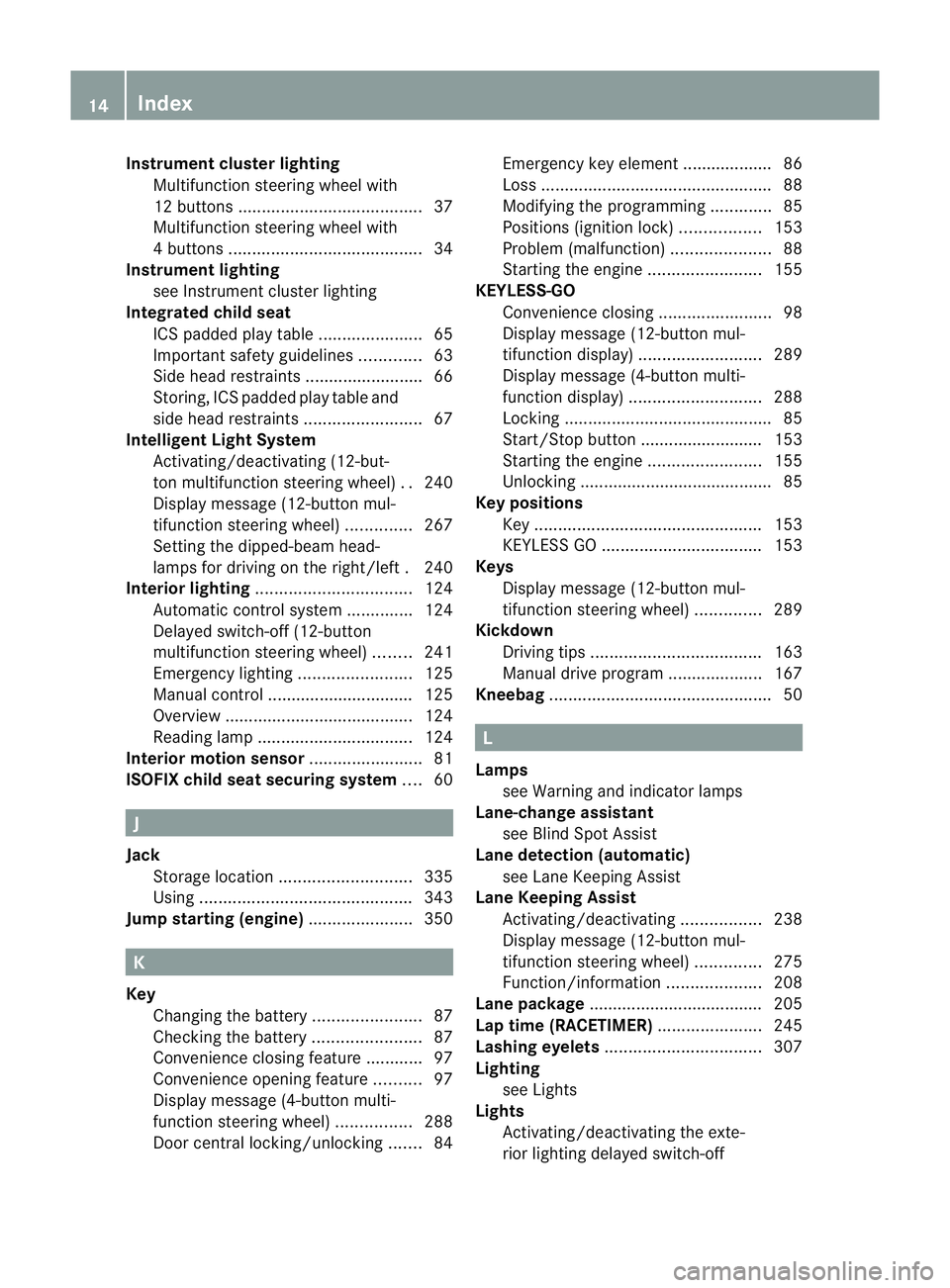
Instrumen
tcluster lighting
Multifunction steering wheel with
12 buttons ....................................... 37
Multifunctio nsteering wheel with
4b utton s......................................... 34
Instrument lighting
see Instrument cluster lighting
Integrated child seat
ICS padded pla ytable ...................... 65
Important safety guidelines .............63
Side hea drestraints ........................ .66
Storing, IC Spadded play table and
side head restraint s......................... 67
Intelligen tLight System
Activating/deactivatin g(12-but-
ton multifunctio nsteering wheel) ..240
Display message (12-button mul-
tifunctio nsteering wheel) ..............267
Setting the dipped-bea mhead-
lamps for driving on the right/left .240
Interior lighting ................................. 124
Automatic control system ..............124
Delayed switch-off (12-button
multifunctio nsteering wheel) ........241
Emergency lighting ........................125
Manual control ............................... 125
Overview ........................................ 124
Reading lamp ................................. 124
Interior motion sensor ........................81
ISOFIX child seat securing system ....60 J
Jack Storage location ............................ 335
Using ............................................. 343
Jump starting (engine) ......................350 K
Key Changing the battery .......................87
Checking the battery .......................87
Convenience closing feature ............97
Convenience opening feature ..........97
Display message (4-button multi-
function steering wheel) ................288
Door central locking/unlocking .......84 Emergency key element ................... 86
Loss
................................................. 88
Modifying the programming .............85
Positions (ignition lock) .................153
Problem (malfunction) .....................88
Starting the engine ........................155
KEYLESS-GO
Convenience closing ........................98
Display message (12-button mul-
tifunctio ndisplay) .......................... 289
Display message (4-button multi-
function display) ............................ 288
Locking ............................................ 85
Start/Stop button .......................... 153
Starting the engine ........................155
Unlocking ......................................... 85
Keyp ositions
Key ................................................ 153
KEYLESS GO .................................. 153
Keys
Display message (12-button mul-
tifunctio nsteering wheel) ..............289
Kickdown
Driving tips .................................... 163
Manual drive program ....................167
Kneebag ............................................... 50 L
Lamps see Warning and indicator lamps
Lane-change assistant
see Blind Spot Assist
Lane detection (automatic)
see Lane Keeping Assist
Lane Keeping Assist
Activating/deactivating .................238
Display message (12-button mul-
tifunction steering wheel) ..............275
Function/informatio n.................... 208
Lane package ..................................... 205
Lap time (RACETIMER) ......................245
Lashing eyelets ................................. 307
Lighting see Lights
Lights
Activating/deactivating the exte-
rior lighting delayed switch-off 14
Index
Page 25 of 401
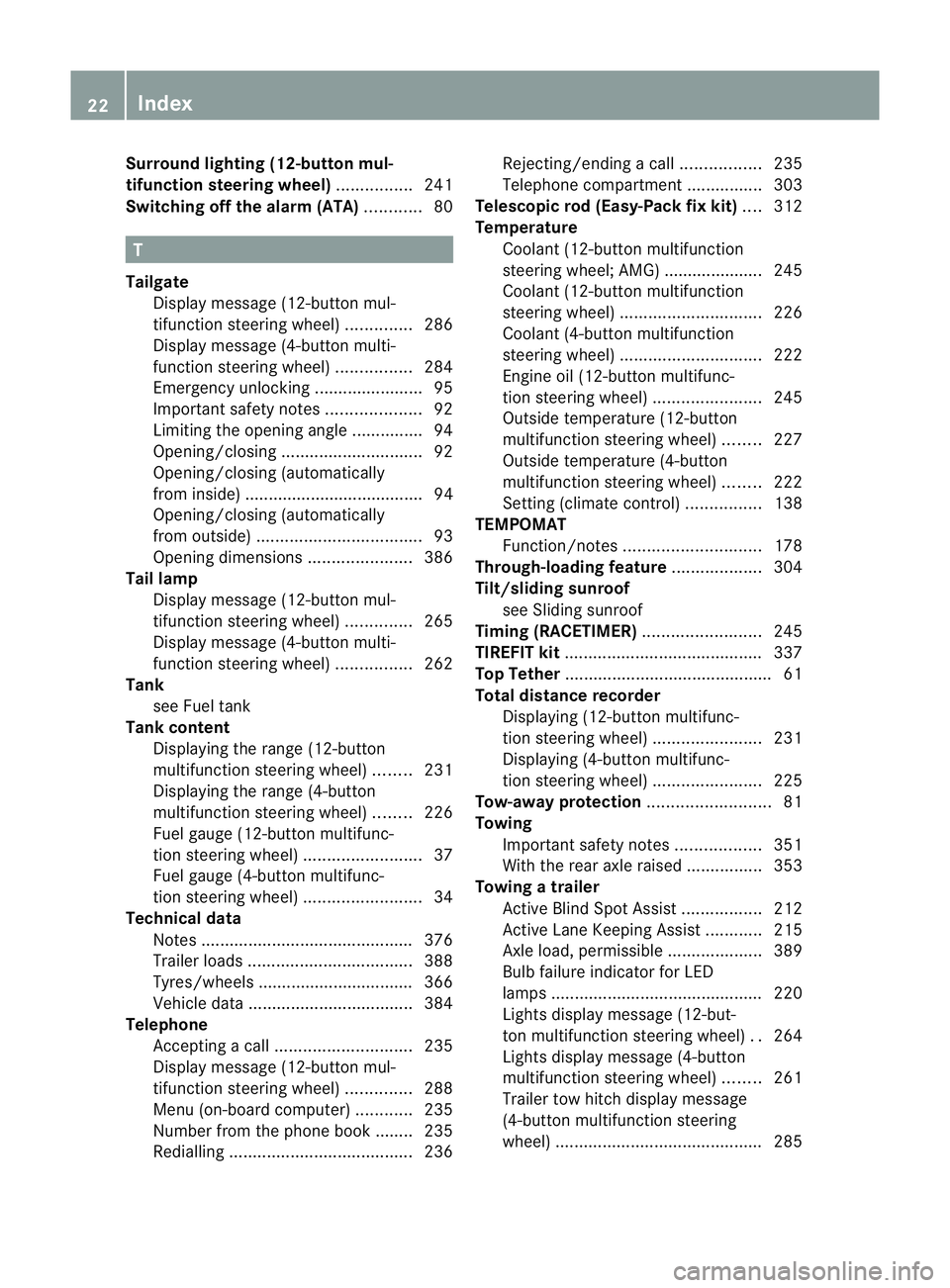
Surround lighting (12-button mul-
tifunction steering wheel)
................241
Switching off the alarm (ATA) ............80 T
Tailgate Display message (12-button mul-
tifunctio nsteering wheel) ..............286
Display message (4-button multi-
function steering wheel) ................284
Emergency unlocking .......................95
Important safety notes ....................92
Limiting the opening angle ...............94
Opening/closing .............................. 92
Opening/closing (automatically
from inside) ...................................... 94
Opening/closing (automatically
from outside) ................................... 93
Opening dimensions ......................386
Tail lamp
Display message (12-button mul-
tifunctio nsteering wheel) ..............265
Display message (4-button multi-
function steering wheel) ................262
Tank
see Fuel tank
Tank content
Displaying the range (12-button
multifunctio nsteering wheel) ........231
Displaying the range (4-button
multifunctio nsteering wheel) ........226
Fuel gauge (12-button multifunc-
tion steering wheel) .........................37
Fuel gauge (4-button multifunc-
tion steering wheel) .........................34
Technical data
Notes ............................................. 376
Trailer loads ................................... 388
Tyres/wheels ................................. 366
Vehicle data ................................... 384
Telephone
Accepting acall............................. 235
Display message (12-button mul-
tifunctio nsteering wheel) ..............288
Menu (on-board computer) ............235
Number from the phone book ....... .235
Redialling ....................................... 236Rejecting/ending
acall................. 235
Telephone compartment ................303
Telescopic rod (Easy-Pac kfix kit) ....312
Temperature Coolant (12-button multifunction
steering wheel; AMG) ..................... 245
Coolant (12-button multifunction
steering wheel) .............................. 226
Coolant (4-button multifunction
steering wheel) .............................. 222
Engine oil (12-button multifunc-
tion steering wheel) .......................245
Outside temperature (12-button
multifunctio nsteering wheel) ........227
Outside temperature (4-button
multifunctio nsteering wheel) ........222
Setting (climate control) ................138
TEMPOMAT
Function/notes ............................. 178
Through-loading feature ...................304
Tilt/sliding sunroof see Sliding sunroof
Timing (RACETIMER) .........................245
TIREFIT kit .......................................... 337
Top Tether ............................................ 61
Total distance recorder Displaying (12-button multifunc-
tion steering wheel) .......................231
Displaying (4-button multifunc-
tion steering wheel) .......................225
Tow-away protection ..........................81
Towing Important safety notes ..................351
With the rear axle raised ................353
Towing atrailer
Activ eBlind Spot Assist .................212
Active Lane Keeping Assist ............215
Axle load, permissible ....................389
Bulb failure indicator for LED
lamps ............................................. 220
Lights display message (12-but-
ton multifunctio nsteering wheel) ..264
Lights display message (4-button
multifunctio nsteering wheel) ........261
Trailer tow hitch display message
(4-button multifunction steering
wheel) ............................................ 28522
Index
Page 186 of 401
You will hear a warning tone if this is the
case.
R on vehicles with manual transmission, if
you shift to a higher gear and as a result the
engine speed is too low. G
WARNING
It is not possible to deactivate variable Speed-
tronic by braking.
i The last speed stored is cleared when you
switch off the engine.
Permanent SPEEDTRONIC You can use the on-board computer to limit
the speed permanently to avalue between
160 km/h (e.g. for driving on winter tyres)
and the maximum speed ( Ypage 241).
Shortly before the store dspeed is reached, it
appears in the multifunction display.
Permanent SPEEDTRONIC remains active,
even if variable SPEEDTRONIC is deactivated.
You cannot exceed the stored limit speed,
even if you depress the accelerator pedal
beyond the pressure point (kickdown). DISTRONIC PLUS
Important safety notes DISTRONIC PLUS regulates the speed and
automatically helps you maintain the dis-
tance to the vehicle detected in front. It
brakes automatically in order to avoid
exceeding the set speed.
On long and steep downhill gradients, espe-
cially if the vehicle is laden or towing a trailer,
you must select shift range 1,2or 3in good
time. By doing so, you will make use of the
braking effec tofthe engine. This relieves the
load on the brake system and prevents the
brakes from overheating and wearing too
quickly.
If a slower-moving vehicle is detected in front,
DISTRONIC PLUS causes your vehicle to brake and maintain the preset distance to the
vehicle in front. G
WARNING
Do not change down for additional engine
braking on a slippery road surface. This could
cause the drive wheels to lose their grip and
the vehicle could skid. G
WARNING
DISTRONIC PLUS is only an aid designed to
assist driving. The driver remains fully respon-
sible for the vehicle's distance from other
vehicles, the vehicle's speed and for braking
in good time.
DISTRONIC PLUS does not react in particular
to:
R pedestrians
R stationary obstacles on the road, e.g. stop-
ped or parked vehicles
R oncoming and crossing traffic
DISTRONIC PLUS may not detect narrow vehi-
cles driving in front,e .g. motorcycles, or vehi-
cles driving on a different line. Therefore,
always pay attention to traffic conditions even
when DISTRONIC PLUS is activated. Other-
wise, you may fail to recognise dangers in
time, cause an accident and injure yourself
and others. G
WARNING
DISTRONIC PLUS cannot take account of road
and traffic conditions. If DISTRONIC doe snot
recognise or no longer recognises the vehicle
in front, do not activate DISTRONIC or, if it is
already active, deactivate it. This is especially
the case:
R before corners
R on filter lanes
R when changing to a lane with faster moving
traffic
R in complex driving situations or where lanes
are diverted, e.g. at roadworks on a motor-
way Driving systems
183Driving and parking
Z
Page 189 of 401
Pulling away
X
If the vehicle in front pulls away: remove
your foot from the brake pedal.
X Briefly pull the cruise control lever towards
you ?.
or
X Accelerate briefly.
Your vehicle pulls away and adapts its
speed to that of the vehicle in front.
Driving
If there is no vehicle in front, DISTRONIC
PLUS operates in the same way as cruise
control.
If a slower-moving vehicle is detected in front,
DISTRONIC causes your vehicle to brake. This
maintains the preset distance to the vehicle
in front.
If DISTRONIC PLUS detects a faster-moving
vehicle in front, it increases the driving speed
of your vehicle, but only up to the desired
speed you have stored. G
WARNING
If you depress the brake, DISTRONIC PLUS is
deactivated unless your vehicle is stationary.
DISTRONIC PLUS then no longer brakes your
vehicle. In such cases, control the distance
from vehicles travelling in front with the brake
alone. You could otherwise cause an accident
and thereby injure yourself and others. The
driver remains fully responsible for the vehi-
cle's distance from other vehicles, the speed
being driven and for braking in good time.
Changing lanes
If you wish to change to the passing lane (in
countries where traffic drives on the right, the
passing lane is the left-hand lane), DIS-
TRONIC PLUS supports you if:
R you are driving faster than 60 km/h.
R DISTRONIC PLUS is maintaining the dis-
tance to a vehicle in front.
R you switch on the appropriate turn signals.
R DISTRONIC PLUS does not detect a danger
of collision. If these conditions are met, your vehicle is
accelerated. Acceleration will be interrupted
if changing lanes takes too long or if the dis-
tance between your vehicle and the vehicle in
front becomes too small. G
WARNING
DISTRONIC PLUS and Active Blind Spot Assist
are only an aid designed to assist driving.
They do not relieve you of the responsibility
of paying attention. The driver remains fully
responsible for the vehicle's distance from
other vehicles, the vehicle's speed and for
braking in good time. Always pay attention to
traffic conditions and your surroundings. Oth-
erwise, you may fail to recognise dangers in
time, cause an accident and injure yourself
and others.
Vehicles with COMAND Online
i The following function is not operational
in all countries.
DISTRONIC PLUS uses additional information
from your navigation system so that it can
react appropriately to certain traffic situa-
tions. This is the case if, while following a
vehicle, DISTRONIC PLUS is active and you:
R approach or drive through aroundabout
R approach a T junction
R turn off at a motorway exit
Even if the vehicle in front leaves the detec-
tion range, DISTRONIC PLUS temporarily
maintains the current driving speed and does
not accelerate. This is based on the current
map data in the navigation system. 186
Driving systemsDriving and parking
Page 207 of 401
R
if the time has been set incorrectly
R in active driving situations, such as when
you change lanes or change your speed
Warning and display messages in the
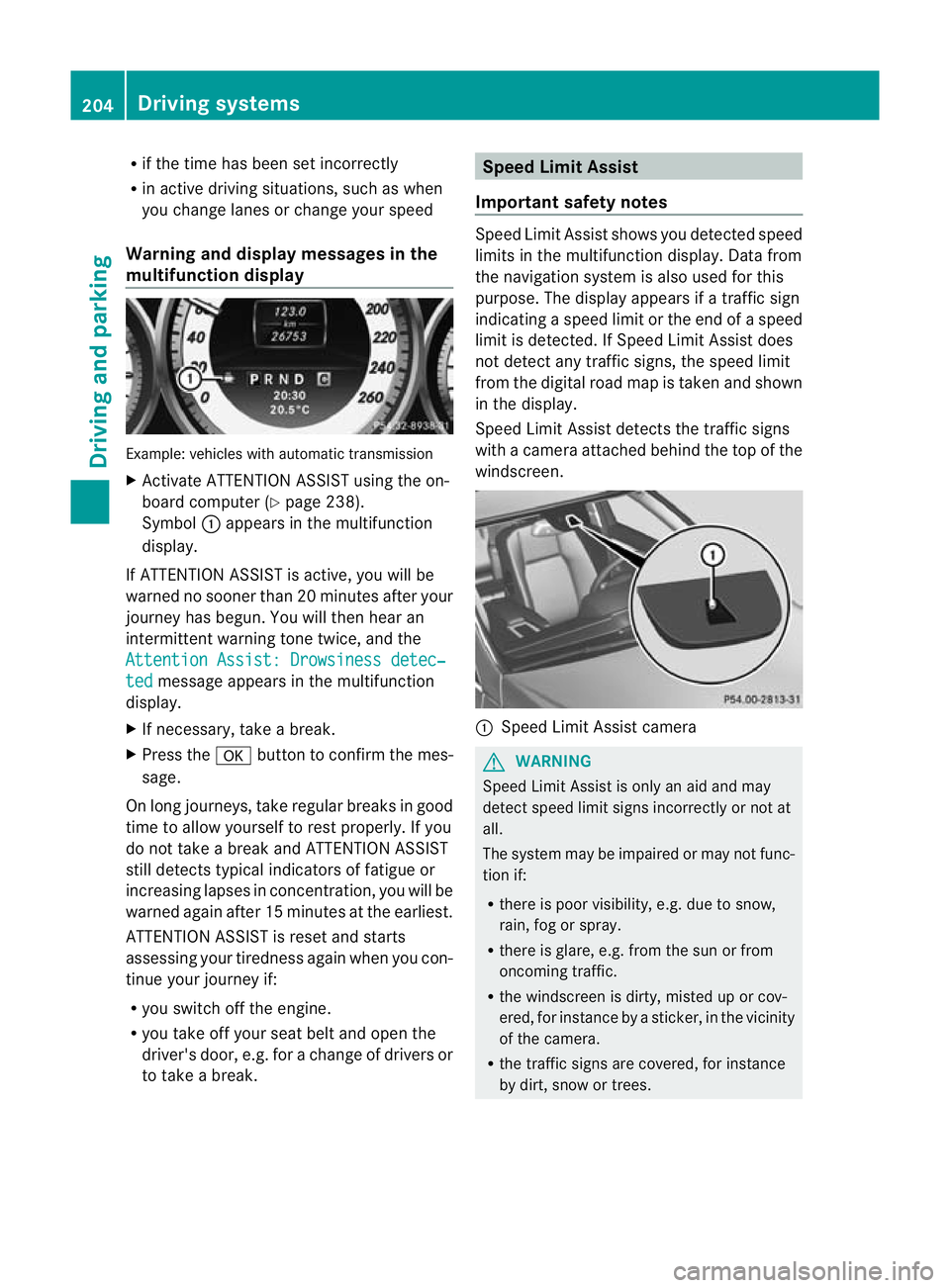
multifunction display Example: vehicles with automatic transmission
X
Activate ATTENTION ASSIST using the on-
board computer (Y page 238).
Symbol :appears in the multifunction
display.
If ATTENTION ASSIST is active, you will be
warned no sooner than 20 minutes after your
journey has begun. You will the nhear an
intermittent warning tonet wice, and the
Attention Assist: Drowsiness detec‐ ted message appears in the multifunction
display.
X If necessary, take a break.
X Press the abutton to confirm th emes-
sage.
On long journeys, take regular breaks in good
time to allow yourself to rest properly. If you
do not take a break and ATTENTION ASSIST
still detects typical indicators of fatigue or
increasing lapses in concentration, you will be
warned again after 15 minutes at the earliest.
ATTENTION ASSIST is reset and starts
assessing your tiredness again when you con-
tinue your journey if:
R you switch off the engine.
R you take off your seat belt and open the
driver's door, e.g. for a change of drivers or
to take a break. Speed Limit Assist
Important safety notes Speed Limit Assist shows you detected speed
limits in the multifunction display. Data from
the navigation system is also used for this
purpose. The display appears if a traffic sign
indicating a speed limit or the end of a speed
limit is detected. If Speed Limit Assist does
not detec tany traffic signs, the speed limit
from the digital road ma pis taken and shown
in the display.
Speed Limit Assist detects the traffic signs
with a camera attached behind the top of the
windscreen. :
Speed Limit Assist camera G
WARNING
Speed Limit Assist is only an aid and may
detect speed limit signs incorrectly or not at
all.
The system may be impaired or may not func-
tion if:
R there is poor visibility, e.g. due to snow,
rain, fog or spray.
R there is glare, e.g. from the sun or from
oncoming traffic.
R the windscreen is dirty, misted up or cov-
ered, for instance by a sticker, in the vicinity
of the camera.
R the traffic signs are covered, for instance
by dirt, snow or trees. 204
Driving systemsDriving and parking
Page 208 of 401
R
the traffi csigns are poorly illuminated.
R there are ambiguous traffic signs, for
instance near roadworks or on multi-lane
roads.
Traffic signs always have priority over the
Speed Limit Assist display. Speed Limit Assist
cannot detect road and traffic conditions. It is
not a substitute for attentive driving.
Always pay attention to traffic conditions and
your surroundings. Otherwise, you may fail to
recognise dangers in time, cause an accident
and injure yourself and others.
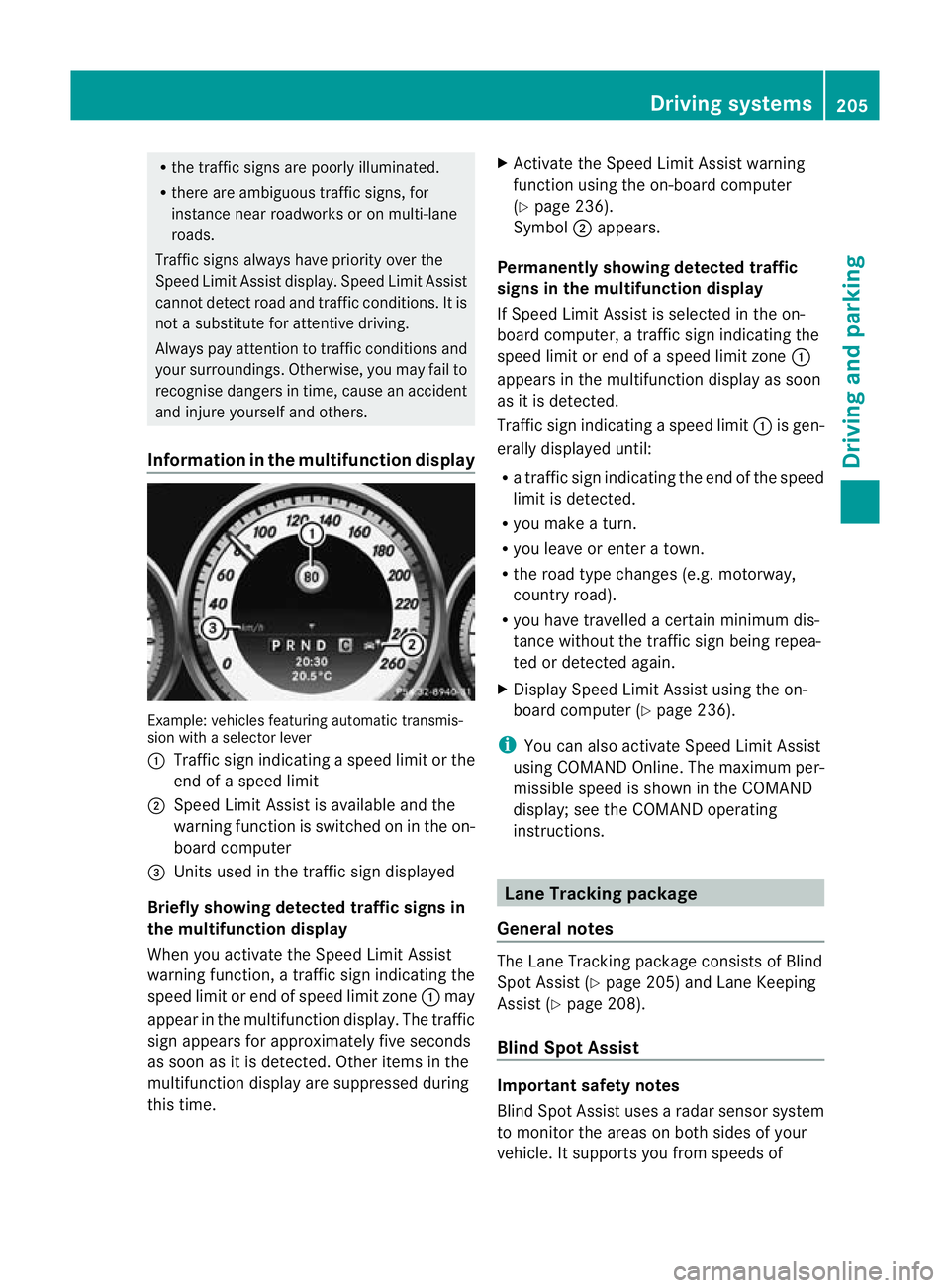
Information in the multifunction display Example: vehicles featuring automatic transmis-
sion with a selector lever
: Traffic sign indicating aspeed limit or the
end of a speed limit
; Speed Limit Assist is available and the
warning function is switched on in the on-
board computer
= Units used in the traffic sign displayed
Briefly showing detected traffic signs in
the multifunction display
When you activate the Speed Limit Assist
warning function, a traffic sign indicating the
speed limit or end of speed limit zone :may
appear in the multifunction display. The traffic
sign appears for approximately five seconds
as soon as it is detected. Other items in the
multifunction display are suppressed during
this time. X
Activate the Speed Limit Assist warning
function using the on-board computer
(Y page 236).
Symbol ;appears.
Permanently showing detected traffic
signs in the multifunction display
If Speed Limit Assist is selected in the on-
board computer, a traffic sign indicating the
speed limit or end of a speed limit zone :
appears in the multifunction display as soon
as it is detected.
Traffic sign indicating aspeed limit :is gen-
erally displayed until:
R a traffic sign indicating the end of the speed
limit is detected.
R you make a turn.
R you leave or enter a town.
R the road type changes (e.g. motorway,
country road).
R you have travelled a certain minimum dis-
tance without the traffic sign being repea-
ted or detected again.
X Display Speed Limit Assist using the on-
board computer (Y page 236).
i You can also activate Speed Limit Assist
using COMAND Online. The maximum per-
missible speed is shown in the COMAND
display; see the COMAND operating
instructions. Lane Tracking package
General notes The Lane Tracking package consists of Blind
Spot Assist (Y
page 205) and Lane Keeping
Assist (Y page 208).
Blind Spot Assist Important safety notes
Blind Spot Assist uses a radar senso
rsystem
to monitor the areas on both sides of your
vehicle. It supports you from speeds of Driving syste
ms
205Driving an d parking Z
Page 209 of 401
30 km/h. A warning display in the exterior
mirrors draws you
rattention to vehicles
detected in the monitored area .Ifyou then
switch on the corresponding turn signal to
change lane, you will also receive an optical
and audible collision warning. For monitoring,
Active Blind Spot Assist uses sensors in the
rear bumper. G
WARNING
Blind Spot Assist is only an aid designed to
assist driving. It may fail to detect some vehi-
cles and is no substitute for attentive driving.
Blind Spot Assist cannot detect road and traf-
fic conditions. It may fail to detect narrow
vehicles, such as motorcycles or bicycles, or
only detect them too late.
Monitoring may be affected by dirty sensors,
strong spray or poor visibility caused by snow,
rain or mist, for example. In this case, vehicles
are detected late or not at all.
Always pay attention to traffic conditions and
your surroundings. Otherwise, you may fail to
recognise dangers in time, cause an accident
and injure yourself and others.
The radar sensor system is automatically
deactivated near radio telescope facilities
(Y page 389).
For Blind Spot Assist to assist you when driv-
ing, the radar sensor system must be activa-
ted (Y page 242) and operational.
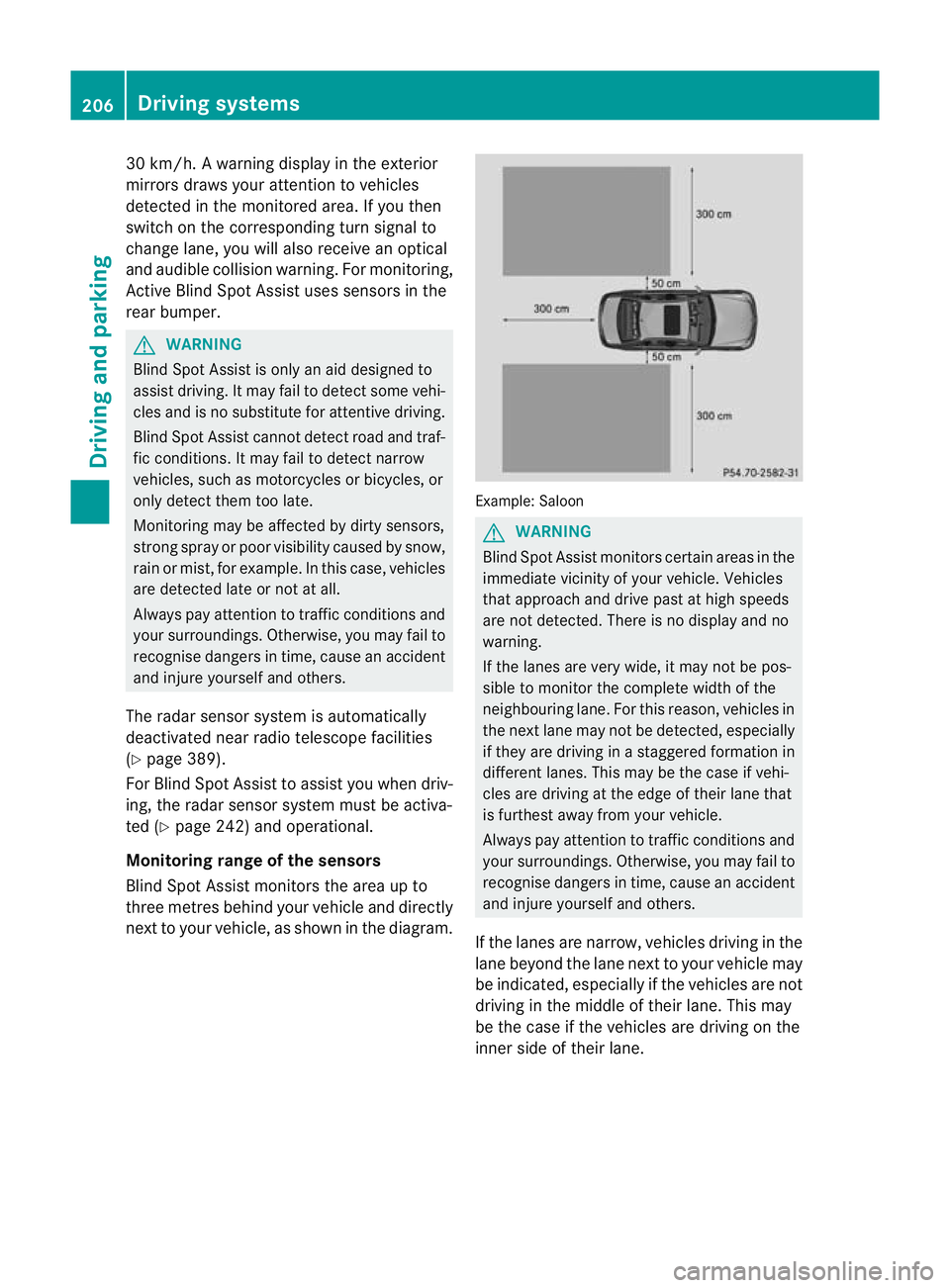
Monitoring range of the sensors
Blind Spot Assist monitors the area up to
three metres behind your vehicle and directly
next to your vehicle, as shown in the diagram. Example: Saloon
G
WARNING
Blind Spot Assist monitors certain areas in the
immediate vicinity of your vehicle. Vehicles
that approach and drive past at high speeds
are not detected. There is no display and no
warning.
If the lanes are very wide, it may not be pos-
sible to monitor the complete width of the
neighbouring lane. For this reason, vehicles in
the next lane may not be detected, especially
if they are driving in a staggered formation in
different lanes. This may be the case if vehi-
cles are driving at the edge of their lane that
is furthest away from your vehicle.
Always pay attention to traffic conditions and
your surroundings. Otherwise, you may fail to
recognise dangers in time, cause an accident
and injure yourself and others.
If the lanes are narrow, vehicles driving in the
lane beyond the lane next to your vehicle may
be indicated, especially if the vehicles are not
driving in the middle of their lane. This may
be the case if the vehicles are driving on the
inner side of their lane. 206
Driving systemsDriving and parking
Page 210 of 401
Due to the nature of the system:
R
warnings may be issued in error when driv-
ing close to crash barriers or simila rsolid
lane borders.
R warnings may be interrupted when driving
alongside long vehicles, such as lorries, for
a prolonged time.
The two sensors for Blind Spot Assist are
integrated into the sides of the rear bumper.
Make sure that the bumper is free of dirt, ice
or slush in the vicinit yofthe sensors. The
radar sensors must not be covered, for exam-
ple by cycle racks or overhanging loads. Fol-
lowing a severe impact or in the event of dam-
age to the bumpers, have the function of the
radar sensors checked at aqualified special-
ist workshop, e.g. a Mercedes-Ben zService
Centre. Blind Spot Assist may otherwise not
work properly.
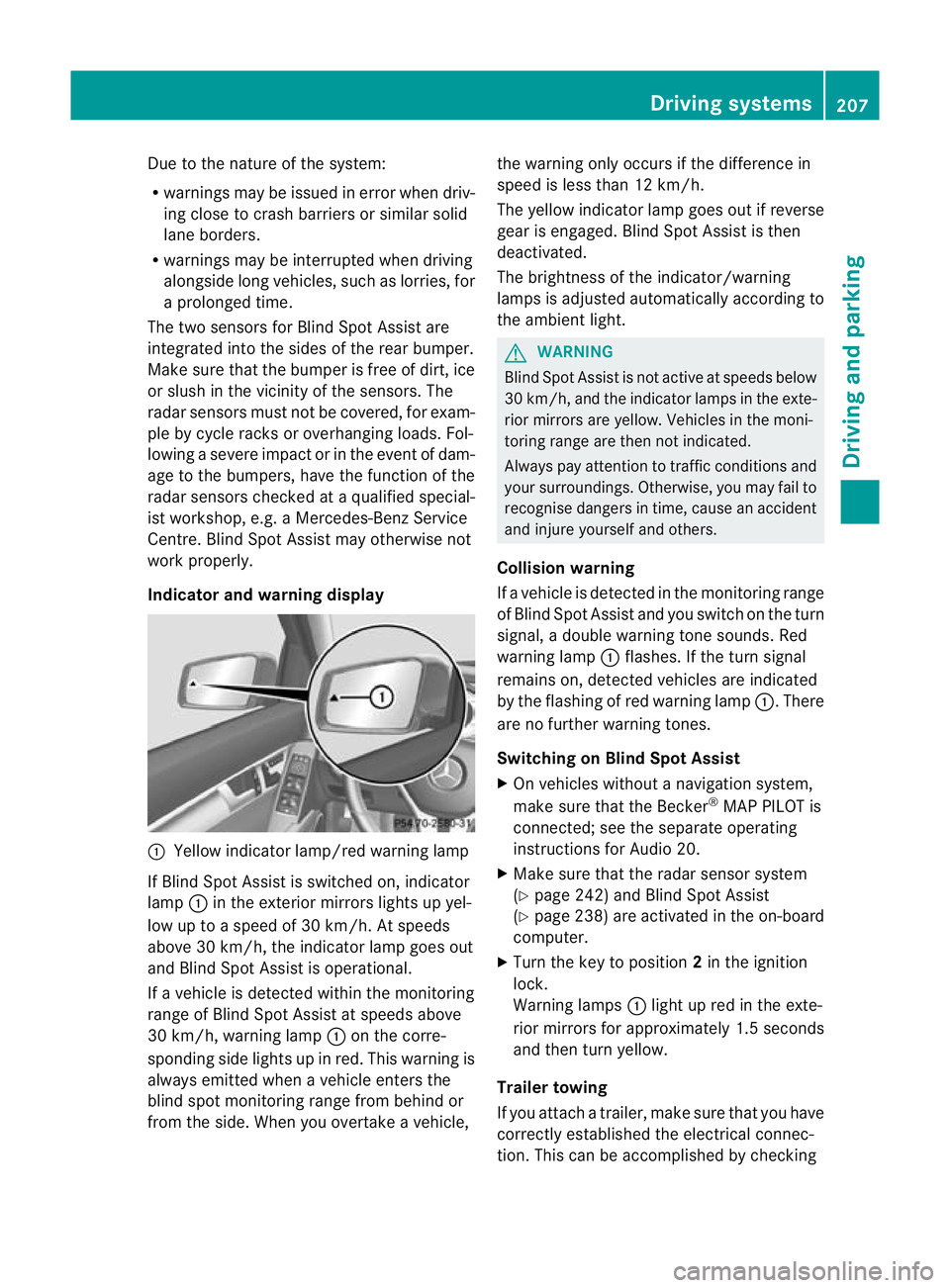
Indicator and warning display :
Yellow indicator lamp/red warning lamp
If Blind Spot Assist is switched on, indicator
lamp :in the exterior mirrors lights up yel-
low up to a speed of 30 km/h. At speeds
above 30 km/h, the indicator lamp goes out
and Blind Spot Assist is operational.
If a vehicle is detected within the monitoring
range of Blind Spot Assist at speeds above
30 km/h, warning lamp :on the corre-
sponding side lights up in red. This warning is
always emitted when a vehicle enters the
blind spot monitoring range from behind or
from the side. When you overtake a vehicle, the warning only occurs if the difference in
speed is less than 12 km/h.
The yellow indicator lamp goes out if reverse
gear is engaged. Blind Spot Assist is then
deactivated.
The brightness of the indicator/warning
lamps is adjusted automatically according to
the ambient light.
G
WARNING
Blind Spot Assist is not active at speeds below
30 km/h, and the indicator lamps in the exte-
rior mirrors are yellow. Vehicles in the moni-
toring range are then not indicated.
Always pay attention to traffic conditions and
your surroundings. Otherwise, you may fail to
recognise dangers in time, cause an accident
and injure yourself and others.
Collision warning
If a vehicle is detected in the monitoring range
of Blind Spot Assist and you switch on the turn
signal, a double warning tones ounds. Red
warning lamp :flashes. If the turn signal
remains on, detected vehicles are indicated
by the flashing of red warning lamp :.There
are no further warning tones.
Switching on Blind Spot Assist
X On vehicles without a navigation system,
make sure that the Becker ®
MAP PILOT is
connected; see the separate operating
instructions for Audio 20.
X Make sure that the radar sensor system
(Y page 242) and Blind Spot Assist
(Y page 238) are activated in the on-board
computer.
X Turn the key to position 2in the ignition
lock.
Warning lamps :light up red in the exte-
rior mirrors for approximately 1.5 seconds
and then turn yellow.
Trailer towing
If you attach a trailer, make sure that you have
correctly established the electrical connec-
tion. This can be accomplished by checking Driving systems
207Driving and parking Z