lumbar support MERCEDES-BENZ C-Class SEDAN 2013 W204 Owner's Manual
[x] Cancel search | Manufacturer: MERCEDES-BENZ, Model Year: 2013, Model line: C-Class SEDAN, Model: MERCEDES-BENZ C-Class SEDAN 2013 W204Pages: 358, PDF Size: 4.85 MB
Page 14 of 358
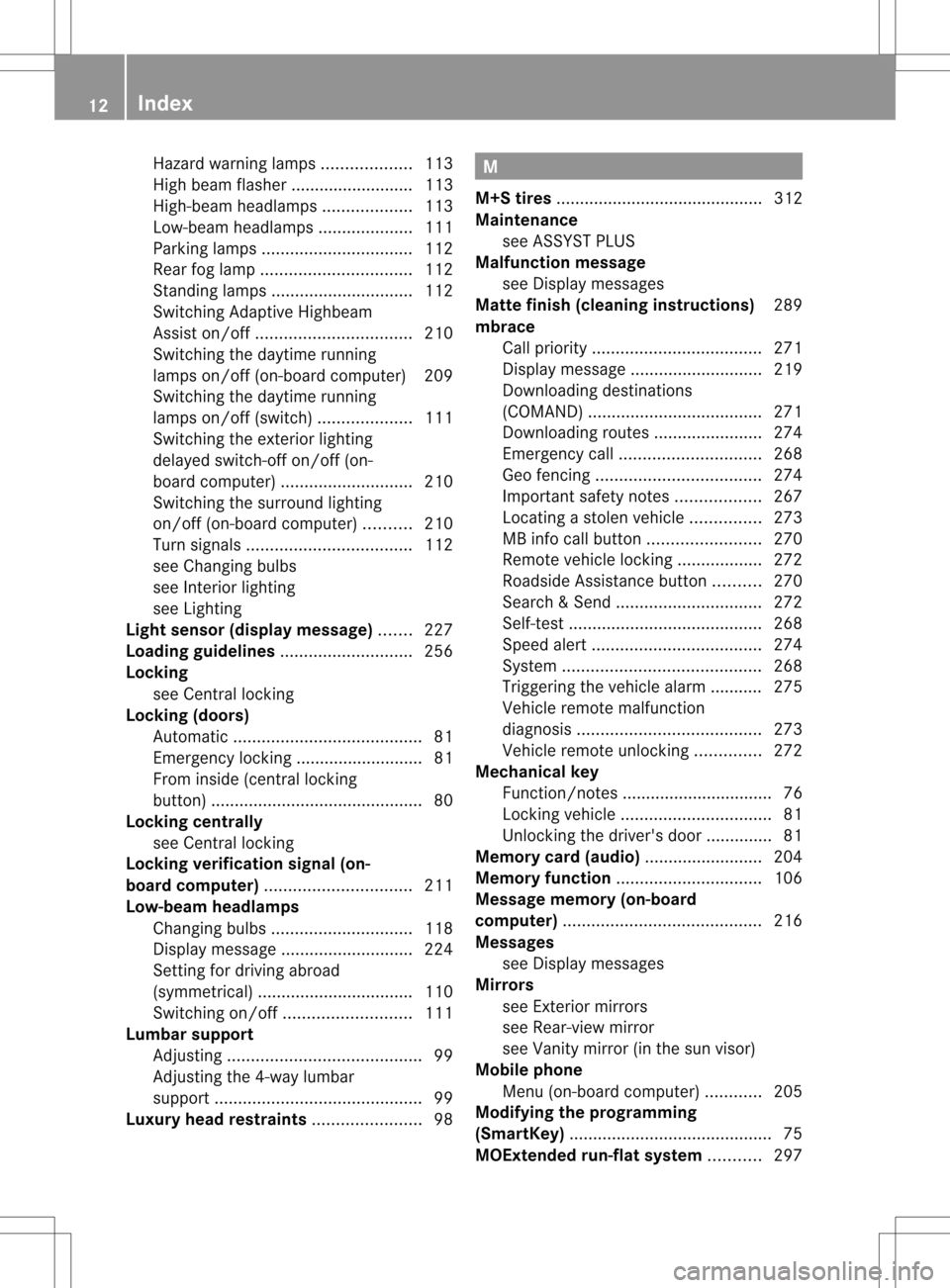
Hazard warning lamps
...................113
High beam flasher .......................... 113
High-beam headlamps ...................113
Low-beam headlamps ....................111
Parking lamps ................................ 112
Rea rfog lamp ................................ 112
Standing lamps .............................. 112
Switching Adaptive Highbeam
Assist on/off ................................. 210
Switching the daytime running
lamps on/off (on-board computer) 209
Switching the daytime running
lamps on/off (switch) ....................111
Switching the exterio rlighting
delayed switch-off on/off (on-
board computer )............................ 210
Switching the surround lighting
on/off (on-board computer) ..........210
Turn signals ................................... 112
see Changing bulbs
see Interior lighting
see Lighting
Light sensor (display message) .......227
Loading guidelines ............................256
Locking see Centra llocking
Locking (doors)
Automatic ........................................ 81
Emergency locking ........................... 81
From inside (central locking
button) ............................................. 80
Locking centrally
see Centra llocking
Locking verification signal (on-
board computer) ............................... 211
Low-beam headlamps Changing bulbs .............................. 118
Display message ............................ 224
Setting for driving abroad
(symmetrical) ................................. 110
Switching on/off ........................... 111
Lumbar support
Adjusting ......................................... 99
Adjusting the 4-way lumbar
support ............................................ 99
Luxury head restraints .......................98 M
M+S tires ............................................ 312
Maintenance see ASSYST PLUS
Malfunction message
see Display messages
Matte finish (cleaning instructions) 289
mbrace Call priority .................................... 271
Display message ............................ 219
Downloading destinations
(COMAND) ..................................... 271
Downloading route s....................... 274
Emergency call .............................. 268
Geo fencing ................................... 274
Important safety notes ..................267
Locating astolen vehicl e............... 273
MB info call button ........................270
Remote vehicle locking ..................272
Roadside Assistance button ..........270
Search &Send ............................... 272
Self-test ......................................... 268
Speed alert .................................... 274
System .......................................... 268
Triggering the vehicle alarm ........... 275
Vehicle remote malfunction
diagnosi s....................................... 273
Vehicle remote unlocking ..............272
Mechanical key
Function/notes ................................ 76
Locking vehicle ................................ 81
Unlocking the driver's door ..............81
Memory card (audio) .........................204
Memory function ............................... 106
Message memory (on-board
computer) .......................................... 216
Messages see Display messages
Mirrors
see Exterior mirrors
see Rear-view mirror
see Vanity mirror (in the sun visor)
Mobile phone
Menu (on-board computer) ............205
Modifying the programming
(SmartKey) ........................................... 75
MOExtended run-flat system ...........297 12
Index
Page 17 of 358
Notes for AMG vehicles
.................349
Refueling proces s.......................... 156
see Fuel
Releasing the parking lock
manually (automatic transmission) 155
Remote control Garage door opener .......................275
Programming (garage door opener) 275
Reporting safety defects ....................26
Reserve (fuel tank) see Fuel
Reserve fuel
Display message ............................ 230
Warning lamp ................................. 250
see Fuel
Residual heat (climate control) ........136
Restraint system see SRS (Supplemental Restraint
System)
Reverse gear
Engaging (automatic transmission) 148
Reversing feature
Panorama sliding sunroo f................ 89
Roller sunblinds ............................... 91
Side windows ................................... 85
Sliding sunroo f................................. 89
Roadside Assistance (breakdown) ....23
Roller blind see Roller sunblind
Roller sunblind
Panorama roof with power tilt/
sliding panel ..................................... 91
Rea rside windows ......................... 263
Rea rwindow .................................. 263
Roof carrier ........................................ 261
Roof lining and carpets (cleaning
guidelines) ......................................... 293
Roof load (maximum) ........................355
Route (navigation) see Route guidance (navigation)
Route guidance (navigation) ............203 S
Safety Childre ninthe vehicle ..................... 58
Child restraint systems ....................58Occupant Classification System
(OCS)
............................................... 47
Overview of occupant safety
systems ........................................... 40
Safety system
see Driving safety systems
Seat belts
Adjusting the driver's and front-
passenger sea tbelt ......................... 56
Adjusting the height ......................... 57
Belt force limiters ............................ 58
Cleaning ......................................... 293
Correct usage .................................. 55
Emergency Tensioning Devices ....... .58
Fastening ......................................... 56
Important safety guidelines .............54
Releasing ......................................... 57
Safety guidelines ............................. 41
Switching belt adjustment on/off
(on-board computer) ......................212
Warning lamp ................................. 242
Warning lamp (function) ................... 57
see Seat belts
Seats
Adaptive sea tbackrests (AMG
vehicles) .......................................... 99
Adjusting (electrically). ....................96
Adjusting (manually and
electrically). ..................................... 96
Adjusting lumba rsuppor t................ 99
Adjusting the 4-way lumbar
support ............................................ 99
Adjusting the head restraint ............97
Cleaning the cover .........................292
Correct driver's seat position ........... 94
Important safety notes ....................95
Seat heating problem ....................101
Seat ventilation problem ................101
Storing settings (memory function) 106
Switching sea theating on/off .......100
Switching seat ventilation on/off ..101
Sensors (cleaning instructions) .......291
Service menu (on-board computer) .208
Service products Brake fluid ..................................... 352
Coolant (engine) ............................ 352
Engine oil ....................................... 351
Fuel ................................................ 347 Index
15
Page 101 of 358

X
To lower: press release catch 0002and push
the head restraint down until it is in the
desired position.
Installing/removing the rear seat head
restraints 3 X
Release the rea rseat backrest and fold it
slightly forwards (Y page 259).
X To remove: pull the head restraint up to
the stop.
X Press release catch 0002and pull the head
restraint out of the guides.
X To re-install: insert the head restraint so
that the notches on the bar are on the left
when viewed in the direction of travel.
X Push the head restraint down until you hear
it engage in position.
X Fold back the rear seat backrest until it
engages. Adjusting the lumbar support
You can adjust the contour of the fron tseats
so as to provide optimum support for your
back. X
Move adjustment lever 0002in the direction
of the arrow until the desired backrest
contour is achieved. Adjusting the 4-way lumbar support
You can adjust the contour of the front seat
backrests individually to provide optimum
support for your back. 0002
To raise the backrest contour
0003 To soften the backrest contour
0022 To lower the backrest contour
0021 To harden the backrest contour Adaptive seat backrests (AMG
vehicles)
You can adjust the contour of the front seat
backrests individually so as to provide
optimum support for your back.
3 Only for vehicles with the through-loading feature. Seats
99Seats, steering wheel and mirrors Z
Page 102 of 358
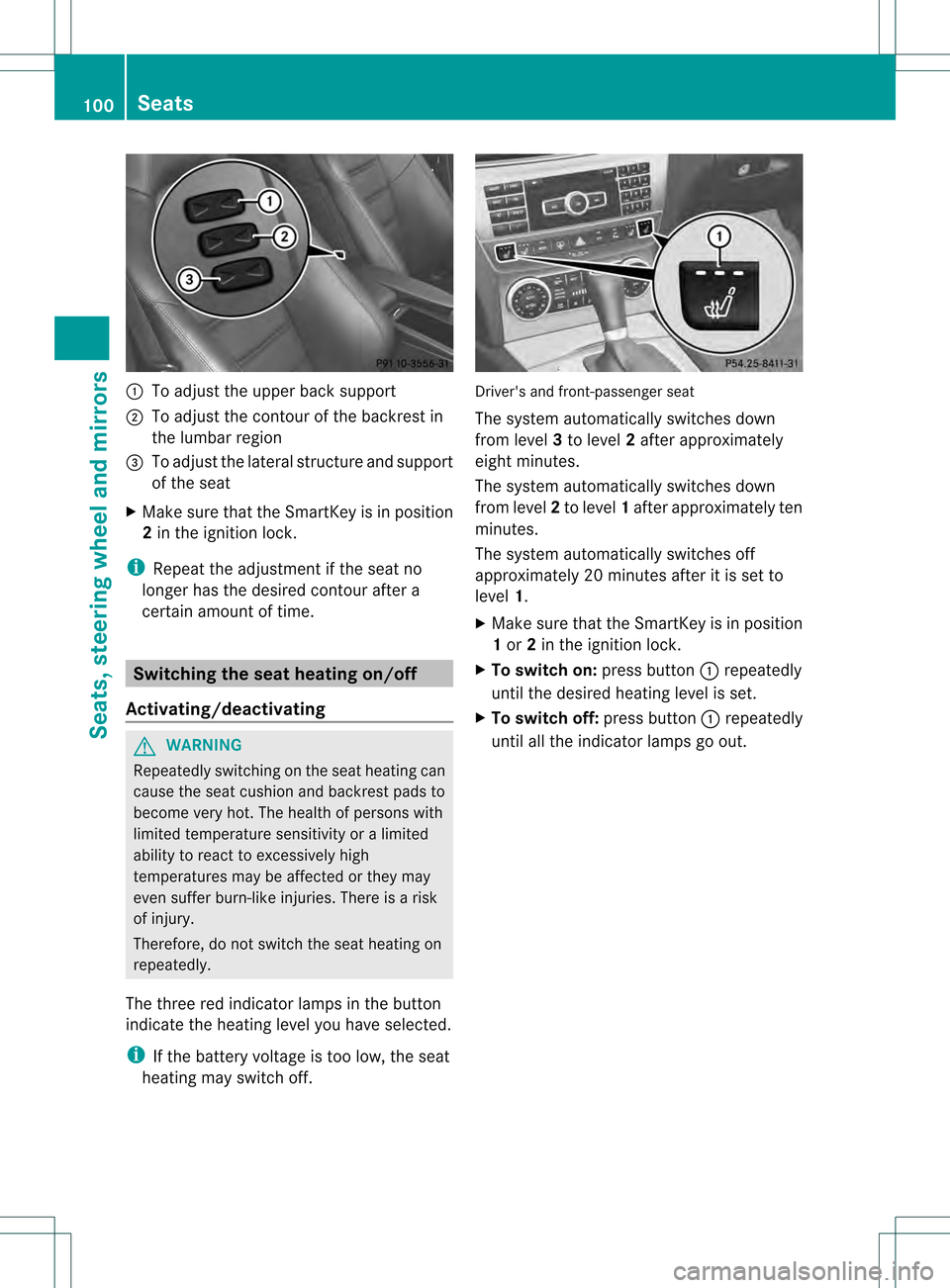
0002
To adjust the upper back support
0003 To adjust the contour of the backrest in
the lumbar region
0022 To adjust the lateral structure and support
of the seat
X Make sure that the SmartKey is in position
2in the ignition lock.
i Repeat the adjustmen tifthe seat no
longer has the desired contour after a
certain amount of time. Switching the seat heating on/off
Activating/deactivating G
WARNING
Repeatedly switching on the seat heating can
cause the seat cushion and backrest pads to
become very hot. The health of persons with
limited temperature sensitivity or a limited
ability to react to excessively high
temperatures may be affected or they may
even suffer burn-like injuries. There is a risk
of injury.
Therefore, do not switch the seat heating on
repeatedly.
The three red indicator lamps in the button
indicate the heating level you have selected.
i If the battery voltage is too low, the seat
heating may switch off. Driver's and front-passenger seat
The system automatically switches down
from level
3to level 2after approximately
eight minutes.
The system automatically switches down
from level 2to level 1after approximately ten
minutes.
The system automatically switches off
approximately 20 minutes after it is set to
level 1.
X Make sure that the SmartKey is in position
1or 2in the ignition lock.
X To switch on: press button0002repeatedly
until the desired heating level is set.
X To switch off: press button0002repeatedly
until all the indicator lamps go out. 100
SeatsSeats, steering wheel and mirrors