break MERCEDES-BENZ C-Class SEDAN 2016 W205 Owner's Manual
[x] Cancel search | Manufacturer: MERCEDES-BENZ, Model Year: 2016, Model line: C-Class SEDAN, Model: MERCEDES-BENZ C-Class SEDAN 2016 W205Pages: 398, PDF Size: 9.57 MB
Page 4 of 398
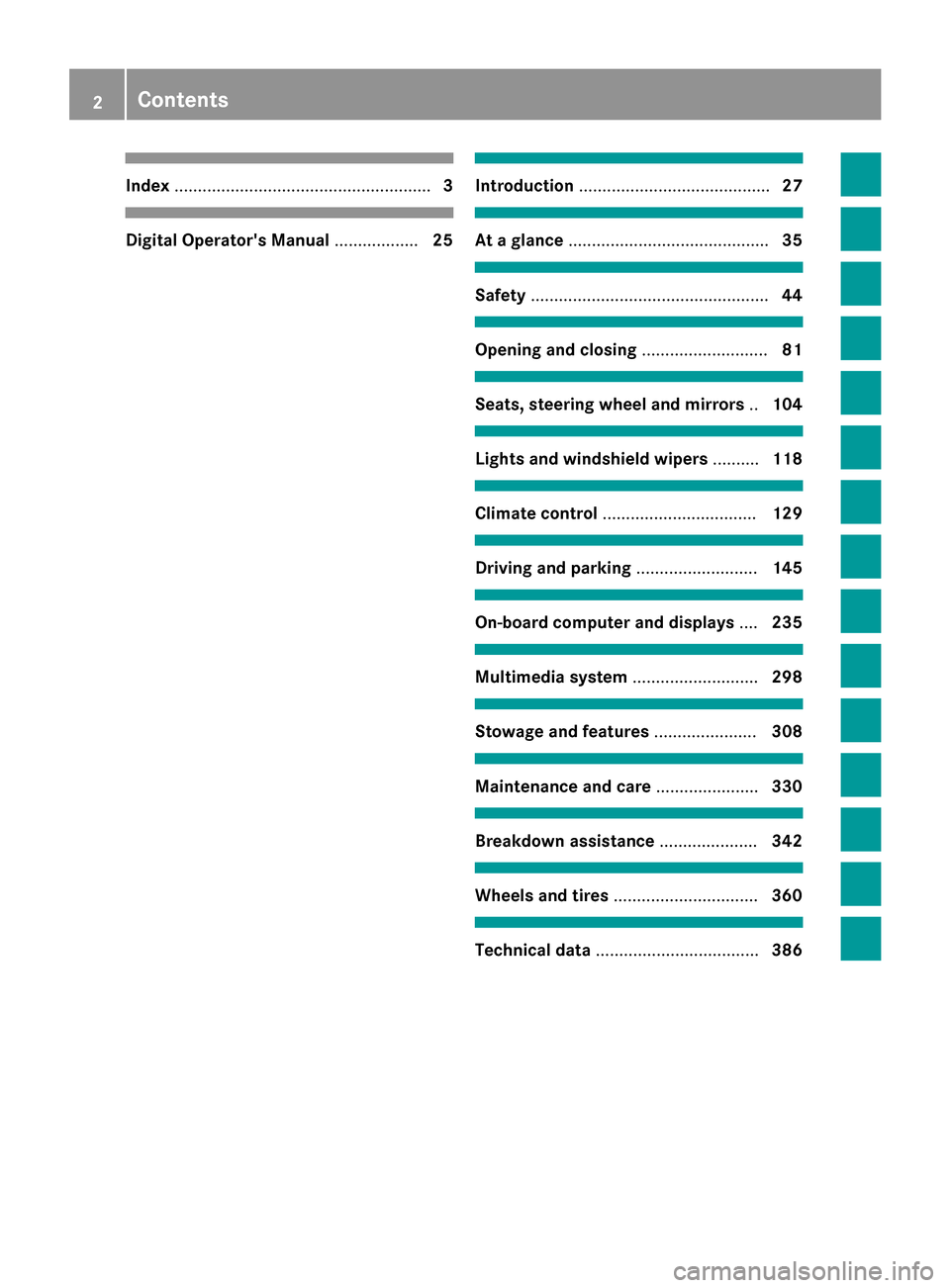
Index....................................................... 3
Digital Operator's Manual..................25
Introduction ......................................... 27
At a glance........................................... 35
Safety................................................... 44
Opening and closing...........................81
Seats, steering wheel and mirrors ..104
Lights and windshield wipers ..........118
Climate control ................................. 129
Driving and parking..........................145
On-board computer and displays ....235
Multimedia system ...........................298
Stowage and features ......................308
Maintenance and care ......................330
Breakdown assistance .....................342
Wheels and tires ............................... 360
Technical data................................... 386
2Contents
Page 7 of 398
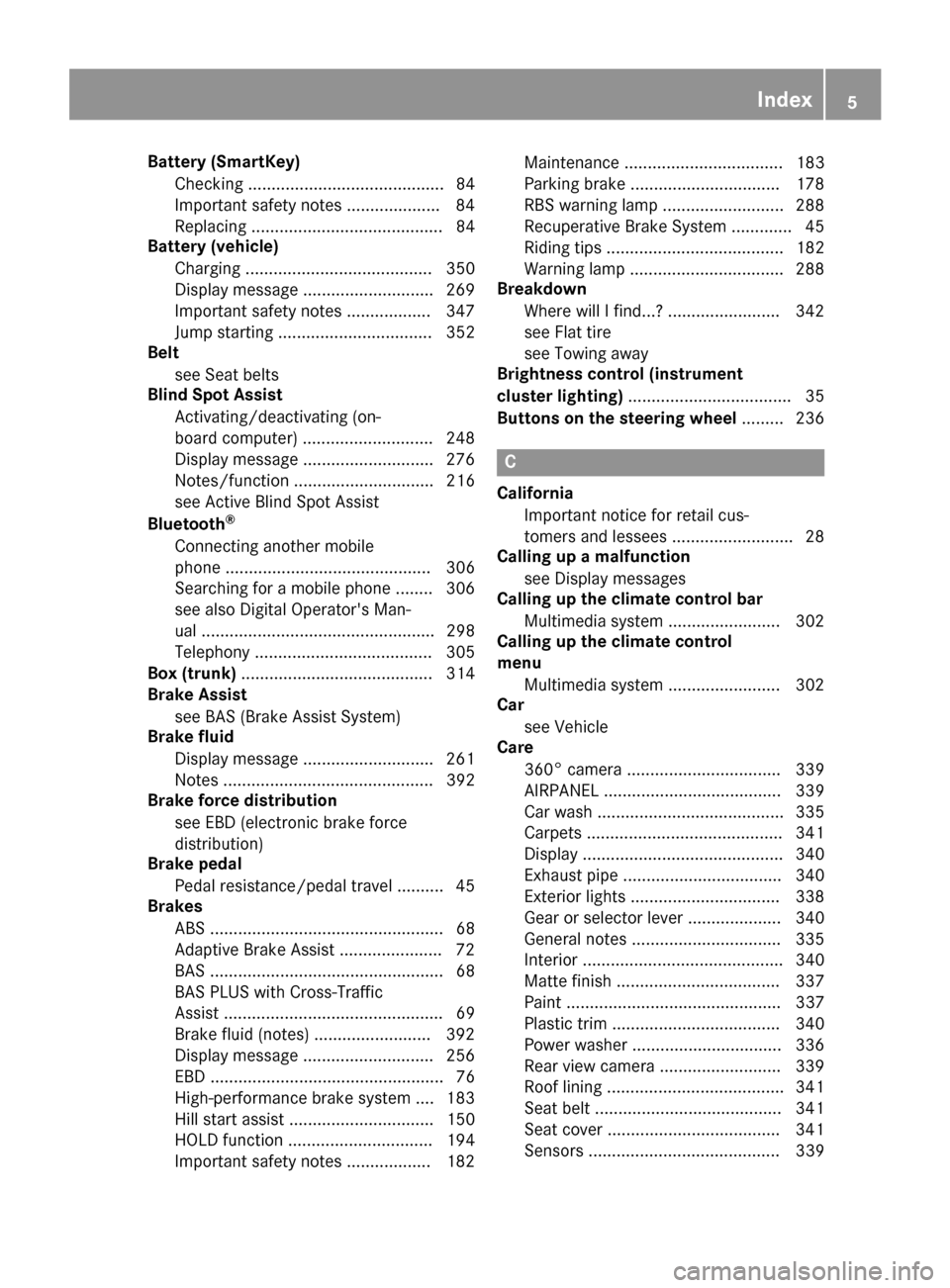
Battery (SmartKey)Checking .......................................... 84
Important safety notes .................... 84
Replacing ......................................... 84
Battery (vehicle)
Charging ........................................ 350
Display message ............................ 269
Important safety notes .................. 347
Jump starting ................................. 352
Belt
see Seat belts
Blind Spot Assist
Activating/deactivating (on-
board computer) ............................ 248
Display message ............................ 276
Notes/function .............................. 216
see Active Blind Spot Assist
Bluetooth
®
Connecting another mobile
phone ............................................ 306
Searching for a mobile phone ........ 306
see also Digital Operator's Man-
ual .................................................. 298
Telephony ...................................... 305
Box (trunk) ......................................... 314
Brake Assist
see BAS (Brake Assist System)
Brake fluid
Display message ............................ 261
Notes ............................................. 392
Brake force distribution
see EBD (electronic brake force
distribution)
Brake pedal
Pedal resistance/pedal travel .......... 45
Brakes
ABS .................................................. 68
Adaptive Brake Assist ...................... 72
BAS .................................................. 68
BAS PLUS with Cross-Traffic
Assist ............................................... 69
Brake fluid (notes) ......................... 392
Display message ............................ 256
EBD .................................................. 76
High-performance brake system .... 183
Hill start assist ............................... 150
HOLD function ............................... 194
Important safety notes .................. 182 Maintenance .................................. 183
Parking brake ................................ 178
RBS warning lamp .......................... 288
Recuperative Brake System ............. 45
Riding tips ...................................... 182
Warning lamp ................................. 288
Breakdown
Where will I find...? ........................ 342
see Flat tire
see Towing away
Brightness control (instrument
cluster lighting) ................................... 35
Buttons on the steering wheel ......... 236
C
California
Important notice for retail cus-
tomers and lessees .......................... 28
Calling up a malfunction
see Display messages
Calling up the climate control bar
Multimedia system ........................ 302
Calling up the climate control
menu
Multimedia system ........................ 302
Car
see Vehicle
Care
360° camera ................................. 339
AIRPANEL ...................................... 339
Car wash ........................................ 335
Carpets .......................................... 341
Display ........................................... 340
Exhaust pipe .................................. 340
Exterior lights ................................ 338
Gear or selector lever .................... 340
General notes ................................ 335
Interior ........................................... 340
Matte finish ................................... 337
Paint .............................................. 337
Plastic trim .................................... 340
Power washer ................................ 336
Rear view camera .......................... 339
Roof lining ...................................... 341
Seat belt ........................................ 341
Seat cover ..................................... 341
Sensors ......................................... 339
Index5
Page 11 of 398
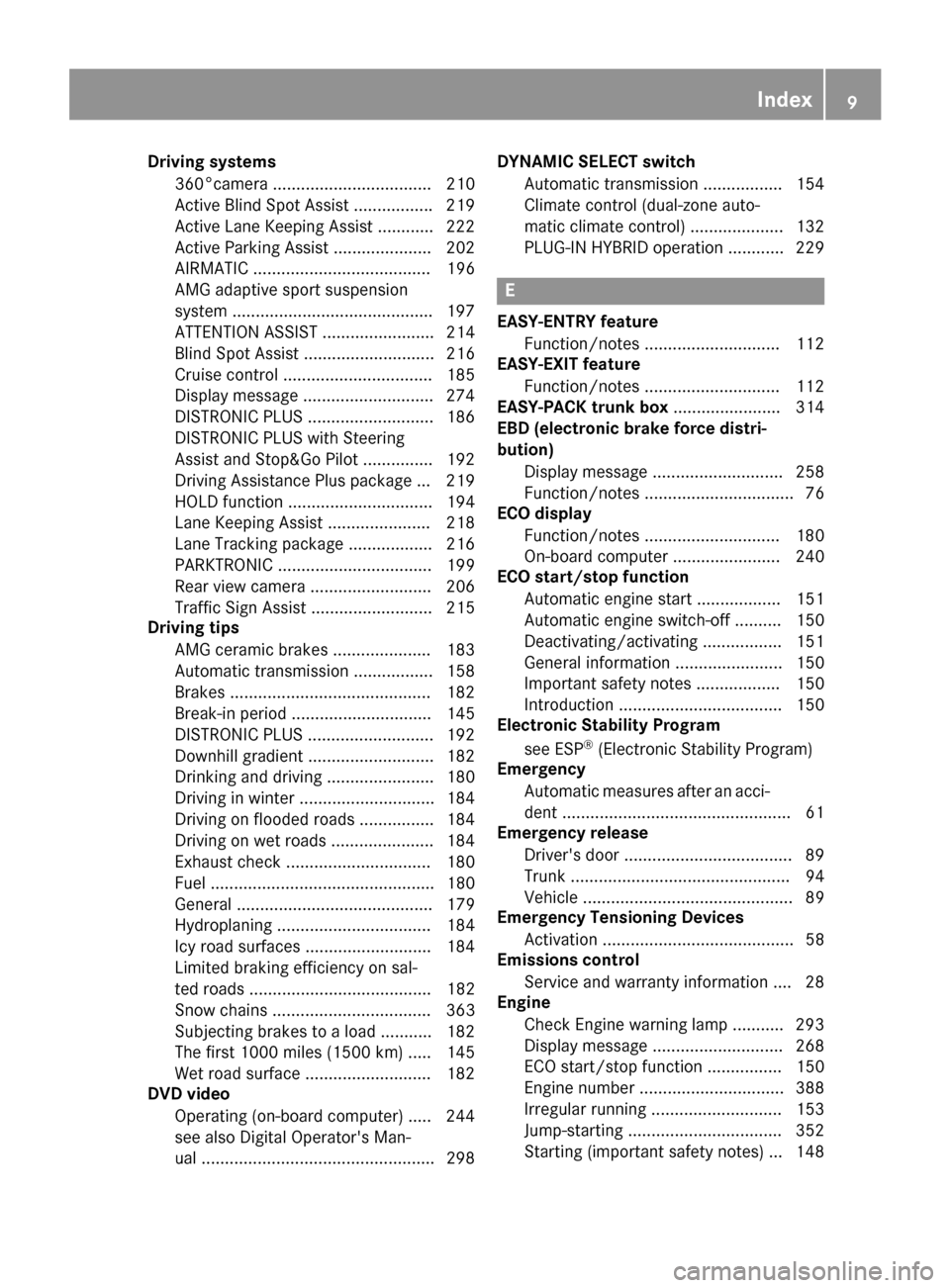
Driving systems360°camera .................................. 21 0
Active Blind Spot Assis t................ .219
Active Lane Keeping Assist ............ 222
Active Parking Assist ..................... 202
AIRMATIC ...................................... 196
AMG adaptive sport suspension
system ...........................................1 97
ATTENTION ASSIST ........................ 214
Blind Spot Assist ............................ 216
Cruise control ................................ 185
Display message ............................ 274
DISTRONIC PLUS ........................... 186
DISTRONIC PLUS with Steering
Assist and Stop&Go Pilot ...............1 92
Driving Assistance Plus package ... 219
HOLD function ............................... 194
Lane Keeping Assist ......................2 18
Lane Tracking package .................. 216
PARKTRONIC ................................. 199
Rear view camera .......................... 206
Traffic Sign Assist .......................... 215
Driving tips
AMG ceramic brakes ..................... 183
Automatic transmission ................. 158
Brakes ...........................................1 82
Break-in period .............................. 145
DISTRONIC PLUS ........................... 192
Downhill gradient ........................... 182
Drinking and driving ....................... 180
Driving in winter .............................1 84
Driving on flooded roads ................ 184
Driving on wet roads ......................1 84
Exhaust check ............................... 180
Fuel ................................................ 180
General .......................................... 179
Hydroplaning ................................. 184
Icy road surfaces ........................... 184
Limited braking efficiency on sal-
ted roads ....................................... 182
Snow chains .................................. 363
Subjecting brakes to a load ........... 182
The first 1000 miles (1500 km) ..... 145
Wet road surface .............. ............. 182
D
VD video
Operating (on-board computer) ..... 244
see also Digital Operator's Man-
ual ..................................................2 98DYNAMIC SELECT switch
Automatic transmission ................. 154
Climate control (dual-zone auto-
matic climate control) .................... 132
PLUG-IN HYBRID operation ............ 229
E
EASY-ENTRY featureFunction/notes .............................1 12
EASY-EXIT feature
Function/notes .............................1 12
EASY-PACK trunk box ....................... 314
EBD (electronic brake force distri-
bution)
Display message ............................ 258
Function/notes ................................ 76
ECO display
Function/notes .............................1 80
On-board computer ....................... 240
ECO start/stop function
Automatic engine start .................. 151
Automatic engine switch-off .......... 150
Deactivating/activating ................. 151
General information ....................... 150
Important safety notes .................. 150
Introduction ................................... 150
Electronic Stability Program
see ESP
®(Electronic Stability Program)
Emergency
Automatic measures after an acci-
dent ................................................. 61
Emergency release
Driver's door ....................................8 9
Trunk ............................................... 94
Vehicle ............................................. 89
Emergency Tensioning Devices
Activation ......................................... 58
Emissions control
Service and warranty information ....2 8
Engine
Check Engine warning lamp .......... .293
Display message ............................ 268
ECO start/stop function ................ 150
Engine number ............................... 388
Irregular running ............................ 153
Jump-starting ................................. 352
Starting (important safety notes) ... 148
Index9
Page 16 of 398
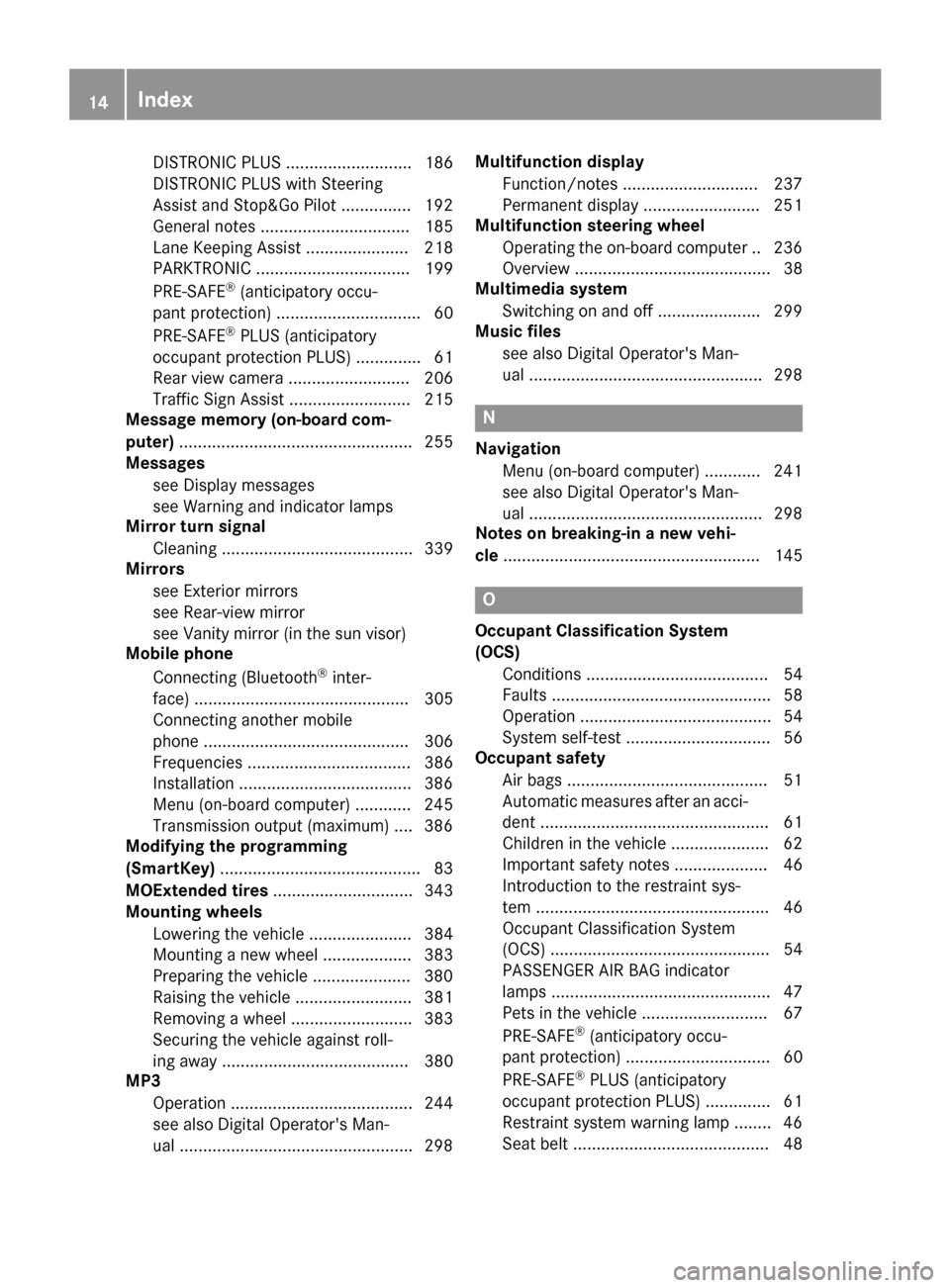
DISTRONIC PLUS ........................... 186
DISTRONIC PLUS with Steering
Assist and Stop&Go Pilot ............... 192
General notes ................................ 185
Lane Keeping Assist ...................... 218
PARKTRONIC ................................. 199
PRE-SAFE
®(anticipatory occu-
pant protection) ............................... 60
PRE-SAFE
®PLUS (anticipatory
occupant protection PLUS) .............. 61
Rear view camera .......................... 206
Traffic Sign Assist .......................... 215
Message memory (on-board com-
puter) .................................................. 255
Messages
see Display messages
see Warning and indicator lamps
Mirror turn signal
Cleaning ......................................... 339
Mirrors
see Exterior mirrors
see Rear-view mirror
see Vanity mirror (in the sun visor)
Mobile phone
Connecting (Bluetooth
®inter-
face) .............................................. 305
Connecting another mobile
phone ............................................ 306
Frequencies ................................... 386
Installation .....................................3 86
Menu (on-board computer) ............ 245
Transmission output (maximum) .... 386
Modifying the programming
(SmartKey) ...........................................8 3
MOExtended tires .............................. 343
Mounting wheels
Lowering the vehicle ...................... 384
Mounting a new wheel ................... 383
Preparing the vehicle .....................3 80
Raising the vehicle ......................... 381
Removing a wheel .......................... 383
Securing the vehicle against roll-
ing away ........................................ 380
MP3
Operation ....................................... 244
see also Digital Operator's Man-
ual..................................................2
98Multifunc
tion display
Function/notes .............................2 37
Permanent display ......................... 251
Multifunction steering wheel
Operating the on-board computer .. 236
Overview .......................................... 38
Multimedia system
Switching on and off ......................2 99
Music files
see also Digital Operator's Man-
ual ..................................................2 98
N
Navigation
Menu (on-board computer) ............ 241
see also Digital Operator's Man-
ual ..................................................2 98
Notes on breaking-in a new vehi-
cle ....................................................... 145
O
Occupant Classification System
(OCS)
Conditions ....................................... 54
Faults ............................................... 58
Operation ......................................... 54
System self-test ............................... 56
Occupant safety
Air bags ...........................................5 1
Automatic measures after an acci-
dent ................................................. 61
Children in the vehicle ..................... 62
Important safety notes .................... 46
Introduction to the restraint sys-
tem .................................................. 46
Occupant Classification System
(OCS) ............................................... 54
PASSENGER AIR BAG indicator
lamps ............................................... 47
Pets in the vehicle ........................... 67
PRE-SAFE
®(anticipatory occu-
pant protection) ............................... 60
PRE-SAFE
®PLUS (anticipatory
occupant protection PLUS) .............. 61
Restraint system warning lamp ........ 46
Seat belt .......................................... 48
14Index
Page 20 of 398
Refuelingprocess (PLUG-IN
HYBRID vehicles) .......................... .165
see Fuel
Remote control
Garage door opener ....................... 326
Programming (garage door
opener) .......................................... 327
Replacing bulbs
Important safety notes .................. 122
Overview of bulb types .................. 123
Removing/replacing the cover
(front wheel arch) .......................... 123
Reporting safety defects .................... 32
Rescue card ......................................... 32
Reserve (fuel tank)
see Fuel
Reserve fuel
Display message ............................ 271
Warning lamp ................................. 293
Residual heat (climate control) ........ 137
Restraint system
Display message ............................ 263
Introduction ..................................... 46
Warning lamp ................................. 292
Warning lamp (function) ................... 46
Reversing feature
Panorama sliding sunroof ................ 99
Roller sunblinds ............................. 101
Side windows ................................... 95
Sliding sunroof ................................. 99
Trunk lid ........................................... 90
Reversing lamps (display mes-
sage) ................................................... 267
Roadside Assistance (breakdown) .... 29
Roller sunblind
Panorama roof with power tilt/
sliding panel .................................. 101
Rear side windows ......................... 317
Rear window .................................. 318
Roof carrier ........................................ 315
Roof lining and carpets (cleaning
guidelines) ......................................... 341
Roof load (maximum) ........................ 394
Route guidance
see also Digital Operator's Man-
ual .................................................. 298S
SafetyChildren in the vehicle ..................... 62
Hybrid drive system ......................... 44
see Occupant safety
see Operating safety
Safety notes
Hybrid vehicles ................................ 44
Safety system
see Driving safety systems
SD memory card
Ejecting .......................................... 307
Inserting ........................................ 307
Inserting/removing ........................ 307
see also Digital Operator's Man-
ual .................................................. 298
Selecting ........................................ 244
Search & Send
see also Digital Operator's Man-
ual .................................................. 298
Seat belts
Adjusting the driver's and front-
passenger seat belt ......................... 51
Adjusting the height ......................... 50
center rear-compartment seat ......... 50
Cleaning ......................................... 341
Correct usage .................................. 49
Fastening ......................................... 50
Important safety guidelines ............. 48
Introduction ..................................... 48
Releasing ......................................... 50
Warning lamp ................................. 287
Warning lamp (function) ................... 51
Seats
Adjusting (electrically) ................... 106
Adjusting (Performance Seat) ........ 108
Adjusting the 4-way lumbar sup-
port ................................................ 108
Adjusting the head restraint .......... 106
Calling up a stored setting (mem-
ory function) .................................. 117
Cleaning the cover ......................... 341
Correct driver's seat position ........ 104
Important safety notes .................. 104
Seat heating .................................. 108
Seat heating problem .................... 110
18Index
Page 31 of 398
During the period of 18 months from original
delivery of the vehicle or the accumulation of
18,000 miles (approximately 29,000 km) on the
odometer of the vehicle, whichever occurs first,
a reasonable number of repair attempts is pre-
sumed for a retail buyer or lessee if one or more
of the following occurs:
(1) the same substantial defect or malfunctionresults in a condition that is likely to cause
death or serious bodily injury if the vehicle isdriven, that defect or malfunction has been
subject to repair two or more times, and you
have directly notified Mercedes-Benz USA,
LLC in writing of the need for its repair.
(2) the same substantial defect or malfunction of a less serious nature than category (1)
has been subject to repair four or more
times and you have directly notified
Mercedes-Benz in writing of the need for its
repair.
(3) the vehicle is out of service by reason of repair of the same or different substantial
defects or malfunctions for a cumulative
total of more than 30 calendar days.
Please send your written notice to:
Mercedes-Benz USA, LLC
Customer Assistance Center
One Mercedes Drive
Montvale, NJ 07645-0350
Maintenance
The Service and Warranty Booklet describes all
the necessary maintenance work which should
be done at regular intervals.
Always have the Service and Warranty Booklet
with you when you bring the vehicle to an
authorized Mercedes-Benz Center. The service
advisor will record every service for you in the
Service and Warranty Booklet.
Breakdown assistance
The Mercedes-Benz Roadside Assistance Pro-
gram offers technical help in the event of a
breakdown. Calls to the toll-free Roadside Assis- tance Hotline are answered by our agents 24
hours a day, 365 days a year.
1-800-FOR-MERCedes(1-800-367-6372)
(USA)
1-800-387-0100 (Canada) For additional information, refer to the
Mercedes-Benz Roadside Assistance Program
brochure (USA) or the "Roadside Assistance"
section in the Service and Warranty booklet
(Canada). You will find both in your vehicle lit-
erature portfolio.
Change of address or change of own-
ership
In the event of a change of address, please send
us the "Notification of Address Change" in the
Service and Guarantee booklet or simply call the
Mercedes-Benz Customer Assistance Center
(USA) at the hotline number
1-800-FOR-MERCedes(1-800-367-6372) or
Customer Service Center (Canada) at
1-800-387-010 0.This will assist us in contact-
ing you in a timely manner should the need arise.
If you sell your Mercedes, please leave the entire literature in the vehicle so that it is available to
the next owner.
If you have purchased a used car, please send us
the "Notification of Used Car Purchase" in the
Service and Guarantee booklet or simply call the
Mercedes-Benz Customer Assistance Center
(USA) at the hotline number
1-800-FOR-MERCedes(1-800-367-6372) or
Customer Service (Canada) at 1-800-387-0100.
Vehicle operation outside the USA
and Canada
If you plan to operate your vehicle in foreign
countries, please be aware that:
Rservice facilities or replacement parts may
not be readily available.
Runleaded fuel for vehicles with a catalytic
converter may not be available. Leaded fuel
may cause damage to the catalytic converter.
Rthe fuel may have a considerably lower octane
rating. Unsuitable fuel can cause engine dam-
age.
Some Mercedes-Benz models are available for
delivery in Europe through our European Deliv-
ery Program. For details, consult an authorized
Mercedes-Benz Center or write to one of the
following addresses.
In the USA
Mercedes-Benz USA, LLC
European Delivery Department
Service and vehicle operation29
Introduction
Z
Page 51 of 398
abrupt change of direction. This poses an
increased risk of injury or even fatal injury.
For this reason, always secure persons under
5 ft (1.50 m) in height in suitable restraint
systems.
If a child younger than twelve years old and
under 5 ft (1.50m) in height is traveling in the
vehicle:
Ralways secure the child in a child restraint
system suitable for this Mercedes-Benz vehi-
cle. The child restraint system must be appro-
priate to the age, weight and size of the child
Ralways observe the instructions and safety
notes on "Children in the vehicle"
(
Ypage 62) in addition to the child restraint
system manufacturer's installation and oper-
ating instructions
Rbe sure to observe the instructions and safety
notes on the "Occupant classification system
(OCS)" (
Ypage 54)
GWARNING
The seat belts may not perform their intended protective function if:
Rthey are damaged, modified, extremely
dirty, bleach or dyed
Rthe seat belt buckle is damaged or
extremely dirty
Rthe Emergency Tensioning Devices, belt
anchorages or inertia reels have been modi-
fied
Seat belts may sustain non-visible damage in an accident, e.g. due to glass splinters. Modi-
fied or damaged seat belts may tear or fail,
e.g. in an accident. Modified Emergency Ten-
sioning Devices could accidentally trigger or
fail to deploy when necessary. This poses an
increased risk of injury or even fatal injury.
Never modify the seat belts, Emergency Ten-
sioning Devices, belt anchorages or inertia
reels. Make sure that the seat belts are
undamaged, not worn out and clean. Follow-
ing an accident, have the seat belts checked
immediately at a qualified specialist work-
shop. Only use seat belts that have been approved for
your vehicle by Mercedes-Benz.
AMG Performance seat:
this seat is designed
for the standard three-point seat belt. If you
install another multi-point seat belt, e.g. sport or
racing se at b
elts, the restraint system cannot
provide the best level of protection.
GWARNING
If you feed seat belts through the opening in
the seat backrest, the seat backrest may be
damaged or may even break in the event of an accident. This poses an increased risk of
injury or even fatal injury.
Only use the standard three-point seat belt.
Never modify the seat belt system.
Proper use of the seat belts
Pay attention to the safety notes about the seat
belt (Ypage 48).
All vehicle occupants must fasten the seat belt
correctly before setting off. Make sure that all
occupants are wearing their seat belts correctly
for the entire journey.
When fastening the seat belt, make sure that:
RThe seat belt tongue is inserted into the belt
buckle that belongs to the seat.
RThe seat belt is tightened across your body.
Avoid wearing bulky clothing, e.g. a winter
coat.
RThe seat belt is not twisted.
Only then can the forces produced in the
event of an accident be evenly distributed
across the belt.
RThe shoulder section of the belt must always
be routed across the center of the shoulder.
The shoulder section of the belt should not
come into contact with your neck and must
not be routed under the arm. Where possible,
adjust the seat belt to the appropriate height.
RThe lap belt must be taut and as low as pos-
sible over your lap.
The lap belt must always pass across your hip
joints and never across your stomach or
abdomen. Pregnant women must take partic-
ular care. If necessary, the lap belt can be
pushed down across the hip joints and pulled
tig ht u
sing the shoulder section.
RThe seat belt is not routed over sharp, pointed
or fragile objects.
Occupant safety49
Safety
Z
Page 73 of 398
Important safety notes
In particular, thedetection of obstacles can be
impaired if:
Rthere is dirt on th esensor sor anythin gelse
covering th esensor s
Rthere is snow or heav yrain
Rthere is interferenc eby other radar source s
Rthere are strongradar reflections, for exam-
ple in parking garages
Ra narrow vehicl eis traveling in front, e.g. a
motorbike
Ra vehicl eis traveling in fron ton adifferen tlin e
Rthevehicl eis ne wor after aservic eon th e
COLLISION PREVENTION ASSIST PLU Ssys-
te m
Observ eth eimportant safet ynote sin th e
"Breaking-in notes" section (
Ypage 145).
Followin gdamag eto th efron ten dof th evehicle,
have th econfiguration and operation of th e
radar sensor checke dat aqualified specialist
workshop. This also applie sto collision sat slow
speeds wher ethere is no visible damag eto th e
fron tof th evehicle.
Switching on/off
The COLLISION PREVENTION ASSIST PLU Sis
automatically active after switching on th eigni-
tion .
You can activat eor deactivat eCOLLISION PRE -
VENTION ASSIST PLU Sin th eon-board com-
puter (
Ypage 247). When deactivated, th edis-
tance warning function and th eautonomous
braking function are also deactivated.
If COLLISION PREVENTION ASSIST PLU Sis
deactivated, th eæ symbol appear sin th e
assistanc egraphic sdisplay.
Distance warning function
Gene ral inform ation
The distanc ewarning function can help you to
minimiz eth eris kof afront-en dcollision wit h a
vehicl eahead or reduce th eeffects of suc h a
collision .If th edistanc ewarning function
detects that there is aris kof acollision ,you will
be warned visually and acoustically.
Important safety notes
iObserv eth e"Importan tsafet ynotes" sec -
tion for driving safet ysystems (Ypage 68).
GWARNIN G
The distanc ewarning function does no treact:
Rto people or animals
Rto oncomin gvehicles
Rto crossing traffic
Rwhen cornering
Thus ,th edistanc ewarning function canno t
provide awarning in all critical situations.
Ther eis aris kof an accident.
Always pay careful attention to th etraffic sit -
uation and be read yto brake.
GWARNIN G
The distanc ewarning function canno talways
clearly identify objects and comple xtraffic
situations.
In suc hcases, th edistanc ewarning function
may:
Rgiv ean unnecessary warning
Rno tgiv e a warning
Ther eis aris kof an accident.
Always pay careful attention to th etraffic sit -
uation and do no trel ysolely on th edistanc e
warning function .
Function
Starting ataspee dof approximately 4mph
(7 km/h), th edistanc ewarning function warn s
you if you rapidly approac h avehicl ein front. An
intermittent warning tone will then sound, and
th e· distanc ewarning lamp will ligh tup in
th einstrumen tcluster.
XBrake immediately in order to increas eth e
distanc efrom th evehicl ein front.
or
XTak eevasive action ,provide dit is saf eto do
so.
Due to th enature of th esystem, particularly
complicated but non-critical driving condition s
may also caus eth esystem to display awarning .
Wit hth ehelp of th eradar sensor system, th e
distanc ewarning function can detec tobstacles
Driving safety systems71
Safety
Z
Page 116 of 398
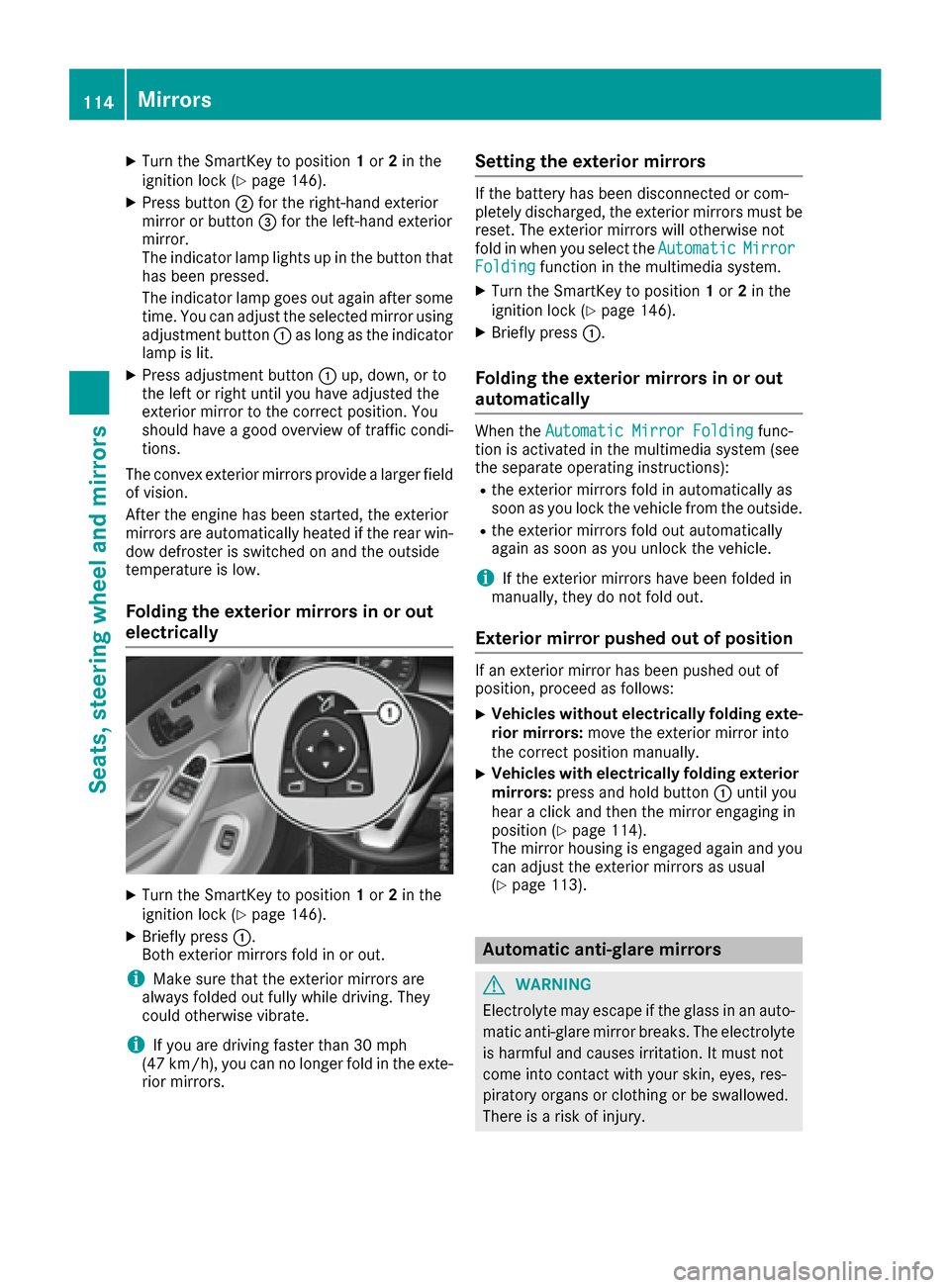
XTurn the SmartKey to position1or 2in the
ignition lock (Ypage 146).
XPress button ;for the right-hand exterior
mirror or button =for the left-hand exterior
mirror.
The indicator lamp lights up in the button that
has been pressed.
The indicator lamp goes out again after some
time. You can adjust the selected mirror using
adjustment button :as long as the indicator
lamp is lit.
XPress adjustment button :up, down, or to
the left or right until you have adjusted the
exterior mirror to the correct position. You
should have a good overview of traffic condi-
tions.
The convex exterior mirrors provide a larger field
of vision.
After the engine has been started, the exterior
mirrors are automatically heated if the rear win-
dow defroster is switched on and the outside
temperature is low.
Folding the exterior mirrors in or out
electrically
XTurn the SmartKey to position 1or 2in the
ignition lock (Ypage 146).
XBriefly press :.
Both exterior mirrors fold in or out.
iMake sure that the exterior mirrors are
always folded out fully while driving. They
could otherwise vibrate.
iIf you are driving faster than 30 mph
(47 km/h), you can no longer fold in the exte-
rior mirrors.
Setting the exterior mirrors
If the battery has been disconnected or com-
pletely discharged, the exterior mirrors must be
reset. The exterior mirrors will otherwise not
fold in when you select the Automatic
MirrorFoldingfunction in the multimedia system.
XTurn the SmartKey to position 1or 2in the
ignition lock (Ypage 146).
XBriefly press :.
Folding the exterior mirrors in or out
automatically
When theAutomatic Mirror Foldingfunc-
tion is activated in the multimedia system (see
the separate operating instructions):
Rthe exterior mirrors fold in automatically as
soon as you lock the vehicle from the outside.
Rthe exterior mirrors fold out automatically
again as soon as you unlock the vehicle.
iIf the exterior mirrors have been folded in
manually, they do not fold out.
Exterior mirror pushed out of position
If an exterior mirror has been pushed out of
position, proceed as follows:
XVehicles without electrically folding exte-
rior mirrors: move the exterior mirror into
the correct position manually.
XVehicles with electrically folding exterior
mirrors: press and hold button :until you
hear a click and then the mirror engaging in
position (
Ypage 114).
The mirror housing is engaged again and you
can adjust the exterior mirrors as usual
(
Ypage 113).
Automatic anti-glare mirrors
GWARNING
Electrolyte may escape if the glass in an auto-
matic anti-glare mirror breaks. The electrolyte
is harmful and causes irritation. It must not
come into contact with your skin, eyes, res-
piratory organs or clothing or be swallowed.
There is a risk of injury.
114Mirrors
Seats, steering wheel and mirrors
Page 147 of 398
Notes on breaking-in a new vehicle
Important safety notes
The sensor system of some driving and driving
safety systems adjusts automatically while a
certain distance is being driven after the vehiclehas been delivered or after repairs. Full system
effectiveness is not reached until the end of this
teach-in procedure.
New and replaced brake pads and discs only
reach their optimum braking effect after several hundred kilometers of driving. Compensate for
this by applying greater force to the brake pedal.
The first 1000 miles (1500 km)
The more you look after the engine when it is
new, the more satisfied you will be with its per-
formance in the future.
RYou should therefore drive at varying vehicle
and engine speeds for the first 1000 miles
(1500 km).
RAvoid heavy loads, e.g. driving at full throttle,during this period.
RWhen changing gears manually, change up in
good time, before the tachometer needle rea-
ches Ôof the way to the red area of the tach-
ometer.
RDo not manually shift to a lower gear to brake
the vehicle.
RTry to avoid depressing the accelerator pedal
beyond the point of resistance (kickdown).
RAll vehicles (except Mercedes-AMG vehi-
cles): ideally, for the first 1,000 miles
(1,500 km), drive in drive program E.
Additional breaking-in notes for Mercedes-AMG
vehicles:
RDo not drive faster than 85 mph (140 km/h)
for the first 1,000 miles (1,500 km).
ROnly allow the engine to reach a maximum
engine speed of 4,500 rpm briefly.
RChange gear in good time.
RIdeally, for the first 1,000 miles (1,500 km),
drive in program C.
After 1000 miles (1500 km),you can incre
ase
th eengin espeed gradually and accelerate th e
vehicl eto full speed.
You should also observ ethese note son break-
in g in if th eengin eor part sof th edrive train on
your vehicl ehav ebeen replaced. Always observ
eth emaximum permissibl e
speed.
Self-locking rear axle differential
(Mercedes-AMG vehicles)
Your vehicl eis equipped wit h aself-locking dif -
ferential on th erear axle.
Change th eoil to improv eprotection of th erear
axl edifferential:
Rafter abreaking-i nperiod of 1,850 mile s
(3,00 0km)
Revery 31,00 0mile s(50,00 0km) or 3years
These oil changes prolon gth eservic elife of th e
differential. Hav eth eoil chang ecarrie dout at a
qualified specialist workshop .
Driving
Important safety notes
GWARNIN G
Objects in th edriver's footwell can restrict th e
pedal travel or obstruct adepressed pedal .
The operating and roa dsafet yof th evehicl eis
jeopardized. There is aris kof an accident.
Mak esur ethat all objects in th evehicl eare
stowed correctly, and that they canno tente r
th edriver's footwell. Install th efloormats
securel yand as specified in order to ensur e
sufficien tclearance for th epedals. Do no tuse
loos efloormats and do no tplac efloormats on
to pof on eanother.
GWARNIN G
Unsuitable footwear can hinder correc tusage
of th epedals, e.g. :
Rshoes withthick sole s
Rshoes withhigh heels
Rslipper s
There is aris kof an accident.
Wear suitable footwear to ensur ecorrec t
usage of th epedals.
Driving145
Driving and parking
Z