service MERCEDES-BENZ C320 2001 W203 Owner's Guide
[x] Cancel search | Manufacturer: MERCEDES-BENZ, Model Year: 2001, Model line: C320, Model: MERCEDES-BENZ C320 2001 W203Pages: 381, PDF Size: 19.92 MB
Page 191 of 381
182 Audio system
Te ch n i c a l
data Instruments
and controlsOperationDrivingInstrument
cluster displayPractical hints Car care Index
Terminating call
A current call can be terminated by pressing the “END”
button.
Muting a call
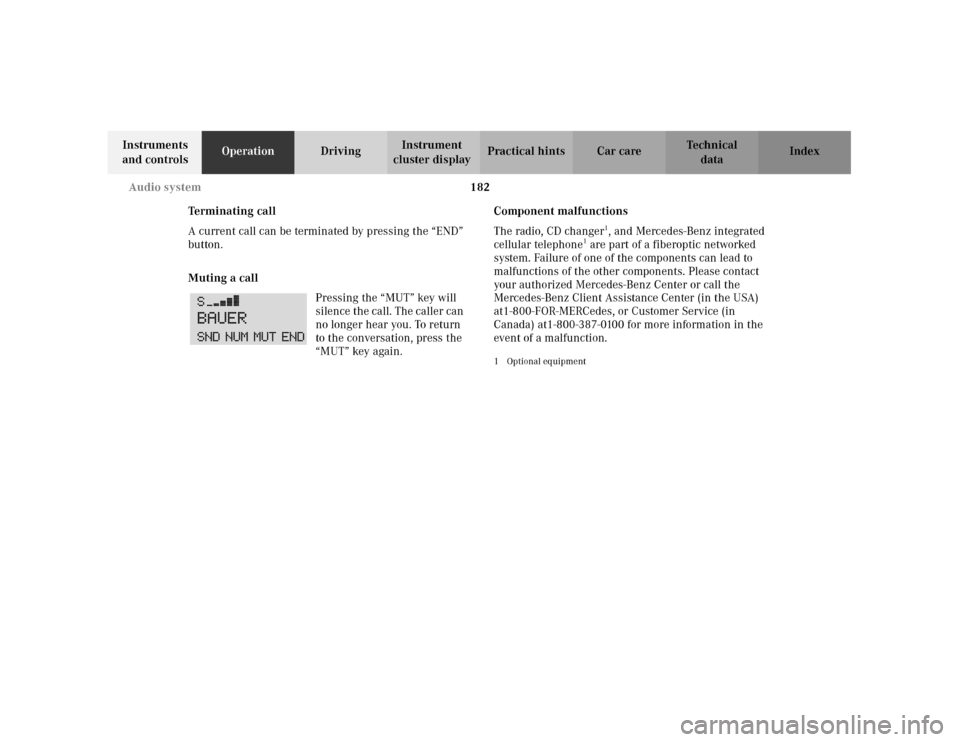
Pressing the “MUT” key will
silence the call. The caller can
no longer hear you. To return
to the conversation, press the
“MUT” key again.Component malfunctions
The radio, CD changer
1, and Mercedes-Benz integrated
cellular telephone
1 are part of a fiberoptic networked
system. Failure of one of the components can lead to
malfunctions of the other components. Please contact
your authorized Mercedes-Benz Center or call the
Mercedes-Benz Client Assistance Center (in the USA)
at1-800-FOR-MERCedes, or Customer Service (in
Canada) at1-800-387-0100 for more information in the
event of a malfunction.
1Optional equipment
Page 192 of 381
183 Audio system
Te ch n i c a l
data Instruments
and controlsOperationDrivingInstrument
cluster displayPractical hints Car care Index Emergency call
Important!
If you press button for more than 1 second, the
number stored in memory location 1 (for example 911)
will be dialed.
The 911 emergency call system is a public service.
Using it without due cause is a criminal offence.
You can make an emergency call to an emergency
rescue station with a mobile communications network.
The emergency call will be placed as long as the
corresponding mobile communications network is
available. To do this, switch the telephone on if you have
not already done so.
The call will also be placed if the unlock-code is not
entered.Emergency calls may not be possible with all telephone
networks or if certain network services and/or
telephone functions are active. Check with your local
network operating company. It may take some time to
set up an emergency call.
To use this function you must ensure that the number
stored in memory location 1 is the number to be dialed
in case of emergency.
Note:
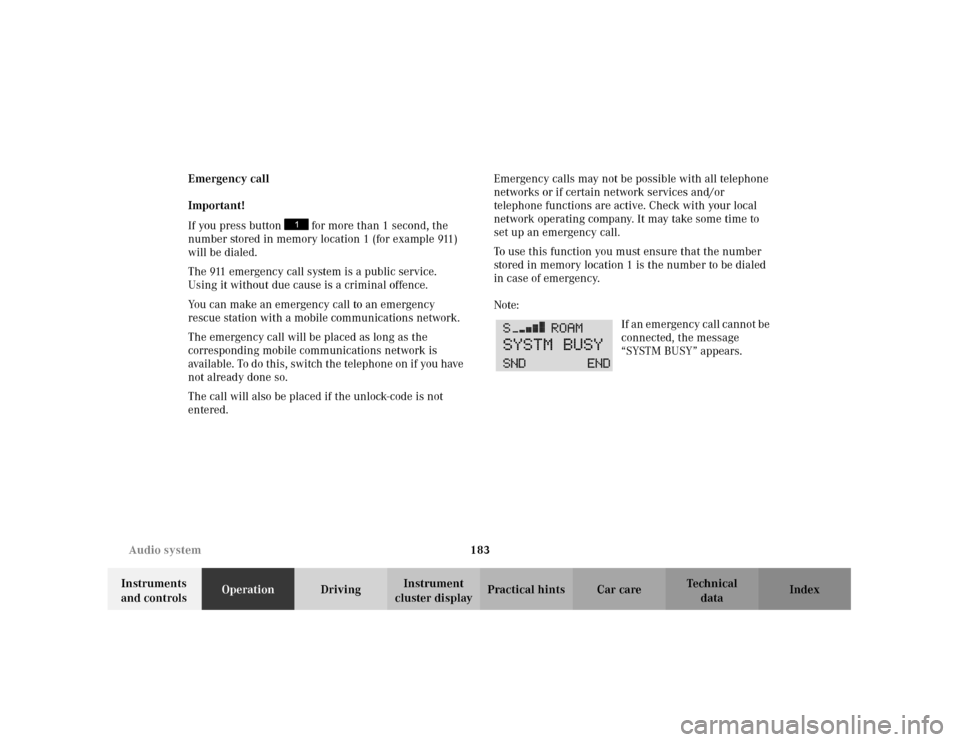
If an emergency call cannot be
connected, the message
“SYSTM BUSY” appears.
Page 203 of 381
194 Interior equipment
Te ch n i c a l
data Instruments
and controlsOperationDrivingInstrument
cluster displayPractical hints Car care Index
Glove box
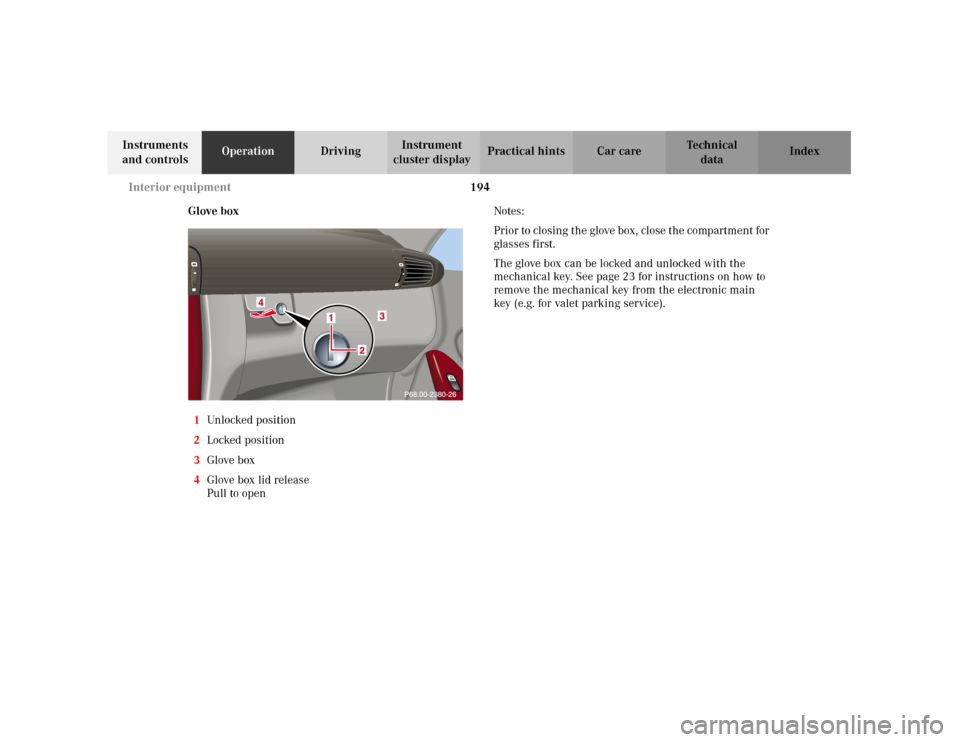
1Unlocked positio n
2Locked position
3Glove box
4Glove box lid release
Pull to openNotes:
Prior to closing t he glove box, close t he compartment for
glasses first.
The glove box can be locked and unlocked with the
mechanical key. See page 23 for instructions on how to
remove the mechanical key from the electronic main
key (e.g. for valet parking service).
Page 221 of 381
212 Garage door opener
Te ch n i c a l
data Instruments
and controlsOperationDrivingInstrument
cluster displayPractical hints Car care Index
Garage door opener
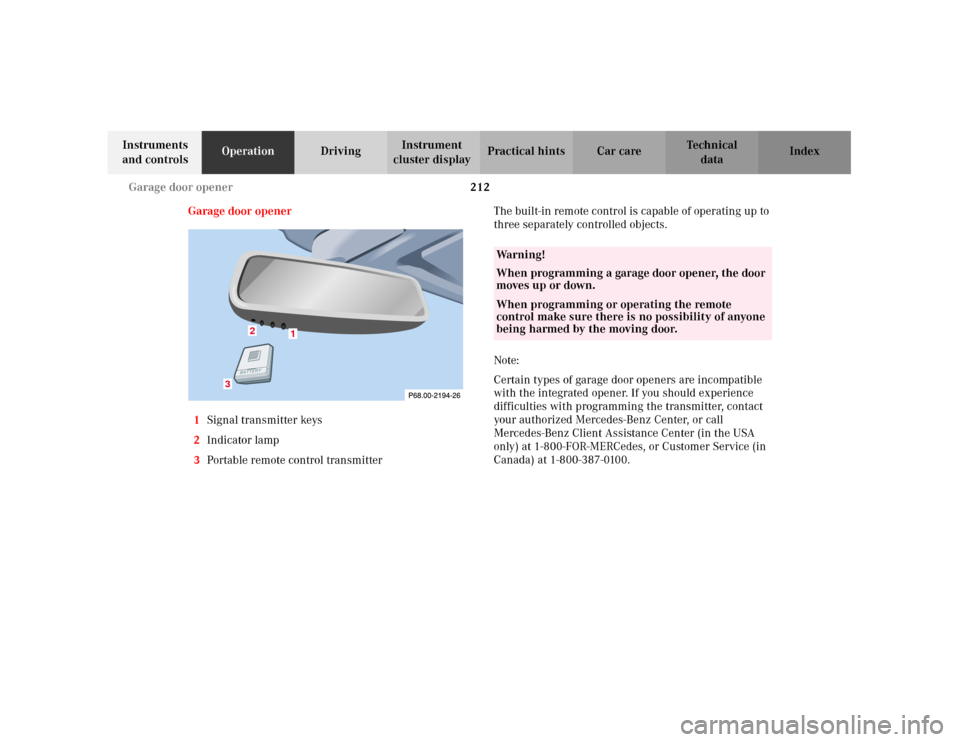
1Signal transmitter keys
2Indicator lamp
3Portable remote control transmitterThe built-in remote control is capable of operating up to
three separately controlled objects.
Note:
Certain types of garage door openers are incompatible
with the integrated opener. If you should experience
difficulties with programming the transmitter, contact
your authorized Mercedes-Benz Center, or call
Mercedes-Benz Client Assistance Center (in the USA
only) at 1-800-FOR-MERCedes, or Customer Service (in
Canada) at 1-800-387-0100.
1
2
3
Wa r n i n g !
When programming a garage door opener, the door
moves up or down.When programming or operating the remote
control make sure there is no possibility of anyone
being harmed by the moving door.
Page 228 of 381
219 The first 1 000 miles (1 500 km)
Te ch n i c a l
data Instruments
and controlsOperationDrivingInstrument
cluster displayPractical hints Car care Index The first 1 000 miles (1 500 km)
The more cautiously you treat your vehicle during the
break-in period, the more satisfied you will be with its
performance later on. Therefore, drive your vehicle
during the first 1 000 miles (1 500 km) at moderate
vehicle and engine speeds.
During this period, avoid heavy loads (full throttle
driving) and excessive engine speeds.
Avoid accelerating by kickdown. It is not recommended
to brake t he vehicle by man ually shif tin g to a lower gear.
We recommend that you select positions “3”, “2” or “1”
only at moderate speeds (for hill driving).
After 1 000 miles (1 500 km) speeds may be gradually
increased to the permissible maximum.Maintenance
Approximately 30 days or 2000 miles (2000 km) prior
to the next recommended service, the remaining
distance or days are displayed in the multifunction
indicator. See Flexible service system (FSS) on
page 125.
We strongly recommend that you have your vehicle
serviced by your authorized Mercedes-Benz Center, in
accordance with the Service Booklet at the times called
for by the FSS.
Failure to have the vehicle maintained in accordance
with the Service Booklet at the designated times /
mileage may result in vehicle damage not covered by
the Mercedes-Benz Limited Warranty.
Page 230 of 381
221 Tele Aid
Te ch n i c a l
data Instruments
and controlsOperationDrivingInstrument
cluster displayPractical hints Car care Index pressing the button (for longer than 2 seconds) located
under the cover. See below for instructions on initiating
an emergency call manually.
Once the emergency call is in progress, the indicator
lamp in the “SOS” button will begin to flash. The
message “EMERGENCY CALL – ESTABLISHING CALL”
appears in the multifunction display. When the
connection is established, the message “EMERGENCY
CALL – CALL CONNECTED” appears in the
multifunction display. All information relevant to the
emergency, such as the location of the vehicle
(determined by the GPS satellite location system),
vehicle model, identification number and color are
generated.
A voice connection between the Response Center and
the occupants of the vehicle will be established
automatically soon after the emergency call has been
initiated. The Response Center will attempt to determine
more precisely the nature of the accident provided they
can speak to an occupant of the vehicle.The Tele Aid system is available if:
•it has been activated and is operational. Activation
requires a subscription for monitoring services and
cellular air time,
•the relevant cellular phone network and GPS signals
are available.
Note:
Location of the vehicle on a map is possible if the
vehicle is able to receive signals from the GPS satellite
network.
Wa r n i n g !
If the indicator lamp in the “SOS” button is
illuminated continuously and there was no voice
connection to the Response Center established,
then the Tele Aid system could not initiate an
emergency call (e.g. the relevant cellular phone
network is not available). The message
“EMERGENCY CALL – CALL FAILED” appears in
the multifunction display.Should this occur, assistance must be summoned
by other means.
Page 232 of 381
223 Tele Aid
Te ch n i c a l
data Instruments
and controlsOperationDrivingInstrument
cluster displayPractical hints Car care Index Roadside Assistance button
Located below the center armrest cover is the Roadside
Assistance button. Pressing and holding the
button (for longer than 2 seconds) will initiate a call to a
Mercedes-Benz Roadside Assistance dispatcher. The
button will flash while the call is in progress. The
Tele Aid system will transmit data generating the
vehicle identification number, model, color and location
(subject to availability of cellular and GPS signals).A voice connection between the Roadside Assistance
dispatcher and the occupants of the vehicle will be
established. The nature of the need for assistance can
then be described. Sign and Drive services (jump start, a
few gallons of fuel or the replacement of a flat tire with
the vehicle spare tire) are available.
If the vehicle requires more than Sign and Drive
services, the Mercedes-Benz Roadside assistance
dispatcher will either dispatch a qualified
Mercedes-Benz technician or arrange to tow your
vehicle to the nearest Mercedes-Benz Center.
For other than Sign and Drive services, labor and / or
towing charges may apply. Refer to the Roadside
Assistance manual for more information.
Notes:
The indicator lamp in the Roadside Assistance
button remains illuminated in red for
approximately 5 seconds during the system self-check
after turning electronic key in starter switch to
position 2 (together with the “SOS” button and the
Information button¡).
See system self-check on page 220 when the indicator
lamp does not light up in red or stays on longer than
approximately 5 seconds.
Wa r n i n g !
If you feel at any way in jeopardy when in the
vehicle (e.g. smoke or fire in the vehicle, vehicle in
a dangerous road location), please do not wait for
voice contact after you have pressed the emergency
button. Carefully leave the vehicle and move to a
safe location. The Response Center will
automatically contact local emergency officials
with the vehicle’s approximate location if they
receive an “SOS” signal and cannot make voice
contact with the vehicle occupants.
Page 233 of 381
224 Tele Aid
Te ch n i c a l
data Instruments
and controlsOperationDrivingInstrument
cluster displayPractical hints Car care Index
Information button ¡
Located below the center armrest cover is the
Information button¡. Pressing and holding the
button (for longer than 2 seconds) will initiate a call to
the Client Assistance Center. The button will flash while
the call is in progress. The Tele Aid system will transmit
data generating the vehicle identification number,
model, color and location (subject to availability of
cellular and GPS signals).
A voice connection between the Client Assistance
Center representative and the occupants of the vehicle
will be established. Information regarding the operation
of your vehicle, the nearest Mercedes-Benz Center or
Mercedes-Benz USA products and services is available
to you.
If you have chosen the Route Guidance Service (an
optional service available at additional cost in the USA
only), your communication will be transferred to our
Response Center, who will provide the appropriate
information.
For more details concerning this optional service,
please contact the Response Center at 1-800-756-9018.Notes:
The indicator lamp in the Information button¡
remains illuminated in red for approximately 5 seconds
during the system self-check after turning electronic
key in starter switch to position 2 (together with the
“SOS” button and the Roadside Assistance button).
See system self-check on page 220 when the indicator
lamp does not light up in red or stays on longer than
approximately 5 seconds.
Important!
If the indicator lamps do not illuminate or remain
illuminated (in red) at any time, the Tele Aid system has
detected a fault or the service is not currently active,
and may not initiate a call. Visit your Mercedes-Benz
Center and have the system checked or contact the
Response Center at 1-800-756-9018 (in the USA) or
1-888-923-8367 (in Canada) as soon as possible.
Page 234 of 381
225 Tele Aid
Te ch n i c a l
data Instruments
and controlsOperationDrivingInstrument
cluster displayPractical hints Car care Index Upgrade Signals
Tele Aid system processes calls using the following
priority.
•Automatic emergency – First priority
•Manual emergency – Second priority
•Roadside assistance – Third priority
•Information – Fourth priority
Should a higher priority call be initiated while you are
connected, an upgrade (alternating) tone will be heard,
and the appropriate indicator lamp will flash. If certain
information such as vehicle identification number or
client information is not available, the operator may
need to retransmit. During this time you will hear a
chirp and voice contact will be interrupted. Voice
contact will resume once the retransmission is
complete. O n ce a c all i s c onc lud ed , a chir p will be heard ,
the appropriate indicator lamp will stop flashing and a
tone will be heard indicating that the system has reset.Important!
If the indicator lamp continues to flash or the system
does not reset, contact the Response Center at
1-800-756-9018 (in the USA) or 1-888-923-8367 (in
Canada), or Mercedes-Benz Client Assistance at
1-800-FOR-MERCedes (1-800-367-6372) in the USA or
Customer Service at 1-800-387-0100 in Canada.
Notes:
The indicator lamp in the respective button flashes until
the call is concluded and this can only be completed by
a Response Center or Client Assistance Center
representative.
Page 235 of 381
226 Tele Aid
Te ch n i c a l
data Instruments
and controlsOperationDrivingInstrument
cluster displayPractical hints Car care Index
Remote door unlock
In the case you have your vehicle locked unintentionally
(e.g. key inside vehicle), and the reserve key is not
handy, contact the Mercedes-Benz Response Center at
1-800-756-9018 (in the USA) or 1-888-923-8367 (in
Canada). You will be asked to provide your password
which you provided when you completed the subscriber
agreement.
Then return to your vehicle and pull outside trunk
handle for a minimum of 20 seconds.
The Response Center will then unlock your vehicle with
the remote door unlocking feature.
Note:
The remote door unlock feature is available if the
relevant cellular phone network and GPS signals are
available.Vehicle location/stolen vehicle tracking services
Should you wish to locate your vehicle, contact the
Mercedes-Benz Response Center at 1-800-756-9018 (in
the USA) or 1-888-923-8367 (in Canada). You will be
asked to provide your password which you provided
when you completed the subscriber agreement.
In the event your vehicle was stolen, report the incident
to the police who will issue a numbered incident report.
Pass this number on to the Mercedes-Benz Response
Center.
The Response Center will then attempt to covertly
contact the vehicle’s Tele Aid system. The electronic key
in the starter switch must be in position 1 or 2 and the
cellular and GPS signals must be available. The
Response Center will contact you at the phone
number(s) provided in the agreement once the vehicle
is located. The Response Center will attempt to contact
the vehicle until located, up to a maximum of 14 days or
until the vehicle location incident report is cancelled by
you.