ECU MERCEDES-BENZ CL-CLASS 2000 User Guide
[x] Cancel search | Manufacturer: MERCEDES-BENZ, Model Year: 2000, Model line: CL-CLASS, Model: MERCEDES-BENZ CL-CLASS 2000Pages: 424, PDF Size: 26.09 MB
Page 146 of 424
143 Multifunction steering wheel, multifunction display
Te ch n ica l
data Instruments
and controlsOperationDrivingInstrument
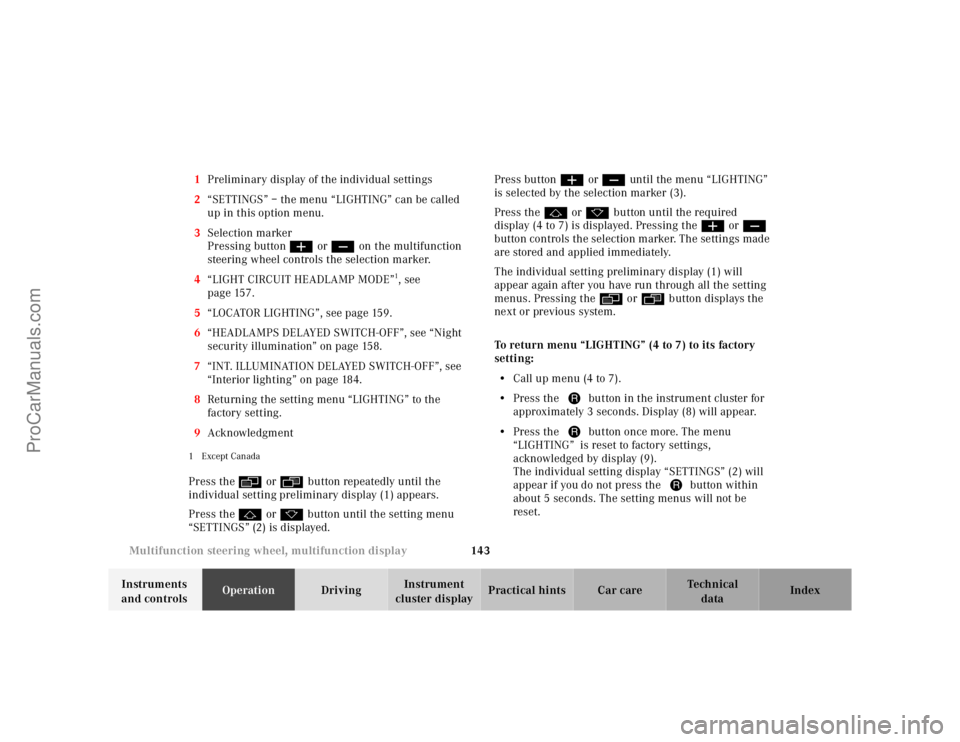
cluster displayPractical hints Car care Index 1Preliminary display of the individual settings
2“SETTINGS” – the menu “LIGHTING” can be called
up in this option menu.
3Selection marker
Pressing buttonæ orç on the multifunction
steering wheel controls the selection marker.
4“LIGHT CIRCUIT HEADLAMP MODE”
1, see
page 157.
5“LOCATOR LIGHTING”, see page 159.
6“HEADLAMPS DELAYED SWITCH-OFF”, see “Night
security illumination” on page 158.
7“INT. ILLUMINATION DELAYED SWITCH-OFF”, see
“Interior lighting” on page 184.
8Returning the setting menu “LIGHTING” to the
factory setting.
9Acknowledgment
1Except CanadaPress theè or ÿbutton repeatedly until the
individual setting preliminary display (1) appears.
Press thej or kbutton until the setting menu
“SETTINGS” (2) is displayed.Press buttonæ orç until the menu “LIGHTING”
is selected by the selection marker (3).
Press thej or kbutton until the required
display (4 to 7) is displayed. Pressing theæ orç
button controls the selection marker. The settings made
are stored and applied immediately.
The individual setting preliminary display (1) will
appear again after you have run through all the setting
menus. Pressing theè or ÿbutton displays the
next or previous system.
To return menu “LIGHTING” (4 to 7) to its factory
setting:
•Call up menu (4 to 7).
•Press the Jbutton in the instrument cluster for
approximately 3 seconds. Display (8) will appear.
•Press the Jbutton once more. The menu
“LIGHTING” is reset to factory settings,
acknowledged by display (9).
The individual setting display “SETTINGS” (2) will
appear if you do not press the Jbutton within
about 5 seconds. The setting menus will not be
reset.
ProCarManuals.com
Page 161 of 424
158 Exterior lamp switch
Te ch n ica l
data Instruments
and controlsOperationDrivingInstrument
cluster displayPractical hints Car care Index
Daytime running lamp mode
Turn exterior lamp switch to positionM.
When the engine is running, the low beam headlamps
(includes parking lamps and license plate lamps) are
automatically switched on.
Canada only:
When shifting from a driving position to position “N”
or “P”, the low beam switches off (3 minutes delay).
For nighttime driving the exterior lamp switch should
be turned to positionB to permit activation of the
high beam headlamps.
USA only:
The high beam headlamps can also be activated when
driving with the daytime running lamp mode activated
and exterior lamp switch in positionM.
See page 156 for notes on the exterior lamp switch.
To activate the daytime running lamp mode, see
“Individual settings” – “LIGHTING” on page 142.Night security illumination
When turning off the engine, the exterior lamps switch
on for added illumination, if they were previously
switched on (except in daytime running mode). After
the last door has been closed the lamp-on time period
commences.
The lamp-on time period for night security illumination
can be set at several different timed levels from 0 (off) to
60 seconds.
Notes:
Within 10 minutes after closing the last door the night
security illumination can be reactivated by opening a
door.
See “Individual settings” – “LIGHTING” on page 142 for
instructions on how to activate the function.
Deactivating night security illumination temporarily:
Turn the electronic key in starter switch to position 0
then to position 2 and back to position 0 again before
getting out of the vehicle. The night security
illumination will not be activated when the door is
opened.
ProCarManuals.com
Page 191 of 424
188 Interior equipment
Te ch n ica l
data Instruments
and controlsOperationDrivingInstrument
cluster displayPractical hints Car care Index
Interior Storage compartments and armrests
Wa r n i n g !
To help avoid personal injury during a collision or
sudden maneuver, exercise care when stowing
things. Put luggage or cargo in the trunk if
possible. Do not pile luggage or cargo higher than
the seat backs. Do not place anything on the shelf
below the rear window.Luggage nets cannot secure hard or heavy objects.
Wa r n i n g !
Keep compartment lids closed. This will help to
prevent stored objects from being thrown about
and injuring vehicle occupants during an accident.
ProCarManuals.com
Page 202 of 424
199 Interior equipment
Te ch n ica l
data Instruments
and controlsOperationDrivingInstrument
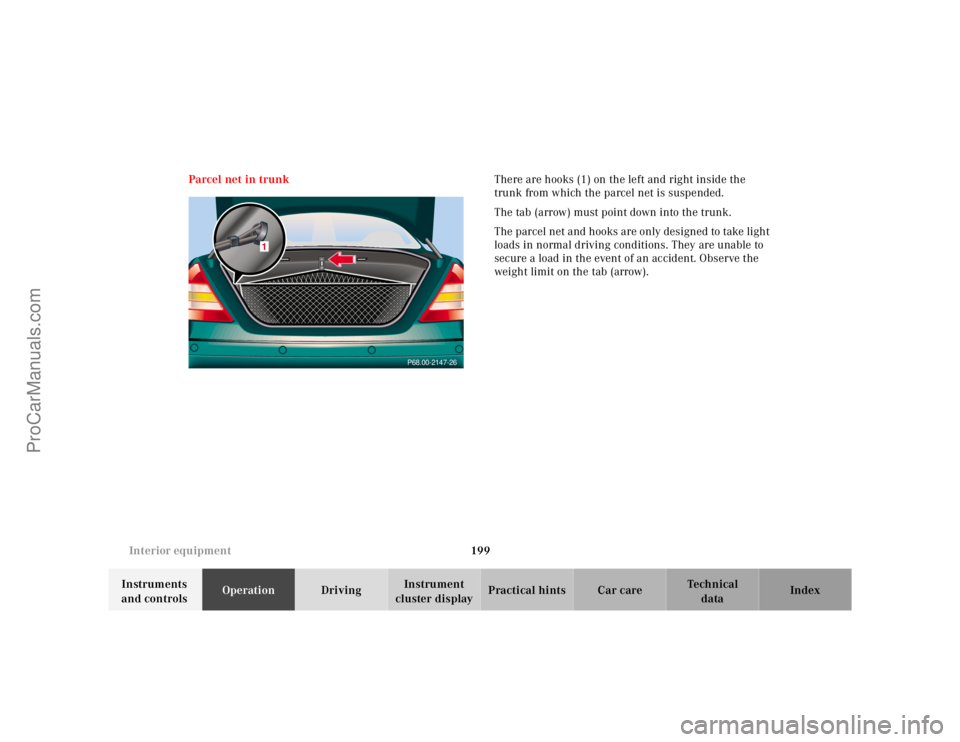
cluster displayPractical hints Car care Index Parcel net in trunkThere are hooks (1) on the left and right inside the
trunk from which the parcel net is suspended.
The tab (arrow) must point down into the trunk.
The parcel net and hooks are only designed to take light
loads in normal driving conditions. They are unable to
secure a load in the event of an accident. Observe the
weight limit on the tab (arrow).
P68.00-2147-26
1
ProCarManuals.com
Page 203 of 424
200 Interior equipment
Te ch n ica l
data Instruments
and controlsOperationDrivingInstrument
cluster displayPractical hints Car care Index
Cargo tie-down hooks
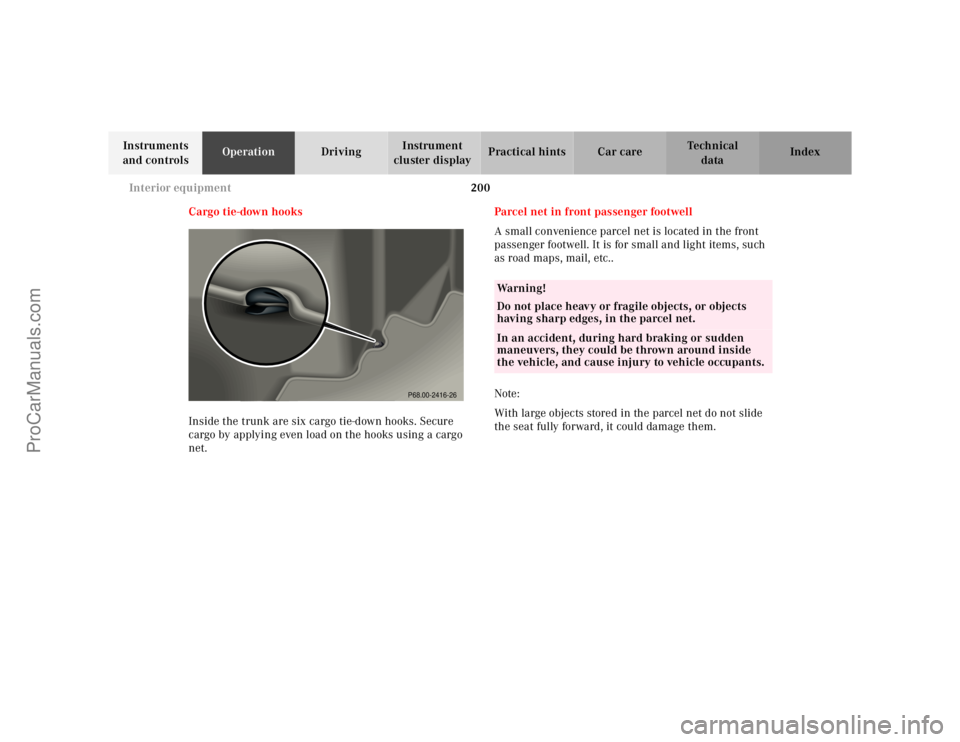
Inside the trunk are six cargo tie-down hooks. Secure
cargo by applying even load on the hooks using a cargo
net.Parcel net in front passenger footwell
A small convenience parcel net is located in the front
passenger footwell. It is for small and light items, such
as road maps, mail, etc..
Note:
With large objects stored in the parcel net do not slide
the seat fully forward, it could damage them.
P68.00-2416-26
Wa r n i n g !
Do not place heavy or fragile objects, or objects
having sharp edges, in the parcel net.In an accident, during hard braking or sudden
maneuvers, they could be thrown around inside
the vehicle, and cause injury to vehicle occupants.
ProCarManuals.com
Page 237 of 424
232 Automatic transmission
Te ch n ica l
data Instruments
and controlsOperationDrivingInstrument
cluster displayPractical hints Car care Index
Selector lever position
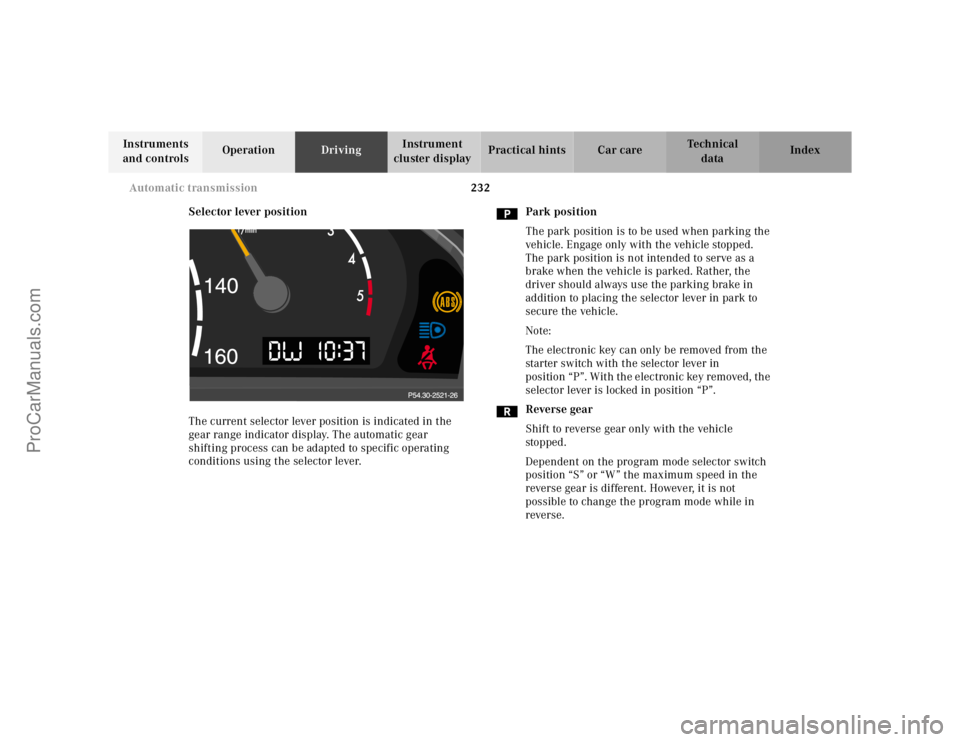
The current selector lever position is indicated in the
gear range indicator display. The automatic gear
shifting process can be adapted to specific operating
conditions using the selector lever.Park position
The park position is to be used when parking the
vehicle. Engage only with the vehicle stopped.
The park position is not intended to serve as a
brake when the vehicle is parked. Rather, the
driver should always use the parking brake in
addition to placing the selector lever in park to
secure the vehicle.
Note:
The electronic key can only be removed from the
starter switch with the selector lever in
position “P”. With the electronic key removed, the
selector lever is locked in position “P”.
Reverse gear
Shift to reverse gear only with the vehicle
sto p ped .
Dependent on the program mode selector switch
position “S” or “W” the maximum speed in the
reverse gear is different. However, it is not
possible to change the program mode while in
reverse.
ProCarManuals.com
Page 253 of 424
248 Driving instructions
Te ch n ica l
data Instruments
and controlsOperationDrivingInstrument
cluster displayPractical hints Car care Index
Deep water
Caution!
Do not drive through flooded areas or water of unknown
depth.
If you must drive through deep water, drive slowly to
prevent water from entering the engine compartment or
passenger compartment, being ingested by the air
intake, possibly causing damage to electrical
components or wiring, to engine or transmission that is
not covered by the Mercedes-Benz Limited Warranty.Passenger compartment
Wa r n i n g !
Always fasten items being carried as securely as
possible.In an accident, during hard braking or sudden
maneuvers, loose items will be thrown around
inside the vehicle, and cause injury to vehicle
occupants unless the items are securely fastened in
the vehicle.The trunk is the preferred place to carry objects.
ProCarManuals.com
Page 297 of 424
291 Malfunction and indicator lamps
Te ch n ica l
data Instruments
and controlsOperation DrivingInstrument
cluster displayPractical hints Car care Index may still drive the vehicle, however, in all cases, we
recommend that you have the system checked at your
authorized Mercedes-Benz Center as soon as possible.
If the “CHECK ENGINE” lamp comes on continuously
and/or the vehicle is not driving normally (e.g.
malfunction of the fuel management system or running
out of fuel), serious damage can occur to the emission
system. Please contact your authorized Mercedes-Benz
Center immediately.
The Sequential Multiport Fuel Injection (SFI) control
module monitors emission control components that
either provide input signals to or receive output signals
from the control module. Malfunctions resulting from
interruptions or failure of any of these components are
indicated by the “CHECK ENGINE” malfunction
indicator lamp in the instrument cluster and are
simultaneously stored in the SFI control module.
If the “CHECK ENGINE” malfunction indicator lamp
comes on, have the system checked at your authorized
Mercedes-Benz Center as soon as possible.With some exceptions, the control module switches off
the “CHECK ENGINE” malfunction indicator lamp if the
condition, causing the lamp to come on, no longer exists
during three consecutive cycles.
An on-board diagnostic connector is located in the
passenger compartment near to the parking brake
pedal, allowing the accurate identification of system
malfunctions through the readout of diagnostic trouble
codes.
Notes:
When running out of fuel, the “CHECK ENGINE”
malfunction indicator lamp comes on and the engine
possibly switches to its limp-home (emergency
operation) mode.
To cancel the limp-home mode, the engine may have to
be started three or four times after refueling. The
malfunction indicator lamp remains illuminated. Have
the system checked at your authorized Mercedes-Benz
Center immediately.
ProCarManuals.com
Page 341 of 424
335 Spare wheel
Te ch n ica l
data Instruments
and controlsOperation DrivingInstrument
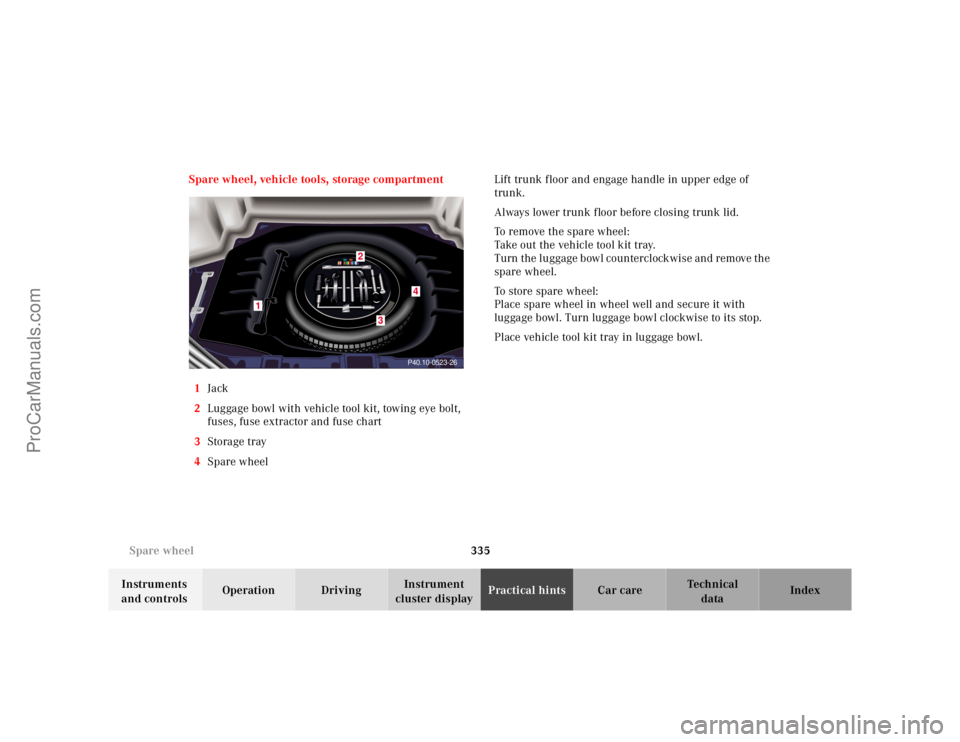
cluster displayPractical hintsCar care Index Spare wheel, vehicle tools, storage compartment
1Jack
2Luggage bowl with vehicle tool kit, towing eye bolt,
fuses, fuse extractor and fuse chart
3Storage tray
4Spare wheel Lift trunk floor and engage handle in upper edge of
trunk.
Always lower trunk f loor before closing trunk lid.
To remove the spare wheel:
Take out the vehicle tool kit tray.
Turn the luggage bowl counterclockwise and remove the
spare wheel.
To store spare wheel:
Place spare wheel in wheel well and secure it with
luggage bowl. Turn luggage bowl clockwise to its stop.
Place vehicle tool kit tray in luggage bowl.
P40.10-0523-26
1
4
3
2
ProCarManuals.com
Page 353 of 424
347 Battery
Te ch n ica l
data Instruments
and controlsOperation DrivingInstrument
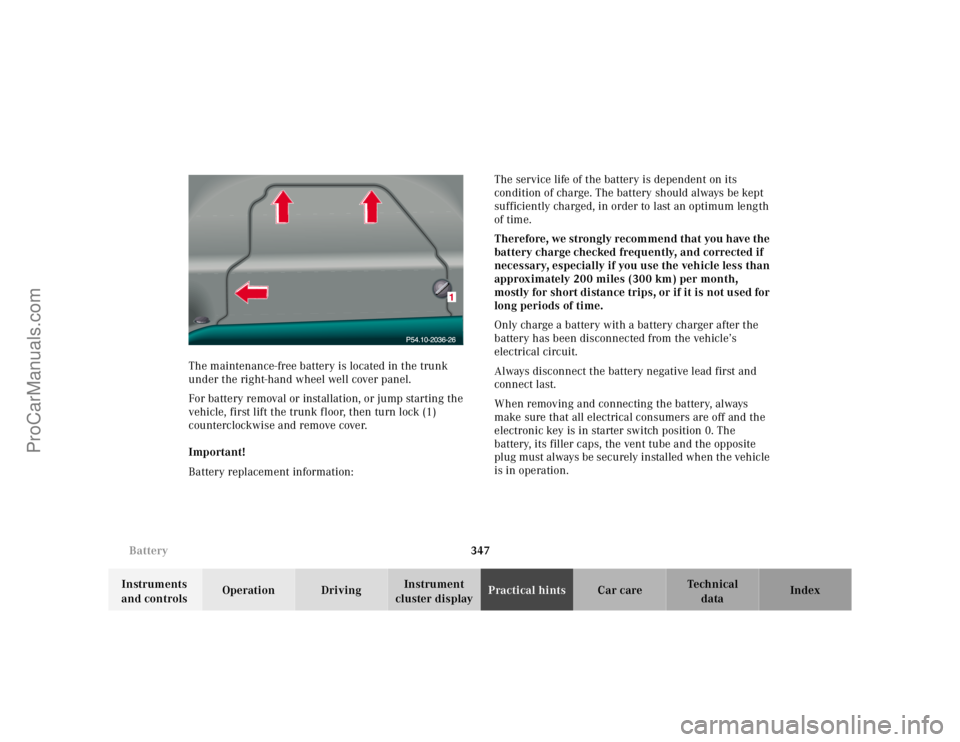
cluster displayPractical hintsCar care Index The maintenance-free battery is located in the trunk
under the right-hand wheel well cover panel.
For battery removal or installation, or jump starting the
vehicle, first lift the trunk f loor, then turn lock (1)
counterclockwise and remove cove r.
Important!
Battery replacement information:The service life of the battery is dependent on its
condition of charge. The battery should always be kept
sufficiently charged, in order to last an optimum length
of time.
Therefore, we strongly recommend that you have the
battery charge checked frequently, and corrected if
necessary, especially if you use the vehicle less than
approximately 200 miles (300 km) per month,
mostly for short distance trips, or if it is not used for
long periods of time.
Only charge a battery with a battery charger after the
battery has been disconnected from the vehicle’s
electrical circuit.
Always disconnect the battery negative lead first and
connect last.
When removing and connecting the battery, always
make sure that all electrical consumers are off and the
electronic key is in starter switch position 0. The
battery, its filler caps, the vent tube and the opposite
plug must always be securely installed when the vehicle
is in operation.
ProCarManuals.com