lights MERCEDES-BENZ CL-CLASS 2000 User Guide
[x] Cancel search | Manufacturer: MERCEDES-BENZ, Model Year: 2000, Model line: CL-CLASS, Model: MERCEDES-BENZ CL-CLASS 2000Pages: 424, PDF Size: 26.09 MB
Page 269 of 424
264 Driving systems
Te ch n ica l
data Instruments
and controlsOperationDrivingInstrument
cluster displayPractical hints Car care Index
Distance notification function
Even if Distronic is deactivated, the distance to the
vehicle ahead continues to be measured, see page 266
for multifunction display.
The Distronic lamp in the speedometer dial illuminates
to advise the driver of a situation which under normal
braking conditions and dry surfaces should have been
addressed by the driver.
The distance notification function can be activated
separately, see page 265. It operates when driving at
speeds above approx. 25 mph (Canada: 30 km/h).
When recognizing a stationary obstacle or a slower
vehicle moving in the vehicle’s path and the danger of a
collision exists, the distance warning lamp in the
speedometer dial lights up and simultaneously a
continuous warning sounds.
Note:
Model CL 55 AMG only:
Distance notification function is deactivated if the
vehicle speed exceeds approximately 160 mph
(260 km/h).Important!
With the Distronic switched off, only the distance
notification function operates, meaning the vehicle does
not slow down.
Important!
Complex driving situations are not always fully
recognized by Distronic, which could result in wrong or
missing distance warnings.
See page 261 for additional driving hints.
Wa r n i n g !
If the distance warning lamp in the speedometer
dial lights up while driving and a continuous
warning sounds, immediate attention on the part of
the driver is required.As required by the traffic situation, apply the
service brakes and navigate around a possible
obstacle. However, do not drive by relying on the
distance notification function as that will result in
an emergency braking application which,
especially depending on road surface conditions
and driver reaction, will not always be able to avoid
a collision.
ProCarManuals.com
Page 270 of 424
265 Driving systems
Te ch n ica l
data Instruments
and controlsOperationDrivingInstrument
cluster displayPractical hints Car care Index Distronic settings
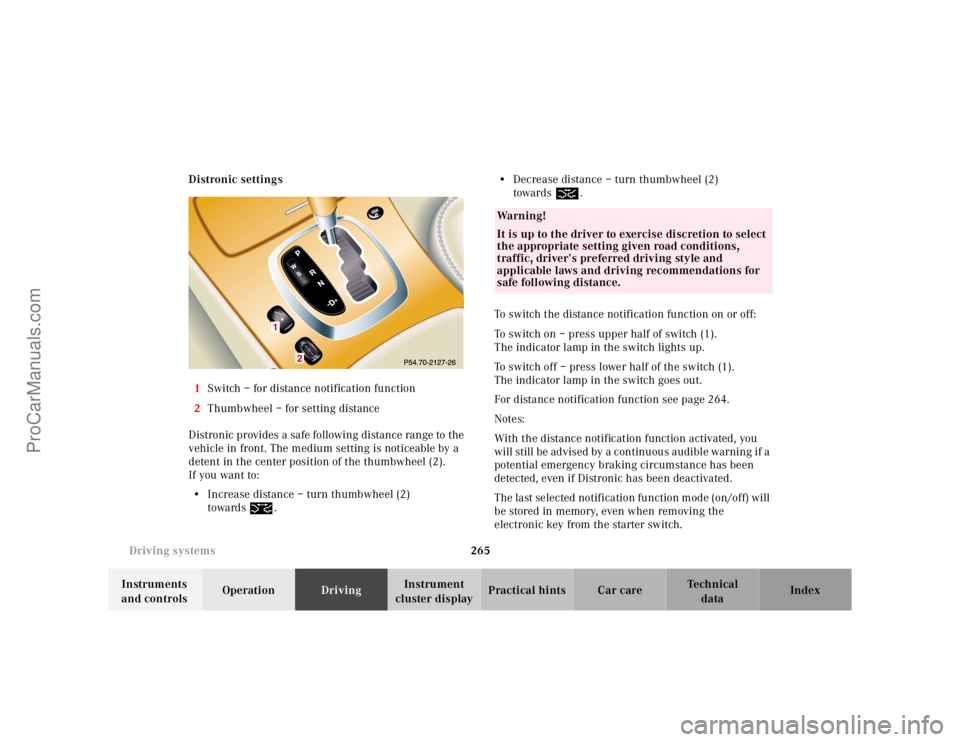
1Switch – for distance notification function
2Thumbwheel – for setting distance
Distronic provides a safe following distance range to the
vehicle in front. The medium setting is noticeable by a
detent in the center position of the thumbwheel (2).
If you want to:
•Increase distance – turn thumbwheel (2)
towards¯.•Decrease distance – turn thumbwheel (2)
towards®.
To switch the distance notification function on or off:
To switch on – press upper half of switch (1).
The indicator lamp in the switch lights up.
To switch off – press lower half of the switch (1).
The indicator lamp in the switch goes out.
For distance notification function see page 264.
Notes:
With the distance notification function activated, you
will still be advised by a continuous audible warning if a
potential emergency braking circumstance has been
detected, even if Distronic has been deactivated.
The last selected notification function mode (on/off) will
be stored in memory, even when removing the
electronic key from the starter switch.
Wa r n i n g !
It is up to the driver to exercise discretion to select
the appropriate setting given road conditions,
traffic, driver’s preferred driving style and
applicable laws and driving recommendations for
safe following distance.
ProCarManuals.com
Page 286 of 424
281 Parking system
Te ch n ica l
data Instruments
and controlsOperationDrivingInstrument
cluster displayPractical hints Car care Index Warning indicators
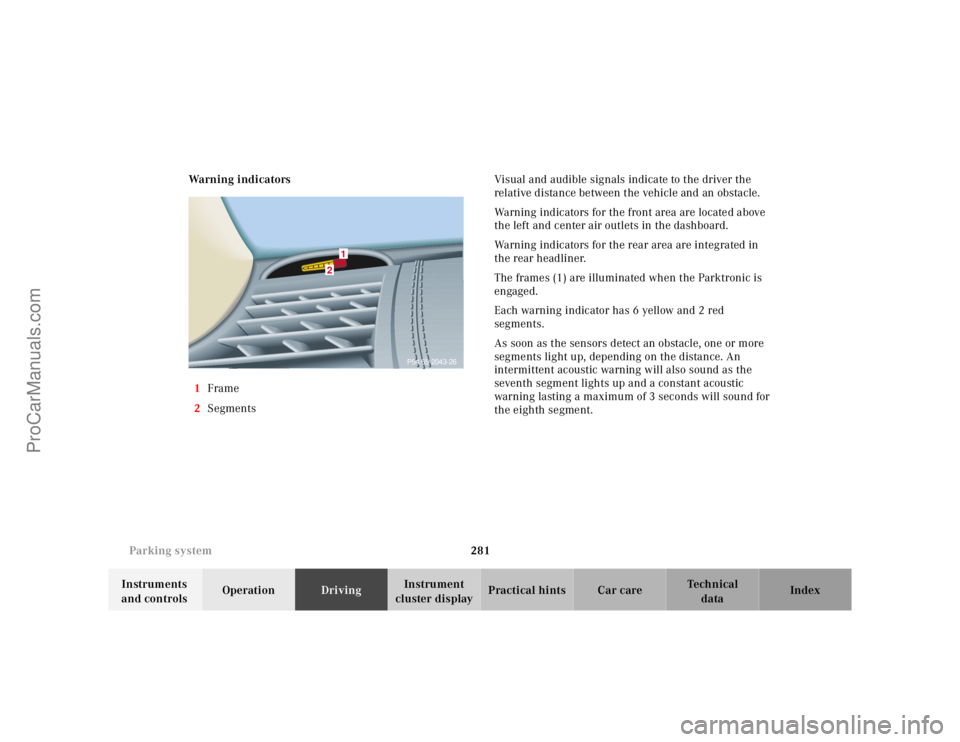
1Frame
2SegmentsVisual and audible signals indicate to the driver the
relative distance between the vehicle and an obstacle.
Warning indicators for the front area are located above
the left and center air outlets in the dashboard.
Warning indicators for the rear area are integrated in
the rear headliner.
The frames (1) are illuminated when the Parktronic is
engaged.
Each warning indicator has 6 yellow and 2 red
segments.
As soon as the sensors detect an obstacle, one or more
segments light up, depending on the distance. An
intermittent acoustic warning will also sound as the
seventh segment lights up and a constant acoustic
warning lasting a maximum of 3 seconds will sound for
the eighth segment.
2
1
P54.65-2043-26
ProCarManuals.com
Page 287 of 424
282 Parking system
Te ch n ica l
data Instruments
and controlsOperationDrivingInstrument
cluster displayPractical hints Car care Index
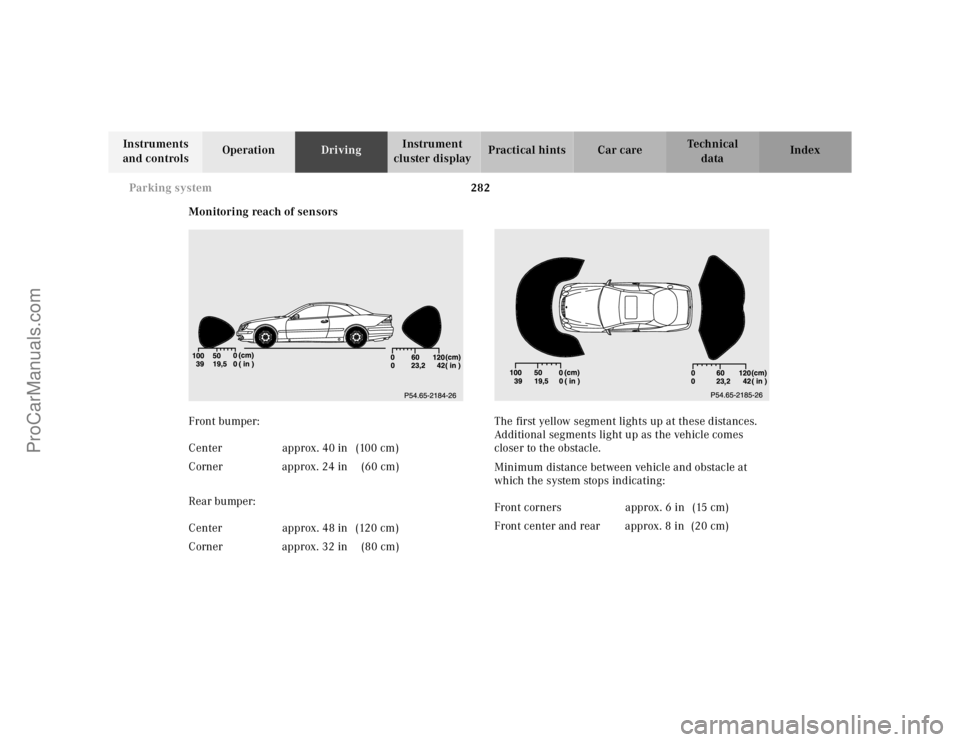
Monitoring reach of sensors
Front bumper:
Rear bumper:The first yellow segment lights up at these distances.
Additional segments light up as the vehicle comes
closer to the obstacle.
Minimum distance between vehicle and obstacle at
which the system stops indicating: Center approx. 40 in (100 cm)
Corner approx. 24 in (60 cm)
Center approx. 48 in (120 cm)
Corner approx. 32 in (80 cm)
Front corners approx. 6 in (15 cm)
Front center and rear approx. 8 in (20 cm)
ProCarManuals.com
Page 288 of 424
283 Parking system
Te ch n ica l
data Instruments
and controlsOperationDrivingInstrument
cluster displayPractical hints Car care Index The obstacle may not be recognized if outside the
shaded sensor field, and no longer be indicated when
approaching it any closer (warning indicators go out).
Parktronic malfunction
All red segments of the warning indicators light up, and
a warning sounds for 3 seconds, if Parktronic does not
function properly. The indicator lamp in the switch
lights up and the system switches off automatically!
A dirty sensor could be the reason. See page 378 for
instructions on cleaning the sensors in the bumpers.
After cleaning the sensors, turn electronic key in starter
switch to position 2. If the defect continues to be
displayed, have the system checked at your authorized
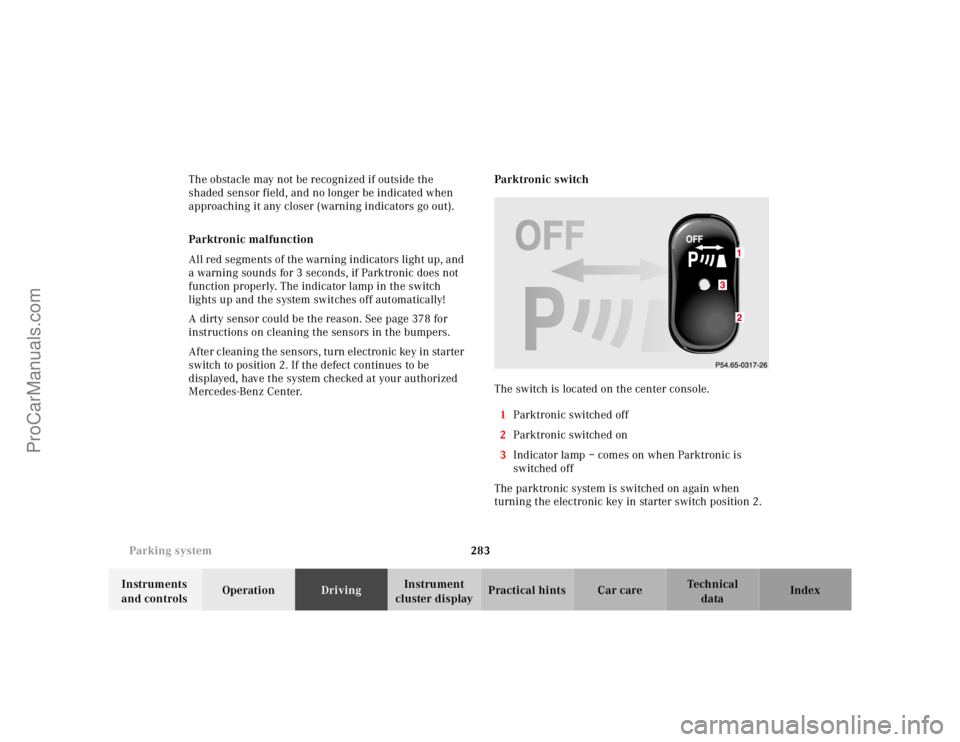
Mercedes-Benz Center.Parktronic switch
The switch is located on the center console.
1Parktronic switched off
2Parktronic switched on
3Indicator lamp – comes on when Parktronic is
switched off
The parktronic system is switched on again when
turning the electronic key in starter switch position 2.3
ProCarManuals.com
Page 301 of 424
295 Malfunction and indicator lamps
Te ch n ica l
data Instruments
and controlsOperation DrivingInstrument
cluster displayPractical hints Car care Index Electronic stability program (ESP) — warning lamp
The yellow ESP warning lamp in the
speedometer dial comes on with the
electronic key in starter switch position 2. It
should go out with engine running.
If the ESP malfunction indicator lamp remains
illuminated with the engine running, a malfunction has
been detected in the system. Pressing the accelerator
pedal will require greater effort. Only partial engine
output will be available.
See electronic stability program (ESP) on page 271 if the
warning lamp lights up or flashes when the vehicle is
moving.Distronic (DTR) – warning lamp
With the electronic key in starter switch
position 2, the distance warning lamp in the
speedometer dial comes on and goes out
with the engine running.
See Distronic (DTR) system on page 321 for possible
malfunction messages.
Note:
The distance warning lamp is without a warning
function on vehicles without distronic (DTR).
ProCarManuals.com
Page 312 of 424
306 Malfunction and warning messages
Te ch n ica l
data Instruments
and controlsOperation DrivingInstrument
cluster displayPractical hints Car care Index
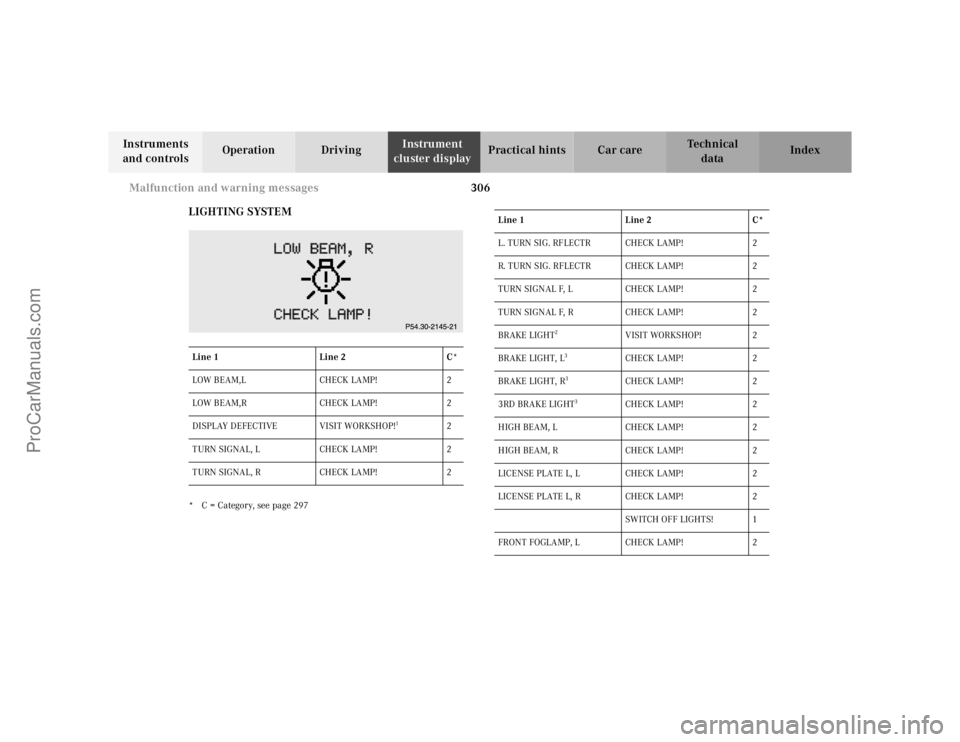
LIGHTING SYSTEM
* C = Category, see page 297Line 1Line 2C*
LOW BEAM,L CHECK LAMP! 2
LOW BEAM,R CHECK LAMP! 2
DISPLAY DEFECTIVE VISIT WORKSHOP!
1
2
TURN SIGNAL, L CHECK LAMP! 2
TURN SIGNAL, R CHECK LAMP! 2
Line 1Line 2C*
L. TURN SIG. RFLECTR CHECK LAMP! 2
R. TURN SIG. RFLECTR CHECK LAMP! 2
TURN SIGNAL F, L CHECK LAMP! 2
TURN SIGNAL F, R CHECK LAMP! 2
BRAKE LIGHT
2
VISIT WORKSHOP! 2
BRAKE LIGHT, L
3
CHECK LAMP ! 2
BRAKE LIGHT, R
3
CHECK LAMP ! 2
3RD BRAKE LIGHT
3
CHECK LAMP ! 2
HIGH BEAM, L CHECK LAMP! 2
HIGH BEAM, R CHECK LAMP! 2
LICENSE PLATE L, L CHECK LAMP! 2
LICENSE PLATE L, R CHECK LAMP! 2
SWITCH OFF LIGHTS! 1
FRONT FOGLAMP, L CHECK LAMP! 2
ProCarManuals.com
Page 331 of 424
325 Fuses
Te ch n ica l
data Instruments
and controlsOperation DrivingInstrument
cluster displayPractical hintsCar care Index Fuses
Most of your vehicle’s electrical components are fused
with safety fuses. With the exception of the brake lights,
all individual lighting system components are
electronically fused. Before replacing a blown safety
fuse, determine the cause of the short circuit. Always
observe amperage and color of fuse.
The circuit for components is protected by a cycled
circuit breaker interrupted if too much current is being
drawn. The circuit closes automatically after a short
time; the circuit is broken again if the malfunction
reoccurs.
Always use a new fuse for replacement. Never attempt to
repair or bridge a blown fuse.
A fuse chart, spare fuses and a fuse extractor are located
in the vehicle tool kit in the luggage bowl under the
trunk floor. See page 335 for notes on the vehicle tool
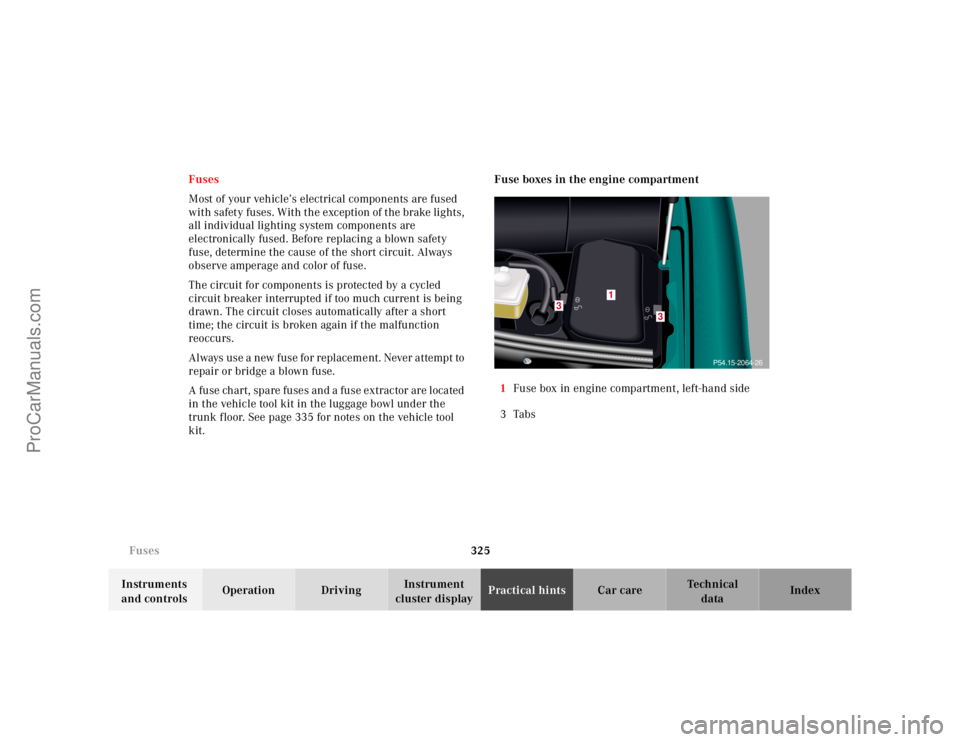
kit.Fuse boxes in the engine compartment
1Fuse box in engine compartment, left-hand side
3Tabs
3
3
1
P54.15-2064-26
ProCarManuals.com
Page 356 of 424
350 Jump starting
Te ch n ica l
data Instruments
and controlsOperation DrivingInstrument
cluster displayPractical hintsCar care Index
Proceed as follows:
1. Position the vehicle with the charged battery so that
the jumper cables will reach, but never let the
vehicles touch. Make sure the jumper cables do not
have loose or missing insulation.
2. On both vehicles:
•Turn off engine and all lights and accessories,
except hazard warning flashers or work lights.
•Apply parking brake and shift selector lever to
position “P”.
Important!
3. Clamp one end of the first jumper cable to the
positive (+) terminal of the discharged battery and
the other end to the positive (+) terminal of the
charged battery. Make sure the cable clamps do not
touch any other metal parts.
4. Clamp one end of the second jumper cable to the
grounded negative (–) terminal of the charged
battery and the final connection to the negative (–)
under hood terminal of the disabled vehicle.Important!
5. Start engine of the vehicle with the charged battery
and run at high idle. Make sure the cables are not
on or near pulleys, fans, or other parts that move
when the engine is started. Allow the discharged
battery to charge for a few minutes. Start engine of
the disabled vehicle in the usual manner.
6. After the engine has started, remove jumper cables
by exactly reversing the above installation
sequence, starting with the last connection made
first. When removing each clamp, make sure that it
does not touch any other metal while the other end
is still attached.
Notes:
If engine does not run after several unsuccessful
starting attempts, have it checked at the nearest
authorized Mercedes-Benz Center.
Excessive unburned fuel may damage the catalytic
converter.
ProCarManuals.com
Page 369 of 424
363 Electronic main key
Te ch n ica l
data Instruments
and controlsOperation DrivingInstrument
cluster displayPractical hintsCar care Index Changing batteries in the electronic main key
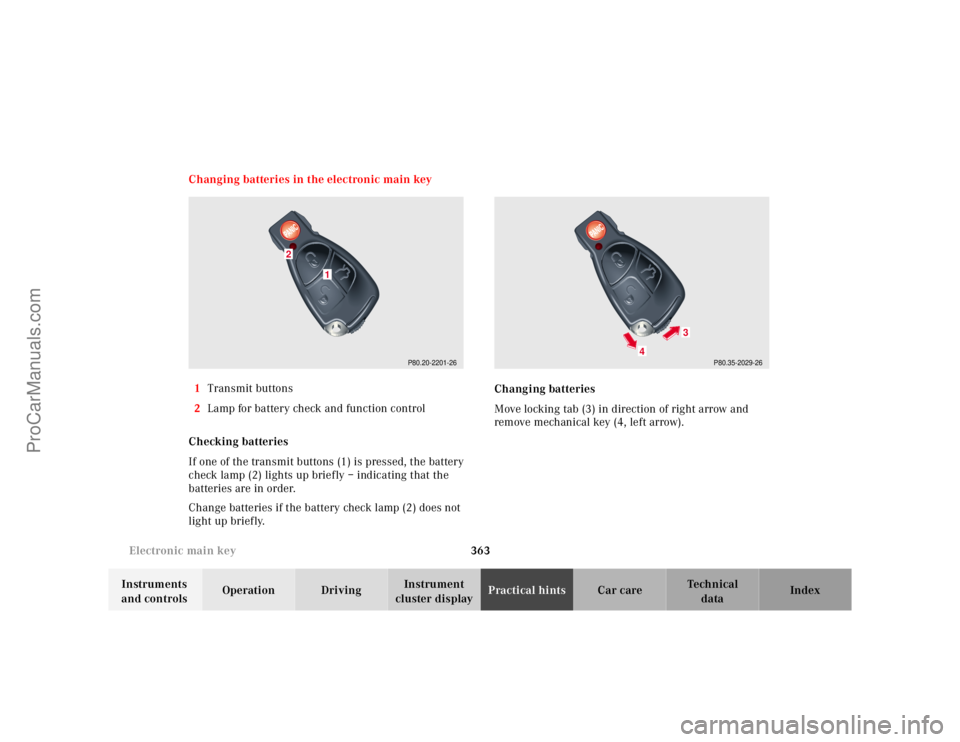
1Transmit buttons
2Lamp for battery check and function control
Checking batteries
If one of the transmit buttons (1) is pressed, the battery
check lamp (2) lights up briefly – indicating that the
batteries are in order.
Change batteries if the battery check lamp (2) does not
light up briefly.Changing batteries
Move locking tab (3) in direction of right arrow and
remove mechanical key (4, left arrow).
P80.20-2201-26
1
2
P80.35-2029-26
4
3
ProCarManuals.com