radio controls MERCEDES-BENZ CL-CLASS 2000 User Guide
[x] Cancel search | Manufacturer: MERCEDES-BENZ, Model Year: 2000, Model line: CL-CLASS, Model: MERCEDES-BENZ CL-CLASS 2000Pages: 424, PDF Size: 26.09 MB
Page 148 of 424
145 Multifunction steering wheel, multifunction display
Te ch n ica l
data Instruments
and controlsOperationDrivingInstrument
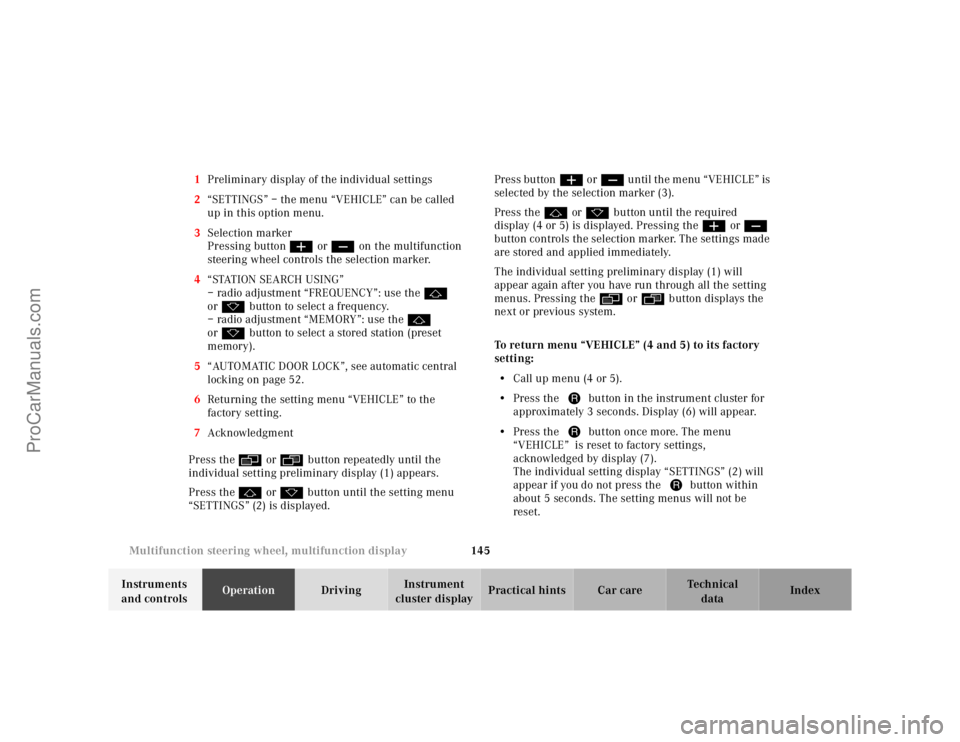
cluster displayPractical hints Car care Index 1Preliminary display of the individual settings
2“SETTINGS” – the menu “VEHICLE” can be called
up in this option menu.
3Selection marker
Pressing buttonæ orç on the multifunction
steering wheel controls the selection marker.
4“STATION SEARCH USING”
– radio adjustment “FREQUENCY”: use thej
ork button to select a frequency.
– radio adjustment “MEMORY”: use thej
ork button to select a stored station (preset
memory).
5“AUTOMATIC DOOR LOCK”, see automatic central
locking on page 52.
6Returning the setting menu “VEHICLE” to the
factory setting.
7Acknowledgment
Press theè or ÿbutton repeatedly until the
individual setting preliminary display (1) appears.
Press thej or kbutton until the setting menu
“SETTINGS” (2) is displayed.Press buttonæ orç until the menu “VEHICLE” is
selected by the selection marker (3).
Press thej or kbutton until the required
display (4 or 5) is displayed. Pressing theæ orç
button controls the selection marker. The settings made
are stored and applied immediately.
The individual setting preliminary display (1) will
appear again after you have run through all the setting
menus. Pressing theè or ÿbutton displays the
next or previous system.
To return menu “VEHICLE” (4 and 5) to its factory
setting:
•Call up menu (4 or 5).
•Press the Jbutton in the instrument cluster for
approximately 3 seconds. Display (6) will appear.
•Press the Jbutton once more. The menu
“VEHICLE” is reset to factory settings,
acknowledged by display (7).
The individual setting display “SETTINGS” (2) will
appear if you do not press the Jbutton within
about 5 seconds. The setting menus will not be
reset.
ProCarManuals.com
Page 204 of 424
201 Interior equipment
Te ch n ica l
data Instruments
and controlsOperationDrivingInstrument
cluster displayPractical hints Car care Index Telephone, general
See separate instruction manual for instructions on how
to operate the telephone.
Wa r n i n g !
A driver’s attention to the road must always be his/
her primary focus when driving. For your safety
and the safety of others, we recommend that you
pull over to a safe location and stop before placing
or taking a telephone call. If you choose to use the
telephone while driving, please use the hands-free
device and only use the telephone when road and
traffic conditions permit.Some jurisdictions prohibit the driver from using a
cellular telephone while driving a vehicle.
Bear in mind that at a speed of just 30 mph
(approximately 50 km/h), your vehicle is covering
a distance of approximately 50 feet (approximately
14 m ) e v e r y s e c o n d . Never operate radio transmitters equipped with a
built-in or attached antenna (i.e. without being
connected to an external antenna) from inside the
vehicle while the engine is running. Doing so could
lead to a malfunction of the vehicle’s electronic
system, possibly resulting in an accident and
personal injury.
ProCarManuals.com
Page 212 of 424
207 Contents - Driving
Te ch n ica l
data Instruments
and controlsOperationDrivingInstrument
cluster displayPractical hints Car care Index
DrivingControl and operation of radio
transmitters ...............................208
The first 1 000 miles
(1 500 km) .................................209
Maintenance ...................................209
Tele Aid ........................................... 210
Catalytic converter ........................220
Emission control ............................221
Starter switch .................................222
Starter switch – KEYLESS-GO ......224
Starting and turning off
the engine ..................................227
Automatic transmission ...............229
Parking brake .................................238Driving instructions ...................... 239
Drive sensibly – save fuel ........ 239
Drinking and driving ................ 239
Pedals .......................................... 240
Power assistance ........................ 240
Brakes .......................................... 240
Driving off ................................... 241
Parking ........................................ 242
Tires ............................................. 243
Snow chains ............................... 245
Winter driving instructions ..... 246
Deep water .................................. 248
Passenger compartment ........... 248
Traveling abroad ........................ 249
Cruise control ................................ 250Distronic (DTR) ..............................253
Brake assist system
(BAS) ...........................................268
Antilock brake system
(ABS) ...........................................269
Electronic stability program
(ESP) ........................................... 271
Active body control (ABC) ............275
Level control system ...................... 276
Parking assist (Parktronic) ..........279
What you should know
at the gas station .......................284
Check regularly
and before a long trip ...............287
ProCarManuals.com
Page 213 of 424
208 Control and operation of radio transmitters
Te ch n ica l
data Instruments
and controlsOperationDrivingInstrument
cluster displayPractical hints Car care Index
Control and operation of radio transmitters
COMAND, radio and telephone
1 Observe all legal requirements.
Telephones and two-way radio
Radio transmitters, such as a portable telephone or a
citizens band unit should only be used inside the
vehicle if they are connected to an antenna that is
installed on the outside of the vehicle.
Refer to the radio transmitter operation instructions
regarding use of an external antenna.
Wa r n i n g !
Please do not forget that your primary
responsibility is to drive the vehicle. Only operate
the COMAND (Cockpit Management and Data
System), radio or telephone
1 if road and traffic
conditions permit.
Bear in mind that at a speed of just 30 mph
(approximately 50 km/h), your vehicle is covering
a distance of approximately 50 feet (approximately
14 m ) e v e r y s e c o n d .
Wa r n i n g !
Never operate radio transmitters equipped with a
built-in or attached antenna (i.e. without being
connected to an external antenna) from inside the
vehicle while the engine is running. Doing so could
lead to a malfunction of the vehicle’s electronic
system, possibly resulting in an accident and
personal injury.
ProCarManuals.com
Page 222 of 424
217 Tele Aid
Te ch n ica l
data Instruments
and controlsOperationDrivingInstrument
cluster displayPractical hints Car care Index During this time you will hear a chirp and voice contact
will be interrupted. Voice contact will resume once the
retransmission is completed. Once a call is concluded, a
chirp will be heard and the appropriate indicator lamp
will stop flashing. The COMAND system operation will
resume.
Important!
If the indicator lamp continues to flash or the system
does not reset, contact the Response Center at
1-800-756-9018 (in the USA) or 1-888-923-8367 (in
Canada), or Mercedes-Benz Client Assistance at
1-800-FOR-MERCedes (1-800-367-6372) in the USA or
Customer Service at 1-800-387-0100 in Canada.Notes:
The indicator lamp in the respective button flashes until
the call is concluded. Calls can only be terminated by a
Response Center or Client Assistance Center
representative except Roadside Assistance and
Information calls, which can also be terminated by
pressing ìbutton on the multifunction steering
wheel.
When a Tele Aid call has been initiated, the COMAND
system audio is muted and the selected mode (radio,
tape or CD) pauses. The optional cellular phone (if
installed) switches off. If you must use this phone, the
vehicle must be parked. Disconnect the coiled cord and
place the call. The navigation system (if engaged) will
continue to run. The display in the instrument cluster is
available for use and spoken commands are only
available by pressing the RPT button on the COMAND
unit. A pop-up window will appear in the COMAND
display to indicate that a Tele Aid call is in progress.
ProCarManuals.com
Page 231 of 424
226 Starter switch — KEYLESS-GO
Te ch n ica l
data Instruments
and controlsOperationDrivingInstrument
cluster displayPractical hints Car care Index
•Do not forget, the engine can be started by anyone if
a KEYLESS-GO-card is left inside the vehicle.
•To be able to operate the vehicle in the case of a
malfunction in the KEYLESS-GO-system (e.g. strong
radio frequency disturbance), we recommend that
you carry the electronic key plus mechanical key
with you and keep them in a safe place so that they
are always handy. Never leave the electronic key in
the vehicle.
•To avoid radio transmission interference, never store
the KEYLESS-GO-card together with other electronic
items (e.g. cellular telephones, other KEYLESS-GO-
cards) or metallic objects (e.g. coins, metal foil).Notes:
With the engine at idle speed, the charging rate of the
alternator (output) is limited.
It is therefore recommended that you turn off
unnecessary electrical consumers while driving in stop-
and-go traffic. This precaution helps to avoid draining of
the battery.
Unnecessary strain on the battery and charging system
may be minimized by turning off the following power
consumers, for example:
Heated seats, rear window defroster. In addition, the
automatic climate air volume control should be set to
the lowest position.
ProCarManuals.com
Page 319 of 424
313 Malfunction and warning messages
Te ch n ica l
data Instruments
and controlsOperation DrivingInstrument
cluster displayPractical hints Car care Index
* C = Category, see page 297.
RL: rear left; FL: front left;
RR: rear right; FR: front right;
1 One or more tires def late rapidly or tire pressure is already below
minimum value. Carefully bring the vehicle to a halt, avoiding
abrupt steering and braking maneuvers. For reference on changing
wheels, see page 337.
2 The tire pressure on one or more tires is already below minimum
value. Carefully bring the vehicle to a halt, avoiding abrupt
steering and braking maneuvers. For reference on changing
wheels, see page 337.
3 For tire inflation pressure monitor, see page 150.4 Tire pressure in one or more tires is low. Check and correct tire
pressure, see page 345.
5 The tire pressure monitor cannot be activated with the engine
running. Turn off the engine and repeat activation, see page 151.
6 When the message appears after starting the engine, the tire
inflation pressure on all road wheels should be checked and
corrected according to the label affixed inside the fuel filler flap.
For tire inflation pressure, see page 345.
The tire inflation pressure monitor must be activated again after
the tire inflation pressure has been corrected, see page 151.
7 The tire inflation pressure monitor system is unable to monitor the
tire pressure due to the presence of several wheel electronics in
the vehicle (e.g. a deflated road wheel in the trunk), or nearby
radio interference source, or excessive wheel sensor temperatures,
or unrecognized wheel sensors mounted.
8 The tire inflation pressure monitor is defective or a wheel without
proper sensor was installed. Visit your authorized Mercedes-Benz
Center.Wa r n i n g !
Do not drive with a flat tire. A flat tire affects the
ability to steer or brake the vehicle. You may lose
control of the vehicle. Continued driving with a flat
tire will cause excessive heat build-up and possibly
a fire.
ProCarManuals.com
Page 324 of 424
318 Malfunction and warning messages
Te ch n ica l
data Instruments
and controlsOperation DrivingInstrument
cluster displayPractical hints Car care Index
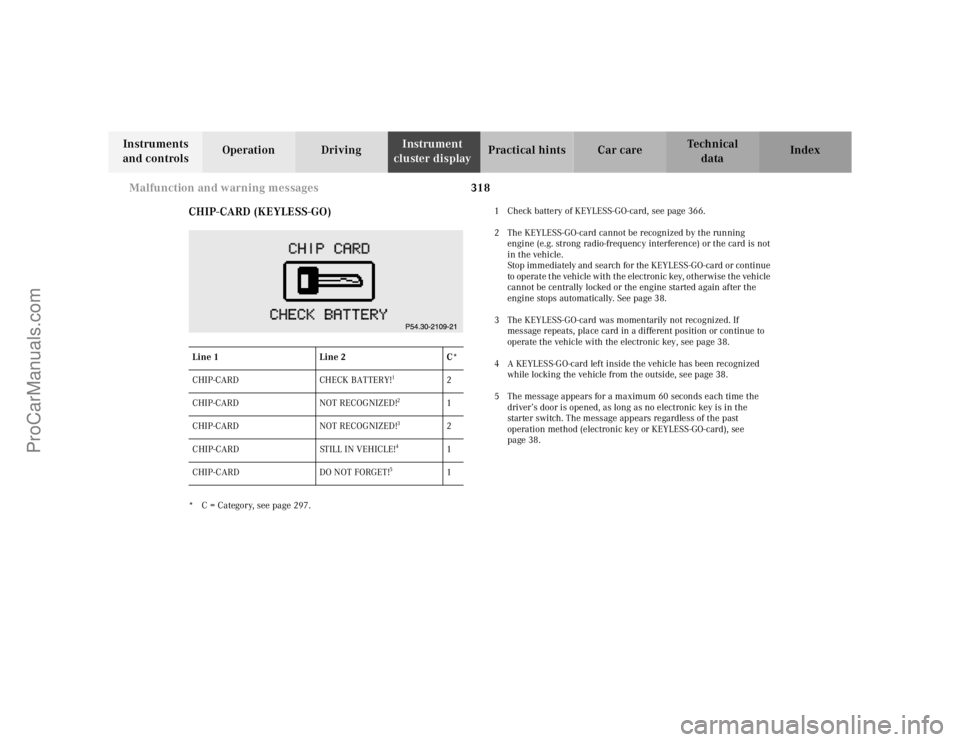
CHIP-CARD (KEYLESS-GO)
* C = Category, see page 297.1 Check battery of KEYLESS-GO-card, see page 366.
2 The KEYLESS-GO-card cannot be recognized by the running
engine (e.g. strong radio-frequency interference) or the card is not
in the vehicle.
Stop immediately and search for the KEYLESS-GO-card or continue
to operate the vehicle with the electronic key, otherwise the vehicle
cannot be centrally locked or the engine started again after the
engine stops automatically. See page 38.
3 The KEYLESS-GO-card was momentarily not recognized. If
message repeats, place card in a different position or continue to
operate the vehicle with the electronic key, see page 38.
4 A KEYLESS-GO-card left inside the vehicle has been recognized
while locking the vehicle from the outside, see page 38.
5 The message appears for a maximum 60 seconds each time the
driver’s door is opened, as long as no electronic key is in the
starter switch. The message appears regardless of the past
operation method (electronic key or KEYLESS-GO-card), see
page 38. Line 1Line 2C*
CHIP-CARD CHECK BATTERY!
1
2
CHIP-CARD NOT RECOGNIZED!
2
1
CHIP-CARD NOT RECOGNIZED!
3
2
CHIP-CARD STILL IN VEHICLE!
4
1
CHIP-CARD DO NOT FORGET!
5
1
ProCarManuals.com
Page 407 of 424
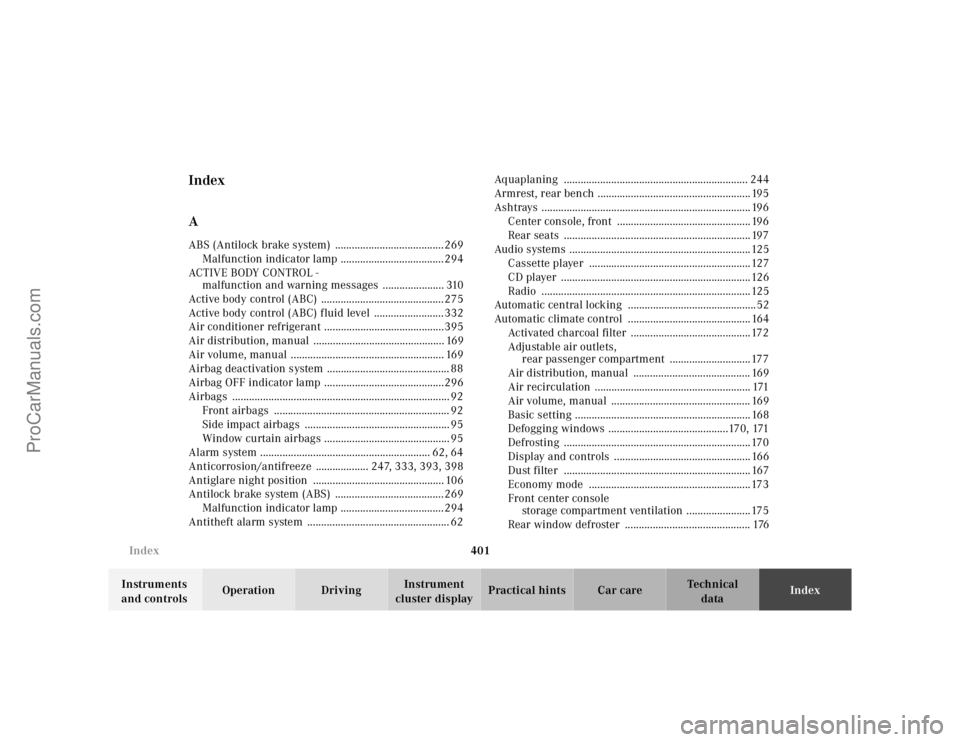
401 Index
Te ch n ica l
data Instruments
and controlsOperation DrivingInstrument
cluster displayPractical hints Car careIndex
Index
AABS (Antilock brake system) .......................................269
Malfunction indicator lamp .....................................294
ACTIV E BODY CONTRO L -
malfunction and warning messages ...................... 310
Active body control (ABC) ............................................275
Active body control (ABC) fluid level .........................332
Air conditioner refrigerant ...........................................395
Air distribution, manual ............................................... 169
Air volume, manual ....................................................... 169
Airbag deactivation system ............................................ 88
Airbag OFF indicator lamp ...........................................296
Airbags .............................................................................. 92
Front airbags ............................................................... 92
Side impact airbags .................................................... 95
Window curtain airbags ............................................. 95
Alarm system ............................................................. 62, 64
Anticorrosion/antifreeze ................... 247, 333, 393, 398
Antiglare night position ............................................... 106
Antilock brake system (ABS) .......................................269
Malfunction indicator lamp .....................................294
Antitheft alarm system ................................................... 62Aquaplaning .................................................................. 244
Armrest, rear bench ....................................................... 195
Ashtrays ........................................................................... 196
Center console, front ................................................ 196
Rear seats ................................................................... 197
Audio systems .................................................................125
Cassette player ..........................................................127
CD player ....................................................................126
Radio ...........................................................................125
Automatic central locking ..............................................52
Automatic climate control ............................................ 164
Activated charcoal filter ...........................................172
Adjustable air outlets,
rear passenger compartment .............................177
Air distribution, manual .......................................... 169
Air recirculation ........................................................ 171
Air volume, manual .................................................. 169
Basic setting ............................................................... 168
Defogging windows ...........................................170, 171
Defrosting ...................................................................170
Display and controls ................................................. 166
Dust filter ................................................................... 167
Economy mode ..........................................................173
Front center console
storage compartment ventilation .......................175
Rear window defroster ............................................. 176
ProCarManuals.com
Page 409 of 424
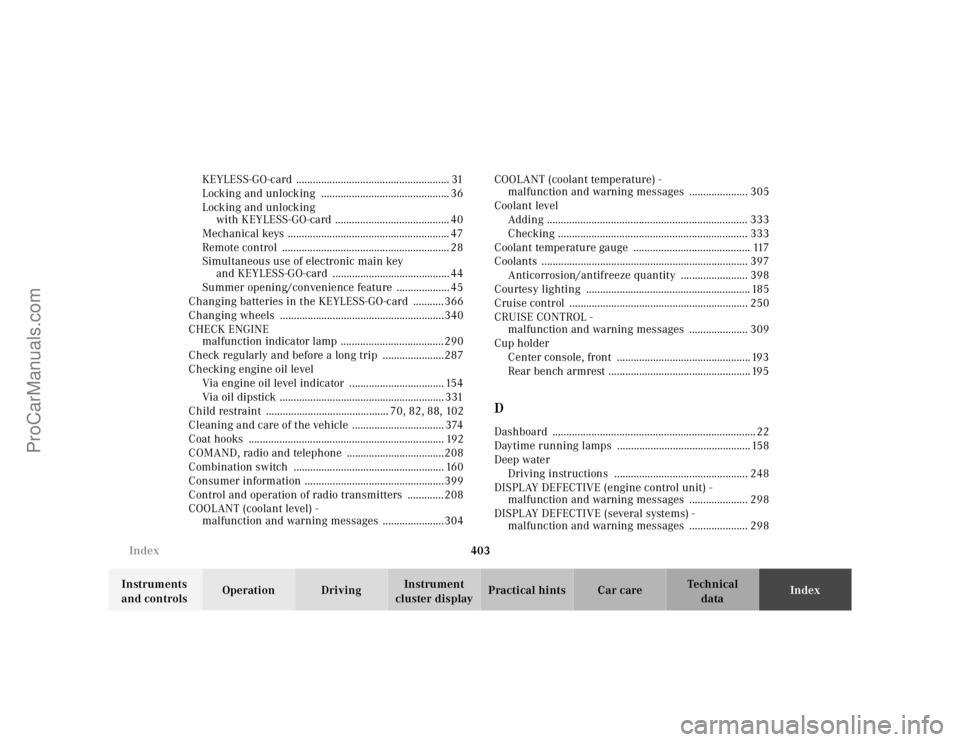
403 Index
Te ch n ica l
data Instruments
and controlsOperation DrivingInstrument
cluster displayPractical hints Car careIndex KEYLESS-GO-card ....................................................... 31
Locking and unlocking .............................................. 36
Locking and unlocking
with KEYLESS-GO-card ......................................... 40
Mechanical keys .......................................................... 47
Remote control ............................................................ 28
Simultaneous use of electronic main key
and KEYLESS-GO-card .......................................... 44
Summer opening/convenience feature ................... 45
Changing batteries in the KEYLESS-GO-card ...........366
Changing wheels ...........................................................340
CHECK ENGINE
malfunction indicator lamp .....................................290
Check regularly and before a long trip ......................287
Checking engine oil level
Via engine oil level indicator .................................. 154
Via oil dipstick ........................................................... 331
Child restraint ............................................ 70, 82, 88, 102
Cleaning and care of the vehicle ................................. 374
Coat hooks ...................................................................... 192
COMAND, radio and telephone ...................................208
Combination switch ...................................................... 160
Consumer information ..................................................399
Control and operation of radio transmitters .............208
COOLANT (coolant level) -
malfunction and warning messages ......................304COOLANT (coolant temperature) -
malfunction and warning messages ..................... 305
Coolant level
Adding ........................................................................ 333
Checking .................................................................... 333
Coolant temperature gauge .......................................... 117
Coolants .......................................................................... 397
Anticorrosion/antifreeze quantity ........................ 398
Courtesy lighting ........................................................... 185
Cruise control ................................................................ 250
CRUISE CONTROL -
malfunction and warning messages ..................... 309
Cup holder
Center console, front ................................................ 193
Rear bench armrest ................................................... 195
DDashboard ......................................................................... 22
Daytime running lamps ................................................ 158
Deep water
Driving instructions ................................................ 248
DISPLAY DEFECTIVE (engine control unit) -
malfunction and warning messages ..................... 298
DISPLAY DEFECTIVE (several systems) -
malfunction and warning messages ..................... 298
ProCarManuals.com