service MERCEDES-BENZ CL-CLASS 2000 User Guide
[x] Cancel search | Manufacturer: MERCEDES-BENZ, Model Year: 2000, Model line: CL-CLASS, Model: MERCEDES-BENZ CL-CLASS 2000Pages: 424, PDF Size: 26.09 MB
Page 124 of 424
121 Multifunction steering wheel, multifunction display
Te ch n ica l
data Instruments
and controlsOperationDrivingInstrument
cluster displayPractical hints Car care Index Depending on your vehicle’s equipment, you may use
the buttons on the multifunction steering wheel to call
up, control and set the following systems in the
multifunction display:
1Trip odometer and main odometer, see page 119 and
page 124
Flexible service system (FSS), see page 147
Tire inflation pressure monitor, see page 150
Engine oil level indicator, see page 154
2Audio systems, see page 125
Radio, see page 125
CD player, see page 126
Cassette player, see page 127
3Telephone, see page 1284Navigation system, see page 132
5Distronic (DTR), see page 253
6Trip computer, see page 134
After start
After reset
Fuel tank content
7Malfunction message memory, see page 136
8Individual settings, see page 138
Press theè orÿ button repeatedly until the
required system is displayed.
The display advances by one system each time the
button is pressed.
You may call up additional displays within some of these
categories by pressing thej or kbutton.
ProCarManuals.com
Page 127 of 424
124 Multifunction steering wheel, multifunction display
Te ch n ica l
data Instruments
and controlsOperationDrivingInstrument
cluster displayPractical hints Car care Index
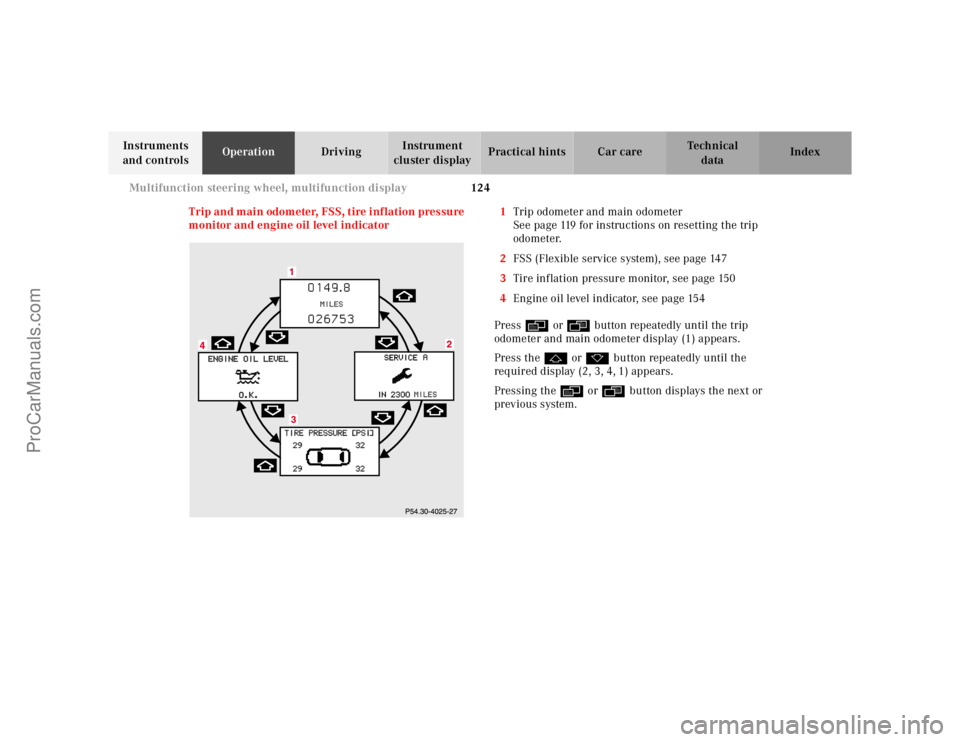
Trip and main odometer, FSS, tire inflation pressure
monitor and engine oil level indicator1Trip odometer and main odometer
See page 119 for instructions on resetting the trip
odometer.
2FSS (Flexible service system), see page 147
3Tire inflation pressure monitor, see page 150
4Engine oil level indicator, see page 154
Pressè or ÿbutton repeatedly until the trip
odometer and main odometer display (1) appears.
Press thej or kbutton repeatedly until the
required display (2, 3, 4, 1) appears.
Pressing theè or ÿbutton displays the next or
previous system.
ProCarManuals.com
Page 132 of 424
129 Multifunction steering wheel, multifunction display
Te ch n ica l
data Instruments
and controlsOperationDrivingInstrument
cluster displayPractical hints Car care Index The telephone must be switched on.
Press theè or ÿbutton repeatedly until the
display (3) appears. See the separate telephone
instructions manual.
If display (2) appears, no service is available.
Pressingj ork “browses” alphabetically
forwards or backwards through the telephone book,
providing it was previously downloaded. See telephone
operator’s manual for details concerning downloading.
Pressing buttonj ork for longer than a second
“browses” rapidly through the telephone book. The
name selected appears in the display.
Note:
Press the ìbutton if you do not wish to make a call.
The procedure is cancelled and display (3) appears.Press the íbutton when the name you require
appears in the display (4). The telephone number (5) is
dialed.
The name will be displayed when dialing is completed.
Display (6) remains for the duration of the call.
Pressing the ìbutton hangs up and display (3)
appears.
Pressing theè or ÿbutton displays the next or
previous system.
ProCarManuals.com
Page 150 of 424
147 Flexible service system
Te ch n ica l
data Instruments
and controlsOperationDrivingInstrument
cluster displayPractical hints Car care Index Flexible service system (FSS)
(service indicator)
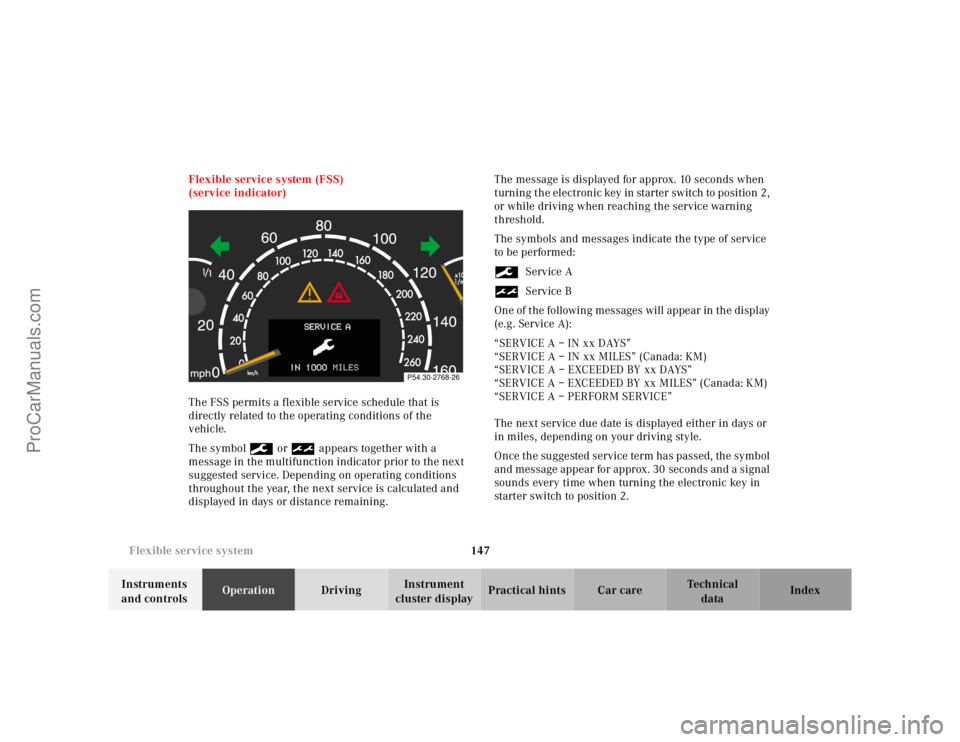
The FSS permits a flexible service schedule that is
directly related to the operating conditions of the
vehicle.
The symbol9 or½ appears together with a
message in the multifunction indicator prior to the next
suggested service. Depending on operating conditions
throughout the year, the next service is calculated and
displayed in days or distance remaining.The message is displayed for approx. 10 seconds when
turning the electronic key in starter switch to position 2,
or while driving when reaching the service warning
threshold.
The symbols and messages indicate the type of service
to be performed:
9Service A
½Service B
One of the following messages will appear in the display
(e.g. Service A):
“SERVICE A – IN xx DAYS”
“SERVICE A – IN xx MILES” (Canada: KM)
“SERVICE A – EXCEEDED BY xx DAYS”
“SERVICE A – EXCEEDED BY xx MILES” (Canada: KM)
“SERVICE A – PERFORM SERVICE”
The next service due date is displayed either in days or
in miles, depending on your driving style.
Once the suggested service term has passed, the symbol
and message appear for approx. 30 seconds and a signal
sounds every time when turning the electronic key in
starter switch to position 2.
P54.30-2768-26
ProCarManuals.com
Page 151 of 424
148 Flexible service system
Te ch n ica l
data Instruments
and controlsOperationDrivingInstrument
cluster displayPractical hints Car care Index
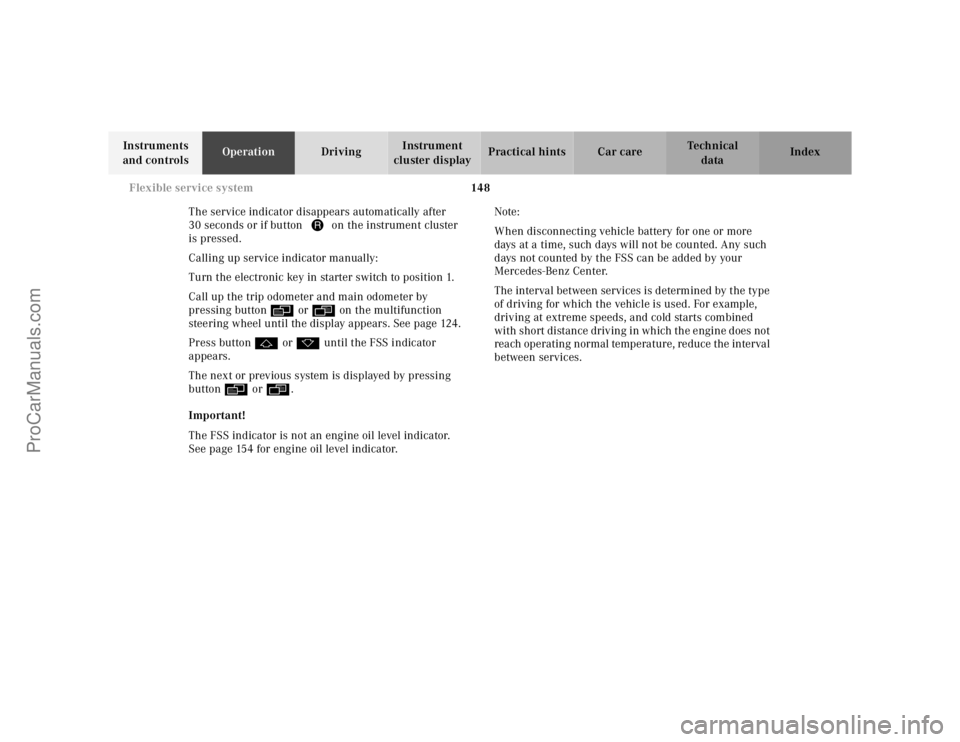
The service indicator disappears automatically after
30 seconds or if button Jon the instrument cluster
is pressed.
Calling up service indicator manually:
Turn the electronic key in starter switch to position 1.
Call up the trip odometer and main odometer by
pressing buttonè orÿ on the multifunction
steering wheel until the display appears. See page 124.
Press buttonj ork until the FSS indicator
appears.
The next or previous system is displayed by pressing
buttonè orÿ.
Important!
The FSS indicator is not an engine oil level indicator.
See page 154 for engine oil level indicator.Note:
When disconnecting vehicle battery for one or more
days at a time, such days will not be counted. Any such
days not counted by the FSS can be added by your
Mercedes-Benz Center.
The interval between services is determined by the type
of driving for which the vehicle is used. For example,
driving at extreme speeds, and cold starts combined
with short distance driving in which the engine does not
reach operating normal temperature, reduce the interval
between services.
ProCarManuals.com
Page 152 of 424
149 Flexible service system
Te ch n ica l
data Instruments
and controlsOperationDrivingInstrument
cluster displayPractical hints Car care Index Following a completed A or B service the Mercedes-Benz
Center sets the counter mileage to 10 000 miles
(Canada: 15 000 km) and 365 days.
The counter can also be set by any individual. To do so:
Turn the electronic key in starter switch to position 1.
To call up the trip odometer and main odometer, press
buttonè orÿ on the multifunction steering
wheel until the display appears. See page 124.
Press buttonj ork until the FSS indicator
appears.
Press button Jon the instrument cluster for
approximately 2 seconds.The multifunction display will show the question:
“DO YOU WANT TO RESET SERVICE INTERVAL? –
CONFIRM BY PRESSING R”
Press button Jon the instrument cluster again to
reset the service indicator.
The new service indicator is displayed with the reset
distance of 10 000 miles (Canada 15 000 km).
If the FSS counter was inadvertently reset, have a
Mercedes-Benz Center correct it.
However you choose to set your reference numbers, the
scheduled services as posted in the Service Booklet
must be followed to properly care for your vehicle.
ProCarManuals.com
Page 153 of 424
150 Tire inflation pressure monitor
Te ch n ica l
data Instruments
and controlsOperationDrivingInstrument
cluster displayPractical hints Car care Index
Tire inflation pressure monitor
The tire inflation pressure, as selected by the driver, is
monitored in all four wheels on the ground. A warning
is issued to the driver in the case of a decrease in the
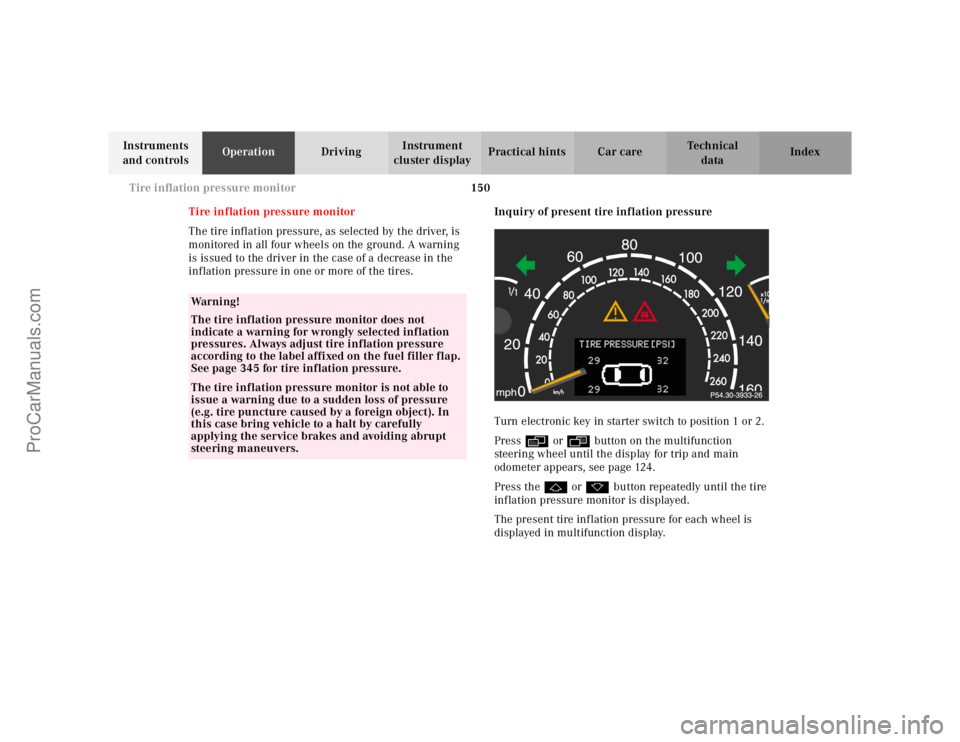
inflation pressure in one or more of the tires.Inquiry of present tire inflation pressure
Turn electronic key in starter switch to position 1 or 2.
Pressè or ÿbutton on the multifunction
steering wheel until the display for trip and main
odometer appears, see page 124.
Press thej or kbutton repeatedly until the tire
inflation pressure monitor is displayed.
The present tire inflation pressure for each wheel is
displayed in multifunction display.
Wa r n i n g !
The tire inflation pressure monitor does not
indicate a warning for wrongly selected inflation
pressures. Always adjust tire inflation pressure
according to the label affixed on the fuel filler flap.
See page 345 for tire inflation pressure.The tire inflation pressure monitor is not able to
issue a warning due to a sudden loss of pressure
(e.g. tire puncture caused by a foreign object). In
this case bring vehicle to a halt by carefully
applying the service brakes and avoiding abrupt
steering maneuvers.
ProCarManuals.com
Page 157 of 424
154 Engine oil level indicator
Te ch n ica l
data Instruments
and controlsOperationDrivingInstrument
cluster displayPractical hints Car care Index
Engine oil level indicator
To check the engine oil level, park vehicle on level
ground, with engine at normal operational temperature.
Check oil level approximately 5 minutes after stopping
the engine, allowing for the oil to return to the oil pan.
The message “PERF. SERV. ON TIME” (perform service
[engine oil level check] on time) will be displayed if the
required waiting period has not been observed after
stopping the engine:
•with engine at operational temperature approx.
5minutes.•with engine not at operational temperature up to
approx. 30 minutes.
The engine oil level check can be repeated after a short
time.
Turn the electronic key in starter switch to position 2.
To call up the trip odometer and main odometer, press
buttonè orÿ on the multifunction steering
wheel until the display appears. See page 124.
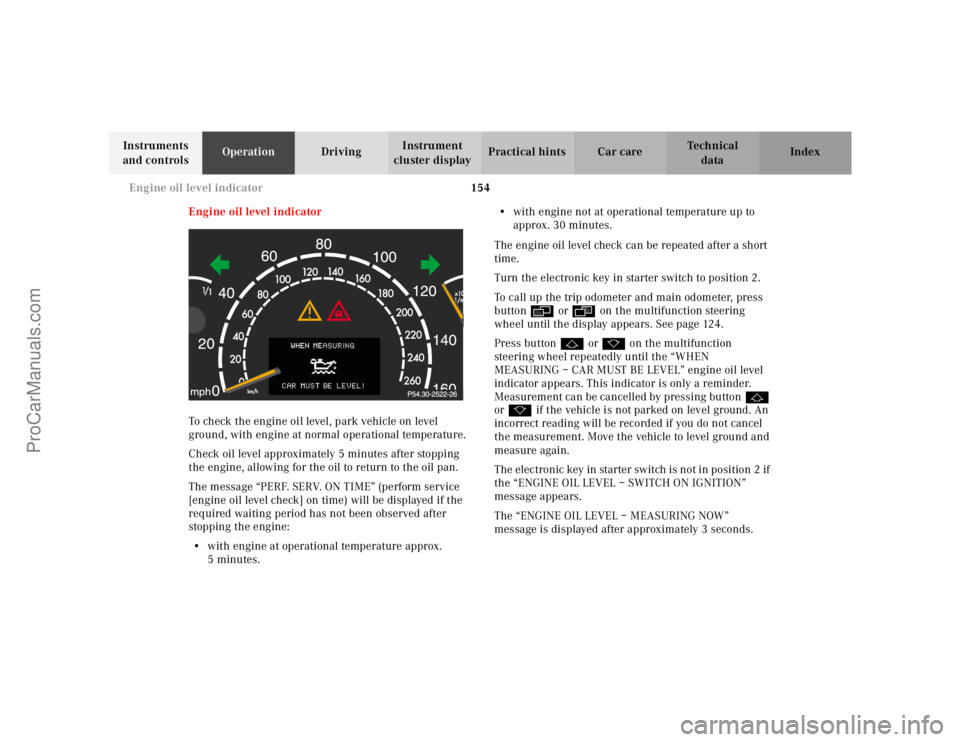
Press buttonj ork on the multifunction
steering wheel repeatedly until the “WHEN
MEASURING – CAR MUST BE LEVEL” engine oil level
indicator appears. This indicator is only a reminder.
Measurement can be cancelled by pressing buttonj
ork if the vehicle is not parked on level ground. An
incorrect reading will be recorded if you do not cancel
the measurement. Move the vehicle to level ground and
measure again.
The electronic key in starter switch is not in position 2 if
the “ENGINE OIL LEVEL – SWITCH ON IGNITION”
message appears.
The “ENGINE OIL LEVEL – MEASURING NOW”
message is displayed after approximately 3 seconds.
ProCarManuals.com
Page 192 of 424
189 Interior equipment
Te ch n ica l
data Instruments
and controlsOperationDrivingInstrument
cluster displayPractical hints Car care Index Glove box
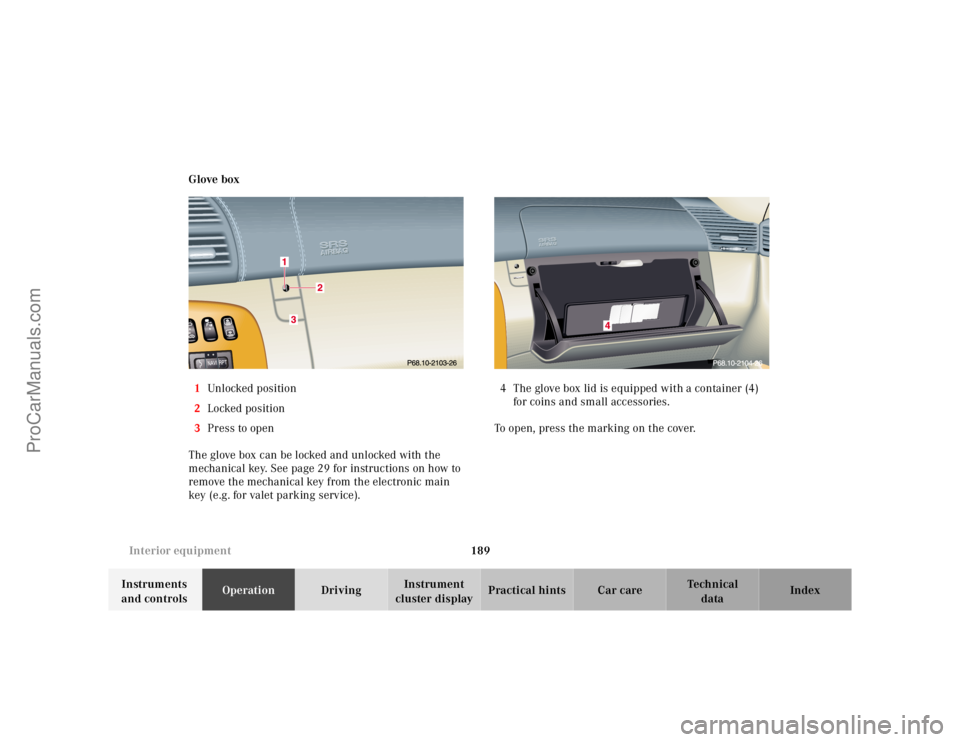
1Unl ocked position
2Locked position
3Press to open
The glove box can be locked and unlocked with the
mechanical key. See page 29 for instructions on how to
remove the mechanical key from the electronic main
key (e.g. for valet parking service).4 The glove box lid is equipped with a container (4)
for coins and small accessories.
To open, press the marking on the cover.
ProCarManuals.com
Page 205 of 424
202 Garage door opener
Te ch n ica l
data Instruments
and controlsOperationDrivingInstrument
cluster displayPractical hints Car care Index
Garage door opener
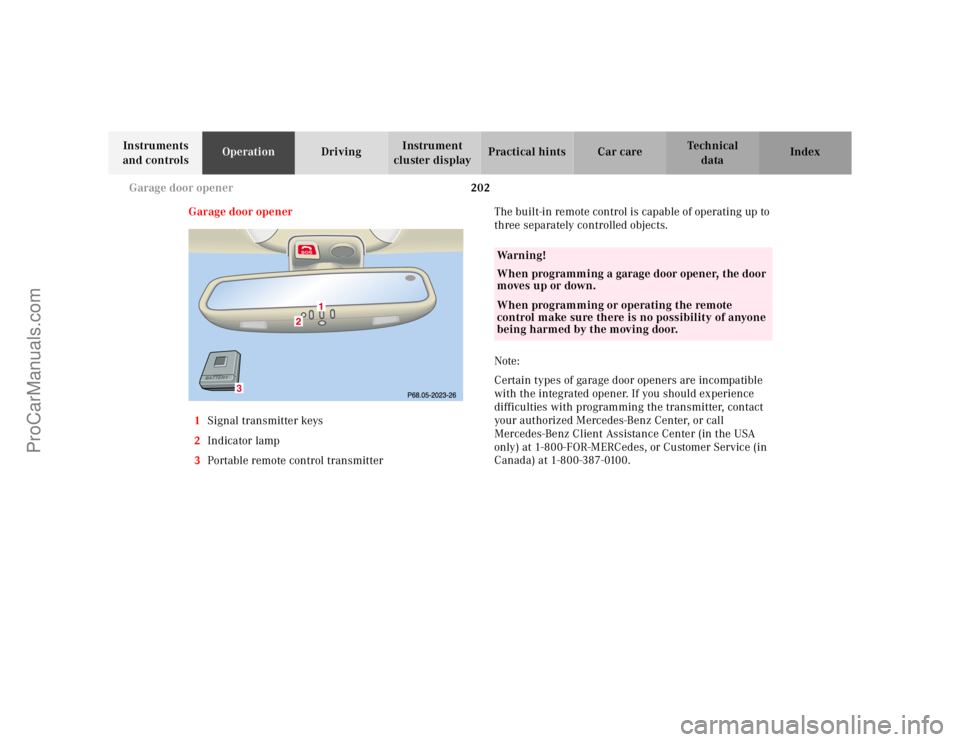
1Signal transmitter keys
2Indicator lamp
3Portable remote control transmitterThe built-in remote control is capable of operating up to
three separately controlled objects.
Note:
Certain types of garage door openers are incompatible
with the integrated opener. If you should experience
difficulties with programming the transmitter, contact
your authorized Mercedes-Benz Center, or call
Mercedes-Benz Client Assistance Center (in the USA
only) at 1-800-FOR-MERCedes, or Customer Service (in
Canada) at 1-800-387-0100.
3
Wa r n i n g !
When programming a garage door opener, the door
moves up or down.When programming or operating the remote
control make sure there is no possibility of anyone
being harmed by the moving door.
ProCarManuals.com