CD changer MERCEDES-BENZ CL-Class 2002 C215 Comand Manual
[x] Cancel search | Manufacturer: MERCEDES-BENZ, Model Year: 2002, Model line: CL-Class, Model: MERCEDES-BENZ CL-Class 2002 C215Pages: 251
Page 67 of 251
65
Introduction
AudioTelephone
Navigation
Index Info Services and
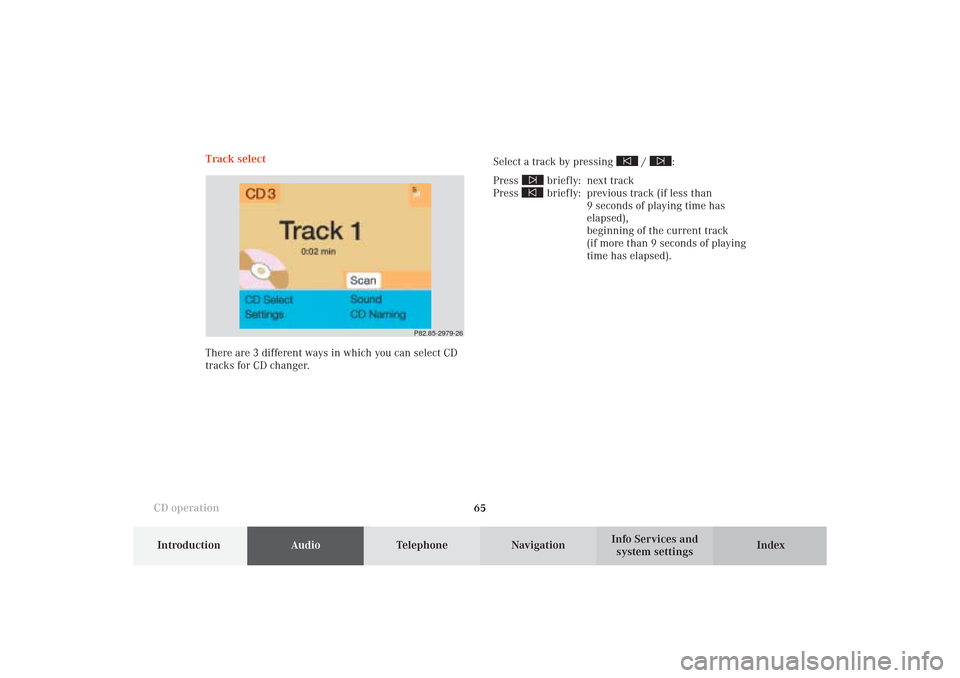
system settings CD operationTrack select
Select a track by pressing
/
:
Press
briefly: next track
Press briefly: previous track (if less than
9 seconds of playing time has
elapsed),
beginning of the current track
(if more than 9 seconds of playing
time has elapsed).
P82.85-2979-26
There are 3 different ways in which you can select CD
tracks for CD changer.
06-CD-US.pm509.07.2004, 14:08 Uhr 65
Page 69 of 251
67
Introduction
AudioTelephone
Navigation
Index Info Services and
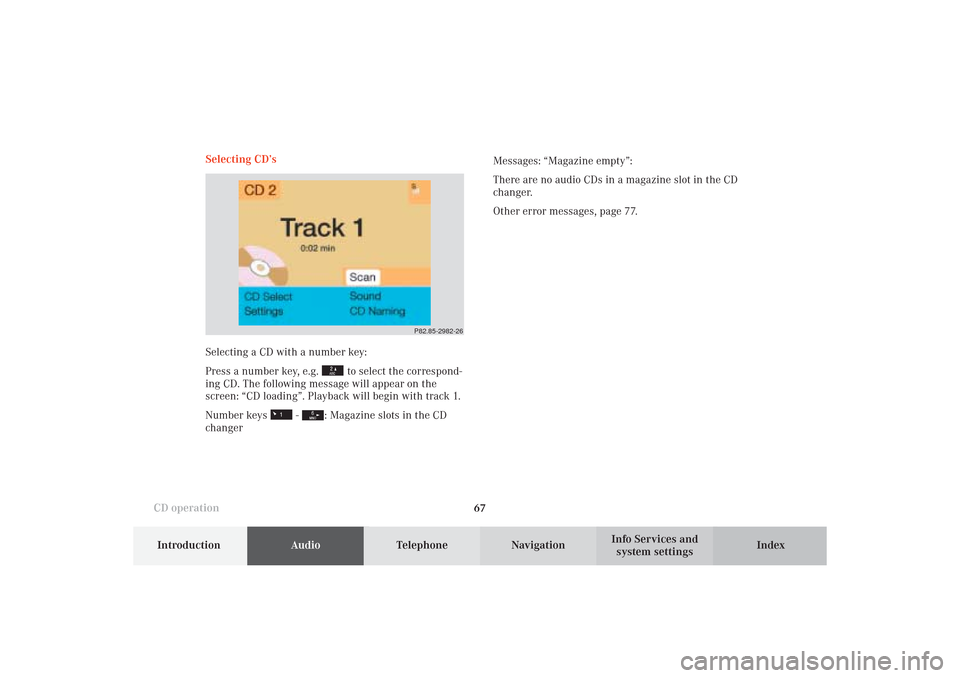
system settings CD operationSelecting CD’s
Selecting a CD with a number key:
Press a number key, e.g.
to select the correspond-
ing CD. The following message will appear on the
screen: “CD loading”. Playback will begin with track 1.
Number keys
-
: Magazine slots in the CD
changerMessages: “Magazine empty”:
There are no audio CDs in a magazine slot in the CD
changer.
Other error messages, page 77.
P82.85-2982-26
06-CD-US.pm509.07.2004, 14:08 Uhr 67
Page 72 of 251
70
AudioTelephone Navigation
Index Info Services and
system settings Introduction
CD operation
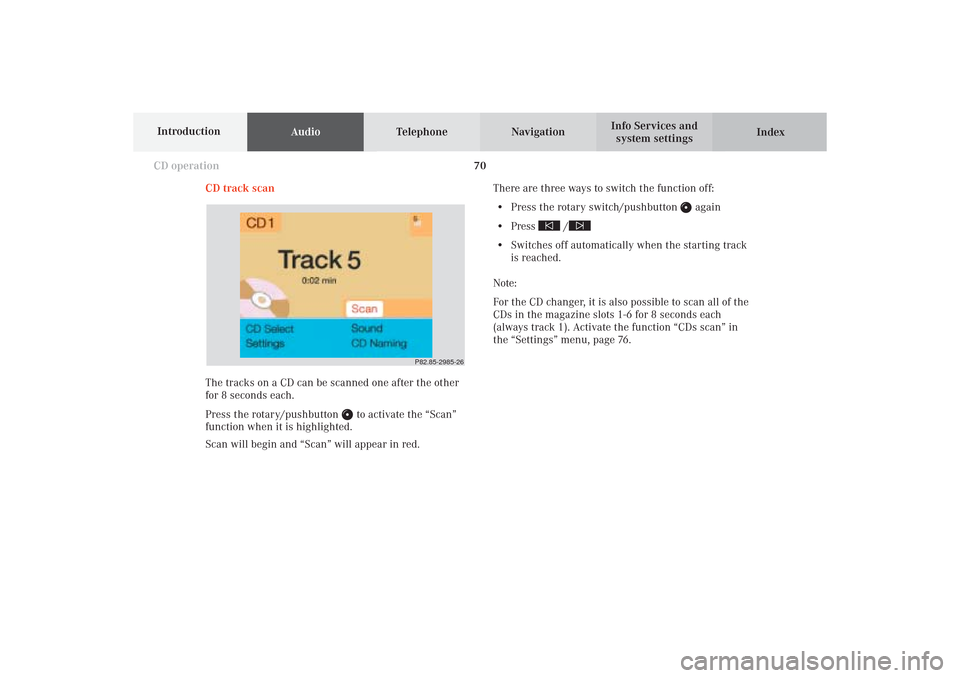
CD track scan
The tracks on a CD can be scanned one after the other
for 8 seconds each.
Press the rotary/pushbutton
to activate the “Scan”
function when it is highlighted.
Scan will begin and “Scan” will appear in red.There are three ways to switch the function off:
• Press the rotary switch/pushbutton
again
• Press
/
• Switches off automatically when the starting track
is reached.
Note:
For the CD changer, it is also possible to scan all of the
CDs in the magazine slots 1-6 for 8 seconds each
(always track 1). Activate the function “CDs scan” in
the “Settings” menu, page 76.
P82.85-2985-26
06-CD-US.pm509.07.2004, 14:09 Uhr 70
Page 79 of 251

77
Introduction
AudioTelephone
Navigation
Index Info Services and
system settings CD operationError messages
1CD changer error messages“No CD changer” – The system cannot detect the CD
changer; contact a Mercedes-Benz Center (1)
“No magazine” –There is no magazine inserted in the
CD changer; load CDs into the magazine and insert the
magazine into the CD changer (1)
“Magazine empty” –There are no CDs in the magazine;
load CDs into the magazine and insert the magazine
into the CD changer (1)
“Being activated” – The CD changer is not yet ready for
operation (1).
“Reading error” – The system cannot read the CD
which has been inserted (2), e.g. audio CD
P82.85-7746-26
1
06-CD-US.pm509.07.2004, 14:10 Uhr 77
Page 80 of 251
78
AudioTelephone Navigation
Index Info Services and
system settings Introduction
CD operation
“Error” – an error other than those described here has
occurred (1, 2)
If an error occurs in the operation of the CD drive or
the CD changer, the system will automatically switch to
the other component after 3 seconds.
CD operation will resume when the error has been
corrected.
If it is not possible to play the CD which has been
selected in the CD changer (“Error” message), the
system will automatically select the next CD in the
magazine.“Temperature for CD operation is too high” – CD
operation will switch off automatically after 3 seconds;
press the corresponding key to select a different audio
source (1, 2)
06-CD-US.pm509.07.2004, 14:10 Uhr 78
Page 85 of 251
83 Sound settings
Introduction
Audio
Telephone
Navigation
Index Info Services and
system settings Adjust sound settings
The COMAND system is equipped with a BOSE
amplifier.
You can set the sound Bass/Treble and the sound-
center (fader and balance) individually or select sound
impressions.
See individual audio mode descriptions for instructions
on this feature.
Adjustments to the sound have a different effect on the
audio and service sources. The predefined sound
modes are available for the
audio sour
ces onl
y.
The audio sources include:
• Radio (FM, AM, WB)
• Tape deck
• CD changer (optional)
The main menu for the sound is activated in the audio
sources through the menu field “Sound”.Service sources include:
• Telephone
• Voice output in navigation
• Voice recognition system
The main menu for the sound is activated in the menu
“NAVI Settings” through the menu field “Sound”.
07-KLANG-25-US.pm509.07.2004, 14:11 Uhr 83
Page 86 of 251
84 Sound settings
AudioTelephone Navigation
Index Info Services and
system settings Introduction
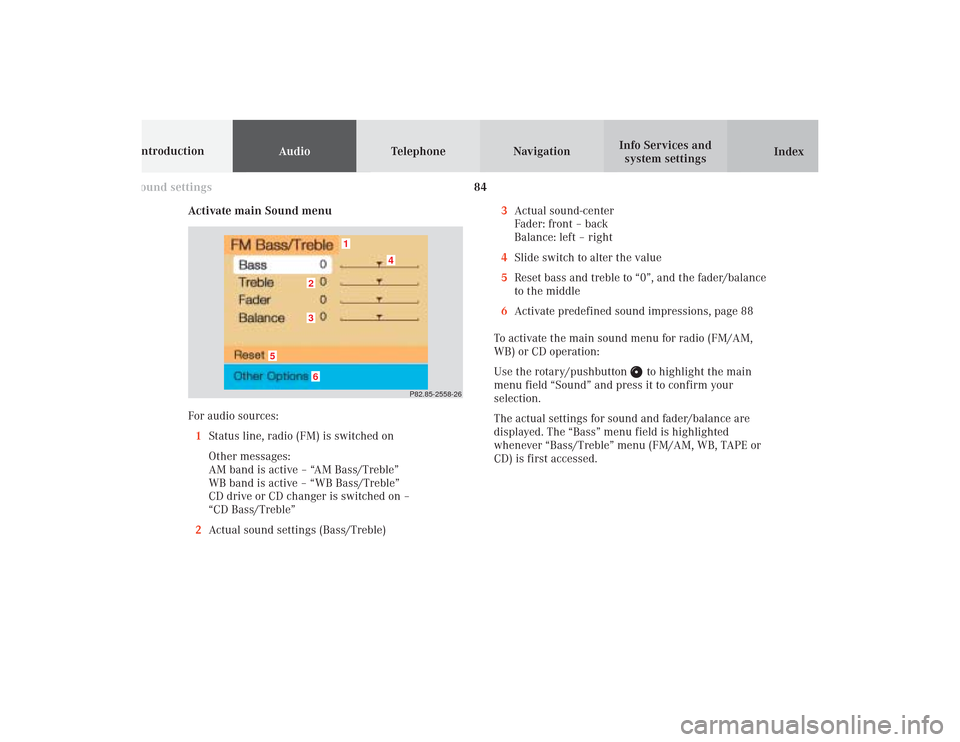
Activate main Sound menu
For audio sources:
1Status line, radio (FM) is switched on
Other messages:
AM band is active – “AM Bass/Treble”
WB band is active – “WB Bass/Treble”
CD drive or CD changer is switched on –
“CD Bass/Treble”
2Actual sound settings (Bass/Treble)
P82.85-2558-26
5
4
32
1
6
3Actual sound-center
Fader: front – back
Balance: left – right
4Slide switch to alter the value
5Reset bass and treble to “0”, and the fader/balance
to the middle
6Activate predefined sound impressions, page 88
To activate the main sound menu for radio (FM/AM,
WB) or CD operation:
Use the rotary/pushbutton
to highlight the main
menu field “Sound” and press it to confirm your
selection.
The actual settings for sound and fader/balance are
displayed. The “Bass” menu field is highlighted
whenever “Bass/Treble” menu (FM/AM, WB, TAPE or
CD) is first accessed.
07-KLANG-25-US.pm509.07.2004, 14:11 Uhr 84
Page 89 of 251

87 Sound settings
Introduction
Audio
Telephone
Navigation
Index Info Services and
system settings Notes:
The balance is adjusted to the same setting for the
radio (FM/AM, WB) and CD changer.
Adjustments which are made to the navigation system
will affect the Voice recognition system and the
telephone.Use the “Reset” menu field to position the balance back
to the center of the vehicle, to set the sound linearly
and to reset at the same time the sound volume to a
defined value.
07-KLANG-25-US.pm509.07.2004, 14:11 Uhr 87
Page 244 of 251

Audio Telephone Navigation
Index Info Services and
system settings Introduction
242 Index
Message “Data Connection Cannot
be Established” ............................................................... 225
Message “Data transmission failure” .......................... 225
Message “DEST AREA” .................................................. 179
Message “Error” ................................................................ 78
Message “Error: Phone defective” .................................. 93
Message “Error: Phone not connected” ......................... 93
Message “Forward”, “Rewind” .................................. 46, 69
Message “Magazine empty” ............................................ 77
Message “Manual route exclusions being reset” ....... 208
Message “Navigation cannot be activated,
an error has occured” .................................................... 149
Message “NEW ROUTE” ....................................... 179, 203
Message “No CD. Please insert NAV-CD
type DX only” .................................................................. 149
Message “No CD changer” .............................................. 77
Message “No Cellular Connection Available” ............ 225
Message “No information available at this time.
Press SVC button later.” ................................................ 225
Message “No magazine” .................................................. 77
Message “NO ROUTE” .................................................... 179
Message “No Service” .............................................. 93, 100
Message “No Service, redial?” ........................................ 93
Message “OFF MAP” ...................................................... 179
MMap display ..................................................................... 180
Map orientation, Selecting ............................................ 198
Map scale, Current ................................................. 166, 197
Map scale, Reduce .................................................. 166, 197
Map scale, Increasing ............................................ 166, 197
Menus .................................................................................. 12
Message “Activating Navigation.
Please obey all traffic rules!” ................................ 148, 149
Message “Attention, name memory is full;
new entry only possible after cleaning an old one!” .. 72
Message “Being activated” .............................................. 77
Message “CALC. ROUTE” .............................................. 179
Message “Caution. Please turn on ignition.
Otherwise system will shut down in 3 minutes” ......... 15
Message “Caution. Please turn on ignition.
Otherwise system will shut down in 10 seconds” ........ 15
Message “Caution. The system will shut down.” .......... 15
Message “CD changer: No CD” ....................................... 68
Message “CD loading” ................................................ 64, 68
Message “CD-Reading error. Please change CD” ....... 149
Message “Cellular System Busy” ................................. 225
Message “Compiling Route List” .................................. 182
13-INDEX-25-US.pm517.10.2001, 11:12 Uhr 242