seat memory MERCEDES-BENZ CL COUPE 2009 Owners Manual
[x] Cancel search | Manufacturer: MERCEDES-BENZ, Model Year: 2009, Model line: CL COUPE, Model: MERCEDES-BENZ CL COUPE 2009Pages: 421, PDF Size: 10.78 MB
Page 13 of 421

Fuse box
Dashboard . . . . . . . . . . . . . . . . . . .389
Engine compartment . . . . . . . . . . .390
Rea r.. . . . . . . . . . . . . . . . . . . . . . .390
Fuses . . . . . . . . . . . . . . . . . . . . . . . . . .389 G
Garage door Opening/closing (with the remote
control) . . . . . . . . . . . . . . . . . . . . .286
Garage door opener . . . . . . . . . . . . ..285
Clearing the memory . . . . . . . . . . .286
Frequencies . . . . . . . . . . . . . . . . . .408
Programming the remote control . .285
Gear indicator . . . . . . . . . . . . . . . . . .208
Gear indicator (on-board computer) 220
Genuine Mercedes-Benz parts . . . ..394
Glove compartment . . . . . . . . . . . . ..276 H
Hands-free system Switching on/off . . . . . . . . . . . . . .114
Switching to the mobile phone . . .116
Headlamp cleaning system . . . . . ..295
Headlamps Cleaning . . . . . . . . . . . . . . . . . . . . .309
Cleaning system . . . . . . . . . . . . . . .197
Misting up . . . . . . . . . . . . . . . . . . .360
Head restraints
Rear compartment . . . . . . . . . . . . .186
Heating
see Air conditioning
High-pressure cleaners . . . . . . . . . ..308
Hill start assist . . . . . . . . . . . . . . . . .204
HOLD . . . . . . . . . . . . . . . . . . . . . . . . . .245
Display message . . . . . . . . . . . . . .322
HomeLink ®
see Garage door opener I
Immobiliser . . . . . . . . . . . . . . . . . . . . .54
Indicator and warning lamp Automatic child seat recognition
(malfunction ).. . . . . . . . . . . . . . . .350
Brakes (red ).. . . . . . . . . . . . .352, 354
Brakes (yellow) . . . . . . . . . . . . . . . .354 Engine diagnostics . . . . . . . . . . . .
.354
ESP ®
. . . . . . . . . . . . . . . . . . . . . . .352
PASSENGER AIRBAG OFF . . . .44, 350
Reserve fuel . . . . . . . . . . . . . . . . . .356
Seat belt . . . . . . . . . . . . . . . . . . . . .355
SRS . . . . . . . . . . . . . . . . . . . . .37, 353
Indicator lamp
Display message . . . . . . . . . . . . . .344
see Indicator and warning lamp . . .351
Instrument cluster . . . . . . . . . . . . ..212
Overview . . . . . . . . . . . . . . . . . . . . .27
Intelligent Light System . . . . . . . . ..197
Display message . . . . . . . . . .323, 346
Menu (on-board computer) . . . . . .225
Tourist mode . . . . . . . . . . . . . . . . .225
Interior lighting
Ambient light (COMAND) . . . . . . . .166
Automatic control system . . . . . . .199
Emergency lighting . . . . . . . . . . . .199
Interior lighting . . . . . . . . . . . . . . . .166
Manual control . . . . . . . . . . . . . . . .198
Reading lamp . . . . . . . . . . . . . . . . .198
Interior motion sensor . . . . . . ..55, 167
ISOFIX child seat securing system ..47 J
Jack Operation . . . . . . . . . . . . . . . . . . . .378
Storage location . . . . . . . . . . . . . . .315
Jump-starting . . . . . . . . . . . . . . . . . . .384
Jump leads . . . . . . . . . . . . . . . . . . .384 K
Key . . . . . . . . . . . . . . . . . . . . . . . . . . .178
Checking the battery . . . . . . . . . . .367
Convenience closing . . . . . . . . . . .201
Convenience opening . . . . . . . . . . .201
Display message . . . . . . . . . . . . . .340
Loss . . . . . . . . . . . . . . . . . . . . . . . .363
Malfunction . . . . . . . . . . . . . . . . . .362
Modifying the programming . . . . . .179
KEYLESS GO
Button . . . . . . . . . . . . . . . . . . . . . .182
Changing the battery . . . . . . . . . . .368
Checking the battery . . . . . . . . . . .367
Convenience closing . . . . . . . . . . .202 10
Index 216_AKB; 2; 3, en-GB
bjanott,
Version: 2.11.7.7 2009-02-27T14:54:17+01:00 - Seite 10Dateiname: 6515230602_buchblock.pdf; erzeugt am 04. Mar 2009 11:14:35; WK
Page 15 of 421

Menu (on-board computer)
AMG . . . . . . . . . . . . . . . . . . . . . . . .220
Assistance . . . . . . . . . . . . . . . . . . .223
Audi o.. . . . . . . . . . . . . . . . . . . . . .218
Distronic . . . . . . . . . . . . . . . . . . . .233
Distronic Plu s.. . . . . . . . . . . . . . . .240
Navi . . . . . . . . . . . . . . . . . . . . . . . .217
Service . . . . . . . . . . . . . . . . . . . . . .225
Settings . . . . . . . . . . . . . . . . . . . . .225
Telephone . . . . . . . . . . . . . . . . . . .222
Trip . . . . . . . . . . . . . . . . . . . . . . . . .215
Menu overview
Bluetooth ®
telephony . . . . . . . . . . .110
Convenience telephony . . . . . . . . .111
Music Register . . . . . . . . . . . . . . . . .94
Mercedes-Benz Contact . . . . . . . . ..105
Message see Display message . . . . . . . . . . .316
see Indicator and warning lamp . . .351
Minispare emergency spare wheel
Technical data . . . . . . . . . . . . . . . .407
Mirrors
Sun viso r.. . . . . . . . . . . . . . . . . . .281
see Exterior mirrors or Rear-view mirror
Mobile phone . . . . . . . . . . . . . . . . . . .283
Connecting (convenience teleph-
ony) . . . . . . . . . . . . . . . . . . . . . . . .111
De-authorising . . . . . . . . . . . . . . . .109
External authorisation . . . . . . . . . .109
Installatio n.. . . . . . . . . . . . . . . . . .395
Operation (on-board computer) . . .222
Registering (authorising) . . . . . . . .107
Modifying the programming
Key . . . . . . . . . . . . . . . . . . . . . . . . .179
MOExtended run-flat system* .297, 381
MP3 Menu overview . . . . . . . . . . . . . . . . .79
Notes . . . . . . . . . . . . . . . . . . . . . . . .75
Operation . . . . . . . . . . . . . . . . . . . . .79
Operation (on-board computer) . . .219
Playback options . . . . . . . . . . . . . . .83
Selecting a mediu m.. . . . . . . . . . . .81
Selecting a titl e.. . . . . . . . . . . . . . .81
Multicontour seat . . . . . . . . . . . . . ..185
Front . . . . . . . . . . . . . . . . . . . . . . .173
Multi-function display . . . . . . . . . . ..214 Multi-function steering wheel
. . . ..213
Overview (on-board computer) . . . . .30
Music Register
Copying music data . . . . . . . . . . . . .95
Deleting all music files . . . . . . . . . . .96
Playback options . . . . . . . . . . . . . . .97 N
Navigation Adjusting the map scale . . . . . . . . .127
Announcements . . . . . . . . . . . . . . .152
Basic settings . . . . . . . . . . . . . . . . .129
Calling up the map displa y.. . . . . .127
Changing direction . . . . . . . . . . . . .148
Changing direction (on-board
computer) . . . . . . . . . . . . . . . . . . .217
Destination memory . . . . . . . . . . . .157
Entering a destination by address .135
Entering a destination by map . . . .144
Entering an intermediate stop . . . .145
Entering special destinations . . . . .147
Installing map software . . . . . . . . .132
Navigation mode . . . . . . . . . . . . . .127
Off-map . . . . . . . . . . . . . . . . . . . . .151
Off-road . . . . . . . . . . . . . . . . . . . . .151
On-board computer . . . . . . . . . . . .217
Route info . . . . . . . . . . . . . . . . . . .153
Route options . . . . . . . . . . . . . . . . .132
Traffic jam function . . . . . . . . . . . .154
Night View Assist . . . . . . . . . . . . . ..259
Activating/deactivating . . . . . . . . .259
Cleaning . . . . . . . . . . . . . . . . . . . . .311
Display in the multi-function dis-
pla y.. . . . . . . . . . . . . . . . . . . . . . .260
Display message . . . . . . . . . . . . . .346
Fault . . . . . . . . . . . . . . . . . . . . . . . .364
Notes on running in a new vehicle .290 O
Odometer see Total distance recorde r.. . . ..215
see Trip meter . . . . . . . . . . . .215, 216
Total distance recorde r.. . . . . . ..215
Trip meter . . . . . . . . . . . . . . . . . . .215
Off-map
Navigation . . . . . . . . . . . . . . . . . . .151 12
Index 216_AKB; 2; 3, en-GB
bjanott,
Version: 2.11.7.7 2009-02-27T14:54:17+01:00 - Seite 12Dateiname: 6515230602_buchblock.pdf; erzeugt am 04. Mar 2009 11:14:35; WK
Page 36 of 421
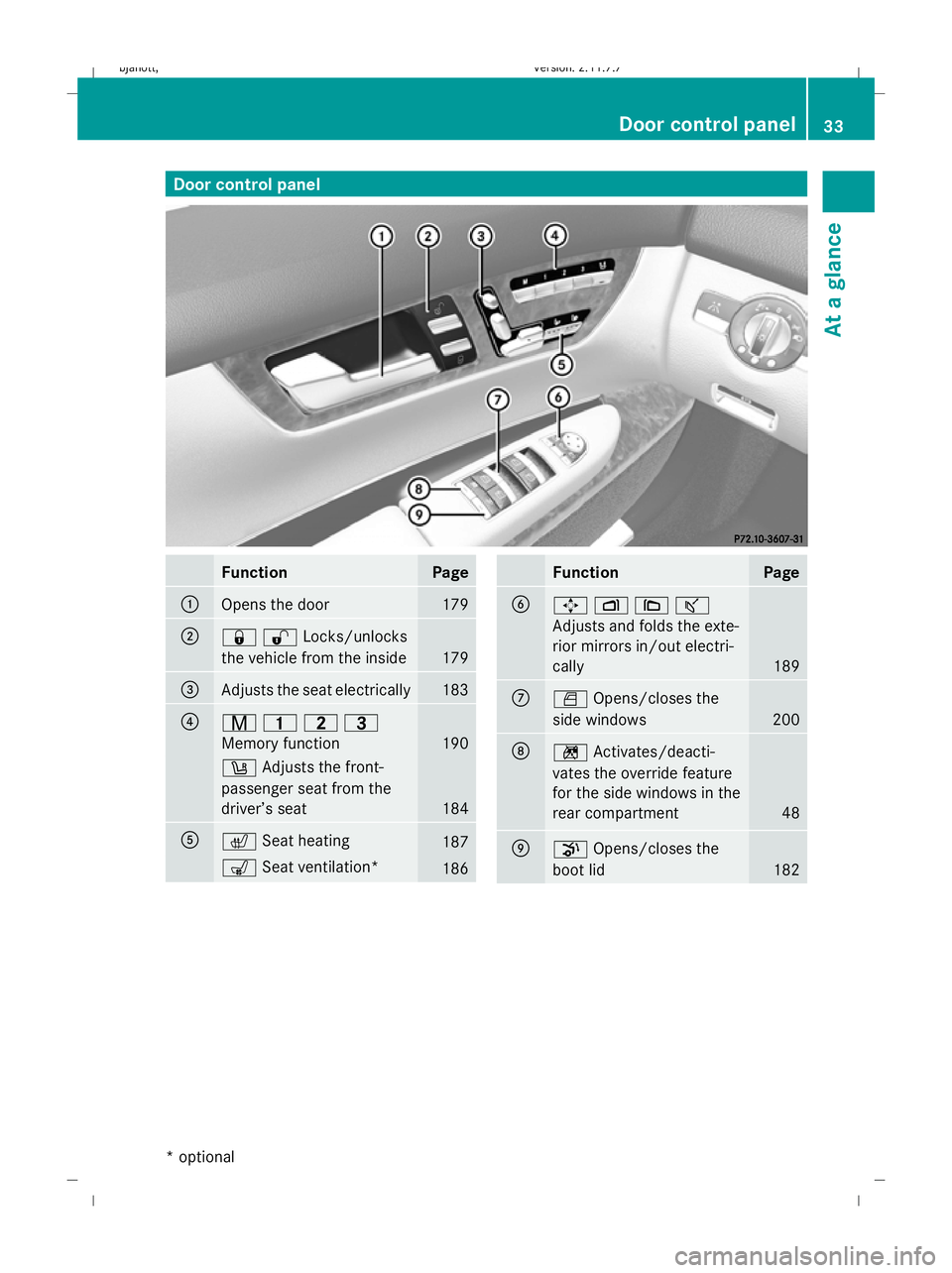
Door control panel
Function Page
:
Opens the door 179
;
&%Locks/unlocks
the vehicle from the inside 179
=
Adjusts the seat electrically 183
?
r
45=
Memory function 190
w
Adjusts the front-
passenger seat from the
driver’s seat 184
A
c
Seat heating 187
s
Seat ventilation* 186 Function Page
B
7
Z\ª
Adjusts and folds the exte-
rior mirrors in/out electri-
cally 189
C
W
Opens/closes the
side windows 200
D
n
Activates/deacti-
vates the override feature
for the side windows in the
rear compartment 48
E
p
Opens/closes the
boot lid 182Door control panel
33At a glance
* optional
216_AKB; 2; 3, en-GB
bjanott,
Version: 2.11.7.7 2009-02-27T14:54:17+01:00 - Seite 33 Z
Dateiname: 6515230602_buchblock.pdf; erzeugt am 04. Mar 2009 11:14:45; WK
Page 60 of 421
Introduction
......................................... 58
Radio .................................................... 70
DAB* ..................................................... 74
Audio CD/audio DVD* and MP3 ........75
Video DVD functions ...........................84
TV* ........................................................ 89
MUSIC REGISTER* ............................... 94
Media Interface* mode .......................98
Telephone* ........................................ 103
Navigation system* (introduction) .125
Navigation system* (entering a
destination) ....................................... 135
Navigation system* (entering spe-
cial destinations) .............................. 147
Navigation system* (route guid-
ance) .................................................. 148
Navigation* (route guidance with
RDS-TMC) ........................................... 155
Navigation system* (destination
memory) ............................................ 157
Navigation system* (previous des-
tinations) ........................................... 160
System ............................................... 160
Vehicle ............................................... 164
Automatic air conditioning ..............168
Seats .................................................. 173 57COMAND
216_AKB; 2; 3, en-GB
bjanott,
Version: 2.11.7.7 2009-02-27T14:54:17+01:00 - Seite 57
Dateiname: 6515230602_buchblock.pdf; erzeugt am 04. Mar 2009 11:14:52; WK
Page 69 of 421
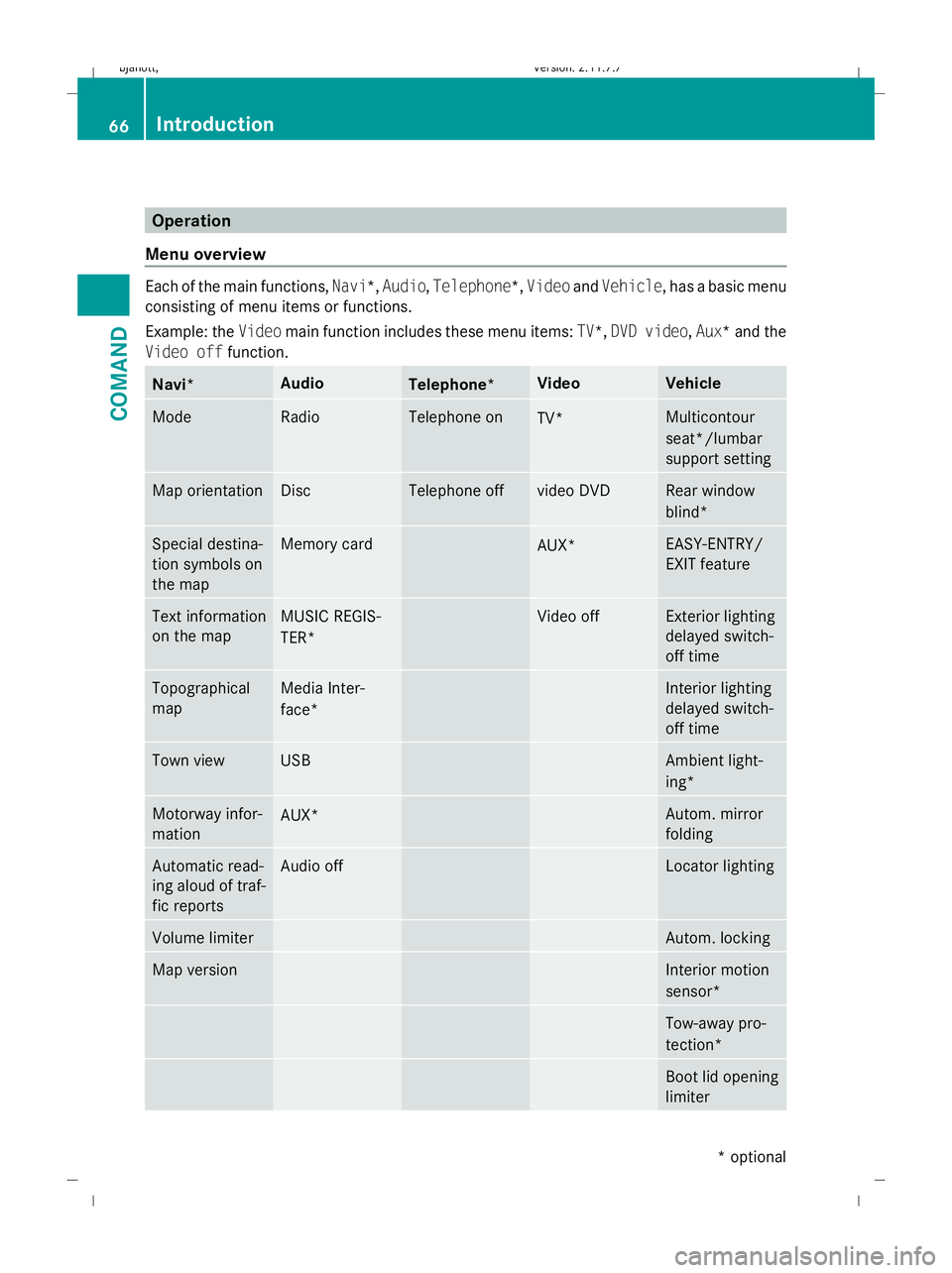
Operation
Menu overview Each of the main functions,
Navi*,Audio,Telephone*, VideoandVehicle, has a basic menu
consisting of menu items or functions.
Example: the Videomain function includes these menu items: TV*,DVD video ,Aux*a nd the
Video off function. Navi* Audio
Telephone* Video Vehicle
Mode Radio Telephone on
TV* Multicontour
seat*/lumbar
support setting Map orientation Disc Telephone off video DVD Rear window
blind*
Special destina-
tion symbols on
the map Memory card
AUX* EASY-ENTRY/
EXIT feature
Text information
on the map MUSIC REGIS-
TER* Video off Exterior lighting
delayed switch-
off time Topographical
map Media Inter-
face* Interior lighting
delayed switch-
off time Town view USB Ambient light-
ing*
Motorway infor-
mation
AUX* Autom. mirror
folding Automatic read-
ing aloud of traf-
fic reports Audio off Locator lighting
Volume limiter Autom. locking
Map version Interior motion
sensor*
Tow-away pro-
tection*
Boot lid opening
limiter66
IntroductionCOMAND
* optional
216_AKB; 2; 3, en-GB
bjanott,
Version: 2.11.7.7 2009-02-27T14:54:17+01:00 - Seite 66
Dateiname: 6515230602_buchblock.pdf; erzeugt am 04. Mar 2009 11:14:55; WK
Page 72 of 421
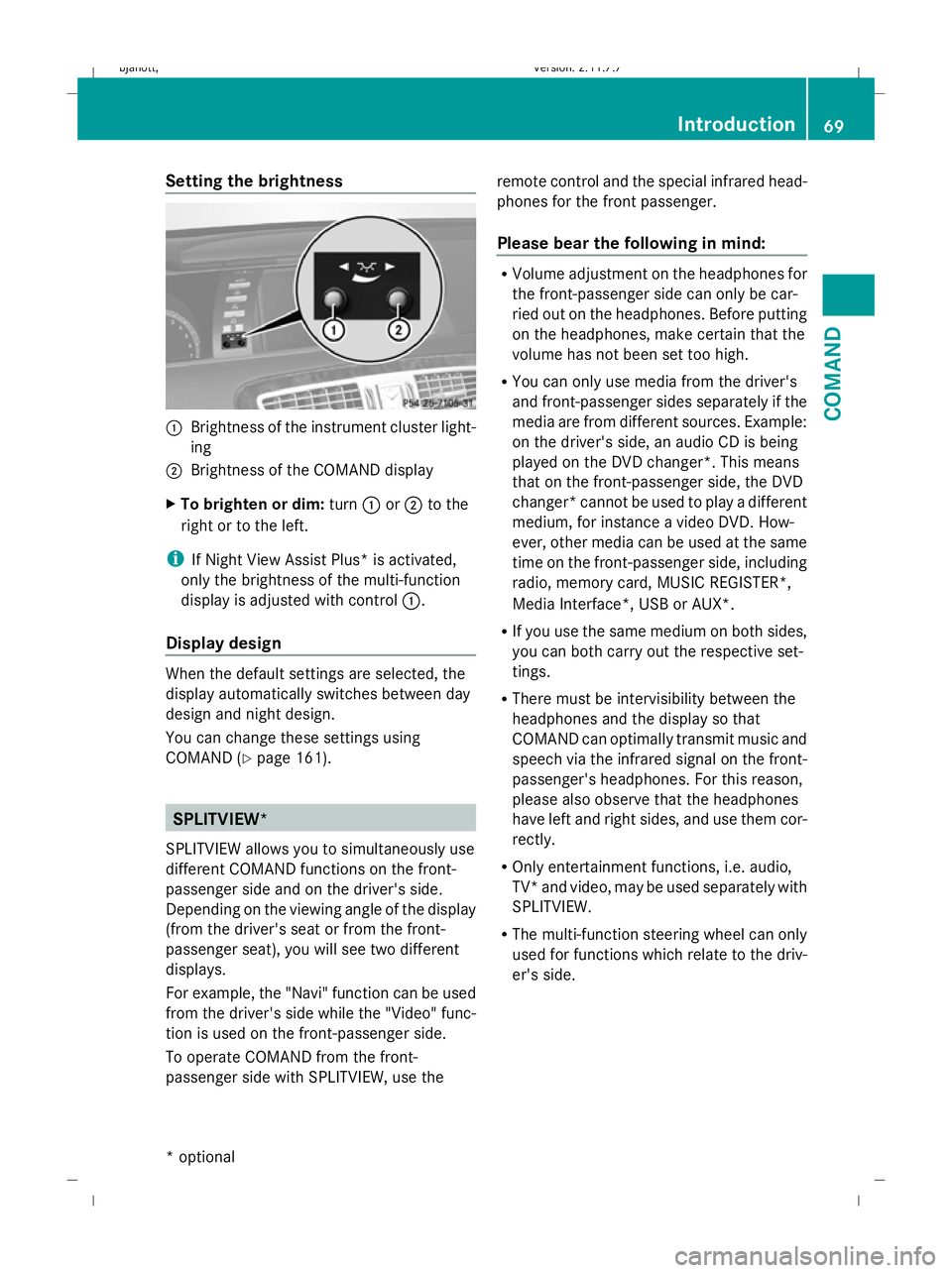
Setting the brightness
:
Brightness of the instrument cluster light-
ing
; Brightness of the COMAND display
X To brighten or dim: turn:or; to the
right or to the left.
i If Night View Assist Plus* is activated,
only the brightness of the multi-function
display is adjusted with control :.
Display design When the default settings are selected, the
display automatically switches between day
design and night design.
You can change these settings using
COMAND (Y
page 161). SPLITVIEW*
SPLITVIEW allows you to simultaneously use
different COMAND functions on the front-
passenger side and on the driver's side.
Depending on the viewing angle of the display
(from the driver's seat or from the front-
passenger seat), you will see two different
displays.
For example, the "Navi" function can be used
from the driver's side while the "Video" func-
tion is used on the front-passenger side.
To operate COMAND from the front-
passenger side with SPLITVIEW, use the remote control and the special infrared head-
phones for the front passenger.
Please bear the following in mind: R
Volume adjustment on the headphones for
the front-passenger side can only be car-
ried out on the headphones. Before putting
on the headphones, make certain that the
volume has not been set too high.
R You can only use media from the driver's
and front-passenger sides separately if the
media are from different sources. Example:
on the driver's side, an audio CD is being
played on the DVD changer*. This means
that on the front-passenger side, the DVD
changer* cannot be used to play a different
medium, for instance a video DVD. How-
ever, other media can be used at the same
time on the front-passenger side, including
radio, memory card, MUSIC REGISTER*,
Media Interface*, USB or AUX*.
R If you use the same medium on both sides,
you can both carry out the respective set-
tings.
R There must be intervisibility between the
headphones and the display so that
COMAND can optimally transmit music and
speech via the infrared signal on the front-
passenger's headphones. For this reason,
please also observe that the headphones
have left and right sides, and use them cor-
rectly.
R Only entertainment functions, i.e. audio,
TV* and video, may be used separately with
SPLITVIEW.
R The multi-function steering wheel can only
used for functions which relate to the driv-
er's side. Introduction
69COMAND
* optional
216_AKB; 2; 3, en-GB
bjanott,V
ersion: 2.11.7.7
2009-02-27T14:54:17+01:00 - Seite 69 Z
Dateiname: 6515230602_buchblock.pdf; erzeugt am 04. Mar 2009 11:14:56; WK
Page 166 of 421
Deleting existing individualisation data
X
Select Vehicle QSystem QLingua‐
tronic QDelete individualisation .
A prompt appears asking whether you
really wish to delete.
X Select YesorNo.
The individualisation data will either be
deleted or not, depending on your selec-
tion. Language settings
X Select Vehicle QSystem QLan‐
guage.
The language list appears. The #dot indi-
cates the current setting.
X To change the setting: select the desired
language. Assigning the programmable button
(favourites)
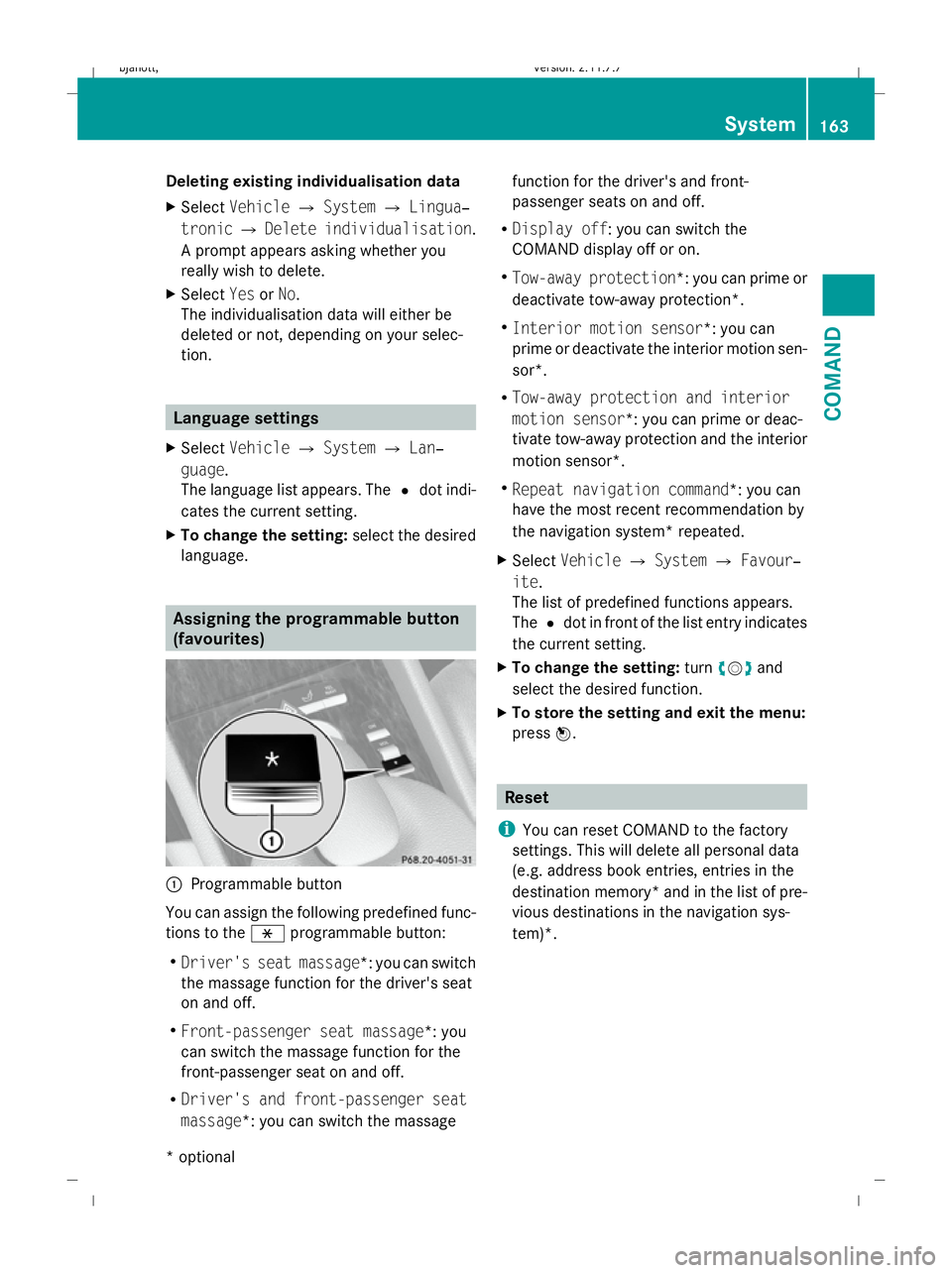
:
Programmable button
You can assign the following predefined func-
tions to the hprogrammable button:
R Driver's seat massage*: you can switch
the massage function for the driver's seat
on and off.
R Front-passenger seat massage*: you
can switch the massage function for the
front-passenger seat on and off.
R Driver's and front-passenger seat
massage*: you can switch the massage function for the driver's and front-
passenger seats on and off.
R Display off : you can switch the
COMAND display off or on.
R Tow-away protection *: you can prime or
deactivate tow-away protection*.
R Interior motion sensor *: you can
prime or deactivate the interior motion sen-
sor*.
R Tow-away protection and interior
motion sensor *: you can prime or deac-
tivate tow-away protection and the interior
motion sensor*.
R Repeat navigation command*: you can
have the most recent recommendation by
the navigation system* repeated.
X Select Vehicle QSystem QFavour‐
ite .
The list of predefined functions appears.
The #dot in front of the list entry indicates
the current setting.
X To change the setting: turncVd and
select the desired function.
X To store the setting and exit the menu:
press W. Reset
i You can reset COMAND to the factory
settings. This will delete all personal data
(e.g. address book entries, entries in the
destination memory* and in the list of pre-
vious destinations in the navigation sys-
tem)*. System
163COMAND
* optional
216_AKB; 2; 3, en-GB
bjanott
,V ersion: 2.11.7.7
2009-02-27T14:54:17+01:00 - Seite 163 Z
Dateiname: 6515230602_buchblock.pdf; erzeugt am 04. Mar 2009 11:15:26; WK
Page 168 of 421
Retracting/extending the rear win-
dow blind*
! Make sure that the rear window blind can
move freely. Otherwise, the blind or other
objects could be damaged.
i The rear window blind is switched off at
temperatures below -20 †. X
Select Vehicle.
The main area is active.
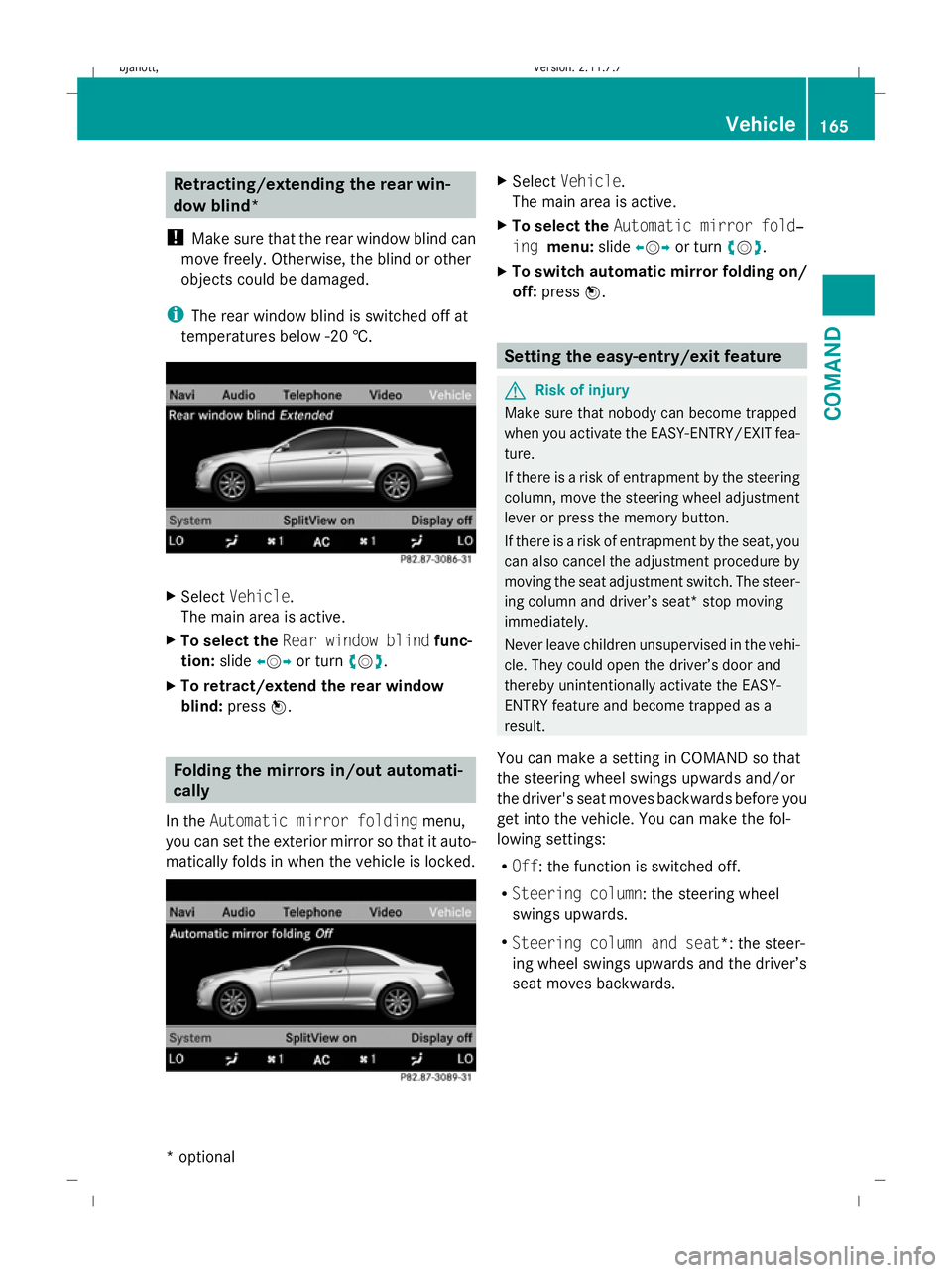
X To select the Rear window blind func-
tion: slideXVY or turn cVd.
X To retract/extend the rear window
blind: pressW. Folding the mirrors in/out automati-
cally
In the Automatic mirror folding menu,
you can set the exterior mirror so that it auto-
matically folds in when the vehicle is locked. X
Select Vehicle.
The main area is active.
X To select the Automatic mirror fold‐
ing menu: slideXVY or turn cVd.
X To switch automatic mirror folding on/
off: press W. Setting the easy-entry/exit feature
G
Risk of injury
Make sure that nobody can become trapped
when you activate the EASY-ENTRY/EXIT fea-
ture.
If there is a risk of entrapment by the steering
column, move the steering wheel adjustment
lever or press the memory button.
If there is a risk of entrapment by the seat, you
can also cancel the adjustment procedure by
moving the seat adjustment switch. The steer-
ing column and driver’s seat* stop moving
immediately.
Never leave children unsupervised in the vehi-
cle. They could open the driver’s door and
thereby unintentionally activate the EASY-
ENTRY feature and become trapped as a
result.
You can make a setting in COMAND so that
the steering wheel swings upwards and/or
the driver's seat moves backwards before you
get into the vehicle. You can make the fol-
lowing settings:
R Off : the function is switched off.
R Steering column : the steering wheel
swings upwards.
R Steering column and seat*: the steer-
ing wheel swings upwards and the driver’s
seat moves backwards. Vehicle
165COMAND
* optional
216_AKB; 2; 3, en-GB
bjanott,
Version: 2.11.7.7 2009-02-27T14:54:17+01:00 - Seite 165 Z
Dateiname: 6515230602_buchblock.pdf; erzeugt am 04. Mar 2009 11:15:27; WK
Page 180 of 421
Opening and closing
.........................178
Boot .................................................... 180
Key positions .................................... 182
Seats .................................................. 183
Steering wheel .................................. 187
Mirrors ............................................... 189
Memory function .............................. 190
Seat belts ........................................... 191
Lights ................................................. 194
Windscreen wipers ...........................199
Side windows .................................... 200
Driving and parking ..........................202
Automatic transmission ...................206
Instrument cluster ............................212
On-board computer ..........................213
Driving systems ................................ 227
Air conditioning ................................. 262
Sliding sunroof .................................. 274
Loading and stowing ........................275
Features ............................................. 280 177Controls
216_AKB; 2; 3, en-GB
bjanott,
Version: 2.11.7.7 2009-02-27T14:54:17+01:00 - Seite 177
Dateiname: 6515230602_buchblock.pdf; erzeugt am 04. Mar 2009 11:15:35; WK
Page 187 of 421
A
Seat fore-and-aft adjustment
B Backrest angle
i If PRE-SAFE ®
has been activated, the
front-passenger seat and the electrically
adjustable rear seats* are brought into a
more favourable position.
i You can store the seat settings using the
memory function (Y page 190).
i The head restraint height is automatically
adjusted relative to the seat fore-and-aft
adjustment.
i When the key is in position 1or 2in the
ignition lock, the front-passenger seat head
restraint is lowered, if:
R the front-passenger seat belt is not
engaged
R no occupant is detected on the front-
passenger seat
R the vehicle is stationary
When the key is in position 1or 2in the
ignition lock, the front-passenger seat head
restraint moves back to the original posi-
tion if the front-passenger seat belt is
engaged or an occupant is detected on the
front-passenger seat.
i To ensure the largest possible range of
seat settings, certain seat adjustment func-
tions will automatically activate other seat
adjustment functions. Head restraint angle X
Pull or push the bottom of the head
restraint. Adjusting the front-passenger seat
from the driver’s seat
G
Risk of injury
When adjusting a front-passenger seat that is
occupied, make sure that it is as far away from
the front-passenger airbag as possible. The
front passenger could otherwise sustain seri-
ous or fatal injuries in the event of an accident
or braking manoeuvre.
Make sure that nobody can become trapped
when adjusting the seat.
The front-passenger seat can be adjusted
when there is no key in the ignition lock. For
this reason, children should never be left
unsupervised in the vehicle. They could
become trapped if the seats move.
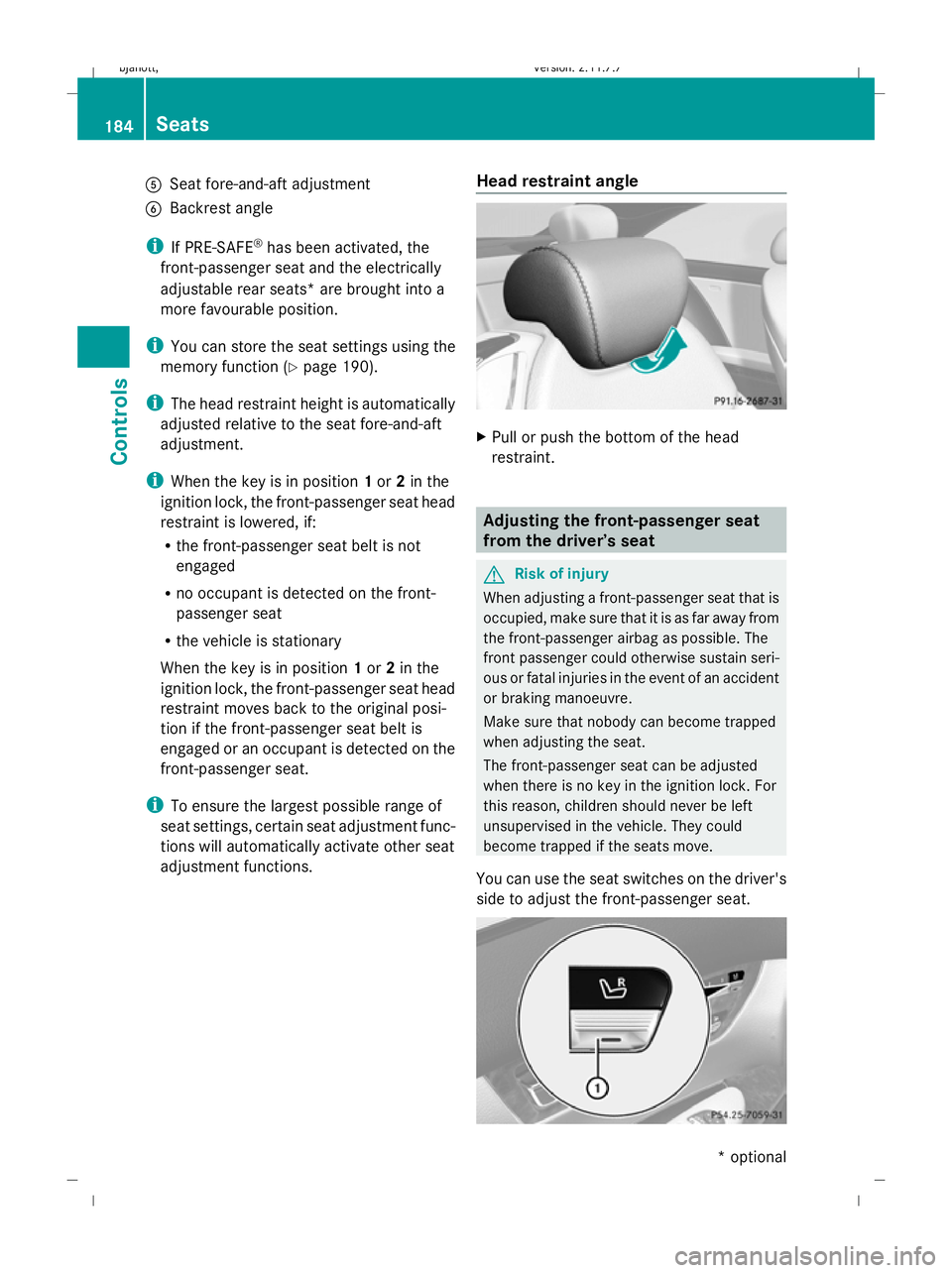
You can use the seat switches on the driver's
side to adjust the front-passenger seat. 184
SeatsControls
* optional
216_AKB; 2; 3, en-GB
bjanott,
Version: 2.11.7.7 2009-02-27T14:54:17+01:00 - Seite 184
Dateiname: 6515230602_buchblock.pdf; erzeugt am 04. Mar 2009 11:15:39; WK