interior lights MERCEDES-BENZ CLA 2013 User Guide
[x] Cancel search | Manufacturer: MERCEDES-BENZ, Model Year: 2013, Model line: CLA, Model: MERCEDES-BENZ CLA 2013Pages: 352, PDF Size: 5.37 MB
Page 136 of 352
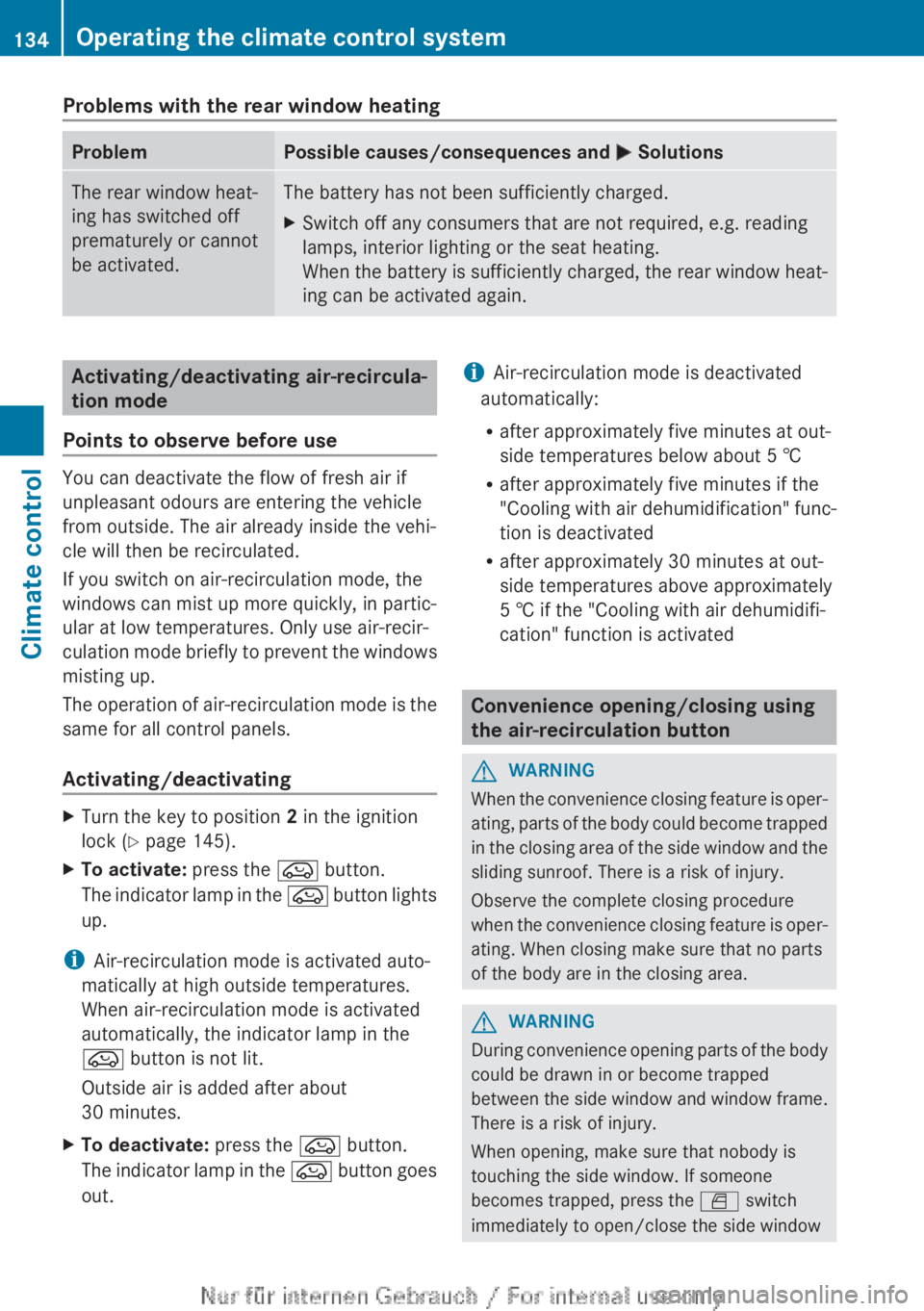
Problems with the rear window heatingProblemPossible causes/consequences and M SolutionsThe rear window heat-
ing has switched off
prematurely or cannot
be activated.The battery has not been sufficiently charged.XSwitch off any consumers that are not required, e.g. reading
lamps, interior lighting or the seat heating.
When the battery is sufficiently charged, the rear window heat-
ing can be activated again.Activating/deactivating air-recircula-
tion mode
Points to observe before use
You can deactivate the flow of fresh air if
unpleasant odours are entering the vehicle
from outside. The air already inside the vehi-
cle will then be recirculated.
If you switch on air-recirculation mode, the
windows can mist up more quickly, in partic-
ular at low temperatures. Only use air-recir-
culation mode briefly to prevent the windows
misting up.
The operation of air-recirculation mode is the
same for all control panels.
Activating/deactivating
XTurn the key to position 2 in the ignition
lock ( Y page 145).XTo activate: press the e button.
The indicator lamp in the e button lights
up.
i Air-recirculation mode is activated auto-
matically at high outside temperatures.
When air-recirculation mode is activated
automatically, the indicator lamp in the
e button is not lit.
Outside air is added after about
30 minutes.
XTo deactivate: press the e button.
The indicator lamp in the e button goes
out.i Air-recirculation mode is deactivated
automatically:
R after approximately five minutes at out-
side temperatures below about 5 †
R after approximately five minutes if the
"Cooling with air dehumidification" func-
tion is deactivated
R after approximately 30 minutes at out-
side temperatures above approximately
5 † if the "Cooling with air dehumidifi-
cation" function is activated
Convenience opening/closing using
the air-recirculation button
GWARNING
When the convenience closing feature is oper-
ating, parts of the body could become trapped
in the closing area of the side window and the
sliding sunroof. There is a risk of injury.
Observe the complete closing procedure
when the convenience closing feature is oper-
ating. When closing make sure that no parts
of the body are in the closing area.
GWARNING
During convenience opening parts of the body
could be drawn in or become trapped
between the side window and window frame.
There is a risk of injury.
When opening, make sure that nobody is
touching the side window. If someone
becomes trapped, press the W switch
immediately to open/close the side window
134Operating the climate control systemClimate control
Page 137 of 352
in the door. The side window stops. To con-
tinue closing the side window, pull on the
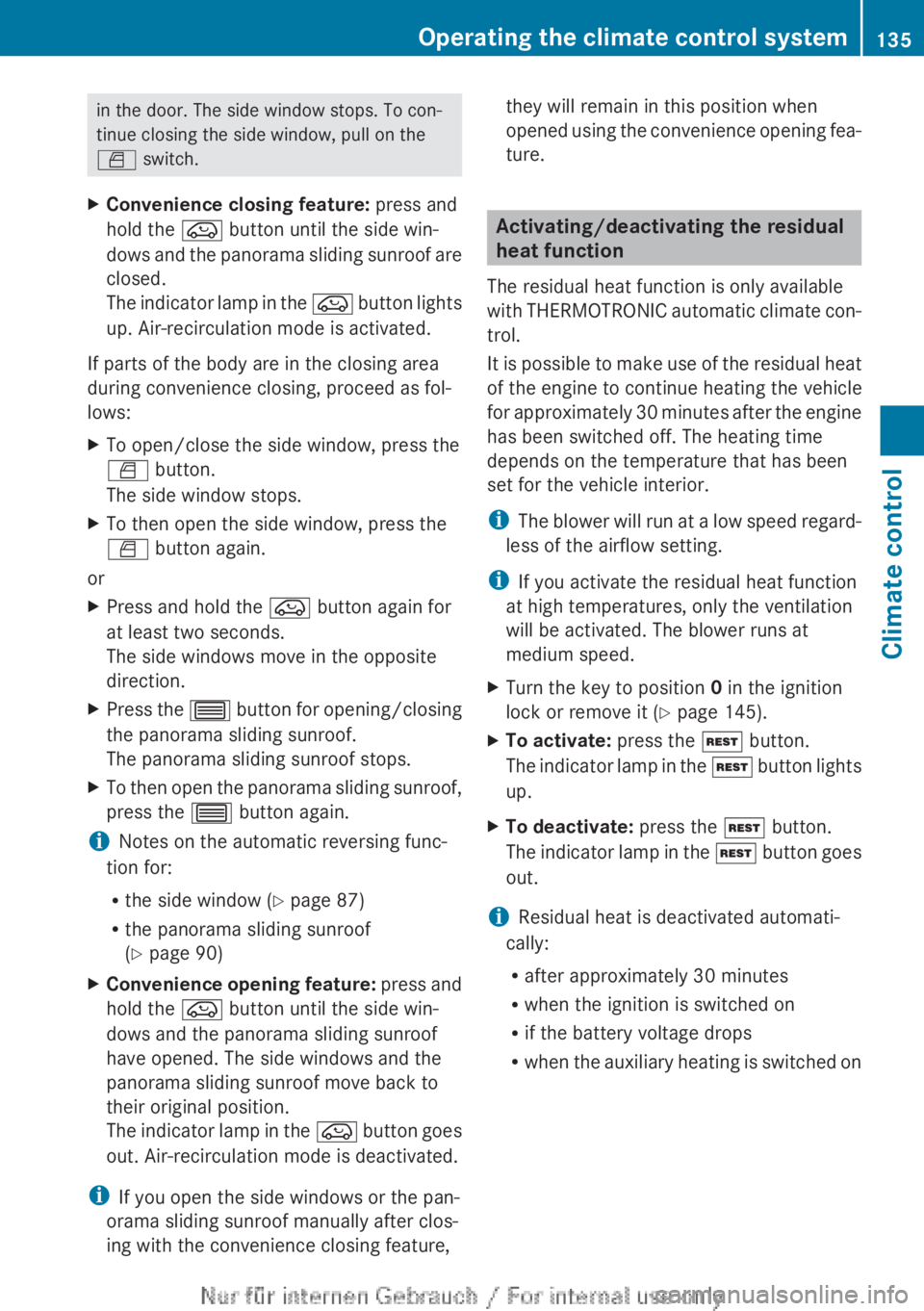
W switch.XConvenience closing feature: press and
hold the e button until the side win-
dows and the panorama sliding sunroof are
closed.
The indicator lamp in the e button lights
up. Air-recirculation mode is activated.
If parts of the body are in the closing area
during convenience closing, proceed as fol-
lows:
XTo open/close the side window, press the
W button.
The side window stops.XTo then open the side window, press the
W button again.
or
XPress and hold the e button again for
at least two seconds.
The side windows move in the opposite
direction.XPress the 3 button for opening/closing
the panorama sliding sunroof.
The panorama sliding sunroof stops.XTo then open the panorama sliding sunroof,
press the 3 button again.
iNotes on the automatic reversing func-
tion for:
R the side window ( Y page 87)
R the panorama sliding sunroof
( Y page 90)
XConvenience opening feature: press and
hold the e button until the side win-
dows and the panorama sliding sunroof
have opened. The side windows and the
panorama sliding sunroof move back to
their original position.
The indicator lamp in the e button goes
out. Air-recirculation mode is deactivated.
i If you open the side windows or the pan-
orama sliding sunroof manually after clos-
ing with the convenience closing feature,
they will remain in this position when
opened using the convenience opening fea-
ture.
Activating/deactivating the residual
heat function
The residual heat function is only available
with THERMOTRONIC automatic climate con-
trol.
It is possible to make use of the residual heat
of the engine to continue heating the vehicle
for approximately 30 minutes after the engine
has been switched off. The heating time
depends on the temperature that has been
set for the vehicle interior.
i The blower will run at a low speed regard-
less of the airflow setting.
i If you activate the residual heat function
at high temperatures, only the ventilation
will be activated. The blower runs at
medium speed.
XTurn the key to position 0 in the ignition
lock or remove it ( Y page 145).XTo activate: press the Ì button.
The indicator lamp in the Ì button lights
up.XTo deactivate: press the Ì button.
The indicator lamp in the Ì button goes
out.
i Residual heat is deactivated automati-
cally:
R after approximately 30 minutes
R when the ignition is switched on
R if the battery voltage drops
R when the auxiliary heating is switched on
Operating the climate control system135Climate controlZ
Page 151 of 352
applying the brakes during the automatic
stop phase. When you depress the accel-
erator pedal, the engine starts automati-
cally and the braking effect of the HOLD
function is deactivated.
Automatic engine start
General notes
The engine is started automatically if:
R you switch off the ECO start/stop function
by pressing the ECO button
R you engage reverse gear R
R the vehicle starts to roll
R the brake system requires this
R the temperature in the vehicle interior devi-
ates from the set range
R the system detects moisture on the wind-
screen when the air-conditioning system is
switched on
R the battery's charge status is too low
R the driver's seat belt is released or the driv-
er's door is opened
Vehicles with manual transmission
! Only engage gear when the clutch pedal
is depressed.
The engine is started automatically if you:
R depress the clutch pedal fully
R depress the accelerator pedal
Vehicles with automatic transmission
The engine is started automatically if you:
R release the brake pedal when HOLD is not
activated and the transmission is in posi-
tion D or N
R depress the accelerator pedal
R move the transmission out of position P
i Shifting the transmission to position P
does not start the engine.
i If you shift the transmission from R to D,
the ECO start/stop function is available
again once the ¤ symbol reappears in
green in the multifunction display.
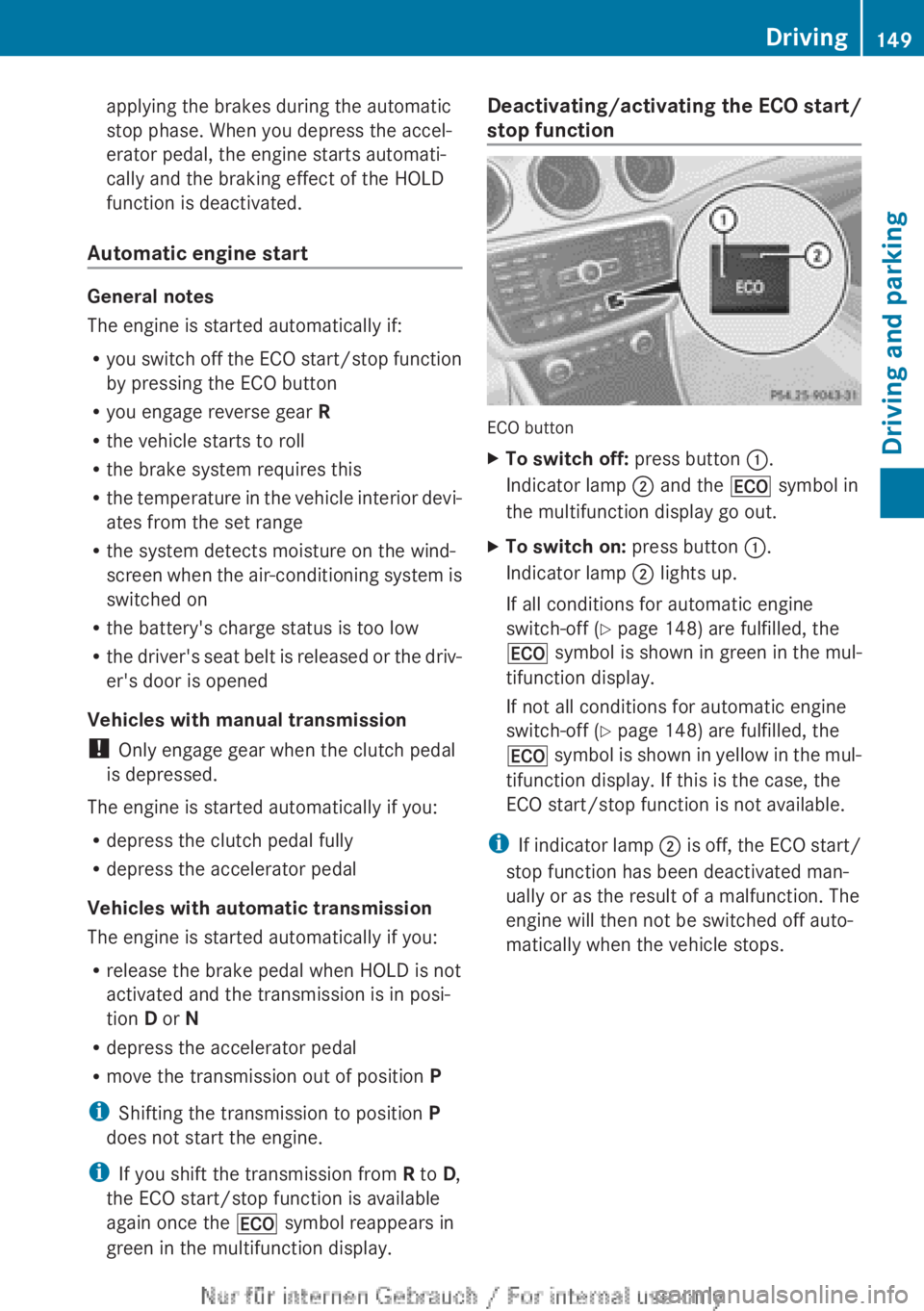
Deactivating/activating the ECO start/
stop function
ECO button
XTo switch off: press button :.
Indicator lamp ; and the ¤ symbol in
the multifunction display go out.XTo switch on: press button :.
Indicator lamp ; lights up.
If all conditions for automatic engine
switch-off ( Y page 148) are fulfilled, the
¤ symbol is shown in green in the mul-
tifunction display.
If not all conditions for automatic engine
switch-off ( Y page 148) are fulfilled, the
¤ symbol is shown in yellow in the mul-
tifunction display. If this is the case, the
ECO start/stop function is not available.
i If indicator lamp ; is off, the ECO start/
stop function has been deactivated man-
ually or as the result of a malfunction. The
engine will then not be switched off auto-
matically when the vehicle stops.
Driving149Driving and parkingZ
Page 224 of 352
This function is only available on vehicles with
the Intelligent Light System.
For further information about Adaptive High-
beam Assist, see ( Y page 111).
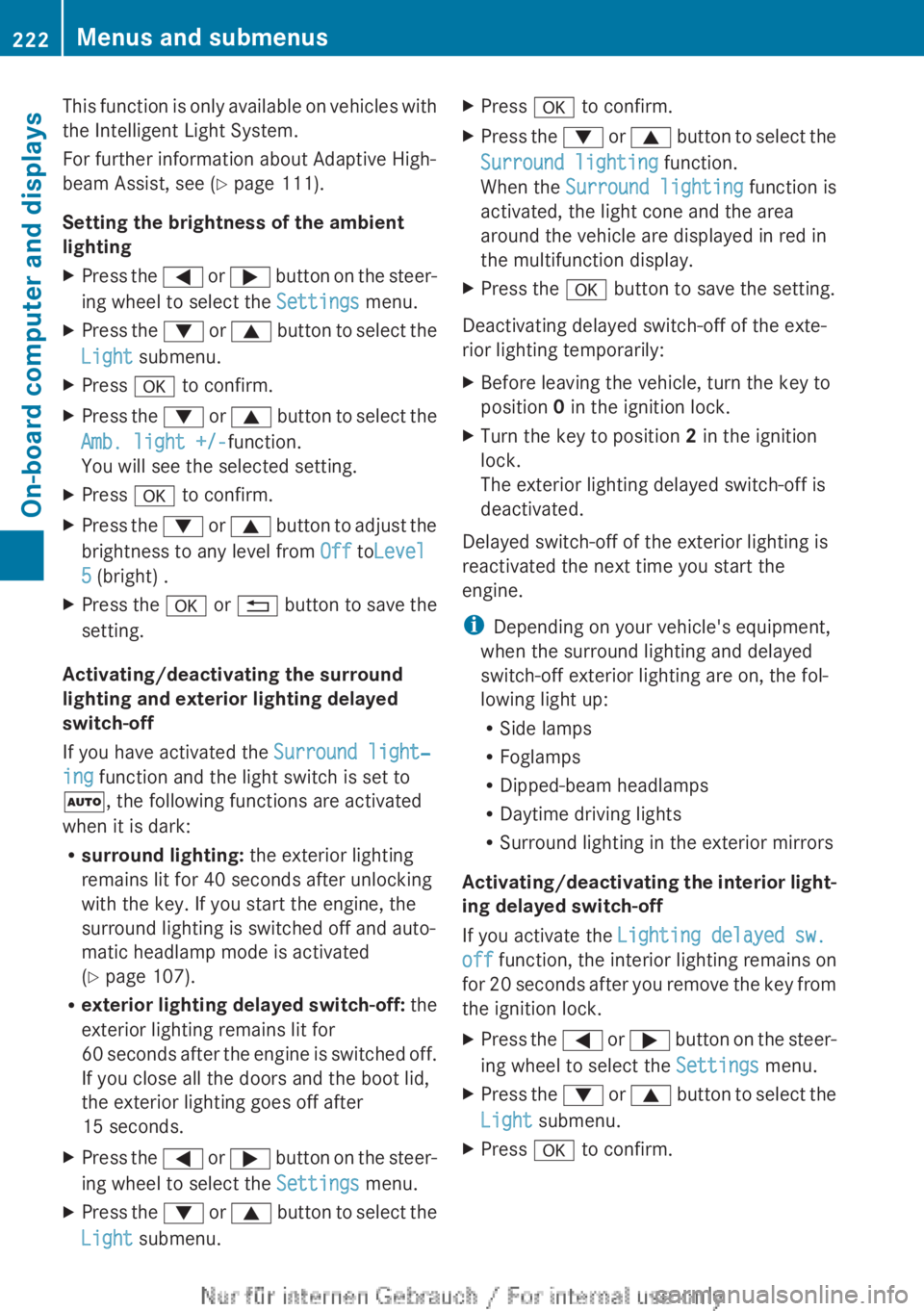
Setting the brightness of the ambient
lightingXPress the = or ; button on the steer-
ing wheel to select the Settings menu.XPress the : or 9 button to select the
Light submenu.XPress a to confirm.XPress the : or 9 button to select the
Amb. light +/- function.
You will see the selected setting.XPress a to confirm.XPress the : or 9 button to adjust the
brightness to any level from Off toLevel
5 (bright) .XPress the a or % button to save the
setting.
Activating/deactivating the surround
lighting and exterior lighting delayed
switch-off
If you have activated the Surround light‐
ing function and the light switch is set to
à , the following functions are activated
when it is dark:
R surround lighting: the exterior lighting
remains lit for 40 seconds after unlocking
with the key. If you start the engine, the
surround lighting is switched off and auto-
matic headlamp mode is activated
( Y page 107).
R exterior lighting delayed switch-off: the
exterior lighting remains lit for
60 seconds after the engine is switched off.
If you close all the doors and the boot lid,
the exterior lighting goes off after
15 seconds.
XPress the = or ; button on the steer-
ing wheel to select the Settings menu.XPress the : or 9 button to select the
Light submenu.XPress a to confirm.XPress the : or 9 button to select the
Surround lighting function.
When the Surround lighting function is
activated, the light cone and the area
around the vehicle are displayed in red in
the multifunction display.XPress the a button to save the setting.
Deactivating delayed switch-off of the exte-
rior lighting temporarily:
XBefore leaving the vehicle, turn the key to
position 0 in the ignition lock.XTurn the key to position 2 in the ignition
lock.
The exterior lighting delayed switch-off is
deactivated.
Delayed switch-off of the exterior lighting is
reactivated the next time you start the
engine.
i Depending on your vehicle's equipment,
when the surround lighting and delayed
switch-off exterior lighting are on, the fol-
lowing light up:
R Side lamps
R Foglamps
R Dipped-beam headlamps
R Daytime driving lights
R Surround lighting in the exterior mirrors
Activating/deactivating the interior light-
ing delayed switch-off
If you activate the Lighting delayed sw.
off function, the interior lighting remains on
for 20 seconds after you remove the key from
the ignition lock.
XPress the = or ; button on the steer-
ing wheel to select the Settings menu.XPress the : or 9 button to select the
Light submenu.XPress a to confirm.222Menus and submenusOn-board computer and displays
Page 225 of 352
XPress the : or 9 button to select the
Lighting delayed sw. off: function.
When the Light. delay function is acti-
vated, the vehicle interior is displayed in
red in the multifunction display.XPress the a button to save the setting.
Vehicle
Setting permanent SPEEDTRONIC
XPress the = or ; button on the steer-
ing wheel to select the Settings menu.XPress the : or 9 button to select the
Vehicle submenu.XPress a to confirm.XPress the : or 9 button to select the
Limit speed (winter tyres): function.
You will see the current setting.XPress a to confirm.XPress the : or 9 button to adjust
permanent SPEEDTRONIC in increments of
ten ( 240 km/h to 160 km/h ). The Off set-
ting switches permanent SPEEDTRONIC
off.XPress the a button to store the entry.
Using the Speed limit (winter tyres)
function, you can set permanent SPEED-
TRONIC ( Y page 173).
Switching the automatic locking feature
on/off
XPress the = or ; button on the steer-
ing wheel to select the Settings menu.XPress the : or 9 button to select the
Vehicle submenu.XPress a to confirm.XPress the : or 9 button to select the
Auto. door lock function.
When the Auto. door locks function is
activated, the vehicle doors are displayed
in red in the multifunction display.XPress the a button to save the setting.If you select the Auto. door locks function,
the vehicle is centrally locked above a speed
of around 15 km/h.
i For further information on the automatic
locking feature; see ( Y page 83).
Activating/deactivating the acoustic
locking confirmation
If you switch on the Acoustic Lock function,
an acoustic signal sounds when you lock the
vehicle.XPress the = or ; button on the steer-
ing wheel to select the Settings menu.XPress the : or 9 button to select the
Vehicle submenu.XPress a to confirm.XPress the : or 9 button to select the
Acoustic Lock function.
If the Acoustic Lock function is activated,
the & symbol in the multifunction dis-
play lights up red.XPress the a button to save the setting.
Activating/deactivating the radar sensor
system
XPress the = or ; button on the steer-
ing wheel to select the Settings menu.XPress the : or 9 button to select the
Vehicle submenu.XPress a to confirm.XPress the 9 or : button to select
Radar sensor (See Owner's Man.) .
You will see the selected setting: on or
off .XPress the a button to save the setting.
Heating
Changing the departure time
XPress the = or ; button on the steer-
ing wheel to select the Settings menu.XPress the : or 9 button to select
the Heating submenu.Menus and submenus223On-board computer and displaysZ