display MERCEDES-BENZ CLA 2013 Manual Online
[x] Cancel search | Manufacturer: MERCEDES-BENZ, Model Year: 2013, Model line: CLA, Model: MERCEDES-BENZ CLA 2013Pages: 352, PDF Size: 5.37 MB
Page 215 of 352
XPress the = or ; button on the steer-
ing wheel to select the Trip menu.XPress the 9 or : button to select the
function that you wish to reset.XPress the a button.XPress the : button to select Yes and
press a to confirm.
i
If you reset the values in the ECO display,
the values in the "From start" trip computer
are also reset. If you reset the values in the
"From start" trip computer, the values in
the ECO display are also reset.
Navigation menu
Displaying navigation instructions
XSwitch on Audio 20 with Becker ®
MAP
PILOT or COMAND Online (see the sepa-
rate operating instructions).XPress the = or ; button on the steer-
ing wheel to select the Navi menu.
In the Navi menu, the multifunction display
shows navigation instructions. For more
information, see the separate operating
instructions.
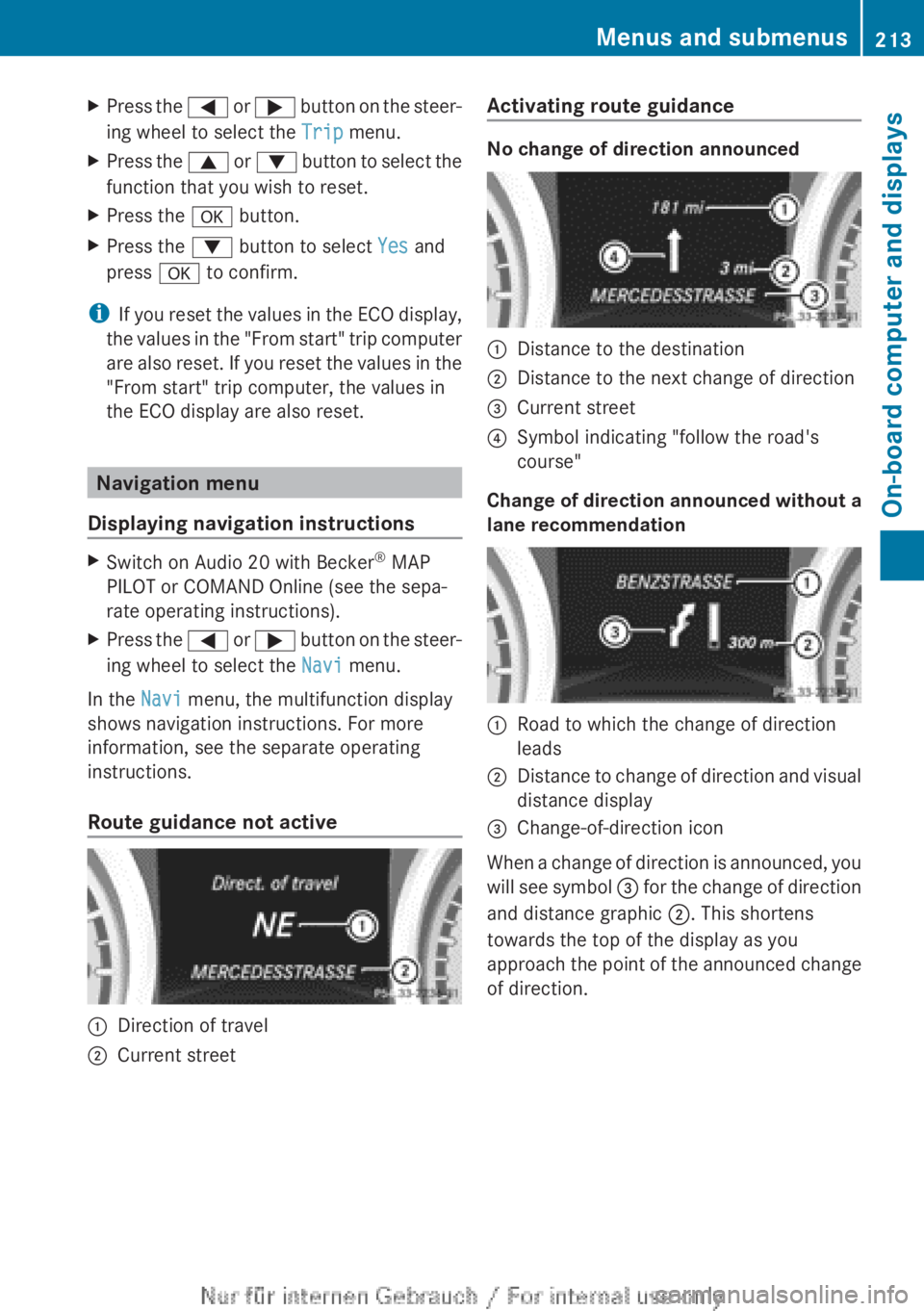
Route guidance not active
:Direction of travel;Current streetActivating route guidance
No change of direction announced
:Distance to the destination;Distance to the next change of direction=Current street?Symbol indicating "follow the road's
course"
Change of direction announced without a
lane recommendation
:Road to which the change of direction
leads;Distance to change of direction and visual
distance display=Change-of-direction icon
When a change of direction is announced, you
will see symbol = for the change of direction
and distance graphic ;. This shortens
towards the top of the display as you
approach the point of the announced change
of direction.
Menus and submenus213On-board computer and displaysZ
Page 216 of 352
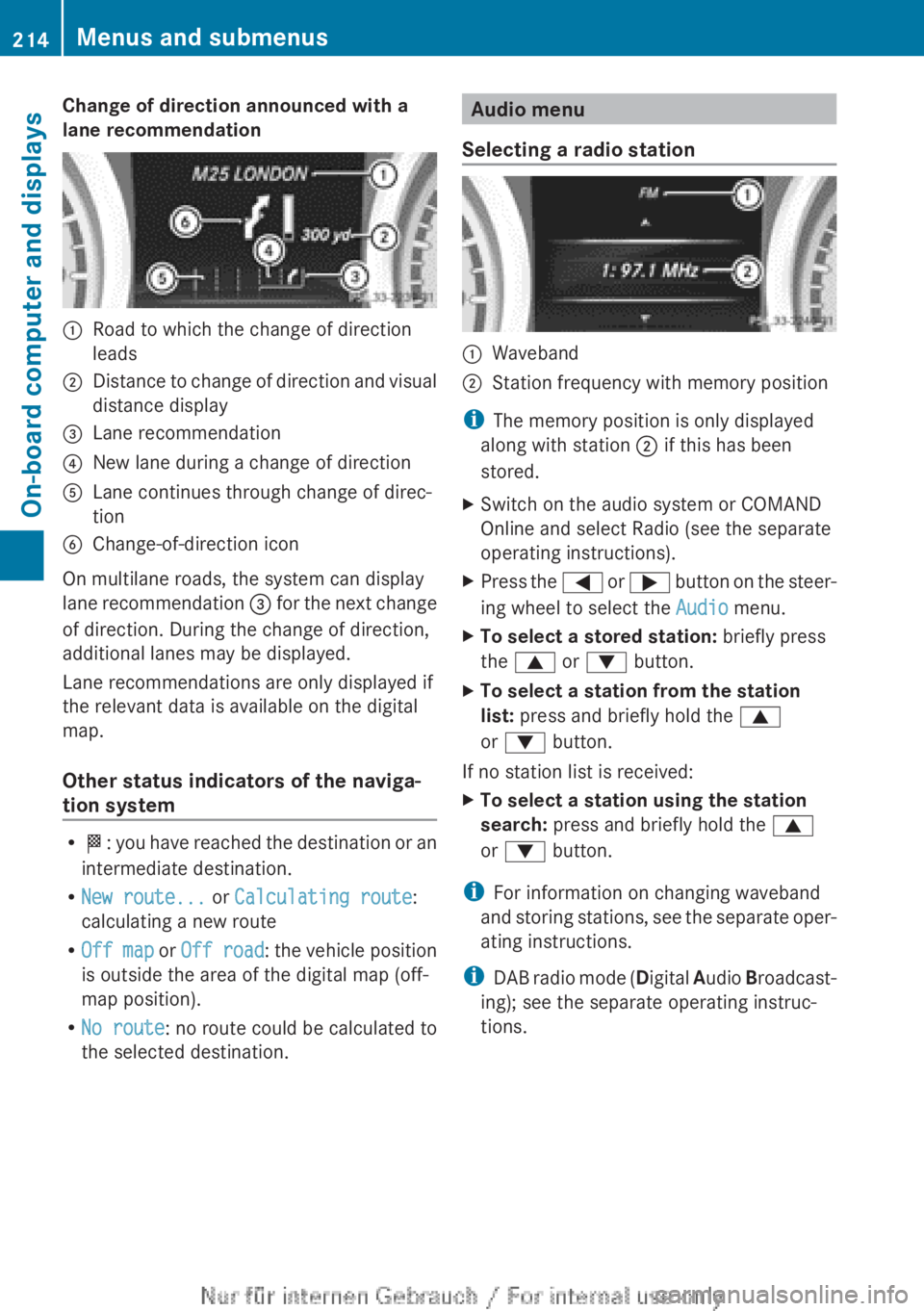
Change of direction announced with a
lane recommendation:Road to which the change of direction
leads;Distance to change of direction and visual
distance display=Lane recommendation?New lane during a change of directionALane continues through change of direc-
tionBChange-of-direction icon
On multilane roads, the system can display
lane recommendation = for the next change
of direction. During the change of direction,
additional lanes may be displayed.
Lane recommendations are only displayed if
the relevant data is available on the digital
map.
Other status indicators of the naviga-
tion system
R O : you have reached the destination or an
intermediate destination.
R New route... or Calculating route :
calculating a new route
R Off map or Off road : the vehicle position
is outside the area of the digital map (off-
map position).
R No route : no route could be calculated to
the selected destination.
Audio menu
Selecting a radio station:Waveband;Station frequency with memory position
i The memory position is only displayed
along with station ; if this has been
stored.
XSwitch on the audio system or COMAND
Online and select Radio (see the separate
operating instructions).XPress the = or ; button on the steer-
ing wheel to select the Audio menu.XTo select a stored station: briefly press
the 9 or : button.XTo select a station from the station
list: press and briefly hold the 9
or : button.
If no station list is received:
XTo select a station using the station
search: press and briefly hold the 9
or : button.
i
For information on changing waveband
and storing stations, see the separate oper-
ating instructions.
i DAB radio mode ( Digital Audio Broadcast-
ing); see the separate operating instruc-
tions.
214Menus and submenusOn-board computer and displays
Page 217 of 352
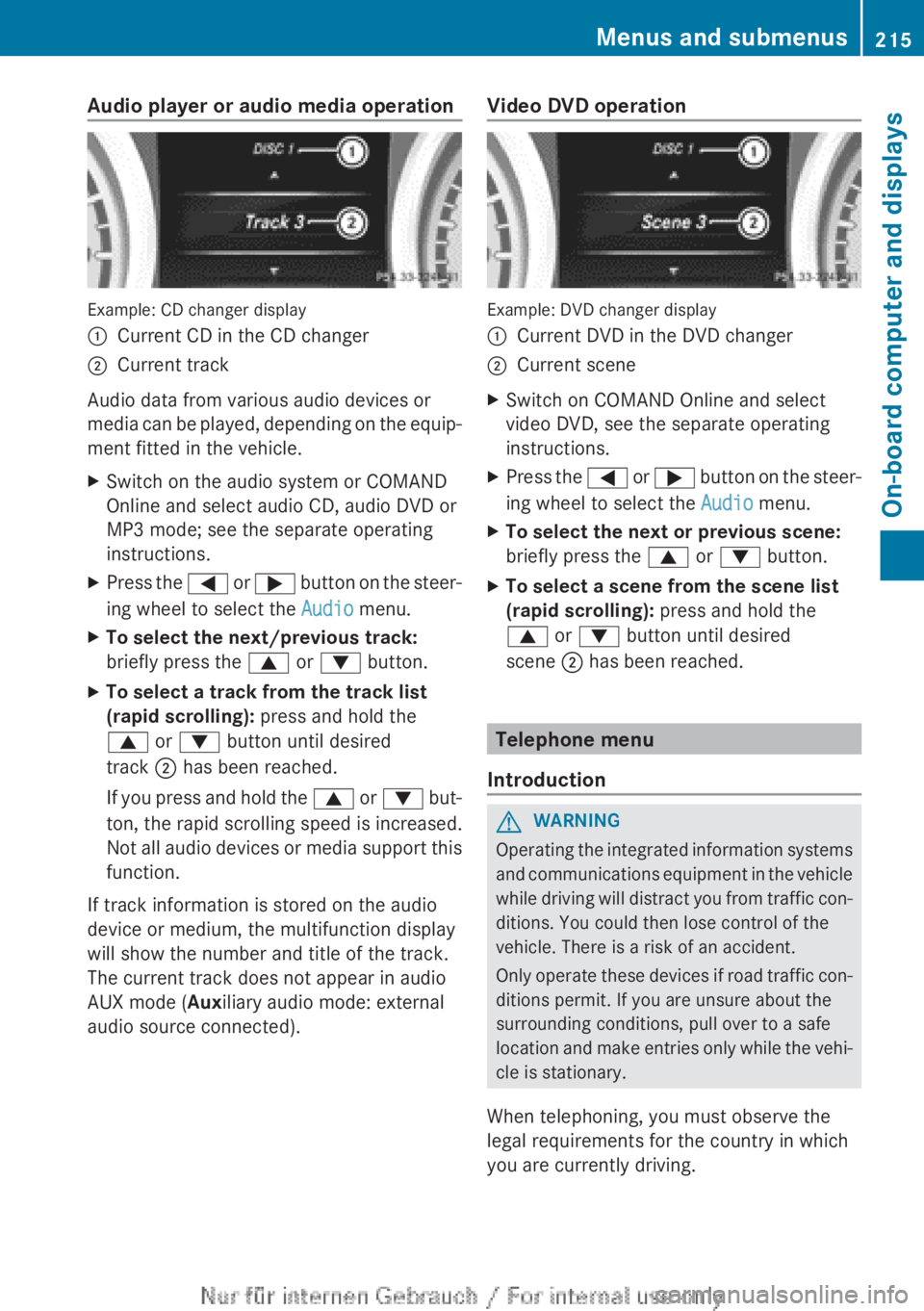
Audio player or audio media operation
Example: CD changer display
:Current CD in the CD changer;Current track
Audio data from various audio devices or
media can be played, depending on the equip-
ment fitted in the vehicle.
XSwitch on the audio system or COMAND
Online and select audio CD, audio DVD or
MP3 mode; see the separate operating
instructions.XPress the = or ; button on the steer-
ing wheel to select the Audio menu.XTo select the next/previous track:
briefly press the 9 or : button.XTo select a track from the track list
(rapid scrolling): press and hold the
9 or : button until desired
track ; has been reached.
If you press and hold the 9 or : but-
ton, the rapid scrolling speed is increased.
Not all audio devices or media support this
function.
If track information is stored on the audio
device or medium, the multifunction display
will show the number and title of the track.
The current track does not appear in audio
AUX mode ( Auxiliary audio mode: external
audio source connected).
Video DVD operation
Example: DVD changer display
:Current DVD in the DVD changer;Current sceneXSwitch on COMAND Online and select
video DVD, see the separate operating
instructions.XPress the = or ; button on the steer-
ing wheel to select the Audio menu.XTo select the next or previous scene:
briefly press the 9 or : button.XTo select a scene from the scene list
(rapid scrolling): press and hold the
9 or : button until desired
scene ; has been reached.
Telephone menu
Introduction
GWARNING
Operating the integrated information systems
and communications equipment in the vehicle
while driving will distract you from traffic con-
ditions. You could then lose control of the
vehicle. There is a risk of an accident.
Only operate these devices if road traffic con-
ditions permit. If you are unsure about the
surrounding conditions, pull over to a safe
location and make entries only while the vehi-
cle is stationary.
When telephoning, you must observe the
legal requirements for the country in which
you are currently driving.
Menus and submenus215On-board computer and displaysZ
Page 218 of 352
XSwitch on your mobile phone and audio
system or COMAND Online, see the sepa-
rate operating instructions.XPlace a mobile phone in the mobile phone
bracket ( Y page 278), or establish a Blue-
tooth ®
connection with the audio system
or COMAND Online (see the separate oper-
ating instructions).XPress the = or ; button on the steer-
ing wheel to select the Tel menu.
You will see one of the following display mes-
sages in the multifunction display:
R Please enter PIN: the mobile phone has
been placed in the mobile phone bracket
and the PIN has not been entered.
When you enter your PIN via the mobile
phone, LINGUATRONIC, the audio system
or COMAND Online, the mobile phone
searches for a network.
R Telephone ready or the name of the net-
work provider: the mobile phone has found
a network and is ready to receive.
R Telephone No service : there is no net-
work available or the mobile phone is
searching for a network.
i You can obtain further information about
suitable mobile phones and connecting
mobile phones via Bluetooth ®
:
R from any Mercedes Benz Service Centre
R on the Internet at: http://
www.mercedes-benz.com/connect
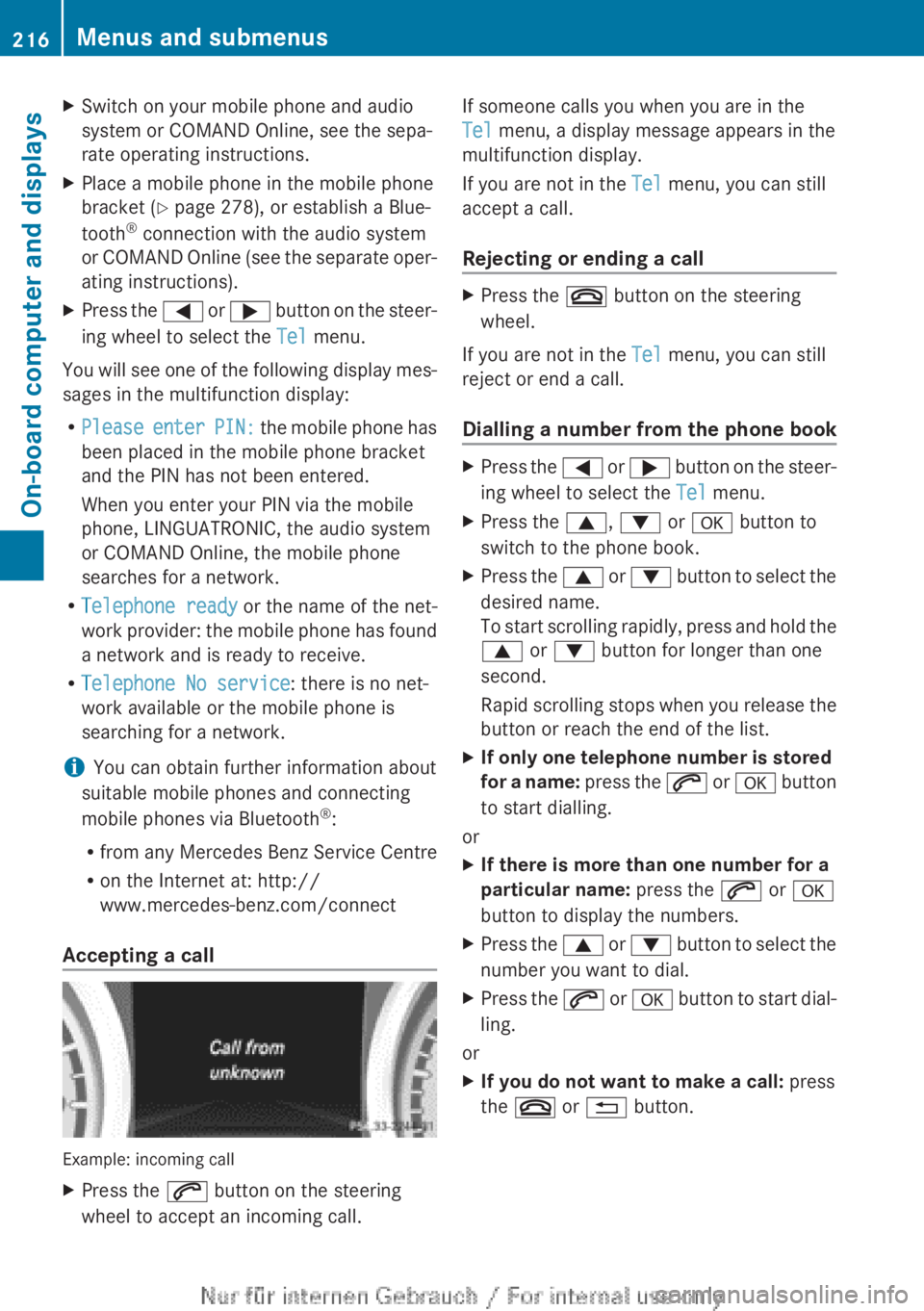
Accepting a call
Example: incoming call
XPress the 6 button on the steering
wheel to accept an incoming call.If someone calls you when you are in the
Tel menu, a display message appears in the
multifunction display.
If you are not in the Tel menu, you can still
accept a call.
Rejecting or ending a callXPress the ~ button on the steering
wheel.
If you are not in the Tel menu, you can still
reject or end a call.
Dialling a number from the phone book
XPress the = or ; button on the steer-
ing wheel to select the Tel menu.XPress the 9, : or a button to
switch to the phone book.XPress the 9 or : button to select the
desired name.
To start scrolling rapidly, press and hold the
9 or : button for longer than one
second.
Rapid scrolling stops when you release the
button or reach the end of the list.XIf only one telephone number is stored
for a name: press the 6 or a button
to start dialling.
or
XIf there is more than one number for a
particular name: press the 6 or a
button to display the numbers.XPress the 9 or : button to select the
number you want to dial.XPress the 6 or a button to start dial-
ling.
or
XIf you do not want to make a call: press
the ~ or % button.216Menus and submenusOn-board computer and displays
Page 219 of 352
Redialling
The on-board computer saves the last names
or numbers dialled in the redial memory.
XPress the = or ; button on the steer-
ing wheel to select the Tel menu.XPress the 6 button to switch to the
redial memory.XPress the 9 or : button to select the
desired name or number.XPress the 6 or a button to start dial-
ling.
or
XIf you do not want to make a call: press
the ~ or % button.
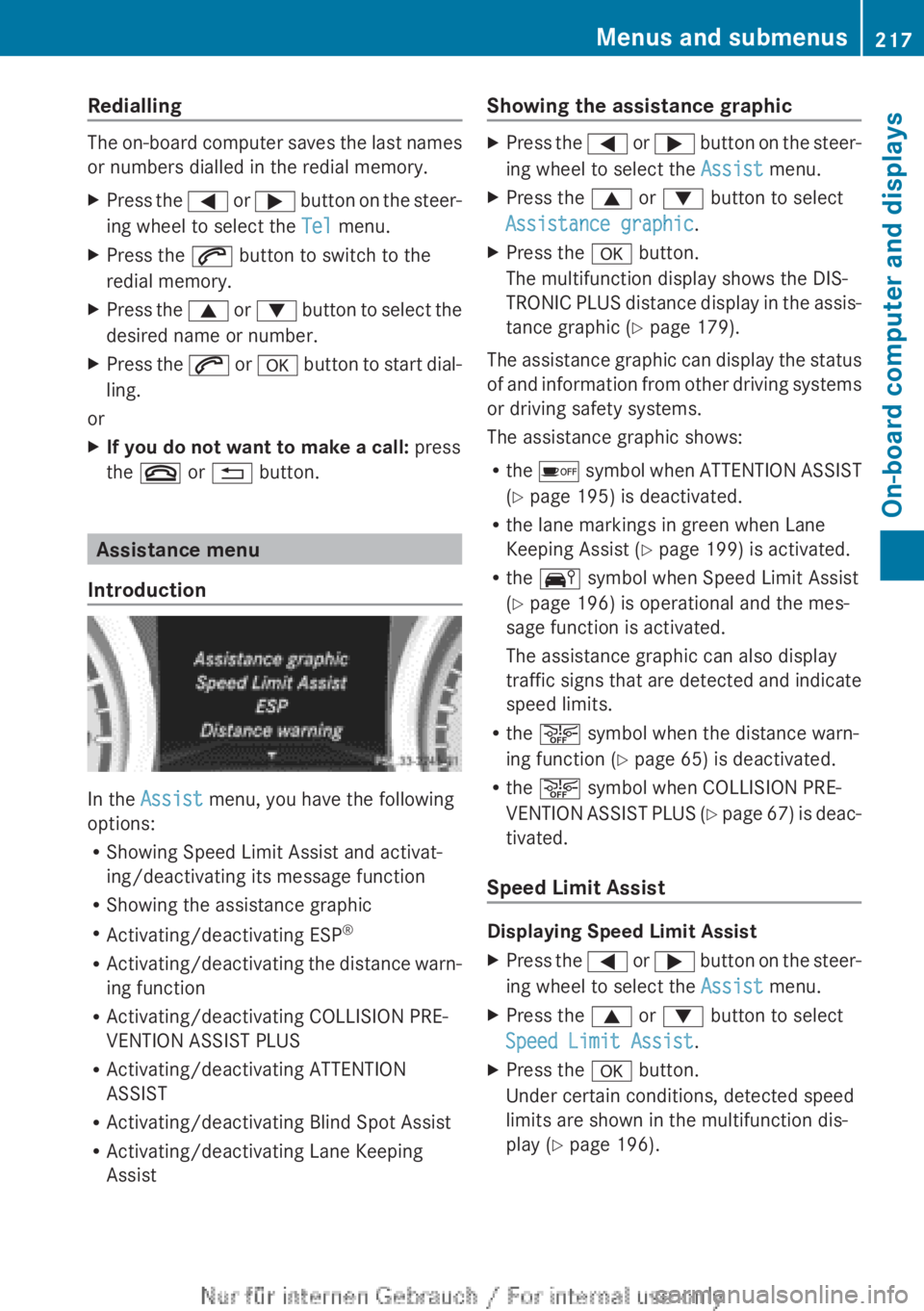
Assistance menu
Introduction
In the Assist menu, you have the following
options:
R Showing Speed Limit Assist and activat-
ing/deactivating its message function
R Showing the assistance graphic
R Activating/deactivating ESP ®
R Activating/deactivating the distance warn-
ing function
R Activating/deactivating COLLISION PRE-
VENTION ASSIST PLUS
R Activating/deactivating ATTENTION
ASSIST
R Activating/deactivating Blind Spot Assist
R Activating/deactivating Lane Keeping
Assist
Showing the assistance graphicXPress the = or ; button on the steer-
ing wheel to select the Assist menu.XPress the 9 or : button to select
Assistance graphic .XPress the a button.
The multifunction display shows the DIS-
TRONIC PLUS distance display in the assis-
tance graphic ( Y page 179).
The assistance graphic can display the status
of and information from other driving systems
or driving safety systems.
The assistance graphic shows:
R the é symbol when ATTENTION ASSIST
( Y page 195) is deactivated.
R the lane markings in green when Lane
Keeping Assist ( Y page 199) is activated.
R the Ä symbol when Speed Limit Assist
( Y page 196) is operational and the mes-
sage function is activated.
The assistance graphic can also display
traffic signs that are detected and indicate
speed limits.
R the æ symbol when the distance warn-
ing function ( Y page 65) is deactivated.
R the æ symbol when COLLISION PRE-
VENTION ASSIST PLUS (Y page 67) is deac-
tivated.
Speed Limit Assist
Displaying Speed Limit Assist
XPress the = or ; button on the steer-
ing wheel to select the Assist menu.XPress the 9 or : button to select
Speed Limit Assist .XPress the a button.
Under certain conditions, detected speed
limits are shown in the multifunction dis-
play ( Y page 196).Menus and submenus217On-board computer and displaysZ
Page 220 of 352
Activating/deactivating the Speed Limit
Assist message functionXPress the = or ; button on the steer-
ing wheel to select the Assist menu.XPress the 9 or : button to select
Speed Lim. Assist .XPress the a button.
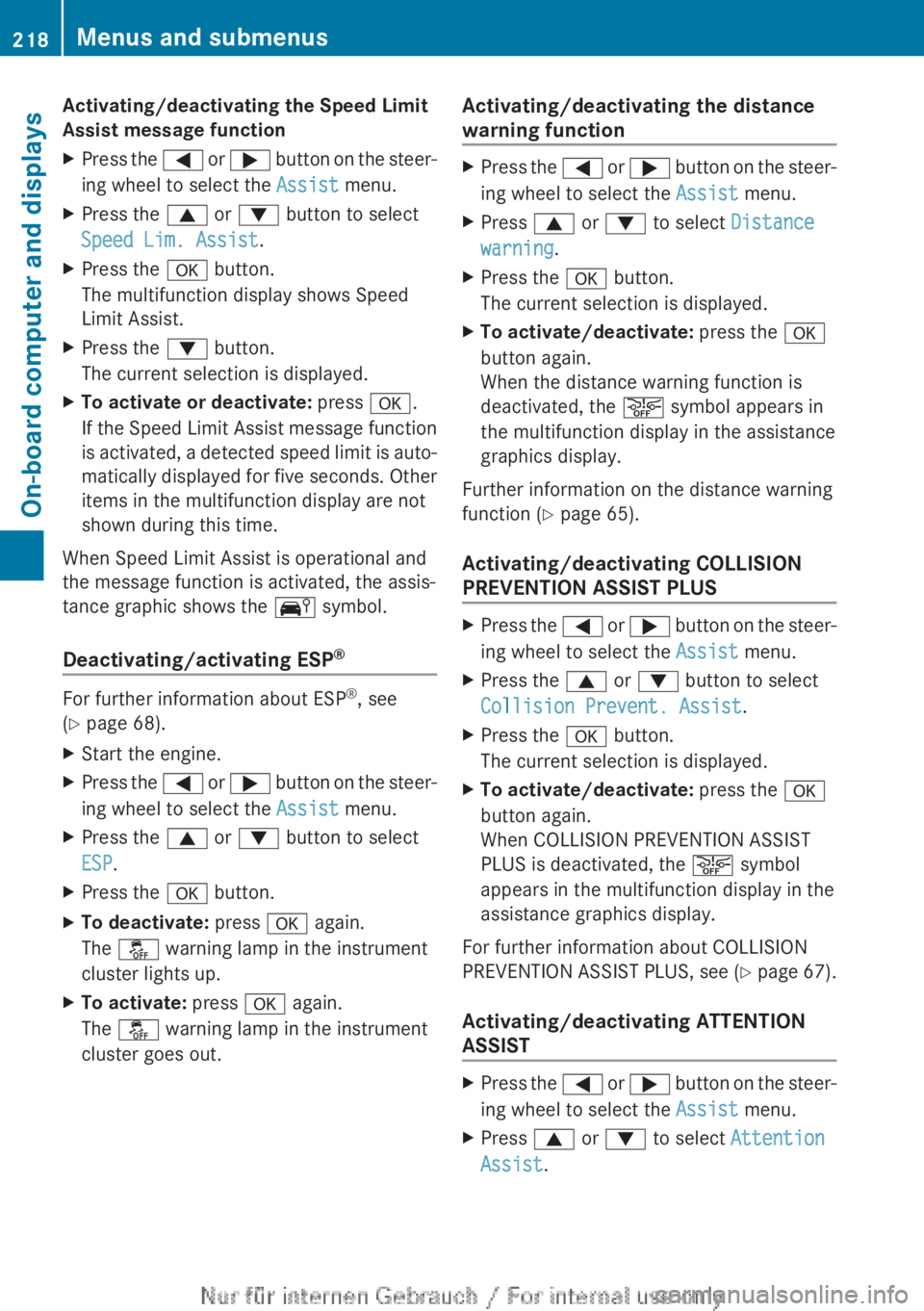
The multifunction display shows Speed
Limit Assist.XPress the : button.
The current selection is displayed.XTo activate or deactivate: press a.
If the Speed Limit Assist message function
is activated, a detected speed limit is auto-
matically displayed for five seconds. Other
items in the multifunction display are not
shown during this time.
When Speed Limit Assist is operational and
the message function is activated, the assis-
tance graphic shows the Ä symbol.
Deactivating/activating ESP ®
For further information about ESP
®
, see
( Y page 68).
XStart the engine.XPress the = or ; button on the steer-
ing wheel to select the Assist menu.XPress the 9 or : button to select
ESP .XPress the a button.XTo deactivate: press a again.
The å warning lamp in the instrument
cluster lights up.XTo activate: press a again.
The å warning lamp in the instrument
cluster goes out.Activating/deactivating the distance
warning functionXPress the = or ; button on the steer-
ing wheel to select the Assist menu.XPress 9 or : to select Distance
warning .XPress the a button.
The current selection is displayed.XTo activate/deactivate: press the a
button again.
When the distance warning function is
deactivated, the æ symbol appears in
the multifunction display in the assistance
graphics display.
Further information on the distance warning
function ( Y page 65).
Activating/deactivating COLLISION
PREVENTION ASSIST PLUS
XPress the = or ; button on the steer-
ing wheel to select the Assist menu.XPress the 9 or : button to select
Collision Prevent. Assist .XPress the a button.
The current selection is displayed.XTo activate/deactivate: press the a
button again.
When COLLISION PREVENTION ASSIST
PLUS is deactivated, the æ symbol
appears in the multifunction display in the
assistance graphics display.
For further information about COLLISION
PREVENTION ASSIST PLUS, see (Y page 67).
Activating/deactivating ATTENTION
ASSIST
XPress the = or ; button on the steer-
ing wheel to select the Assist menu.XPress 9 or : to select Attention
Assist .218Menus and submenusOn-board computer and displays
Page 221 of 352
XPress the a button.
The current selection is displayed.XTo activate/deactivate: press the a
button again.
When ATTENTION ASSIST ( Y page 195) is
deactivated, the é symbol appears in
the multifunction display in the assistance
graphics display.
Activating/deactivating Blind Spot
Assist
XPress the = or ; button on the steer-
ing wheel to select the Assist menu.XPress 9 or : to select Blind Spot
Asst. .XPress the a button.
The current selection is displayed.XTo activate/deactivate: press the a
button again.
For further information about Blind Spot
Assist, see ( Y page 197).
When the Blind Spot Assist: Sensors
deactivated message is shown, the radar
sensors are deactivated.
XSwitch on the radar sensor system
( Y page 223).
Activating/deactivating Lane Keeping
Assist
XPress the = or ; button on the steer-
ing wheel to select the Assist menu.XPress 9 or : on the steering wheel
to select Lane Keeping Assist .XPress the a button.
The current selection is displayed.XPress a to confirm.XPress the : or 9 button to set Off,
Standard or Adaptive .XPress the a button to save the setting.
When Lane Keeping Assist ( Y page 199) is
activated, the multifunction display in theassistance graphic shows the lane mark-
ings in green.
Service menu
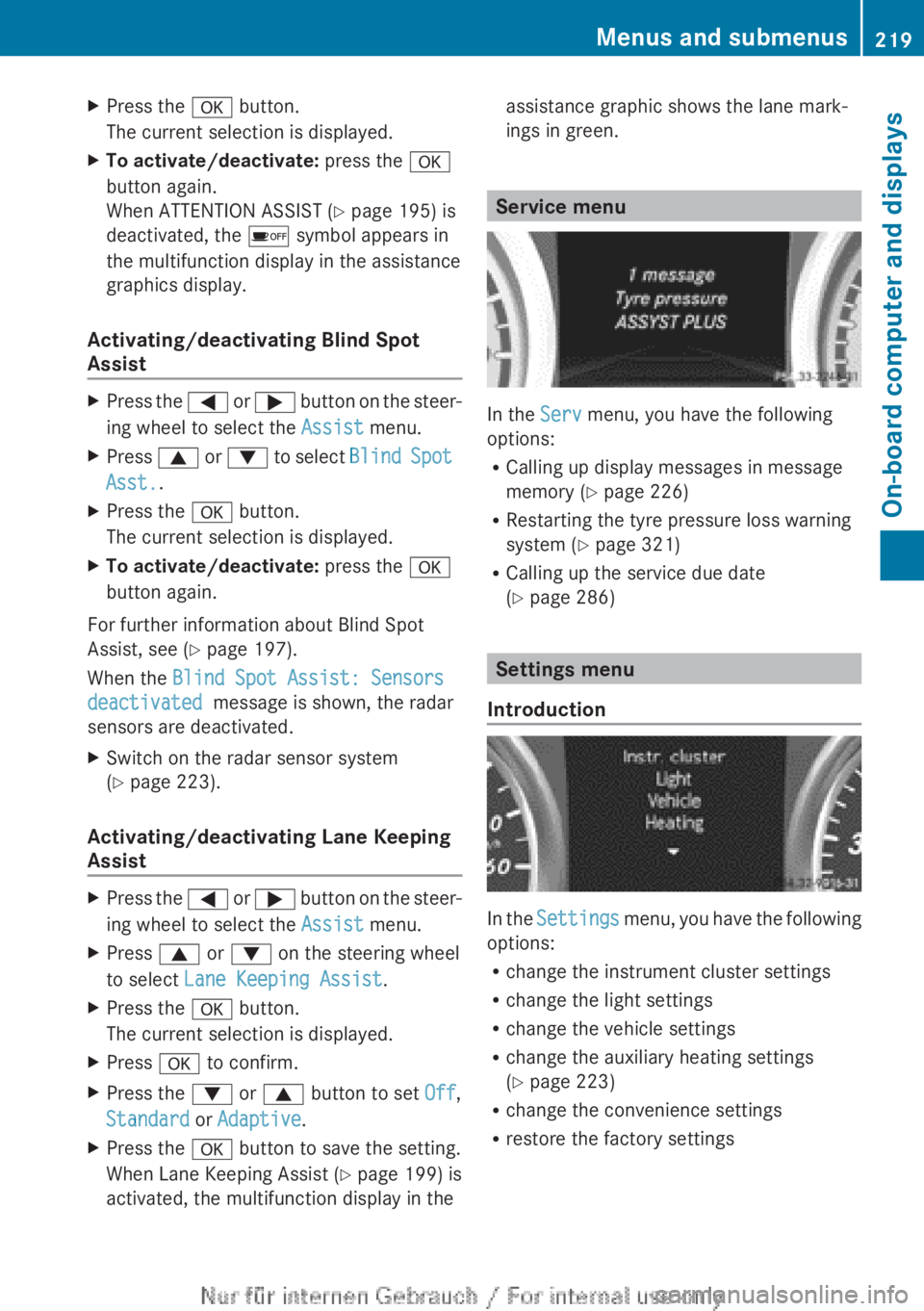
In the Serv menu, you have the following
options:
R Calling up display messages in message
memory ( Y page 226)
R Restarting the tyre pressure loss warning
system ( Y page 321)
R Calling up the service due date
( Y page 286)
Settings menu
Introduction
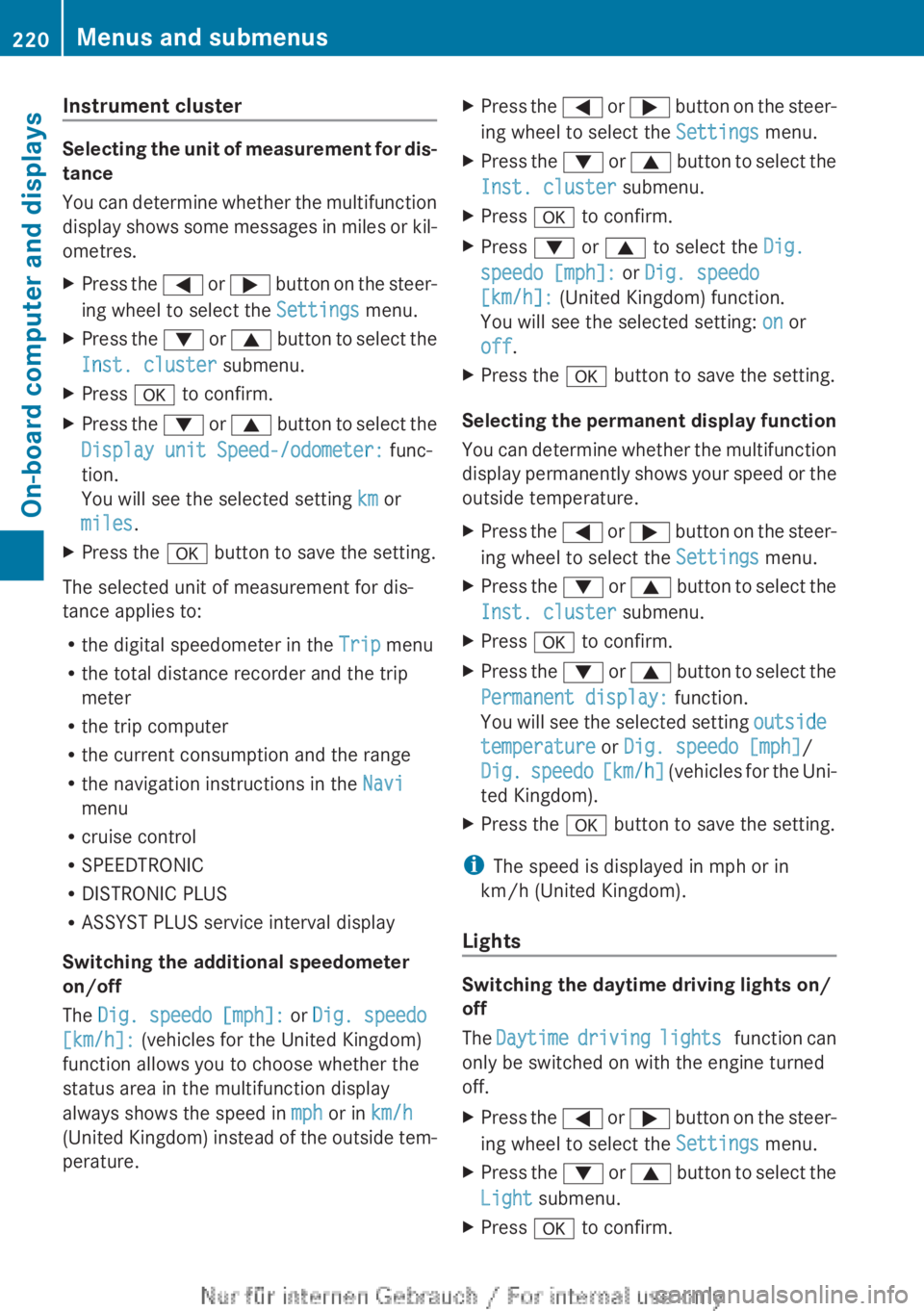
In the Settings menu, you have the following
options:
R change the instrument cluster settings
R change the light settings
R change the vehicle settings
R change the auxiliary heating settings
( Y page 223)
R change the convenience settings
R restore the factory settings
Menus and submenus219On-board computer and displaysZ
Page 222 of 352
Instrument cluster
Selecting the unit of measurement for dis-
tance
You can determine whether the multifunction
display shows some messages in miles or kil-
ometres.
XPress the = or ; button on the steer-
ing wheel to select the Settings menu.XPress the : or 9 button to select the
Inst. cluster submenu.XPress a to confirm.XPress the : or 9 button to select the
Display unit Speed-/odometer: func-
tion.
You will see the selected setting km or
miles .XPress the a button to save the setting.
The selected unit of measurement for dis-
tance applies to:
R the digital speedometer in the Trip menu
R the total distance recorder and the trip
meter
R the trip computer
R the current consumption and the range
R the navigation instructions in the Navi
menu
R cruise control
R SPEEDTRONIC
R DISTRONIC PLUS
R ASSYST PLUS service interval display
Switching the additional speedometer
on/off
The Dig. speedo [mph]: or Dig. speedo
[km/h]: (vehicles for the United Kingdom)
function allows you to choose whether the
status area in the multifunction display
always shows the speed in mph or in km/h
(United Kingdom) instead of the outside tem-
perature.
XPress the = or ; button on the steer-
ing wheel to select the Settings menu.XPress the : or 9 button to select the
Inst. cluster submenu.XPress a to confirm.XPress : or 9 to select the Dig.
speedo [mph]: or Dig. speedo
[km/h]: (United Kingdom) function.
You will see the selected setting: on or
off .XPress the a button to save the setting.
Selecting the permanent display function
You can determine whether the multifunction
display permanently shows your speed or the
outside temperature.
XPress the = or ; button on the steer-
ing wheel to select the Settings menu.XPress the : or 9 button to select the
Inst. cluster submenu.XPress a to confirm.XPress the : or 9 button to select the
Permanent display: function.
You will see the selected setting outside
temperature or Dig. speedo [mph] /
Dig. speedo [km/h] (vehicles for the Uni-
ted Kingdom).XPress the a button to save the setting.
i
The speed is displayed in mph or in
km/h (United Kingdom).
Lights
Switching the daytime driving lights on/
off
The Daytime driving lights function can
only be switched on with the engine turned
off.
XPress the = or ; button on the steer-
ing wheel to select the Settings menu.XPress the : or 9 button to select the
Light submenu.XPress a to confirm.220Menus and submenusOn-board computer and displays
Page 223 of 352
XPress the : or 9 button to select the
Daytime driving lights function.
If the Daytime driving lights function
has been switched on, the cone of light and
the W symbol in the multifunction dis-
play are shown in red.XPress the a button to save the setting.
Further information on daytime driving lights
( Y page 107).
Switching the Intelligent Light System
on/off
XPress the = or ; button on the steer-
ing wheel to select the Settings menu.XPress the : or 9 button to select the
Light submenu.XPress a to confirm.XPress the : or 9 button to select the
Intell. Light System function.
If the Intell. Light System function has
been switched on, the cone of light and the
L symbol in the multifunction display
are shown in red.XPress the a button to save the setting.
If you activate the Intell. Light System
function, you activate the following functions:
R Motorway mode
R Active light function
R Cornering light function
R Extended range foglamps
If you set the dipped-beam headlamps for
driving on the right/left ( Y page 221), the
multifunction display shows the Intell.
Light System: System inoperative
Inactive for left-side traffic or
Intell. Light System: System inoper‐
ative Inactive for right-side traf‐
fic display message instead of the Intell.
Light System: function in the Light sub-
menu.
Further information on the Intelligent Light
System ( Y page 110).
Setting the dipped-beam headlamps for
driving on the left/rightXPress the = or ; button on the steer-
ing wheel to select the Settings menu.XPress the : or 9 button to select the
Light submenu.XPress a to confirm.XPress : or 9 to select the Dipped
beams Setting for: function.
You will see the selected setting: Right-
side traffic or Left-side traffic .XPress the a button to save the setting.
If you change the setting, conversion does
not take place until the next time the vehi-
cle is stationary.
This function is only available on vehicles with
the Intelligent Light System.
You can use this function to switch between
symmetrical and asymmetrical dipped beam
( Y page 106).
If you set the dipped-beam headlamps for
driving on the left/right, then motorway
mode and the extended range foglamps are
unavailable.
You can also have the dipped-beam head-
lamps set for driving on the right/left at a
qualified specialist workshop, e.g. a
Mercedes-Benz Service Centre.
Switching Adaptive Highbeam Assist on/
off
XPress the = or ; button on the steer-
ing wheel to select the Settings menu.XPress the : or 9 button to select the
Light submenu.XPress a to confirm.XPress the : or 9 button to select the
Adapt. main beam function.
If the Adapt. main beam function has
been switched on, the cone of light and the
_ symbol in the upper multifunction
display are shown in red.XPress the a button to save the setting.Menus and submenus221On-board computer and displaysZ
Page 224 of 352
This function is only available on vehicles with
the Intelligent Light System.
For further information about Adaptive High-
beam Assist, see ( Y page 111).
Setting the brightness of the ambient
lightingXPress the = or ; button on the steer-
ing wheel to select the Settings menu.XPress the : or 9 button to select the
Light submenu.XPress a to confirm.XPress the : or 9 button to select the
Amb. light +/- function.
You will see the selected setting.XPress a to confirm.XPress the : or 9 button to adjust the
brightness to any level from Off toLevel
5 (bright) .XPress the a or % button to save the
setting.
Activating/deactivating the surround
lighting and exterior lighting delayed
switch-off
If you have activated the Surround light‐
ing function and the light switch is set to
à , the following functions are activated
when it is dark:
R surround lighting: the exterior lighting
remains lit for 40 seconds after unlocking
with the key. If you start the engine, the
surround lighting is switched off and auto-
matic headlamp mode is activated
( Y page 107).
R exterior lighting delayed switch-off: the
exterior lighting remains lit for
60 seconds after the engine is switched off.
If you close all the doors and the boot lid,
the exterior lighting goes off after
15 seconds.
XPress the = or ; button on the steer-
ing wheel to select the Settings menu.XPress the : or 9 button to select the
Light submenu.XPress a to confirm.XPress the : or 9 button to select the
Surround lighting function.
When the Surround lighting function is
activated, the light cone and the area
around the vehicle are displayed in red in
the multifunction display.XPress the a button to save the setting.
Deactivating delayed switch-off of the exte-
rior lighting temporarily:
XBefore leaving the vehicle, turn the key to
position 0 in the ignition lock.XTurn the key to position 2 in the ignition
lock.
The exterior lighting delayed switch-off is
deactivated.
Delayed switch-off of the exterior lighting is
reactivated the next time you start the
engine.
i Depending on your vehicle's equipment,
when the surround lighting and delayed
switch-off exterior lighting are on, the fol-
lowing light up:
R Side lamps
R Foglamps
R Dipped-beam headlamps
R Daytime driving lights
R Surround lighting in the exterior mirrors
Activating/deactivating the interior light-
ing delayed switch-off
If you activate the Lighting delayed sw.
off function, the interior lighting remains on
for 20 seconds after you remove the key from
the ignition lock.
XPress the = or ; button on the steer-
ing wheel to select the Settings menu.XPress the : or 9 button to select the
Light submenu.XPress a to confirm.222Menus and submenusOn-board computer and displays