ad blue MERCEDES-BENZ CLA 2017 Owners Manual
[x] Cancel search | Manufacturer: MERCEDES-BENZ, Model Year: 2017, Model line: CLA, Model: MERCEDES-BENZ CLA 2017Pages: 318, PDF Size: 9.9 MB
Page 8 of 318
Blootooth ®
Connecting a different mobile
phone ............................................ 232
Bluetooth ®
Searching for a mobile phone ........ 231
see also Digital Operator's Man-
ual .................................................. 227
Telephony ...................................... 230
Brake Assist
see BAS (Brake Assist System)
Brake fluid
Display message ............................ 194
Notes ............................................. 312
Brake force distribution
see EBD (electronic brake force
distribution)
Brake lamp
Replacing bulbs ............................. 105
Brake lamps
Display message ............................ 199
Brakes
ABS .................................................. 60
BAS .................................................. 60
Brake fluid (notes) ......................... 312
Braking assistance appropriate to
the situation ..................................... 62
Display message ............................ 189
EBD .................................................. 66
Hill start assist ............................... 124
HOLD function ............................... 156
Important safety notes .................. 145
Maintenance .................................. 146
Parking brake ................................ 141
Riding tips ...................................... 145
Warning lamp ................................. 217
Braking assistance appropriate to
the situation
Function/notes ................................ 62
Breakdown
Where will I find...? ........................ 266
see Flat tire
see Tow-starting
see Towing away
Buttons on the steering wheel ......... 175 C California
Important notice for retail cus-
tomers and lessees .......................... 24
Calling up a malfunction
see Display messages
Car
see Vehicle
Care
Car wash ........................................ 259
Carpets .......................................... 265
Display ........................................... 263
Exhaust pipe .................................. 263
Exterior lights ................................ 262
Gear or selector lever .................... 264
Interior ........................................... 263
Matte finish ................................... 261
Notes ............................................. 259
Paint .............................................. 260
Plastic trim .................................... 263
Power washer ................................ 260
Rear view camera .......................... 262
Roof lining ...................................... 265
Seat belt ........................................ 264
Seat cover ..................................... 264
Sensors ......................................... 262
Steering wheel ............................... 264
Trim pieces .................................... 264
Washing by hand ........................... 260
Wheels ........................................... 261
Windows ........................................ 261
Wiper blades .................................. 262
Wooden trim .................................. 264
Cargo compartment enlargement ... 236
Cargo tie down rings ......................... 237
CD
see also Digital Operator's Man-
ual .................................................. 227
CD player (on-board computer) ........ 180
Center console
Lower section .................................. 35
Upper section .................................. 34
Central locking
Automatic locking (on-board com-
puter) ............................................. 184
Locking/unlocking (SmartKey) ........ 69
Change of address .............................. 256
Index
Page 15 of 318
Locating a stolen vehicle ............... 247
MB info call button ........................ 244
Remote fault diagnosis .................. 247
Remote vehicle locking .................. 247
Roadside assistance button ........... 244
Search & Send ............................... 246
Self-test ........................................ .2 42
Speed alert ................................... .2 48
System .......................................... 242
Triggering the vehicle alarm ........... 249
Vehicle remote unlocking .............. 246
Mechanical key
Function/notes ................................ 71
Inserting .......................................... 71
Locking vehicle ................................ 76
Removing ......................................... 71
Unlocking the driver's door .............. 76
Memory card (audio) ......................... 180
Memory function ................................. 97
Message memory (on-board com-
puter) ................................................. .1 88
Messages
see Display messages
Mirror turn signal
Cleaning ......................................... 262
Mirrors
see Exterior mirrors
see Rear-view mirror
see Vanity mirror (in the sun visor)
Mobile phone
Connecting (Bluetooth ®
inter-
face) .............................................. 230
Connecting another mobile
phone ............................................ 232
Frequencies ................................... 307
Installation ..................................... 307
Menu (on-board computer) ............ 180
Transmission output (maximum) .... 307
Modifying the programming
(SmartKey) .......................................... .7 1
MOExtended tires .............................. 267
Mounting wheels
Lowering the vehicle ...................... 305
Mounting a new wheel ................... 304
Preparing the vehicle .................... .3 02
Raising the vehicle ......................... 303
Removing a wheel .......................... 304 Securing the vehicle against roll-
ing away ........................................ 302
MP3
Operation ....................................... 180
see a l so Digital Operator's Man-
ual ................................................. .2 27
Multifunction display
Function/notes ............................ .1 76
Permanent display ......................... 184
Multifunction steering wheel
Operating the on-board computer .. 175
Overview .......................................... 33
Music files
see also Digital Operator's Man-
ual ................................................. .2 27
N Navigation
Entering a destination .................... 229
Menu (on-board computer) ............ 178
see also Digital Operator's Man-
ual ................................................. .2 27
Notes on breaking-in a new vehi-
cle ....................................................... 120
O
Occupant Classification System
(OCS)
Conditions ....................................... 47
Faults ............................................... 50
Operation ......................................... 47
System self-test ............................... 49
Occupant safety
Air bags .......................................... .4 4
Automatic measures after an acci-
dent ................................................. 53
Children in the vehicle ..................... 53
Important safety notes .................... 39
Introduction to the restraint sys-
tem .................................................. 39
Occupant Classification System
(OCS) ............................................... 46
PASSENGER AIR BAG indicator
lamps ............................................... 40
Pets in the vehicle ........................... 59
Restraint system warning lamp ........ 40
Seat belt .......................................... 40 Index 13
Page 32 of 318
Information on copyright
General information Information on license for free and open-sourc e
software used in your vehicl e and it s electronic
component s is available on th e followin g web-
site:
http://www.mercedes-benz.com/opensource
Registered trademarks R
Bluetoot h ®
is a registere d trademark of Blue -
toot h SI G Inc.R
DTS™ is a registere d trademark of DTS, Inc.R
Dolby ®
and MLP ™ are registere d trademark s
of DOLB Y Laboratories.R
BabySmart™, ES P ®
and PRE-SAF E ®
are reg -
istere d trademark s of Daimler AG.R
HomeLink ®
is a registere d trademark of John -
son Controls. R
iPod ®
and iTunes ®
are registere d trademark s
of Apple Inc. R
Logic7 ®
is a registere d trademark of Harman
International Industries .R
Microsoft ®
and Windows media ®
are regis-
tered trademark s of Microsoft Corporation .R
SIRIUS ®
is a registere d trademark of Sirius
XM Radio Inc. R
HD Radio™ is a registere d trademark of iBiq-
uit y Digital Corporation .R
Gracenot e ®
is a registere d trademark of
Gracenote, Inc. R
ZAGA T Survey ®
and relate d brands are regis-
tered trademark s of Zagat Survey, LLC.30
Information on copyright
Introduction
Page 103 of 318
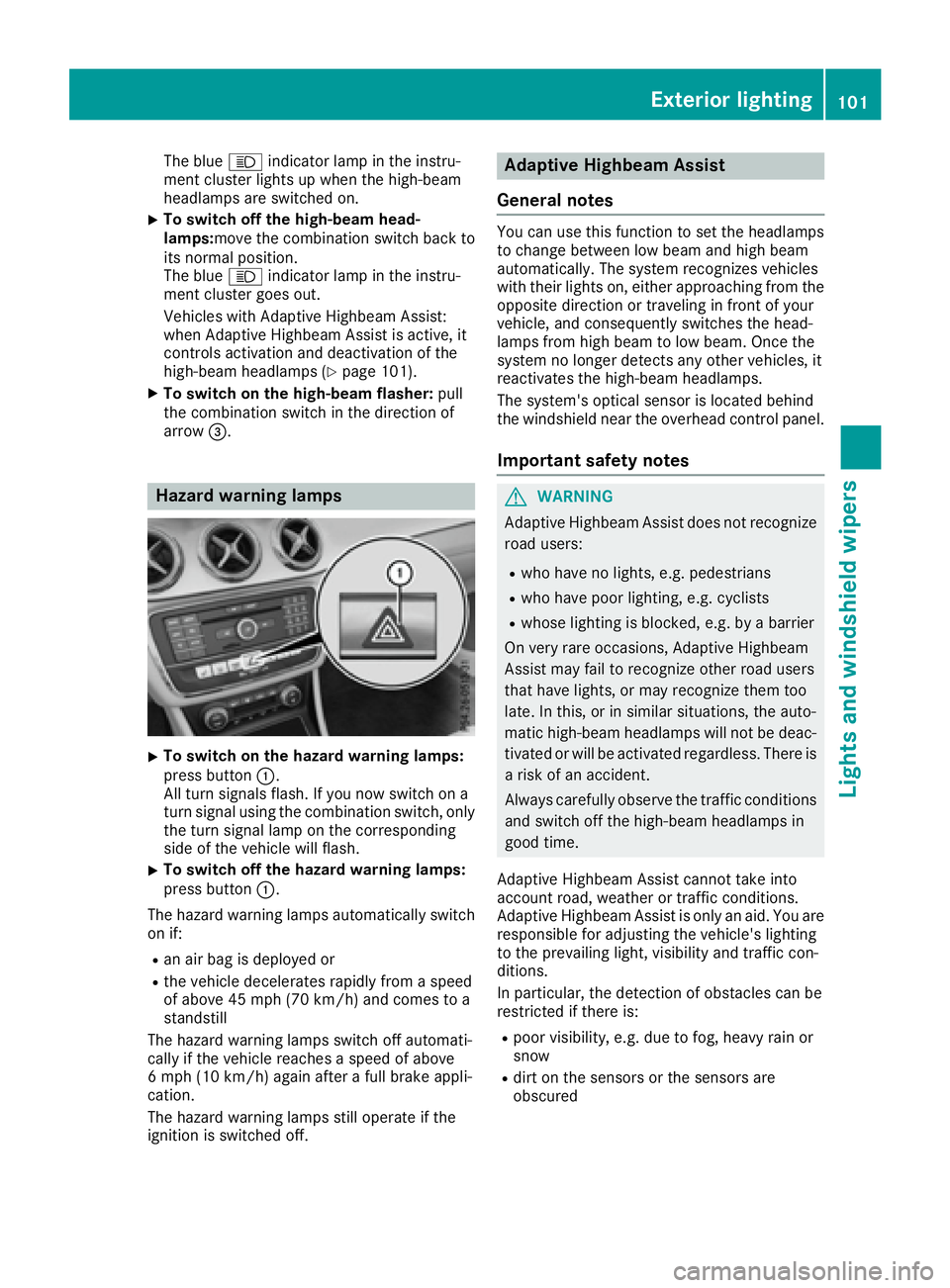
The blue W indicator lamp in the instru-
ment cluster lights up when the high-beam
headlamps are switched on. X
To switch off the high-beam head-
lamps: move the combination switch back to
its normal position.
The blue W indicator lamp in the instru-
ment cluster goes out.
Vehicles with Adaptive Highbeam Assist:
when Adaptive Highbeam Assist is active, it
controls activation and deactivation of the
high-beam headlamps ( Y
page 101).X
To switch on the high-beam flasher: pull
the combination switch in the direction of
arrow
Page 183 of 318
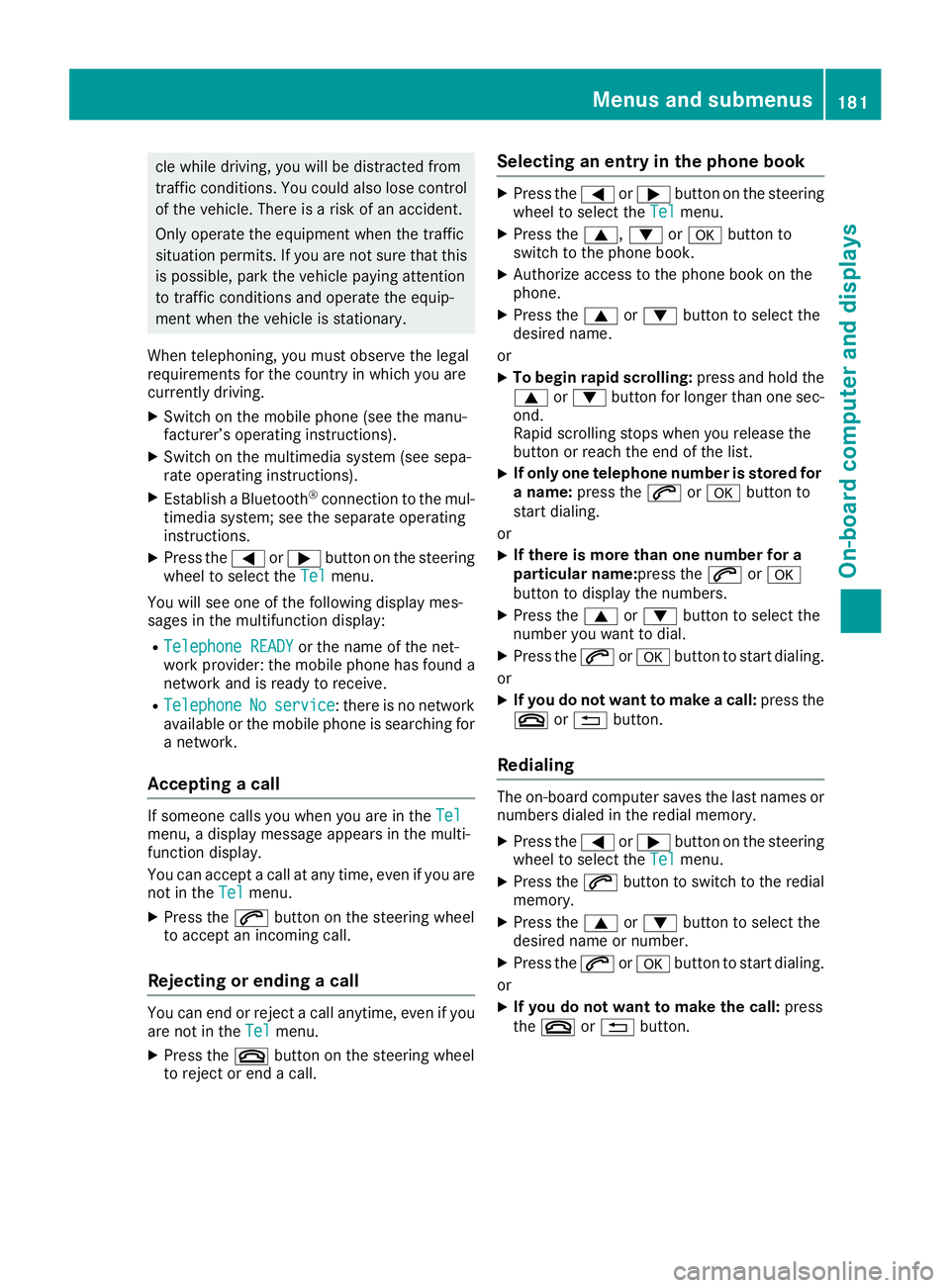
cle while driving, you will be distracted from
traffic conditions. You could also lose control
of the vehicle. There is a risk of an accident.
Only operate the equipment when the traffic
situation permits. If you are not sure that this
is possible, park the vehicle paying attention
to traffic conditions and operate the equip-
ment when the vehicle is stationary.
When telephoning, you must observe the legal
requirements for the country in which you are
currently driving. X
Switch on the mobile phone (see the manu-
facturer’s operating instructions). X
Switch on the multimedia system (see sepa-
rate operating instructions). X
Establish a Bluetooth ®
connection to the mul-
timedia system; see the separate operating
instructions. X
Press the Y or e button on the steering
wheel to select the Tel menu.
You will see one of the following display mes-
sages in the multifunction display: R
Telephone READY or the name of the net-
work provider: the mobile phone has found a
network and is ready to receive. R
Telephone No service : there is no network
available or the mobile phone is searching for
a network.
Accepting a call If someone calls you when you are in the Tel
menu, a display message appears in the multi-
function display.
You can accept a call at any time, even if you are
not in the Tel menu.X
Press the a button on the steering wheel
to accept an incoming call.
Rejecting or ending a call
You can end or reject a call anytime, even if you
are not in the Tel menu.X
Press the v button on the steering wheel
to reject or end a call. Selecting an entry in the phone book X
Press the Y or e button on the steering
wheel to select the Tel menu.X
Press the c , d or v button to
switch to the phone book. X
Authorize access to the phone book on the
phone. X
Press the c or d button to select the
desired name.
or X
To begin rapid scrolling: press and hold the
c or d button for longer than one sec-
ond.
Rapid scrolling stops when you release the
button or reach the end of the list. X
If only one telephone number is stored for
a name: press the a or v button to
start dialing.
or X
If there is more than one number for a
particular name: press the a or v
button to display the numbers. X
Press the c or d button to select the
number you want to dial. X
Press the a or v button to start dialing.
or X
If you do not want to make a call: press the
v or 8 button.
Redialing The on-board computer saves the last names or
numbers dialed in the redial memory. X
Press the Y or e button on the steering
wheel to select the Tel menu.X
Press the a button to switch to the redial
memory. X
Press the c or d button to select the
desired name or number. X
Press the a or v button to start dialing.
or X
If you do not want to make the call: press
the v or 8 button.Menus and submenus 181
On-board computer and displays Z
Page 232 of 318
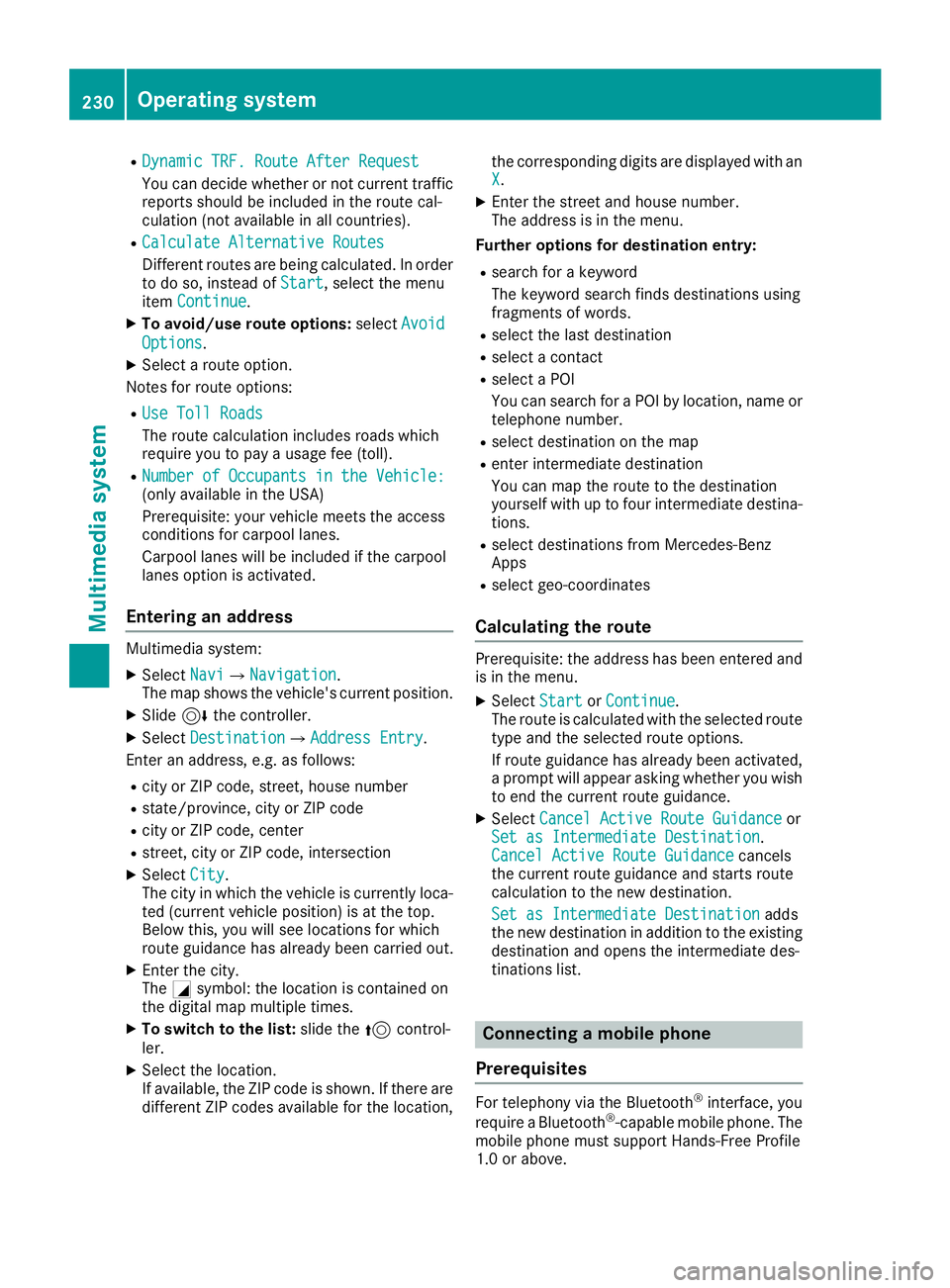
R
Dynamic TRF. Route After Request
You can decide whether or not current traffic
reports should be included in the route cal-
culation (not available in all countries). R
Calculate Alternative Routes
Different routes are being calculated. In order
to do so, instead of Start , select the menu
item Continue .X
To avoid/use route options: select Avoid
Options .X
Select a route option.
Notes for route options: R
Use Toll Roads
The route calculation includes roads which
require you to pay a usage fee (toll). R
Number of Occupants in the Vehicle:
(only available in the USA)
Prerequisite: your vehicle meets the access
conditions for carpool lanes.
Carpool lanes will be included if the carpool
lanes option is activated.
Entering an address Multimedia system: X
Select Navi { Navigation .
The map shows the vehicle's current position. X
Slide 6 the controller.X
Select Destination { Address Entry .
Enter an address, e.g. as follows: R
city or ZIP code, street, house number R
state/province, city or ZIP code R
city or ZIP code, center R
street, city or ZIP code, intersection X
Select City .
The city in which the vehicle is currently loca-
ted (current vehicle position) is at the top.
Below this, you will see locations for which
route guidance has already been carried out. X
Enter the city.
The C symbol: the location is contained on
the digital map multiple times. X
To switch to the list: slide the 5 control-
ler. X
Select the location.
If available, the ZIP code is shown. If there are
different ZIP codes available for the location, the corresponding digits are displayed with an
X . X
Enter the street and house number.
The address is in the menu.
Further options for destination entry: R
search for a keyword
The keyword search finds destinations using
fragments of words. R
select the last destination R
select a contact R
select a POI
You can search for a POI by location, name or
telephone number. R
select destination on the map R
enter intermediate destination
You can map the route to the destination
yourself with up to four intermediate destina-
tions. R
select destinations from Mercedes-Benz
Apps R
select geo-coordinates
Calculating the route Prerequisite: the address has been entered and
is in the menu. X
Select Start or Continue .
The route is calculated with the selected route
type and the selected route options.
If route guidance has already been activated,
a prompt will appear asking whether you wish
to end the current route guidance. X
Select Cancel Active Route Guidance or
Set as Intermediate Destination .
Cancel Active Route Guidance cancels
the current route guidance and starts route
calculation to the new destination.
Set as Intermediate Destination adds
the new destination in addition to the existing
destination and opens the intermediate des-
tinations list.
Connecting a mobile phone
Prerequisites
For telephony via the Bluetooth ®
interface, you
require a Bluetooth ®
-capable mobile phone. The
mobile phone must support Hands-Free Profile
1.0 or above.230
Operating system
Multimedia system
Page 233 of 318
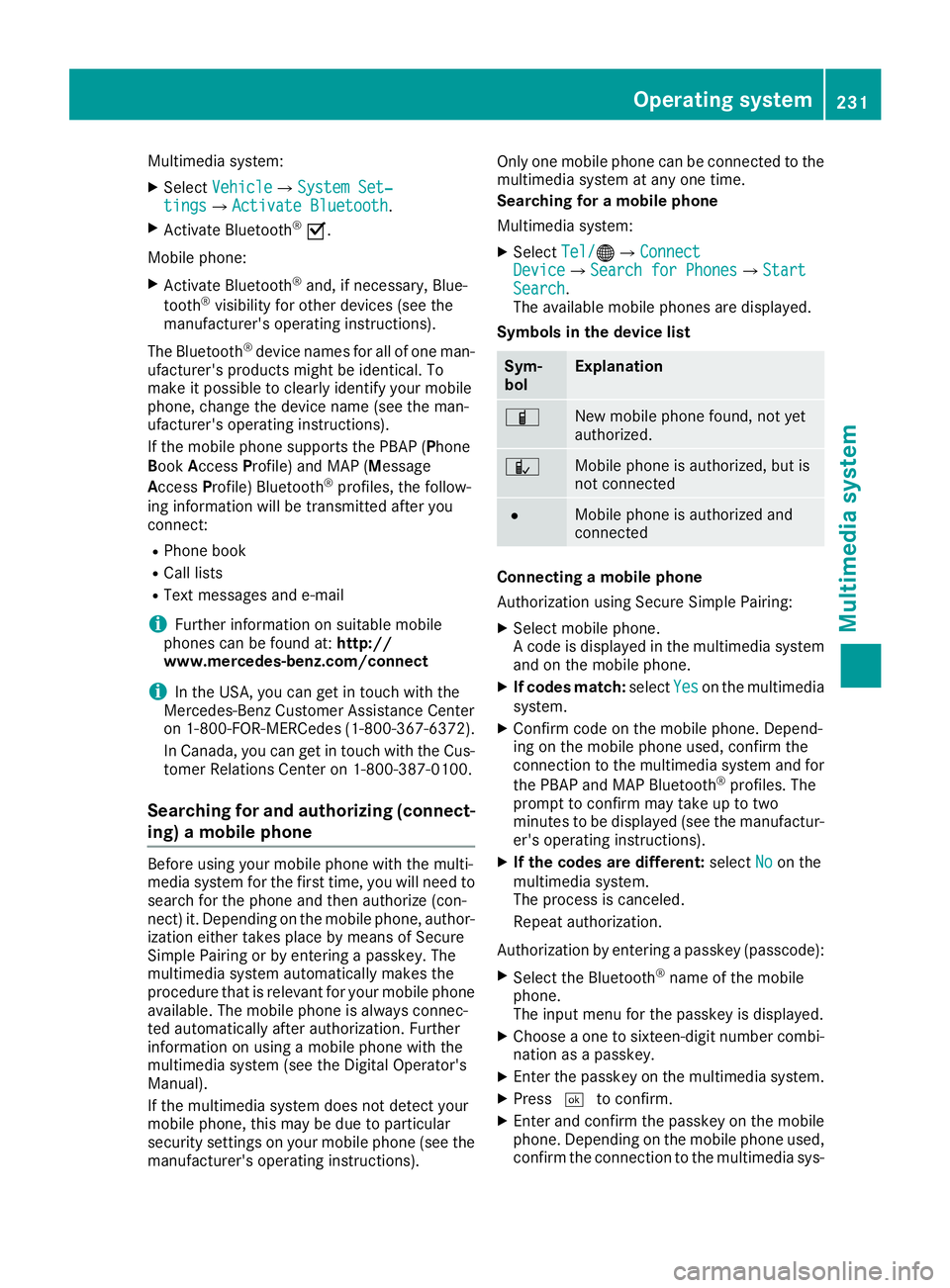
Multimedia system: X
Select Vehicle { System Set‐
tings { Activate Bluetooth .X
Activate Bluetooth ®
s .
Mobile phone: X
Activate Bluetooth ®
and, if necessary, Blue-
tooth ®
visibility for other devices (see the
manufacturer's operating instructions).
The Bluetooth ®
device names for all of one man-
ufacturer's products might be identical. To
make it possible to clearly identify your mobile
phone, change the device name (see the man-
ufacturer's operating instructions).
If the mobile phone supports the PBAP ( P hone
B ook A ccess P rofile) and MAP ( M essage
A ccess P rofile) Bluetooth ®
profiles, the follow-
ing information will be transmitted after you
connect: R
Phone book R
Call lists R
Text messages and e-mail
i Further information on suitable mobile
phones can be found at: http://
www.mercedes-benz.com/connect
i In the USA, you can get in touch with the
Mercedes-Benz Customer Assistance Center
on 1-800-FOR-MERCedes (1-800-367-6372).
In Canada, you can get in touch with the Cus-
tomer Relations Center on 1-800-387-0100.
Searching for and authorizing (connect-
ing) a mobile phone Before using your mobile phone with the multi-
media system for the first time, you will need to
search for the phone and then authorize (con-
nect) it. Depending on the mobile phone, author-
ization either takes place by means of Secure
Simple Pairing or by entering a passkey. The
multimedia system automatically makes the
procedure that is relevant for your mobile phone
available. The mobile phone is always connec-
ted automatically after authorization. Further
information on using a mobile phone with the
multimedia system (see the Digital Operator's
Manual).
If the multimedia system does not detect your
mobile phone, this may be due to particular
security settings on your mobile phone (see the
manufacturer's operating instructions). Only one mobile phone can be connected to the
multimedia system at any one time.
Searching for a mobile phone
Multimedia system: X
Select Tel/
Page 234 of 318
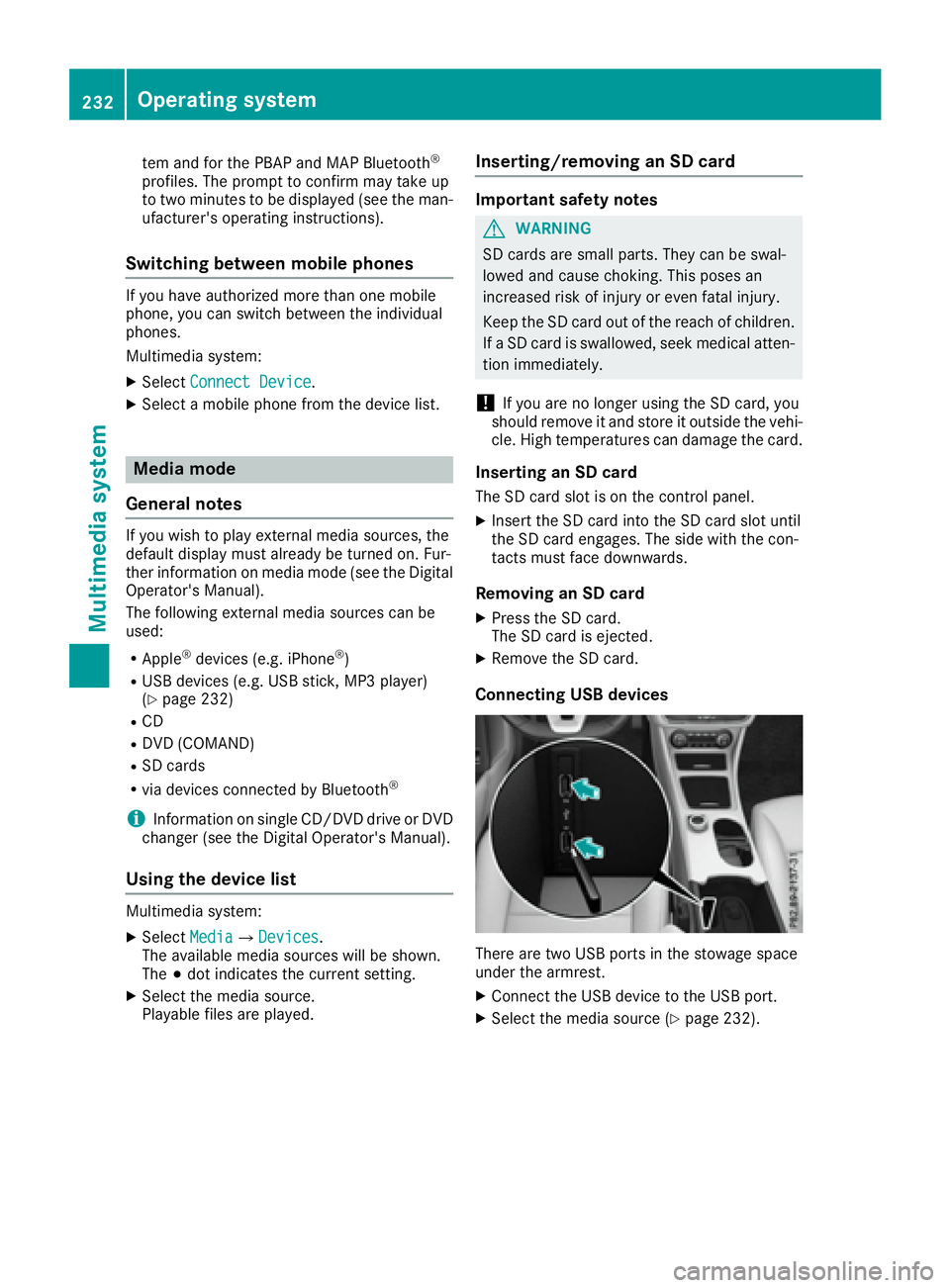
tem and for the PBAP and MAP Bluetooth ®
profiles. The prompt to confirm may take up
to two minutes to be displayed (see the man-
ufacturer's operating instructions).
Switching between mobile phones If you have authorized more than one mobile
phone, you can switch between the individual
phones.
Multimedia system: X
Select Connect Device .X
Select a mobile phone from the device list.
Media mode
General notes If you wish to play external media sources, the
default display must already be turned on. Fur-
ther information on media mode (see the Digital
Operator's Manual).
The following external media sources can be
used: R
Apple ®
devices (e.g. iPhone ®
)R
USB devices (e.g. USB stick, MP3 player)
( Y
page 232)R
CD R
DVD (COMAND) R
SD cards R
via devices connected by Bluetooth ®
i Information on single CD/DVD drive or DVD
changer (see the Digital Operator's Manual).
Using the device list Multimedia system: X
Select Media { Devices .
The available media sources will be shown.
The ; dot indicates the current setting.X
Select the media source.
Playable files are played. Inserting/removing an SD card Important safety notes
G WARNING
SD cards are small parts. They can be swal-
lowed and cause choking. This poses an
increased risk of injury or even fatal injury.
Keep the SD card out of the reach of children.
If a SD card is swallowed, seek medical atten-
tion immediately.
! If you are no longer using the SD card, you
should remove it and store it outside the vehi-
cle. High temperatures can damage the card.
Inserting an SD card The SD card slot is on the control panel. X
Insert the SD card into the SD card slot until
the SD card engages. The side with the con-
tacts must face downwards.
Removing an SD card X
Press the SD card.
The SD card is ejected. X
Remove the SD card.
Connecting USB devices
There are two USB ports in the stowage space
under the armrest. X
Connect the USB device to the USB port. X
Select the media source ( Y
page 232).232
Operating system
Multimedia system