change time MERCEDES-BENZ CLA 2018 User Guide
[x] Cancel search | Manufacturer: MERCEDES-BENZ, Model Year: 2018, Model line: CLA, Model: MERCEDES-BENZ CLA 2018Pages: 326, PDF Size: 7.97 MB
Page 156 of 326
accelerate sm or eg ently. This settin gisr ecom-
mended in stop-and-start traffic.
Changing lanes If when driving on multilane roads you wish to
chang etot he overtakin gl ane ,D istance Pilot
DISTRONIC support sy ou if:R
you are driving faster than 45 mph (70 km/ h)R
Distance Pilo tD ISTRONI Ci sm ai ntaining the
distance to av ehicl einf rontR
yo us wi tch on the appropriate tur ns ig nalR
Distance Pilo tD ISTRONI Cd oe sn ot currently
detect ad an ge rofc ollision
If these conditions ar ef ul filled ,y ou rv ehicl ei s
accelerated .A cceleratio nw il lbei nterrupte di f
changing lanes take st oo long or if the distance
between your vehicl ea nd the vehicl einf ront
become st oo small.
Stopping If Distance Pilo tD ISTRONI Cd et ects tha tt he
vehicl einf ront is stopping, it brakes your vehicle
unti litiss tationary.
Once your vehicl eiss tationary, it remains sta-
tionar ya nd yo udon ot nee dtod ep ress the
brake.
i After at ime ,t he electri cp ar kin gb rake
secures the vehicl ea nd relieves the service
brake.
i Depending on the specifie dm inimu md is -
tance ,y ou rv ehicl ew il lc ome to as tandstil la t
as uf ficient distance behind the vehicl ei n
front. The specifie dm inimu md is tance is set
using the contro lont he cruis ec o ntro ll ev e
r.
When Distance Pilo tD ISTRONI Ci sa ctivated,
the transmission is shifted automaticall yt o
position ] if:R
the driver's sea tb el tisn ot fastened and the
driver's door is open. R
the engine is switched off ,u nless it is auto-
maticall ys wi tched off by the ECO start/stop
function.
The electri cp ar kin gb rake secures the vehicle
automaticall yifD istance Pilo tD ISTRONI Ci s
activated when the vehicl eiss tationar ya nd:R
as ys tem malfunctio no ccurs.R
the powe rs uppl yisi nsufficient.
If am al functio no ccurs, the transmission may
also shift to position ] automatically. Settin gas peedKee pinm in dt ha titm ay take ab rief moment
unti lt he vehicl eh as accelerated or braked to
the spee ds et. X
Press the cruis ec ontro ll ev er up C for a
highe rs peed or down D for al ower speed.X
To adjus tt he se ts peed in 1m ph incre-
ments (1 km/ hi nc rements): briefl yp ress
the cruis ec ontro ll ev er up C or down D to
the pressure point.
The last stored spee di ncreases or decreases
in 1m ph (1 km/h )i ncrements.X
To adjus tt he se ts peed in 5m ph incre-
ments (1 0k m/h increments): briefly press
the cruise control lever up C or down D
beyond the pressure point.
The last stored speed increases or decreases
in 5m ph (10 km/h) increments.
i Distance Pilot DISTRONIC is not deactivated
if you depress the accelerator pedal. If you
accelerat etoo vertake, Distance Pilot
DISTRONIC adjusts the vehicle's speed to the
last speed stored after you have finished over-
taking.
Setting as pecified minimum distanceYou can set the specified minimum distanc ef or
Distance Pilot DISTRONIC by varying the time
span between one and two seconds. With this
function you can set the minimum distanc et hat
Distance Pilot DISTRONIC maintains to the vehi-
cle in front, dependen tonv ehicle speed. You
can see this distanc eint he multifunction dis-
play ( Y
page 161).
The specified minimum distanc ec an be
changed while Distance Pilot DISTRONIC is
switched on or off.
i Make sure that you maintain the minimum
distanc etot he vehicle in fron tasr equired by
law. Adjust the distanc etot he vehicle in front
if necessary.154
Driving systems
Driving and parking
Page 168 of 326
X
Let go of the multifunction steering wheel. X
Back up the vehicle ,b eing ready to brake at all
times. When backing up, drive at as peed
belo wa pproximately 6m ph (10 km/h). Oth-
erwise, Parking Pilo tisc anceled immediately.
Parking Pilo tb rakes the vehicle to as tandstill
when the vehicle approaches the rear border
of the parking space.
Maneuvering may be required in tight parking
spaces.
The Parking Pilot Active Select D
Observe Surroundings messag ea ppears in
the multifunction display. X
Shift the transmission to position [ while
the vehicle is stationary.
Parking Pilo ti mmediately steers in the other
direction.
The Parking Pilot Active Accelerate
and Brake Observe Surroundings mes-
sage appears in the multifunction display.
i You wil la chieve the best results by waiting
for the steering procedure to complete before
pulling away. X
Drive forward sa nd be ready to brake at all
times.
Parking Pilo tb rakes the vehicle to as tandstill
when the vehicle approaches the front border
of the parking space.
Maneuvering may be required in tight parking
spaces.
The Parking Pilot Active Select R
Observe Surroundings messag ea ppears in
the multifunction display.
As soon as the parking procedure is complete,
the Parking Pilot Finished message
appears and aw arning tone sounds. The vehicle
is now parked.
The vehicle is kept stationary withou tt he driver
having to depres st he brake pedal. The braking
effect is canceled when you depres st he accel-
erator pedal.
Parking Pilo tnol onger supports you with steer-
ing interventions and brake applications. When
Parking Pilo tisf inished ,y ou must steer and
brake again yourself. Parking Assist
PARKTRONIC is still available.
Parking tips: R
The way you rv ehicle is positioned in the park-
ing space after parking is dependent on vari-
ous factors. These include the positio na nd
shape of the vehicle sp arked in front and behind it and the conditions of the location. It
may be the case that Parking Pilo tg uides you
too far into ap arking space, or not far enough
into it. In some cases, it may also lea dy ou
across or onto the curb. If necessary ,y ou
shoul dc ancel the parking procedure with
Parking Pilot. R
You can also preselect transmission position
[ .T he vehicle redirects and does not drive
as far into the parking space. Should the
transmission change take place too early, the
parking procedure is canceled. As ensible
parking positio nc an no longer be achieved
from this position.
Exitin gap arking spaceIn order for Parking Pilo ttos upport you when
exiting the parking space: R
you need to have parked using Parking Pilot. R
the border of the parking space must be high
enough at the front and the rear. Ac urb stone
is too small ,f or example. R
the border of the parking space must not be
too wide, as the positio noft he vehicle must
not exceed an angle of 45° to the starting
positio nasitism aneuvered into the parking
space. R
am aneuvering distance of at least 3.3 ft
(1.0 m) must be available.
Parking Pilo tc an assist you with exiting ap ark-
ing space only if you have parked the vehicle
parallel to the direction of travel using Parking
Pilot.
i If Parking Assist PARKTRONIC detects
obstacles, Parking Pilo tb rakes automatically
whilst the vehicle is exiting the parking space.
You are responsible for braking in good time. X
Start the engine. X
Release the electric parking brake. X
Switch on the turn signal in the direction you
wil ld rive out of the parking space. X
Shift the transmission to position [ or ^ .
The Start Parking Pilot? Yes: OK No:
8 messag ea ppears in the multifunction
display. X
To cancel the procedure: press the 8
button on the multifunction steering whee lo r
pul la way.
or166
Driving systems
Driving and parking
Page 170 of 326
for safe maneuvering and parking. Make sure
that there are no persons, animals or objects in
the maneuvering area while maneuvering and
parking in parking spaces.
Under the following circumstances, the rear
view camera wil ln ot function, or wil lf unction in
al imited manner: R
if the trunk lid is open R
in heavy rain, snow or fog R
at night or in very dark places R
if the camera is expose dtov ery bright lightR
if the area is lit by fluorescent bulbs or LED
lighting (the display may flicker) R
if there is as udden change in temperature,
e.g. when driving into ah eated garage in win-
ter R
if the camera lens is dirty or obstructed.
Observe the notes on cleaning
( Y
pag e2 65)R
if the rear of you rv ehicl eisd amaged. In this
case, have the camera position and setting
checked at aq ualified specialist workshop
The fiel dofv ision and other functions of the rear
view camera may be restricted due to additional
accessories on the rear of the vehicl e( e.g.
license plate holder, rear bicycle rack).
Activating/deactivating the rear view
camera X
To activate: make sure that the SmartKey is
in position H in the ignition lock.X
Make sure that the Activation by Rg ear
function is selected in the multimedi as ystem;
see the Digita lO perator's Manual.X
Engage reverse gear.
The area behind the vehicl eiss how nw ith
guide lines in the multimedi as ystem display.
The image from the rear view camera is avail-
abl et hroughou tt he maneuvering process.
To deactivate: the rear view camera deacti-
vates if you shift the transmission to ] or after
driving forwards as hort distance. Messages in the multimedia system dis-
play The rear view camera may show ad istorted view
of obstacles, show them incorrectly or not at all.
The rear view camera does not show objects in
the following positions: R
very close to the rear bumper R
under the rear bumper R
in close range above the handl eont he trunk
lid
! Objects not at ground leve lm ay appear to
be further away than they actually are, e.g.: R
the bumper of ap arked vehicleR
the drawbar of at railerR
the bal lc oupling of at railer tow hitchR
the rear section of an HGV R
as lanted post
Use the guidelines only for orientation.
Approach objects no further than the bottom-
most guideline.
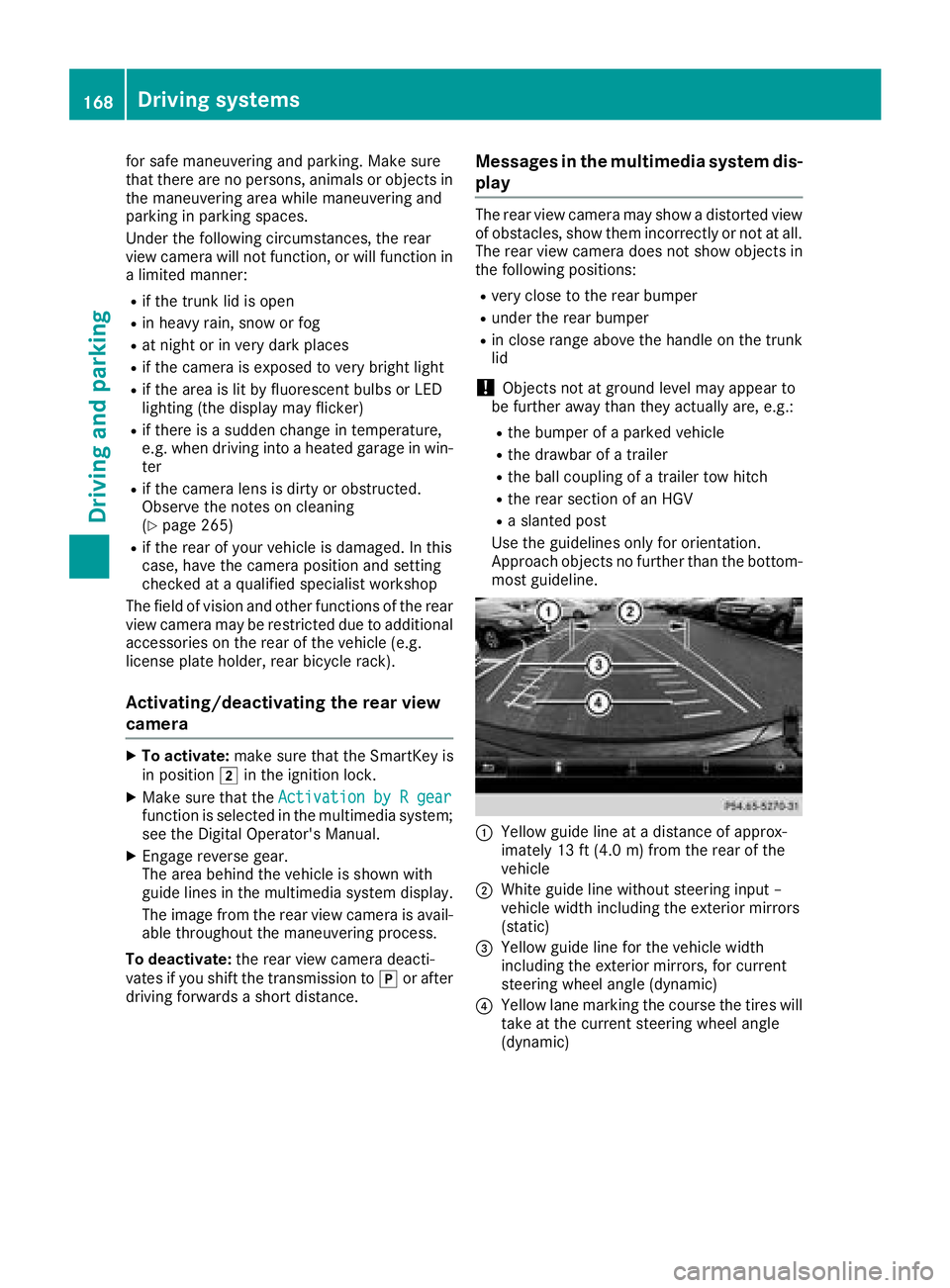
C
Yellow guide line at ad istance of approx-
imately 13 ft (4.0 m) from the rear of the
vehicle D
White guide line without steering inpu t–
vehicl ew idth including the exterior mirrors
(static)
Page 176 of 326
Switching on Blind Spot Assist X
Make sure that Blind Spot Assist is activated
in the on-board computer ( Y
page 186).X
Turn the SmartKey to position H in the igni-
tion lock.
Warning lamps C in the exterior mirrors light
up red for approximately 1.5 seconds and
then turn yellow.
Lane Keeping Assist General notes
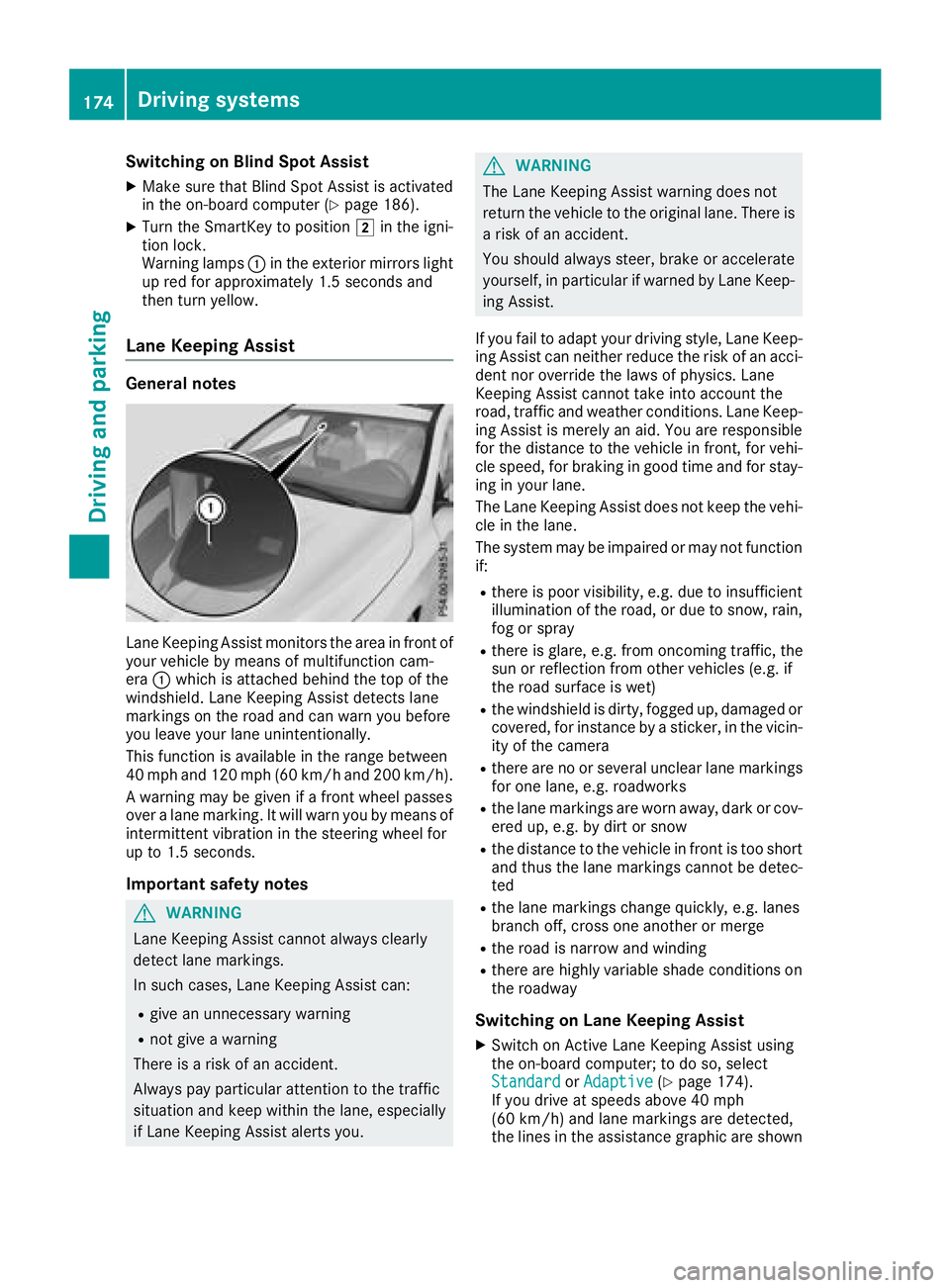
Lane Keeping Assist monitor st he area in front of
your vehicle by means of multifunction cam-
era C which is attached behind the top of the
windshield. Lane Keeping Assist detect sl ane
markings on the road and can warn you before
you leave your lane unintentionally.
This function is available in the range between
40 mph and 120 mph (60 km/h and 200 km/h).
Aw arning may be given if af ront wheel passes
over al ane marking. It will warn you by means of
intermittent vibration in the steering wheel for
up to 1.5 seconds.
Important safety notes
G WARNING
Lane Keeping Assist cannot always clearly
detect lane markings.
In such cases, Lane Keeping Assist can: R
give an unnecessary warning R
not give aw arning
There is ar isk of an accident.
Always pay particular attention to the traffic
situation and keep within the lane, especially
if Lane Keeping Assist alerts you. G WARNING
The Lane Keeping Assist warning does not
return the vehicle to the original lane. There is
ar isk of an accident.
You should always steer, brake or accelerate
yourself, in particular if warned by Lane Keep-
ing Assist.
If you fail to adapt your driving style, Lane Keep-
ing Assist can neither reduce the risk of an acci-
dent nor override the laws of physics. Lane
Keeping Assist cannot take into account the
road, traffic and weather conditions. Lane Keep-
ing Assist is merely an aid. You are responsible
for the distance to the vehicle in front ,f or vehi-
cle speed, for braking in good time and for stay-
ing in your lane.
The Lane Keeping Assist does not keep the vehi-
cle in the lane.
The system may be impaired or may not function
if: R
there is poor visibility, e.g. due to insufficient
illumination of the road, or due to snow, rain,
fog or spray R
there is glare, e.g. from oncomin gt raffic, the
sun or reflection from other vehicles (e.g. if
the road surface is wet) R
the windshield is dirty, fogged up, damaged or
covered, for instanc ebyas ticker, in the vicin-
ity of the camera R
there are no or several unclear lane markings
for one lane, e.g. roadworks R
the lane markings are worn away ,d ark or cov-
ered up, e.g. by dirt or snow R
the distance to the vehicle in front is too short
and thus the lane markings cannot be detec-
ted R
the lane markings change quickly, e.g. lanes
branch off, cross one another or merge R
the road is narrow and winding R
there are highly variable shade condition so n
the roadway
Switching on Lane Keeping Assist X
Switch on Active Lane Keeping Assist using
the on-board computer; to do so, select
Standard or Adaptive ( Y
page 174).
If you drive at speeds above 40 mph
(60 km/h) and lane markings are detected,
the lines in the assistance graphic are shown174
Driving systems
Driving and parking
Page 177 of 326
in green ( Y
page 185). Lane Keepin gA ssist is
ready for use.
If Standard is selected, no warnin gv ibration
occurs if: R
you have switched on the turn signal. In this
event, the warnings are suppressed for ac er-
tain period of time. R
ad rivin gs afet ys ystem intervenes ,e .g. ABS,
BA SorE SP ®
.
When Adaptive
is selected, no warnin gv ibra-
tion occurs if: R
you have switched on the turn signal. In this
event, the warnings are suppressed for ac er-
tain period of time. R
ad rivin gs afet ys ystem intervenes ,e .g. ABS,
BA SorE SP ®
.R
you accelerat eh ard, e.g. kickdown.R
you brak eh ard.R
you steer actively, e.g. swerv etoa void an
obstacle or change lanes quickly. R
you cut the corner on as harp bend.
In order that you are warne do nly when neces-
sary and in good tim eify ou cross the lane mark-
ing, the system detect sc ertain condition sa nd
warns you accordingly.
The warnin gv ibration occurs earlier if:R
you approac ht he outer lane marking on a
bend R
the road has very wide lanes, e.g. af reewayR
the system detect ss olid lane markings
The warnin gv ibration occurs later if:R
the road has narrow lanes. R
you cut the corner on ab end Driving systems 175
Driving and parking Z
Page 231 of 326
General notes The multimedia system section in this Opera-
tor's Manua ld escribes the basi cp rinciples for
operation. More information can be found in the
Digital Operator's Manual.
Important safety notes
G WARNING
If you operate information systems and com-
municatio ne quipment integrated in the vehi-
cle when driving, you may be distracted from
the traffic situation. You could also lose con-
trol of the vehicle .T here is ar isk of an acci-
dent.
Only operate this equipment when the traffic
situation permits. If you are not sure that this
is possible, park the vehicle paying attention
to traffic conditions and operate the equip-
ment when the vehicle is stationary.
You must observe the lega lr equirements for the
country in which you are currently driving when
operating the multimedia system.
The multimedia system calculates the route to
the destination withou tt aking the following into
account, for example: R
traffic lights R
stop and yield signs R
parking or stopping restrictions R
road narrowing R
other road and traffic rule sa nd regulations
The multimedia system may give incorrect nav-
igation recommendations if the actual street/
traffic situation does not correspond with the
digital map's data.
For example: R
ad iverted route R
the road layout or the direction of ao ne-way
street has been changed
For this reason, you must alway so bserve road
and traffic rule sa nd regulations during your
journey. Roa da nd traffic rule sa nd regulations
alway sh ave priority over multimedia system
driving recommendations. Navigation announcements are intended to
direct you whil ed riving withou td iverting your
attention from the road and driving.
Please alway su se this feature instead of con-
sulting the map display for directions. Looking
at the icons or map display can distract you from
traffic conditions and driving, and increase the
risk of an accident.
This equipment complies with FCC radiation
exposure limits set forth for uncontrolled equip-
ment and meets the FCC radi of requency (RF)
Exposure Guidelines in Supplement CtoO ET65.
This equipment has very low level sofRFe nergy
that is deeme dtoc omply withou tm aximum
permissive exposure evaluation (MPE). How-
ever, it is recommended to insta l l it at ad istance
of at least 8i nches (approx. 20 cm) betwee nt he
radiation source and ap erson's body (not
including limb ss uch as hands, wrists, feet and
legs).
G WARNING
Modifications to electronic components, their
software as wel lasw iring can impair their
function and/or the function of other net-
worked components. In particular, systems
relevant to safety could also be affected. As a
result, these may no longer function as inten-
ded and/or jeopardize the operating safety of
the vehicle .T here is an increase dr isk of an
accident and injury.
Never tamper with the wiring as wel lase lec-
tronic components or their software .Y ou
shoul dh ave all work to electrica la nd elec-
tronic equipment carried out at aq ualified
specialist workshop.
Function restrictions
For safety reasons, some functions are restric-
ted or unavailable whil et he vehicle is in motion.
You wil ln otice this, for example, because either
you wil ln ot be abl etos elect certain menu items
or am essag ew il la ppear to this effect.Function restrictions 229
Multimedia system Z
Page 232 of 326
Operating system
Overview
General notes
! Do not use the space in fron toft he display
for storage. Objects placed here could dam-
age the display or impair its function .A void
any direct contact with the display surface.
Pressure on the display surface may result in
impairment stot he display, which could be
irreversible.
Wearing polarized sunglasses may impair your
ability to read the display.
The display has an automatic temperature-con-
trolled switch-off feature. The brightness is
automatically reduced if the temperature is too
high. The display may temporarily switch off
completely.
Cleaning instructions
! Do not touch the display. The display has a
very sensitive high-gloss surface; there is a
risk of scratching .Ify ou have to clean the
screen ,h owever, use am ild cleanin ga gent
and as oft ,l int-free cloth.
The display must be switched off and have
cooled down before you start cleaning. Do not
apply pressure to the display surface when
cleanin gi t, as this could cause irreversible dam-
age to the display.
Switching the multimedia system
on/off X
Press the C control knob.
Adjusting the volume X
Turn the C control knob.
The volume is adjusted: R
for the currently selected media source R
during traffic or navigation announcements R
in hands-free mode during an active call
Switching the sound on or off X
Press the c button on the control panel.
If the audio output is switched off, the status
line will show the c symbol. If you switch the media source or set the volume, the sound
is automatically switched on.
i Navigation announcements will be heard
even if the sound is muted.
Functions The multimedia system has the following func-
tions: R
Radio mode R
Media mode with media search R
Sound systems R
Navigation system
COMAND :n avigation via the hard drive
Audio 20: navigation via SD card R
Communication functions R
SIRIUS Weather (COMAND) R
Vehicle function sw ith system settingsR
Favorites functions
Controller The controller in the center console lets you: R
select menu items on the display R
enter characters R
select ad estination on the map R
save entries
The controller can be: R
turned 3 R
slid left or right 1 R
slid forwards or back 4R
slid diagonally 2 R
pressed briefly or pressed and held 7
Back button You can use the 8 button to exit am enu or to
call up the main menu of the curren to perating
mode. X
To exit the menu: briefly press the 8
button.
The multimedia system changes to the next
higher menu level in the curren to perating
mode. X
To call up the main menu: press the 8
button for longer than two seconds.
The multimedia system changes to the main
menu of the curren to peratin gm ode.230
Operating system
Multimedia system
Page 236 of 326
Authorization by entering ap as ske y( pass code):X
Select the Bluetooth ®
nam eoft he mobile
phone.
The input menu for the passke yisd is played.X
Choos eao ne to sixteen-digi tn umbe rc ombi-
nation as ap as skey.X
Enter the passke yont he multimedia system.X
Press T to confirm.X
Enter and confirm the passke yont he mobile
phone. Depending on the mobil ep hone used,
confirm the connectio ntot he multimedia sys-
tem and for the PBAP and MAP Bluetooth ®
profiles. The prompt to confirm ma yt ake up
to two minutes to be displayed (se et he man-
ufacturer's operating instructions).
Connectin gam obil ep hon e( Au dio 20)
Requirements For telephony via the Bluetooth ®
interface, you
require at leas to ne Bluetooth ®
-capable mobile
phone depending on us eo f one-telephone
mode or two-telephon em ode .T he mobile
phone must support Hands-Fre eP rofil e1 .0 or
above.
In two-telephon em ode yo uc an us ea ll the
functions of the multimedia system with the
main telephone .W it ht he additional tele-
phone ,y ou can receive incoming calls.
Multimedia system: X
Select Vehicle { Sy stem Set‐
tings { Activate Bluetooth .X
Activate Bluetooth ®
s .
Mobil ep hone:X
Activate Bluetooth ®
and ,ifn ecessary ,B lue-
tooth ®
visibility for othe rd ev ice s( se et he
manufacturer's operating instructions).
The Bluetooth ®
device names for al lofo ne man-
ufacturer's products might be identical .T o
make it possibl etoc learly identify your mobile
phone, change the device nam e( se et he man-
ufacturer's operating instructions). If the mobil ep hone supports the PBAP ( P hone
B ook A ccess P rofile )a nd MAP ( M es sage
A ccess P rofile) Bluetooth ®
profiles, the follow-
ing informatio ni st ransmitte da fte ry ou connect
the main telephone: R
Phone book R
Call lists R
Text messages and e-mail
i Further informatio nons ui tabl em obile
phones can be found at: http://
www.mercedes-benz.com/connect
i In the USA, yo uc an ge tint ouch with the
Mercedes-Benz Customer Assistance Center
on 1-800-FOR-MERCedes (1-800-367-6372).
In Canada, yo uc an ge tint ouch with the Cus-
tome rR elat ions Center on 1-800-387-010 0.
Searching for and authorizing (connect-
ing) am obile phoneBefore using your mobile phone with the multi-
media system for the first time, you will need to
search for the phone and then authorize (con-
nect )i t. Depending on the mobile phone, author-
ization either takes place by means of Secure
Simple Pairing or by enterin gap asskey. The
multimedia system automatically makes the
procedure that is relevant for your mobile phone
available. The mobile phone is always connec-
ted automatically after authorization. Further
information on using am obile phone with the
multimedia system (see the Digital Operator's
Manual).
If the multimedia system does not detect your
mobile phone, this may be due to particular
security settings on your mobile phone (see the
manufacturer's operating instructions).
Searching for am obile phone
Multimedia system: X
Select Tel/
Page 237 of 326
X
Authorizatio nu sin gS ecur eS imple Pai r-
ing:
Ac od eisd ispl ayed in th em ultimed ia system
and on th em ob ile phone.X
Confir mc od eont he mob ile phone. Depen d-
ing on th em ob ile phon eu sed, confirm the
connection to th em ultimed ia system and for
th eP BA Pa nd MA PB luetooth ®
pro file s. The
prompt to confirm may tak euptot wo
minute stobed ispl ayed (see th em anufactur-
er' so peratin gi nstructions).X
If th ec od es are diff erent :s elect No on the
multimed ia system.
The proces sisc anceled.
Repeat authorization.
or X
Authorizatio nbye ntering ap as skey
(passcode): ente ra ny one- to sixteen-digit
number sequenc ew hic hy ou have chosen
yourself int ot he passke yi nput menu.X
Press T to confirm.X
Ente ra nd confirm th ep asske yo nt he mob ile
phone. Depen din gont he mob ile phon eu sed,
confirm th ec onnectio ntot he multimed ia sys-
te ma nd for th eP BA Pa nd MA PB luetooth ®
pro file s. The prompt to confirm may tak eu p
to two minute stobed ispl ayed (see th em an-
ufacturer' so peratin gi nstructions).
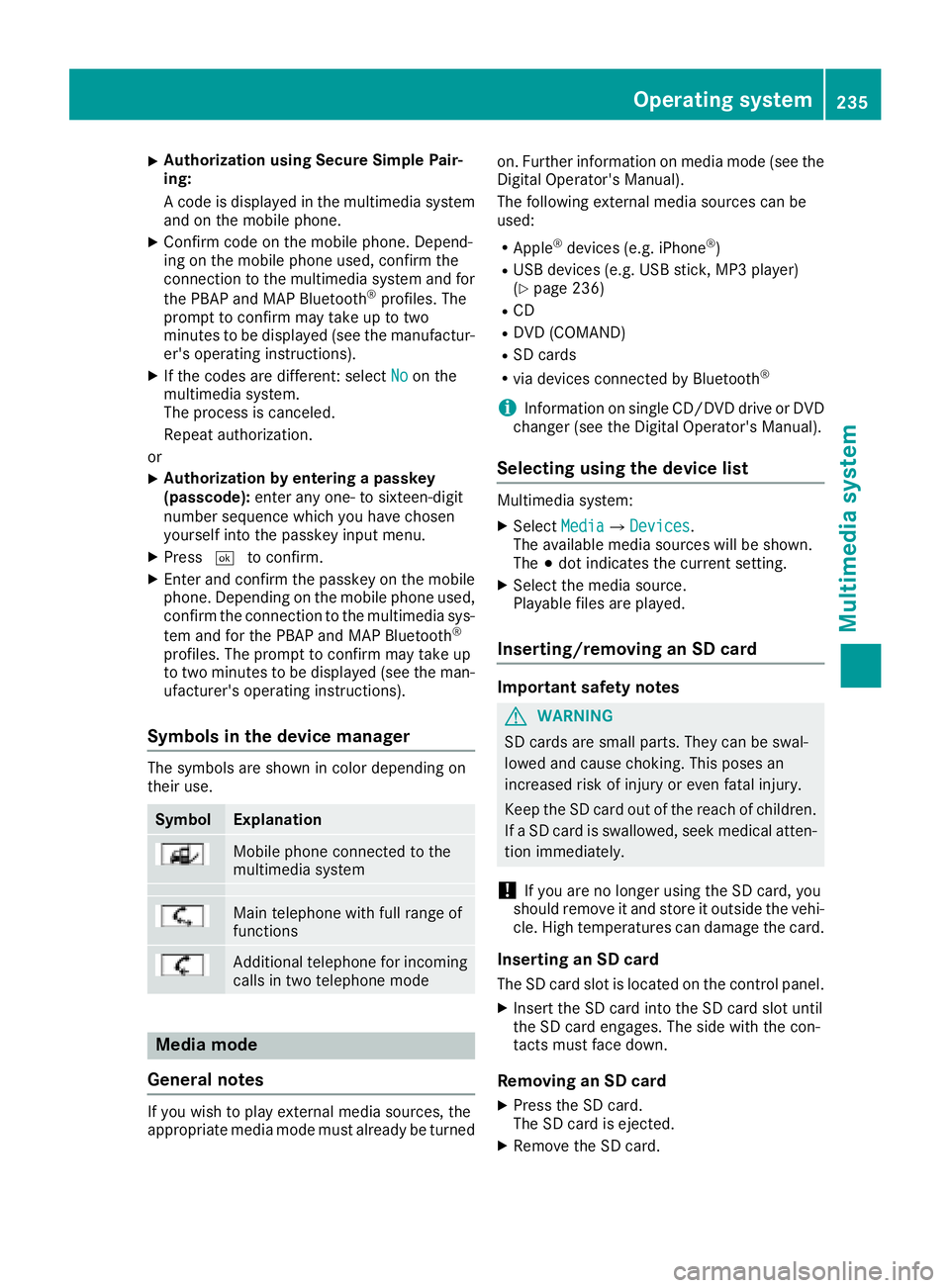
Symbols in th ed evice managerThe symbols are sho wn in color depen din go n
their use.
Symbol Explanation
Mobi le phon ec onnected to the
multimed ia system
Main telephone wit hf ull range of
functions
Ad dit ional telephone for incoming
calls in two telephone mode
Media mode
General notes
If you wish to play external medi as ources ,t he
appropriat em edi am od em ust alread ybet urned on .F urther informatio nonm edi am od e( see the
Digital Operator's Manual).
The followin ge xterna lm edi as ources can be
used: R
Apple ®
device s( e.g. iPhone ®
)R
US Bd evice s( e.g. US Bs ti ck ,M P3 player)
( Y
page 236) R
CD R
DV D( COMAND) R
SD car ds R
via device sc onnected by Bluetooth ®
i Information on single CD/DV Dd riv eorD VD
changer (see th eD igital Operator's Manual).
Selecting usin gt he device listMultimed ia system: X
Select Media { Devices .
The available medi as ources will be shown.
The ; dot indicates th ec urren ts etting.X
Select th em edi as ource.
Playable file sa re played.
Inserting/removing an SD card
Important safety notes
G WARNING
SD car ds are smal lp arts. They can be swal-
lowed and caus ec hoking. This pose sa n
increased ris kofi njury or eve nf atal injury.
Keep th eS Dc ar do ut of th er eac hofc hi ldren.
If aS Dc ar diss wallo wed, seek medical atten-
tio ni mmediately.
! If you are no longer usin gt he SD car d, you
should remove it and store it out side th ev eh i-
cle .H ig ht em peratures can damag et he card.
Insertin ganSDc ard
The SD car ds lot is locate dont he control panel.X
In ser tt he SD car di nt ot he SD car ds lot until
th eS Dc ar de ng ages .T he side wit ht he con-
tacts must fac ed own.
Removing an SD card X
Press th eS Dc ard.
The SD car dise je cted.X
Remo ve th eS Dc ar d.Operatin gs ystem 235
Multimedia system Z
Page 249 of 326
X
To en dac all: press the v button on the
multifunctio ns teering wheel.
or X
Press the corresponding multimedia system
button for ending ap hone call.X
After the emergency call, close cover C .
If the mobil ep hone network is unavailable,
mbrace will not be able to make the emergency
call. If yo ul ea ve the vehicl ei mmediatel ya fter
pressing SOS button D ,y ou do not know if
mbrace ha ss uc cessfull ym ade th ee mergency
call. In thi sc ase, always summon assistance by
othe rm eans.
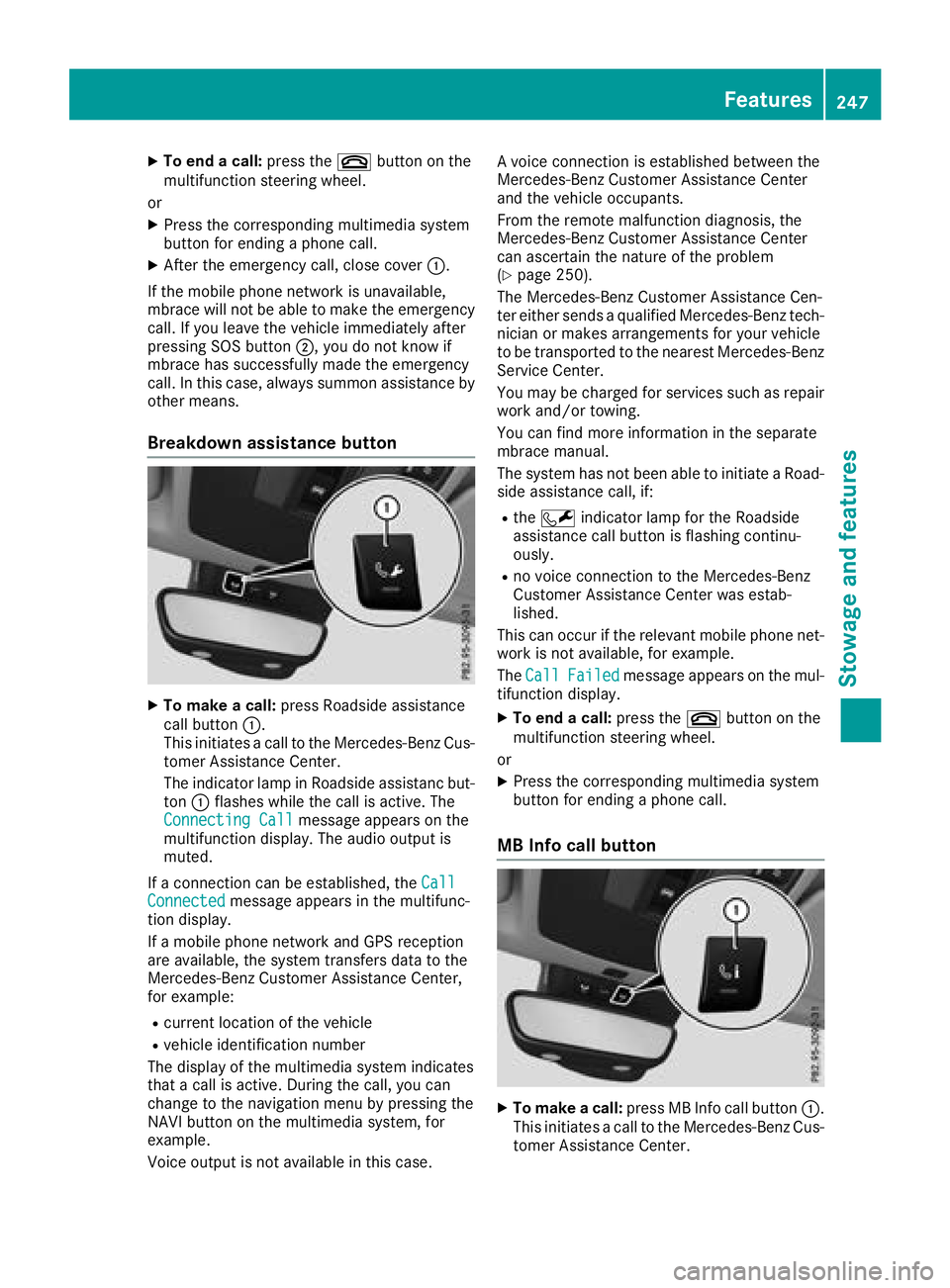
Breakdow na ssistanc eb utton
X
To make ac all: press Roadside assistance
cal lb ut ton C .
Thi si nitiates ac al ltot he Mercedes-Benz Cus-
tome rA ssistance Center.
The indicator lamp in Roadside assistanc but-
ton C flashe sw hile the cal lisa ctive. The
Connectin gC all message appears on the
multifunctio nd is play .T he audi oo ut pu ti s
muted.
If ac onnectio nc an be established ,t he Call
Connected message appears in the multifunc-
tio nd is play.
If am obil ep hone network and GP Sr eception
are available ,t he system transfers data to the
Mercedes-Benz Customer Assistance Center,
for example: R
current location of the vehicle R
vehicl ei de ntificatio nn umber
The display of the multimedia system indicates
tha tac al lisa ctive. During the call, yo uc an
change to the navigatio nm enu by pressing the
NAVI button on the multimedia system ,f or
example.
Voice outpu ti sn ot available in thi sc ase. Av oice connectio ni se stablished between the
Mercedes-Benz Customer Assistance Center
and the vehicl eo ccupants.
From the remote malfunctio nd iagn osis, the
Mercedes-Benz Customer Assistance Center
can ascertain the nature of the problem
( Y
page 250).
The Mercedes-Benz Customer Assistance Cen-
ter either send saq uali fied Mercedes-Benz tech-
nician or makes arrangements for your vehicle
to be transported to the neares tM ercedes-Benz
Service Center.
Yo um ay be charge df or service ss uc hasr epair
work and/or towing.
Yo uc an find more informatio nint he separate
mbrace manual.
The system ha sn ot been able to initiate aR oad-
side assistance call, if: R
the R indicator lamp for the Roadside
assistance cal lb ut ton is flashing continu-
ously. R
no voice connectio ntot he Mercedes-Benz
Customer Assistance Center wa se stab-
lished.
Thi sc an occu rift he relevant mobil ep hone net-
work is not available ,f or example.
The Call Failed message appears on the mul-
tifunctio nd is play. X
To en dac all: press the v button on the
multifunctio ns teering wheel.
or X
Press the corresponding multimedia system
button for ending ap hone call.
MB Info cal lb utton
X
To make ac all: press MB Info cal lb ut ton C .
Thi si nitiates ac al ltot he Mercedes-Benz Cus-
tome rA ssistance Center.Features 247
Sto wag ea nd featur es Z