Radio MERCEDES-BENZ CLA 2019 User Guide
[x] Cancel search | Manufacturer: MERCEDES-BENZ, Model Year: 2019, Model line: CLA, Model: MERCEDES-BENZ CLA 2019Pages: 330, PDF Size: 23.57 MB
Page 187 of 330
the preset list or station list in the desiredfrequency range is shown.
XTo select a station:briefly presscord.
iSIRIUS XM satellite radio functions like anormal radio.
You can find further information on operationin the "Satellite radio" section of the DigitalOperator's Manual for the multimedia sys-tem.
Operating an audio player or audio
media
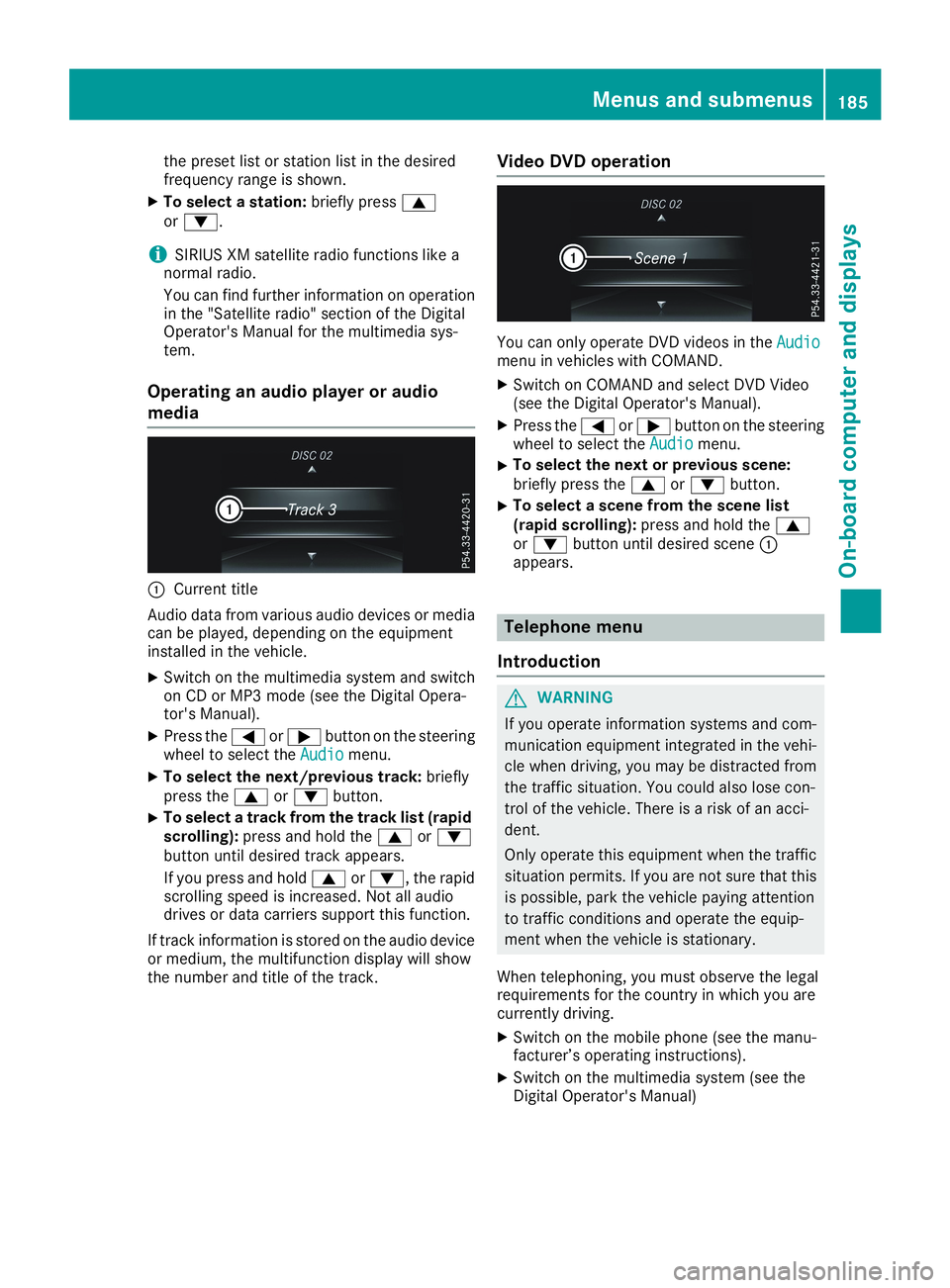
CCurrent title
Audio data from various audio devices or mediacan be played, depending on the equipmentinstalled in the vehicle.
XSwitch on the multimedia system and switchon CD or MP3 mode (see the Digital Opera-tor's Manual).
XPress theYorebutton on the steeringwheel to select theAudioAudiomenu.
XTo select the next/previous track:brieflypress thecordbutton.
XTo select a track from the track list (rapidscrolling):press and hold thecordbutton until desired track appears.
If you press and holdcord, the rapidscrolling speed is increased. Not all audiodrives or data carriers support this function.
If track information is stored on the audio deviceor medium, the multifunction display will showthe number and title of the track.
Video DVD operation
You can only operate DVD videos in theAudioAudiomenu in vehicles with COMAND.
XSwitch on COMAND and select DVD Video(see the Digital Operator's Manual).
XPress theYorebutton on the steeringwheel to select theAudioAudiomenu.
XTo select the next or previous scene:briefly press thecordbutton.
XTo select a scene from the scene list(rapid scrolling):press and hold thecordbutton until desired sceneCappears.
Telephone menu
Introduction
GWARNING
If you operate information systems and com-
munication equipment integrated in the vehi-
cle when driving, you may be distracted from
the traffic situation. You could also lose con-
trol of the vehicle. There is a risk of an acci-
dent.
Only operate this equipment when the traffic
situation permits. If you are not sure that this
is possible, park the vehicle paying attention
to traffic conditions and operate the equip-
ment when the vehicle is stationary.
When telephoning, you must observe the legalrequirements for the country in which you arecurrently driving.
XSwitch on the mobile phone (see the manu-facturer’s operating instructions).
XSwitch on the multimedia system (see theDigital Operator's Manual)
Menus and submenus185
On-board computer and displays
Z
Page 202 of 330
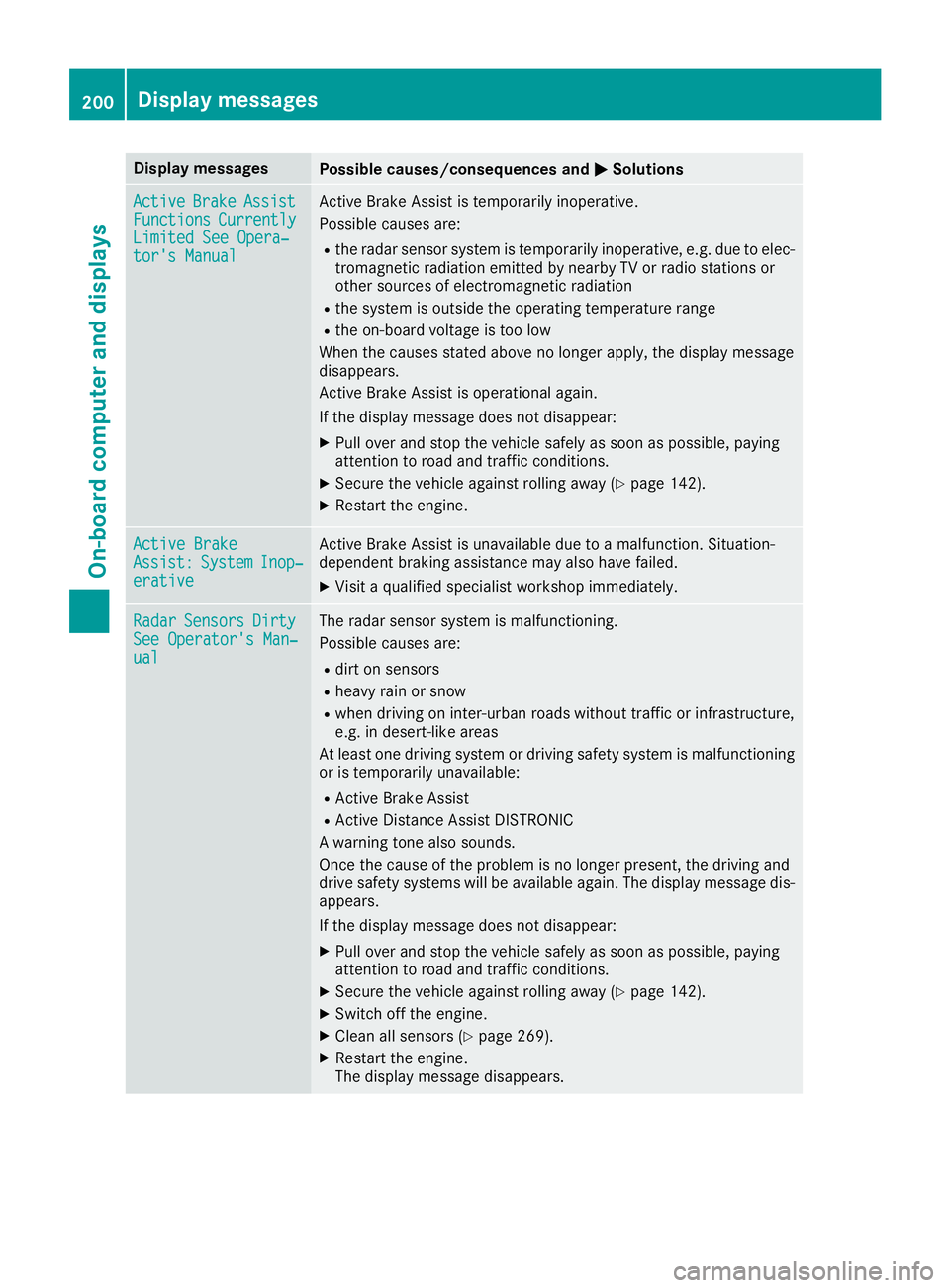
Display messagesPossible causes/consequences andPPSolutions
ActiveActiveBrakeBrakeAssistAssistFunctionsFunctionsCurrentlyCurrentlyLimited See Opera‐Limited See Opera‐tor's Manualtor's Manual
Active Brake Assist is temporarily inoperative.
Possible causes are:
Rthe radar sensor system is temporarily inoperative, e.g. due to elec-tromagnetic radiation emitted by nearby TV or radio stations orother sources of electromagnetic radiation
Rthe system is outside the operating temperature range
Rthe on-board voltage is too low
When the causes stated above no longer apply, the display messagedisappears.
Active Brake Assist is operational again.
If the display message does not disappear:
XPull over and stop the vehicle safely as soon as possible, payingattention to road and traffic conditions.
XSecure the vehicle against rolling away (Ypage 142).
XRestart the engine.
Active BrakeActive BrakeAssist:Assist:SystemSystemInop‐Inop‐erativeerative
Active Brake Assist is unavailable due to a malfunction. Situation-dependent braking assistance may also have failed.
XVisit a qualified specialist workshop immediately.
RadarRadarSensorsSensorsDirtyDirtySee Operator's Man‐See Operator's Man‐ualual
The radar sensor system is malfunctioning.
Possible causes are:
Rdirt on sensors
Rheavy rain or snow
Rwhen driving on inter-urban roads without traffic or infrastructure,e.g. in desert-like areas
At least one driving system or driving safety system is malfunctioningor is temporarily unavailable:
RActive Brake Assist
RActive Distance Assist DISTRONIC
A warning tone also sounds.
Once the cause of the problem is no longer present, the driving anddrive safety systems will be available again. The display message dis-appears.
If the display message does not disappear:
XPull over and stop the vehicle safely as soon as possible, payingattention to road and traffic conditions.
XSecure the vehicle against rolling away (Ypage 142).
XSwitch off the engine.
XClean all sensors (Ypage 269).
XRestart the engine.The display message disappears.
200Displaymessages
On-b oard computer and displays
Page 212 of 330
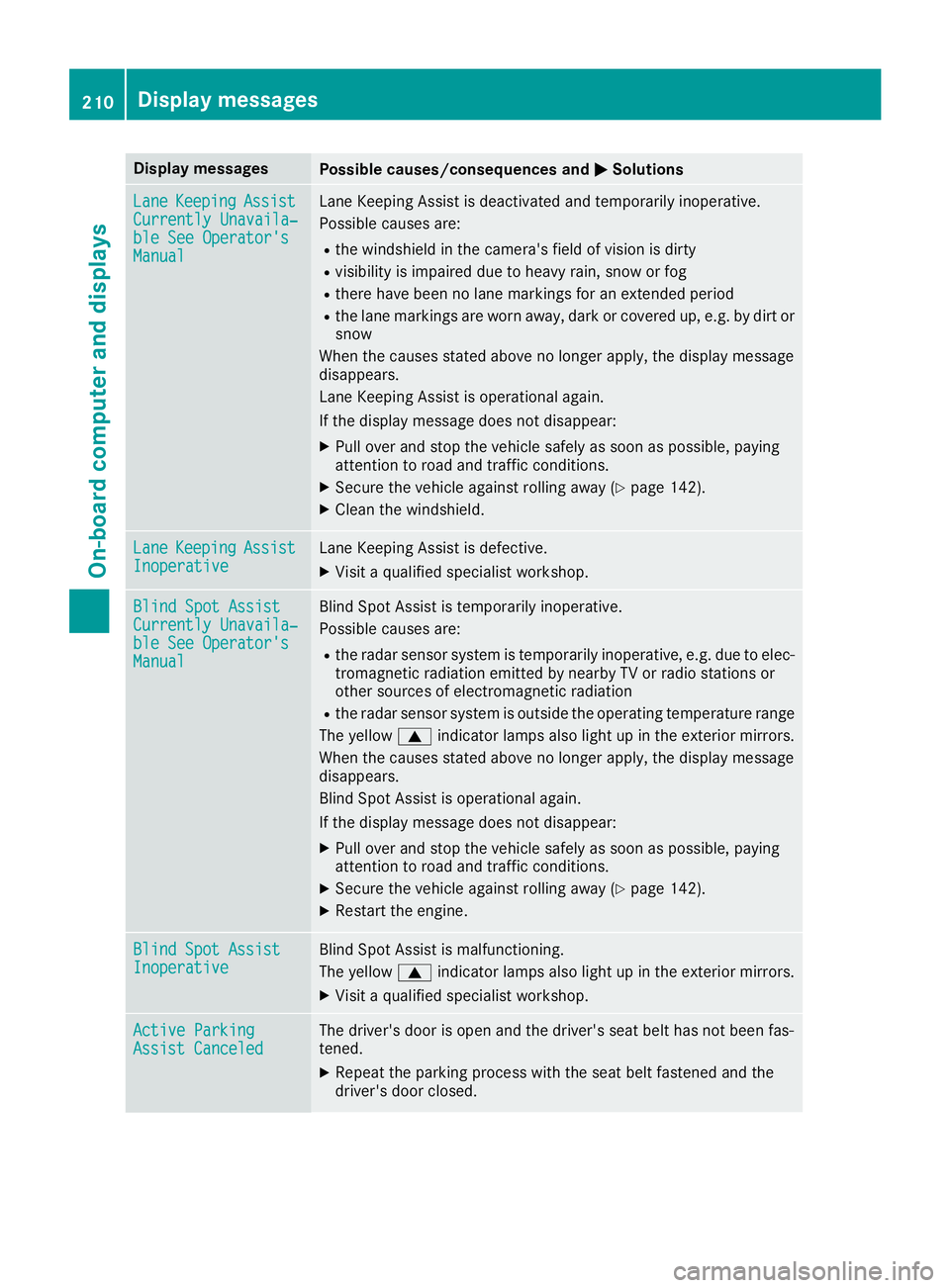
Display messagesPossible causes/consequences andPPSolutions
LaneLaneKeepingKeepingAssistAssistCurrently Unavaila‐Currently Unavaila‐ble See Operator'sble See Operator'sManualManual
Lane Keeping Assist is deactivated and temporarily inoperative.
Possible causes are:
Rthe windshield in the camera's field of vision is dirty
Rvisibility is impaired due to heavy rain, snow or fog
Rthere have been no lane markings for an extended period
Rthe lane markings are worn away, dark or covered up, e.g. by dirt orsnow
When the causes stated above no longer apply, the display messagedisappears.
Lane Keeping Assist is operational again.
If the display message does not disappear:
XPull over and stop the vehicle safely as soon as possible, payingattention to road and traffic conditions.
XSecure the vehicle against rolling away (Ypage 142).
XClean the windshield.
LaneLaneKeepingKeepingAssistAssistInoperativeInoperativeLane Keeping Assist is defective.
XVisit a qualified specialist workshop.
Blind Spot AssistBlind Spot AssistCurrently Unavaila‐Currently Unavaila‐ble See Operator'sble See Operator'sManualManual
Blind Spot Assist is temporarily inoperative.
Possible causes are:
Rthe radar sensor system is temporarily inoperative, e.g. due to elec-tromagnetic radiation emitted by nearby TV or radio stations orother sources of electromagnetic radiation
Rthe radar sensor system is outside the operating temperature range
The yellowcindicator lamps also light up in the exterior mirrors.
When the causes stated above no longer apply, the display messagedisappears.
Blind Spot Assist is operational again.
If the display message does not disappear:
XPull over and stop the vehicle safely as soon as possible, payingattention to road and traffic conditions.
XSecure the vehicle against rolling away (Ypage 142).
XRestart the engine.
Blind Spot AssistBlind Spot AssistInoperativeInoperativeBlind Spot Assist is malfunctioning.
The yellowcindicator lamps also light up in the exterior mirrors.
XVisit a qualified specialist workshop.
Active ParkingActive ParkingAssist CanceledAssist CanceledThe driver's door is open and the driver's seat belt has not been fas-tened.
XRepeat the parking process with the seat belt fastened and thedriver's door closed.
210Displaymessages
On-b oard computer and displays
Page 213 of 330
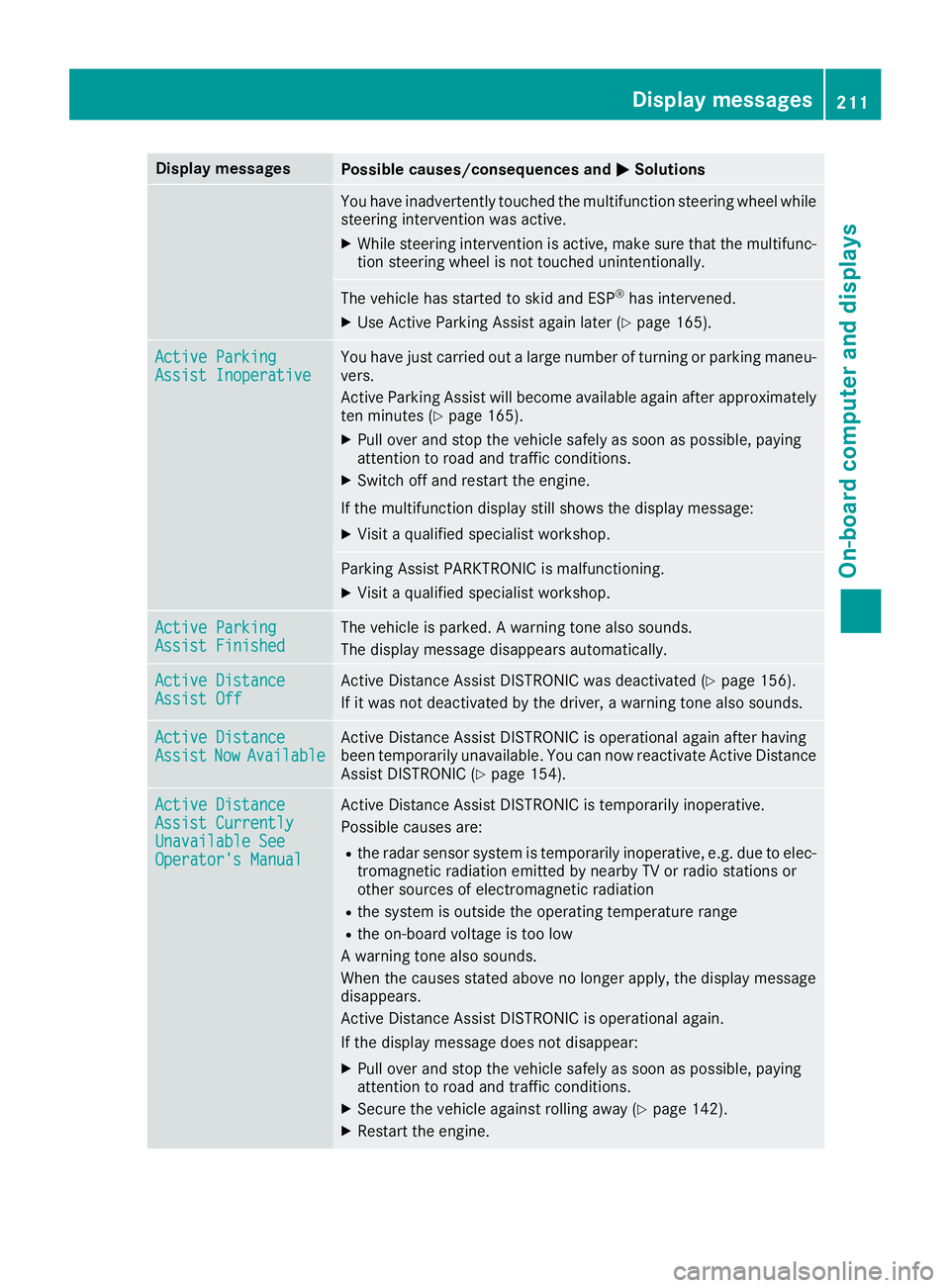
Display messagesPossible causes/consequences andPPSolutions
You have inadvertently touched the multifunction steering wheel whilesteering intervention was active.
XWhile steering intervention is active, make sure that the multifunc-tion steering wheel is not touched unintentionally.
The vehicle has started to skid and ESP®has intervened.
XUse Active Parking Assist again later (Ypage 165).
Active ParkingActive ParkingAssist InoperativeAssist InoperativeYou have just carried out a large number of turning or parking maneu-vers.
Active Parking Assist will become available again after approximatelyten minutes (Ypage 165).
XPull over and stop the vehicle safely as soon as possible, payingattention to road and traffic conditions.
XSwitch off and restart the engine.
If the multifunction display still shows the display message:
XVisit a qualified specialist workshop.
Parking Assist PARKTRONIC is malfunctioning.
XVisit a qualified specialist workshop.
Active ParkingActive ParkingAssist FinishedAssist FinishedThe vehicle is parked. A warning tone also sounds.
The display message disappears automatically.
Active DistanceActive DistanceAssist OffAssist OffActive Distance Assist DISTRONIC was deactivated (Ypage 156).
If it was not deactivated by the driver, a warning tone also sounds.
Active DistanceActive DistanceAssistAssistNowNowAvailableAvailableActive Distance Assist DISTRONIC is operational again after havingbeen temporarily unavailable. You can now reactivate Active DistanceAssist DISTRONIC (Ypage 154).
Active DistanceActive DistanceAssist CurrentlyAssist CurrentlyUnavailable SeeUnavailable SeeOperator's ManualOperator's Manual
Active Distance Assist DISTRONIC is temporarily inoperative.
Possible causes are:
Rthe radar sensor system is temporarily inoperative, e.g. due to elec-tromagnetic radiation emitted by nearby TV or radio stations orother sources of electromagnetic radiation
Rthe system is outside the operating temperature range
Rthe on-board voltage is too low
A warning tone also sounds.
When the causes stated above no longer apply, the display messagedisappears.
Active Distance Assist DISTRONIC is operational again.
If the display message does not disappear:
XPull over and stop the vehicle safely as soon as possible, payingattention to road and traffic conditions.
XSecure the vehicle against rolling away (Ypage 142).
XRestart the engine.
Displaymessages211
On-b oard computer and displays
Z
Page 216 of 330
Display messagesPossible causes/consequences andPPSolutions
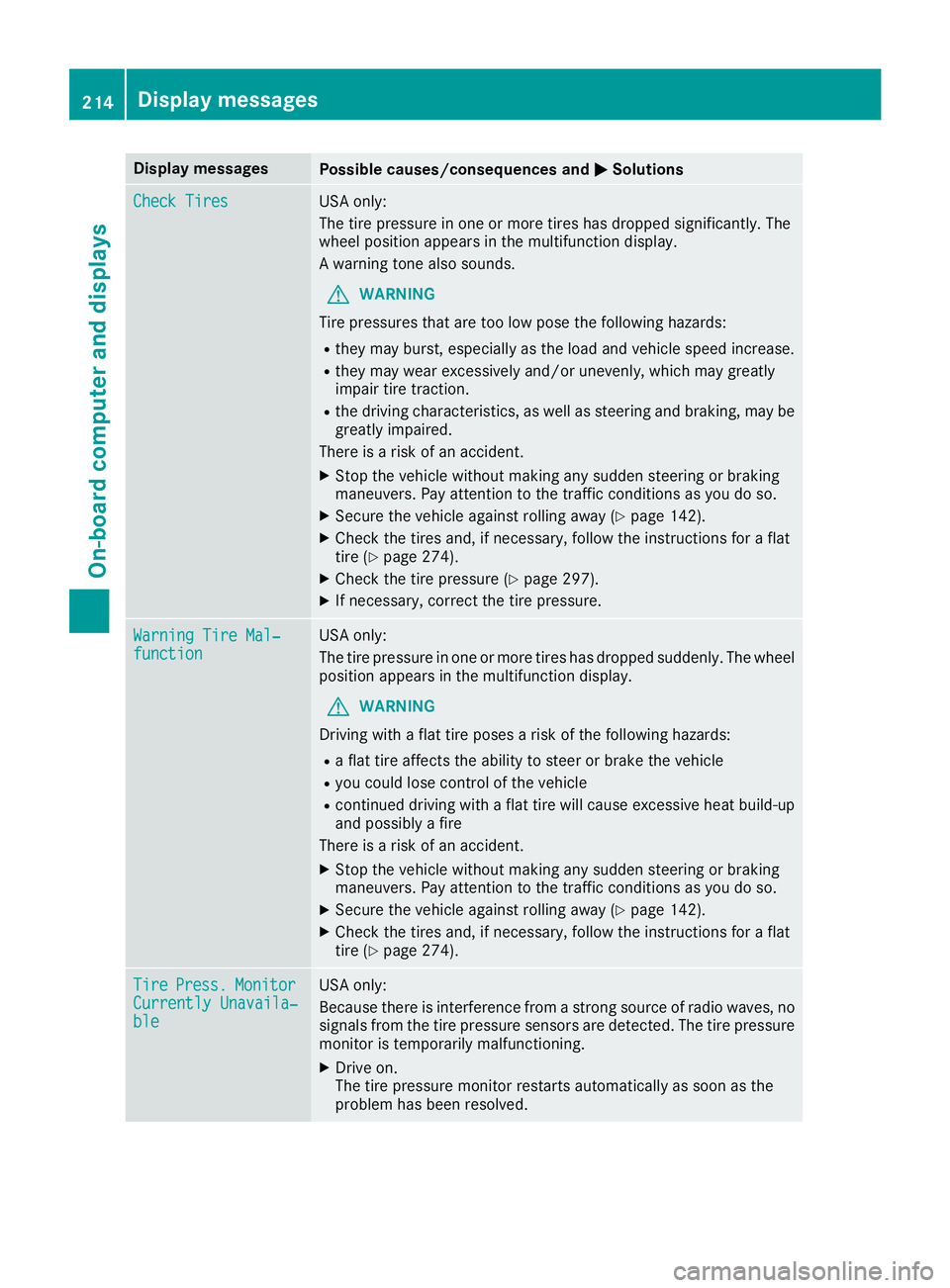
Check TiresCheck TiresUSA only:
The tire pressure in one or more tires has dropped significantly. Thewheel position appears in the multifunction display.
A warning tone also sounds.
GWARNING
Tire pressures that are too low pose the following hazards:
Rthey may burst, especially as the load and vehicle speed increase.
Rthey may wear excessively and/or unevenly, which may greatlyimpair tire traction.
Rthe driving characteristics, as well as steering and braking, may begreatly impaired.
There is a risk of an accident.
XStop the vehicle without making any sudden steering or brakingmaneuvers. Pay attention to the traffic conditions as you do so.
XSecure the vehicle against rolling away (Ypage 142).
XCheck the tires and, if necessary, follow the instructions for a flattire (Ypage 274).
XCheck the tire pressure (Ypage 297).
XIf necessary, correct the tire pressure.
Warning Tire Mal‐Warning Tire Mal‐functionfunctionUSA only:
The tire pressure in one or more tires has dropped suddenly. The wheelposition appears in the multifunction display.
GWARNING
Driving with a flat tire poses a risk of the following hazards:
Ra flat tire affects the ability to steer or brake the vehicle
Ryou could lose control of the vehicle
Rcontinued driving with a flat tire will cause excessive heat build-upand possibly a fire
There is a risk of an accident.
XStop the vehicle without making any sudden steering or brakingmaneuvers. Pay attention to the traffic conditions as you do so.
XSecure the vehicle against rolling away (Ypage 142).
XCheck the tires and, if necessary, follow the instructions for a flattire (Ypage 274).
TireTirePress.Press.MonitorMonitorCurrently Unavaila‐Currently Unavaila‐bleble
USA only:
Because there is interference from a strong source of radio waves, nosignals from the tire pressure sensors are detected. The tire pressuremonitor is temporarily malfunctioning.
XDrive on.The tire pressure monitor restarts automatically as soon as theproblem has been resolved.
214Displaymessages
On-b oard computer and displays
Page 233 of 330
General notes
The multimedia system section in this Opera-tor's Manual describes the basic principles foroperation. More information can be found in theDigital Operator's Manual.
Important safety notes
GWARNING
If you operate information systems and com-
munication equipment integrated in the vehi-
cle when driving, you may be distracted from
the traffic situation. You could also lose con-
trol of the vehicle. There is a risk of an acci-
dent.
Only operate this equipment when the traffic
situation permits. If you are not sure that this
is possible, park the vehicle paying attention
to traffic conditions and operate the equip-
ment when the vehicle is stationary.
You must observe the legal requirements for thecountry in which you are currently driving whenoperating the multimedia system.
The multimedia system calculates the route tothe destination without taking the following intoaccount, for example:
Rtraffic lights
Rstop and yield signs
Rparking or stopping restrictions
Rroad narrowing
Rother road and traffic rules and regulations
The multimedia system may give incorrect nav-igation recommendations if the actual street/traffic situation does not correspond with thedigital map's data.
For example:
Ra diverted route
Rthe road layout or the direction of a one-waystreet has been changed
For this reason, you must always observe roadand traffic rules and regulations during yourjourney. Road and traffic rules and regulationsalways have priority over multimedia systemdriving recommendations.
Navigation announcements are intended todirect you while driving without diverting yourattention from the road and driving.
Please always use this feature instead of con-sulting the map display for directions. Lookingat the icons or map display can distract you fromtraffic conditions and driving, and increase therisk of an accident.
This equipment complies with FCC radiationexposure limits set forth for uncontrolled equip-ment and meets the FCC radio frequency (RF)Exposure Guidelines in Supplement C to OET65.
This equipment has very low levels of RF energythat is deemed to comply without maximumpermissive exposure evaluation (MPE). How-ever, it is recommended to install it at a distanceof at least 8 inches (approx. 20 cm) between theradiation source and a person's body (notincluding limbs such as hands, wrists, feet andlegs).
GWARNING
Modifications to electronic components, their
software as well as wiring can impair their
function and/or the function of other net-
worked components. In particular, systems
relevant to safety could also be affected. As a
result, these may no longer function as inten-
ded and/or jeopardize the operating safety of
the vehicle. There is an increased risk of an
accident and injury.
Never tamper with the wiring as well as elec-
tronic components or their software. You
should have all work to electrical and elec-
tronic equipment carried out at a qualified
specialist workshop.
Function restrictions
For safety reasons, some functions are restric-ted or unavailable while the vehicle is in motion.You will notice this, for example, because eitheryou will not be able to select certain menu itemsor a message will appear to this effect.
Function restrictions231
Multimedia system
Z
Page 234 of 330
Operating system
Overview
General notes
!Do not use the space in front of the displayfor storage. Objects placed here could dam-age the display or impair its function. Avoidany direct contact with the display surface.Pressure on the display surface may result inimpairments to the display, which could beirreversible.
Wearing polarized sunglasses may impair yourability to read the display.
The display has an automatic temperature-con-trolled switch-off feature. The brightness isautomatically reduced if the temperature is toohigh. The display may temporarily switch offcompletely.
Cleaning instructions
!Do not touch the display. The display has avery sensitive high-gloss surface; there is arisk of scratching. If you have to clean thescreen, however, use a mild cleaning agentand a soft, lint-free cloth.
The display must be switched off and havecooled down before you start cleaning. Do notapply pressure to the display surface whencleaning it, as this could cause irreversible dam-age to the display.
Switching the multimedia system
on/off
XPress theCcontrol knob.
Adjusting the volume
XTurn theCcontrol knob.
The volume is adjusted:
Rfor the currently selected media source
Rduring traffic or navigation announcements
Rin hands-free mode during an active call
Switching the sound on or off
XPress thecbutton on the control panel.If the audio output is switched off, the statusline will show thecsymbol. If you switch
the media source or set the volume, the soundis automatically switched on.
iNavigation announcements will be heardeven if the sound is muted.
Functions
The multimedia system has the following func-tions:
RRadio mode
RMedia mode with media search
RSound systems
RNavigation system
COMAND: navigation via the hard drive
Audio 20: navigation via SD card
RCommunication functions
RSIRIUS Weather (COMAND)
RVehicle functions with system settings
RFavorites functions
Controller
The controller in the center console lets you:
Rselect menu items on the display
Renter characters
Rselect a destination on the map
Rsave entries
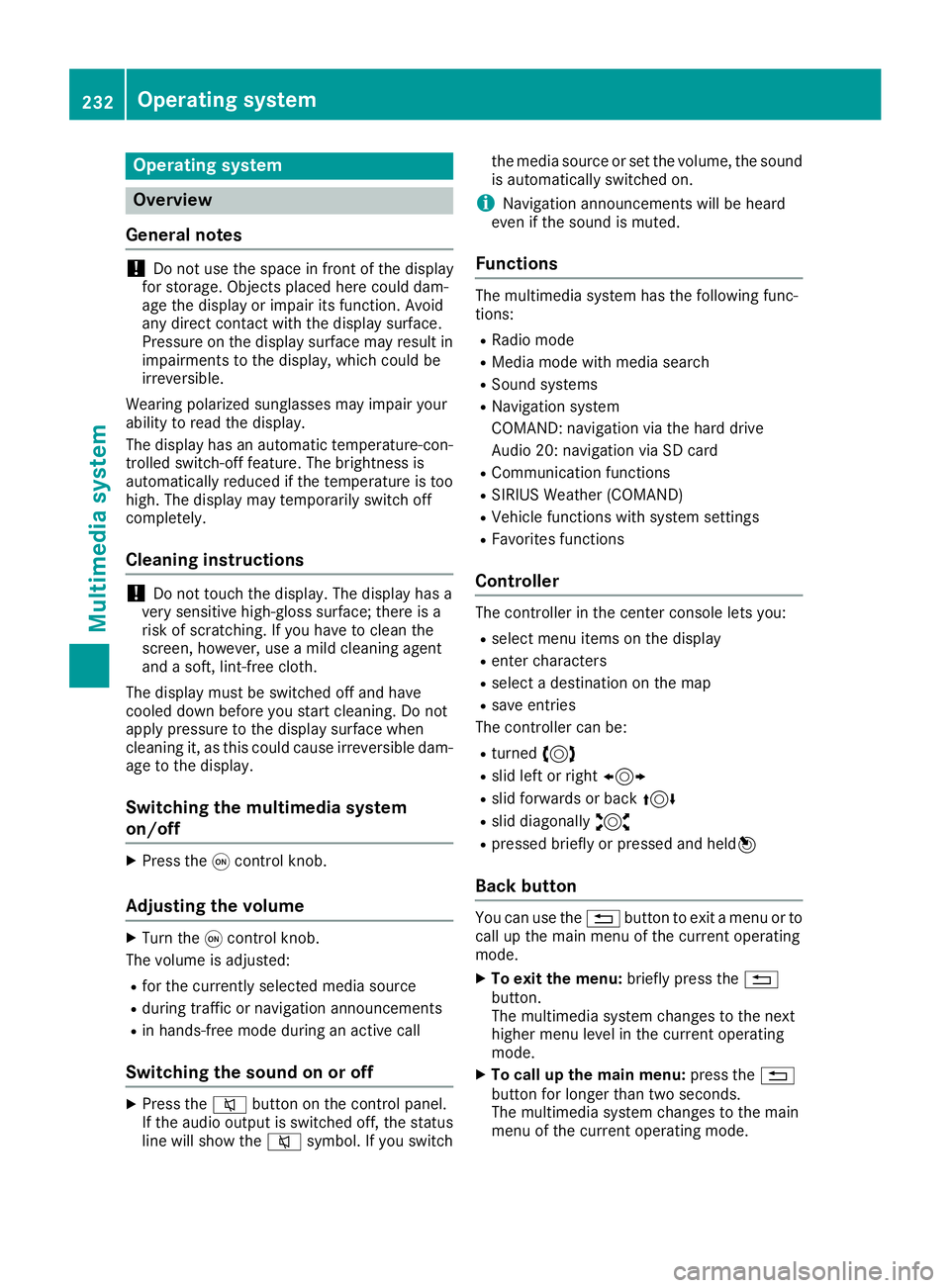
The controller can be:
Rturned3
Rslid left or right1
Rslid forwards or back4
Rslid diagonally2
Rpressed briefly or pressed and held7
Back button
You can use the8button to exit a menu or tocall up the main menu of the current operatingmode.
XTo exit the menu:briefly press the8button.The multimedia system changes to the nexthigher menu level in the current operatingmode.
XTo call up the main menu:press the8button for longer than two seconds.The multimedia system changes to the mainmenu of the current operating mode.
232Operating system
Multimedia system
Page 287 of 330
!When Active Brake Assist, Active DistanceAssist DISTRONIC or the HOLD function isactivated, the vehicle brakes automatically incertain situations.
To avoid damage to the vehicle, deactivatethese systems in the following or similar sit-uations:
Rwhen towing the vehicle
Rin the car wash
!Make sure that the electric parking brake isreleased. If the electric parking brake is faulty,visit a qualified specialist workshop.
!Only secure the tow rope or tow bar at thetowing eyes. Otherwise, the vehicle could bedamaged.
!Do not use the towing eyes for recovery pur-poses as this could damage the vehicle. If indoubt, recover the vehicle with a crane.
!When towing, pull away slowly andsmoothly. If the tractive power is too high, thevehicles could be damaged.
!The vehicle can be towed a maximum of30 miles (50km). The towing speed of 30 mph(50km/h) must not be exceeded.
If the vehicle has to be towed more than30 miles (50km), the front axle must be raisedor the entire vehicle raised and transported.
!Do not tow with sling-type equipment. Thiscould damage the vehicle.
!When towing away vehicles with KEYLESS-GO, use the key instead of the Start/Stopbutton. The automatic transmission may oth-erwise shift to position]when you open thedriver's or front-passenger door, which coulddamage the transmission.
!Vehicles with automatic transmission mustnot be started by tow-starting. This could oth-erwise damage the transmission.
It is better to have the vehicle transported thanto have it towed away.
If the vehicle can no longer be driven because ofan accident or breakdown, you have the follow-ing options:
RTransporting the vehicle.
As a rule, you should have the vehicle trans-ported.
RTowing the vehicle with a tow rope or tow bar.
Only tow the vehicle in exceptional cases.
The battery must be connected and charged.Otherwise, you:
Rcannot turn the SmartKey to positionHinthe ignition lock.
Rcannot release the electric parking brake.
Rcannot shift the transmission to position\\.
The function of the electric parking brake andthe parking lock is dependent on the on-boardvoltage.
If the on-board voltage is low or if there is a sys-tem malfunction:
Rthe electric parking brake may not be appliedin certain circumstances, or
Rit may no longer be possible to shift the trans-mission to position]
Switch off non-essential consumers, e.g. theradio.
Deactivate the automatic locking feature beforethe vehicle is towed (Ypage 189). You couldotherwise be locked out when pushing or towingthe vehicle.
Installing/removing the towing eye
Installing the towing eye
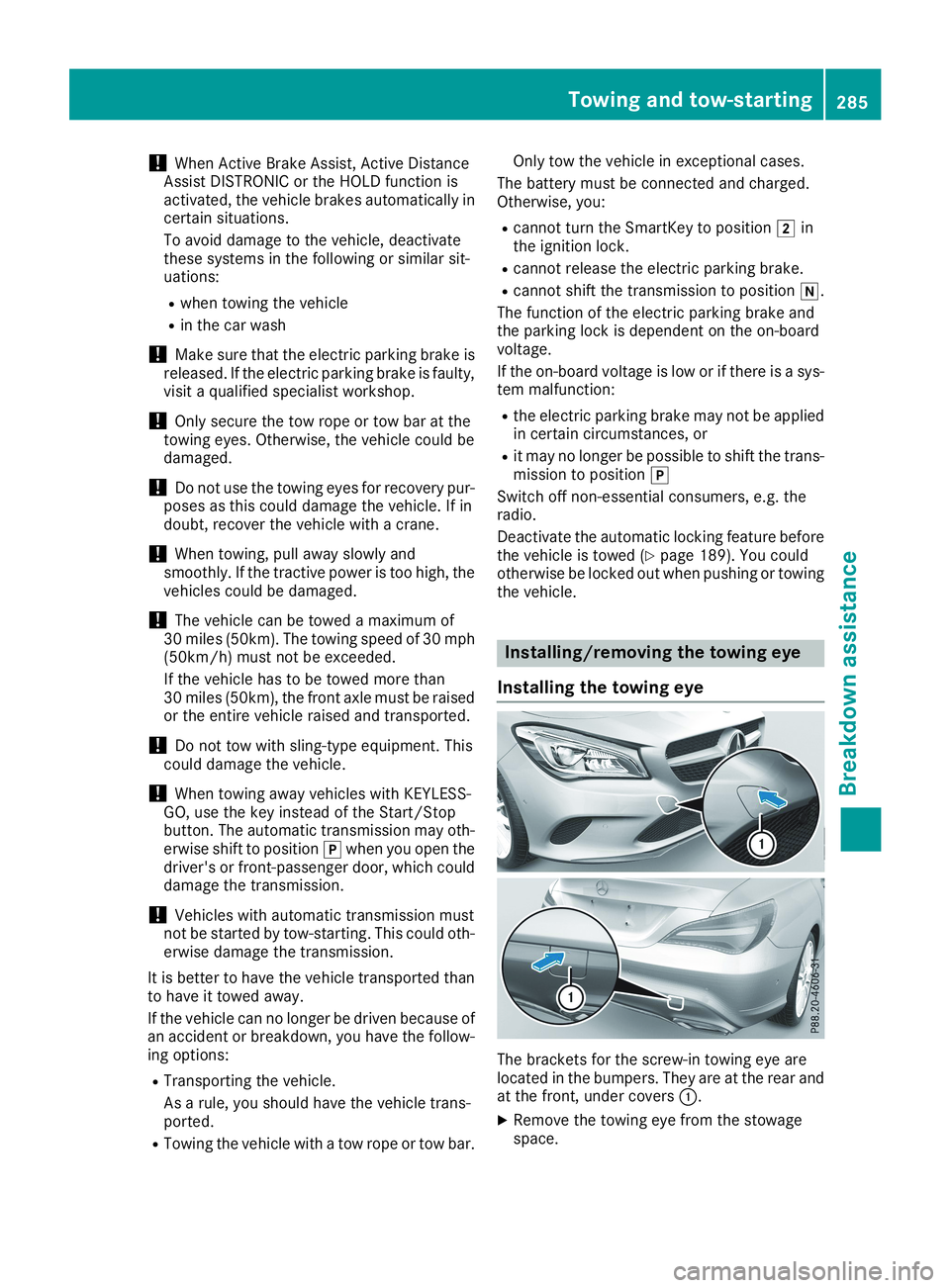
The brackets for the screw-in towing eye arelocated in the bumpers. They are at the rear andat the front, under coversC.
XRemove the towing eye from the stowagespace.
Towing and tow-starting285
Breakdown assistance
Z
Page 301 of 330
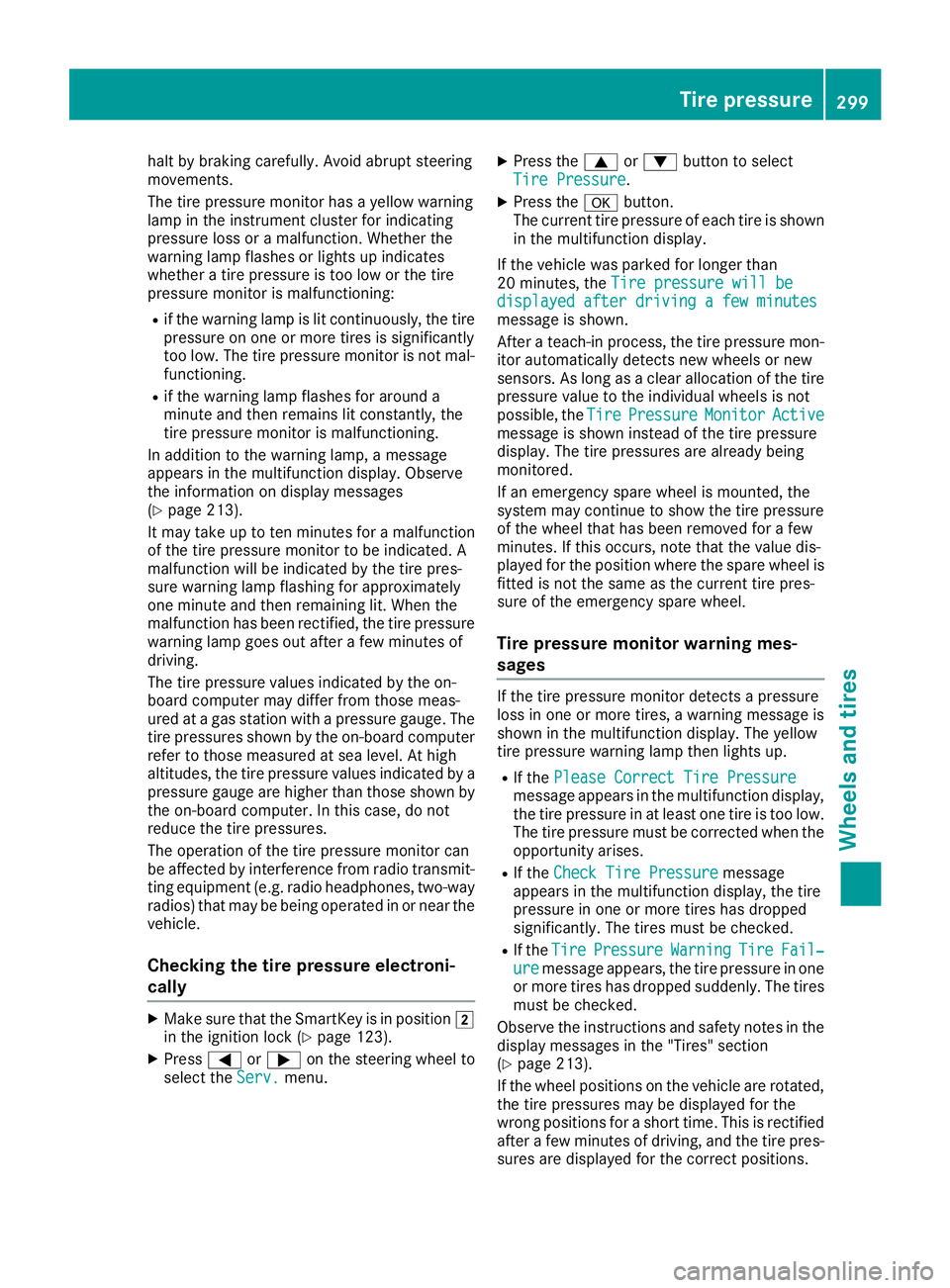
halt by braking carefully. Avoid abrupt steeringmovements.
The tire pressure monitor has a yellow warninglamp in the instrument cluster for indicatingpressure loss or a malfunction. Whether thewarning lamp flashes or lights up indicateswhether a tire pressure is too low or the tirepressure monitor is malfunctioning:
Rif the warning lamp is lit continuously, the tirepressure on one or more tires is significantlytoo low. The tire pressure monitor is not mal-functioning.
Rif the warning lamp flashes for around aminute and then remains lit constantly, thetire pressure monitor is malfunctioning.
In addition to the warning lamp, a messageappears in the multifunction display. Observethe information on display messages(Ypage 213).
It may take up to ten minutes for a malfunctionof the tire pressure monitor to be indicated. Amalfunction will be indicated by the tire pres-sure warning lamp flashing for approximatelyone minute and then remaining lit. When themalfunction has been rectified, the tire pressurewarning lamp goes out after a few minutes ofdriving.
The tire pressure values indicated by the on-board computer may differ from those meas-ured at a gas station with a pressure gauge. Thetire pressures shown by the on-board computerrefer to those measured at sea level. At highaltitudes, the tire pressure values indicated by apressure gauge are higher than those shown bythe on-board computer. In this case, do notreduce the tire pressures.
The operation of the tire pressure monitor canbe affected by interference from radio transmit-ting equipment (e.g. radio headphones, two-wayradios) that may be being operated in or near thevehicle.
Checking the tire pressure electroni-
cally
XMake sure that the SmartKey is in positionHin the ignition lock (Ypage 123).
XPressYoreon the steering wheel toselect theServ.Serv.menu.
XPress thecordbutton to selectTire PressureTire Pressure.
XPress thevbutton.The current tire pressure of each tire is shownin the multifunction display.
If the vehicle was parked for longer than20 minutes, theTire pressure will beTire pressure will bedisplayed after driving a few minutesdisplayed after driving a few minutesmessage is shown.
After a teach-in process, the tire pressure mon-itor automatically detects new wheels or newsensors. As long as a clear allocation of the tirepressure value to the individual wheels is notpossible, theTireTirePressurePressureMonitorMonitorActiveActivemessage is shown instead of the tire pressuredisplay. The tire pressures are already beingmonitored.
If an emergency spare wheel is mounted, thesystem may continue to show the tire pressureof the wheel that has been removed for a fewminutes. If this occurs, note that the value dis-played for the position where the spare wheel isfitted is not the same as the current tire pres-sure of the emergency spare wheel.
Tire pressure monitor warning mes-
sages
If the tire pressure monitor detects a pressureloss in one or more tires, a warning message isshown in the multifunction display. The yellowtire pressure warning lamp then lights up.
RIf thePlease Correct Tire PressurePlease Correct Tire Pressuremessage appears in the multifunction display,the tire pressure in at least one tire is too low.The tire pressure must be corrected when theopportunity arises.
RIf theCheck Tire PressureCheck Tire Pressuremessageappears in the multifunction display, the tirepressure in one or more tires has droppedsignificantly. The tires must be checked.
RIf theTireTirePressurePressureWarningWarningTireTireFail‐Fail‐ureuremessage appears, the tire pressure in oneor more tires has dropped suddenly. The tiresmust be checked.
Observe the instructions and safety notes in thedisplay messages in the "Tires" section(Ypage 213).
If the wheel positions on the vehicle are rotated,the tire pressures may be displayed for thewrong positions for a short time. This is rectifiedafter a few minutes of driving, and the tire pres-sures are displayed for the correct positions.
Tire pressure299
Wheels and tires
Z
Page 302 of 330
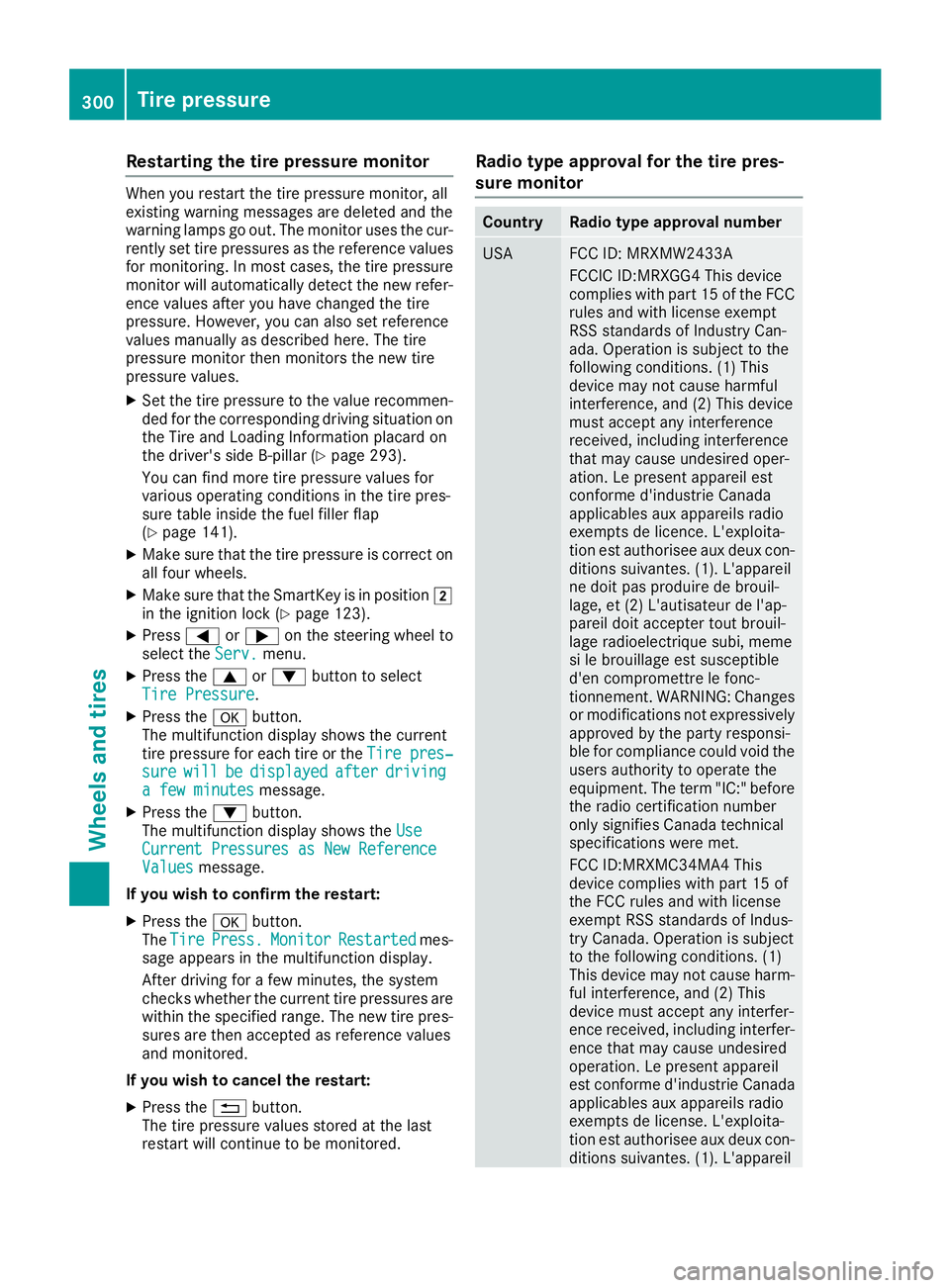
Restarting the tire pressure monitor
When you restart the tire pressure monitor, allexisting warning messages are deleted and thewarning lamps go out. The monitor uses the cur-rently set tire pressures as the reference valuesfor monitoring. In most cases, the tire pressuremonitor will automatically detect the new refer-ence values after you have changed the tirepressure. However, you can also set referencevalues manually as described here. The tirepressure monitor then monitors the new tirepressure values.
XSet the tire pressure to the value recommen-ded for the corresponding driving situation onthe Tire and Loading Information placard onthe driver's side B-pillar (Ypage 293).
You can find more tire pressure values forvarious operating conditions in the tire pres-sure table inside the fuel filler flap(Ypage 141).
XMake sure that the tire pressure is correct onall four wheels.
XMake sure that the SmartKey is in positionHin the ignition lock (Ypage 123).
XPressYoreon the steering wheel toselect theServ.Serv.menu.
XPress thecordbutton to selectTire PressureTire Pressure.
XPress thevbutton.The multifunction display shows the currenttire pressure for each tire or theTire pres‐Tire pres‐suresurewillwillbebedisplayeddisplayedafterafterdrivingdrivinga few minutesa few minutesmessage.
XPress thedbutton.The multifunction display shows theUseUseCurrent Pressures as New ReferenceCurrent Pressures as New ReferenceValuesValuesmessage.
If you wish to confirm the restart:
XPress thevbutton.TheTireTirePress.Press.MonitorMonitorRestartedRestartedmes-sage appears in the multifunction display.
After driving for a few minutes, the systemchecks whether the current tire pressures arewithin the specified range. The new tire pres-sures are then accepted as reference valuesand monitored.
If you wish to cancel the restart:
XPress the8button.The tire pressure values stored at the lastrestart will continue to be monitored.
Radio type approval for the tire pres-
sure monitor
CountryRadio type approval number
USAFCC ID: MRXMW2433A
FCCIC ID:MRXGG4 This devicecomplies with part 15 of the FCCrules and with license exemptRSS standards of Industry Can-ada. Operation is subject to thefollowing conditions. (1) Thisdevice may not cause harmfulinterference, and (2) This devicemust accept any interferencereceived, including interferencethat may cause undesired oper-ation. Le present appareil estconforme d'industrie Canadaapplicables aux appareils radioexempts de licence. L'exploita-tion est authorisee aux deux con-ditions suivantes. (1). L'appareilne doit pas produire de brouil-lage, et (2) L'autisateur de l'ap-pareil doit accepter tout brouil-lage radioelectrique subi, memesi le brouillage est susceptibled'en compromettre le fonc-tionnement. WARNING: Changesor modifications not expressivelyapproved by the party responsi-ble for compliance could void theusers authority to operate theequipment. The term "IC:" beforethe radio certification numberonly signifies Canada technicalspecifications were met.
FCC ID:MRXMC34MA4 Thisdevice complies with part 15 ofthe FCC rules and with licenseexempt RSS standards of Indus-try Canada. Operation is subjectto the following conditions. (1)This device may not cause harm-ful interference, and (2) Thisdevice must accept any interfer-ence received, including interfer-ence that may cause undesiredoperation. Le present appareilest conforme d'industrie Canadaapplicables aux appareils radioexempts de license. L'exploita-tion est authorisee aux deux con-ditions suivantes. (1). L'appareil
300Tire pressure
Wheels and tires